“My remote pro is the one with the rechargeable battery non replaceable one Last night it quit on me it worked perfectly since I got it 4 months ago. I can’t get it to do anything anymore. Can anyone help me get it to work again? Thank you!”
Answer This Question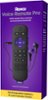
1-3 of 3 Answers
I just got the remote and I have the same problem the other day here is exactly what you do… First charge the remote for a day and I mean a whole day leave it alone don’t touch it don’t do anything with it leave it charging for a day and make sure the charger is working meeting look on the back of the remote it should be lighting up a blue color and it’s blinking If it’s not doing that it’s not charging Next, once it’s fully charged unhook it and then press the power button nothing else just the power button to see if it even turns on your TV or does anything…. If that doesn’t work you may have to pair it again to ur Roku box The only way to do that without a remote is you have to download the app on your iPhone or android and then your phone will automatically work just like the remote you follow the settings on your home screen until you get to the remote page and then you pair the remote… than it should work If all that fails I would definitely call Roku because usually you get a year warranty. Good luck
Sorry, there was a problem. Please try again later.Hi, Just23! First try charging your remote with a different charger and charging box. You can also try "forgetting the remote" and setting it up again. Settings > Remotes and devices > Remote (in use) > Forget remote If after you've taken these steps and still experience an issue please contact Roku Customer Support using the link provided here: https://support.roku.com/contactus
Sorry, there was a problem. Please try again later.I can't really help. Just wanted to say I had the same problem with mine. The only way it works now is to keep it connected to the charger.
Sorry, there was a problem. Please try again later.