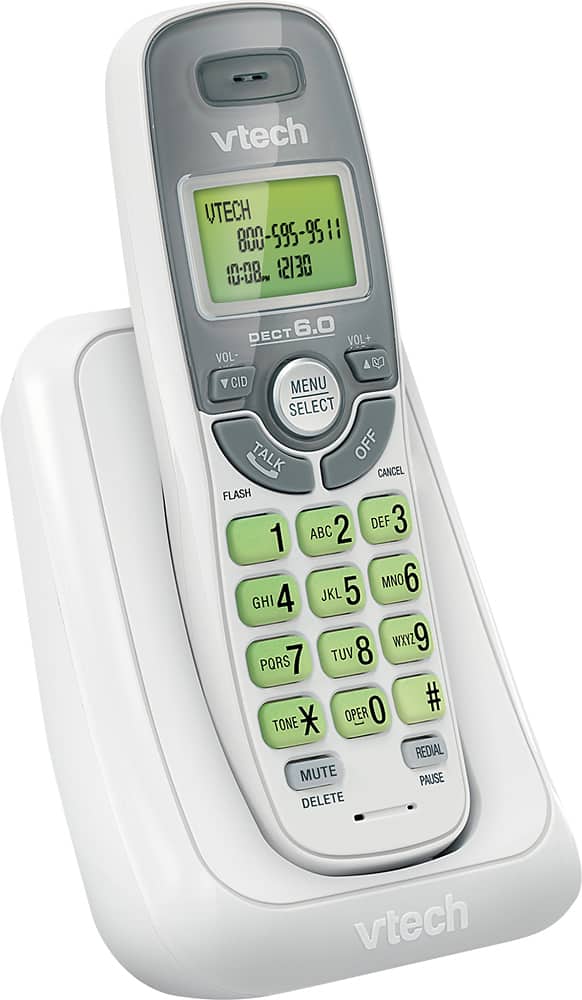
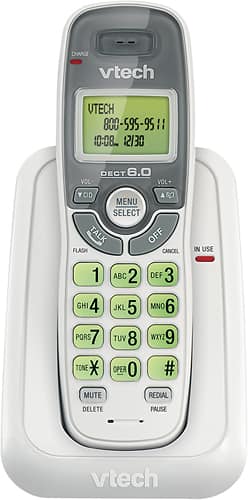
A:AnswerMel - No, the VTech CS6114 is not capable of receiving text messages. You can use the telephone system to make and receive calls on your landline service.
Thank you,
-VTech Support
A:AnswerChar - The VTech CS6114 does not have a built in answering machine. You may contact your telephone service provider to get instructions on how to listen to Voicemail messages.
Thank you,
-VTech Support
A:AnswerDonn - The VTech CS6114 can be installed on the same line where your existing unit is plugged in. You need to also install the telephone base on a telephone wall jack or modem. They will work as extension phones but features are not shared.
Thank you,
-VTech Support
A:AnswerHi - The screen backlight of the VTech CS6114 should light when a button is pressed. However, it will turn off after a few seconds of inactivity. For more questions, please contact our Consumer Sales and Service Center between the hours of 9:00 AM and 3:00 PM Monday through Friday at 1-800-595-9511.
Thank you,
-VTech Support
A:AnswerHi- The VTech CS6114 is designed without speaker. We recommend looking for the models CS5119 and CS6919 which has a speakerphone feature that you are looking for.
A:AnswerHi Fish,
What you actually see on the phone is the current date not a 4 digit number.
I can see at first glance is that the / does sort of look like a 1.
If you look closer at the 1, it is an actual /.
So, it is really 8/04 for August 4th.
A:AnswerHi - Yes, the VTech CS6114 can store up to 30 phonebook entries.
To add a directory entry on the handset:
Step 1. Enter the phone number using the dialing keys when the phone is not in use. Press MENU.
Step 2. Press MENU/SELECT to move on to enter the name. The handset displays Enter name. Use the dialing keys to enter the name.
Step 3. Press MENU/SELECT to save. The handset displays Saved and you will hear a confirmation tone.
Hope this helps!
- VTech Support
A:AnswerKitty - Yes, you can install the VTech CS6114 to be used with your CS6829. You need to install the base of both the VTech CS6114 and CS6829 on their own telephone wall jack and AC outlet. The 2 units will work as extension phones.
Thank You!
-VTech Support
A:AnswerIf your able to measure voltage on the plug which connects to the base. If it has power then the problem is within the unit. Sometimes the phone does not set properly into the cradle an will not make connection to the base to charge the phone up.
A:AnswerMeasuring the voltage of a battery while not under a load will show it potential, but when you connect it up it can drop to a much lower voltage when the battery is going bad. measure the voltage while it is still connected. This will give you a better idea if it is working or not. Batteries do fail at times an they no longer can hold a charge. A Meter does not put a load on it, so it will seam fine. Then you install it an it goes dead right away.
A:AnswerHi - The VTech CS6114 comes with a main base and a cordless handset. It is a non-expandable model hence you cannot add another handset to the system. You may check the model CS6114-2 which comes with two cordless handsets. Thank you! - VTech Support
A:AnswerNay - The VTech CS6114 does not have a built in answering machine. You may check the model VTech CS6124, which does have an answering machine as a built in feature. You can also subscribe to a Voicemail service from telephone service provider.
Thank you,
-VTech Support
A:AnswerDan - The VTech CS6114 does not have an option to restore the unit to its factory default setting. If you have other inquiries, please contact VTech Customer Support for further assistance at 1-800-595-9511. We are open from 9:00 AM to 3:00 PM, Mondays through Fridays. When calling, please have your phone model number handy: CS6114. Thank you! - VTech Support
A:AnswerJay - We are sorry to hear that you are having an issue with the VTech CS6114. We recommend that you try replacing the telephone line cord (if you have a spare one) and check if the service is restored. If not, like many electronic devices, a system reboot may resolve the issue. You can try rebooting your phone system by disconnecting the power from the telephone base then unplugging the batteries on the cordless handsets for a minute. Reconnect and test. If the issue still persists, please contact VTech Customer Support for further assistance at 1-800-595-9511. We are open from 9:00 AM to 3:00 PM, Mondays through Fridays. When calling, please have your model number handy: CS6114. Thank you! - VTech Support