“Hello, I have the ds6771-3 system and have bought a 2nd headset is6200 but I am having trouble pairing the second headset to the base. Help would be greatly appreciated”
Answer This Question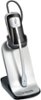
1-1 of 1 Answer
Hi - We are sorry to hear that you are having issues registering the IS6200 to the VTech DS6771-3. Here's the step on how you can register the headset to the telephone base. Step 1: Make sure that the headset is out of the charger. Headset charger must be right next the telephone base during registration. Step 2: Press and hold the FIND HANDSET button on the telephone base for four seconds or until the IN USE light turns on. Step 3: Release the FIND HANDSET button then place the headset on the charger. It will take about 60 seconds for the registration to be completed. If this does not help, you can contact our Customer Support at 1-800-595-9511. We are open from 9:00 AM to 3:00 PM, Mondays through Fridays. Thank you, -VTech Support
Sorry, there was a problem. Please try again later.