“I bought a previously owned IS6200. I want to register it with my ATT TL96456. It will not register as far as I can tell to the base when I press the find locator button and it goes to registration mode. It says Out of range. How to unregister from old?”
Answer This Question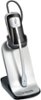
1-3 of 3 Answers
The sequence to Deregister the IS6200 is: 1. Volume + 2. Power Button 3. Volume - 4. Power Button 5. Volume + 7. Volume - 8. Power Button
Sorry, there was a problem. Please try again later.The sequence to Deregister the IS6200 headset is: 1: Hold Volume + for 2 seconds then release. 2: Quick press the Power Button 3:Hold Volume - for 4 seconds, release. 4: Quick press the Power Button. 5: Hold Volume + for 7 seconds, release. 6: Hold Volume - for 8 seconds, release. Quick press the Power Button.
Sorry, there was a problem. Please try again later.Abhi - the headset might still be registered to another base. Please contact our customer support at 1-800-595-9511. We are open from 9AM to 5PM, Monday to Friday. Thank you!
Sorry, there was a problem. Please try again later.