“Can this be connected to a router and used as a network storage device? How would it be setup and accessible, if so?”
Answer This Question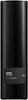
1-2 of 2 Answers
Depends on your router’s steps for storage setup. Look at your router for guidance on that since there would be no configuration needed on the Hard Drive itself.
Sorry, there was a problem. Please try again later.Yes, but because this external drive only has a USB port you have to connect it through a computer that's always on. Look up "how to make a hard drive network accessible" for details. Note that this will mean the computer you connect the drive to will take a performance hit, especially when multiple computers are streaming videos at the same time. If that's your intended use, better to skip this and go with a dedicated media server or true NAS product.
Sorry, there was a problem. Please try again later.