“Can this be used strictly for movies and sitcoms? I want to take my dvd library and put it on a hard drive and simply cast the movie to my tv...Next question, can you cast from this device, or does it need to be hard wired to the tv?”
Answer This Question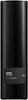
1-2 of 2 Answers
This is simply a hard drive so it will not cast any media in and of itself. You can plug it in to a smart tv that will read files off of an external drive or connect the drive to a device ( which would then connect to your tv via hdmi) that can play the files such as a Nvidia Shield tv.
Sorry, there was a problem. Please try again later.If your TV has the capability, you would use your computer to cast the movies to your TV. I have that with my LG OLED, but I find it difficult to use. Also, you would be using Windows Player or some other computer video player that has limited functions/ features (rewind, fast forward, etc.) If you own or can buy a Tivo DVR, you may be able to transfer the movies from your computer to the DVR (as long as they don't have copyright protections). You would then watch the movies through the Tivo, and have much better, easier to use DVR functions/ features. For more information on this, post and ask questions at Tivo Community Forums. In either case, you would need to connect the external hard drive to a computer. I don't believe there is a way to directly connect, cast, or stream from an external hard drive to a TV.
Sorry, there was a problem. Please try again later.
