“If I buy the 0TB and a 4TB drive, do I need anything else to get up and running? Does the WD Red NSD drive come formatted Correctly for this?”
Answer This Question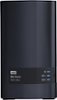
1-3 of 3 Answers
Hello,Please be informed that the My Cloud EX2 Ultra can be quickly found on your network and installed over the web, making the setup process simple and intuitive. You can also access the drive using mycloud.com. To know more about the drive please refer to the link: https://documents.westerndigital.com/content/dam/doc-library/en_us/assets/public/wd/product/nas/my_cloud/ex2_ultra/product-overview-my-cloud-expert-series-ex2-ultra.pdf -Need Help? Please see our "'Contact Us" page for information.
Sorry, there was a problem. Please try again later.The NAS will format the drive. This NAS is designed to have 2 drives installed. Mirroring the drive give you more protection if one drive fails the other drive will still have your information stored and available to use. If data protection isn’t that important you can stripe the drives which will allow you to expand your storage capacity above 4tb.
Sorry, there was a problem. Please try again later.You won’t need anything else. The WD RED drive will come pre-formatted but I always format drives with the device they are installed in for top performance. Also this EX2 had 2 drive bays, so you can expand your storage, or set the EX2 up to automatically “MIRROR” each drive for automatic backup from one drive to another (RAID). This EX2 has a lot of neat features.
Sorry, there was a problem. Please try again later.