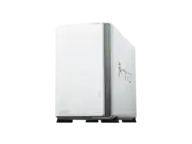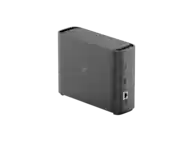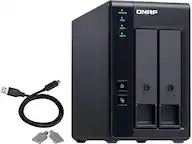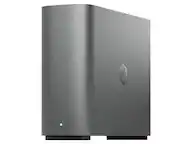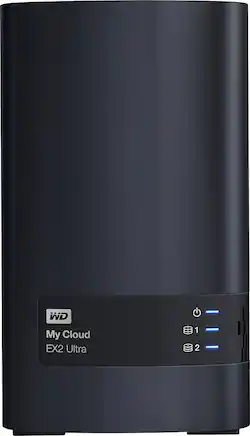
WD - My Cloud Expert EX2 Ultra 2-Bay 0TB External Network Attached Storage (NAS) - Charcoal
- Key Specs
- Security Features: Password Protection
- Storage Capacity: 0 gigabytes (Measured in megabytes (MB), gigabytes (GB) and terabytes (TB), this is the amount available for storing files, music, movies, photos and more. The total includes the capacity of the hard disk drive and solid state drive if both are included on the computer.)
- Number Of Drives Included: 0
- Number of Bays: 2 (Each bay, or enclosure, holds an individual drive.)
- Processor Model: ARM (Your computer's processor is like its brain. Working in combination with system memory, the power of the processor determines the complexity of software you can run, how many programs you can have open at the same time, and how fast those programs will run. Most computers feature an AMD, Intel or Snapdragon processor.)
- General
- Product Name: My Cloud Expert EX2 Ultra 2-Bay 0TB External Network Attached Storage (NAS)
- Brand: WD
- Model Number: WDBVBZ0000NCH-NESN
- Color: Charcoal
- Security
- Security Features: Password Protection
- Features
- Storage Capacity: 0 gigabytes (Measured in megabytes (MB), gigabytes (GB) and terabytes (TB), this is the amount available for storing files, music, movies, photos and more. The total includes the capacity of the hard disk drive and solid state drive if both are included on the computer.)
- Number Of Drives Included: 0
- Number of Bays: 2 (Each bay, or enclosure, holds an individual drive.)
- Power Supply: USB port
- Ports
- Number of RJ-45 Ports: 1 (An RJ-45 port, or jack, is an 8-pin connection between a device and a local area network (LAN), using an Ethernet, or RJ-45, cable.)
- Number of USB Ports (Total): 2
- Processor
- Processor Brand: ARM
- Processor Model: ARM (Your computer's processor is like its brain. Working in combination with system memory, the power of the processor determines the complexity of software you can run, how many programs you can have open at the same time, and how fast those programs will run. Most computers feature an AMD, Intel or Snapdragon processor.)
- Compatibility
- System Requirements: Windows 10, 8, 7 or Vista operating systems; Mac OS X El Capitan, Yosemite, Mavericks or Mountain Lion operating systems; DLNA/UPnP devices for streaming; Router for Internet connection (The software that a product must have for it to be able to integrate with another product.)
- Drive Compatibility: 3.5" SATA HDD
- RAID Support: RAID 0, RAID 1, JBOD (A Redundant Array of Independent Disks (RAID) includes a collection of separate disks that your computer recognizes as one disk unit. Each configuration offers a different level of mirroring, striping and read/write speeds.)
- Ethernet Standard: 10/100/1000 (Each standard is a variation of the IEEE 802.3 set of computer networking technologies known as Ethernet. New versions evolved to include higher bandwidth, different physical media, and other new and improved features. Standards are often denoted by speeds (in Megabits per second). For example, a 10/100/1000 Ethernet port transmits at 10 Mbps, 100 Mbps, and 1000 Mbps (1 Gbps).)
- Memory
- Type of Memory (RAM): DDR3 (Each type of RAM delivers a different level of speed, bandwidth, energy efficiency and performance.)
- Dimensions
- Product Height: 6.75 inches (The out of box height of the item. Height is measured as the vertical distance from the bottom of the item to the top as it would be primarily used or placed.)
- Product Width: 3.9 inches (The out of box width of the item. Width is measured as the horizontal distance from one side of the item to the other as it would be primarily used or placed.)
- Product Weight: 28.8 pounds (The out of box weight of the item.)
- Other
- UPC: 718037843704
Protect your media and access it easily with this My Cloud EX2 Ultra external hard drive. The high-performance Marvell ARMADA 385 1.3 GHz dual-core processor provides ultra-fast transfer rates, and multitasking is easy thanks to the 1GB of DDR3 memory. This 0TB My Cloud EX2 Ultra makes sharing data simple via the My Cloud remote-access app.
- 0TB storage capacity: Allows to create a custom NAS with compatible hard drives.
- Gigabit Ethernet interface: Lets you store data to a personal Cloud.
- Multiple RAID options: Provide the ability to create RAID 0, RAID 1 or a JBOD / spanning structure for non-RAID configurations.
- Custom backup at any time: Safe your data with WD SmartWare Pro backup software or Apple Time Machine.
- 256 AES volume encryption: Provides securely store files across your entire network.
- Upgraded for high-performance: Dual-core Marvell ARMADA 385 1.3GHz processor and 1GB of DDR3 memory helps to get ultra-fast transfer rates for high performance streaming.
- Simple to install, easy to manage: With a tray-less bay design, installation is effortless and tool-free.
- Compatible with Mac and PC: For flexible installation options.
Whats Included
- Ethernet cable
- NAS
- Power supply
- Quick install guide
A: I have this NAS and using only one drive and it is working fine but you will not going to have the option of RAID
A: You need to install your own drives
Q: what kind of hard drive to install in this NAS?
A: Best to use the WD Red NAS drives. If you are going to use with Raid 1 you will need two drives one that is the main and the other is the redundancy drive. So for example (2) 2 gigs will give you 2 gigs backup and a redundancy incase the other drive fails.
A: They are there for external drives but you must have internal storage first
A: Nope. Couldn't get through the setup without a drive installed. I was hoping to just use the bare drive to manage two USB drives but no workey like that.
A: No, you can not attach and access a printer scanner fax using this storage device.
Q: Does this alarm when a drive fails or starts to degrade?
A: It alarms when one of the drives fail
Q: What file format is used (NTLS, EXT2, EXT3, etc)?
A: EXT2, 3, 4 are Linux filesystems. These are similar to NTFS, FAT and FAT32 on Windows. This drive, like most drives like this, run a Linux operating system and use Samba to allow Windows to talk to the drive as if it was a Windows drive.