Customer Ratings & Reviews



- Model:
- 82R400DTUS
- SKU:
- 6555683
Rating by feature
- Battery Life
Rating 4.6 out of 5 stars
- Speed
Rating 4.7 out of 5 stars
- Display
Rating 4.7 out of 5 stars
Customers are saying
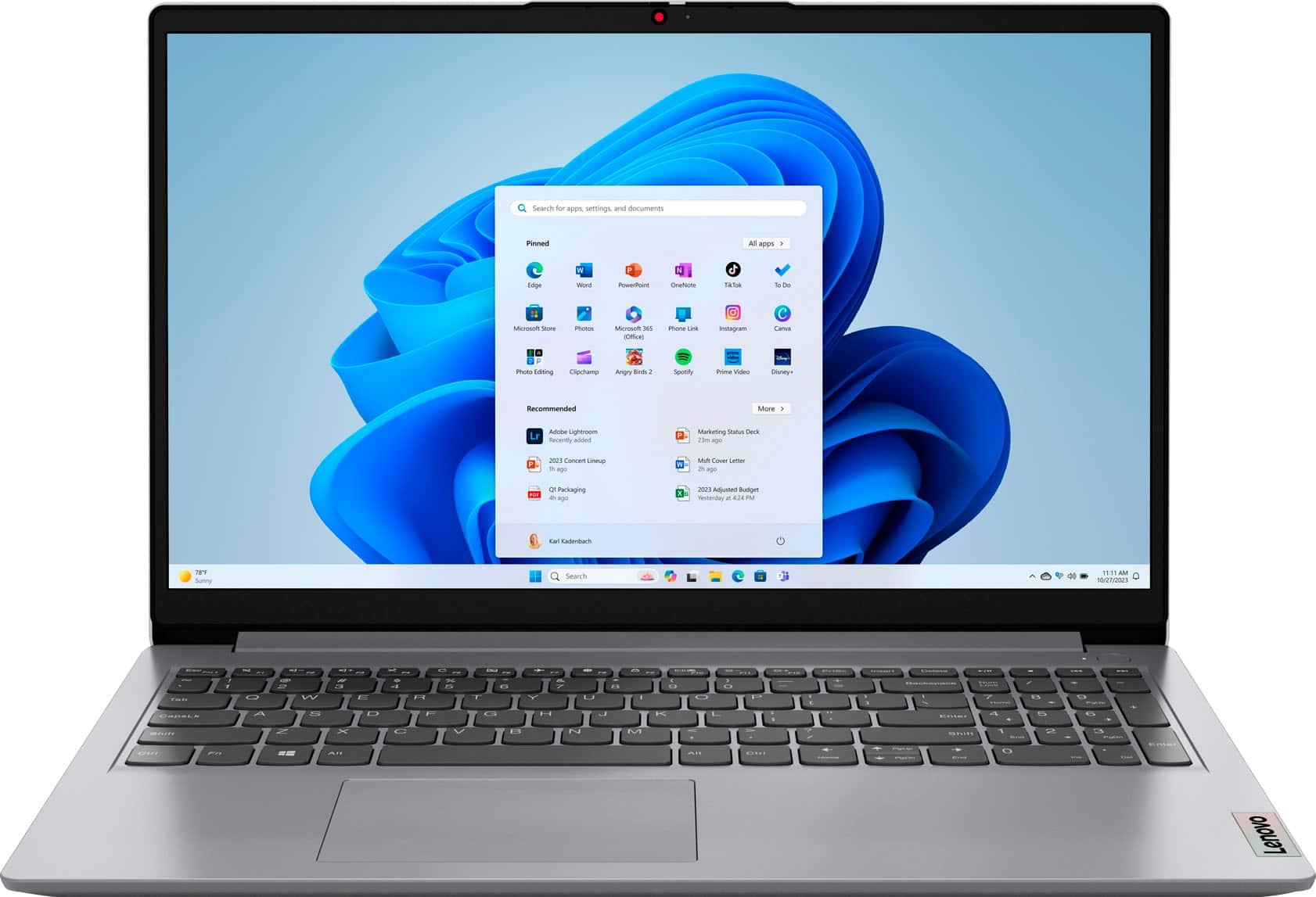
Customers praise the Ideapad 1's touchscreen, performance, ease of use, and battery life. Many appreciate its light weight, affordable price, and large screen size, along with the ample RAM and memory. Some users noted that the fan can be noisy at times, and the lack of a USB-C charging port was a point of concern for a few. Overall, the positive feedback significantly outweighs the negative comments.
This summary was generated by AI based on customer reviews.
To slow
||Posted . Owned for 1 month when reviewed.This reviewer received promo considerations or sweepstakes entry for writing a review.Does not work is really slow after 1 month of buying it started lagging.
No, I would not recommend this to a friendBrand response from Lenovo Product Expert
Posted .Hi, GustavoS. We are sorry to hear that your IdeaPad fell short of your needs. The specifications of this IdeaPad should satisfy the needs of most, but you may be using programs or working in a way that is demanding on your computer. If you do not feel this is the case, please feel free to reach out to our support team so that we may help get your device back to its full capacity. We appreciate you taking the time to leave a review with us.

Disappointed
||Posted . Owned for 2 months when reviewed.This reviewer received promo considerations or sweepstakes entry for writing a review.This laptop consumes time for single refresh and every time it does hang whenever I plugged my data cable and pen drive.
No, I would not recommend this to a friendBrand response from Lenovo Product Expert
Posted .Hey CustomerG, we're sorry to hear that you're having this issue with your IdeaPad. To help resolve this issue, for now, we recommend following these troubleshooting steps: 1. Perform a static discharge/power cycle. To do so, first remove all cables connected to the device (power adapter, HDMI, external mouse, external keyboard, etc.). 2. Be sure device is powered off, then. press and hold the power button down for 60 seconds. When done, re-attach all cables and insert the power adapter, letting the laptop charge for a couple minutes, then power up the machine as usual. 3. Try to update the drivers on the Lenovo Support site: https://pcsupport.lenovo.com/. Type the machine serial number (S/N) on the search bar. Hit enter to search the details regarding that unit. Click on the Drivers and Software tab, head to the Manual Update tab. Filter the Operating System drop-down to Windows 11 and proceed to downloading / updating the drivers. Restart your laptop when updates are done. If your issue persists after these steps, we then recommend contacting Lenovo Support directly at this number: 855-253-6686, to work with a representative for more in-depth troubleshooting.
Crappy Laptop
||Posted . Owned for 2 weeks when reviewed.This reviewer received promo considerations or sweepstakes entry for writing a review.This is a very crappy laptop and now the return period is closed. The battery only charges up to 77% and no further. Not fair. you can't take people's money for things that don't work properly. This laptop deserves no stars
No, I would not recommend this to a friendBrand response from Lenovo Product Expert
Posted .Hi, Appointed. We are sorry to hear that you have experienced an issue with your IdeaPad. To try to remedy this, first, be sure Battery Charge Threshold is turned off. This power management setting will prolong overall battery life by only charging the battery mostly, but not its full capacity. You can turn off Battery Charge Threshold within the Lenovo Vantage application installed on this computer. In Vantage, select Device > Power > turn off Battery Charge Threshold, if turned on. If after these steps your issue persists, we then recommend reaching out to Lenovo Tech Support at this number: 877-453-6686, and providing a representative with details of your issue, so that they may help by providing a solution for you. We appreciate you sharing your experience so that we may use it to continue to better our products and services for yourself and others.
Frustrating
||Posted . Owned for 1 month when reviewed.This reviewer received promo considerations or sweepstakes entry for writing a review.I have this computer for less than 2 months and it already is giving me problems. Very frustrating!!!!!!
No, I would not recommend this to a friendBrand response from Lenovo Product Expert
Posted .Hey SimiA, we're sorry to hear that you're having trouble with your IdeaPad. Since we do not know the details of how what went wrong, here's some blanket troubleshooting steps that resolves most common issues. To start, we recommend following these troubleshooting steps: 1. Perform a static discharge/power cycle. To do so, first remove all cables connected to the device (power adapter, HDMI, external mouse, external keyboard, etc.). 2. Be sure device is powered off, then. press and hold the power button down for 60 seconds. When done, re-attach all cables and insert the power adapter, letting the laptop charge for a couple minutes, then power up the machine as usual. 3. Try to update the drivers on the Lenovo Support site: https://pcsupport.lenovo.com/. Type the machine serial number (S/N) on the search bar. Hit enter to search the details regarding that unit. Click on the Drivers and Software tab, head to the Manual Update tab. Filter the Operating System drop-down to Windows 11 and proceed to downloading / updating the drivers. Restart your laptop when updates are done. If your issue persists after these steps, we then recommend contacting Lenovo Support directly at this number: 855-253-6686, to work with a representative for more in-depth troubleshooting.
Junk
||Posted . Owned for 3 months when reviewed.This reviewer received promo considerations or sweepstakes entry for writing a review.Absolute junk got it on January 7 and already keys Are falling off total piece of crap
No, I would not recommend this to a friendBrand response from Lenovo Product Expert
Posted .Hello, Bause. We are sorry to hear that you have encountered an issue with your IdeaPad. Should you want to discuss repair or replacement options, we recommend reaching out to Lenovo Tech Support to speak with a representative to discuss your potential options at this number: 877-453-6686. We appreciate you sharing your experience so that we may use it to continue to better our products and services for yourself and others.
Laptop
||Posted . Owned for 1 month when reviewed.This reviewer received promo considerations or sweepstakes entry for writing a review.I wouldn’t recommend this item it’s trash laptop buy Apple or gaming laptop
No, I would not recommend this to a friendBrand response from Lenovo Product Expert
Posted .Hey SofinP, we're sorry to hear that you are dissatisfied with your IdeaPad. If possible, please share some details about what went wrong for you, so we can help and improve the experience of others. We appreciate you sharing your feedback with us, and we look forward to hearing from you.
Tooks hours to install updates on a new computer
||Posted . Owned for less than 1 week when reviewed.This reviewer received promo considerations or sweepstakes entry for writing a review.Get a Mac. This thing will be a brick in two years like eavery pc
No, I would not recommend this to a friendBrand response from Lenovo Product Expert
Posted .Hey there, we're sorry to hear that you're having trouble with your IdeaPad. To try to resolve this issue, we recommend following these troubleshooting steps: 1. Perform a static discharge/power cycle. To do so, first remove all cables connected to the device (power adapter, HDMI, external mouse, external keyboard, etc.). 2. Be sure device is powered off, then. press and hold the power button down for 60 seconds. When done, re-attach all cables and insert the power adapter, letting the laptop charge for a couple minutes, then power up the machine as usual. 3. Try to update the drivers on the Lenovo Support site: https://pcsupport.lenovo.com/. Type the machine serial number (S/N) on the search bar. Hit enter to search the details regarding that unit. Click on the Drivers and Software tab, head to the Manual Update tab. Filter the Operating System drop-down to Windows 11 and proceed to downloading / updating the drivers. Restart your laptop when updates are done. If your issue persists after these steps, we then recommend contacting Lenovo Support directly at this number: 855-253-6686, to work with a representative for more in-depth troubleshooting. We thank you for your time taken to share your review with us.
HELP PLEASE
||Posted . Owned for 3 weeks when reviewed.This reviewer received promo considerations or sweepstakes entry for writing a review.The worseee! I never got my laptop and Best Buy don’t want to respond!!! Please HELP
No, I would not recommend this to a friendOverrated
||Posted . Owned for 1 month when reviewed.This reviewer received promo considerations or sweepstakes entry for writing a review.Graphics are bad and it is slow for 16gb of Ram. Makes me miss my 10 year old MacBook
No, I would not recommend this to a friendBrand response from Lenovo Product Expert
Posted .Hello, Beau. We are sorry to hear that you are having trouble with your IdeaPad 1. Should you still have your device, to help remedy this immediately, we recommend reaching out to Lenovo Tech Support at this number: 877-453-6686, and providing a representative with details of your issue, so that they may help by providing a solution for you. We appreciate you sharing your experience so that we may use it to continue to better our products and services for yourself and others.
Go next.
||Posted . Owned for 3 weeks when reviewed.This reviewer received promo considerations or sweepstakes entry for writing a review.Terrible build. Very cheap feeling. Does not pass the one finger open test.
No, I would not recommend this to a friendBrand response from Lenovo Product Expert
Posted .Hello, MortatelliBenzo. We are sorry to hear that your IdeaPad has fallen short of your expectations. This model is an entry level device. When looking for your next device, we recommend all who are in search of a computing solution, that they review the features, design, and specifications of any device and select what aligns best with their needs and preferences to help ensure you find the right fit for you. We appreciate you sharing your experience so that we may use it to continue to better our products and services for yourself and others.
- Pros mentioned:Battery life, Ease of use
Computer
Posted .This reviewer received promo considerations or sweepstakes entry for writing a review.Awesome very good memory good in battery life and very easy to use and navigate the site
I would recommend this to a friendBrand response from Lenovo Product Expert
Posted .Hey AnastaciaB, thanks for choosing Lenovo! We are pleased to hear that your IdeaPad has been awesome for you, and we appreciate you taking the time to share this feedback with us.
- Pros mentioned:Speed, Touchscreen
Outstanding Buy
Posted .This reviewer received promo considerations or sweepstakes entry for writing a review.I just picked this up this morning to replace a Dell Inspiron. Could not be more pleased, especially for the price paid. Easy set up, good speed, great display and touch screen which I really did not expect. It handles processing my photos with no problem and is faster than the i-7 in the Dell. It would be nice to have a backlit keyboard but not a real problem. Status lights would also be nice other than just on/off. Keyboard feel is very good. Will not hesitate to recommend this unit to anyone.
I would recommend this to a friendBrand response from Lenovo Product Expert
Posted .Hello, GeneSpearman. Thank you for choosing Lenovo! We are glad to hear that your IdeaPad pleases and meets your needs well. We appreciate you taking the time to share your experience and feedback with us.
- Pros mentioned:Speed, Touchscreen
Great laptop for the price paid
Posted .This reviewer received promo considerations or sweepstakes entry for writing a review.Excellent price paid for touchscreen laptop with Ryzen 7 and ample perpgerals. This was to replace Dell gaming computer and does not disappoint. Will be coming back to BB if in need of another machine.
I would recommend this to a friend - Pros mentioned:Performance
Runs smooth like butter
Posted .This reviewer received promo considerations or sweepstakes entry for writing a review.I wanted to use this laptop for art, gaming, and streaming. And although I haven’t used it for that last one yet, I can say it runs so smooth. I wasn’t sure about this laptop at first but it is so handy it is visually stunning and it is big! I don’t usually prefer big laptops because of my tiny hands but the touch screen makes it worth it and so easy to use and be lazy in bed. Battery life is exactly what you would expect from a laptop. But it runs beautifully and I run 50 tabs on a regular basis. It’s a solid starter laptop and dare I say better than a starter. If you’re looking to game or check emails on this, you chose the right laptop
I would recommend this to a friend - Pros mentioned:Speed
love her
Posted .This reviewer received promo considerations or sweepstakes entry for writing a review.I only need it for work and casual browsing, so this works great. Perfect size and executes everything so quickly. Display is normal. Nothing fancy, but gets the job done. Overall, i'm really happy with this purchase.
I would recommend this to a friendBrand response from Lenovo Product Expert
Posted .Hello, MarissaG. Thank you for choosing Lenovo! We are pleased to hear that you are happy with your IdeaPad and that it meets your needs well, and we appreciate you taking the time to share your experience.
- Pros mentioned:Speed
Good to play Just Cause 3 but not Just Cause 4
Posted .This reviewer received promo considerations or sweepstakes entry for writing a review.Almost perfect. I got this for work but I play video games on it too. It's good enough to play Just Cause 3, but not good enough to play Just Cause 4. Even with all the graphics settings in Just Cause 4 turned down to the lowest settings, this computer has a hard time running Just Cause 4. Just gonna have to stick to Just Cause 3 I guess. Great Lenovo laptop though. Has a touch screen which is neat. I have not yet looked into if upgrading the ram would help it run Just Cause 4 any better. If so I will try to do that.
I would recommend this to a friendBrand response from Lenovo Product Expert
Posted .Hey, fooly, thank you for choosing Lenovo! We are glad to hear that your IdeaPad has been great, and we appreciate you taking the time to share your perspective with us.
- Pros mentioned:Speed
LOVE IT
Posted .This reviewer received promo considerations or sweepstakes entry for writing a review.Loving this computer so much for school!! I love the size and the speed!
I would recommend this to a friendBrand response from Lenovo Product Expert
Posted .Hello, MSSUbach. Thank you for choosing Lenovo! We are glad to hear that you are loving your IdeaPad, and we appreciate you taking the time to share your experience. Best of luck on your school endeavors!
- Pros mentioned:Performance
Excellent Product
Posted .This reviewer received promo considerations or sweepstakes entry for writing a review.Excellent Product and Performance. Sleek & Handsome with nice Graphics.
I would recommend this to a friend - Pros mentioned:Speed
my new best lap
Posted .This reviewer received promo considerations or sweepstakes entry for writing a review.nice laptop, fast very fast, good finish and very ligh
I would recommend this to a friend - Pros mentioned:Speed
No complains
Posted .This reviewer received promo considerations or sweepstakes entry for writing a review.Great Cost benefit, Memory, Speed. Could be better speakers and keyboard iluminated.
I would recommend this to a friendBrand response from Lenovo Product Expert
Posted .Hi, CarlosP, thank you for choosing Lenovo! We are glad to hear that your IdeaPad has been great, and we appreciate you taking the time to share your experience with us.