Last Chance 48-Hour Flash SaleEnds Dec. 24. Limited quantities.Shop now

Skip to content
Gift Ideas
Main Content

Customer Ratings & Reviews
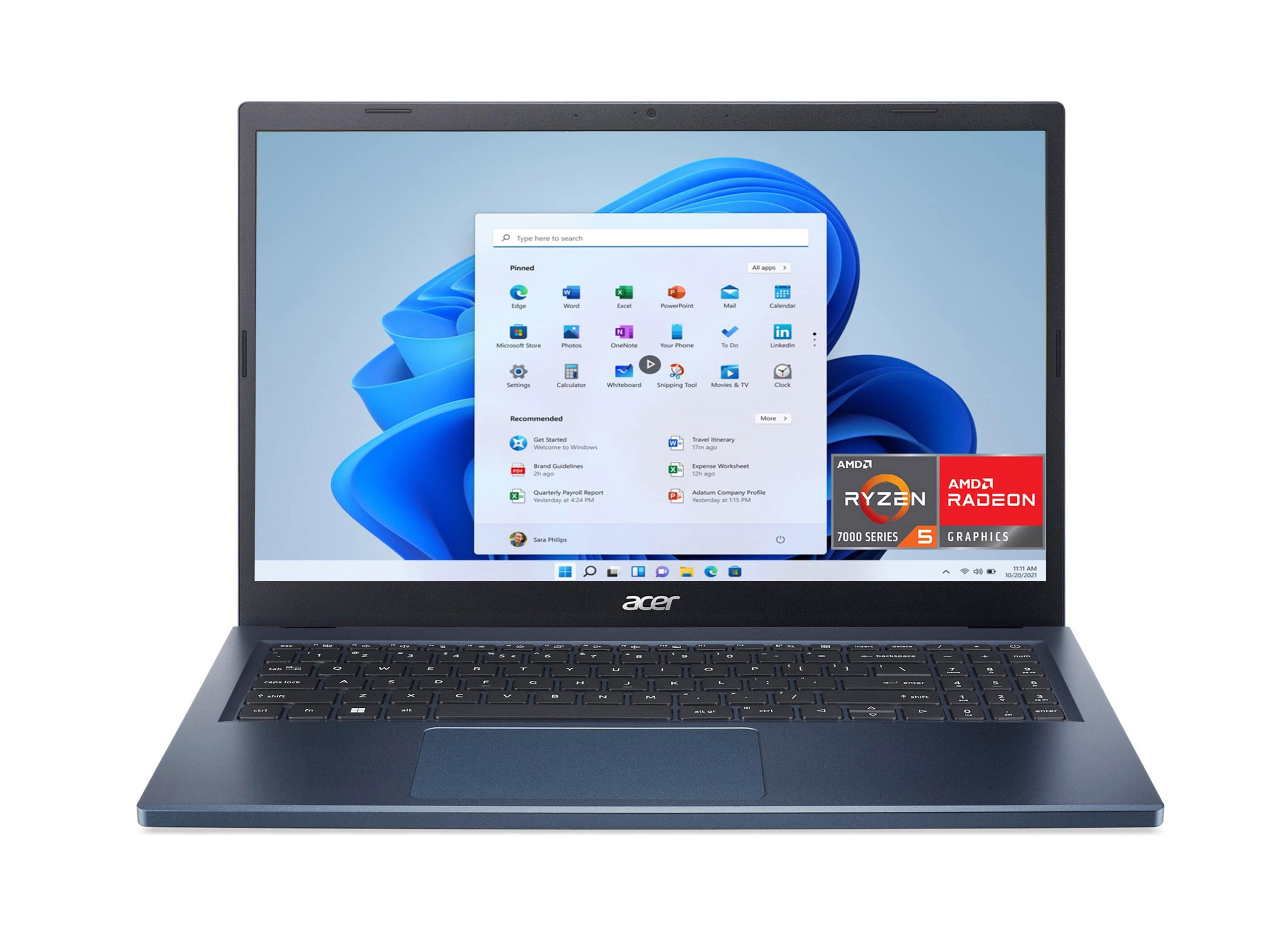
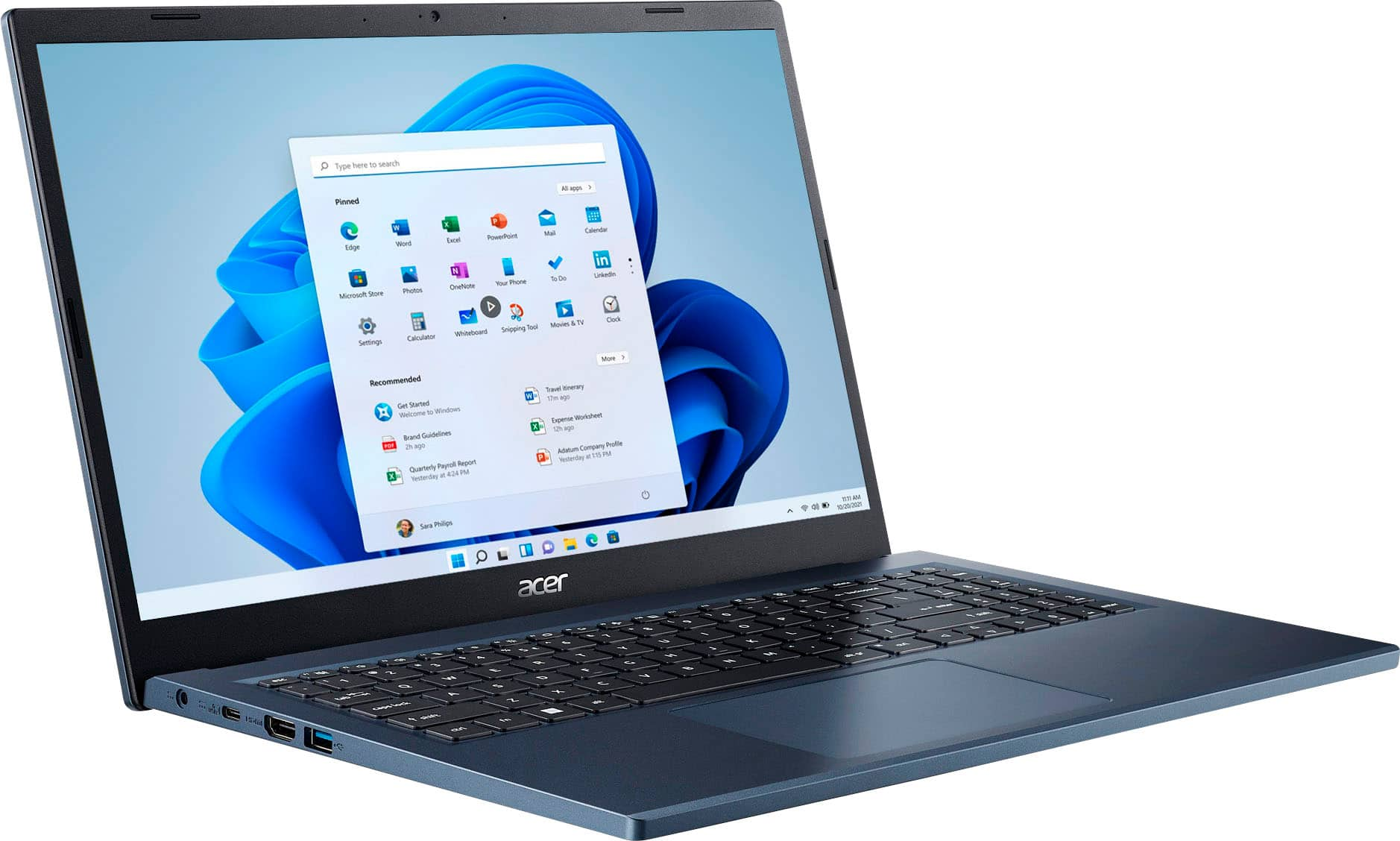
Your price for this item is $479.99
Clearance
The comparable value price is $599.99

Customer reviews

Rating 4.5 out of 5 stars with 1147 reviews

Rating Filter

Rating by feature

  • Battery Life

    Rating 4.5 out of 5 stars

  • Speed

    Rating 4.5 out of 5 stars

  • Display

    Rating 4.6 out of 5 stars

Pros mentioned filter

Cons mentioned filter

90%would recommend to a friend

Customers are saying

Customers love the Aspire 3's touchscreen, performance, and ease of use, frequently praising its smooth functionality and speed. Many appreciate the laptop's lightweight and slim design, as well as its reasonable price and decent battery life. Positive feedback also highlights the ample storage provided by the SSD. While some users noted the fan can be noisy at times, the overall experience is overwhelmingly positive.

This summary was generated by AI based on customer reviews.

The vast majority of our reviews come from verified purchases. Reviews from customers may include My Best Buy members, employees, and Tech Insider Network members (as tagged). Select reviewers may receive discounted products, promotional considerations or entries into drawings for honest, helpful reviews.
Applied Filters:
Page 1 Showing 1-20 of 174 reviews
  • Pros mentioned:
    Performance, Speed, Touch screen

    Rated 4 out of 5 stars

    Acer Aspire 3: The 'Bang for Your Buck

    |
    |
    Posted . Owned for 3 months when reviewed.
    This reviewer received promo considerations or sweepstakes entry for writing a review.

    Just got this Acer Aspire 3 laptop from Best Buy and thought I'd share my thoughts after using it for a bit! Overall, this is a pretty decent laptop that won't break the bank. The touchscreen is surprisingly nice - wasn't expecting that at this price point! The screen is bright and clear, and being able to tap and swipe makes scrolling through websites and docs way more intuitive than I expected. Performance-wise, it handles my daily stuff without breaking a sweat. I'm talking Chrome with multiple tabs, Word, Excel, streaming Netflix - all the usual stuff. The Ryzen 5 processor definitely pulls its weight. That 512GB SSD is plenty of space for most people, and it makes everything load super quick. The build is... well, it's plastic, but that keeps it lightweight which is great for carrying around. It's not going to turn heads like a MacBook, but it gets the job done. A few nitpicks though - 8GB RAM is fine for now, but if you're like me and keep 20+ browser tabs open while running other programs, you might notice some slowdown. Also, while the battery life isn't terrible, don't expect to go a full day without your charger. Bottom line: If you're looking for a reliable laptop for everyday stuff like browsing, office work, or Netflix, this is a solid choice. Just don't expect it to handle heavy gaming or video editing. For students or anyone needing a dependable work laptop that won't empty their wallet, this Acer definitely deserves a look. Just my two cents!

    I would recommend this to a friend
  • Pros mentioned:
    Ease of use, Speed, Touch screen

    Rated 5 out of 5 stars

    Not sure which one to pick? It should be this one.

    |
    |
    Posted . Owned for 8 months when reviewed.
    This reviewer received promo considerations or sweepstakes entry for writing a review.

    I wanted to wait to write this review until I had the laptop for awhile and I only have good things to say. For reference, I only use my laptop for normal web browsing, light word/excel work and casual gaming (have not tried any MMO or similar games). It is exactly everything I needed. The touch screen is a must have for me and works well. The keyboard is reactive and not as bad of a transition from a normal keyboard. It's plenty fast enough for my needs and has a decent battery life. It's easy to use and easy to set up. The screen quality is great and it's perfect size to stream a show or movie. Sound quality is good too. I'm obviously not someone who is super into computers, but I am a human being who uses the internet, likes entertainment, and has to check emails and edit excel sheets sometimes. I'm sure this thing does cool things I don't know about, but it was a value to me regardless. Also, it's blue and fits perfectly in my standard size backpack. Please enjoy the photo that the laptop took of my dog, Tilly. The TL:DR: Great laptop who the person who doesn't exactly know how much laptop they need, but knows they need a laptop.

    I would recommend this to a friend
  • Pros mentioned:
    Price, Touch screen

    Rated 4 out of 5 stars

    Good School Laptop

    |
    |
    Posted . Owned for 3 weeks when reviewed.
    This reviewer received promo considerations or sweepstakes entry for writing a review.

    Got this computer for my girlfriend and she loves it. It’s a great computer for someone who is going to school or that likes to watch movies or shows. It’s touch screen. It’s really affordable and the quality is decent for the price

    I would recommend this to a friend
  • Pros mentioned:
    Touch screen

    Rated 5 out of 5 stars

    Best laptop I ever had.

    |
    |
    Posted . Owned for 3 weeks when reviewed.
    This reviewer received promo considerations or sweepstakes entry for writing a review.

    I am enjoying this Acer Aspire 3 laptop. It has got amazing features which include lightening fast touchscreen, good picture quality, nice audio output, great keyboard and what not. The software is simply awesome. I never felt any lag or buffering while using. Thanks for the great product.

    I would recommend this to a friend

  • Pros mentioned:
    Touch screen

    Rated 5 out of 5 stars

    Steam powered Laptop!

    |
    |
    Posted . Owned for 1 week when reviewed.
    This reviewer received promo considerations or sweepstakes entry for writing a review.

    Bought it for my partner. He loved it. Then we realized it was touch screen and we both fell in love with it! Great for Steam gaming too!

    I would recommend this to a friend
  • Pros mentioned:
    Touch screen

    Rated 5 out of 5 stars

    Love it!

    |
    |
    Posted . Owned for 3 weeks when reviewed.
    This reviewer received promo considerations or sweepstakes entry for writing a review.

    Its amazing! If ur a college student, get this! Please! Also it comws with a free cover, don't buy an extra one like me lol

    I would recommend this to a friend
  • Pros mentioned:
    Touch screen

    Rated 5 out of 5 stars

    Acer computer

    |
    |
    Posted . Owned for 1 month when reviewed.
    This reviewer received promo considerations or sweepstakes entry for writing a review.

    Very nice computer. I got this for college and it has exceeded my expectations!

    I would recommend this to a friend

  • Pros mentioned:
    Speed, Touch screen
    Tech Insider Network Member

    Rated 4 out of 5 stars

    Overall great package despite some feature misses.

    |
    Tech Insider Network Member
    Posted .
    This reviewer received promo considerations or sweepstakes entry for writing a review.

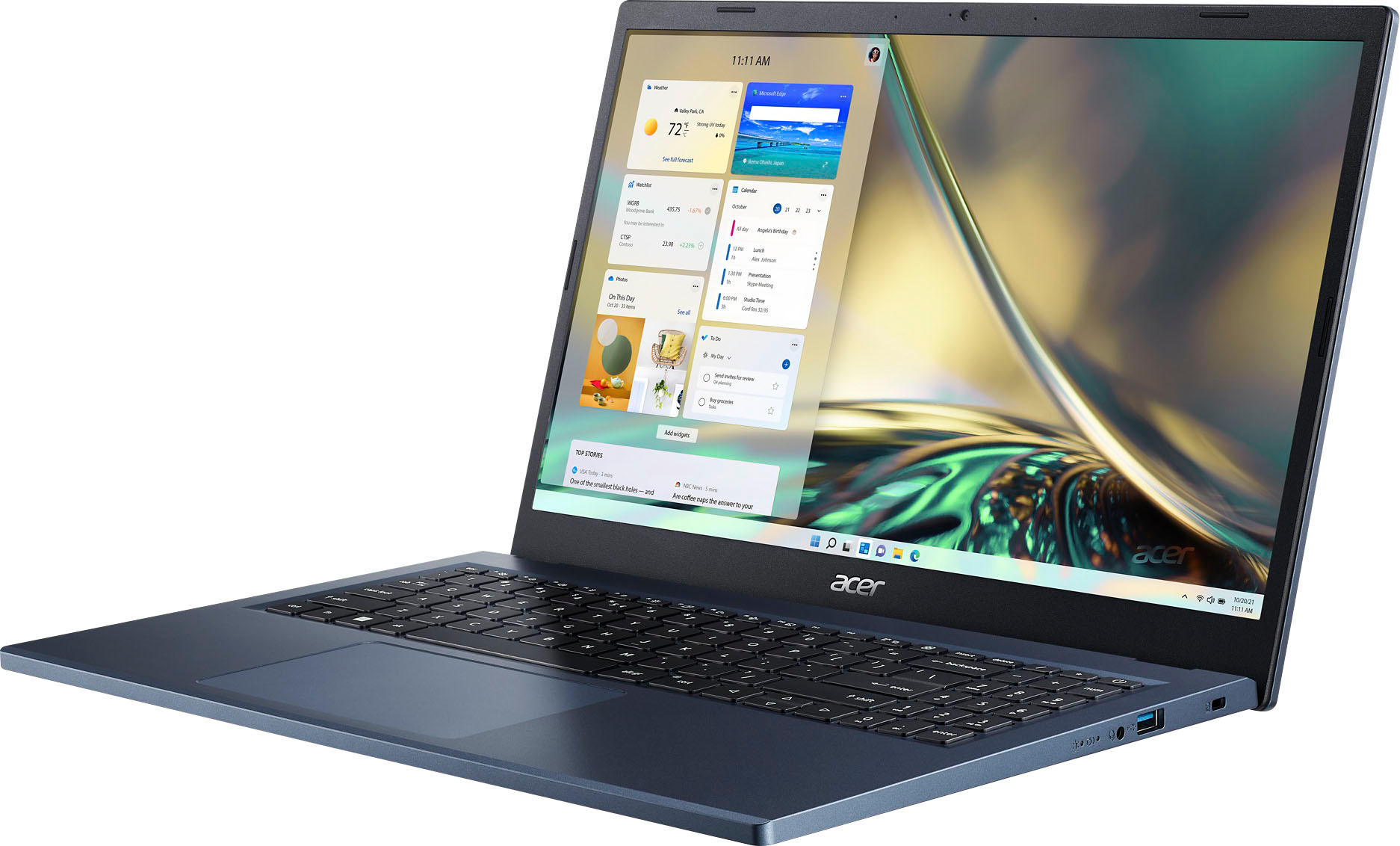
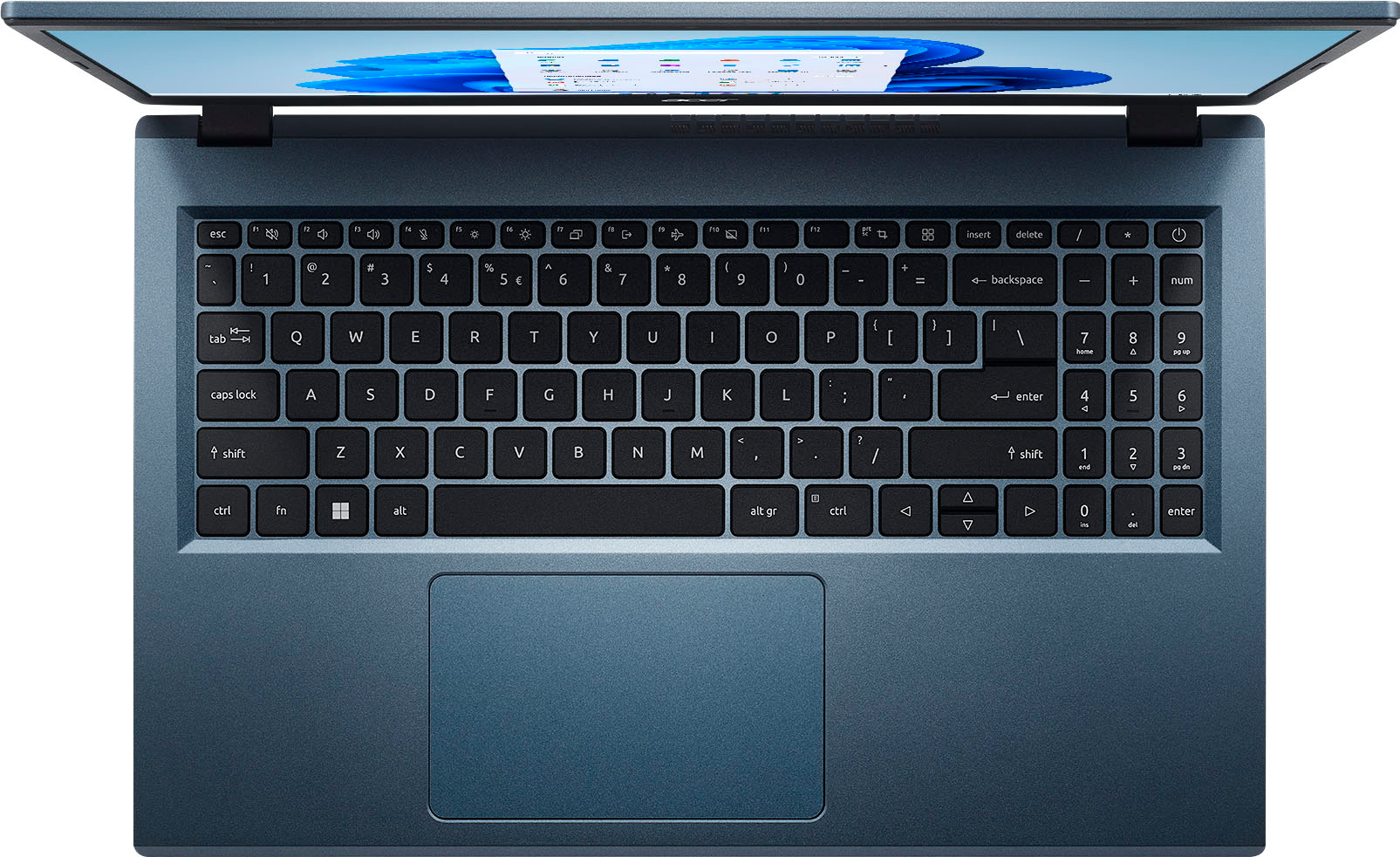
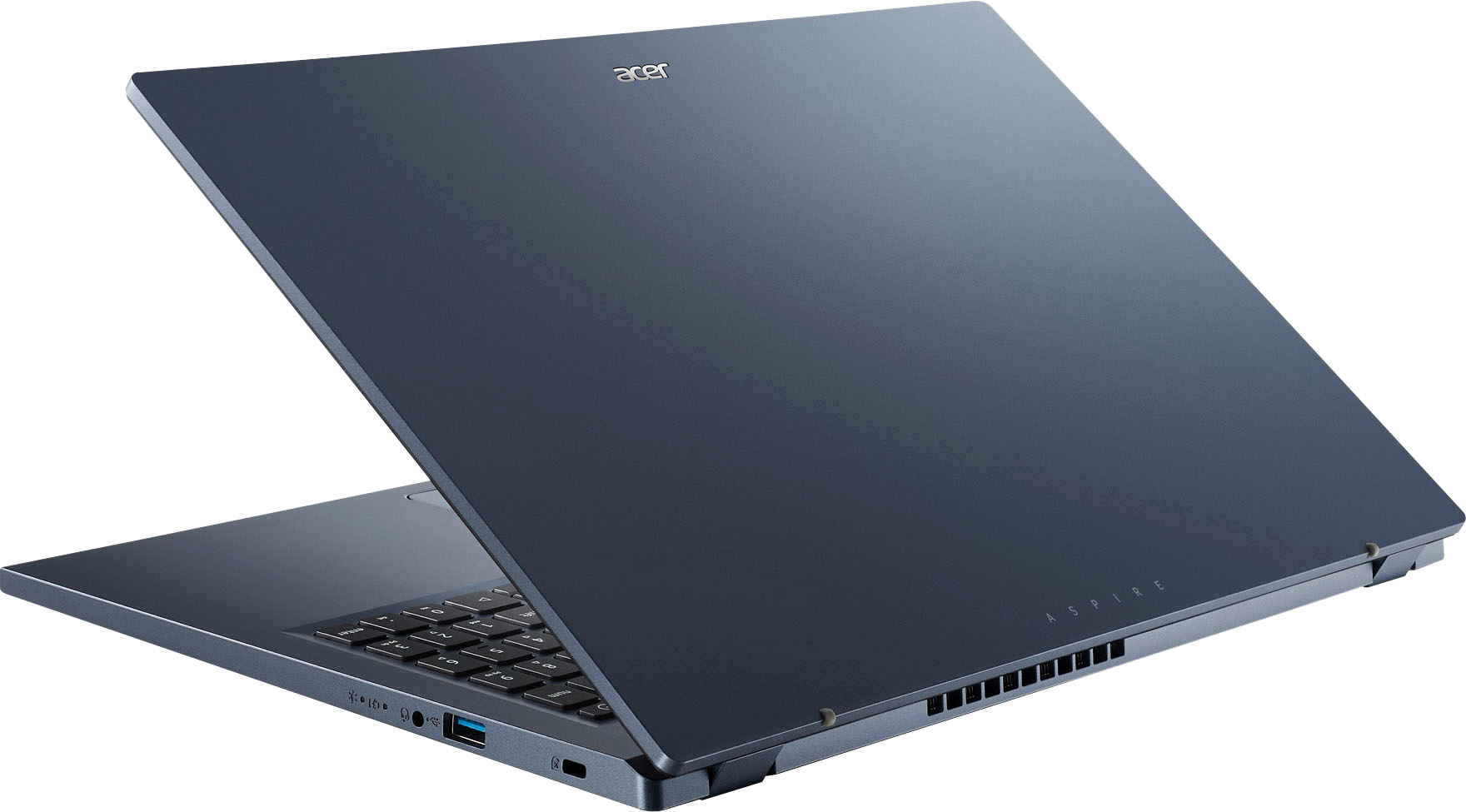
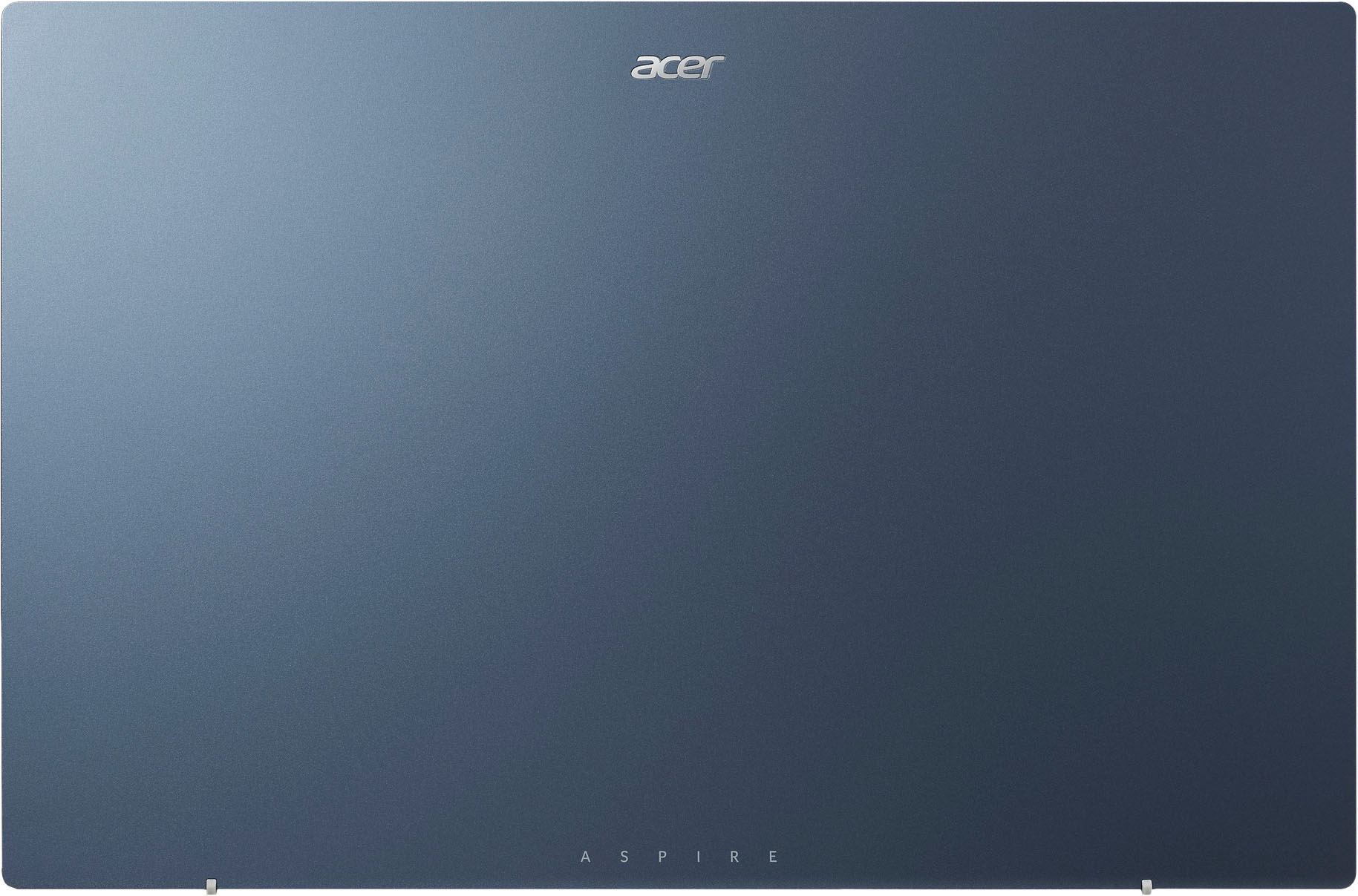
    Pros Cons 1. Attractive HD IPS Touch Screen 1. 8GB RAM, not user-upgradable 2. Long battery life, even with video 2. Keyboard is not backlit 3. Light 3. Only 1 USB-C port In The Box: 1. Aspire 3 with AMD Ryzen 5 processor laptop 2. Carrying case 3. 40w Power Adapter and Charger 4. Setup Guide and warranty information A brief run-down and my experience so far with Aspire 3 model A315-24PT-R90Z with AMD Ryzen 5 7520U processor. It’s a good match for anyone looking for a relatively inexpensive, quiet, dependable “work horse,” rather than a muscular racehorse. It’s a solid value but there is no confusing it for anything but an entry tier model. Based on my use and how it stacks up to similarly priced competitors, I give it 4 of 5 stars. I deduced a star for the absence of a couple features I think it should have, despite its low price, which I’ll get into below. Aesthetically this Aspire 3 model is handsome. The steel blue metallic-look shell gives its otherwise simple design some excitement, but I could be biased since blue is my favorite color. In-hand, it has the familiar plastic feel. That shouldn’t be a surprise at this price level. But it possesses a satisfying rather than debilitating heft at 3.12lb (by my own scale). To me it actually feels lighter than it is and is easy to pack and unpack in my backpack. The included power adapter/charger adds another 5 oz to the payload. The external ports are a bit of “hit & miss,” perhaps to entice prospective buyers to bump up a model. The left side has a barrel power adapter jack, USB-C, full size HDMI 2.1 Out, and USB-A (3.2, Gen 1). The USB-C port is the real deal 3.2, Gen 2: 10 Gbps and can support a monitor with DisplayPort (extra adapter required) or can be used to charge the battery instead of the barrel port (you’ll have to supply your own USB-C cable and charger as only the barrel style power adapter/charger is included). That’s all great. The odd-ness of the port offerings to me comes on the right side of the laptop with another USB-A (3.2, Gen 1) port and a microphone/headphone jack. I understand providing one USB-A port with many legacy peripherals still around, but I really wish the other port was USB-C even if it was the slower 5 Gbps spec. USB-A is nearly out the door technologically. More and more of my accessories now are USB-C. So, two USB-A ports is both retro and clunky for a 2023 model that should last a few years. Also on the right side are the power and charging lights. I find this placement awkward because they are out of view unless you bend your head over and also are on the opposite side of the charging port. From a useability perspective the power and charge lights should be located near the power port. Opening the laptop, one finds the expected full-size keyboard. As a touch-typer, the keystroke feel is responsive, not mushy, yet, there is still something “off” about it that I can’t pinpoint. Maybe it’s the travel distance. It’s not a deal killer though, just could be better. What irks me more about the keyboard is it’s not backlit. Backlighting is a 20+ year old technology so it’s baffling Acer chose to exclude the feature in what is supposed to be a “business laptop”. I knew the keyboard wasn’t backlit going in. But it’s a huge miss, and something to consider if you use your laptop in dark or dimly lit places. I’m also not a fan of how the keyboard letters are decals rather than dyed in or printed on. My concern is that they will wear off. It also looks a bit cheesy when light hits it. Unlike premium laptops, the keyboard does not have a finger scanner for log-in. A four-digit PIN handles that task. Surprisingly, though, the keyboard does sport a slim number pad, something you don’t see in most laptops. It is a tight fit but a nice bonus, especially if you work on spreadsheets or just don’t like using the shift key. Be aware though that the inclusion of the number pad means the keyboard and touchpad are slightly off center to the screen. If you are a touch-typer this may through you off until you get use to the set up. That was my experience at least. The touchpad is well sized for a 15.6” laptop. I have smaller-than-average hands, but large hands should have no navigation problems. You can use it with tap gestures or traditional clicking. However, like the keyboard keys, I find the touch pad has a very plastic and unrewarding click feeling so I use tap and swipe gestures, which is faster anyway. The 1080p resolution IPS touch screen provides colorful, crisp, and pleasant viewing straight ahead and about 20 degrees on either side. Of course, an affordable model like this Aspire 3 isn’t going to provide the near full color gamut you find on high end laptops. But for school and typical business tasks, movie watching, and casual games, that’s not something you will notice. Text is distinctive and easy to read, even when slowly scrolling. In short, the screen is excellent for its intended purpose and the touch screen comes in handy too. There is also a 720p front camera for video conferencing. Windows 11 Home is preloaded onto the 512GB SSD. It’s not the fastest SSD but it’s still a major improvement over laptop hard drives of years past so no complaints. 512GB is a plenty of space for documents and a few office or school applications, games, and movies. If you intend on archiving your photos and videos get an external drive for that – actually get two so you have a backup. 8GB RAM is onboard and not upgradable. So check the minimum RAM requirements for the applications you use and how many you’ll have open when working before buying and remember Windows 11 will need about 4GB of the 8. 8GB is a bit chintzy even for a budget laptop given RAM prices these days and not being upgradable isn’t eco-friendly either because of its planned obsolescence. It’s one of the reasons I could not give this Aspire 3 5 stars. Big unknown here is how usable 8GB of RAM will be in future versions of Windows. For wireless it has Wi-Fi 6 rather than the updated Wi-Fi 6e and Bluetooth 5.2. Not having the latest and greatest here is of no consequence to me since I don’t own a WiFi 6e router. I suspect by the time I do have one this laptop will have been replaced already. As for Bluetooth, it syncs fine with my headphones. I don’t have any other BT accessories I use with this laptop. This Aspire 3 has an AMD Ryzen 5 7520U processor, comparable to a current low-end Intel i5 with integrated Intel graphics, typical of an entry business laptop. My experience so far has been great when limited to “everyday” tasks like using Office 365, web browsing, and video streaming. It can handle more resource intensive apps too like Photoshop and Lightroom editing large high resolution RAW files, but with a less satisfying experience and some patience required. I had noticeable delays that I do not get with higher end PCs using these apps. Overall, I have not been aggravated by excessive “spinning wheels”. In fact, working on the Aspire 3 has been a good experience; it’s nimble and responsive as long as you don’t ask it to do more than it was designed to do. It runs cool to the touch and the fan has only rarely kicked on when I’ve used it. In fact, I’ve only noticed it when mucking with settings or when Windows is updating. When the fan starts up though it can get loud to the point of being too much of a distraction. Perhaps the “crown jewel” feature of the Aspire 3 is its incredible battery life. Acer claims 11-hours. So, curiosity compelled me to test it, albeit unscientifically. I did two different 100% non-scientific tests, each on full batteries. First I streamed movies at 50% brightness until the battery died. Here I got an amazing 9.5 or so hours of video, more than I’d actually watch in a sitting, even on a very long plane trip. The second test was to turn off “sleep” and see how long it took for the battery to get to 5%. Again, brightness was at 50%. This test is meant to simulate office suite tasks since they don’t use much of processor. Performance here was pretty much on target of Acer’s claim, about 11 hours, which is impressive and makes this laptop very useful for all-day work when a plug isn’t nearby or convenient. Finally, for those curious what’s in the box. You get the Aspire 3 laptop, an A/C power brick/battery charger and cable, a brief setup guide, and a nice slim carrying case. I was surprised by the inclusion of the case because that’s not a typical laptop pack-in, even for ones costing 2 and 3 times as much. The unfortunate thing here is I have lots of laptop cases. What I don’t have is an Aspire 3 with a backlit keyboard. So I wish Acer had used the case $ for a better keyboard. But that, and the USB-A port that should be USB-C, and the non-upgradable 8GB RAM, aside, this Aspire 3 model is an excellent laptop for the money. It’s light, quiet (runs cool), has a sharp, easy on the eyes, HD IPS touch screen, and long battery life, and, oh yeah, a number pad too. So despite its shortcomings – and nothing is perfect under the sun – it’s one to closely consider if you are looking for a light to medium duty, lower cost laptop.

    I would recommend this to a friend

  • Pros mentioned:
    Touch screen

    Rated 5 out of 5 stars

    Mrs. Garcia

    |
    |
    Posted . Owned for 1 month when reviewed.
    This reviewer received promo considerations or sweepstakes entry for writing a review.

    Perfect for my school and the case was a bonus. Easy touch screen

    I would recommend this to a friend
  • Pros mentioned:
    Speed, Touch screen
    Tech Insider Network Member

    Rated 5 out of 5 stars

    Great option in the ever expanding laptop market

    |
    Tech Insider Network Member
    Posted .
    This reviewer received promo considerations or sweepstakes entry for writing a review.

    The Acer Aspire 3 is a very solid option for anyone looking for an easy to use laptop for school, work, etc. It's nice to see a return to decent spec'd products for reasonable prices instead of more of the craziness that we got to see with tech prices during the pandemic. This laptop will be more than capable to any students, teachers, office workers, etc. that are looking for a nice simple Windows 11 based laptop to do their work on. It comes with a 4 core, 8 thread Ryzen 5 processor running at 2.8 (up to 4.3) Ghz, which also has integrated Radeon graphics. Along with a 512gb SSD, and 8 GB of LPDDR5, it should be more than enough to handle light to medium workloads. It has 2 usb 3 ports(type a), 1 HDMI 2.1 slot, 1 usb 3.2(type-c) port, and the elusive headphone jack. It also has a nice 1080p display which also doubles as a touchscreen, which is a great feature to have for many situations, for example, if you need to e-sign a document then you can use your finger instead of worrying about how bad your signature will come out using the trackpad or a mouse. I love the simple design and the blue color. The included travel case is very nice and was an unexpected addition. I would not buy this laptop expecting to be able to game on it, if there is anyone looking for potentially one system for both work and play. Although this has a Ryzen 7000 series cpu and radeon graphics, I would look towards more gaming oriented options that would have the hardware capable of handling more intense games. This laptop would work for browser games and less intense games like indie games and may even be able to handle a large variety of titles as it has a decent amount of ram and processing power, but in most scenarios, I would not use this to play games on. All that being said, This Acer Aspire 3 is a very good laptop. It has decent battery life, decent storage, memory, and processing power. For the price range that it's in, I think it will do very well and could maybe become a go to option. For anyone using Windows 10, or older, that wants to give Windows 11 a try, something like this could be a good option. Windows 11 set-up does take a decent bit of time to get through and I did spent some extra time deleting a lot of the unnecessary apps that come on the laptop, but once you get through all of that, you will have a nice experience using this laptop.

    I would recommend this to a friend

  • Pros mentioned:
    Speed, Touch screen

    Rated 4 out of 5 stars

    Impressive All-Rounder, Lacking Gaming Performance

    |
    |
    Posted . Owned for 1 month when reviewed.
    This reviewer received promo considerations or sweepstakes entry for writing a review.

    I recently had the opportunity to use the Acer Aspire 3 A315-24PT-R90Z, and overall, I found it to be a fantastic laptop for everyday use. With its sleek design, vibrant display, and impressive specifications, it excelled in many areas. However, if gaming is your primary concern, this laptop falls short of expectations. First and foremost, the Acer Aspire 3 boasts a stunning 15.6" Full HD IPS touch screen display. The colors were vibrant, and the images appeared crisp and detailed. The touch screen functionality added an extra layer of convenience and interactivity, making it enjoyable for both work and entertainment purposes. The laptop's performance was commendable for day-to-day tasks. Powered by the AMD Ryzen 5 7520U processor and 8GB of soldered memory, it delivered smooth multitasking capabilities and handled demanding applications with ease. Whether it was web browsing, document editing, or media consumption, the laptop rarely showed any signs of lag or slowdown. The inclusion of a spacious 512GB SSD was a welcome addition. It provided ample storage space for my files and significantly improved the laptop's overall responsiveness. Boot times were lightning fast, and file transfers were a breeze. It's worth noting that the SSD greatly enhanced the laptop's overall performance. However, when it comes to gaming, the Acer Aspire 3 A315-24PT-R90Z falls short. The AMD Ryzen 5 7520U, while a capable processor for everyday tasks, struggled to keep up with graphically intensive games. The integrated graphics simply couldn't deliver the smooth frame rates and visual quality that dedicated gaming laptops or desktops can provide. Casual games and older titles might run reasonably well, but for more demanding games, this laptop's performance may disappoint. (Example: it ran Fallout 3 at 60 FPS but couldnt even load Fallout 4 at minimum settings) In terms of design, the Acer Aspire 3 boasts a sleek and modern aesthetic with its steam blue color scheme. The laptop feels solid and well-built, with a comfortable keyboard and a responsive touchpad. The battery life was decent, providing me with several hours of usage on a single charge, which was satisfactory for my needs. It's important to note that the RAM on this laptop is soldered to the motherboard, which means that it cannot be easily upgraded. This limitation may impact the laptop's long-term usability if you require more memory for specific tasks or applications in the future. Overall, the Acer Aspire 3 A315-24PT-R90Z is an excellent all-rounder, excelling in everyday tasks and offering a vibrant display, impressive performance, and ample storage. However, if gaming is a significant factor in your purchasing decision, it's worth considering a laptop with dedicated graphics capabilities. Additionally, the inability to upgrade the soldered RAM should be taken into account when considering long-term usability.

    I would recommend this to a friend

  • Pros mentioned:
    Performance, Speed, Touch screen

    Rated 4 out of 5 stars

    Affordable Laptop

    |
    |
    Posted . Owned for 1 month when reviewed.
    This reviewer received promo considerations or sweepstakes entry for writing a review.

    I've been using the Acer Aspire 3 Thin & Light laptop for a few weeks now, and overall, I'm quite impressed with its performance and features. Here are some of my thoughts on this device: **Design and Build:** The Acer Aspire 3 is indeed thin and light, making it very portable and easy to carry around. The Steam Blue color gives it a sleek and modern look. The build quality feels sturdy, although it's mostly plastic, it doesn’t feel cheap. **Display:** The 15.6" Full HD IPS touch display is vibrant and crisp. The touchscreen is responsive and adds a nice layer of versatility for browsing and certain applications. However, in very bright environments, the screen can be a bit reflective. **Performance:** Equipped with an AMD Ryzen 5 7520U processor and 8GB of LPDDR5 RAM, this laptop handles multitasking and everyday tasks smoothly. I’ve used it for web browsing, streaming, and running multiple applications simultaneously without any hiccups. The 512GB SSD ensures fast boot times and quick access to files. **Connectivity:** Wi-Fi 6 is a great addition, providing faster and more reliable internet connectivity. This has been particularly noticeable when streaming videos and during video calls. There are also enough ports for my needs, including USB and HDMI, though I do wish there were more USB-C ports. **Battery Life:** Battery life is decent, lasting around 6-7 hours with moderate use. It’s not groundbreaking, but it’s adequate for my needs. For extended use, you’ll likely need to keep the charger handy. **Keyboard and Trackpad:** The keyboard is comfortable to type on, with good key travel and feedback. The trackpad is responsive and works well, though I prefer using an external mouse for precision tasks. **Pros:** - Sleek and portable design - Vibrant Full HD IPS touch display - Solid performance with Ryzen 5 and 8GB RAM - Fast SSD storage - Reliable Wi-Fi 6 connectivity **Cons:** - Screen can be reflective in bright environments - Battery life could be better - Limited number of USB-C ports Overall, the Acer Aspire 3 Thin & Light is a great option for students, professionals, and anyone in need of a reliable laptop for everyday use. It offers a good balance of performance, portability, and features at a reasonable price point.

    I would recommend this to a friend
  • Pros mentioned:
    Speed, Touch screen
    Tech Insider Network Member

    Rated 4 out of 5 stars

    General use touchscreen laptop

    |
    Tech Insider Network Member
    Posted .
    This reviewer received promo considerations or sweepstakes entry for writing a review.

    If you are looking for a laptop that can do general every day tasks with snap in its step, this Acer Aspire 3 fits the bill. This is a capable laptop with AMD Ryzen 5 7520U, Radeon Graphics, 8GB RAM, 512GB NVMe SSD and 10 point touchscreen. I have never had a need to put all 10 fingers on the screen, but it registers them individually. With two USB 3.2 Type A and one USB Type C with DP, HDMI 2.1, Bluetooth 5.2, 3.5mm headphone/mic port and 802.11ax wireless you can be connected to pretty much anything. Compact keyboard layout with 17 key numpad that takes a little adjusting to get used to the compact format with no backlight. The display is sharp and crisp, but not very bright and has a very small sweet spot as far as viewing angle. Even though it is touchscreen, it does not fold all the way around to be treated like a tablet. Sound from the speakers is really tiny, my phone sounds louder. Speaking of tiny, the power adapter is worryingly tiny. I have had many laptops over the years and the power port is usually the first thing to cause issues. This one is so small that it feels like it will be quicker than others. This is the type of laptop that is perfect for someone that just needs something that can access the internet and do common productivity application type work. Not really powerful enough to do anything like major video editing or gaming but still snappy enough to maintain multiple tabs while browsing. It even comes with its own padded storage bag. Overall, not a bad laptop for someone just starting out with needing one for something like classwork or video conference meetings. Slightly annoying with the Acer and Mcafee ads popping up from time to time but easily removed.

    I would recommend this to a friend
  • Pros mentioned:
    Touch screen
    Tech Insider Network Member

    Rated 4 out of 5 stars

    Big storage, has a numpad, and nice touchscreen!

    |
    Tech Insider Network Member
    Posted .
    This reviewer received promo considerations or sweepstakes entry for writing a review.

    The new Acer Aspire 3 15.6" is an excellent choice for students, small business owners, and those who work remotely who want something compact, affordable, and has good battery life! I do a lot of work remotely and on the road, having the numpad and good battery life is crucial to be able to function while away from the office as an accountant! The build quality is pretty good, there is a decent amount of flex in the chassis under the keyboard, but that flex also helps in the durability of the laptop. The inclusion of a matte finish touchscreen is absolutely fantastic! There is little to no glare, I do wish it was a little brighter but the finish really helps make the screen visible in most environments. The DDR5 is really snappy and responsive, a great compliment to the AMD Ryzen APU. The RAM is NOT upgradeable, which is unfortunate for gaming or more intensive tasks, but many older and lighter games will run very nicely when you have some downtime. The 512GB SSD is a fantastic inclusion as it offers more than enough offline storage for work, school, and fun! Also, the SSD IS upgradeable! Overall, this is a fantastic budget option for the road warrior and remote worker while also being a great option for students, especially those who will be off to college this fall! I wish the RAM wasn't soldered onto the motherboard, but that is common on thin and light devices like this.

    I would recommend this to a friend

  • Pros mentioned:
    Speed, Touch screen

    Rated 4 out of 5 stars

    A Stylish and Efficient Laptop for Everyday Use

    |
    |
    Posted . Owned for 2 months when reviewed.
    This reviewer received promo considerations or sweepstakes entry for writing a review.

    I recently acquired the Acer Aspire 3 Thin & Light Laptop in the captivating Steam Blue color, and it has exceeded my expectations. Here’s why I’m impressed: Design and Portability: The Aspire 3’s sleek and thin design makes it a breeze to carry around. At just 3.92 pounds and 0.74 inches thick, it’s lighter and more compact than ever1. Whether I’m working from home or on the go, this laptop fits seamlessly into my lifestyle. Performance: Equipped with the AMD Ryzen 5 7520U Processor and 8GB LPDDR5 RAM, the Aspire 3 handles everyday tasks with ease. From web browsing to document editing, it delivers reliable performance. The 512GB SSD ensures quick boot times and smooth multitasking. Display and Touchscreen: The 15.6-inch Full HD IPS touchscreen provides sharp, crisp visuals. The narrow bezel design maximizes screen real estate, making it ideal for work and entertainment. Plus, the touch functionality adds convenience. Windows 11 Operating System: Windows 11 brings a fresh interface, improved productivity features, and enhanced security. It’s designed to make your computing experience more creative, connected, and enjoyable. Battery Life: With up to 11 hours of battery life, the Aspire 3 keeps up with my busy schedule. Whether I’m attending virtual meetings or binge-watching my favorite shows, I don’t have to worry about running out of power. Connectivity: The laptop features Wi-Fi 6 for faster wireless connections. It also includes USB Type-A, USB Type-C, HDMI, and a headphone/microphone jack for versatile connectivity.

    I would recommend this to a friend

  • Pros mentioned:
    Performance, Touch screen
    Cons mentioned:
    Fan noise

    Rated 4 out of 5 stars

    Laptop plastic quality is not so good

    |
    |
    Posted . Owned for 7 months when reviewed.
    This reviewer received promo considerations or sweepstakes entry for writing a review.

    I recently purchased this laptop and overall, I am quite pleased with its performance. The design is sleek and modern, making it a stylish addition to my workspace. The display is vibrant and sharp, which is great for watching videos or working on projects. The keyboard is comfortable to type on, although I do wish the keys had a bit more travel for better feedback. In terms of performance, the laptop handles everyday tasks like web browsing, document editing, and light photo editing with ease. It also performs well with multitasking, allowing me to switch between applications smoothly. However , the laptop can slow down a bit when running more demanding software, which is expected given its price range. Battery life is decent, lasting me around 6-7 hours with moderate use, but I would have liked to see it last longer for more intensive workdays. The port selection is adequate, providing the basics, but it could use a couple more USB ports for added convenience. One minor downside I've encountered is that the cooling system can get a bit loud under heavy load. While this hasn't been a major issue for me, it might be bothersome to some users. Overall, this laptop is a solid choice for everyday tasks and light productivity work. It's a good balance between performance and affordability. If you're looking for a reliable laptop that won't break the bank, this one is worth considering.

    I would recommend this to a friend
  • Pros mentioned:
    Touch screen
    Tech Insider Network Member

    Rated 4 out of 5 stars

    Seems reasonably priced and fully functional

    |
    Tech Insider Network Member
    Posted .
    This reviewer received promo considerations or sweepstakes entry for writing a review.

    Summary The laptop itself the screen is a large size giving plenty of working real estate and is clear. The laptop is a little bulky, just because of its size, but still doesn’t feel all that heavy. The included power supply is also small and compact, but not USB C. Keyboard seems to work well and has the extended number pad on the side with a big roomy trackpad. no backlighting, if that is important to you, but works well enough. No fingerprint scanner either, if that is important to you. Speakers are downward facing and do not output a lot of sound. In the two weeks since I have had it, it have never felt held back while using it. I have never felt it was sluggish or slowing me down. It seems it will easily do everything I need it to do. It has a screen, big enough to work on without really needing an external monitor, yet still has all day battery life allowing you to leave the charger at home. Despite its large size, it still seems light enough to carry all day. It really checks a lot of boxes. Usage This laptop is the first I have had with a number pad on the side of the keyboard. I was always worried that if I purchased a laptop with a number pad on the side like this has, it would be hard for me to adjust to not having my fingers centered under the screen. This actually was not the case at all. In fact, I barely even notice that my hands are not in the center. However, with that said, I would have happily given up the number pad to have upward facing speakers on either side of the keyboard. Inputs The keys and trackpad seem fine. It is a nice full size keyboard. No backlighting, but while I do actually like having a backlit keyboard, it has never been on my list of must have requirements. The trackpad is quite large. Not Macbook size, but probably the largest trackpad I have ever had on a laptop that was not on a Macbook. Ports While it does have USB C charging capability, it doesn’t actually come with a USB C charger. I understand having non USB C chargers on power hungry gaming laptops due to the limitations of USB C power delivery, but the charger that comes with this laptop is only 45W, so why not just skip the barrel connector charger completely and ship it with a USB C charger? It seems odd to include a barrel connector charger on a laptop device that has USB C charging capability and can charge just fine with a USB C charger, but in this case, I am glad it does have the barrel connector charger, because it only has one USB C port. This seems to be another odd choice to me. It has two USB A ports, but only one USB C port, and if you have the laptop plugged in and charging with USB C, you can’t plug in any other USB C devices. This can be solved to some extent by using a USB hub with power pass through, but only to some extent. Most USB C hubs don’t actually have USB C ports on them. They might have a USB A port or two, an HDMI port, maybe a network port or some SD Card slots, but typically not a USB C port. So, if you have USB C devices, like a USB C to HDMI adapter, or a USB C flash drive, or USB C headphones, you can use them with this laptop, but only if your laptop isn’t plugged in with a USB C charger. So being able to charge with USB C charging is a positive, but having USB C charging with only one single USB C port is a little disappointing. I would have much preferred to not have the barrel connector charger and had a second USB C port, even if it was data only. Display The display is generous in size and completely functional. It is a touch screen, but again this is something that is not in my list of requirements for a laptop, especially a laptop that is not a 2 in 1. I doubt the touch screen is something I will ever actually use. Would have been glad to give up a touchscreen for maybe a backlit keyboard. Speakers The speakers are downward facing, and quite frankly, they are not very loud. I actually only use a laptop’s speakers when I am mobile when working at home or in the office, it is usually going to be plugged into a monitor with speakers or a USB speakerphone anyway, so for those times when you are not tethered to a desk, they get the job done. When sitting on a flat surface so the sound gets reflected back they sound better, but if using the laptop on your lap, as I like to do, then the sound just projects away. The laptop also does have a good old fashioned headphone jack that you can use as well. I have actually finally made the switch, for the most part, to USB C earbuds though, because I do have some devices that can’t use standard headphones now. Well, since this only has one USB C port, if I am charging my laptop with it, I can't use my USB C earbuds. So I either need to carry the barrel connector power supply so I can use my USB C earbuds, or I need to carry some standard earbuds so I can use my USB C charger. Storage This sports 512GB of solid state storage. This is a generous amount of storage for what my needs are. However, I use micro SD cards on most of my other devices when I need more storage or storage I want to quickly move between devices. As this has no built in microsd slot, that is not really an option here. There are very small compact micro USB A converters though which almost disappear into a USB A port. I use these on some of my other devices with this issue, that I can use here as well, especially since it has two USB A ports, but I would still prefer to have a Micro sd slot built in. If this only had 64 or 128GB of built in storage, it might bother me more, but as this has 512GB, I can be more forgiving. Graphics performance I am not someone who plays all the latest and greatest games, but I do play games. Half Life, Portal, Bioshock. I wasn’t expecting much from this, but it plays them all perfectly. I installed Bioshock Remastered from my Steam Library and it handled it flawlessly. I also use Fusion 360. I use it on another laptop I have, which I thought was better than this one. It works on it, but always reminds me as I am using it that my graphics card may be limiting my performance. I installed Fusion 360 on this laptop and it seems to work fine. I was surprised. Carrying Case Was surprised to see this came with a convenient carrying sleeve. It is nice to have it included so I don’t have to try to figure out what size to order. The case is perfectly serviceable and protects the laptop if you have it in a larger bag, or lets you keep it protected if you carry it on its own. It is actually a bit bigger than I would have probably bought on my own with about an inch of empty space between the laptop and the zipper. Battery Life The claims for battery life for this are vast, especially considering how large of a display it has. I didn’t do any specific tests to run it down or anything like that, but I left the power supply at home one day and used it for an entire day unplugged and still had power to spare. So this means I can probably leave the charger at home. Anything beyond that for me is just icing on the cake. Narcolepsy Another interesting thing I noticed is, when I was using the laptop, on my lap, it would go to sleep seemingly at random. If I had the laptop in my lap, and I shifted my position, or went to get up, the screen would sometimes go blank and the laptop would go to sleep. I could then usually wake it up no problem. I might have to type in my password, and then I could keep working on it, until I moved again. It seemed this happened very frequently, when it was sitting in my lap. So I tried repeating the behavior, picking it up and putting it down on a table, or even a couch cushion, but it only happened when it was on my lap, but not all the time. Sometimes I couldn’t make it happen in my lap either. It seemed, to me at the time, to be random, and I was getting pretty frustrated. As I said before though, I did figure out what was causing it. I carry a wallet with a magnetic money clip in my right front pocket. When the laptop is sitting on my lap, my right front pocket, and my wallet, are right around the bottom front right corner of the trackpad. If my wallet gets anywhere near the front right hand corner of the trackpad, the laptop goes to sleep. I assume there must be a hall effect sensor there that detects a magnet in the top of the screen when it is closed. So, if I want to work with this laptop actually sitting on my lap, I have to take my wallet out of my pocket. Not something I have ever encountered before with any other laptop. Finally, just as I was going to post this review, after having used this for nearly two weeks, I came to the laptop in the morning and it was off/asleep, and would not turn on. I tried and tried and I couldn’t get it to turn on. I thought, maybe the battery drained? I couldn’t remember if it had been plugged in or not, so I plugged it in with its original charger for a couple of hours and then triedd to turn it on again and I couldn’t seem to get it to wake up or turn on. Finally, all of a sudden, it just did. It started up perfectly fine and once it was powered up, I checked the battery level and it was 100%, so I am not sure what happened there, but I thought it was bricked for a minute. Problems After I had been using the laptop daily for about a week, I went to open it one day, and I didn’t get a blue screen, but I did get a screen saying my laptop was “attempting automatic repairs” and then another screen saying the repairs for my laptop failed. I turned it off and back on again and it seemed fine after that. Not sure what that was about, but seemed like another Windows thing. I am also not a fan of the constant pop up ads for offers from Acer. Final Conclusion While there are other tradeoffs, the only big misses for me were 1) Not shipping it with a USB C charger (easily remedied if you already have one), and 2) Not having a second USB C port. Other than that, this seems like a great little laptop and would meet the needs of most users. I wouldn't hesitate to recommend it.

    I would recommend this to a friend
  • Pros mentioned:
    Performance, Speed, Touch screen

    Rated 5 out of 5 stars

    Great for the price

    |
    |
    Posted . Owned for 8 months when reviewed.
    This reviewer received promo considerations or sweepstakes entry for writing a review.

    The Aspire 3 laptop offers a seamless experience for everyday browsing tasks. Its display renders websites with clarity, making reading and viewing enjoyable. With a responsive processor, navigation between pages feels quick and efficient. Furthermore, the device provides ample battery life, allowing for extended browsing sessions. Overall, the Aspire 3 laptop is well-suited for those who frequently browse the internet.

    I would recommend this to a friend
  • Pros mentioned:
    Speed, Touch screen

    Rated 4 out of 5 stars

    Great Value for the Price!

    |
    |
    Posted . Owned for 10 months when reviewed.
    This reviewer received promo considerations or sweepstakes entry for writing a review.

    I have been really happy with it so far. It is super lightweight and easy to carry, which makes it perfect for work or travel. The screen is sharp and the touch functionality is smooth, which I was not expecting at this price point. It is fast enough for everything I need, whether I am working, browsing the web, or streaming a show. The battery life has been solid, lasting through my entire workday without needing a charge. It is not built for gaming or heavy editing, but for everyday use, it is been exactly what I needed. For the price, I really could not ask for more, and I would definitely recommend it to anyone looking for a reliable, no-fuss laptop.

    I would recommend this to a friend
  • Pros mentioned:
    Performance, Touch screen
    Tech Insider Network Member

    Rated 4 out of 5 stars

    Great Performance

    |
    Tech Insider Network Member
    Posted .
    This reviewer received promo considerations or sweepstakes entry for writing a review.

    This Acer Aspire is an improvement over the previous Acer laptops I've reviewed. The numeric keypad has somewhat smaller keys than the rest of the keyboard. (see photo) I get that keyboard space is at a premimum, but it still makes it a bit clumsy to use. The function keys across the top (normal location) being smaller is not uncommon, so I don't really mind that, but I disagree with the practice of making the alternate function of the keys more prominent than their "F" function. (photo) This is mostly because the location of those "extra functions" (mute, touchpad on/off, etc.) are not standardized. True, you can hold down the "fn" button to access the original function key, but again, that's non-standard. I'm sure there is a way to reverse this, but I haven't bothered to find it yet. There are a couple of mystery keys (photo). The first looks likea sort of exit-type symbol, which is pretty much what it is: it locks the session. To reduce any confusion, it behaves as if you used Win-L. The second looks like it should mean "crop," and when I pressed it, it prompted me to select an area of the screen for a clip of a screen shot. It's kind of handy, and at times when I need a lot of screen shots, this would be a boon, rather than my practice of "[PrtSc]-launch Paint-paste, crop, etc." It's also a single use key, and logically located next to the "prt sc" key. I would think combining them would have been a nice way to gain another key. Performance is truly impressive, and coupled with the SSD drive, you won't spend a lot of time waiting around. Booting and starting large programs (MS Excel, for example) are relatively painless compared to years ago when I dreaded doing so. I like having a backlit keyboard, but sadly, this model doesn't have one. One feature that I didn't even realize was there at first, is a touchscreen. I discovered it quite by accident, and while I've had a laptop with one before, I found that I don't use it very much. Still, I know many, many people love that feature, and given a choice, I'd take it. Three USB ports are included: one USB-C (clearly emerging as a new standard) and two USB-A (high-speed 3.0). Sound is not particularly impressive, but I've never been one to need built-in laptop speakers for anything but system beeps and such. If I want to edit or listen to music, or watch a movie, I'll plug in headphones. Considering how stingy manufacturers are getting with ports, it looks like I'll be buying some Bluetooth headphones soon. Video quality is very nice. The 1080 resolution doesn't disappoint, and makes for a very satisfying experience when watching a feature-length movie.

    I would recommend this to a friend