Customer Ratings & Reviews
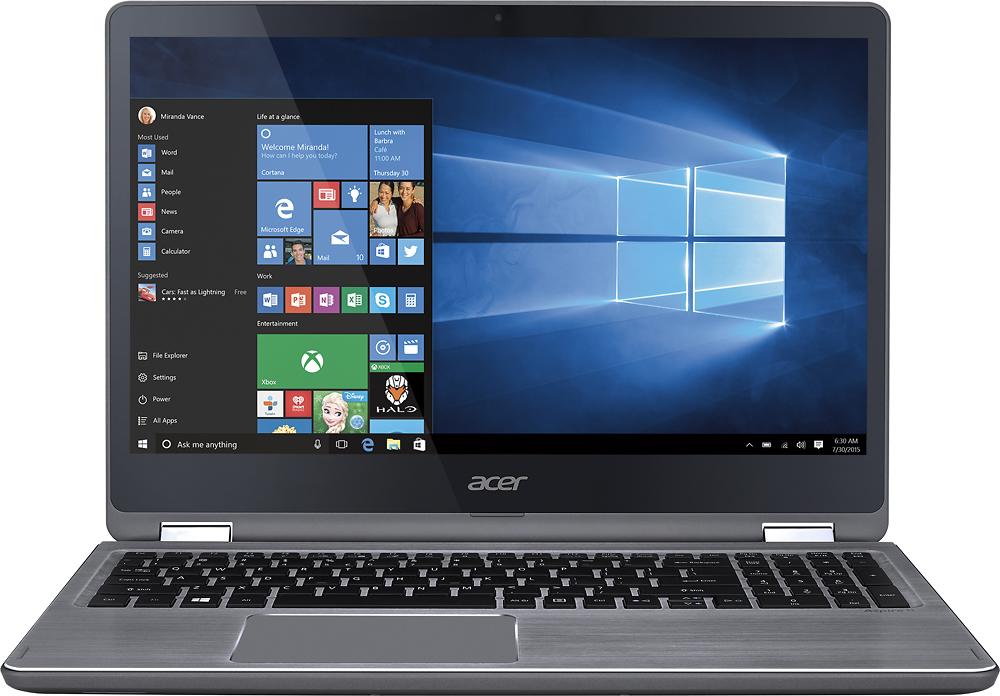
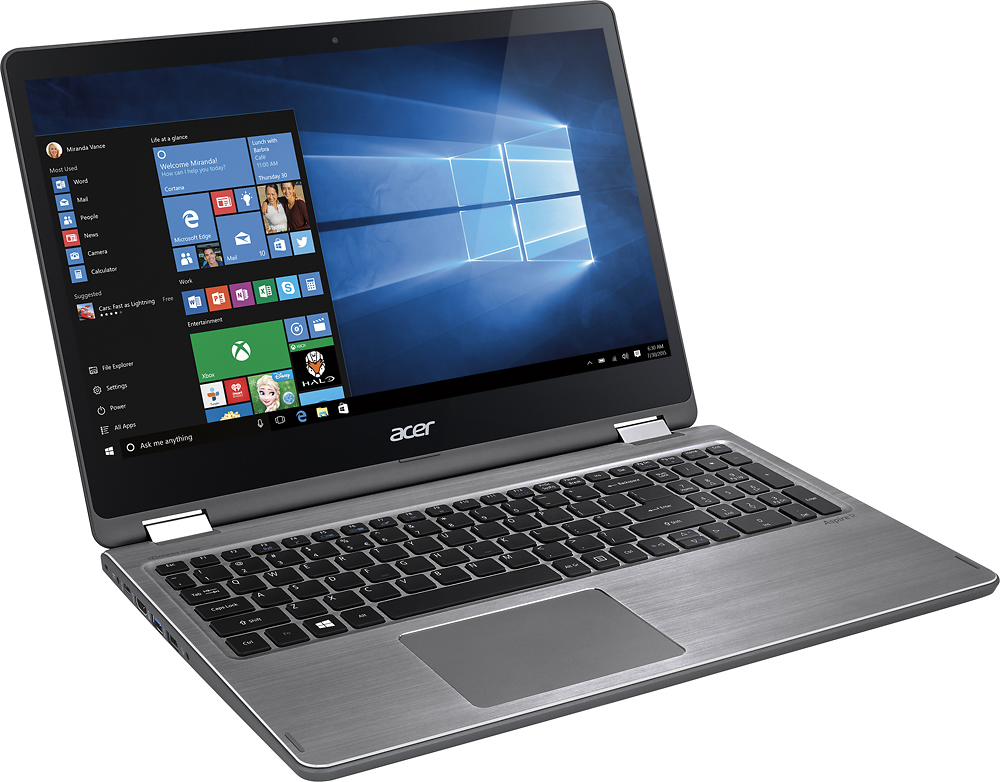
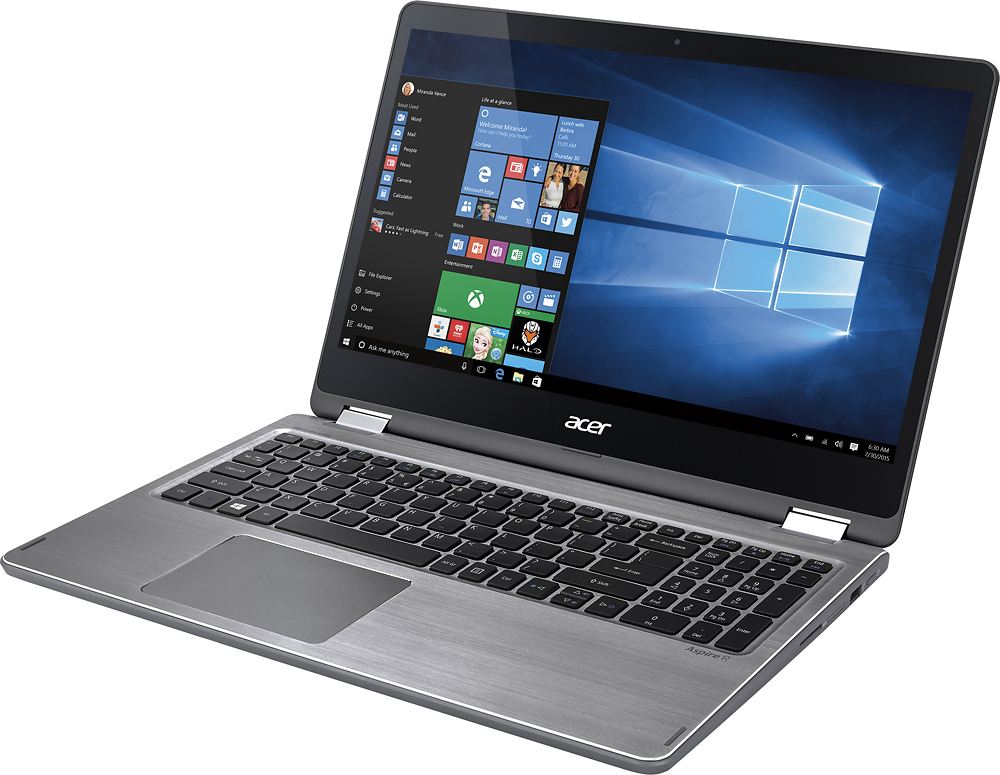

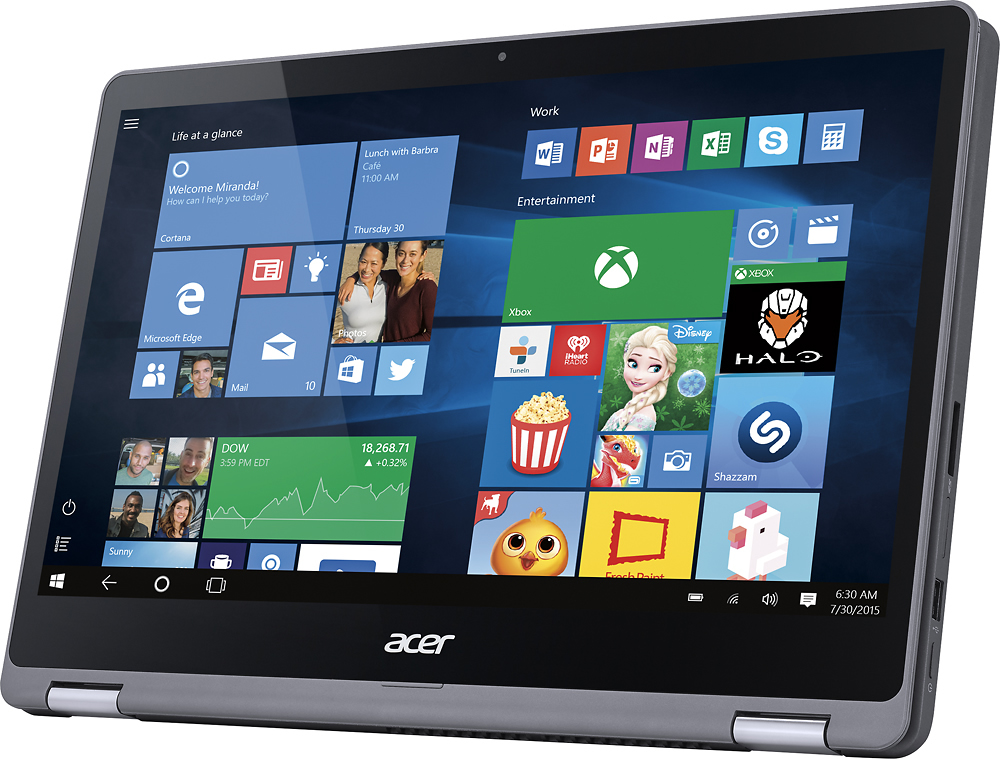
- Model:
- R5-571T-59DC
- SKU:
- 5209401
to a friend
Customers are saying
Customers consistently note the Aspire R 15's responsive touchscreen, strong performance, and ease of use as significant advantages. Many appreciate its lightweight design and find it offers good value for the price. However, some users point to the hard drive's speed as a potential drawback, along with occasional fan noise and bloatware. A few also mention that the device can get warm during use.
This summary was generated by AI based on customer reviews.
- Pros mentioned:Ease of use, Speed, Touch screen
Great Work Laptop
||Posted .This reviewer received promo considerations or sweepstakes entry for writing a review.Does everything needed - fast and easy to use! Plus the touch screen factor is nice to have!
I would recommend this to a friend - Pros mentioned:Touch screen
Bang for the buck!
||Posted .This reviewer received promo considerations or sweepstakes entry for writing a review.Went in looking for a cheap laptop and drawn to a $279 special. Was disappointed with the quality and likely short lifespan of the system. Saw this deal and went for it. It's a quality laptop that will last a while. The backlit keys, RAM, quality screen are about the best you can get for the price I paid. Purchased for a kitchen computer which gets used a lot for streaming video. It's perfect with the 1TB storage.
I would recommend this to a friend - Pros mentioned:Touch screen
Great laptop for the casual user.
||Posted .This reviewer received promo considerations or sweepstakes entry for writing a review.I love the sleek design and light weight. Absolutely love the ability to use screen like a tablet. Touch screen is great. While I'm not a fan of Windows 10; I am getting used to it. Windows 8 was so much easier to navigate. The graphics and screen quality are a step up from my old Toshiba.
I would recommend this to a friend - Pros mentioned:Performance
Good laptop for students
||Posted .This reviewer received promo considerations or sweepstakes entry for writing a review.I was in search of a new laptop for school that I could not only use for basic things like web browsing and writing papers but also for use with programs like adobe illustrator and photoshop. I previously owned a MacBook but it was already really old and just not performing well enough to use my programs, but I also wanted something a lot more budget friendly. This laptop is great for the most part, it functions well, it doesn't lag whenever I have multiple programs running, it's visually appealing which was also a big plus for me and has great specs for what it's worth. The only reason I'm not giving it five stars is because sometimes I have problems with Windows 10 itself although that's probably more of a problem with Windows. Another issue I have noticed is that sometimes the screen lags when I am browsing the Internet and it's kind of visually irritating and probably a result of the touch screen which is also not as sensitive as I'd like.
I would recommend this to a friend - Pros mentioned:Battery life, Touch screen
Bang for Buck
||Posted .This reviewer received promo considerations or sweepstakes entry for writing a review.It's really a great product considering it's price. As a student it does feel great to work on this laptop as being light weight and good battery life of around 4 hrs. for typical usage. Typing feels good on a full keyboard which is backlit as an added advantage. The 2in1 use is great and the hinge does work greatly for long time. The speaker sound in really really loud. Very much satisfied with the product quality and build.
I would recommend this to a friend - Pros mentioned:Touch screen
Problems are software-related
||Posted .This reviewer received promo considerations or sweepstakes entry for writing a review.Pros: keyboard has a solid feel and accurate response. Very fast start-up. Screen is great. Price was very good. Cons: Software. Windows 10 does not play nice. Pre-installed anti-virus is hard to remove. Running Kaspersky crashes computer. Not happy that connector for projectors are no longer included, the ethernet connector is gone and the CD/DVD disk drive is gone. Sure, there are more USB ports. You need all these to connect the dongle for a projector, ethernet, and DVD drive. There goes those USB ports. No place for the wireless mouse or keyboard to plugin unless I purchase a USB strip. Many more accessories to have to purchase.
I would recommend this to a friend - Pros mentioned:Performance, Touch screen
Great Laptop
||Posted .This reviewer received promo considerations or sweepstakes entry for writing a review.Solid performance and lightweight design. Great keyboard.
I would recommend this to a friend - Pros mentioned:Ease of use, Touch screen
Love this laptop!
||Posted .This reviewer received promo considerations or sweepstakes entry for writing a review.So far this works very well. Used for general home use. Media, browsing, Microsoft Office, etc. Can smoothly do many things at once. When flipping it to display or tablet mode it changes over quickly. One pet peeve - Num Lock turns off every time the PC locks and I have to hit it again to put the pin in to unlock it.
I would recommend this to a friend - Pros mentioned:Performance, Touch screen
Solid All Around Laptop
||Posted .This reviewer received promo considerations or sweepstakes entry for writing a review.For the cost it is a very solid laptop. There isn't much that is very special, but it gets the job done and for a good cost... because of the student discount I had. If I wasn't a student I probably would not have gotten it, because that would have been a bit more than I was looking to spend. Performance is good, durability is good, it's touch screen... which is cool, I never use that, but it's cool. It's simple, the only annoying thing is that it's Windows 10, so get rid of that and you have yourself a nice average laptop for an average price that can do average things!
I would recommend this to a friend - Pros mentioned:Battery life, Performance, Touch screen

Good replacement Laptop with solid feature set
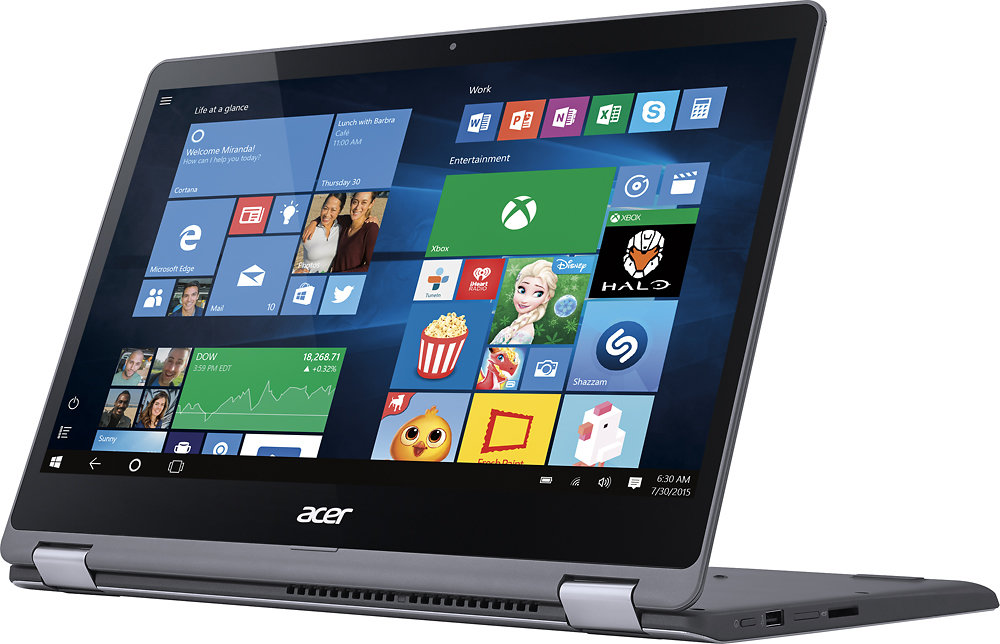
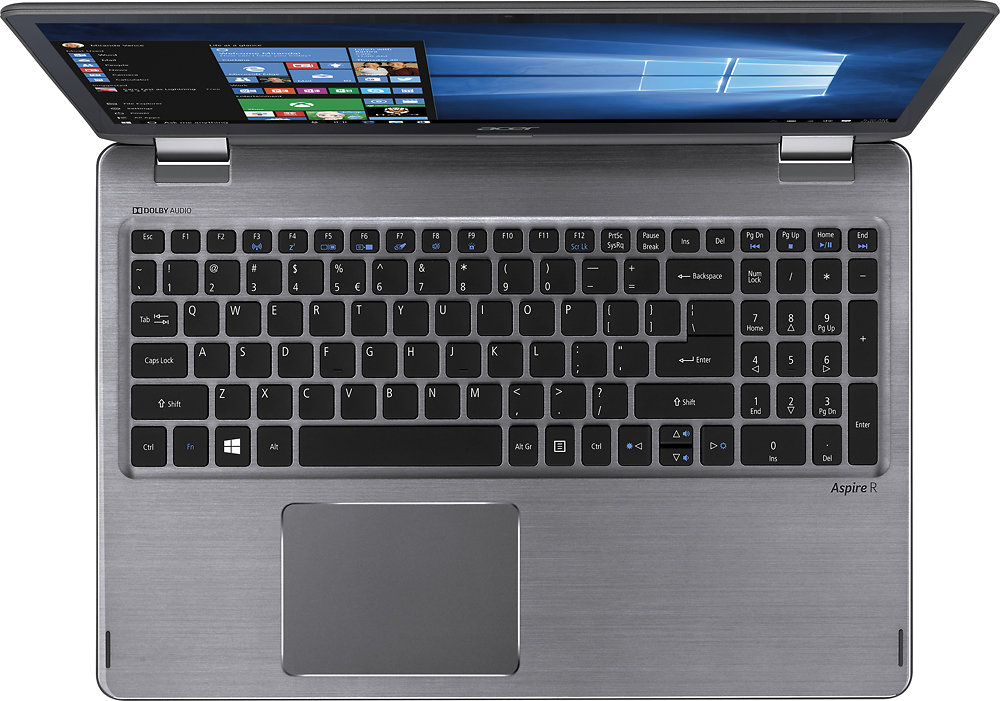
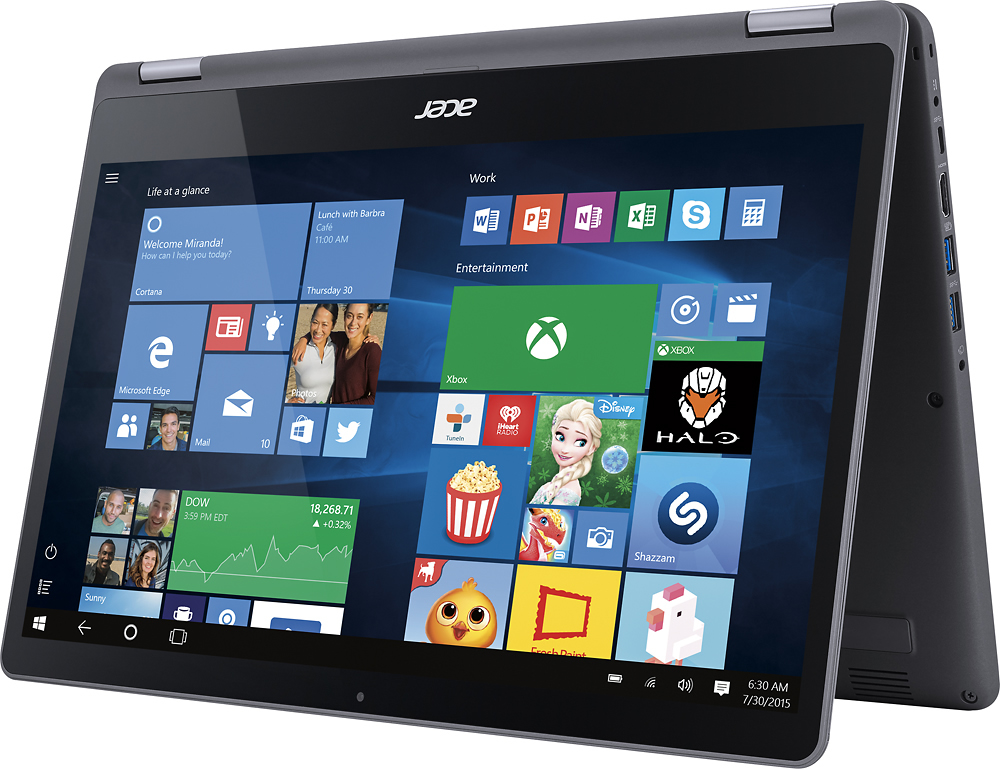
|Posted .This reviewer received promo considerations or sweepstakes entry for writing a review.My last laptop is five years old and desperately requires replacing. I use my laptop mostly for office type applications, viewing photos, email, and internet activity. I wanted my upgrade to include a touch screen along with two-in-one capabilities. What I really wanted was a Surface 4 though I could not justify the steep $1k entry price point. So, I decided to look for something that had many of the features I liked about the Surface 4 at a more reasonable entry price point. And maybe get a little something more that the Surface didn’t offer such as a 15-inch screen and an included keyboard. I chose to go with The Acer Aspire R15. As far as I can tell the entire case is metal. At least the screen housing and the keyboard cover are metal. I cannot tell if the bottom of the case is metal because it is covered in a rather nice rubberized material. The design reminds me of an ultra-book aesthetic in a large form factor. And this large form factor comes at a weight premium. I do not know the exact weight of the laptop but I can tell you that it is heavy in the hand. You will not be holding this laptop for long with one hand; even in tablet mode. I was actually surprised by the weight. Luckily for me, this laptop will spend most of its time either on my desk or my lap. I won’t be spending much time walking around with this thing in tablet mode. If you have a need to walk around with a 2 in 1 in tablet mode for long periods of time I suggest you opt for either a light ultra-book or an MS Surface. With an i5 Intel processor and 8GB of memory one would think this laptop would perform like a superstar. Unfortunately, the system was as slow as a snail out the gate. Whenever I purchase a new system I expect that the manufacture balanced performance with the junk-ware they’ve pre-installed. This laptop was no different. The first thing I replaced was McAfee Anti-spyware. I am super happy that the laptop came with something to protect the laptop however I’ve always found McAfee to be a performance bottleneck. It doesn’t eat up a lot of system resources so I’ve often scratched my head as to why performance and McAfee don’t mix. I deployed Norton, which I already own licenses for, and saw an increase in system performance. The second thing I did was disable Adobe Flash in Control Panel. After both changes were implemented I noticed an immediate improvement in performance. One other major change I made was change the Paging file from System managed to static. There are other tricks that you can employ to improve system performance on any computer you own that I also implemented on this laptop that I will not get into here. A quick Bing search will net you many performance improvement tips. However, two tips that you will not able to employ here are the replacement of the hard drive with a solid state drive and increasing your memory. Since this system is based on an ultra-book all in one case design, all of the external doors have been removed. So, the only way to upgrade the system’s HDD and Ram is to open the entire case which may void your warranty. The good news is that the system comes with 8GB of ram and a 1TB drive. If you need more speed in the storage department, or require more memory, then either purchase a higher end Acer Aspire or seek out a system with a pre-installed SSD. Truly, two of the best performance upgrades you can make to any computer is more memory and a solid state hard drive. I do love the fact that I can flip the screen 360 degrees and use the large 15-inch screen as a full tablet. I can have multiple windows open at the same time. The only thing this screen is missing is the stylus capabilities of the MS Surface. The glass covered LCD would make an excellent writing surface. Maybe Acer will include this in a future product. Acer includes a utility to reduce the blue light coming from the back lighting. Blue light, if you didn’t know, is attributed to eye strain during long computing sessions and is also linked to sleeping issues. I’m using it with MS word while I’m writing this review. The blue light filter can be found in the Acer Quick Access application. The feature is either on or off. When you turn it the screen takes on a greener characteristic. Blues are still blue but with a greenish tint. I’ve seen other screens implement this feature but with a warmer coloration which cast a reddish tint to the screen. The greenish tint is a bit odd but comfortable. However, I would have preferred a leaning closer to red than green. If you not convinced that this feature is useful I recommend turning it on for about an hour while you type your FaceBook posts and then turn it off. The back lighting on the screen is uneven and dominates the lower corners of the LCD. You can really see this when the screen is predominantly black such as when the machine is booting up. Or if you are looking at dark colored content. It is easy to adjust the back lighting so you can compensate for this effect. For daily activity the uneven back lighting is unnoticeable. Whites are really bright when the back lighting is turned up to the highest level. For most web pages and office applications I do not notice the uneven back lighting at the lowest lighting levels. Over all it has not proven an issue for my activities or needs. But, if you are purchasing this laptop for graphics arts type activity you may want to check this machine out on the showroom floor purchase deciding to purchase. Typing on the keyboard is comfortable and quiet. I did find that I had to reduce the touchpad sensitivity. When I type my thumbs and palm have a habit of touching the touchpad. At the default sensitivity the touchpad would accept those random touches and move the mouse cursor to random places on the screen. There is nothing more annoying than the typing cursor to jump around the page while I’m typing mid-sentence. The back lighting is not the best implementation that I’ve seen. The light does bleed around the keys and, when the laptop is on my lap, I can partially see the LEDs under the top row of keys. It’s not distracting but it does remind me that I’ve seen better implementation on other laptops. However, those laptops tend to cost twice as much. Taken in context of my price point, I feel this is a fantastic feature that has proven very helpful. For example, I’m writing this review from my couch in my dimly lit living room. With my old laptop I would need to use the overhead room lighting at full brightness. Since the keyboard is back lit I can keep the lights comfortable low for this time of night and enjoy typing. It is a feature I never knew I needed until I had it. I am glad that Acer was able to include the feature on this laptop at this price point. The Dolby Audio software is a total embarrassment for Acer. This app should help make my audio experiences come to life within laptop audio reason. It may have helped somewhat if the app was not so limited in function. What you get is an equalizer with zero labeling and no presets. Both are basic, minimal features. Acer should be embarrassed to call so much attention to their TrueHarmony and Dolby Audio features but have this garbage as an interface. The screen resolution does make most of my images look great. If I’m looking at a dark image, then the uneven back lighting does degrade the experience. For my needs it is good enough. Video, on the other hand, is hit or miss. Netflix is grainy. Other video sources have also proven less than stellar reproduction. YouTube did a little better but the images were not sharp. Running video in a smaller window seems to help however decreasing the size of the image also decreases the fidelity of the image and defeats the purpose of having such a large screen. I hope Acer or Intel addresses this issue with an upcoming driver update. If you are looking for a Netflix/YouTube, or even video editing then you may want to look for something with either a higher end Intel graphics processor or an AMD or NVidia discrete graphics processor. This laptop gets by in some situations but, for now, it struggles. Finally, battery life. I love new batteries because they give you the most life. I did run this machine for a full eight-hour work day without needing to charge it. This included running Microsoft Word, OneNote, and whatever websites I was using to support my daily activities. This included sites with integrated audio/video and information that includes real-time updates/refreshes, throughout the day. The back lighting for the keyboard was on and I was performing all online tasks using the 802.11AC WIFI features of the wireless adapter. I suspect that, over the next year, the battery charge will become less and less as is normal for batteries in general. I have experienced battery degradation on every laptop I’ve used. My only concern is the battery is not user serviceable. Meaning, I cannot simply replace an old, worn battery with a new battery. There are many more things to discuss with this laptop that I’m sure other reviewers will cover. Over all, even with the negatives, I really like this laptop. I do use it several hours a day. It has most of the features that I was looking for within my budget. So, I cannot slight this 2 in 1 model for not having X feature when X feature is only found on $1k plus machines. Some deficits should be addressed by Acer with future drive updates. Considering my 5-year old laptop cost me this same amount of money 5 years ago simply shows how far computer technology has come and how much manufactures have pushed the prices down. If Acer can address the few of the issues I have pointed out, which they can with software updates, then I would call this machine a real solid performer at a reasonable price point.
I would recommend this to a friend - Pros mentioned:Performance
Good Choice for students
||Posted .This reviewer received promo considerations or sweepstakes entry for writing a review.Great little machine for the price. (Especially with the student discount) We were looking for a cost effective option for our daughter's school work. This machine had some nice features and has run smoothly right out of the box. Our daughter uses it daily and has encountered no problems to this point.
I would recommend this to a friend - Pros mentioned:Touch screen
Great laptop easy to use
||Posted .This reviewer received promo considerations or sweepstakes entry for writing a review.Best choice for the price. Memory is exceptional. I like the slim line and light weight. This is my first lap top with a lighted keyboard and the feature is really handy will working by in dimly lighted offices.
I would recommend this to a friend - Pros mentioned:Ease of use
For My Grandson
||Posted .This reviewer received promo considerations or sweepstakes entry for writing a review.I purchased this laptop for my grandson who began High School this year. He tells me how much he loves his laptop all the time.
I would recommend this to a friend - Pros mentioned:Speed, Touch screen
Reliable Laptop
||Posted .This reviewer received promo considerations or sweepstakes entry for writing a review.This laptop is wonderful. I was deciding between the Acer and a MacBook and I’m so happy I chose the Acer. It’s display is crystal and clear. It’s very fast operating system with the i5 processor and the added bonus of being able to turn into an interactive touch screen tablet makes it that much better. Very happy with this product.
I would recommend this to a friend - Pros mentioned:Speed, Touch screen
Acer Trusty
||Posted .This reviewer received promo considerations or sweepstakes entry for writing a review.I have owned one before when Windows 7 hit the market. I was so pleased with it that I bought another. The keyboard is not that good like my older model, but the plus is the touchscreen. It quickly boots up, beautiful color on screen. Very happy with purchase.
I would recommend this to a friend - Pros mentioned:Ease of use, Speed
Great laptop
||Posted .This reviewer received promo considerations or sweepstakes entry for writing a review.My Acer laptop was a great choice. It is fast and easy to use. I especially like the ability to rotate it to either tent or tablet mode. Primarily I use it for school and so far it has been excellent.
I would recommend this to a friend - Pros mentioned:Speed, Touch screen
Good
||Posted .This reviewer received promo considerations or sweepstakes entry for writing a review.Just what I needed. I like the flexibility, touch screen, good storing space and speed and the fact that I can sync it with my TV via wifi when using some programs like YouTube.
I would recommend this to a friend - Pros mentioned:Speed, Touch screen
Great item
||Posted .This reviewer received promo considerations or sweepstakes entry for writing a review.I love this new computer. The numbers pad on the side is wonderful, like having an adding machine attached to the keypad. The backlit keys are a plus. The speed of the new machine is great compared to the one I had before which was about 6 years old. I got used to the different features very quickly
I would recommend this to a friend - Pros mentioned:Ease of use, Touch screen
Great computer for the price
||Posted .This reviewer received promo considerations or sweepstakes entry for writing a review.I use this for internet browsing, streaming movies and movies, paying bills, etc. Does all I need it to do. My favorite feature is being able to flip the screen around and use it as a tablet. It’s great when reading online instructions to put things together around the house.
I would recommend this to a friend - Pros mentioned:Touch screen
Great laptop for grad school
||Posted .This reviewer received promo considerations or sweepstakes entry for writing a review.I purchased this laptop to replace my old Dell when I started grad school. I was hesitant to purchase a "cheap" brand but I trusted the reviews and I'm glad I did! It works great! The keyboard is very comfortable and the track pad is decent. Sometimes I have to try 2 or 3 times to find the correct place to right click, but overall it's very responsive. Flipping the screen over into a tablet is a cool feature and so is the touchscreen. The screen is shiny and very reflective in sunlight but it's a minor complaint compared to the price. It was a great buy, especially with the student deals discount. I'm extremely happy with my purchase and I'm glad I gave Acer a chance!
I would recommend this to a friend