Customer Ratings & Reviews
- Model:
- CB314-1HT-C3ET
- SKU:
- 6529399
Rating by feature
- Battery Life
Rating 4.6 out of 5 stars
- Speed
Rating 4.4 out of 5 stars
- Display
Rating 4.6 out of 5 stars
Customers are saying
Customers love the Chromebook 314's touchscreen, ease of use, and affordable price. Many appreciate its long battery life and lightweight, compact design, making it perfect for portability. Positive feedback also highlights its smooth performance. Overall, the Chromebook 314 receives praise for its combination of features and value.
This summary was generated by AI based on customer reviews.
- Pros mentioned:Battery life, Touch screen

Impressive performance and build quality
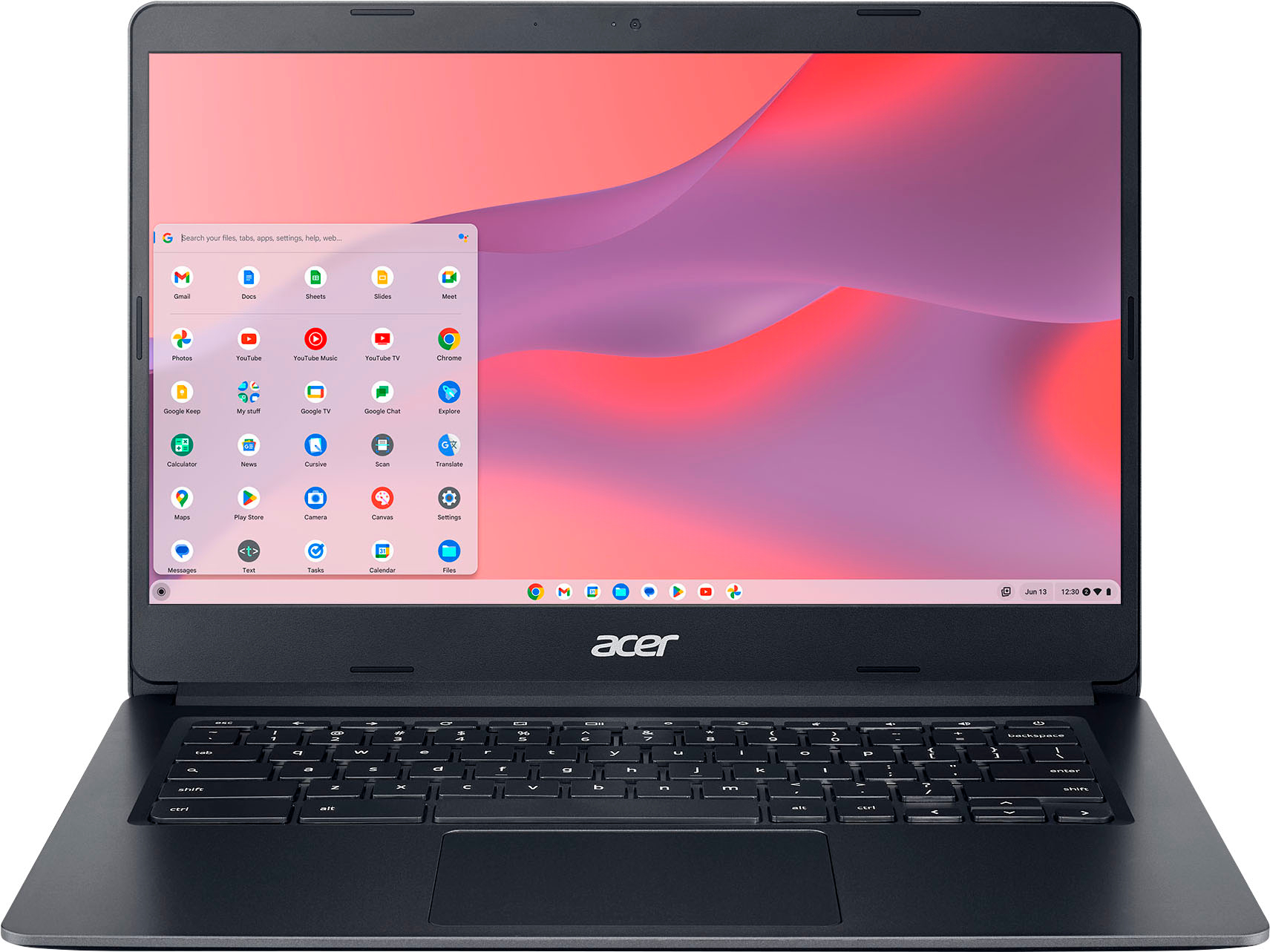
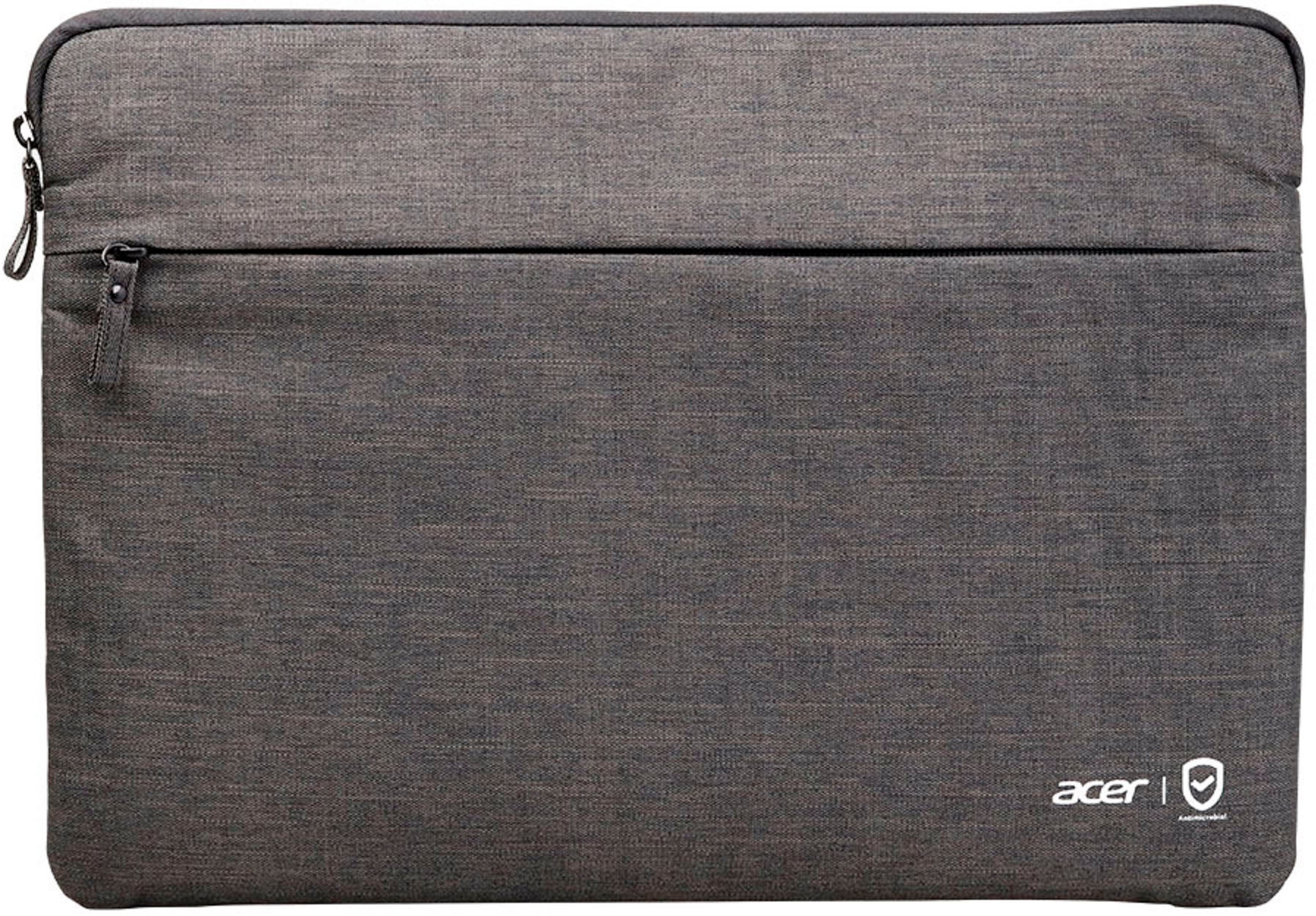
|Posted .This reviewer received promo considerations or sweepstakes entry for writing a review.Chromebooks are not laptops. They exist solely in the Google ecosystem. They do not run Windows or Microsoft Office programs. For a user with a gmail account who uses Google Drive, Sheets, Docs, Play, etc. Chromebooks are an extremely economical productivity solution. This little 14” Acer is great at being a Chromebook! It arrived fully charged out of the box. The charger is a USB-C adapter, and be certain you plug it into the right slot to charge. There is a charging bolt icon next to the C port that supplies power. Power it up, connect to Wi-Fi, follow prompts to sign into your existing gmail account or set up a new one. That is truly all there is to setup. Your sign-in dictates what mail account, drive, docs are displayed. The chrome browser loads your profile and bookmarks according to that sign-in. You can access files saved to Drive from anywhere. Add apps to the Chromebook from Google play. We are adults and use this for browser based activities like paying bills, planning trips, email, general online activities. The performance is quick and responsive, and the machine isn’t bogged down by all the processes and services found on “full” laptops. The 314 feels substantial and solid, not heavy, but not plasticky. I’d love backlit keys, but for the price point everything is here. I was delighted with the feel of the trackpad! Super smooth and responsive. You can also use a wireless or Bluetooth mouse with it if needed, but I love the extra large trackpad. Updates are automated. Charge lasts a long time—I have used it for about 7 hours total and have no need to charge yet. Oh! The sleeve it comes with easily holds the unit itself and the charging cable in separate compartments. Easy storage and travel. This is a recommended item! The price and quality make it a no brainer.
I would recommend this to a friend Great Affordable Machine THAT WORKS!
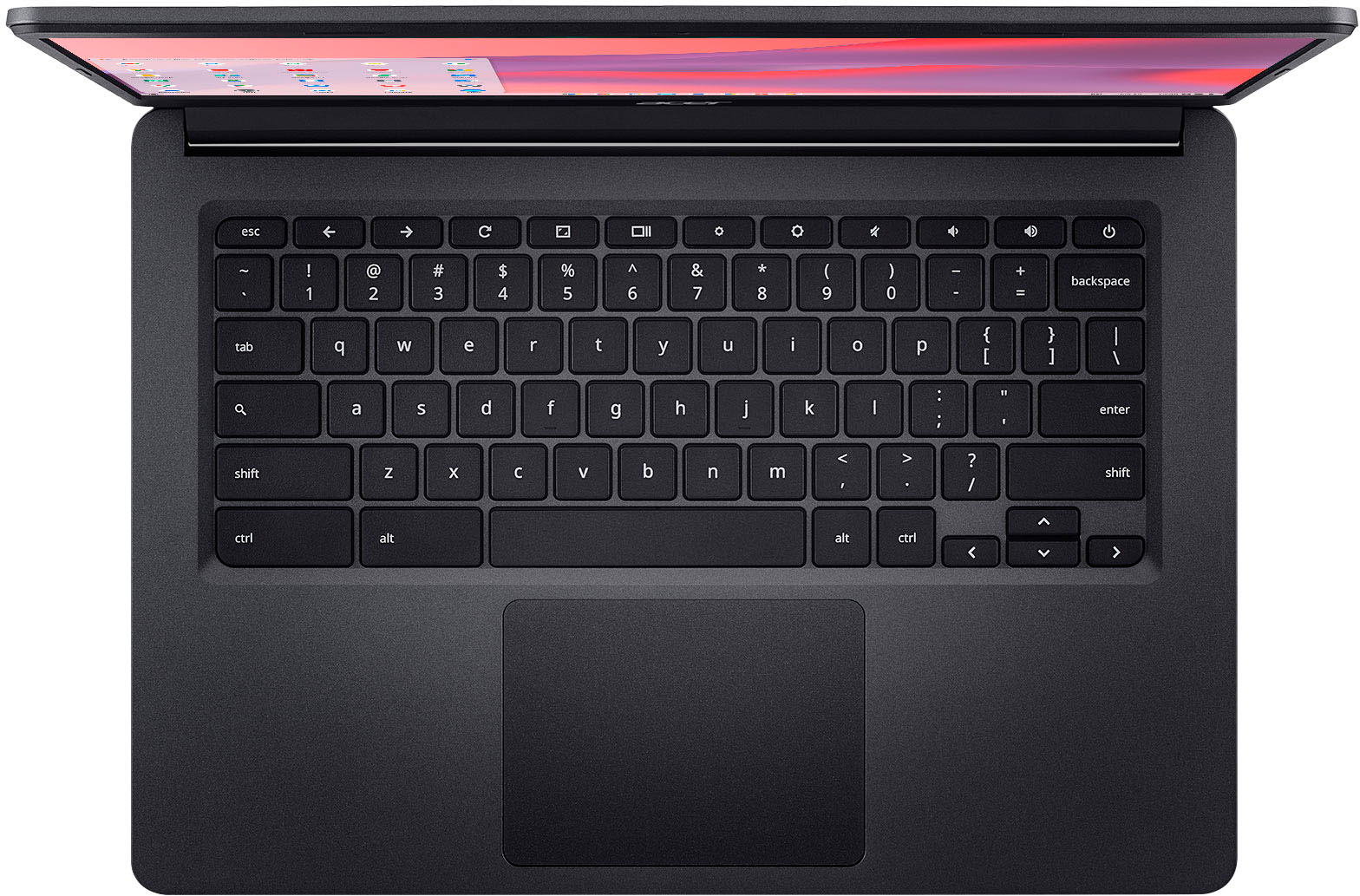
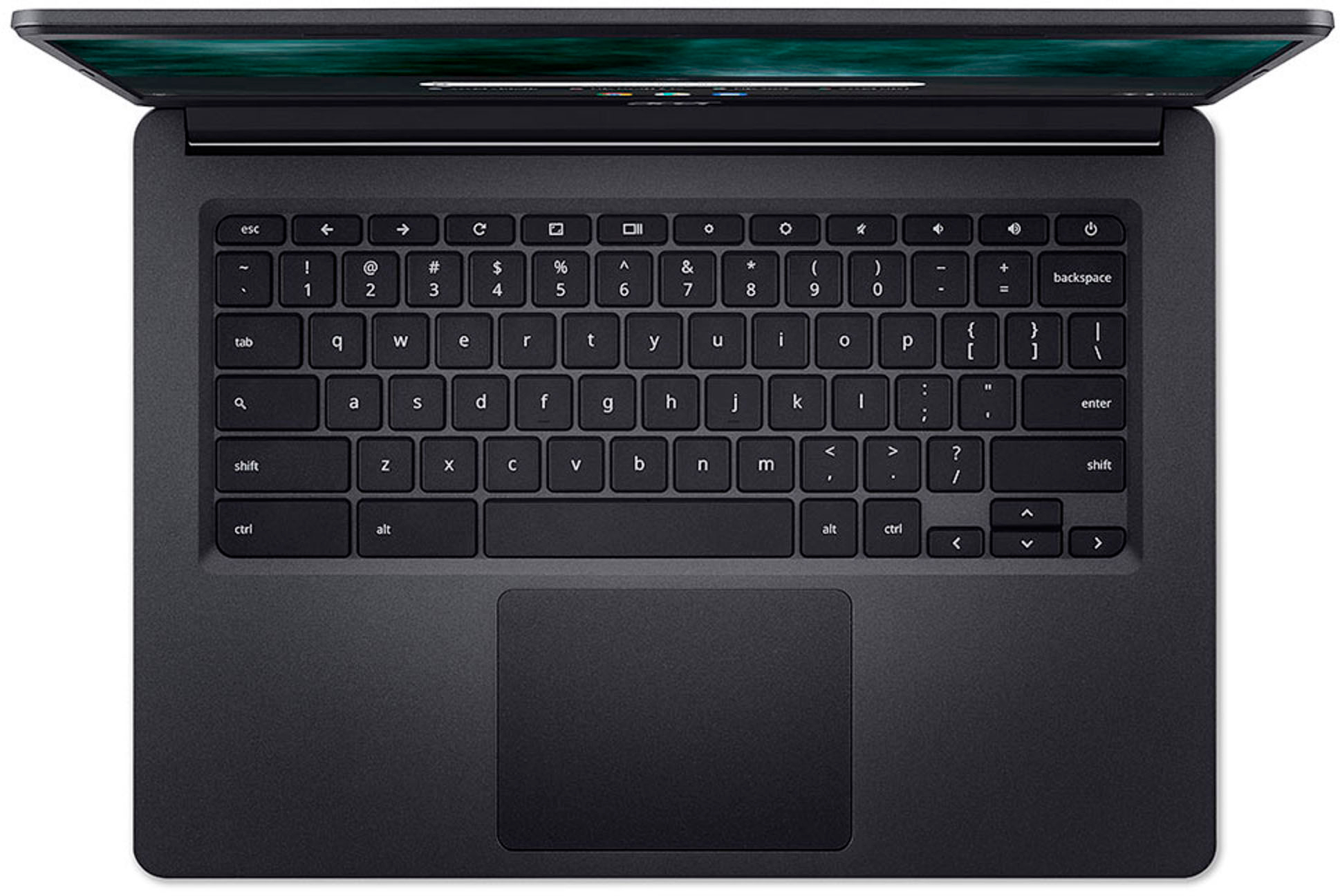
|Posted .This reviewer received promo considerations or sweepstakes entry for writing a review.This Acer has been a wonderful addition to my business! This is the PERFECT Supplemental Device/Machine that I have been looking for, for such a long time now! I have a Samsung Tab S7+5G with the keyboard cover and refuse to part with my Samsung Note10+5G and I am a contractor that is always on the move. Virtually nothing is done at my desk (laptop) but back end invoicing and contract prep and editing. The laptop stays locked in the office as it's the “hub” for everything and I take ZERO chances of anything happening to it…and it was expensive also. Everything else is done while I'm on the move. This being the case I have always been INCREDIBLY UNEASY leaving my Very Expensive tablet in the truck and carrying it around just so it doesn’t get stolen is annoying, at best, and very inconvenient. So because of all that I have been looking for a cost effective solution that could handle the work I need to do but also wouldn’t break my heart if it got stolen or damaged on a job site. Enter in the ACER! And it even came with a NICE padded zippered sleeve that doesn’t scream “I’m a laptop! Steal me!” This machine has been awesome! It’s fast enough to do all the work I need to do without the incredible lag I’ve experienced on other Chromebooks in the past, probably due to the Intel Celeron N4020 Dual Core processor. It connects easily to everything like wifi, bluetooth, google accounts etc. I can’t believe I wouldn’t consider a chromebook before now. With tech, I try to buy the best I can afford or I save up because I have zero patience for lag, stutter or failure of my devices. I always thought Chromebooks were slow, annoying, laggy tablets with a keyboard attached. Mainly for use with school kids. This is not the case with this ACER. While it does “hesitate” here and there…it’s more like a loading stutter than a lag…and it’s more than perfectly acceptable for only 4gb RAM it’s pretty smooth. I have old cell phones with 4gb RAM that are unusable, so for this to work the way it does with 4gb RAM, I think that’s incredible! I can watch videos in HD without lag or jitter! …and they look beautiful on the 14 inch full touch screen! I can easily access the info and docs that I need…I can even have clients sign the screen with the latest Chromebook update! That is so helpful that it's not even funny! It is bigger than my tablet screen so it is so much easier to see and navigate with the full touch screen. If you don't want fingerprints on your screen you can navigate like a traditional laptop with the mouse touchpad and keyboard shortcuts. There's so many quick features built into the chromebook system that I'm still learning them all but it is a fun and productive system to learn. They have really thought about little stuff that makes usability just that much better. I can run more than one thing at a time without locking up the device and that is a MUST for me…otherwise it would be useless, like all the Chromebooks I have used in the past here and there. Battery life is AMAZING! I have left it in the truck on sleep for over a week and using it just here and there for an hour or so and I still have tons of battery left. It’s great having a device that is always “ready to go” in the truck and that I don’t have to babysit the battery charger. First day I had it I was on it almost 8 hours solid and I still had ~40% and found out that it uses my Samsung fast charger to charge in NO TIME! So now I charge it for about an hour once or twice a week and I am guaranteed to have a device with plenty of battery to use whenever I need it and whatever I need it for. ACER says it’s 12.5 hours battery life and I believe them, in fact, I think I’ve gotten better than that. 64Gb of storage doesn’t seem like that much but I’ve had a 64Gb card in my Note 10+ for 4 years and it’s not even close to full….even with jobsite pictures and videos. So 64 on this machine should be plenty to work with during any time of year for my business, no matter how busy we get. The fact that the screen is bigger and it’s in more a traditional laptop format has been really nice. Videos in 1080p look great and when I'm presenting to a client or researching with a client we all can interact with the device and the space feels “just right” as opposed to the tablet that is smaller, harder to see and because of the size can become easily overloaded with too many hands or people on the device all at once. I can easily type up invoices for service calls in the driveway or their kitchen table, take payments and have documents signed and sent to email or printers. It literally does everything my Note 10+ and Tab S7+ have done for the past 4 years but I like the layout of the machine better, I like the size better, I LOVE the battery life and interacting with it is great compared to my expectations. It’s just more comfortable to use than my tablet has been, even having the tablet’s keyboard case…it doesn’t feel as “cramped.” The Chromebook is slower than my Tab S7 but it’s not an “annoying slow” and it’s also a SMALL FRACTION of what my tablet cost not including the keyboard case and has 4gb less RAM than my tablet! I'm not paranoid about it being stolen or damaged because of the cost and I have finally found something that I can be comfortable leaving in the truck full time and not worrying about it!!! Also the 14 inch screen is great! I work outside a lot! The sun usually is an issue with all devices I have and I'm always trying to shade the screen or seek shade so I can use them. The ACER screen I have noticed I am not doing that as often and I didnt even have the brightness all the way up! Now that I know how to access the brightness control easily I seek shade even less often. It's very easy to see and work with outdoors. Even had a client mention how easy it was to see the screen when we were talking and working through something and the ACER was on the hood of my truck. Graphics are run by the Intel chip and are and “entry level” graphics processing tier but they look great and I have had not video chatter…even tried playing games and everything runs smooth. ONLY TWO NEGATIVES: There’s no SHIFTLOCK key on the Chromebook, that I have found so far. Second, the speakers are not great and “quiet” at full volume. Both I can overlook because SHIFTLOCK doesn’t make it unusable and if I need, sound then most likely I have bluetooth in my ear or we are inside where it is not an issue. Chromebook being a new user interface for me there are the normal quirks and stuff that needs to be learned and figured out but I feel really dumb for not considering a chromebook for my business’s needs before now. All the other chromebooks I have used have been really slow, boggy and laggy and they just never got me excited to use them. This one is different. It actually works at my pace and I don’t have to wait on it to catch up to me. I don't have to wait on it to “unlock” or pull up the browser or apps. I click or tap what I want and in a second or less it’s just there ready on the screen the way it should be! When using it for extended periods of time it does get warm…not hot, like I’m scared it’s going to be damaged, just on the higher side of warm. You can tell it’s been “working.” It’s fairly lightweight for its size and doesn't feel “cheap” or like I'm going to break it or something off of it just by using it. It feels like a solid ‘laptop’ and being in my truck and my industry, I'm not really paranoid about it breaking or not being able to hold up to me or hold up to being in the truck as the truck option. The keyboard keys are smooth and typing on it became second nature after a little use..you know, getting used to a new keyboard size and layout kind of use. If you're looking for a tablet or need a supplemental machine to stuff you already have or even a solid primary option that doesn't break the bank but that actually works then I HIGHLY RECOMMEND THIS MACHINE! Knowing what I know now, I would 1000% wholeheartedly purchase this exact machine’s replacement on the same day that this one got broken on a job site or stolen. I really like this ACER Chromebook and the price vs performance valuation….in my book, it’s tops! I actually might buy 2 more for the business just so I can have them on other trucks and with other people and on multiple job sites, I can see where these would simplify our video conferencing and being able to get everyone face to face to meet and talk out details and projects without the hassle of the Android and Iphone stuff we have to deal with now. Due to the cost, this is actually feasible with the ACER and I don't feel like I'm taking a loss or making an unnecessary expenditure. Be realistic with your expectations and you'll be as delightfully surprised and as satisfied as I am with the ACER 314. It’s 10,000% worth the price and should be a serious consideration for anyone looking into buying a Chromebook right now.
I would recommend this to a friendNice Bright Touchscreen but Some Limitations
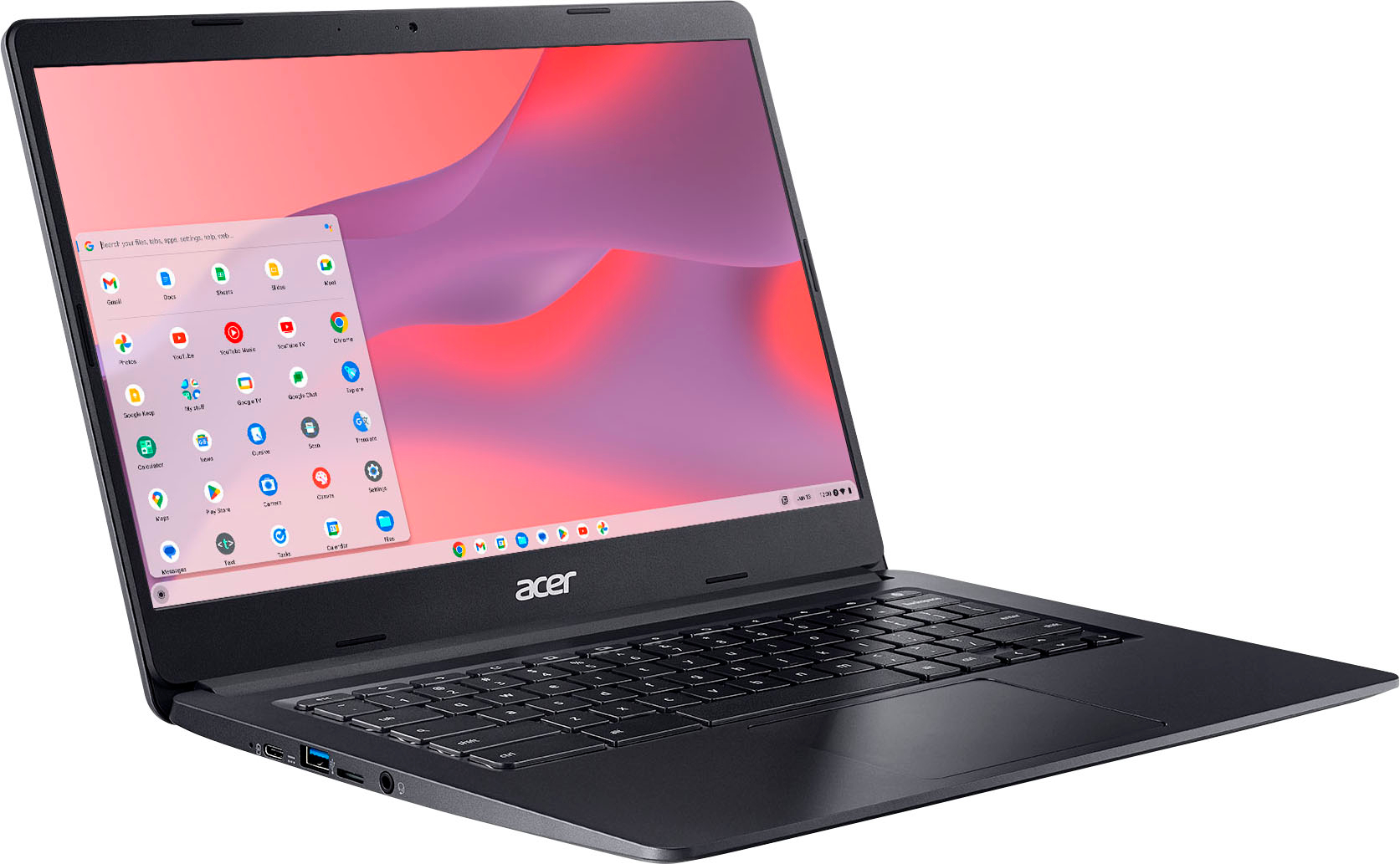
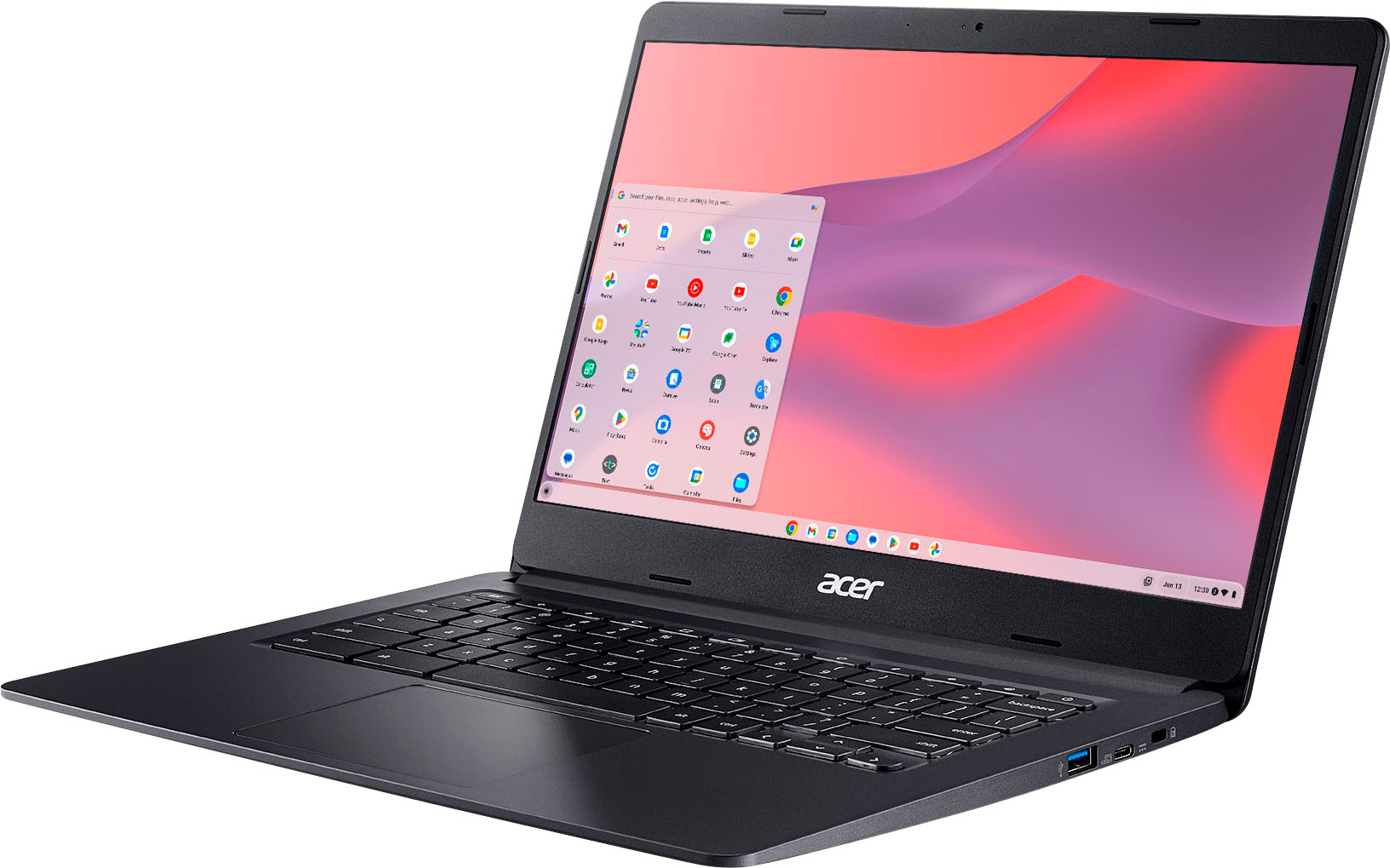
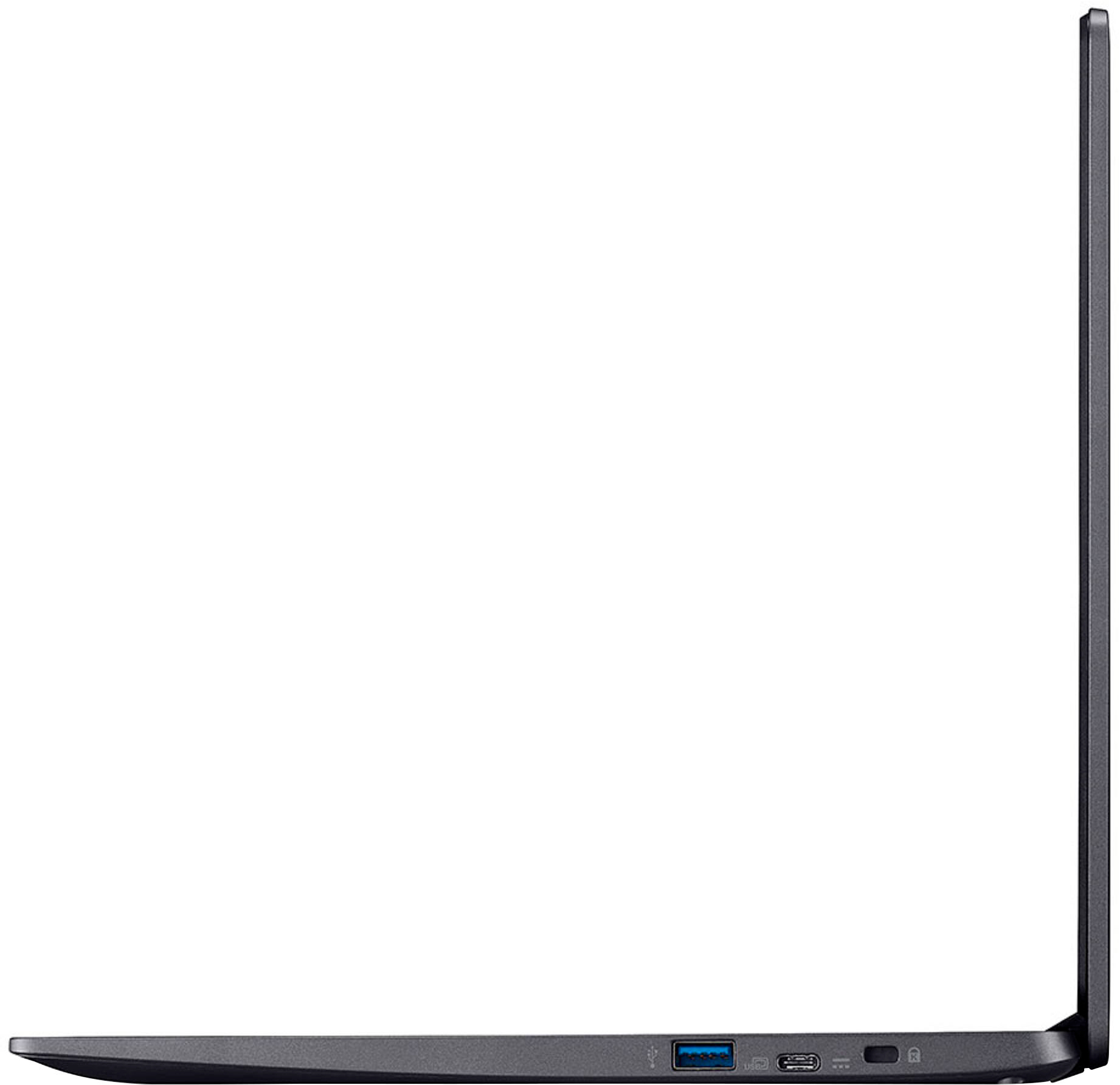
|Posted .This reviewer received promo considerations or sweepstakes entry for writing a review.What’s in the box: Chromebook Power supply and cable Nice protective sleeve. I was really excited to receive this Chromebook and use on campus for note taking and accessing reference materials. It has a very nice bright Full HD touchscreen and while fairly light, also feels well-built. It has two USB-C ports (use one for power/charging) two USB 3.1 Type A ports and a line-in port for wired headsets. It is equipped with Wi-Fi 5. Battery life is very good. I used it all day and never needed to charge. All the basics are covered. Set up was simple, just follow the prompts. It connected to my home network (more on this later) and my Android phone without any problems. It even installed apps that were on my phone (the ones that are compatible with Chrome OS, more on this later, too.) The screen rotates 180 degrees, into a “flat” position, but not 360 degrees, into a tablet like position. That still gives plenty of flexibility for comfortable screen positioning. Now for a few “not so good” items: Many of my Android phone apps (all from Google Play Store) are not compatible with Chrome OS. Glaringly missing is Office 365. Yes, I can use that in a browser, but the browser-based versions lack features I need or at least that I’m used to having. Also, weirdly some of the apps that are compatible, don’t respond to the touch screen. These are apps that do respond to touch on my phone. Other apps respond to touch on the Chromebook just fine. So, it’s hard to tell which ones will respond to touch until you try them. Note that Google Play Store has a section dedicated to Chromebook (Chrome OS) compatible apps. You aren’t limited to apps installed on an Android phone. Even though it readily connected to my home network, I had a terrible time connecting at school. After days of failed attempts, I finally went to the Help Desk. They managed to get it connected. But the tech commented that they have a lot of trouble getting Chromebooks to work on the university's protected network. This next complaint may just be me, but the keyboard felt off somehow. It felt like the spacing on the keys was a little different. Hard to put into words. I regularly type on several different full size and laptop keyboards without issue. But this one will take some getting used to. It also doesn't seem to have a shift-lock key. I rarely use this. So that one isn't a big deal to me. In summary: This Chromebook would be ideal for K-12 students who attend schools that are standardized on Chromebooks and Chrome OS compatible apps. It is responsive and supports Wi-Fi 5. It will run browser-based applications just fine. It would also be a good option for someone traveling who wants to do some light work using browser-based apps, surf the web and maybe stream videos on a screen bigger than their phone. But who also does not want to travel with an expensive production laptop. Outside of the keyboard complaint, all of my issues were really Chrome OS issues and could potentially be fixed with future software updates. But I’m not going to replace my Windows laptop with this device anytime soon.
I would recommend this to a friend- Pros mentioned:Battery life, Ease of use, Performance
Great value and easy to set up
||Posted . Owned for 1 week when reviewed.This reviewer received promo considerations or sweepstakes entry for writing a review.Awesome for the price. Easy to set up and runs great especially if you're just using it like your phone but need the bigger screen. Great battery life too!
I would recommend this to a friend - Pros mentioned:Ease of use, Performance
Great product for Senior users
||Posted . Owned for 1 month when reviewed.This reviewer received promo considerations or sweepstakes entry for writing a review.I bought this particular Chromebook for my elderly Mom. She will be 91 this year. It is very fast and simple to use. She only checks email and watches a few YouTube videos. She has a fear of computers, so the Chromebook is about as basic as it can get- from a senior user's standpoint. We have been very pleased with the quality and overall performance of this product.
I would recommend this to a friend - Pros mentioned:Ease of use
Great choices
||Posted . Owned for 1 month when reviewed.This reviewer received promo considerations or sweepstakes entry for writing a review.Super fast and easy to use. It’s light weight and perfect size
I would recommend this to a friend - Pros mentioned:Ease of use, Price, Touch screen
Amazing Chromebook
||Posted . Owned for 1 month when reviewed.This reviewer received promo considerations or sweepstakes entry for writing a review.Amazing Chromebook; purchased for school use, business use and organization use. It accompanies everything necessary in this world of technology. Easy set up, user friendly, and great color screen. The price is amazing for the amount of technology provided in this unit. Thanks!
I would recommend this to a friend - Pros mentioned:Touch screen
Great bang for my buck
||Posted . Owned for 3 weeks when reviewed.This reviewer received promo considerations or sweepstakes entry for writing a review.It’s everything I need ima lap top. I’m only doing stuff for work on it, but it’s been great so far. Reminds me of a cell phone with a big screen but doesn’t make calls, although I’m pretty sure you could through the App Store. It’s easy as signing in to your google account or creating a new one for it to set it up. I have not found anything at all wrong or challenging with it yet. Speed is great, everything comes right up after I click on it. Screen is clear and looks like it’s one of the expensive ones, although is not like one of those expensive tvs, which I don’t expect it to be, but is impressive for under $200 (what I paid for it). I don’t do the gaming thing, so I can’t speak on that, but is well worth the money for me.
I would recommend this to a friend - Pros mentioned:Battery life, Touch screen
Great for my classes
||Posted . Owned for less than 1 week when reviewed.This reviewer received promo considerations or sweepstakes entry for writing a review.I'm taking some college courses this semester but i didn't have a computer of any sort besides my phone so my husband took me to pick one out (cause he's a sweetheart) I'm very happy with my money saving thought processing because it runs faster than anyone elses in my class and its touchscreen so now if it could do the learning for me but until then I will still recommend it P.S. My classes started 4 days ago and i haven't had to charge it since the day i bought it
I would recommend this to a friend - Pros mentioned:Ease of use, Touch screen
Go Buy It!!
||Posted . Owned for 1 week when reviewed.This reviewer received promo considerations or sweepstakes entry for writing a review.This laptop is definitely worth the price! I had an amazing staff member online help me (Logan E) with purchasing it and I had the last one delivered from another store in 3 days (it wasn’t available in my closest store). It is easy to use and better then I expected! It does what it needs to do as in edit quick documents, go on YouTube, watch videos, research topics and good for online shopping. In my profession, I am used to using both windows and google applications but since this is a Chromebook it is better suited for google. So it does not come with Windows Suite (10/11) for those wondering… All in all, it works amazing and I would definitely recommend as a first time laptop purchase!
I would recommend this to a friend - Pros mentioned:Touch screen
Good Buy for a Good Price
||Posted . Owned for 3 weeks when reviewed.This reviewer received promo considerations or sweepstakes entry for writing a review.Works well for what I need. Working online, emails, streaming, etc. When viewing large PDFs sometimes it can be a little delayed. But it's a touchscreen which is pretty cool. Love the size of it and its very lightweight.
I would recommend this to a friend - Pros mentioned:Battery life, Touch screen
ACER 14 inch Laptop
||Posted . Owned for 1 month when reviewed.This reviewer received promo considerations or sweepstakes entry for writing a review.The laptop works well, update software & I like that it’s easy to conduct my work through all the settings and tools. It keeps a great charge, great wide screen and very slim.
I would recommend this to a friend - Pros mentioned:Battery life, Touch screen
Chromebook
||Posted . Owned for 1 week when reviewed.This reviewer received promo considerations or sweepstakes entry for writing a review.Works perfectly for the sole purpose I purchased it for. Would recommend it to friends and family if they want to browse or do some light work.
I would recommend this to a friend - Pros mentioned:Battery life, Touch screen
Nice School laptop
||Posted . Owned for 3 weeks when reviewed.This reviewer received promo considerations or sweepstakes entry for writing a review.Bought it for my 6th grade son and he liked the speed , touch screen and battery life. I would recommend it.
I would recommend this to a friend - Pros mentioned:Ease of use, Price
I would buy it again
||Posted . Owned for 1 month when reviewed.This reviewer received promo considerations or sweepstakes entry for writing a review.It's lightweight, easy to use and it charges up quickly. Overall it's a nice little Chromebook for the price.
I would recommend this to a friend - Pros mentioned:Touch screen
Great laptop
||Posted . Owned for 1 week when reviewed.This reviewer received promo considerations or sweepstakes entry for writing a review.We purchased this laptop after our old chromebook stopped working. We have been happy with the value for the money. 1080 pixel touch screen is vibrant. The screen does not turn the full way around which limits the use of it as a tablet. Processor is good and we watch videos and play basic games without any issues. Good starter laptop for kids.
I would recommend this to a friend - Pros mentioned:Price, Touch screen
Chromebook
||Posted . Owned for less than 1 week when reviewed.This reviewer received promo considerations or sweepstakes entry for writing a review.Super lightweight and love the touch screen! Love the low price for such a high quality item !
I would recommend this to a friend - Pros mentioned:Ease of use, Touch screen
Acer Chromebook 314
||Posted . Owned for 3 weeks when reviewed.This reviewer received promo considerations or sweepstakes entry for writing a review.The Acer Chromebook 314 laptop is a cost-effective device for streaming and doing day-to-day tasks on the internet. It was easy to set up and easy to use, and the touch screen navigation works well. I gave it to a senior citizen relative and they were able to operate the device with minimal instructions. A great low-cost machine!
I would recommend this to a friend - Pros mentioned:Performance, Touch screen
Chromebook’
||Posted . Owned for 3 weeks when reviewed.This reviewer received promo considerations or sweepstakes entry for writing a review.Very good performance excellent screen with touch good speed
I would recommend this to a friend - Pros mentioned:Battery life
Solid Performance for Everyday Use
||Posted .This reviewer received promo considerations or sweepstakes entry for writing a review.The Acer Chromebook 314 is a solid choice for everyday tasks. The 14" Full HD touchscreen is bright and responsive, and the 4GB RAM with 64GB eMMC storage handles browsing and streaming smoothly. Battery life is excellent, and the lightweight design makes it easy to carry around. Great value for a dependable Chromebook.
I would recommend this to a friend