Customer Ratings & Reviews

- Model:
- CP514-1H-R4HQ
- SKU:
- 6447818
Rating by feature
- Battery Life
Rating 4.5 out of 5 stars
- Speed
Rating 4.2 out of 5 stars
- Display
Rating 4.5 out of 5 stars
Customers are saying
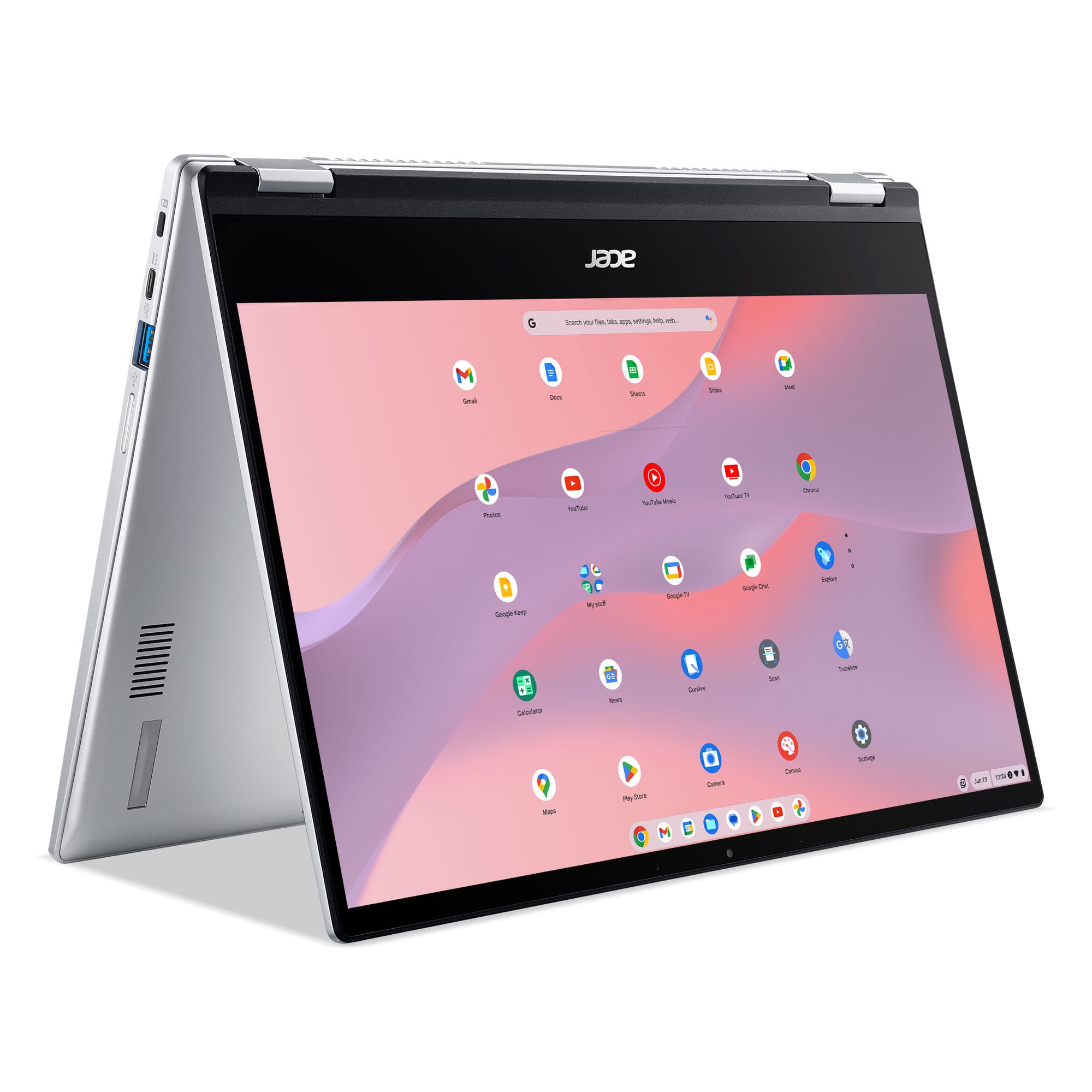
Customers frequently mention the Chromebook Spin 514's touchscreen, ease of use, and long battery life as significant advantages. Many appreciate its affordability and lightweight design, making it convenient for various uses. However, some users point to performance limitations, particularly with RAM and storage capacity, as potential drawbacks. Concerns were also raised regarding the lack of an HDMI port in some models.
This summary was generated by AI based on customer reviews.
- Pros mentioned:Processor speed
Great for gamming
||Posted . Owned for more than 2 years when reviewed.This reviewer received promo considerations or sweepstakes entry for writing a review.Miss my gaming laptop this bad boy ran amazing I used to do gta mods with it definitely need to get it fixed
I would recommend this to a friend - Pros mentioned:Touchscreen
Chromebook
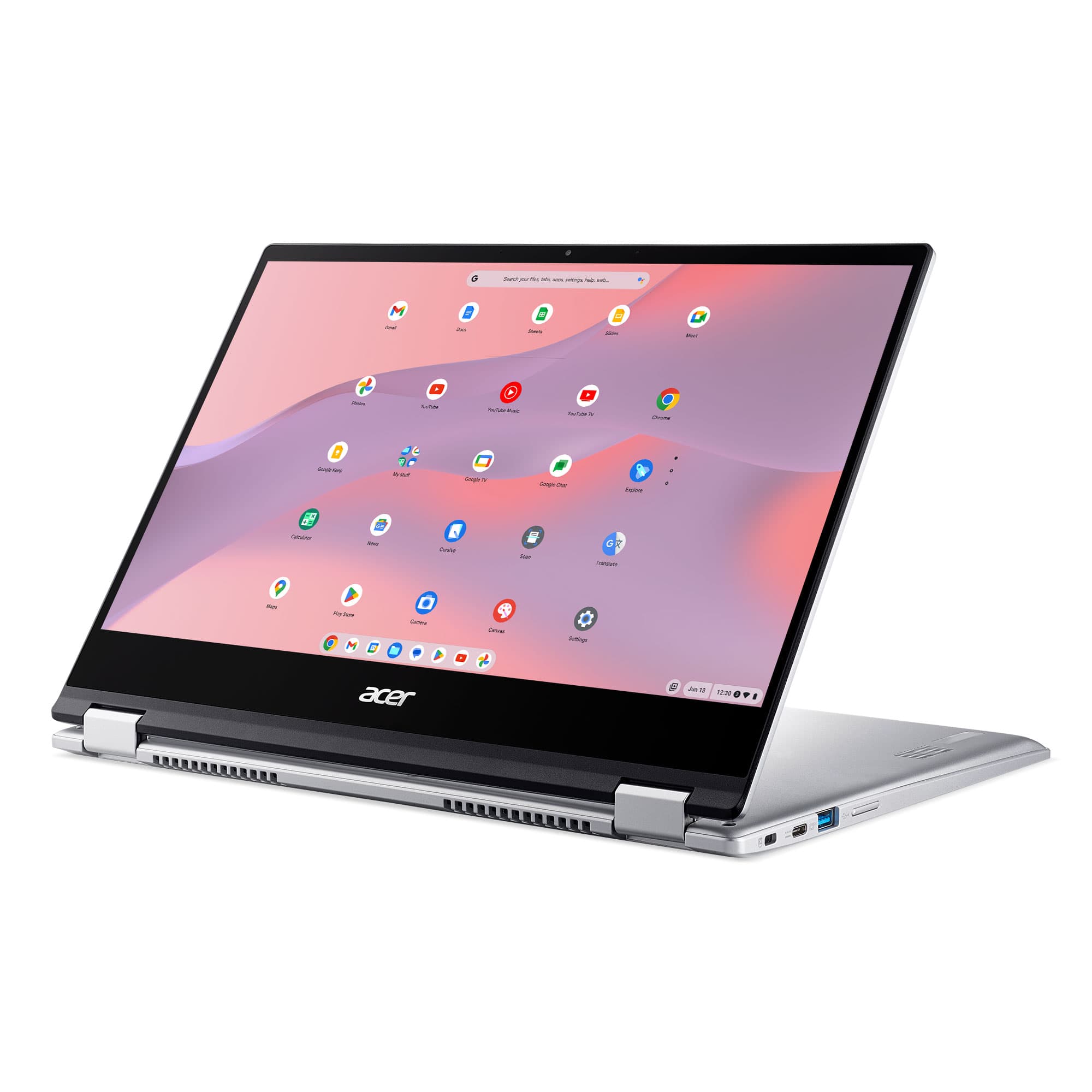
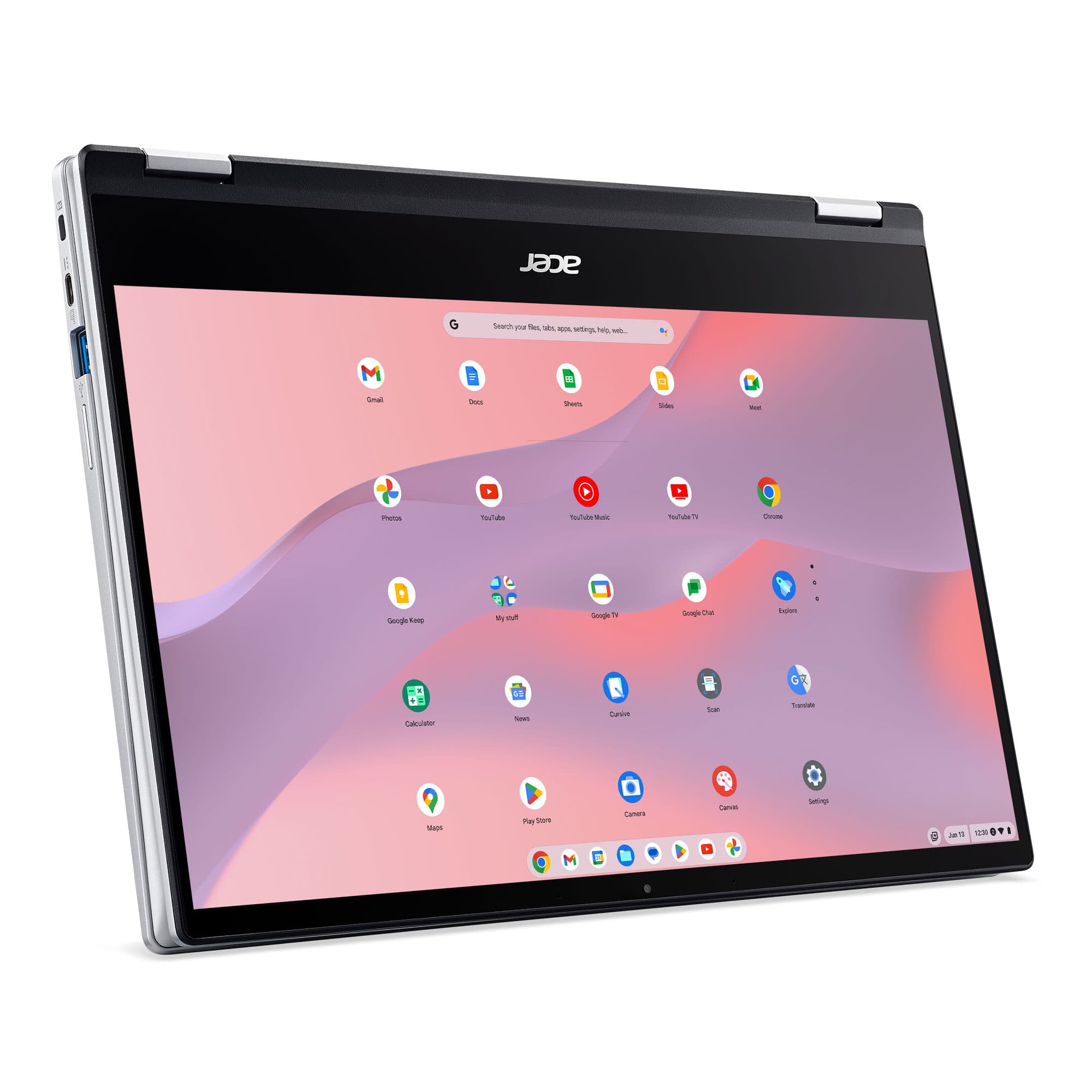
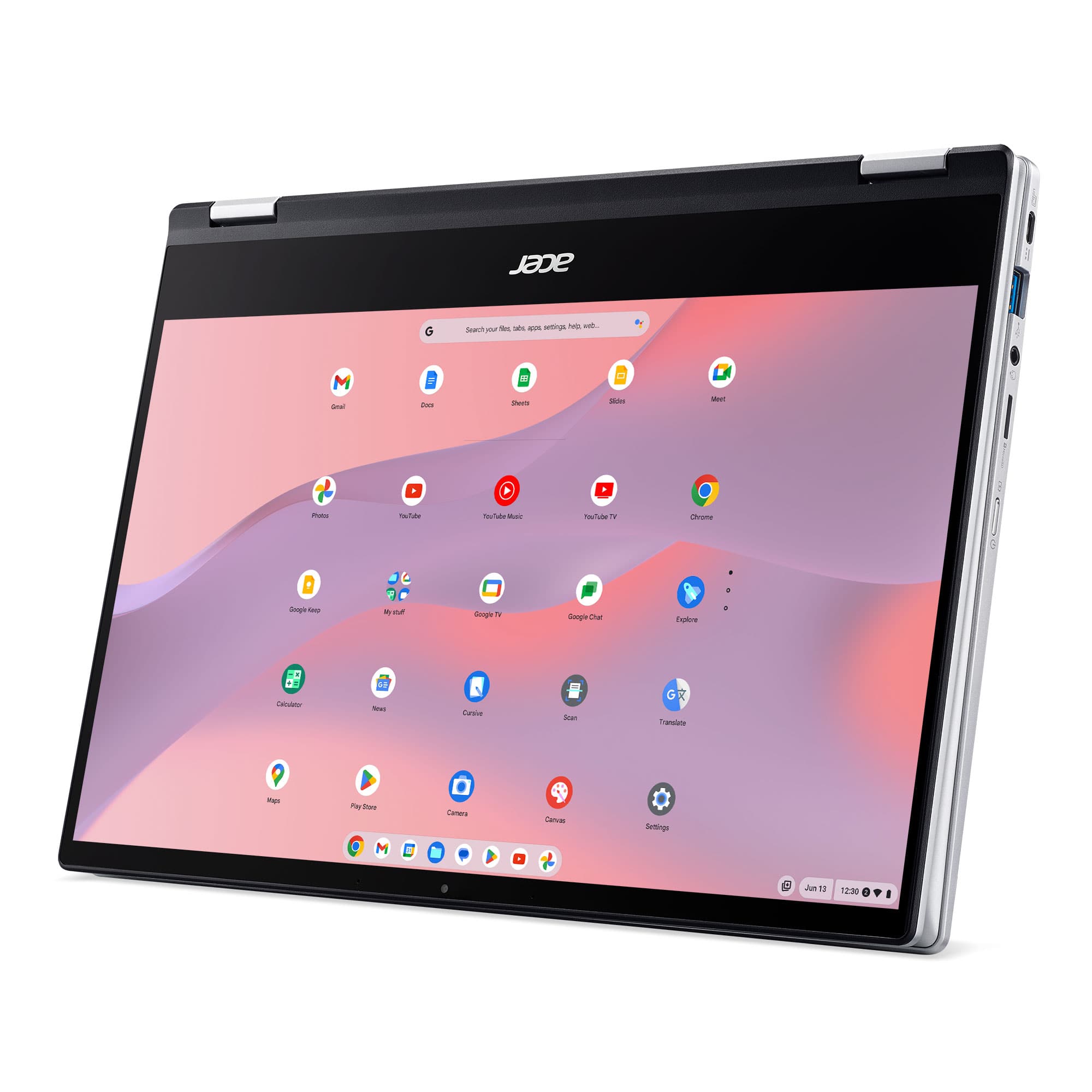
||Posted . Owned for 1.5 years when reviewed.This reviewer received promo considerations or sweepstakes entry for writing a review.Chromebook has been awesome to travel with. The keyboard feels good and the fact I can fold this one up and use it as a touchscreen is a definite plus.
I would recommend this to a friend - Pros mentioned:Battery life, Touchscreen
50% off price, superb value
||Posted . Owned for less than 1 week when reviewed.This reviewer received promo considerations or sweepstakes entry for writing a review.At the current 50% off price of $279 this is a steal of a deal. You get AMD Ryzen power and efficiency, an actually very decent screen as well as other features such as a backlit keyboard and multiple USB-C ports with DisplayPort capability for a low price. PROS * Priced accordingly * AMD Ryzen apu * Excellent battery life * Good build quality * Backlit keyboard * Good camera quality * Very easy to set up CONS * None so far!
I would recommend this to a friend - Pros mentioned:Price, Touchscreen
Nice buy
||Posted . Owned for less than 1 week when reviewed.This reviewer received promo considerations or sweepstakes entry for writing a review.Great item for low price. We love it Light weight and touch screen is great for kids
I would recommend this to a friend - Pros mentioned:Touchscreen
Second Chromebook
||Posted . Owned for 1 month when reviewed.This reviewer received promo considerations or sweepstakes entry for writing a review.This is my second Chromebook in the last 5 years. The best part about this one is that it's not only a full HD screen, but it's also a touch screen. Size is perfect for all I do and the instant on and automatic updates have always been great. If you don't 'need' a lot of programs and mainly surf the web, go with a Chromebook all the way!
I would recommend this to a friend - Pros mentioned:Ease of use
Good product
||Posted . Owned for more than 2 years when reviewed.This reviewer received promo considerations or sweepstakes entry for writing a review.Good program for college students! Easy to use Still working good
I would recommend this to a friend - Pros mentioned:Battery life, TouchscreenCons mentioned:Ram, Storage

Not a bullseye, but definitely on target
|Posted .This reviewer received promo considerations or sweepstakes entry for writing a review.This has been a pretty hard review to write. Out of the box, I was a little disappointed (trackpad issue), then as I continued using it, I grew to really appreciate what Acer was trying to do with this model. At just over 2 weeks of use now, I have aligned my expectations of what the device is capable of and given that, I can appreciate it as a solid laptop. I will detail my issues and what you should expect, but my recommendation is that it is great for general basic use: browsing, researching, document creation, etc. If you plan to heavily use Android Apps, tablet mode, and use with a USI Stylus...you will want to increase your budget as you will need no less than 8GB RAM. Configured with the Ryzen 3 CPU, 4GB RAM, and 64GB Storage, I think the real kink in the armor is the 4GB RAM, if you try and use the Spin 514 to its full potential. And since most Chromebooks do not have upgradeable memory or storage, there is nothing that can be done to mitigate this. I did do some research to see if anyone else was having issues with what I ran into and it appears that for the US, Acer chose to only give one configuration and that is this model I am reviewing. Which is unfortunate as it greatly hampers the full potential of the device. I do have to warn about the trackpad. It was having some pointer drift (Mario Bros slide effect) when trying to access a menu button. It can be mitigated by turning down the pointer speed, but then compromises the smoothness of the cursor. I did turn on the Touchpad Acceleration and that did seem to help with the cursor drift. I am not sure if this is just a software bug or just the trackpad material used? Touch-to-click is enabled, but if the acceleration is off or speed is turned down, I found it typically did not register and required a full-button press. App Usage While I do have some of my “utility” Android apps like, home security and car maintenance installed and running fine; Gaming is pretty much a non-starter here, unless it is browser based. Stadia Gaming is totally fine and not glitchy, but that can be done with any device as it is not using so much of the system resources, rather the internet connection. I was really excited to use this as a tablet with a stylus as I have really liked this transition from paper and pen and have done so with Android OS, iOS, and Windows OS devices over the years. Sometimes you just need to write your thoughts down. I purchased a USI Penovoal Stylus (Universal Stylus Initiative; Acer does not list this compatibility on the device page, but it is compatible). Based on the reviews of the stylus and the recommendation from websites, the negative experience with the Spin 514 I can only assume is due to the device limitations and not the Stylus. That experience was considerable stroke inconsistency, oddly enough, not lag, just missing pen strokes. Palm rejection is actually an app issue, not a device one. Squid, which was a default app on the device, performed the best overall with consistency of pen stroke and palm rejection, but still not good enough to recommend. While I have become accustomed to digital pens and devices, I do recognize that the Acer Spin 514 would be the cheapest device to do this well, by a large margin. So, while I was hopeful and excited to try that feature out on a Chrome OS device with higher hardware specs than those I have used in the past, it just isn’t in the cards for me on this device. My Gaming Experience Clash of Clans and Angry Birds 2 would never even load, and actually crashed (not the whole system, but the app itself). Asphalt 9 loaded, but I couldn’t get it log-in to my Google Play Games, whereas another person was able to get Asphalt 9 to not only load, but was playable; so if gaming is on your horizon, you may want to look elsewhere as this was not designed for that purpose. Unless however, you are a Google Stadia user. That had no issues running and syncing the controller with the Chromebook was no issue at all...if doing it through Stadia. If trying to just sync it via the device Settings menu, it would not recognize it in Bluetooth or USB-C. It is a little hard to fault Acer in the Android App experience, as that really falls to Google to make it good since they control the hardware requirements for emulation. All of the current Chrome OS devices can do it, but the best experience will require higher hardware specs. The Spin 514 is fine for standard apps, but the gaming element is going to be hit and miss depending on the app. One of my favorite aspects is the Dual USB C ports which either of them can be used to charge the device and handy when locating a wall plug to charge. The power brick can also charge your smartphone and tablets at 15w, 25w, and 45w. Battery (4800mAh) life is pretty good when just using for general web browsing and tasks. I streamed a baseball game while outputting via USB-C to HDMI to a 4K 65” tv using Chrome Browser and the battery died after about 3 hours. I was running extended display mode, so both screens were on the whole time, I think that is pretty good considering. The audio ran through the TV, so no issues there. The claimed 10 hours is pretty close, I used it for about 3-4 hours each day for about 3 days for general web browsing, YouTube, and document creation before needing to charge. Audio seems to be highly dependent on the content for max volume level, but even then just using the built-in speakers it quiet. Whether it was streaming via a browser app or from a local file, the audio at high was very quiet. Loud enough to hear, but definitely no rattling. Plug in some headphones and you better turn down that volume, it definitely gets a lot louder. The screen is nice and gets bright enough for most settings, but you won’t want to use it outside; it just doesn’t get bright enough and is highly reflective. Inside use is fine (facing away from a window) and it will get extremely dark when in a low light setting, which for night use is very handy. Going off the sound profile and the brightness profile, it seems this was definitely designed for a classroom or library setting. The keyboard is a perfect size and the keys feel great with nice feedback and bounce and quiet, seems to be a running theme! And wouldn’t you know the fan is quiet too. Coming back to the screen, it is advertised at full 1080P, but the default screen size setting is 1536x865. That is typical for a small screen that can output 1080P. I prefer the 1707x960 output as the 1920x1080 is just too small. But it can output 2194x1234, so the screen can technically be considered 2K. The touchscreen works as it should at default resolution. When I increase it as stated above, I find it takes a few more taps to get a window to close or minimize and sometimes on menu buttons as well. I did jump back to the default resolution when trying out any of the Android Apps and/or using the stylus, but the results were the same. Some nice features are a backlit keyboard, larger trackpad and double charging ports (as already stated), but also dual-usb 3.0 ports. For a 2-in-1 that is a lot of ports. The hinge is very strong and feels solid when moving one-handed. Opening the screen does require two hands, but I have found that pretty typical of 2-in-1’s. Even if you are not in the market for a 2-in-1, I highly recommend the design. Very few laptops offer 180 degree displays and tap out around 120 to 135. But when in the standing position, that just isn’t enough sometimes and a 2-in-1 gives you 360 degrees of range so you can definitely find the perfect angle for your needs. The keyboard provides really nice feedback and is quiet, again using in a classroom/meeting setting would not bring any distraction to anyone around you. I’m used to a 13.3” size and the small bezels and 14” screen on the Spin 514 is a nice upgrade in screen size, without a noticeable increase in overall size, but there is about 1lb in added weight I’m guessing due to the MIL-STD81H rating. Storage may be a concern for you if you like to have a lot of personal pictures, videos, or other media that typically are larger in size, as the storage is not upgraded on the Spin 514, but there is a MicroSD card slot that could always remain inserted and their are the 4 USB ports already mentioned. The minus 2 Stars in the score comes from the RAM limitations and overall score of the 3 Stars. But if you are looking at this for just general internet browsing, YouTube, document creation, etc. and because of the build quality, number of ports, and design style, then it is easily 5 Stars; Google's security updates until June 2029 for this device is good news too! I can recommend the Spin 514, just know your needs and what you are wanting/needing this device for.
I would recommend this to a friend - Pros mentioned:Touchscreen
Awesome purchase
||Posted . Owned for 1 month when reviewed.This reviewer received promo considerations or sweepstakes entry for writing a review.This is a really nice chrombook so far, I bought two. One for me and one for my 17 year old son. He had to have one when he seen mine. It’s touch screen and you can flip the screen all the way back and use it as a big ole tablet. It is so convenient we are both obsessed with it. My youngest son now wants one and he is a die hard apple fan.
I would recommend this to a friend - Pros mentioned:Touchscreen
Nice student Chromebook
||Posted . Owned for 1 year when reviewed.This reviewer received promo considerations or sweepstakes entry for writing a review.Great Chromebook for a student. Like the way it can be used as a touchscreen laptop or a tablet.
I would recommend this to a friend - Pros mentioned:Processor speed
Excelente choice!
||Posted . Owned for 1 year when reviewed.This reviewer received promo considerations or sweepstakes entry for writing a review.Bought this laptop for my niece in Brazil, she is very please with it!
I would recommend this to a friend - Pros mentioned:Ease of use
Great PC
||Posted . Owned for 1 year when reviewed.This reviewer received promo considerations or sweepstakes entry for writing a review.Great PC, I use it for online college courses and its been very helpful.
I would recommend this to a friend - Cons mentioned:Memory
awesome
||Posted . Owned for 1.5 years when reviewed.This reviewer received promo considerations or sweepstakes entry for writing a review.love my chromebook, i shoulda got one with more memory
I would recommend this to a friend - Pros mentioned:Price
A versatile powerhouse.
||Posted . Owned for 9 months when reviewed.This reviewer received promo considerations or sweepstakes entry for writing a review.The Versatility, price, quality can't be beat. Enough power to be used for any type of project.
I would recommend this to a friend - Cons mentioned:Ram
Top notch harware, excellent sale price.
||Posted . Owned for 2 weeks when reviewed.This reviewer received promo considerations or sweepstakes entry for writing a review.Wanted a no muss, no fuss operating system after all those years and the price was right browsing online. The hardware, screen, keyboard etc. are top-notch. The only issue is the 4GB of RAM. I've read to turn off Android apps / Linux developer options. What fun is that? When you flip the screen open to start using after a bit of browsing (with multiple tabs open) give it a few seconds to reconnect to Wi-Fi, refresh itself, or it won't be responsive. Next year an 8GB model will be in order. Minus 1 star for excellent hardware with only 4GB of RAM, but I knew what I was buying.
I would recommend this to a friend Standard Chromebook.
||Posted . Owned for 11 months when reviewed.This reviewer received promo considerations or sweepstakes entry for writing a review.The quality of the camera is very good. Overall ease of use is good. Unfortunately, I do not like the idea of everything being "applications". *** This item has been stolen since purchase ****
I would recommend this to a friend- Pros mentioned:Battery life, Touchscreen
Great
||Posted . Owned for 3 months when reviewed.This reviewer received promo considerations or sweepstakes entry for writing a review.Great basic chromebook good screen pretty fast good battery life. Wish you could add icons to the screen difficult for seniors to figure out the app bar
I would recommend this to a friend - Pros mentioned:Battery life
Great ChromeBook!
||Posted . Owned for 2 months when reviewed.This reviewer received promo considerations or sweepstakes entry for writing a review.This ChromeBook is good in that the screen can fold all the way back and it can be used as a tablet. Sometimes we are a bit thrown finding what we need, but this works very well for email and ZOOM meetings. We were a bit surprised that there is no HDMI jack on this unit, but an adapter easily attaches to one of the USB ports. I keep forgetting that ChromeBooks don't have all the features of a laptop! Battery life is good, but we are not power users, so take that into account if you are. We are happy with this and would recommend.
I would recommend this to a friend - Pros mentioned:TouchscreenCons mentioned:Hdmi port
nice chromebook
||Posted . Owned for 3 weeks when reviewed.This reviewer received promo considerations or sweepstakes entry for writing a review.nice chromebook...didn't realize that it had touch screen...only disappointment--thought it had an HDMI port--but does not
I would recommend this to a friend - Pros mentioned:Ease of use, Touchscreen
Easy to use
||Posted . Owned for 3 weeks when reviewed.This reviewer received promo considerations or sweepstakes entry for writing a review.Like this laptop a lot especially the backlit keyboard the ease of use and the fluid transfer from app to app.
I would recommend this to a friend - Pros mentioned:Ease of use, Touchscreen
Computer Tablet
||Posted . Owned for 3 weeks when reviewed.This reviewer received promo considerations or sweepstakes entry for writing a review.Amazing Chromebook and Tablet in one. Very good display with touch screen. Can be turned into a tablet as well. A little heavy, but perfect size. Very easy to use. Looks good, feels great works well.
I would recommend this to a friend