Customer Ratings & Reviews

- Model:
- B1-850-K3SX
- SKU:
- 4856800
to a friend
Customers are saying
Customers often highlight the positive aspects of the Iconia One 8" tablet, including its screen size, battery life, and ease of use. Many also appreciate its price and performance, especially considering its lightweight design. However, some users express concerns regarding the camera quality and limited RAM, which can affect multitasking capabilities. A few also mention pre-installed applications as a minor drawback.
This summary was generated by AI based on customer reviews.
Great
||Posted .This reviewer received promo considerations or sweepstakes entry for writing a review.For the price works awesome. Plus I used my Best Buy credit card and earned rewards
I would recommend this to a friend- Pros mentioned:Processor speed, Screen size

Special apps a dud, but overall excellent tablet
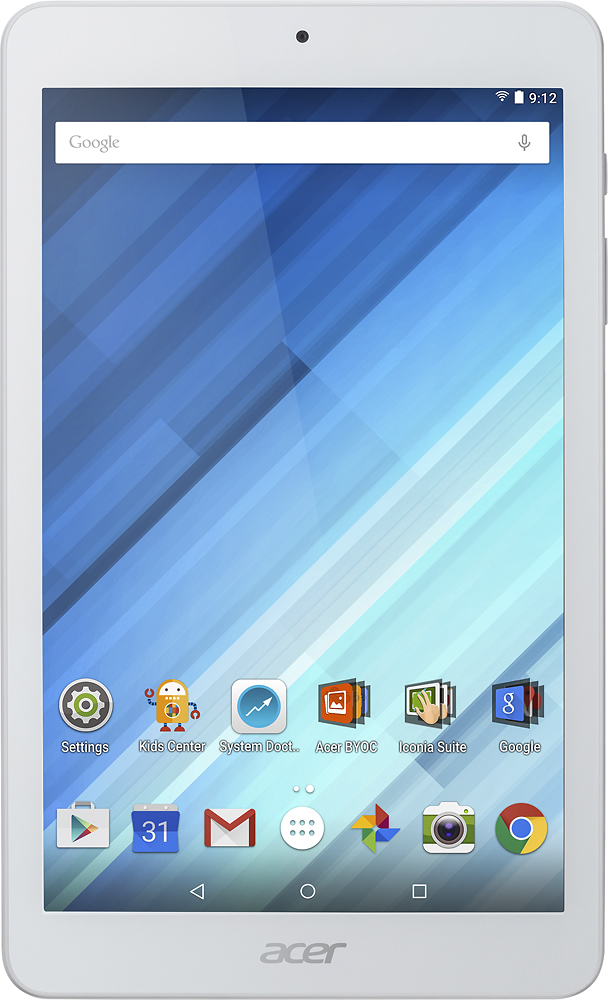
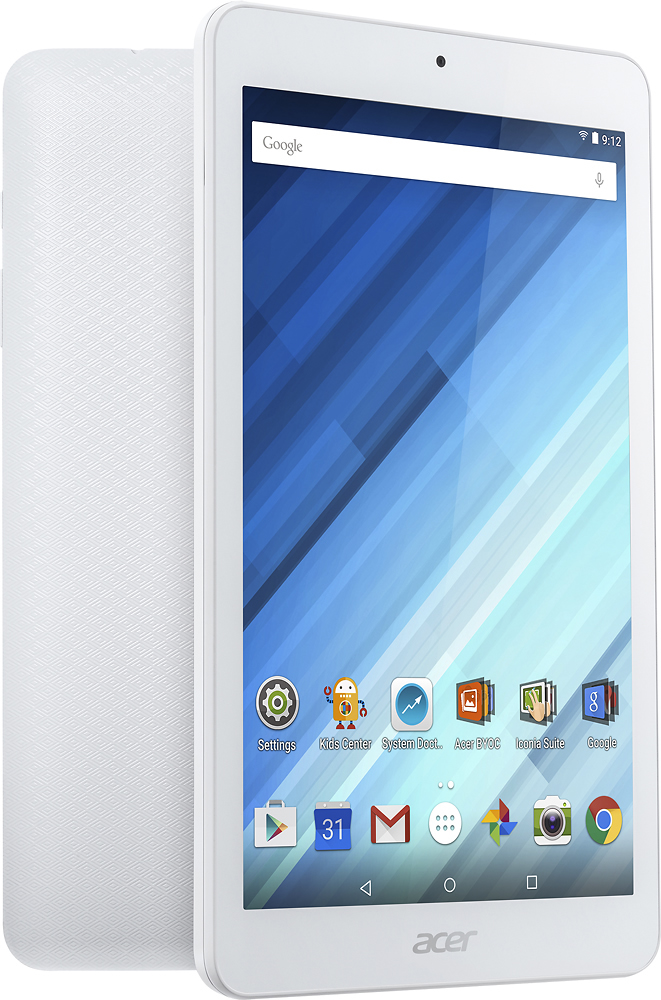
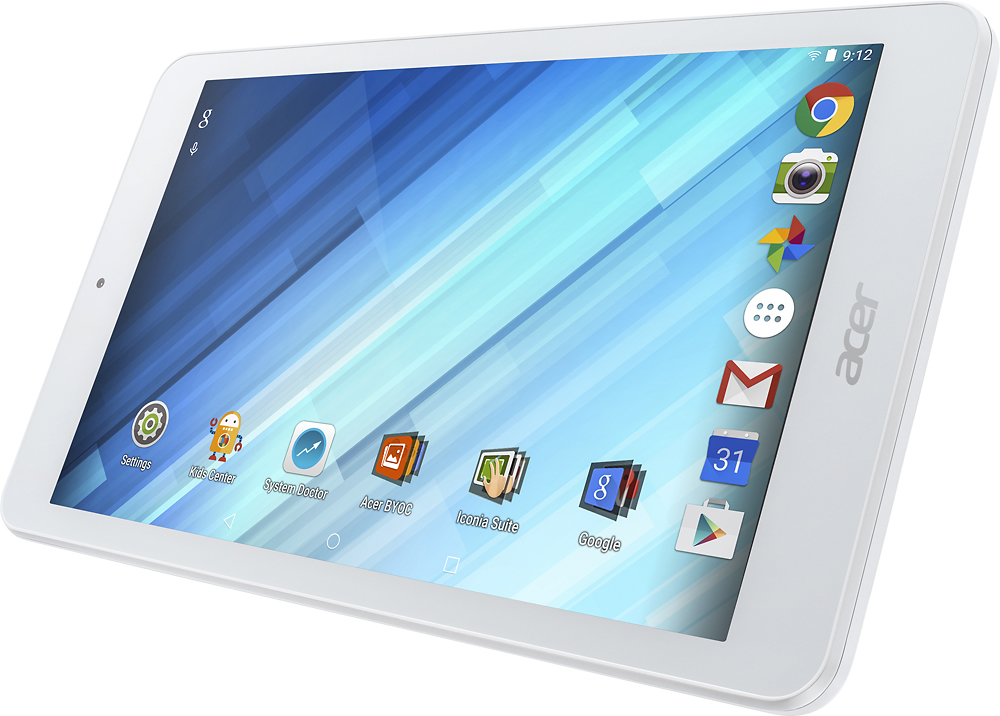
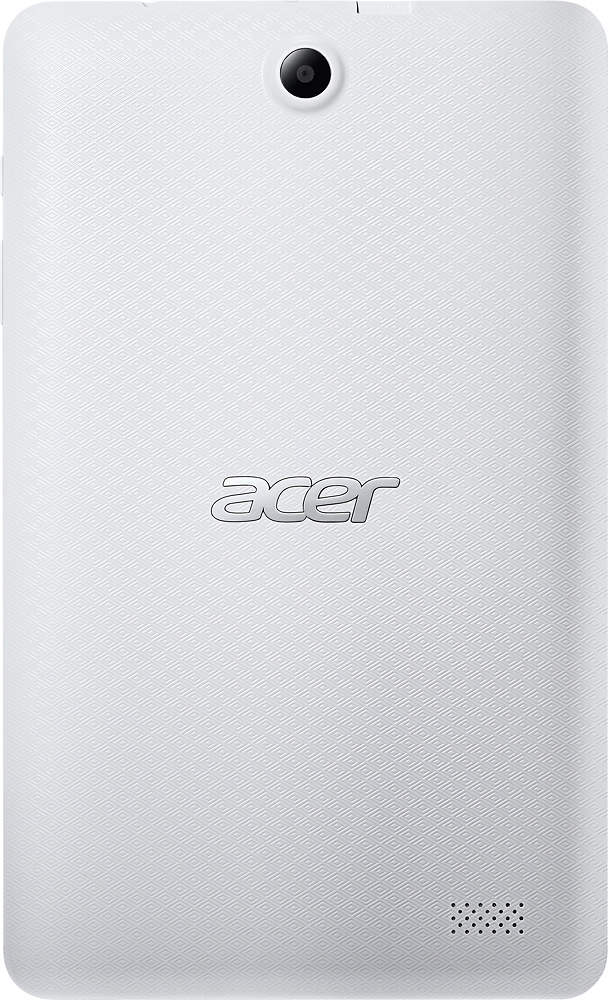
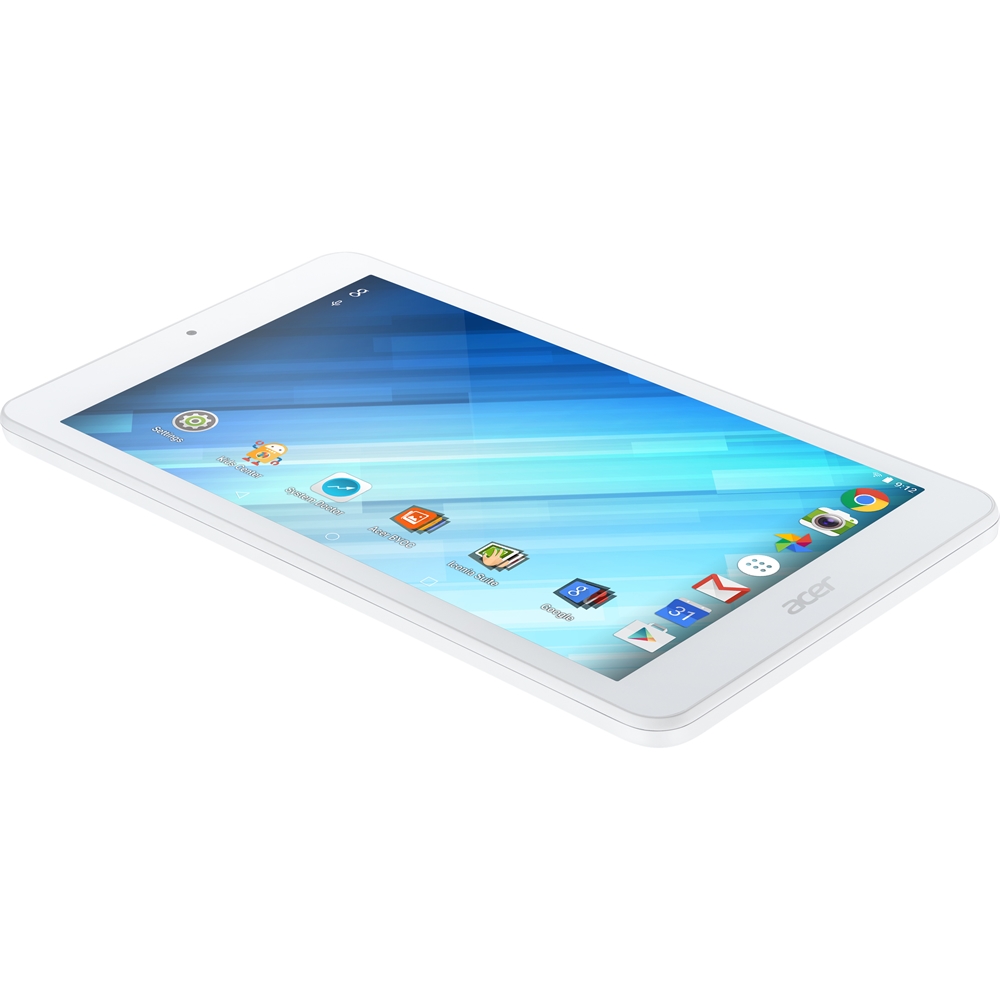
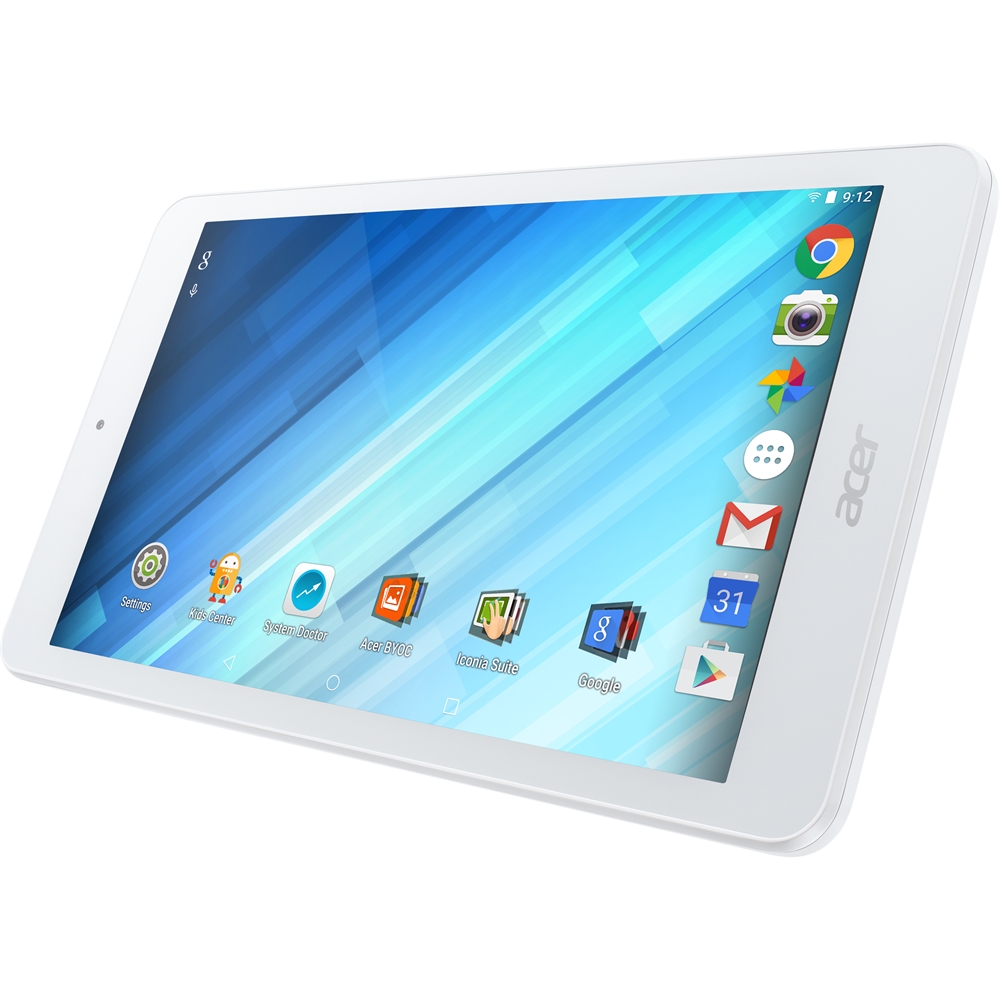
|Posted .This reviewer received promo considerations or sweepstakes entry for writing a review.My previously owned tablets are a little on the old side, so I was hoping that this new Acer Iconia One 8 B1-850 would show a little more speed and responsiveness. The 1.3 GHz quad-core processor did make the tablet noticeably faster than my older, dual-core processor tablets. This 8-inch tablet weighed only 12 ounces, 4 ounces less than my older 7-inch tablet. Unlike my older tablet, however, the Acer Iconia One 8 did not come with any protection. I noticed that you can buy a protective leather case online for $10. I had to adjust to different locations for some of the features of the tablet. The micro USB connection was at the top rather than the bottom of the tablet, but at least the connection is for a standard micro USB rather than some proprietary cable. The micro SD slot is at the top rather than the side, and it is open rather than covered. The speaker is on the back, lower-left corner (when held in portrait orientation) rather than the bottom edge. This could cause muffling of sound when covered by the left hand in portrait orientation or the right hand if held in landscape orientation. Not many instructions came with the Iconia One 8, but then again, few instructions were needed. There is a user manual that can be downloaded from the Acer website. On first boot (which took about 20 seconds), the tablet located wireless networks and I easily connected to ours. I was then asked if I wanted to log in to Google, which I did, and this was a handy decision because I was next asked if I wanted to restore apps and setting from previous Android devices. This process successfully downloaded some, but not all of the apps from my other devices, so I had to manually install some of my old apps. One feature I immediately liked is that there are only three screen views, and there is some logical ordering to which apps appear on which screen. The left screen is the news and social networking screen. From this page you can turn on or off YouTube, Facebook, Twitter, and news (from Opera Discover). I was interested in trying out this News/Social Network screen, so I turned on the YouTube, Facebook, Twitter, and Opera Discover switches and clicked Social Network. But only some suggested YouTube videos came up. I tried again after turning off the YouTube switch. I got a "NO CONTENT – Pull down to refresh" message. No matter what I tried, I could not get this feature to list anything about Facebook or Twitter. "Headlines" and "News" brought up news stories, and there seemed to be no difference between the two. Furthermore, it wasn't clear how news stories were selected, or whether there was any way to filter news for certain criteria (e.g., politics, entertainment, etc.). The bottom line is that the News/Social Network page seems to be a possibly good idea that does not work well in practice. The middle screen contains a Google search bar and a clock widget at the top and shortcuts to 14 apps you are likely to use at the bottom, with the 7 at the very bottom docked: Google Play, Calendar, Gmail, Apps, Google Photos, Camera, and Chrome. The non-docked apps include the all-important Settings, System Doctor (to optimize memory), Acer BYOC (more on this below), Acer Iconia Suite (more on this below, too), and a shortcut to all the Google apps (Maps, YouTube, Drive, Hangouts, etc.) There was also a shortcut to Kids Center, which filters your tablet into a kid-friendly device. I tried out the Kids Center app and was impressed with the way it turned the tablet into something appropriate for children. Now, about Acer BYOC. The theory behind this set of apps (abPhoto, abMusic, abFile, Acer Portal) is to allow sharing of photos, music, and documents across all of one's computers and devices. You can designate a computer as your "personal cloud" from which you can get files, work with them on your other devices, and sync the edited files across your system. Although it was not clear how this is better than Google Drive, Drop Box, or other cloud-based systems, I felt obligated to test BYOC for this review. I downloaded BYOC on my laptop, desktop, and phone and was happy to see that they all appeared in the Device Manager at cloud.acer.com. I set up my laptop as my "cloud" for documents and my desktop as my "cloud" for music. Space limitations for this review disallow a complete description of the headaches I suffered trying unsuccessfully to use these apps. Suffice it to say that I could not get these apps working properly. As for the Iconia Suite, a click on this shortcut brought up three more app shortcuts: EZ Snap, EZ WakeUp, and Pocket. (Search for help online later revealed that these are only a handful of other Acer Iconia Suite apps. I'm not sure why only these were pre-installed). EZWakeup is a program that allows you to define a five-finger wake-up gesture that also brings up a chosen app. I decided not to try this. I did try EZ Snap and Pocket, which are supposed to allow you to grab screenshots and save online articles that you want to read later. ES Snap did create screenshots but they did not appear in Pocket as I thought they would. (They ended up in the Android directory Internal Storage/Pictures/Screenshots). Even after reading Help, I could get absolutely nothing to be saved in Pocket. Bottom line: it is totally unclear how to use the Iconia Suite apps EZ Snap and Pocket. Finally, the screen on the right contained, in addition to the docked apps, shortcuts to apps that one might want to install (Firefox, hulu, Candy Crush) rather than actual apps. I discovered that when I installed any new apps (whether from the provided shortcuts or from a visit to Google Play), they appeared on this screen rather than the center screen, which I had assumed was the default home screen. In summary concerning the app layout, I like that there are only three screens. I never needed more than three screens on my phone, which has five. If you are worried that three screens will not hold all the apps you want, don't—there is a way to extend any of the screens if need be. I did not try this feature since I think three 8" screens are enough to hold my favorite apps. The left screen (News/Social Network) is a potentially good idea that either doesn't work right or is not explained well enough to use. The placement of important apps (e.g., Settings, Google, Calendar, Camera, Apps) on the center page seems to make sense, but the special Acer BYOC and Iconia Suite apps did not work well for me. The system places newly installed app shortcuts on the right screen. Not what I am used to, but I could get used to it, and I think there is a way to change the default home screen if I don't get used to it. In the end, though, the physical performance of a tablet is more important than the specific software or layout that comes with it, because the user can always change the latter. The physical performance of the Iconia One 8 was, expectedly, smoother and faster than my out-of-date tablet. Apps booted up with only a slight delay. I was able to load several apps simultaneously and switch back and forth between them without a problem. You might say, well of course any tablet should do those things! And I agree. It's just that my older tablet was so sluggish that it took forever to boot apps or switch between them. I did have to learn a new set of icon symbols for navigating the tablet. The first icon at the bottom of the display is a left-pointing triangle (instead of a looping arrow) to return you to where you had just been. Next, a circle icon (instead of a house-shaped icon) takes you to the home (center) screen. On the bottom right, a simple square icon (instead of a square with horizontal lines in it or an icon of superimposed squares) brings up all the running programs. The location of the triangle and square icons is reversed from the comparable icons on my phone and older tablet. But this was easy enough to get used to. I like the look, feel, and operation of the Iconia One 8. The screen is bright and clear. The screen is not super-sensitive, but is responsive enough. It takes decent pictures from the front camera and excellent pictures with the rear cameras. Voice recognition works well. The sound quality is what you would expect from a tablet, but of course if you want better quality you can use Bluetooth speakers. That worked just fine for me. All-in-all, I think the very inexpensive Acer Iconia One 8 is an excellent tablet for the price. The Kid's Center app turns the tablet into a nice toy for kids, and if they break it, you are not out a lot of money. In short, I think this budget tablet does everything that tablets are supposed to do, and I heartily recommend it.
I would recommend this to a friend Great for the price. Easy to use and read. It is l
||Posted .This reviewer received promo considerations or sweepstakes entry for writing a review.Great tablet for my use and price. I would recommend it.
I would recommend this to a friendGood tablet for the price
||Posted .This reviewer received promo considerations or sweepstakes entry for writing a review.Bought this as a replacement tablet for my 10 year old. A lot of features for the price.
I would recommend this to a friendVery good
||Posted .This reviewer received promo considerations or sweepstakes entry for writing a review.I was happy with it, and it worked fine. A tad slow but not a problem for the price.
I would recommend this to a friendGreat tablet
||Posted .This reviewer received promo considerations or sweepstakes entry for writing a review.Great bought for my mom who has little knowledge about electronics. Easy for her to use
I would recommend this to a friend- Pros mentioned:Storage
Great for kids
||Posted .This reviewer received promo considerations or sweepstakes entry for writing a review.We purchased 4! My kids love them. Plenty of space!
I would recommend this to a friend great tablet
||Posted .This reviewer received promo considerations or sweepstakes entry for writing a review.acer great tablet for price general use no big stf
I would recommend this to a friend- Pros mentioned:Screen sizeCons mentioned:Ram
Nice, lightweight device that gets the job done.
|Posted .This reviewer received promo considerations or sweepstakes entry for writing a review.The Acer 8 inch tablet is a nice, lightweight device that gets the job done. I currently own a lot of Apple products and have avoided Android for a few years now to avoid the learning curve. However, I must admit that picking up a new way of doing things on my new Acer wasn't difficult at all. This little device packs a nice punch. I was able to access, download and register apps and navigate around the tablet fairly easy. I set up my home wifi, shield remote, important apps, news, etc. in about an hour. It feels as light as holding a piece of paper, but tough enough to handle when reading and/or surfing the net. I would like to have had more than 16gb of memory but there is a external slot if I need more memory (something I am lacking on my iPad). I can truly appreciate the back button (another thing I am missing on my iPad). I feel as though I need more than 1gb of RAM but so far things are moving smoothing with little lag. It does tend to get hot when the screen brightness is on high for about a half an hour but it's not unbearable. However, for the price, you can't go wrong if you're looking for a device a bit larger than your phone, but not as large as your PC/MAC. Watching YouTube, reading my Bible and other verses, or social media are all a pleasure as the colors pop and the clarity is appealing. The Acer is loaded with convenient personalized options that allow you to make your tablet uniquely your own.
I would recommend this to a friend Good product
||Posted .This reviewer received promo considerations or sweepstakes entry for writing a review.A little heavy, but I guess you get what you pay for. Works for what I need it
I would recommend this to a friendAs good as you'll get for the price.
||Posted .This reviewer received promo considerations or sweepstakes entry for writing a review.When I bought this tablet it was because my other tablets were just really bad at streaming video, and most of the hardware just wasn't current with newer apps. This tablet plays and streams video, is compatible with almost every app I have come across in the play store, and can connect to a 5GHz channel.
I would recommend this to a friendWorks well for a 7 year old
||Posted .This reviewer received promo considerations or sweepstakes entry for writing a review.I purchased this item for my granddaughter for her birthday and she loves it.
I would recommend this to a friendgreat tablet, great price.
||Posted .This reviewer received promo considerations or sweepstakes entry for writing a review.Overall is a great tablet and the best part is the price, so far so good.
I would recommend this to a friendKids love it
||Posted .This reviewer received promo considerations or sweepstakes entry for writing a review.I got it for my son then went back for 3 more for the kids.they love it.
I would recommend this to a friendEasy to use
||Posted .This reviewer received promo considerations or sweepstakes entry for writing a review.Purchased it for my grandma, she loves it and it is easy to use for her.
I would recommend this to a friendGood value for the price
||Posted .This reviewer received promo considerations or sweepstakes entry for writing a review.Use it for email, viewing web, and games while away from my desktop.
I would recommend this to a friendDecent tablet for what I use it for
||Posted .This reviewer received promo considerations or sweepstakes entry for writing a review.Purchased in order to watch movies using Flixster. Plays movies well.
I would recommend this to a friendS
||Posted .This reviewer received promo considerations or sweepstakes entry for writing a review.I was pleased with the purchase. It was a good buy for a good price.
I would recommend this to a friendgood for games
||Posted .This reviewer received promo considerations or sweepstakes entry for writing a review.my boy likes it very much. it is good for games and reading books.
I would recommend this to a friendPerfect for my mom
||Posted .This reviewer received promo considerations or sweepstakes entry for writing a review.I purchased this for my mom to use and it has been perfect for her.
I would recommend this to a friend