Customer Ratings & Reviews


- Model:
- AN515-42-R5GT
- SKU:
- 6261090
to a friend
Customers are saying
Customers are positive about the Nitro 5's gaming performance, backlit keyboard, build quality, and battery life. They appreciate the smooth gaming experience, comfortable typing experience, sturdy construction, and extended usage time away from an outlet.
This summary was generated by AI based on customer reviews.
- Pros mentioned:Backlit keyboard

Aces for this Acer
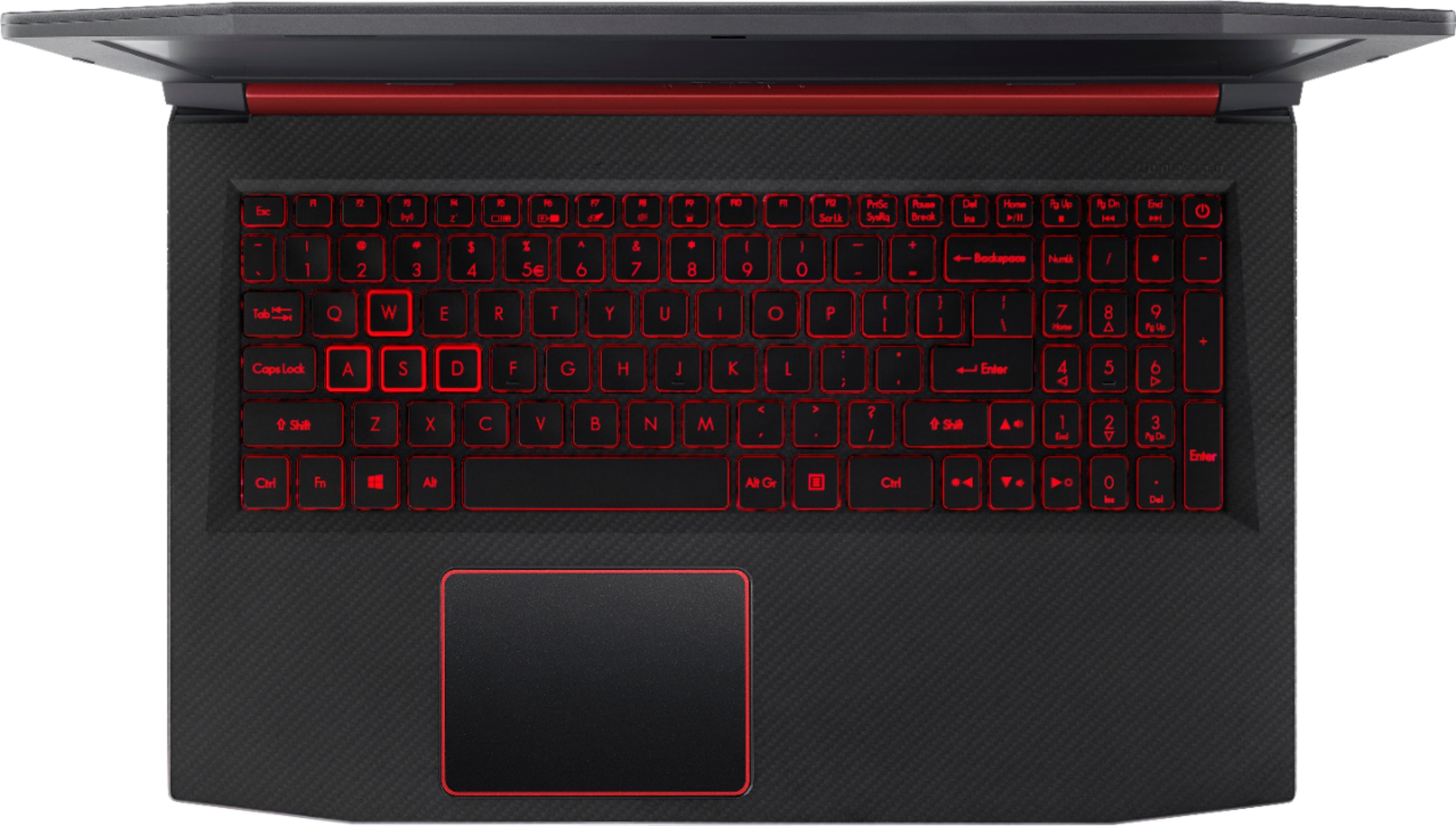
|Posted .This reviewer received promo considerations or sweepstakes entry for writing a review.I'll be honest...I've not been happy with the quality or performance of many Acer items. This computer though is a big winner at a great price. It looks awesome, performs well, has super fast restarts, and is such a great buy. Aside from all the preinstalled bloatware, the laptop is everything I expected it to be. There is easy accessibility to upgrade the RAM, screen is clear and crisp, and I love the light up keys. The mousepad leaves a little to be desired, but I use a wireless mouse and keyboard anyways. If you are concerned that the low price probably means low quality, you are mistaken. I couldn't be happier with this little guy in my office as my main computer.
I would recommend this to a friend Good budget gaming laptop
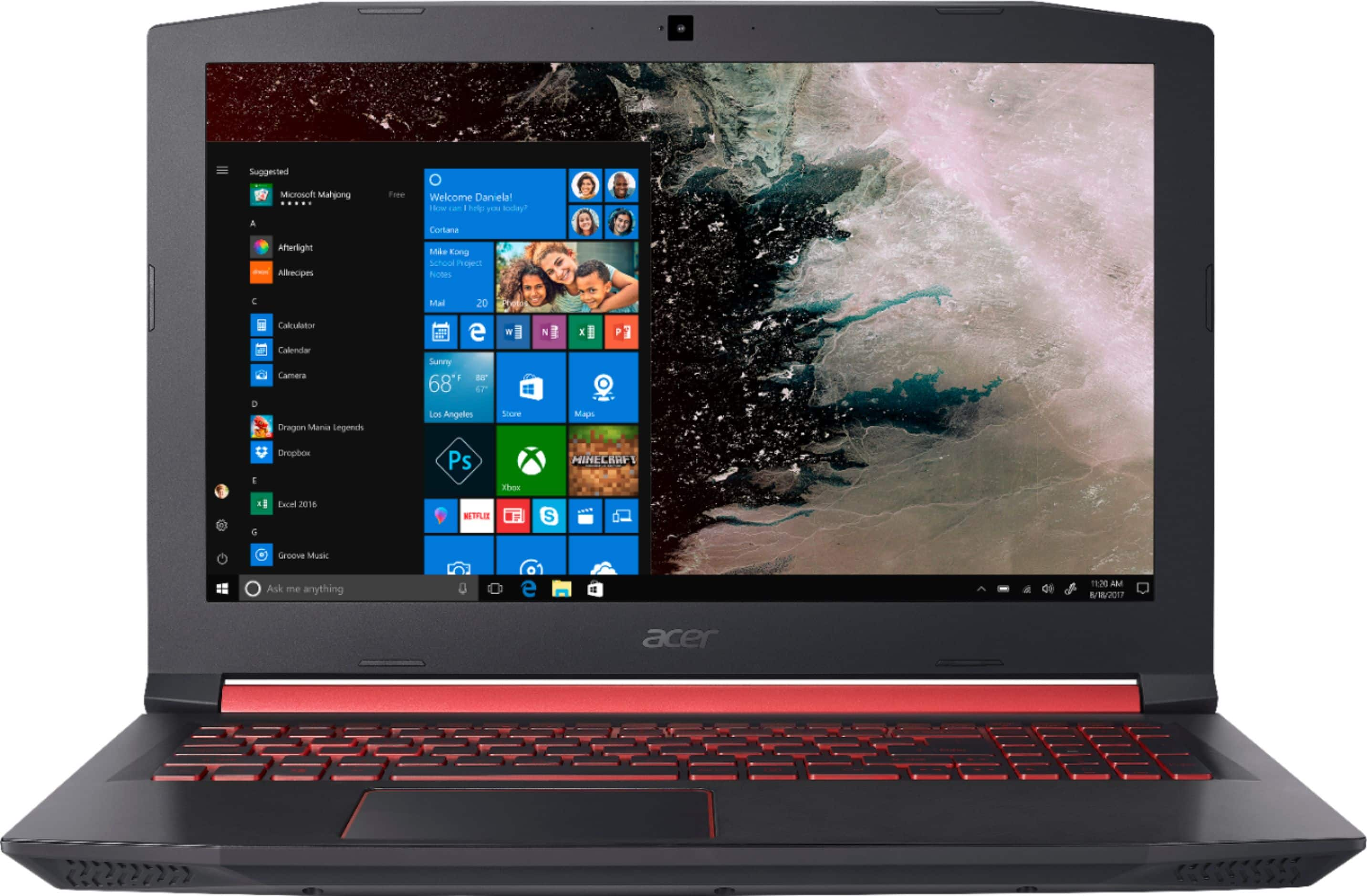
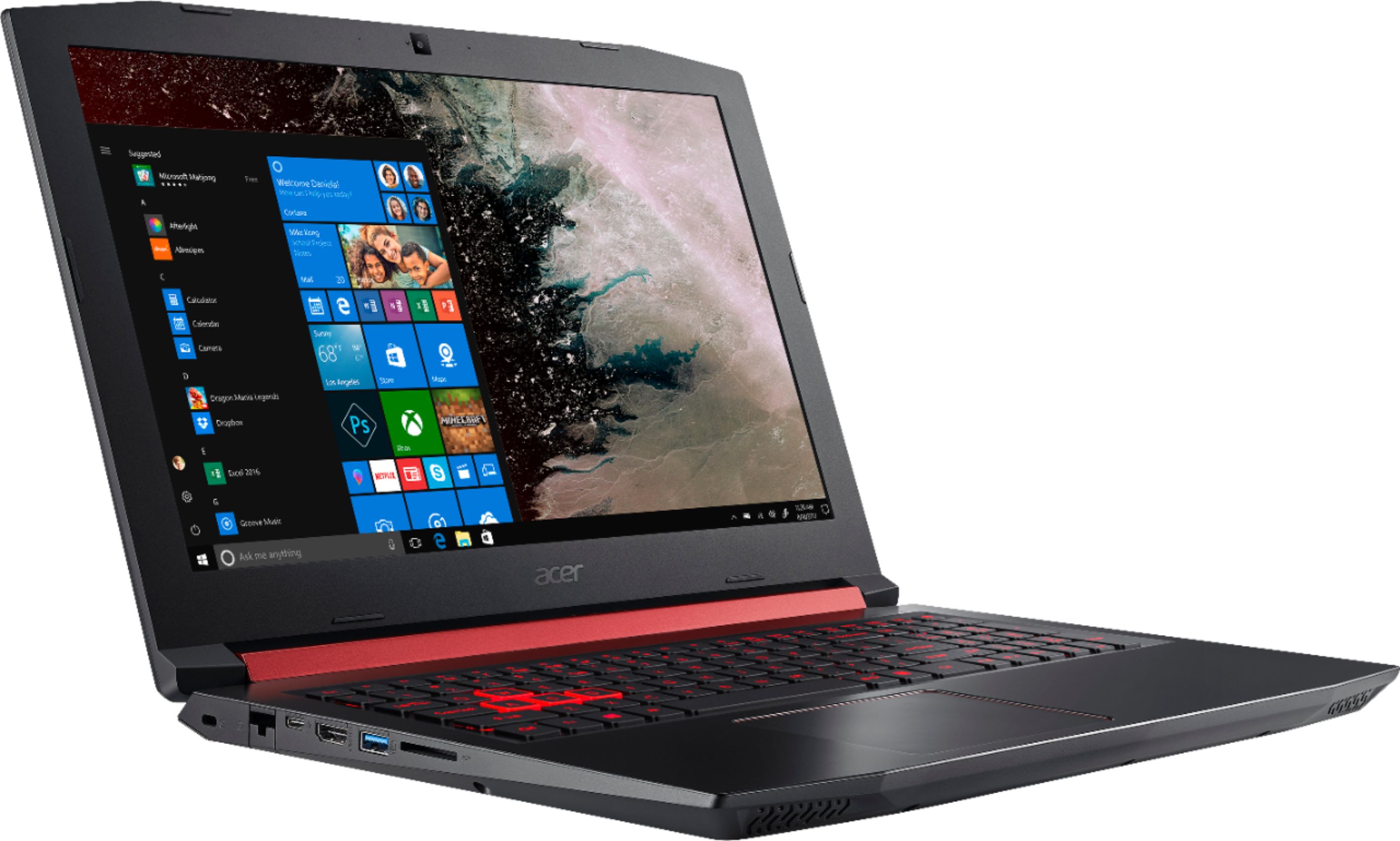
|Posted .This reviewer received promo considerations or sweepstakes entry for writing a review.The laptop has an attractive design and the red trim looks cool. The build seems very sturdy and the laptop screen hinge does not feel flimsy like some budget laptops. The lighted keyboard is easy to type on. You can lightly double click on the touchpad to right and left and click. If you click the touchpad it takes a rather hard press to click. This is not really an issue if you get use to lightly double clicking. The included setup instructions are detailed and will help anyone get up and running no matter their technical skill level. There is not a lot of bloatware preloaded and you get a month trial of Norton Security. The quad core processor should handle most any application and the 8GB of DDR4 RAM is sufficient unless you are running multiple high use programs at the same time. The 256GB SSD drive is speedy. I was very impressed that harddrive screws were included in case you decide to upgrade to get more storage. I've had the issue before where I went to upgrade a harddrive and no screws were included for mounting. This is small piece of hardware, but a huge deal if you are needing them and they are not there. This shows the thought that Acer put into providing good customer service on their products. The 1080P screen is just the right size and the picture quality is very good. Adequate USB, HDMI, SD card and USB-C ports are provided. The only issue I had with the setup as that the computer kept restarting every five minutes when I was setting it up. I'm not sure if it was a driver issue with software I loaded, but it is working fine now. A cool feature is NitroSense that gives you control over the fan speeds allows you to enable enhanced fan performance under heavy loads. I have the fan speeds set to maximum under load and the sound is very quite. If you are looking for a good all around budget performance laptop you should give Acer Nitro a look.
I would recommend this to a friend- Pros mentioned:Backlit keyboard
Homerun for the price
|Posted .This reviewer received promo considerations or sweepstakes entry for writing a review.I have wanted to test out a true stock gaming laptop for a while now. The Nitro5 came up and I was fortunate enough to get it. I was not disappointed and neither will you be! This Acer is a price pointed design to be a gaming and or personal PC with pop. The presentation of the unit alone is enough to wow (I love the back lit keyboard) but the performance for a stock unit is the diamond. I added a gaming mouse but have not made any other alteration. Weather playing a FPS, a RPG, or doing homework this device handles it all. She is fast and that might be an understatement. The display is beautiful and the screen is just the right size to give you the tactical advantage. To be clear this is not the top of the line "Gaming PC". However, this reasonably priced upper tier unit that has all the bells and whistles of a TotL one that will not disappoint.
I would recommend this to a friend - Pros mentioned:Backlit keyboard
Super fast. Wish it had lighted keyboard
|Posted .This reviewer received promo considerations or sweepstakes entry for writing a review.My only complaint so far is I wish it had a lighted keyboard. Honestly the laptop is awesome. Had a good weight to it. Feels sturdy but not too heavy. Not a huge fan of windows 10. But that aside he system runs great. Super easy to set up. Was up and running in about 5 min out of the box. Screen is great. Super crisp and clear. Processing speeds are great. Haven’t had any lag issues. Really happy with the device.
I would recommend this to a friend - Pros mentioned:Bios update, Gaming
Entry-Level Twitch Streaming
Posted .This reviewer received promo considerations or sweepstakes entry for writing a review.***Update Bios First Thing*** First thing you need to do upon landing is open IE > search for computer bios update > install > reboot > profit. Note: if you do not do this you will have sluggish response in all but the most basic tasks. From a streamers point of view... You can play most games at 1080p 60fps while streaming at the same to twitch using OBS [not streamlabs obs.] The ram could be upgraded for an extra couple fps but its not needed. Tested games at 1080p / 60fps / while streaming... --World of Warcraft ULTRA / QHD+ / 60fps - smooth --Eve Online Max Settings - Smooth --Sea of Thieves - 1080p / 60fps --Fortnight - 1080 / 50-60fps --Doom - 1080 / 60fps --Witcher 3 - 1080 / 45-60fps --- 720p / 60 no dip So if you stream popular games, this is your buddy for getting started, I use it for mostly retro games though and it works wonderfully with emulators of last gen. If you are a wheelchair users: It's a lil bulky but the bottom grabs well when placed in your lap if you need to move it / use it. I think it's actually perfect for having a little pressure but not an overwhelming amount, the vents are located on the back, so no issue [like with side vents].
I would recommend this to a friend Great entry level gaming laptop!
|Posted .This reviewer received promo considerations or sweepstakes entry for writing a review.With the new Ryzen 5 CPU and integrated AMD 560 graphics, this laptop is ready to tackle most games on the market today! It easily ran everything I threw at it, with most at Max graphics settings! The SSD used for the OS means a quick boot up time, and responsive app launching. If you want to make it even faster, just upgrade the RAM from the 8 GB to 16 or more. The exterior case is a bit different from that of the intel version release some time prior to this one. The AMD version of the Nitro has a more carbon fiber like texture on it, which makes it a bit more attractive. The performance is almost the same, but I found that the AMD Ryzen 5 was a bit more responsive during lighter tasks. You'll definitely want to install another 2.5" SSD or HDD to ensure you have enough space for all those gigabytes of data you're going to want installed. The included screws make the upgrade process easy. Just take a small phillips screwdriver, pop off the HDD bay door, and put in the new hard drive using the included screws and the protective sleeve that's already in the unit. The setup process was as expected for any computer running Windows 10! The new Cortana setup feature is neat, as it talks you through the setup. Overall, this laptop is a great value for the money, and is an easy one to recommend. Especially for those on a gaming computer budget! It easily bested a previous generation Core i5 intel laptop paired with a previous generation Nvidia graphics card! I was so impressed with it, I bought another one for a family member who wanted one, and they absolutely love it, also!
I would recommend this to a friendSleak, smooth gaming laptop
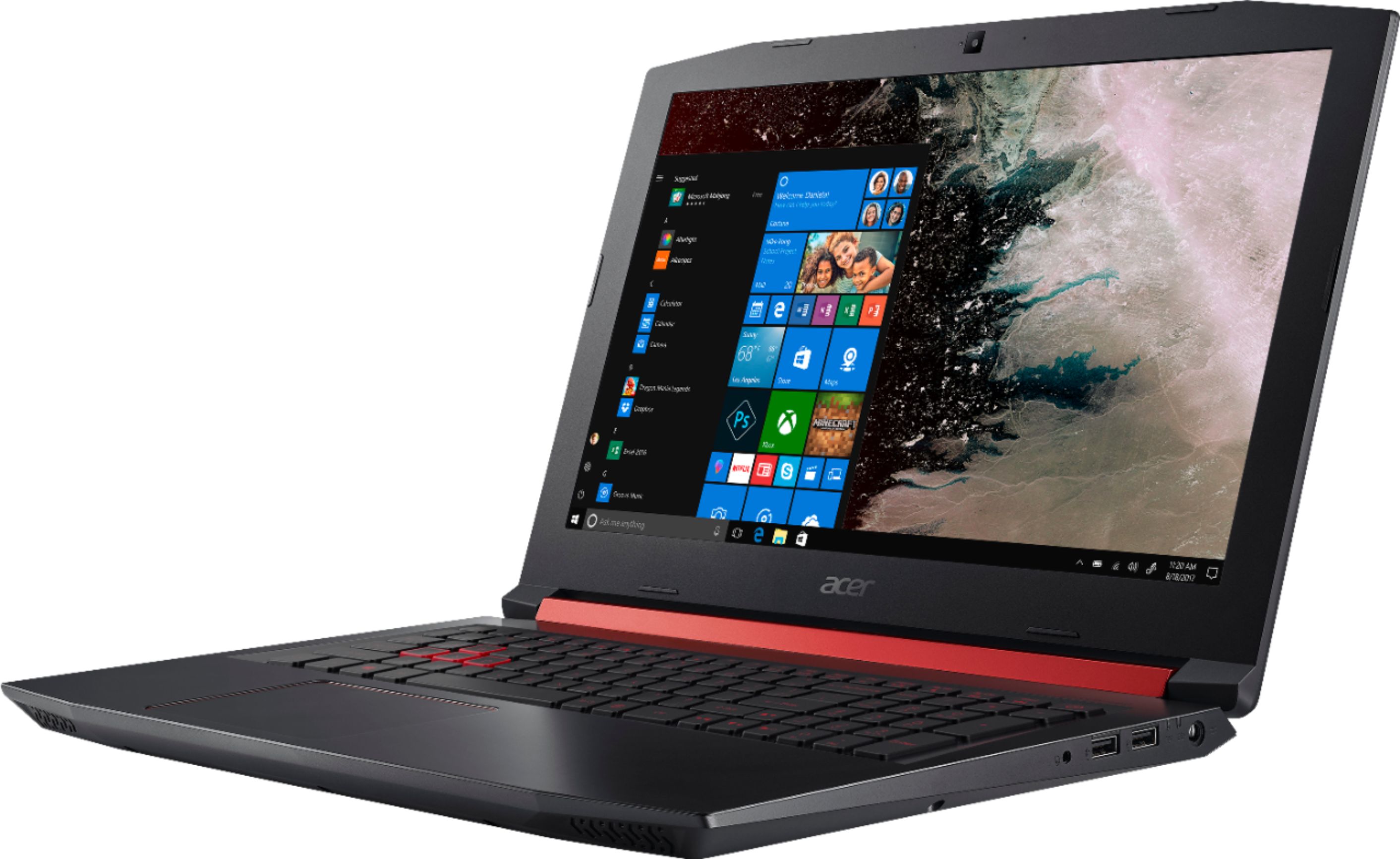
|Posted .This reviewer received promo considerations or sweepstakes entry for writing a review.Acer's Nitro 5 laptop deserves kudos for its lightweight, coal-black shell and bright red lighted keys that play off of each other so brilliantly. The keyboard is comfortable, well-spaced, and sensibly mapped, with a nice, bold outline around the WASD-keys providing a nice touch. The sleak laptop shape and size is only half the fun. After a quick setup with Microsoft's Cortana, I played some of the included games while downloading a few of my own along with installing Steam. Only felt a few hiccups during this multitasking experience. Once downloaded, I found the Nitro 5, specifically the Ryzen 5 processor, to handle a variety of games quite easily and with very little stress on the overall machine performance in other, non-gaming tasks. I was very impressed. The smaller 256 GB SSD trades off storage capacity for better data processing speeds, higher battery life (which it needs with its small, 4-cell battery), less heat emission, and a quiet machine. The shell has three USB ports, an ethernet port, an HDMI port, an SD-card slot, and a headphone jack, with no optical disc slot to save some space. Screen looks gorgeous, with full-HD and LED backlight. This is not an edge-to-edge display, but the matte-black edges and odd-angled corners add to the gaming laptop feel. The speakers can use a little improvement, but I mostly used plugged-in headphones throughout testing. Overall, you're getting a beautiful laptop and a smooth gaming experience in this little machine. It's an easy recommendation. Full disclosure, I received this product for my honest, unbiased review.
I would recommend this to a friend- Pros mentioned:Gaming
A must have
|Posted .This reviewer received promo considerations or sweepstakes entry for writing a review.This Acer Nitro 5 is great. I have played 3 very demanding games on it so far. They all averaged 50-60 fps on high settings. The colors are very vibrant. Crystal clear hd display. Very comfortable to use. Just a great all around gaming laptop for beginners or new gamers. Great job Acer!
I would recommend this to a friend - Cons mentioned:Freezing
crap in a box
Posted .This reviewer received promo considerations or sweepstakes entry for writing a review.bought this computer and within a week it started freezing. brand new out of the box and it freezes. ridiculous. ive tried everything i could and called acer support multiple times. even had to completely reset after only a week and it still freezes. taking this junk back to the store today.
No, I would not recommend this to a friendBrand response from TeamAcer
Posted .Hi Benn, we are sorry to hear about the experience with your Nitro 5 and understand you returned the Acer product but we would have been happy to provide support for you. If in the future you need assistance with an Acer product, feel free to contact support from the info posted at http://www.acer.com/ac/en/US/content/service-contact
