Customer Ratings & Reviews



- Model:
- AN517-51-56YW
- SKU:
- 6345056
Rating by feature
- Battery Life
Rating 3.6 out of 5 stars
- Speed
Rating 4.6 out of 5 stars
- Display
Rating 4.7 out of 5 stars
Customers are saying
Customers consistently note the excellent performance and large screen size as major strengths of the Nitro 5 gaming laptop. Positive feedback also highlights the good graphics, RAM, keyboard, and overall value for the price. However, some users mention that the battery life could be improved, and the laptop's weight and potential for fan noise are recurring concerns. While some users find the laptop runs warm, others report it as easy to use and upgrade.
This summary was generated by AI based on customer reviews.
Keyboard failed in 30 days.
||Posted . Owned for 1 month when reviewed.This reviewer received promo considerations or sweepstakes entry for writing a review.Keyboard failed in 30 days. Exchanging it tomorrow if I can suffer the curbside side service. Will review again once we see if it works better.
No, I would not recommend this to a friendBrand response from TeamAcer
Posted .Dear Roblar73,
We are sorry to hear that you decided to return your newly purchased Acer Nitro 5 laptop. Our support team is always available to assist with getting your new product set up and configured, or assist with any other troubles you may experience with your purchase. If you should change your mind and decide to keep your product and need assistance, please contact our support team via phone, chat or social media, and we will be glad to help.
We appreciate you taking the time to write this review.
Regards,
Acer America
- Cons mentioned:Battery life

Fast Gaming Laptop, Video Capped at 60Hz



|Posted .This reviewer received promo considerations or sweepstakes entry for writing a review.The Acer Nitro 5 gaming laptop is exactly what you’re looking for in a reasonably-priced, mobile gaming solution, with a couple of hiccups. PROS: - Fast with a beautiful display - Quiet fans - Keyboard buttons feel great and are well-lit - Bluetooth 5.0 for compatibility with newer peripherals CONS: - Large (it’s a 17.3” laptop, so that should be expected) - Capped at 60Hz - Shorter battery life -Trackpad is, well, annoying (Geek readings for FPS per game listed at the bottom of this review.) This is the largest in the Nitro 5 series, coming in with a 17.3” widescreen display, which means you also get the full-sized keyboard with number pad to the right. I’m not usually one for a widescreen laptop (refuse to get one for work to carry around), but if you’re gaming with this the extra couple of inches over the 15” display models is well worth the extra bulk. The display is bright and crisp, boasting full HD (who doesn’t anymore) and has IPS for excellent color and brightness even at slight angles. Smaller frame bezels also help you maximize screen space versus dead plastic space. The display is powered by an NVIDIA GeForce GTX 1650, which is an excellent card. Where I have an issue is that Acer appears to have capped the performance on the card at 60Hz, despite the card being able to run at 120Hz. There is no configuration option to change this in the system and contradicts what Acer’s website claims the device can run at (120Hz). They put a disclaimer on the site that says that performance depends on region, so it appears that for the US models they had capped it at 60Hz. This would be the most disappointing thing about the laptop. You can run games on this laptop at much higher settings, but those are completely lost with the 60Hz cap. One thing I noticed about the screen is a weird fade-to-full-brightness issue when toggling between dark & light screens. For example, if I’m working on this review in Word and switch to Acer’s website, which is a dark black-themed site, then toggle back to Word, the screen is at a reduced brightness, then takes about 10 seconds to slowly ramp back up to full brightness. While I’m sure this is to reduce battery use, it is an annoying “feature” that plays tricks with your eyes as it slowly increases the brightness. The processer is fast and the laptop comes stock with 8GB of memory, but can be upgraded to up to 32GB. The onboard fans are quiet and very efficient, and certainly do a good job of blowing off hot air; you don’t want to have this sitting on your bare legs in shorts on the couch while gaming. Invest in a good cooling mat because, well, you should. You can quickly access temperature monitoring with the “NitroSense” app with a single button near the number lock cluster which will show you CPU use, GPU use, temps, and status of the fans for the CPU and GPU. You can also manage the fan settings in the same app. The battery life is disappointing, noting I only managed to get around 75 minutes out of gaming with a single game running. When not gaming, you obviously get much more time out of the device, maybe around 4 hours. But this is mitigated by the fact that no one is going to do serious gaming without being plugged in to the AC adapter. Available ports on the sides include 3 USB, 1 USB-C, 1 HDMI out, an ethernet port, and a 3.5mm headphone jack. Boot time is amazing, booting from shut down to login screen in Windows 10 in less than 8 seconds, thanks to the SSD hard drive (note that Acer has options for SSD-only or SSD + standard HD options). The keyboard is responsive and the buttons have an excellent tactile feel, positive click without the clicky noise. ASDW are highlighted, as are the 4 arrow buttons, and all buttons are backlit with a nice red color for low-light play. As with all laptops, there is a trackpad on the palmrest, and the first thing you’ll want to do is disable it (Fn+F7). This thing catches small movements and will move your mouse, and also has a lot of problems discerning between a left click & a right click. To right-click, I had to use the far upper-right corner, anywhere else was read as a left click. Bottom line is this is a good, powerful gaming laptop for those that want a portable option for gaming. I’m frustrated at the cap of 60Hz on the display and would love to ask Acer why the restriction when the video card is perfectly capable of doing more. Geek readings for certain games: Rocket League (medium/high graphics at 1080p): Offline = 200-250 fps. Online = 100-220fps. CPU running 81% and GPU at 57%. Tom Clancy’s “The Division” (medium/high graphics at 1080p): Game caps at 60ps but never dipped. CPU running at 79% and GPU at 53%. Bethesda’s Fallout 4 (medium/high graphics at 1080p): Game caps at 60fps but never dipped. CPU running at 59% and GPU at 48%.
I would recommend this to a friend Didn't turn on.
||Posted . Owned for 1 week when reviewed.This reviewer received promo considerations or sweepstakes entry for writing a review.I've tried 2. One was a replacement for the first (both brand new out of box) neither one would turn on. Even after trying the battery reset.
No, I would not recommend this to a friendBrand response from TeamAcer
Posted .Dear Vinnie,
We are sorry to hear you are having boot issues with your Acer Nitro 5 laptop, and we understand this is frustrating when you've tried two laptops. This is not the experience we want our customers to have and we would like to help you get this resolved. If you still have the laptop and are located in the US or Canada, please fill out this form so that we can assist you:
http://csapps.acer.com/prompt/?key=3c056343aa6e1d3cfcd9350b38c92b5ad2b02c38
We appreciate you taking the time to write this review.
Regards,
Acer America
Keyboard problems beware
||Posted . Owned for 2 months when reviewed.This reviewer received promo considerations or sweepstakes entry for writing a review.Did research, no mention of keyboard issues, but sure enough it is a known problem that keys stop working...in my case just after one month.
No, I would not recommend this to a friendBrand response from TeamAcer
Posted .Dear Fred,
We are sorry to hear you are having problems with the keyboard on your Acer Nitro 5 laptop. This is not the experience we want our customers to have and we would like to help you get this resolved. If you are located in the US or Canada, please fill out this form so that we can assist you: http://csapps.acer.com/prompt/?key=b0e4d8693827c00d84b767ef11ca92aa591b3114
We appreciate you taking the time to write this review.
Regards,
Acer America
Half the keyboard doesn’t work out of the box
||Posted .This reviewer received promo considerations or sweepstakes entry for writing a review.For an $800 laptop I at least expected it to work, nope, half the keys don’t work at all out of the box. Definitely go somewhere else.
No, I would not recommend this to a friendBrand response from TeamAcer
Posted .We are sorry to hear you are having problems with the keyboard on your Acer Nitro 5 laptop. This is not the experience we want our customers to have and we would like to help you get this resolved. If you still have the laptop, please fill out this form so that we can assist you:
http://csapps.acer.com/prompt/?key=a714b3e62e555faeb67bc6d6b75eeecad3add90b
We appreciate you taking the time to write this review.
Regards,
Acer America
DON'T BUY
||Posted .This reviewer received promo considerations or sweepstakes entry for writing a review.Didn't turn on. Don't buy. This is THE SECOND LAPTOP I've brought from best buy to come in broken WHAT KIND OF BUSINESS IS THIS.
No, I would not recommend this to a friendBrand response from TeamAcer
Posted .We are sorry to hear you are having boot problems with your Acer Nitro 5 laptop. This model uses an improved AC adapter connection that must be fully inserted for the product to power on for the first time. Make sure the adapter is properly connected as shown in the user documentation and the support article https://us.answers.acer.com/app/answers/detail/a_id/66710.
If this does not resolve the issue, please fill out this form so that we can assist you:
http://csapps.acer.com/prompt/?key=83899e9d1398a1292d469e965105e57fcadb80ed
We appreciate you taking the time to write this review.
Regards,
Acer America
Issuses
||Posted .This reviewer received promo considerations or sweepstakes entry for writing a review.Brand new out the box . Certain keys on keyboard not working. I hope this is not a issue with the replacement one. We will see.
No, I would not recommend this to a friendBrand response from TeamAcer
Posted .Dear Danak,
We are sorry to hear the first Nitro 5 had keyboard issues. We understand you are waiting on a replacement laptop. If you should have any issues or questions with the replacement, please feel free to contact our support team; they will be happy to help you with your Acer product. They can be reached at 866-695-2237.
We appreciate you taking the time to write this review.
Regards,
Acer America
Broken
||Posted .This reviewer received promo considerations or sweepstakes entry for writing a review.Both times when I brought this computer it came broke!!!! Don’t buy this unless you wanna have a Broken laptop when you get it
No, I would not recommend this to a friendBrand response from TeamAcer
Posted .Dear CJ17,
We are sorry to hear your Acer Nitro laptop arrived broken. While you don't mention what is broken, based on your comments this appears to have happened during shipping. We suggest you contact Best Buy directly for your return/swap options. They will be happy to help you with your order so you can get a working laptop.
We appreciate you taking the time to write this review.
Regards,
Acer America
Good price for some decent power
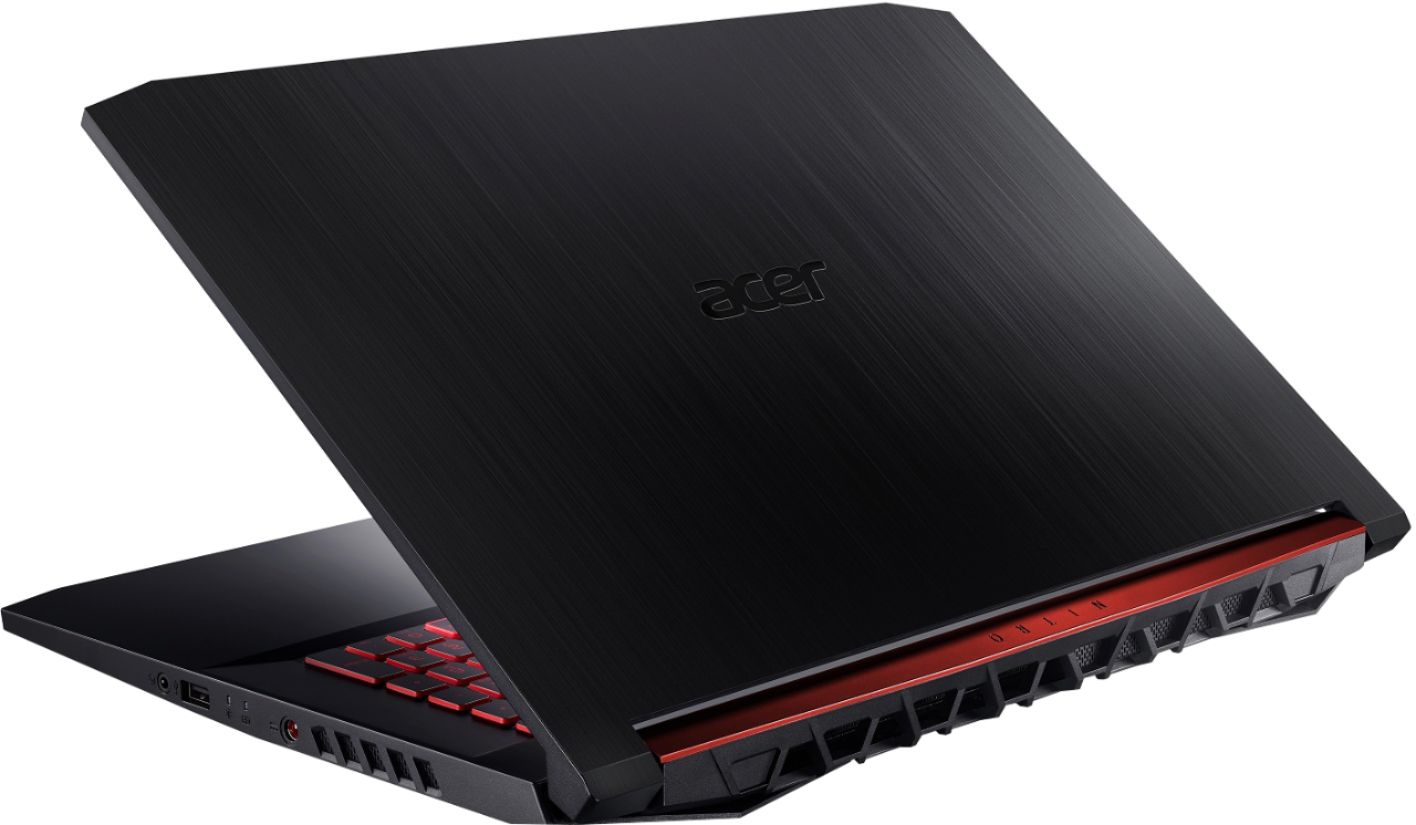
|Posted .This reviewer received promo considerations or sweepstakes entry for writing a review.I'll start my review with my overall thoughts. This is a pretty decently powered laptop for the price point. You'll make a few concessions but just for the ability to play most of your games at pretty high settings and mobile, this is laptop is pretty great. I'll touch on those smaller issues that I'm not super happy about below. Setup is pretty standard for any new laptop. Just let Windows do it's thing. Answer all of the questions it asks you and you're done. I'm not a fan of included anti-virus trials so I removed that and installed Avast for free. Most of the "bloat" that you'd find in prebuilt computers and laptops is pretty easy to uninstall with the newest update to Windows 10 (May update even allows you to uninstall a lot of Windows installed applications you weren't able to uninstall previously). So after a short time, I had a pretty clean system. I left the Acer update/support apps and the NitroSense app for controlling the fans. I was actually impressed with the lack of super bloaty preinstalled apps. The hardware feels pretty OK. Not great. It's a plastic laptop but for this price I wouldn't expect much else. The 17" laptop is large but I wouldn't say it's insanely big or heavy. Feels like a good size. The keyboard is just OK as well. The membrane keys are pretty noticeable as typing doesn't feel wonderful after a long time. The keys just feel a bit stiff while also being oddly mushy. Nothing I can't live with but it's something I noticed. If you are planning on doing a lot of typing on this, you may want to explore other options. The keyboard backlight, on the other hand, is my most despised feature on this laptop. It's really bad and I don't feel like it needs to be. The keys have a red highlight to them which doesn't make them incredibly easy to see in low light situations. The firmware that controls the backlight for the keyboard is just programmed to turn off the backlight after 30 seconds. No custom settings. No ability to change it. No options for keeping the backlight on at all times while connected to power. This is such a terrible oversight because the keyboard is literally impossible to see if you don't have really good light in the room you're trying to use it. So you can't just start typing again if the backlight turns off. You always need to tap another key to see where you are. It's just really annoying and I really, really hope there's some sort of software or firmware fix in the future that let's me change this. It really is my biggest complaint. Other hardware related things. I was a little disappointed to see the old style power brick and circular connector instead of USB-C in 2019 but whatever. I would have liked to see the plug in a different spot as it's right in the middle of the right side of the laptop. If you're using a mouse (this is a gaming laptop, so you know you are) this plug does extend into your mouse space if you're right handed. It would have been nice to put the power closer to the top of the laptop. The speakers actually do a pretty decent job for a laptop. The screen looks really nice. Connector-wise, we have 3 USB-A, a USB-C, HDMI, Ethernet and 3.5mm audio. Everything you could need. Games is what you're buying this for. I downloaded a couple of games I figured could test the power of this laptop. One thing you'll want to make sure of before you start packing this laptop up to send back is that Windows is actually switching to the correct GPU when playing your game. I tested Doom right away and it "just worked" and I was able to get 60 fps with most of the settings on high (not a fully stable 60 but close). But when I tried out Apex Legends, I had every setting to it's lowest and was still only pulling 20fps. I found that WIndows was still using the integrated Intel GPU instead of switching to the nice Nvidia 1650. If you search for gpu in windows, you should see Graphics Settings that will let you force the performance GPU on certain games that don't switch over automatically. After setting that up, I was able to crank most of the settings to high on Apex Legends and it was buttery smooth. Combined with the nice 17" screen, I was very impressed with the performance and overall look of all of the games I tested. You might not be able to MAX all of the settings for your games but you should be able to run a lot of modern games at high-ish settings while maintaining 60fps and for the price point you're buying this laptop, you can't really ask for much more. The performance of the whole computer is the thing that make all of the smaller concessions worth it. So overall, I'm happy with this laptop as a gaming machine. It performs really well (when set up correctly if Windows 10 doesn't automatically switch GPUs for you) has a really nice looking screen for you to look at all of your pretty games. There are a couple of issues that I wish weren't there. If you are going to use this for a lot of typing, I would consider other options for keyboards (just getting to the end of typing this review and my fingers are already feeling the fatigue) but for gaming, you should just fine. I just really hope they release some sort of update that lets us adjust how long the keyboard backlight stays on.
I would recommend this to a friendNo good
||Posted .This reviewer received promo considerations or sweepstakes entry for writing a review.when I receive my new laptop I get excited but to my surprise my laptop does not turn on
No, I would not recommend this to a friendBrand response from TeamAcer
Posted .Thank you for taking the time to write this review. We’re sorry to hear that your new Aver Nitro was not turning on. This is not the experience we want our customers to have with their products and we would like to help resolve this for you. For assistance with your Acer product please visit this personalized URL and fill out the form so we can look into this issue and assist you:
http://csapps.acer.com/prompt/?key=b9ab6cb05340fb01b2e694449f9989f8f2cc8504
Thank you,
Acer America
Keyboard Not Working
||Posted . Owned for less than 1 week when reviewed.This reviewer received promo considerations or sweepstakes entry for writing a review.Keyboard not working. New and right out of the box..keyboard not working. I cant type anything...only about 3-4 keys work.
No, I would not recommend this to a friendBrand response from TeamAcer
Posted .Dear Noel,
We are sorry to hear you are having problems with the keyboard in your Acer Nitro 5 laptop, and we understand this is frustrating. This is not the experience we want our customers to have and we would like to help you get this resolved. If you are located in the US or Canada, please fill out this form so that we can assist you: http://csapps.acer.com/prompt/?key=4e0485825f6f559a661999ee9642001ca25d5b7d
We appreciate you taking the time to write this review.
Regards,
Acer America
Bad device
||Posted . Owned for 1 year when reviewed.This reviewer received promo considerations or sweepstakes entry for writing a review.Device became unusable after 1 year of light use. No return or exchange offered.
No, I would not recommend this to a friendDead keys
||Posted . Owned for 2 weeks when reviewed.This reviewer received promo considerations or sweepstakes entry for writing a review.Unable to get through setup because most of the keys on the left side did not respond. No luck from acer site either.
No, I would not recommend this to a friendBrand response from TeamAcer
Posted .Dear Zack,
We are sorry to hear you are having problems with the keyboard on your Acer Nitro 5 laptop. This is not the experience we want our customers to have and we would like to help you get this resolved. If you are located in the US or Canada, please fill out this form so that we can assist you: http://csapps.acer.com/prompt/?key=7be567633b22cce459421500e45e698fb691e296
We appreciate you taking the time to write this review.
Regards,
Acer America
Trash
||Posted . Owned for 8 months when reviewed.This reviewer received promo considerations or sweepstakes entry for writing a review.Keybaord went out shortly after 1 year warranty not impresssed at all would find something else
No, I would not recommend this to a friendblack screen of death on 2nd day
||Posted . Owned for 1 month when reviewed.This reviewer received promo considerations or sweepstakes entry for writing a review.not the greatest. it got the black screen of death the 2nd day. Now waiting for appointment at geeksquad to fix.
No, I would not recommend this to a friendBrand response from TeamAcer
Posted .Dear John,
We are sorry to hear you are having black screen issues with your Acer Nitro 5 laptop. This is not the experience we want our customers to have, and we want to work with you to see how we can help improve this experience. If you are located in the US or Canada, please fill out this form so that we can assist you: http://csapps.acer.com/prompt/?key=a2c43077936e8e87dd478e5aa2699c6cbaea78af
We appreciate you taking the time to write this review.
Regards,
Acer America
Screen Died after using it for 1 hour
||Posted . Owned for less than 1 week when reviewed.This reviewer received promo considerations or sweepstakes entry for writing a review.Screen Died after using it for 1 hour. Maybe i got a defective laptop but other reviewers had the same issue.
No, I would not recommend this to a friendBrand response from TeamAcer
Posted .We are sorry to hear you are having problems with the display on your Acer Nitro 5 laptop, and we understand this is very frustrating for you. This is not the experience we want our customers to have, and we want to work with you to see how we can help improve this experience. If you are located in the US or Canada, please fill out this form so that we can assist you:
http://csapps.acer.com/prompt/?key=86558cdf8dd236e731499fe12453c55971d6cbaf
We appreciate you taking the time to write this review.
Regards,
Acer America
- Pros mentioned:GraphicsCons mentioned:Weight
Unbeatable Entry Level Gaming Laptop!
|Posted .This reviewer received promo considerations or sweepstakes entry for writing a review.This Acer Gaming Laptop is totally on point and an unbeatable value, especially when its on sale! I mainly play Apex Legends and it ran this game flawlessly on battery or plugged in. I have spent hours playing and had no issues at all, it definitely outperforms my older gaming laptop. The battery life is great for such a powerful machine and while it isn't the lightest laptop around its not that bad to throw in the backpack and take with you either. Definitely bring the charger, even though it does add some weight. I can't think of any reason to not pick this laptop up if you are looking for an entry level way to play games on the go!
I would recommend this to a friend poor quality
||Posted . Owned for 3 weeks when reviewed.This reviewer received promo considerations or sweepstakes entry for writing a review.eight keys stopped working the first two weeks and now we have had to ship it back to the manufacturer.
No, I would not recommend this to a friendBrand response from TeamAcer
Posted .Dear Joshua,
We are sorry to hear your Acer Nitro laptop required repair for the keyboard, however we are glad you were able to take advantage of the manufacturer's warranty to get this resolved. We will get your laptop repaired and shipped back to you as quickly as possible. Your input is very important to us as we are always looking for ways to improve our customer's experience. We appreciate you taking the time to write this review.
Thank you,
Acer America
Horrible
||Posted . Owned for 1 month when reviewed.This reviewer received promo considerations or sweepstakes entry for writing a review.this is my SECOND time I've had this computer & just completely quit working on me after 2 months.
No, I would not recommend this to a friendBrand response from TeamAcer
Posted .Dear Nick,
We are sorry to hear you are having boot problems with your Acer Nitro 5 laptop. This is not the experience we want our customers to have and we would like to help you get this resolved. If you are located in the US or Canada, please fill out this form so that we can assist you:
http://csapps.acer.com/prompt/?key=71d8b54cac1371eb79c426800732333c462d4cc0
We appreciate you taking the time to write this review.
Regards,
Acer America
Gaming Laptop, Great Cost
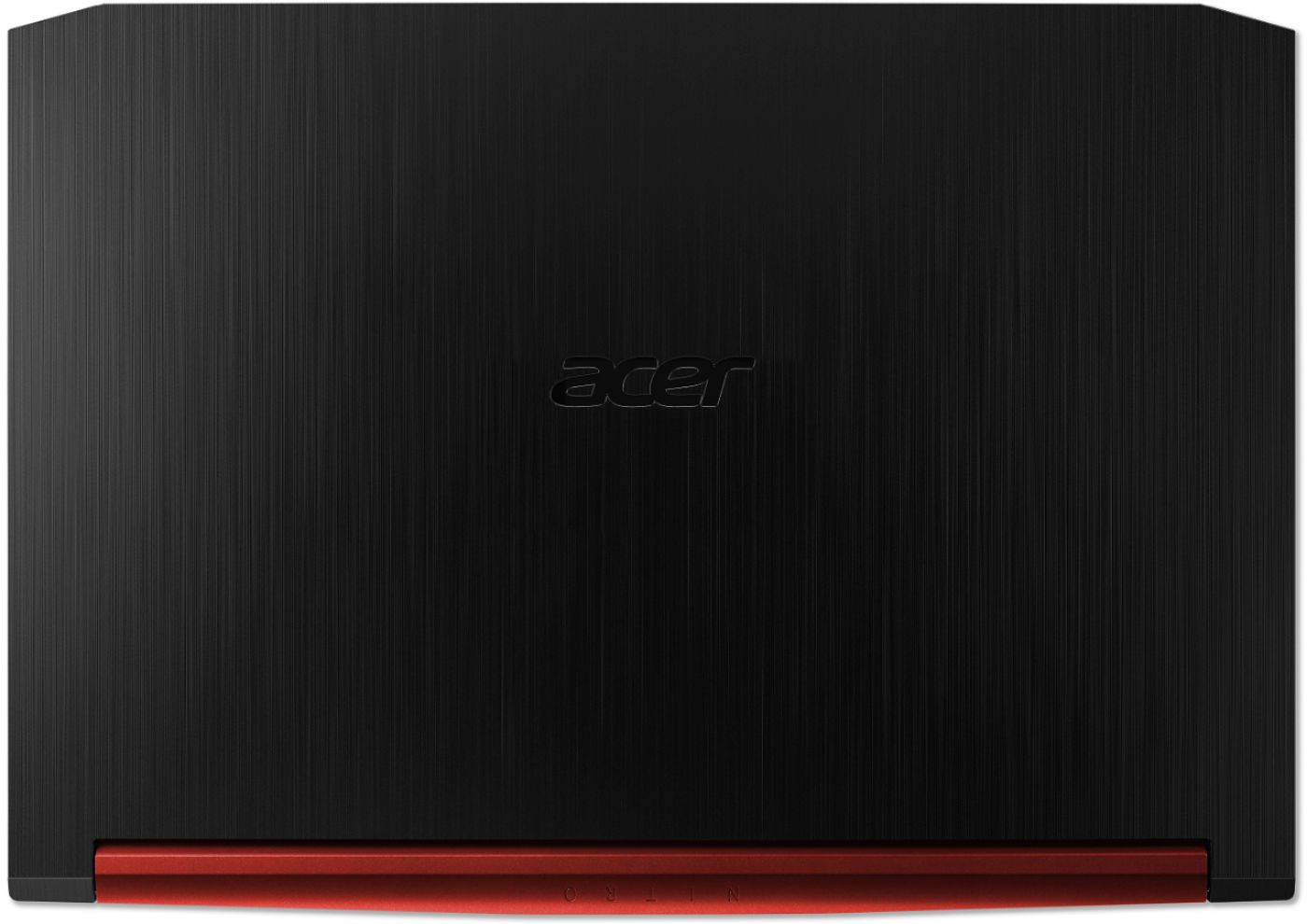
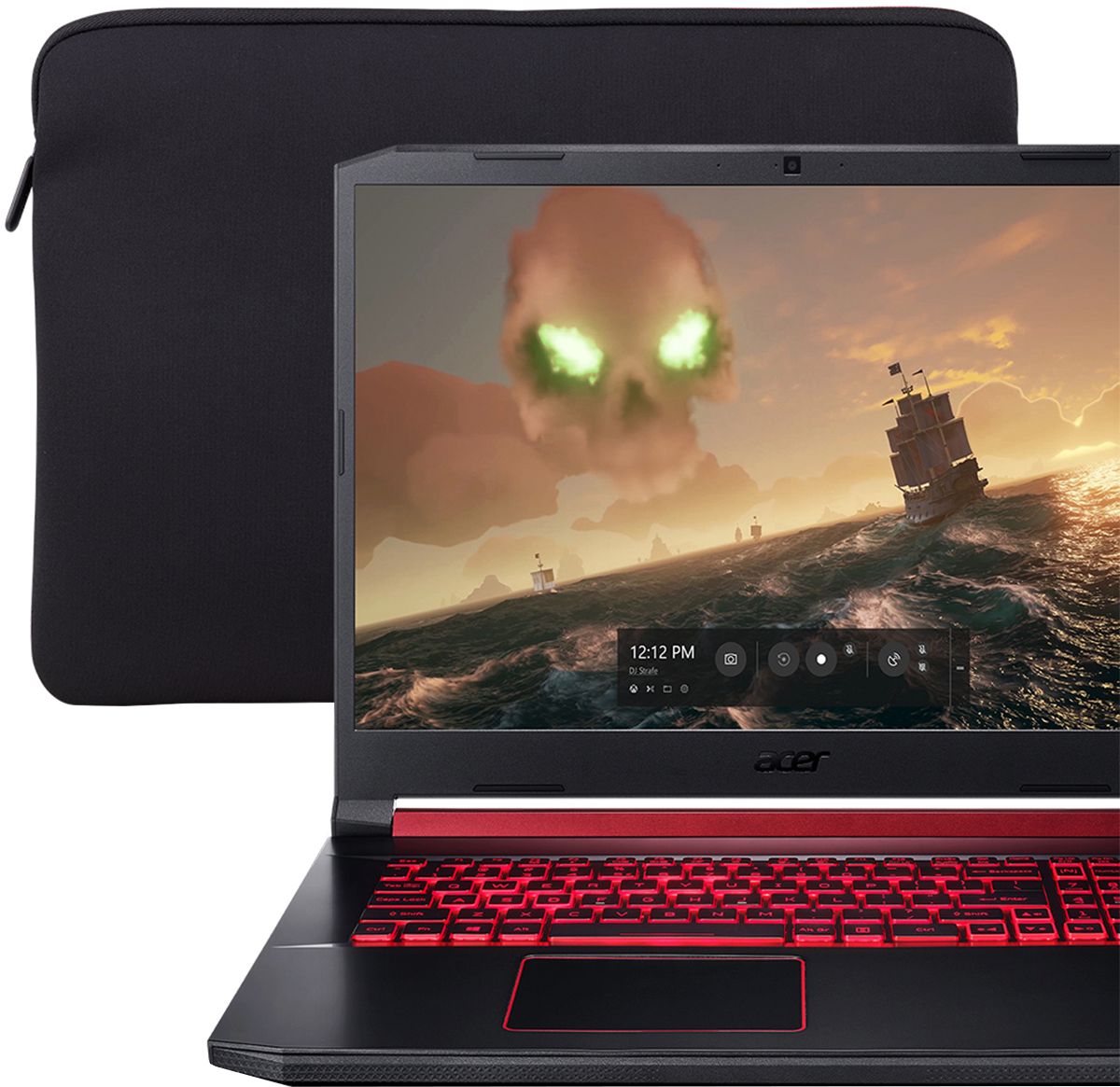
|Posted .This reviewer received promo considerations or sweepstakes entry for writing a review.This 17 inch Acer laptop is an excellent gaming machine, giving you everything you need to handle your gaming needs. My favorite things is they didn't leave it at good enough, they give you the options to expand on your Memory and Storage if you choose to, without needed to purchase it up front. The bottom panel comes off with a few screw exposing a spare RAM slot, an extra M2 drive slot, and an open spot for a 2.5" drive (connector and screws included). You have a 17 inch 60Hz 1080p display that is wonderful on the go, the display is matte so you don't have to worry too much about reflection of light as you would with a glossy screen. You do not get G-Sync on this display, I did experience some screen tearing on some games, however this went away when I turned V-Sync on in the game settings. You also have minimal bezels on this laptop. Battery is okay, you wouldn't be able to game for long term off of power. I do prefer to game while plugged in so I can get the most out of the machine, but depending on the game you are playing, you should be able to play for a little over an hour without needed to find an outlet.This isn't really an issue with this machine, gaming can pull a lot of power and resources and it's just to be expected with a machine of this caliber. I do appreciate Acer going with something that looks much sleeker, and does not stand out like a sore thumb, some laptops try and go with a crazy design to scream "power!". You do get a conservative design with a little bit of red accent for flare, no squared edges either. Keyboard is comfortable, you do have a few odd key placements, overtime you will get accustom to it, main one for me was the placement of the power button. It is your top right key on the keyboard above the numeric keypad. I do appreciate a numpad on this keyboard. Red backlighting is nice, I just don't like how quickly it turns off if you do not press any keys. This may be to help conserve energy possibly, I feel the length is simply too short and you do not have the option to change ( at least from what I could find) I didn't care much for the touchpad on this machine, I would have preferred a couple physical buttons for left and right click, I will use my wireless mouse most of the time if I can help it. Maybe over time it could work if you use it. The GTX1650 is a wonderful card, I was able to play The Division 2, Gears of War 4, Sea of Thieves, Forza Horizon 4 and a few other games on High or Ultra which I tweaked to be sure I was getting over 60FPS. As mentioned before, if you see any screen tearing, enable that V-Sync setting and you should be fine. Acer did have a laptop sleeve included which was a nice touch, Micro scratches bug the heck out of me, but this definitely helps when placing it in my laptop bag. The laptop does have a solid feel, I never felt flimsy while using it on my lap or the need to be concerned when traveling with it. Overall I got to say that what you get in this laptop is amazing for the price, improve the memory or storage if you choose. If you don't you already have enough in this machine to handle those graphically intense games without breaking the bank.
I would recommend this to a friend