Customer Ratings & Reviews
- Model:
- ACR018800F300
- |
- SKU:
- 8513009
Customer reviews
Rating 4.4 out of 5 stars with 36 reviews
(36 customer reviews)to a friend
Customers are saying
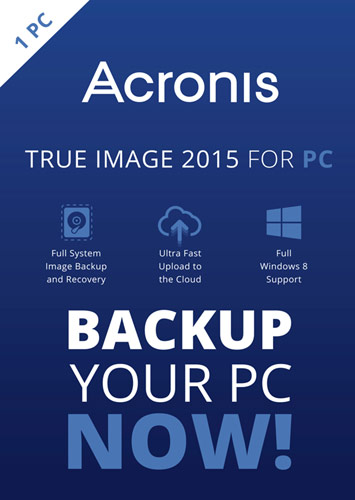
Customers are impressed with True Image 2015 for PC's backup feature, saying that doing backups over the network is much faster. They also appreciate how easy the software is to use. Cloning drives is another popular feature, especially for those who need to install a larger hard drive.
This summary was generated by AI based on customer reviews.
- Pros mentioned:Ease of use
Rated 5 out of 5 stars
Much easier to use than older versions
||Posted .This reviewer received promo considerations or sweepstakes entry for writing a review.Once you get through all of the customizing options of this product, it is really simple to use. In fact, it operates completely in the background. Older versions required you to go through a menu each time a backup was required. This version saves your settings as a backup profile of which you can have several. After that it is one button backup or auto depending on your preference.
I would recommend this to a friend Rated 4 out of 5 stars
Highly Rated, but time will tell.
||Posted .This reviewer received promo considerations or sweepstakes entry for writing a review.I had trouble with the installation. I had to do it twice. It finally worked. No manual. Had to do the usual and go to the Acronis site to download a PDF and then figure out what pages out of 100 + that I wanted to read. The program updated itself. It took some playing around to get the update to work too.The installation seemed not intuitive. I backed up about 350 GB in about two hours or so. Son the USB 3 port was doing nicely. I made both the recovery CD and the recovery USB stick. The directions for how to change boot order didn't work with Windows 8 , but maybe they would if the computer itself would not boot. I haven't the confidence to try to restore from the backup yet. I hope that my statement that I would recommend this to a friend is understood to mean a friend with good computer skills only. I would hate to stick a novice with this sort of thing.
I would recommend this to a friend- Pros mentioned:Backup, Ease of use
Rated 5 out of 5 stars
Best backup software I've tried...simple and fast
||Posted .This reviewer received promo considerations or sweepstakes entry for writing a review.Acronis works great. Other backup software I tried took forever to backup everything, but this is fast. It's also very easy to use. I recommend this for anyone looking to backup their drives fast and easy.
I would recommend this to a friend - Pros mentioned:Ease of use
Rated 5 out of 5 stars
Acronis is top notch
||Posted .This reviewer received promo considerations or sweepstakes entry for writing a review.I have use Acronis for years on different machines. It is fast and reliable and especially easy to use for restoring single files or entire volumes.
I would recommend this to a friend - Cons mentioned:Interface
Rated 4 out of 5 stars
Works well, once I figured out the new interface
||Posted .This reviewer received promo considerations or sweepstakes entry for writing a review.They chose to redo the user-interface (1 star off). I don't like the new one as well as the older ones. However, I eventually figured it out. I use this to do drive-imaging of my son's laptop. I've used several previous versions for other systems, at work and at home. I haven't done a restore with this version yet, which is the acid test. I'll give them the benefit of the doubt for now.
I would recommend this to a friend - Pros mentioned:Ease of use
Rated 5 out of 5 stars
Very easy to use
||Posted .This reviewer received promo considerations or sweepstakes entry for writing a review.I received a warning that my HD was about to crash, so I picked up this software, a new HD and an external. I loaded the software and within a few clicks, I was able to image my entire HD onto the external, as well as make a boot CD. Once finished, I swapped out the old HD, put the new one in, booted from the CD and within a total of 3 hours, the entire process was complete, and I was back up and working like nothing every happened.
I would recommend this to a friend Rated 4 out of 5 stars
Excellent for transferring HDD to SDD
||Posted .This reviewer received promo considerations or sweepstakes entry for writing a review.I needed to upgrade from a HDD to a SDD and wanted to just clone across. I had some fits with other tools and decided to try with Acorns. Worked like a charm. I upgraded from Acronis 2012, since that one was giving me random fails in the backups. The 2015 version seems more stable, but still has its occasional fits.
I would recommend this to a friend- Pros mentioned:Backup, Ease of use
Rated 5 out of 5 stars
Acronis True Image 2015 - Great Product!
||Posted .This reviewer received promo considerations or sweepstakes entry for writing a review.Secure, easy to use product with full system image backup and recovery, cloud storage, password protection and full AES-256 data encryption.
I would recommend this to a friend - Pros mentioned:Ease of use
Rated 5 out of 5 stars
Best Backup & Recovery On The Market
||Posted .This reviewer received promo considerations or sweepstakes entry for writing a review.I had used Norton Ghost for years but found Acronis a couple years ago. It beats Norton Ghost hands down. I finally decided I needed an updated version because of all the new capabilities and it is even easier than any of the previous versions.
I would recommend this to a friend - Cons mentioned:Interface
Rated 5 out of 5 stars
Great Recovery/Backup Software
||Posted .This reviewer received promo considerations or sweepstakes entry for writing a review.Very powerful, works great...only gripe is that the interface is not very intuitive.
I would recommend this to a friend - Pros mentioned:Ease of use
Rated 4 out of 5 stars
Fairly easy to use
||Posted .This reviewer received promo considerations or sweepstakes entry for writing a review.I haven`t used the restore feature yet, but the installation and setup were easy enough.
I would recommend this to a friend - Pros mentioned:Ease of use
Rated 4 out of 5 stars
a wonderful piece of software
||Posted .This reviewer received promo considerations or sweepstakes entry for writing a review.The software explains everything on a step by step basis on how to use it.
I would recommend this to a friend - Pros mentioned:Ease of use
Rated 4 out of 5 stars
Great backup tool
||Posted .This reviewer received promo considerations or sweepstakes entry for writing a review.This is one of the best backup tools that's also very easy to use
I would recommend this to a friend - Pros mentioned:Backup
Rated 5 out of 5 stars
Acronis Backup.
||Posted .This reviewer received promo considerations or sweepstakes entry for writing a review.This works wonderful for backing up PC and restoring if needed.
I would recommend this to a friend - Pros mentioned:Ease of use
Rated 5 out of 5 stars
Very Good
||Posted .This reviewer received promo considerations or sweepstakes entry for writing a review.This program is easy to install and then to operate.
I would recommend this to a friend Rated 5 out of 5 stars
Can save you from hours of frustration !
||Posted .This reviewer received promo considerations or sweepstakes entry for writing a review.The image software made my life so much easier by allowing me to directly image my failing hard drive, install the new one and reapply the image and get up and running in less than two hours. I bought copies for the rest of the family and they will all make sure they're protected going forward. What a great product!
I would recommend this to a friendRated 5 out of 5 stars
Great product for cloning drives
||Posted .This reviewer received promo considerations or sweepstakes entry for writing a review.Although it has many more features, bought this product to clone a 40GB hard drive to a 1TB drive. Worked flawlessly once I determined I could boot from the CD. Fast too!.
I would recommend this to a friend- Pros mentioned:Backup
Rated 2 out of 5 stars
Major Issues with Windows 10
||Posted .This reviewer received promo considerations or sweepstakes entry for writing a review.I purchased this to create a back-up my computer before upgrading from Windows 8.1 to Windows 10. Worked great backing everything up. Once upgraded to Windows 10, it would hang up, things would not open, could not close the program, etc. It was a nightmare. Started to doing some research (very lengthy) and an upgraded to Acronis 2016 was offered free but only if 2015 was purchased within a certain time frame. Fortunately, it was. Installed the upgrade and all seems well for the moment but I am hesitant to give it a better review just yet.
No, I would not recommend this to a friend - Pros mentioned:Backup, Ease of use
Rated 5 out of 5 stars
Excellent Backup Manager
||Posted .This reviewer received promo considerations or sweepstakes entry for writing a review.Extremely easy to use with many options. The disk image capability is the best I have seen.
I would recommend this to a friend Rated 4 out of 5 stars
Does what I purchased it for.
||Posted .This reviewer received promo considerations or sweepstakes entry for writing a review.Bought it to back up hard drives. Performs beautifully. Came with a cloud subscription, but didn't utilize that. For those of you interested in that, this would be a plus.
I would recommend this to a friend