Customer Ratings & Reviews













- Model:
- ADO951800F144
- SKU:
- 6366175
to a friend
Customers are saying
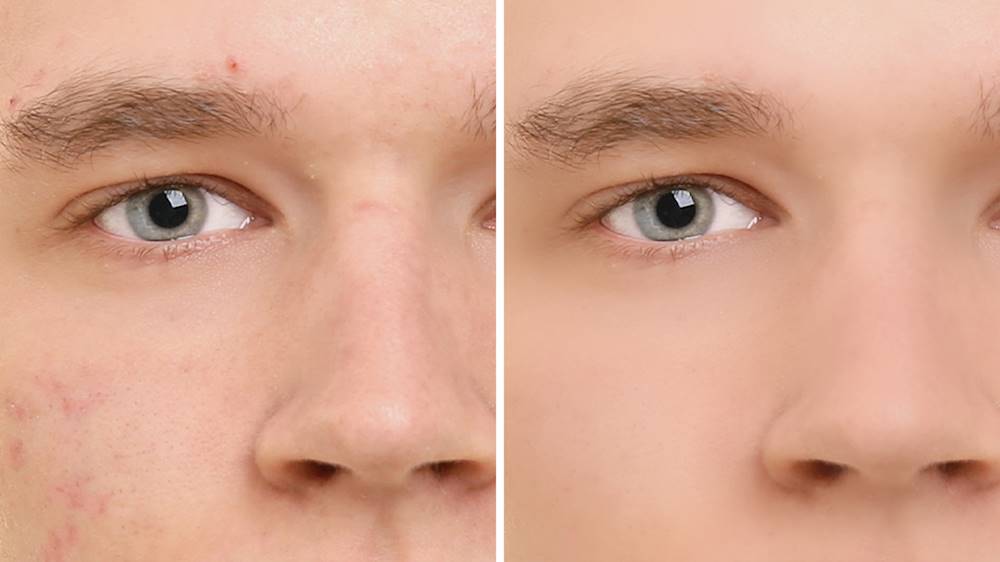
Customers recognize Photoshop Elements 2020 as being easy to use and having powerful photo editing tools. Many appreciate the numerous features, particularly the object removal and skin smoothing capabilities, while some note a learning curve for new users. The software's interface and performance are also generally well-received, with positive comments on its price point.
This summary was generated by AI based on customer reviews.
- Pros mentioned:Ease of use
Works great and I don't have to pay each month
||Posted . Owned for 3 weeks when reviewed.This reviewer received promo considerations or sweepstakes entry for writing a review.As a professional photographer, I aim to get the best shot I can in-camera, using editing tools for modest changes. This works just as well as my old CS5.1 and I don't have to pay for more than I'd ever use... (if the image isn't good I delete).
I would recommend this to a friend - Pros mentioned:Ease of use
Review of Photoshop Elements 2020
||Posted . Owned for 1 month when reviewed.This reviewer received promo considerations or sweepstakes entry for writing a review.This is an excellent piece of software for beginners as well as more experienced photo editors. Although there is a learning curve, it is not difficult to maximize photo appeal with a few of the easy to follow guided lessons.
I would recommend this to a friend - Pros mentioned:Ease of use
I have found that Elements 2020 to be Excellent
||Posted . Owned for 1 month when reviewed.This reviewer received promo considerations or sweepstakes entry for writing a review.I recently upgraded from Corel Paintshop Pro to Elements 2020, and am glad I did. I find the tool set to be easy to use and rich. I especially find the Raw Tools very valuable to get the most from my photos,
I would recommend this to a friend - Pros mentioned:Ease of use
Program is loaded with features!
||Posted . Owned for 1 month when reviewed.This reviewer received promo considerations or sweepstakes entry for writing a review.While Photoshop Elements is not a full function Photoshop program, it is perfect to edit and enhance photos, digital scrapbooking, and so much more at a fraction of the Photoshop program price.
I would recommend this to a friend - Pros mentioned:Ease of use
Great software for beginners or pros
||Posted . Owned for 1 month when reviewed.This reviewer received promo considerations or sweepstakes entry for writing a review.The software is great. I am a beginner and it is easy to work with. I have been texting myself alot of the functionality and can use more aspects of software other than just guided areas.
I would recommend this to a friend - Pros mentioned:Ease of use, Object removal, Skin smoothing

Great photo editor at a great Price
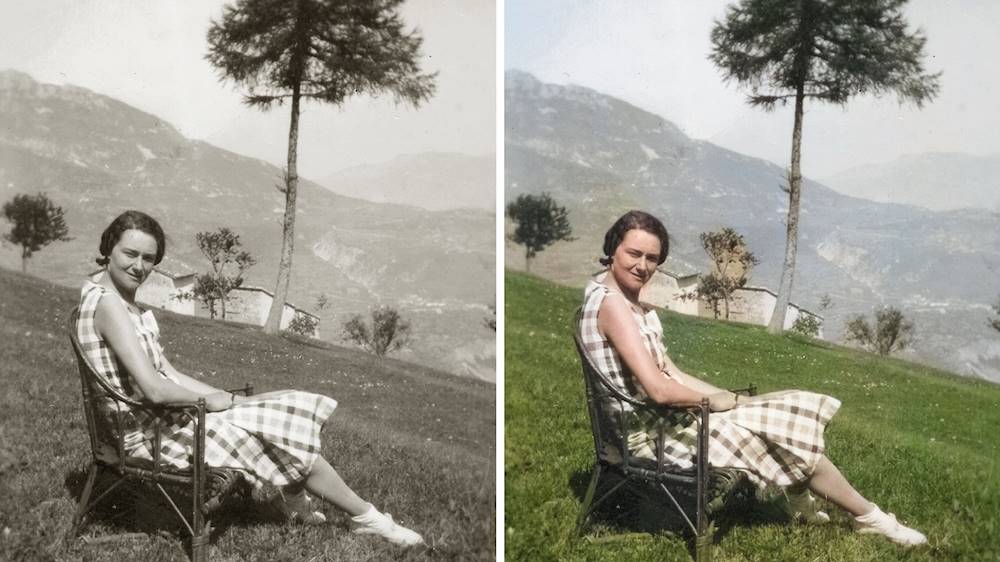
|Posted .This reviewer received promo considerations or sweepstakes entry for writing a review.THE BREAKDOWN: Let me start by saying that Photoshop Elements is great at fitting for both beginners to advanced users. The digital download was quick and easy and I was up and running in just a few minutes. I really enjoyed using this easy to use interface. I have used an older version of Photoshop Elements in the past. I feel that this version compared to the other version is pretty much like having the full blown Adobe Photoshop but with an easier to use interface and wide range of capabilities. One of the best features for me is the guided edits. This is basically what it states, it is a step by step guide on how to use the photo editing techniques that my seem confusing or even complex. I believe there are 55 different guided edits. If you have never used the guided edit, it is exactly what it states. It guides you step by step through the edit you choose. One of my favorite edits the object removal. I know you have taken pictures where it is the perfect picture except there are people in the background or some object, well now with object removal it is super easy to erase that blemish and have your perfect photo. Another interesting and new feature for this iteration of Photo Elements is the pattern brush and yes it one of the guided edits. I thought that with the new Adobe Sensei it did a really good job of tracking the picture so that when you put the patter close to object on the picture it did not overlap on the image but rather cut that portion out. Expert mode is another feature worth mentioning. For those that are serious photographers you might save yourself some money trying this instead of the full blown Photoshop. PRO’s: -Easy to use -Guided edits -Designed for both beginners and advanced -Automatically colorizes images -Supports HEIF (High Efficiency Image File Format) -Quick Option -Smooth skin tool CON’s: -Cannot turn off Auto Creations SUMMARY: Overall, I feel that this product worked very well and I would definitely recommend this to a friend if they are in the market for a great photo editor at a great price.
I would recommend this to a friend - Pros mentioned:Ease of use
Easy photo editing
||Posted . Owned for 6 months when reviewed.This reviewer received promo considerations or sweepstakes entry for writing a review.I have probably used Elements for the last 15 years. I upgrade every few years and love how easy it is to use. I rarely use Adobe Photoshop anymore unless I have sophisticated editing to do.
I would recommend this to a friend Not much has changed
||Posted .This reviewer received promo considerations or sweepstakes entry for writing a review.I puchased Photoshop Elements 2020 because I couldn't download for the version I own of Photoshop Elements 15. The digital download took a while but it worked. Comparing this version to Elements 15 in 2016, there are some updates and a few new tools. One I want to play with is removing someone from the picture. I usually use the expert mode and a few guided modes. It is a good software to make people look their best and adjust the picture colors. If someone that's never used Photoshop Elements before picks this up they would need to view tutorials to get the hang of it. I hope Adobe keeps the digital downloads available on their site for several years, otherwise we'd have to purchase new versions of the software or keep the CD.
I would recommend this to a friend- Pros mentioned:Ease of use
Benchmark for home use
||Posted . Owned for 1 month when reviewed.This reviewer received promo considerations or sweepstakes entry for writing a review.I have been using Adobe Photoshop for years. I have tried others but I seem to come back To Adobe, they just seem to be more logical and easier to use without poring through the manual.
I would recommend this to a friend - Pros mentioned:Photo editing
Ease of use and user friendly!
||Posted . Owned for 7 months when reviewed.This reviewer received promo considerations or sweepstakes entry for writing a review.Even though it isn't completely what I want it is still good enough to help me edit my photos! Got it while it was on discount and would love to get another one for my laptop!
I would recommend this to a friend - Pros mentioned:Ease of use
Another great Photoshop Elements Update!
||Posted . Owned for 1 month when reviewed.This reviewer received promo considerations or sweepstakes entry for writing a review.These updates are always timely and well done. This one is no exception. All the favorite aspects still work flawlessly. Have always felt this product is well worth the money.
I would recommend this to a friend - Pros mentioned:Ease of use
Adobe Photoshop still great.
||Posted . Owned for 10 months when reviewed.This reviewer received promo considerations or sweepstakes entry for writing a review.Works great. I had been using Photoshop 6 for YEARS and it was time to upgrade when I went to Windows 10 Pro. Works just like it should, no complaints.
I would recommend this to a friend - Pros mentioned:Ease of use
Essential software
||Posted . Owned for 8 months when reviewed.This reviewer received promo considerations or sweepstakes entry for writing a review.I would consider this an essential product for anyone with a lot of pictures. It is a great value for the average user. It does the essentials very well.
I would recommend this to a friend - Pros mentioned:Features
great photo editing & storing software
||Posted . Owned for 1 month when reviewed.This reviewer received promo considerations or sweepstakes entry for writing a review.This product is feature packed and occasionally on sale. I wish they had the sale price all the time rather than playing the game of "list" vs "sale" all the time.
I would recommend this to a friend - Pros mentioned:Ease of use
Good
||Posted . Owned for 3 weeks when reviewed.This reviewer received promo considerations or sweepstakes entry for writing a review.Great for beginners. I did the trial version first and I like it before buying it. For some reason I had problems with the software but Adobe help me out to install right.
I would recommend this to a friend - Pros mentioned:Object removal, Photo editing
Excellent organizer and editor!
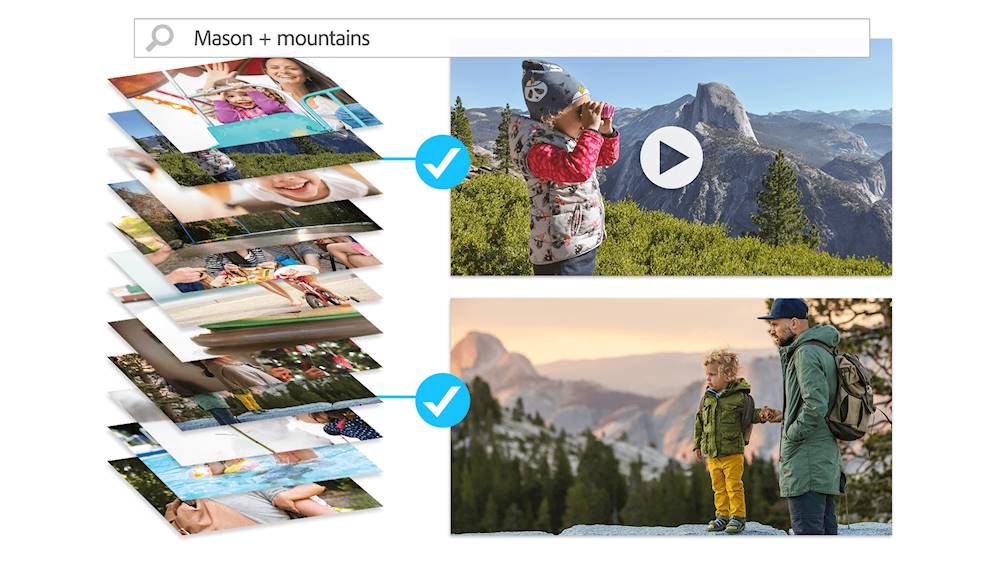
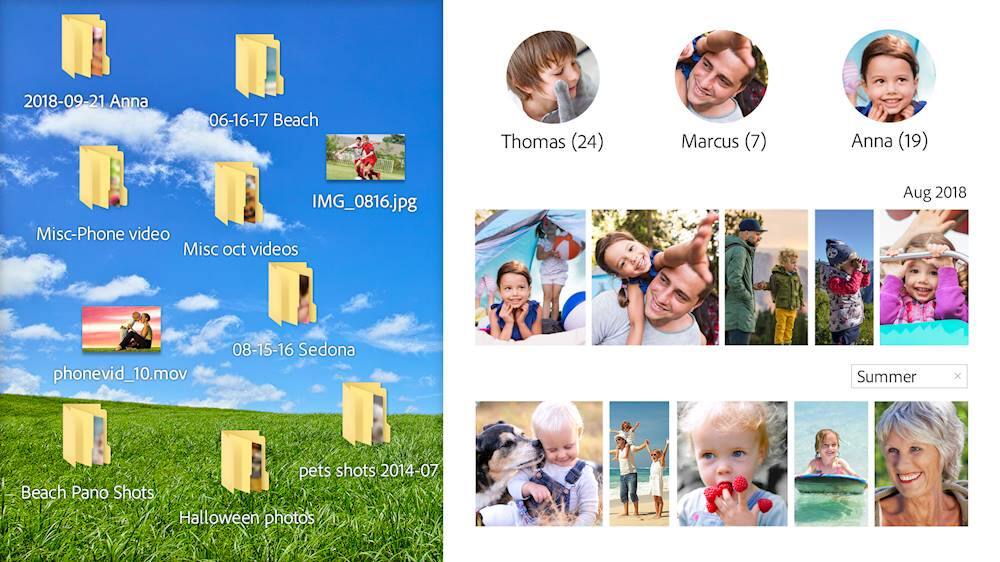
|Posted .This reviewer received promo considerations or sweepstakes entry for writing a review.Simple Import wizard that lets you select the folders that you want to import photos from. It took a little over 5 minutes to import roughly 7000 images. If it discovers keyword tags on any of the images you’re importing, presents them in a list, and asks which you’d like to import to PSE. It also gives you the opportunity to change/rename any of the keyword tags that you select. After the import is complete, it shows all of your images in an interface that has folders on a left-side toolbar, and pics in the main section. By default, the folders are shown as a straight list, not a nested tree. If you use nested folders to store/organize your media, this might throw you off at first; i.e. why are my ‘reunion’ folders not under their respective year folders? Fortunately, you can easily change this to a tree view & then you’ll have your nested structure back. Immediately after the import, it automatically begins analyzing photos for faces. It does this in the background, so you can still explore the software while this is taking place. It actually did a pretty good job of grouping faces together. Once you assign a name to a face, it sort of re-evaluates some photos, and if there are some that it ‘thinks’ might be a match, it asks you to confirm. Confirming is easy, and you can select and confirm/deny multiple suggested photos at once. You can even select which photo you want to use as the profile pic for a specific person. I’ve always manually tagged people before, so this is my first real foray in to facial recognition. I’m impressed & may now be a convert to just letting the software handle it. Searching for photos based on the keyword tags is extremely easy, as you simply click the box next to the keyword tag you want to search for. The results are quickly displayed in the main work area. If you want to filter by additional keywords, you simply select more in the right pane. By default, it applies the filters as an ‘and’ search. Adding photos to an existing Album could be simpler. I would have thought you could just select several photos from the Folders view, and right click or something, but it didn’t present any options to add them. I had to go in to the Albums section, select the Album & click Edit. Then you could go back to Folders, select several, and drag them over to the Album on the right side. Kind of odd the first time, but not a show stopper. PSE also has a photo editing component, which is quite easy to use. It has ‘guided’ edits, which it walks you through, for many common scenarios like object removal, brightness/contrast, crop, rotate/straighten, etc… I haven’t tried them all yet, but the object removal edit is impressive. It guides you right through it, and does an excellent job. Very easy! And for those that want a bit more control, it also has some of the more advanced features, such as layers, similar to the full Photoshop application. And, the BEST part - NO FORCED SUBSCRIPTION!! Will definitely recommend to friends!
I would recommend this to a friend - Pros mentioned:Ease of use
For beginners!
||Posted . Owned for 5 months when reviewed.This reviewer received promo considerations or sweepstakes entry for writing a review.For the price this is excellent for beginners, I have made multiple online thumbnails for videos and have dabbled into getting more advanced techniques.
I would recommend this to a friend - Pros mentioned:Photo editing
Great value versus PhotoShop
||Posted . Owned for 2 months when reviewed.This reviewer received promo considerations or sweepstakes entry for writing a review.I use Adobe Creative Cloud for my job and got Elements for my nephew. Its all the editing software that he will ever need and he is a fantastic photographer.
I would recommend this to a friend - Pros mentioned:Ease of use
I am a fan
||Posted . Owned for 5 months when reviewed.This reviewer received promo considerations or sweepstakes entry for writing a review.I have been using Elements for a decade big you need photo editing software without the cot or complexity of the full Photoshop this is the program for you.
I would recommend this to a friend - Pros mentioned:Photo editing
It is a very good Photo Editor.
||Posted . Owned for 3 weeks when reviewed.This reviewer received promo considerations or sweepstakes entry for writing a review.Adobe Photoshop Elements 2020 is a very good Photo Editor. I am not a professional photographer so it is good enough for me. I have not used the organizer yet, so can't comment on it.
I would recommend this to a friend