Customer Ratings & Reviews











- Model:
- ADO951800F161
- SKU:
- 6424573
to a friend
Customers are saying
Customers appreciate Photoshop Elements 2021's ease of use and its wide array of features for photo editing, including options like sky replacement and face tilt. Many find the software to be a good value for the price. However, some users have experienced compatibility issues. The program's performance is generally considered excellent.
This summary was generated by AI based on customer reviews.
Adobe Elements
||Posted .This reviewer received promo considerations or sweepstakes entry for writing a review.bought this because I didn't want an annual subscription
I would recommend this to a friendGreat
||Posted . Owned for 2 months when reviewed.This reviewer received promo considerations or sweepstakes entry for writing a review.Great product you will love it no problems with it
I would recommend this to a friendlove
||Posted . Owned for 3 weeks when reviewed.This reviewer received promo considerations or sweepstakes entry for writing a review.Great Product! photoshop is fun. I highly recommend
I would recommend this to a friend- Pros mentioned:Face tilt, Features, Photo editing

Great updated version
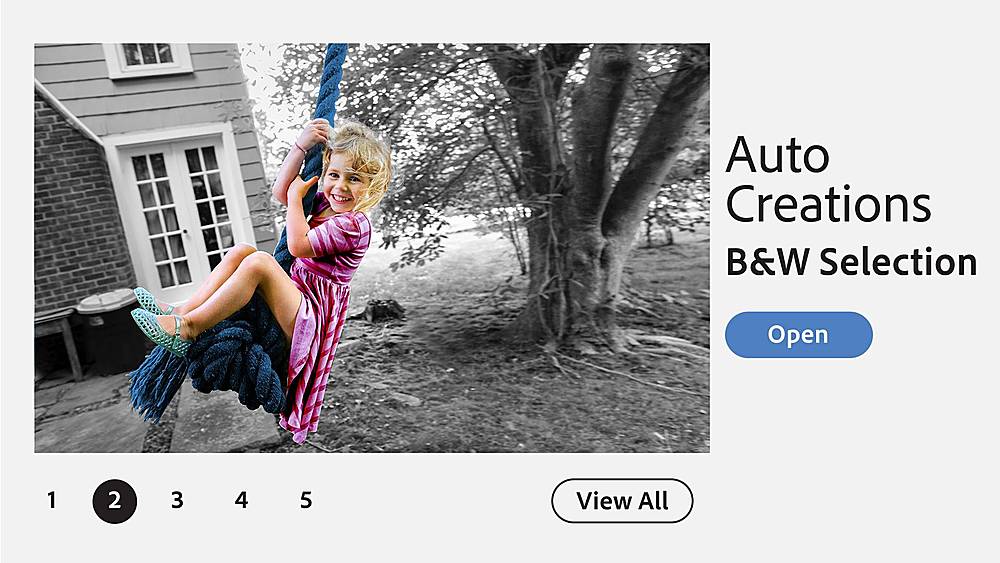
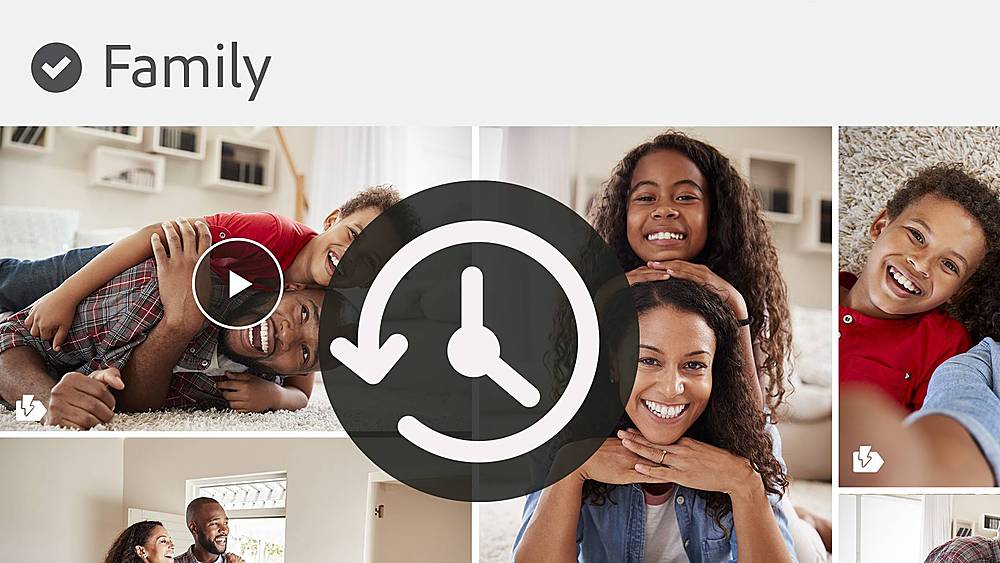
|Posted .This reviewer received promo considerations or sweepstakes entry for writing a review.The download of the software did not go as easily as expected. I thought there were to many steps to complete. The new for 2021 Adobe Photoshop Elements 2021 for Mac and Windows has some added features and a new look. I tried some of the guided edits and they all worked perfectly. Here is what you can do. Add motion to your picture, fine tune face tilt, add color to black and white pictures, outline a subject and remove the rest of the photo, adjust facial features, change the color of individual items in a photo, smooth skin features, fun filters and reduce camera shake. Now you also get the new stuff. Self-guided edits, there are 58 new ones. Go on-line and check out the new features to this product. Organizing your photo is now easier with tagging each photo. I take on average 50 photos a day. With tagging I can label each photo as to place, subject matter, date, and time. This taking the extra steps in the beginning makes it easier to find the photos later. I think this would make a good addition to your photo edits, card making, and movie dubbing. I would recommend Adobe Photoshop Elements 2021 to family and friends.
I would recommend this to a friend Gift
||Posted .This reviewer received promo considerations or sweepstakes entry for writing a review.This was a Christmas gift and she was very pleased
I would recommend this to a friend2 hours will not get that time back.
||Posted . Owned for 1 month when reviewed.This reviewer received promo considerations or sweepstakes entry for writing a review.It was not your staff's finest hour. We ended up buying a samsung 21 5g at the ned of the day. Without Daniel helping us we would have left. We walked in and asked for the a51. We called in advance to make sure it was there. We were told it was available as an open box item. We came in. We saw what appeared to be the phone wrapped in a box. We actually paid for it without the box open. We asked to get it going. It turned out to be a display phone and a few staff were trying to make it work. I walked out to get some air. 1 hour into this process i needed a break. Then i was told maybe wrongly that the phone was stolen. then it was determined that what they opened was a display phone and not a real phone. Daniel then offered a 21 at the same price or close. it was an upgrade. We left after 2 hours for a phone. Daniel was and is a professional. He realized what had happened should not have happened. I told him it was disappointing as no one seems at any stores to care about customers. i even had to interrupt a staff discussion on how to refund and let the system know what was happening about these multiple transactions (2 managers and a 2 staff and us standing around) after we repaid for the refunded monies for the display phone issue so we could get out of there. It was complicated. Will we shop again. Yes when we have time to spare and not patience worn. Daniel seemed professional and real. keep him.
No, I would not recommend this to a friend- Pros mentioned:Ease of use, Features, Price
Balance of Ease and Functions
|Posted .This reviewer received promo considerations or sweepstakes entry for writing a review.For someone who has move passed the level of amateur photographer, but doesn’t have the financial resources or time to learn a heavy application like the professionals use, this is the middle ground you’re looking for! I have used Photoshop Elements 2019 until this upgrade and have been greatly impressed by the ease of use, paired with the many “professional” features it offers. This app does take into account the varying levels of editing that people are comfortable with. You can either go “full auto” and pick from the directed suggestions by the app, or you can drive this thing “stick shift” and manually make corrections. Either way, a couple Youtube how-to videos later, you’ll be using all of the features like a champ. The price point and features (with a lack of software subscription) make Adobe’s product top of the line for the average photographer. If you’re not making a career on your pics, this is the program for you! I would recommend this to a friend or family member.
I would recommend this to a friend better to buy direct from Vendor
||Posted . Owned for 1 month when reviewed.This reviewer received promo considerations or sweepstakes entry for writing a review.Best Buy activation doesn't work. you have to contact Adobe and jump through hoops... Best Buy CSR not very friendly nor helpful at all. very aggravating
No, I would not recommend this to a friendBasic software needs expensive computers.
||Posted . Owned for 3 weeks when reviewed.This reviewer received promo considerations or sweepstakes entry for writing a review.My computer is a Windows 10, only four years old. But the software wouldn't run on it. When I got Adobe help they never mentioned the software needed a loaded computer. Took it to the Geek Square that I trust, which discovered I needed a new computer to run the software. Adobe used the literal excuse in installing the software, saying in "professional" language, "if your install is stuck!" If Adobe doesn't want everyday people to own their basic software, they need to stop treating it as if run by commercial Web developers. I spent hours to find out the truth. Hope Best Buy allows this to stand to warn others if they have computers just a few years old. Oh, one more thing. Of course once the software is opened to you can't return it so Adobe makes the bucks anyway.
No, I would not recommend this to a friendmjbuchanan
||Posted . Owned for 3 weeks when reviewed.This reviewer received promo considerations or sweepstakes entry for writing a review.It is not as user friendly as Photoshop Elements 9 that I lost in upgrading a hard drive. I really wish I could still purchase it.
No, I would not recommend this to a friendGood
||Posted .This reviewer received promo considerations or sweepstakes entry for writing a review.The software is great for designer and family use.
I would recommend this to a friend- Pros mentioned:Ease of use
Great for Beginners, Intermediate, and Pro Users
|Posted .This reviewer received promo considerations or sweepstakes entry for writing a review.My first experience using photoshop was with Adobe Photoshop Elements 2020. I liked it so much that when I was given the opportunity to try the newest 2021 version I was actually excited. Similar to the 2020 version, when you buy the license it is not subscription based and it's good for multiple years. Installation was very simple however, it takes 30 minutes to an hour to download and complete installation. There are three experience modes built into the software, quick, guided, and expert. The quick mode is very basic and is meant for someone that just wants to make quick adjustments. It makes use of filters and a sliding bar to perform basic adjustments. The guided mode is more advanced in the effects it can perform and it is probably the most enjoyable mode for most users. It provides multiple options for effects such as double exposures, adding text, creating puzzles, object removal, and more. I think these possibilities are what really shine in photoshop elements. Expert mode is made for the pro's that already understand how to use all the functions of Photoshop. This is where you find the lasso tool, smart brushes, layers, masking and all the other advanced settings. For beginner photoshop users this will be the most intimidating mode. However, this is where you find all the cool new 2021 features such as face tune and sky replacement. With all that being said, Photoshop Elements 2021 is a very capable product and was enjoyable to use. I highly recommend it
I would recommend this to a friend - Pros mentioned:Ease of use, Features
Great Editor For Beginners
|Posted .This reviewer received promo considerations or sweepstakes entry for writing a review.I have never used Photoshop Elements until this version. I was hoping that I would be able to create layers, export photos in reduced file size, resize photos and so on. Photo Shop Elements 2021 didn't disappoint. I was able to do all of the things I was expecting to do. If you don't want to learn a professional graphics program such as Photoshop, then Photoshop Elements would be for you. It has a simplistic interface, but still has many powerful features. Features one needs to create/edit images for social media and family photos. You can work with layers, effects, filters, graphics, in addition to common tools found in graphics programs. I was able to apply graphics to thumbnails for YouTube, Facebook, and Twitter with Elements. I didn't have any problems resizing images and also exporting images to a smaller file size. Elements also comes with quite a few graphics to add to your photos. In addition, you can do things like make a specific color in a photo stand out while making the rest of the photo black and white, create panoramas, remove objects, alter backgrounds, etc. My professional editor will still serve it's purpose for adjusting my photos, but I will be using Elements for thumbnails and social media images. If you are looking for a program that makes photo editing easy and painless, then Phtoshop Elements would be worth checking out.
I would recommend this to a friend - Pros mentioned:Ease of use, Face tilt
The standard for the rest of us
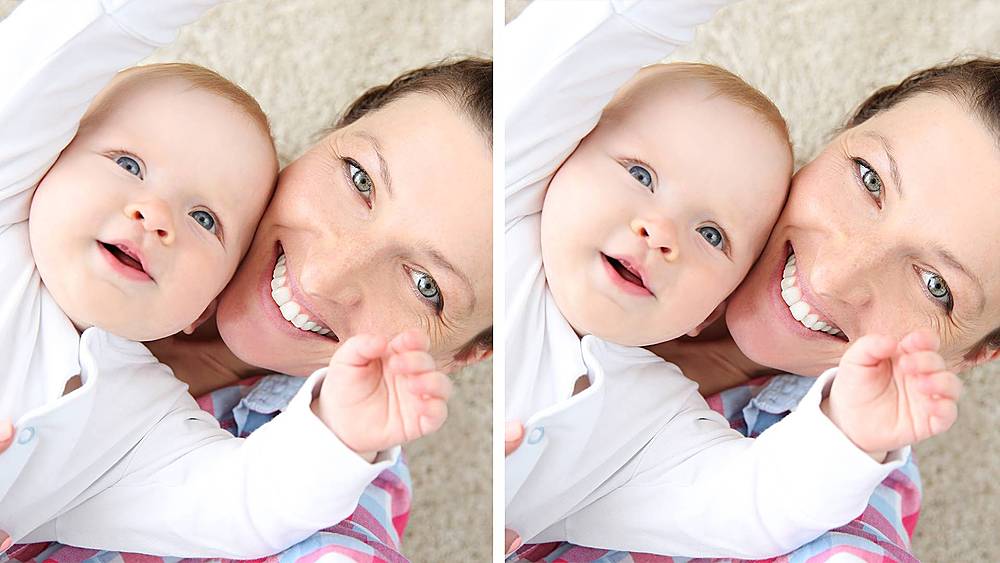
|Posted .This reviewer received promo considerations or sweepstakes entry for writing a review.If Photoshop is for the professional photographer, then this is for the rest of us. What I always loved about Photoshop was the flexibility, but that flexibility came with complexity. For the past several years, I've used Photoshop Elements, and Adobe has done a great job of keeping most of the flexibility while eliminating most of the complexity. Using Elements, you can easily tweak and adjust your images and save them in any format. I use it for everything from creating PowerPoint objects to editing iPhone photos. My one frustration has always been that while everything I need is in the tool and the tools are all pretty easy to use, I frequently have to go to the on-line help to figure out exactly where the tool I need is. The new Guided Edit feature solves a lot of this, presenting me with suggestions that tend to predict what I want to do to clean up my photos. It saves me considerable time, and presents ideas that I may not have thought of. Face Tilt, also new for 2021, is the new feature I like most. Your nose looks too big in that fish-eye selfie? Face Tilt can correct it, easily. Lips too thin? Eyes the wrong color? All are simple to change with this new feature. Overall, some really useful improvements to an already excellent product.
I would recommend this to a friend Crop Suggestion is a great time waster.
||Posted . Owned for 7 months when reviewed.This reviewer received promo considerations or sweepstakes entry for writing a review.Used this program for years (upgrading at least every other year), but with 13 and higher they added a "crop suggestion" feature that you can't turn off, it delays your work each time you edit your picture. One picture, you may not notice, but I do multiple pictures a day. That one feature has me looking for a new program even though there will be a learning curve.
No, I would not recommend this to a friend'sOK butt
||Posted . Owned for 3 weeks when reviewed.This reviewer received promo considerations or sweepstakes entry for writing a review.i just don't like adobe, the company and their monopolistic business practices. the product is fine. butttttt
No, I would not recommend this to a friendWon't accept a return
||Posted . Owned for 1 month when reviewed.This reviewer received promo considerations or sweepstakes entry for writing a review.I am very disappointed with Best Buy. I purchased Photoshop Elements 2021, but misread the computer requirements. It didn't work on my computers. When I attempted to return it at both the store and mailed to Best Buy, I was refused even though I had documentation from Adobe that the serial number had NOT been activated. Poor customer service. I am out $106.
No, I would not recommend this to a friendNot as good
||Posted . Owned for 1 month when reviewed.This reviewer received promo considerations or sweepstakes entry for writing a review.We are so used to the CS3 version, this one doesn’t even come close.
No, I would not recommend this to a friend- Pros mentioned:Ease of use, Features
Perfect for the novice or expert
|Posted .This reviewer received promo considerations or sweepstakes entry for writing a review.I’m a novice, but have been getting better and better lately with practice! Elements was new to me, but with its included guides and lessons throughout the software, it was easy to navigate make some quick edits! I started on “beginner mode” and I think everyone should start with this (unless your a experienced user) to get acquainted with how to make use of some of the key features. If you master everything in this mode, go on into “expert mode” and that should keep you busy for awhile! For the price, you really can’t go wrong. I think this is really fully loaded and a great value for the one time purchase price!
I would recommend this to a friend - Pros mentioned:Features, Photo editing
Tons of Features
|Posted .This reviewer received promo considerations or sweepstakes entry for writing a review.This software has tons of features and can be a little confusion to figure out at first. The interface is clean and it does not take long to learn what it can do. The ability to edit photos is almost unlimited and you can make professional looking photos cell phone pics. It is an excellent product for anyone looking to touch up and organize their photos from beginners to experts.
I would recommend this to a friend