Customer Ratings & Reviews
















- Model:
- ADO951800F115
- SKU:
- 6288080
to a friend
Customers are saying
Customers enjoy the ease of use and intuitive interface of Premiere Elements 2019, finding it particularly well-suited for both beginning and experienced video editors. The software's video editing capabilities, extensive features, and impressive effects are also frequently praised. Users appreciate the performance improvements and high-quality output videos.
This summary was generated by AI based on customer reviews.
- Pros mentioned:Ease of use
Great program
||Posted .This reviewer received promo considerations or sweepstakes entry for writing a review.Great program. Pretty easy to use. I'm not a computer wizzard and I caught on pretty quick.
I would recommend this to a friend Good software
||Posted . Owned for 5 months when reviewed.This reviewer received promo considerations or sweepstakes entry for writing a review.I’ve been using it on my macbook and i happy to works with this software
I would recommend this to a friend- Pros mentioned:Ease of use
One of the best video software
||Posted .This reviewer received promo considerations or sweepstakes entry for writing a review.What is the best video software is out there. Easy to navigate for beginners.
I would recommend this to a friend - Pros mentioned:Ease of use
Premiere Elements
||Posted . Owned for 3 weeks when reviewed.This reviewer received promo considerations or sweepstakes entry for writing a review.Easy to use and has great upgrades from the previous version
No, I would not recommend this to a friend - Pros mentioned:Ease of use
Easy and simple
||Posted .This reviewer received promo considerations or sweepstakes entry for writing a review.This has one of the easiest to use interface for video editing.
I would recommend this to a friend - Pros mentioned:Ease of use
awesome program
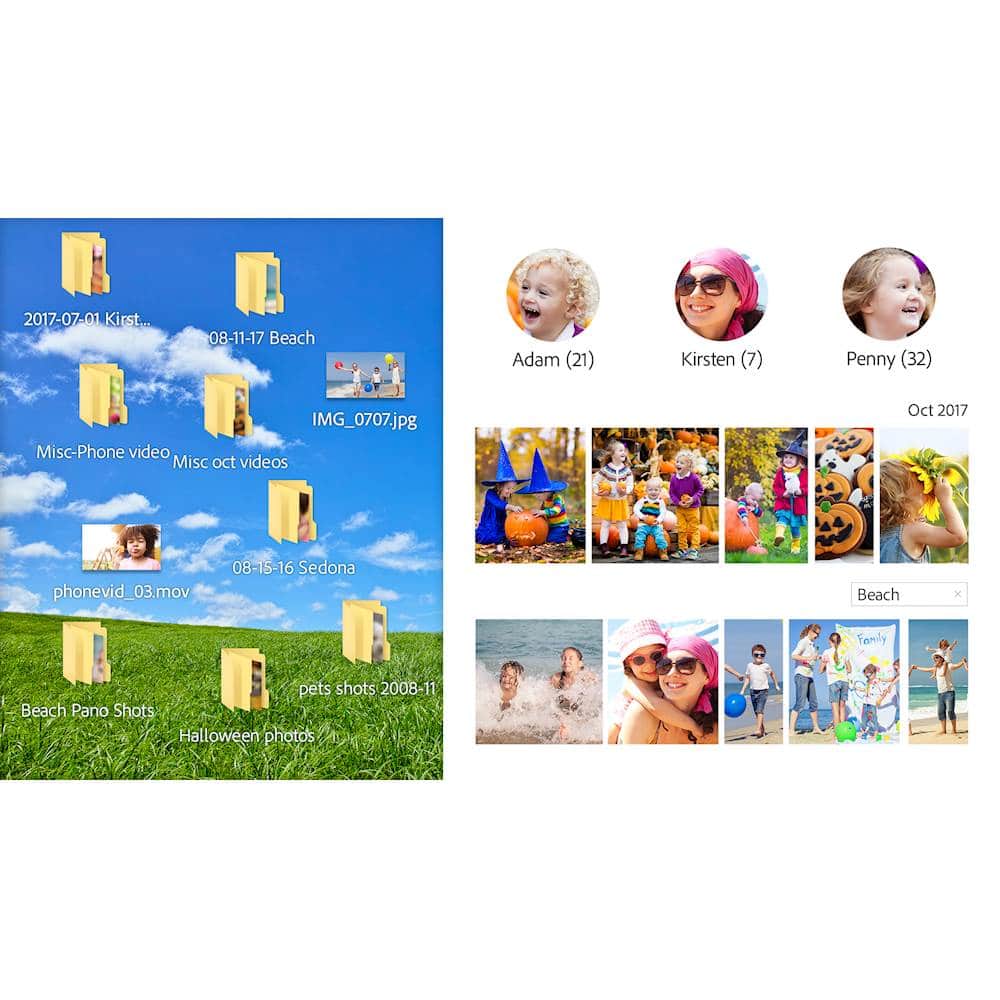
||Posted .This reviewer received promo considerations or sweepstakes entry for writing a review.Love this program to organize my pictures and videos. Easy to use.
I would recommend this to a friend - Pros mentioned:Ease of use
Great Software
||Posted . Owned for 1 month when reviewed.This reviewer received promo considerations or sweepstakes entry for writing a review.Works great for our application. Love the ease of use.
I would recommend this to a friend - Pros mentioned:Ease of use
Easy to learn for simple videos
||Posted .This reviewer received promo considerations or sweepstakes entry for writing a review.Love Adobe products, and Premier Elements is no exception!
I would recommend this to a friend - Pros mentioned:Ease of use
Easy editing
||Posted .This reviewer received promo considerations or sweepstakes entry for writing a review.As advertise and it was at a great price, easy editing
I would recommend this to a friend - Pros mentioned:Ease of use
Great program for beginners or professionals
||Posted .This reviewer received promo considerations or sweepstakes entry for writing a review.It is a program for simple to sofisticated projects.
I would recommend this to a friend - Pros mentioned:Ease of use
Great Editing
||Posted .This reviewer received promo considerations or sweepstakes entry for writing a review.Makes editing your videos great. Very user friendly
I would recommend this to a friend - Pros mentioned:Performance, Video editing

Easy to use, will not outgrow this upgrade soon
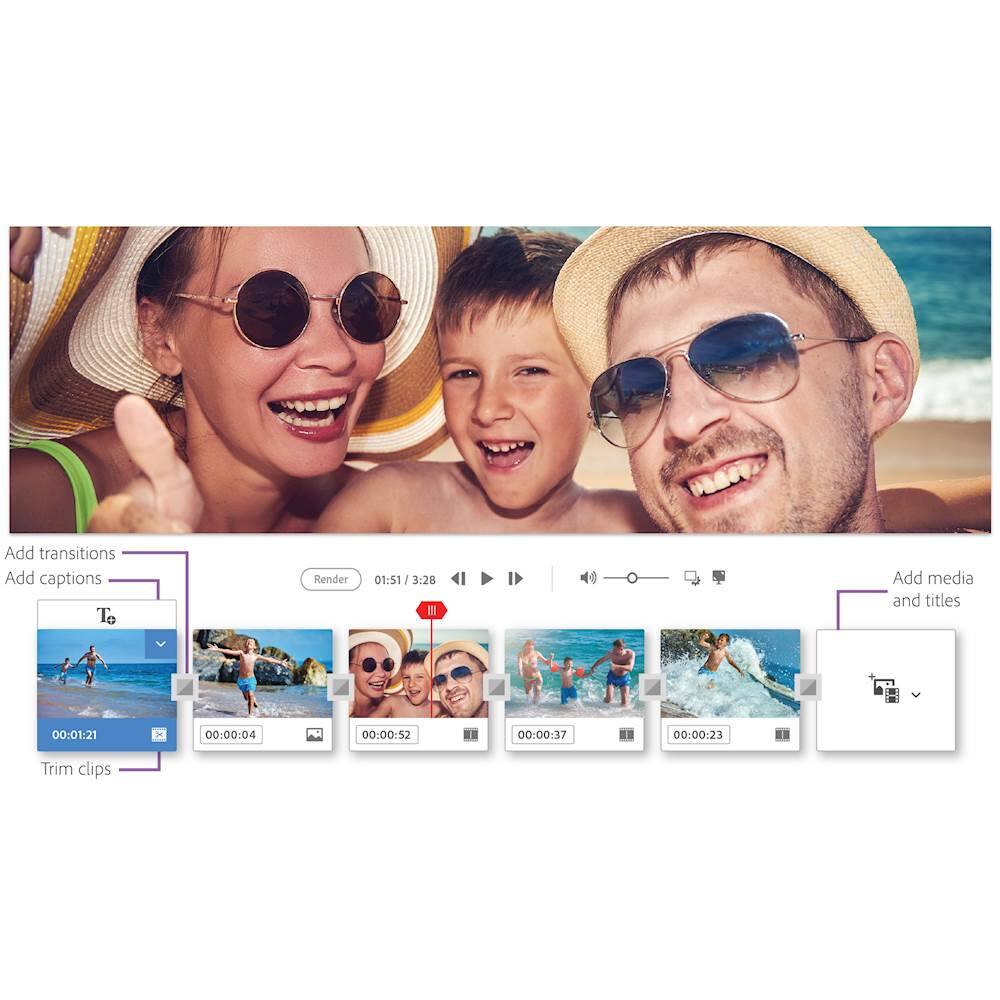
|Posted .This reviewer received promo considerations or sweepstakes entry for writing a review.I'm a casual user, so dropping big $ for a professional video editing software is not going to happen. Typically, I'll edit some videos several times a year after a family occasion such as vacation. I am no expert, but that’s OK as the user interface is easy to use and there are many tools to make what used to be complex edits easy. I've been using Adobe Premiere Elements 13 for about 4 years. There are some new features that were of interest to me, so I bought the new 2019 version. Adding an onscreen title works well. The new AI feature is good, but I have not always agreed with it. But it gets you off to a great start where you can start tweaking and thus can save you time. There are tools to fix some common video problems like distortion, brightness, color saturation, etc. The home screen makes sense and I was able to find way around OK. Also, the opening window has video tutorials that were worthwhile. If this new to you or it has been awhile, I would recommend them. Some are on YouTube. This new version is also quicker which is appreciated. It’s not tremendously fast, but the new features did not seem to incur any performance penalty. Working with very large video files is always going to be slower than one thinks. No subscription is needed, but you must create an Adobe account. You install it and can use it as long as you want. You can install it on up to two PC's, even a PC and a Mac. However, its licensed for use on just one PC at a time. Check your hardware specs to ensure your PC is compatible and has the resources needed. Video editing is one of the most demanding applications you can get. You must have a 64-Bit of Windows 7 or newer. You need a 2GHz dual core CPU and 4GB of RAM for basic use, but you really need 8GB+. To edit 4K videos, you will need more, an i7 with 16GB+ of RAM. A basic install needs about 6GB of disk space. Install the optional content you'll chew up 10GB of space. Plus, you need room for your videos and working space. For my occasional use, Adobe Premiere Elements gives my videos a pro look with little effort. You can really go crazy with the expert mode, add a sound tracks and really dazzle people. I'll be exploring the capabilities for some time to come. I suspect there's more than most home users will ever need. This is a solid title, as you would expect from Adobe. It was well worth the long overdue upgrade.
I would recommend this to a friend Recommended by a friend
||Posted . Owned for 11 months when reviewed.This reviewer received promo considerations or sweepstakes entry for writing a review.I needed to learn more video editing tricks so I was told by my photographer friend who knows about editing to buy this one I haven't started my video editing yet so I can update when I finish a few projects
I would recommend this to a friendUser friendly
||Posted .This reviewer received promo considerations or sweepstakes entry for writing a review.I have the 2015 version and purchased the newest version hoping for something different but not much difference. If you have an older version, save your money. Overall this is a great program and very user friendly.
I would recommend this to a friendSimple and Quick
||Posted .This reviewer received promo considerations or sweepstakes entry for writing a review.Bought this with my wife Surface Laptop 2, it was simple and quick to use. My wife liked having the ability to edit video with out all the "heavy" tools that are in more expensive versions.
I would recommend this to a friend- Pros mentioned:Ease of use, Video editing
Great Creative Fun
|Posted .This reviewer received promo considerations or sweepstakes entry for writing a review.I started using adobe products for photo editing for over 20 years ago. Back then who would have imagined the ubiquitous nature of photography as we now all carry around very nice cell phone cameras everywhere we go. I now capture loads of high quality images and even 4K videos almost daily but all these snapshots and video clips can remain pretty standard unless elevated through editing. That’s where Adobe products shine. While I was certainly familiar with Adobe photo editing programs and apps I had never used their video editing software until I got Premiere Elements 2019. Installation was simple and pretty standard except that you are required to sign up for an Adobe ID or you can sign in via Facebook or Google. Then the fun begins. From experience I know that Adobe products are so loaded with features that they can sometimes seem initially overwhelming. I was relieved as I started my first Premiere project as it was quickly evident that Adobe here goes to great lengths to make this product intuitive to use. There are plenty of tutorial videos to help along the way too. There are also three user modes that you can chose from to start your masterpiece. There’s the Quick mode, the Guided mode, and for more advanced users there is the Expert mode. Within each mode there are a multitude of options you can use to personalize your video to your desired style, look, and taste. I opted at first for the Quick mode. I had recently visited a museum and had taken loads of photos and some videos so I wanted to combine these photos and videos to create a single movie. I honestly think the best way to learn Adobe Premiere Elements is to just play with and explore all the options to see what each adjustment does. There are plenty to chose from. The variations are endless and fascinating. You can easily create titles and add theme music. There are also dozens of video effects that you can try. These act much like filters in photo editing. What fun! After playing with various options for hours of creative fun I decided I liked my movie so I rendered it. Here Premiere combines all your images and videos and adds all your selected effects and adjustments. I have a fast and modern computer with 16gb of RAM and a very good video card but wow you could tell it was working hard to render my video. It was up to task but just make sure your computer meets the required specifications. My resulting movie turned out great. I showed friends and family and they were truly impressed by my creation. Gone are the days of a boring slideshow on my tablet as I share photos by flipping though them. Adobe helped me memorialize a great day with my friends at a museum. I can’t wait to create more. Adobe doesn’t disappoint. Highly recommended.
I would recommend this to a friend Just what I needed
||Posted . Owned for 1 month when reviewed.This reviewer received promo considerations or sweepstakes entry for writing a review.This is the easiest and cheapest course. I am so glad I didn’t go with the other and chose premiere for my video editing.
I would recommend this to a friendGreat Product
||Posted .This reviewer received promo considerations or sweepstakes entry for writing a review.This adobe Premiere is exactly what I needed to edit photo and video. I would recommend.
I would recommend this to a friendIt’s ok
||Posted .This reviewer received promo considerations or sweepstakes entry for writing a review.I liked this ok. I actually thought I was buying photoshop but decided I’d keep it.
I would recommend this to a friend- Pros mentioned:Effects
Powerful if you make the effort.
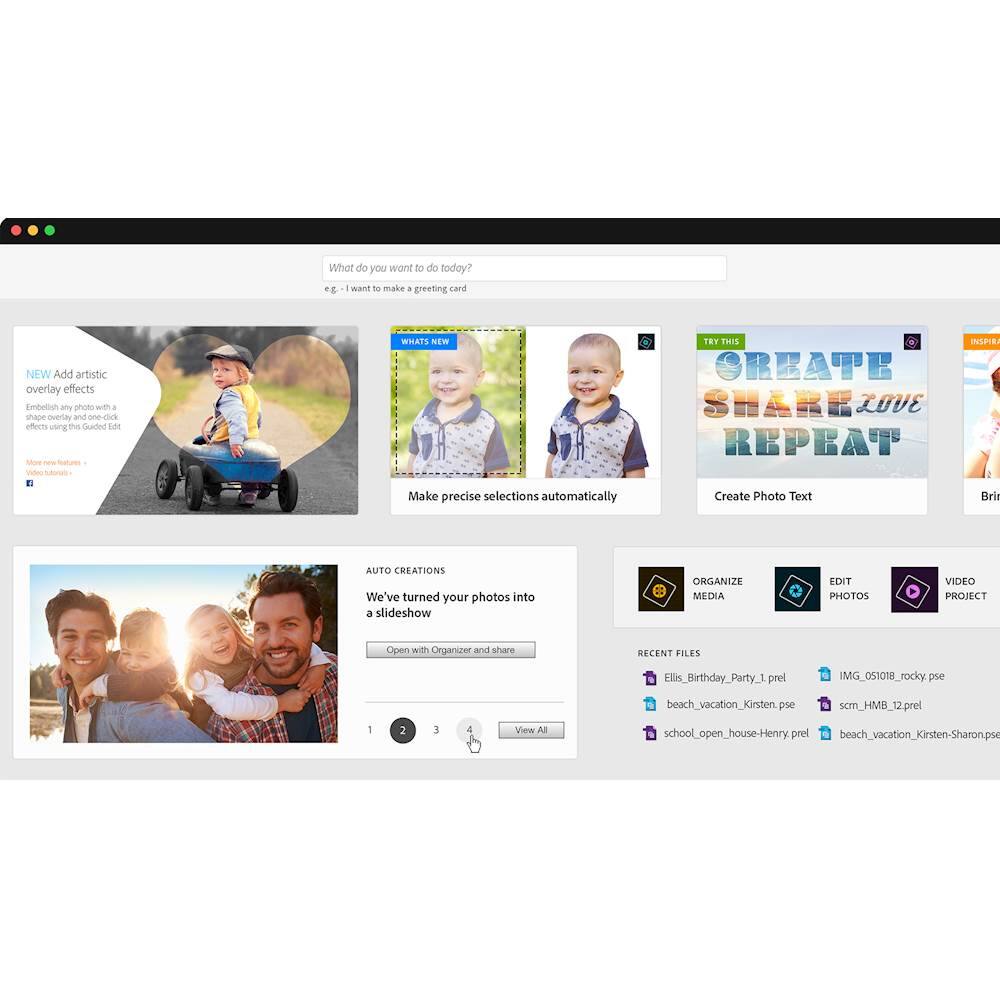
|Posted .This reviewer received promo considerations or sweepstakes entry for writing a review.If you only want a program to automatically make quick videos with little or no effort or input from you, Premiere Elements may be more than you need. While it can be as automated as you wish, even in Quick Mode it allows a fair degree of interaction and control … if you wish. But where it really shines is in its near professional editing capabilities in Expert Mode. Testimony to that capability is that it's is a massive 3.3 GB download. All video editing programs are hardware intensive, but Premiere demands some serious computing power, storage and video capabilities to function with reasonable speed. The program opens with a home screen that offers changing help videos, project suggestions, a choice of previous projects and such. You can directly access the bundled Adobe Organizer, the Photo Editor (Photoshop Elements), or the Video Editor (Premiere Elements). Unless you purchased the Photoshop/Premiere package, it will offer download a Photoshop Elements trial version when you click “Photo Editor”. I find this screen more bother than help once you’re familiar with the program, but they don’t give a method of bypassing it. If you search in your Program Files folder, you can find “PremiereElementsEditor.exe” and create your own shortcut. If you don’t know how to do that, perhaps you should stay with the default home screen. A feature that Elements touts is its AI ability which lets it search out the best parts of your videos and photos, assemble them and even trim your videos. There is a “Smart Trim” feature can be a real time saver which has settings to search for the best segments with people, action or a mix of both. I would suggest that you still need to review its “decisions” and adjust the trims to get your desired result. It then exports the trimmed clips back to your project timeline. As mentioned, the Expert Mode gives you total control of your project. You can have multiple video and audio tracks, designate keyframes for various actions, add narration and music, and about anything you can dream up. The number of options for titles, transitions, and special effects is extensive with exotic motion and special effect choices all of which can be customized. However, if you want to make use of the Expert Mode, plan on watching some tutorials and making the effort to learn the ins and outs of this powerful program. This is typical of Adobe products. They are exceptionally powerful and versatile, but they aren’t always intuitive. I’ve used other video editing software, but even so, I couldn’t just tough it through. There are some excllent tutorials on YouTube. This a big, powerful and extensive program. It can import all types of media, and it can export in a variety of formats and resolutions. You can let it be simple and automated, or you can have it be a near professional level video editor. If you’re wanting more ability and choices than the beginner editors available, this is a great alternative and well worth the price. Plan on making some effort to learn and have good hardware to run it on.
I would recommend this to a friend