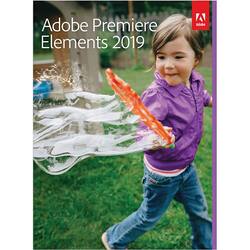
Adobe - Premiere Elements 2019
- Key Specs
- Software Format: Physical (Physical software requires a disc, cartridge, etc. be inserted into the gaming console or computer to download and/or operate the software. Digital software allows for downloading and/or playing the software on the gaming console or computer without a physical disc, cartridge, etc. Physical (Download Code Only) software is purchased in physical form with a code that allows for downloading and/or playing the software on the gaming console or computer without a physical disc, cartridge, etc.)
- General
- Product Name: Premiere Elements 2019
- Brand: Adobe
- Publisher: Adobe
- Model Number: ADO951800F115
- Features
- Software Subject: Video editing
- Compatibility
- Software Format: Physical (Physical software requires a disc, cartridge, etc. be inserted into the gaming console or computer to download and/or operate the software. Digital software allows for downloading and/or playing the software on the gaming console or computer without a physical disc, cartridge, etc. Physical (Download Code Only) software is purchased in physical form with a code that allows for downloading and/or playing the software on the gaming console or computer without a physical disc, cartridge, etc.)
- Requirements
- System Requirements: Intel Core i7 and 16GB RAM required for XAVC-S (4K editing); 1280x800 display resolution (at 100% scale factor); DVD-ROM drive; Internet connection required for product activation and content download (The software that a product must have for it to be able to integrate with another product.)
- Other
- UPC: 883919276557
Dive right in and do something amazing with your videos. Auto-generated photo and video slideshows and collages are created just for you and delivered upon launch. Get up and running quickly with the new home screen - see what's new since your last version, discover fun things to try, and get inspiring ideas, help, and tutorials. Effortlessly edit and create thanks to photo and video automation powered by Adobe Sensei AI technology. Easily make movies in the redesigned Quick Edit mode, which offers a simplified scene line that puts clips, transitions, text, effects, and more at your fingertips. Try artistic techniques and effects with 20 step-by-step guided edits. And share your favorite memories in everything from animated GIFs and video collages to dynamic slideshows and full-length movies.
- Get started creating: Beautiful photo and video slideshows and collages are created just for you and delivered upon launch. It's all powered by Adobe Sensei AI technology.
- Hassle-free organization: Go from hundreds of mystery folders scattered across your computer to a visual view of your videos automatically sorted by date.
- Intelligent video editing: Easily make movies in the redesigned Quick Edit mode, which offers a simplified scene line that puts your clips, transitions, text, effects, and more at your fingertips.
- Stunning creations: Photo and video slideshows and collages are automatically created and delivered to you to highlight memorable moments, such as birthdays and vacations.
- Shareable memories: Create animated bounce-back GIFs to easily share on social media.
Whats Included
- Adobe Premiere Elements 2019
Q: Is this a one time purchase or will it eventually require a monthly subscription?
A: The Adobe Elements series is one-time purchase only at this point in time. No subscription, with the trade-off that you have to purchase any upgrades at full or close to full (slightly discounted upgrade rates) price.
Q: Does this work with Apple Laptop?
A: Yes it should, however, check the specs of your laptop with the manufacturer's requirements and recommendations.
A: The differences are: Photoshop Elements is designed for people who take lots of photos and want to automatically organize them, make them look great, create with them, and print and share with family and friends. Premiere Elements is designed for people who take lots of videos and want to easily organize them, make them look great, turn them into polished movies, and share with family and friends. Both apps share a common Organizer for easy access to all photos and videos.
Q: is this a download or a dvd disc?
A: The version I bought at Best Buy was on disc (my preference). However, there are instructions and a code key included to download the program from the Adobe site if your computer doesn’t have a DVD slot
A: You can do some simple editing functions directly within the program. There are several very good instructional videos on YouTube.
Q: How many devices can you have this put on? Can it be downloaded on more than one laptop?
A: I believe when I installed it said you could install it on 2 devices but cant use both installs at the same time.
Q: Can this version be installed and run on Windows 7?
A: These are the system requirements stated at Adobe's website..... Microsoft Windows 7 with Service Pack 1, Windows 8.1, or Windows 10 (recommended); 64-bit versions only (32-bit not supported)
A: Adobe Premiere Elements 2019 is Adobe's Video Editor. It will run on Windows 10, 64 bit. Adobe Photoshop Elements is Adobe's Photo Editor.





















