Customer Ratings & Reviews















- Model:
- ADO951800F115
- SKU:
- 6288080
to a friend
Customers are saying
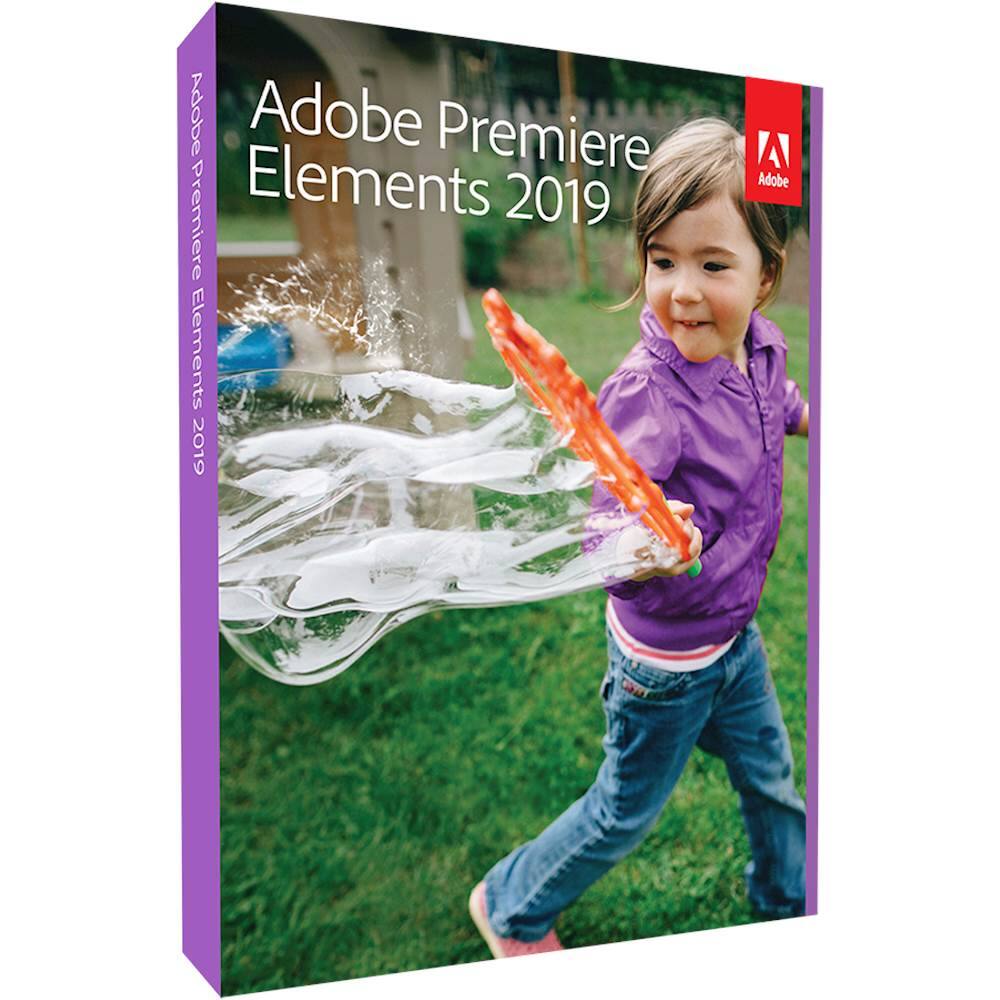
Customers enjoy the ease of use and intuitive interface of Premiere Elements 2019, finding it particularly well-suited for both beginning and experienced video editors. The software's video editing capabilities, extensive features, and impressive effects are also frequently praised. Users appreciate the performance improvements and high-quality output videos.
This summary was generated by AI based on customer reviews.
- Pros mentioned:Ease of use, Features, Video editing

Professional Photo Editing Made Easy
|Posted .This reviewer received promo considerations or sweepstakes entry for writing a review.Adobe has truly done an excellent job at providing professional video/photo editing tools in a way that is simple for beginners while also being feature rich enough for the most advanced. If you own a previous version of the software, you will be able to begin using the 2019 version with absolutely no learning curve. If you are new to the program, learning how to edit is a breeze. The software includes many guided tutorials that walk users through both simple and advanced editing. While it is easy enough to jump right in and figure out basic editing without any help, I do recommend that all users (old and new) take a look at the tutorials as they will undoubtedly teach everyone something new and inspire users to try features that may have been missed. And, because the program is so popular/common, any tutorial that isn't available within the software is available on YouTube. I originally purchased the 2015 version so that my wife could create & edit Make-Up tutorials for YouTube, but we have all been able to utilize the program. The update has provided many welcome updates including additional video transitions and animated titles that have been quickly utilized - as well has many new features to learn. Overall, I have been genuinely impressed by how hard Adobe has worked to update the software in a helpful way. Transitioning to the new version was a guided process that walked us through what had changed and what features were new. I genuinely appreciate that the software contains such a wide array of features and is easy to use while remaining generally affordable. If you are interested in adding some impressive flair to your editing - this is definitely a useful tool.
I would recommend this to a friend - Pros mentioned:Ease of use, Performance
A Few Revisions From 2018
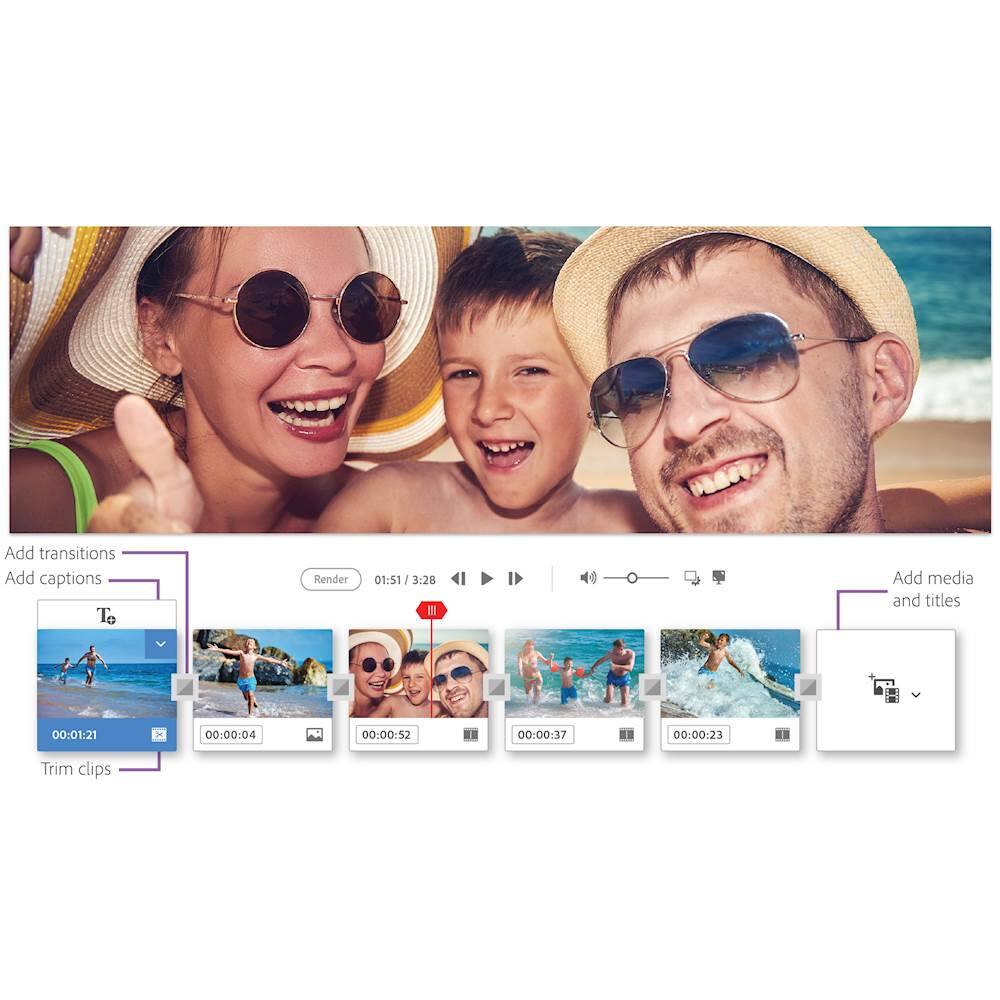
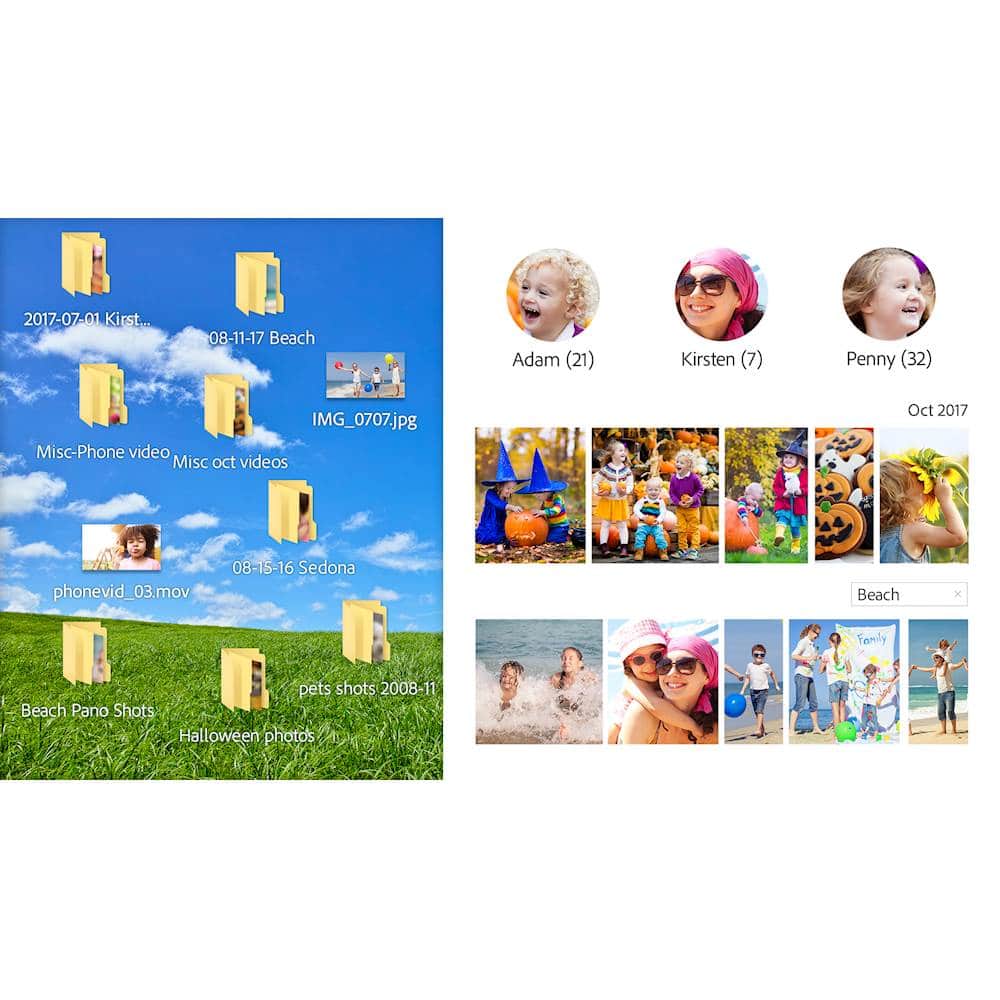
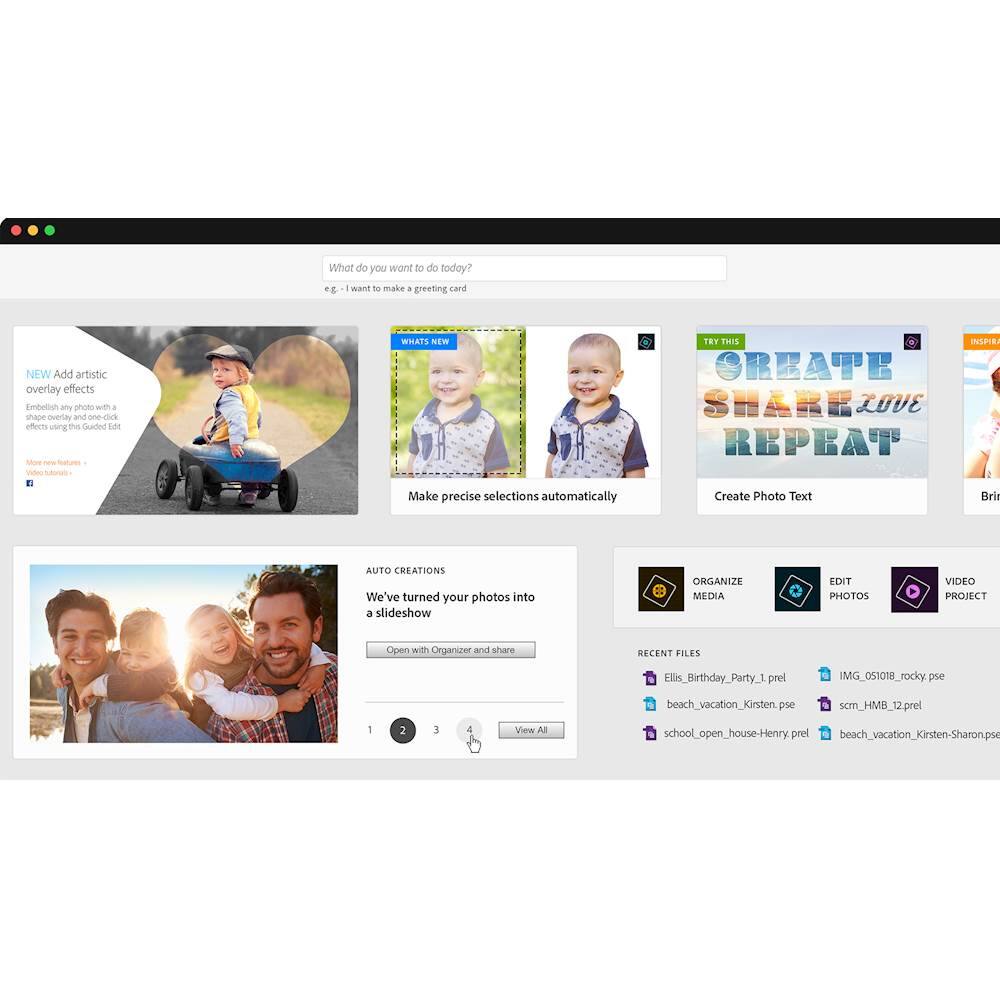
|Posted .This reviewer received promo considerations or sweepstakes entry for writing a review.The new release of Adobe Photoshop Premiere Elements 2019 feels more like a makeover of their 2018 release than a substantially new product. They have added support for three file types: VFR (variable frame rate), HEIF (high efficiency image format), and HEVC (high efficiency video coding). They claim to have a faster installation - I didn’t notice much improvement and you only need to install it one time (typically). Adobe also claims that this new version has faster performance - none of the processes I tried took noticeably less time (their 2018 release had great algorithms). They also added a couple guided effects that failed to impress me. But there are three areas where the 2019 release differs dramatically from its predecessor. (1) They completely changed the home screen (or splash screen or hub or whatever it’s called). In the past, when you open Elements or Premiere Elements, it would bring you to an introductory screen where you would choose whether you wanted to edit photos or videos. For me, since I have different versions installed, this strange introductory screen would only recognize a single product installed - it would never recognize that I had different installations on board. Well, instead of fixing that, they surrounded the choices with links to tutorials and tips - something I find helpful as a relatively low-level user (but it doesn’t change any functions). See pictures. (2) Also on this initial screen, they have added a link to content that the program generates automatically based on the video content you have stored - it’s called Adobe’s Sensei AI. So new to 2019 is some automatically generated content for your evaluation. But, again, this doesn’t change any functionality. (3) The real substantive difference in their active content generation design is immediately apparent in Quick Edit mode - it has been (to my eye) completely redesigned to make video compilations and simple edits and titling MUCH easier. I have never liked the Quick Edit mode in 2018 - I thought it was clunky and counterintuitive. Adobe made some intelligent changes here - and surely it is this change that merits a new release designation (the opening screen and the AI assistant could have been released as updates since neither one affects the functionality of the underlying program). Photoshop Elements and Photoshop Premiere Elements are both fantastic programs - they offer capabilities way beyond what I will ever use. Their algorithms are fast and most of their designs are intuitive. With their new introduction screen and their AI work, they are starting to include features that will appeal to very novice users (Premiere Elements is already chock FULL of cute features and effects!). But all that novelty sits atop a solid and powerful foundation that allows the user nearly infinite editorial control over video content. I’ll reassert that Premiere Elements 2019 differs only in a few details from 2018 but I want to make sure I am clear that both are powerful and well-designed programs overall.
I would recommend this to a friend - Pros mentioned:Ease of use
Easy to create products
||Posted . Owned for 1 month when reviewed.This reviewer received promo considerations or sweepstakes entry for writing a review.Bought this on sale as I needed a program to transfer old scanned slides and videos into different DVDs for family memories. Easy to use interface. If you are amateurs or pro this gives you a lot of the same tools and features as Photoshop for a fraction of the cost. Snappy with Windows 10.
I would recommend this to a friend - Pros mentioned:Video editing
Be patient
||Posted .This reviewer received promo considerations or sweepstakes entry for writing a review.When I purchased this, the sales associate advised, "Be patient." She knew what she was talking about. Judging from the effort to work the basic video functions, the learning curve for the advanced features must be very steep. In the basic application, options for slide transitions, titles and text are limited or downright clutzy, but perhaps the advanced functions offer greater versatility. Even so, once you get the hang of the basic features, compiling a movie from still shots and videos i is relatively straightforward, and the final products are crisp and easy to watch. Premiere Elements is worth the purchase price, I think … if you are willing to be patient.
I would recommend this to a friend - Pros mentioned:Ease of use, Performance
Gotta have Adobe
||Posted . Owned for 1.5 years when reviewed.This reviewer received promo considerations or sweepstakes entry for writing a review.This is one of the top programs out there to use for photography editing. It is ahead of sony and canon and does not have any product issues. Very good and intuitive for the beginner.
I would recommend this to a friend - Pros mentioned:Ease of use, Video editing
Fun to Use.
||Posted .This reviewer received promo considerations or sweepstakes entry for writing a review.Premiere Elements is fun to use. It’s good for both video and audio editing with many useful functions. I have so much more to learn that I will be busy for a considerable time.
I would recommend this to a friend - Pros mentioned:Ease of use
Photo editing
||Posted . Owned for 1.5 years when reviewed.This reviewer received promo considerations or sweepstakes entry for writing a review.Great program for beginners in photo editing. Intuitive and easy to use. Purchase the newest edition though...not this older version.
No, I would not recommend this to a friend - Pros mentioned:Ease of use, Video editing
All the basic video editing tools you need.
||Posted . Owned for 1 month when reviewed.This reviewer received promo considerations or sweepstakes entry for writing a review.Great for beginning video editing. All the basic tools you need to start editing. Very easy to use.
I would recommend this to a friend - Pros mentioned:Features
Exactly what videographers need
||Posted . Owned for 1 month when reviewed.This reviewer received promo considerations or sweepstakes entry for writing a review.Premiere Elements by Adobe has all of the 'bells and whistles' needed for great videos. I was a bit apprehensive after reading some negative reviews, but the program works perfectly. It is very similar to previous Elements releases, but has been updated to include more features that lend a more professional look to my 'productions'.
I would recommend this to a friend - Pros mentioned:Ease of use
Great Editing Program
||Posted .This reviewer received promo considerations or sweepstakes entry for writing a review.I am a new producer with a local cable network. This is the same program they use at the studio for editing. Now, I can edit at home then just take it to the studio for final editing purposes before I submit my projects.
I would recommend this to a friend - Pros mentioned:Ease of use
Good beginning video editing software
||Posted .This reviewer received promo considerations or sweepstakes entry for writing a review.This software is fairly easy to use compared to other programs. It does assume you know something about editing and dies a few tasks differently than other software. Wish the help videos were more thorough
I would recommend this to a friend - Pros mentioned:Ease of use
Home videos and slideshows
||Posted .This reviewer received promo considerations or sweepstakes entry for writing a review.Premier Elements, the video version of Photoshop Elements lives up to the Adobe name. Easily assemble videos from video files and still photos. Great for archiving your memories and creating unique gifts
I would recommend this to a friend - Pros mentioned:Features
Juat what I needed
||Posted . Owned for 1 month when reviewed.This reviewer received promo considerations or sweepstakes entry for writing a review.This product by far exceeds my expectation! I can add so many advances features to my YouTube videos which is my primary reason for purchasing. I recommend this product to anyone!
I would recommend this to a friend - Pros mentioned:Ease of use
It's pretty easy to use
||Posted . Owned for 1 month when reviewed.This reviewer received promo considerations or sweepstakes entry for writing a review.Love it you don't have to be tech savvy to really understand and learn how to use this program fairly easy we can make music videos with this Thing 2 if you know she's doing
I would recommend this to a friend - Pros mentioned:Video editing
Good Program - Many Features
||Posted . Owned for 3 weeks when reviewed.This reviewer received promo considerations or sweepstakes entry for writing a review.Good software program. I had to learn it quickly (basic info) as I was in the middle of a big project. Good quality videos can be produced.
I would recommend this to a friend - Pros mentioned:Video editing
Good
||Posted .This reviewer received promo considerations or sweepstakes entry for writing a review.Got this as a gift for my father. He said it works great and meets all of his requirements for video-editing. Would recommend it to others.
I would recommend this to a friend - Pros mentioned:Video editing
Best editing software
||Posted . Owned for 1.5 years when reviewed.This reviewer received promo considerations or sweepstakes entry for writing a review.Needed a good program to edit my travel videos. After doing a lot of research I landed on Premiere Pro
I would recommend this to a friend - Pros mentioned:Ease of use
It work great and it east to learn and used
||Posted .This reviewer received promo considerations or sweepstakes entry for writing a review.the video and the time it took for me to load up the photos and set up the video with music was made ease with example boxes.
I would recommend this to a friend - Pros mentioned:Ease of use
Great Software
||Posted . Owned for 3 weeks when reviewed.This reviewer received promo considerations or sweepstakes entry for writing a review.Good editor, easy to use for beginners. Simple workflow. Multiple export options to suit every production need.
I would recommend this to a friend - Pros mentioned:Video editing
high school class tool
||Posted .This reviewer received promo considerations or sweepstakes entry for writing a review.Gift for grandson taking multimedia class. Added flash of family videos for him to practice with.
I would recommend this to a friend