Customer Ratings & Reviews















- Model:
- ADO951800F115
- SKU:
- 6288080
to a friend
Customers are saying
Customers enjoy the ease of use and intuitive interface of Premiere Elements 2019, finding it particularly well-suited for both beginning and experienced video editors. The software's video editing capabilities, extensive features, and impressive effects are also frequently praised. Users appreciate the performance improvements and high-quality output videos.
This summary was generated by AI based on customer reviews.
- Pros mentioned:Ease of use, Effects

Fantastic Video editor with AI added in...
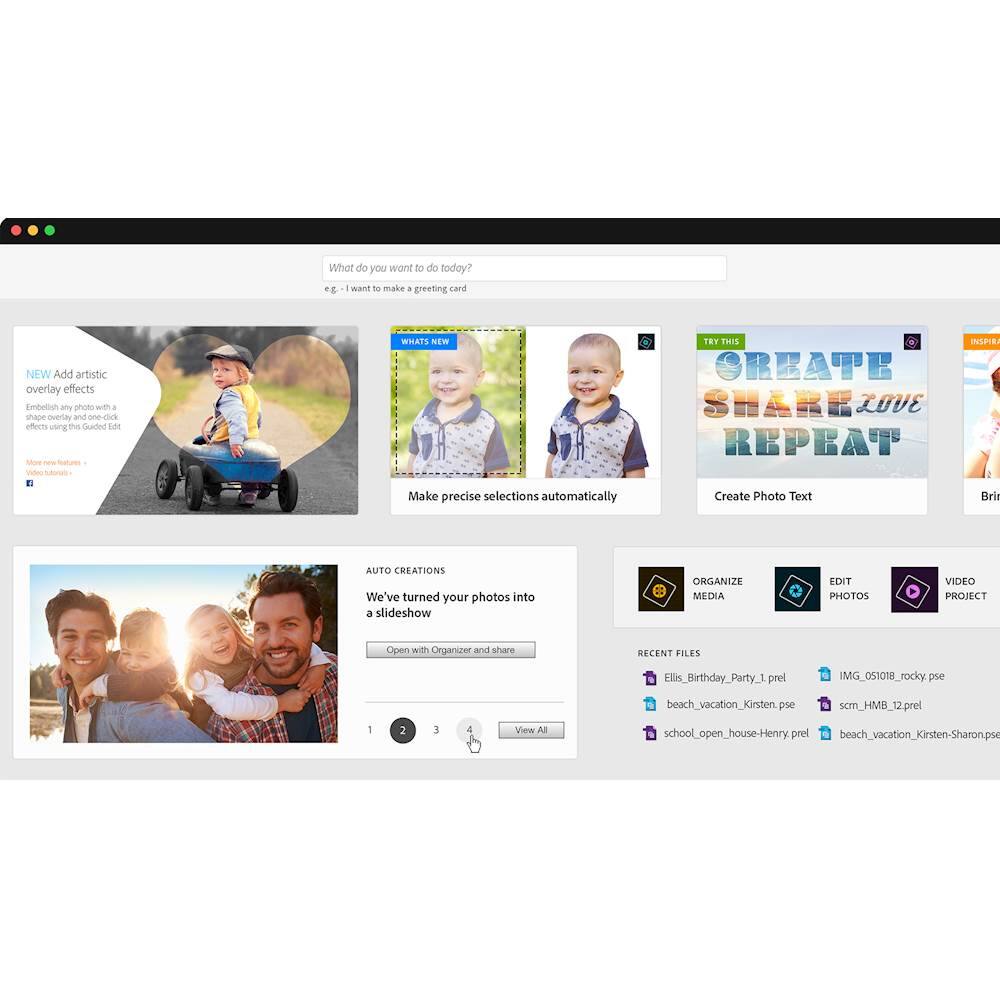
|Posted .This reviewer received promo considerations or sweepstakes entry for writing a review.All of the features that you look for in a video editor with some cool Artificial Intelligence added in. If you take lots of videos (and who doesn’t these days) this program will help you edit them to become visual masterpieces. The Home screen allows all functions to be at your fingertips so there is no need to hunt for features etc. One of the coolest features is Adobe Sensei, Adobes AI can auto generate (by scanning your content for photos and extracting them) photo and video collages that you can tweak the to your liking before finalizing. I had the luck that all the content that was produced with this feature so far for me has been great and they are easy to share on social media etc. Quick Edit (which uses Adobe Sensei) is a great feature that has a couple of guided edits that help you make any footage look great with easy trimming features that make creating content easy. There are also interesting effects and transitions to help you customize scene changes, the look and mood of your video etc. Overall I’d recommend getting this great video editor.
I would recommend this to a friend - Pros mentioned:Ease of use, Video editing
A great photo, video editing program for all
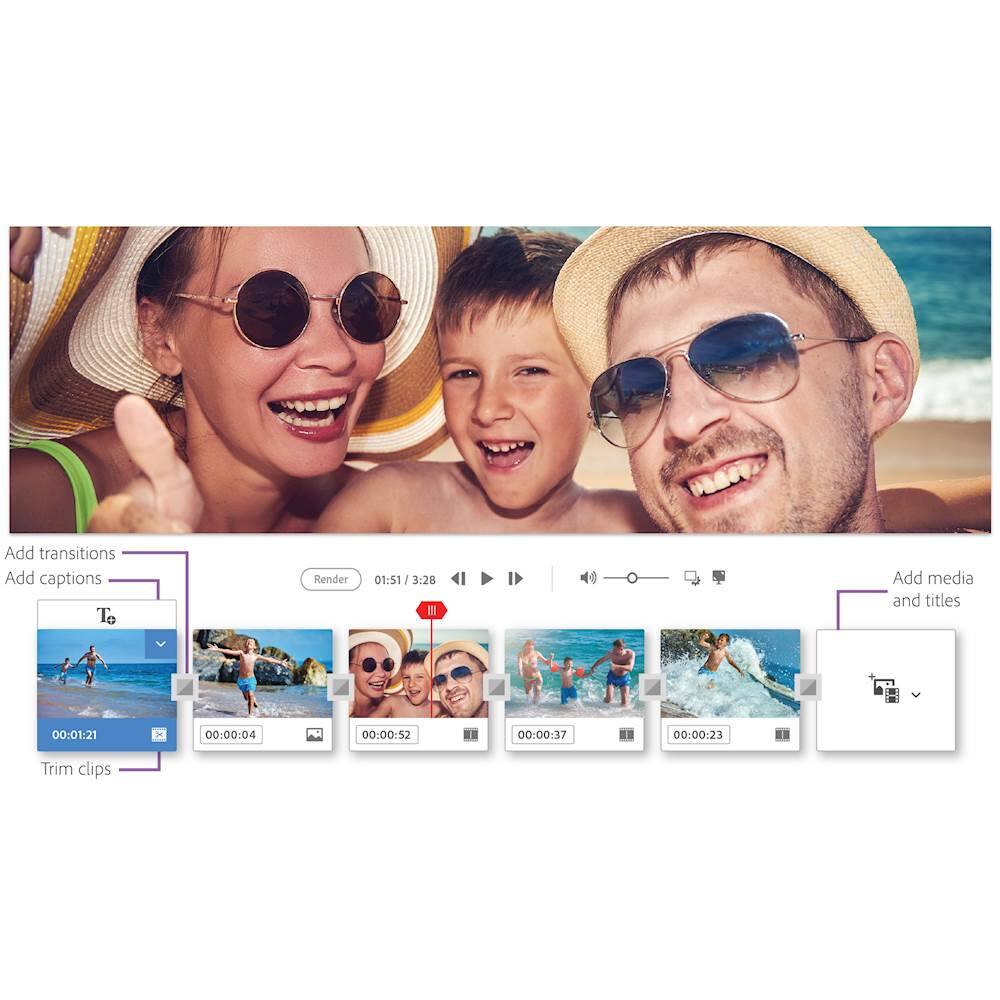
|Posted .This reviewer received promo considerations or sweepstakes entry for writing a review.Through the years Adobe Premiere Elements has continued to enhance their consumer photo and video editing program, and now it is so enhanced that it is automated. Powered by Adobe Sensei AI technology, photo, video and collages are automatically created upon launching the program. Editing is effortless, and the Quick Edit mode has been totally redesigned to help make movies easier and faster to produce. But I find that possibly one of the newest version’s greatest feature is that it provides excellent instructional step-by-step guides that makes it much more of a creative teaching tool, than what exist in previous versions of this software. For the novice, the program has several very good tutorials that instructs techniques for making collages, slide shows, videos, remixing music – all that is required to make professional, shareable memories. Tutorials guide the user in step-by-step “how to” instruction for all the features and tools built into the program. The software program is sophisticated enough to allow one to make stunning, professional creations as dynamic as their imagination can take them. Twenty guided edits aids making movies easier and adds more creative techniques than in any previous version. Tutorials even guide the user on trimming videos. However, if one doesn’t want to put that much effort into making a video, then there is the simplified Sceneline tool where automation combines clips, photos, titles, music, and more into a unique production. New to this version of Premiere Elements is support for VFR (variable frame rate) and importing and editing HEIF and HEVC on MacOS operating systems. InstantMovie is another feature that pulls clips, themes, music, titles and effects together instantly. Music is easily re-mixed, and any music file can be added to any video. The software automatically adjusts the length of the music to match the length of the video and delivers a polished professional product. With one click, Slideshows automatically picks the best photos and brings them together in a short video clip that can be easily customized. Collages can be produced with the combination of videos and photos, and edited with titles, music, etc. Another fun element of the program is Video Story. Video Story takes your story ‘topic’, video clips, photos, etc. and trims, transitions, remixes music and leaves you with a full production of any special life event you wish to preserve. Premier Elements doesn’t ignore social media either, it makes it easier than ever to interact and share your creations and stories on You Tube, Facebook, Twitter, Instagram and other social sites. Adobe has been the leader in graphic software for decades. This is an excellent choice for preserving all those photos and videos, and is applicable for persons young to old, novice or professional, technical or creative -- or both. I have used many Adobe software programs for decades, both personally and in university teaching. I find Adobe products to always challenge creativity and be fun to use. I recommend this product and encourage you to explore the whole suite of Adobe products of which some interact well with this program.
I would recommend this to a friend - Pros mentioned:Ease of use, Effects
turn your rough clips to fantastic movies
|Posted .This reviewer received promo considerations or sweepstakes entry for writing a review.I am a travel blogger and since I am constantly using the adobe suite for other tasks, this program seems very familiar to me. There are lots of video editing software for vloggers out there, but Premiere Elements 2019 is a great one to pick. It’s the perfect mix of beginner-friendly and advanced functionality! But you’ll still need to experiment with it a bit to get comfortable with how it works. Nothing to worry about because Adobe provides plenty of tutorial videos to help you get along with the software! I noticed 3 modes. The Quick mode, the Guided mode, and the Expert mode for more advanced users. You can edit videos from your phone, DSLR, point and shoot cameras, or an action camera. Love all the options for titles, transitions, and special effects, but my favorite is being able to create a dramatic scene transition. Love it! And with the automated editing options and step-by-step guidance + their special effects, you can easily turn your rough video clips to fantastic fully edited movies! Super easy for those not too comfortable with editing in a more professional piece of software. Whether you’re looking to create home movies, GoPro videos, or YouTube videos, I would totally give Premiere Elements 2019 a try!
I would recommend this to a friend - Pros mentioned:Ease of use, Performance
Easily Add some Pizzaz to your videos
|Posted .This reviewer received promo considerations or sweepstakes entry for writing a review.Okay, so we all have a video camera in our pocket.... and for most of us that video camera is FANTASTIC. However it can only go so far with it's editing and trimming out the "blah" out of that awesome shot. Premiere is a cost effective way, to take your personal (and even professional) videos to the next level... Simple interface to use, to find the videos on your computer, and drop them into a timeline. Click/Trim, and get rid of the pieces you don't want. Add a fade in, or other cool transition. Find some cool music, and you are done. While there are some bells and whistles, the default and standard items are going to work for just about everyone without overwhelming. The auto software update feature from Adobe, will make sure your software is alwasy up todate, with the latest patches and features. This software is so easy to use, younger kids can even use it. They can surprise the family with a cool video for the holidays. The output videos are suitable for just about everything today: Facebook, Youtube, Playback on a TV... It also isn't just for videos, you can take those 1000's of pictures, and stitch them all together to make a slide show. No magic too it, it has a direct import for pictures. The output quality is fantastic, and retains pretty much the quality of the original.
I would recommend this to a friend Doesn’t work for what I was told it would do
||Posted . Owned for 2 weeks when reviewed.This reviewer received promo considerations or sweepstakes entry for writing a review.Not only is this program and not user-friendly at all but it’s Torio on YouTube videos do not help either.Not only is this program not user-friendly at all but it’s Torio and YouTube videos do not help either. when I bought this at the mall bro Massachusetts location I asked three people to verify that it would be able to take a ripped DVD and correct the audio sync issue. I was told by three people that this was the program to buy and then it would help me do just that yet I’ve had this program for almost a month and I still can’t figure out how it supposed to do it and adobe is no help. I guess I’m just mad that I spent $75 and a program that doesn’t do what I wanted to do it which is why I bought it and confirm with employees at Best Buy and it’s too late to return.
No, I would not recommend this to a friend- Pros mentioned:Ease of use
Nice! Good for beginners and experts!
|Posted .This reviewer received promo considerations or sweepstakes entry for writing a review.Review for Premiere Elements 2019 - Mac|Windows This video editing package is great for people just starting out in video with it’s easy to use slideshow and straight-forward drag and drop interface. But it really shines when you start trying to stretch your skills. Its tutorials help you get a leg up on using the more sophisticated features. I’m not a fan of 20 different types of transitions, any more than I think you should use 20 fonts, just because you have them. I think if you watch tv and movies, you can learn what works and what doesn’t for transitions. That said, Adobe has introduced some new, fresher-looking transitions that can make a well-thought-out edit enjoyable to watch. Keep in mind, like any editing program with sufficient depth, this package requires a sufficient processor and as much RAM as you can muster, the minimum requirements (64 bit OS, 2 GHz processor, 4 GB RAM) are only for the most basic uses. This package makes it easy to take your raw footage and turn it into something fun to share on your TV, tablet, or social media.
I would recommend this to a friend - Pros mentioned:Ease of use, Video editing
Don't Think There is anything better
|Posted .This reviewer received promo considerations or sweepstakes entry for writing a review.Ive tried several, movie making, slide creating software programs, but I just don't think anything else comes close to Adobe Premiere Elements. As always download and installation of Adobe products is very easy and straightforward, no issues for me. Although getting up and running is not too difficult, there is a bit of a learning curve with Premiere Elements, but this should really be no problem as there are literally hundreds of tutorials available in cyberland. I chose to create a short movie with some video clips I had from my last years vacation videos, and as I expected it turned out great. But the real test was a project my daughter is doing for school. With a little assistance from me, she was able to create a moving and powerful movie for her project. I was blown away at how professional it looked. I cant imagine there is anything, except your own imagination that would hold you back from creating whatever masterpiece you desire. If you are looking and in doubt, get Premiere Elements, you wont be disappointed. I can and do highly recommend it.
I would recommend this to a friend - Pros mentioned:Ease of use, Video editing
Editing made easy
|Posted .This reviewer received promo considerations or sweepstakes entry for writing a review.A very simple and automated video editing tool that is perfect for my needs. I have no patience in doing hours of video editing and absolutely no professional video editing skills and this Premiere Elements solved those personal issues for me. I just want to make my videos easier on the viewer to watch and this app does that for me easily. Don’t get me wrong though because this app does have a lot of professional features as well so if you want to get fancy you can. Pros - Very simple to use - Lots of templates - Very suitable for beginner and simple video editing Cons - NO 360 video support This is for simple video editing for people, like myself, that really don’t have time and don’t have professional video editing skills. If you just want to make your videos better quickly and share it, then I think this version of Premier is perfect.
I would recommend this to a friend - Pros mentioned:Ease of use, Video editing
Easy to Use for a Novice
|Posted .This reviewer received promo considerations or sweepstakes entry for writing a review.I wasn't sure what to expect from this product! Given the free alternatives available on the market, and the built in features of iOS, this one is a standout for it's ease of use! The software was able to quickly create a slideshow of my Nephews Birthday party, complete with transitions. The video editing modes are probably the most impressive. The guided feature helps determine great points in your video! You can make your own GIF's and other quick loop videos. If you're a major user of GoPro recordings, this is a must have software solution. It makes it easy to edit, filter, and add effects to any action cam captures. I don't have a GoPro, but given the feature rich video options, I think I may buy one! If you want an EASY (I mean really easy) to use video editor, this is the one for you! Totally worth the money!
I would recommend this to a friend - Pros mentioned:Ease of use, Features, Video editing
Easy to Use for Novice
|Posted .This reviewer received promo considerations or sweepstakes entry for writing a review.Great software for the casual user or novice video editor. There are many great tutorials and the software can guide you through the process. For the more experienced user, there are many advanced features. Overall a great product.
I would recommend this to a friend Great editing software for those looking to get pr
|Posted .This reviewer received promo considerations or sweepstakes entry for writing a review.I love, love, LOVE, this software. They took so many high end features from their Creative Cloud software and made it easier to use for novice users. What is great is all the phone formats this software will import, not just iPhone but virtually every other phone and camera that exists. Variable frame rate footage from phones like the iPhone are fully supported. There is a automated editing mode called “quick edit”, that will take your still photos and videos and quickly combine them and trim away any moving footage that does not have any moving action. It has some kind of AI (artificial intelligence) that scans thru video to do this, and trims away areas that have no action thru your videos, preferring shots that have multiple people in them too. You can also have it concentrate on either people or action, and even has a slider for you to weigh in on which it should lean on more heavily. You also get a storyboard type view, called sceneline, and it shows you your video and still clips, all the creative options you have availabe to you, and you can still see a storyboard of your whole main timeline cut in the same window. Very helpful, as you can see title options, fades, music, transition all in one centralized location. Speaking of editing, there are tons of transitions to choose from, and all of them make your videos look really cool. Overall, this is a great app, and you will not have to pay a monthly fee like their pro, Creative Cloud apps. This program is especially good for teens looking to get their feet wet in the world of video editing. Who knows where it could possibly lead them. Also great for anyone looking to make great YouTube videos!
I would recommend this to a friendNot for VOB files
||Posted . Owned for 2 weeks when reviewed.This reviewer received promo considerations or sweepstakes entry for writing a review.Probably would have been good for editing. Who knows?? Seems like Windows was fighting the program.
No, I would not recommend this to a friendEasy for beginners, powerful enough for experience
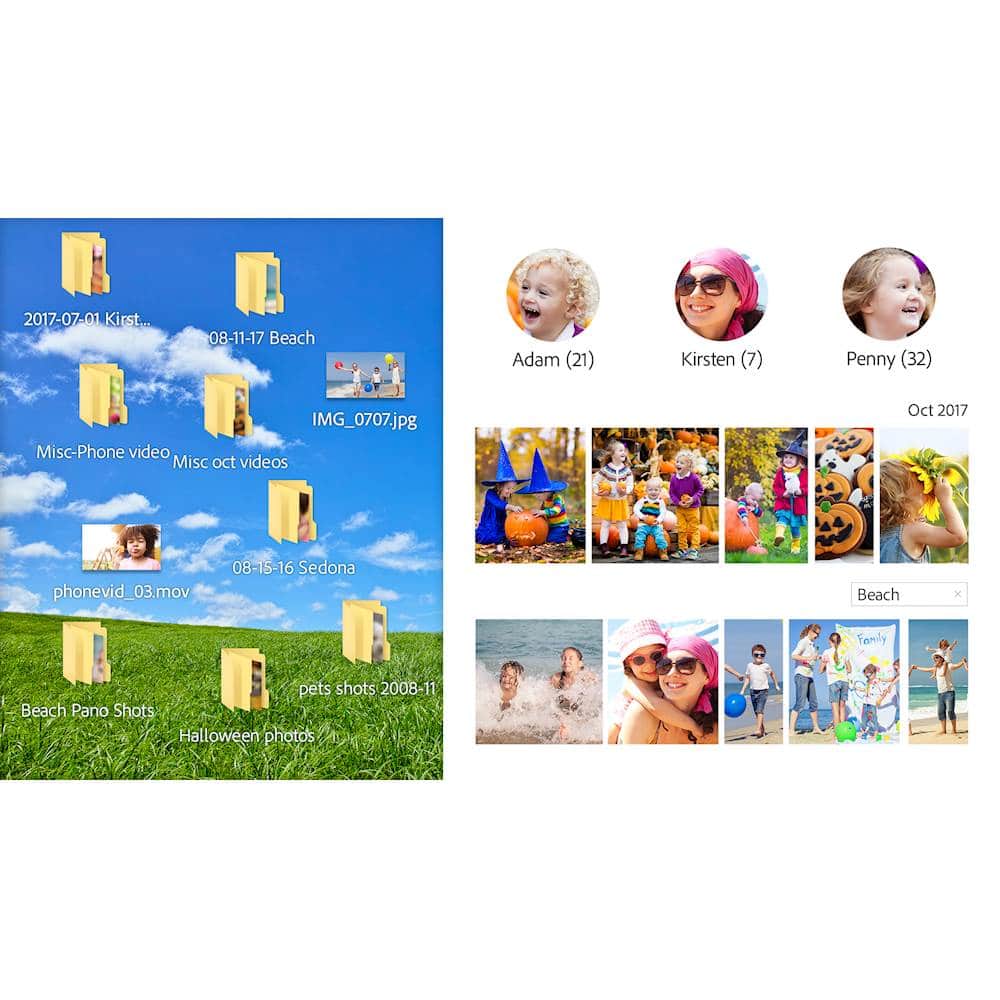
|Posted .This reviewer received promo considerations or sweepstakes entry for writing a review.The first thing you will have to do after you install Premiere Elements is sign in with an Adobe ID to use the Elements apps. Fortunately, I already had one for my other Adobe apps, but if you don’t have any Adobe apps you will have to create an ID. Once you open Elements you are taken to a Home Screen which stays open and once you create a video, slideshow, etc, another window will open to work on that project. From the Home screen you can access help, see feature tips, launch the programs and see Auto Creations. I really liked the feature that allows Elements to automatically generate slideshows and photo collages from your media. The Organizer window is where you import, keyword tag, rate and share media online. You can output your project to DVDs and other formats as well. From the pull down Create Menu you can create different types of projects. Many of the selections like creating a CD/DVD jacket, Calendar, greeting cards or photo books requires you to purchase Adobe Photoshop elements but you can download a free 30 day trial if you want to try it. The Organizer has a great search option that I found really helpful. There is a column of buttons appears along the left where you can filter your search by people, dates, keywords, photo albums, rating or smart tags. I found photos on my computer I didn’t remember and/or could locate before. Not being a photo or video creation expert, I really liked the Auto Creations feature. This let me create some excellent slideshows and videos along with music and preset effects. I plan on diving deeper into the application to see what kind of creations I can create on my own. Overall this application does quite a bit for the modest price tag. However, to get the full effect, you have to invest in some other Adobe applications.
I would recommend this to a friendNot so good. I guess it depends.
||Posted .This reviewer received promo considerations or sweepstakes entry for writing a review.I guess it depends on how much editing you want to do.
No, I would not recommend this to a friend- Pros mentioned:Ease of use
Great editing software
|Posted .This reviewer received promo considerations or sweepstakes entry for writing a review.Adobe provides great products for editing photos and videos, and this is another one. The end results are amazing. Most people won't need all of the features for personal use, but many will appreciate having those options. Photoshop Elements is bundled with this on some sites for those who want more, but this provided everything I wanted, and more, and most home users will not need the bundle. This version is not a subscription; it is a complete product with no monthly fees. It installs quickly, and is ready to use in a short time. An Adobe account is needed but takes just a couple minutes. One of the best features is the Quick Edit mode, which has been redesigned for this version. The Home screen is new here too. It has something called Sensei AI technology, which is how it does so much of the work for the user, by automating the process of editing videos and pictures in your creations. There are 20 guided edits that help you add in special effects and sounds, creating the results you want. You can create stunning slideshows and movies easily, and sharing these memories online is easier than ever. If you're looking for a product that is easy to navigate and nearly professional results, this product should work well for you.
I would recommend this to a friend - Pros mentioned:Effects
Good software, fun to use
|Posted .This reviewer received promo considerations or sweepstakes entry for writing a review.Overall, this is a great little video editing/ creating software. The biggest flaw that I have found with the Mac version is there is not a green screen option. Unlike other video editing software that is out there, this one does not include that option. However it is very user friendly, it has a guided tour, that will assist you while creating your own master piece, or you can jump right into the expert mode. I have got to say, there are some cool effects that are given. While attempting to edit a video, I needed to contact customer support, which by the way is a nightmare. Overall a good application, however given the fact that it does not come with a green screen option, and that customer service is an absolute nightmare, it will receive three stars.
I would recommend this to a friend - Pros mentioned:Ease of use
Makes video creation so EASY!
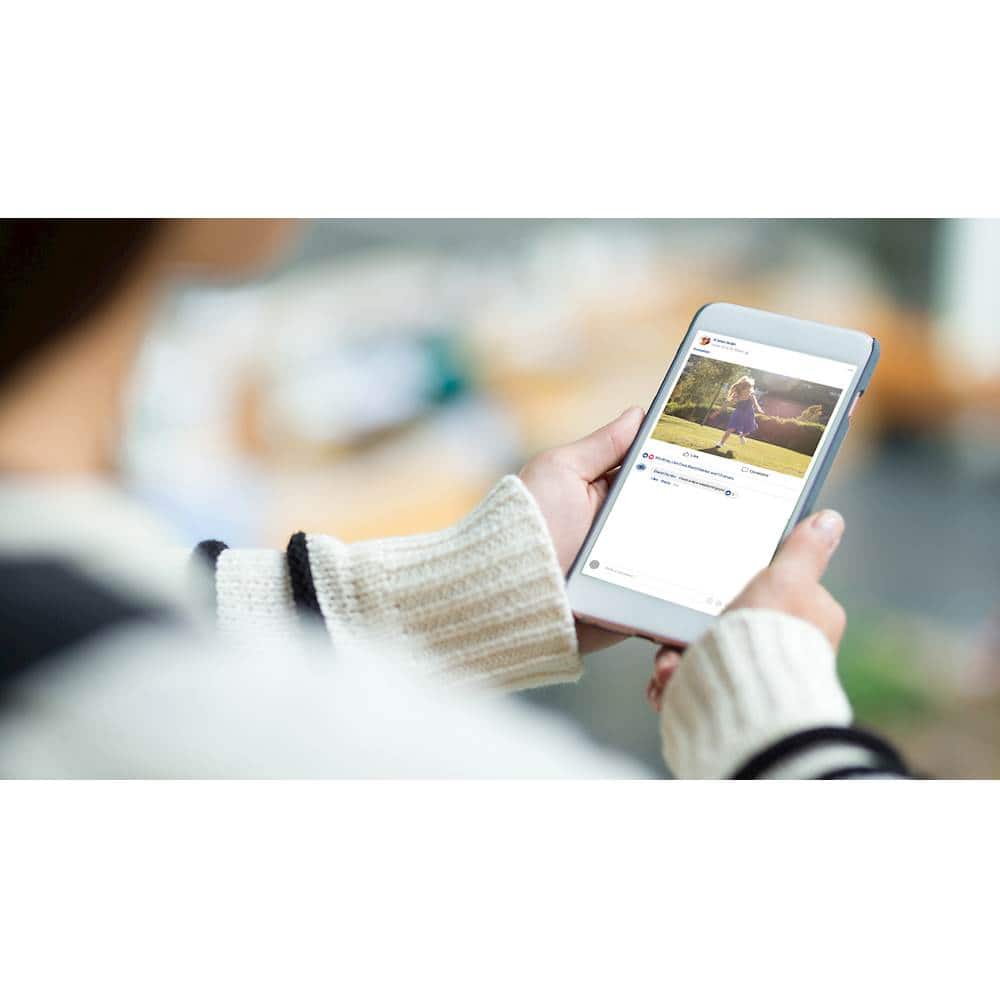
|Posted .This reviewer received promo considerations or sweepstakes entry for writing a review.I love it that this version makes everything easy. It asks you what you need to do in a very comforting way and it guides you through the process. By the way, I am not a video editor at all. But I have a million videos everywhere. The interface was so easy, I was able to create a 3 minute facebook ready video of an event I had from months back-- IN 20 MINUTES. It helped me import my videos and organize them. It has an easy tutorial video that guided me how I can navigate through the software. It asked me what I wanted to do and in minutes, I have created a video with text and music and all that. I think this is a must for people who have tons of videos you want to share--- and for those who feel like they hardly know how to tinker with things, what's WINNING in this Premiere Elements is the guide and tutorial. I'm glad the company focused on regular people like me!
I would recommend this to a friend Solid prosumer video editor and fx
|Posted .This reviewer received promo considerations or sweepstakes entry for writing a review.I came across Adobe Premiere Elements a few years ago and it quickly become my go-to software for editing family, hobby, and youth group videos. Adobe Premiere Elements may not be a "professional" level product, but it is nevertheless chock-full of so many capabilities, visual fx, and options that it can seem overwhelming. One of my favorite features of the product that helps rein it in and help you harness all those capabilities is its large library of "guided edits" -- videos that walk you step-by-step through common but maybe not-so-intuitive tasks and edits. Choose the guided edits for the features you want to use and you'll soon be trimming off the not-so-interesting parts of your video clips to make them more captivating and energetic, making bounce-backs, creating time-lapse effects from standard video, removing (or adding) lens curvature to straighten-out (or mimic) action cam footage, doing picture-in-picture, pan and zoom, etc. I have pretty rigid media organization habits anyway, but whether you do or don't Adobe Premiere Elements has a capable media organizer that helps you take it to the next level with the ability add metadata to your media library to bring the power of tags, captions, locations, and facial recognition to help you group your media more meaningfully and make it more searchable. Suitable for both the casual user and even the prosumer, Adobe Premiere Elements is a great way to get your hands on some great video editing software and to expand your editing horizons. I very rarely give 5 stars even to products I really like as there is almost always something noteworthy that holds back. That's not the case with Adobe Premiere Elements though -- it is priced right to do exactly what it says it does, and it does it very well. If you're new to Adobe Premiere Elements there will of course be a learning curve but take your time, learn the ropes, and I think you'll soon find it an indispensable part of your multimedia toolbox.
I would recommend this to a friendNot Even close to being right
||Posted .This reviewer received promo considerations or sweepstakes entry for writing a review.I was informed that this had Photoshop in it. It doesn't. At all!
No, I would not recommend this to a friend- Pros mentioned:Ease of use
Powerful but easy to learn
|Posted .This reviewer received promo considerations or sweepstakes entry for writing a review.This takes the best, most used features of Adobe Premiere and puts them in the hands of amateur video editors. Simple slideshows are a snap, but more complex video editing is possible. Filtering, transitions, titles, and sound editing is easy to learn. There are free products for video editing, but none approach the function and ease of use of Premier Elements. If you want to put together videos of your family vacation or of your kid's baseball season, you cant go wrong with this software.
I would recommend this to a friend