Customer Ratings & Reviews












- Model:
- ADO951800F147
- SKU:
- 6366190
to a friend
Customers are saying
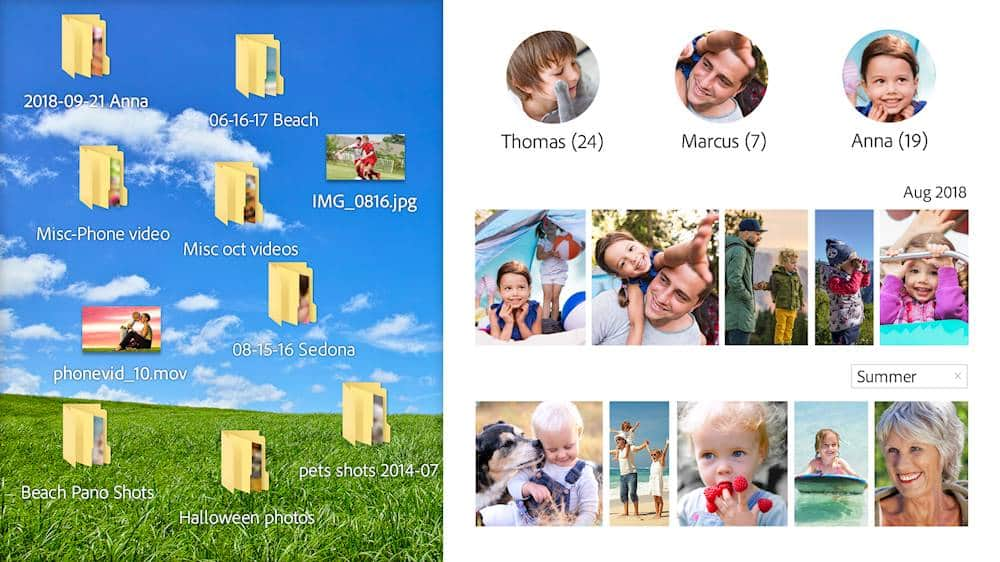
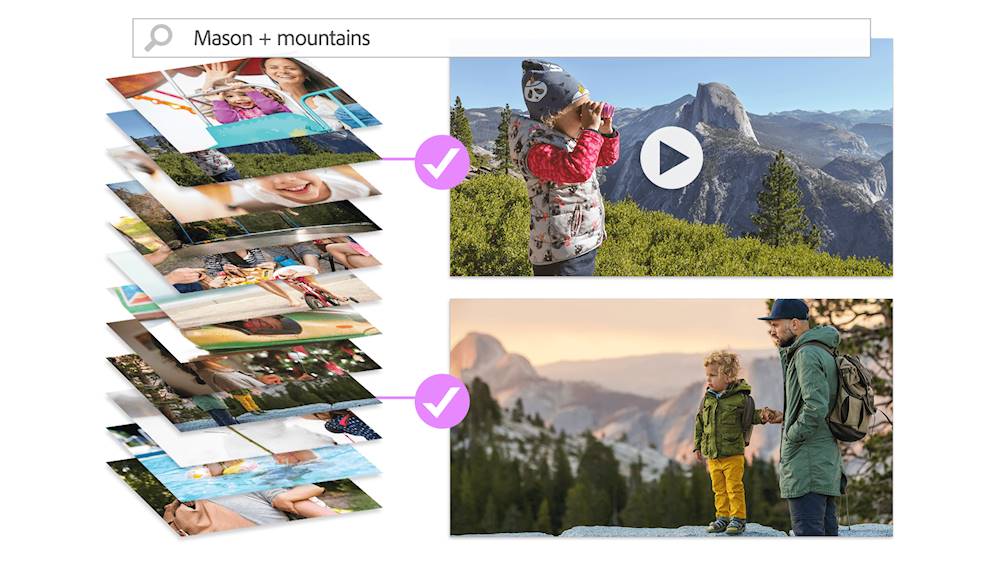
Customers recognize Premiere Elements 2020 as a user-friendly video editing software with an intuitive layout and smooth transitions. They appreciate its affordability compared to Adobe Premiere. While some users find the installation process time-consuming, many acknowledge the software's smart tags and face recognition features.
This summary was generated by AI based on customer reviews.

Simple, Basic, Good Features
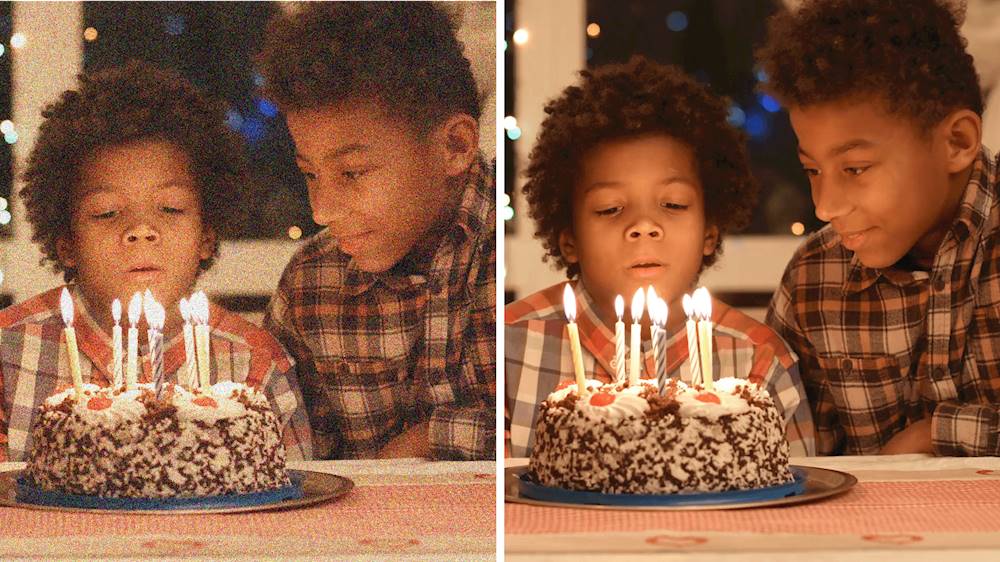
|Posted .This reviewer received promo considerations or sweepstakes entry for writing a review.Many good features. My personal use is for enhancing and clarity on my home security cameras which the noise reduction is excellent for removing a lot of grain from night vision video works excellent. Also I use the shake feature for more clear video from my vehicle dash cams when traveling on rough road surface this feature really works. Good selection of background and music drop ins. Quick fix only works on photos and no 360 0r VR capabilities. Basic, Simple user friendly menu I'm impressed.
I would recommend this to a friend- Pros mentioned:Interface
Excellent value and features
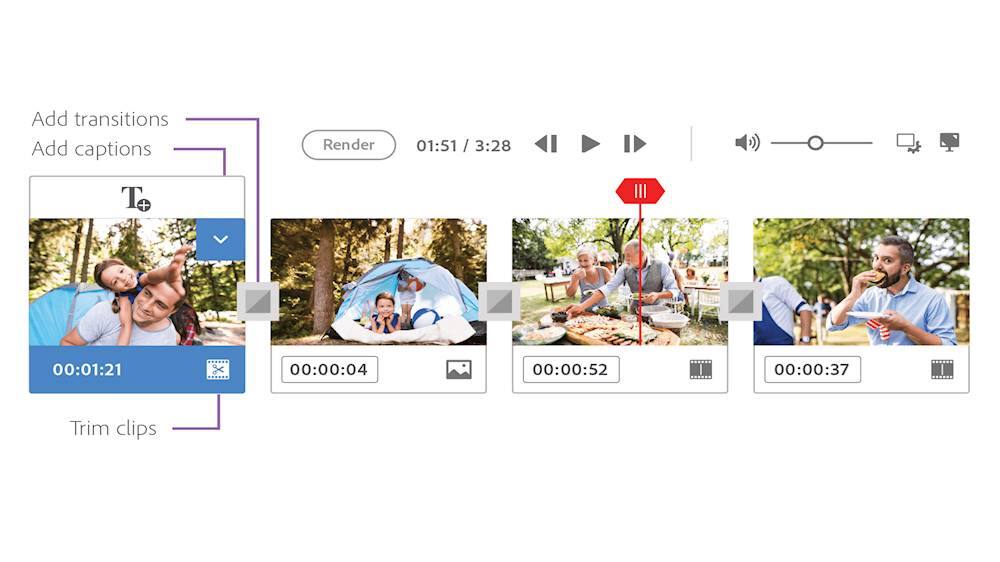
|Posted .This reviewer received promo considerations or sweepstakes entry for writing a review.If you need an application to quickly edit/trim/resize/convert videos- then this is a steal. Premiere 2020 seems to be using a web view which is promising for those of us who would love to be able to store and edit projects without needing to store them on a local drive. Those of us who aren't pro video editors will greatly benefit from the intuitive user interface. Coming from Camtasia, the switch to Premiere Elements was easy and it has become my new favorite go-to for video editing. Under Expert Edit, there's a dual-screen mode that lets you move your timeline to a second monitor, giving you a lot more space to work. The only two gripes I have are that there isn't a dark mode and performance is slightly sluggish. You're getting a ton of features for the price though and you don't have to pay a monthly subscription fee to use it.
I would recommend this to a friend - Pros mentioned:Features
Feature packed and a learning curve
|Posted .This reviewer received promo considerations or sweepstakes entry for writing a review.This photo software is different than any I've used before. It has a lot of features and will take some time to learn all the features. The installation file is rather large and takes some time to install. Photos can be imported into the program easily and you have plenty of edit options. Everything that most amatuer photographers will need is included in this bundle. Of course you can upgrade if you need more advanced features.
I would recommend this to a friend - Pros mentioned:Video editing
Great Software
|Posted .This reviewer received promo considerations or sweepstakes entry for writing a review.I really enjoy using this software. Can help you edit photographs and organize them. The great thing is it helps you turn them into movies. The software does take a bit of effort to get the hang of it. In my opinion iMovie does a better job in creating and editing files. For a PC this would be a first choice though. On a Mac it is still useful. For photo editing it is very good.
I would recommend this to a friend The Best of the Best in Photo/Video Editing
|Posted .This reviewer received promo considerations or sweepstakes entry for writing a review.Through the years Adobe Premiere Elements has continued to enhance their consumer photo and video editing program, and now it is pretty much automatic. Powered by Adobe Sensei AI technology, photo, video and collages are created upon launching the program. Editing is effortless, and the Quick Edit mode has been totally redesigned to help make movies easier and faster to produce. There are always step by step instructions and guides and this year three new guided edits have been added to the already 20 that existed last year. The guided edits help the user make incredible creations and effects that can be customized. The program also improves grainy photos and videos and imports and edits HEIF photo files and HEVC video files. This version allows adding animated skies to your photos or setting up your video into time lapse action. InstantMovie is another feature of Adobe Premiere Elements that pulls clips, themes, music, titles and effects together instantly. Music is easily re-mixed, and any music file can be added to any video. The software automatically adjusts the length of the music to match the length of the video and delivers a polished professional product. No more black bars, the frame can now be filled with either a vertical or horizontal clip and the frame matches the video. One of the nicest new features is that the videos are now auto tagged with Smart Tags based on subject content. Also, the faces of the subjects in your videos are automatically recognized during import and then the videos are stacked by person and tagged so that they can easily be found later. This is an excellent choice for preserving all those photos and videos, and is applicable for persons young to old, novice or professional, technical or creative -- or both. Adobe products always seem to challenge creativity while also being fun to use and explore. I recommend this product and encourage you to familiarize yourself with the whole suite of Adobe products of which some interact well with this program.
I would recommend this to a friendGreat Results with a Simple Approach
|Posted .This reviewer received promo considerations or sweepstakes entry for writing a review.I've been a user of Adobe Photoshop for several years, but I've never used their Premiere Elements suite. I was pleasantly surprised with how easy the application is to use, and the features that are included. Organizer allows you to import your photos into one place, tag a location for the photo (like the city), and even tie the photo or video to an event; such as, a Birthday party. I was surprised to see that the app wasn't able to at least pull location data from iOS photos, but the ability to add the location makes it a bit easier to identify your photos. You can also create an album, where you can store each photo. Importing content is an absolute breeze, click on Import, and select the appropriate import location. You're able to import directly from Files, folders, or even connected devices (digital cameras, etc). You can also do simple fixes and photo tweaks from within the Organizer app; such as red eye fixing, lighting changes, and some effects. This makes it easy to perform a quick "fix" on photos as they're imported, without needing to launch the photo editor app. I found that this allowed me to perform most photo editing tasks, such as cropping, with relative ease. Where this really shines, in my opinion, is the Video Editor app. The app is fairly well featured, with guided modes that walk you through using the app and even provides templates for guided learning. For me, Final Cut on Mac was always the video editing app to beat, and there were always really generic video editors for Windows that never met that expectation. With Adobe Elements (at least the version I'm using), the video editor is quite excellent. You can go into "Expert" mode, and build your own video from scratch if you want to. Even so, it's fairly easy to figure out the available features (which there are many). I was able to knock out a slideshow in a few minutes, paste together video of a recent vacation trip to make panoramic shots, and even add music and titles. You can even share your creations straight to YouTube. The only downside, which is really more a licensing issue, is that Windows doesn't recognize Apple's new photo format, but can be alleviated by installing a simple update in the Windows Store. The adobe help center points you to the right app to install, and after a restart of the app, I was finally able to view and edit photo's taken with my iPhone. This isn't an issue if you have the format options enabled for more compatibility in your iPhone settings. Overall, I'm really impressed with just how easy Adobe has made it for everyday users to create some pretty great content.
I would recommend this to a friend- Pros mentioned:Ease of use
Best software for editing videos at home
|Posted .This reviewer received promo considerations or sweepstakes entry for writing a review.I've tried multiple editing software to do some simple edits to videos, and premiere is the one I would recommend if you're doing some simple edits at home. Only iMovie is as simple to use, but if you have a Windows PC then go with premiere. The only thing is if you have an older version, there doesn't seem to be much of an upgrade so I would continue using that. But if you're looking for something for simple video editing then this is it.
I would recommend this to a friend Small improvements, excellent interface
|Posted .This reviewer received promo considerations or sweepstakes entry for writing a review.The interface is one of the most important features in this software, I have used adobe premiere pro for video editing and if you do not have enough information it might seem complicated to use. With Adobe Premiere Elements 2020 you have access to the basic options and of course the most used and outstanding premiere pro, but in an easy to use way. It is not necessary to explain much about how to use it, because it has the great feature of showing you step by step how to edit images and videos in a simple and easy way, the organization of folders and access to your camera's sd and pc hard drive It is very friendly and easy to follow. It is clear that this software is not for extremely professional use, if you want to have a more detailed finish as I mentioned before, premiere pro may be a good option, however it seems that Adobe has put great effort into improving Premiere Elements for a basic use but powerful regarding image and video editing for beginner users. In summary, if you have not previously used any image and video editing software or if very little, this software will take you by the hand and show you step by step how to improve the quality of your videos and images.
I would recommend this to a friendIt works
|Posted .This reviewer received promo considerations or sweepstakes entry for writing a review.4 stars because I think it could be more user friendly. I've never used video editing software and wanted to give it a go. An experienced editor would probably give this 5 stars. For those of us with no experience (I'm from the dark ages) there is a bit of a learning curve and not everything is intuitive. Once you understand it though it's pretty good. As this is the first time I've used any kind of vid editing software, can;t really compare it to anything else. I can see this as being handy for making YouTube vids. I would recommend it for sure.
I would recommend this to a friendEverything Considered, Premiere Elements is BEST!
|Posted .This reviewer received promo considerations or sweepstakes entry for writing a review.I have used Apple iMovie ( every version going back to 2005 and the current version on my 2019 iMac), I have used Final Cut Express, and a superb program from Boinx called Fotomagico. Each have their pros and cons, some unique capabilities, and a learning curve. My conclusion is that Adobe Premiere Elements 2020 for MAC computers is simply the best. It has more unique features that are easier to use making the program the most cost effective video creation software in the present market. Importing photos and video in most every format, enhancing both photos "and videos" to a degree that exceeded all my expectations, and creating an end product in most any format desired -- considering everything, i.e., the capabilities, ease of use, and the costs vis-a-vis Apple's superb Final Cut -- I prefer Premiere Elements for most every amateur videographer , and IMHO, many professionals.
I would recommend this to a friendPowerful yet easy to use video effects software
|Posted .This reviewer received promo considerations or sweepstakes entry for writing a review.Adobe does a great job with professional software and this prosumer Elements suite is no exception. For a very affordable price, Adobe gives you much of the power in an easier to navigate GUI. Photos and videos are simple to import and you can quickly choose from a number of special effects. You aren't going to get as much control as you would with the Pro or CC versions of the software, but for most home FIY videographers this is a great upgrade over the free video editors from Facebook or on your phone. Only minor gripes were the software was very slow to download from Adobe, considering you must download it you would think it would be faster. I'm on Fios gigabit so I know its not my connection and I'll get 100MB/s from faster providers and CDNs like Steam and such.
I would recommend this to a friendIt's Ok
|Posted .This reviewer received promo considerations or sweepstakes entry for writing a review.After using Premier Elements 2020 for the better part of a week the best I can say is that it's an ok piece of software. If you're looking for a basic video editor that will get the job done then this is for you. If, however, you want something with more options and higher end features you'll probably be better off looking elsewhere. That being said, at this price point it's hard to find anything better. I've been using this on a mid-2019 MacBook Pro and it's performed well enough for my purposes. It's not too much of a resource hog and it's pretty much got the "drag and drop" interface down pat. My only complaint is that when you start it up it also fires up some other software meant to combine yet other software products you may, or may not have installed. That and it requires you to have an Adobe account to use the software. As if I didn't have enough accounts and passwords to keep track of. If you're a Mac user you will be better off using iMovie.
No, I would not recommend this to a friendGreat, fast software
|Posted .This reviewer received promo considerations or sweepstakes entry for writing a review.I consider myself tech-savvy but I am not a professional video editor by any means. I've used several other video editing programs and this blows them out of the water. This software was very intuitive and super easy to navigate. The SPEED of the interface, video scrolling/navigating and file converting is tremendously faster than any other programs I've used. My first project was compiling about 90 time-lapse videos of a construction project all built into one followed by regular footage at the end. It turned out AMAZING!
I would recommend this to a friend- Pros mentioned:Ease of use
love using adobe
|Posted .This reviewer received promo considerations or sweepstakes entry for writing a review.love using adobe. wife does as well. great for editing photos and videos. just makes everything easier and you know it will work right.
I would recommend this to a friend I wish Adobe made cars...
|Posted .This reviewer received promo considerations or sweepstakes entry for writing a review..... Because I would own one. Adobe is one of those companies that I hold in true high regard and would buy every product they made. If they build houses made cars TVs computers I wouldn't care I would have to have it because this company knows how to make something better year over year and that is rare in the electronics business. This is more than worth your time It's a must have. So go get it.
I would recommend this to a friendStill a very affordable video editor
|Posted .This reviewer received promo considerations or sweepstakes entry for writing a review.Little improvements every year make this a must have to clip all your family video's to home movies. I liked the tutorials this year helping me up my game. The opening option to put all your clips into a movie is great. The export directly to You tube is a time saver and support for 4k allowing you to reduce the file size allows me to share more content.
I would recommend this to a friend- Cons mentioned:Stability
Worked for 10 mins on Mac Catalina
|Posted .This reviewer received promo considerations or sweepstakes entry for writing a review.So if you have a mac and are using Catalina I would hold off on purchasing this software until they work out all of the bugs. When i first downloaded the software i noticed how really basic the program layout was even when using expert. I am a adobe premiere pro and a final cut pro x user and this program is very stripped down and i even found it hard to navigate in the expert tab. On top of it being very confusing to use, when i wanted to add a sound effect or transition I had to wait for it to be downloaded, which to me is the BIGGEST downside to using this software. I find that clicking and waiting for an effect or transition to download is going to interrupt the creative process and be very frustrating to use. All of that on top of the software crashing on me every couple of minutes, I CANNOT recommend this product right now. I have emailed support and have heard nothing back.
No, I would not recommend this to a friend Won't Burn to DVD
Posted .This reviewer received promo considerations or sweepstakes entry for writing a review.Decent software but there is a bunch of decent video-editing software out there. This software purports to be able to burn a video project to a DVD but, in reality, it likely can't identify your disc burner. The message boards indicate that this is a common bug in the software. You'd think that, by version 2020, it'd be fixed but it's not. Spend your money on software that actually does what it says it does--this one doesn't. I've also been on hold with customer service for over 45 minutes now. Some service.
No, I would not recommend this to a friend