Customer Ratings & Reviews



- Model:
- R5360Z11
- SKU:
- 6327774
Rating by feature
- Value
Rating 3.8 out of 5 stars
- Quality
Rating 4.0 out of 5 stars
- Ease of Use
Rating 3.5 out of 5 stars
Customers are saying
Customers express satisfaction with the Bolt Charger's Bluetooth connectivity and microphone quality, frequently praising its ease of use. However, negative feedback centers on the Google Assistant functionality, with comments citing slow response times and compatibility issues, particularly with iPhones and other non-Android devices. Some users also reported difficulties during the initial setup process. The overall experience appears mixed, with strong positive feedback on certain features offset by significant concerns about others.
This summary was generated by AI based on customer reviews.
- Pros mentioned:Bluetooth, Ease of use

Perfect accessory
|Posted .This reviewer received promo considerations or sweepstakes entry for writing a review.I was glad to be testing this little number out since I have an older car. This device turns your older car into a newer car. Please notice that I said older and not old. Unless, I am simple and could not figure it out this device does require that your car have a Bluetooth or AUX port or at least your phone. It was, however, super easy to setup in the driveway prior to my use (less than 3 minutes or so) and does not require anything more than some Google authorizations and connecting the unit to your phone. From there you have a pseudo smart car that will allow talk to you, give you direction, tell you the weather, and thus allowing you to live in the 2019 and not the 2006 or whatever.
I would recommend this to a friend - Pros mentioned:Bluetooth
Google NOW More Road Worthy via ROAV
|Posted .This reviewer received promo considerations or sweepstakes entry for writing a review.Geez! The ROAV is literally a simple "plug-in" to your car's cigarette lighter. Via my Android phone, I am now a driver afforded voice command of my ever expanding world of Google data i.e. my calendar, contact list, media play list, etc Set up couldn't be easier. Just plug in the ROAV, go to your smart phone's Settings then follow the prompts. Works with iOS as well. Voila! the cabin of my vehicle is now a voice activated command center. I access realms that previously required a pit stop to process. One tiny caveat: As compared to ROAV set-up via a Bluetooth connection to my phone, I found using the AUX hardwired to the dash provides a more stable connection from ROAV to Android. Seemed I got feedback noise using the Bluetooth connection that I didn't get using AUX. So, from Settings on your phone, when prompted, choose AUX not Bluetooth to save yourself the 'deconstruct' hassle to get back to clean slate at start-up. Having hand's free access to make calls, manage navigation, make virtual notes, etc really does create a safer experience not only for the driver but for everyone else on the road. Distracted drivers lose control when typing into Google for GPS or searching Contacts to make calls, especially if already frustrated by voice commands that fail delivery. The ROAV translates a normal speaking voice even within radio range. Phone calls, requesting music, noting ideas were done with greater ease than using OK GOOGLE on my phone. I even got the weather, the news, edited my shopping list, scheduled To Do's as well as appointments on my calendar to test its limits. The manual gives you start up hints: play some music/ navigate home/ read my messages/ get traffic updates/ what's the news/ remind me to shop for veggies Controls are activated by the length of time you hold down the button on the crown of the unit. Long press(.5 sec)=Talk to Google Assistant Short press=Stop Google Assistant Short press=Get Notifications 2 Short presses=Mute/unmute 1 very long press (12 sec)=Reset to unpair Added value are 2 usb ports on the side of the unit to expand charging capability. With one of these widgets, you not only FEEL safer, you ARE safer AND less stressed when you can execute organizational tasks and download brain clutter without taking your eyes off the road. Minutiae: If you decoupage, you can repurpose the handsome and durable packaging as a high end box for jewelry, junk or gifting. On the other hand, Anker could charge the consumer less with less expensive packaging. The font of the Start Up guide could be printed with a tad higher contrast for easier legibility, especially for those with compromised vision. Turns out that even if you can't read the instructions, installation of the unit is super intuitive; and, management of the ROAV is even simpler. Time after time I failed to connect my phone to my truck's Bluetooth; but, the ROAV affords access to far more with less effort. Ballparked at ~$49.99, the ROAV is big ROI!
I would recommend this to a friend - Pros mentioned:Charging speed
Fast charging
|Posted .This reviewer received promo considerations or sweepstakes entry for writing a review.I've had this device for over two weeks now. I'm going to be honest. I can't get it to work for the assistant portion in either of my Mazda vehicles using an s10 plus.. the only reason I'm not giving it a more negative review is I'm not sure if it's my own stupidity that I can't hook this up or if its compatability issues. I will say this, the device charges my phone faster than any other car charger I've had so far. It feels like a really solid quality car charger. I'm hoping I'll be able to get the Google assistant portion working soon. Based on YouTube videos and seeing the way the device is supposed to work, I'd say I'd recommend it based on that. I think the function of how it should work can be very useful and helpful, especially while driving.
I would recommend this to a friend - Pros mentioned:Charging speed, Microphone quality
Great Product!!
Posted .This reviewer received promo considerations or sweepstakes entry for writing a review.The first thing that need to be mentioned about this product is ITS PERFORMANCE IS LARGELY BASED ON THE PERFORMANCE OF YOUR PHONE! This device is merely a stand alone bluetooth transmitter with a microphone set up to natively work with the Google Assistant interface/app on your phone. When you ask a question is it just activating the app on the phone and processing the task/question then transmitting back a response through the Roav Bolt transitter. So if you have a phone that was released 4 years ago then the Google Assistant app on your phone may not process your request as quickly as advertised. I would bet 90% of the people giving this product a bad review are trying to use it with some ancient Samsung Galaxy S5. Not going to work that well. Similarly how well it can hear you is going to depend on where your car outlet is located in your car. If it is in your center console, deep in a storage compartment, etc., it may not be able to hear you as well as advertised. Consider your set up before purchasing. MY REVIEW: -Phone: Pixel 3 XL (Nov. 2018 release) -Connection: AUX Pros: Quick and easy set up (with Pixel phone), microphone can clearly hear you, 4.2A chargers for fast charging Cons: Microphone can't hear you when you music is up very loud, with the aux cable and USB charging ports on the sides of this it may not work for some people that have charging ports in tight spaces on the dashboard MY EXPERIENCE: I plugged this in, connected it to my phones bluetooth, and once the bluetooth connection was established it seemlessly opened the Google Assistant interface, tested speakers in my car, and updated software/firmware - which took about 5 minutes to update over data - automatically without any action needed. From there everything seemlessly worked as the Google Assistant does on my Pixel. The AI responded accurately and clearly hearing me all but the couples time I had my music turned up pretty loud. With Google making the Pixel phone and it being a phone that came out 6 months ago the compatibility is highly optimized to function smoothly. It is actually probably the best function you can get with the device. Next best of going to be any phone that was released in the last year. Two to 3 year old phones will be starting to push it. This is essentially a fancy bluetooth transmitter with a microphone built in. I think it is worth the money because I often use the AI and the sound quality is great. I have tried many bluetooth transmitters for my car and I am never pleased with the quality. I was plesently surprised with this devices quality. My car does not have bluetooth so I could not try to the bluetooth instead of AUX connection. I can not speak for how well that works. One thing that is a little tricky: I had to rotate it upside down to plug in the AUX cable because it is on the side. I won't be able to use the USB as it is currently installed as the device sits below a plastic edge of the dashboard. I may need to get a flexible extender in the future.
I would recommend this to a friend - Cons mentioned:Response time, Setup
Does what your smartphone does, only SLOWER!
|Posted .This reviewer received promo considerations or sweepstakes entry for writing a review.I have had a chance to use this device and try and get the most out of it but unfortunately I can't recommend this device. I tried to like it but the actual google user interaction is TERRIBLE. First off I was unable to initiate the set up via the AUX cable. The phone would not register the device, you would be locked in the setup screen without any progress. I attempted to set it up at least 5 times with resetting the device each time. I finally decided to connect via the Bluetooth option just so I can start using the device and be able to write a review. The connection seemed smooth enough via Bluetooth. The music-sound was not as loud as my phone connecting directly to the Bluetooth. There is a noticeable lag when interacting with the google assistant via Bluetooth. There is at least a 5 second lag when activating google, it is so noticeable that you will find yourself stepping on your own commands because you will be repeating hey google by the time it responds. Once a query is asked, it takes another 5 seconds to respond. It does everything your smartphone equipped with google will do but much, much slower. Theres the other issue, if your car is a "dumb" car without Bluetooth then you will need the aux cable to connect. This device has issues when connecting via the aux cable. The other issue is if you need to connect via an aux cable, then you should connect your phone via the aux cable and get google assistant this way. it is much faster and most if not all smartphones can be accessed handfree via hey google commands. Second if your vehicle has Bluetooth then you should just connect your smartphone and use google assistant that way as it is faster and there is no need to ask google a question and then have google send the results to your phone in which case you would still need to look at your phone. I can't find one thing that the roav google option does better than your actual phone. I have read about issues with the microphone but I suspect it is not the faulty mic but the lag that makes users suspect cheap microphones are not working. I noticed with the music, engine and wind noise the roav google still heard me but I had to give it 5 seconds to respond. I suggest you use your phone and plug in the cigarette lighter and instead of using a $50 google intermediary, you use you +$500 smartphone with the newest mics and screen and RESPONSIVENESS to access google. This is was a fail for me,
No, I would not recommend this to a friend - Cons mentioned:Response time
Too buggy at launch time.
|Posted .This reviewer received promo considerations or sweepstakes entry for writing a review.Before receiving this style, I used the Alexa version for a number of months. I used the FM transmitter part so I didn’t need any wires and everything was great because my car is old & doesn’t have Bluetooth. But, since I’m really not an Alexa user, I was really anticipating the Google Assistant version of their Roav VIVA. Here’s my comparison-style review. Overall as of 5/1/19, it’s not ready for prime-time. And since we can’t update reviews on Best Buy’s site, let’s hope it gets better with updates - but it’s a risk for you people reading this review. Pro: Built for Google / Android users like me. Instead of screaming “HEY GOOGLE” and hoping the phone picks it up, I can hit a button. The Alexa Roav didn’t know how to “play X song on Google Play Music” - forcing me to have to touch the phone, etc. Now, I can request a song/artist and it fires off through the Google Play app, instead of Pandora or something I don’t use or pay for. Plus, now I can “skip” songs without having to manipulate the phone. Con: It’s SLOW to respond to commands. From command to execution can be 10 seconds. I know better and disable WiFi when I’m driving so ‘xfinity’ doesn’t attempt to steal my connection but that doesn’t even help. THEY REMOVED THE FM TRANSMITTER. Insanity. During setup, it tells you to go buy a cassette adapter or external FM transmitter if you don’t have AUX port. A HUGE bonus for the Alexa version was just that, the FM Transmitter, so I didn’t have to run a cable to the AUX port under my armrest. They took a great feature of the Alexa version and stripped it out. Just dumb. The audio has ZERO bass. Again, I came from an Anker Roav VIVA - ‘ghetto’ FM Transmitted audio mind you - which smokes this. I even paused the song, removed the Google Roav, put in the Alexa Roav let it boot up, resumed the song and and bassy tunes were back rattling the bottles in my door cup holders. To be fair, I did Tweet to @AnkerOfficial to get some help - but didn’t hear back after four days. I adjusted the AUX cable too, but still no change. The Aux Port is in a crummy place - the top, as you have USB ports out the side. It’s a tight squeeze in my Outback’s under-stereo cubby and now I have to accommodate another wire. It doesn’t pick up the ‘wake word’ very easily, I find myself holding the button for a second to activate it. Definitely a step back from the Alexa version. A simple tap of the button woke Alexa; the Google version reads the time & notifications on the same push. A longer push wakes the assistant - dumb. Asking it to launch something on iHeartRadio actually opens the iHeart app on the phone that I don’t have an account logged into - causing it to not start playing, whereas the Alexa one uses the Alexa Account Link mechanism that doesn’t launch an App, yet still fires up the station. Neutral: The claim is that noise cancellation *requires* the AUX port be used, so - if you wanted to pair it to your car’s Bluetooth, you still need the AUX cable. Fortunately & unfortunately, my car doesn’t have Bluetooth, which is why these devices are clutch for me. I really don’t know how well that worked. It comes with an AUX cable - on end is at a 90 degree angle & the other is a traditional straight-connect.
No, I would not recommend this to a friend Google Home for your car
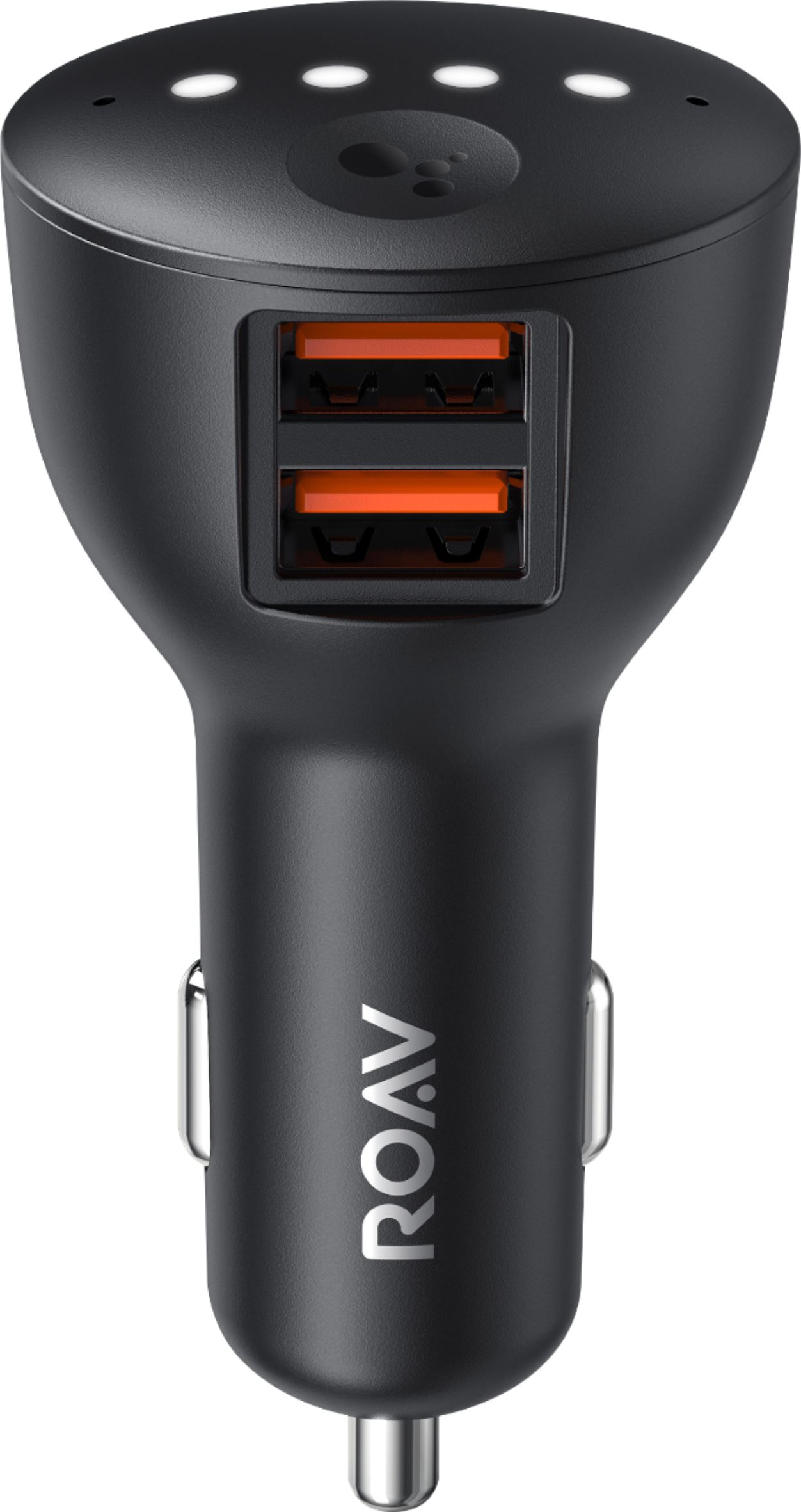
|Posted .This reviewer received promo considerations or sweepstakes entry for writing a review.The Anker Roav Bolt is the “Google” version of the previous Anker smart car chargers (which used Alexa). Personally I’m a Google Home user, and thus the Bolt is proving to be an easy extension of my typical Google Assistant usage into the car. The Bolt connects to my Android smartphone through bluetooth, and I didn’t need to install any additional app (I have Android 9). Setup was smooth and easy, especially if you have already been using assistant in your phone. If you have iOS I’m guessing you have to install some app, but I don’t have 1st hand knowledge of that. As for connecting to the car, there are 2 options - Bluetooth, or the 3.5mm audio cable. Anker suggests using the 3.5mm aux cable as the preferred method (which I followed), but the app defaults to Bluetooth method - you have to cancel/abandon the Bluetooth pairing method to get to the aux connection mode. After setup, the only drawback I faced is the long update sequence that went through - especially when you’re driving and have to rely on your mobile internet connection. Maybe an offline update method will be better for most people. Once everything’s fine and dandy, the Google Assistant can be called by the typical “Ok Google” wake-up phrase, and works with most commands. There’s also a physical button to interact with assistant. And of course, there are 2 USB charge ports that supports Anker’s PowerIQ technology for fast charging. It also houses noise-cancelling mics - I had very little issue with calls even with moderate highway speed and windows down. Now for the downside. If you have Android Auto in your car head-unit, I find almost no use for it whatsoever. The unit is not very small, so if you may have trouble with space if you have a congested area near your 12-volt outlet. Also, I had trouble playing music through Spotify by voice command - a lot of the time it responded playing music but nothing will happen (I’m not sure though if there’s any issue with my phone). Finally, if you don’t use Google Assistant frequently, I see no reason in buying it - get a regular car charger instead.
I would recommend this to a friend- Pros mentioned:Microphone quality
Cool car charger that's more than a charger!
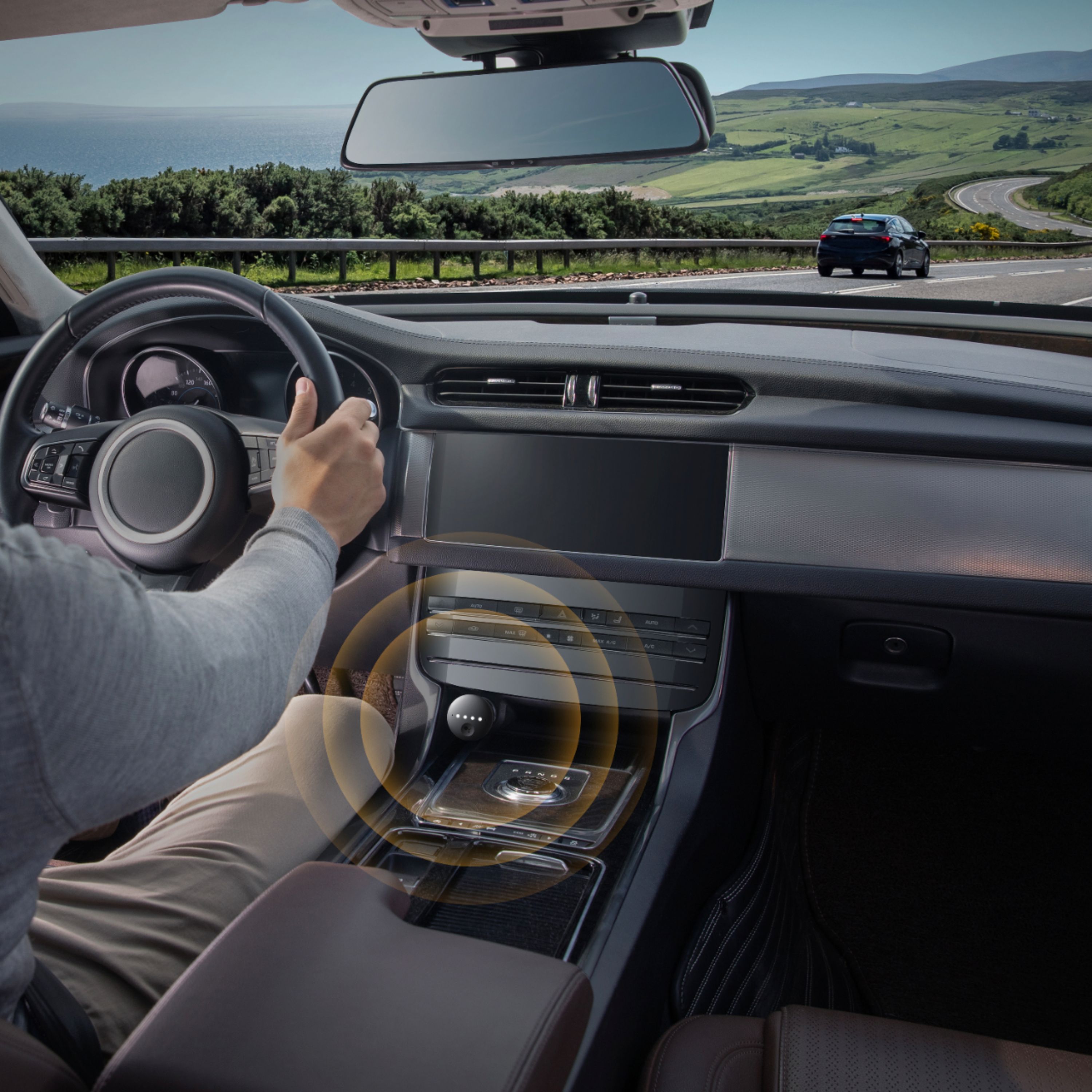
|Posted .This reviewer received promo considerations or sweepstakes entry for writing a review.This Roav is an all around pretty awesome device and really is much more than just being a car charger for your phone. For anyone who's wondering what it's like, it's basically like having a Google Home speaker in you car, and that it's designed for your car which for me was pretty awesome. So, instead of having to turn on the "hey Google" to be constantly on your phone you can use this so you can easily speak to ask for Navigation directions, make/recieve calls, send/receive messages, and much more of course. It does work with your car being paired to bluetooth so sort of acts as a go between for your car's bluetooth. It pairs to your phone (Android or iOS) which I did to my iPhone XS Max and it works great. With the phone clipped on my dashboard it was pretty cool to have this device not only keep my phone charged but also keep my phone hands free by using Google. It does have an Aux out for output to your radio in your car (though may not be necessary and isn't required) and when used in that mode the audio quality is actually great. The only thing I'd say to note is that for some newer cars that don't have the accessory adapter in an open area in the console or dash that you will need an extension otherwise the microphones builtin for Google won't be able to hear you. Outside of that in my experience the device works great even with music playing can still hear me speak commands. In light of that I am hoping that Anker might address that for a different version that's made for newer cars with a hidden wire with a special vent mounted far field microphone but still plug in to provide the USB ports for charging. Overall, it's a great device and beyond the Google funcationality works just like a normal charger for the car on top of that which makes it a great all around device to have in your car. Note that to get it to work on iOS you have to install the Google Assistant app and allow it to run in the background which for me isn't a big deal as I didn't even notice it impacting battery life or anything but to some it might be.
I would recommend this to a friend - Cons mentioned:Google assistant
Unclear How ROAV Enhances Google on Phone
|Posted .This reviewer received promo considerations or sweepstakes entry for writing a review.I needed a charger for my 1992 Subaru WRX, and I thought I would try the ROAV Bolt because I like Anker's portable chargers. I wasn't sure how the Google Assistant feature would improve upon the OK Google voice search on my phone. After using the ROAV for a while, it is still not clear how the ROAV Bolt enhances what Google already does on my phone. The setup procedure for the ROAV Bolt was somewhat involved, but a well-structured set of instructions guided me through the process after connecting my phone to the ROAV through Bluetooth. The guide recommended connecting the Bolt to my car's audio system with the audio cable provided. I wasn't able to do that because my old car doesn't have an auxiliary audio input, but it does have a tape player (hey, the car is a 1992 model) and I have a cassette adapter that plugged into the Bolt and worked just fine. Everything in the setup seemed to go fine … but then I could not get Google Assistant to respond at all. There were a lot of helpful troubleshooting instructions, and I finally got Google Assistant to hear me and respond, but when I asked it to play a particular artist whose music I have on my phone, it insisted on going to Google Play and playing a song by a different artist with the same last name. And then the Bluetooth connection between my phone and the Bolt broke and all of my attempts to reestablish the connection failed. But the next day I gave the ROAV Bolt another chance because I had just upgraded my phone from the Samsung Galaxy S7 Edge to the Galaxy S10. The setup went well, and Google Assistant gave me my current location when I asked for it. But, again, when I tried to get it to play songs from my phone, it insisted on going to Google Play and playing music by a different artist. At that point I gave up. I didn't see any reason to beg Google Assistant on the ROAV Bolt to do things that can be done with OK Google on my phone alone. And if I want my phone's music to play through my car's audio system, I can connect the cassette adapter cable directly into the output jack of my phone. No need to send music via Bluetooth to the ROAV Bolt and relay it to my car. I tried this and it does actually work, but why go through the extra step? And if your car's audio system has Bluetooth, you could skip the cable altogether and play music from your phone with that wireless connection. That's what I do on my newer car. So, it looks like the ROAV Bolt is just going to be a somewhat expensive charger. It has two PowerIQ charging ports that are supposed to optimize charging. The PowerIQ on my Anker chargers works well enough, but I am not sure whether this feature on the ROAV Bolt works as well as a cheap fast-charger I got from Wal-Mart for my other car. In short, I am not very excited about the ROAV Bolt.
No, I would not recommend this to a friend Worked, but not for what I wanted it to.
|Posted .This reviewer received promo considerations or sweepstakes entry for writing a review.I got this thinking it may make my wife's extremely non-smart car (a 2005 Ford Escape LTD) into a blue-tooth compatible vehicle. And with 2 USB ports, and Google Assistant added to boot! I though, "Finally she'll stop giving me *that look*" when we'd be in my extremely smart car. Not saying she was super jealous, but I also felt bad for her. So, blue-tooth receiver: ✔ Aux port on charger: ✔ Aux cable included: ✔ Can work on her phone (LG G5): ✔ Can Charge her phone, and a second device: ✔ Everything looking good at this point..... Until..... For the first time I went and looked to see if she had an aux port in her car.. It didn't. Massive fail on my part. So, other than charging, this item will be of no help to bring her car up to date. Unless I swapped her head-unit out for one that had an Aux port... Which I may do, but it's not on the list of things I NEED to do right now. She already has an anker charger in her car, that is super fast charging, can send her parking reminders, and check the status of the battery. So this is mineeeeeeeeeee. Tested it out in my own rather smart car (a 2011 Toyota Camry) with an LG G7thinq as my phone. It does what it says on the box. Placement of the main cig lighter is kind of weird in that it is buried beneath the radio in a recessed portion of the center console (behind the gear shift). So, there would be no way I'd take my eyes off the road to use the manual access button on the unit. But for S&G's I plugged it in there anyway to test if it heard my voice. It did. HOWEVER, there is a giant lag lag between the "Ok google" until you can give your command. And then an even longer delay between it then processing your request. Mind you, this was in the garage (with the car running). The reason I mention that, is that my phone was still connected to wifi, so the connection on my phone was not at fault for the lag(s). So, since my car is already able to do everything this does via stearing wheel controls..... I will only be able to use this for the anker charging (which to me is always the fastest and most reliable on the market) for my device(s). It is a well built product, and I have total faith in it. 100%. Would I recommend it to someone that already has a smart car? No. You can get a cheaper anker charger. The best use scenerio is if you own an older car that you want to ugrade to a "smart car". AND that your car has an aux connection. Don't make the same mistake I did, and not check first --- (Doh!). The removal of one star is for the lag.. Otherwise it is a quality built product, that hopefully with further updates will remove the lag. ALWAYS MAKE SURE YOUR CAR MEETS THE NEEDS OF THE PRODUCT (DOOOOOOOOOOH, FACE PALM!)
I would recommend this to a friendMaybe you need this
|Posted .This reviewer received promo considerations or sweepstakes entry for writing a review.I have very mixed feeling about this device. The built quality is first class. The boxing is high end and very well done. Included is the Bolt, a quality 3.5 to 3.5 mm auxiliary cord, and very minimal instructions. There are two 2.4 amp USB charger ports, the aux plug, status lights, and a function button. The value of the function button and lights is going to depend on your car since it obviously has to be plugged into a 12v outlet to be used. If it cannot be very easily seen and reached, then those features are useless. After all, this is meant to be an eyes in the road, voice controlled device. After powering up, you pair the Bolt with your phone via Bluetooth. At this point, you’re informed that the best connection to your car will be by using the aux cable. You can connect to the car by Bluetooth if you prefer or don’t have an aux jack, but the reaction time is much faster when using a wired connection. Immediately after connecting, my unit did a firmware update. In use, I found that the “OK Google” recognition was pretty good even with driving noise or music playing. Beyond that, it’s as good as most Google Assistant devices … which I find so, so. I was able to start navigation which shows on your phone screen, ask general questions and such, and start a music service playing. However, that’s where the problems started. The nav screen goes away when the music app started. Sometimes I could get it back but sometimes not. Also, no command I could think of would stop the music from playing. Assistant needs some work yet. So who is this thing for? If your car doesn’t have Bluetooth and smart apps, it’s useful to add hands-free phone use. If you rent cars or use different cars and they have an aux jack, you’re all set without pairing to the car. If your car is already smart, and especially if it has Car Play or Google Auto, there is no reason to buy the ROAV Bolt. I’d recommend this if you have the needs I mentioned. Otherwise, it’s mainly a good, but expensive charger.
I would recommend this to a friend- Pros mentioned:Bluetooth
I have no idea who this is made for
|Posted .This reviewer received promo considerations or sweepstakes entry for writing a review.I am an iPhone user, and initially I was under the impression that this device would work with both iOS and Android, as it was listed here plus other places BUT as it seems, the iOS compatibility is still in the "beta" stages. What this means is the functionality is extremely limited and in order for it to work, Google Assistant needs to be open on your phone at all times (Just something that those with iPhone's need to be aware of) With that being said, I currently drive a 2015 Fusion, and my phone is synced up to my car via Bluetooth, as most modern cars have Bluetooth, and aftermarket stereo decks have it as well. Anyway, setup was a strange process, and it kept losing connection with my phone. At times it also messed up my Google Assistant app, requiring me to reboot my phone. Now this could be a bug in the Google software or just some issue with iPhone's, but it was rather frustrating. And to top it off, back to the point I made before, since my phone was already connected to my car, I removed this device from the accessory plug, opened Google Assistant, asked the time, and it came thru my speakers anyway. So this brings me to my title. If your car already has the capability of connecting to your phone, be it Android or iPhone, this device is a waste of money, unless you like to keep your phone in the center console or hidden somewhere, but I do not know anyone personally that does this. Most people I see or know either keep it on the seat or on a dock of some sort attached to the vent or the dash. Now it does come with 2 USB ports for charging that put out 24W 5V/2.4A per port and an AUX port , for those who have older style radios in their vehicles. Maybe that is who this is made for, those with older style stereos that do NOT have Bluetooth. If so, then I could possibly recommend it to those with Android phones that respond automatically to "Ok Google", otherwise, this is not needed. A more "modern" radio in a car does the same thing as long as your phone is able to hear your voice.
No, I would not recommend this to a friend - Pros mentioned:Bluetooth
Bluetooth Issues
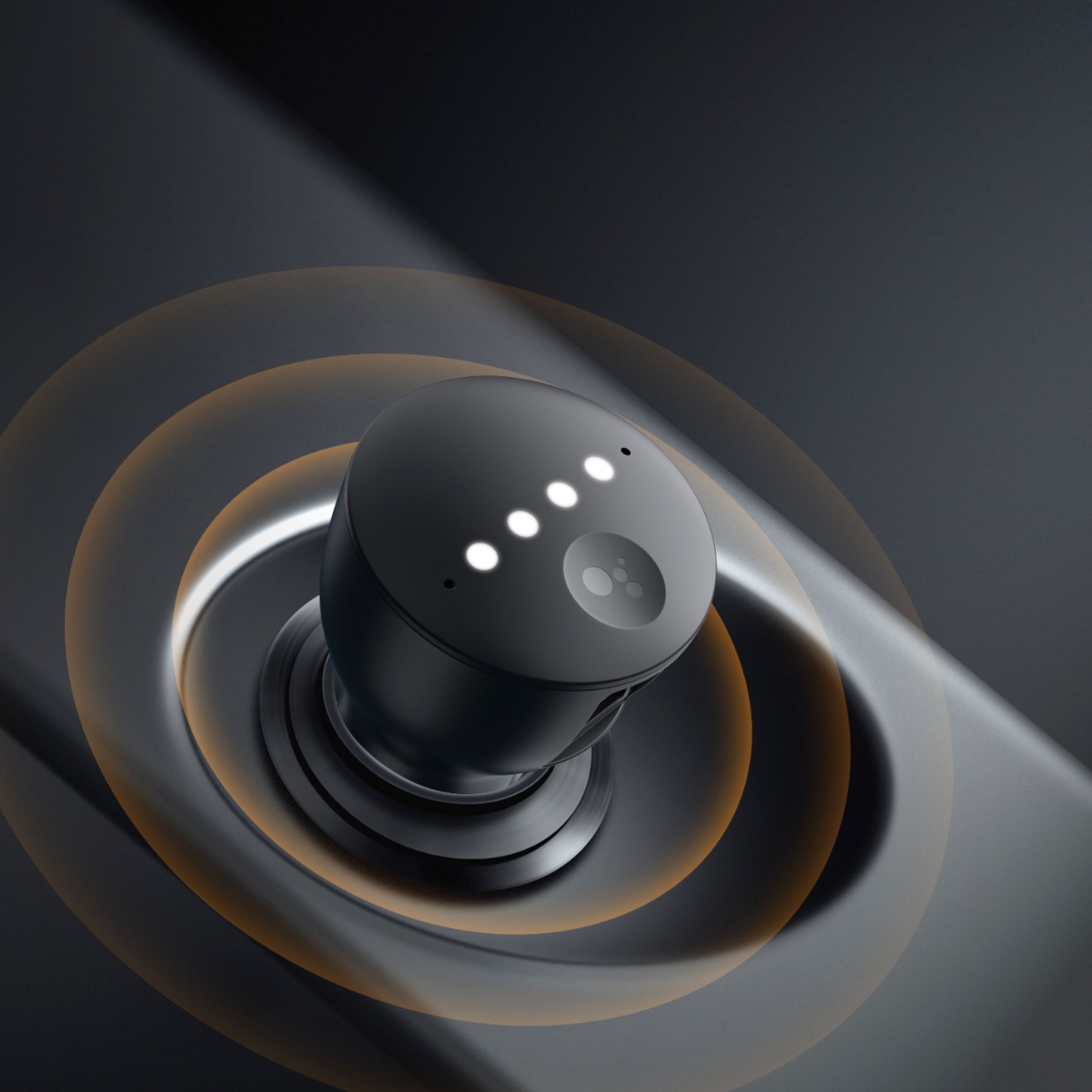
|Posted .This reviewer received promo considerations or sweepstakes entry for writing a review.Summary Good alternative to use your phone’s Google Assistant via the car stereo, this offers voice commands plus access to your phone music play list. Many older model cars do not offer Android Car or Apple Car Play so this device would be very handy giving you voice access to Calendar, Appointments, text messages, navigation (Google Maps) and phone. On paper this should be an easy and affordable way to get Google Assistant in your ride. The Roav Bolt itself is a simple device that sticks into your car's cigarette lighter socket. It has a couple of USB ports on the side for charging your phone and there's an AUX jack as well. On the top are four LED lights that'll light up to show you it's working -- blue indicates pairing mode, orange is when it's looking for a connection, green is for an incoming call and white is when it's listening to you. Although you can just say "Hey Google" for Assistant to kick in, there's also a physical button that you can press to skip that step. If you want to reset the Bolt or put it in pairing mode, you can long-press that same button. I tried this on two older cars, one with Bluetooth and one without, now fully expecting the Bluetooth to well was my expectation, so when it didn’t was very disappointed. It did not like my older Bluetooth software in car since it was a pain to par and had a noticeable delay while giving voice commands on the GM, I did get it to work with an included AUX cable and this car just happens to have an AUX in port (many older cars don’t) worked faultless. The other car that does not have Bluetooth worked well too via the AUX cable on the Toyota. I feel this device still needs some fine tuning that could address older Bluetooth systems via a software update. PROS: Google Assistant for your HOOPTIE. CONS: Poor pairing and general operation on cars with older Bluetooth systems.
No, I would not recommend this to a friend - Cons mentioned:Response time
Super Idea, Falls Short of Promise
|Posted .This reviewer received promo considerations or sweepstakes entry for writing a review.Having a Google Assistant device dedicated to the car is a brilliant idea. I was super excited at the prospect of this device. The problem is that it fell short in a lot of ways. 1) it has trouble hearing commands depending on volume and windows being open, etc 2) it tends to respond pretty slow and many times it hears the command but does nothing. 3) it tends to run in a sort of standby with the lights flashing red while the car is off. this concerns me about battery drain. 4) it connects to the car stereo via bluetooth as well as the phone. I noted that if you have google maps set to speak through the phone it will silence the radio, but speak through the phone speaker when giving directions. 5) incoming notifications causes the sound to fade...so if you're listening to google music it can be a real drag when you're driving to have constant notifications impact your tunes 6) it's completely dependent on the bluetooth/aux cord for output. this is a real drag as sometimes you might want to ask it what the weather is or something but not interrupt your listening of the radio. not all cars will allow you to have bluetooth audio and other sources up at the same time. for instance, in my nissan, I cannot listen to sirius xm and bluetooth at the same time. the device really needs a mini speaker in it. i love the idea, but i think there's still work to be done here before the product is truly ready for all consumers. it would be really handy to pull up to your connected home and say "hey google, i'm home" and it fire up things inside. for today you can do that with just your phone....by the time the roav bolt replies it would have just been quicker to use the phone itself.
No, I would not recommend this to a friend - Pros mentioned:BluetoothCons mentioned:Compatibility, Response time
Update needed!
Posted .This reviewer received promo considerations or sweepstakes entry for writing a review.As others have said, it definitely doesn't work well with Samsung Galaxy phones. I have an S10+ and it won't connect with AUX wire; it just keeps saying "try again." It will connect with Bluetooth, but it has such a dreaded lag. Sometimes it's 10 seconds before it responds. Also about half the time it will hear what you said perfectly and repeat the task as if it is going to do it, but doesn't. The hot word activation does not work at all. Screaming to it, "okay Google" barely gets a response. I have hope this is an easy software fix and an update will come soon for Samsung phones. It's a shame that this wasn't tested well for the biggest Android market share.
No, I would not recommend this to a friendBrand response from Anker Team
Posted .Thanks for sharing your experience with us. Give us a call so we can look into this in more detail. 800-988-7973

- Pros mentioned:Microphone qualityCons mentioned:Response time
Great Bluetooth adapter, Poor Google Assistant
Posted .This reviewer received promo considerations or sweepstakes entry for writing a review.I purchased this to bring my "dumb" audio system up to date with current tech. I ended up a disappointed with the results. Good: -The Bluetooth to AUX audio works great with my Galaxy S9+. The sound quality is great and there is only a very tiny output delay. -The microphone seems to work well on speakerphone calls. It feels great to have a legitimate speakerphone system in my car now. -2 USB ports. You can never have too many USB power ports Bad: -"OK Google" or "Hey Google" hotword detection is bad. Sometimes it doesn't hear me at all, even when there is no background noise. Sometimes it responds 2-5 seconds after I've said the hotword, making for a pretty frustrating user experience. -After making a request to the Google Assistant, it can take several seconds to respond or complete the request, making me wish I hadn't asked in the first place and just tapped on my phone to play/pause/skip/answer the phone instead. This is terrible for a device that is supposed to minimize distractions while driving. Summary: I am happy using this to connect my phone to my car's audio system through Bluetooth, but I will avoid using it as a Google Assistant. I am hoping they fix the issues with an update, otherwise it feels like my money was wasted.
No, I would not recommend this to a friend Not perfect, but still useful
|Posted .This reviewer received promo considerations or sweepstakes entry for writing a review.I've got a Samsung S9+, a car with bluetooth, and I spend about 2.5 hours a day commuting. I had tried the Roav Viva (Amazon Echo version) and gave up using it because 1) it had trouble hearing me and 2) it would frequently activate while listening to the radio or podcasts because it thought it heard "Alexa." Still, I decided to try this version since it's Google and also about a year newer. It was very easy to set up. I like that you don't need to install a separate Roav app and it just uses the Google Assistant. It took a couple of minutes to install the firmware update initially. After that, I was up and running. It does seem like it hears my commands better, and I've only had it trigger once by itself while listening to the radio/podcasts. So that part seems much improved. As some other reviews point out, there is a lag from your command until it responds when using bluetooth. Once I got used to that, it wasn't too annoying since it still actually worked. I think how well it hears your voice will depend on how noisy your car is and where you have to plug it in to the power adapter. The functionality may also depend on how new your phone is. But, if you need a charger in your car all the time and don't mind paying some extra money for the Google Assistant function, it's probably worth trying out. While my phone can do much of the same stuff, it does mostly work better with the Bolt. Unlike the Viva model, I think I'll still be using this one a few months from now.
I would recommend this to a friendExcellent little device
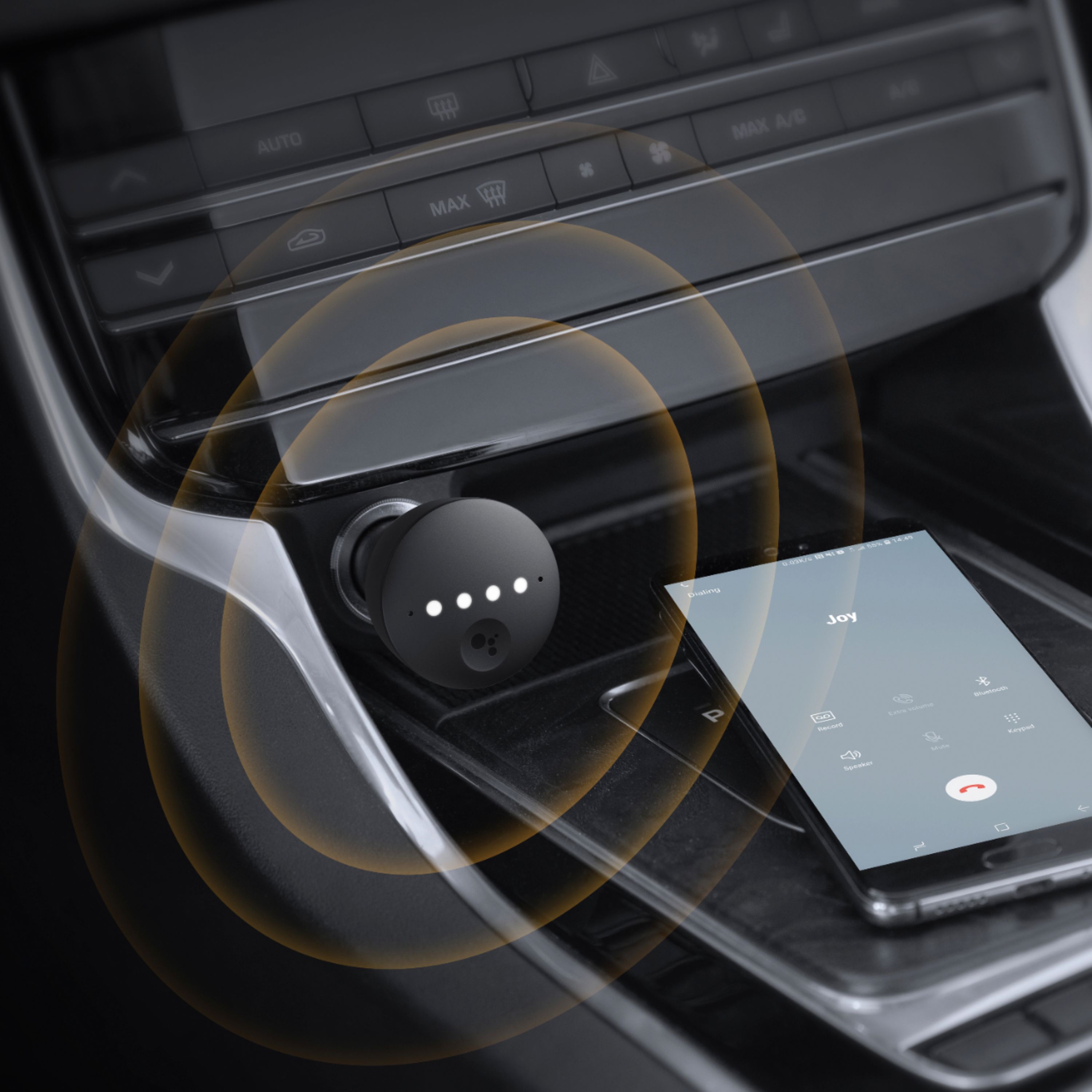
|Posted .This reviewer received promo considerations or sweepstakes entry for writing a review.Summary: This is a must have for any road warriors who would like to safely remain connected. Unboxing: The packaging is impressive for something so small. The box is high quality and it feels like you are unboxing a premium cell phone. The device itself is a little larger than your average car charger but it feels well built. The box has the unit, usual basic documentation, a 3.5mm aux cable. Setup: It is extremely easy. Plug it in, connect it via Bluetooth to your device, set your car to “media” and the phone / device will do the rest using the preinstalled Google Assistance on Android. I tested uses a Sony Xperia 10 Plus and it was seamless. Use: Once it was setup was complete, I tried it out just like I would a Google home device or an Alexa speaker. Weather, jokes, calendar are all here. I did a few phone calls which works great combined with a car and phone “call so and so” works flawlessly. I also tried asking for direction mid drive, it works perfect each time. The only hiccups I ran into were once when I asked it to “read my book” which it read from my Google Play books library. I think it heard something like “hey google” and it triggered itself. It was amusing but a possibility in a noisy car. The ability for the car to filter out noise was pretty good but not flawless, I did have to speak up on the highway. There is an assistant button on the device which you can push if you hear a notification, this will cause it to read your most recent notification for you. Connection quality was fine and I had no dropped audio via Bluetooth 4.2. Music streamed in great quality from Spotify and Pandora which I tested it with. While streaming your phone battery will obviously drain so the included charger ports worked as expected quickly charging the phone. There is no branded QuickCharge included but it does use Anker’s PowerIQ system which will adaptively charge your phone at up to 24W, 5V-2.4A max in each port. This will quickly charge any Android or iOS phone. The 3.5mm aux jack is optional but might give you some higher quality connections. I used it via Bluetooth only and had zero issues. Wrap up: Buy this if you spend a lot of time on the road. It is safe and easy to use and can help you even be more productive. It is an entertainment powerhouse to boot!
I would recommend this to a friend- Cons mentioned:Google assistant
A Welcome Addition
Posted .This reviewer received promo considerations or sweepstakes entry for writing a review.I was excited to be selected to test the Roav Bolt as a part of the “We Love Testing” event. I received my item a bit early which gave me some extra time to use it and during these last two weeks I have really enjoyed it! Previous to the bolt I have used google home devices in my home, so I was well acquainted with the google assistant in those forms. Also, I have used Android phones for several years, so I was familiar there as well. One thing that is interesting from my interaction with Roav Bolt are the ways I prefer it to the Roav Viva, the Alexa enabled car charger that Roav has been selling for some time. Here are my observations. PACKAGING: The orange and white packaging is as inviting as previous products and does not disappoint the Anker faithfuls who have become accustomed to their consistent standard of quality in packaging. Inside the package you find an impressive unfolding experience with images of the bolt in action. The contents of the packaging include a 3.5mm aux jack, the get started paperwork/manual, and the bolt inside of a foam type material embedded in the packaging itself. No corners were cut in the development of this product when it came to packaging. I imagine that very will be damaged in transit or the products set up itself will be frustrating in any way. SET-UP This is a straight forward product. To begin using it, all you need to do is plug it into a car port that is received power and it will turn on; no buttons need to be pressed to begin pairing or anything. If you are using an Android phone, all you need to do is pair in the bluetooth settings and follow the on-screen instructions. For iPhone, pair the bolt and then download the Google Assistant app, tap set-up in the app and you’re on your way. That’s it, you’re done and ready to use the bolt to your heart’s content. USE AND SUMMARY In my use, I usually will ask quick questions and perform search inquiries with my google assistant. I use an iPhone nowadays so I am not relying on bolt for directions or music, although it works perfectly at both of those things. Interestingly though, Google Play music would not work with the bolt, but Apple Music did. Bolt worked with google maps (duh) and also with Apple maps. All in all, I found no issues with the bolt outside of the hit or miss results you may get from the google assistant, but that’s not the bolts fault. As the best virtual assistant gets even better, so your bolt will get even better! If you were interested in a product recommendation, “should I get the Roav Viva or the Roav Bolt,” I would suggest the bolt without question on this fact alone, using google’s assistant is far and away better than using the app needed for the viva to function. I found that I was disconnected fairly often from my Viva, but with the bolt, I never lost connection between either my phone or my vehicles bluetooth connection. The set-up is simpler in my opinion and google assistant is a superior virtual assistant, so it’s a no-brainer. Here’s to hoping Anker introduces more google assistant enabled-speakers alongside their existing catalog of Alexa-enabled speakers! A welcome addition to the smart-enabled offerings from Anker!
I would recommend this to a friend Better for newer systems
|Posted .This reviewer received promo considerations or sweepstakes entry for writing a review.I have an old fashioned radio/cd player in my car, definitely not bluetooth enabled. My problem is that there isn't an aux outlet near the more convenient 12V outlet. That means that either I have an aux cord draping over my console getting in the way of shifting or I have to use the 12V outlet that is "hidden" and so makes it hard for Google Assistant to hear anything I say. Though, even in the outlet under my radio, there was still difficulty getting Google Assistant to hear or understand me though it worked better for my daughter so perhaps it is just my volume. As we got it for our second car which she usually drives, that works better. What I find interesting is that I have the roav viva in my car and have no problems accessing Alexa so it may just be the Bolt has a different microphone that just doesn't work as well. If you can place the Bolt where you can be understood, this is a great way to have Google Assistant hands free. If not, well I couldn't see that it did anything different than what my phone does already, just does it hands free. While I don't use Google Assistant, the rest of my family does so, as long as they can be heard, this works. The loss of a star is for the difficulty in getting heard.
I would recommend this to a friend