Customer Ratings & Reviews
- Model:
- MJYR2LL/A
- |
- SKU:
- 4539100
Customer reviews
Rating 4.5 out of 5 stars with 2120 reviews
(2,120 customer reviews)Rating by feature
- Value4.0
Rating 4.0 out of 5 stars
- Quality4.4
Rating 4.4 out of 5 stars
- Ease of Use4.4
Rating 4.4 out of 5 stars
Customers are saying
Customers value the Smart Keyboard for 12.9-Inch iPad Pro's high-quality keyboard, ease of use, and lightweight design. Many appreciate its convenient size and long battery life, along with the added protection it offers the iPad. However, some customers find the price to be high and have experienced occasional connection issues. A few also noted concerns about the magnet's strength and compatibility with certain iPads.
This summary was generated by AI based on customer reviews.
- Pros mentioned:Keyboard quality
Rated 5 out of 5 stars
Doesn't take long to get used to
||Posted .This reviewer received promo considerations or sweepstakes entry for writing a review.I wasn't sure if this keyboard was going to be the one for me. I'm a professional writer, so a keyboard is everything to me. I considered the Logitech case, but I like options. I don't always want the keyboard attached. Unfortunately, Apple shrink wraps the keyboard case and Best Buy didn't have a display model. I bought it anyway, knowing that Best Buy would give me 15 days to return it. Fell in love instantly with the keyboard. It's by far one of the best keyboards I have ever used and I use it all day every day. The keys are smooth and the new butterfly system has made typing smoother. It works every where too. On my lap, on a desk, sitting up in bed. I have had any issues working on it in every set-up. Plus...it's nice that you can just pop it off and use the iPad as it or flip it behind. There are a couple of drawbacks. There's not a row of shortcut keys. I don't care, because I typically don't use them when available. My complaint is that when that row of keys are missing, your fingers are closer to the screen. I have often caught myself typining away and having my fingers hit the screen. It's rare, but not so rare to comment on. Only one color. Apple should give us options. Price. It ain't cheap. I had to kind of just suck it up and forget about the cost. No backlit keys. I write in the dark a lot, so it sucks I don't have backlit keys (one of the reasons I almost bought the Logitech case) luckily, the keys are so close to the screen that it's not that much of an issue. Lastly, there's a faint click on the space bar. Most of the keys have a faint sound when they're hit, except the space bar. Because it's the longest key. The butterfly system is...um...weaker? I guess. So it doesn't make the same sound as the rest of the keys. It takes getting used to, but you kind of just have to trust that it's working, but it's hard when every other key makes a sound and then there's a audible break for every spacebar tap. Does that make sense? Cons aside, still one of the best keyboard I've over used.
I would recommend this to a friend - Pros mentioned:Keyboard quality
Rated 5 out of 5 stars
An absolute necessity
||Posted .This reviewer received promo considerations or sweepstakes entry for writing a review.I use my Apple iPad pro as almost a laptop -- the caveat being that it would entirely difficult to "type" using a touch screen -- this keyboard has been a lifesaver!
I would recommend this to a friend - Pros mentioned:Keyboard quality, Weight
Rated 5 out of 5 stars
Great!
||Posted .This reviewer received promo considerations or sweepstakes entry for writing a review.I was a bit skeptical about the type cover, but after using it, I believe it is the perfect fit for the iPad Pro. It is light weight and doesn't get in the way when you don't need it. I like typing on it as well as my macbook pro's keyboard. I also use it frequently on my lap and it is extremely sturdy. Additional function keys and a backlight would be nice, but are certainly not deal breakers.
I would recommend this to a friend - Pros mentioned:Ease of use, Keyboard quality, Weight
Rated 3 out of 5 stars
It works
||Posted .This reviewer received promo considerations or sweepstakes entry for writing a review.Pricey at $170 but it works pretty well and is the lightest & easiest to remove or put back on your tablet. For overall practicality these conveniences closed the deal over other more computer like (feeling keys) keyboards. I give it a BIG knock for NOT coming with the back cover to protect the back of the iPad.
I would recommend this to a friend - Pros mentioned:Keyboard quality
Rated 5 out of 5 stars
Excellent product
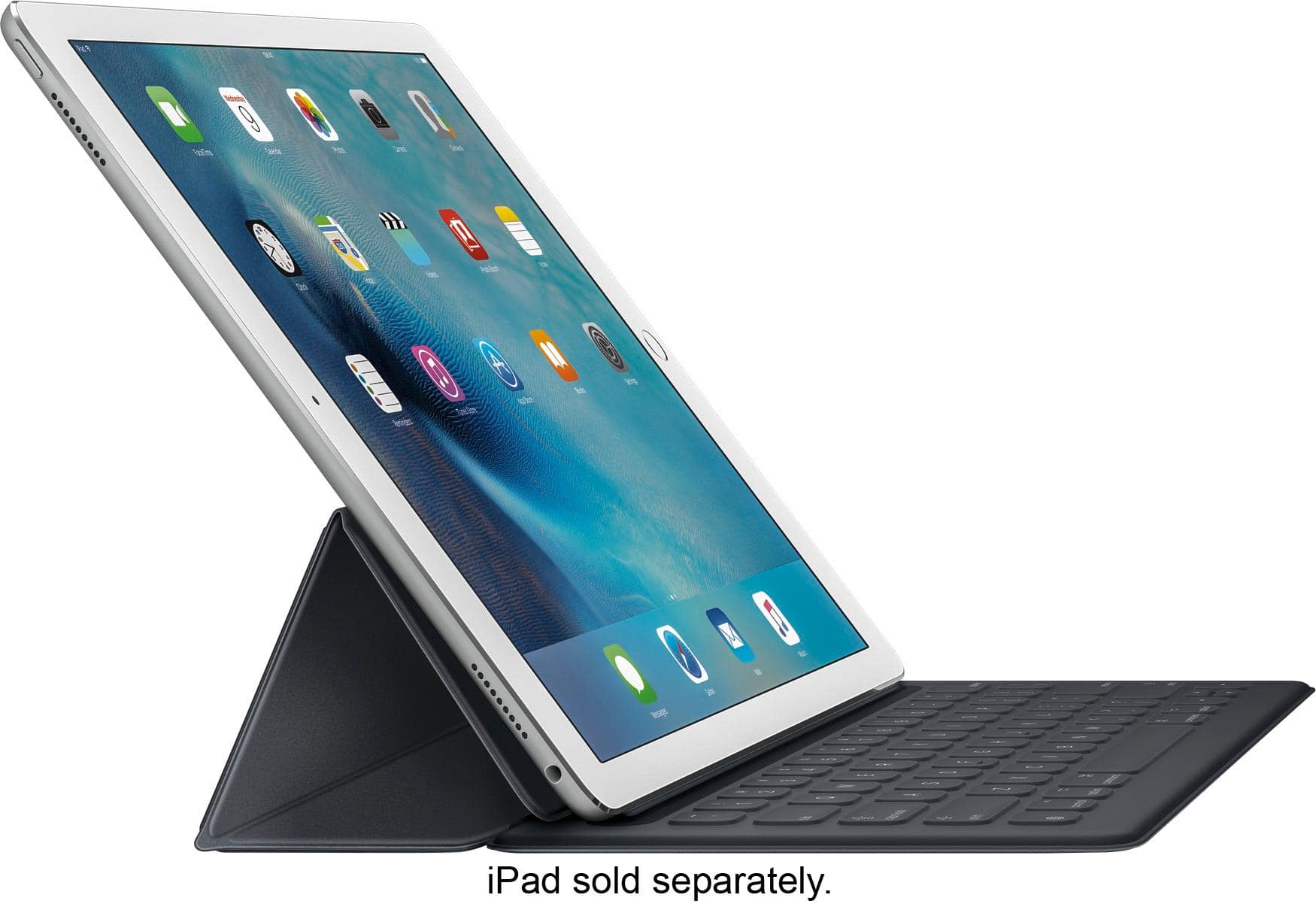
||Posted .This reviewer received promo considerations or sweepstakes entry for writing a review.This is by far one of the best keyboards that I found for my iPad Pro. The keyboard feels as if I was using, more or less, a standard keyboard. From what I've read from the manufacturer's website is that the keyboard itself is water-proof. I'll take their word for it, as I don't plan in testing that feature! LOL. I love how Mac has made this keyboard to simply attach itself to the iPad Pro through the use of magnetic technology, and because of the new feature of the iPad pro, three sensors on the side of the iPad Pro are what powers and connects the keyboard to the iPad Pro. Unlike other keyboard devices that require BlueTooth technology to make the connection and require their own power supply, this keyboard does not. Again, the iPad Pro connects AND power the keyboard. I forget the technology word that Mac used to name this new technology. The keyboard also allows the glass surface of the iPad Pro to be protected, although I feel that it could of probably use a bit more rugged material for its exterior. Because of the keyboard requiring less hardware than the standard BlueTooth keyboards this keyboard allows a user to reap the benefit of the thinness of the iPad Pro, as the keyboard itself hardly adds any unnecessary thickness and or weight. I am extremely pleased with the keyboard and I would strongly recommend anyone with the iPad Pro to consider testing it out and adding it to their own iPad Pro.
I would recommend this to a friend - Pros mentioned:Keyboard quality, Size
Rated 5 out of 5 stars
Minimalistic Marvel
||Posted .This reviewer received promo considerations or sweepstakes entry for writing a review.This keyboard is incredible. When you find a product as thin, good looking, and versatile as this you start to look for that one compromise. The one thing it lacks in that others boast about. I'm happy to say that I have yet to find that. It's good looking. It's sturdy and you can feel the quality. Keystrokes are responsive and natural. Even the sound of typing on it is appealing. I would recommend this keyboard to absolutely anyone that has the privilege of owning an iPad Pro.
I would recommend this to a friend - Pros mentioned:Ease of use, Weight
Rated 5 out of 5 stars
Easy to use, less weight
||Posted .This reviewer received promo considerations or sweepstakes entry for writing a review.I have always used Logitech keyboards and tried one with my new iPad Pro. It began to do random odd things in the first week. It was also quite heavy. I decided to try the Apple keyboard instead. It weighs roughly the same as the Apple cover, is easy to use, and, like the Logitech, doesn't need charging separately. Because it is lighter, the keyboard isn't as inflexible (I use it in my lap fine, though), but it has been extremely reliable--no oddities yet.
I would recommend this to a friend - Pros mentioned:Keyboard quality
Rated 5 out of 5 stars
Exceeded my expectations... Surprisingly
||Posted .This reviewer received promo considerations or sweepstakes entry for writing a review.I have tried numerous different keyboards for numerous different iPad's. More than one 3rd party keyboard that I have tried, the hinges broke, so started staying away from ones that had hinges on the back. I had my eye on this keyboard since it came out, but for what it was, I thought the price was a little ridiculous.. and felt that at this price they might as well have added in the back cover as well since this one only covers the screen. But since this is a review on the keyboard itself, let's get to what I've come to fall in love on with this keyboard. Pros The physical feel of the material that covers this keyboard feels so good on my fingers The keyboard actually feels like typing on a MacBook Pro keyboard, allowing me to still maintain around 90WPM on this keyboard vs 100-105 WPM on a desktop keyboard There is a shift key on both sides of the keyboard (Good for people that like to type the right way) The integrated commands for navigating through the iPad are more intuitive than I thought they would be and make using this iPad not feel so much like an ... iPad and more versatile than ever before No Bluetooth or Charging required! Cons No backlit keys While using this on my lap it sometimes becomes unresponsive and I have to pop it on and off the connector Final Thoughts Best Buy has one of the best return policies and customer service I've ever dealt with, which allows me to buy stuff like this with the peace of mind that if I don't love it, I can bring it back. I'm grateful for that, because it allowed me to try a product that I didn't think was worth the price, but I trusted the multiple reviews on this item and I now know I will not be returning it, and can't see myself using my iPad ever again without this keyboard!
I would recommend this to a friend - Pros mentioned:Keyboard quality
Rated 4 out of 5 stars
Great Assessory
||Posted .This reviewer received promo considerations or sweepstakes entry for writing a review.I like the keyboard. It is a great addition. However, the ipad is too heavy for the keyboard and it tilts up when I place it on a flat surface. It works just fine when using it on my lap.
I would recommend this to a friend - Pros mentioned:Keyboard quality
Rated 4 out of 5 stars
Apple keyboard
||Posted .This reviewer received promo considerations or sweepstakes entry for writing a review.I love my Logitech keyboard for my small iPad. This one is made by Apple. I’m hoping it will be as good as the Logitech has been. Mixed reviews on Apple site. So far it’s working well.
I would recommend this to a friend - Pros mentioned:Keyboard quality
Rated 5 out of 5 stars
Great keyboard, intuitive and well designed
||Posted .This reviewer received promo considerations or sweepstakes entry for writing a review.This Apple brand keyboard is the way to go. It is perfectly designed for the iPad Pro and the magnetic strength is perfectly balanced with the folding features. I use mine daily and it is excellent.
I would recommend this to a friend - Cons mentioned:Compatibility
Rated 5 out of 5 stars
Keypad works great
||Posted .This reviewer received promo considerations or sweepstakes entry for writing a review.When i bought a newer IPAD pro the keyboard from the previous IPAD pro had issues with the new one. Everything is back to normal with the new one. Love both the IPAD and the keypad
I would recommend this to a friend Rated 4 out of 5 stars
I think it's the best iPad Pro keyboard
||Posted .This reviewer received promo considerations or sweepstakes entry for writing a review.I went back and forth between multiple keyboards for my 12.9" iPad Pro and ended up returning all of them and keeping the Apple Smart Keyboard. I tried the Logitech Create Keyboard and Folio Case, Zagg Slim Book, and a generic one I purchased off of eBay all before deciding to keep the Apple Keyboard. The main thing I like about Apple's keyboard is that it is extremely thin and has a soft cloth touching the screen. I liked that the Logitech keyboard was backlight and had a top row of more advanced keys (for volume adjustment, a home button, etc.) but I didn't like that the keys could push up against the iPad's screen and, with the iPad in the case, it was thicker and heavier than a MacBook. The whole reason why I have a 12.9" iPad Pro is to have a thin and light device that is more portable than an ultrabook yet still productive enough to get my work done. The Zagg case had some positives as well. I liked that the keyboard was detachable, it had a hinge system like a notebooks, the keys were backlight, and there were advanced keys as well. But the plastic casing for the back of the iPad was cheap and cracked one week after use. I also didn't like that it was a Bluetooth keyboard, it did not use the keyboard port on the side of the iPad. So that's yet another device to keep charged up for trips. The Zagg also had the same problem as the Logitech: the keys could hit the iPad's display. I'm not even going to bother talking about the generic keyboard case I purchased off of eBay. That thing was a waste of money and I promptly returned it. So that left me with Apple's Smart Keyboard. I'll go over the positive first. The keyboard is deceptively thin even when it's on the iPad. I can put my iPad in almost any sleeve with the keyboard attached (sleeves that don't work with the keyboard also won't work with smart covers). The outside of the keyboard looks like a dark gray smart cover, you really have to look to notice that it's a keyboard. The keys themselves are shallow but I got used to them rather quickly. They're also covered in a vinyl-like material so that they can easily be cleaned if you happen to spill liquid on them. In fact, there isn't a gap around the keys which makes the keyboard pretty resistant to liquid and crumbs. The inside of the keyboard case is the same soft material that's inside of the Smart Cover. That means that the keys aren't going to get pushed up against the iPad's display. The keyboard itself folds out and you can use it in the same way as a Smart Cover. I can also type on the couch easier than I could with my Surface Pro 4. But there are some things I don't like about it. First, the price is a bit too high. Logitech and Zagg both charge about $20 less for their keyboards and they offer more features. I really wish Apple would reduce this to $139-$149 instead of $169. Second, the keyboard will hold the iPad at one angle only. It's fine for typing in my lap and on some desk surfaces but it would be nice to tilt the screen back more giving me more space to actually work. I still think this is the best 12.9" iPad Pro keyboard case on the market. Logitech just introduced a new Slim Combo iPad Pro case for the 12.9" and 10.5" iPad Pros. It seems to have the benefits of the Create keyboard case while adding new ones. It seems rather thick (1.02") at it's thickest point but the built-in kickstand (which works at multiple angles), Apple Pencil holder, and removable keyboard might pull me towards that. Until then, I'm going to recommend Apple's Smart Keyboard over the competition.
I would recommend this to a friend- Pros mentioned:Keyboard quality, Size, Weight
Rated 5 out of 5 stars
Fantastic
||Posted .This reviewer received promo considerations or sweepstakes entry for writing a review.Great keyboard. Just the right tactile experience. Does not add much weight or size to the iPad Pro.
I would recommend this to a friend - Pros mentioned:Keyboard quality
Rated 5 out of 5 stars
Like the feel of real buttons on my keyboard.
||Posted .This reviewer received promo considerations or sweepstakes entry for writing a review.Never quite got used to the touchscreen keyboard. I always preferred hearing my fingers clicking on real keys rather than the "never know where you are on the keyboard" feel of the virtual one.
I would recommend this to a friend - Pros mentioned:Keyboard qualityCons mentioned:Connection
Rated 3 out of 5 stars
Great keyboard, poor case
||Posted .This reviewer received promo considerations or sweepstakes entry for writing a review.Keyboard is excellent but how it connects to the iPad pro is poor. Comes off frequently when closing case. Does not provide much protection to iPad.
No, I would not recommend this to a friend - Pros mentioned:Keyboard quality
Rated 5 out of 5 stars
Make iPad pro as good as a laptop
||Posted .This reviewer received promo considerations or sweepstakes entry for writing a review.I really like the keyboard on the case. It uses magnets to hold in place. Not Bluetooth, so does not use battery. Feels like MacBook keyboard.
I would recommend this to a friend - Pros mentioned:Keyboard quality
Rated 5 out of 5 stars
Must have!
||Posted .This reviewer received promo considerations or sweepstakes entry for writing a review.the iPad smart key board is a must have. The apple version of the keyboard is better then all other brands.
I would recommend this to a friend - Pros mentioned:Keyboard quality, Weight
Rated 5 out of 5 stars
Love my iPad Pro and ...
||Posted .This reviewer received promo considerations or sweepstakes entry for writing a review.Great keyboard and cover. It works really well almost as good as a full size keyboard and that is my only issue, I type a lot and getting used to the size and finger placement is my only issue. Covers could be a little more attractive but I can deal with that. Adds some weight to the pro but not enough to worry about if you use it full time in place of laptop when traveling or even at home as I do. I use it all the time now, love it.
I would recommend this to a friend - Pros mentioned:Keyboard quality
Rated 5 out of 5 stars
Great case and even better keyboard
||Posted .This reviewer received promo considerations or sweepstakes entry for writing a review.The case is a little heavier than excepted but love the feel and function of the case and keyboard. In fact I wrote this review on the keyboard. A little pricey but well worth the money
I would recommend this to a friend