Customer Ratings & Reviews

- Model:
- W121
- SKU:
- 6443774
Rating by feature
- Setup
Rating 3.8 out of 5 stars
- Range
Rating 4.5 out of 5 stars
- Signal Strength
Rating 4.4 out of 5 stars
Customers are saying
Customers recognize the SURFboard mAX AX6600 Tri-Band Wi-Fi 6 Mesh System's ease of use and excellent coverage throughout their homes. Positive feedback also highlights strong signal strength and overall performance, leading to improved internet experiences. However, some users express dissatisfaction with the accompanying app and limited LAN ports on each node. The WiFi range, while generally praised for its coverage, has shown inconsistencies for some users.
This summary was generated by AI based on customer reviews.
Adequate. Is there anything out there better?
||Posted . Owned for 1 month when reviewed.This reviewer received promo considerations or sweepstakes entry for writing a review.Experiencing a few issues with use on multi-level home. Product touts boosting signals throughout the home, yet when a 'health check' is performed it says 'Good' and states a 'direct line of sight' is required to improve signal quality. That's a bit impossible from downstairs to upstairs. Pretty soon we'll all need a 'server room'.
I would recommend this to a friend- Pros mentioned:Coverage, Setup, Speed

Stellar WiFi Performance
|Posted .This reviewer received promo considerations or sweepstakes entry for writing a review.Arris is a brand I have high praise for. My experience with their home network devices has been nothing but positive. I’ve tried many different modems and routers. So was very much interested in discovering how well this Arris SURFboard mAX AX6600 Tri-Band WiFi 6 Mesh System (2-pack) would perform. Setup was a breeze. (You will need to install the Arris SurfBoard Central App on your phone.) Simply follow the guided instructions. Once that was done, then came the rather laborious process of setting up all my devices on the new network. But having done this before, I knew what to expect. Next came the Speed Test. I did this several times, with my network’s VPN on and off. There was no noticeable difference. Download and upload speeds were comparable to my previous Tri-Band WiFi Router. Overall, coverage was good, and proved to be consistent, for devices both inside and outside my home (such as security cameras). This Arris certainly makes the most of the highest tier internet service we pay for. However, I am seeing a trend with these newer WiFi mesh systems. The price seems rather prohibitive. Not that the quality and performance isn’t there. But there are less expensive options available. New, and improved, electronic technology is desirable, yet initial cost does factor in. Best advice - Decide what you are willing to spend, research choices that are within your budget, and most importantly, know what your particular needs are. As for this Arris SURFboard mAX AX6600 Tri-Band WiFi 6 Mesh System, even at it’s somewhat higher price point, it’s definitely one to consider.
I would recommend this to a friend - Pros mentioned:Coverage, Setup, Speed
Excellent WiFi system upgrade!
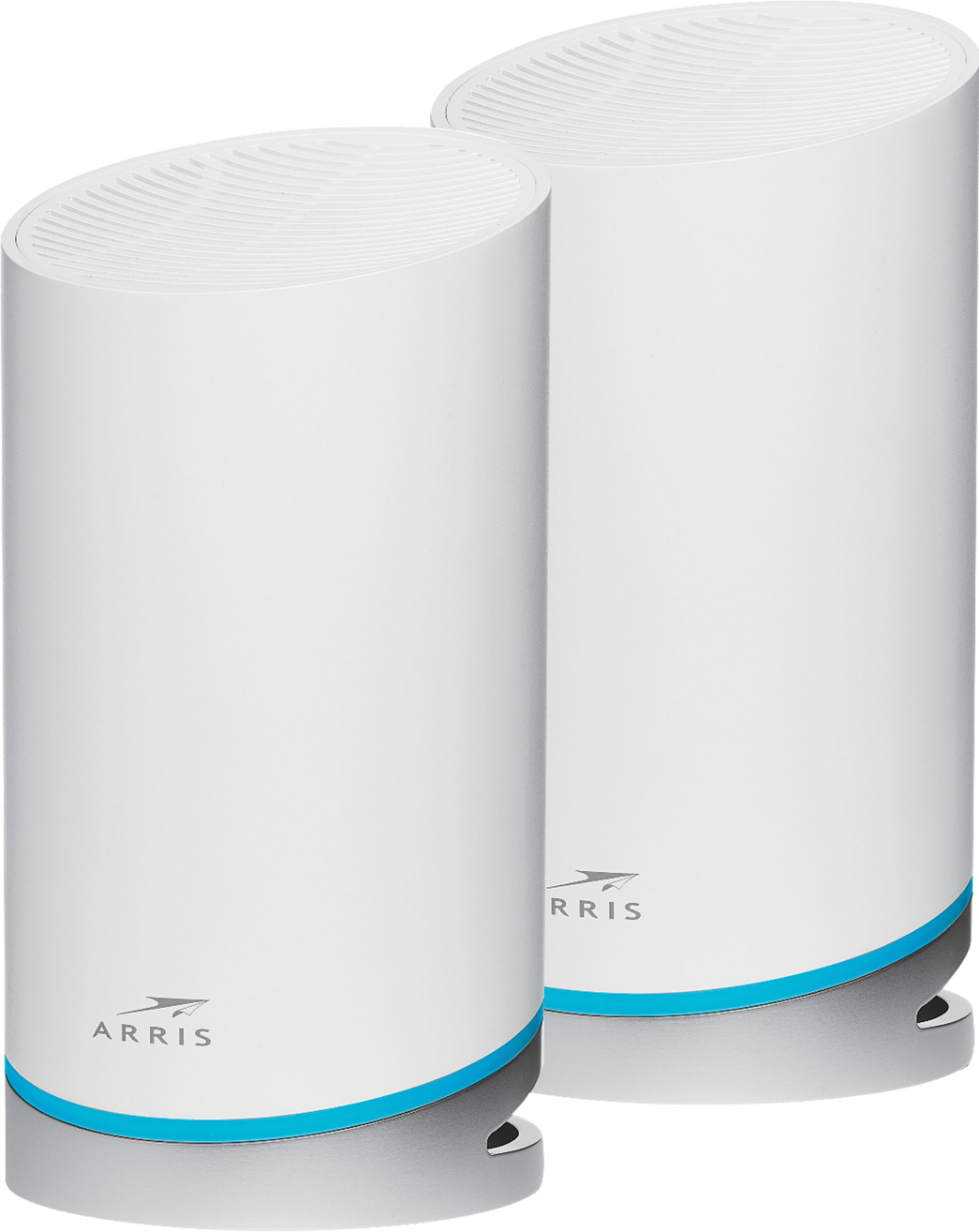
|Posted .This reviewer received promo considerations or sweepstakes entry for writing a review.The Surfboard MAX mesh system is a great system for expanding the range of your WiFi without compromising speed drops. The box comes packed with 2 Mesh routers, one ethernet cable, and 2 power cords. The days of instruction booklets seem to be behind us, seeing how there is none in here…Instead, you have to download the Arris surfboard app, which that will guide you through the setup process. The Mesh system is compatible with most modems, which also makes the system worthwhile. If you currently have a separate modem and router, then the setup process is actually very easy (as long as you follow the instructions in the app). If you’re like me and have a combo router and modem, then there are a few extra steps involved that the app doesn’t show you how to do. For example, you have to go to the modem’s webpage and manually turn off both bands of WiFi, as well as put it in bridge mode. If you don’t do this, then you will have double NAT types, which is not ideal if you’re an online gamer. This is where it can be a little confusing especially for people not familiar with how to set up advanced settings on their modem through the webpage. I will say that tech support is very helpful and helped me fix my issues right away. Once you have your first satellite connected, this becomes the main router. After that, the app will ask if you want to add another satellite, after you add it then you’re all set up. The big benefit about the mesh system, is that it offers the new WiFi-6 option. Keep in mind your device has to be able to get WiFi-6 or it will just work as normal WiFi-5. I tested the speeds on my iPhone 12 pro max, to see if there was really any increase in speeds…Unfortunately there wasn’t that big of a difference (it went from 456mbps/s to 503mbps/s). But what I did notice was that there was no more lag, meaning the download rate was consistent. That brings me to another key benefit the mesh network has, it lets you run multiple wireless devices, all at once without getting any dead spots or drops in speeds. And I mean this system reaches far. I was in my car and 2 streets over from my house, and I was still connected to my wifi network. Overall, I love the Arris Surfboard Mesh system. I think it offers an incredible upgrade wifi networks. The app provides you with a full map of your network, including all the devices connected and what bands they’re connected to i.e., 5Ghz or 2.4Ghz. It also shows you which satellite the devices are connected to as well. The newly added WiFi-6 is also a plus, especially as new devices will start becoming compatible with it. The range and coverage of the satellites are amazing, I was no longer getting dead spots in my home, and the way the mesh network allows multiple devices running at the same time without ever slowing down is exactly what I was looking for. I would definitely recommend this to anyone looking for a better WiFi network.
I would recommend this to a friend Great system.
||Posted . Owned for less than 1 week when reviewed.This reviewer received promo considerations or sweepstakes entry for writing a review.I'm blown away by how effective this system has been and how easy it was to set up. It has eliminated dead zones in my house and even gives me Wi-Fi 6.
I would recommend this to a friendGarbage, wish it wasn't.
||Posted . Owned for 1 month when reviewed.This reviewer received promo considerations or sweepstakes entry for writing a review.Can't get them to connect to the internet and states is no longer returnable. Purchased 32 days ago, received 27 days ago. Complete trash. Arris tech gave up trying to help get connected.
No, I would not recommend this to a friendNo parental controls
||Posted . Owned for less than 1 week when reviewed.This reviewer received promo considerations or sweepstakes entry for writing a review.As wifi mesh, it works ok. I say ok because one of the satellites often goes offline even though is like two rooms away from the main station. The advertised 5500sqft coverage are a straight fantasy unless your house is Is a warehouse with no walls or doors. The killer point for me however is that the software does not have any parental control on content, web sites or anything like that. It only allows to set time outs for devices. You can buy a $100 wifi router with MUCH better parental control and in general, many more configurations. Overall, if you need this device for a family, or you need to cover your whole house, this product is not for you.
No, I would not recommend this to a friendBrand response from ARRIS SURFboard Team
Posted .The SURFboard mAX Mesh Wi-Fi Systems have a host of features available through the app - SURFboard Central - including parental controls. Here is a link to information on how to set them up: https://arris.secure.force.com/consumers/articles/General_FAQs/mAX-Routers-Parental-Control-Setup
We welcome you to join our community where you may find more information and connect with other product users who may have advice for your particular issue. https://community.surfboard.com/
Good bang for the buck
||Posted . Owned for 1 week when reviewed.This reviewer received promo considerations or sweepstakes entry for writing a review.Works best with Android setup. Newest client update made it a definite must buy. Great features and range.
I would recommend this to a friendProduct very good, set up not so quick n easy
||Posted . Owned for 1 week when reviewed.This reviewer received promo considerations or sweepstakes entry for writing a review.After an hr set-up, product works fantastic. Should have been 10 mins maybe? Even had customer support on the phone walking me through steps. Wasn’t exactly a simple plug n play as expected. And I have an Arris modem
I would recommend this to a friendEasy Peasy
||Posted . Owned for 3 weeks when reviewed.This reviewer received promo considerations or sweepstakes entry for writing a review.Mesh is the way to go, the app is fantastic. I was up and running in less than an hour.
I would recommend this to a friend- Pros mentioned:Coverage, SpeedCons mentioned:App
Great Coverage and Speed But Usability Issues
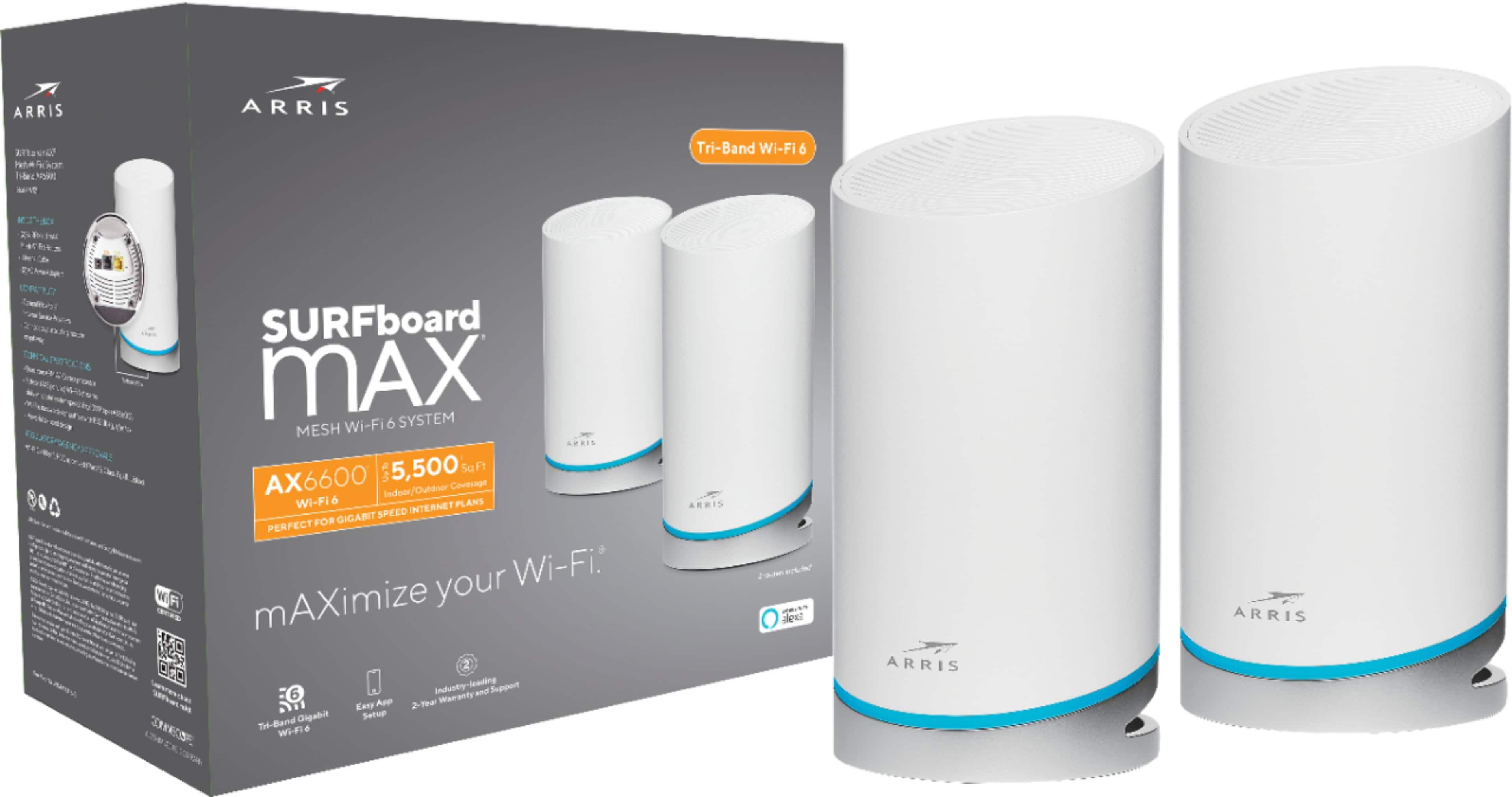
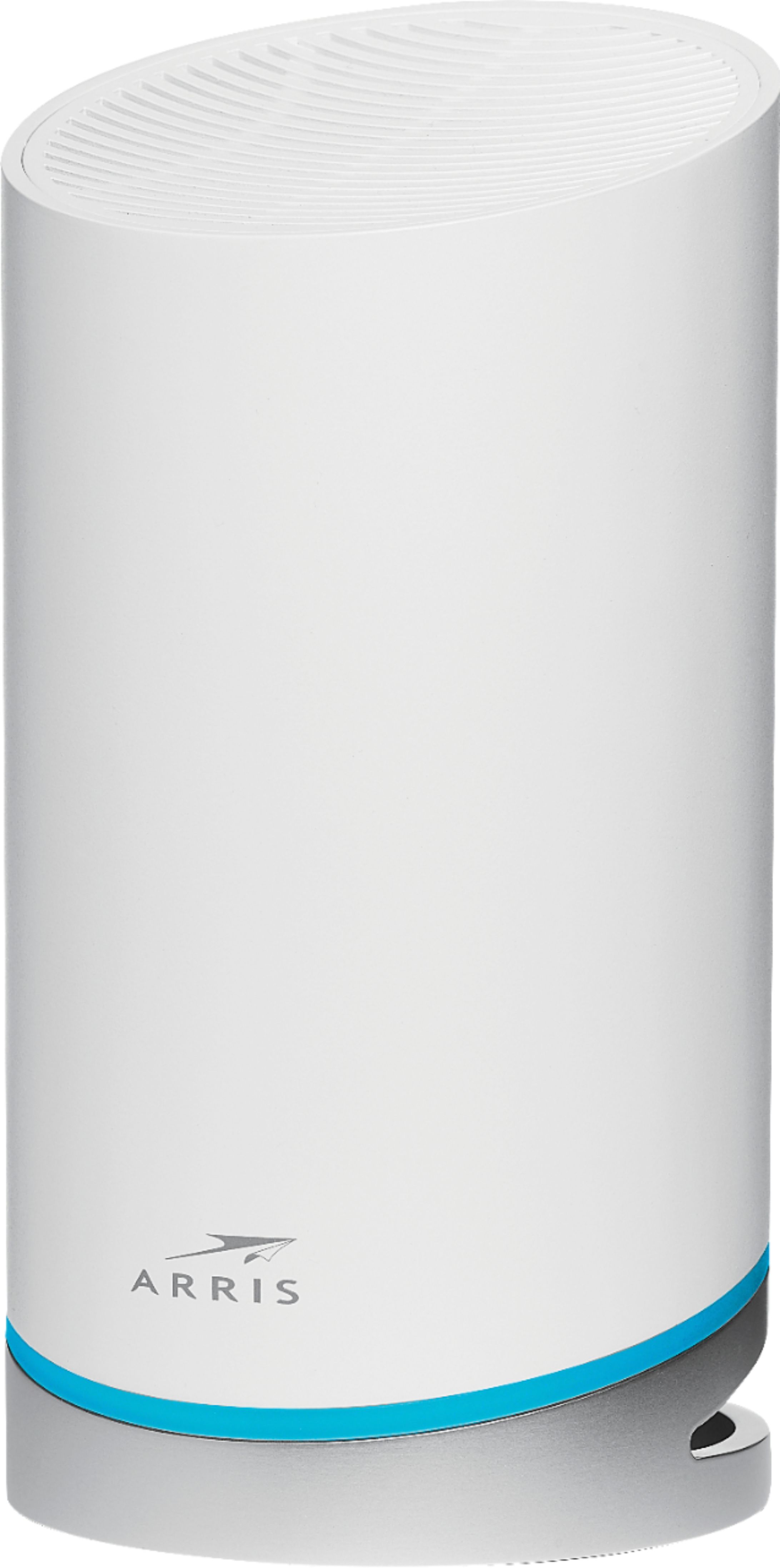
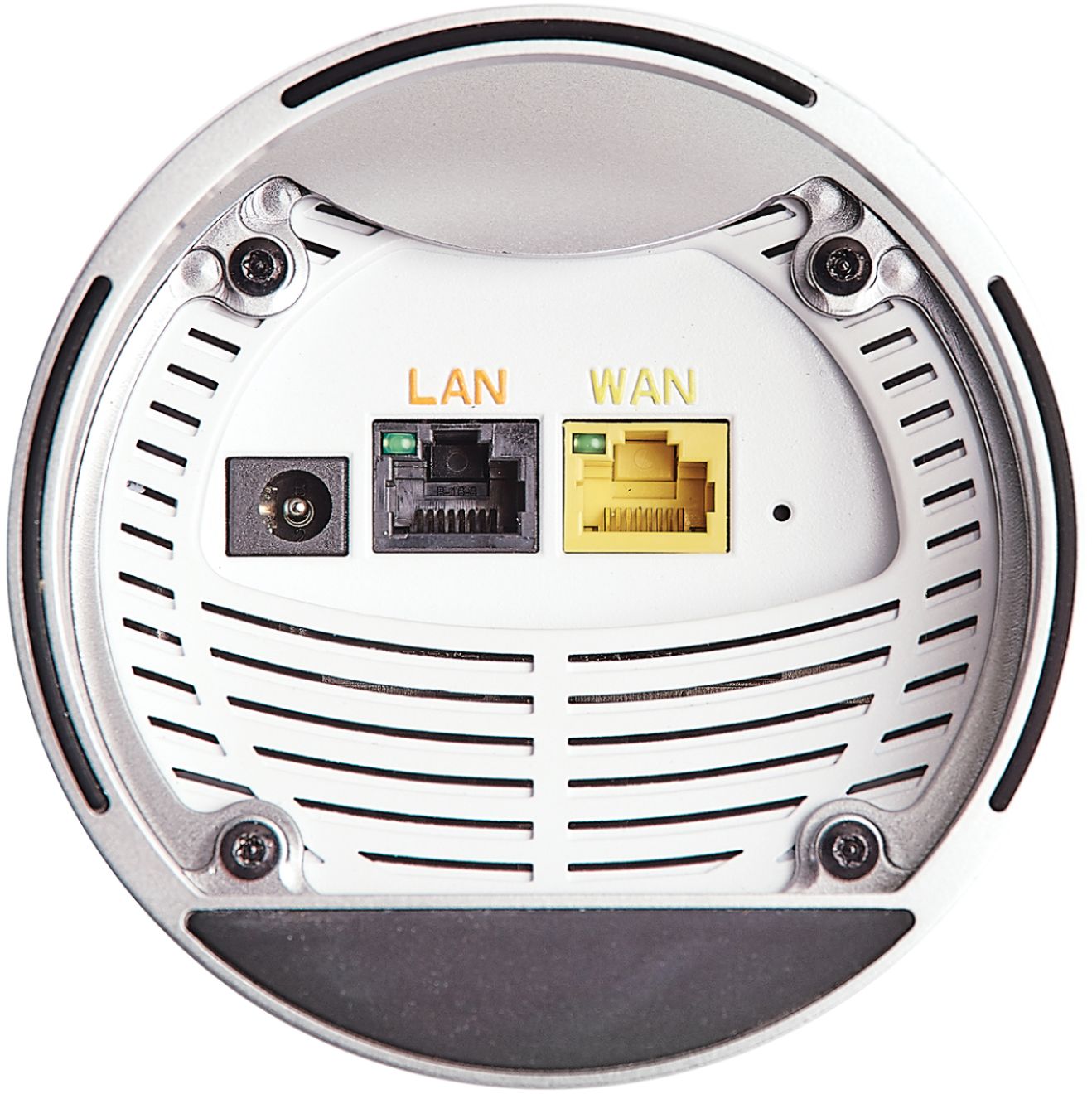
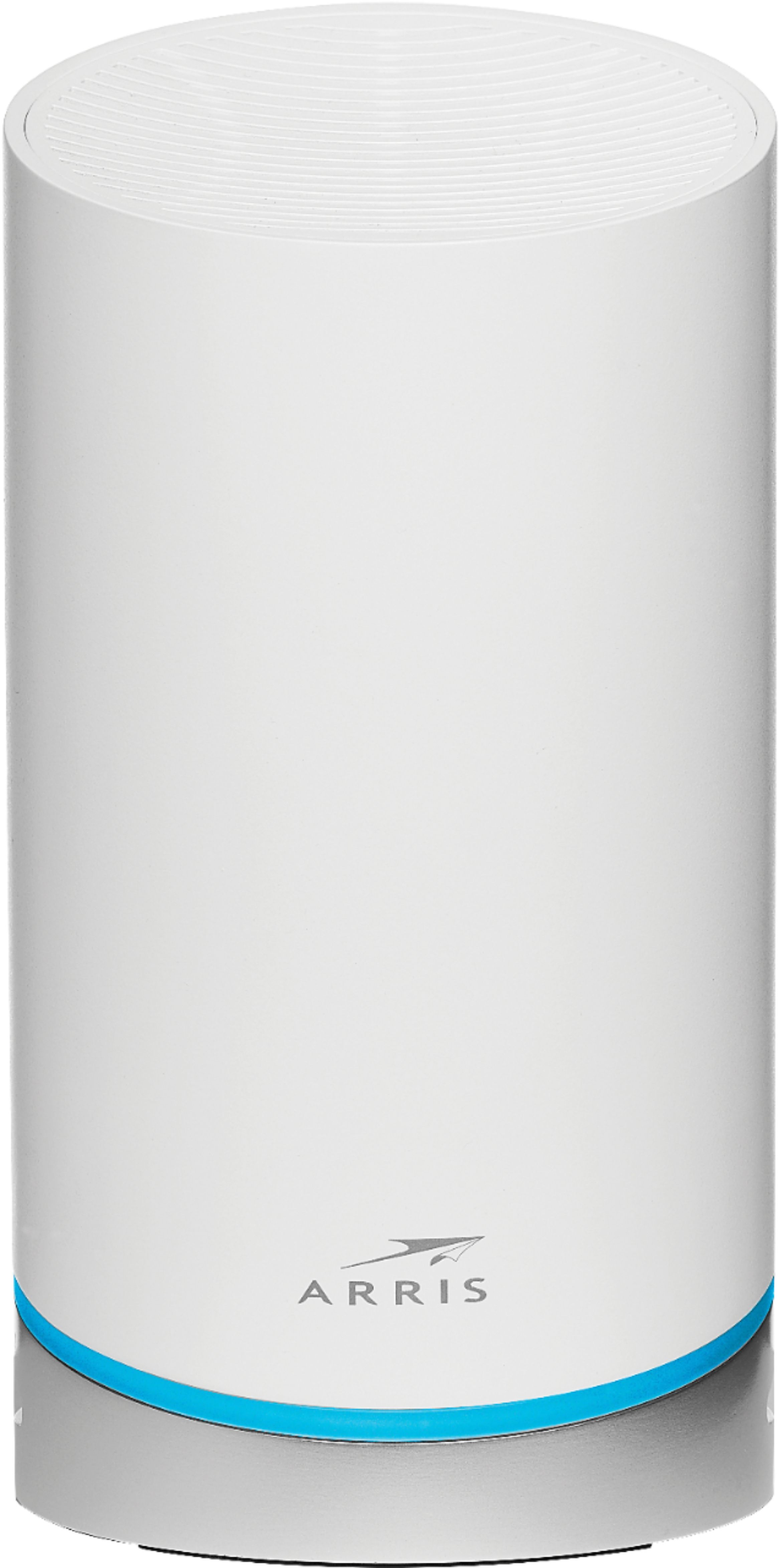
|Posted .This reviewer received promo considerations or sweepstakes entry for writing a review.The Arris AX6600 is a series of wifi mesh routers. It boasts support for the latest Wi-Fi 6 and is tri-band, all standard stuff. What makes this system pretty cool is that every unit is identical and a full fledged router. A lot of mesh systems utilize one central router then smaller less powerful and feature full satellite units to extend the mesh network. As a result, you still need to juggle where to place the actual router unit and satellite units to deal with locations where you can actually put a cable/dsl modem and the different signal strength capabilities with the units. Here, all units are the same, so it simplifies your decision making. This particular set comes with two mesh routers, but you can expand it with more units if needed. The AX6600s are cylindrical shaped units, about the size of a cylindrical bluetooth speaker with similar looks. Or, with the mesh like "grille" on the top, it sort of looks like a really small and compact air purifier. So, at first blush, it may not look out of place sitting on a shelf or table in some random location in your home. It's a pretty simple device. Two ethernet ports on the bottom (one for the internet connection from a modem, the other for a wired device. On a unit that's not connected to the modem, you can configure it to be a second wired device port). The power plug also on the bottom. These are wireless routers so have a decent size wall power adapter. The whole thing sits at an angle, so you route all the connections at the bottome and through the back. There is a small reset pin on the bottome as well. So, unpack, set up power and connect to the modem, then make sure you have a phone with a cell internet connection because you'll need to download the surfboard app to configure the routers. This is a sore spot for me. I dislike needing to already have working internet to configure a wifi router whose purpose is to help provide me with that internet connection. I also dislike being locked in to using a specific vendor's app to configure my router, versus being able to connect to it and do everything myself. While the unpacking and initial connection instructions in the app were pretty detailed, getting everything else configured wasn't so quick. And to add insult to injury, that's the easy part - I'd already had things unpacked and set up before getting to downloading the app. And this is weird because to configure it, you need to connect to the router's initial setup wifi network anyway. Going through the setup process involved the routers doing several restarts and taking time to I guess optimize the mesh. Anyway, after wrangling through the setup process, you now have a working mesh network. And while the app itself and vendor lock sucks, the mesh network, coverage, and speeds are great! Over a 3000 square foot house, three floors, a garage, and about 20 feet from the house outdoors, I had reliable and fast connection speeds. Speedtest consistently showed me getting near the max speed available from my ISP. I didn't have a wifi 6 device handy for testing, but my 2.4Ghz and 5Ghz devices both were fine with not interoperability issues. My gaming recently is mostly of the mobile variety but I didn't experience any extreme latency issues in games where that can be noticeable (like Among Us). Also, the classic test, streaming a 1080p movie in the living room while having a video call in my office showed no bandwidth or latency issues (and normally in my office, my laptop uses a wired connection). From a stricly wifi performance and coverage point of view, these are great routers once configured. But, it's also in the office use that I run into other issues. While where possible, I connect devices to wifi as needed, I have several work related things which require a wired connection. Even with my prior router, which has four ethernet ports and the one modem port, I still use a four port switch to further expand connections at my desk. So these are not ideal if you have a lot of wired connections unless you're already making use of a switch to split a single physical ethernet connection back to your router. One could add yet another switch accepting the wired connections which were previously at my router and then going to the single port on the unit being used as a router. The other issue is the ability to connect USB device to the network. While there is a solution, some USB wifi adapter or hub device, that does make setup, management, and configuration of my network storage more difficult versus when my router software could actually handle that and serving up access to the file system. From me, this get's a 3 as the overall score. If I were to break things out into subscores, I'd say: Setup/Configuration: 2 Signal Strength/Connectivity: 5 Wifi connection speed: 4 WiFi Band support: 4 Latency: 4 Peripheral device support: 1 For me as a power and office user, there are some distinct downsides to this unit. I didn't have an "independent setup" or vendor lock-in subscore, but that also factors into my rating. It's risky having devices where you're reliant on a third party for configuration and operation. The speed and mesh network connectivity make this great for the casual home user where most devices will be on the network via wireless. And if you replace routers every 3-4 years, then vendor lock-in isn't really a long term issue to contemplate.
No, I would not recommend this to a friend Speed
||Posted .This reviewer received promo considerations or sweepstakes entry for writing a review.Great area coverage for a large home. No need for other wifi extenders
I would recommend this to a friendExcellent Quality
||Posted . Owned for 1 week when reviewed.This reviewer received promo considerations or sweepstakes entry for writing a review.Good quality and dependable. Very pleased with this purchase.
I would recommend this to a friend- Pros mentioned:Speed
Excellent WIFI coverage and simple user interface
|Posted .This reviewer received promo considerations or sweepstakes entry for writing a review.The biggest problem I have with Mesh wireless systems is that the nodes tend to lose connection to each other. However, with the ARRIS AX6600 I have had no such issues. The nodes maintain a strong connection to each other and haven’t dropped off once. In my 3600 Square foot home, the two nodes provided stronger link speeds to my devices and performed better than some of the three node systems I have tested. Also, the user interface of the app has a simple design and is easy to use. All the configurable items are self-explanatory and there are no advanced settings which tend to confuse non-techie folks. The only con I found is that the wall warts are large and can take up a lot of space on a power strip. With that being said, I recommend the ARRIS AX6600 to anyone that wants excellent WIFI coverage and a simple user interface.
I would recommend this to a friend - Pros mentioned:SpeedCons mentioned:App
Good coverage, difficult setup, limited features
|Posted .This reviewer received promo considerations or sweepstakes entry for writing a review.My house is large, and full coverage has always been a challenge. I clearly needed to move to a mesh system, and this Arris WiFi6 router seemed to fit the bill. Overall, I'm happy with the mesh system, but the app is a bit of a mess and there are some missing features that I reasonably expect at this price point. This package comes with two identical nodes that look unobtrusive enough, not so much geeky as like giant air fresheners. While they won't win any designer awards, they're reasonably easy to hide. You won' want a node in a bedroom, TV room, or anyplace else that requires darkness, as the lights cannot be turned off or down, and they are large and bright. Setup is only through the Surfboard app, which is the first sign that setup will not go well. The first thing the app wants to do is help you optimize your network, but selecting this doesn't do what a reasonable person might expect, which is tell you where to place your nodes. Instead, it gives you very basic guidelines for placement. It's pretty pointless to have it in here at all. Next, the app leads you through the process one step at a time, except for the one step that they left out. Here's a hint - once you've connected your base node to the modem, power cycle the modem. Otherwise, the app stops the setup processwith a cryptic error message that is not documented on the Arris site. Once you have the base set up, the app will take you to a graphic of the network. If you weren't paying close attention when this screen opened, you probably missed that to add the second node, you have to hit the small image on one side that has a + sign on it. Once set up, the mesh system works beautifully. I now have a very high speed connection, with excellent coverage across my house and through much, but not all, of my (admittedly not small) outdoor area. Speed tests show no drop in performance anywhere in the house. But there is no way to access the router settings except through the app, and I really miss having the ability to get into the settings and do things like prioritize connections, change channels (in case of conflicts), turn off (or at least turn down) the bright lights on the unit, etc. There also does not appear to be a firewall or edge malware detector built in, the way there is with many other routers in this price range. Overall, this is a very good unit, and if it only had a better app, direct access to the router for settings, and a few more features for the price, it would be a great unit.
I would recommend this to a friend - Cons mentioned:App, Lan ports
Strong extended range, but other issues.
|Posted .This reviewer received promo considerations or sweepstakes entry for writing a review.Arris Surfboard Max The Arris Surfboard Max Mesh Wi-Fi 6 systems is a two piece wifi router designed to provide high speed connectivity to your entire property. After a few fails to get it installed, it has performed quit well. Setup in theory should be super quick and easy. There are literally no instructions at all, just a QR code to scan to lead you to their app to install. This seems to be the only way you can install and use the system, which I strongly dislike. I’m really getting tired of so many things requiring their own personal app to work. Especially when things don’t work as planned. I followed the instructions and it failed to connect to my modem. So I tried again, and it wouldn’t connect. I walked away in frustration and once I tried again the app was hung up mid install. I couldn’t do anything but close and reopen the app. Eventually I gave up and uninstalled the app and reinstalled it only to once again have it fail to connect. After taking another break I tried one last time before contacting customer support and viola! It connected! Why? What did I different on this attempt? Nothing, no idea why it failed, failed, failed and then connected. Now once we got everything working there was a noticeable improvement in coverage. I even get strong coverage of my WiFi at my neighbor’s house. This is very nice, I mostly just wanted solid connection all throughout my property and this device didn’t disappoint in this regard. Living in the rural foothills of Northern California as we do, we are limited to fairly poor quality internet (Hurry up SpaceX and offer your service here!) speed. So as far as that goes there was no noticeable improvement over my precious router. All in all I would say this device works as advertised. They really should have included a very basic quick start guide with the name and icon pic of the appropriate phone app. I strongly dislike that it can only be set up and operated with an app. How the Ethernet cable connects to device is poorly thought out in my opinion. The set-up was neither quick nor easy with several unexplained hiccups along the way. However the area covered is quite strong and that after all is its main claim to fame. So at the end of the day if someone was looking to the range of their wifi system I would probably still recommend this to a friend, though it would be a tepid recommendation at best.
I would recommend this to a friend - Pros mentioned:Setup, Speed
Great!!
|Posted .This reviewer received promo considerations or sweepstakes entry for writing a review.This product was super easy to set up and use. Within ten minutes it was set up and working. Follow the directions, install the app and it should work like a charm. It doesn’t drop the connection, the speed is not compromised. I’m very happy with this system and am planning on purchasing more units for a stronger wifi throughout our property.
I would recommend this to a friend - Pros mentioned:Ease of use, Signal strength
Impressed
|Posted .This reviewer received promo considerations or sweepstakes entry for writing a review.We got this to use in our small church setting. When Covid hit, we needed to partially reinvent the way we did worship so that folks at home could stream services. Our internet service is through cable — and we had an old router. The Arris SURFboard MAX AX6600 system has turned out to be a blessing. We now have a much stronger signal within the confines of our property and no more dropped sections during the service, which looks really bad when watching in your own home…and it’s embarrassing! Also, if we’re at church and need to be online, we no longer have to hang around the sanctuary (where our main router used to be set up). We placed the extender out near our social hall. Now we have great service no matter where we are in the building (approx. 8,000 sq ft., single story, L-shaped) — even outside in the parking lot! Easy setup; strong, far-reaching signal. What more could you ask for? Thank you ARRIS.
I would recommend this to a friend - Pros mentioned:Coverage, Speed
Total Coverage, Fast Speeds!
|Posted .This reviewer received promo considerations or sweepstakes entry for writing a review.This Arris mesh system was able to cover 2 separate houses. I set one up in the main house and another in the back guest house. In total it's about 4500 sf of coverage that is needed. There are no dead spots on the property. I tested the previous mesh system I was using against the Arris and the Arris beat it in terms of speed and ping every single spot I tested and at times by 100's of mbps. The app is also very user friendly but it isn't as full of features as the Linksys systems or google systems. Overall, if you want speed and coverage for your home, the Arris will beat out most.
I would recommend this to a friend - Pros mentioned:Ease of use
Powerful, Well Designed and Easy to Setup
|Posted .This reviewer received promo considerations or sweepstakes entry for writing a review.The Arris Surfboard Max AX6600 was the easiest install of any router I have used. This router included a base and a satellite to ensure the WiFi coverage in your home is optimal by placing the two routers as needed in your home. You should locate the satellites on different floors or at different ends of the house. Both units are identical so you can configure either one as the base. The process via the cell phone guides you perfectly through the setup. I configured it in two ways. The initial way was as your only network and the second way was as a second router. Either way the installation went smoothly. The hardware is very solid and it came with two power supplies, two routers and one ethernet cable. Note the design of how you plug into the Arris routers is easier with a flat style ethernet cable as provided. If you need something simple to configure or if you like diving into the details, the Arris will work nicely for you. When connected properly there will be a blue ring of light at the bottom of the routers. During setup the Arris engineers used other colors to help you know the setup was on track. In my situation I wanted to use this router to set up a second network off my existing network. My cable modem was a single box that included the modem and a router. I have over 20 devices that talk over WiFi so I wanted a situation where I could spread the connections over two networks. Normally you have to be very careful to ensure you do not have one network interfere with another due to DHCP setups. Bridging has to be done carefully. However the engineers and programmers at Arris get a tip of the cap for designing a simple way to make everything work perfectly. You can use their phone app whether you have a separate modem and separate router or a combined box like I have. The software asked me at one point if I had two units or a combined unit. All the steps after that included checking for new firmware and easily setting up your network. After you configure the base, you can then add the satellite. This package included one satellite unit, but you can add more easily using the app later. The app gives you many tools to investigate the status of your network. I loved the app, it was very well done, no bugs. I checked the speeds and the second network which does piggy back off my internet provider’s modem/router is just as fast. I have to congratulate the Arris team for an excellent product that I highly recommend. If you have a large home or a home with a basement and 2 floors, this unit would be a great way to ensure complete WiFi coverage. If I could give 10 stars I would.
I would recommend this to a friend - Pros mentioned:Signal strength
Easy to install, good coverage outside metal bldg
|Posted .This reviewer received promo considerations or sweepstakes entry for writing a review.I was anxious to get a new 'better' router, and the Surfboard Max seemed like it would fill the bill. I live in a metal house (barndominium) with metal walls and roof and it's also two stories. We have good wireless broadband, but sometimes the signal doesn't follow us to the porch. (which also has a metal roof). So, the search for a new router system (daresay my current one is generations old!) Taking the two surfboards out of the box was harder than installing the software. As usual, the 'cover sleeve' of the box was torn in trying to slide it off. Alas. Once I opened the box, the two units and their power cords were easilly accessed. Instructions were to download a program (google or iOS) and go from there. This was simple, but I wish they also had a microsoft store program..... The step-by-step instructions were great and allowed me to easily follow along and get the new router installed. Note that it does take a few minutes to go from one step to the next because it is configuring itself, so don't get impatient! At the SSID screen, I was able to reuse the same network name and password, which saved me from having to update every device in the house! The signal is very strong, even outside the house. The barn is 40 x 80 feet, so I was pleased that it worked so well. While we do have broadband wifi, it is not a super high speed. These new routers drop very little speed as compared to plugging with cable directly into router, so the TV runs streaming a lot better!
I would recommend this to a friend