Customer Ratings & Reviews



- Model:
- Q525UA-BI7T11
- SKU:
- 6292313
Rating by feature
- Battery Life
Rating 3.6 out of 5 stars
- Display
Rating 4.0 out of 5 stars
- Value
Rating 4.3 out of 5 stars
Customers are saying
Customers highly value the touchscreen, speed, price, storage, and memory of the 2-in-1 15.6" Touch-Screen Laptop. They appreciate the convenience of the touchscreen, the fast performance of the processor, the affordability of the laptop, the ample storage space, and the generous amount of memory. However, some customers have concerns about the battery life, the limited number of USB ports, and occasional freezing issues.
This summary was generated by AI based on customer reviews.
Open Box Deal
Posted .This reviewer received promo considerations or sweepstakes entry for writing a review.had it for a year and 3 months now, bought as an open box deal, works fine still, awesome price, no issues at all.
I would recommend this to a friendGreat computer
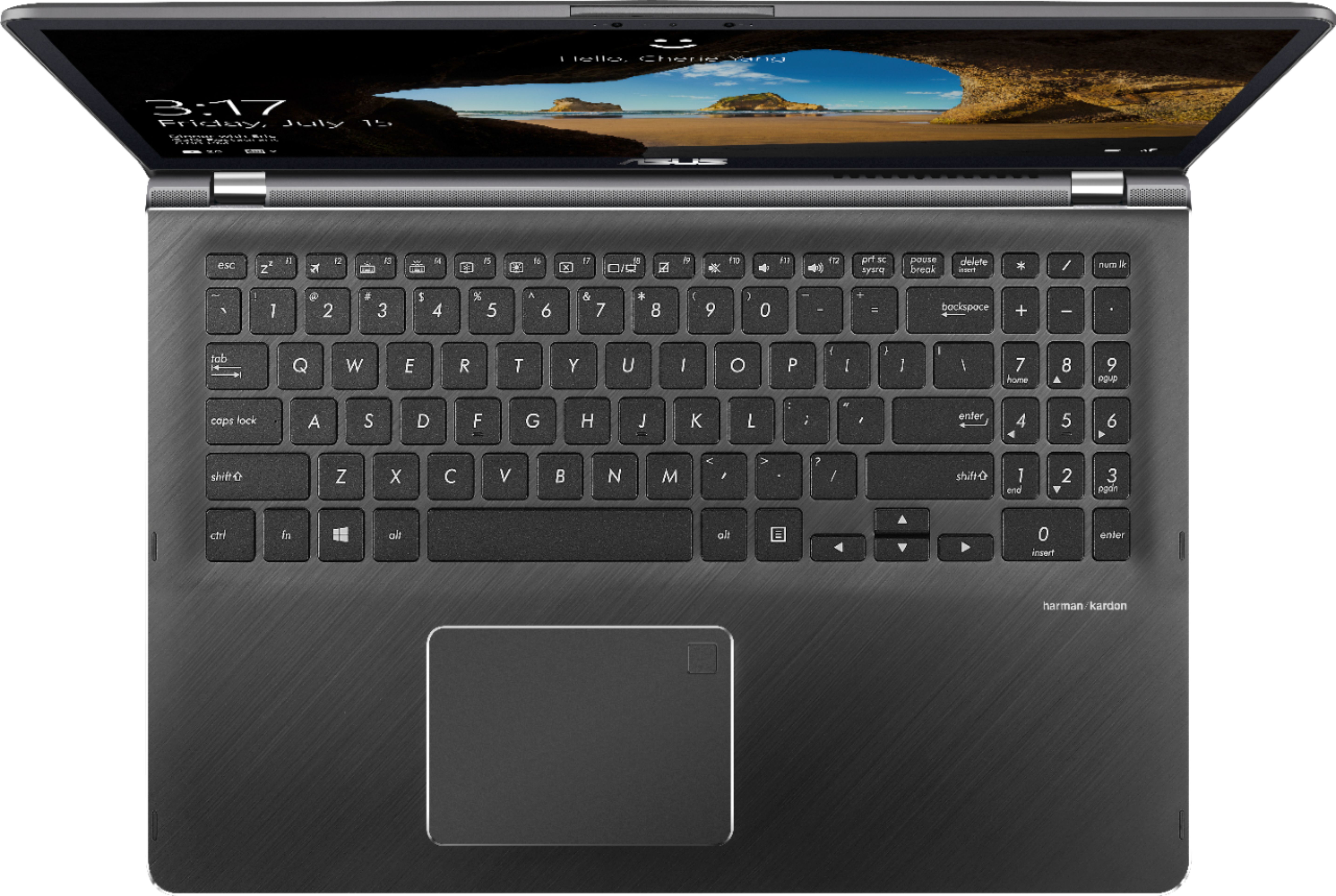
Posted .This reviewer received promo considerations or sweepstakes entry for writing a review.I bought this after my old Dell laptop died. This computer is quick and reliable. Boot time takes less than 3 minutes. The battery life is decent. I can play some games on it like cities skylines and fortnite. The keyboard feels nice and is quiet which is great for taking notes in class. The track pad feels wonderful too, super easy to select a string of text.
I would recommend this to a friendPiece of Junk
Posted .This reviewer received promo considerations or sweepstakes entry for writing a review.Absolutely the worst computer I have ever owned, and that includes a Packard Bell back in the 90s.
No, I would not recommend this to a friendUnreliable, Slow, Recurrent Glitches
Posted .This reviewer received promo considerations or sweepstakes entry for writing a review.I bought this Asus laptop from Best Buy a little over a year ago. Here's my review: THE BAD: -Slow start time (about 15-20 minutes of blue screen and spinning cursor) | To put it into perspective, my 2004 Toshiba laptop started much faster -Recurrent glitches. It has a “100% disk usage” glitch that you can find fixes for online, but they’re only temporary. At restart, the problem recurs. It slows the laptop down until you resolve it each time you restart. - Random issues with wi-fi connection – same as above. The same wi-fi I’ve been using since I bought the laptop will suddenly stop being recognized. I’ve tried all available solutions, but the problem recurs. All that works is another restart (again: I’ve never had this problem on any previous computers) - The laptop makes strange scraping / crunching sounds, the speakers turn to static sometimes, and the camera is occasionally “not available.” Sometimes, it also randomly ejects flashdrives and external hard drives. -If you leave it plugged in when you put it in "Sleep" mode, it will start up on its own again, even when it's closed. This is another issue where adjusting settings does nothing. You have to unplug it. THE GOOD: -I like the screen. It’s bright enough and nice and large. -I work with a lot of large graphic design files and this laptop rarely freezes. (This is the only reason I keep using this laptop). SUMMARY: This laptop has too many glitches that can’t be resolved and a slow start time. I’ve owned computers since the early 1990’s, and this is the second worst one I’ve ever had.
No, I would not recommend this to a friendBrand response from Asus_Answers
Posted .Dear Adrian,
I do understand your disappointment if you are experiencing slow system speed, glitches or performance and other issues with the laptop. All ASUS products undergo intensive quality control testing and inspections, this is a random problem. In order to maintain optimum system stability and performance, cumulative WINDOWS Update needs to be installed periodically. If you are accessing web applications, please make sure the unit has access to an established router and internet service is working properly since this will definitely affect system speed and performance. Also, clearing internet cache or browsing history will improve system performance. If you need further assistance, please email me at [email protected] and I would be happy to help.
Thank you for choosing an ASUS product.
Regards,
Rodel
ASUS Customer Loyalty
Worst Experience
Posted .This reviewer received promo considerations or sweepstakes entry for writing a review.I have had this computer replaced, and worked on but it still is the worst computer purchase I have ever made. It is VERY noisy, fan noise, and drive noise mostly, but it can literally wake you up at night if it's on. It is very slow to start up, and even after 20 mins it will just halt and not respond to anything -- after another 15 mins it may start responding, or just be frozen. It is an incredibly frustrating machine and not worth half of what I paid for it. Further, whenever any work is done on it by Geek Squad you have to do a complete backup and they send it away for a week. I did not purchase a computer in order to keep sending it away as I need to use it daily so this thing is also highly inconvenient. I see why Best Buy put Geek Squad in their store. It is because the quality of these machines is extremely poor. I'll say it twice: Not worth the risk. Not worth the risk.
No, I would not recommend this to a friendBrand response from Asus_Answers
Posted .Dear Snowman21,
I do understand your disappointment and the inconvenience if the fan is noisy and you are experiencing slow speed and system freeze. All ASUS products undergo intensive quality control testing and inspections, these are random problems. It is normal for the fan to spin at full-throttle and generate a louder sound while the laptop is under heavy load like, WINDOWS Update, antivirus scan or malware. When system resource utilization is high, this will generate more heat than normal and tends to trigger the fan to spin at full-throttle. It does decreases or normalizes once utilization goes down. In order to maintain optimum system stability and performance, cumulative WINDOWS Update needs to be installed periodically. If you are accessing web applications, please make sure the unit has access to an established router and internet service is working properly since this will definitely affect system speed and performance. Also, clearing internet cache or browsing history will improve system performance. Should you need further assistance with the product, please email me at [email protected] and I would be more than happy to help.
Thank you for choosing an ASUS product.
Regards,
Rodel
ASUS Customer Loyalty
Terrible purchase, extremely slow, waste of money
Posted .This reviewer received promo considerations or sweepstakes entry for writing a review.I have always been a fan of Asus laptops. My previous Asus laptop trucked along great for 8 years and was amazing, so I decided to stick with Asus when purchasing a new laptop. Big mistake!! I purchased this laptop 5 months ago and it is by far the slowest machine I have ever used. I have not installed any taxing software, but it freezes on startup every time I use it. Sometimes in the middle of working it becomes unresponsive and I have to restart. I would return this if I could, but am unable to. My 8 year old laptop runs better than this garbage. This laptop is money down the drain.
No, I would not recommend this to a friendBrand response from Asus_Answers
Posted .Dear Rebecca,
It's great to know that you are an ASUS fan! I do understand your disappointment if you are experiencing slow system speed or performance with the laptop. Certainly, the unit was designed to run popular computing applications without compromising system stability and performance. This issue is temporary during the initial WINDOWS setup and before installing cumulative WINDOWS Update, regardless what brand name of computer this may be. This may take a longer time depending on the network traffic from the update server and the stability of your high-speed internet service. Also, laptop will do several system reboot, black screen temporarily or restart during the update process. Once initial setup and WINDOWS Update installation completed, system speed or performance will be optimized. In order to maintain optimum system stability and performance, cumulative WINDOWS Update needs to be installed periodically. If you are accessing web applications, please make sure the unit has access to an established router and internet service is working properly since this will definitely affect system speed and performance. Also, clearing internet cache or browsing history will improve system performance. If you need further assistance, please email me at [email protected] and I would be happy to help.
Thank you for choosing an ASUS product.
Regards,
Rodel
ASUS Customer Loyalty