Customer Ratings & Reviews
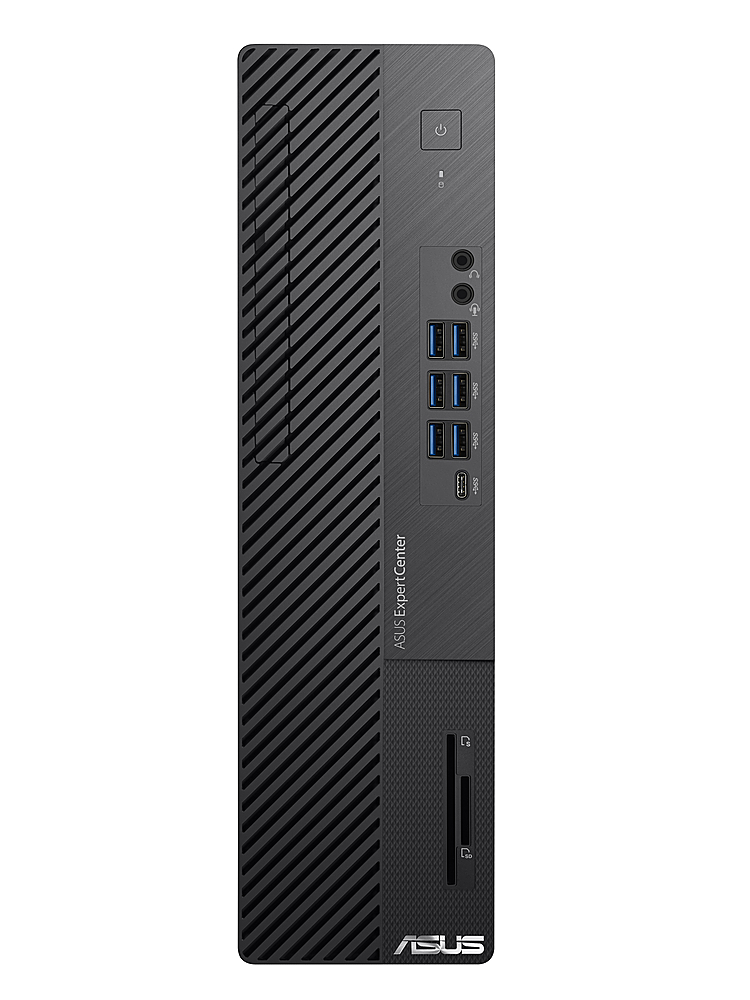
- Model:
- D700SAXB501
- SKU:
- 6439313
to a friend
Customers are saying
Customers are very positive about the speed of the ExpertCenter SFF Desktop, with multiple comments praising its quick performance.
This summary was generated by AI based on customer reviews.
- Pros mentioned:Speed
ASUS vs HP - Identical Specs, Big Difference
||Posted . Owned for less than 1 week when reviewed.This reviewer received promo considerations or sweepstakes entry for writing a review.I bought the HP Envy but it bogged down frequently and froze several times (common problem, I hear). Granted, I have video editing software that's demanding but I didn't have that issue with my last computer. I exchanged the HP for the ASUS. The ASUS was about $100 more but has a 3-year in home service warranty including accidental damage so it's well worth the difference just for that. I got it set up and this thing is extremely fast. Running my video editing software with over 2 dozen tabs open on 2 browsers AND watching a streaming webinar, there are no issues whatsoever. The advertised specs are identical to the HP Envy so I don't understand. I noticed the HP uses 1-16GB ram stick and the ASUS has 2-8GB ram sticks. Maybe that's why. I don't know, but whatever the reason, the ASUS is significantly faster & much smoother running under heavy demand than the HP. The ASUS is worth every penny! Highly recommended.
I would recommend this to a friend - Pros mentioned:Speed
Great buy
||Posted . Owned for less than 1 week when reviewed.This reviewer received promo considerations or sweepstakes entry for writing a review.Very fast for all desktop applications. Easy to update memory and SSD drvies in future.
I would recommend this to a friend - Pros mentioned:Speed
Amazing speed!
||Posted . Owned for 6 months when reviewed.This reviewer received promo considerations or sweepstakes entry for writing a review.We absolutely love the speed of this system. We are going to purchase another 2 more this year coming up for our business. We are really satisfied with this system.
I would recommend this to a friend Poor Quality Control
||Posted . Owned for 3 weeks when reviewed.This reviewer received promo considerations or sweepstakes entry for writing a review.This PC lacks quality control. I experienced 2 problems after setting it up. 1. Noise in both audio ports in front panel. 2. Display does not turn on after sleep mode. I returned it.
No, I would not recommend this to a friendBrand response from ASUS Answers
Posted .Dear Notakeeper,
We certainly understand your disappointment and the inconvenience this may have caused you.
All ASUS products undergo intensive quality control testing and inspections, these are random problems. Normally, ASUS provides one year warranty coverage, if product was purchased brand-new, in order to fix or repair any hardware or part that stop working prematurely under normal usage.
Noise is normal while the PC is running, it generates louder noise than normal while the unit is under heavy load, especially during the initial WINDOWS setup and WINDOWS Update installation. Also, the fan noise will be louder while antivirus software or malware are running continuously in the background. When system resource utilization is high, this will generate more heat than normal and tends to trigger the fan to spin at full-throttle and noise will be louder than normal. It does decreases or normalizes once utilization goes down.
Your concern regarding the laptop not waking up from sleep mode, if the unit has been in sleep mode for a long time, the power button needs to be pressed and held down in order to wake it up successfully. Or, if a recent WINDOWS Update was just installed, the unit will go into a black screen temporarily while updates are being applied in the System Registry. Another solution is try to shut down the unit completely by pressing and holding the power button until it power off. Wait for at least 10 seconds then press the power button to power on. Wait until the unit boot up normally into the Home screen.
If you need further assistance, please let me know and I will be more than happy to help. Or, you are always welcome to call Product Support Hotline at: 1(888) 678-3688. Also, you can chat with an ASUS live support agent at: http://bit.ly/AsusLiveChat.
Thank you for choosing an ASUS product.
Regards,
Rodel
ASUS Customer Loyalty