Deals Worth GiftingShop now

Main Content

Customer Ratings & Reviews

Your price for this item is $1,199.99

Customer reviews

Rating 4.5 out of 5 stars with 34 reviews

Rating Filter

Pros mentioned filter

Cons mentioned filter

91%
would recommend
to a friend
The vast majority of our reviews come from verified purchases. Reviews from customers may include My Best Buy members, employees, and Tech Insider Network members (as tagged). Select reviewers may receive discounted products, promotional considerations or entries into drawings for honest, helpful reviews.
Page 1 Showing 1-20 of 34 reviews
  • Pros mentioned:
    Airflow, Build quality, Connectivity
    Tech Insider Network Member

    Rated 5 out of 5 stars

    Asus ROG G700: Cool, Quiet, and Powerful

    |
    Tech Insider Network Member
    Posted .
    This reviewer received promo considerations or sweepstakes entry for writing a review.

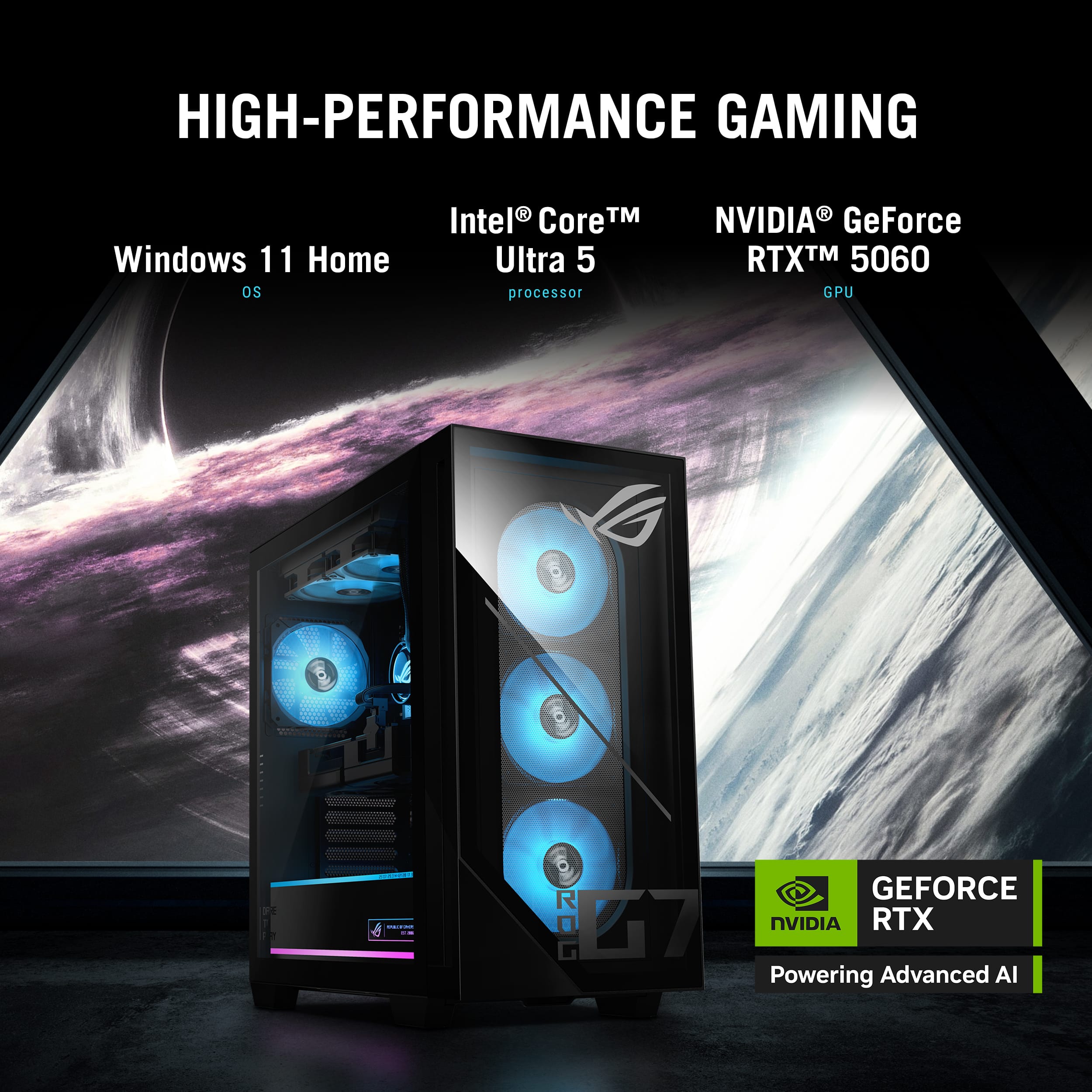
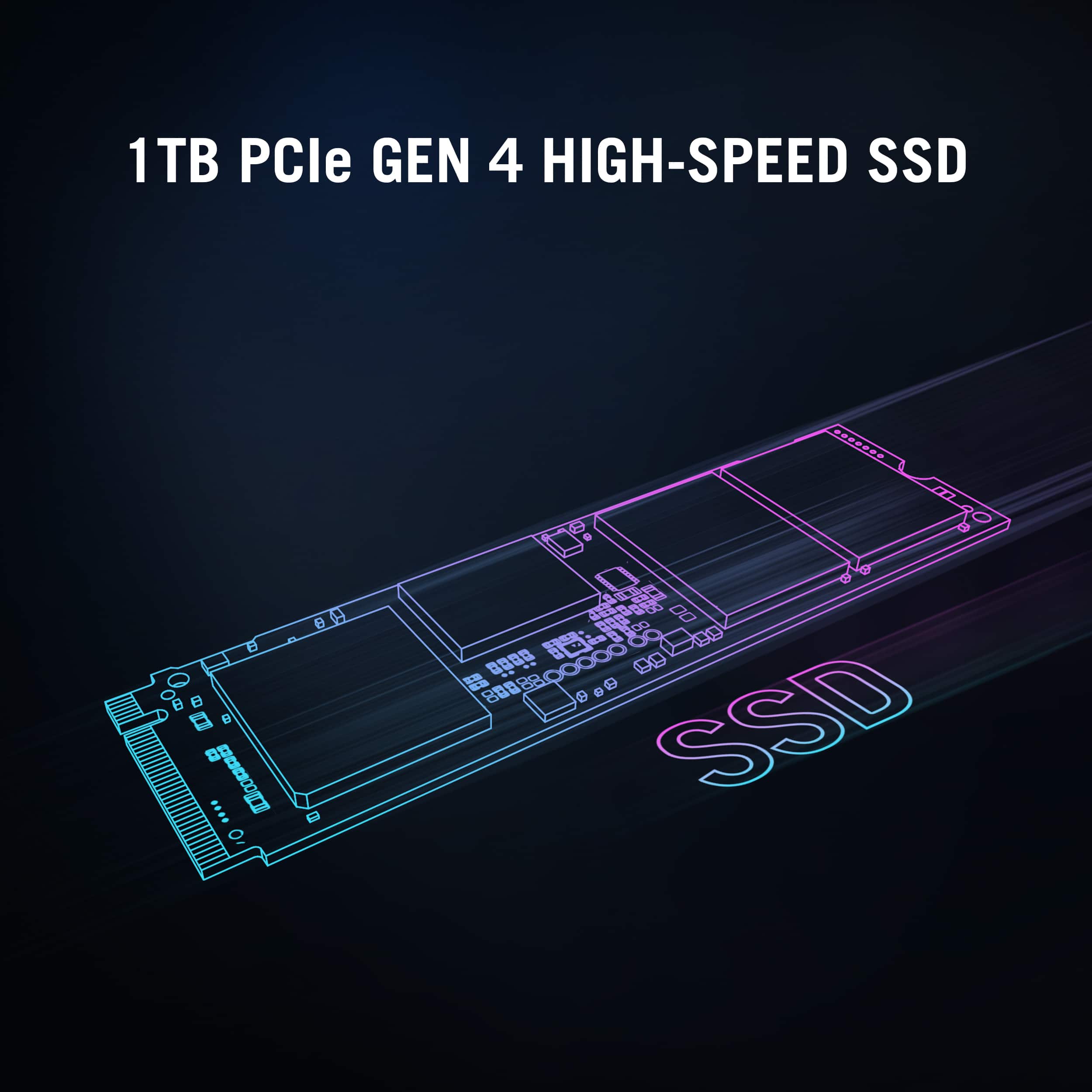
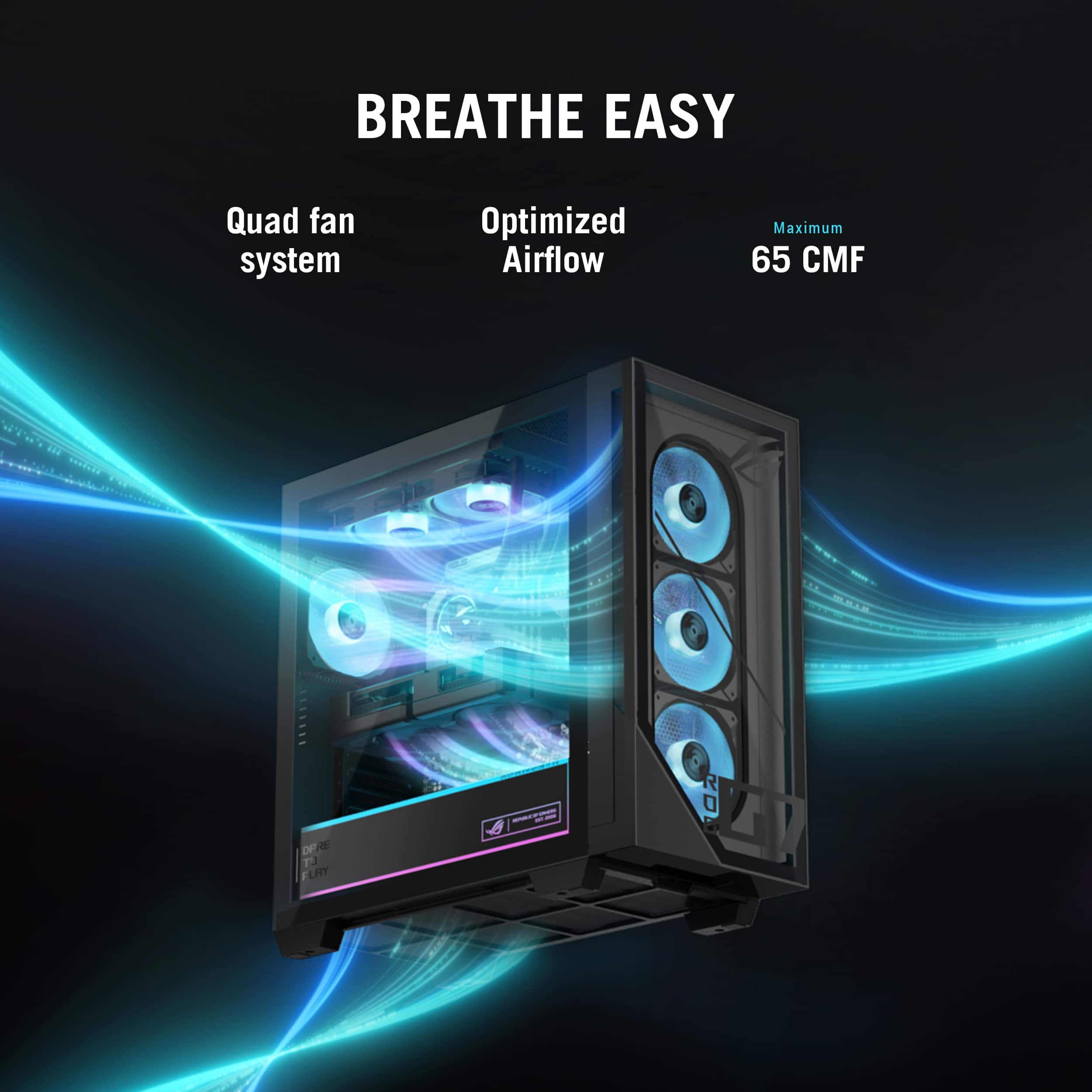
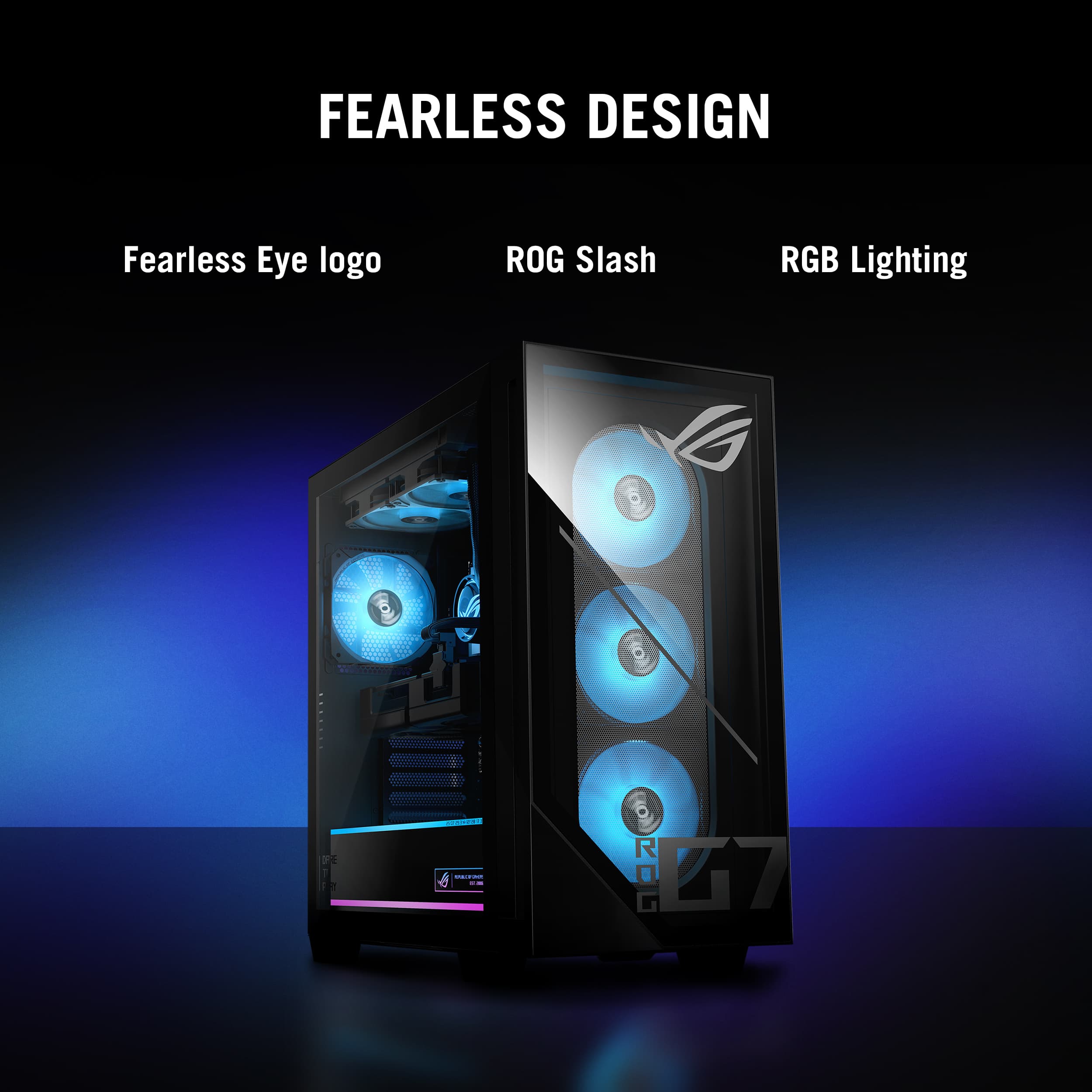
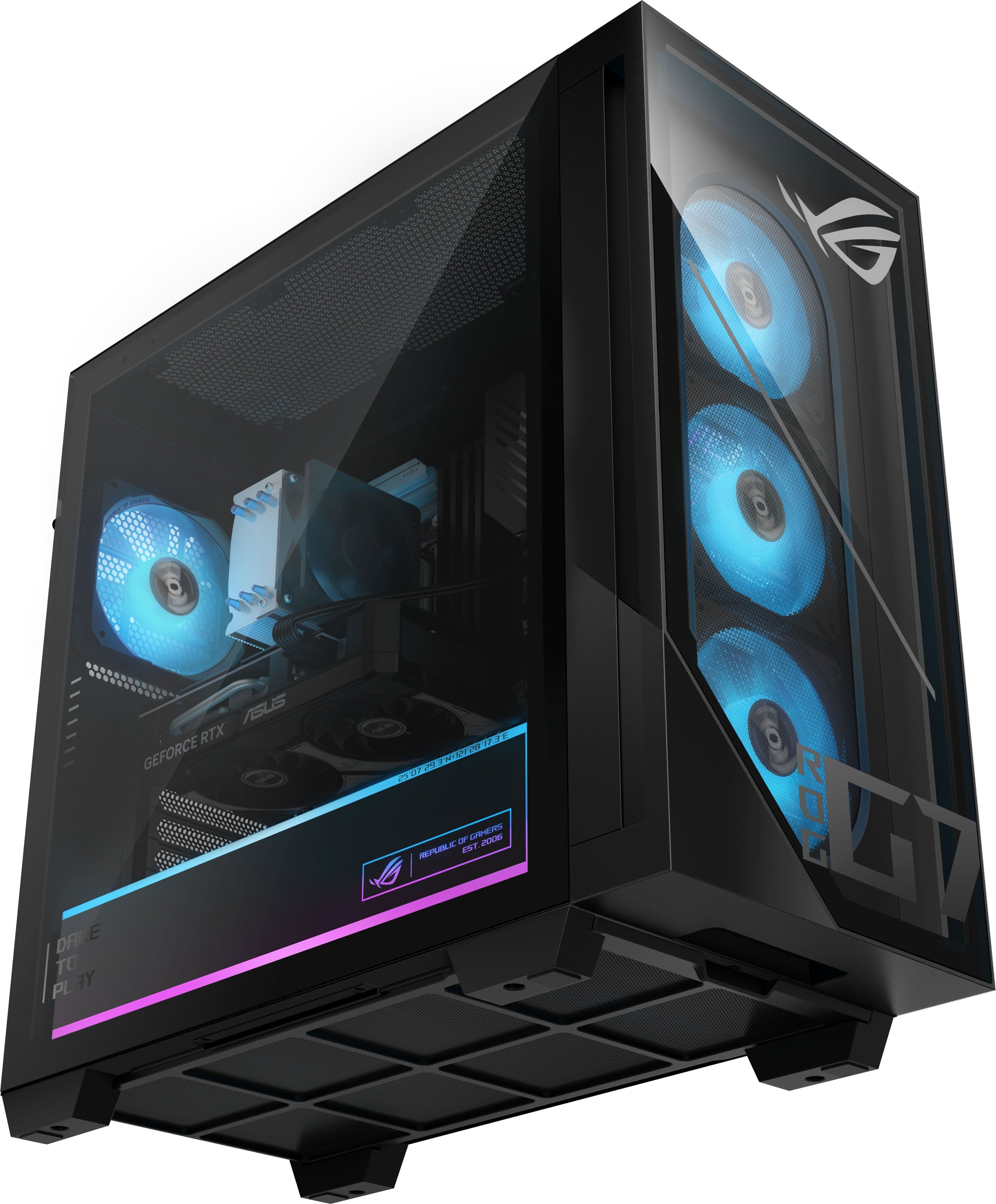
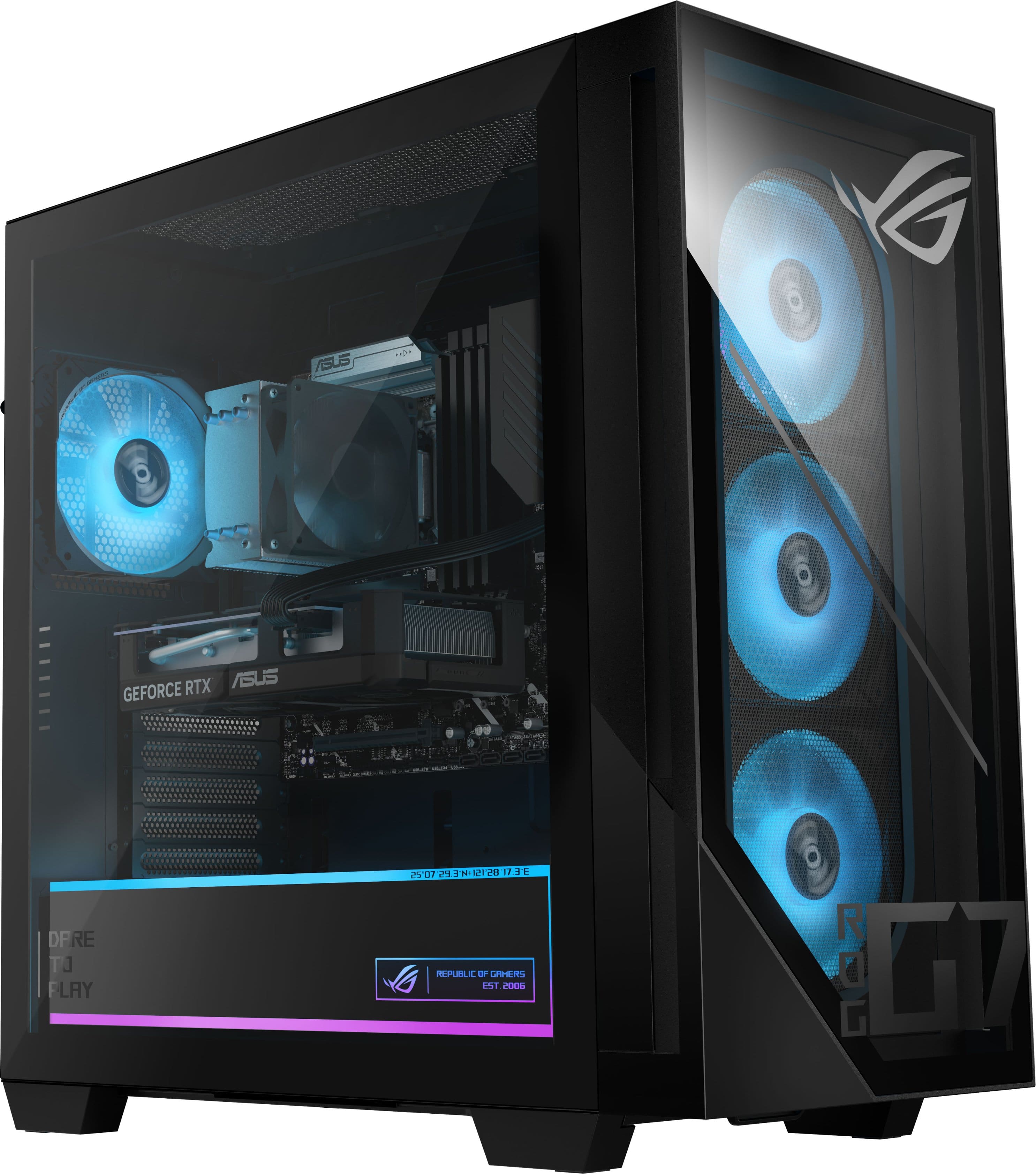
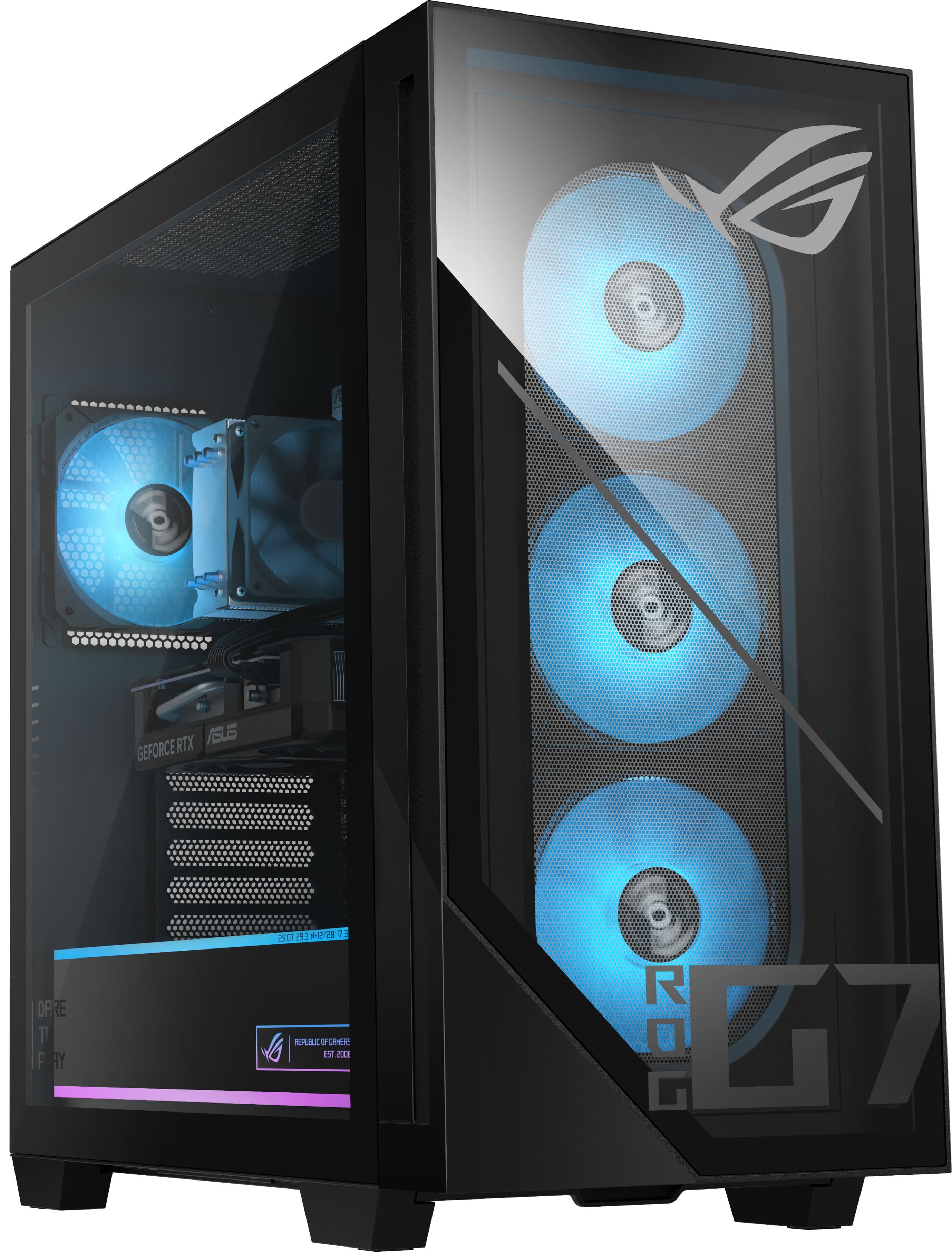
    I've been building and upgrading gaming computers for 15 years and I was excited to finally get my hands on the Asus ROG G700 Gaming Desktop. It's equipped with the Intel Core Ultra 5 225F (The F means no integrated graphics), 16GB of RAM, 1 TB of space, and an Nvidia RTX 5060 with 8GB of VRAM. I've had a week to test all of the components and I believe I have put together a pretty fair analysis of what this system can do. This is an excellent choice for 1080 gaming, and the chassis design keeps it very cool, literally and figuratively. - Design/Build/Unboxing - First of all, this is a full size tower so plan ahead. The dimensions are roughly 20" in length by 20" tall by 10" wide. I typically put my towers on the desk to help with dust and airflow. The boxing/packing protect the unit well. There's the Desktop, Wi-fi antenna, power plug, and literature. After unboxing and setting up in a matter of about 10 minutes, I can confidently say this is the best looking chassis setup I have seen for a desktop gaming computer. The design, spacing, and LED lighting is just beautiful. There are three intake fans in the front with and one outtake fan in the back. This is a tool-less and srew-less full size tower with glass panels on the front and left side. The cable management is excellent and there is and LED accented case that hides cable and the power supply. The build is high quality with premium materials and the airflow is excellent. There are slick accents of ROG Logos and slogans lit up in LED lighting throughout the case. Once everything is setup, it took me about 30 to 45 minutes to install all of the Windows updates and app updates. There is zero bloatware. - Specs & Features - - The CPU is an Intel Core Ultra 5 225F featuring 6 P-cores and 4 E-cores with 10 threads, a 3.3 GHz base clock and a 4.9 GHz boost clock. - The Graphics card is an RTX 5060 with 8GB of GDDR7 RAM. Some will say 8GB is not enough VRAM but I've got a 1080p 240Hz monitor so 1080 is the sweetspot for gaming on this rig. You can absolutely game at 1440p but you will want to use medium settings on the more graphics intensive games. Let's say in a year or two you want to upgrade the GPU. Contrary to what others might say you can upgrade the Video card to an RTX5070 in the future if you want to. Here's proof: We have a 600 Watt PSU. CPU Max Power: 120 Watts GPU (RTX 5070): 250 Watts System (Fans/SSD/Ram/Etc): 75 Watts Total System Load: 445 Watts (This leaves 155 watts for any spikes) - There is 16GB of memory running at 4800MHz, but only one slot of four slots is occupied so you can theoretically get up to 128 GB of RAM installed (32GB x 4). You can hold down F2 after restart go into AI tweaking advanced settings and increase the memory speed if you want in the BIOS. - Wifi 6 AX Standard - It would be nice to see Wifi 7 but you would need a comparable Wi-Fi 7 router. There's an ethernet jack if you want to plug in too. - B860M Micro ATX motherboard gives you plenty of space for cooling. There are (4) DIMM slots and (2) M.2 slots. - 600 watt Gold PSU - 1 TB Samsung SSD - There are a ton of USB ports available including a USB-C 20GB and a USB-A 10GB port for high speed transfers. Most of these ports are in the back, but there are 4 up top. - Performance - The one thing that blew me away with this computer is the cooling. I've never in my life witnessed an air cooled unit keep the temperatures so low. While running a series of benchmarks, and gaming on some graphics intensive titles, I never sseen the CPU or GPU go past 65 degrees C, impressive! The CPU temp idles at about 38 degrees and the GPU idles at 35 C, in my room with a temperature of 73 F. The Samsung Gen 4 SSD sits around 41 degrees C and I measured read and write speeds at about 5K each. I loaded up WarZone with no help from FrameGen (to keep input lag to a minimum) and I was sitting around 100 FPS on High Settings, no stuttering, 60 C on the CPU temp and 60 C on the GPU temp. I loaded up Alan Wake 2 and I was at 100 FPS utilizing DLSS with Frame Gen 2X. I used high settings for lighting, shadows, and details. Temps were again astonishingly in the low 60s. Finally, I played one of my favorites, Cyberpunk 2077. This time I took advantage of the DLSS 4 Frame Gen, with High Settings and Ray Tracing (looks great BTW) and I was well above 200 FPS at 2X Frame Gen. After playing all 3 games, there was no stuttering or issues. I would advise you to use the benchmark settings in the game or utilize frame gen and see what the sweet spot is. I also ran benchmarks for the CPU and GPU: (Note: All temps stayed around 60 C during these benchmarks for CPU/GPU) TimeSpy: 13,842 (with a few tweaks you can hit 15k) Steel Nomad: 3,211 (The new graphics benchmark standard) Speed Way: 3,590 (Ray Tracing) Cinebench 24: 863 Multicore, 119 Single-Core The Intel Core Ultra 5 Series 2 is an excellent choice for gaming and remember, most games are only utilizing between 2 and 8 cores. Everything else is just extra. It's single-core performance is exceptional, and often used for daily tasks and productivity. To give you an example of Single-Core performance, it outpaces Apple M1 Max and the Apple M1 Ultra in Cinebench 24. Noise Level: It idles around 38 db, under load 47-52 db (Very Quiet) Memory: I had 10 tabs open and a few apps, there was approximately 8.5 GB utilized. Gaming I saw up to 14.5 GB utilized. I would throw in an additional 16GB stick of memory to be safe, but you can absolutely game right now with 16GB. Software - Armoury Crate gives you access to diagnostics, temps, hardware/software/driver updates. You can also change RGB. I adjusted my lighting to change colors with the temperatures, but there's 7 or 8 other RGB options to choose from. * Pros/Cons * - Pros - - Unbelievable cooling - Beautiful aesthetics, Premium chassis build - RTX 5060 is perfect for 1080p Gaming - 1 Memory stick leaves 3 slots for upgrading - Tons of USB ports - USB-C 20GB & USB-A 10GB ports for High Speed Transfer - Intel Core 5 Ultra is CPU sweet spot - Perfect cable Management - Zero bloatware - Quiet operation - Suggestions/Needs Improvement - - 32GB memory would be better - Memory profile needs to be adjusted to go > 4800 MHz in BIOS - 8GB of VRAM can be limiting on 1440p gaming - Wifi 6 The Asus ROG G700 is perfect for 1080P Gaming on High and Ultra Settings. All the titles ran beautifully for me and I was blown away with the low temps and low noise level even under serious load. The chassis is premium and it looks great with the LED accent lighting. The newer RTX 5060 also increases FPS with DLSS4 while keeping input lag low with Nvidia reflex. I would highly recommend this system for all gamers looking for a budget to mid-entry system with exceptional cooling and room to upgrade components later.

    I would recommend this to a friend
  • Pros mentioned:
    Connectivity, Gaming performance, Noise level
    Cons mentioned:
    Vram
    Tech Insider Network Member

    Rated 5 out of 5 stars

    An unpretentious upper-entry tier machine.

    |
    Tech Insider Network Member
    Posted .
    This reviewer received promo considerations or sweepstakes entry for writing a review.

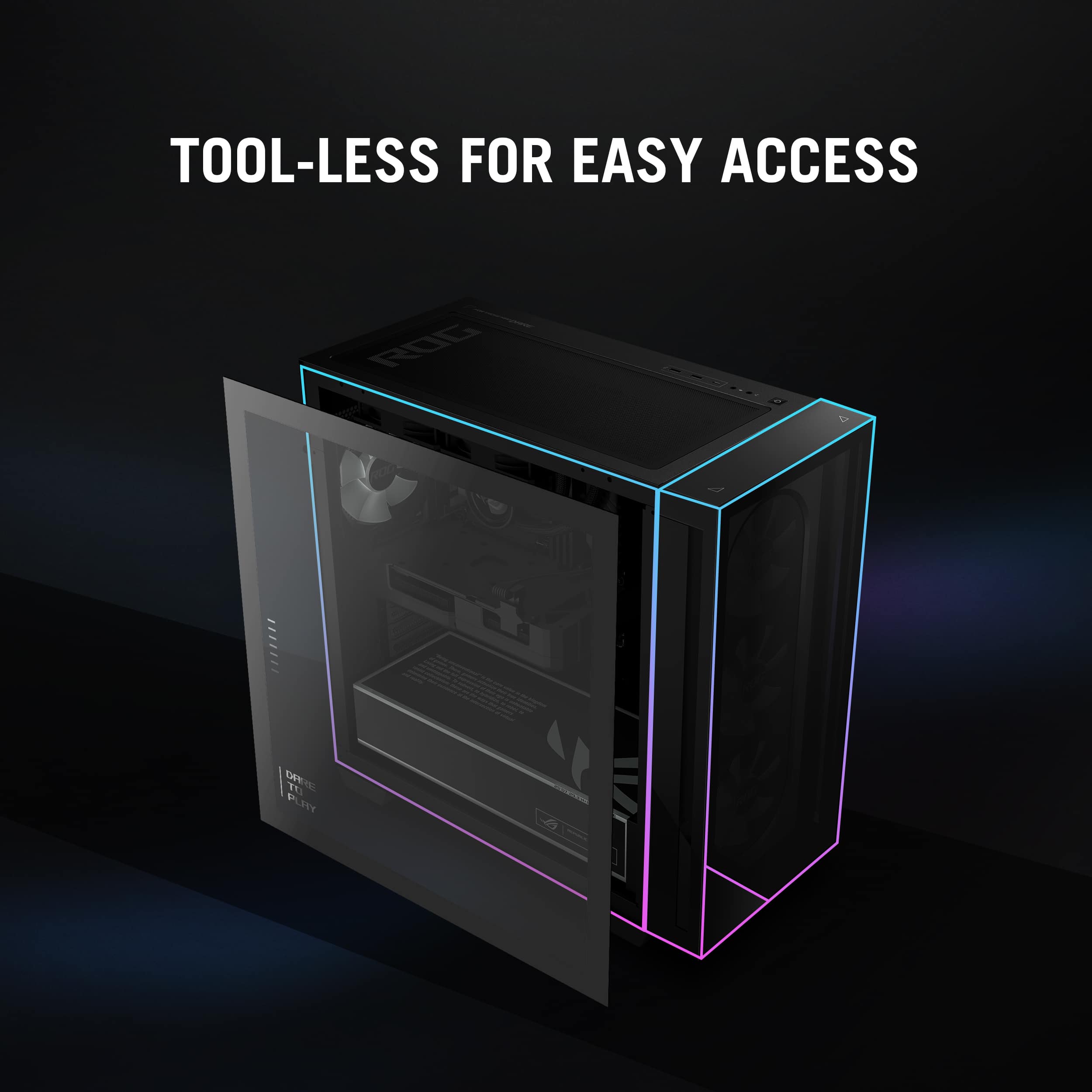
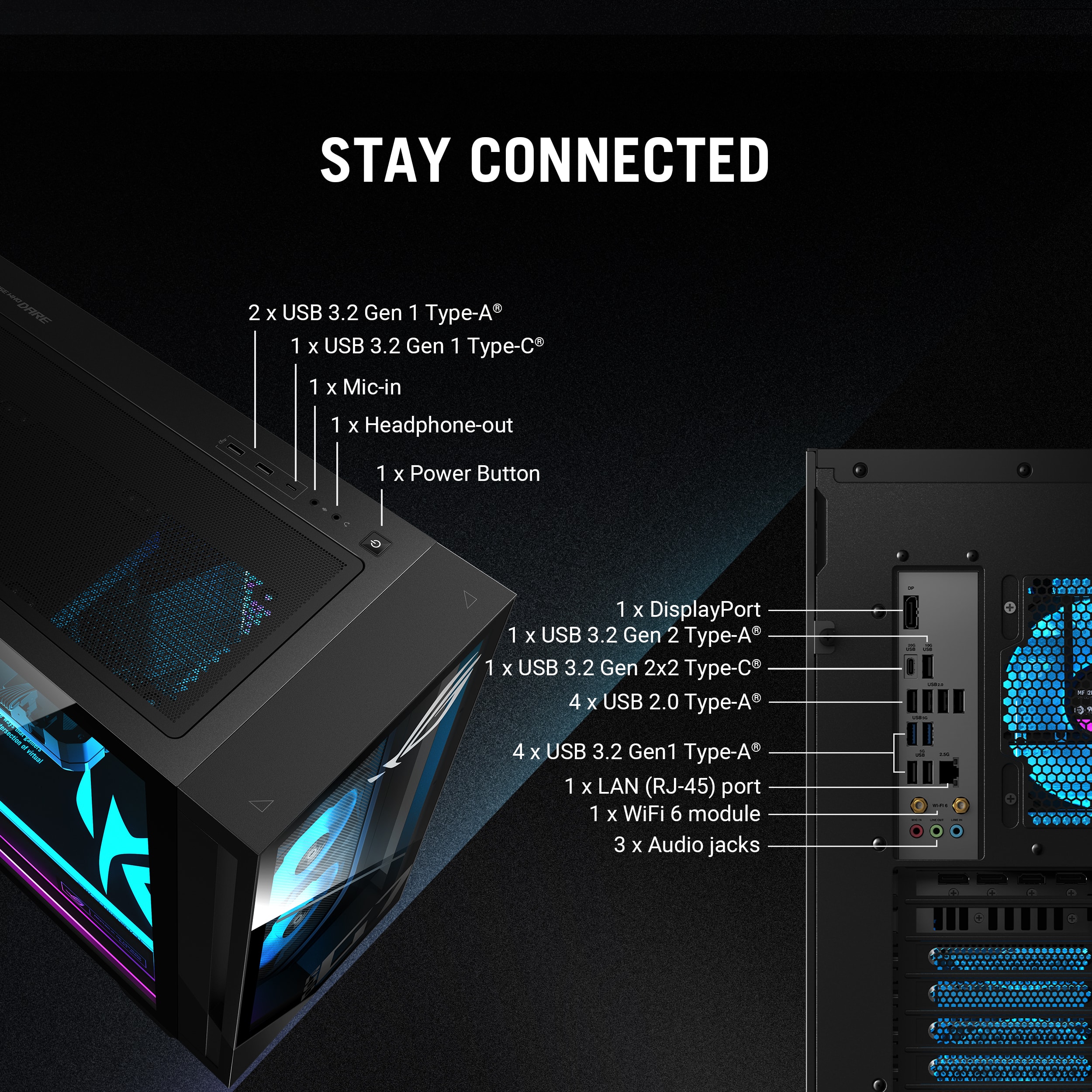
    ASUS - ROG G700 Gaming Desktop - Intel Core Ultra 5 225F - 16GB Memory - NVIDIA GeForce 5060 RTX Summary: An unpretentious upper-entry tier machine. Use: Nothing beats being able to sit at your desk (when not working) and enjoying some music and video games. I don't play a lot of hardcore video games that require 120 FPS (especially on my ultra-wide 5120x1440 display) at 4K, but I still like to run things as high as I can to maintain immersion and fidelity. As games up their ante, so too must gamers. My normal display resolution is 5120x1440. And so it goes with this ROG G700 which features a respectable Intel Core Ultra 5, 16 GB of RAM, and a GeForce RTX 5060. This rig offers me plenty of performance now and allows room for growth in the distant future. The only real limit right now might be the 600 Watt power supply and the 8 GB of VRAM. The unit features a very generous and sleek form factor with plenty of room for air circulation, tons of LED customization zone options, and the a generous set of connectivity options in the form of HDMI, DisplayPort, USB-C, and USB ports. The unit also builds in a few practical things to help with maintenance. As a upper-entry tier machine, this rig packs a nice bit of punch for the dollar. All in all, this unit is a great buy and something I'd recommend if you're a gamer with a budget in mind and want something that will dazzle your eyes while it is sitting on your desk, or while you're mowing down adversaries in game. Pros: * Packaging. It seems silly to mention packaging, but if you've moved as often as I have or have rough-handling delivery drivers, it matters... This unit is packed extremely well with a strong rigid box and thick substantial foam. * Build quality. The chassis is well built and looks great. The interior chamber can easily be accessed with the simple turning of a thumbscrew and then pulling back the glass plate window from the top. Both the top and the bottom of the chassis offer removable mesh guards for easy dust and debris removal. * Graphics. The RTX 5060 offers good value for performance with some new generation tech like DLSS4, Blackwell architecture, and ray tracing cores. * Processor. The Intel Core Ultra 5 225F works great, but why wouldn't it with 10 cores? I don't have problem running any of my favorite games in the foreground or in the background in between the multitude of other programs and tasks I have regularly have running. * Storage. The 1 TB SSD is adequate. A larger one would have made more sense given the size of games these days. This is easily upgradable, but not by simply adding a drive as there are no additional internal mounting brackets available. * Software. The Armory Crate and associated software is pretty cool. There are myriad menus and options I'm going to need to experiment and play with to get this setup the way I want. But I have noticed that even for a basic theme (pulsing single color), the unit loses memory after a reboot (sometimes). But, as I am unfamiliar with the level of LED customization ROG and Chroma allow, this may just boil down to user error. * Quiet. Running games at max settings definitely got things humming, but only barely so. The unit is quieter that my former desktop and even my new mid-tier gaming laptops. * Connectivity. The unit comes equipped with an adequate selection of connectivity options. USB-C and A ports, to low latency Wi-Fi 6 with included antennae module, 2.5 Gbps ethernet, audio ports. This unit should let you connect whatever you need without additional hubs, etc. Cons: * Graphics. The 8 GB VRAM is a bit light for this day and age and even for this tier machine. * Chassis. The motherboard is much smaller than the mid-tower form factor provided with no bays for storage expansion. As such, aside for circulation capacity, the chassis is a bit oversized.

    I would recommend this to a friend
  • Pros mentioned:
    Connectivity, Gaming performance
    Cons mentioned:
    Vram
    Tech Insider Network Member

    Rated 4 out of 5 stars

    Good 1080 Budget Gamer Desktop

    |
    Tech Insider Network Member
    Posted .
    This reviewer received promo considerations or sweepstakes entry for writing a review.

    I needed another budget gaming desktop, nothing high-end but with an option to upgrade parts in the future. I honestly wanted this one to look like a gaming desktop, but it just needed to play games like Roblox and Minecraft. That’s when I found the ASUS ROG G700 Gaming Desktop, which looked more powerful than it was and screamed “GAMER!”. So, I picked it up. Pros: - Runs games at 1080 great! - Looks like a Gaming Desktop. - Upgradeable RAM, SSD, and HDD. Cons: - Only has 16GB RAM. - PSU would need to be upgraded to upgrade the GPU. - No slots for additional 2.5 or 3.5 drives. Setup: I appreciated the care with how ASUS packaged the ROG G700 desktop; with a 2-part foam shell to absorb any shock and ensure the PC was safe in transit, and a case bag to keep out any dust or bits from the computer. Everything was very well packaged and safe in the box even though the box got a little dented up from shipping. Included with the Desktop PC is a wired Gaming Mouse and Keyboard. The Mouse is a standard gaming mouse, including a DPI button that cycles between 3 preset settings. It’s a decent mouse if you don’t have anything else. The Keyboard felt good to type on, I was very impressed for a keyboard that is included with the computer. The key caps have texture that provides extra grip which is great for gaming. Both have RBG, that doesn’t sync with the other RBG in the desktop but still look nice. Setting up the Desktop was simple, plug in the Power, Video, and Mouse & Keyboard. Then turn on and go through a standard Windows setup. The only thing additional I would recommend doing is going into BIOS to enable the XMP Profile for the RAM, as out of the box it is disabled running at 4800MT/s, which is a huge performance loss. Specs: ASUS included in the ROG G700 the Intel Core Ultra 5 225F which has 10 cores, 6 performance and 4 efficient cores. The F indicates no integrated graphics included, but that’s okay as for GPU the Nvidia GeForce RTX 5060 with 8GB of VRAM is included. Unfortunately, there is only 16GB DDR5 XXX MT/s, which is low for a Gaming PC these days but pairs well with the mentioned CPU & GPU. The good news there is the RAM is a single stick, so upgrading is just buying another stick of 16GB to expand to 32GB in total. For storage, there is a 1TB NVMe Gen 4, which provides a good initial amount of storage but will quickly fill up with bigger games these days. Luckily, there are 2 more NVMe slots available, one below the GPU and one on the backside of the motherboard. The NVMe slot that is populated (M.2_1) is a Gen 5, so when adding additional drives if the drive is a Gen 5 it would be a good idea to clone and swap slots. Unfortunately, for Sata SSD’s or HDD’s, there really isn’t a place to attach or store them in the bottom of the case. ASUS didn’t include the 3.5in drive rack with the build, so keep that in mind if you want to add an additional Sata drive. Luckily, the included PSU is the LITEON PS-4601-1U which is a 600W unit, which provides some additional headroom over the current configurations power requirement of about 400 to 500W. Unfortunately, the PSU doesn’t include any additional 8-pin or 12V-2x6 cables. If you upgrade the GPU to one that requires more than 1x8-pin or the 12V-2x6 power cables, you will need to upgrade the PSU as well. Connectivity & Ports: For connectivity, the ROG G700 has built in WiFi 6 + Bluetooth 5.4, both of which worked great. For ports, the GPU has 3x DisplayPorts 2.1 and 1xHDMI 2.1. As the sticker on the motherboard ports indicate, do not use the display ports from the motherboard!! It’s a simple but effective way to solve that problem. For ports on the back of the motherboard there are: 1xUSB-C 3.2, 1xUSB-A 3.1 Gen2, 4xUSB-A 3.1 Gen1, 4xUSB-A 2.0, 1x 2.5G Ethernet, WiFi Antenna, and Audio Jacks. This provides plenty of connectivity for most users, especially if just using a mouse and keyboard mostly. I would have liked 1 more USB-C port, but that is only available on higher chipset boards (like the Z890 boards). Additionally, on the top of the case there are 1xUSB-C 3.2, 2xUSB-A 3.1 Gen1, Mic and Headset Jacks. Case: The case looks very “Gamer”, with the sleek glass panel on the front and side that pairs well with the RBG Fans, Light Strips, and case graphics throughout the case. The online photos don’t do it justice on how cool the extra RBG Light Strips make the case look. Though there are a lot of “ROG” branding throughout the case, which might not be to everyone’s taste, but for a gamer look it fits the look perfectly. The case has a top and bottom removeable dust filter that makes cleaning easier, but the front dust filter is behind the front glass panel which makes access a bit difficult. I think the front can pop off, but I found that I could easily fit a cloth in to wipe down whatever didn’t get blown off with a duster. The case is a bit wider and longer than most cases at 9 3/8in wide and 20in length, which might be a challenge if you want the Desktop up on your desk. Performance: So, as mentioned, I wanted this to run Minecraft and Roblox, so it didn’t have to be the highest end PC nor did I expect it too. I ran the performance tests in 1080p, as that would be the monitor resolution being used. And it did better than I expected, especially on just 16GB of RAM. The default Passmark score was 10779 without XMP enabled, with XMP enabled it scored 11351. You will want to enable XMP in the BIOS to get the most performance out of this Desktop. What was the most surprising was that even still the ROG G700 with this configuration was in the 87% Percentile. This was impressive to me, as I expected it to be in the mid 70% with only 16GB of RAM and an RTX 5060. Using it I didn’t notice any issues at a resolution of 1080, I played Fortnite to get a good idea of how the different graphics settings impacted the play. Your results will vary based on the game, monitor, and internet service you have. I was able to maintain above 100 FPS in most games running Direct X 11 or below. Direct X 12 caused some issues like dropped frame rates below 60FPS, but enabling DLSS boosted the FPS quite a bit. Upgradeability: As previously mentioned, the 16GB RAM is a single stick of Team Group DDR5 6000MT/s. This makes it very easy to just add another 16GB stick of DDR5 6000MT/s RAM for a total of 32GB, which would greatly improve the performance of the system as the memory was the lowest performance score. Additionally, there are 2 M.2 slots that could be populated to expand the storage quite easily. One of the empty M.2 slots is on the back of the motherboard, which means you must completely remove the motherboard to gain access to it. ASUS didn’t design the case in a way that gave easy access to the back of the motherboard for this M.2 slot. Unfortunately, as mentioned, the PSU has no additional 8-pin or 12V-2x6 cables, which limits the upgradeability to GPU’s with a single 8-Pin connection. Yes, there is a 2nd 8-Pin pig tail off the single cable, buy you should not use 1 cable with higher end GPU’s as this can cause fires. If you’re thinking upgrading the GPU, you will probably also want to upgrade the PSU. Conclusion: If you want a budget Gaming Desktop to play at mostly 1080 resolution with some easy upgrade paths, not to mention the “Gamer” looking case, the ASUS ROG G700 is a great option. Upgrading the RAM or adding another M.2 SSD are simple upgrades that will offer greater performance. Unfortunately, upgrading the GPU will be a bigger upgrade, as the PSU needs upgrading for GPU’s with 2 or more 8-Pin plugs or the 12V-2x6 plug. Overall, this is a good pre-built with easy upgrade options.

    I would recommend this to a friend
  • Pros mentioned:
    Build quality, Connectivity, Gaming performance
    Cons mentioned:
    Vram
    Tech Insider Network Member

    Rated 5 out of 5 stars

    Good Value For An Entry Level Gaming System

    |
    Tech Insider Network Member
    Posted .
    This reviewer received promo considerations or sweepstakes entry for writing a review.

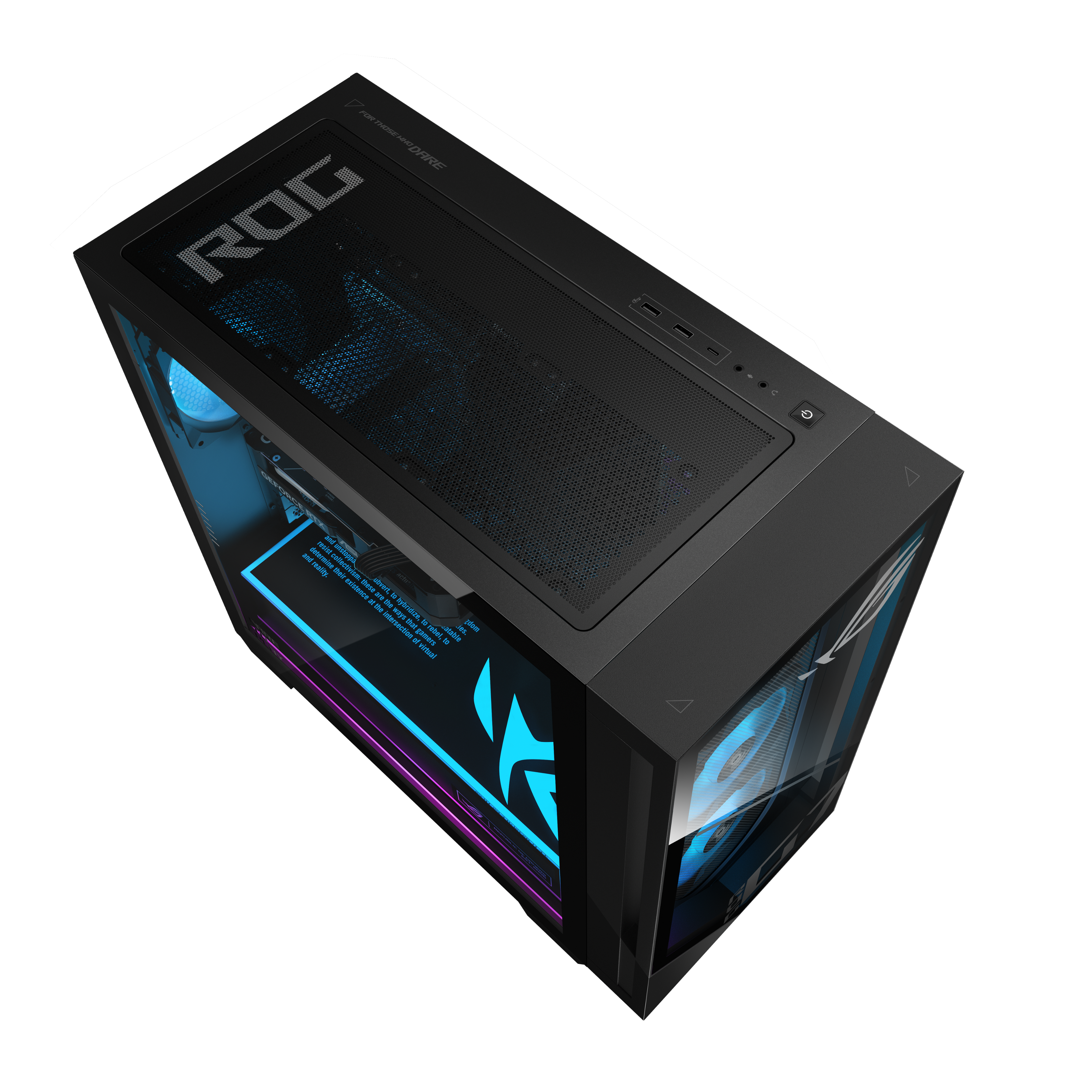
    Asus’ ROG desktop gaming system line, the G700 series, is a powerful line of gaming desktops. The ROG G700 with Intel’s Core Ultra 5 225F CPU, ASUS NVIDIA RTX 5060, and 1TB SSD is a good entry level gaming system. Components The version of the G700 that I have came with an Intel Core Ultra 5 225F CPU, 16GB of RAM, an ASUS Nvidia RTX 5060 with 8GB of VRAM, and a 1TB NVMe SSD. For RAM it has a single 16GB stick. It’s Team Group TForce DDR5 RAM. While I understand ASUS trying to keep the cost low of the system, it would have been helpful if it had come with two 16GB sticks of RAM. The motherboard supports 1, 2, or 4 sticks, so if I upgraded to 32GB of RAM, I’m going to have a problem trying to find a single 16GB stick of RAM. When I checked, I only found 2x16GB or 2x32GB of Team Group TForce DDR5. It may not be impossible to find a single 16GB stick, but it seems that I might be limited where I could get one. I can easily find a pair of sticks of RAM, so if I buy that as an upgrade later on, I can’t have an odd number of sticks which means I have to remove the single 16GB stick or find someone who might sell one. It just would have been easier if it had come with two instead of one. That way, all I would have to do to upgrade is buy a pair of 16GB or 32GB sticks and I could still utilize what came with the G700. The motherboard can take 128GB of RAM, so there is plenty of room to grow regarding RAM capacity. The motherboard will also accommodate an upgrade to the CPU if I want to do that later on. The video card is an ASUS Nvidia Geforce RTX 5060 with 8GB of VRAM. This is a good entry level GPU. It works well. Graphics in Battlefield 6 were very good as well as the graphics in Clair Obscure: Expedition 33. The video card is in the only PCI-E Gen 5 x16 slot. It covers up/blocks access to two of the three PCI-E Gen 4 x16 slots. One of the three, the one closest to the bottom of the motherboard, is accessible. The system came with a 1TB Samsung PCIe Gen 4 NVMe SSD. It’s occupying the Gen 5 slot. I can add another gen 4 NVMe SSD if I want as there is another Gen 4 NVMe slot on the font side of the motherboard. According to the ASUS document for the motherboard (B860M Max Gaming AX), there is a 3rd NVMe SSD slot on the backside of the motherboard. I didn’t disassemble everything to verify that, but since there wouldn't be good airflow to one located on the backside of the motherboard, I wouldn’t use that anyway. That slot and the empty one on the font side of the motherboard are gen 4 slots. The system comes with a 600W 80+ gold power supply. That’s more than enough for the components that it comes with. If I upgrade some of the components later, I’ll have to consider replacing the power supply. The case is nice. There is a glass panel on the side and the front panel is glass. This allows for the LED lighting to stand out. It’s easy to remove the glass side panel and aluminum side panel on the opposite side. When I removed the aluminum side panel, I expected ASUS to have included mounts for 2.5” SSDs, but that was not the case. There are 4 unused SATA ports on the mother board, so I’ll be looking into ways to mount a few and utilize the unused 4 SATA ports. The top of the case will allow me to upgrade the CPU cooler from the included heat sink/fan to a water cooler. The case has two USB-A ports, one USB-C port, 3.5mm headphone jack, and a 3.5mm microphone jack on the top. The power button is also on top of the case. At the rear of the case/motherboard, I have 9 USB-A ports. Including the two on top of the case that’s 11 USB-A ports. There is only one USB-C port at the rear, so that makes two including the one on top of the case. The motherboard has a few unused USB headers so I can expand the number of USB ports later on. There is also an unused AIO Pump header on the motherboard. At the rear there is also a 2.5Gb ethernet port, the standard 3.5mm connectors, two antenna connectors for the included external wireless antenna. Overall there are a lot of ports on the case and motherboard. Gaming Gaming is good on this model of the G700. Since this is an entry level gaming system, I won’t be turning the graphics up to extreme on any game, but games still look very good and play well. I put many hours into both Battlefield 6 and Clair Obscure: Expedition 33. I did see lag a few times in Expedition 33 with everything set to default, but I’m not sure that was a limitation of the hardware since BF6 played without any hiccups or lag. The Wifi nic with the external antenna had me playing BF6 with reasonable latency. I have a ROG Pelta headset which worked flawlessly with the G700 as did my mic, keyboard, and my gaming mouse. All of my peripherals connected without a problem. I can sync the lighting of the case fans and the shroud over the power supply with my Pelta headset lighting. I can do this through Armoury Crate. I can also setup lighting profiles by way of ASUS Aura Sync. I do like what ASUS has done with those two programs and I like how much information I get within Armoury Crate about the motherboard, CPU, RAM, GPU, and my ASUS peripherals. ASUS keeps stepping it up with that program. Final Thoughts I like the G700 line that ASUS has. I also like that, as part of that line, there is this entry level gaming system that is affordable. The upgradeability of this system is good. There are a few things I would have like to have seen such as two 16GB sticks of RAM instead of one, RGB lighting on the video card, mounts for 2.5” SSDs, a gen 5 NVMe SSD instead of the gen 4, but I’ll upgrade the RAM later on as well as the video card and I can probably find some mount for the 2.5” SSDs. I can also put a Gen 5 NVMe SSD in the Gen 5 slot and move the Gen 4 SSD to the Gen 4 slot at some point in the future. This is a good starting point for someone looking for an entry level gaming desktop. I believe that, overall, ASUS gives you a lot with this system and it lays the groundwork for upgrading components later on. If you are looking for an entry level gaming desktop that has room for upgrading later on, then consider the G700 with the Core Ultra 5 and RTX 5060 or consider a step up in the G700 line with a G700 model that has the components that you want.

    I would recommend this to a friend
  • Pros mentioned:
    Airflow
    Cons mentioned:
    Vram
    Tech Insider Network Member

    Rated 5 out of 5 stars

    Really good prebuilt gaming PC!

    |
    Tech Insider Network Member
    Posted .
    This reviewer received promo considerations or sweepstakes entry for writing a review.

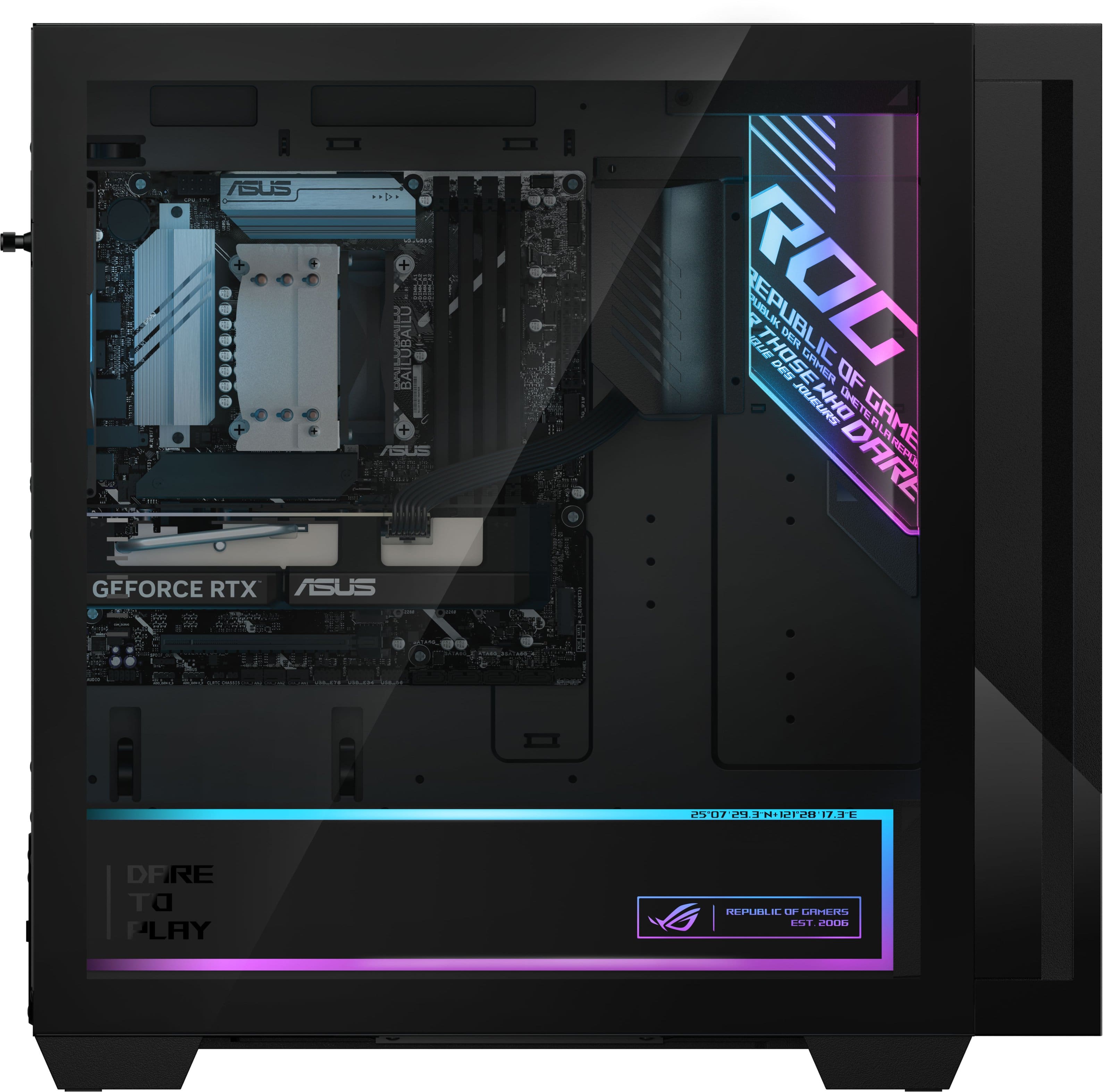
    Now this is how you do a prebuilt gaming PC! To summarize if you don’t want to read any further: The ASUS ROG G700 (2025) Is an awesome prebuilt gaming PC platform that doesn’t feel prebuilt! This particular spec featuring mainly the Core Ultra 5 225F / RTX 5060 is a lower spec in the lineup but in some areas it’s even as good as the top models. Don’t get lower spec confused with “low-end” though as at ~ $1200 MSRP it roughly falls into the mid-range category in 2025. Even better if you can find it on sale! *psst it mainly has to do with the awesome case* —-------------------------------------- ALL tests were done at 1440p. Games played: CS2 | Forza Horizon 5 | GTA V (Enhanced) Benchmarks: Geekbench 6 | 3DMark Steel Nomad Unboxing experience and setup: Getting the PC out and optional peripherals was very easy. Besides that you get your usual and somewhat short power cable + Wi-Fi (6) antenna + adapter. There are plenty of ports for all your peripherals and I had no trouble connecting my display which is a 480hz OLED. After that getting into windows and doing all the required updates also didn’t take very long and luckily there was practically no pre-installed bloatware. There was only armoury crate which does run a bit better these days. Ports/IO: - 4 x USB-A 2.0, 7 x USB-A 3.2, 2 x USB-C 3.2 - 3x Audio Jacks - 3 x DisplayPort 2.1, 1 x HDMI 2.1, 1 x DisplayPort 1.4, 1 x HDMI 1.4 *IMPORTANT NOTE on the display connectors. The Intel Core Ultra 5 225F does NOT have integrated graphics so do not plug any display into the motherboard unless you upgrade to a different CPU down the line, ASUS actually smartly blocked this off with a sticker. As a general rule for gaming PCs you will want to always plug your monitor into the GPU anyways. - 2.5Gb Ethernet - Optional included Wi-Fi 6 antenna Case/Design: For a prebuilt gaming PC this case is truly awesome. It’s got a great size and plenty of airflow! (4 RGB fans are included) as I hinted earlier the foundation of this PC starts with the case. There is plenty of room for expansion if you wish to upgrade something like the CPU or GPU down the line. It can also do water cooling though this spec is just air-cooled. The side and front panel is made of real glass. The most unique aspect that stands out about this case is the RGB lined ROG PSU shroud. It all looks nice but I think most would agree that ASUS overdid it with the long quote. The case is pretty much all black. There is a very large magnetic dust filter on the top where an AIO would go, nice touch. The key specs and how it all translates to real world/gaming: B860M MAX GAMING AX - Intel Core Ultra 5 225F (10 Cores / 10 Threads) up to 4.9GHz (Boost) - RTX 5060 (8GB) - (1 x 16) 16GB DDR5 (6000MHz via stock XMP profile) TEAMGROUP T-Force Vulcan - 1TB SSD - SAMSUNG MZVMAT1T0HCLD-00BTW (PCIe 4.0) - ASUS B860M MAX GAMING AX Motherboard Besides that you get a solid 600W 80+ Gold PSU and the CPU is cooled by a small air cooler. In terms of performance I was completely satisfied with how it performs in the games I play. It’s not perfect but because the motherboard is already pretty nice with good VRM cooling you should be able to upgrade to a more powerful CPU down the line. The Core 5 Ultra 225F is a 65W TDP 10-core/10 thread CPU and it works fine. Nothing crazy, but very stable and the temperatures are very good. Paired with a RTX 5060 it's a solid combo (still 8GB… yes) In games like GTA V on high RT I was using about 5.9/8.0GB of VRAM. CS2 (Dust 2 benchmark) 1440p low: 349 avg fps - I mainly play CS2 so having high FPS paired with a high refresh rate monitor is very important to me. CS2 being a more CPU reliant game means that while the results are good they aren’t ideal. The 225F just trails behind CPUs that are trying to squeeze every bit of performance. Forza 5 (Benchmark + in-game) DLSS balanced: 211 avg FPS GTA V High RT: 145 avg FPS In terms of specific benchmark apps I have attached the results as photos. Needless to say you can pretty much throw up any modern title at this and it will handle it with ease. Just tweak the settings to prioritize quality or frames. My only real issue with this setup is the single channel DDR5 RAM. I wish we got 2 sticks as it’s fairly common knowledge that dual-channel is better. At least the XMP profile runs well and is stable. Upgrading it should be really easy though and the motherboard supports up to 128GB. Temperatures stay very cool as well and I could not get the GPU to even go above 65C in any of the games and benchmarks. It’s colder now where I live though and I often keep my window open so this isn’t completely scientific, but thought I’d mention it anyways. Everything runs fairly quiet though the fans seem to ramp up quite hard when you first boot up. The 1TB SSD in here is also very solid though you will run out of space rather quickly if you install even just a couple games these days. QC: Lastly I wanted to touch on QC - from the few earlier reviews I read there seemed to have been some issues, but my unit works great! I also accidentally unboxed it face down causing a small scrape but it’s honestly barely visible. Seems like a good construction but only time will tell for sure. G700 is an easy quality recommendation! Pros: * Really good case with amazing airflow * Futureproof motherboard * Fast SSD * RGB customizability * Almost no bloatware Cons: * CPU is nothing amazing * 8GB of GPU VRAM

    I would recommend this to a friend
  • Pros mentioned:
    Airflow, Connectivity
    Tech Insider Network Member

    Rated 4 out of 5 stars

    A modest but very capable pre-built gaming rig

    |
    Tech Insider Network Member
    Posted .
    This reviewer received promo considerations or sweepstakes entry for writing a review.

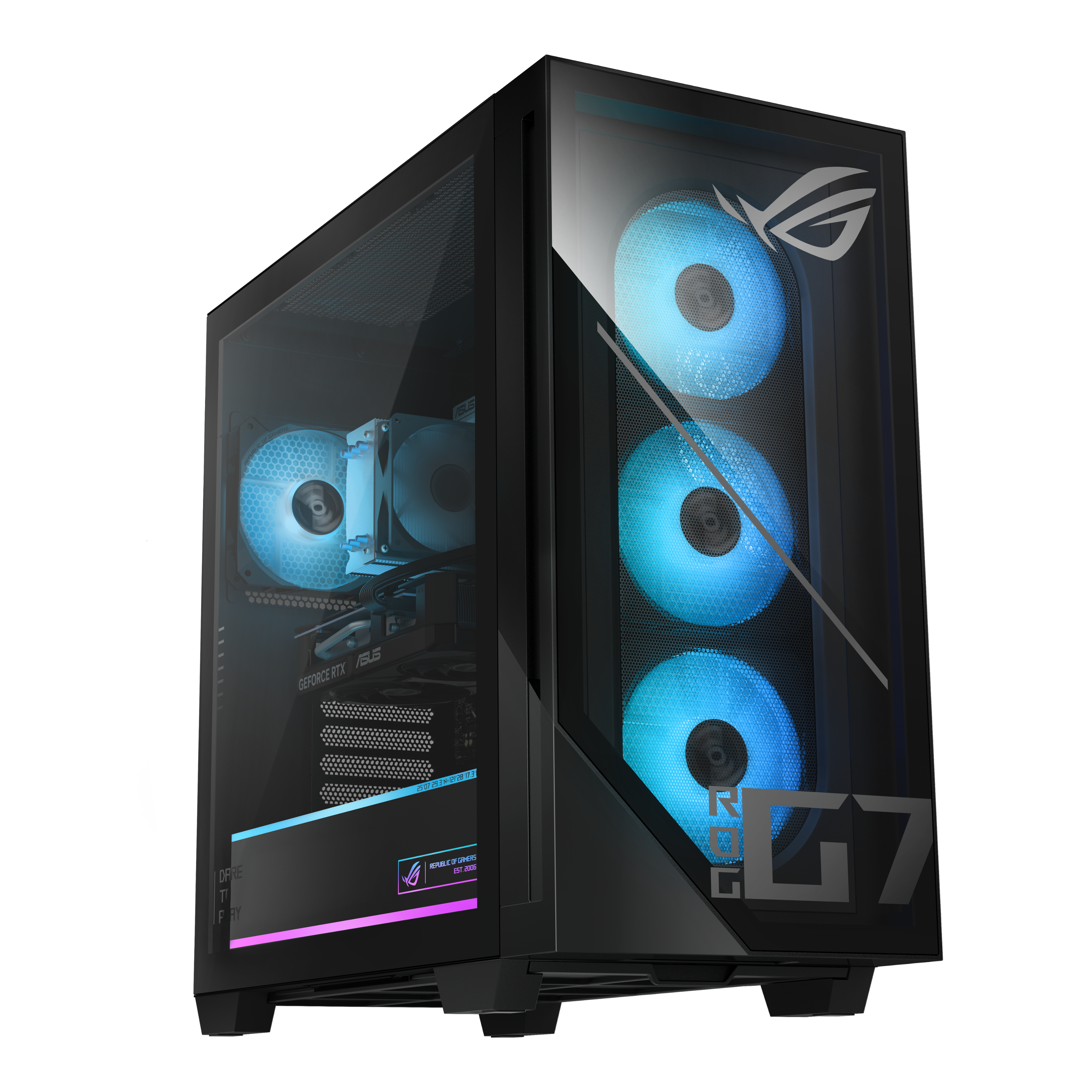
    You’re not going to win any “bringing a knife to a gun fight” battles with the ASUS G700 in this particular configuration, but honestly, that’s not what this machine is trying to be. This setup is squarely entry level to lower mid-grade, and ASUS never pretends otherwise. What you’re getting here is a modest but very capable prebuilt built around Intel’s new Ultra 5 225F, paired with an NVIDIA GeForce RTX 5060 8GB, a single stick of 16GB T-Force DDR5, and a 1TB Samsung Gen4 SSD, all riding on the ASUS B860M Max Gaming AX WiFi 6 motherboard. It’s far from a powerhouse, but this combo delivers exactly what someone stepping into PC gaming wants, a machine that works right out of the box without forcing you to take out a loan. Unboxing the G700 instantly sets the tone for ASUS fans like me who cares about presentation along with form and function. It includes everything you need to get started minus a monitor and whatever controller you prefer. You do get the typical “starter pack” peripherals: a full-size RGB membrane keyboard and a matching RGB mouse. They work fine and will definitely get you through your first months of gaming, but don’t expect mechanical switches or anything beyond the basics. The real star of the show, the thing that will make you go wow the second you pull it out is the G700 case. I was truly impressed with how high-end this thing looks. ASUS took mid-tier components and housed them in what feels like a custom boutique chassis. The tinted tempered glass front and side panels, the clean ROG-branded accents, and the fully visible RGB ecosystem make this PC look like a premium build. You get three RGB intake fans up front and a rear RGB exhaust, which offer plenty of airflow. I do wish a liquid cooler came standard since the CPU runs on a simple air cooler with a basic non-RGB fan, but for this spec lineup, thermals stay in check. The interior layout is surprisingly clean for a prebuilt. Cable management is tidy, the RGB routing isn’t a mess, and everything is accessible if you ever want to upgrade. And that’s important, because while the B860M Max isn’t ASUS’ top-tier board, it’s still a solid platform. Just keep in mind the LGA 1851 socket only supports Intel’s Ultra series, so your upgrade path stays within that family unless you decide to upgrade the board. The rear I/O gives you plenty to work with: 4 USB-A 2.0, 4 USB-A 5G, an additional USB-A 5G, a USB-C 20G, 2.5G Ethernet, and DisplayPort. On top you also get 2 USB-A 5G and a headphone jack. And again, the case aesthetics elevate this build… there’s even a lit ROG mission-statement graphic on the PSU shroud that looks way cooler than it has any right to. Performance wise, the G700 performs much better than I expected for this price tier. At 1080p, it absolutely holds its own, easily delivering 60–240 FPS depending on the game and settings. I ran titles like Ghost of Tsushima, Red Dead Redemption 2, Hogwarts Legacy, and Forza Motorsport, and each one maintained a solid 60+ FPS on high/ultra settings without DLSS. Once you enable DLSS Frame Generation, framerates jump into the 90+ FPS range without sacrificing image quality. Even at 1440p, the system is very capable with the right settings tuning. For a “starter” GPU in NVIDIA’s 50-series lineup, the RTX 5060 impressed me, especially considering these cards are in high demand and often overpriced when sold individually. So here’s the bottom line: if you’re trying to break into higher-end gaming without going broke, the ASUS G700 is a surprisingly strong entry point. The case design alone feels like something from a much pricier build, and the performance is way more respectable than its mid-tier component list suggests. But if you’re a hardcore, ultra-competitive gamer chasing max FPS in every scenario, this isn’t your machine. This is built for the everyday gamer, the newcomer, or the casual enthusiast who wants an attractive, reliable, and upgradable rig that plays modern titles beautifully at 1080p and solidly at 1440p. For the right user, and especially if you catch it on sale, the G700 is absolutely worth picking up.

    I would recommend this to a friend
  • Tech Insider Network Member

    Rated 4 out of 5 stars

    A Fantastic Yet Budget Pre-Built Gaming Computer

    |
    Tech Insider Network Member
    Posted .
    This reviewer received promo considerations or sweepstakes entry for writing a review.

    As someone who spent many years working on computers, I can say that ASUS for over 20 years has been my recommendation for motherboards and components. I’ve only recently gotten back into PC gaming with the ASUS ROG Ally handheld gaming computer, so I was very excited by the opportunity for a full pre-built gaming desktop. It’s a great budget entry to PC gaming, but there are several little caveats I think you should be aware of. Spec wise, this isn’t a low-end computer by any means. By a gaming PC standpoint, I’d say, if this makes sense, this is on the lowest end of the higher end. This comes with a GeForce RTX 5060. It’s the latest generation of cards, but one of the lower models and with the lowest onboard memory at 8GB. What’s surprising is I did not think in 2025 you could get a video care with less than 16GB of onboard memory. The processor, similarly, you could say is on the low end of the high end. Of the Intel Core Ultra 5 Processor lineup, the 225F is their lowest end model. That brings me to the RAM. This comes with 16GB of memory. That’s not bad and not great. Personally, I think 32GB of memory should be default for a gaming computer in 2025. However, what I find most frustrating about this is that it comes as a single 16GB stick. RAM is the easiest thing to upgrade on your computer. That is not the case here, solely because it comes as a single 16GB stick. RAM is rarely sold as a single stick and it’s far more common for there to be two sticks due to how computer hardware architecture works. Typically, a system with 16 GB total would come as 2x8GB sticks because of that. While this system comes with 4 slots, the fact that it comes with a single stick of RAM makes upgrading intensely difficult and, worse, very expensive. Mixing and matching doesn’t work with RAM – you don’t need the exact same brand, but you want to get the same size and speed. The speed on this one is, again, on the low end. I think the biggest tell here is that the RAM it comes with, T-Force Venom, simply is NOT sold in 16GB as a single stick – only in 32GB as 2x16GB. I suspect that higher end models of ASUS’ prebuilt computers have 32 GB in 2x16GBs and for this budget model just grabbed one of the two. It’s important to know that you should not run 3 sticks of RAM, again due to just how these computer systems work. The ASUS service manual for this computer only lists options for RAM in 1, 2, or 4 stick variations. It’s not insurmountable to work around the 1 stick of RAM, but I’m very disappointed that I either need to hunt down a single stick or ram or buy a 2 pack of better ram and just not use the one that came with this system. To give you an idea of the impact of RAM usage, my daily work setup, involving several tabs of Firefox, several tabs of Chrome, zoom, discord, slack, and spotify, sees me using roughly 85-90% of RAM. Should you wish to play a game on this computer, I highly suggest closing out all non-gaming applications. Regarding upgrading, this brings me to several more minor issues. Should you wish to upgrade your graphics card in the future, I suspect you may run into power supply issues depending on the needs of the new card. For upgrading storage, there is an M.2 SSD slot on the board that you may be able to just barely access without removing the graphics card. However, just from looking at it, I can tell you it does not come with the single screw necessary to hold a second SSD down. Additionally, there are a generous four SATA ports for adding on storage, however there are no mounts for holding drives anywhere, despite all the extra space inside this case. While I have not opened the case enough to reach the power supply, which is worth noting is easy to do, I suspect there’s also no additional power supply cables for such drives either. It may sound from the above that I do not like this computer – that’s honestly not the case at all! I’ve been enjoying playing games on it and working on my day job on it. The system itself is very pretty to look at it. The case is large, one of the largest I’ve ever owned. As I mentioned, I feel like there’s unnecessary empty space on the inside, but the number of fans and lighting is nice. It’s very heavy on ASUS’s own ROG branding, but that’s not really a plus nor minus in my book. Software makes adjusting the lighting very easy. There was no bloatware pre-installed to deal with. It also comes with a pretty nice wired mouse and keyboard, also with lighting on them, although there is no software control. The keyboard isn’t a mechanical keyboard or anything high end, but it’s still nice that it came with a full-sized keyboard. The case has a removeable dust grill on the bottom and the whole case is easy to open and get into. There’s plenty of ports, including 1 HDMI and 3 display ports for video, over 10 USB-A slots, including several 3.0. There are, however, only 2 USB-C ports available. I do find it a bit disappointing that a new computer would have so little USB-C ports. It’s also worth noting that the one on the back is recessed just a little. I suspect it’s not the biggest of deals, but my wireless Logitech MX Master 4 mouse dongle wouldn’t sit in far enough to be recognized and I had to use a USB-C to A adapter in order to keep it on the back of the computer instead of occupying the single USB-C port on the top of the computer. The built-in WiFi is WiFi 6 – nothing to complain about but when the newest standard is 7, it’s strange to not have that included on a computer meant for being online – and with an intent for gaming. As for running games, I don’t think this is quite powerful enough for native 4k gaming on the regular, but at 1080p it’s handled everything I put it through. I think if you were looking at this for the latest AAA graphically intense games, they’ll run just fine, but you may need to do some tweaking to get them to run at their best. However, with the several games I’ve run on it, I’ve been very happy. The newest and most graphically intense game I’ve tried is Indiana Jones and the Great Circle. It defaulted to low-medium graphics, but gets a consistent 60 frames per second and, honestly, still doesn’t look that bad. Slightly older games run even smoother and higher quality. I have no doubts that will run anything you can throw at it and will for a while, but not at the highest graphics quality and not at 4k. This may be a controversial opinion, but I don’t think 4k gaming is necessary when you’re so close to the screen. There’s a lot to love about this computer. None of the components used are cheap by any means. However, this is indeed a budget gaming computer, and I’m not convinced it’s as easily ready to upgrade in the future as the marketing would lead one to believe. I’m very happy with this and I think if you’re dipping your toes into a pre-built gaming PC you can’t go wrong here, but I would also encourage you to look at the differences for the next models up from this and see if you can spare the extra to get slightly better components all around.

    I would recommend this to a friend
  • Tech Insider Network Member

    Rated 5 out of 5 stars

    Very Respectable Case And Components For The Price

    |
    Tech Insider Network Member
    Posted .
    This reviewer received promo considerations or sweepstakes entry for writing a review.

    This is a great prebuilt gaming computer in the more affordable price point. Asus has done a great job making a clean and interesting case that feels premium, even if the internal components are more mid-tier than it lets on. It has elements of ‘gamer’ motifs and graphics, even going so far has having a printed paragraph worth of aspirational messaging over the internal transformer, yet still feels polished and more high-end than this particular SKU brings. That said, its components are respectable and plenty capable for gaming at 1080p or 1440p with good performance settings in most games. ___ Performance ___ If you’re buying this machine to play games competitively, I’d recommend looking at higher tier and paying a bit more, but for many who just want to enjoy games without breaking the bank, this machine provides a very clean slate with plenty of room to upgrade in the future should you feel the need. Components are respectably current but less powerful (and less expensive). The RTX 5060 seems to the make or break point for many, but for me, it seems fine. I’m able to play modern games like Doom: The Middle Ages and Call of Duty 7 with up to around 115 fps when gaming at 1440p at reduced quality settings. While adjusting settings and attempting higher frame rates, I maxed out its 8gb VRAM easily, often causing games to warn me of that they needed more. After downloading updated drivers from Nvidia, options like DLSS became available in several games to allow higher, or variable, frame rates - but I ultimately felt that they hurt visual clarity. My key take away was that the sweet spot of performance and visual quality on this particular machine across the several games I’ve tested so far is around 60 fps, often allowing near-maxed quality settings. This is respectable and what most people who simply want to enjoy games would care about. Pushing for higher frames just wasn’t worth the trade offs. That said and again, if the buyer wants to get the most out of modern shooters, buying a version of this machine with a higher-end graphics card may be the way to go. Load times were a bit slow, reaching around 1 min in the worst of cases, but I plan on upgrading simple components (like RAM) to help mitigate that. Older games loaded much faster. The included 1 TB SSD has plenty of room to get yourself going. Modern games are very large these days, so adding another drive may ultimately make sense for gamers. ___ Design ___ With its clean, precision glass front and sides and overall build quality and thoughtful internal layout, getting this machine feels great. Almost like a breath of fresh air rather than a complicated burden that some of my built machines have been in the past. The whole package feels like a perfect starting point to build into the future from. Asus has designed the internals to be both super quiet, despite 4 fans… with plenty of ventilation and design elements, like a top dust filter that’s magnetic and super easy to take off to wash off if needed. While my prior machine has similar design cues and glass, this machine just feels better made. Plenty of modern I/O is nicely presented on this machine, with two USB-A ports / 1 USB-C port on the top for easy access. At the rear, many more options are presented, including connections for an included wifi 6 antenna. DisplayPort directly from the graphics card is the way to go for video hookup. ___ Summary ___ Overall, this is a great machine for affordable PC gaming, with room to grow. It can play modern games very well - as long as you don’t mind sticking to around 60 fps. Older games play even better. While its internal components are more entry-level, they’re still modern and respectable, plus you get a very nice case for the price. This is a good one!

    I would recommend this to a friend
  • Tech Insider Network Member

    Rated 4 out of 5 stars

    A solid computer!

    |
    Tech Insider Network Member
    Posted .
    This reviewer received promo considerations or sweepstakes entry for writing a review.

    Being a PC enthusiast, I wasn't sure what to expect with this. I've never used a pre-built gaming PC before, as I've always built my own. As such, I spent my time with it comparing its value to the value of building a computer myself. First things first. It's well packaged, and it's beautiful. The case is one of the coolest I've ever seen, with some cool RGB features inside, a built in bracket for GPU support, and a lot of space for airflow. The ports are plenty, and there's a little warning sticker to let people know to plug their display cables into their GPU, not the motherboard connector. Great for people who may be buying this without much knowledge on PCs. It's worth noting that this thing is absolutely enormous. It's cumbersome. It barely fits on my desk, and it doesn't fit very comfortable anywhere at all. Yet the motherboard they chose for the build is only a micro ATX, meaning that they could have used a much, much smaller case. Bigger cases have better airflow, but with the parts in this machine, thermals are of little concern. In short, the case is beautiful, but unnecessarily large. The parts of the computer themselves make for a fantastic entry level build. There's a solid CPU with room to upgrade, a decent mid-range GPU that does the job, an acceptable 1 TB of storage for games. It's got 16GB of RAM, which I'd argue is the minimum you need for a good computing experience on Windows these days. I'd have preferred more, even if it were only 24GB, but 16 is enough for a starter computer. Here's the deal. If you wanted to build the computer yourself, using equivalent parts, the cost comparison is pretty interesting. The exact graphics card, the Asus RTX 5060 Dual, can be had for $299.99 on Amazon. At the time of writing, the CPU, the Intel Core Ultra 5 225f, can be had for about $160. The exact motherboard is hard to find on sale - the B860m Max AX - but a similar one can be had for $150-$200. Let's put this on the higher end and say $200. At the time of writing, we're having the worst RAM cost crisis I've ever seen, thanks to AI. 16GB of DDR5 is difficult to find anyways, but I've found some that cost about $100-$150. Again, let's go on the higher end of that spectrum and say $150. A 1TB NVME is also more expensive than it has been in recent years, and costs about $80. Throw in $100 for a power supply, $75 for a case, $25 for some fans, and you've got yourself a perfectly functioning computer that costs about $1100, give or take. Mind you, that's only with brand new parts. You could certainly buy used on a graphics card and/or motherboard and/or CPU and/or RAM and reduce your cost by a couple hundred, but that's besides the point. For the value of this computer (around $1200 at the time of writing), the pre-built is actually not that expensive. Now, I love building computers, but not everyone wants to deal with it. For an extra $100 on top of the cost of parts, I think this is an excellent value. But how does it game? I didn't give the computer incredibly strenuous tests, as I don't play a lot of brand new AAA hyper demanding games. But I can say that with games like Elden Ring and Tony Hawk's Pro Skater 1+2, it performed amazingly. Dark Souls Remastered was also fantastic. In the case of Elden Ring and Dark Souls Remastered, they ran at a buttery smooth 60FPS without hitching or stuttering - even in the crowded, particle-heavy areas of Elden Ring. They were both on high at 1440P. THPS1+2 ran at somewhere in the ballpark of 180FPS on high at 1440P as well. So why only four stars? Well, even with all the pros, there are still some things that I think need addressing. Number one, the RAM speed - it runs at the minimum speed out of the box. It's fast enough for use and all, but not everyone knows how to get into the BIOS and activate the XMP profile, especially if they're new to PC gaming. Seems like a major oversight. Number two, the case is unwieldy and unnecessary. It has no reason to be in a case like this. Three, the included keyboard and mouse are dreadful. The rough texture on the keys of the keyboard are like sandpaper, and they feel very thin. It's quite unpleasant. The mouse feels chintzy and light and hollow. The peripherals function, but every other garbage office PC keyboard I've used manages to be superior to the ones included here. It didn't need to be mechanical switches or anything, but come on. All in all, I do think this is a fantastic computer for people looking to get into PC gaming. The price is steep, but for what you pay, you'll be able to play all kinds of games from all different generations for years to come.

    I would recommend this to a friend
  • Tech Insider Network Member

    Rated 5 out of 5 stars

    Not only for gaming. Just a performance machine.

    |
    Tech Insider Network Member
    Posted .
    This reviewer received promo considerations or sweepstakes entry for writing a review.

    Honestly this is a very good configuration that can both be used for gaming or demanding resources like simulations and renderings. More about that later. The desktop tower is big. Very big. Mostly empty but with too many cooling fans and filters that provide good cooling and nice looking. I love the RGB lights and the open glass side. They give it a very nice look. - The Processor: Intel Core Ultra 5 225F is a very powerful processor. This is a new-gen Intel that has 10 core CPU with great single-threaded speed. Asus installed a good heat-sink above it to keep it cool even when loaded for long time. - The GPU, Next-Gen NVIDIA RTX 5060 is the newer Blackwell architecture, offering DLSS-4 multiframe generation that can significantly Boos the FPS. Together with the Intel Core Ultra 5, this rig is really amazing. - Add to the mix: 16GB of DDR5 to boost your multitasking and gaming experience. I am planning to add more RAM for no specific reason. Just for more performance. - With the 1TB PCIe 4.0 SSD, this Gaming rig would take almost no time to boot or starting the heaviest game and program that you are double clicking. Just amazingly fast. - Connectivity wise, this tower has very good located USB and USB-c connectors. Multiple screens are also supported (NVIDIA). Currently, I am connecting it to my 4K TV and it is doing just great. I am planning to connect a secondary screen to it. Something gaming dedicated with fast refresh rate. What I am not so happy about: - The large space in the tower could have been used in a better way. The MB doesn't support mounting 2.5" SSD. I might need to get some extra adapters to perform that. I expected it to be possible from the box. - Shipped with very mediocre mouse and keyboard. Honestly, Asus could just skip them. - NVIDIA would work better if it was more than 8GB VRAM. Games with 1440p or with Ray Tracing enabled will be problematic. - For some reasons, Asus included a WiFi 6 instead of WiFi 7. I am planning to connect it through LAN anyways. But I expected a WiFi 7... My main use for this ROG G700 is not gaming (only). I run a lot of simulations and 3D renderings. It is more than enough executing all the tasks and with the amazing cooling system Asus provide, it has no issues keep pushing without slowing down. This is indeed a strong mid to high level gaming PC. Great performance when dealing with 1080p and sometimes 1440p. Graphic card is amazing. It will make it better if you can upgrade the GPU to RTX5070 Ti with more VRAM... I'd recommend getting this desktop since, even the fastest gaming laptop, won't get close to what this ROG is offering and the way it runs while handling exhausting tasks and maintaining real cool and nice lights. Amazing performance and nice show.

    I would recommend this to a friend
  • Tech Insider Network Member

    Rated 5 out of 5 stars

    Entry into the PC gaming world

    |
    Tech Insider Network Member
    Posted .
    This reviewer received promo considerations or sweepstakes entry for writing a review.

    Looking at the Asus G700TF, this is the perfect budget desktop for anyone looking to get into PC gaming. With today’s cost of PC peripherals rising daily, pre-built PC’s may be a better option to save on overall cost long-term. Enter Asus’s new budget build, the ROG G700. To put things in the proper perspective, this is a more than capable pre-build gaming PC. The G700 is not just a gaming PC in the scheme of things. This is a great setup for school and the home office. You can also throw in some light video editing and coding. This rig is perfect for media consumption and can be used in a dual streaming setup. The G700 would be perfect as a dedicated PC for popular streaming services such as Twitch or Kick. The Asus G700 Build The presentation of the G700 is gorgeous. The Asus G700 is massive in comparison to most cases I’ve seen. The overall case design is beautiful, with plenty of RGB lighting and plenty of space for airflow. Since the gaming PC is fairly large, you will need to ensure you have adequate room for it. Motherboard – B860M Max Gaming AX – the B860M is a mid-range motherboard that provides excellent value with plenty of connectivity options. This motherboard features WiFi 6, a pre-installed single stick of 16GB DDR5 ram that can be upgraded to 128GBs of ram. This motherboard is on the LGA1851 socket platform which is on the newer end. CPU- Intel Core Ultra 5 225F- This is a mid-range budget friendly CPU that does not have integrated graphics, which means it would be best to add a dedicated graphics card. The CPU has 10 cores with 10 threads and a TDP of 65 watts. Storage- The G700 comes with an included 1TB GEN 4 NVME SSD. There are plenty of USB ports available as well. Graphics Card – The included GPU is a 5060 8GB model. The RTX 5060 was able to play all the games I threw at it. However, the settings had to be lowered significantly due to the limitations of 8GB vram. On the plus side, the RTX 5060 supports DLSS multi-frame generation, which can provide an FPS boost and even allows 1440p gaming with some games. This makes the Asus G700 a good option for someone that is just getting their feet wet in the PC gaming world. With all the options that the Asus G700 offers, it would be the perfect entry into PC gaming for anyone. This package can be upgraded from entry level to a full-fledged premium setup over time. Asus has outdone themselves with creating a beautifully crafted gaming PC that will open the doors to endless customization.

    I would recommend this to a friend
  • Tech Insider Network Member

    Rated 5 out of 5 stars

    Great entry level PC with quality parts

    |
    Tech Insider Network Member
    Posted .
    This reviewer received promo considerations or sweepstakes entry for writing a review.

    I’m deep into PC gaming and I’ve owned or tested and even repaired many PCs, both gaming and non gaming. So while I knew this was an entry level gaming pc from asus I knew it would still be worth it. With an Intel ultra 5, 16gb ddr5@6000mt, 1TB fast nvme ssd, and a 5060 8gb vram powered by a liteon 600 watt power supply you have a great entry into PC gaming. Motherboard is an asus b860m max gaming ax which is a mid range that offers a lot of flexibility for aio coolers,argb lighting and very nice VRM cooling as well. I was pleasantly surprised that I was able to upgrade(which I did-see pics). The pc case is large but tastefully done with nice RGB fans,also they added the bottom cover which is also RGB and everything is controlled through the asus software and it be software works great. As far as performance which most care about, you should be pairing this with at most an asus 1440p high refresh rate monitor and at the least a 1080p but I don’t recommend 1080 as the 50 series not only offers great performance but the ai helps you get more frames with DLSS4 or frame gen even at the entry level of the 5060. But you can run native 1440p on less demanding games. Everything runs smooth and snappy on windows 11. The cpu stays fairly cool with the included tower cooler and 90mm fan(I think). The WiFi and download speeds are super fast with WiFi AX. U can even run 4k if you run DLSS performance which is crazy though detail is slightly degraded but doable lol. Only minor issues I saw was the ram is only a single 16gb stick which is minor hit to performance compared to ddr4 and the ram speed was set to default (4800mt) in the bios but I enabled XMP. Now I went ahead and upgraded the pc since I loved the case,RGB and Mb. So I’ll post pictures just to show you want you can do later when you decide to upgrade. Again this is a budget friendly Pc build and if that’s what you are looking for this is a great set up with endless possibilities.

    I would recommend this to a friend
  • Tech Insider Network Member

    Rated 5 out of 5 stars

    Amazing starting pc

    |
    Tech Insider Network Member
    Posted .
    This reviewer received promo considerations or sweepstakes entry for writing a review.

    This a great starting pc. I’m dabbled with pc so I’m no expert here compared to others. But I have enoug experience with different systems to tell that this is one solid pre built system. Will this system knock your socks off and run everything at high and get you 4k? No it won’t but it doesn’t have to. It’s a great machine at 1080p and even at 1440p I have been able to play a fair amount games and still get great frame rates. I needed something for my oldest son he turned 15 this year and was ready for his own rig. So we didn’t want to get thin anything too crazy and we mainly played things like Fortnite, call of duty and tried out games like out worlds 2 and planet coaster everything but planet coaster we were getting easily over 60fps at 1440p. The 5060 in the system only has 8gb of vram so there is only so far you can push so of the more modern games. Only one we ran some trouble into was Indiana jones that game requires a lot of vram so that tends to be an issue if try to push it too much. But with everything else it ran great system never got hit the case and fans did an incredible job keeping it cool. Out of the box everything was easy to setup and get going. If your looking for something to get started or just wanted something that was no fuss this is a great system to get

    I would recommend this to a friend
  • Rated 3 out of 5 stars

    Good system, some issues

    |
    |
    Posted .
    This reviewer received promo considerations or sweepstakes entry for writing a review.

    Listed specs are incorrect, it only has one HDMI port. Also, two of the m.2 slots are used so you only have one for expansion. Do note, if you're planning on installing an m.2 SSD there is no screw included on the standoff on the motherboard, so you'll have to buy or find one. ASUS saved pennies on a screw so I had to spend ten bucks to order a pack that I'll never use more than one of, and it meant I had to wait a few days to get my system set up how I wanted. PC works fine, but the missing HDMI port and screw really annoyed me.

    I would recommend this to a friend
    • Brand response from ASUS Answers
      Posted .

      Dear Oliver,

      Thank you for sharing your experience with the ROG G700TF Gaming Desktop. We sincerely apologize for the inconvenience caused by the HDMI port discrepancy and the missing M.2 screw. We understand how frustrating it can be when setup is delayed due to unexpected hardware limitations. Your feedback is important and will be shared with our product team to help improve future packaging and listings.

      We stand behind our products and continuously strive to improve our products and processes to achieve customer service excellence. If you require any further assistance, please email us at [email protected] and include the case number "N2507002513-0004" as a reference. We will do our best to resolve your case quickly. Your feedback is very important to us, and it enables us to improve our support channels. Thank you for choosing ASUS.

      Best Regards,
      Chantae
      ASUS Customer Loyalty US Support Asus

  • Cons mentioned:
    Vram

    Rated 4 out of 5 stars

    ASUS G700

    |
    |
    Posted .
    This reviewer received promo considerations or sweepstakes entry for writing a review.

    It’s aight not the best tho, RTX 5060 with the 8gb VRAM is lwky lacking now a days

    No, I would not recommend this to a friend
  • Pros mentioned:
    Gaming performance

    Rated 5 out of 5 stars

    ITS REALLY GOOD

    |
    |
    Posted . Owned for 1 month when reviewed.
    This reviewer received promo considerations or sweepstakes entry for writing a review.

    In 1440p it got 240 on gta5 220 in fortnite EPIC SETTINGS and 230 at forzahorizon 5 while recording

    I would recommend this to a friend
  • Rated 4 out of 5 stars

    An okay purchase for an Intel processor

    |
    |
    Posted .
    This reviewer received promo considerations or sweepstakes entry for writing a review.

    Overall the pc runs most things pretty well, but the gpu does leave a lot to be desired but thats what you’re purchasing. The temps tend to run on the cooler side. As I noticed the 8gbs for the gpu is killer on certain games but it usually isn’t a huge issue that I face personally. Overall I am sastisfied with my purchase an am looking fowards to any potential upgrades I could preform.

    No, I would not recommend this to a friend
  • Pros mentioned:
    Build quality

    Rated 4 out of 5 stars

    Great PC bad graphics card

    |
    |
    Posted .
    This reviewer received promo considerations or sweepstakes entry for writing a review.

    Great pre build by Asus super sturdy and strong just the 5060 8GB is no good

    I would recommend this to a friend
  • Rated 5 out of 5 stars

    Rog Desktop Review

    |
    |
    Posted . Owned for 2 months when reviewed.
    This reviewer received promo considerations or sweepstakes entry for writing a review.

    This is a really good Gaming PC, My son who is a professional gamer is currently using this desktop for gaming/video editing.

    I would recommend this to a friend
  • Pros mentioned:
    Airflow, Build quality, Connectivity
    Tech Insider Network Member

    Rated 5 out of 5 stars

    Nice low/mid price gaming computer.

    |
    Tech Insider Network Member
    Posted .
    This reviewer received promo considerations or sweepstakes entry for writing a review.

    I picked this computer up to liven up my office a bit. Occasionally my kids get bored while waiting on me and this little gaming computer has all the right spots checked. With an nvidia 5060, 1tb ssd, i5 processor, and 16gb of ram, it can game well. Wifi is good on this and runs well. The rog 27” curved monitor I have paired with this works well with this. The kids fire this up and play forza and fortnight quite easily. Load time is very good. The case footprint is average for a desktop. And the case itself solid build. Clear and the internal led’s look good. The airflow is very good also on this. It seems very well ventilated. Even with all these fans, this is pretty quiet. I do have some word processing and photo editing software on this and they all work well. I have hooked up cd drives to this and they all work well. Overall. I think this is a fair value, competative at this build level. I had the ROG monitor for over a year and had liked it’s performance, so when I saw this, I figured it would be good also, and it is. I do reccomend this. Well packed I the box when shipped. And trust me, the shipping company that dropped this off tested it in our area. Nothing was broken thank goodness but it is dusty. This is a good value.

    I would recommend this to a friend
Sponsored