Customer Ratings & Reviews
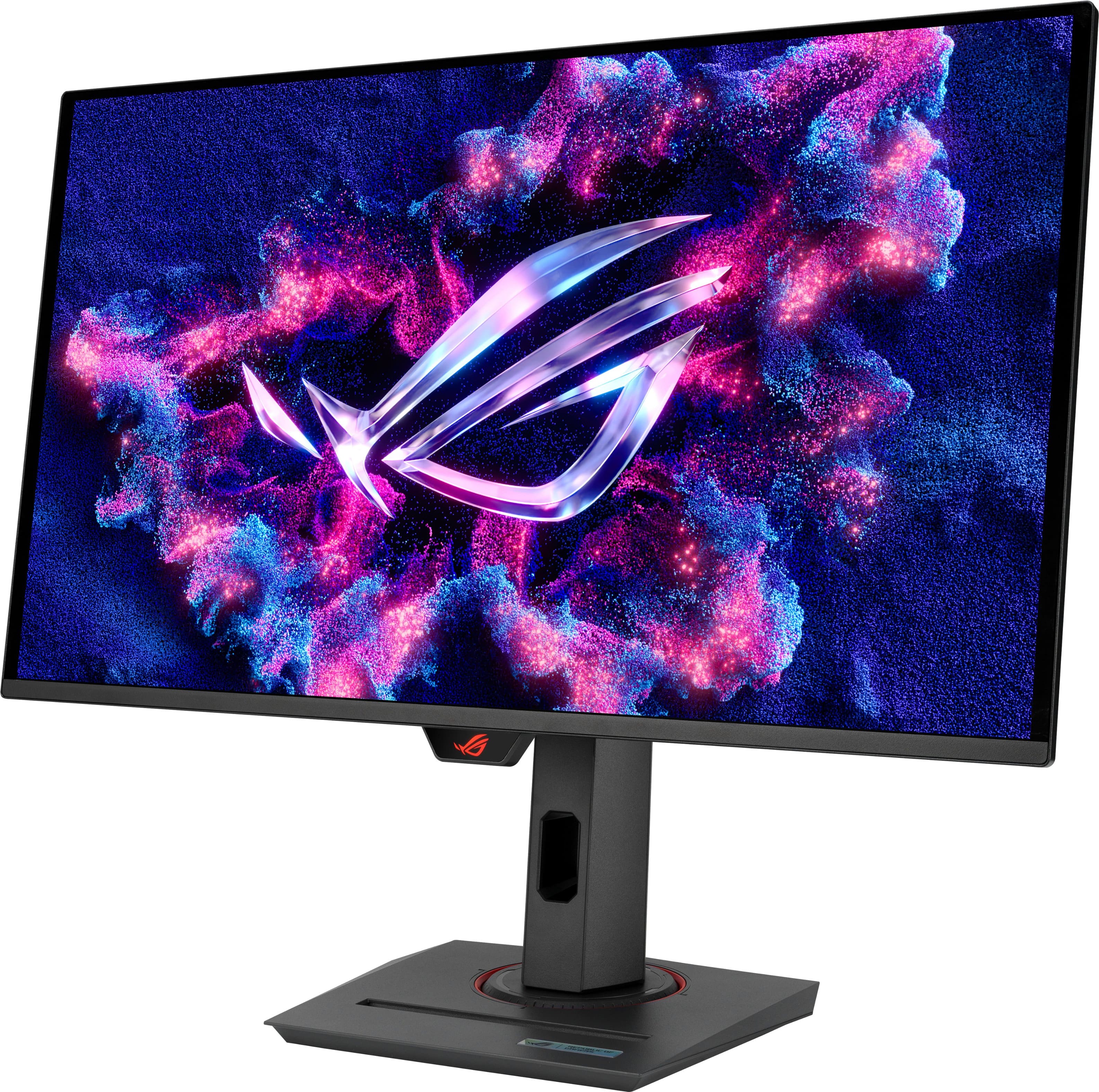
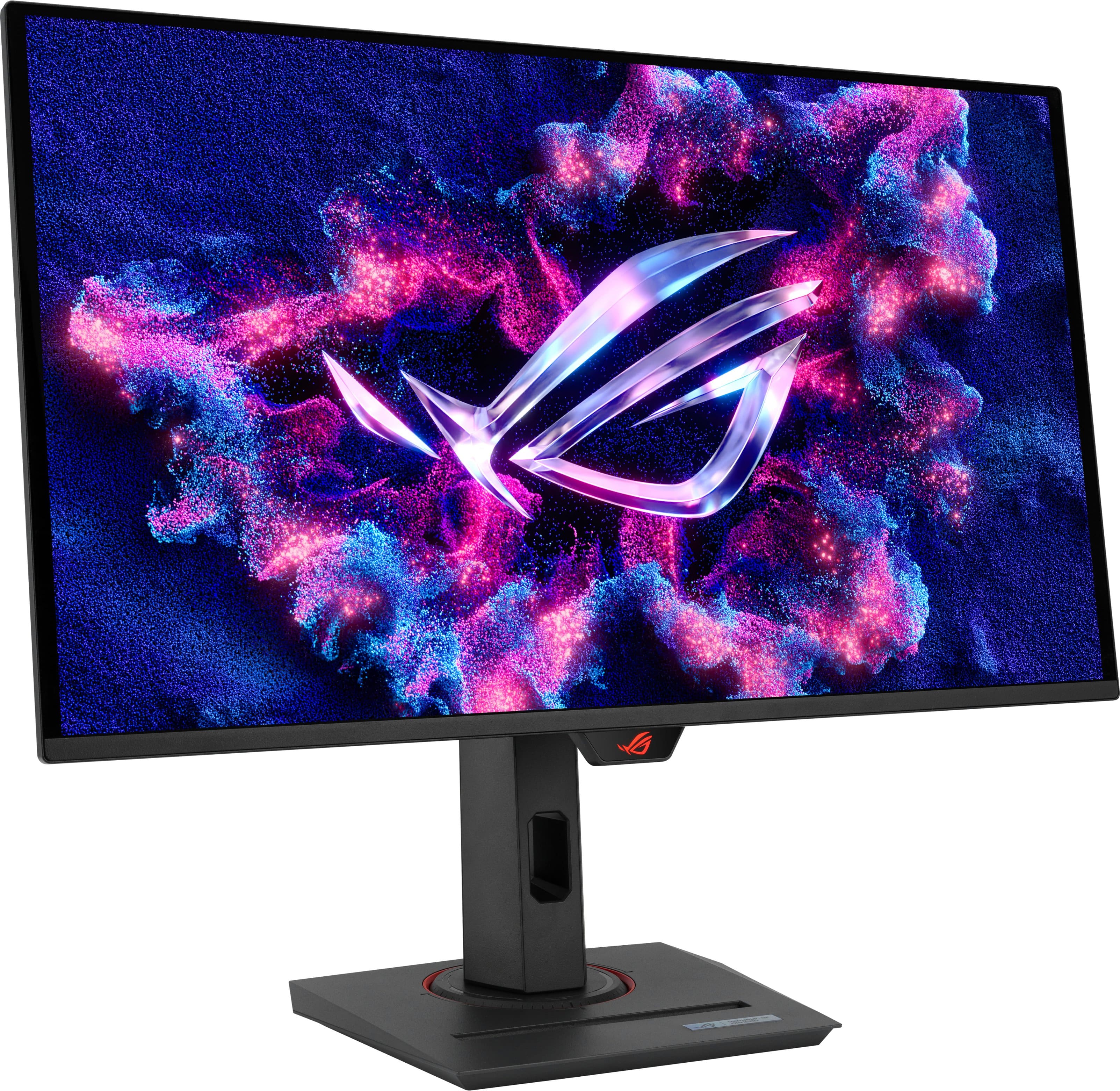
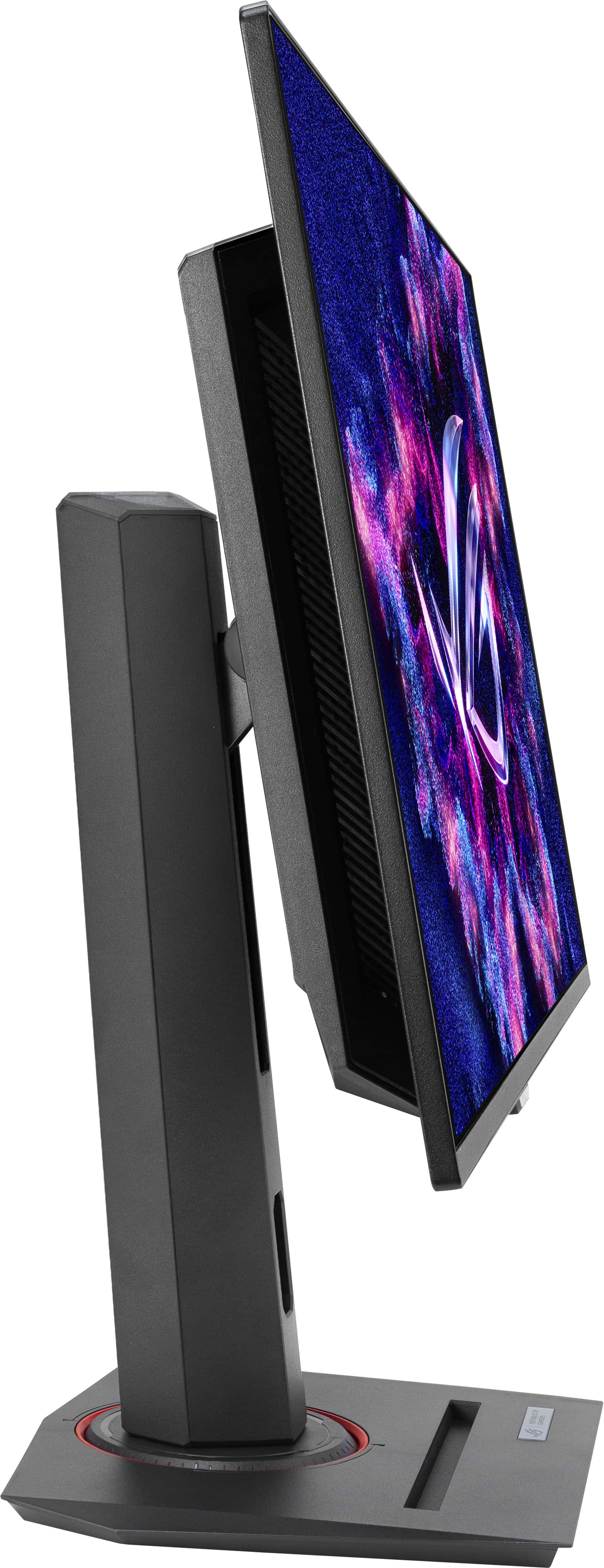
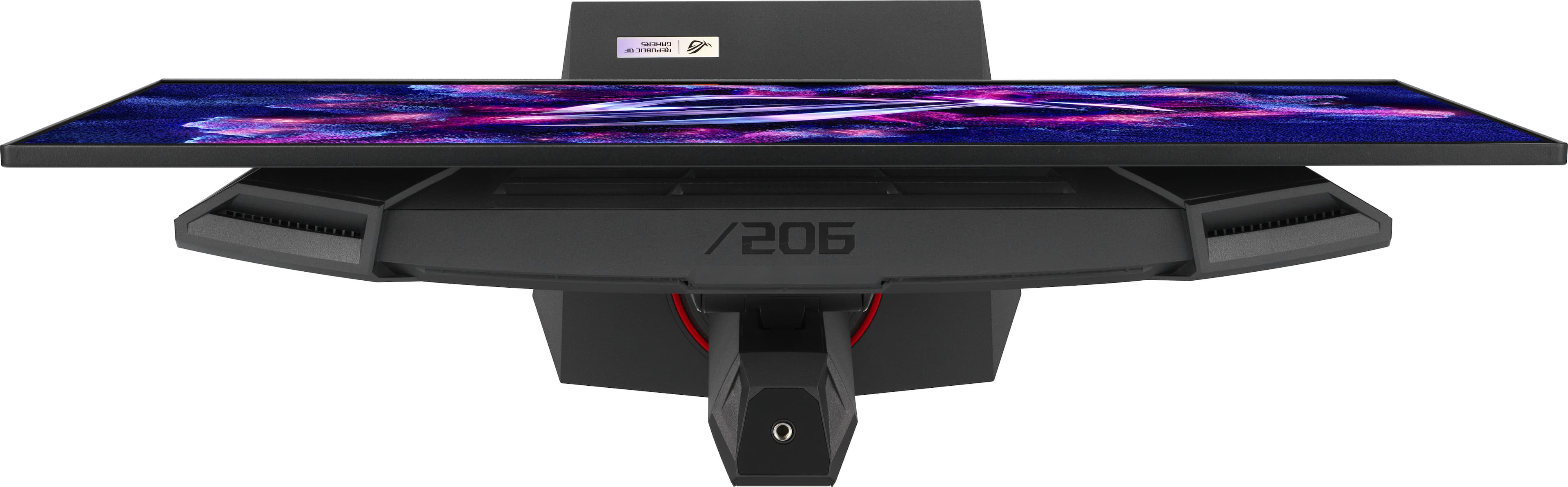
- Model:
- XG27UCDMG
- SKU:
- 6616979
Rating by feature
- Display Quality
Rating 4.9 out of 5 stars
- Ease of Use
Rating 4.8 out of 5 stars
- Features
Rating 4.8 out of 5 stars
Customers are saying
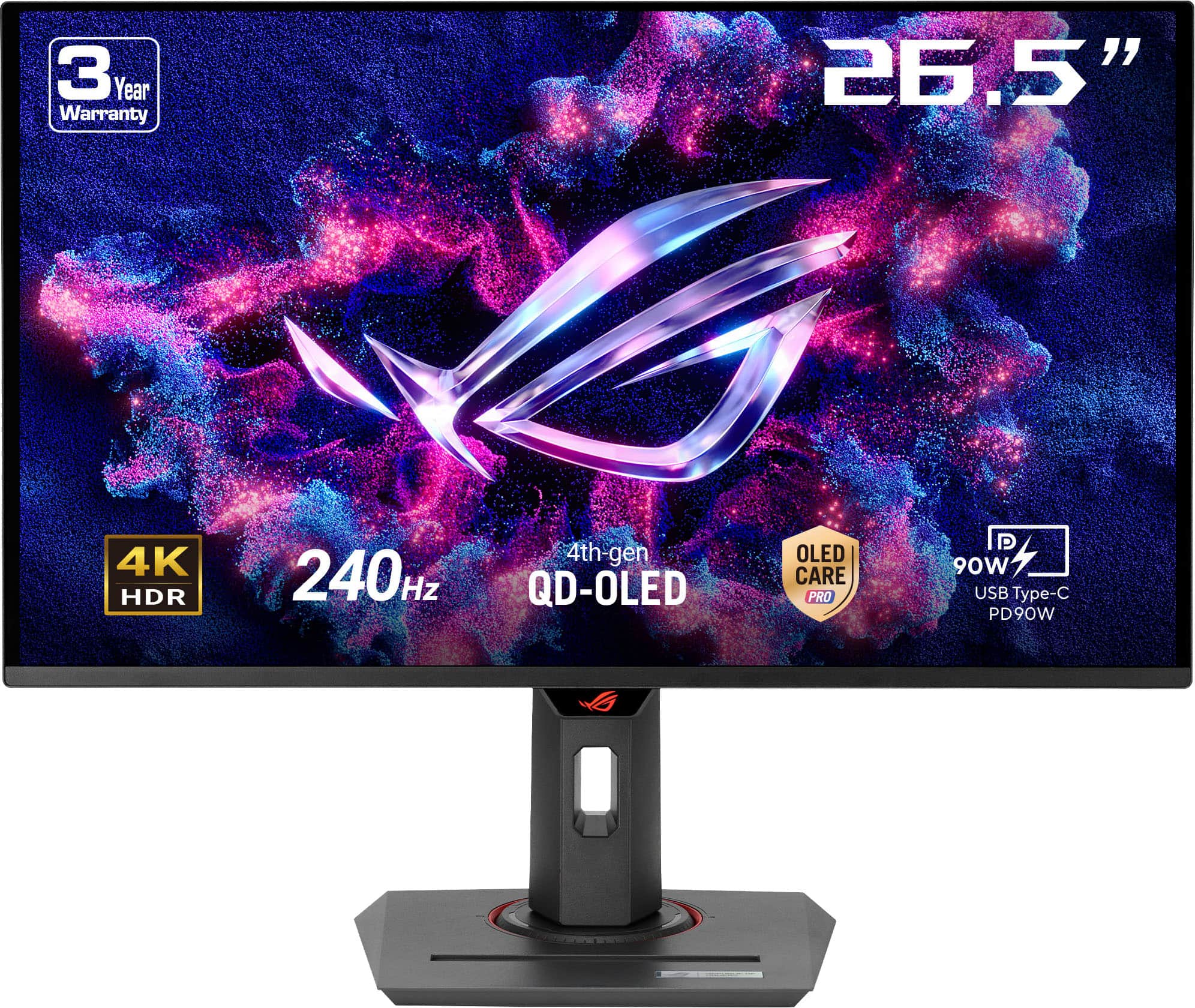
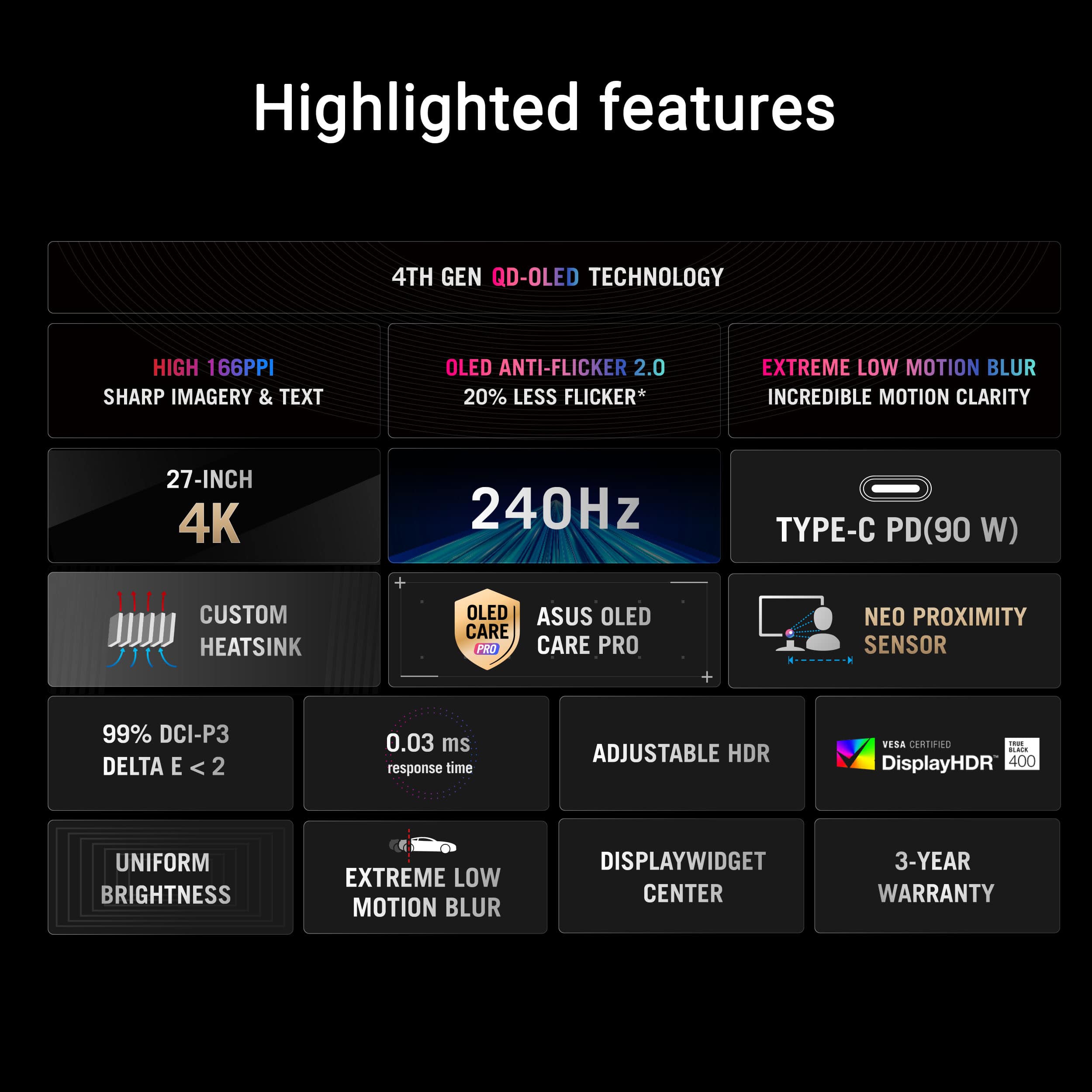
Customers are positive about the ROG Strix 27" 4K OLED gaming monitor's color quality, with users describing the display as vivid and bright. The monitor's high refresh rate and sharp 4K resolution also received positive feedback. Some customers found the proximity sensor unreliable, and others wished the monitor included speakers and had better HDR performance.
This summary was generated by AI based on customer reviews.
- Pros mentioned:Color quality, Refresh rate

Great picture
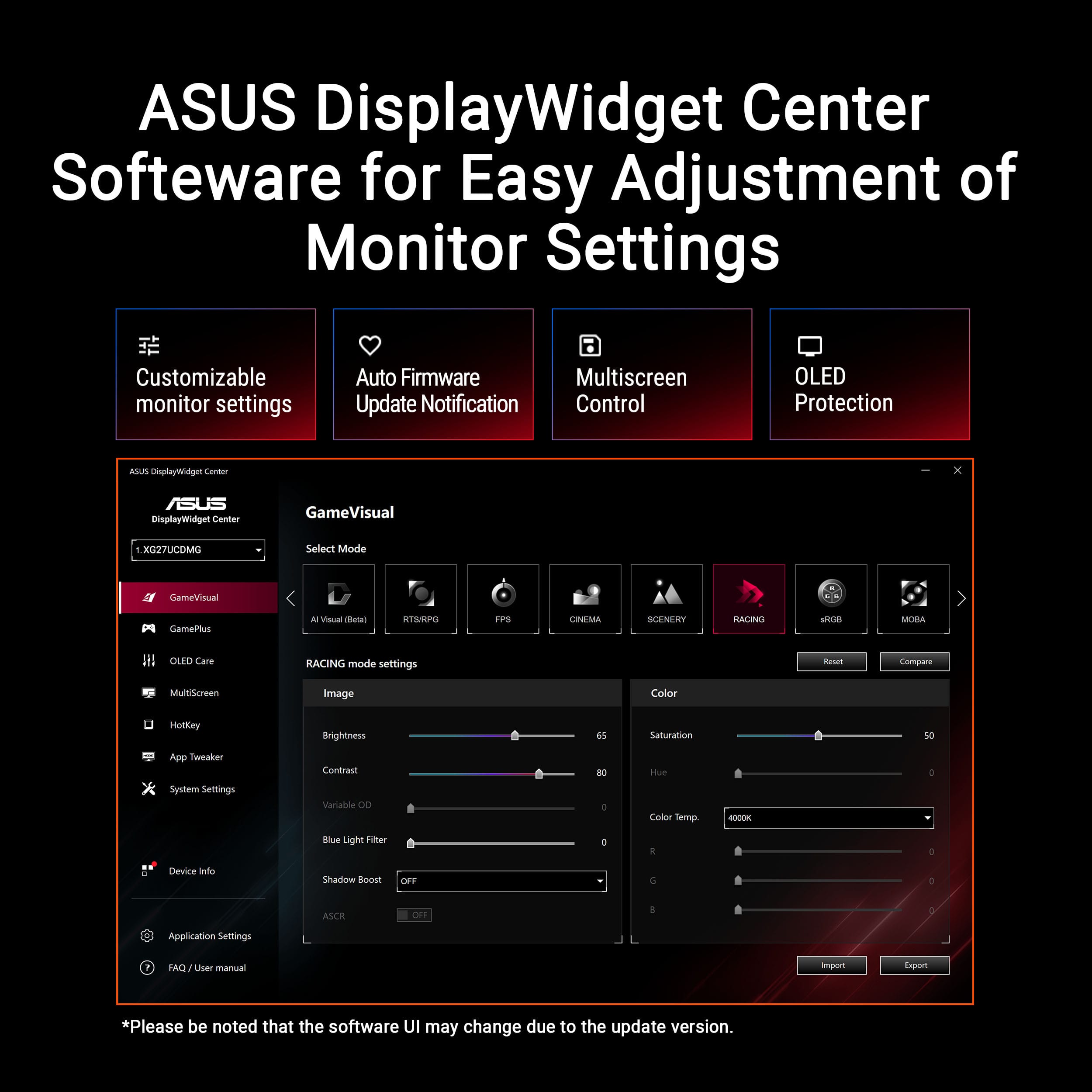
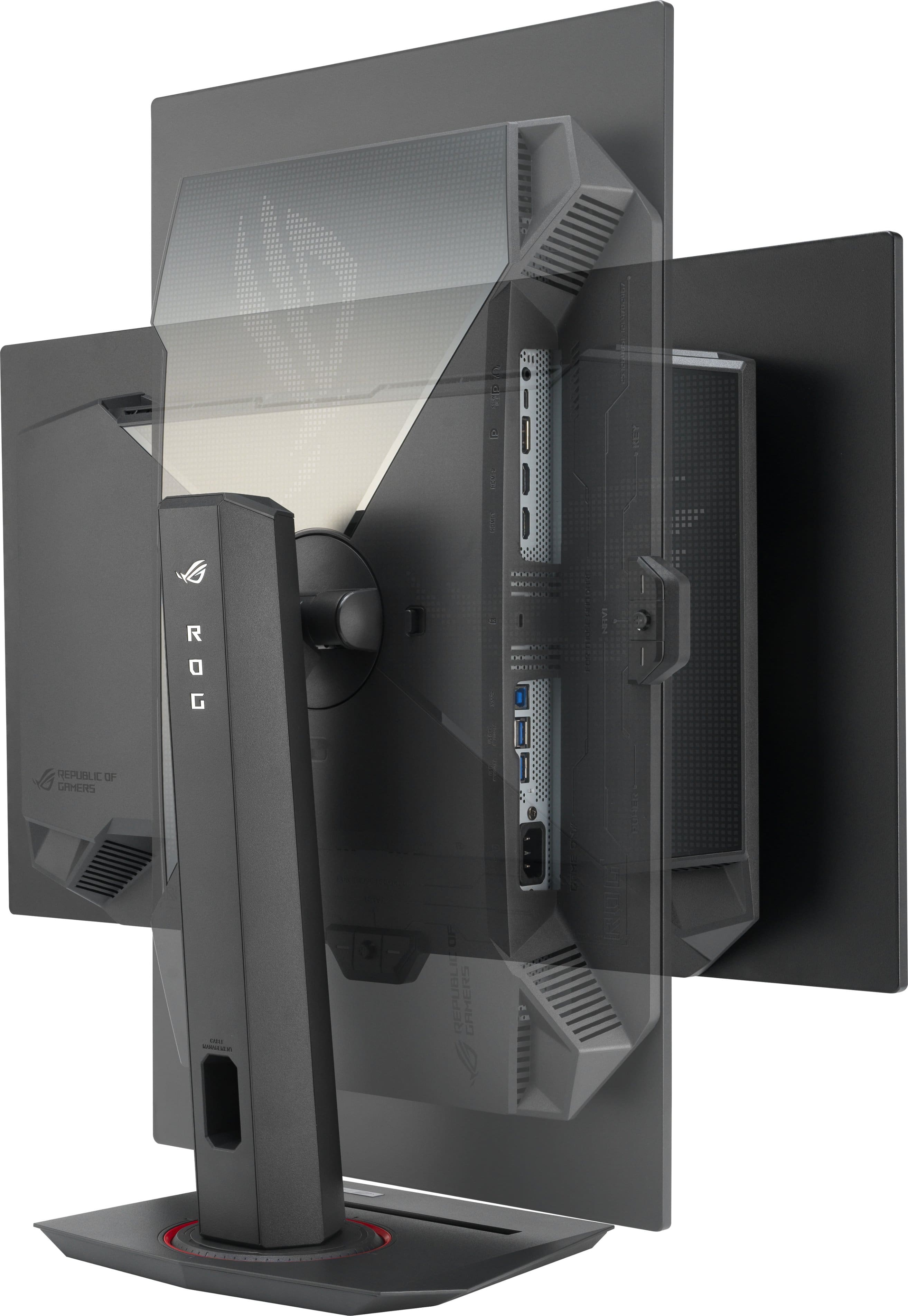
|Posted .This reviewer received promo considerations or sweepstakes entry for writing a review.This comes well packaged and pretty well protected. Unless something actually penetrates the boxes, it should be safe in transit. Assembly is simple and quick. Small thumbscrew on the bottom of the stand that you use to tighten it to the vertical arm of the stand. Then the monitor is positioned into the hole in that stand and locks into place. Stand is solid, and even when rotating the screen, there's no feeling of danger or worry that it will do something I don't want it to do. I'm running this on a 1-year-old Asus ROG Strix 18" 240Hz gaming laptop with an i9, 32GB RAM, and an Nvidia 4080 card. So I'm already used to the high refresh rate, but since I also have an Xbox Series X and a PS5 on my OLED TV, I'm always going to love an OLED for gaming. I also use this laptop in my recording studio so it will be great to have a larger monitor for the DAW. Hooking it up was simple enough, and I was able to get it set for the 4k resolution easily enough. I didn't download any branded driver at first, I was just testing it as a "generic monitor" as far as Windows drivers went. I was still able to set the refresh rate to 240 in the windows display settings, and it looked good, and I was impressed with the little toggle button control on the bottom behind the logo for settings. It has quite a few things you can adjust in there, more than most monitors I've dealt with. But then I figured it was time to look for an actual driver for it. I hit the Asus website, searched on the model, and found a driver that installed just fine (no installer, but I just hit dev manager and told it to update the driver and use what I browsed to) and I also found a tool called the display widget. And THAT I really liked. SO much easier to change settings than using the toggle, not to mention far more depth for those same settings. Not just the scenes like cinema, FPS, etc, but you can select that mode and then still do more granular setting changes with the widget. I found this was required to get skin tones correct, none of them were by default in any scene. While that widget is running, it even offers an improved snap window option, right where the mouse cursor is, so it's convenient. But it only offers full screen, or fractional screen options. Nothing to just move it as is to the other monitor. So for me that's going to be pretty useless. I don't need 1/3 or 1/4 fractions of the screen for an app either vertically or horizontally. But if you need it, you can set the widget it to launch at startup. But this is where it lost the first star. I’m shocked there is no option to rotate the screen from this utility, and that the monitor can’t make that setting change itself when physically rotated... I can envision how useful it can be, rotating it to portrait so I could work on long documents, but I have found no way within the ASUS utility, or the control buttons on the monitor, to get the screen to shift 90 degrees so that the new orientation changes the actual display, which simply keeps showing the screen contents 90 degrees off. Only way is to go to display settings in Windows and select the second screen, then change orientation. Yes, it works. But, it’s kludgy... Asus really should’ve had a way to do this from within the widget. They dropped the ball here bigtime. And while I appreciate the stand built to allow cables to come through it to help maintain some cable control, I had hoped for a better design for the rotation. Some way to get cables to maintain a position behind the monitor. Nope. When I go portrait, the cables aren’t too bad sticking out of the side just a little. But when I go back to landscape, the cables are an obnoxious obstacle on the bottom, especially when you want to lower the monitor again, and spend more time moving cables around than moving the monitor around. But... Even though I'm used to gaming on my 240Hz laptop screen, as always, it's night and day with an OLED. The blacks are, by default, amazing. Contrast ratio is crazy. I have to really tweak things to make it look good, because otherwise it's almost just too stark of a contrast and it's distracting. I also had an issue with warm colors they have by default, so in just about every profile, flesh is way too red. I had to do some color tweaking and temperature changes to get people to look like people on it, since at no point with any of the settings was I able to get it to look right. Framerates are fine. Playing Destiny 2 mostly, and some various Lego games, a bit of Ghosts of Tsushima, menus and cut scenes show around 320 or so (the estimate from the FPS monitor I always have displaying from Steam) and during gameplay around 160 to 180 in Destiny 2 with all settings on the highest settings. It's gorgeous. Only time I had any screen tearing was when I hadn't realized that the game and monitor had somehow reverted back to a non 4k setting at some point during a reboot while testing things. But it doesn’t seem to “lock” into place at any of the 90 degree points when changing orientation – it’s always just that little bit off to one side or the other, slightly tilted, and due to the friction, takes some back and forth to find the level point which sometimes I just CAN'T. That is a bit disappointing. Would have been nice had there been detent points that it could settle into at those positions. I have a large 49" OLED that I use at work, not for games, although it IS a 240Hz 0.03ms Gsync compatible monitor. And the picture here stacks up to that one in every respect, just with higher horizontal resolution. Initially I had issues with a few games persisting the 4k setting after quitting and rebooting, but eventually everything seems to be stable. That was more likely a Steam thing than a monitor thing. I'm also using it as a kind of USB hub so I don't have to have as many things (game controller, Audio Interface, etc) plugged into the laptop, and that is working fine as well. Price is a bit steep, though, but at least what you're getting for it is a screen with great specs and a beautiful picture.
I would recommend this to a friend - Pros mentioned:Color quality
Nearly Flawless 27” 4K OLED
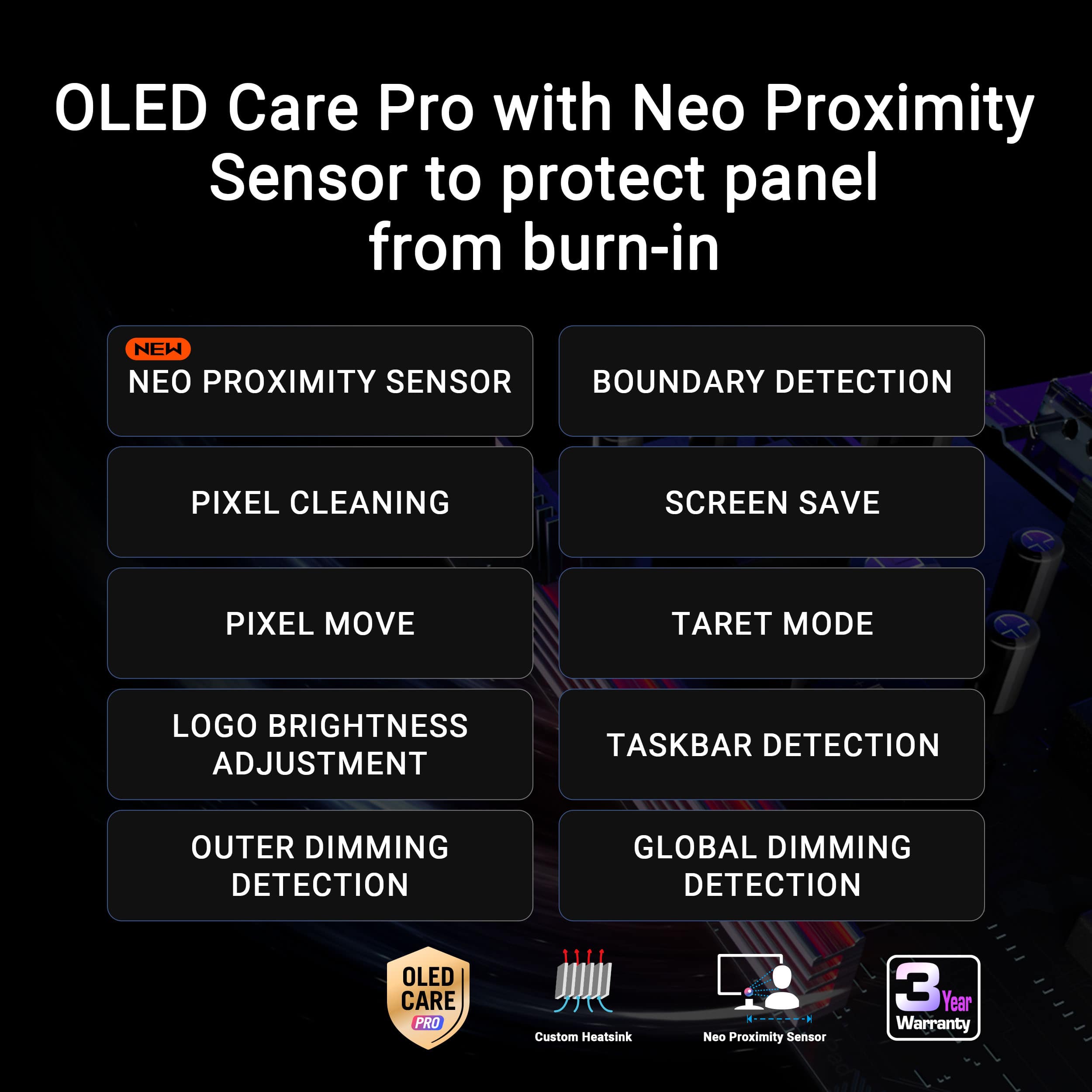
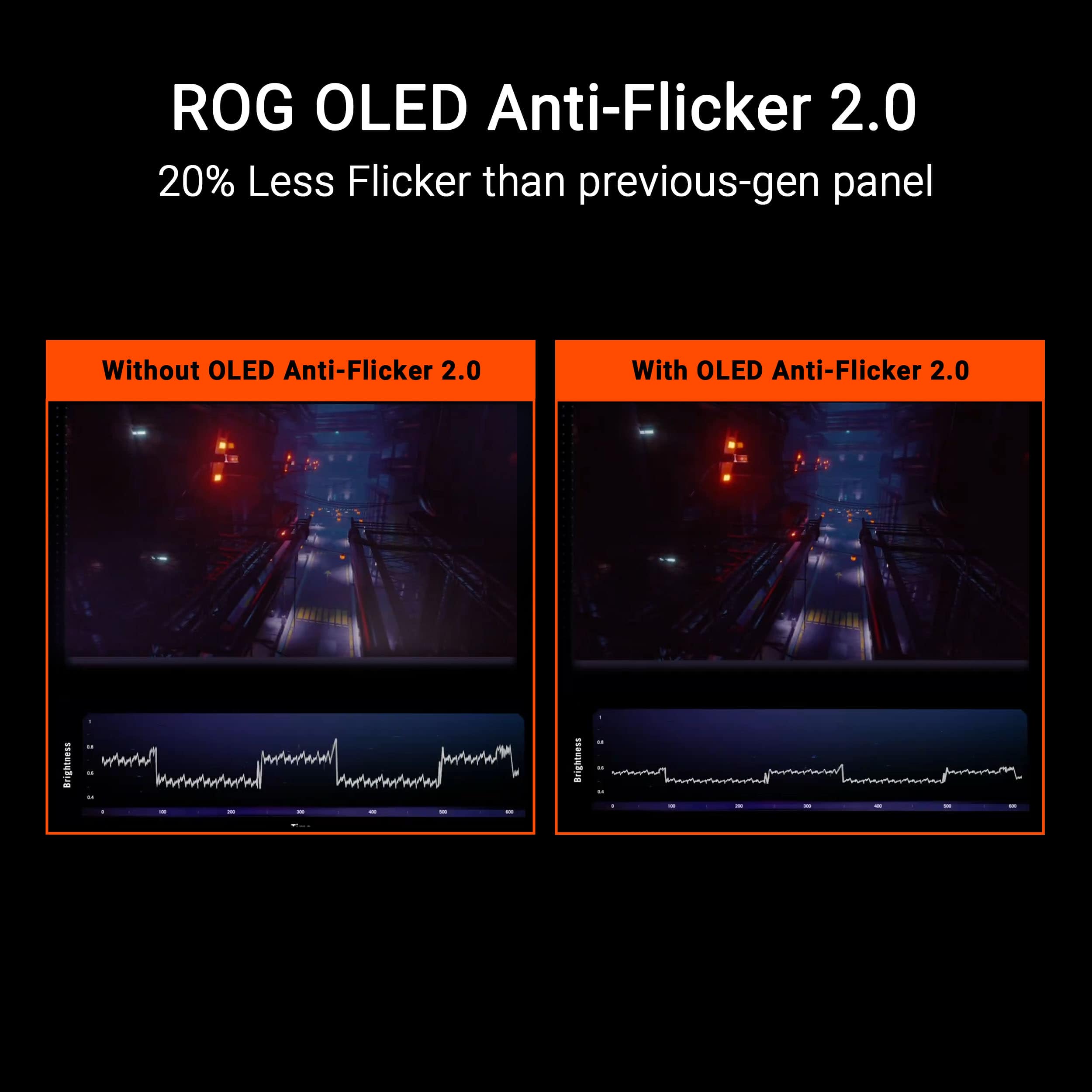
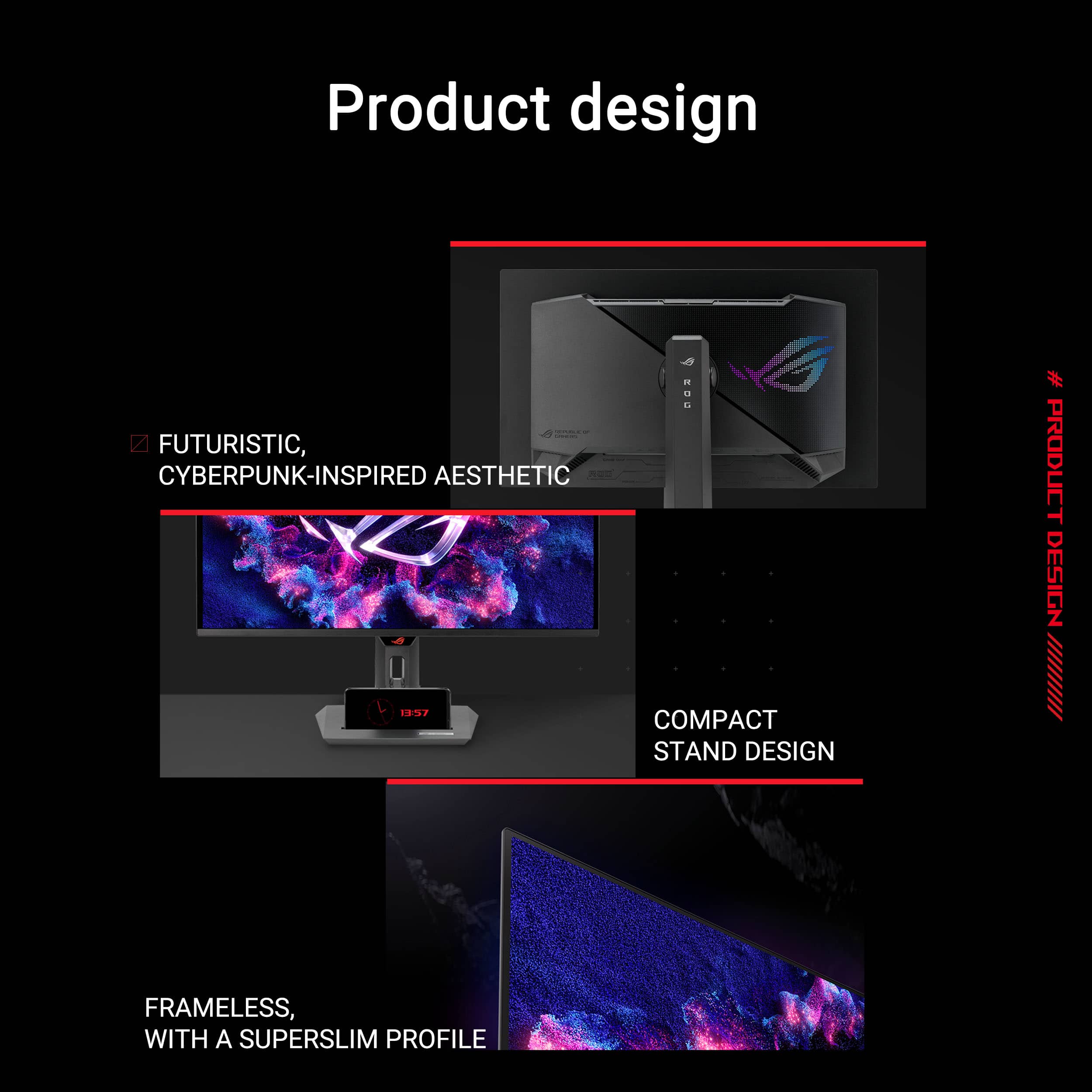
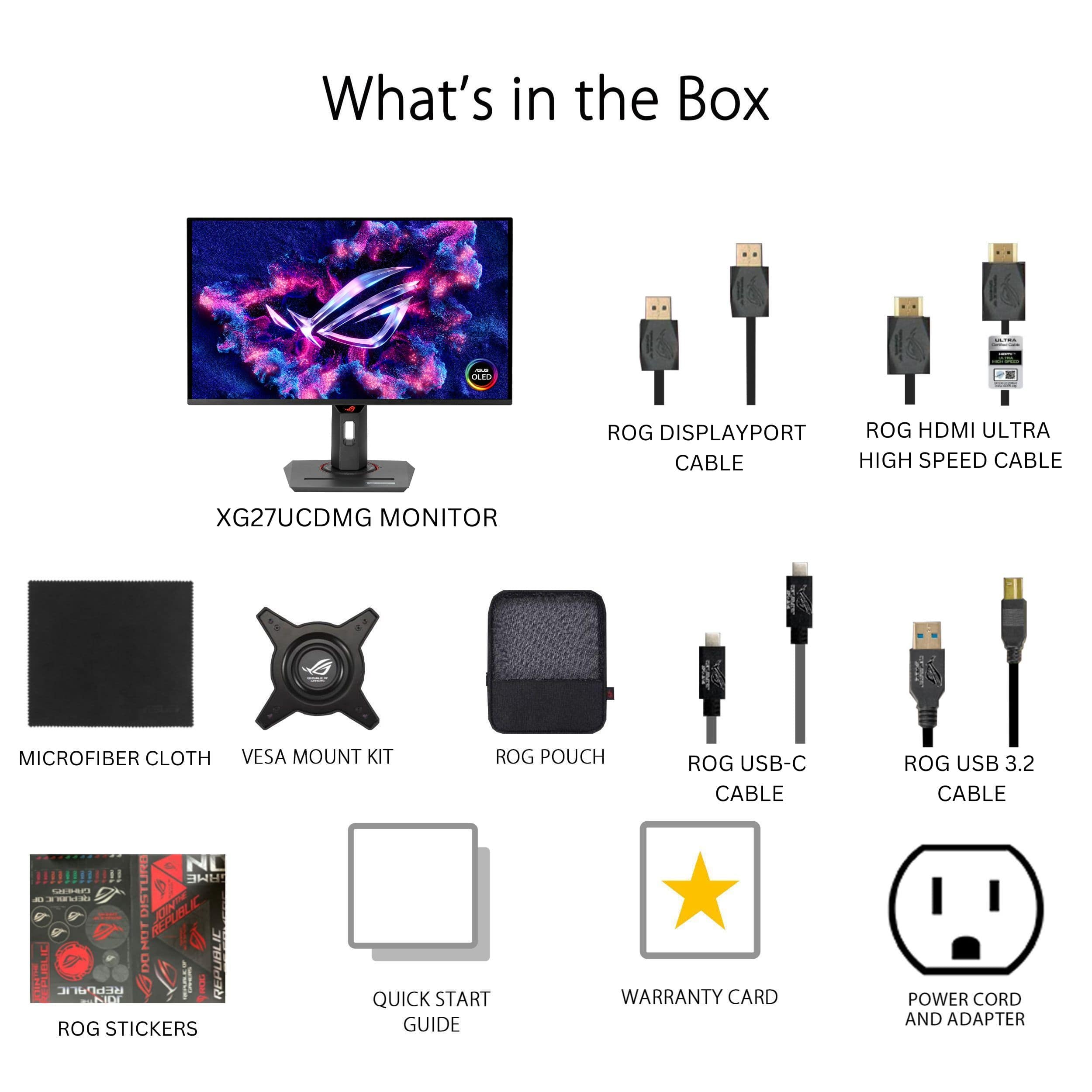
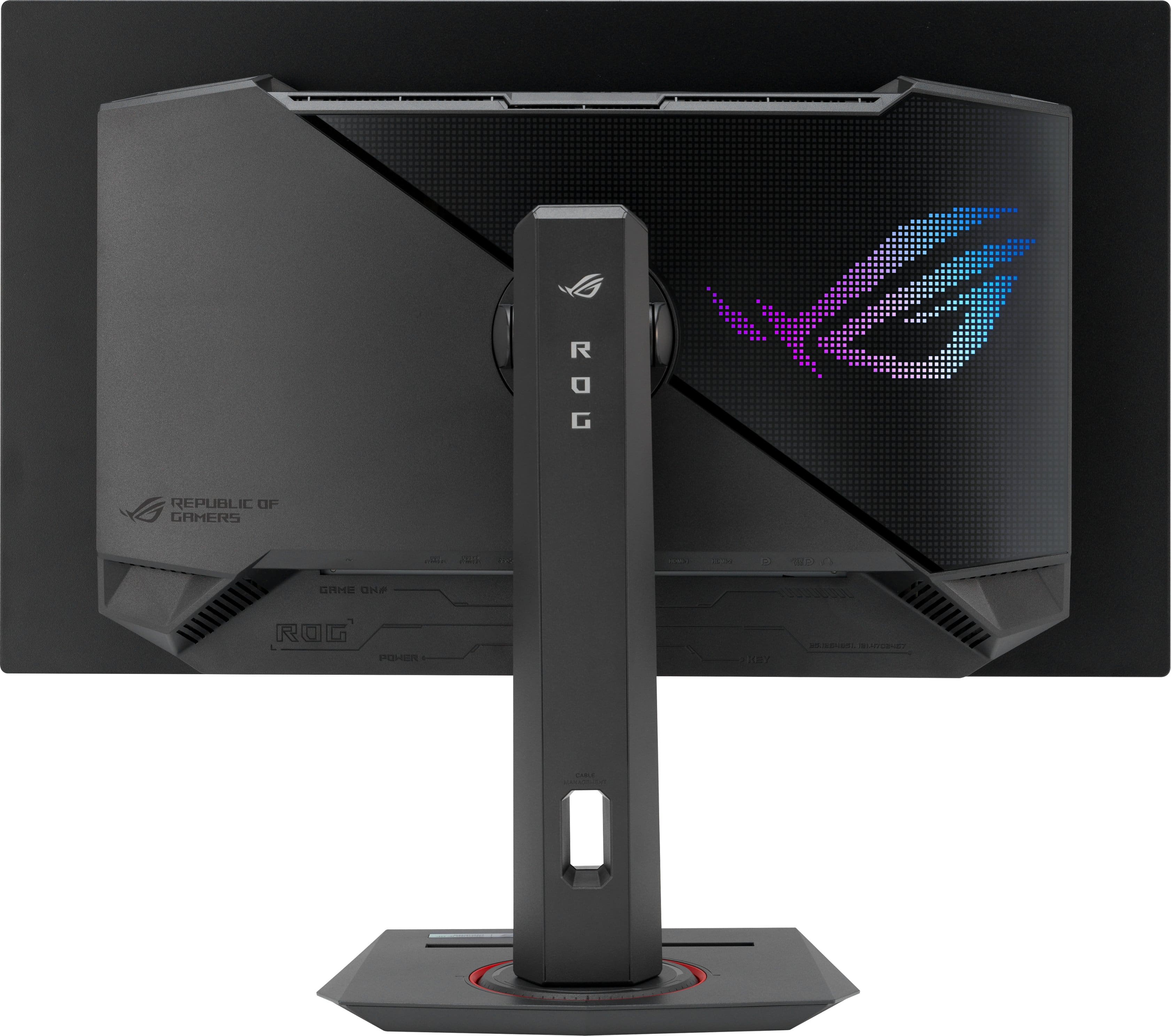
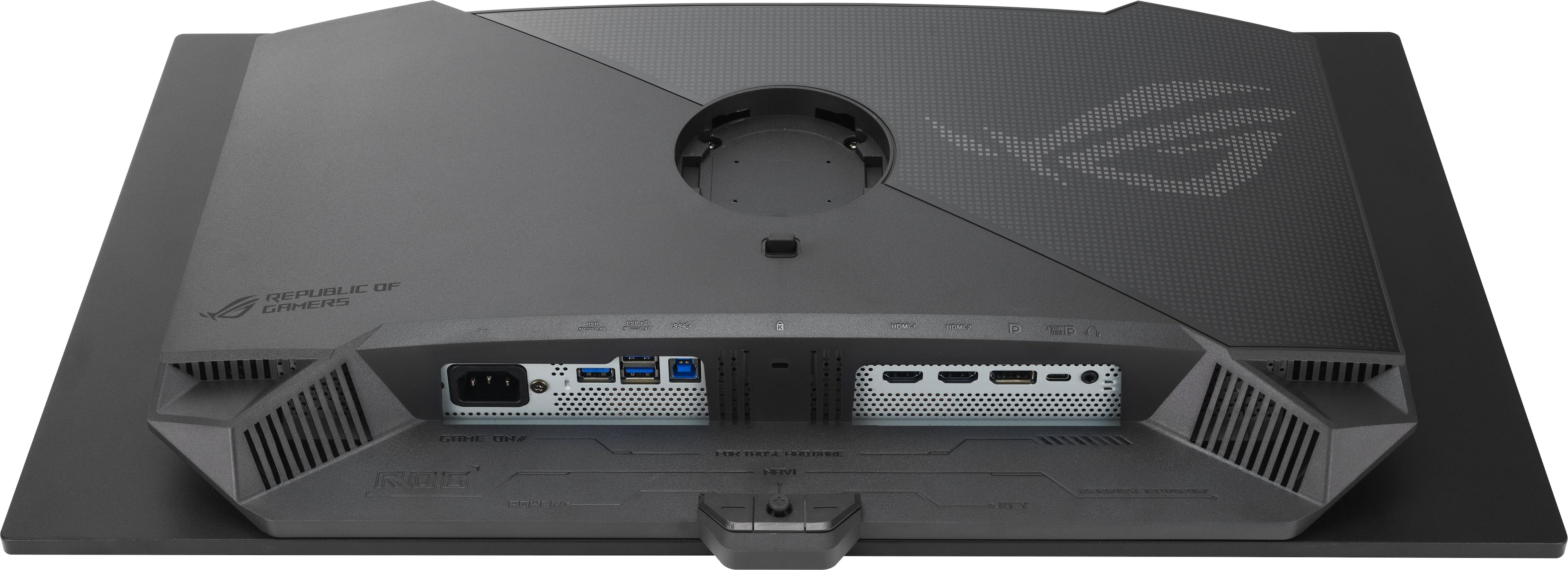
|Posted .This reviewer received promo considerations or sweepstakes entry for writing a review.The XG27UCDMG is the 3rd OLED monitor I’ve owned. I’m stepping down from a 32” Samsung G80SD and while I do miss the size, it had some nagging issues. I’m happy to say that my experience so far with the XG27UCDMG has been pretty much flawless. The display looks fantastic with the latest 4th generation QD-OLED, is pin-sharp at 4K, supports up 240Hz, and has a great port selection. There isn’t anything here I wouldn’t recommend. The box includes the monitor, a stand, a VESA mounting adapter, and cables. The cables and manuals come packed inside a little zip bag, which is a nice touch and makes it easy to store the extras. You get a DisplayPort cable, HDMI cable. USB-C cable, USB-B to A upstream cable, and power cable, as well as a microfiber screen cleaning cloth. The cables are all about 6ft long. The stand assembles via a thumb screw attachment and snaps right into the back of the monitor. The stand is plastic, but well built with options to swivel, tilt, and rotate up 90 degrees. It has a passthrough for cables to keep them organized. It’s also got a threaded mount on top for lights, webcams, or microphones, which is a great touch for streaming. I use a monitor arm on my desk, so I did not make use of the stand, but if I didn’t have one I’d be very happy using it. The VESA mounting adapter snaps into the same place as the stand and the mounting holes are set out from the back of the monitor, so you won’t run into any clearance issues. From a design and build quality standpoint it’s a small step down from the Samsung - it’s not the thinnest and the build is all plastic, but the fact that the power supply is built into the monitor and not a big external brick more than makes up for the lack of thinness and the build quality is still very good. The port selection is excellent. You get 2 HDMI 2.1 inputs, and DisplayPort 1.4, and a USB-C DisplayPort that includes 90W charging. It’s slightly disappointing that it does not use DisplayPort 2.1 as 4K 240Hz requires DSC, but it doesn’t seem to have any effect on the image quality and is no different from the prior 4K 240Hz monitor I used. I connected to my PC via the included DisplayPort cable. The monitor wakes up automatically on detecting an input and I was able to set 4K 240Hz with G-Sync. The monitor settings can be accessed either via a control knob behind the ROG logo or through the Asus DisplayWidget software. I found the monitor OSD easy to navigate and set, but the DisplayWidget software adds an extra convenience I appreciate. The picture quality is fantastic in both SDR and HDR. I chose the sRGB preset for SDR and DisplayHDR 400 for HDR as from what I understand these are the most color-accurate options. 4K on a 27” display looks super sharp and games and other content all look fantastic on this display. 1440p content also looks good as well, though not quite as sharp being it’s at a lower resolution and not the panel’s native resolution. I didn’t notice any fringing on text that was present on earlier generations of OLED monitors. The DisplayHDR 400 mode does limit the brightness to around 450 nits where it can reach around 1000 nits in other modes, but since the contrast for OLED monitors is essentially infinite and I game in my basement this is plenty bright for me while bringing out highlights really well. The monitor is very responsive as well with no noticeable input lag. VRR flicker is not something I’ve really noticed even on my previous monitors and I don’t notice it here as most of my gaming content has a pretty consistent framerate, but there are settings built into the monitor to reduce it at the cost of reducing the VRR window. The screen is glossy and in general does a good job of handling reflections, though I did notice my LED lightstrip behind being reflected. Being an OLED monitor, burn-in is always something that’s on my mind. The XG27UCDMG has a lot of tools built into it to help reduce the risk of that from auto detecting static elements like logos and the taskbar to reducing brightness after periods of inactivity. It even has a sensor built in that will shut the monitor down if it doesn’t detect you sitting in front of it. There are some preset distances you can choose and you can also have it measure where you are and set that distance though I found this to be a little finicky as the monitor shut down on me once when I was sitting in front of it. I’m guessing maybe I was leaning slightly forward during the initial measurement. In any case I think measuring where you are and then selecting a preset distance that’s a little bit beyond that is a good idea. It measured me at about 75 cm away, so I’d likely just use the 90 cm preset. I also found with the OLED Care tools enabled that the monitor sometimes had jittery animations in things like arranging windows - my guess is maybe it’s detecting and doing something to try and protect against burn-in. I only really noticed when arranging windows or changing windows and it never disrupted my gameplay, but I opted to just turn them off as I’m primarily using the monitor for gaming/dynamic content anyway. It also has a 3-year warranty if any issues do pop up. The USB-C port is really handy. I sometimes have to work from home and being able to connect and power my work laptop via a single USB-C cable is very helpful and I was able to set the same 4K resolution at 240Hz over the USB-C connection. 90W should be enough to charge most non-gaming/workstation laptops at full speed as well and if you have something like an ROG Ally it’s a great way to connect that to this display. Something that I almost didn’t notice was that there is customizable lighting built in. It’s just a large ROG logo on the back and nothing particularly special, but it can be customized and synced up to other ROG/Asus devices. In general I tend to keep most of my RGB lighting dark anyway, so I could take or leave this. Overall I’m really happy with the XG27UCDMG. It’s a near-perfect 27” OLED monitor and I’d recommend it to anyone looking for a 4K monitor in this size. The only slightly disappointing omission is the lack of DisplayPort 2.1, but I don't think it really affects the experience.
I would recommend this to a friend - Pros mentioned:Color quality
Beautiful
|Posted .This reviewer received promo considerations or sweepstakes entry for writing a review.I already have 2, what I considered to be stellar gaming monitors. One 27” and one 32”, both of them LED panels both with high refresh rates and G-Sync and all of the other great gaming specs you’d expect. That being said I’ve had those for a couple of years, so I started looking for an upgrade, at this point even my ROG Zephyrus has better screen specs than my monitor. I really wasn’t expecting much, just a small bump in image quality, but boy was I surprised once I got this going. The QD-OLED panel is gorgeous. Let me say that one more time, this screen is incredibly beautiful. The colors are so vibrant and rich, and the blacks are inky. I set this up next to my other 2 gaming monitors and there is no contest. The blacks on the other 2 monitors looks almost gray. I couldn’t get over how amazing this looked. I have my new ROG Zephyrus laptop running a RTX 5070 Ti connected to this panel, and everything on this gorgeous monitor is just a pleasure to look at. Reading text for work or browsing sites, watching videos, and especially playing games looks amazing. I couldn’t wait to try out 2 new games that I was already blown away with. I fired up Clair Obscur: Expedition 33 and Sout of Midnight and what a treat. Everything moves so well. The image is smooth, and everything looks so clear and sharp. The colors are rich and show details that I wasn’t seeing in my other 2 gaming monitors. I have also played a few FPS and some online games on here and everything has been significantly upgraded. The stand is robust, and you also get a second mounting bracket if you want to mount this to a different mount. You get easy on-screen controls, every cable you could need is included in a very nice carrying case. The cables are all premium feeling, and you also get a neat little book of stickers. You also get the ROG logo on the back of the monitor that has RGB colors. I love the way it reflects on the wall behind my setup. Honestly, I can’t shower enough praise on this screen, it is very good, and I am happy that I added it to my gaming setup. It’s hard playing on any other screen now. I highly recommend it.
I would recommend this to a friend - Pros mentioned:Refresh rate
Gaming and Productivity Beast!
|Posted .This reviewer received promo considerations or sweepstakes entry for writing a review.If you’re thinking of buying a QD OLED monitor then just by this, it’s amazing! For gaming this is awesome. The 240hz Refresh rate is something else if you have a PC that can push high frames. Playing over 200 fps for the first time is amazing, it’s such a smooth experience it makes 120hz seem laggy. I didn’t think I would notice such a drastic difference but it really is a big difference and for the better. This monitor also supports Variable Refresh Rate (VRR) up to the 240hz and is compatible with AMD Freesync, nVidia G-Sync and HDMI 2.1 VRR so all bases are covered when it comes to tear free gaming. The stand is super easy to setup with no tools required and has height adjustment, swivel, pivot and tilt motions so you can get almost every angle you would need. For connectivity you get Display Port 1.4, 2 HDMI 2.1 Ports, USB C with 90w power delivery, 3 USB A 3 ports, USB B and a headphone jack so again this monitor has you covered. Also just to mention this has a semi gloss screen which is great, I find a grainy look at n a lot of matte screens and this doesn’t have that issue and really help the picture pop. Overall this is the best gaming monitor I’ve used. Using the Samsung QD-OLED panel you get a really premium display that’s actually cheaper than the competition. Its feature packed and is a must buy in my opinion
I would recommend this to a friend - Pros mentioned:Color quality
Wow to OLED.....
|Posted .This reviewer received promo considerations or sweepstakes entry for writing a review.Holy moly OLED...... OLED screens take it next to the level. Setup for monitors are super simple. Physically there is an adapter that you need to secure to the back of the monitor to either connect to the supplied base or if you have a desk arm. After you connect it to the back of the monitor you can then click it into place. After that you can adjust it up and down etc. HDMI connect was a cinch. I have a ROG laptop so no issues what so ever. The back lighting was really nice and cool. You can control it with with the on board menu. This threw me off after I turned off the PC and Monitor it turned on in the middle of the night and kinda startled me. So just fyi. Next. Screen resolution quality and use... So going back to my initial response the OLED ... What a difference. I have an OLED TV and it is just beautiful. Putting it on a PC screen it just the same. Absolutely beautiful..... Colors are vibrant. It just feels nice and warm and comfortable on the eyes. Long game play does not cause eye fatigue. My kid played his role playing game and no lag issues. Color and is great... I would highly recommend this screen for game play and it's OLED specs.
I would recommend this to a friend - Pros mentioned:Color quality, Design
Great 4K 27" OLED monitor if you need high dpi.
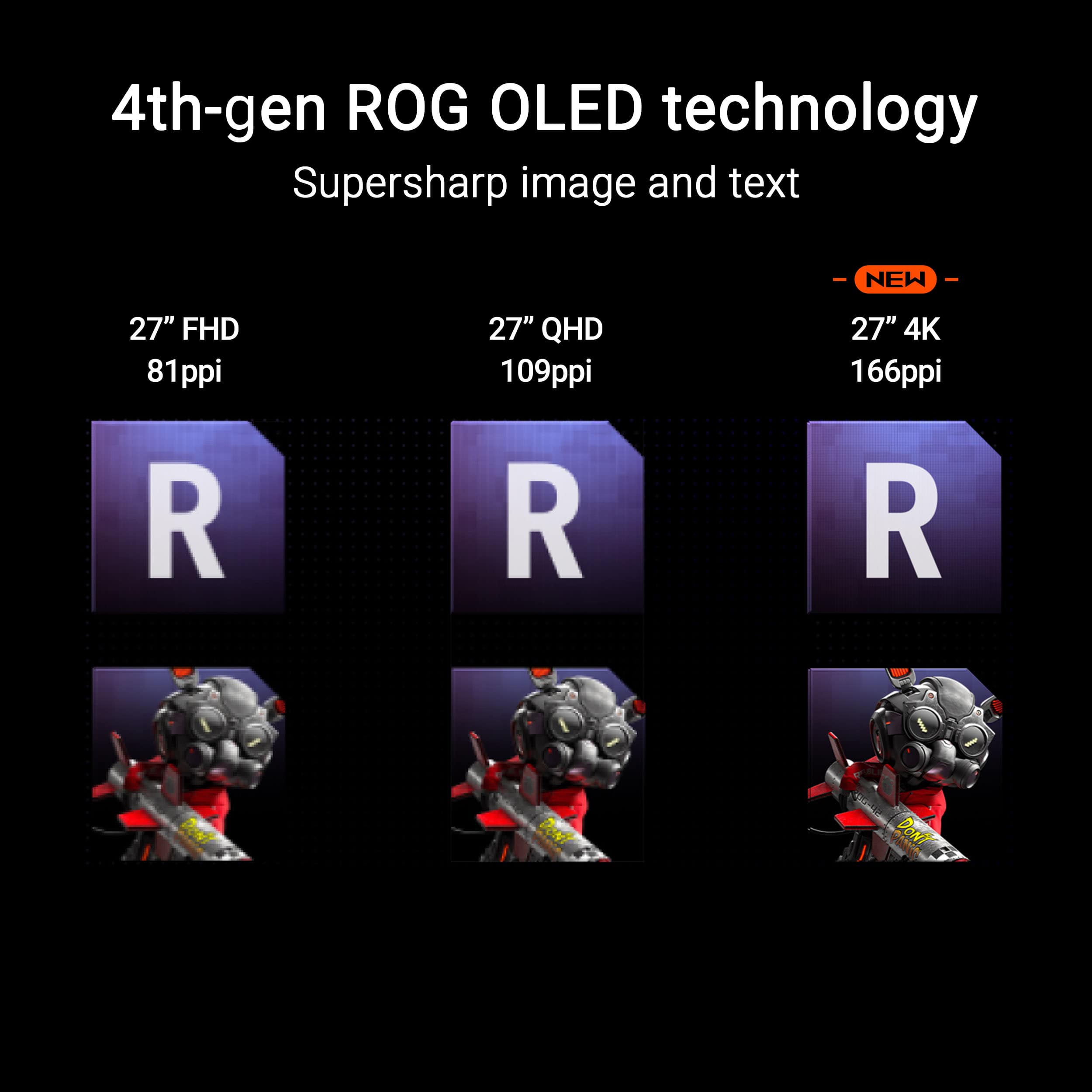
||Posted .This reviewer received promo considerations or sweepstakes entry for writing a review.The Asus XG27ucdmg is the same as its higher priced siblilng, the Asus PG27ucdm, except for the stand and the maximum data rate of the video connection. Because I use a monitor arm, I didn't need a stand but I must say the XG stand impressed me with its solid design and ease of assembly and use. The "built-in" screw that secures the vertical part of the stand to its base had a flip up grip that made a secure assembly quick and easy without the need for a tool. Based on professional reviews, there's very little to gain from the higher data rate offered by the PG model. I spent three weeks comparing the Asus XG27ucdmg vs my "old" Dell S2721QS. I saw colors, scene details, and shades on the OLED XG that I could not see in the IPS S2721QS. I also found it easier on my eyes to read and work with spreadsheets, in dark mode, on the OLED monitor than on the IPS monitor. The Asus XG27ucdmg has a lot of features to protect its OLED panel from "burn-in" and has a 3 year warranty against even a single pixel failure. I've noticed these features in action, e.g. a bright banner ad gets dimmed after a few minutes, but their occurrence rarely distracts. If, later, one does become distracting, it is easy to disable it using the on-screen display or in the Asus DisplayWidgetsCenter app that I installed on my Windows computer. Hint: When I first tried to use the DisplayWidgetsCenter app, its window appeared but many of its settings were not enabled or didn't work. Because I was duplicating the video outputs to feed both the Asus and Dell monitors, I had left the refresh rate at 60 Hz to accommodate the Dell. On a hunch, I changed the refresh rate to the next lower value suggested by Windows, 59.995 Hz. After that the DisplayWidgetsCenter app worked great. Mywife and daughter, who are not fans of gaming RGB color effects, both thought the slowly changing subdued lighting on the back panel of the XG27ucdmg, "cool." For those of you who like to completely turn off the monitor when not in use, the power button on the XG isn't the easiest to find and use. There is a small "chin" at the bottom of the panel. Behind that "chin" is an easily found by touch a dimpled "joystick" style button. To the right of that button at the edge of the "chin" is a flat button, not easily felt. Pushing that button twice will turn off the monitor, including the glowing light on the back. But, a grand for a monitor? In my case, I'm particularly sensitive to the number of pixels per inch (dpi). A 27" 4K monitor is about 165 dpi. A 27" QHD monitor is about 110 dpi, and a 24" FHD monitor is about 93 dpi. If you are satisfied with gaming and working with a 24" or 27" monitor at FHD or QHD resolution, then save yourself at least two hundred dollars by going with the QHD resolution models. Afer three weeks, the 4K OLED Asus XG27ucdmg has become well worth every dollar. The Asus monitor feels solidly built, well designed, and is "cool," both thermally and visually. It's a joy to use!
I would recommend this to a friend - Pros mentioned:Color quality, Refresh rate
Very Nice
||Posted . Owned for 1 week when reviewed.This reviewer received promo considerations or sweepstakes entry for writing a review.This is a very nice monitor and worth the money. Personally, I have a weird issue where monitors bother my head, so that is why I am not 100% sure if I am keeping it. But for any normal person it's great. The image quality is great and according to RTINGs it has very good out of the box calibration in the sRGB cal mode. It has most features that most people care about. Only missing dolby vision and displayport 2.1 connectivity. Video quality is amazing and obviously a 4k 240hz refresh rate is nice. It did have some odd glitches, such as colored slides showing when I turned it on a couple times. It stopped, though. Also, the instructions were pretty ridiculous... almost none and the usual diagram-only instructions for attaching the stand. The stand is overall very ncie, though, with ability to tilt and turn the monitor in most positions.
I would recommend this to a friend - Pros mentioned:Color quality, Refresh rate
Best OLED monitor you can purchase.
||Posted . Owned for 5 months when reviewed.This reviewer received promo considerations or sweepstakes entry for writing a review.I’ve really been enjoying this monitor. From normal daily internet browsing, reviewing futures market charts, and gaming. The colors are vibrant and refresh rate is pretty smooth. Overall, I’d highly recommend this monitor, especially if you plan to watch content or game on it.
I would recommend this to a friend Easy recommend! Crispy images!
||Posted . Owned for 3 months when reviewed.This reviewer received promo considerations or sweepstakes entry for writing a review.This is one of the best monitors I have had the pleasure to use! I have gone through many monitors trying to find "the one". I was originally using a 32" 4K OLED from MSI and I thought it was just fantastic. 240hz, QD-OLED... I mean amazing monitor! I decided I was missing higher DPI. I decided I wanted to try an ASUS monitor and they had just released this 27" 4K monitor. Boasting around a DPI around 165, this thing is CRISPY! I dont mean just in games, but in general use! I love that everything looks like there are no pixels. If you had any fears at all about OLED text clarity... well, then this is the monitor to get, because there simply is NONE. Its razor sharp! Obviously being a gaming OLED, this thing delivers on all its promises. This technology has been around long enough that I dont think I need to go into great detail, but it's wonderful. and if you are still wondering about getting on the OLED bandwagon... TIME TO JUST DO IT! ASUS adds a lot of features to its OLED monitors and some of it is fluff.. some of it is actually great. I love the proximity sensor, because sometimes you just have to get up and walk away for a minute and sometimes that turns into an hour. This will detect that you are gone and will automatically put the screen to sleep! Love it! It's not perfect, but there was a recent firmware update that improved it quite a bit, so be on the lookout for updates! The second is the KVM, now I don't use this a ton, but if you have a work laptop with USBC/TB, this works so easily and automatically, and if you have your keyboard and mouse hooked up the way you should, you instantly have use of your keyboard and mouse for your laptop, it really does work great! Also it has a charge capability of 90w, which is more than enough for many laptops out there. So you can easily charge while using your laptop. Overall, this is an awesome display. The PPI is insane and everything is crispy! Bundle that along with all the OLED goodies and you have an amazing package! STOP WAITING!
I would recommend this to a friend- Pros mentioned:Resolution
A Superb Display for My MacBook Pro
||Posted . Owned for 3 weeks when reviewed.This reviewer received promo considerations or sweepstakes entry for writing a review.I recently picked up the ASUS ROG Strix 27" 4K QD-OLED 240Hz Gaming Monitor from Best Buy, and I'm genuinely thrilled with it. I managed to snag a great deal on an open-box unit, and it has exceeded my expectations for use with my M4 MacBook Pro 14-inch. From the moment I set it up, the monitor's quality was evident. The 4K resolution on the 27-inch QD-OLED panel delivers an incredibly crisp and clear image. Everything from text documents to high-resolution photos looks absolutely stunning. The QD-OLED technology truly shines, offering vibrant colors, perfect blacks, and incredible contrast that make the display feel incredibly immersive. One of the most impressive aspects for me, especially coming from extensive use with my MacBook Pro, is how comfortable it is on my eyes. The clarity and the quality of the panel mean I can work for long hours without experiencing the eye strain I've had with other monitors. It's a remarkably pleasant viewing experience, almost mirroring the premium feel and visual comfort of using my MacBook Pro's built-in display or even an iMac. The connectivity is fantastic as well. I'm primarily using it via USB-C, which provides a seamless single-cable solution for video, data, and power delivery to my MacBook Pro. This keeps my workspace tidy and makes connecting and disconnecting a breeze. While it's packed with high-performance gaming features like a 240Hz refresh rate, 0.03ms response time, G-SYNC Compatible, and FreeSync Premium Pro with HDR, I primarily use it for productivity and content consumption. Even in these non-gaming scenarios, the smoothness and responsiveness are noticeably superior, enhancing the overall user experience.
I would recommend this to a friend - Pros mentioned:Color quality, Refresh rate
You Need This Monitor
||Posted . Owned for 3 weeks when reviewed.This reviewer received promo considerations or sweepstakes entry for writing a review.The picture and color on this monitor are both incredible! I have a pretty high end PC and anything from games to videos to graphic design have all been capabilities are impressive! 4K gaming at the same refresh rate as my 2K monitors. The QD-OLED just looks so much more vivid and color- correct than any other monitor I’ve ever had. I also love all the gaming and damage prevention features that this monitor has to insure that it has the longevity of other panel with all the positives of an OLED. Crystal clear images even when playing fast paced games like fps, marvel rivals, etc.
I would recommend this to a friend - Pros mentioned:Color quality
Asus Monitor
||Posted . Owned for 3 months when reviewed.This reviewer received promo considerations or sweepstakes entry for writing a review.My experience with this monitor has been nothing short of wonderful. Excellent customization options built in the monitor, beautiful picture quality, and extremely fast for gaming. This is one of the best monitors you can buy if you want to play games on a beautiful 4K display and want to enjoy movies and shows. You will not be dissatisfied the quality is top notch.
I would recommend this to a friend - Pros mentioned:Color quality, Refresh rate
Great 4K 27 inch OLED
||Posted . Owned for 1 week when reviewed.This reviewer received promo considerations or sweepstakes entry for writing a review.I tried out the ACDNG before this and I figured I'd rather get a 4k monitor so I could watch content on this as well. I use this with a mac mini and a ps5 so it's a bit overkill but I enjoy it. The high refresh rate is smooth, the colors and image were great out of the box and it's easy to use the asus display OSD to change whatever I want. DSC works like a charm. I haven't gotten around to using the KVM or the usb-c output yet but I'm glad they're there.
I would recommend this to a friend - Pros mentioned:Color quality
A great monitor...just buy it in-store.
||Posted . Owned for 1 month when reviewed.This reviewer received promo considerations or sweepstakes entry for writing a review.Originally ordered this as a open box unit. Had it delivered from a location up in New York, they sent me the wrong model monitor entirely. After going back and forth with customer service, finally just shipped it back and was lucky enough to find the unit I actually wanted (and paid for!) at my local store. In-store experience was five stars, not ordering online again if I can help it. Great quality, picture is outstanding. Just wished it had a power button so I can manually turn it off and walk away instead of relying on the proximity sensor.
I would recommend this to a friend - Pros mentioned:Color quality, Refresh rate
Amazing monitor!
||Posted .This reviewer received promo considerations or sweepstakes entry for writing a review.Amazing monitor! The refresh rate and colors are excellent. So long as you choose the correct game mode per game. 5080 runs it fine.
I would recommend this to a friend - Pros mentioned:Color qualityCons mentioned:Proximity sensor
Neo Proximity Sensor
||Posted . Owned for 2 months when reviewed.This reviewer received promo considerations or sweepstakes entry for writing a review.Hands down the best monitor that Ive ever owned. Everything is flawless except the neo proximity sensor. It will shut off in front of you from time to time while your playing games if you use it. Just needs some sort of update in order to fix this. Other then that, coming from a ips monitor, its day and night.
I would recommend this to a friend - Cons mentioned:Proximity sensor
One of the best out there
||Posted .This reviewer received promo considerations or sweepstakes entry for writing a review.Coming from an older 4k IPS 60hz monitor to a 4k OLED G SYNC 240hz is a night and day difference... I'm having a hard time even telling if the OLED is on or off sometimes since the blacks are truly black and not a grayish backlit hue. The only two small gripes I have so far are over the proximity sensor, and overall screen brightness The proximity sensor works well, but I sit further back on my desk so it can't see me, even with the furthest setting or even doing a custom distance option, nothing works and I end up having to wave my hand at the screen quite a bit, will most likely turn this feature off And the screen brightness is overall darker than my previous IPS monitor, I guess that is just the case with OLEDs screens as of right now, there's not too many of them that can get super bright yet but it's not a deal breaker Overall I would highly recommend this monitor to anyone wanting to get into OLED gaming
I would recommend this to a friend - Pros mentioned:Color quality, Resolution
Great gaming and design monitor
||Posted .This reviewer received promo considerations or sweepstakes entry for writing a review.The 27in is a perfect size for average desk space, while still providing enough screen real estate for work or gaming. I use this for design work, PC gaming and with my Xbox. Great colors and resolution. Only issue is the ROG logo stays illuminated when the screen is not in use. But I believe that can be toggled off in settings.
I would recommend this to a friend - Pros mentioned:Color quality
4K / 240hz OLED ultimate gaming experience
||Posted . Owned for 3 weeks when reviewed.This reviewer received promo considerations or sweepstakes entry for writing a review.Best monitor I have ever owned. Coming from a non OLED 24 inch 1080p 144hz monitor to this one has been a life changing experience. No exaggeration. I have this monitor paired witb a Ryzen 7 9800x3D, RTX 5080 and play all my games in 4K Ultra. The color, reponse and OLED panel truly take the gaming experience to the next level. The build quality is solid, it looks sleek and can even be mounted. The price is high, but worth it if in your budget. Just be careful... Once you make the switch to OLED 4K high refresh it will ruin you for the rest of your life becayse there is no going back.
I would recommend this to a friend - Pros mentioned:Refresh rateCons mentioned:Hdr performance
Colors are incredible brightness is not
||Posted . Owned for 2 weeks when reviewed.This reviewer received promo considerations or sweepstakes entry for writing a review.Its QD-OLED and the colors are vivid and somewhat bright. It could be brighter though as HDR is very underwhelming in any lit environment. Highlights highlight but don’t POP and leave you wanting more. Text is sharp but still has some color fringing that takes getting used to even at this price point but it’s a gaming monitor so not unexpected. 240hz is only achievable with DSC but on hdmi it is not as compressed. 120hz over hdmi uncompressed is still superior. The distance detection feature is slightly jarring as it just shuts off the screen without warning so one might think the display died. It didn’t. You just have to move more like wave your hand or get up
No, I would not recommend this to a friend