Customer Ratings & Reviews



- Model:
- GA401QM-G14.R73060
- SKU:
- 6494633
Rating by feature
- Battery Life
Rating 4.2 out of 5 stars
- Speed
Rating 4.7 out of 5 stars
- Display
Rating 4.5 out of 5 stars
Customers are saying
Customers are delighted by the ROG Zephyrus 14" gaming laptop's impressive performance, long battery life, and portable design. Many appreciate its lightweight nature and the vibrant display, although some users note that the device can get warm under heavy use and that the fan can be noisy at times. The lack of a built-in webcam and limited storage are also frequently cited drawbacks. Overall, the laptop receives positive feedback for its combination of power and portability, despite some minor issues.
This summary was generated by AI based on customer reviews.
- Pros mentioned:Performance
GO GET IT!! It’s worth it!!
||Posted . Owned for 1 year when reviewed.This reviewer received promo considerations or sweepstakes entry for writing a review.I love playing the sims on my laptop. Been playing for a year with mods and cc and it’s still running smooth.
I would recommend this to a friend - Pros mentioned:Battery lifeCons mentioned:Heat
Best Laptop for $1,000
||Posted . Owned for less than 1 week when reviewed.This reviewer received promo considerations or sweepstakes entry for writing a review.Overall phenomenal laptop with highly specked out parts. The screen is good for 144hz, the battery is pretty good too, the keyboard is nice to click but to the touch it feels honestly subpar. The machine does get hot for highly intensive work, but it’s a laptop so what did you expect. I would recommend using a external keyboard which will make the experience 1000x better. But for normal use it’s phenomenal. 512gb is more than enough unless you need more then at that point just get a desktop.
I would recommend this to a friend - Pros mentioned:Design
Great laptop for premium performance
||Posted . Owned for 9 months when reviewed.This reviewer received promo considerations or sweepstakes entry for writing a review.Really good laptop capable of running aaa titles at ultra graphics. Reliable and dosent overheat. Dosent have that pixel display on the back of the display.
I would recommend this to a friend - Pros mentioned:Performance
Great PC
||Posted . Owned for 9 months when reviewed.This reviewer received promo considerations or sweepstakes entry for writing a review.excellent gaming laptop, i've been using it for almost 1 year, IDLE everyday in games.. play Overwatch2, APEX Legends, Fortnite, all good... great PC
I would recommend this to a friend 3 years later still a beast
||Posted .This reviewer received promo considerations or sweepstakes entry for writing a review.got a great deal on this laptop while it was brand new and it’s held up great and i run just about any game no issues still loving this thing
I would recommend this to a friend- Pros mentioned:Battery life
Best 14” laptop
||Posted .This reviewer received promo considerations or sweepstakes entry for writing a review.I got it on discount so of course I’m only going to say really good things about it because I spent $1000 for a monster laptop 14” that has a ryzen 7 and 3060 on top of having great battery life it’s honestly such a steal for something of this caliber. The only downside is that you can’t add another ssd stick because there’s only one slot so I’m probably going to just buy an external hard drive and this model doesn’t support anime matrix but the upsides far overweigh the downsides. It also doesn’t give off the cheap gamer look that a lot of laptops have.
I would recommend this to a friend - Pros mentioned:Speed
Love it!
||Posted . Owned for 6 months when reviewed.This reviewer received promo considerations or sweepstakes entry for writing a review.Smooth, easy to upgrade, fast! This laptop was a huge upgrade from my 10 year old Samsung. I love it!
I would recommend this to a friend Generally good pc
||Posted . Owned for 3 months when reviewed.This reviewer received promo considerations or sweepstakes entry for writing a review.Generally good and powerful computer, can run modern graphic games and has a good screen resolutions. My only real issue is the battery life (though may not be a problem for most people) which goes out after about 3-4 hours of playing, other than that theres simple graphical issues as well as a hardware issue from shipping, its a generally good computer especially for some on a budget.
I would recommend this to a friend- Pros mentioned:Battery life, Design, PerformanceCons mentioned:Webcam

Sleek, High-Performance, Multi-Purpose Laptop
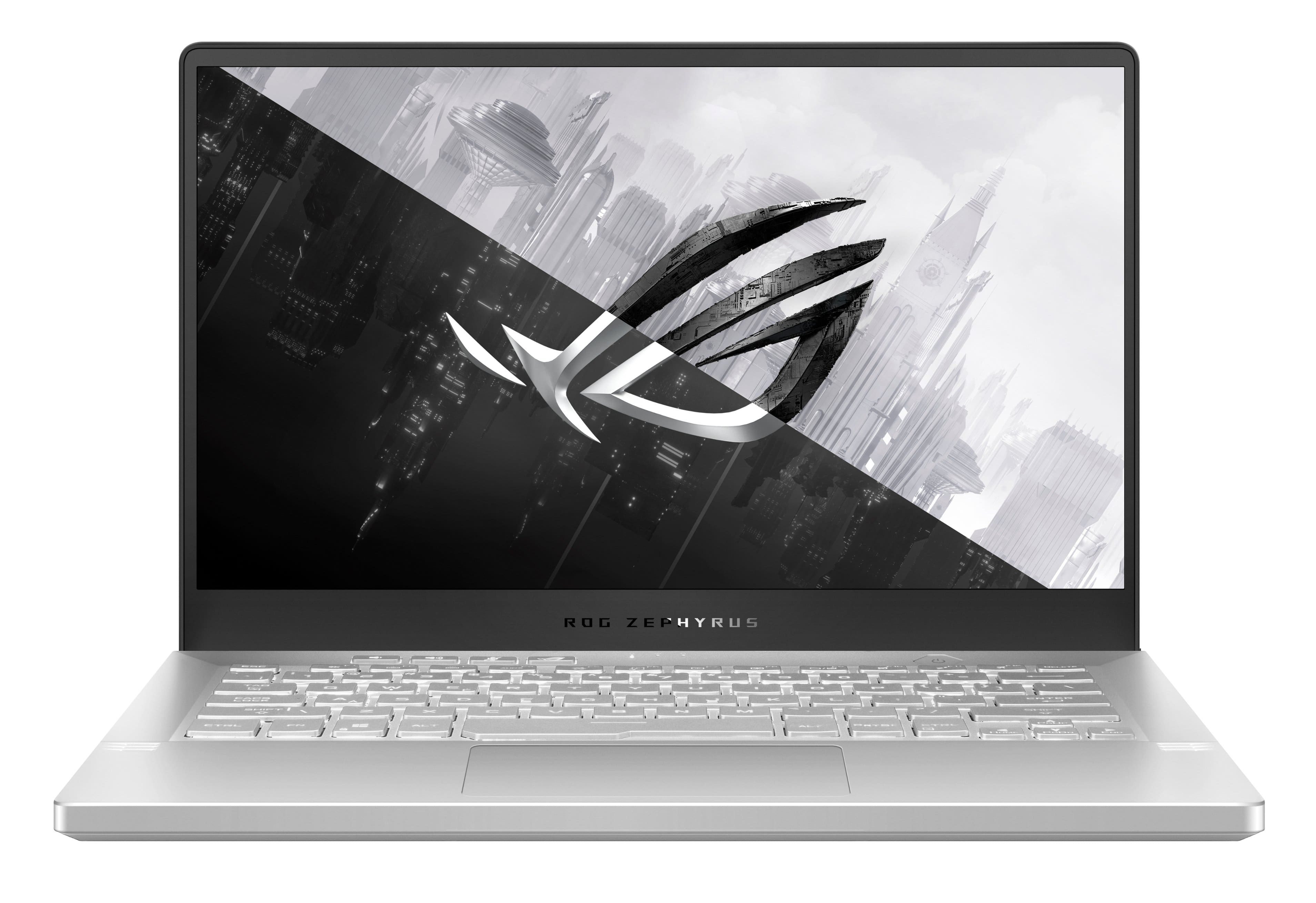
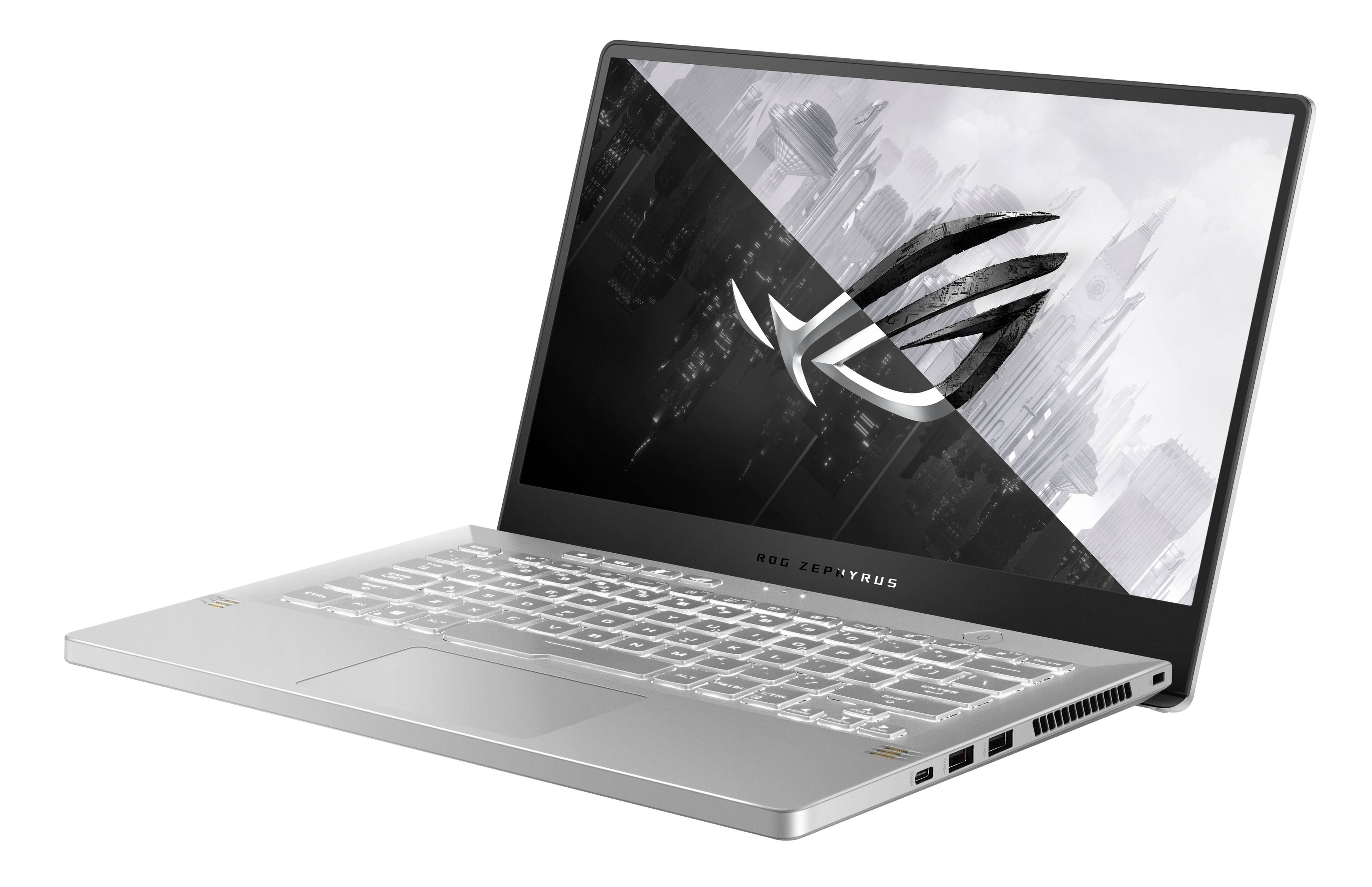
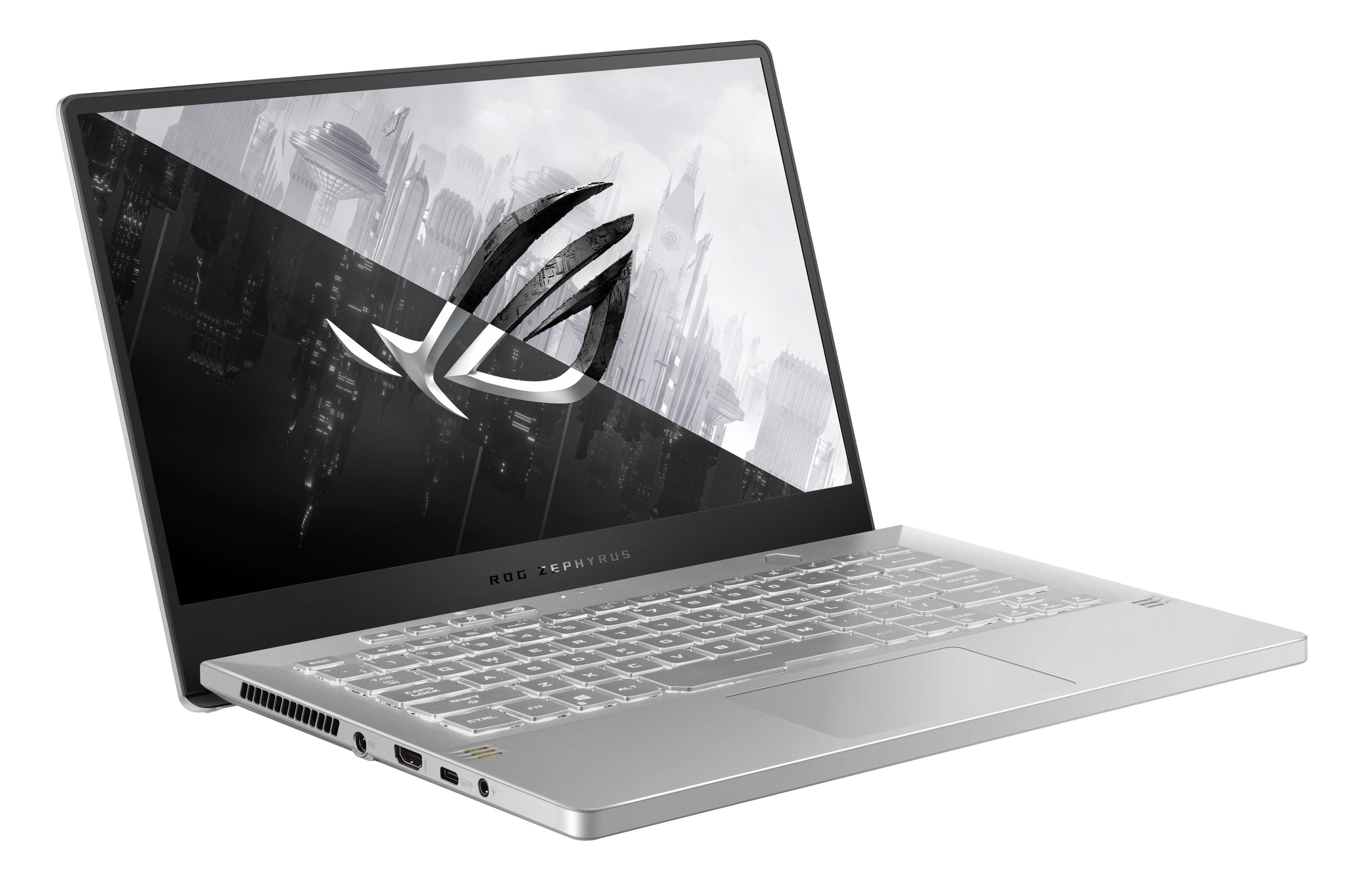
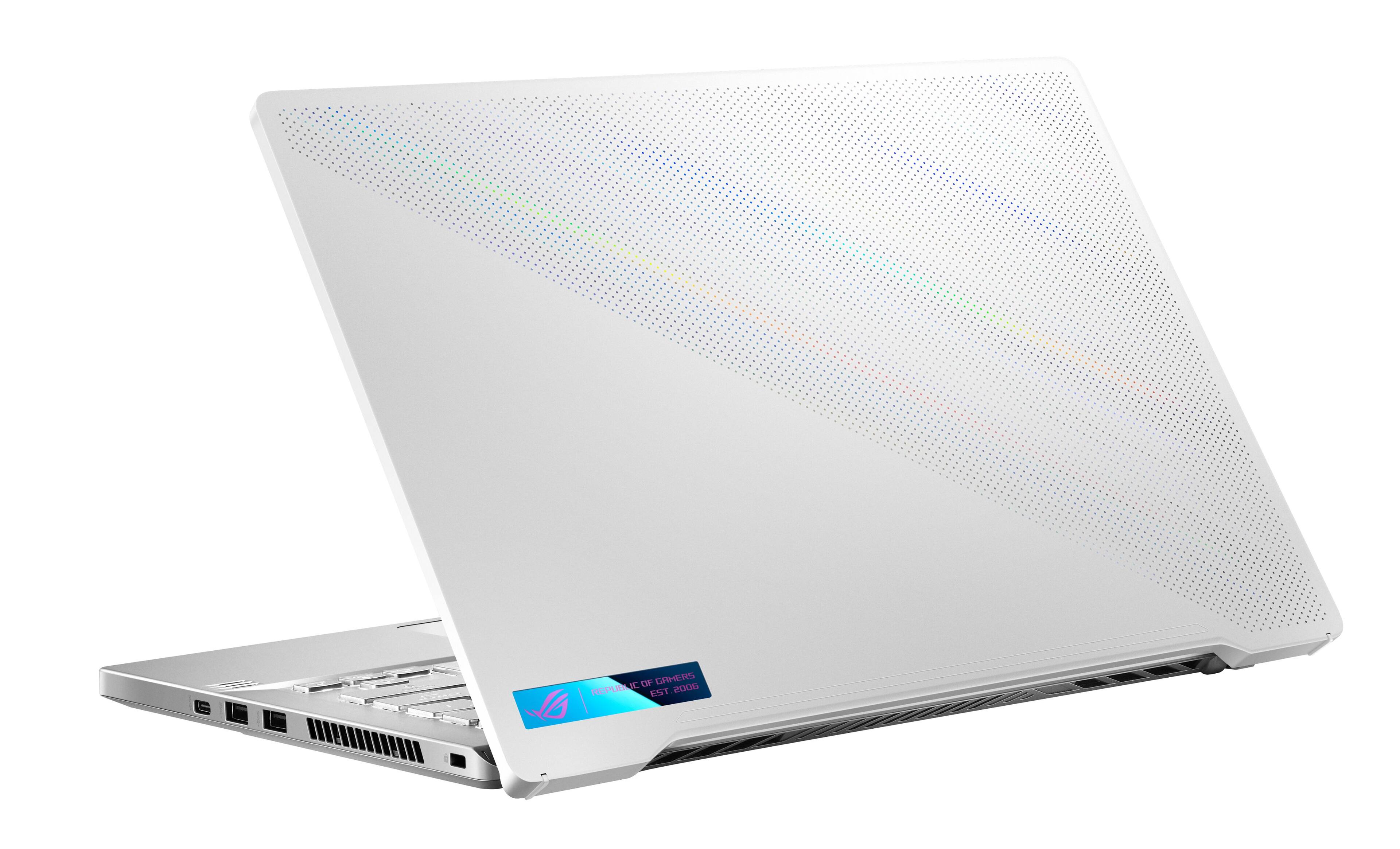
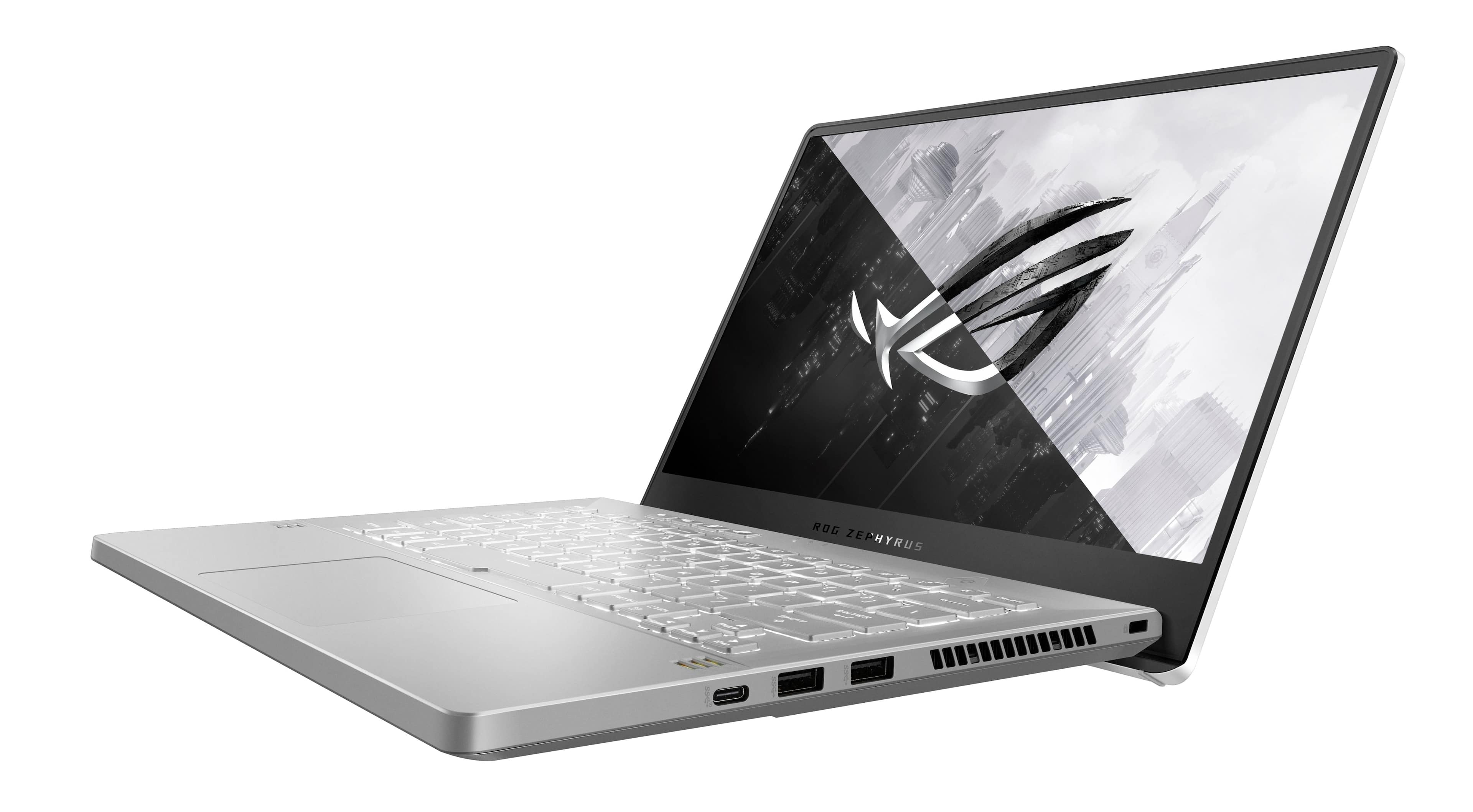
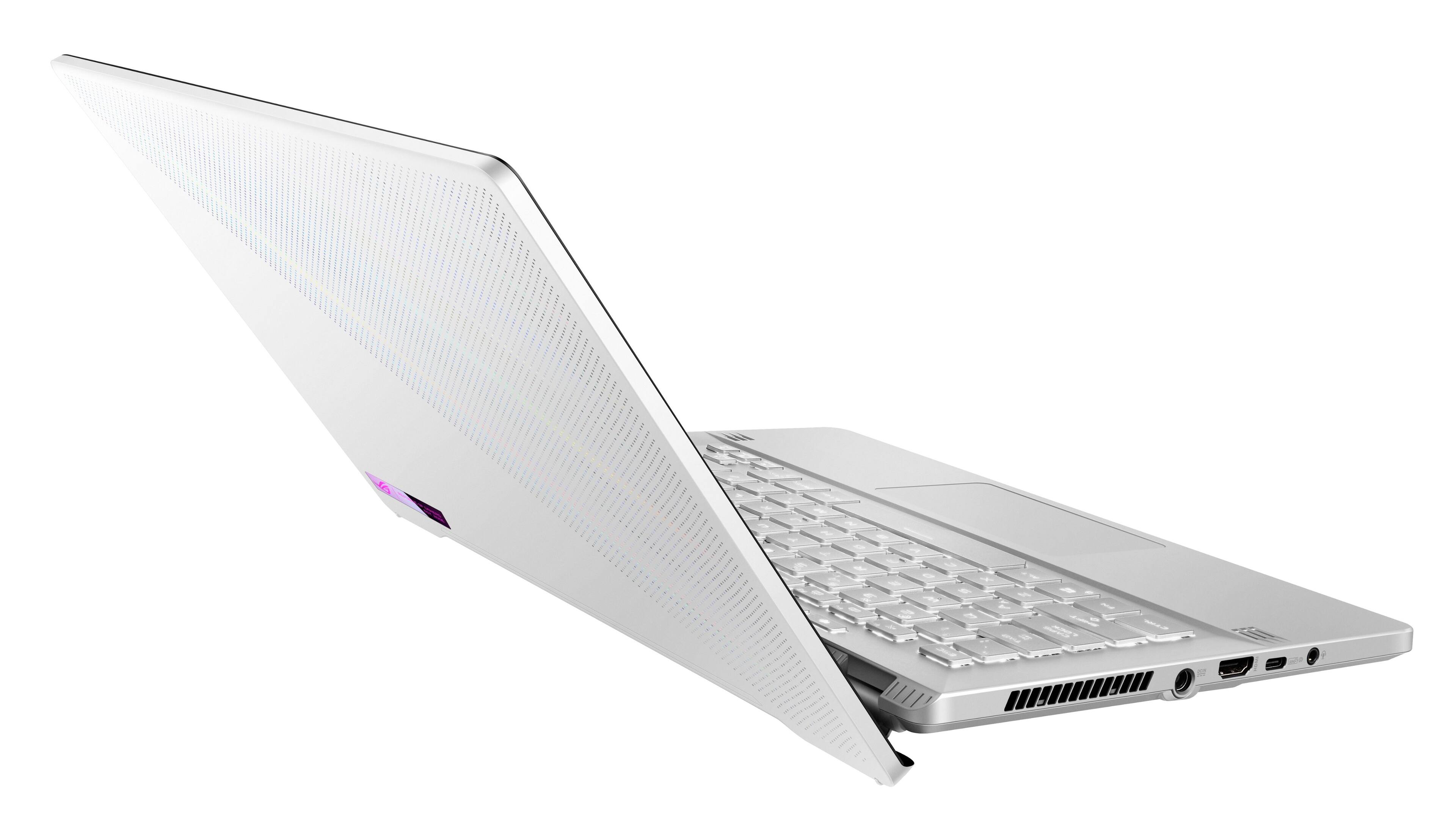
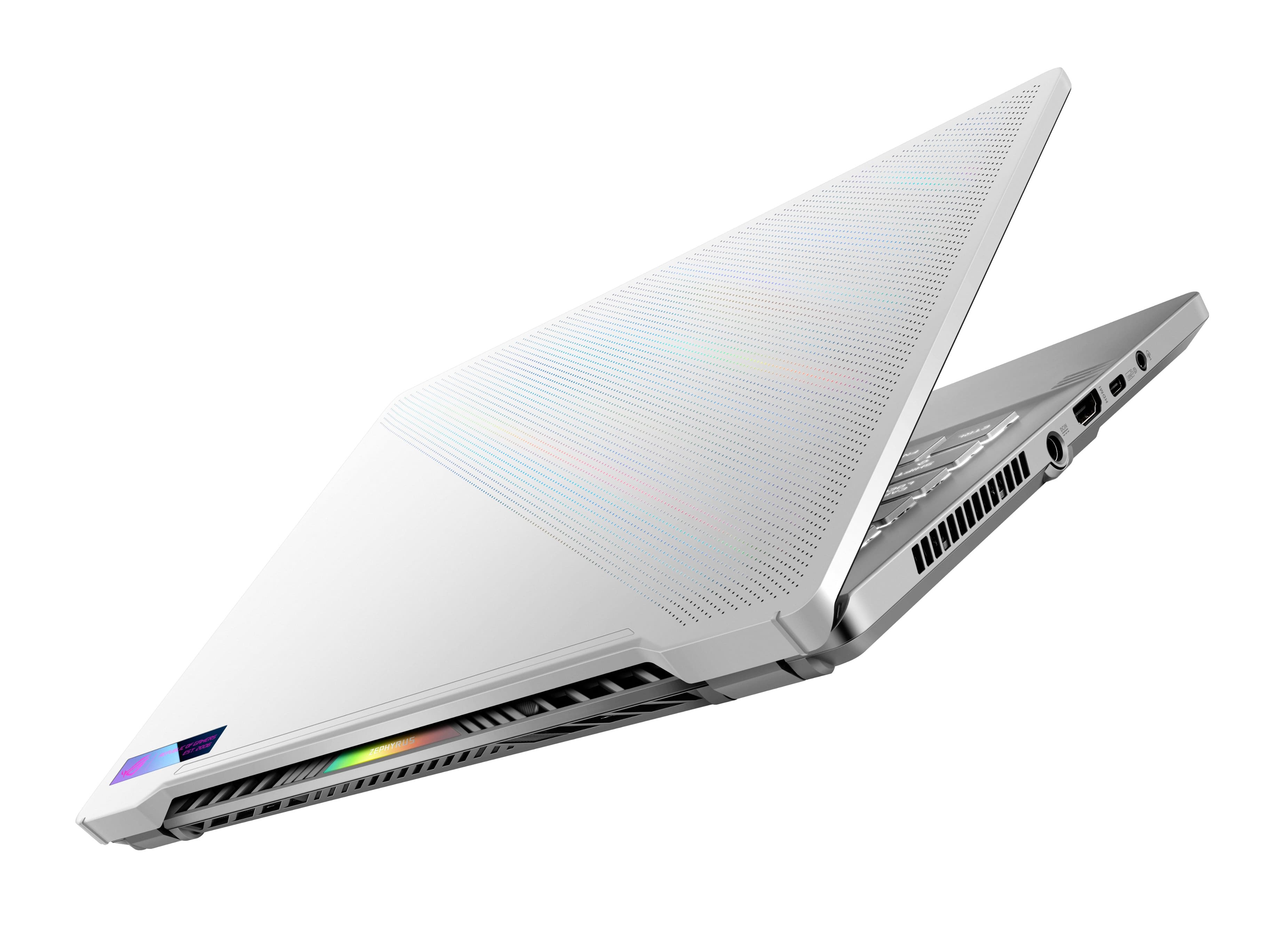
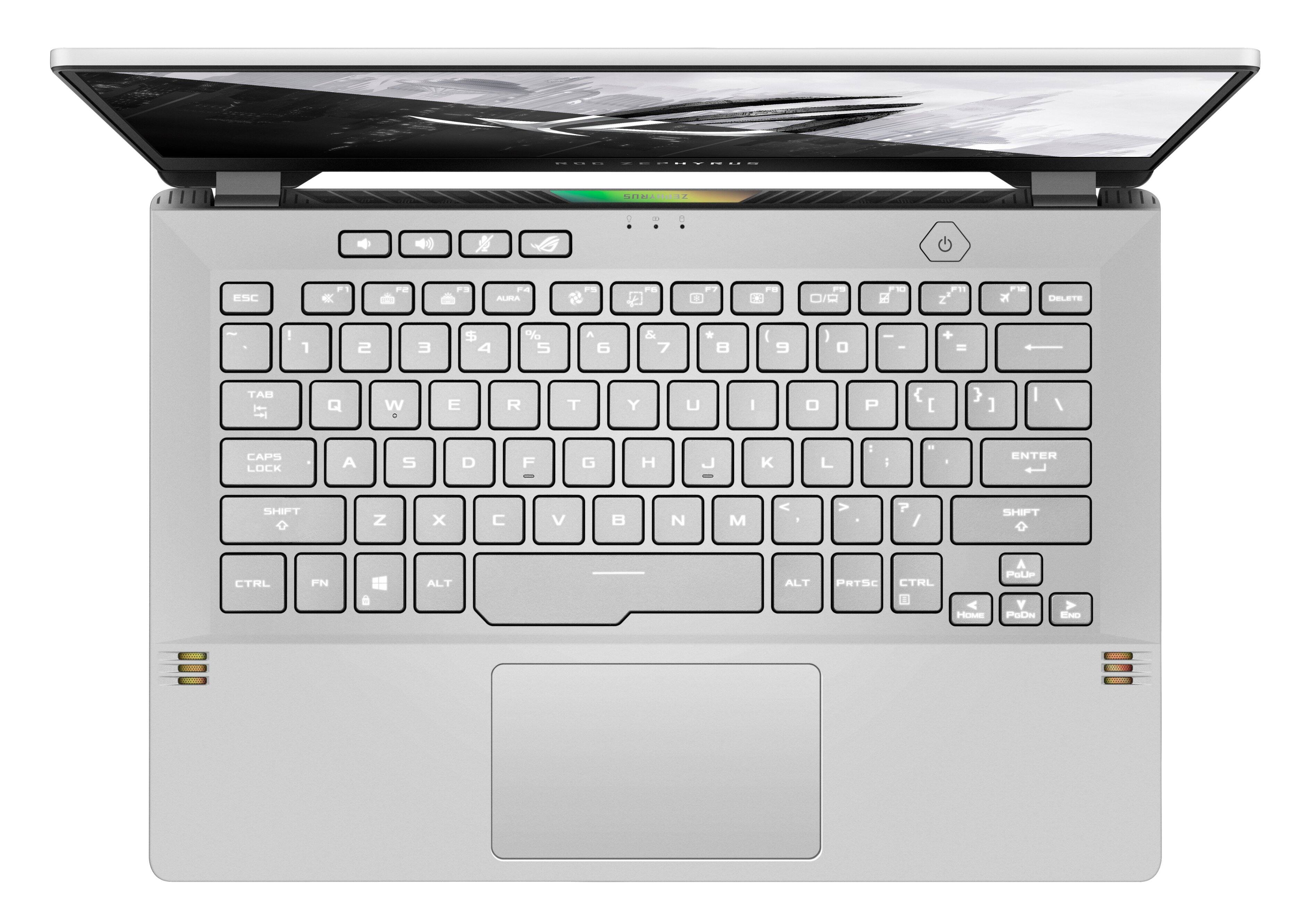
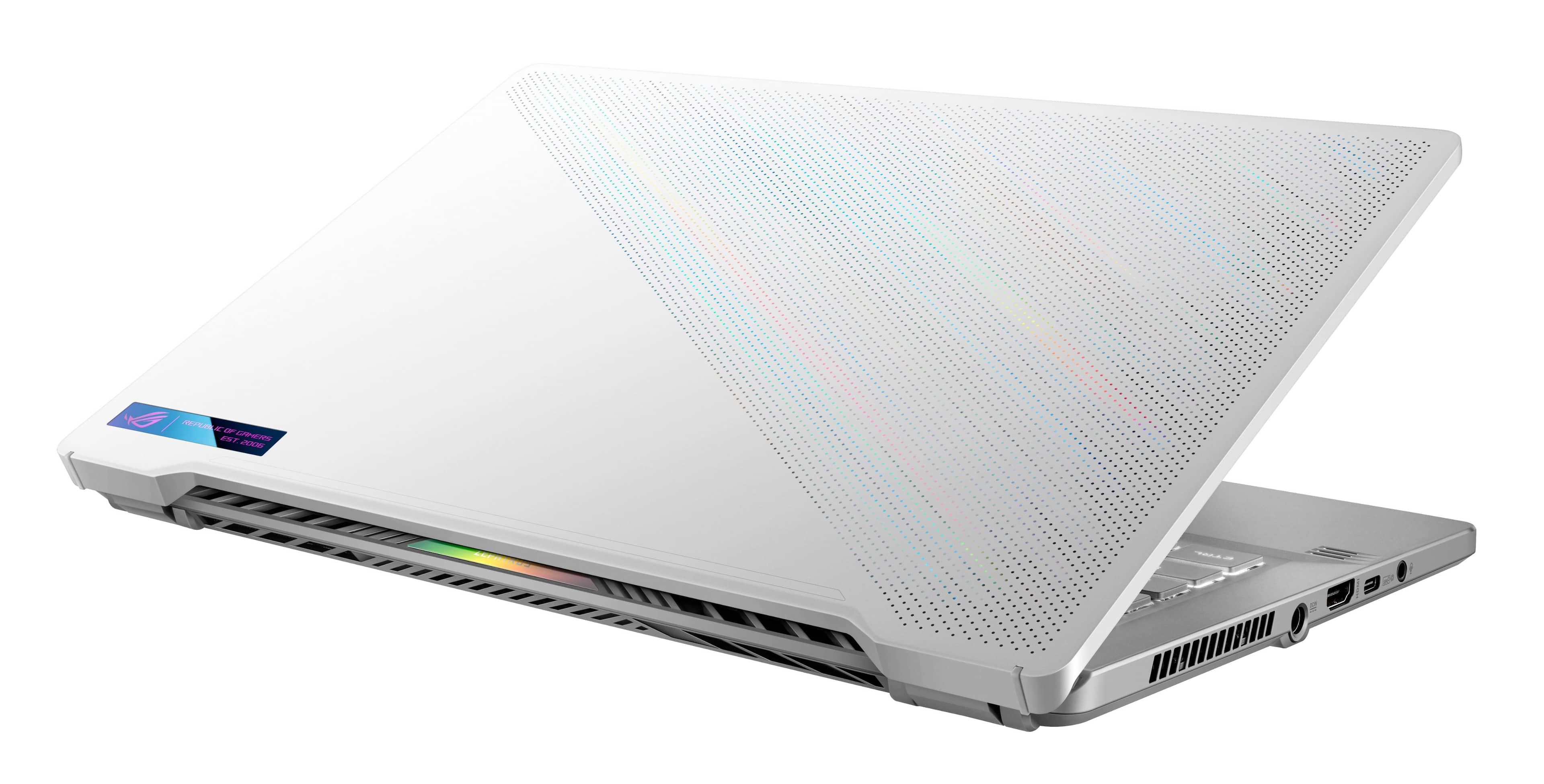
|Posted .This reviewer received promo considerations or sweepstakes entry for writing a review.----- SUMMARY ----- Verdict: With its superb gaming performance, long battery life, and great portability, the ROG Zephyrus G14 stands out from the competition. If you want serious gaming power but are also looking for portability and long battery life, then the ROG Zephyrus G14 is the laptop to get. Pros: - Superb gaming performance - Colorful, bright, and responsive display - Sleek and portable - Visually striking design - Excellent keyboard - Great battery life for a gaming laptop Cons: - No webcam ----- DETAILS ----- Setup: The unboxing experience of the ROG Zephyrus G14 is a highlight in itself. When opening the box, the laptop raises up towards you. You immediately see the white lid with its grid of tiny holes that have a material beneath that shimmers in the light. It’s a striking laptop, and ASUS went above and beyond to showcase that from the moment you unbox it. Once powered on, the Windows 11 guided setup is simple. Most steps are quick but there were some required updates, so it took me around 45 minutes to complete the setup. Design: I quickly noticed the sleekness and portability of the ROG Zephyrus G14. A lot of the gaming laptops I’ve seen with similar performance are large, bulky, and heavy. That’s not the case here. One significant benefit of the thin and light design is that it makes this laptop a great multipurpose driver. I love to game, but I also need a laptop that’s portable. I really like that the ROG Zephyrus G14 doesn’t make me compromise on either. When I need to be productive or simply use it as my daily driver, the keyboard and trackpad make it an enjoyable experience. The ROG Zephyrus G14 has the best keyboard I’ve used on a laptop. Typing feels comfortable, and the keys are backlit. It is also quiet. Opening the laptop’s lid angles the keyboard slightly towards you which adds to the comfort. I especially appreciate the dedicated keys for volume, microphone mute, and ROG Armoury Crate for easy access above the keyboard. Also above the keyboard is the power button which doubles as a fingerprint sensor. The trackpad is large and responsive. I don’t find myself running out of room when I’m scrolling, and it’s easy to click. If I stopped here, I’d give the design five stars, but what this ROG Zephyrus G14 lacks is a webcam. You can use a feature in “Link to MyASUS” called “Shared Cam” to link your phone and use it as a webcam, but the extra steps are a bit of a nuisance, and I noticed some lag. When it comes to ports, you get two USB-A ports, two USB-C ports (one of which has DisplayPort video-out functionality), one HDMI video output, a headset jack, and the power connector. I was happy to see that the sleek design didn’t compromise the ports that are offered. The missing webcam aside, it’s hard to find any flaws in this beautifully designed laptop. Gaming Performance: I won’t bore you with a bunch of benchmark test results. If you’re into that, there are plenty of other reviews online that can be referenced. What I’ll say is that I’ve had a phenomenal gaming experience playing a variety of games, and the frame rates are consistently high. Like other games I’ve tried on the ROG Zephyrus G14, my favorite game to play right now (Halo Infinite) performs at high frame rates with no lag. I was able to pair my Xbox controller to the laptop easily, and it’s been responsive with no lag or connection issues. I don’t do photo/video editing or other performance-intensive tasks, but I bet this laptop could handle just about anything you throw at it. The power that’s packed into this sleek laptop is impressive. Display: The Full-HD 144Hz display is colorful, bright, immersive, and responsive. Games I’ve been playing for years have been given new life on this display. Color accuracy and clarity are also top-notch. Experiencing the gorgeous display along with the high refresh rate is a real treat. Speakers: The audio output by the speakers on the ROG Zephyrus G14 is surprisingly good. For such a sleek laptop, I didn’t expect much, and those expectations were blown away. The laptop has a four-speaker system with 2 tweeters that direct sound towards you and 2 woofers that bounce sound off the table/desk. The audio is clear, and I was impressed with the bass and forceful percussion. The preinstalled Dolby Access app allows you to tune the audio, and there are a number of presets available for music, movies, games, and voice. Battery Life: For casual everyday use (browsing, emails, video/music streaming, etc.), I average over 8 hours of battery life, which is great for a gaming laptop. You can get even more with battery optimization methods like turning Battery Saver on and lowering the screen brightness. Gaming on battery power usually lasts around 2 hours. That’s a significant difference compared to casual use, but I’m usually plugged into power when I’m gaming anyway, so it’s not a con and is to be expected, in my opinion. Compared to other gaming laptops, the battery life on the ROG Zephyrus G14 is hard to beat. ----- WHAT’S IN THE BOX ----- 1 x Laptop 1 x Power Adapter 1 x Informational Papers
I would recommend this to a friend - Cons mentioned:Heat
Works great
||Posted . Owned for 3 weeks when reviewed.This reviewer received promo considerations or sweepstakes entry for writing a review.Played some Valorant and Overwatch just fine. Runs a little hot but that's to be expected for such a small chassis
I would recommend this to a friend - Pros mentioned:Performance
Beautiful computer
||Posted . Owned for 1 week when reviewed.This reviewer received promo considerations or sweepstakes entry for writing a review.It’s a beautiful and reliable computer. I bought it for my daughter and she’s in love with it it’s compact and can run her favorite games as well as run programs for her school work
I would recommend this to a friend - Pros mentioned:Design
Love it
||Posted . Owned for 3 weeks when reviewed.This reviewer received promo considerations or sweepstakes entry for writing a review.Love it it's just what I wanted! Great graphics great processor. I can play every game I want to.
I would recommend this to a friend - Pros mentioned:Performance
Awesome laptop
||Posted . Owned for 1 month when reviewed.This reviewer received promo considerations or sweepstakes entry for writing a review.Great machine, can handle high end graphical games. Only complaint, wish it had an ethernet port.
I would recommend this to a friend Long lasting
||Posted .This reviewer received promo considerations or sweepstakes entry for writing a review.Decent performance for the price nothing crazy has lasted me a few years now
I would recommend this to a friendPerfect portable gaming
||Posted . Owned for 1 week when reviewed.This reviewer received promo considerations or sweepstakes entry for writing a review.Purchased for performance and portability, It does both very well. Premium build quality, I can trust that when I put it in my backpack and go somewhere it won't be broken when I take it out. Panel looks beautiful, gets very bright, and very dark with very easy button switching between modes. The storage is enough for light use, but it's very easily upgradable for cheap. Asus hit the mark on this laptop.
I would recommend this to a friendLovely
||Posted . Owned for 1 year when reviewed.This reviewer received promo considerations or sweepstakes entry for writing a review.Best purcharse EVER! I’ve been using it for over a year and it runs everything, gta 5 online, genshin impact, red dead redemption 2, dragons dogma 2, elden ring, etc. Im love, so glad that I bought it!
I would recommend this to a friend- Pros mentioned:Performance
Perfect laptop
||Posted . Owned for 1 year when reviewed.This reviewer received promo considerations or sweepstakes entry for writing a review.Love this laptop, runs pretty much any game brilliantly.
I would recommend this to a friend - Pros mentioned:Performance
Good all around laptop
||Posted . Owned for 1 month when reviewed.This reviewer received promo considerations or sweepstakes entry for writing a review.Good Laptop it is perfect for college. It also is really good for gaming.
I would recommend this to a friend Prime Laptop
||Posted .This reviewer received promo considerations or sweepstakes entry for writing a review.Runs games as well as my PC with an RTX 3060. Very happy with this very portable laptop! Got it at a great discount at Best Buy! 144 hz and HDR, 300 nits make the 14” screen absolutely beautiful. The fingerprint login is the power button, and it works perfectly. Would definitely buy again!
I would recommend this to a friend- Pros mentioned:Portability
G14
||Posted . Owned for 1 week when reviewed.This reviewer received promo considerations or sweepstakes entry for writing a review.Maybe because I bought an open box, my screen was have issues it will turn or flags pink time to time. But overall it was great, fps are around 270-300ish when I play CSGO. And it was pretty good and ezy to carry around.
I would recommend this to a friend