Customer Ratings & Reviews
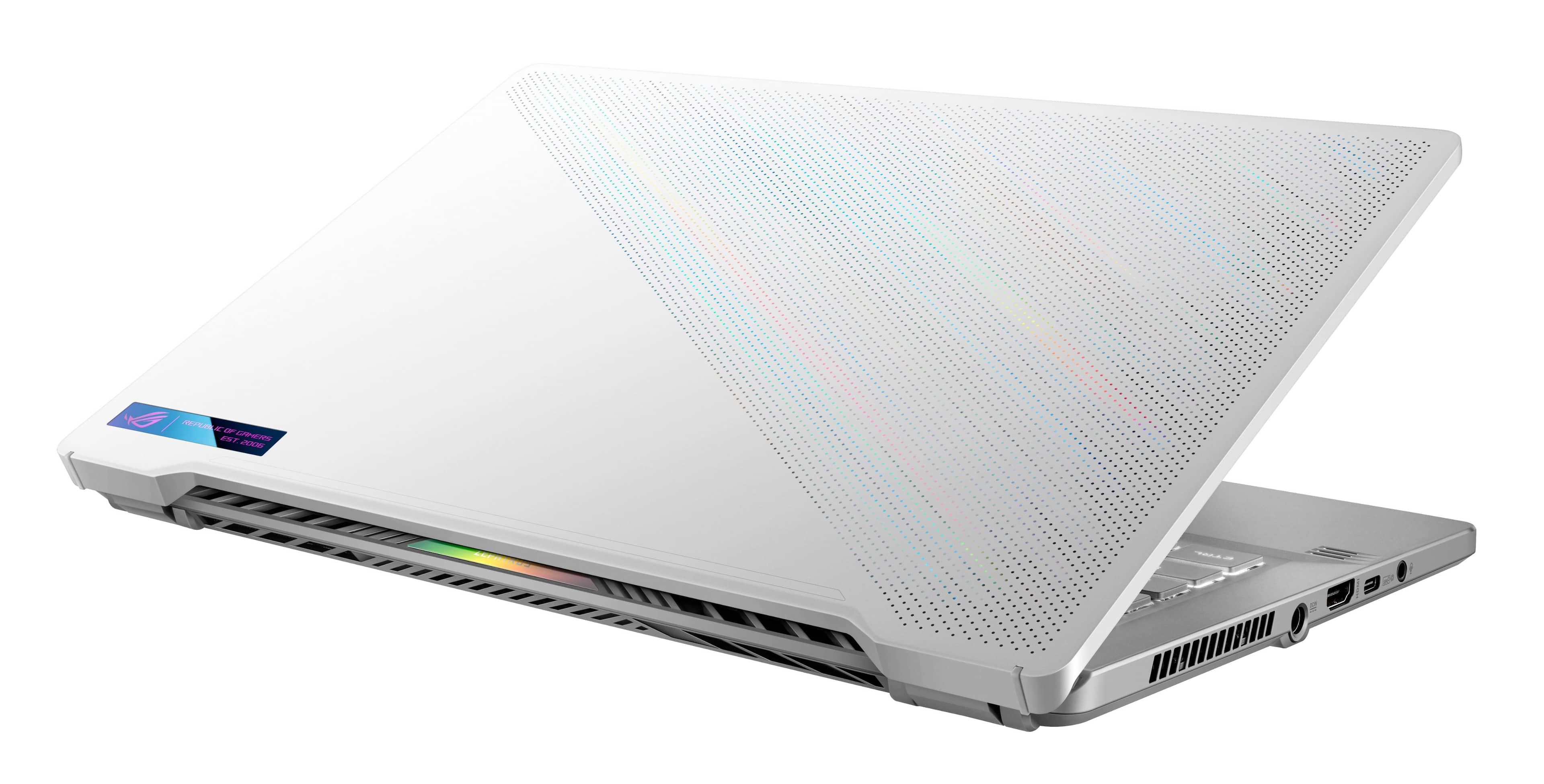



- Model:
- GA401QM-G14.R73060
- SKU:
- 6494633
Rating by feature
- Battery Life
Rating 4.2 out of 5 stars
- Speed
Rating 4.7 out of 5 stars
- Display
Rating 4.5 out of 5 stars
Customers are saying
Customers are delighted by the ROG Zephyrus 14" gaming laptop's impressive performance, long battery life, and portable design. Many appreciate its lightweight nature and the vibrant display, although some users note that the device can get warm under heavy use and that the fan can be noisy at times. The lack of a built-in webcam and limited storage are also frequently cited drawbacks. Overall, the laptop receives positive feedback for its combination of power and portability, despite some minor issues.
This summary was generated by AI based on customer reviews.
- Pros mentioned:Design, PerformanceCons mentioned:Heat, Storage

A very sleek and stylish gamer that can do more
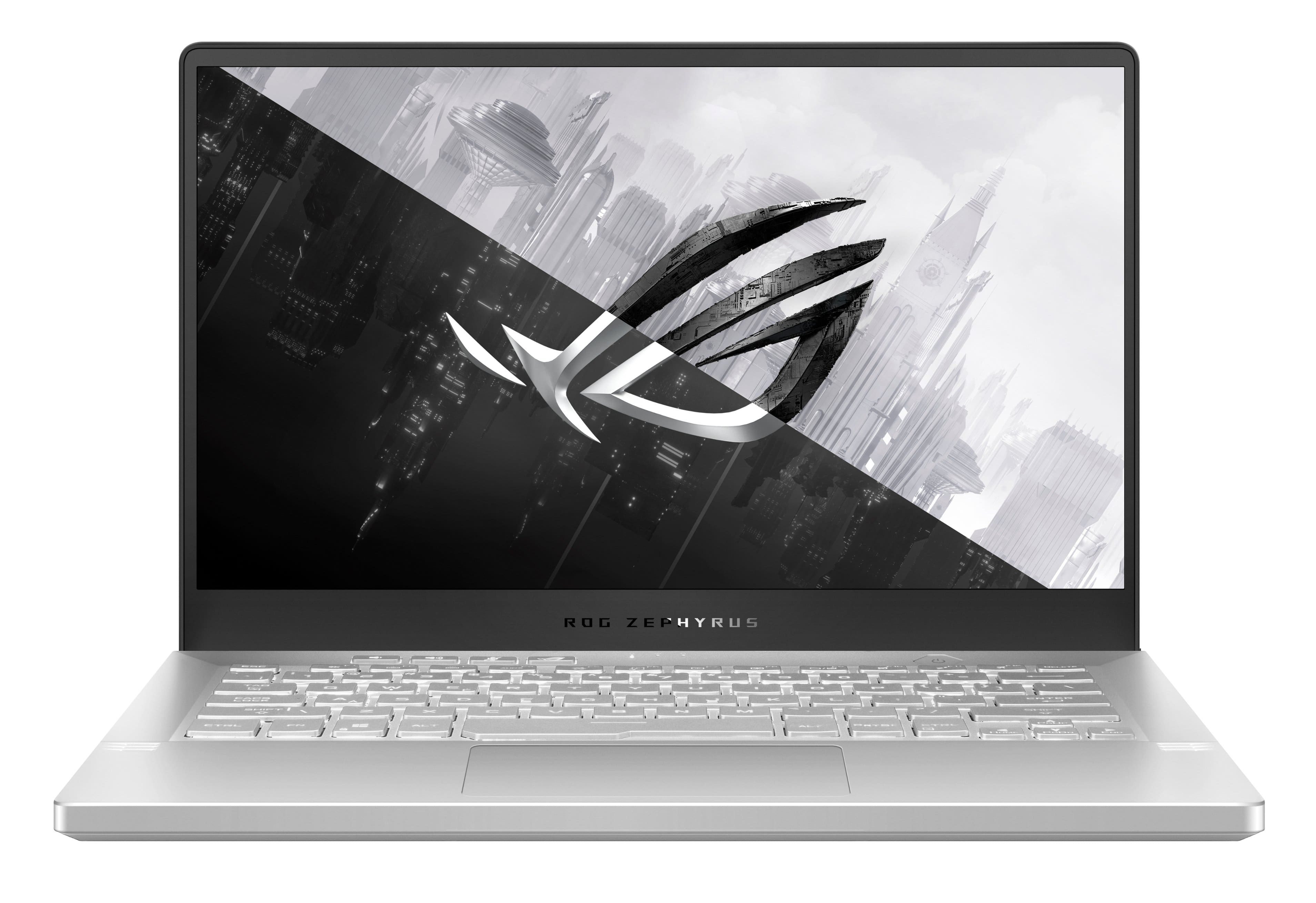
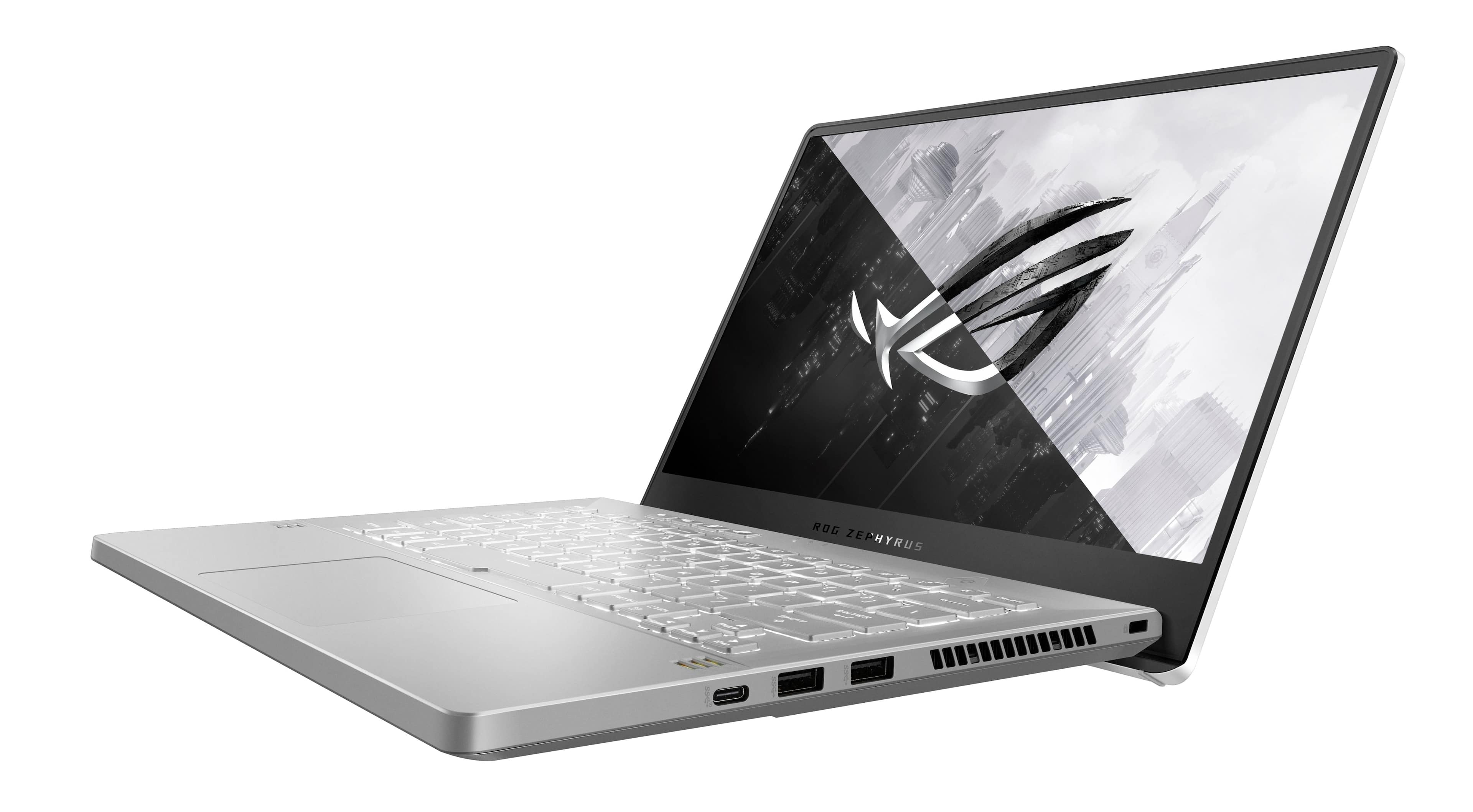
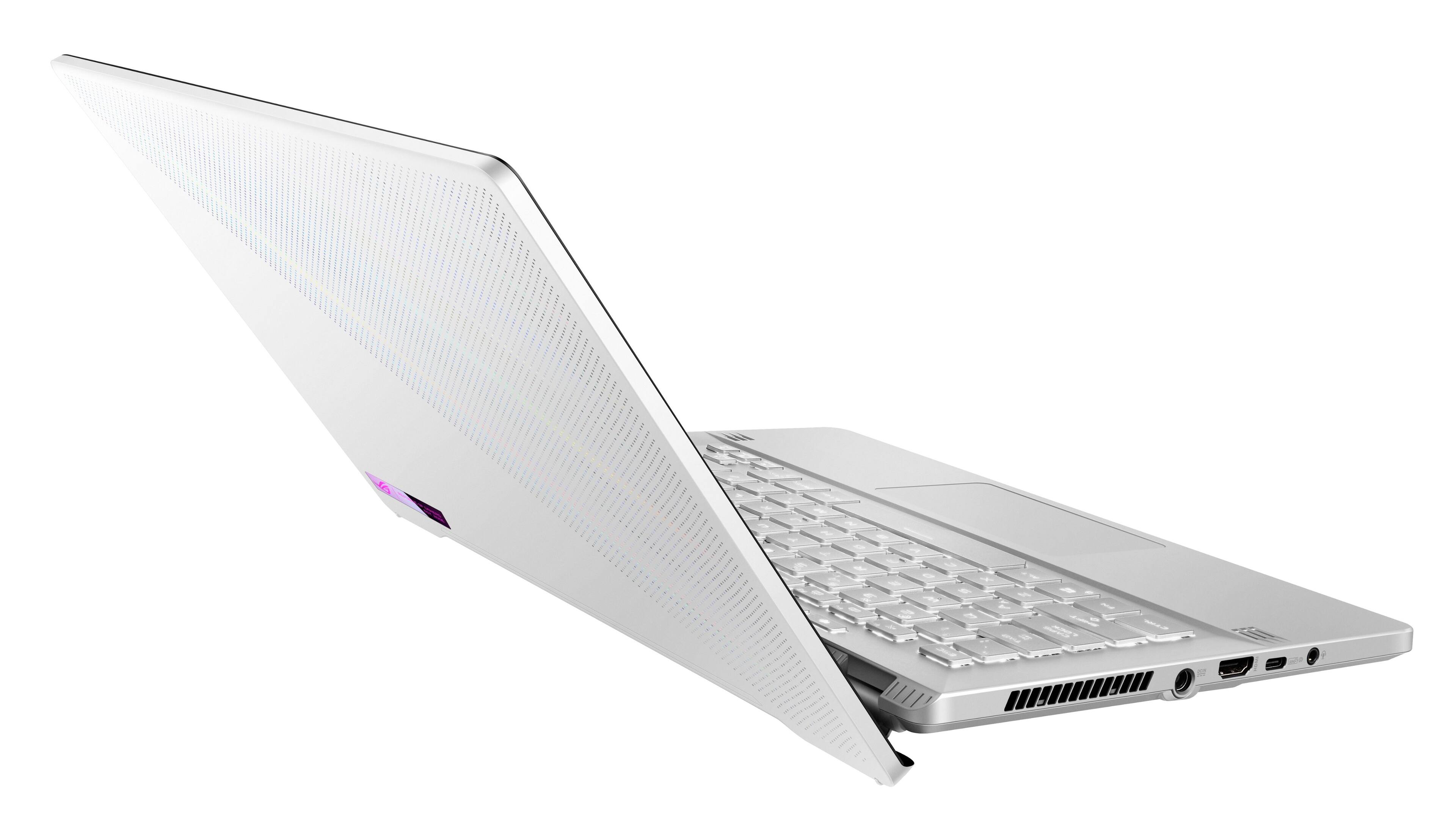
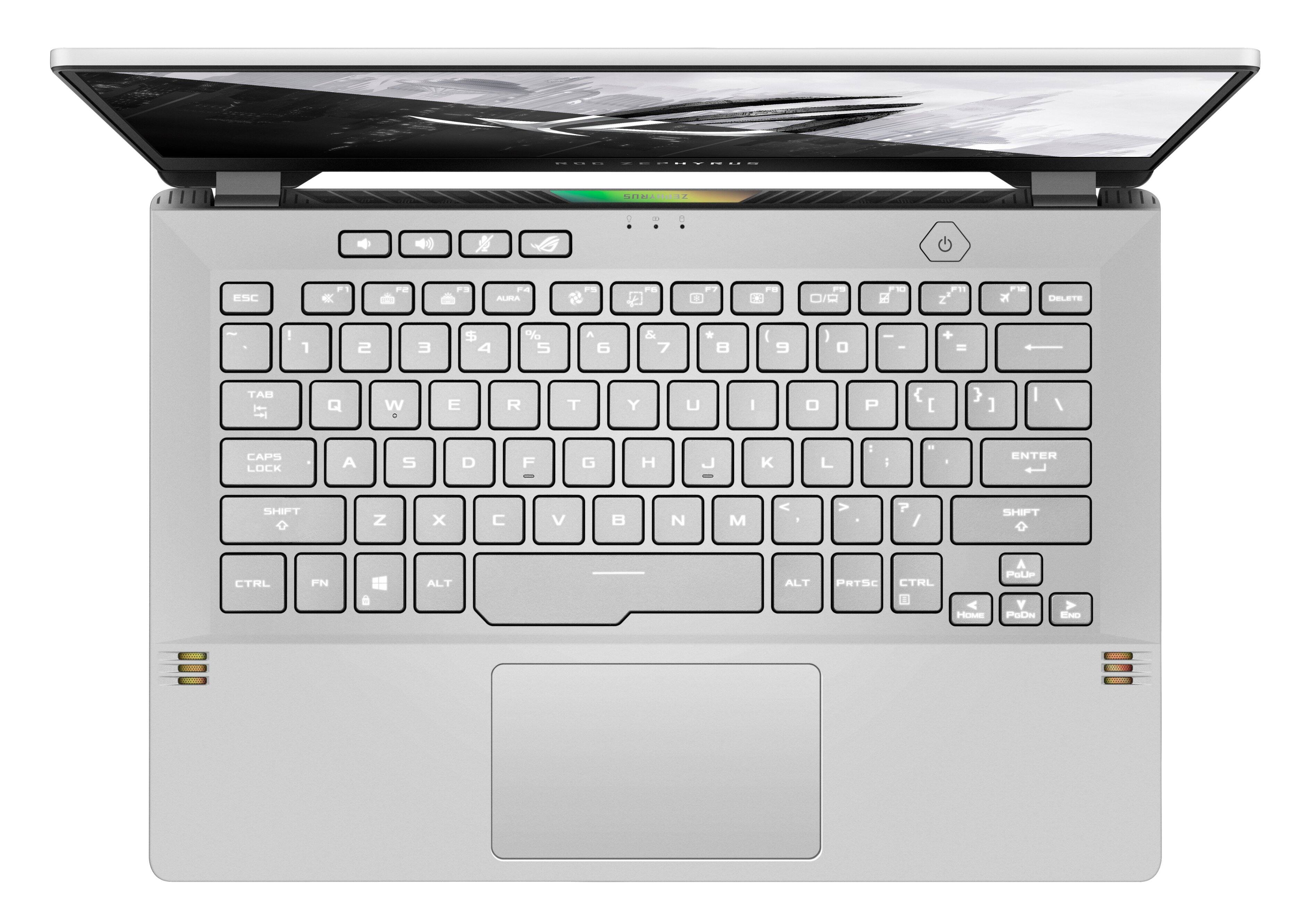
|Posted .This reviewer received promo considerations or sweepstakes entry for writing a review.Technology is quite the race. It seems like gaming laptops are coming out as fast as tablets and phones these days. I was looking for a gamer that could not only keep up with the demands of the latest games, but was also stylish, a great size, and most importantly, a great build quality. I think the ASUS ROG Zephyrus ticks all of those boxes. Being a professional photographer and videographer, I use computers every day. A lot. I use both Mac and PC depending on what project I am working on. Long gone are the days where I thought Macs ruled the scene. Windows computers have taken huge strides in the industry, much like when Android figured it all out after iOS was the top dog for so long. As an editor of photo and video, I am happy to say that this computer can get both jobs done with ease. If you want to edit 4K videos either on this screen, or an external monitor, you can, so long as you create your proxies like any efficient editor should :) As awesome as that is, that’s not why we are here. We want to know if we can play the latest games wherever we are and at any time. In fact, you definitely can. I have paired my favorite Bluetooth headphones and an XBOX controller to my Zephyrus and I am well into the Halo Infinite campaign (I’m hooked), which is running like a champ at a solid 60fps. Granted I have default settings for video, I am finding that the defaults (while not maxed out) are PLENTY good enough for my eyes. Everything looks vibrant and razor sharp. No matter how many Grunts, Jackals, or Elites are on the screen… no matter how many explosions are all over the place, I have yet to have one single issue with lag. Awesome! One area that is a bit of a concern, is while playing intensely, the vent area does get quite hot. I am almost certain that these laptops are designed to be able to handle this, but only time will tell in regards to the longevity of the machine. That said, I have also noticed that when I am done playing, the vents cool off very quickly. ASUS includes a very intuitive app as standard on these machines called Armoury Crate. There is even a dedicated button for launch. This is where you can set up custom color calibrations for different types of games/uses, as well as keep an eye on your CPU temps, your memory and storage, modify your performance, check GPU/CPU usage and much more. The screen is gorgeous. It displays a vibrant and sharp image as well as acceptable sharp text. I find that while it isn’t the biggest screen, it is a great size for on the go. I don’t even miss a beat when it isn’t hooked up to an external monitor source. I do wish it was an even higher resolution for video editing, but again, that is not what this machine is designed for. The keyboard has a very solid feeling and the buttons are all very responsive as you would expect. The keys are also backlit, but not very bright. Depending on how much overhead light you have, this may not be that big of a deal. If you are playing in dim ambient lighting (which is preferred), the backlit keys look great. I do wish that they would have included RGB lighting with this model. The fingerprint sensor doubles as the power button and I have found that like most phones, this is an area that could be more refined overall. It works, but it isn’t totally responsive. Ins and Outs include both USB C and USB A, as well as a full HDMI port for your external display. There is even a headphone jack for all the old school wired peeps. This is about perfect for me as I don’t need a network port, or even a SD card port any more since I can just use one of my million adapters. Another thing of note, is that the specs say you can add an M.2 drive and expand the memory. Memory standard is 16GB DDR4, max is only 24. Why not just include 24 out of the box? I have yet to open it up to see about adding an additional M.2 drive, but I will be doing that since the standard 512GB is not enough. Another (out of box) oversight from ASUS in my opinion. Honestly, I am not sure who wants to be opening up a laptop to upgrade RAM and storage space on their own. I would recommend taking it to Geek Squad to get that done if you are unsure. All in all, this computer does what I need it to do. Could they have given us more RAM and drive space standard? Yes. Could they have included AniMe Matrix on the lid? They should have. While these aren’t deal-breakers at this price point, I still believe that they could have included them to make an even more compelling package for consumers. PROS: Design, build quality, and aesthetic are awesome Screen looks great for a gamer Keyboard is excellent Great size for on the go USB-C, A, and HDMI full size Runs Halo at 60fps with no issues Bluetooth compatibility for my headphones and XBOX controller Expandable M.2 CONS: Gets pretty hot by the vents No AniMe Matrix on this model Hard drive should be at least 1TB Should have included max RAM
I would recommend this to a friend Good laptop
||Posted . Owned for 2 weeks when reviewed.This reviewer received promo considerations or sweepstakes entry for writing a review.You probably already know this if you are looking into this laptop, but the only issue this device has is that armorycrate is thrash to handle settings, get something else asap after setting up the laptop and you should be good.
I would recommend this to a friendGreat portable and powerful laptop.
||Posted . Owned for 1 month when reviewed.This reviewer received promo considerations or sweepstakes entry for writing a review.Works great for my needs! Used for basic computing and mainly casual gaming on Steam. Performance mode is amazing. Beware though, this model DOES NOT have the AniMe Matrix on the cover. Pretty lightweight and easy to carry around on travels.
I would recommend this to a friendGood laptop
||Posted . Owned for 1 month when reviewed.This reviewer received promo considerations or sweepstakes entry for writing a review.everything was fine but it has presented me with a problem reading the graphics card, maybe it is a specific problem in the graphics card, maybe I will change it for the same laptop
I would recommend this to a friend- Pros mentioned:Battery life, Design, Performance
All You Could Ask For
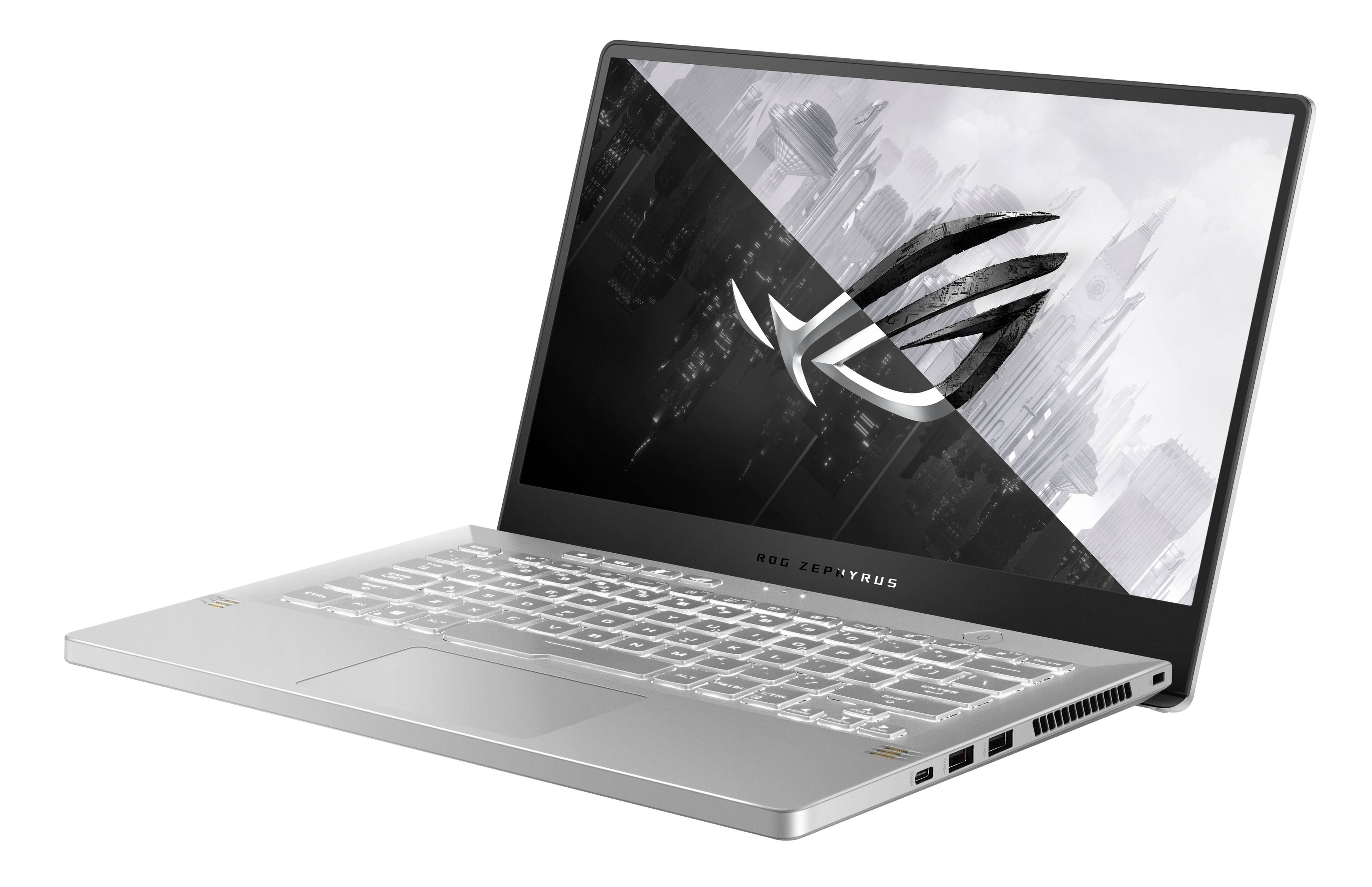
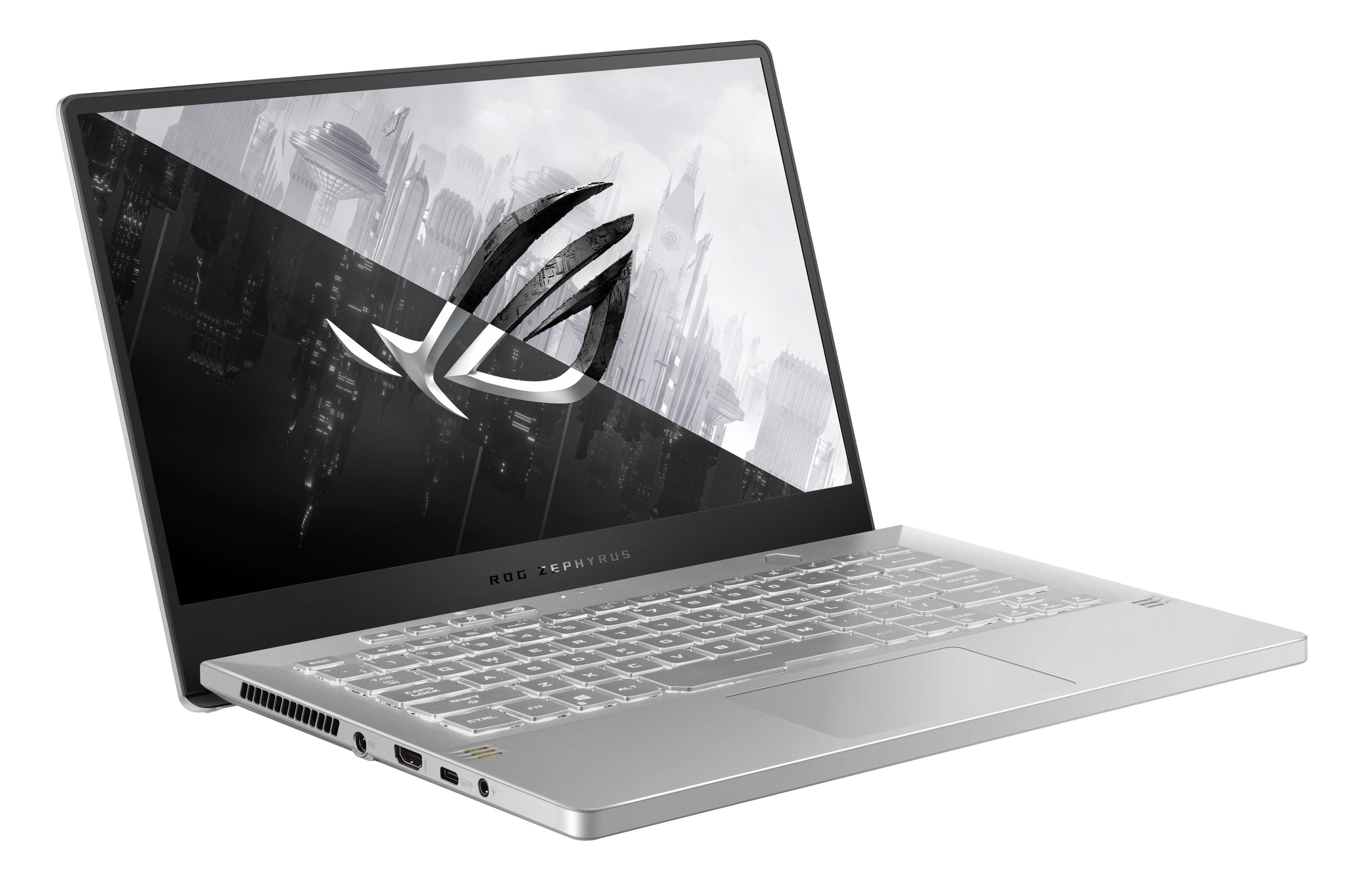
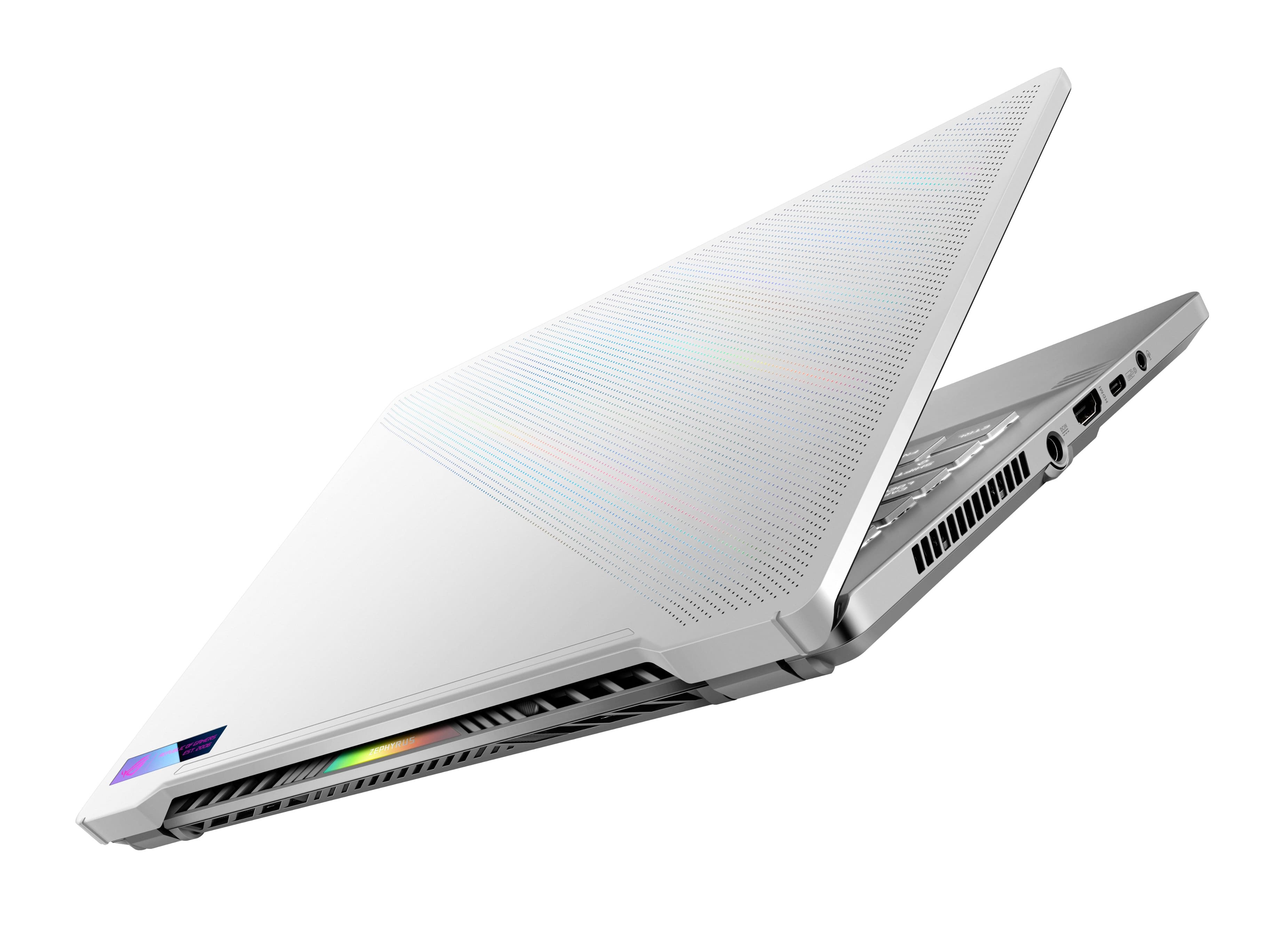
|Posted .This reviewer received promo considerations or sweepstakes entry for writing a review.ASUS’ Republic of Gamers sub-brand has been selling midrange and high-end gaming laptops for the last 16 years, quickly becoming a recognizable name in premium computers. The Zephyrus G14 has seen evolutionary updates with each hardware generation, and while this particular 2022 model may not be packing the most cutting-edge hardware available on their higher end G14 offerings, the slightly older hardware on tap here is tuned for power efficiency and it shows. The ROG Zephyrus G14 GA401QM is a wonderfully balanced machine, bringing high quality AAA gaming to the 13-inch laptop class without sacrificing portability, battery life, nor asking price, making it one of the most attractive options at its price. - Unboxing & Setup Being one of ASUS’ top offerings, the packaging impresses with a mechanism that raises the laptop as you open the box. A handful of information cards are all that accompany the laptop and power adapter, leaving most of the setup instructions on the G14 itself. ASUS loaded Windows 11 Home for this machine, which performs well enough as the natural evolution to Windows 10 and users coming from the older OS should find a lot of familiarity. Sadly there’s no option to create a local account like there is on Windows 11 Pro - you will need to create a Microsoft account to complete system setup without using convoluted workarounds. Once up and running, ASUS’ Armoury Crate software offers control over the system’s performance and helps switch between battery and AC power modes for the graphics processors. It stays mostly out of the way and doesn’t seem too bloated, with the usual Windows promos and an ASUS support helper being the only other notable preinstalled applications. The system did need quite a bit of time to download and install myriad updates to Armoury Crate and other management software, and the system performed a bit erratically until this was complete. Be patient! - Build Quality & Connectivity I didn’t think there was much to improve on over the 2021 Zephyrus G15 I used previously, but somehow Asus pulled off even more refinement. The biggest surprise is just how solid this laptop feels - the keyboard is rock solid with absolutely zero flex, the screen hinge holds extremely tight without wobble, and the machine simply feels heavier than its specs and weight suggest. The material selection is superb as well - the magnesium alloy lid is wonderful to touch, and even the plastics of the keyboard tray and keys were given attention for texture and paint finish quality. They’re not the best I’ve used, but they’re befitting of the laptop’s premium ambitions. Connectivity options are good but not great. Two USB-A 3.0 ports accompany a USB-C Gen 3.2 (10Gbps) port on the right side of the machine, and on the left a full-size HDMI port and DisplayPort-enabled USB-C provide external display options direct from the NVidia RTX 3060. Both USB-C ports support USB Power Delivery, allowing the machine to charge at up to 100W when using a properly rated 20V, 5 amp charger and compatible cable. A combination headphone/microphone 3.5mm jack provides legacy headphone options. Sadly that’s about all there is for connectivity - this model lacks an Ethernet port you’d expect to see on a gaming laptop, and there’s no microSD slot to be found. This machine is gaming-focused and it shows. - Performance Once the laptop’s on AC power and the full performance mode is enabled in Armoury Crate, the 60-watt (80 during boost) RTX 3060 delivers excellent graphics power for this size. The GPU lets nearly all modern games run with High to Ultra settings at the screen’s native 1080p with high framerates. After a few days of testing I was hard-pressed to find any game that struggled on the Zephyrus, and the benchmarks I ran showed the 3060 performing not too far behind a desktop-class RTX 2060. Ray traced titles, DX11 games, Vulkan games, even VR games on a high-res HMD were all plenty smooth even with many details turned up. The dedicated GPU makes for a great gaming laptop on its own, but the trick up the ROG Zephyrus G14’s sleeve is the integrated Vega 8 GPU on the Ryzen 5800HS. On battery, ASUS’ Armoury Crate disables the 3060 entirely and lets the machine run on just the integrated GPU. The Vega 8 boosts to over 2GHz frequency, which delivers graphics performance not far removed from desktop APUs such as the 5700G. Smooth framerates are achievable with lower graphics settings, letting you untether from an AC outlet for less-demanding games or eSports titles. Battery life takes only a modest hit when pushing the integrated GPU to its limits. The AMD Ryzen 5800HS is an 8-core, 16-thread powerhouse that absolutely sips energy - the 35-watt chip puts out desktop-level performance not far removed from the Ryzen 3800X. In synthetic benchmarks it consistently outperformed my desktop’s 5600X (6-core, 12-thread) by a few percent in multi-threaded performance, leaving my desktop winning only in single-threaded applications. The single-thread power on tap is plenty for modern gaming, and the sheer number of cores available make the Zephyrus G14 a potential streaming solution. On test streams my viewers reported not a single stutter nor noticeable frame drop while playing Cyberpunk 2077, a very demanding title for both CPUs and GPUs. The system’s 16GB of dual-channel RAM and speedy NVMe disk (an Intel 670p, here) keep the system snappy and load times short. I would’ve liked to see a larger NVMe disk at this price, however - I quickly filled the 512GB disk after installing just a few games. The disk is at least user-replaceable, as is one half of the RAM (more on this later). - Thermals & Noise The G14’s thermal performance is quite good for a gaming laptop of any size. At no point in testing did the CPU breach 85C, and the GPU never exceeded 75C, even while stressing both to their limits simultaneously. ASUS’ cooling solution uses three direct-contact copper heat pipes (plus one for the chipset) to whisk heat away from the processors, exhausted by two fans that blow out the sides of the chassis and at the base of the screen. At full bore these fans are not overbearing, but in “Silent” mode the heat pipes alone absorb enough heat away from the CPU that the fans almost never run. Further helping keep things cool is a unique hinge design that raises the back edge of the laptop when it’s open, creating a gap of air underneath the machine to get more cool air across the processors. - Screen & Sound Backing up the high performing RTX 3060 is an excellent 1080p, 100% sRGB-capable, 144Hz IPS display. Not only are colors incredibly accurate, but the screen exhibits hardly any ghosting at speed and gets more than bright enough for indoor use. This is a decent screen for media editing once calibrated - colors appeared washed out against my properly-calibrated monitors. I’m not sure how ASUS pulled off such good sound out of a tiny chassis, but the G14’s built in speakers are quite good for their size…once calibrated (see a theme?). The preinstalled Dolby Access app allows you to adjust the frequency response of these speakers pretty granularly, and after boosting the bass and neutralizing some of the treble, the sound quality is surprisingly good. Obviously it lacks the punch you’d get from any desktop setup, but this was pretty close to what I’ve heard from the best-sounding laptops. Of course, headphones are always an alternative to get the best sound out of the laptop, but I found that the audio jack was on the quiet side - I had trouble getting my headphones loud enough to be audible in a noisy environment even at max volume. I recommend using USB or bluetooth headphones in any case. - Battery Life & Upgradeability The AMD CPU just sips power and it shows. Off-charger with the RTX 3060 disabled, I managed over 9 hours of use with the screen at about 40% brightness, which is absolutely incredible for a gaming laptop. If you’re looking to carry light you can use a USB Type-C charger to recharge instead of using the AC power adapter. It took a little under 2 hours to recharge from empty using the AC adapter, and about 4 to recharge through a 100W USB-C Power Delivery one. Removing the G14’s lower panel (which was arguably one of the most easily-removed and accessible of any laptop I’ve used) reveals the only user-upgradeable internals: a single M.2 slot allows for a larger, faster SSD to be installed, and a single SODIMM slot allows swapping the included 8GB model out for a larger one to give the system either 24GB or 40GB of RAM. The issue here is that 8GB of the system’s 16GB memory is soldered to the mainboard, which means any upgrade here will make the memory run in single-channel mode, significantly reducing both CPU and integrated GPU performance. While the stock 16GB should be enough RAM for gaming now, some games are already using close to this and it may not be long before 32GB becomes the recommended minimum. - Bottom Line I have little to criticize here. Asus’ lower-end ROG Zephyrus G14 gives up little to its higher-performing 2022 models, packing desktop-grade performance into a svelte, quality chassis free of bloat. This is just as much a gaming laptop as it is an everyday portable, leaving just the lack of webcam and microSD port as its only real downfall for this use case. If either are a must you’ll need to look elsewhere. The 512GB SSD is the only thing I would plan to upgrade, and ASUS makes it easy to do so. Top top it all off, this configuration of the ROG Zephyrus G14 is well-priced. It may not be the best value when looking purely at the CPU + GPU’s performance relative to other options at its $1399 MSRP, but those competing laptops are much larger, heavier, and get weaker battery life. The premium here is for the small form factor and overall build quality, both of which are nothing short of wonderful. If you need desktop power on the go in a slim chassis, the Zephyrus G14 comes highly recommended!
I would recommend this to a friend Rig reveiw
||Posted . Owned for 4 months when reviewed.This reviewer received promo considerations or sweepstakes entry for writing a review.Love my laptop it does everything I ask it to even tho the keyboard doesn’t light up in colors
I would recommend this to a friendPc
||Posted . Owned for 11 months when reviewed.This reviewer received promo considerations or sweepstakes entry for writing a review.It's amazing laptop !!!!!!!!!!!!!!!!!!!!!!!!!!!
I would recommend this to a friendGamer
||Posted . Owned for 1 month when reviewed.This reviewer received promo considerations or sweepstakes entry for writing a review.for my son 10th birthday present..he really like it..the color perfect
I would recommend this to a friendGreat product.
||Posted . Owned for 1 month when reviewed.This reviewer received promo considerations or sweepstakes entry for writing a review.Absolutely loved it. Works really great. Son loved it for his birthday.
I would recommend this to a friend- Pros mentioned:Performance
Veey good purchase
||Posted . Owned for 1 week when reviewed.This reviewer received promo considerations or sweepstakes entry for writing a review.Works gresr, total upgrade from my last laptop. Only thing that threw me off was how snall the screen was, but scale can be changed. Overall i recommend!
I would recommend this to a friend - Pros mentioned:Speed
Tiny and fast!
||Posted . Owned for 1 month when reviewed.This reviewer received promo considerations or sweepstakes entry for writing a review.Laptop is light to carry and screen is right size for streaming and gaming! Runs fast n smooth!
I would recommend this to a friend - Pros mentioned:Performance
Asus ROG 14”
||Posted . Owned for 2 weeks when reviewed.This reviewer received promo considerations or sweepstakes entry for writing a review.Excellent I just installed MSFS 2020 and I’ve put a 4K monitor added and runs phenomenal with the Nvidia and the Ryzen!!
I would recommend this to a friend - Pros mentioned:DesignCons mentioned:Webcam
Excellent value for on-the-go gamers.
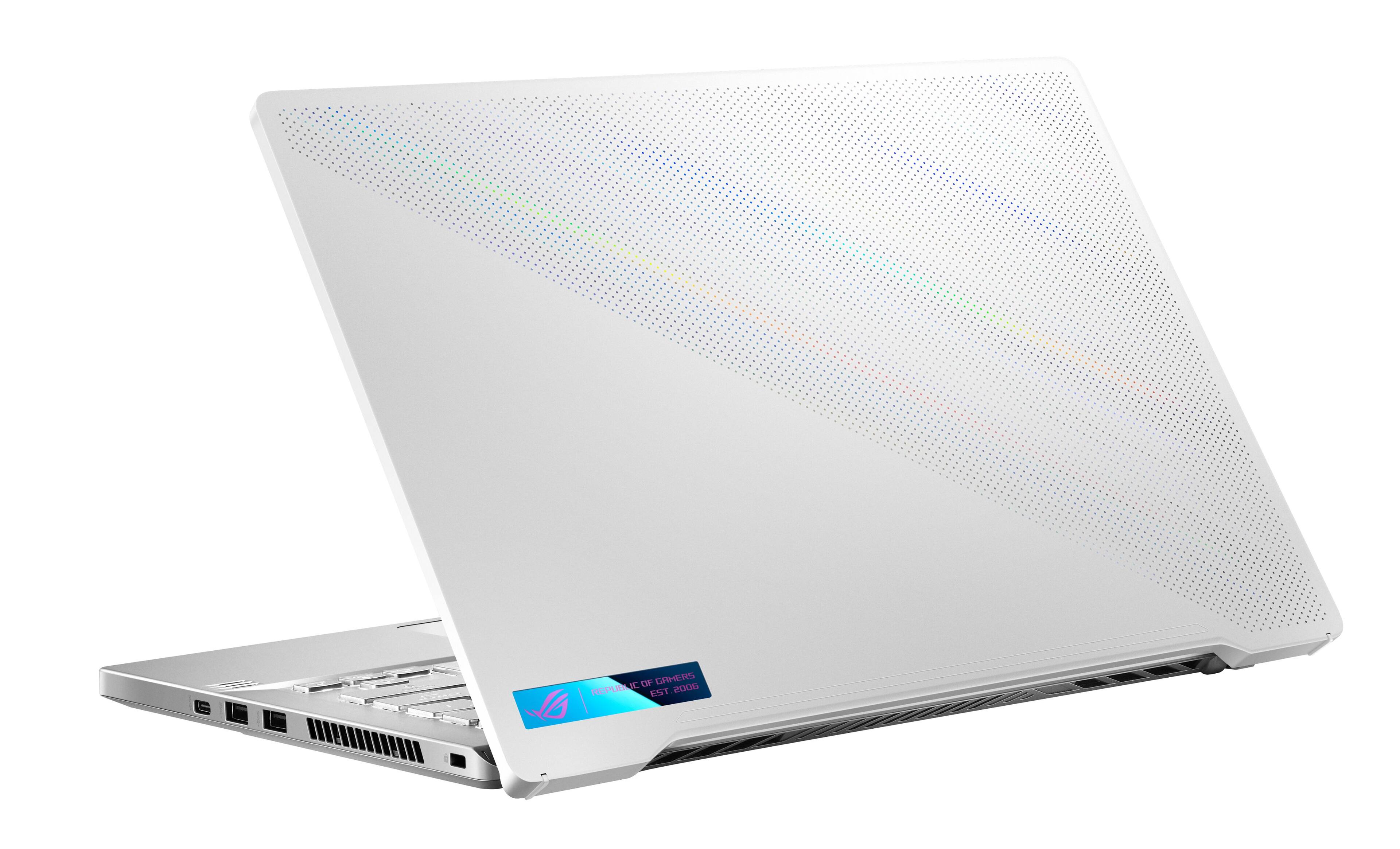
|Posted .This reviewer received promo considerations or sweepstakes entry for writing a review.ASUS - ROG Zephyrus 14" FHD 144Hz Gaming Laptop Summary: Excellent value for on-the-go gamers. Pros: * Svelte. This laptop has a lot of clever mechanisms and matching aesthetics. For instance, the lid opens and the unit lifts from behind slightly. Depending on the orientation of the unit to the available light, the unit shimmers an irridescent rainbow under the perferations. This breaks up the solid white look in a subtle way. * Specifications for this unit provide great value for this price point: NVIDIA 3060, Ryzen 7 5800HS, 16 GB RAM, a full HD screen, an available M.2 slot, USB ports, backlit keyboard, HDMI port, WiFi, Bluetooth all in a device weighing a hair over 3.5 pounds. * Price point. The convenience of the form factor packed with all of these specs means that this is an a great buy for the price point. Cons: * I still don't understand the trend, but this laptop does not include a webcam/mic in the display's bezel. You wouldn't think this is a problem, but many people play games cooperatively. A webcam would also allow people to attend work meetings if they needed to. * The matte screen shows an image that isn't as crisp as I might expect. * I would have liked a coordinating external keyboard and mouse available, but this isn't really a "con;" more like a "wish." Use: * I have owned several gaming laptops. In the past, I would opt for "desktop replacements." This mean insanely huge and heavy units. Now adays, though, specifications and form factors allow manufacturers to pack a lot more power into a unit and at a considerably lower price than ever before. I prefer to carry smaller laptops for my on-the-go gaming habit. This unit along with other ROG series laptops from Asus are an excellent fit for my needs. * At default settings, Destiny 2 runs at ~120FPS typically/consistently and not dipping below 60FPS in more intensive scenes. * At max settings, World of Warcraft plays easily at 120 FPS. If you have kiddos in the household, this is a great buy as a starter computer and will allow them to both do school work and play games.
I would recommend this to a friend - Pros mentioned:PerformanceCons mentioned:Webcam
A great choice at this price point
|Posted .This reviewer received promo considerations or sweepstakes entry for writing a review.I’ve used ASUS laptops for a few years now, I have last years Zephyrus M16 and a more budget 15” model from a couple of years ago. I normally take my laptop back and forth between my home and work, and while I love the my 2021 Zephyrus M16 I was really hoping the new Zephyrus 14” would be able to meet all of my needs. The idea was to hand down my Zephyrus M16 to my son and use the new Zephyrus 14”. First off let me say that while I think that the new ROG 14” is great, I can saw up front that I honestly think you would be better off and spending a little more if possible to get the model up from this one. While this is a new model, everything about it seems as if it was from their lineup last year. The trackpad seems more confined and the build feels a little more plastic. The screen is gorgeous for a FHD screen, but the bezels along the bottom is kinda large. I was annoyed that it didn’t include a web cam, and it seemed to have all necessary ports, but was missing an ethernet port. Both of those things I use at work most days. This is the extent of the negatives for this otherwise very capable device. Performance is amazing, not once has this laptop felt sluggish or seemed to be struggling. Playing games like Elden Ring, Lost Ark, New World, Fortnite, or a bunch of games off of XBOX Game Pass never seemed to trip up this device. Frame rates where mostly solid occasionally I needed to drop settings down a notch to High or Medium to keep frame rates solid above 60 in some games. Day to day tasks are handled easily. While gaming the fans definitely spin up, but the fan noise was never distracting especially when playing with headphones. I wouldn’t recommend trying to game on this with a sleeping partner next to you, but that can be said of just about any gaming laptop. The RTX3060 and Ryzen 7 chip along with 16GB of RAM do an excellent job of keeping everything running smoothly. This can easily handle any current AAA title and should be great for the near future. I had this connected to a 4K ASUS Gaming monitor running HDR and again it was able to keep performance high even for long gaming sessions. Sound is decent, what you would expect from small laptop speakers. The keyboard has a white backlight, that you can change the flashing pattern, but it’s not RGB so you can’t change the color. The entire package is super light so and can easily be carried back and forth from home to school/work. Build quality feels solid, and resilient. I do like that the keyboard area is regular smooth plastic and not the rubber like material my Zephyrus M16 has. I feel like this one is easier to keep clean. This laptop is great, and if this meets your budget than it’s a definite win. Now, if you can save up a couple of hundred dollars more I would go with the model right above this one. The model a step above this gives you 1TB of storage, the 512GB in this one seems cramped especially with the size of today’s games. The slightly pricier model also upgrades the processor to the Ryzen 9 and you still get a high end graphics card with the AMD Radeon RX 6700S. That along with the WQXGA (2560x1600) improved screen is why I would recommend trying to save a bit more money and go with the next model up. I feel that gives you a better bang for your buck. It also gives you a webcam and better trackpad. Again, if this model is already at the top of your budget that it will handle anything you can toss at it with ease and I can easily recommend it, but if you can afford a bit more go with the next model up.
I would recommend this to a friend Powerful 14" beast
||Posted . Owned for 1 month when reviewed.This reviewer received promo considerations or sweepstakes entry for writing a review.I love it, it plays everything 1080p at least at 60 on near max settings, the only thing it is missing is a microSD card slot
I would recommend this to a friend- Pros mentioned:Battery life, Design
A mobile gaming powerhouse with few cons
|Posted .This reviewer received promo considerations or sweepstakes entry for writing a review.The Asus ROG Zephyrus 14" FHD 144Hz Gaming Laptop (G14) pocks mighty some mighty gaming power in a somewhat small footprint all while staying reasonably cool. The G14 comes beautifully packaged and feels very premium as you open it. The main specs are listed in the description but here are some specs that you may be wondering about, there is 8GB of ram that is soldered onto the motherboard and the other 8GB can be upgraded and the NVME SSD is an Intel 670P which can also be upgraded or replaced. I did notice some intermittent WIFI issues with the MediaTek Wi-Fi/BT chip, but that might be fixed with a future driver update. The graphics cards in this laptop switch automatically so you don't have to worry about turning the more powerful discrete option on/off and it was quite easy to setup discrete GPU only features like DLSS in supported games. The audio experience on the G14 is quite good as there is a good amount of bass and volume which a lot of laptops lack. The 1080p 144Hz screen is a joy to look at it gets bright and the viewing angles are fantastic, it comes at 60Hz by default so you have to enable the 144Hz mode in Windows settings also be sure to enable Variable Refresh Rate for a tear-free experience (48-144Hz range). The backlit keyboard and trackpad are great as well and there is an included fingerprint scanner built into the power button. The laptop brings a power charger but can also be charged via USB Type-C Power Delivery charger on the left side port. Battery life is great for a laptop this size and weight as long as you aren't doing anything too intensive like rendering video or gaming you can get several hours of life for web browsing or watching video, gaming takes a toll on battery life but that is the case with any gaming laptop. Thanks to features like Nvidia's DLSS I was able to achieve high framerates in game with all of the bells and whistles turned up with very minimal image quality loss which helps take advantage of the high refresh rate display. Overall, I'm very satisfied with the G14, I wish it had the AniMe Matrix™ built in as this model does not have it to add an extra layer of customization and I wish they would iron out some of the Wi-Fi issues with a software update. I have no problems recommending the Asus Rog Zephyrus G14 to anyone looking for a great gaming laptop that's light and portable.
I would recommend this to a friend Great laptop
||Posted . Owned for less than 1 week when reviewed.This reviewer received promo considerations or sweepstakes entry for writing a review.It’s a great laptop! Powerful performance but can keep silent if you way
I would recommend this to a friend- Pros mentioned:Battery life, SpeedCons mentioned:Fan noise, Storage
Almost perfect, highly recommend!
||Posted . Owned for less than 1 week when reviewed.This reviewer received promo considerations or sweepstakes entry for writing a review.I've used this now for a couple of days pretty heavily, testing what's important to me. My Use Case: Using for college and on the go gaming. I have a top tier high end 4k gaming desktop I built but needed something for on the go, vacations, away from home studying, etc. This is a secondary gaming pc for me. It will default to 150% screen size, drop down to 125% to prevent some hazing on texts or blur issues. 100% seems too small. Pros: - Armory Crate: a pretty good control program for the laptop. Power profiles and battery settings make it easy to switch from low power general use to high power gaming or rendering. I have mine set so on battery life it sips power, downclocking cpu and turning off the 3060 to use the integrated vega graphics. with dropping panel brightness to 40%-50%, I'm getting around 11 hours of use using the silent mode. Switching to Performance or Turbo boosts clocks high and cranks fan speed to allow for high refresh 1080p gaming. - the 5800HS is blazing fast and handles multitasking and gaming very well. it does run a bit toasty depending on which power profile you use (armory crate). silent mode general use has the cpu around 40-50c, while gaming will see it boost up to 65-80c on performance or turbo. - the 3060 mobile maxes out at 80w, so there are higher tdp 3060 mobiles out there, but this holds up extremely well. Performance is most comparable to a GTX 1080 desktop gpu. Now depending on the power profile you're using, fan noise can ramp up a decent amount, and because laptop fans are small, they are louder. Using the performance profile, the noise was acceptable, turbo mode kicks that up a bit. Using headphones it doesn't matter either way. I didn't see temps go over 75c and usually stayed closer to 65c. - keyboard is lit with white and you can dim or turn off if it's not needed. there are a couple of light mode profiles you can use as well. Feels good when typing, solid. - build quality is great. Sturdy, heavy, does not feel cheap. The panel is kind of flimsy but most laptops are these days. opening with one hand on either side is best to not put pressure to one side. laptop does not lift up when opening the screen (dont need to put one hand on the base to open). Looks incredible and sleek, very premium feel. - 16gb 3200mhz dual channel ram provides more than enough for gaming or any other task you'd throw at this tier of laptop. - the size is amazing. compact and small enough to fit into smaller carry bags or laptop backpacks. perfect for on the go. If you're going to be using it as a main gaming laptop at a desk most of the time, i would opt for a larger panel laptop just for the convenience. Cons: - panel could be brighter but is very usable and provides a great experience. Panel has minor ghosting that is noticeable with grays or blacks and whites. not as bad as I've seen other places and seems better than a lot of VA monitors that are used for gaming. (this panel being IPS) - 512gb isn't a ton of room after OS takes up some. if your looking for a gaming laptop to be your main system - go for a 1tb simply for the game storage. I find 512gb to be fine since i don't have a ton of games installed at once. I don't store a lot of files on this either as I transfer to my main desktop.
I would recommend this to a friend - Pros mentioned:Design, Performance
SLEEK POWERHOUSE
|Posted .This reviewer received promo considerations or sweepstakes entry for writing a review.I have had the gaming laptop for about a week and the setup is pretty simple, right out of the box it has a very simple yet modern feel to it, it isn't bulky and it passes the one handed lid opening test. The less quality laptops require you to hold the laptop down as you open the lid because the hinges are super tight. I love the abundance of USB ports and the hdmi port, overall standard yet very well executed design. Gameplay I loaded and played one of my favorite games at this time, COD Modern Warfare. Once the game was fully loaded the game bootup time was very impressive, from clicking the game it loaded and was ready to play in 60 seconds. The SSD really has an impact on the loading time. The gameplay itself was very smooth, i didn't experience any glitches or lag when rotating in a 3d environment. The 144hz screen more than kept up with the FPS and gameplay achieved with this laptop. The colors popped right off the screen and the glare off the screen was not terrible. I did notice the extra touch and reflections with the RTX 3060, but i really dont appreciate it as much if it isn't displayed on a bigger monitor. The wifi 6 and my gigabit internet speeds allowed for smooth online play. It really is a very fun and fast gaming laptop. I only have 2 wishes with the laptop; The speakers are very low almost muffled, it does not bother me because i connect to wireless speaker when gaming or watching movies on it. But if you are gaming on the go the speakers do lack the audio to match the great looking graphics and smooth gameplay. The other issue is i did experience a slight lag when multi-tasking on the windows end, not sure if it is due to Windows 11 and tweaks that are needed or updates yet to be downloaded. Again it does not bother me because my main sue for this laptop is gaming and streaming. I did like the led's on the cover-lid but wish they had better animated graphics for it...but it is a nice look when it is plugged in and turned on. I genuinely love the laptop, a lot of gaming in a sleek smooth laptop.
I would recommend this to a friend - Pros mentioned:Performance, SpeedCons mentioned:Fan noise, Heat
At first it was great but in the end, disappoint..
||Posted . Owned for 9 months when reviewed.This reviewer received promo considerations or sweepstakes entry for writing a review.I loved this laptop when I first got it, it was fast, great form factor, nice keyboard, and looked good. But after a few months when playing games it got really hot when gaming, the fans got super loud, and there was a lot of stuttering and sometimes slow downs during game play. Also DO NOT USE THE ASUS Armory Crate software it is not well optimized and causes performance issues at times, don't believe me Google it and look at forum discussion's about it. Fast forward about 3-4 weeks ago, machine still has heat issues even with adjusting power and CPU usage and boost clock the machine continues to stutter and run hot and loud. I eventually removed the heat sink to find that the center part of the heat sink for the CPU had what appeared to be a burn mark or scorch mark on it, Googling this others with the same/similar model had similar issues. I replaced the thermal paste on it and this cooled things down by a lot and also quieted it the machine. Now my games were performing well again and it wasn't screaming, I thought victory! But this was shorted lived, about a week or two after this the machine suddenly would not play any games, I tried everything (clean install of drivers, Windows updates, driver updates, bios update, etc.), every game was a stuttery, laggy, mess and most games and even FurMark was doing no better then 8-10 FPS, checked task manager said it was only using 0.1 of the dedicated video ram, and was barely being utilized. A hardware monitor tool I use said the GPU was consuming 650 watts, which is physically impossible as the GPU at max could do 100-150 watts, and the power supply is only 300 or 320 watts. After more Googling and checking ASUS's website I find out this has happened to others for the model, and because apparently this particular model is a Best Buy exclusive ASUS will not offer any direct support and they tell you have to take it to Best Buy. The forum post I read basically said they the first attempt to RMA/depot repair it resulted in it not being fixed and in the end Best Buy issued a refund/credit for a new laptop. ASUS used to be quality but it seems they have gone down hill. I will likely not be buying a ASUS laptop in the future and I can't recommend this or similar models in good faith. Hopefully I end up getting a refund in the end and can use that money to buy another machine as I kind of don't want it anymore. In the end the machine only lasted 9 months, thankfully before the warranty expired.
No, I would not recommend this to a friendBrand response from ASUS Answers
Posted .Dear Brent,
It is really unfortunate to hear about how your ASUS laptop slowed down due to cooling issues. This is definitely not the norm and is not the type of quality to expect from ASUS products. Your unit should still be within warranty so we recommend reaching out to Best Buy for support as they are an authorized service provider for ASUS laptops sold through them. If you are unable to get the assistance you require then you can get support directly from ASUS. We do stand behind our product and we continuously strive to improve our products and processes in order to achieve customer service excellence. For more information send us an email at [email protected] and provide the case number "N2107002091-0071" for reference. We’ll do our best to provide a quick resolution to your case. Your feedback is important as it helps with improvements to ASUS Support channels. Thank you for choosing ASUS.
Best Regards,
Leonardo
ASUS Customer Loyalty US Support