Customer Ratings & Reviews



- Model:
- GA401QM-G14.R73060
- SKU:
- 6494633
Rating by feature
- Battery Life
Rating 4.2 out of 5 stars
- Speed
Rating 4.7 out of 5 stars
- Display
Rating 4.5 out of 5 stars
Customers are saying
Customers are delighted by the ROG Zephyrus 14" gaming laptop's impressive performance, long battery life, and portable design. Many appreciate its lightweight nature and the vibrant display, although some users note that the device can get warm under heavy use and that the fan can be noisy at times. The lack of a built-in webcam and limited storage are also frequently cited drawbacks. Overall, the laptop receives positive feedback for its combination of power and portability, despite some minor issues.
This summary was generated by AI based on customer reviews.
- Pros mentioned:Battery life, Performance, PortabilityCons mentioned:Storage
Portable Monster.
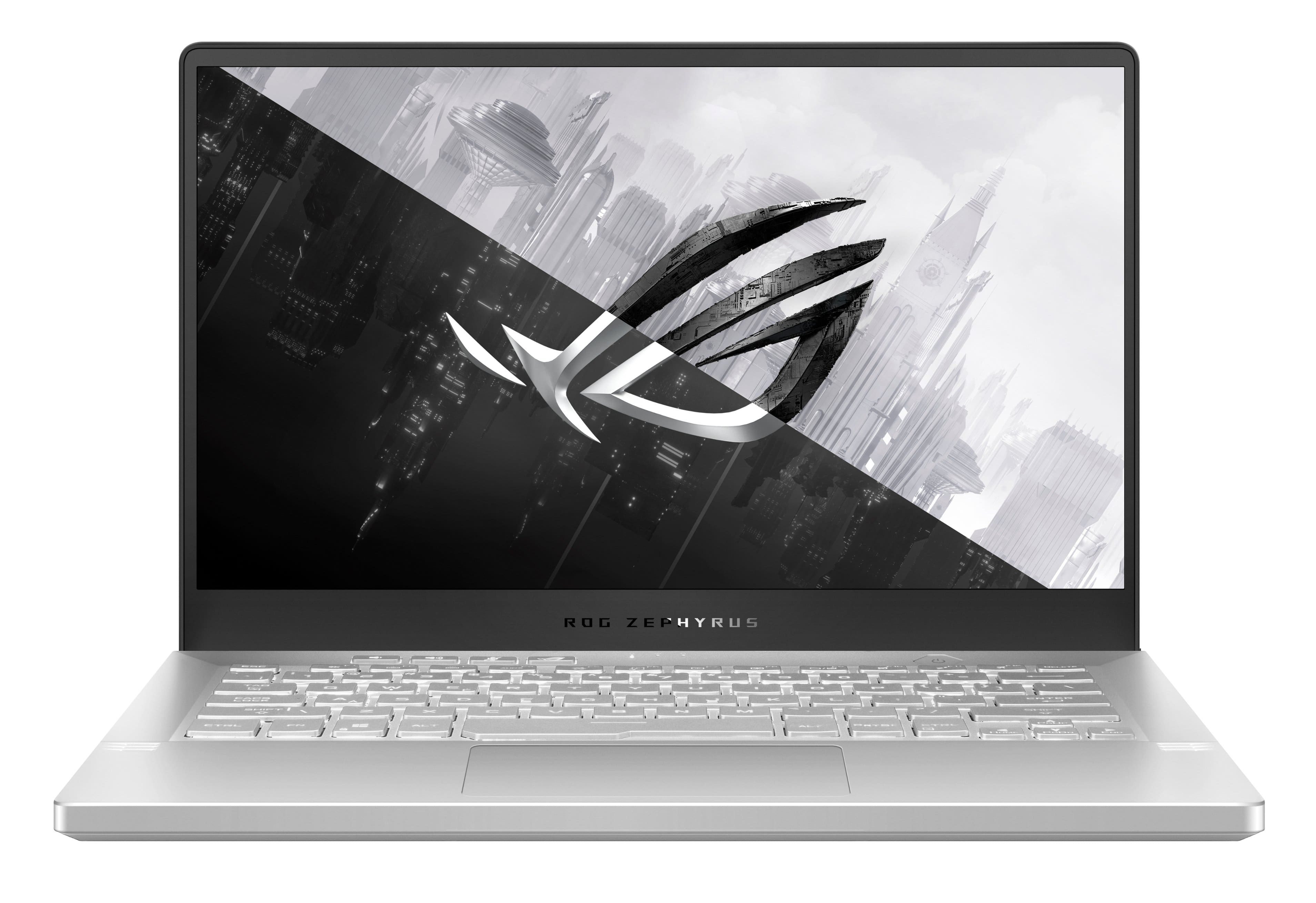
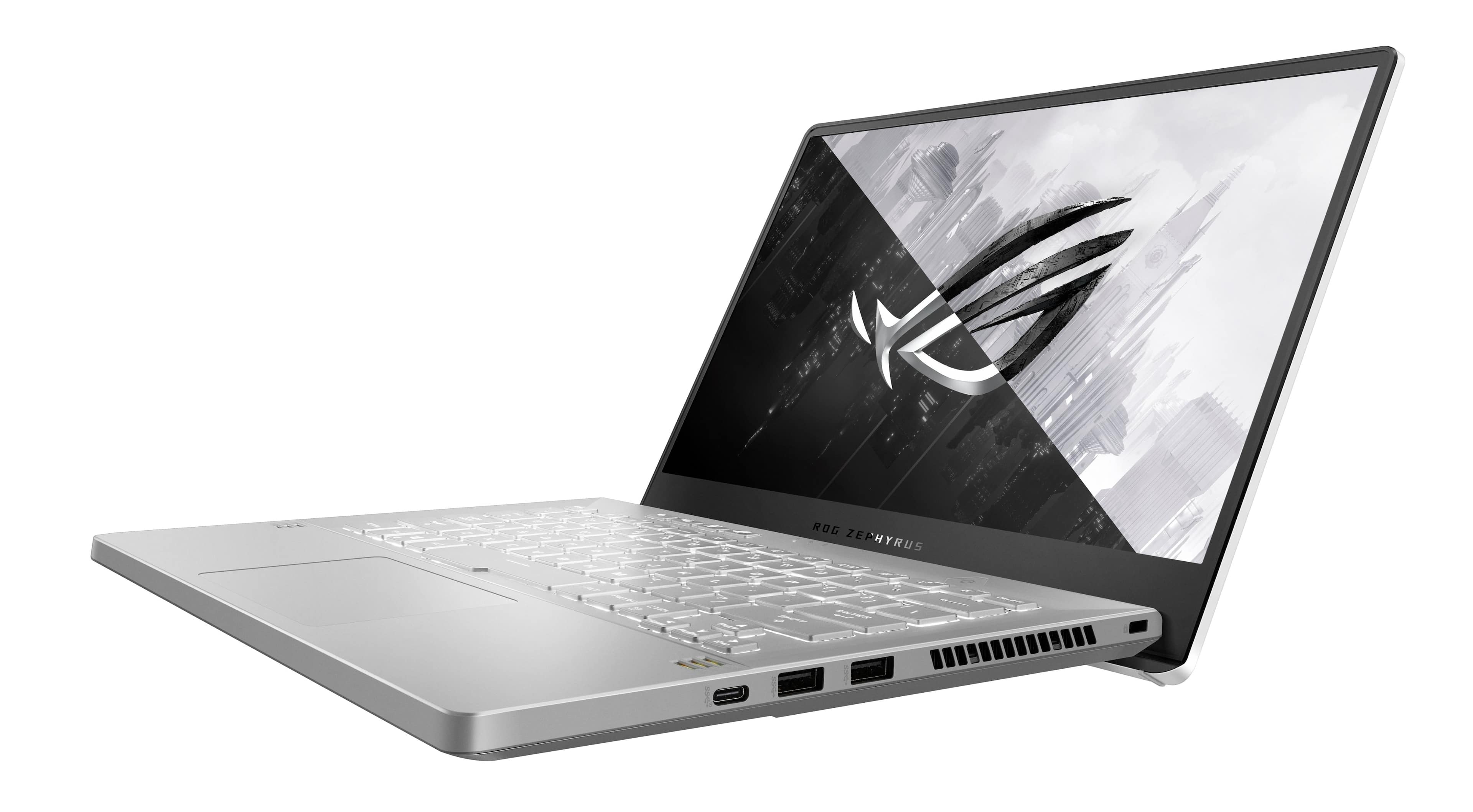
||Posted . Owned for less than 1 week when reviewed.This reviewer received promo considerations or sweepstakes entry for writing a review.Portable powerhouse: Powerful Ryzen 7 paired with the RTX 3060 is comparable to an RTX 2060 Desktop. It's all you could ever ask for in a gaming laptop. RAM is decent. 16GB is the new 8GB standard, allows for multiple tasks almost flawlessly. Keyboard: It's small, portable, and has a fantastic keyboard to type on. The keys are responsive and have a nice travel distance between them and don't feel mushy unlike most gaming laptops at this price point. Great for writing college papers and playing games on. The slight to the keyboard not only makes the typing experience better but it overall makes things easier to reach on a minimalistic level. It also allows for better air flow which is much needed on this laptop given the size : power ratio. Storage (7 /10)? : 512 GB SSD could be better but still very responsive and quick to boot / open applications. Alternatively there is a 1TB option but I was not able to pick that up locally. Upgradable storage option is available. Portability (9.5/10) : This laptop is on the heavier side for a 14 inch gaming laptop, but yet so compact it makes for a great fit in a backpack, or carrying it around in hand. Great for going to class as this laptop will not kill your back. Great for traveling, airplanes, and / or busses as this laptop does not take up as much space as most other gaming laptops are a bit on the beefier and heavier side. Screen (8/10) : 144Hz is the new 60 Hz standard, however it is still a fantastic screen. I am a bit more forgiving of this screen due to its size. There's not too many 14 inch laptops with 144z (and or higher) screens. It's bit on the smaller size which I don't mind, however it makes things feel a bit cramped when watching a movie or playing certain games. The color accuracy is great. It's not oversaturated, not does it lack color in any area. Brightness is mid on this PC and isn't the brightest screen you can ask for, but it gets the job done in well lit areas. Fingerprint scanner (6/10) : Not good, but not terrible. Aesthetics (9/10): It's subtle, and to some, maybe even boring, however do not let the looks fool you. This is a portable monster. Keyboard backlight is only 1 color and comes with a couple different options when changing the effect of this laptop. While not the most interesting keyboard, it is still pleasing to the eye given that most gaming laptops either come with a red or RGB keyboard. It mainly looks like a standard laptop with beefier ventilation which is what I like to see in a gaming laptop. Most laptops have their brands written all over them which is annoying, however with this laptop, that is an optional feature that comes with this PC in the Armoury Crate. Overall I give this laptop a 9 / 10 on visuals. Ultimate sleeper build. Battery life (9.5 / 10) : fantastic battery life given the size of this laptop. Almost lasts a full day on power saving mode (basic tasks only). On the better side of battery life for gaming laptops generally speaking. Ventilation (6 / 10)? : Runs on the hotter side and can reach up to 90 degrees sometimes on default settings. Ryzen Controller and MSI Afterburner will help keep your PC in check.
I would recommend this to a friend - Pros mentioned:Design, PerformanceCons mentioned:Fan noise
Portable Gaming Excellence
||Posted . Owned for 3 months when reviewed.This reviewer received promo considerations or sweepstakes entry for writing a review.The ASUS ROG Zephyrus 14" FHD Gaming Laptop, equipped with an AMD Ryzen 7 processor, NVIDIA GeForce RTX 3060 graphics, and a 144Hz display in Moonlight White, is a portable powerhouse designed for gaming enthusiasts. After thorough use, here's my take on its strengths and limitations. Pros: 1. Impressive Performance (5/5): Powered by the AMD Ryzen 7 processor and NVIDIA GeForce RTX 3060 graphics, this laptop delivers outstanding gaming performance. It handles modern games with ease, offering high frame rates and smooth gameplay. 2. Portable Design (4/5): The Zephyrus' slim and lightweight design makes it a highly portable gaming laptop. Its Moonlight White finish adds a touch of elegance to the overall look. 3. High Refresh Rate Display (4/5): The 144Hz FHD display ensures a fluid gaming experience with sharp visuals and minimal motion blur. It's also suitable for content creation and productivity tasks. 4. Fast Storage (4/5): The 512GB PCIe SSD provides ample storage space for games and applications, while delivering fast read and write speeds for quick load times. 5. RGB Keyboard (4/5): The customizable RGB keyboard allows you to personalize the laptop's aesthetics and create a unique gaming setup. It's also comfortable for extended typing sessions. 6. Connectivity (5/5): The laptop offers a good selection of ports, including USB-C, HDMI, and multiple USB-A ports, ensuring compatibility with a wide range of peripherals. Cons: 1. Display Brightness (3/5): While the display is fast and vibrant, it may struggle with outdoor visibility due to its limited brightness in well-lit environments. 2. Fan Noise (3/5): During intense gaming sessions, the laptop's cooling fans can become relatively loud, which may be distracting in quiet environments. 3. Battery Life (3/5): Like many gaming laptops, the Zephyrus' battery life is modest, particularly when running resource-intensive tasks. Expect to be tethered to a power source for extended gaming sessions. 4. Webcam Placement (4/5): The integrated webcam is positioned at the bottom of the display, resulting in unflattering angles during video calls. An external webcam may be preferred for better positioning. Conclusion: In conclusion, the ASUS ROG Zephyrus 14" FHD Gaming Laptop in Moonlight White offers impressive gaming performance in a portable and stylish package. Its combination of the AMD Ryzen 7 processor and NVIDIA GeForce RTX 3060 graphics ensures that you can enjoy demanding games with high settings. However, it does come with some trade-offs, including limited display brightness, fan noise under heavy load, and modest battery life. If you're a gamer on the go or someone who needs a versatile laptop for both gaming and work, the Zephyrus is a strong contender. Its slim profile, high refresh rate display, and ample storage make it an excellent choice for those who value both portability and gaming performance. Just be mindful of its battery life limitations and consider your usage scenarios accordingly.
I would recommend this to a friend - Cons mentioned:Heat

14" powerhouse that can do more than just gaming
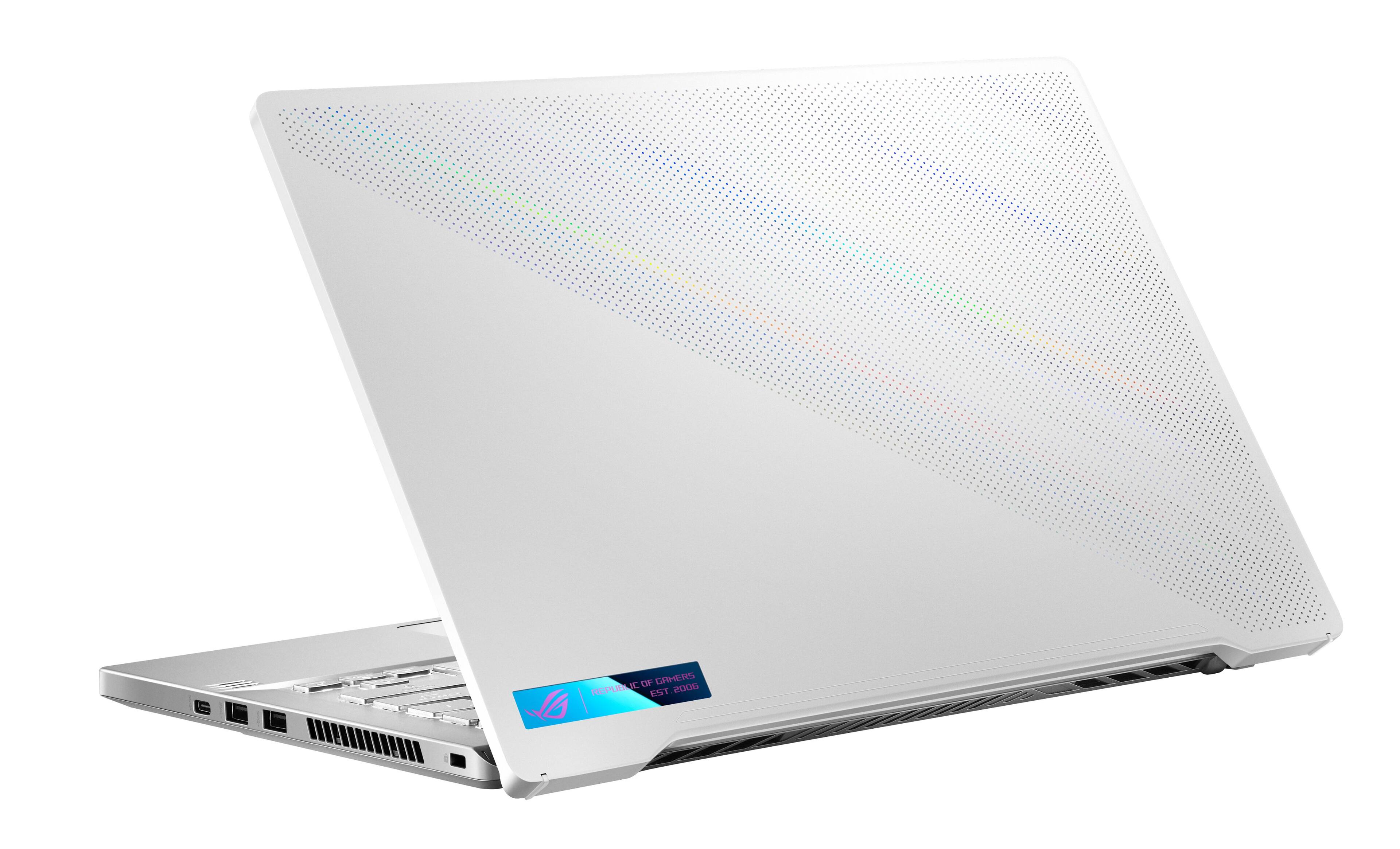
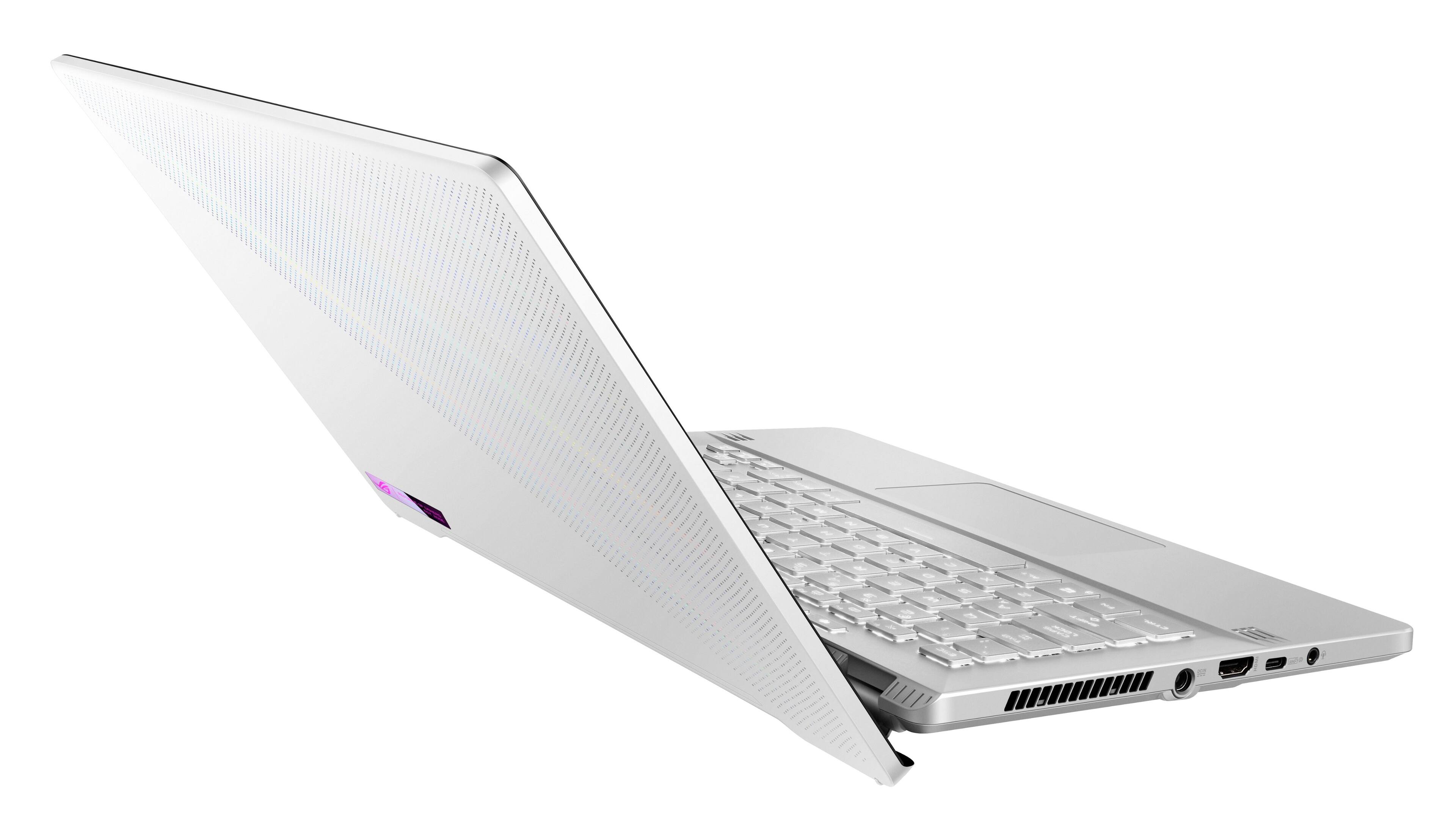
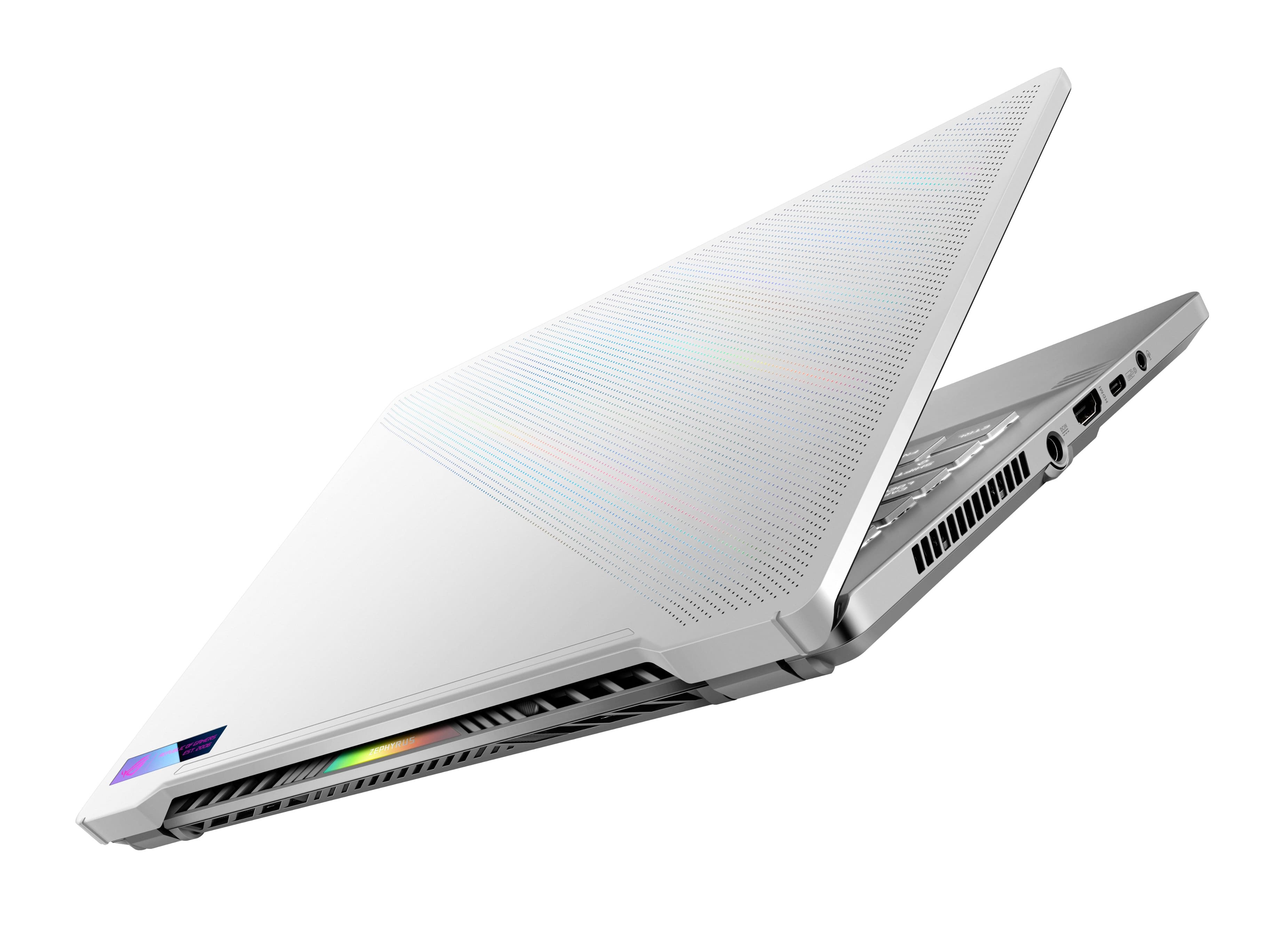
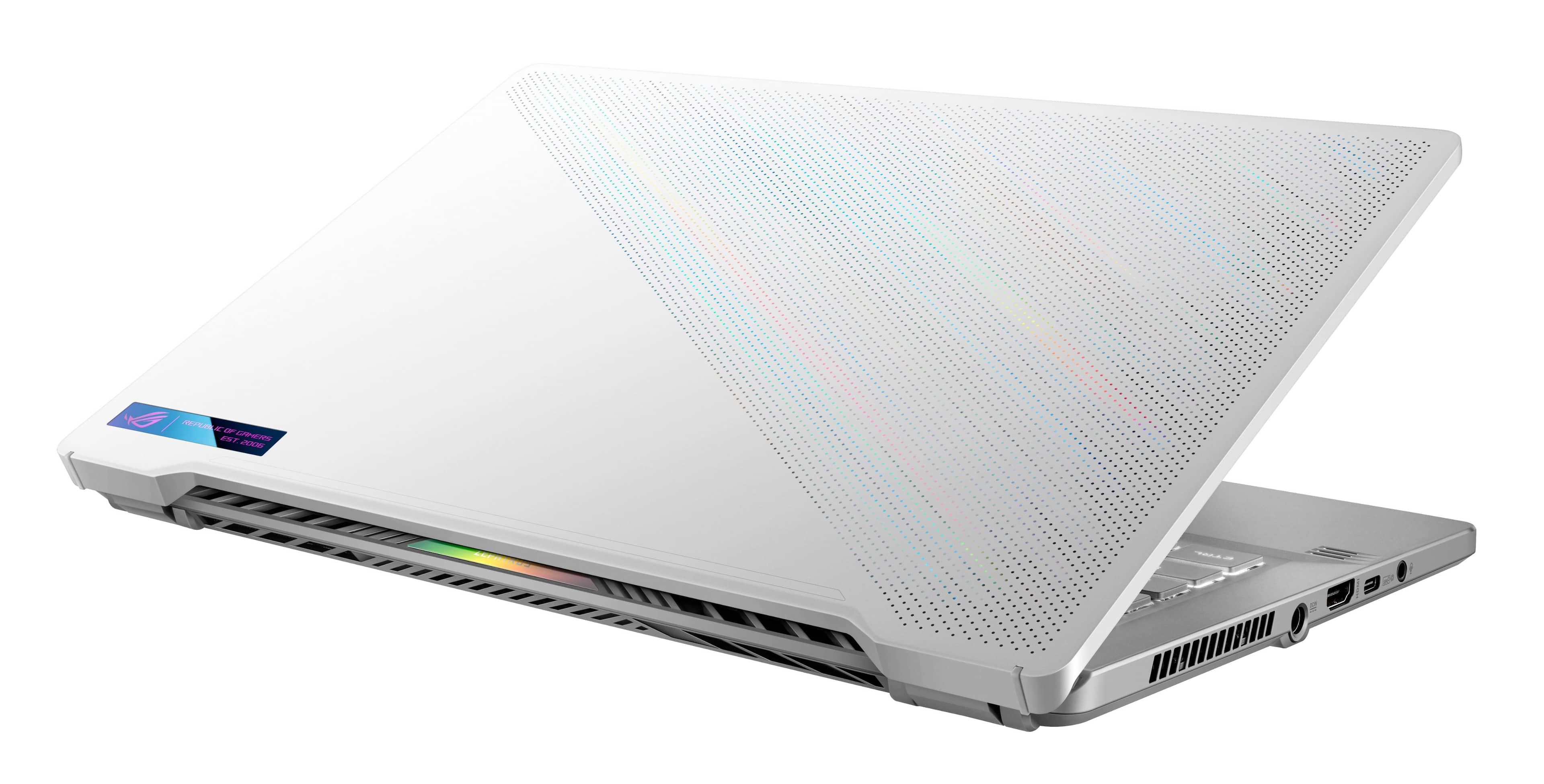
|Posted .This reviewer received promo considerations or sweepstakes entry for writing a review.It was a treat for me using my very 1st Asus laptop. I've owned many HP and Dell gaming laptops, but the Zephyrus was just great. My 1st thought was, "Am I going to like a 14 inch screen?" as I am plenty experienced with 15-17 inch ranges. Short answer, yes. I was shocked too. 14 is plenty for the FHD settings since 1080 is the max this laptop will go. Unboxing was nice. Asus really made it easy to open the box and as soon as you do, it lifts the laptop up for you for easy removal. Inside was the normal paperwork and power cord/brick. The laptop itself is just beautiful to look at. I've every only owned black or "slate" colors, so the white with the holes on the top gave it a great personality. I know the higher up models let you do pixel art and stuff with it, but this one is just for looks. The portability of the G14 is 2nd to none. It will fit anywhere you want and has a smaller form factor than my Tab S7+. Only thing I would be afraid of is because it is white, it will get dirty easy. Build quality is great. Resting my giant gorilla hands on the mechanical keyboard feels good and not cramped at all. There is also no "bowing" or flexing so far on the frame so longer periods of gaming or browsing so you should be good. Touchpad is good for it's size. Light touches are just fine and you don't need to push hard or drag your fingers. Firing it up surprised me after the initial Windows 11 setup. There is literally little to no bloatware at all. I am assuming maybe because this model comes with a 512gb SSD instead of a standard 1TB (In my opinion, 1 TB should be the bare minimum) so you are already limited on space right off the bat. Another good thing I liked a lot was the lack of a built in webcam. Some people like it, I myself hate them so thumbs up for me. Performance for gaming is great. I had to change the advanced graphics settings in Windows 11 because for some reason it defaulted (plugged in or not) to a max of 60hz instead of the 144 this little beast can push. Once that was done, a lot of my steam library played a lot of titles (Indie to AAA) on Med to High settings at 144 easy on the mobile RTX 3060. FPS would obviously drop to lower 90s to 100s depending on the title and settings but gameplay never made anything unplayable. Sound is fine and passable, but it doesn't hold a light to my XPS when it comes to built in speakers. Since I just game on it, I use headphones anyways so it's never an issue for me. There are a couple of things that I personally did not like. First was the SSD. 512gb is nothing nowadays for any PC albeit a laptop or desktop. Second the battery life is short. I mean SHORT. I average 2.5 hours when gaming before getting the battery low warnings. You can extend the life my changing performance settings and sacrificing CPU and GPU power. If you're just browsing the web or streaming a video then battery life is more. Third is heat. This little guy gets warm to the point of hot when gaming. The fans do kick on when the temps rise so it sounds like a mini jet engine trying to get the temps lower. Honestly, it barely helps. Exhaust vents get hot after a gaming session and the bottom gets uncomfortable on you lap. Forth is the pitiful 16gb of RAM. The included Armory Crate software is actually a useful tool for showing thermals and performance while the laptop is running. As the laptop is great for gaming it will also handle everyday use for everything else easily. Streaming, browsing and schoolwork is no match for it. I would still recommend the G14 but would highly recommend upgrading the SSD at least.
I would recommend this to a friend - Pros mentioned:Performance, Portability
Exceptional Gaming Performance in a Stylish Packag
||Posted . Owned for 2 months when reviewed.This reviewer received promo considerations or sweepstakes entry for writing a review.I recently purchased the ASUS ROG Zephyrus 14" FHD Gaming Laptop in Moonlight White from Best Buy, and I couldn't be more thrilled with my purchase. This laptop offers an outstanding gaming experience, all wrapped up in a sleek and stylish design. Performance: The AMD Ryzen 7 processor combined with the NVIDIA GeForce RTX 3060 graphics card delivers exceptional gaming performance. I've been able to run the latest games smoothly at high settings with ease. The 16GB DDR4 memory ensures that multitasking is a breeze, making it not just a gaming powerhouse but also suitable for productivity tasks. Display: The 144Hz FHD display is a joy to game on. The high refresh rate ensures smooth gameplay, and the colors are vibrant, making games and movies look stunning. The 14-inch screen size strikes a perfect balance between portability and immersion. Design: The Moonlight White color option is a refreshing departure from the typical black gaming laptops. It's both elegant and unique, making it stand out in a sea of gaming machines. The build quality is top-notch, and the laptop feels sturdy yet lightweight. Portability: One of the standout features of this laptop is its portability. It's incredibly thin and light for a gaming laptop, making it easy to carry around. The battery life, while not exceptional, is decent enough for on-the-go gaming and work tasks. Keyboard and Trackpad: The keyboard is comfortable to type on, and the RGB backlighting adds a cool aesthetic touch. The trackpad is accurate and responsive, though most gamers will likely opt for an external mouse for gaming. Connectivity: The laptop offers a good selection of ports, including USB-C, USB-A, HDMI, and a headphone jack, ensuring you can connect all your peripherals without any issues. In summary, the ASUS ROG Zephyrus 14" FHD Gaming Laptop in Moonlight White is a fantastic gaming laptop that delivers exceptional performance in a stylish and portable package. It's an excellent choice for gamers and creative professionals looking for a balance between power and style. Best Buy provided a hassle-free shopping experience, making it even more satisfying. Highly recommended!
I would recommend this to a friend - Pros mentioned:Design, PerformanceCons mentioned:Fan noise, Webcam
Decent
||Posted . Owned for 1 month when reviewed.This reviewer received promo considerations or sweepstakes entry for writing a review.Decent computer. Graphics are good and it runs smoothly, although has closed out and down randomly a few times. The touchpad is very sensitive, even when adjusted, and has closed right clicked or closed out of tabs at very inconvenient times. I recommend a mouse. The fan can be loud and i feel like it should have a webcam. Also this is NOT the computer with the lights.
I would recommend this to a friend - Pros mentioned:Portability
Good but not Great. Go for the Zephyrus G15.
|Posted .This reviewer received promo considerations or sweepstakes entry for writing a review.Let me start off by stating that I absolutely LOVE ASUS and their ROG series of gaming computers and peripherals. Last year I got (and reviewed here) the ROG Zephyrus G15 and it was (and still is) the BEST laptop I have ever used. It is an absolute beast, and when I unfortunately had to switch to a different platform due to work, I gave it to my niece who is going to school for graphic design and enjoys gaming herself. She is over-the-moon with that computer! That being said, I kind of missed playing some of the games that I had on that computer. I don't play a lot of high end games on PC. I'm playing old classics from GOG, Star Trek Online, and Civilization VI. I thought the ROG Zephyrus G14 would be more than enough for these games but I may have been wrong. I'm not really sure who this computer is for. It seems like it is a Best Buy exclusive since I can't even find this exact model on the ASUS website. Perhaps they are thinking that this would be a great 'starter' gaming laptop but I think they missed the mark. I'm going to start with what I don't like: 1. SSD Size: 1TB should be the bare minimum nowadays with the size of many games these days. If you want to also have any productivity software loaded as well, you are going to be juggling programs. 2. Upgradeability: If you are going to only put 512gb of SSD in a laptop, you need to at least have a second slot for another drive, but nope. I had a 1TB drive I thought I would be able to put in this like I did with my G15 and assumed that it would have an open slot. That's what I get for not reading all the specs on the site (it's right there). When doing a 'starter' anything, it should be upgradeable as you get more money to add accessories. When I saw the bottom of the G14 I was actually really stoked because unlike the G15, none of the screws are hidden under stickers or pads. Fortunately, before I cracked open the case, I looked up the motherboard configuration of a similar model and noticed only one SSD slot. I thought that couldn't be right and went back to the product description on the Best Buy site, and sure enough, it was correct. 3. Keyboard: The G15 had an OUTSTANDING keyboard. The G14 is at best 'meh', at worst 'not good'. I haven't made that many 'fat-finger' mistakes while typing as I did on that keyboard yesterday when writing an email. The keys themselves just feel flat and squishy to me. This led to what felt like an unresponsive keyboard while playing. Forgivable in most of the games I play, but absolute in-game death for more active games. 4. Battery Life: 2 hours, 7 minutes. That is the amount of time I was able to play Star Trek Online before the computer yelled at me that I needed to plug it in. That's from 100% battery to start. I didn't even have the graphics turned up to max and I had the computer set for balanced and not performance. I would hate to think about how fast I would have burned through that battery had I been playing something like MS Flight Simulator. 5. Heat: Speaking of burning, I need to mention the amount of heat this thing can put out. Again, not playing a powerhouse AAA game at 4k, just a 10 year old MMO on a 1080 screen. It has been a cold couple of mornings lately and my wife stole the heater I have in my office. Didn't need it, the G14 raised the temperature in my office by 6 degrees by the end of that 2 hour game session! I guess as a bonus, the G14 can be a makeshift heater if your furnace goes out on you. While the heat the G14 puts out is considerable, I do have to say that the bottom of the computer and the keyboard stayed relatively cool. The G14 does a good job blowing that waste heat away from the user. 6. Performance: Despite not running graphics intensive games, I still got some graphic stuttering. I have also had a few instances of the laptop hanging on shutdown. I've gotten so used to computers shutting down in a snap that I hardly even pay attention. One of the times I came back into the office after lunch and it was still trying to shut down. I would think that with a Risen 7 and a RTX 3060, the G14 would eat my games alive without a hitch, but it gets kneecapped pretty easily. I did also check to see if the Zephyrus G14 could drive Star Trek Online and Battletech on a 4k monitor, and it COULD, but you probably won't be too happy with it. You also better have the G14 plugged into mains and have it pouring juice into the GPU. Good news with that is that the heat from that could probably make a 2000 sq/ft house feel nice and toasty! Ok, because I like ASUS so much, I'm going to be nice and finish on a high note, because for all its faults, the G14 does have some nice features. 1. Build Quality: The Zephyrus G14 is solid and well built. It does not feel like it is in the sub-$1500 range of laptops. 2. Looks: The G14 is absolutely gorgeous to look at, especially in the Moonlight White. I had the black version of the G15 and I like the white better. 3. Screen: Most of those old games I have been playing have a native resolution far below the G14s FHD screen and they look great on it. The brightness and colors are also great. If you are playing mostly modern games though, you will probably want a QHD screen at a minimum. 4. Portability: Now some of the design decisions for the G14 were obviously made to meet a prime requirement for outstanding portability while maintaining some semblance of power. While feeling solid and well built, the G14 is remarkably light and svelte. 5. Sound: The speakers on the G14 are outstanding. They are incredibly clear and can get pretty darn loud without distortion. Phasers blasting and Klingons blowing up sounded great! Also, when just doing regular web-browsing or Office applications, the G14 can be remarkably quiet. Even when it is blasting out heat with blowing fans, it is not as loud as some systems I have used. Conclusion: If you are trying to decide between the G14 and similar spec'ed gaming laptop from another maker, go with the G14. I guarantee that the Zephyrus G14 will match but most likely beat anything else in its class. That being said, if you can afford just a bit more, I would buy last years G15 before I got the G14. Also, the G14 does pretty well with my older games, but if you are playing the latest and greatest, you will want to go with a higher powered Zephyrus model.
No, I would not recommend this to a friend - Pros mentioned:Battery life, Design, Performance
Cons - No webcam other than that best for gaming
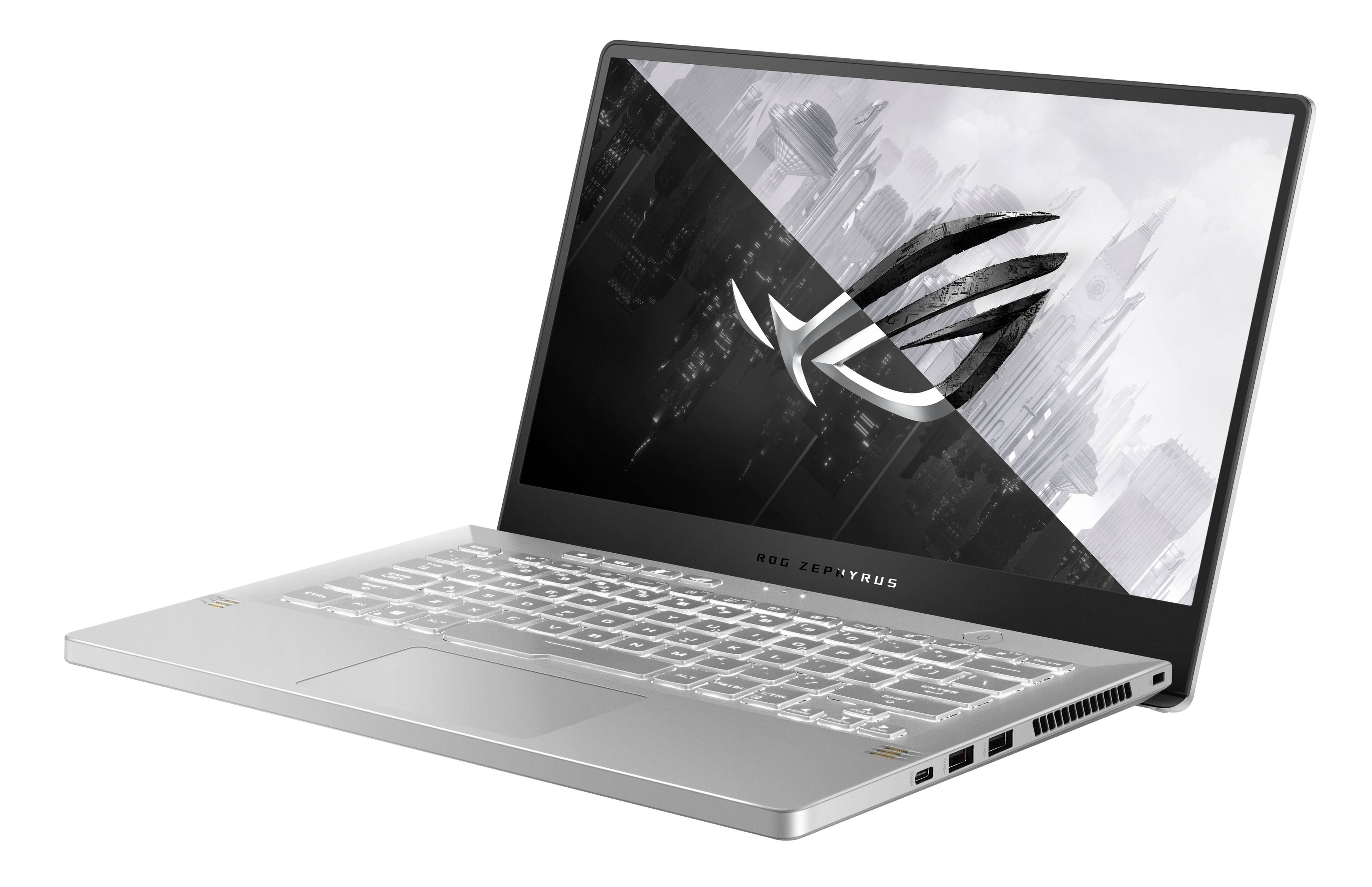
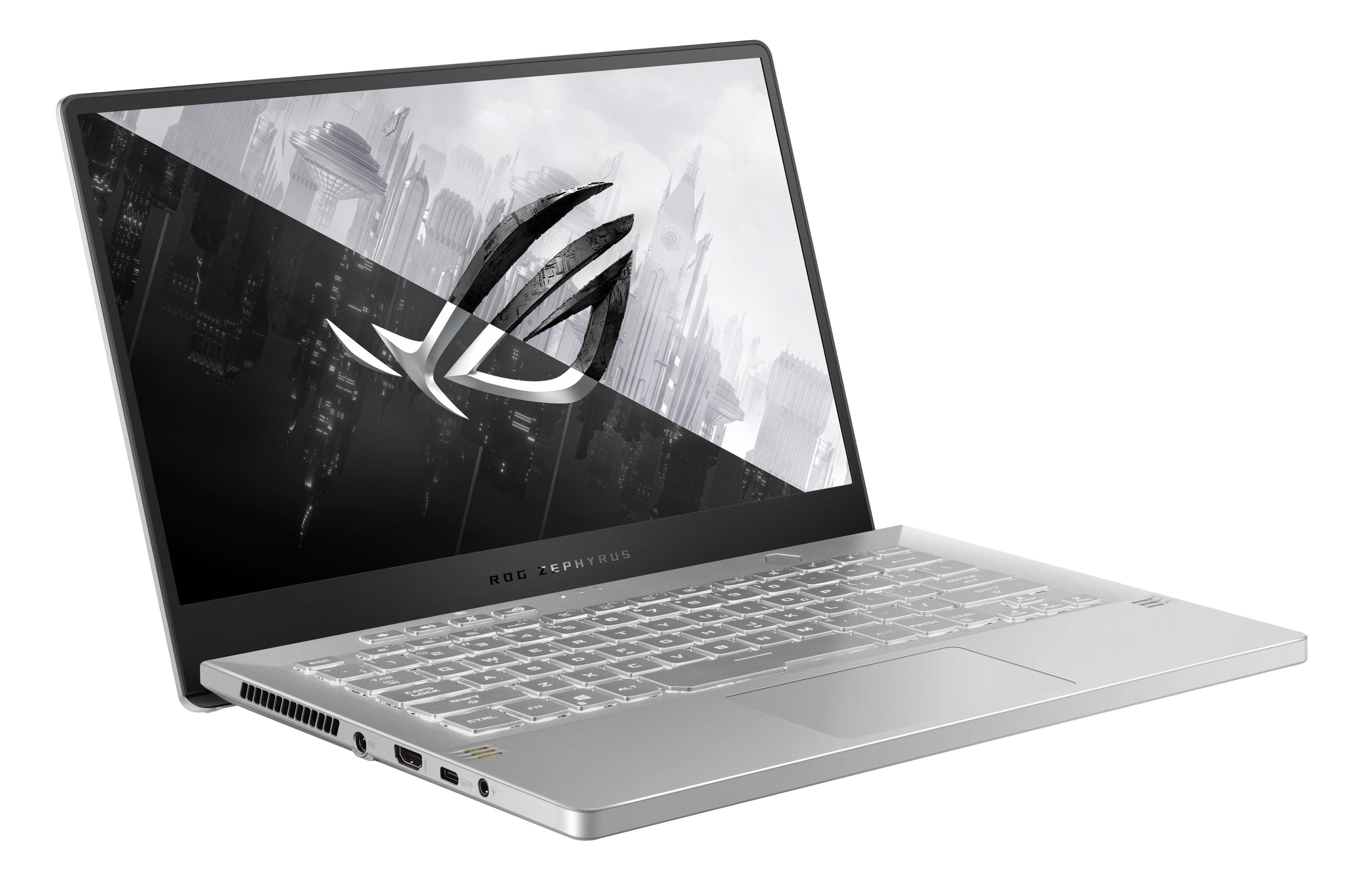
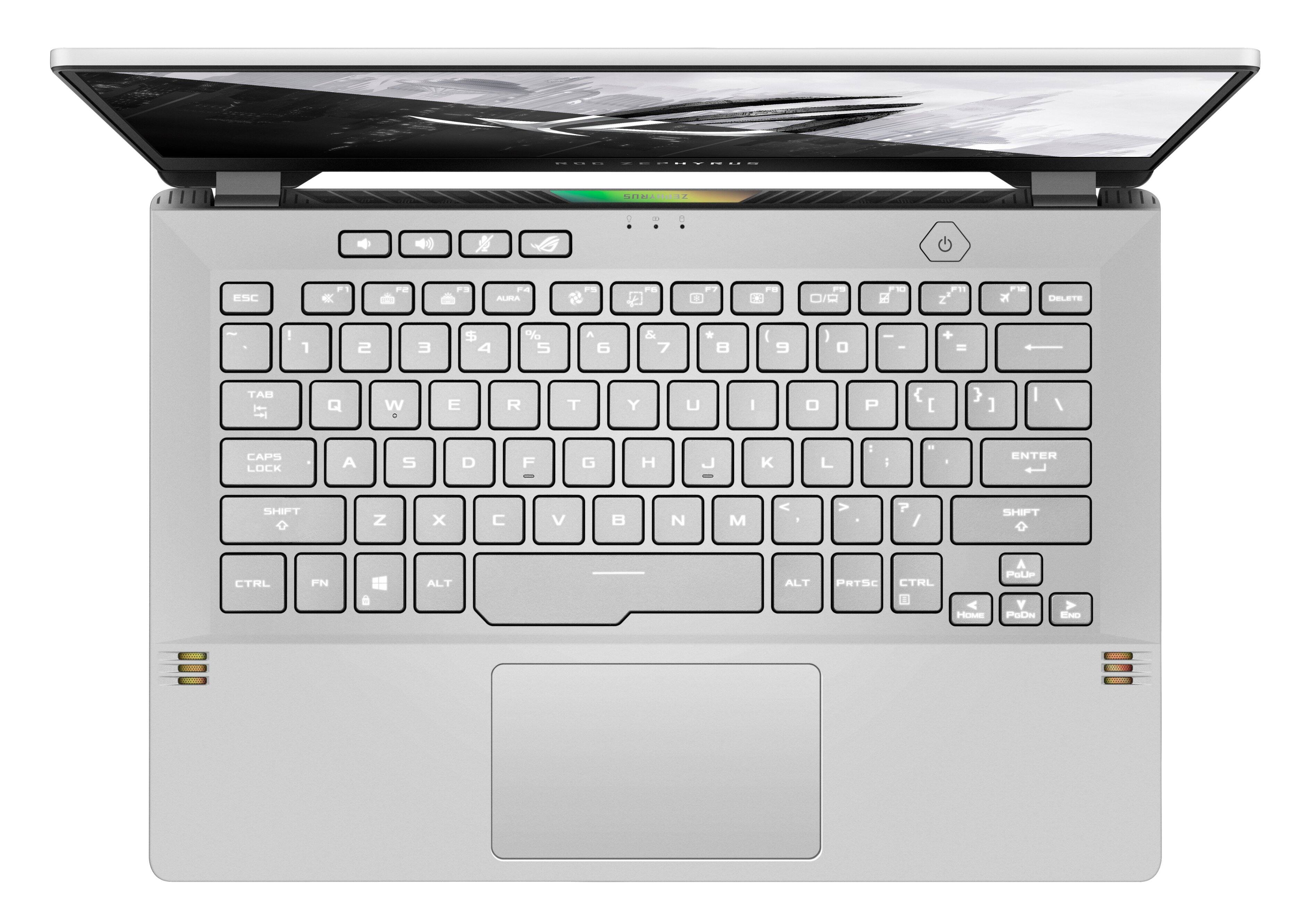
||Posted . Owned for less than 1 week when reviewed.This reviewer received promo considerations or sweepstakes entry for writing a review.Setup: The unboxing experience of the ROG Zephyrus G14 is a highlight in itself. When opening the box, the laptop raises up towards you. You immediately see the white lid with its grid of tiny holes that have a material beneath that shimmers in the light. It’s a striking laptop, and ASUS went above and beyond to showcase that from the moment you unbox it. Once powered on, the Windows 11 guided setup is simple. Most steps are quick but there were some required updates, so it took me around 45 minutes to complete the setup. Design: I quickly noticed the sleekness and portability of the ROG Zephyrus G14. A lot of the gaming laptops I’ve seen with similar performance are large, bulky, and heavy. That’s not the case here. One significant benefit of the thin and light design is that it makes this laptop a great multipurpose driver. I love to game, but I also need a laptop that’s portable. I really like that the ROG Zephyrus G14 doesn’t make me compromise on either. When I need to be productive or simply use it as my daily driver, the keyboard and trackpad make it an enjoyable experience. The ROG Zephyrus G14 has the best keyboard I’ve used on a laptop. Typing feels comfortable, and the keys are backlit. It is also quiet. Opening the laptop’s lid angles the keyboard slightly towards you which adds to the comfort. I especially appreciate the dedicated keys for volume, microphone mute, and ROG Armoury Crate for easy access above the keyboard. Also above the keyboard is the power button which doubles as a fingerprint sensor. The trackpad is large and responsive. I don’t find myself running out of room when I’m scrolling, and it’s easy to click. If I stopped here, I’d give the design five stars, but what this ROG Zephyrus G14 lacks is a webcam. You can use a feature in “Link to MyASUS” called “Shared Cam” to link your phone and use it as a webcam, but the extra steps are a bit of a nuisance, and I noticed some lag. When it comes to ports, you get two USB-A ports, two USB-C ports (one of which has DisplayPort video-out functionality), one HDMI video output, a headset jack, and the power connector. I was happy to see that the sleek design didn’t compromise the ports that are offered. The missing webcam aside, it’s hard to find any flaws in this beautifully designed laptop. Gaming Performance: I won’t bore you with a bunch of benchmark test results. If you’re into that, there are plenty of other reviews online that can be referenced. What I’ll say is that I’ve had a phenomenal gaming experience playing a variety of games, and the frame rates are consistently high. Like other games I’ve tried on the ROG Zephyrus G14, my favorite game to play right now (Halo Infinite) performs at high frame rates with no lag. I was able to pair my Xbox controller to the laptop easily, and it’s been responsive with no lag or connection issues. I don’t do photo/video editing or other performance-intensive tasks, but I bet this laptop could handle just about anything you throw at it. The power that’s packed into this sleek laptop is impressive. Display: The Full-HD 144Hz display is colorful, bright, immersive, and responsive. Games I’ve been playing for years have been given new life on this display. Color accuracy and clarity are also top-notch. Experiencing the gorgeous display along with the high refresh rate is a real treat. Speakers: The audio output by the speakers on the ROG Zephyrus G14 is surprisingly good. For such a sleek laptop, I didn’t expect much, and those expectations were blown away. The laptop has a four-speaker system with 2 tweeters that direct sound towards you and 2 woofers that bounce sound off the table/desk. The audio is clear, and I was impressed with the bass and forceful percussion. The preinstalled Dolby Access app allows you to tune the audio, and there are a number of presets available for music, movies, games, and voice. Battery Life: For casual everyday use (browsing, emails, video/music streaming, etc.), I average over 8 hours of battery life, which is great for a gaming laptop. You can get even more with battery optimization methods like turning Battery Saver on and lowering the screen brightness. Gaming on battery power usually lasts around 2 hours. That’s a significant difference compared to casual use, but I’m usually plugged into power when I’m gaming anyway, so it’s not a con and is to be expected, in my opinion. Compared to other gaming laptops, the battery life on the ROG Zephyrus G14 is hard to beat. ----- WHAT’S IN THE BOX ----- 1 x Laptop 1 x Power Adapter 1 x Informational Papers
I would recommend this to a friend - Pros mentioned:Performance
gaming
||Posted . Owned for 1 week when reviewed.This reviewer received promo considerations or sweepstakes entry for writing a review.i am enjoying the laptop playing games. but to $$$$$$
No, I would not recommend this to a friendBrand response from ASUS Answers
Posted .Dear Ravi,
Thank you for sharing your feedback. For more information send us an email at [email protected] and provide the link of this review for reference. We’ll do our best to provide a quick resolution to your case. Your feedback is important as it helps with improvements to ASUS Support channels. Please copy a link to this post as a reference.
Thank you for choosing ASUS.
Best Regards,
Joan
ASUS Customer Loyalty US Support
- Pros mentioned:Portability, Speed
Exceptional Gaming Power in a Sleek Package
||Posted . Owned for 11 months when reviewed.This reviewer received promo considerations or sweepstakes entry for writing a review.I recently purchased the ASUS ROG Zephyrus 14" gaming laptop, and I'm thoroughly impressed with its overall performance. The AMD Ryzen 7 processor, coupled with the NVIDIA GeForce RTX 3060, delivers exceptional gaming experiences with smooth graphics and quick load times. The 144Hz FHD display is a standout feature, providing vivid colors and a high refresh rate that enhances gameplay. The sleek Moonlight White design adds a touch of sophistication, making it not only a powerful gaming device but also a stylish accessory. The 16GB DDR4 memory ensures seamless multitasking, and the 512GB PCIe SSD provides ample storage space for games and applications. The laptop's portability is a plus, allowing for gaming on the go without sacrificing performance. Overall, the ASUS ROG Zephyrus 14" offers a perfect blend of power, style, and portability, making it a top choice for gamers who demand high performance in a compact form factor.
I would recommend this to a friend - Cons mentioned:Storage
Small but mighty
||Posted . Owned for 2 weeks when reviewed.This reviewer received promo considerations or sweepstakes entry for writing a review.This laptop is overall amazing! The performance is great the specs are top notch but there are two draw backs 1. Being that although you get 16gb of ram 8 is soldered to the motherboard and one stick is upgradable the issue is since you can’t use two identical sticks it loses some performance. 2 would be the storage there is no extra m.2 slot so you’re stuck with the 512 ssd for most people thats fine but if you want to game and are tech savy in any way id highly recommend upgrading it to a 1tb+ other then that the size is great especially for traveling and the 1080p display is beautiful and you’ll be running most games at medium to high settings over all I highly recommend it especially at sale!
I would recommend this to a friend - Pros mentioned:Battery life, Design, Speed
Great laptop for multiple uses!
||Posted . Owned for 5 months when reviewed.This reviewer received promo considerations or sweepstakes entry for writing a review.The laptop itself is beautiful. The fit and finish is top notch. The RTX 3060 is a lower watt variant but still turns in pretty good performance. If you turn off CPU boost, the GPU will boost up to 70 - 80 watts, if CPU boost is on, the GPU seems to stay at 60 watts max. I really like the included 'silent' mode which downclocks the GPU to run at around 40 watts while still providing good performance for 1080p games with medium/high settings. Its all about expectations, and considering the efficiency, this is an impressive package. Battery life once is great as long as discrete gpu is turned off and cpu wattage is capped. I have this docked to a 1440p monitor and have been able to play most new games at/near 60 fps using DLSS. This includes Remnant 2, which is a pretty demanding UE5 game. I also use for school and some work and the 5800HS processor is more than enough to chew through everything I throw at it.
I would recommend this to a friend - Pros mentioned:Design, Performance, Portability
One-Year Review: Gaming & Work Powerhouse
||Posted . Owned for 11 months when reviewed.This reviewer received promo considerations or sweepstakes entry for writing a review.After a year of consistent performance, this laptop has proven to be an invaluable asset for both gaming and professional needs. It runs games like Counter-Strike and Dota 2 with ease, delivering smooth graphics for an enjoyable gaming experience. The laptop also excels in handling various work-related tasks. Its powerful specifications support multitasking and demanding software efficiently. What stands out most is its compact and thin design, making it ideal for travel. The portability, combined with its robust performance, makes it a preferred choice for those constantly on the move. As I cross the one-year mark with this laptop, it's now time for a small upgrade. Adding a new SSD and increasing the RAM will enhance its performance further, ensuring that it continues to meet my needs for gaming and work for the foreseeable future.
I would recommend this to a friend A Portable Powerhouse
|Posted .This reviewer received promo considerations or sweepstakes entry for writing a review.If you’re seriously considering this particular Asus gaming laptop, you already know its specs. From those specs, it’s pretty easy to figure out that this thing can run just about any newer game with ease. Here are the things that generally impress me about this laptop and things to be mindful of before buying. Highlights: - Build quality and portability. Color choices are beautiful, in my opinion. It doesn’t immediately scream GAMING LAPTOP if you’re using it in public. Despite having a plastic body, the G14 feels sturdy with little to no flex. This plastic body cuts down significantly on weight. At only 14” with a weight of 3.53 pounds, it’s easy to carry just about anywhere. - Performance. There’s a lot to love here. The G14 holds stable wireless connections with WiFi 6, especially if you have gig internet. The thing flies through downloads. The Ryzen 7 5800HS combined with a NVIDIA RTX 3060 cut through pretty much everything I threw at it. From work to web browsing, lighter board games on Steam like Evolution to poorly optimized behemoths like Warzone, I never had an issue with processing speeds, nor did I ever drop below 60FPS (while plugged in and using Turbo mode). 16gb of RAM allows you to multitask like crazy. Chrome tab lovers unite. The pantone validated display is also quite nice with a 144 Hz refresh rate. The matte finish does a good job of cutting down on glare in well lit environments. - Rocks Windows 11, which I personally haven’t had any issues with. I like its streamlined appearance. Not a lot of bloatware pre-installed. Always appreciated. Things to Ponder: - The fingerprint reader, while a nice feature, rarely works in my experience. I am almost always prompted to enter my PIN instead. Not a major deal, but can be annoying. - Power port placement is a little weird. It’s located on the left side of the chassis smack dab in the middle. If you drape the power cord back behind the laptop, it’s not a huge deal. However, if you drape it forward, it will block your HDMI port, a USB-C port, and the headphone jack. This placement was necessary given cooling components, but I still don’t love it. - Only two USB-A ports. If you are using a mouse, wired headset, and want to use additional USB-A accessories like speakers or plug in a flash drive, you may need a USB hub. - No dedicated Ethernet port. You’ll need to use an adapter, which could eat up another one of those USB-A ports. - No webcam. Not really a knock with this one because I’m glad Asus put money into other more important things (like a good CPU and GPU), but worth noting. You can’t use this for Zoom or Skype calls without buying a separate webcam. - The 512gb PCIe SSD is blazing fast, but absolutely not enough space for those with a lot of games they enjoy playing in rotation. I’m not positive if this can be expanded easily. - Like most gaming laptops, the G14 gets loud and very hot under load. I would personally recommend a cooling pad. All in all, I really like the Asus ROG Zephyrus G14. With this particular laptop, Asus put money where it matters if you’re serious about gaming on the go. I think it’s a good value and one to keep on your short list if you’re shopping around for a gaming laptop that you can take with you anywhere. You may just need another device for productivity given some of the limitations I’ve listed above.
I would recommend this to a friend- Pros mentioned:PerformanceCons mentioned:Fan noise
Top tier for the price - just buy a fan
||Posted . Owned for 2 months when reviewed.This reviewer received promo considerations or sweepstakes entry for writing a review.Present for wife so she could game with me. Runs better than my 2016 Acer desktop which is starting to fall behind on tech. The screen is small for my taste but she has no problem with it. Super light weight. This runs everything we play without any lagging. Tested for 7D2D Hogwarts Legacy, Mass Effect, Dragon Age, Sims, etc. Incredible power for a good bargain and we wont need to upgrade it for awhile. The only downside is that we had to buy a new desk with a fan after noticing that the fan was running pretty hard after about an hour of gameplay. We got a basic desk with a usb fan for like $35 on amazon and it runs fine.
I would recommend this to a friend - Pros mentioned:PerformanceCons mentioned:Webcam
Amazing laptop from ASUS
||Posted . Owned for 3 months when reviewed.This reviewer received promo considerations or sweepstakes entry for writing a review.I switched to Mac Laptops since more than 15 years ago, but I bought this one as a backup for some applications and games. I simply love this ASUS Laptop: very performant, not too big, runs very smooth and has amazing image quality - I sometimes prefer to read on it instead of my Mac. The only drawback is that it doesn't have a camera, I thought it's not a big deal first, but now I wish it had - I mean seriously, was it so expensive to include a small camera? I would have paid an extra $100 for the camera. Anyway. I would buy again (the version with a camera).
I would recommend this to a friend - Cons mentioned:Heat
Great size notebook for gaming… but HOT!!!
|Posted .This reviewer received promo considerations or sweepstakes entry for writing a review.I try to keep up to date with my pc stats to take advantage of the latest games. Even though console gaming is getting incredibly close to pc’s, there is just something fantastic about getting I smooth 120-144 frames per second. I’ve several really big gaming pc notebooks, but really wanted a thin, powerful travel piece. I have the steam deck on order for platformers and arcade type games, but want a notebook for rpg’s and shooters. This does AWESOME. Elden Ring looks amazing! Sound is great too. Atmos is crisp and clean. Screen is fairly bright, detailed for indoor use. I think it’s not sharp enough for outdoors on a lit park bench. This will play 99.9 out of the top 100 games as of this review date. My only issue… get a TV tray or mobile bench coz this is not for laptops. This little pc gets scalding hot after 20 min or so of angry birds… and hour of elden ring and you are ready to use it as a smoker! Overall, definitely recommend this. Quiet, fast, and gorgeous… just how I like my pc’s.
- Pros mentioned:Battery lifeCons mentioned:Webcam
Solid all around gaming and everyday laptop
||Posted . Owned for 4 months when reviewed.This reviewer received promo considerations or sweepstakes entry for writing a review.Summary: I used this as a student and as a portable gaming and office laptop and it worked great, has long enough battery life to comfortably sit in a coffee shop and game or work on excel and send emails; while having enough power to run engineering simulations and gaming at the same time but will need to be near a outlet. Pros: -AMD Processor is a beast it does not run as hot as another cpu brand while consuming little power it is able to power thru workloads more efficiently and I have not noticed any issues with any gameplay -Screen is a high refresh rate screen with great color accuracy and solid brightness but I would still not be able to play outside in the sun -Keyboard is a normal layout with responsive keys and medium keystrokes -Track pad is large for its size and smooth with Microsoft touchpad drivers for multi finger touch and actions -Battery life is about a day with office use but while gaming it is shorter depending on how hard you are hitting the pc -The graphics card with DLSS is a game changer able to run most AAA at 60 fps or higher with competitive settings Cons: -No webcam but it is a gaming laptop so it is understandable -No DDR5 ram but it makes little impact
I would recommend this to a friend - Pros mentioned:Battery life, Design
Almost perfect...but it's too hot
Posted .This reviewer received promo considerations or sweepstakes entry for writing a review.The G14 is definitely regarded as one of the best portable gaming laptops out there, It combines portability with performance. If you do not like the typical bulky or over the top designs of other gaming laptops, this might be for you! Performance: It's a ryzen 8c/16t processor with an RTX 3060. Even though these are the mobile versions of these chips, they still pack a punch and will run any programs and games at respectable settings. Battery Life: Charging via USB C when you don't need all the power is a blessing. However, when not running demanding applications, the battery life can last all day, which is perfect for college students. Design: Tasteful and not over the top. I personally feel that it is very attractive although the white color may get stained/dirty depending on your use. Keyboard and touchpad: I still think that having the gray print with the white backlight is not the right choice as the letters tend to be washed out and hard to see. This may not be a problem for some. Other than that the keyboard feels great to type on although I wish the touchpad was a bit larger but I guess this is a gaming laptop so the size makes sense! I would've love to give this laptop a perfect 5 stars however, one major thing prevented me. It overheats... I am not sure if it was just the unit I got, but playing BF V using the recommended settings, my CPU temps would reach the threshold and would start to throttle. I opened the laptop up, repasted (Asus uses liquid metal on the cpu but regular thermal paste on the gpu) but still got the same results. I did find a work around though. If you play around on the power settings, you can set the CPU boost profile to balanced instead of max performance, Personally, I didn't notice a difference in performance but my temps went down to 75-82 range. It's just disappointing that I had to find a workaround for something that cost this much and for the workaround to underutilize the processor.
I would recommend this to a friend Beautiful and functional
|Posted .This reviewer received promo considerations or sweepstakes entry for writing a review.There is only one word to describe the Asus ROG Zephyrus 14” gaming laptop - “SEXY”. This model is clad in all white, with sparkles that light up when you first unbox. It is one of the most beautiful laptops to hold and look at. Underneath those sexy curves, dots and metal underpinnings lie the heart of a beast. Powered by an 8 core, 16 thread; AMD Ryzen 7 5800HS, and complemented by an Nvidia RTX3060 and that gorgeous screen, it's no wonder I fell in love. This is a very functional everyday machine that can be used for gaming. Before I go any further, I think it's only fair to state there is only one flaw with this laptop, there is no webcam on this laptop… and now back to the review. Unboxing this laptop was a treat. Given that Asus does this neat eco-friendly packaging of their laptop with lots of cardboard. Opening the box, raises the laptop a little bit, helping you remove it from the box. My initial reaction can be best described as this ‘angelic” moment, as the heavens parted, and my eyes lit up with a rainbow of colours. Where are they coming from? The top half of the case is ‘studded’ with about 2000 holes that make up the lid. I understand these dots light up in a higher-end model but on this one, it just shines like a diamond as the overhead lamp lit the table. When you open the screen, that splash of colour does not end, as the speakers have that same reflective rainbow to catch your eyes. Turning on the laptop, you are presented with a beautifully bright 14” full HD matte screen and a backlit keyboard. That screen is easy on your eyes, and quite colour accurate. The screen also helps cool the laptop, as it pivots below the laptop raising the front of the laptop. Around the outside, there are 2 USB-C ports (one that charges by USB-C), 2 USB-A, an HDMI and a combination 3.5mm headphone jack. Internally the laptop features 802.11AX (WiFi 6), 512 GB of storage and 16 GB of ram. Setup: The initial setup took about an hour. Windows 11 went through several updates. Given that this was my first time using Windows 11, it immediately reminded me of a cross between a Chromebook and a Linux Desktop. The interface is clean and functional, but I found myself reaching for the lower-left corner on a regular basis. Once the windows 11 updates were complete, I found myself exploring the new operating system and getting acquainted with its quirks. The laptop supports Windows Hello, but only with the fingerprint reader on the power button. Windows 11 is the future for Microsoft and it leverages Microsoft Edge and the Microsoft Store a lot more than previous versions of their operating systems. Getting software is not hard, and one can install downloaded software, but the preferred method is to use the Microsoft Store. Quirks & Features: As the laptop does not come with a webcam, I was expecting that there was no microphone, alas it does have a microphone on either side of what would be a webcam. The audio recording is muffled but it works in a pinch. Because the laptop does not support a built-in webcam, the laptop features a software called “Link to MyAsus” within the “MyAsus” app - which not only updates the firmware but also provides some neat migration features. Link to MyAsus allows you to use a phone as a webcam, which is kinda neat. It is quirky to work, but both devices need to be connected to the same wifi network. It is first linked by Bluetooth, after which the webcam (your phone’s camera) will show up as a device on your laptop. Given that my experience with in-laptop cameras has been sorely disappointing, and I tend to use an external webcam for my video conferencing needs, the ability to use a phone as a webcam is very tempting. The phone camera is a million times better than any webcam available on the market today. The image quality works well, though I found a slight lag at times, although that could be my network. There is also a neat feature called “GlideX” from Asus. Allows you to extend your screen or phone to your laptop by screen mirroring or extending your screen to an external device over wifi. Gaming performance: The gaming performance is nothing short of spectacular. This is a portable “frag it all” box. The Nvidia RTX 3060 does short work of demanding games. The graphics are fluid, and the visuals are great with that bright screen. The 144hz refresh rate of the screen allows for some very fluid game play. Rocket League, Counter-Strike, GTA V, and Portal ran beautifully, so much so that I ended up playing for hours. I did try gaming on battery mode, which provided about 60-70 minutes of playtime before I plugged it back in. The screen dims a bit and the frame rates drop a bit but it is still very playable. Thermals while gaming was more than acceptable. With dual fans (and intake by the screen on top), the laptop stayed rather cool. Yes, you could feel the heat through the keyboard, but it was not as bad. The laptop features “Dolby Atmos” and the gaming audio (when not using a headphone) sounds SO much better than any other laptop you would ever use, it makes watching movies Everyday Computing: This laptop may be overkilling for everyday computing but honestly, I found the build quality and battery life quite congruent to that use case. Casual use got me more than 6 hours of battery time, this of course was reading and writing documents vs. active streaming. To optimize for longer battery life, I turned down the screen brightness and turned off the backlit keyboard. I noticed when it goes to sleep on battery (which it did quite often) the keyboard would flash ever so often to show it is still running but sleeping. Talking about the keyboard, it is perfectly spaced and weighted for writing. As an everyday laptop, for content streaming, it has exceptional speakers with audio quality exceeding anything I’ve used on a laptop before. The laptop is a winner when used for everyday productivity in my book. Final thoughts: Overall impression of this laptop - go buy it if you want a smaller portable, carryable laptop. I took this laptop to my local coffee house and got a few compliments. That beautiful white case with that shiny rainbow effect is very eye-catching. Its build quality and size make it a perfect everyday machine honestly. If you are a college student this would make a great alternative to some of the apple products on the market. The keyboard feel is nice, and the trackpad location is non-intrusive to use while typing. Barring the issue about the missing webcam, the slightly smaller size is very much a plus. I use a Chromebook of similar screen size as a tag-along, and I think this will replace that given that it is much more capable for normal everyday computing. I must say there is something to be said about this form factor and build quality. It just feels right. If you are looking for an all-rounder laptop, this is it (minus the webcam).
I would recommend this to a friend- Pros mentioned:Design, Performance, Portability
Good Pc
||Posted . Owned for 3 months when reviewed.This reviewer received promo considerations or sweepstakes entry for writing a review.The ASUS ROG Zephyrus 14" FHD 144Hz Gaming Laptop in Moonlight White is an outstanding choice for gamers and power users alike. It combines a stylish design with impressive performance, a high-refresh-rate display, and portability. While it may not be the cheapest option on the market, it's an investment in a top-tier gaming laptop that will serve you well for years to come.
I would recommend this to a friend