Customer Ratings & Reviews
- Model:
- GA402RJ-G14.R96700
- SKU:
- 6494638
Rating by feature
- Battery Life
Rating 4.0 out of 5 stars
- Speed
Rating 4.6 out of 5 stars
- Display
Rating 4.5 out of 5 stars
Customers are saying
Customers find value in the ROG Zephyrus 14” laptop's performance, battery life, build quality, and portability. Many appreciate its impressive display and compact size, while some users experienced issues with heat generation and fan noise. A few customers also reported problems with the Wi-Fi and graphics processing unit.
This summary was generated by AI based on customer reviews.
- Pros mentioned:Display, Performance, PortabilityCons mentioned:Heat

Great Portable Gaming Laptop Subpar Sound
|Posted .This reviewer received promo considerations or sweepstakes entry for writing a review.I own a couple of laptops and do like gaming laptops; however, many are too large or thick to take on the road. I was curious if this 14-inch laptop could meet my gaming needs while still being portable. I won't discuss setup since this laptop is designed for gamers, and setup was straightforward. Asus chose to leave the AniMe Matrix option off this laptop and focus more on performance. Even though I wish I had this neat feature, I prefer function over aesthetics, and cutting this feature allowed Asus to offer higher-end components. I installed the Xbox app and played a few games. I was pleased with the quality of the graphics and performance. I purchased a Xbox controller and it worked flawlessly with this laptop. While trying to push the performance, I noticed this laptop became quite warm, if not uncomfortably hot. (Normally I use a cooling pad, but I wanted to see how this laptop felt without one.) I also noticed the internal speakers are not as loud as I would like and do not sound crisp and clear at high volume. Pros Customizable performance Handles gaming with ease Nice display Cons Lacks AniMe Matrix Gets hot during heavy use Speakers are quiet If you plan on using a headset, I would highly recommend this laptop for the on-the-go gamer. Asus has struck the perfect balance between portability and performance, and I feel this laptop can satisfy almost all performance-demanding gamers.
I would recommend this to a friend Great Laptop very fast and performance
||Posted . Owned for 7 months when reviewed.This reviewer received promo considerations or sweepstakes entry for writing a review.Great Laptop, very fast and great performance. Recommend
I would recommend this to a friendComputer
||Posted . Owned for 1 month when reviewed.This reviewer received promo considerations or sweepstakes entry for writing a review.Great buy! It’s a great size lightweight. Went from a full size and hands down the best downsize. Wish it was touchscreen would be the only thing
I would recommend this to a friendRestarts Randomly
||Posted .This reviewer received promo considerations or sweepstakes entry for writing a review.Would love it if it didn't over heat and have a random restarting problem...
No, I would not recommend this to a friend- Cons mentioned:Heat
Facing yellow tint
||Posted . Owned for less than 1 week when reviewed.This reviewer received promo considerations or sweepstakes entry for writing a review.Never expected this from Asus. It been less thank a week my lap started having yellow tint and lap is too hot.
No, I would not recommend this to a friendBrand response from ASUS Answers
Posted .Dear Dinu,
We're sorry to hear that your display is having a yellow tint. It's unfortunate that this model does not meet your expectations, this is absolutely not the experience we want you to have. Can you please reach out to us with your case number so we can do some investigation into this issue? We would love to have your issues resolved in a timely manner.
If you should have any other concerns or feedback feel free to reach out to us at [email protected]. We'll be happy to provide a quick resolution to your case. Please refer to this case number (N2203002239-0025) for us to better assist you.
Thank you for choosing ASUS!
Best Regards,
Ramon,
ASUS Customer Loyalty US Support
broke after 2 months
||Posted . Owned for 2 months when reviewed.This reviewer received promo considerations or sweepstakes entry for writing a review.Laptop overheats and it runs at 96c. i started getting blue screens and retstart boot loops. then i got all kinds of strange graphic problems. laptop would overheat and hard lock sitting idle at the windows desktop 3 munutes after cold boot. tried to do a fresh install with win11 boot usb but i cant make it through the windows install without a blue screen and restart. the laptop is totally fried. it literally got so hot it killed itself. if you do a google search and look on reddit for g14 overheat and temperature issues you will see many people having the same issues with this model. buy at your own risk or take my word for it. ive been builing my own computers for 25 years since windows 95 and i am the computer guy in my family that everyone else comes to. this computer is now junk and it cannot be fixed.
No, I would not recommend this to a friendBrand response from ASUS Answers
Posted .Dear NimblyBimbly,
We appreciate you sharing your feedback on this model. We hope that in time you will be able to use the unit and be satisfied with your purchase. We do value our customers and take negative customer service experience very seriously. We recommend that you try updating your Bios which improves system stability. Normally, ASUS provides one year warranty coverage, if product was purchased brand-new, in order to fix or repair any hardware or, part that stop working prematurely under normal usage.
If you should have any other concerns or feedback feel free to reach out to us at [email protected]. We'll be happy to provide a quick resolution to your case. Please refer to this case number (N2202042620-0076) for us to better assist you.
Thank you for choosing ASUS!
Best Regards,
Saskeia,
ASUS Customer Loyalty US Support
Great laptop, no HDR or wide color gamut.
||Posted . Owned for 1 week when reviewed.This reviewer received promo considerations or sweepstakes entry for writing a review.Overall, solid laptop, but it runs a little hot, gets so close to not needing to use a fan when its idling, but still has to turn on every once in a while. Great colors for srgb and sdr content, bright screen, but... Does not support HDR or P3 color space. Oh, that was a major selling point of the laptop? And it just doesn't work? Too bad. Windows cannot recognize this device as an HDR display. Can't display HDR in games like Sekiro, or streaming services like youtube. Dolby Access claims to support this laptop, but just fails to do so. It displays black screens, wrong colors, or just delivers poor, blown out content. I don't know who screwed up the HDR content, AMD, Asus, Windows, or Dolby, but they do not work together. AMD and Dolby seem to know they should support HDR, but no one else seems to. I would give this a one star review for false advertisement since a major feature of the laptop is broken. But the rest of the laptop is so great, that doesn't feel fair. The SDR content looks great. But it can't do HDR, and that's a huge problem.
No, I would not recommend this to a friendWaste of money
||Posted .This reviewer received promo considerations or sweepstakes entry for writing a review.This computer is pretty and looks like it’s supposed to be high end. However, when you turn it on you will notice that the moment it comes alive, so do its horrible fans that do no help to cool it down. The computer acts like I have 10 tabs open and it’s only been on like 5 minutes. I didn’t even get through the start up yet. Then don’t get me started when I even tried to download anything. It heat up sooooo bad and the fan got 10x louder. I tested streaming on my Elgato from it with my Xbox S and it felt like I was playing on the oldest generation Xbox. The sound was also cringe. I’m literally resetting and erasing my data as I write this and it’s still blowing it’s fan hard as heck like it’s gonna die on me any day lol RETURNING
No, I would not recommend this to a friendBrand response from ASUS Answers
Posted .Dear Memad,
Thank you for your cmment.
We do understand your concern about the fan noise. It is normal just like any other brand with the same hardware configuration, for the fan to spin at full-throttle and generates noise louder than normal while the laptop is under heavy load like, during the initial WINDOWS setup and WINDOWS Update installation. Also, the fan noise will be louder while gaming and antivirus software or malware are running continuously in the background. When system resource utilization is high, this will generate more heat than normal and tends to trigger the fan to spin at full-throttle and noise will be louder than normal. It does decreases or normalizes once utilization goes down.
Should you need further assistance with the product, please email me at [email protected] and I would be more than happy to help. Or, you are most welcome to call Product Support Hotline at: 1(888) 678-3688. Also, you can chat with an ASUS live support agent at: http://bit.ly/AsusLiveChat.
Thank you for choosing an ASUS product.
Regards,
Rodel
ASUS Customer Loyalty
- Pros mentioned:Build qualityCons mentioned:Heat
A Game Changer for Light and Portable Laptops
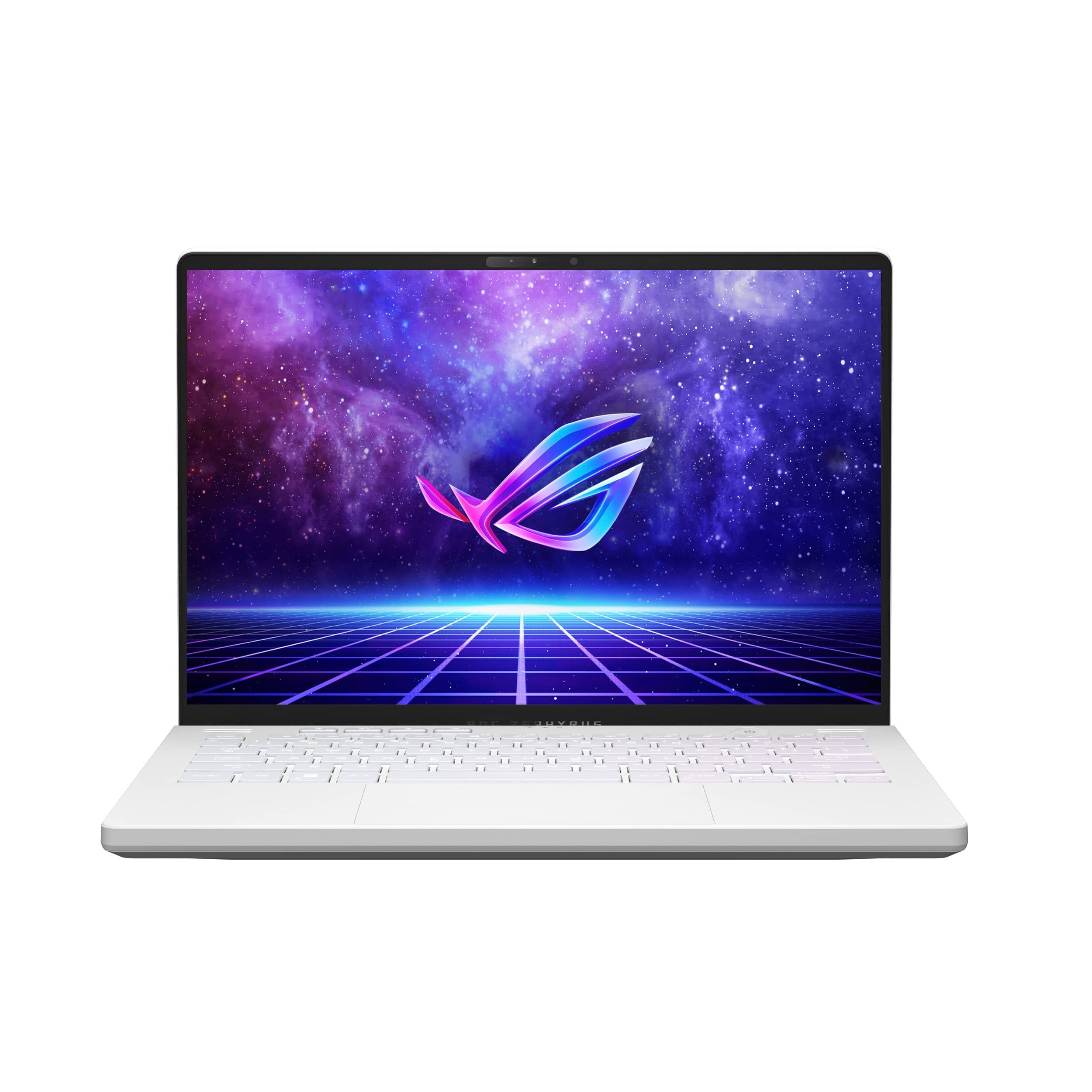
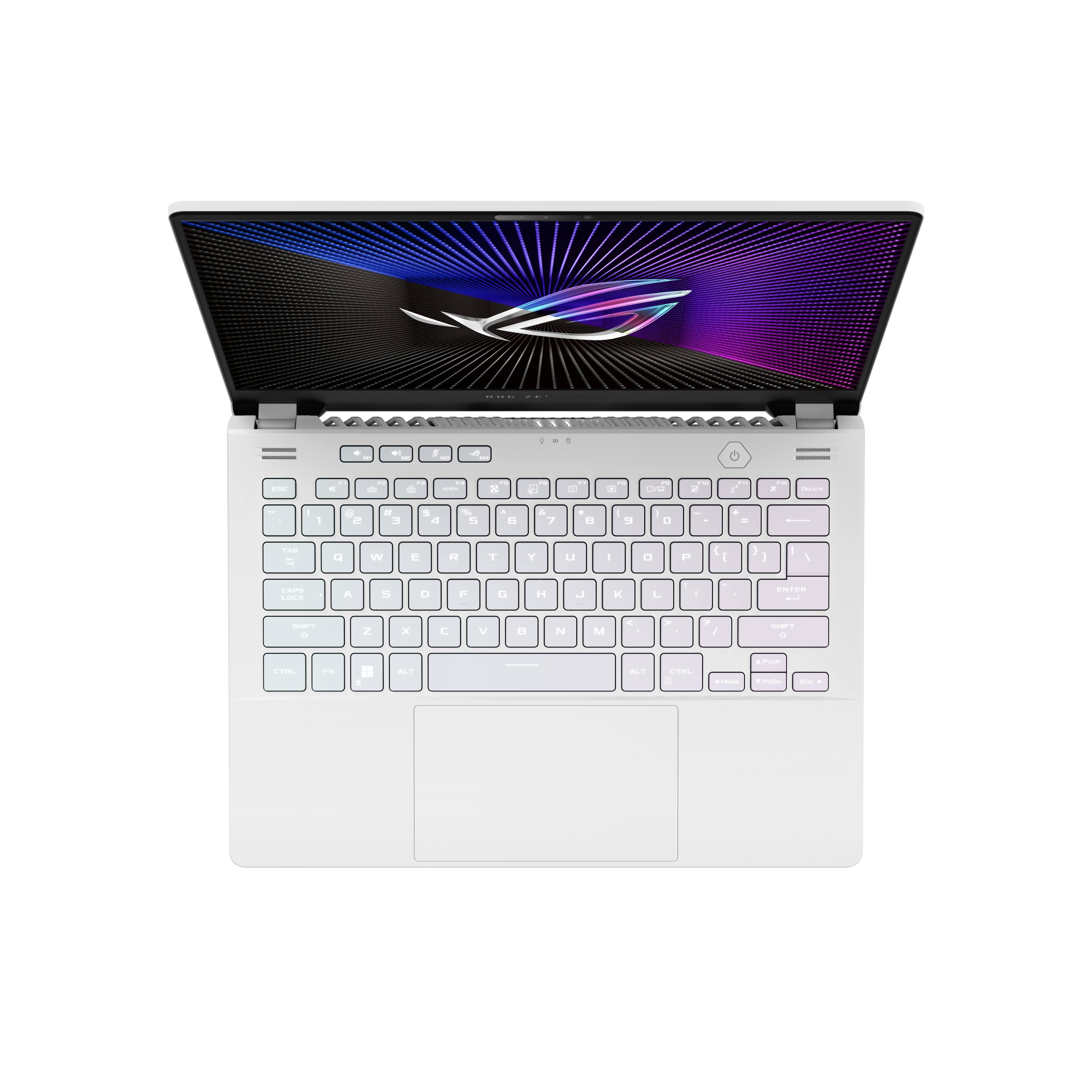
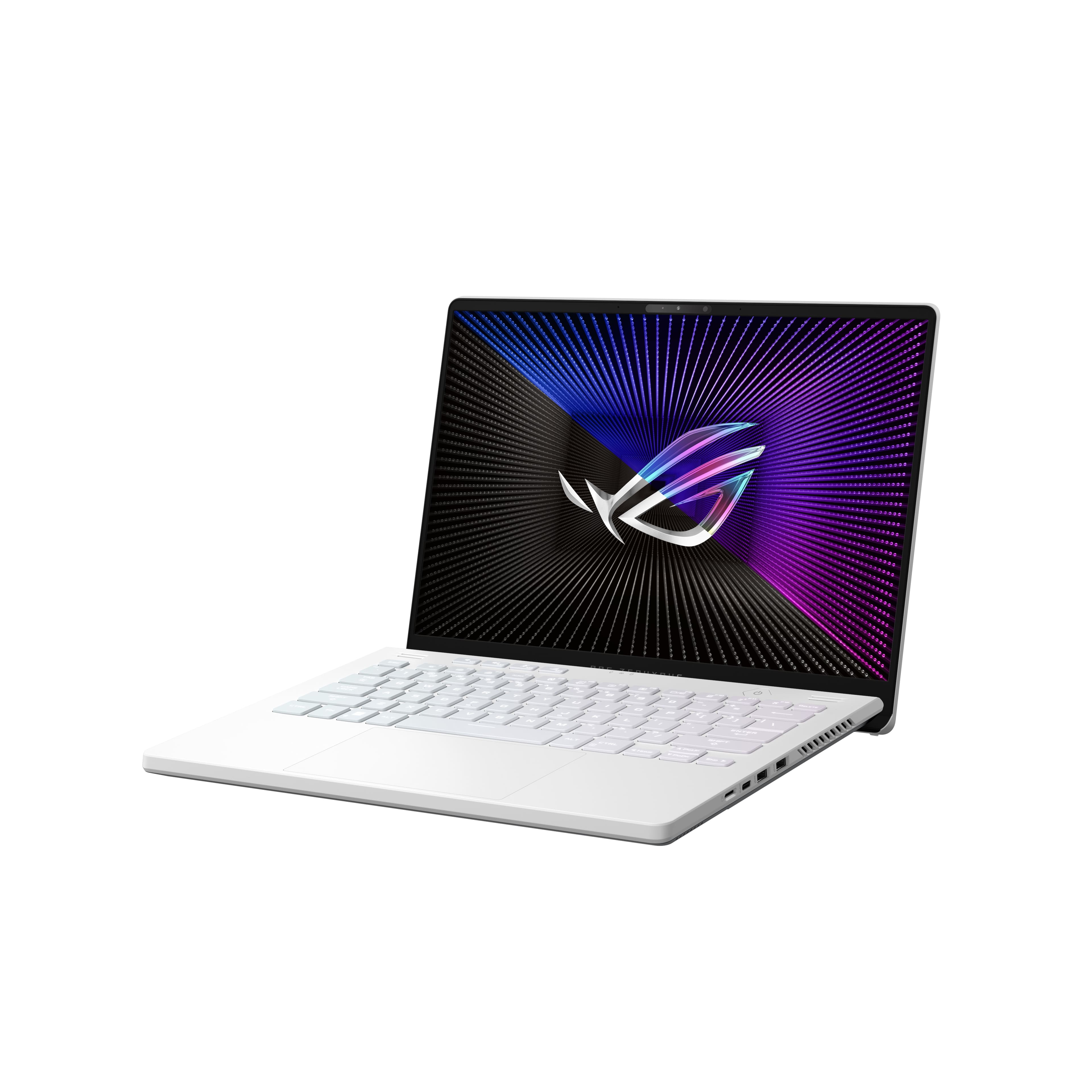
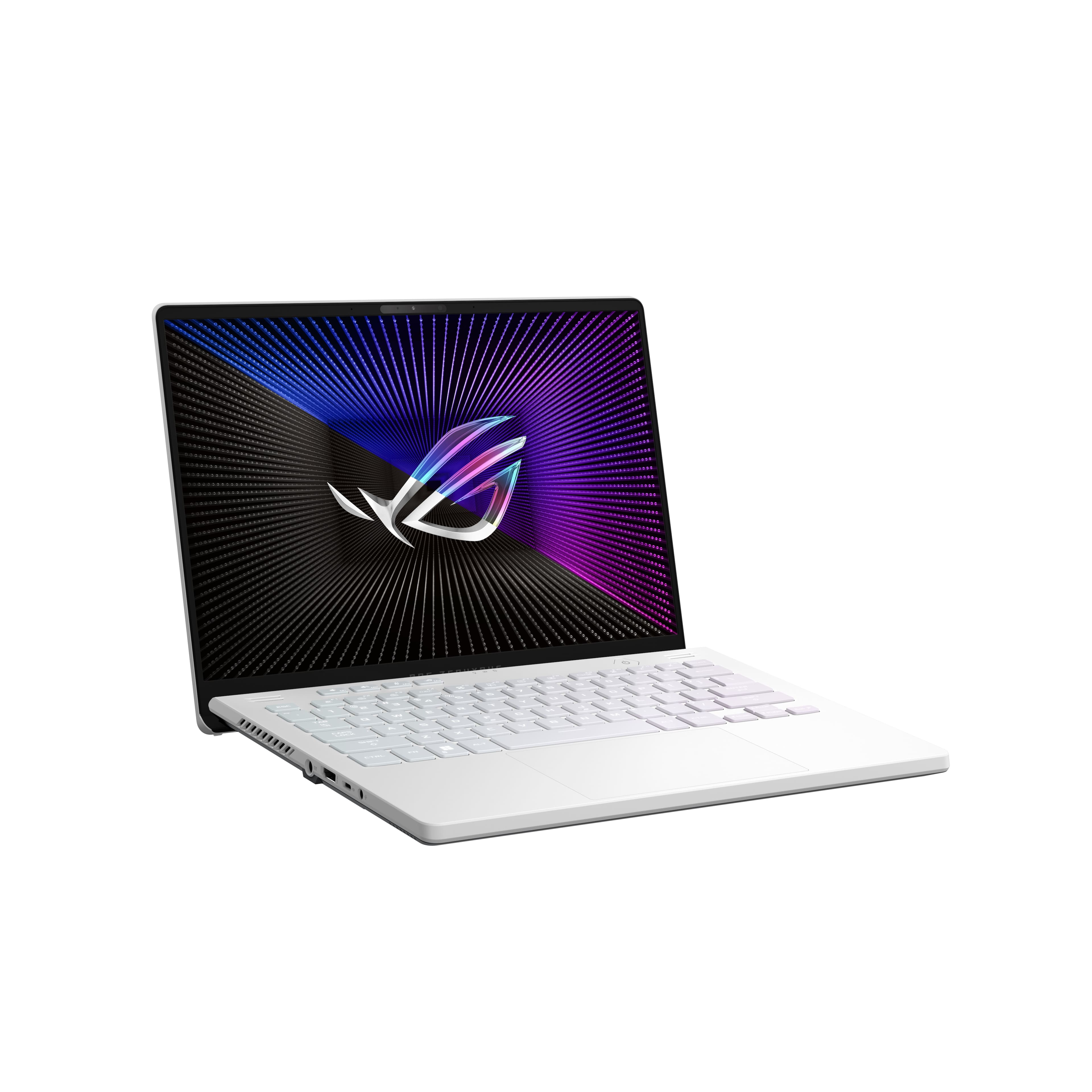
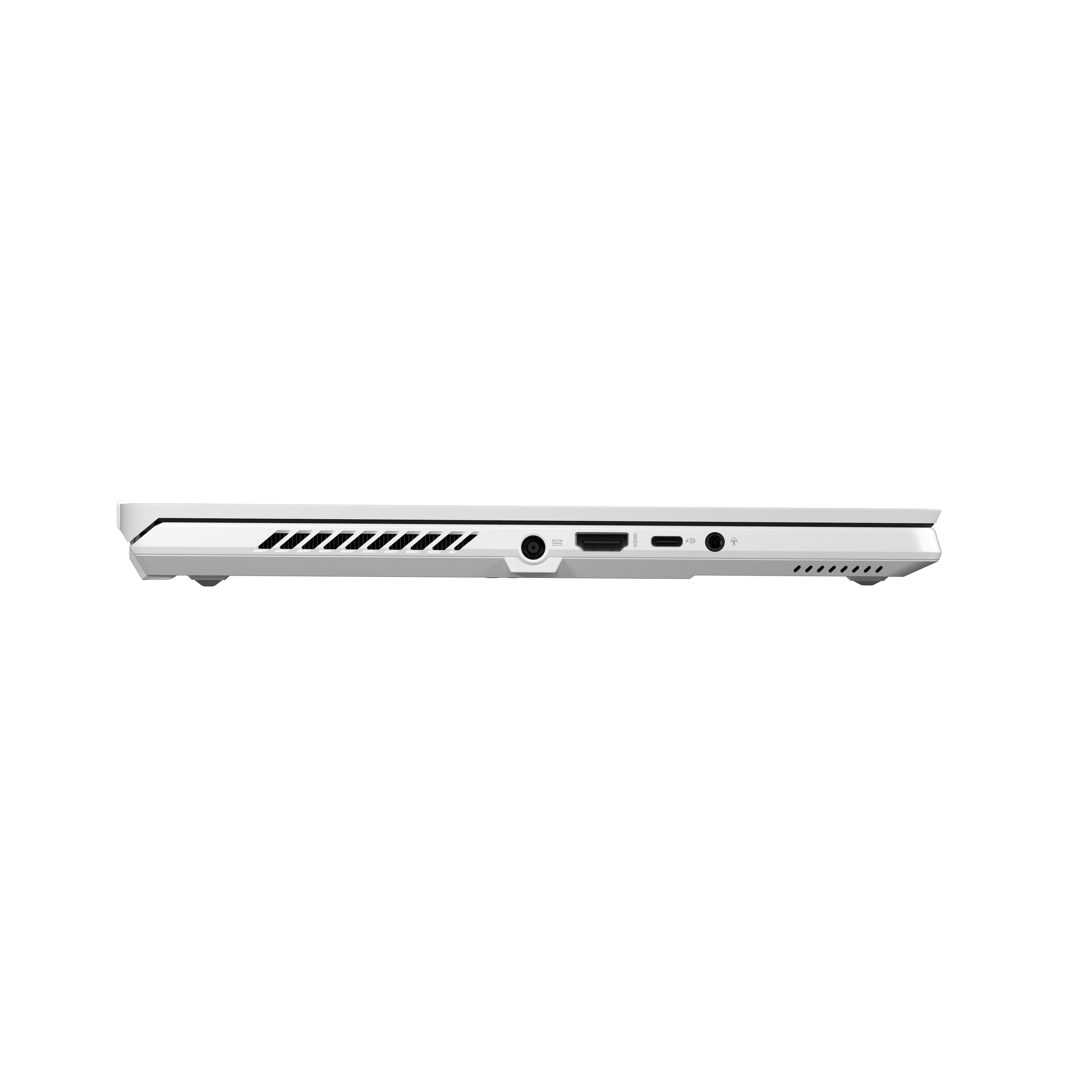
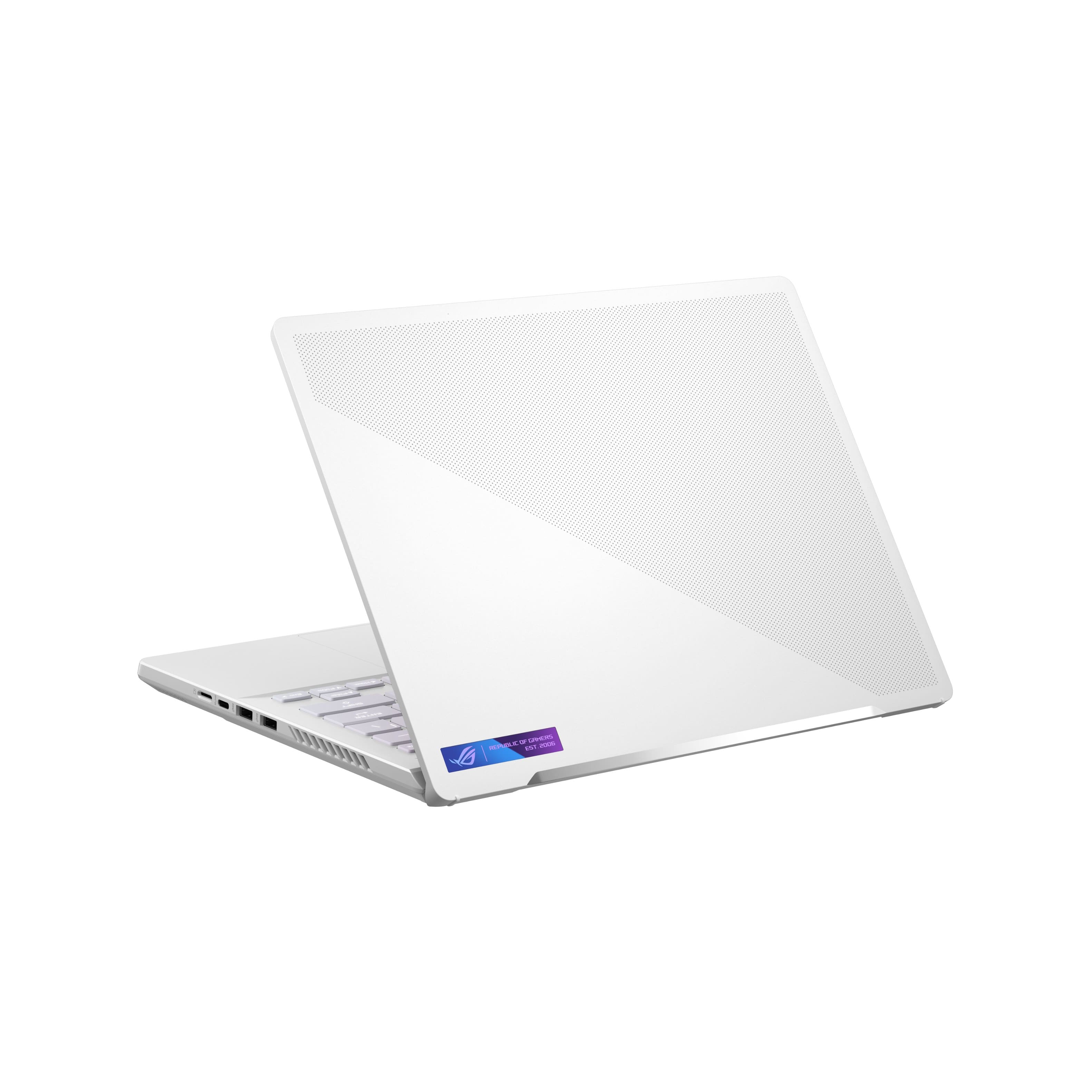
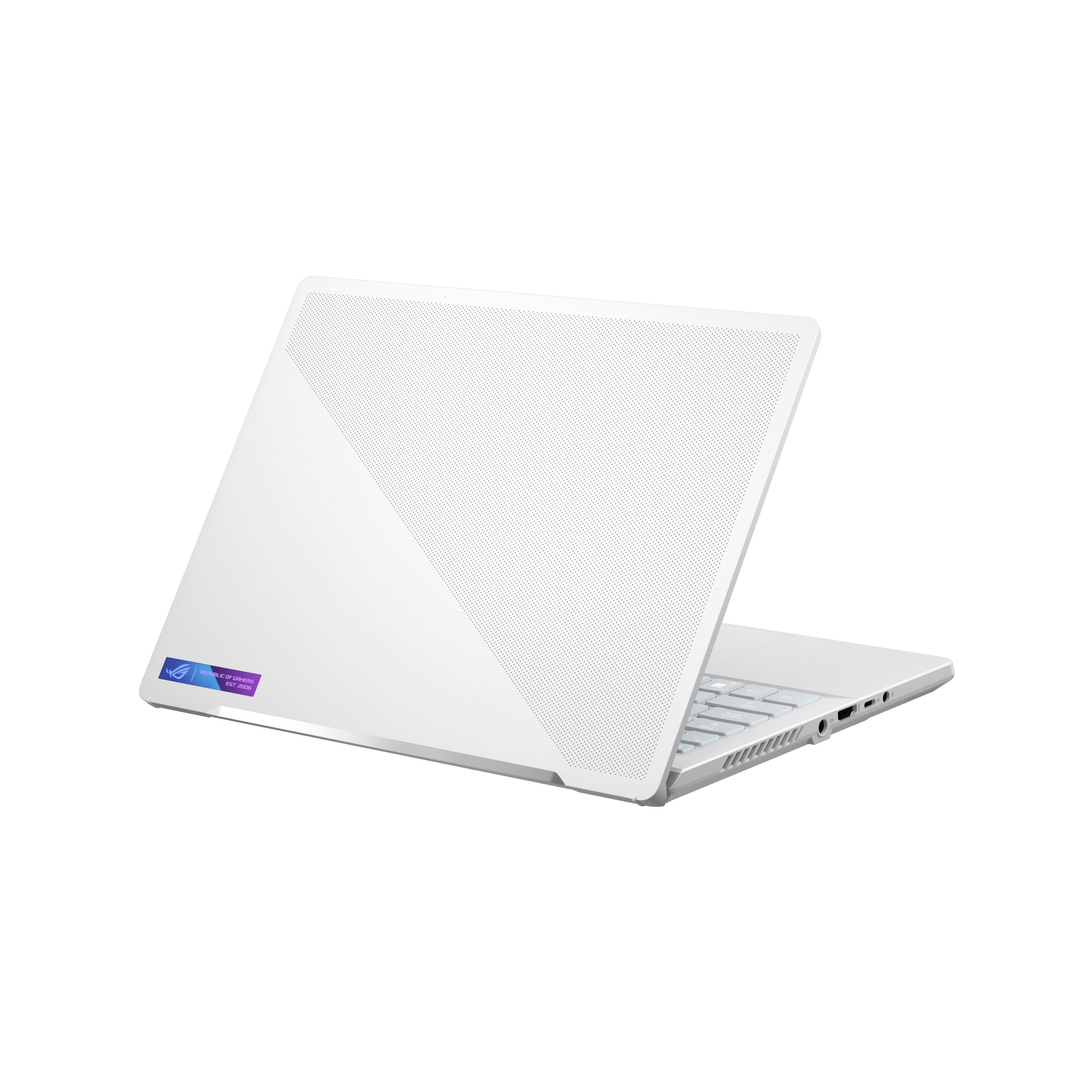
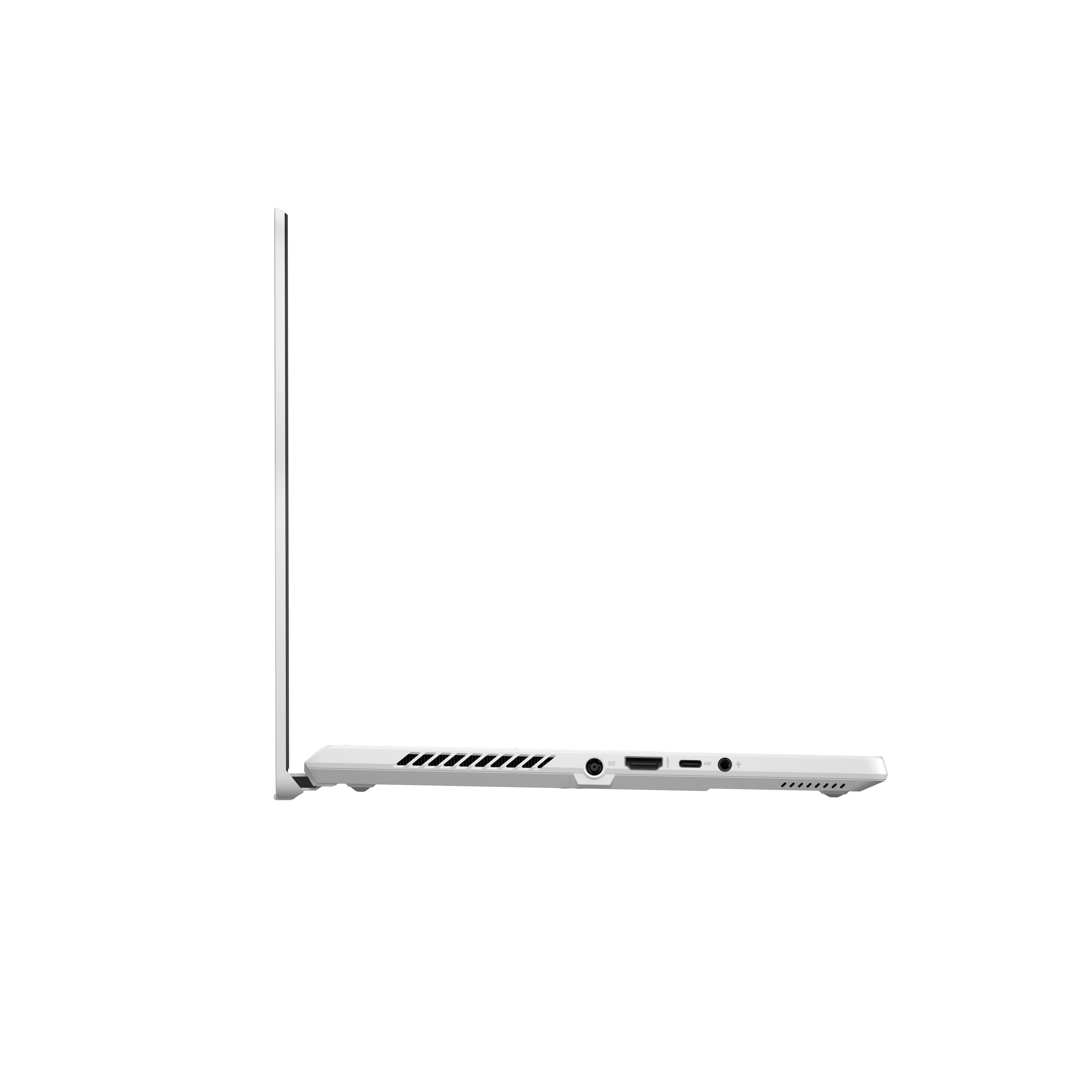
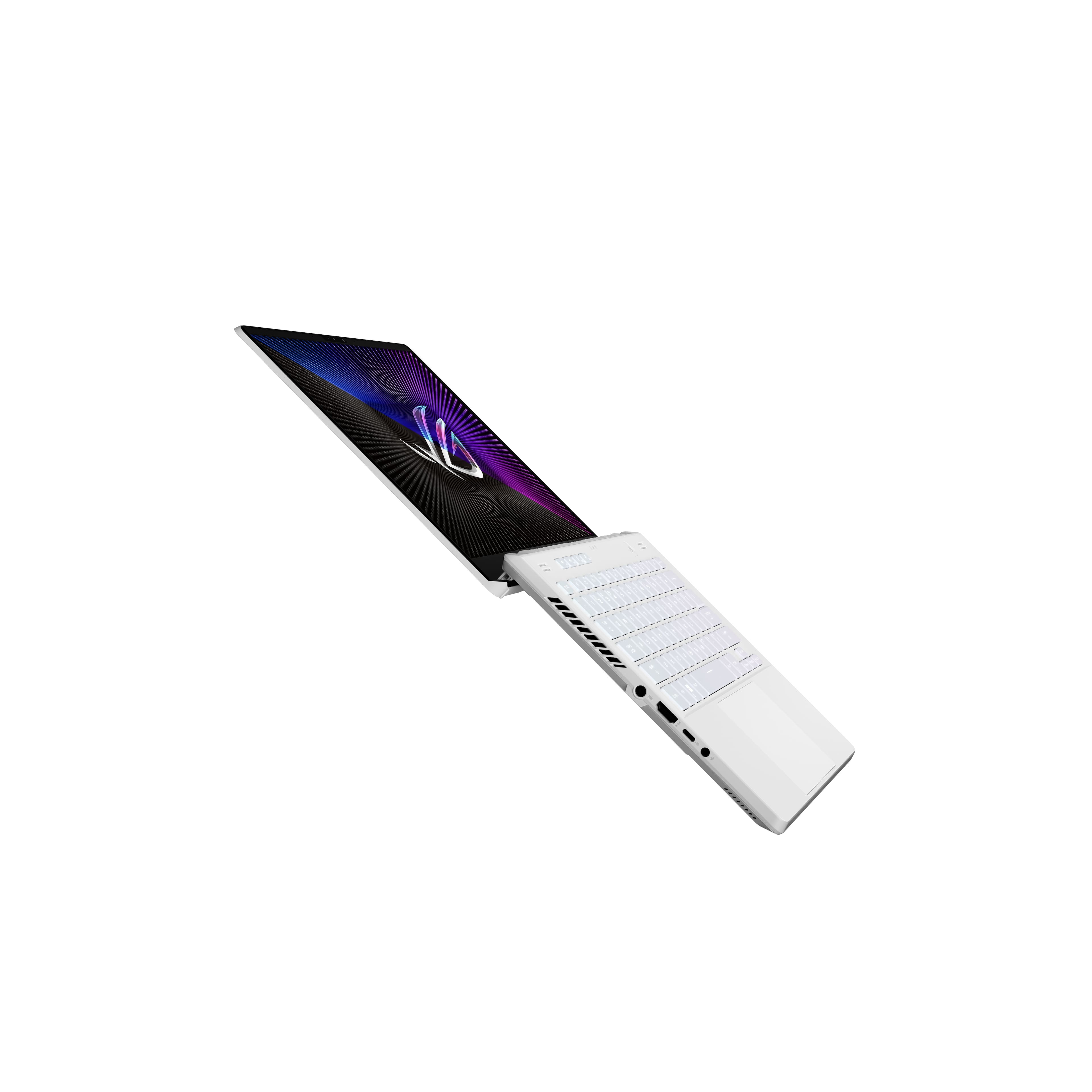
|Posted .This reviewer received promo considerations or sweepstakes entry for writing a review.My initial impressions of the Asus ROG Zephyrus G14 (2022) during unboxing was very favorable. The build quality seemed excellent. It has professional looking aesthetics, was very solid and sturdy but was also very light. The matted white finish of the laptop also hides any fingerprints. It did not look like a typical gaming laptop. The 14-inch 120 Hz WQXGA (2560 x 1660) screen produced bright, vivid, and sharp images. I really like the 16:10 aspect ratio as this provides more vertical space and is better for productivity. I think all laptops should adopt this aspect ratio. The screen is also a matte screen which I much prefer over glossy screens to prevent glare. Sound from the speakers is very good and capable of filling the room with sound. When I first connected the laptop to an external monitor and small external Logitech PC speakers, I didn’t realize I still had the sound output configured to use the internal laptop speakers. I thought the sound was coming from the small external PC speakers but it was actually coming from the laptop speakers. This is pretty impressive. The keyboard and touchpad are probably some of the best I have ever used on a laptop with nice travel and tactile feedback. Touch typing felt really good on the keyboard. The laptop comes with a nice assortment of ports. On the left side of the laptop is the power adapter input, an HDMI port, a headphone jack, and a USB-C port capable of display and power delivery. On the right side of the laptop are two USB 3.2 ports, a USB-C port capable of display, and a micro SD slot. There are rumors that a future firmware update will enable the USB-C ports to be USB 4 compliant and capable of driving an external GPU. I would rate his laptop’s future proofing as excellent. The unit I am reviewing has the following components: AMD Ryzen 9 6900HS with integrated Radeon Graphics AMD Radeon RX 6700S discrete GPU with 8GB Samsung memory 16GB DDR5 Memory with 8GB soldered and 8GB socketed Micron 2450 MTFDKBA1T0TFK 1TB NVMe 1.4 M.2 SSD PCIe Gen 4 x4 MediaTek Wi-Fi 6E MT7922 wireless adapter 14 inch 120 Hz WQXGA (2560 x 1660) Nebula display Initial setup was very easy. However, the boot up time seemed to take much longer than I expected from a new and modern laptop. It took about 20 to 30 seconds just for the ROG logo to appear on the screen after pressing the power button. When you first turn it on, one of the first things it does is to update Windows 11. This took about 20 minutes. After that, I took some time to familiarize myself with the laptop. I was very impressed with the clarity and brightness of the screen and the overall zippy response. The MediaTek Wi-Fi 6E MT7922 wireless adapter also has the highest link rates I’ve ever experienced (1201 Mbps receiving and transmitting rates) with my Linksys Wi-Fi 6 AX6000 MR9600 router. Unfortunately, I don’t have a Wi-Fi 6E router to test the performance of the 6 Ghz band. Soon after, Windows Update and the Asus Armoury Crate application notified me that there were several system updates available. After performing the updates, I was told I needed to restart the system in order to finish applying the updates. This was where I encountered some big problems. My laptop came with bios firmware version 302. I think there's a serious bug with bios firmware 302 where it cannot update to the newest bios firmware 308 from within Windows. After restarting, the laptop always becomes unresponsive with a black screen and gets dangerously hot. It gets so hot I can’t touch the laptop for a long time. The fan also seems to stay off during this time. Additionally, there’s no progress screen telling you what is going on when it is trying to apply updates after a restart. I tried many times to turn off the laptop by holding down the power button. After unplugging the power adapter, I was able to eventually turn off the laptop. After turning the laptop back on, the laptop and fan seemed to go on a cycle of turning on and shutting down until it got cool enough to finally boot up to Windows. In Device Manager, there was a yellow exclamation point indicating that the firmware update was not successful. It kept saying that I needed to restart to finish the installation of the drivers. But every time I restarted the laptop the same thing would happen again. Instead of using System Update and Asus Armoury Crate to update the firmware, I decided to try to manually update the firmware instead. I downloaded the 308 bios file from Asus’s website but when I ran the executable it created an empty C:\DRIVERS folder and told me to restart the laptop to install the firmware. I was still unable to update the firmware to 308. Luckily, I got a notice from the MyAsus application telling me that a hotfix was available with a link to download the file ASUS_GA402RJ_308_BIOS_Update.exe. It looked exactly like the firmware file I had downloaded from the Asus website but this time the C:\DRIVERS folder was not empty and contained the actual firmware file. It also told me to restart the laptop to install the firmware. Unfortunately, the same result occurred with a failed bios update. But I now have a physical copy of the 308 bios firmware file from the C:\DRIVERS folder and I copied it onto a USB flash drive and connected it to the laptop. Then I went into the bios screen and used the EZ Flash tool to update the bios on my laptop to version 308. The update was successful and I haven’t experienced any problems with the laptop since the update to version 308 of the bios firmware. Everything seems great now. The ROG logo now appears on the screen in about 5 seconds (as opposed to 20 to 30 seconds) after turning on the laptop. Overall boot up time seems much faster and the temperature and fan management seems really good now. It’s been rock solid and perfect since the firmware update. So, if any of you are experiencing the same problems, you should avoid updating the bios from within Windows and manually update the bios using the bios screen. Now that everything is working great, I was able to test some games. I got the following results using the discrete Radeon RX 6700S GPU in Performance mode: Total War: Warhammer 68 fps at 1280 x 800 Mass Effect Andromeda 120 fps at 2560 x 1600 Endless Legends 80 fps at 2560 x 1600 Witcher 3 60 fps at 2560 x 1600 XCOM 2 78 fps at 2560 x 1600 Cyberpunk 2077 66 fps at 2560 x 1600 with FidelityFX Star Wars Squadrons 245 fps at 2560 x 1600 When running a game in performance mode, it does get a little hot at about 90 degrees but the heat is mostly coming from hot air venting from the sides and not on the case itself. Fan noise also becomes more noticeable. After quitting the game, the laptop is able to quickly cool itself down to about 57 degrees. Windows 11 allows you to specify which GPU to use for each application under the Settings>Display>Graphics menu. Just for fun, I ran the following games using the integrated Radeon GPU and got the following results: Total War: Warhammer 45 fps at 1280 x 800 Mass Effect Andromeda 66 fps at 2560 x 1600 Endless Legends 37 fps at 2560 x 1600 Witcher 3 17 fps at 2560 x 1600 XCOM 2 20 fps at 2560 x 1600 Cyberpunk 2077 19 fps at 2560 x 1600 with FidelityFX For the most part, I was very surprised at how powerful the integrated GPU was. Many games are quite playable with the integrated GPU. I also played around with lowering the screen resolution to increase frame rate and most of the time, I couldn’t even tell it was running at a lower resolution. Having two GPUs is nice in that you can use the integrated GPU to play more casual games and use the discrete GPU for more demanding games and when you have access to a wall plug and don’t mind the extra fan noise. This laptop also excels at non-gaming tasks. The AMD Ryzen 9 6900HS is a powerful CPU and with 16 GB of memory, it’s a great system for media consumption, school work, productivity, and software development tasks. It’s the holy grail of laptop computers where you have something light and portable while also being more powerful than many previous generation gaming desktop systems. Handbrake encoding using the Super HQ 1080p30 Surround Sound preset averaged around 104 fps. By comparison, my Intel Core i5-9600K gaming desktop gets about 60 fps using the same preset. When using the AMD VCN H.265 1080p hardware encoder preset, the Asus ROG Zephyrus G14 (2022) averaged a jaw dropping 586fps. This blew away the 320fps I got from using the Intel H.265 10-bit QuickSync encoder on a i5-1135G7 laptop. AMD really stepped up their game in their VCE encoding hardware on AMDs GPU. The Asus ROG Zephyrus G14 (2022) also has decent expandability for future proofing. It offers fairly easy access to upgrade the memory or internal SSD storage. And there is the possibility of even more expandability if the USB-C ports are upgraded to USB 4 with a future firmware upgrade. We might be able to use an external GPU for even more gaming power. This is probably the most impressive laptop I have ever used. I can’t praise it enough. I can definitely recommend this to anyone in the market for a new laptop.
I would recommend this to a friend Buyer beware!!!
||Posted . Owned for 1 month when reviewed.This reviewer received promo considerations or sweepstakes entry for writing a review.Bad betwork card after 1 week of use. Less than 12 hr total use of the laptop. Was out of return period but best buy associate in store helped me out so i was not out $1600. Ill stick to mac running a virtual machine for windows applications. Others have similar experience. Asus has gone down hill. Horrible quality control.
No, I would not recommend this to a friendBrand response from ASUS Answers
Posted .Dear James93,
We certainly understand your disappointment and the inconvenience this may have caused.
All ASUS products undergo intensive quality control testing and inspections, this is a random problem. ASUS provides warranty coverage in order to fix or repair any hardware or part that stop working prematurely under normal usage. If you need further assistance with ASUS products, please email me at [email protected] and I would be more than happy to help. Or, you are most welcome to call Product Support Hotline at: 1(888) 678-3688. Also, you can chat with an ASUS live support agent at: http://bit.ly/AsusLiveChat.
Thank you for choosing an ASUS product.
Regards,
Rodel
ASUS Customer Loyalty
good laptop
||Posted . Owned for 3 months when reviewed.This reviewer received promo considerations or sweepstakes entry for writing a review.best laptop for the size, i mean there is nothing better for the price
I would recommend this to a friend- Pros mentioned:Performance
GREAT
||Posted . Owned for 4 months when reviewed.This reviewer received promo considerations or sweepstakes entry for writing a review.Amazing product and amazing performance totally worth it
I would recommend this to a friend - Pros mentioned:Battery life, Build qualityCons mentioned:Heat
Compact
|Posted .This reviewer received promo considerations or sweepstakes entry for writing a review.If you are looking for something compact and lightweight to take with you on-the-go then this is worth considering. It’s graceful, smooth design makes it less embarrassing to pull out at a coffee shop while still providing a gaming laptop appearance. RGB lighting on the keys that is customizable in the Armoury Crate (as the whole keyboard, not individual keys). Glass track pad measuring an impressive 3 inches by 5 1/8 inches (comparing to ASUS TUF Dash model measuring at 2 7/8 inches by 4 1/8 inches made out of traditional material) providing much more mobility and a material that is easy to glide over or use gestures. I was worried that this would get in my way while typing and to my surprise it really doesn’t. I’m not much for using the track pad for anything other than basic usage, though I might be able to get comfortable using this in some games that don’t require too much precision click shooting. The small slits above the ESC/Delete keys are the speakers. Don’t let them fool you by their size, as they did me, they can put out some sound along with the Two-Way AI Noise Cancelation (noise cancelation settings located in the Armoury Crate) helping to clarify the sound. The Microphones are located in the top of the screen on both sides of the webcam and top cover, which mics being used will depend on what mode is set in the Armoury Crate (Cardioid, Stereo, or Omnidirectional modes). The webcam isn’t much to get excited about, but it is functional. Playing most games will cause the fans to kick in more (as expected), but unlike the ASUS TUF Dash model from a year ago, the fans stay relatively quiet. Air pulls in from the bottom and out through the back and sides. When the screen is opened between a 90-180 degree angle, the bottom edge props the base off of the surface to provide more space between the surface and bottom to vent. Although a pretty neat design, this puts the back vents facing the screen. It might not hurt the screen, but I have a concern that the heat from the vents may cause some issues overtime. Unit runs slightly warm around the sides of the area around the keys, but the air ventilation does a good job of moving most of the warmth away from the keys. Crisp, clear, and vibrant images with a 120Hz refresh rate. Colors are extremely accurate. The Armoury Crate includes Radeon Software to allow you to adjust AMD graphics settings as desired. Games held up with High or Ultra graphic settings with very few rendering issues. Overall, this is a good option for any gamer that wants a portable gaming laptop that can also function as a normal laptop with a battery that can hold up for about 7-8 hours for normal web browsing and applications.
I would recommend this to a friend Laptop has issue with software and hardware both
||Posted . Owned for 1 week when reviewed.This reviewer received promo considerations or sweepstakes entry for writing a review.Laptop has issue with fan and seen every time BIOS update error to connect Battery
No, I would not recommend this to a friendBrand response from ASUS Answers
Posted .Dear ChandrasekharA,
We do understand your concern about the fan noise and the battery error.
It is normal for the laptop just like any other brand with the same hardware configuration, for the fan to spin at full-throttle and generates noise louder than normal while it is under heavy load like gaming, especially during the initial WINDOWS setup and WINDOWS Update installation. Also, the fan noise will be louder while antivirus software or malware are running continuously in the background. Please make sure the system was not compromised by viruses or malware by doing a full system scan using an internet security software or application. When system resource utilization is high, this will generate more heat than normal and tends to trigger the fan to spin at full-throttle and noise will be louder than normal. It does decreases or normalizes once utilization goes down. Regarding the battery error, disconnect any external device and load default settings in the BIOS to get rid of the error message.
Should you need further assistance with the product, please email me at [email protected] and I would be more than happy to help. Or, you are most welcome to call Product Support Hotline at: 1(888) 678-3688. Also, you can chat with an ASUS live support agent from the link: https://www.asus.com/us/support/article/1135/.
Thank you for choosing an ASUS product.
Regards,
Rodel
ASUS Customer Loyalty
- Pros mentioned:Battery life, Display
Amazing Laptop that does it all! 1 YEAR REVIEW
||Posted . Owned for 10 months when reviewed.This reviewer received promo considerations or sweepstakes entry for writing a review.Got a bit out of control with this review, This is my 1 year review of the laptop. I can only imagine the new version with the 4060 is just as good if not better. This Laptop truly is the end all, be all. It slices, it dices, it does indeed chicken fried rices! Performance: The 6700S Graphics Card coupled with the Ryzen 9 6900HS Processor is a match made in heaven and even the most demanding titles like Cyberpunk and Starfield run at almost all max settings while still getting well over 100fps! The slightly less powerful 6700S, as compared to the 6800S means it also doesn't get AS HOT. Don't get me wrong, it still cooks and can get a little uncomfy but cranking the fans to max make it 100% tolerable, albeit a bit lound. Daily Usability: When out and about running on battery, the surprisingly power efficient Processor and large 76Wh battery mean I can typically get 4+ hours of work done! This is made even easier thanks to its smaller size and surprising light weight, I can easily use this as my daily, do everything laptop! Not to mention the decent integrated graphics on the Ryzen 9 Processor, which is about equivalent to the ROG Ally graphics, mean that on battery power, I can play lower end games at good frame rates while STILL getting 2 hours of game time! Which in a sense makes me hate this laptop cause it has made my daily, touchscreen HP laptop obsolete since this thing took its place! Expansion: The expandable RAM and SSD slot means it was cheap and easy to upgrade this laptop to 24gb of ram and a 2TB SSD! Nice To Haves: The facial regocnition makes it easy and quick to login with the large trackpad again making it totally usable as a daily driver laptop. 100W USB-C charging is a bonus as when using it as a daily driver laptop I don't have to haul around the 240W charger, I can use any of my standard USB-C ones! The port selection is fantastic with 2 USB-C, HDMI and 2 USB-A being all I ever need. Display and Sound: Finally the screen is perfect with its 120hz, bright 500 nit output. The sound quality is beyond what I imagined I could get from a laptop with bass actually coming through enough to make the laptop shake a bit and the high end being perfect for watching youtube videos! I know this was a long review but I just cannot get over how amazing this laptop is. I can say with 100% certainty, this is truly one of the best purchases I've ever made especially for the price and I hope this laptop last me a long time!
I would recommend this to a friend - Pros mentioned:Battery life, Build quality
A lot of power in a very compact package
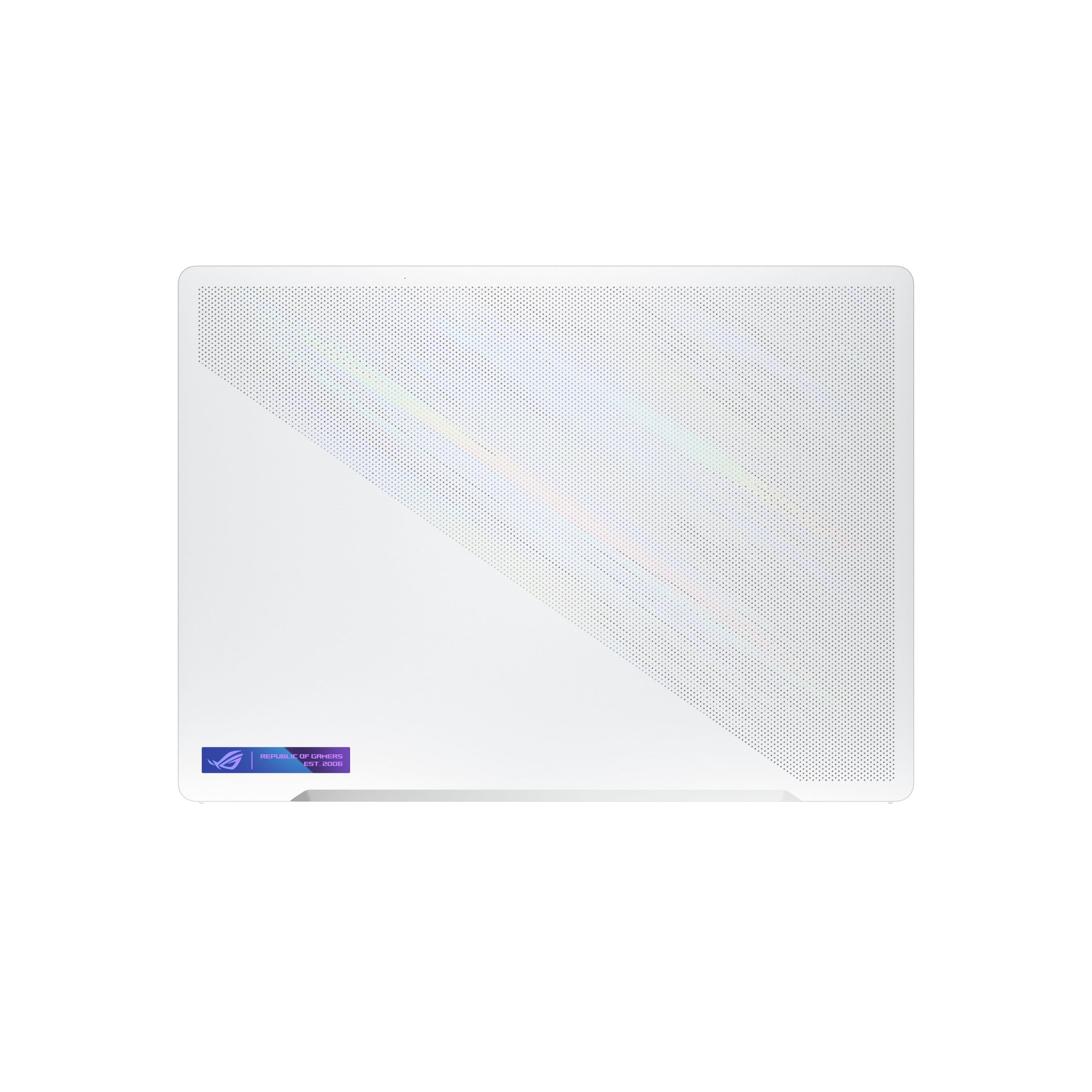
|Posted .This reviewer received promo considerations or sweepstakes entry for writing a review.Lot of power in a very compact package ASUS has been on a bit of a roll with their ultraportable gaming laptops as of late, and the latest version of the G14 continues the trend. Not only is it a highly capable gaming rig with very good component selection (achieving a “legendary” rating in 3DMark’s Time Crisis benchmark) but it’s also a stylish and extremely usable everyday portable for productivity and media consumption. While there are admittedly a few inevitable compromises requires to get this level of performance, it’s about as close to a machine that can comfortably do everything you might need as I’ve seen. One of the first things I noticed on taking it out of the box was the presentation and overall build quality. Opening the box doesn’t just reveal the laptop, it rises out of the packaging to be displayed on a little cardboard pedestal. The magnesium alloy case is striking to look at, sticking with the same generally squared off profile of recent ASUS gaming laptops but adding some chamfered edges that should be a bit less likely to pick up dents and scratches on the go. The white finish is classy and does a surprisingly good job repelling fingerprints and other sticky substances that usually end up making laptops look less than appealing after a few weeks. The screen doesn’t have bezels quite as thin as some of their other laptops, but only because they’ve (finally) made room for a webcam again. And it’s a pretty good one too – supporting Windows Hello sign in and offering a surprisingly clear image for video conferencing. The keyboard and trackpad are both of very high quality as well. The trackpad is quite large, taking up roughly a third of the area beneath the keyboard and sitting just shy of flush with the case. The keys have more travel than you’d expect at first glance and a hint of a tactile bump, making them very nice to type on, and the keyboard makes very good use of the available space. It does feel ever so slightly more cramped than what you’d get on a 15.6” laptop, admittedly, but I found I’d gotten used to it very quickly. The back of the monitor is pretty great as well. This model doesn’t come with the active lighting that some of the more premium configurations do, which allows you to display illuminated animations, text, or random color effects on about half the screen, but in its place they’ve added a reflective layer with a bit of a holographic sheen to it. When the light hits it just right you get a striking gradient effect around the edges, but it stops shy of being gratuitous. Build quality is likewise stellar. I couldn’t detect any kind of flex in the main body of the laptop (likely owing to the metal frame and casing) and the hinges holding the screen on are tight and quite sturdy, a necessity given that the laptop is designed to support the upper edge not with the main body but with the lower edge of the screen, giving you a bit more clearance along the bottom and greatly improved airflow. After a few days of testing in varied environments I didn’t notice any issues with scratches or grime accumulating along that edge, likely due to the presence of some narrow yet substantial rubber feet wrapped around the bottom edge to keep it from coming in direct contact with your work surface. And the laptop’s interior is tight, but workable. Getting the bottom panel off is a little tricky since there are rubber plugs hiding some of the screws (which are a lot easier to get off than back on again, for the record.) Once you’ve gotten past that though you’ll find pretty much everything most will need is easily reached. Most of the laptop’s motherboard is hidden behind the vapor chamber cooling system (likely the only reason this laptop works at all) and the battery takes up most of what’s left, leaving you with a thin centrally located strip containing a single DIMM slot. The RAM is split between 8GB of permanently mounted memory and an 8GB DIMM, and there’s only one M.2 slot for storage so expandability is going to be a bit limited. That said given that trying to do much more than this would require either a significantly smaller battery or a bulkier machine, I think the right call has been made here. Finally, let’s talk about gaming performance. I’ll admit that it’s been a few years since I owned an AMD based laptop, so it was interesting contrasting it to the team blue/green equipment I’m used to. And overall, my experiences are pretty good. CPU performance with the new Ryzen 9 is incredible and power consumption is a lot lower than I expected it to be. GPU performance is also good, though I’ll admit I have to give a bit more of a qualified endorsement here. One thing that became clear early on with games like Cyberpunk or Shadow of the Tomb Raider is that Radeon still has a ways to go to catch up with the current or even last generation RTX cards. Cyberpunk immediately defaulted to the “Raytracing – Ultra” preset upon install, and was clearly not able to handle it at all, with peak framerates of 6FPS on the standard benchmark (and worse in gameplay.) Disabling raytracing immediately saw performance improve to a smooth 70FPS. I wouldn’t say this is a major mark against it yet, as Raytracing is still somewhat of a bonus feature in most games and all the games I tried still looked gorgeous with it off, but it is worth considering. Shadow of the Tomb Raider fared significantly better though, likely because it doesn’t try to do nearly as much with its raytracing implementation. Without those Nvidia proprietary features turned on it actually did quite well in a head-to-head matchup against a low powered RTX 3070 mobile, even beating it in a few tests. And in actual gaming use it delivered a very smooth performance in everything we threw at it even with settings that were either completely or very closed to maxed out. And just to put a cherry on top, I plugged my Valve Index into it and gave it a bit of a stress test. I am pleased to report that this laptop can not only run one of the most technically demanding VR headsets on the market, but it can run it very well. Before you start making plans to built it into a backpack for semi-tethered Index use, however, I would like to talk a bit about thermals. I knew going in that AMD hardware tends to run a bit hot as a rule, but I’ll admit I was still taken by surprise by the sheer amount of heat being generated and pumped out by this machine. Most of it ends up being dumped at the top of the screen, blown along the LCD panel, and they’ve done a commendable job in making sure you don’t get much discernible transmission to the rest of the case which means you aren’t going to have to worry about burning your palms during prolonged play sessions. But to call this a “lap” top computer is probably a bit of a misnomer, at least if you plan to be gaming on it. Core temps routinely hovered around 90C and you could feel every bit of it around the exhausts and the bottom of the PC, so unless you plan to run it in power saving mode and stick to less demanding titles you absolutely need to keep this thing on a desk or other hard surface when the discrete GPU is spun up. Finally, I’d like to talk about day to day use. The 16:10 aspect ratio screen offers a great experience for everyday productivity tasks (word processing in particular) when compared to the more standard 16:9 design. The screen is vibrant, astonishingly bright, and comes with factory color calibration that makes everything pop. The resolution is, perhaps, a little higher than it really needs to be for a 14 inch display (setting the Windows scaling to 100% made text and interface elements so small it bordered on unreadable, in fact) but I imagine that content creators and artists will love the detail it offers. And battery life is far, far better than I’ve come to expect from a gaming focused machine. AMD has made low power efficiency a major priority with this latest generation of hardware, and I’d say they’ve largely succeeded. A battery test which involved running Netflix non-stop until it forced itself into power saving mode ended up taking all day, with the battery lasting just over 8 hours before calling it quits. One minor thing to note about this though is that the battery meter itself did fluctuate pretty wildly at a few points, spontaneously gaining 12% of its capacity back about halfway through the test. This isn’t entirely surprising – laptop battery estimates are notoriously unreliable to begin with – but with a swing that big I’d certainly be a little wary about making assumptions if you absolutely need to work all day. Hopefully this is something that can be addressed in a future firmware update (there was one already ready to go the moment it completed its initial setup) but for now I’d probably make a habit of carrying the power brick with you or perhaps a USB-C backup battery, just in case. Also worth noting is that while the specs highlight a 4th generation PCIe interface for the storage drive, tests showed read and write speeds that were more consistent with higher tier 3rd generation storage. I don’t know if the Micron drive it comes with doesn’t have a big enough cache for sustained read/writes, if there’s a power or thermal limit it’s hitting, or if that’s just the most you can expect from an OEM drive like this. And I think most would agree that being able to perform 3.4GB/s read operations is far from bad performance. But I think it’s worth keeping in mind if for some reason you absolutely need the performance levels you can get from the high speed drives from companies Samsung in your daily life. Finally, I’d just like to emphasize that while the G14 does have the odd downside it is still far better than I think I’d have ever expected a laptop in this form factor and price bracket to be. It’s a machine I would have no issues recommending to anyone looking for either a gaming laptop or a powerful desktop replacement they can bring with them on the plane.
I would recommend this to a friend - Cons mentioned:Heat
money back
||Posted . Owned for 2 weeks when reviewed.This reviewer received promo considerations or sweepstakes entry for writing a review.I'm Brazilian and I was in Miami at the end of March. I bought this laptop thinking it wouldn't give me a headache. since the first boot I found it strange.. because it took too long and even turned off.. in the asus own utility application it shows that it has some problem. but I was still giving him a chance. But to my surprise when I returned to Brazil, the screen pixel burned. and it also has serious cooling problems yes... just browsing it already boils. Now I pass the responsibility to you. I would very much like my money back. But I'm in Brazil. I recorded everything in photos and videos and if necessary I will take the necessary measures. I'm waiting for a position from both BestBuy and Asus. solve my problem please. if i need to send it to you i will send it by international dispatch.or if you want i will take it personally when i return to miami in about 3 months. but i want my money back. thanks I still haven't given the 15 days. but as I'm in Brazil how do I???
No, I would not recommend this to a friendBrand response from ASUS Answers
Posted .Dear Muricao,
I'm sorry to hear about your issue with the screen, all our products do go through an intensive quality control testing process to ensure that customers get units that are in proper working condition, what you've experienced was not intentional and this is a random case. Usually, replacements/refund or done through your place of purchase. As for repair, we do offer excellent options. If possible, please attempt the steps from the FAQ below and further troubleshooting, feel free to reach out to me at [email protected] and provide this link for reference. I'll do my best to provide a quick resolution to your case. Your feedback is important as it helps with improvements to ASUS Support channels.
Thank you for choosing ASUS!
Best Regards,
Jamalie,
ASUS Customer Loyalty US Support
Troubleshooting - https://www.asus.com/support/FAQ/1015072/
- Pros mentioned:Battery life, Build quality, Display
High Performance Gaming
||Posted . Owned for 1 month when reviewed.This reviewer received promo considerations or sweepstakes entry for writing a review.Product: ASUS ROG Gaming Laptop Rating: 5/5 stars Title: High-Performance Gaming Powerhouse! Review: Having purchased the ASUS ROG (Republic of Gamers) gaming laptop from Best Buy, I've had ample time to explore its features and performance, and I must say, I'm impressed! Firstly, the ROG series from ASUS has always been a symbol of high-quality gaming hardware, and this laptop certainly carries that reputation forward. Right out of the box, the sturdy build quality and sleek design create an immediate positive impression. The brushed metal casing is durable and stylish, with the iconic ROG logo proudly displayed. It's relatively compact for a gaming laptop, which is a big plus for portability. Now, coming to the real deal - performance. Powered by a state-of-the-art processor and top-tier graphics card, the ASUS ROG delivers an incredible gaming experience. Whether it's the latest AAA title or a high FPS esports game, this laptop handles them all smoothly. The high-refresh-rate display is a true game-changer, making gameplay extremely fluid and responsive. Also, the laptop stays reasonably cool under load thanks to an efficient cooling system, which is often a concern with high-performance gaming laptops. The laptop also boasts a customizable RGB keyboard, not only creating an immersive gaming ambiance but also offering a comfortable typing experience. The trackpad is accurate and smooth, while connectivity options are plentiful with USB-C, USB-A, HDMI, and an Ethernet port. The audio quality is another standout feature, with powerful built-in speakers delivering crisp and clear sound, further enhancing the gaming experience. As for the software, it comes with Windows 10 pre-installed and ASUS' own Armoury Crate software, which allows you to monitor system performance, control fan speed, adjust the RGB lighting, and more. The battery life is decent for a gaming laptop, managing around 4-5 hours with moderate usage. One minor drawback is the weight - a bit on the heavier side, but that's expected from a powerful gaming laptop, and honestly, the performance it delivers more than compensates for that. Buying from Best Buy was a great experience. The laptop was packaged securely and arrived promptly, with no damage or issues. Their customer service was responsive and helpful with all my inquiries. All in all, if you're looking for a laptop that can handle demanding games while offering solid build quality and a range of features, the ASUS ROG gaming laptop is a fantastic choice. It's a worthy investment for any serious gamer
I would recommend this to a friend Not good
||Posted . Owned for 1 year when reviewed.This reviewer received promo considerations or sweepstakes entry for writing a review.After a year of using it, it gives me a lot of issue on the way. Like after a couple of month it depend on the charger and the originial charger has broken down and couldn't charge the laptop or else it just kept restarting the laptop.
No, I would not recommend this to a friendPerfect Creator-Gamer 14" laptop
||Posted . Owned for 2 weeks when reviewed.This reviewer received promo considerations or sweepstakes entry for writing a review.The design of this machine is outstanding. I wish it could push slightly more TGP for more performance. Also I hope that the company improves the quality control to fix the screen issues on some units.
I would recommend this to a friend