Customer Ratings & Reviews
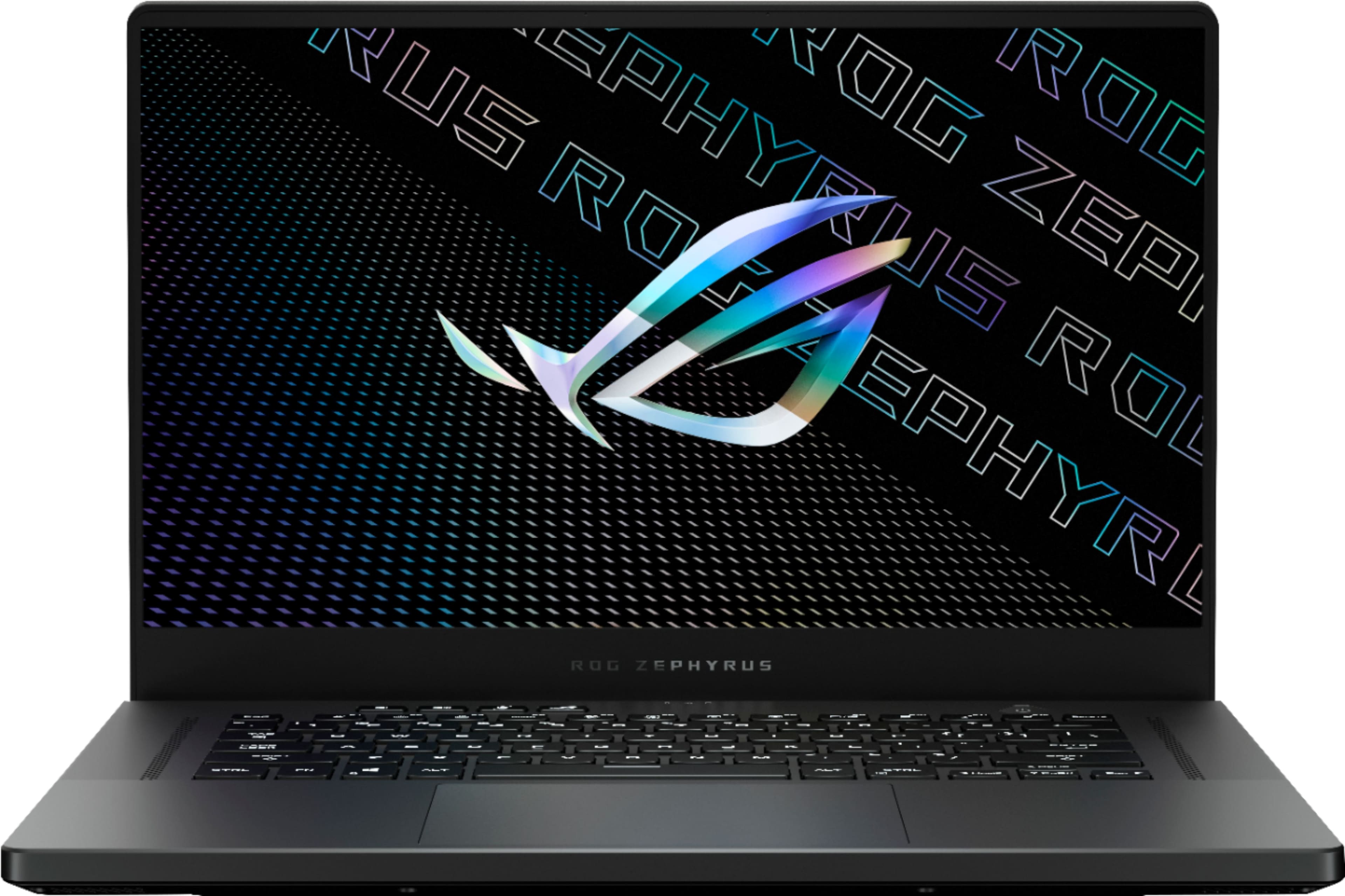
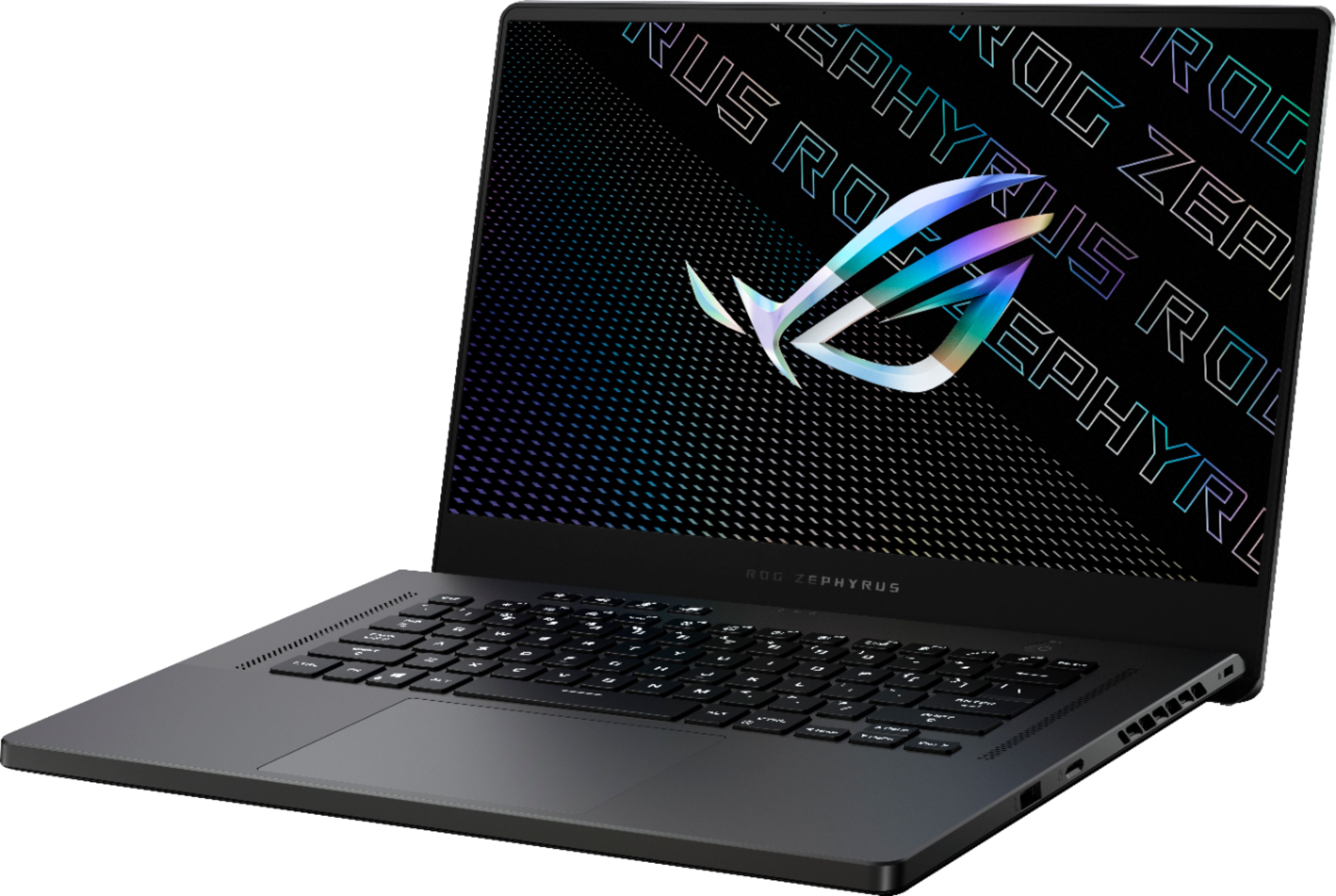
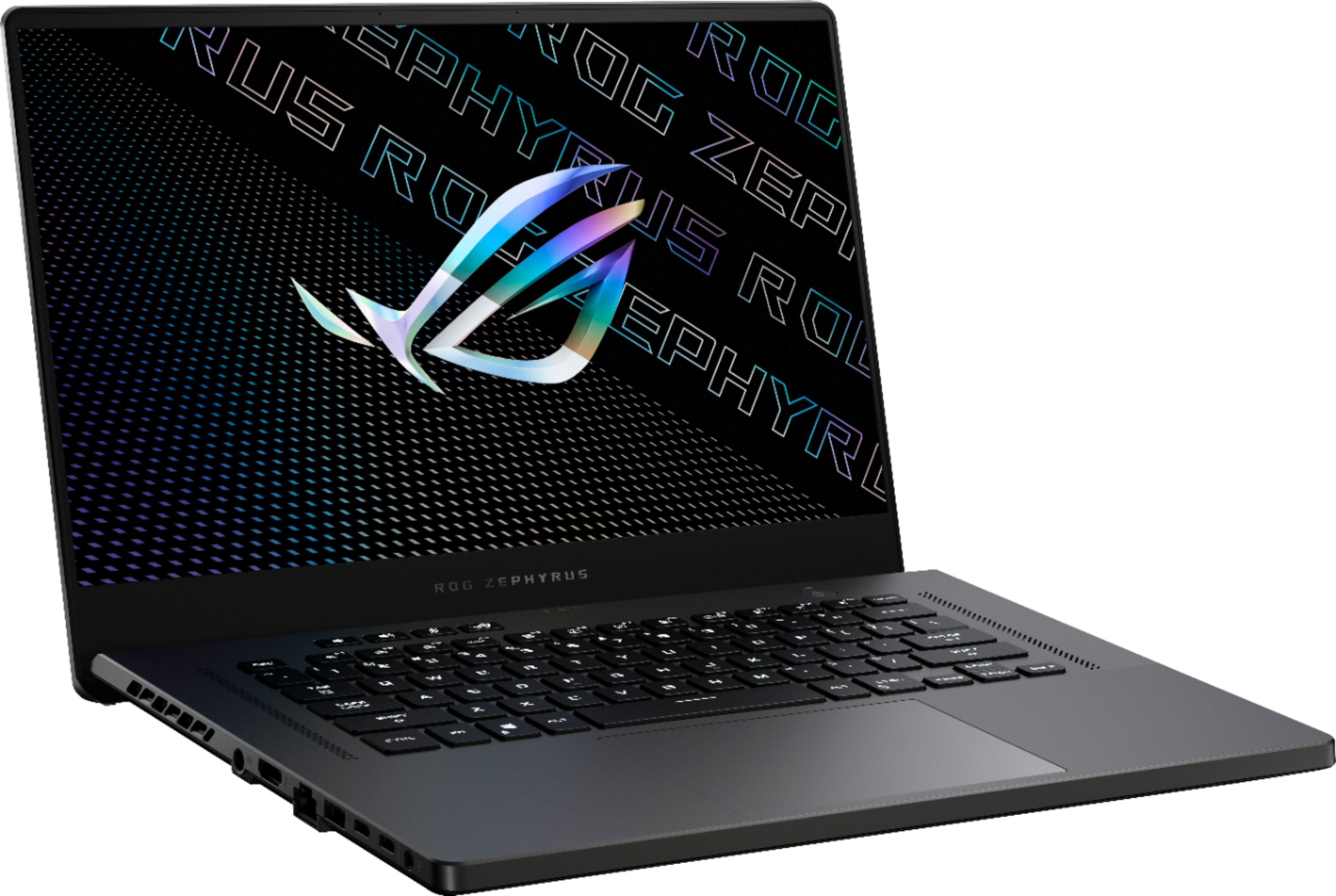
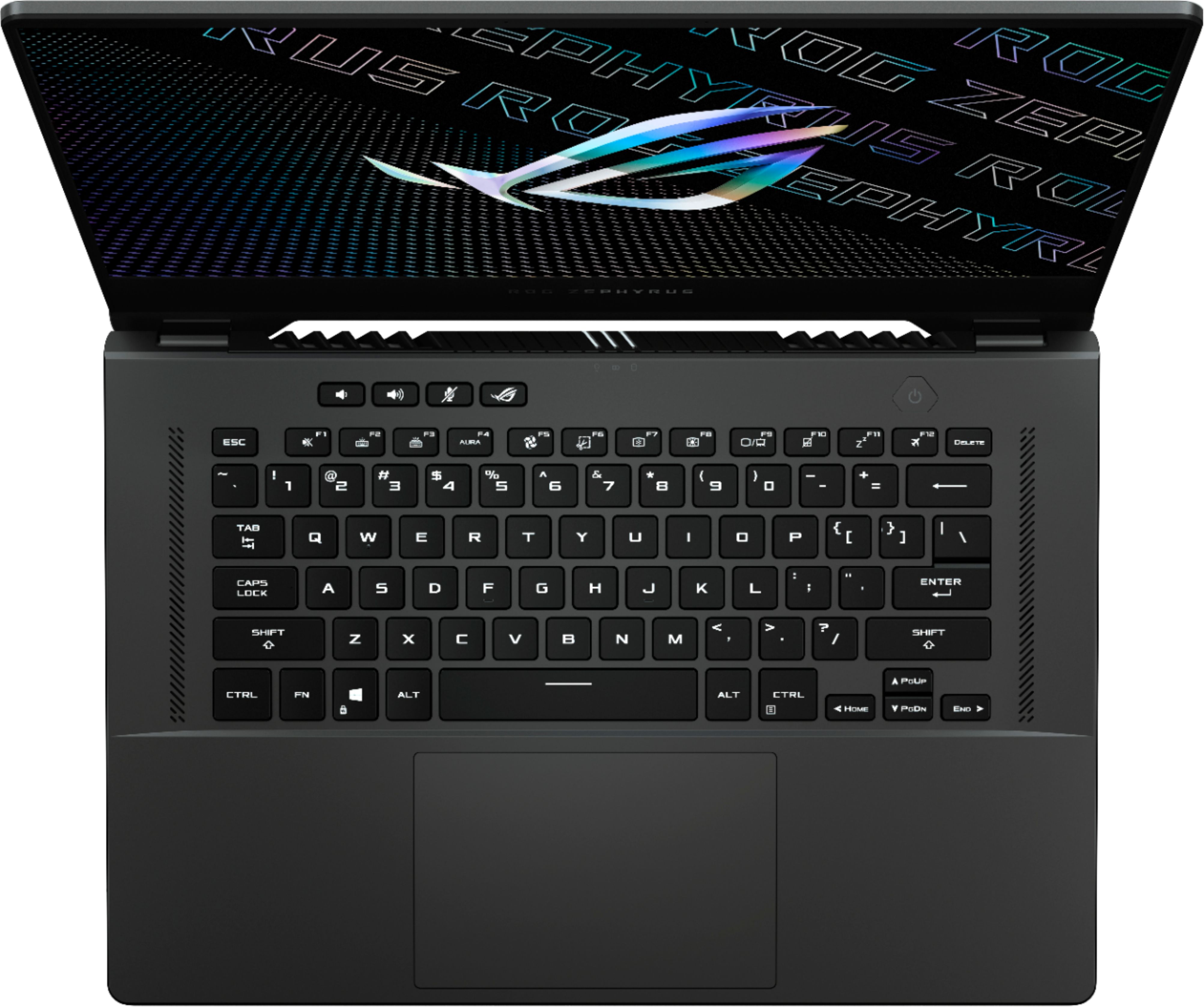





- Model:
- GA503QR-211.ZG15
- SKU:
- 6448848
Rating by feature
- Battery Life
Rating 4.2 out of 5 stars
- Speed
Rating 4.6 out of 5 stars
- Display
Rating 4.4 out of 5 stars
Customers are saying
Customers often highlight the excellent performance, impressive build quality, and long battery life of the ROG Zephyrus 15.6" QHD Gaming Laptop. Many also praise its powerful GPU, lightweight design, and vibrant display, along with the keyboard. However, some users mention that the laptop can get hot, and the fan noise can be noticeable. Other criticisms include the soldered RAM, less-than-stellar speakers, and the absence of a built-in webcam.
This summary was generated by AI based on customer reviews.
- Pros mentioned:Battery life, Build qualityCons mentioned:Ram
Good laptop, Amazing- if you get it under MSRP
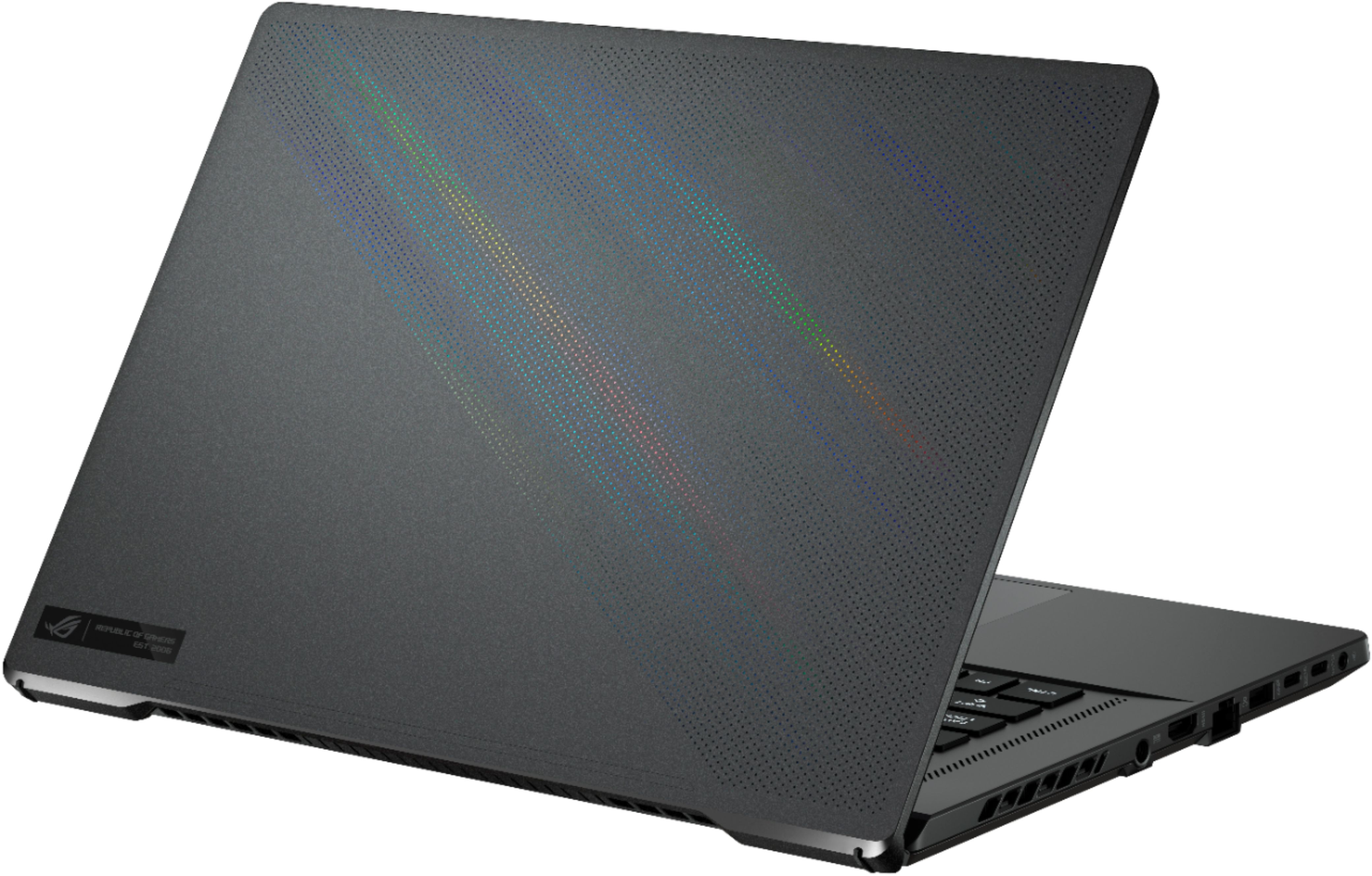
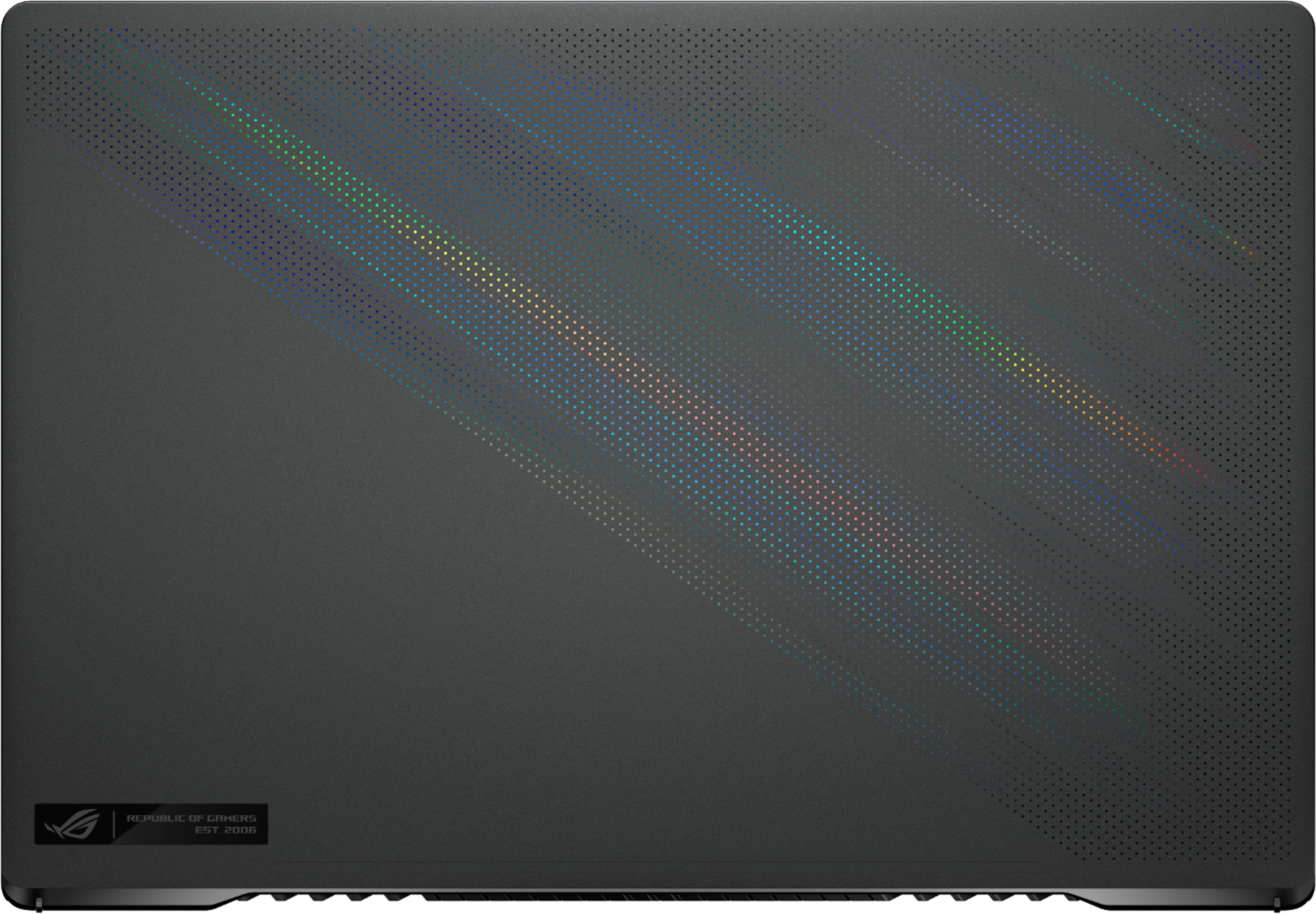
||Posted . Owned for less than 1 week when reviewed.This reviewer received promo considerations or sweepstakes entry for writing a review.Pros: *Very fast and powerful Ryzen CPU excels at gaming & is almost equally at home for power users and content creators *RTX3060 GPU can play mostly all games at at least very high settings at 1440p with great FPS, should be quite future proof (as far as gaming laptops go) *Great I/O options; 4 total usb + hdmi and more Battery life is quite impressive for the power demands this unit requires Cons: *Fit and finish may leave some units not up to par for the price being paid--- this is hit or miss and seemingly less common on later production units *Screen has light bleed issues around the edges *Would have been nice to have better options for increasing ram size... you are kind of stuck with the 16gb it comes with unless you are willing to lose dual channel, which isn't worth it (to be fair especially for gaming 16gb is more than adequate, but power users may want more) Foreword: I managed to purchase this laptop at my local Best Buy for $1249, at this price at the time of writing this (2/2022) it is an absolute steal. At its current MSRP of $1800 I would still say it is a good laptop, but not an amazing value and might suggest looking at all your options at that price point before jumping on this one due to some issues this particular laptop has. The main issue being that the screen has some pretty moderate light bleed around all edges which are very apparent in dark scenes. I'm not too much of a screen snob but for anyone that cares more about this it may be a deal breaker. Beyond that the screen looks lovely and has a very high refresh rate. Something else to note is that these laptops seem to be plagued intermittently with various QC issues (besides the screen) that for a laptop of this price are frankly a bit embarrassing. Many people have reported the keys showing signs of serious wear rather quickly, especially for those with very oily skin... to the point of the keycap completely losing all coloring and becoming clear. Time will tell for my unit... Another issue is the outer skin on the screen side tends to be bowed outwards so when the laptop is closed there is a small gap right in the center, between the screen and lower deck. Other users have reported the frame of the screen becoming disbonded from the screen itself. The only other complaint I have besides the QC issues would be the lack of upgradability for the ram. Unless you want to lose dual channel ram, you are basically stuck with the 16gb the machine comes with... since it comes with one soldered 8gb chip and another non soldered 8gb chip installed. As far as the good things, fortunately there are many. First and most obvious is that the CPU and GPU are quite powerful and will take basically anything you can throw at them as long as you are not wanting to do 4k max settings on the latest AAA games. It can do 4k but you must adjust graphic settings accordingly. What this machine does well though is 1440p. You can basically have all settings cranked on any game in this resolution and achieve acceptable framerates. The CPU is also quite a beast when it comes to things other than gaming, like music production and photo/ video processing. The battery life is impressive. Under normal daily use (web browsing, word processing, (maybe a quick game on break), the battery can last all day. Seriously, I've been using this at work the past couple weeks and at the end of an 8-9 hour day it will have anywhere from 15-35% remaining without plugging once. If you are demanding a lot from the system and gaming long periods of time you will be lucky to get 2 hours of battery life which still isn't bad in those circumstances. And in all honesty you will probably be plugged in anyways if you are playing anything demanding. The battery can also charge from its power brick from basically flat to around 85% in less than half an hour in my experience. Fan noise... to me this thing is quite reasonable considering the power it holds. At max fan speed it is definitely noisy, but not unbearable and nothing headphones can't fix. You just wouldn't want to be gaming in a small quiet room with others around you... unless they also had headphones on. During non gaming use the laptop is almost completely silent with the fans barely making an almost silent hum at most on the silent setting. As far as the keyboard is concerned... it is very comfy and satisfying to use... a bit louder than a standard laptop but with much more quality feeling keystrokes. I can type on this thing all day no issue. The backlighting is also more than adequate and completely customizable. The I/O is great, 2 regular USB, 2 USB type C, SD mini slot, ethernet port, full size hdmi, mic/headphone combo jack, Kensington lock and of course your power. Speaking of the power port I have one minor nitpick, it is located on the left sided but right in the middle. This might be a bit annoying for those that are left handed. Although to be fair the power plug is a 90 degree so it is mostly out of the way and overall it is not a big deal. The overall exterior of the machine is magnesium and I would say the weight of this machine is fairly light for what it has going on the inside... and as far as looks go I would say it is very subdued and sexy for a gaming laptop. This is definitely one you could bring in to the office and not look totally out of place. The only real tells are the rainbow like reflective layer in between the skin layers on the outer upper lid that will reflect if the light hits it just right. As far as software is concerned... at the time of writing this laptop ships with windows 10 and can of course be upgraded to 11 for free if you would like. There is very little preinstalled software besides some Asus applications related to controlling the lighting and fan speed settings (which after updating work quite well). The rest is standard to what a basic windows install would come with. In summary: If you are looking at a gaming laptop in this spec range AND can get this laptop for below MSRP... I would strongly suggest it. At its current MSRP of $1800 I would consider other options at that price point before diving in to this unit and be aware of the potential QC issues that might befall you. f it was not for these QC issues I would have no issues recommending this laptop at its current MSRP. Still for the sale price I paid, I would overall give this laptop a strong 8.9/10
I would recommend this to a friend - Cons mentioned:Fan noise
Defect and fan speed issues! watch out!!
||Posted . Owned for less than 1 week when reviewed.This reviewer received promo considerations or sweepstakes entry for writing a review.I bought this laptop on dec 22,2021 and my fan is already going at 7000rpm without me doing anything. There is something wrong with this and is probably a defect product. Will probably give it back before jan 5.
No, I would not recommend this to a friendBrand response from ASUS Answers
Posted .Dear Valued Customer,
It's unfortunate to hear that the fan speed is not normal. This is not the kind of experience we want any of our customers to have. What is the average temp on idle? Please attempt the steps from the FAQ below. For further troubleshooting, feel free to reach out to me at [email protected] and provide this link for reference. I'll do my best to provide a quick resolution to your case. Your feedback is important as it helps with improvements to ASUS Support channels.
Thank you for choosing ASUS!
Best Regards,
Jamalie,
ASUS Customer Loyalty US Support
Troubleshooting - https://rog.asus.com/support/FAQ/1015064
Good if worked....
||Posted . Owned for 5 months when reviewed.This reviewer received promo considerations or sweepstakes entry for writing a review.Had the laptop for 1 week and had issues with strange artifacting. It's been at the Asus service center for 6 months now. Sent it in the first time the repair center said they replaced the entire motherboard. Came back issue was exactly the same. Sent it in the second time and was returned in the same condition. Sent it in a 3rd time and the repair team says they can't reproduce the issue. Still fighting with them currently and not taking it back in the broken state it is in. They have been sent videos, pictures, and everything..... Worst experience, with such an expensive laptop, I've ever had in my entire life. Huge waste of money and time.
No, I would not recommend this to a friendBrand response from ASUS Answers
Posted .Dear Robulite,
We're sorry to hear about the unfortunate experience you had with this model and that you had to send it in for servicing. Can you please provide us with your RMA number so we can have our team look into this issue? We would love to have this issue resolved in a timely manner.
For more information send us an email at [email protected] and provide the link of this review for reference. We’ll do our best to provide a quick resolution to your case. Your feedback is important as it helps with improvements to ASUS Support channels. Please copy a link to this post as a reference.
Thank you for choosing ASUS.
Best Regards,
Joan
ASUS Customer Loyalty US Support
Great potential, poor QC
||Posted .This reviewer received promo considerations or sweepstakes entry for writing a review.Giving a one star to bring attention to the QC issues, as many have alluded to in reviews here. My laptop had very bad screen bleed. I own a G14 and in comparison has no screen bleed whatsoever. If spending $1800 on a laptop, it is important to not settle and be completely satisfied with the purchase. This will be an amazing laptop once the QC tightens up , and I will be buying again when it does. Until then, buyer beware.
No, I would not recommend this to a friendBrand response from ASUS Answers
Posted .Dear Bbuser1,
We certainly understand your disappointment and the inconvenience this may have caused you.
All ASUS products undergo intensive quality control testing and inspections, the screen bleeding is a random problem. Normally, ASUS provides one year warranty coverage, if product was purchased brand-new, in order to fix or repair any hardware or part that stop working prematurely under normal usage.
If you need more information or further assistance with the warranty for the product, please email me at [email protected] and I would be more than happy to help. Or, you are always welcome to call Product Support Hotline at: 1(888) 678-3688. Also, you can chat with an ASUS live support agent at: http://bit.ly/AsusLiveChat.
Thank you for choosing an ASUS product.
Regards,
Rodel
ASUS Customer Loyalty
Really good gaming laptop!
||Posted . Owned for 1 month when reviewed.This reviewer received promo considerations or sweepstakes entry for writing a review.I'm really happy with this laptop. Elegant, discrete and powerful.
I would recommend this to a friend- Cons mentioned:Heat
Blue screen straight out of the box
||Posted . Owned for less than 1 week when reviewed.This reviewer received promo considerations or sweepstakes entry for writing a review.Got it brand new, couldn't even get through initial setup, constantly freezing. Then got a blue screen. At no point the cpu fan turned on, not even when you initially turn it on, and it kept getting hotter and hotter. Had to waste my time returning it. I'm sure it's just a lemon but there's not a chance I'd get another one.
No, I would not recommend this to a friendBrand response from ASUS Answers
Posted .Dear Kats,
We're sorry to hear about the issues you had with this model and that you had to return it.. Rest assured we will make a note of this review and have it passed on to our team. We do value our customers and take negative customer service experience very seriously. This is not the quality of service expected from ASUS. We do stand behind our product and we continuously strive to improve our approach and processes in order to achieve customer service excellence.
For more information, you can reach out to us at our Official ASUS North America Support twitter at AsusHelpUS. We’ll do our best to provide a quick resolution to your case. Your feedback is important as it helps with improvements to ASUS Support channels. Please copy a link to this post as a reference.
Thank you for choosing ASUS.
Best Regards,
Joan
ASUS Customer Loyalty US Support
- Pros mentioned:Battery life, Build quality, PerformanceCons mentioned:Ram, Webcam
Excellent For Gaming On The Go
||Posted . Owned for 2 months when reviewed.This reviewer received promo considerations or sweepstakes entry for writing a review.The good: - Screen is excellent. 2K resolution is perfect for this size. Colors are great. - Keyboard is great. Has good tactile feel. I like the layout. - Touchpad is also great with caveat. Feels premium. Response is excellent. - Performance is excellent. Will play any game well with max details. - Body feels premium too. The magnesium alloy feels great to the touch - I prefer it to full aluminum build like macbooks. - Battery life is excellent. Normal tasks (web browsing, video, office apps) can last around 6-8 hours-ish. Gaming, probably around 2hrs max. The bad: - Touchpad stopped working after a week of using it. Managed to get it to work by tweaking some Windows services. Couldn't tell if it's hardware or software issue. This was frustrating. - Keyboard deck can get toasty, and the top middle area can get too hot to touch on heavy load activities like gaming. - Can't disable Optimus. Can only bypass integrated graphics through USB-C/DisplayPort. - Half or RAM is soldered. The 'eh': - Back heat vent blows hot air to bottom of screen. Not sure how that'll effect the adhesives in that area in the long run... - No webcam. - Could get lots of grime in the holes on the lid over time. Recommend to get a vinyl cover. - Have to register to use MyAsus software to get drivers. Who knows what information is being collected from there... Can get drivers from Asus website directly though. The ROG Armoury Crate is pretty good, though. - My unit didn't have the speaker issues a lot of people reported. Overall: Great value for price vs. specs and performance. Some tradeoffs with upgradeability and portability. Definitely allows serious gaming on the go. I noticed a price increase from $1799 to $1849 in the last week of April 2021...
I would recommend this to a friend Cpu or gpu act very weird
||Posted . Owned for 1 month when reviewed.This reviewer received promo considerations or sweepstakes entry for writing a review.The laptop was cool however when cpu overheat this happend. I was only playing rainbow 6 siege on 1080p with 140+ fps i was also using cooling pad underneath but the cpu usually reach 93-97c and then my screen act like this
No, I would not recommend this to a friendBrand response from ASUS Answers
Posted .Dear Valued Customer,
Certainly, we understand your disappointment with the unit overheating. This is not the kind of experience we want any of our customers to have. Please attempt the steps from the FAQ below. For further troubleshooting, feel free to reach out to me at [email protected] and provide this link for reference. I'll do my best to provide a quick resolution to your case. Your feedback is important as it helps with improvements to ASUS Support channels.
Thank you for choosing ASUS!
Best Regards,
Jamalie,
ASUS Customer Loyalty US Support
Troubleshooting - https://www.asus.com/support/FAQ/1015064/
- Pros mentioned:Battery life, Performance, SpeedCons mentioned:Speakers
Great product for the money.
||Posted . Owned for less than 1 week when reviewed.This reviewer received promo considerations or sweepstakes entry for writing a review.I've been waiting for this laptop for a few months to replace my ROG ZEPHYRUS M15, I'm more than amazed at the performance I am getting. Extremely fast processor that blows the i7 10750h found on last years laptops. The cpu runs at a nice 80-91c which is more than fine for me. I havent noticed the CPU thermal throttle at all, and runs at about 4.4ghz almost all the time and slightly faster when it needs to. The screen on this laptop is also impressive, some backlight bleed but only noticeable in dark scenes. So its not bothersome at all. I've seen some people say that it's not bright enough but my unit is pushing out about 360nits and its plenty bright and color for me. Yea its no macbook pro, but better than most gaming laptops. Not to mention that the colors do pop and look great. The GPU is plenty fast for most games that I play. I'm and can push 60hz@1440p in all the AAA games that I play. I'm certain it could crush esports games if I were into those. In MW2020(which is the closest to esport I play) I get about 90fps maxed out at 1440p and pretty much caps the monitor refresh when at 1080p. So for it being a 80+20watt GPU, its impressive and a massive jump from the maxQ on my m15 and slightly faster than the 2070super maxP on my GE66. I love, love, love the trackpad. Big as my girlfriends mackbook pro. Its glass, your fingers slide right over it and feels great, only the bottom 1/3 is clicky but its still great. The keyboard is decent, Its slightly more tactile than on my m15, do it doesn't feel mushy. I cant articulate whats not so great about but it could be better, also the spacebar sounds considerably louder and heavier than other keys. IDK maybe I just need to get used to it. The speakers.... fudge. I was really, really, hoping that they'd be atleast as good as my m15. The m15 have arguably the best speakers on any windows gaming laptop. When I saw that they had 6 speakers on this thing and they were dolby certified I got really hyped about them. But boy did they drop the ball on them. Mind you, they're still great, but they lack bass and depth to them, I'm no audiophile, but I use my laptop at work and cant wear headsets. So this is a biggie for me. Hopefully this is something that could be fixed with software since they sound louder than my m15. But once you max out the sound, there is some distortion going on in the highs. If it werent for the speakers this would be a solid 5 stars from me. The laptop is thin Light, with great battery life. I'm getting about 8-9 hours watching netflx at half brightness in silent mode. The charger on the laptop is comparatively smaller than any other laptop I have used, which is awesome! overall, excellent Laptop with great performance and battery life. Thank god manufacturers finally jumped their higher end stuff to AMD CPUs. This thing is a beast.
I would recommend this to a friend Bad GPU
||Posted .This reviewer received promo considerations or sweepstakes entry for writing a review.After 2 weeks the laptop presented GPU problems (attached photos) When trying to play on it and when it was using its maximum potential, the horizontal stripes began to appear. If you keep playing at these temperatures, eventually the card fails as seen in the photo. It is disastrous since the purchase was international and I have no way of requesting the guarantee from the store where it was purchased. The problem is not within the software as the problem persists even on the desktop.
No, I would not recommend this to a friendBrand response from ASUS Answers
Posted .Dear Valued Customer,
We appreciate you sharing your feedback on this model. We're sorry to hear about the unfortunate experience you're having with the GPU on this model. We do value our customers and take negative customer service experience very seriously. This is not the quality of service expected from ASUS. We do stand behind our product and we continuously strive to improve our approach and processes in order to achieve customer service excellence.
For more information, you can reach out to us at our Official ASUS North America Support twitter at AsusHelpUS. We’ll do our best to provide a quick resolution to your case. Your feedback is important as it helps with improvements to ASUS Support channels. Please copy a link to this post as a reference.
Thank you for choosing ASUS.
Best Regards,
Joan
ASUS Customer Loyalty US Support
Got a dud not turning on after 2hrs
||Posted .This reviewer received promo considerations or sweepstakes entry for writing a review.I just got the device earlier today and tried to turn it on it worked for 2hours and after that it wont turn on anymore gonna return this unit 1st thing in the morning the device is not even charging anymore i saw a couple of bad reviews and i was one of the unlucky ones i guess i will wait for the next batch of new laptops i would suggest skipping this laptop guys
No, I would not recommend this to a friendBrand response from ASUS Answers
Posted .Dear Joelle,
If the laptop will no longer boot up or it's just black screen, please do the following.
Verify if the AC adapter is connected properly from the laptop to a known good power outlet or AC source. Try another power source. Try to press and hold down the power button to shut it down completely, just in case laptop is not in hibernate mode, wait for at least 10 seconds then power on. Please wait, if the system is applying updates in the System Registry, it will black screen temporarily. If it still black screen after a few minutes, at least 10 minutes, please repeat the power cycle process again. Also, please try to disconnect the power cable and let the unit drain for 24 hours to clear the memory. This will reset the hardware to default settings. After doing this, please reconnect your AC adapter then power on the unit.
If you need further assistance with the laptop, please email me at [email protected] and I will be more than happy to help. Or, you are most welcome to call Product Support Hotline at: 1(888) 678-3688. Also, you can chat with an ASUS live support agent at: http://bit.ly/AsusLiveChat.
Thank you for choosing an ASUS product.
Regards,
Rodel
ASUS Customer Loyalty
shut down by unexpected force
||Posted . Owned for 2 months when reviewed.This reviewer received promo considerations or sweepstakes entry for writing a review.If you put something magnetic on the right side of touch pad, like an iPhone12 , it will shut down immediately. It is cause by some kind of magnetic force. But anyway the design defect is here
No, I would not recommend this to a friendAsus Needs quality
||Posted . Owned for less than 1 week when reviewed.This reviewer received promo considerations or sweepstakes entry for writing a review.the screen is leaking light and one key is not working in 2 day“s use Else Everything is great
I would recommend this to a friendBrand response from ASUS Answers
Posted .Dear Valued Customer,
We're sorry to hear about the issue you're having with the display on this model. Please allow us to make your experience with ASUS a better one. Based on the issue you described, we would recommend that you reach out to Best Buy to get a replacement model. We do value our customers and take negative customer service experience very seriously. This is not the quality of service expected from ASUS. We do stand behind our product and we continuously strive to improve our approach and processes in order to achieve customer service excellence. For more information send a tweet or direct message to our Official ASUS North America Support twitter at AsusHelpUS. We’ll do our best to provide a quick resolution to your case. Your feedback is important as it helps with improvements to ASUS Support channels. Please copy a link to this post as a reference.
Thank you for choosing ASUS.
Best Regards,
Joan
ASUS Customer Loyalty US Support
- Pros mentioned:Build quality, PerformanceCons mentioned:Ram
Solid buy and no regarts.
||Posted . Owned for less than 1 week when reviewed.This reviewer received promo considerations or sweepstakes entry for writing a review.I would have considered this for its price with a 3060 or a 2070 super, just because I really wanted the QHD display. Hard to believe that QHD is so hard to come by with laptops. I personally have a desktop with a Ryzen 9 3900XT, 32 GB of Ram and a RTX 3090. I bring that up, because I did not get the laptop to dethrone my desktop, but something that would surely be future proof for a few years while I am away from my desk. First thing I did check out was the Ram. There is only 16GB and somewhat unfortunate that its two 8GB sticks and one of them is permanently soldered to the motherboard. The one stick is replaceable, but I don't think there will be any benefits to doing so when it comes to gaming. Second thing I did was install Fortnite and this ran smoothly on epic 1440P, so I'm really pleased to see it deliver. I want to be able to play with my kids when I'm away from home at long periods of time. The build quality is superb. I did buy a 3rd party stand/fan for when I'm the couch with a blanket on and there was no issue hanging out with it today while gaming. Sound quality is easily great. Keyboard feels nice. Display is nice on the eyes. The QHD imo looks better for everything. 4K is probably better in some cases, but the refresh rate can take a hit and your pocket could suffer more of a loss as well. I did go ahead and purchased a RAZOR wireless mouse and a corsair mechanical keyboard to go along with this for when I have it stationed at a desk. Trackpad is fine and dandy, keyboard again I like it. Its just what I would do with any laptop. Personally I considered the 17inch laptops, but I would have had to pay an extra grand - $1200 to get similar performance and display with the scar packing the RTX 3080. All benchmarks show little improvement when it came to purchasing that, plus I wouldn't have received one until around June. I've built desktops with 2060 supers, 2070 supers, 2080 supers and 5700 XTs and this has similar gaming performance, but this CPU is speedy in all circumstances. Maybe not as powerful as the 2080 super, but honestly at 1080p or 1440p, seems to be little difference and the display handles smoothly even with the frame drops. The CPU/GPU combo is what does it here. I'm sure everyone has peaked over at the ASUS Tuf laptop sporting the 11th gen intel with the 3060 for the cheap. I'm sure its great and all, likely a solid 3.7-4.2 in stars in the end. I'd give this here 4.7-4.9 out of 5. Nothing much to be desired. I would of liked the ability to have 2 16GB Ram cards in it, but its honestly just fine. If you're really thinking 32GB is needed, then maybe a desktop is what you ultimately seek. You'll see deals from around $1,800 with a 3070, but maybe the CPU is downgraded and it'll pack 16GB, but its upgradeable, its just when you start to calculate what it'd cost to build something of this level, you're getting a great deal that is portable to boot. This will hold its value for at least 2 years I think and perform well for years to come. SSD is 2280 and supports just GEN 3, Gen 4 would just perform at Gen 3 speeds. When not gaming silent mode is enough to deliver on normal stuff. Turbo mode is good for gaming if you're trying to get the most, but everything on is default plays games of your choice no problem as well. Don't overthink this one. The QHD display is the selling point, otherwise 1080p 300hz may be more readily available, but wait this price is still excellent as well.
I would recommend this to a friend - Pros mentioned:Battery life, Speed

A mobile POWERHOUSE!!
|Posted .This reviewer received promo considerations or sweepstakes entry for writing a review.Wow!! I saw ASUS' CES preview of their gaming laptops for 2021 this year and decided to get my hands on this G15 and, well... holy smokes! This thing is a mobile MONSTER!! I fired up Cinebench to run some benchmarking on the Ryzen 9 5900HS and it's as incredible as you'd expect. It's wild to think that a mobile processor can lay waste to a VERY high end Zen 2 ThreadRipper (core for core at least). Next was some gaming to test the RTX 3070. Sure, this isn't like the desktop version of the 3070 but it's plenty fast for my needs. I pulled up Destiny 2 to compare against my PlayStation 5 which I play at 4K 60fps HDR; the real deal. This laptop definitely has the chops to deliver a similar experience (minus HDR; one of my few complaints about the built in monitor). On "Custom" settings, it will easily hold 130+ fps during the most intense gameplay scenarios. Even on the highest settings, it will still hold around 90 fps. The display is incredibly crisp and allows me to get more done when I use this computer for work as I have at least two windows open at all times; sometimes more. The built in speakers can actually do a really good job of creating a surround sound experience and they put out incredibly clear and clean sound that sounds full and lifelike. I wouldn't feel I was sacrificing a whole lot by not plugging in some headphones. Battery life is exceptional. While watching YouTube at 1440p on near full brightness, Windows indicated I had nearly 6 hours of battery life on a full charge while on full battery conserve. Under an intense gaming load, you'll be lucky to get a few hours but even that is impressive when you consider the horsepower this thing has. I do wish the monitor supported HDR but, at some point, you have to decide when to stop spending money and it's one of the things I can live without. On a positive note, the screen is NOT a touchscreen which I actually am glad for. I currently own a laptop with a touchscreen and I almost never use the feature. Unsurprisingly, under an intense gaming or productivity load, the fans spin up and create a good amount of noise. That comes with the territory of gaming laptops though. I will say these speakers can get plenty loud enough to make that noise seem minimal. Overall, I can't imagine a better laptop experience at this price. ASUS absolutely knew what they were doing here with the G15 and I would recommend this to everyone I know!!!
I would recommend this to a friend Unreliable
||Posted . Owned for 5 months when reviewed.This reviewer received promo considerations or sweepstakes entry for writing a review.I’ve been using this as a daily driver and now the screen is stuck on black. Really disappointed on thinking I could get something that would work for a few years after spending so much. I’ve tried all I can for now and just stuck in class without a laptop now. -$2k
No, I would not recommend this to a friendBrand response from ASUS Answers
Posted .Dear Edgold, We're sorry to hear about the unfortunate experience you're having with the screen stuck on black. This is absolutely not the kind of experience we want any of our customers to have. Just to confirm, when an external display (monitor or television) is connected to the device is the external display still black? Feel free to reach out to me at [email protected] and provide this link for reference. I'll do my best to provide a quick resolution to your case. Your feedback is important as it helps with improvements to ASUS Support channels. Thank you for choosing ASUS! Best Regards, Jonelle, ASUS Customer Loyalty US Support
Who Said You Can't Take It With You?
|Posted .This reviewer received promo considerations or sweepstakes entry for writing a review.The pairing of a top-end AMD CPU with a high-performing NVidia GPU has finally come. ASUS has been selling midrange and high-end gaming laptops under their “Republic of Gamers,” or ROG, line for the last 15 years, and the Zephyrus G15 is a model that has been around for some time with evolutionary updates each hardware generation. The latest version of this popular laptop brings a few design changes that result in a sleeker, smaller machine that doesn’t skimp on performance and makes few sacrifices to get there. This year’s ROG Zephyrus G15 is easily the best gaming laptop I’ve ever used, and it may be one of the best laptops available today. - Unboxing & Setup Being one of ASUS’ top laptop offerings, the packaging impresses with a mechanism that raises the laptop as you open the box. A handful information cards are all that accompany the laptop and power adapter, leaving most of the setup and instructions on the G15 itself. ASUS loaded Windows 10 Home for this machine instead of Pro, which is a little disappointing for a high-end offering but the choice won’t impact most users. Completing initial setup without a Microsoft account is tricky - remember to skip connecting to the Internet during the process if you don’t want to use one. The power button integrates a fingerprint reader for Windows Hello login; a nice substitute for face detection as the laptop lacks a webcam. Once up and running, ASUS’ “Armoury Crate” software offers control over the system’s performance and helps switch between battery and AC power modes for the graphics processors. It stays mostly out of the way and doesn’t seem too bloated, with the usual Windows promos and an ASUS support helper being the only other notable preinstalled applications. - Build Quality & Connectivity The ROG Zephyrus G15 is one of the nicest laptops I’ve held. It’s extremely svelte for a 15.6” laptop and feels solid, but not overly weighty. Despite its plastic chassis, the machine feels great with no keyboard flex nor wobble in its display hinge. The metal lid is gorgeous and provides welcome rigidity to the screen, with the perforated motif giving a premium touch. The keyboard and Windows Precision-enabled trackpad are solid, but there is some room for improvement in the quality of the keycaps as the plastic does feel a little rough. Connectivity options are fairly good. Two USB-A ports accompany two USB-C ones that both support DisplayPort off the NVidia GPU alongside a full-size HDMI 2.0 port, which means you can in fact run triple screens off the laptop. Both USB-C ports also support Power Delivery, meaning you can charge with a high-power USB-C charger instead of through the included DC barrel plug. A Gigabit ethernet port and combination headphone-microphone jack round out the available ports. A microSD card reader is integrated into the laptop, which is convenient if a little odd as full-size SD is more versatile. WiFi and Bluetooth are both strong, offering up range and signal strength matching my desktop’s powered dual-antenna solution. - Performance Once the laptop’s on AC power and full the full performance mode is enabled, the 80-watt (100 during boost) RTX 3070 Max-Q delivers incredible graphics power for this size. The GPU lets nearly all modern games run with High or Ultra settings at the screen’s native 1440p with high framerates. After a few days of testing I found no game performed any worse at the same settings as my main desktop with an RTX 2080, and the benchmarks I ran showed both GPUs within a couple percentage points across the board. Ray traced titles, DX11 games, Vulkan games, even VR games on a high-res HMD were all equally performant between the two systems, and I would be hard-pressed to tell which machine was powering my experience on an external display. The dedicated GPU makes for a great gaming laptop on its own, but the trick up the ROG Zephyrus G15’s sleeve is the integrated Vega 8 GPU on the Ryzen 5900HS. On battery, ASUS’ Armoury Crate disables the 3070 entirely and lets the machine run on just the integrated GPU. The Vega 8 boosts up to nearly 2GHz frequency, which delivers graphics performance not far removed from desktop APUs such as the 3400G. Smooth framerates are achievable with lower graphics settings, letting you untether from an AC outlet for less-demanding games or eSports titles. Battery life takes only a modest hit when pushing the integrated GPU to its limits. The AMD Ryzen 5900HS is an 8-core, 16-thread powerhouse that sips energy - the 35-watt chip puts out desktop-level performance not far removed from the Ryzen 3800X. In synthetic benchmarks it consistently outperformed my desktop’s 5600X (6-core, 12-thread) by a few percent in multi-threaded performance, leaving my desktop winning only in single-threaded applications. Regardless, the single-thread power on tap is plenty for modern gaming, and the extra cores available make the Zephyrus G15 a viable mobile streaming solution. On test streams my viewers reported not a single stutter nor noticeable frame drop while playing both CPU and GPU-demanding titles like Hitman 2 and Cyberpunk 2077. Make no mistake, this laptop can be a desktop replacement. I didn’t feel the CPU nor GPU were obviously bottlenecking the other, leaving it to a game’s settings and optimization to make either run out of steam. The system’s 16GB of dual-channel RAM and speedy NVMe disk (though only PCIe 3.0 x2) keep the system snappy and load times short. - Thermals & Noise New for this generation of Zephyrus laptops is ASUS’ choice to move away from traditional thermal compounds and move to liquid metal. This ensures the most efficient heat transfer from the two processors to the heat pipes, resulting in much smoother temperature changes as they heat up. Thermal paste tends to break down over time, sometimes as quickly as a few months, while liquid metal will retain its thermal conductivity for years without issue. As a result of this change, the G15 maintains some of the best thermal performance I’ve ever seen in a gaming laptop. At no point in testing did the CPU breach 85C, and the GPU never exceeded 70C, even while stressing both to their limits simultaneously. ASUS’ cooling solution uses six copper heat pipes to whisk heat away from the processors, exhausted by two fans that blow out the sides and at the base of the screen. At full bore these fans are not overbearing, but in “Silent” mode the heat pipes alone absorb enough heat away from the CPU that the fans almost never run. Further helping keep things cool is the “Max-Q” design that raises the back edge of the laptop when the hinge is open, creating a gap of air underneath the machine to get more cool air across the processors. - Screen & Sound Backing up the high performing RTX 3070 is the best screen I’ve seen on a laptop this side of Cupertino. The DCI-P3 certified, 165Hz IPS display is a stunner. Not only are colors incredibly accurate and vibrant, but the screen exhibits hardly any ghosting and gets more than bright enough for indoor use. While not HDR-capable, the brightness and color gamut make up the difference. This is a great screen for media editing, and with a 1440p resolution it borders on “retina” level sharpness at normal viewing distances. The speakers bring one of the only letdowns I’ve come across with the G15 thus far. A four speaker array with integrated subwoofers does a bit to overcome the “tinny” audio that laptops are known for, but anything resembling a deep bass hit gets reproduced with a “whump” sound that’s completely out of place. Of course, headphones are an expected occurrence with a gaming laptop, but I found that sound from the audio jack was on the quiet side and I had trouble getting my headphones loud enough to be usable in a noisy environment. I recommend using USB or bluetooth headphones. - Battery Life & Upgradeability Off-charger with the RTX 3070 disabled, I saw about 7 hours battery life in my testing which is quite good for a gaming laptop. If you’re looking to carry light you can use a USB Type-C charger to recharge using Power Delivery instead of using the 200W power adapter. It took a little under 2 hours to recharge from empty using the AC adapter, and about 6 to recharge through a 65W USB-C PD one. Removing the G15’s lower panel reveals the only user-upgradeable internals on the laptop. Two M.2 slots allow for larger, faster SSD storage to be installed, and a single SODIMM slot allows swapping the included 8GB model out for a larger one to give the system either 24GB or 40GB of RAM. The other 8GB is soldered to the mainboard, which means any upgrade will cause the system to lose its dual-channel memory mode and significantly reduce both CPU and integrated GPU performance. While 16GB should be plenty of RAM for gaming now, some games are already using close to this and it may not be long before 16GB is the new minimum with 32GB recommended. - Bottom Line A stunner through and through, I find little to criticize on the ROG Zephyrus G15. It really does feel like it’s the best of both worlds - a competent mobile solution with good battery life and an excellent gaming performer - without compromising what’s important in either. It’s destined to be my daily driver from here forward until a better machine comes along, but barring more powerful processors or a RAM upgrade there’s nothing I can think of that comes up short in real-world use. Perhaps it could be priced a little lower, and a webcam would have been nice, but that’s about it. If you want to take desktop power with you in a reasonably-sized chassis, then the ASUS ROG Zephyrus G15 comes highly recommended!
I would recommend this to a friend- Pros mentioned:PerformanceCons mentioned:Heat
Almost perfect
|Posted .This reviewer received promo considerations or sweepstakes entry for writing a review.This is one of the best laptops I've ever used. The only negative I had and even that, it wasn't really the laptop fault, was that there is no numeric keypad. Also, it can get a little warm with intense use. I think if anyone was to use this for long durations and/or gaming, video editing. They should have a good ventilation. Other than these things, everything else was just perfect. The computer is super fast. The keyboard had a nice tactile feel and the mousepad was felt good and was a good size. The rgb colors was really cool for this old guy, but probably not necessary. My son being a gamer loves it. Speaking of gaming, I handed this part over to my son. He ran COD and League at the highest settings and said there was no issues. He was quite impressed but did say the small screen took some getting use to.Not having a numeric keypad was also a bummer. He said this definitely would be a laptop he would love to have when he goes off to college, but would not use it as his primary gaming rig. The speakers on this laptop was the best I've heard on any laptop. Obviously not as good as an external speaker but quite good. It get's loud and clear. What really blew me away was the screen. Out of the box without any tweaking, it looked amazing. But at this price point, you wouldn't expect anything less. Asus imo hit a homerun with this rig and I would not hesitate to recommend this to anyone. From gamers on the go to photo and video editing. It can handle pretty much anything.
I would recommend this to a friend - Pros mentioned:Battery life, Build quality, SpeedCons mentioned:Ram, Webcam
The best all round laptop!
||Posted . Owned for less than 1 week when reviewed.This reviewer received promo considerations or sweepstakes entry for writing a review.Coming from a laptop with an intel processor the performance difference on this laptop is phenomenal, The Ryzen 5900HS tears though productivity tasks, including training machine learning algorithms faster even many desktop chips. The laptop stays quiet and cool browsing the web and for word processing tasks.The keyboard is snappy with adequate travel and making typing on it joy. The screen however lets this laptop down as it is quite dull and lacks brightness. The gaming performance while good is limited by the 80 W TDP (100 with dynamic boost 2.0) on the RTX 3070 GPU. Some other letdowns are the 8 gigs of RAM soldered on, which limits dual channel upgrade capability and the lack of a webcam. Another concern I had was that during demanding workloads, the bottom bezel of the screen got hot from the exhaust, which gave me cause to worry about the longevity of the screen due to the constant stream of hot air blowing on it. If you're looking for one laptop to do it all, this just might be it, for all its flaws, it still performs admirably at most tasks while still being portable and providing all day battery life. However if you're only looking at the best gaming performance at this price point you would probably be better served with the new Asus Strix series of laptops.
I would recommend this to a friend - Pros mentioned:Performance
Top-Notch Gaming Laptop
|Posted .This reviewer received promo considerations or sweepstakes entry for writing a review.This laptop was designed with gaming in mind and ASUS did a terrific job in those efforts. While I have typically been a console gamer, there is no denying that PCs are the way to go for an optimal gaming experience. Pros: - While most gamers will use a high end set of headphones, this laptop has terrific onboard speakers. The best I have seen on any laptop - The "Armoury Crate" dashboard provides a beautiful snapshot to track gaming performance, toggle fan speed, change mode presets, etc - A huge track pad is included, making multi-touch gestures much easier - Actual gaming performance was the best I've personally experienced in a laptop with top-notch frame rates. I broke out my Steam library to put it through the paces and came away extremely impressed. - The feet on the bottom of the laptop help give it some space to improve airflow and reduce the chances of overheating - Customizable back-lit keyboard! Cons: - As this is a high end gaming laptop, expect to pay a bit more than you would for something that is not as strong on the performance specs. But you get what you pay for! And you will not have to upgrade for a long time! Within one week of release this model was sold out at Best Buy, and there is a good reason for that. It is awesome in every way. I highly recommend it for all serious gamers.
I would recommend this to a friend