Customer Ratings & Reviews

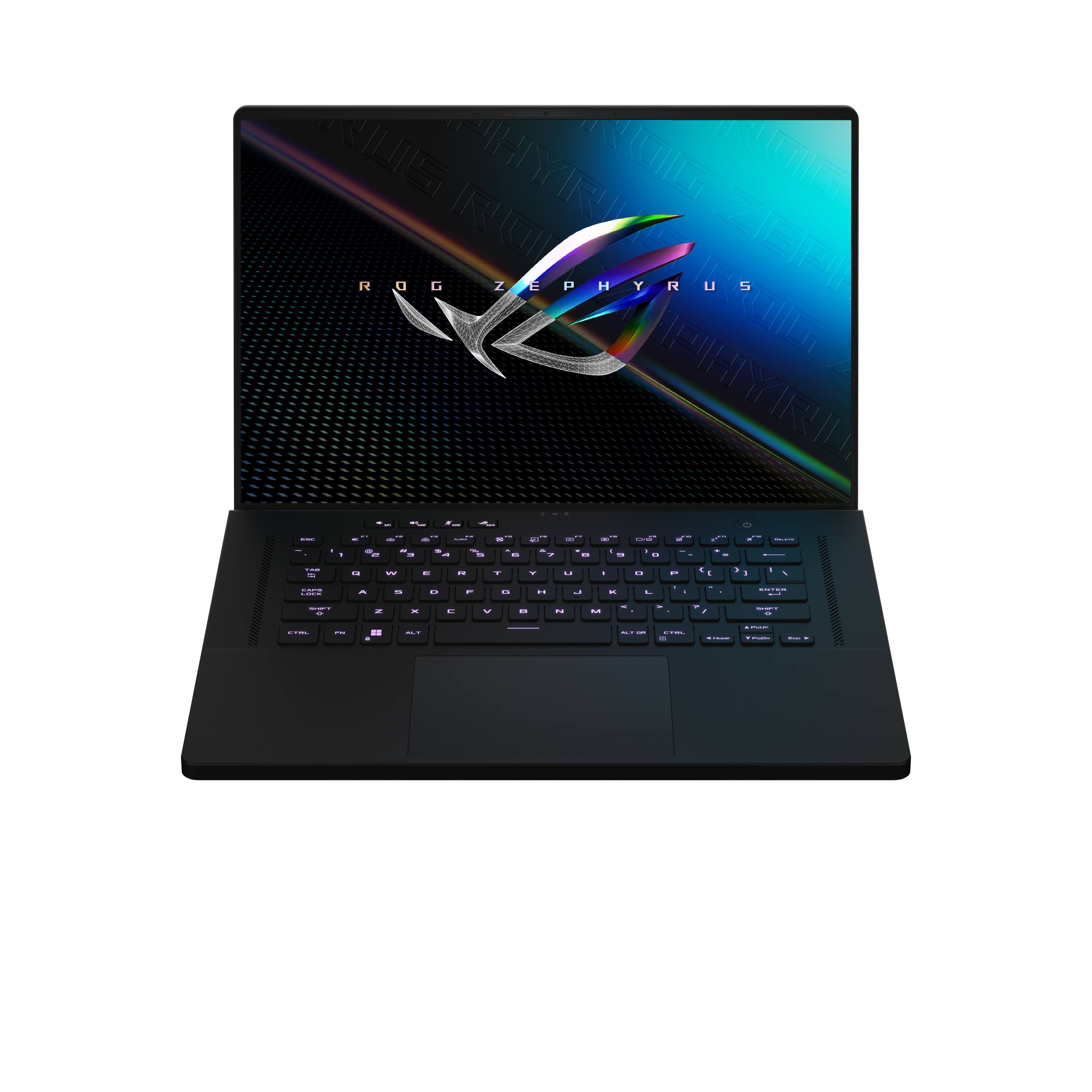



- Model:
- GU603ZM-M16.I73060
- SKU:
- 6494642
Rating by feature
- Battery Life
Rating 4.1 out of 5 stars
- Speed
Rating 4.7 out of 5 stars
- Display
Rating 4.6 out of 5 stars
Customers are saying
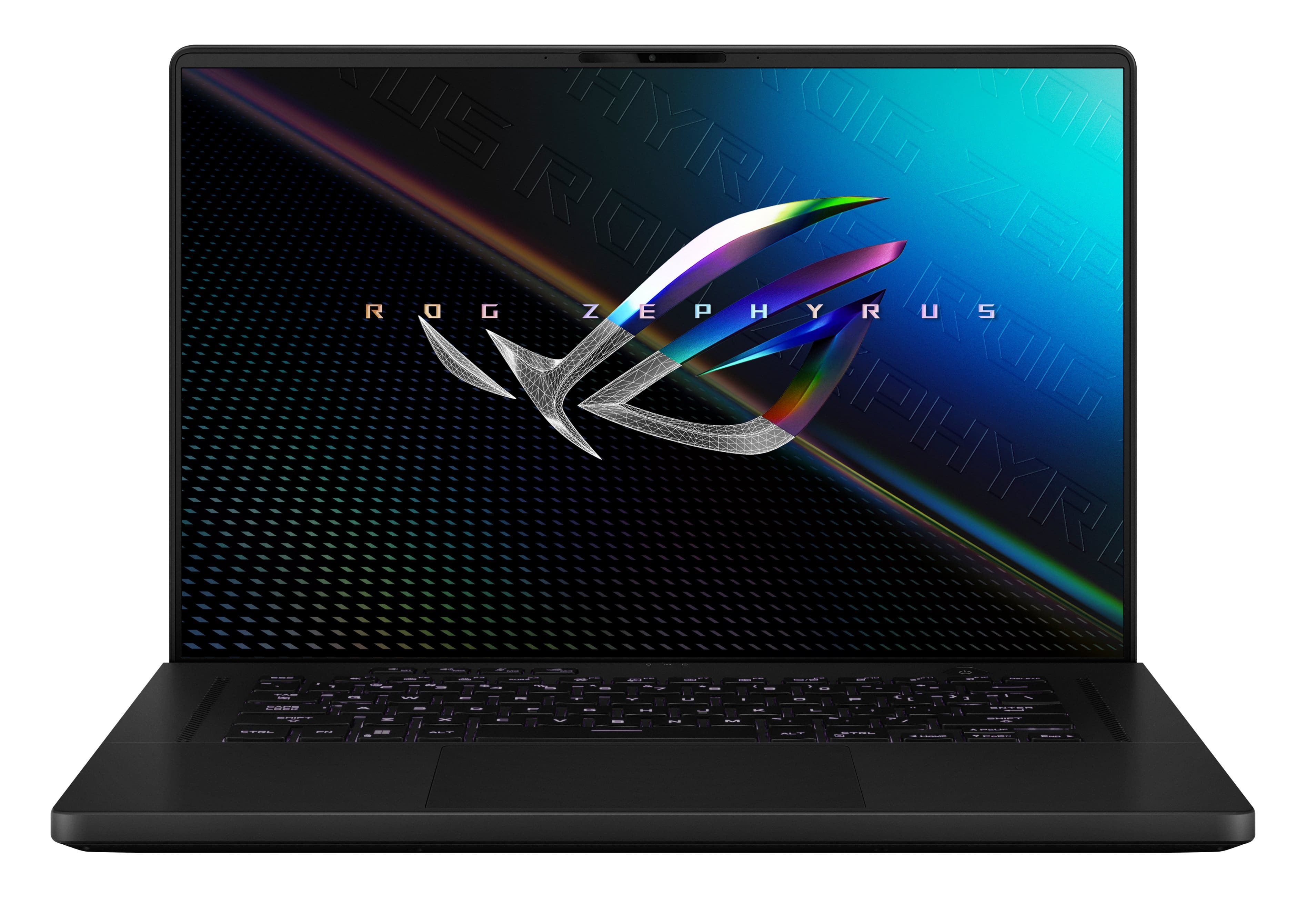
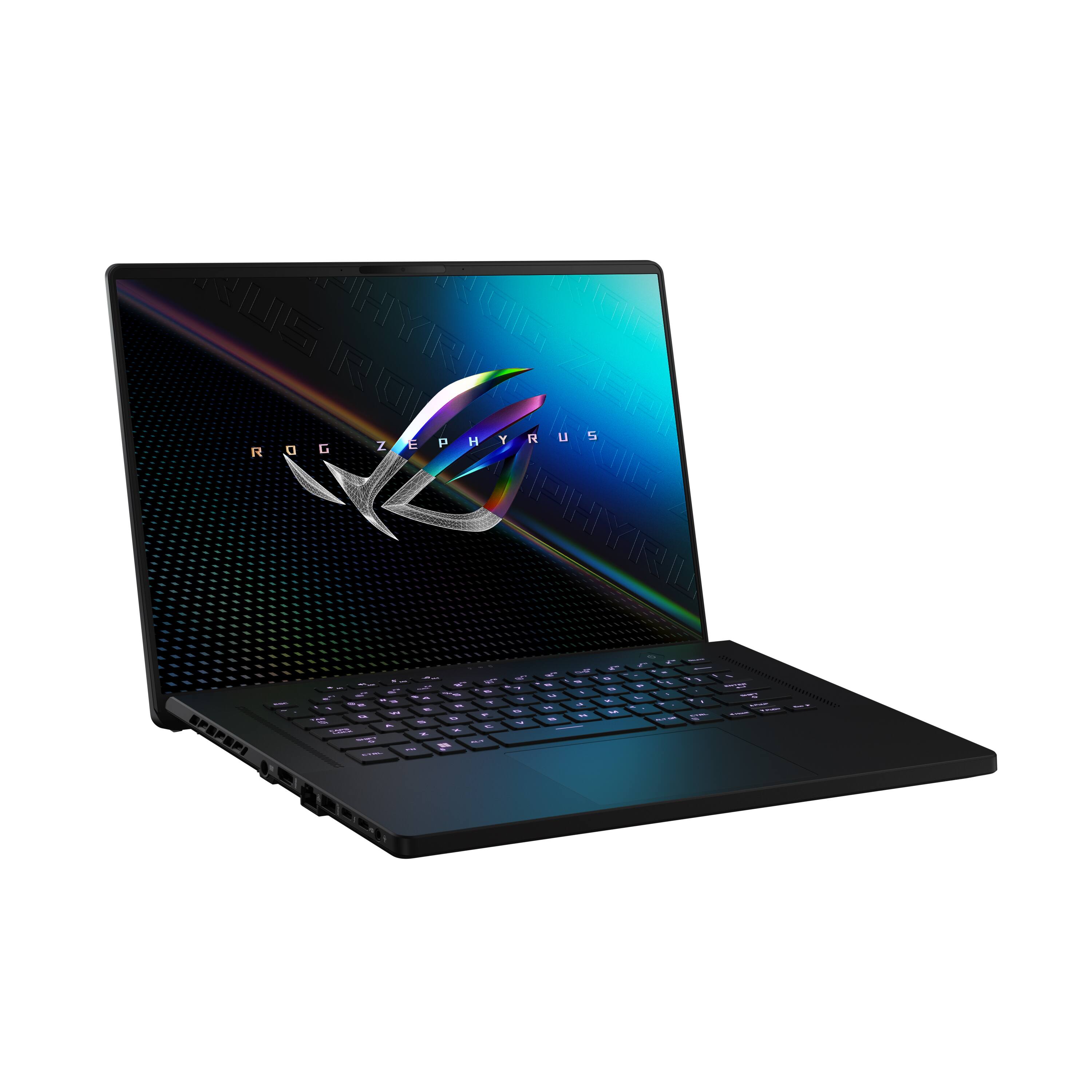
Customers appreciate the ROG Zephyrus 16" gaming laptop's strong performance, impressive graphics capabilities, and vibrant display. Positive feedback also highlights its lightweight design and robust build quality. However, some users note that the fan noise can be noticeable, and the device may experience elevated temperatures during intensive use; battery life is also a point of concern for some.
This summary was generated by AI based on customer reviews.
I love it
||Posted . Owned for 11 months when reviewed.This reviewer received promo considerations or sweepstakes entry for writing a review.I love this gaming laptop and im really thinking about getting another one
I would recommend this to a friend- Pros mentioned:Performance
Cool Beans
||Posted . Owned for 1 month when reviewed.This reviewer received promo considerations or sweepstakes entry for writing a review.I love it. It runs everything very well. I use it for gaming and video editing. Don't roast my set up-__-
I would recommend this to a friend Amazing Laptop!
||Posted . Owned for 7 months when reviewed.This reviewer received promo considerations or sweepstakes entry for writing a review.It works awesome for call of duty and a bunch of other games it has amazing graphics and runs very well!
I would recommend this to a friend- Pros mentioned:Performance
Best laptop ever im so happy
||Posted . Owned for 3 weeks when reviewed.This reviewer received promo considerations or sweepstakes entry for writing a review.Omg im so happy i play every game on here so well smooth video movies are like a theater i love this my life is so much better with this laptop
I would recommend this to a friend Awesome deal
||Posted . Owned for 3 weeks when reviewed.This reviewer received promo considerations or sweepstakes entry for writing a review.It’s too much good deal and I am happy with this deal,you should definitely buy this laptop
I would recommend this to a friendSuper nice gaming computer
||Posted . Owned for 5 months when reviewed.This reviewer received promo considerations or sweepstakes entry for writing a review.Super nice gaming laptop. Good size and I love the color changing keyboard. Lots of space for games.
I would recommend this to a friendM16 best budget gaming device!
||Posted . Owned for 5 months when reviewed.This reviewer received promo considerations or sweepstakes entry for writing a review.Useing after 6 month letter. My reaction is Booom!!!! Love this beautiful beast!
I would recommend this to a friendAsus ROG Zephyrus M16 The Killer Machine.
||Posted . Owned for 1 month when reviewed.This reviewer received promo considerations or sweepstakes entry for writing a review.This is my second laptop from asus, i was looking for gaming & editing laptop ,i checked all the brands but asus was trusted for me, There support & everything is good till now. So i took this laptop ASUS - ROG Zephyrus 16" FHD 165Hz Gaming Laptop-Intel Core i7-16GB DDR5 Memory-NVIDIA GeForce RTX 3060-512GB PCIe 4.0 SSD - Off Black lets talk about the pros -beautiful design and improved build quality over previous gen -awesome 165 Hz 1FHD+ display, but beware of potential QC quirks good inputs updated hardware and excellent performance for the class 90Wh battery, and fair battery life excellent audio Now the cons -smudgy black finishing, especially on the interior deck -awkwardly placed status LEDs and IO -partially soldered RAM, with only 8 GB onboard on many variants -very loud fans on Turbo -hot air blown straight into the screen with this design it has everything..... the only thing was bad for me the hot air blown into the screen, this causes to reach temp at high because hot air is circulating near rear blowers.... I wish they can replace this Free of Cost for Us :D ! Thank you team BESTBUY
I would recommend this to a friend- Pros mentioned:Display, Performance, RamCons mentioned:Fan noise, Heat

Too hot to handle.
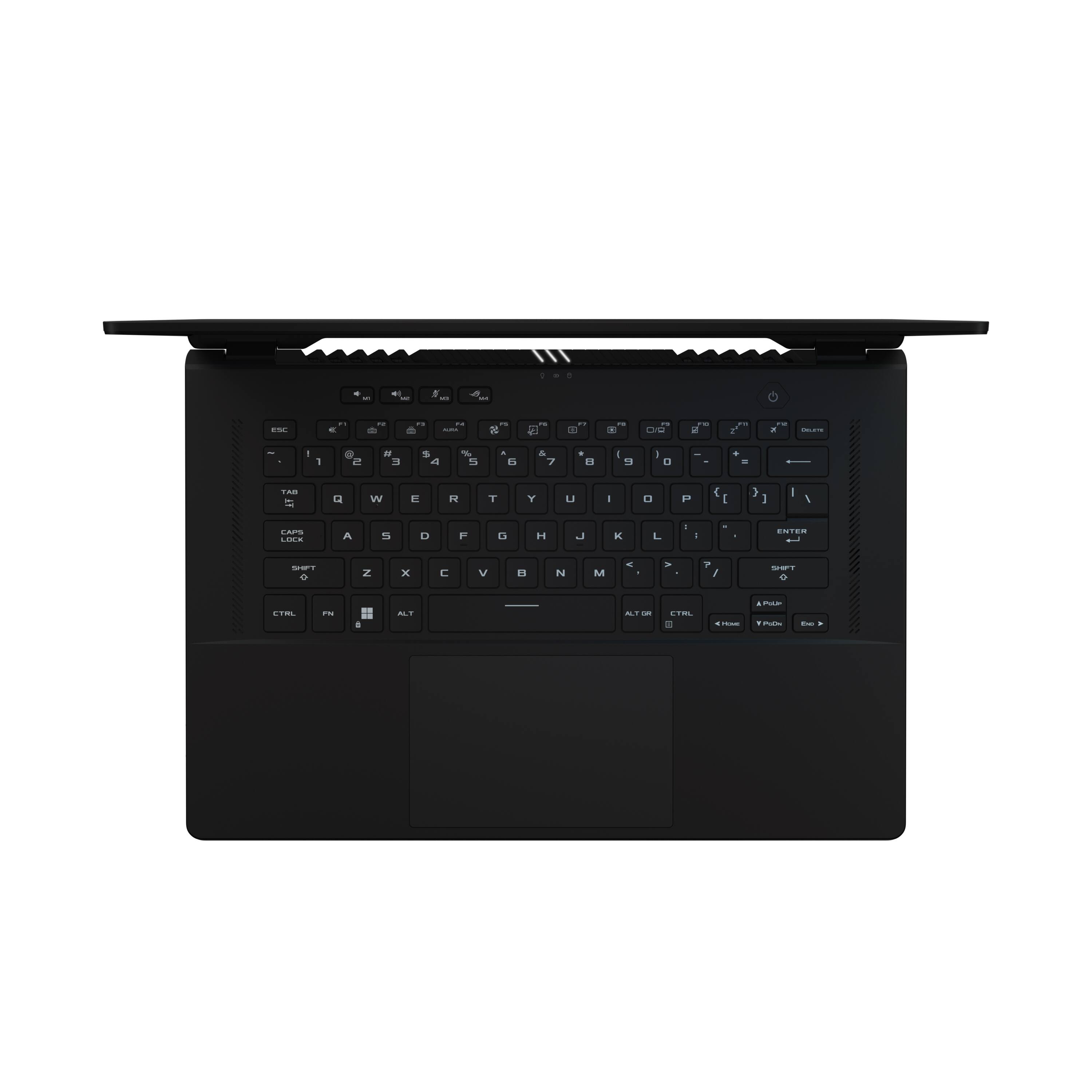
|Posted .This reviewer received promo considerations or sweepstakes entry for writing a review.I have some mixed feelings with the Asus ROG Zephyrus. There are many things Asus did right with this laptop, but the things that they got wrong are way too big to ignore. The first thing I noticed about this laptop was the plastic shell, it looks and feels like it was cheaply made. After opening the screen, I quickly changed my mind…It has a nice rubbery texture, that feels comfy. The keys are perfect in my opinion, they’re raised just enough and feel good to type on. They’re also LED multicolored back lit. The screen is a good size, although the bezel and adhesive lining are a little off placed in my laptop. The display that I received, has terrible LED bleed from all around the edges. It looks bad in low lit areas and/ against a black or grey screen, it’s not noticeable against any other color. The screen does get incredibly bright though, this must be one of the brightest laptop displays that I’ve ever seen. When I don’t notice the LED bleed, the screen looks amazing; the colors are very vibrant and incredibly bright. The 165hz refresh rate makes motion super smooth and not just in gaming, all other programs as well. On a side note, there are 3 lights at the top of the keyboard (power, charge, data) …Whoever decided to put those there clearly didn’t think this through very well, as they reflect badly onto the bottom of the screen, and they become very distracting. The laptop gets extremely hot, particularly right above the keyboard. It gets so hot that it becomes too hot to touch, I wouldn’t recommend gaming with this in your lap, or even touching it for that matter. The fan vents are aimed upward and directly at the screen, which I think is a terrible design because it makes an already warm screen, even warmer. I think they should have placed the screen above the vents for better airflow. When the fans kick on, they do become loud, making it very annoying and even hard to hear the game. Luckily, this laptop is equipped with some decent sound. The sound gets really loud but falls short on base. This model comes packed with a 500gb M.2 SSD, there is another slot if you want to upgrade. In my case I added a Samsung 1tb 980 Pro M.2, this is a great option to store my games. The laptop comes loaded with 16gb of DDR5 ram, which can be upgraded. Unfortunately, for whatever reason, Asus decided to make 8gb of that ram soldered, leaving you with just a single slot to upgrade the ram. The GTX 3060 graphics card is a great option, with 6gb of DDR6 this makes for some decent gaming. Combined with the latest gen Intel i7, it runs pretty smooth. As for the performance of the laptop, I wanted to see what this thing was made of. So, I loaded up Death Loop and set the settings to high, I immediately got a notice saying low on VRAM, but I ignored it and continued to play it anyway. I must say, I was impressed with how well the laptop handled the game. I played it for a little over an hour and had no lag, no tearing, it didn’t even slow down at all. The only thing that happened was the fans got extremely loud and the laptop got extremely hot. The game was clocking at 60fps for most of the time. Overall, there are some good things about this laptop, such as the keyboard, GTX 3060, dual M.2 slots 165hz 1080x1200 screen, not to mention it plays most games well. Nonetheless, the cons like the terrible LED bleed, poorly designed airflow, those annoying 3 lights that reflect on the screen... Most importantly, the biggest problem is how hot the laptop gets in certain spots. I wouldn’t be surprised if Asus had to order a recall on these because they’re a serious liability. It pains me say, for that reason alone, I would not recommend this laptop to anyone.
No, I would not recommend this to a friend Crazy gaming laptop with remarkable display
||Posted . Owned for 6 months when reviewed.This reviewer received promo considerations or sweepstakes entry for writing a review.Using it since 7 months Must say a craziest laptop I have ever purchased ❤️
I would recommend this to a friendGreat Buy @ Best Buy
||Posted . Owned for 3 weeks when reviewed.This reviewer received promo considerations or sweepstakes entry for writing a review.Very good game pc lab top i enjoy every bit of it not a bad buy at Best Buy
I would recommend this to a friendPerfect
||Posted . Owned for 4 months when reviewed.This reviewer received promo considerations or sweepstakes entry for writing a review.A perfect budget friendly laptop for those who are getting into gaming definitely
I would recommend this to a friendBest laptop I’ve had!
||Posted . Owned for 2 weeks when reviewed.This reviewer received promo considerations or sweepstakes entry for writing a review.Worth every penny!!! Good buy if you thinking about get it!!
I would recommend this to a friend- Pros mentioned:Graphics
Asus or Lenovo, no more choice
||Posted . Owned for less than 1 week when reviewed.This reviewer received promo considerations or sweepstakes entry for writing a review.It's great gaming laptop, very big screen (It's not that great for Photoshop, but for games - it's okay) and powerful GPU and CPU. I strongly recommend this Asus or Lenovo Legion if you need a gaming laptop.
I would recommend this to a friend - Pros mentioned:SpeedCons mentioned:Fan noise
So close to perfect!
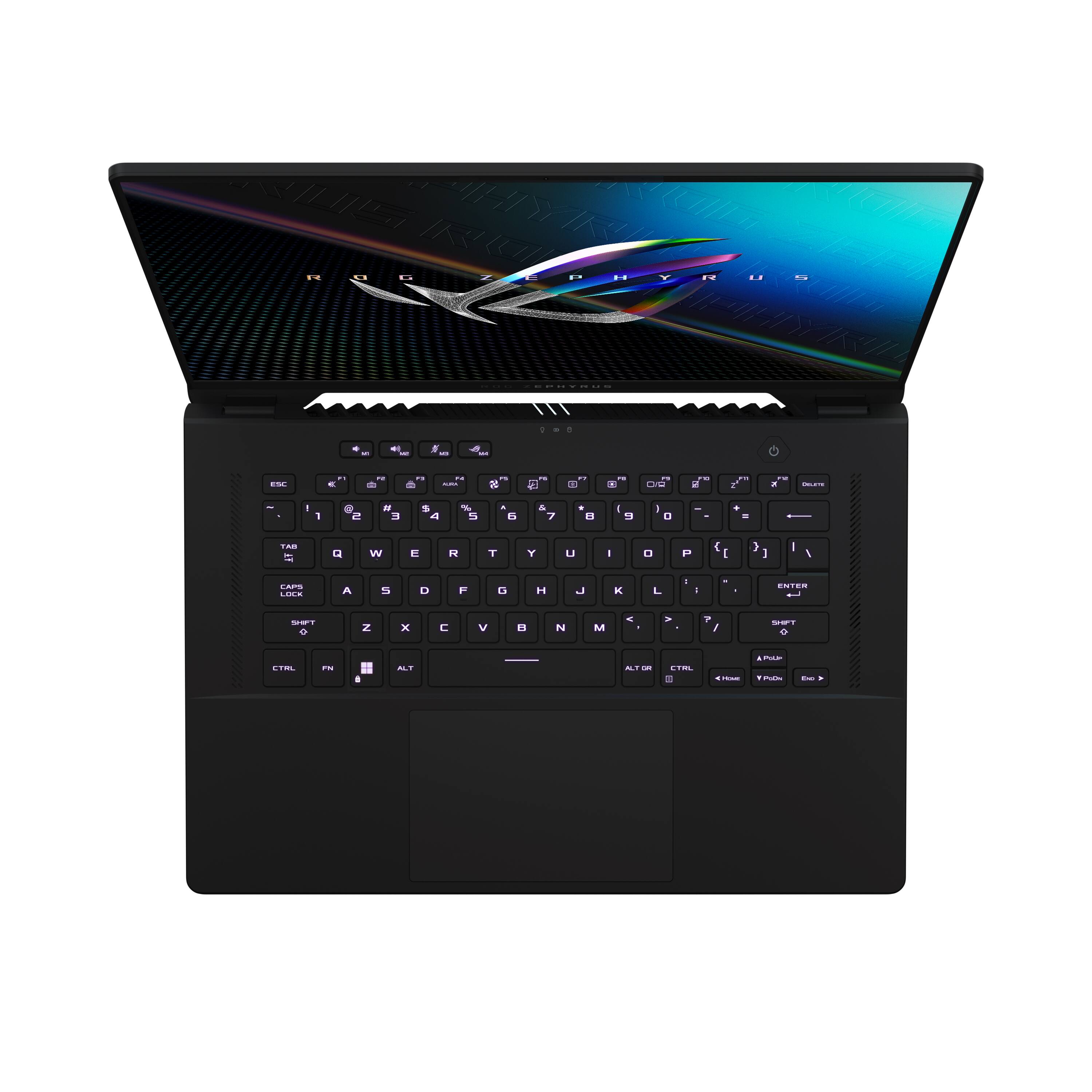
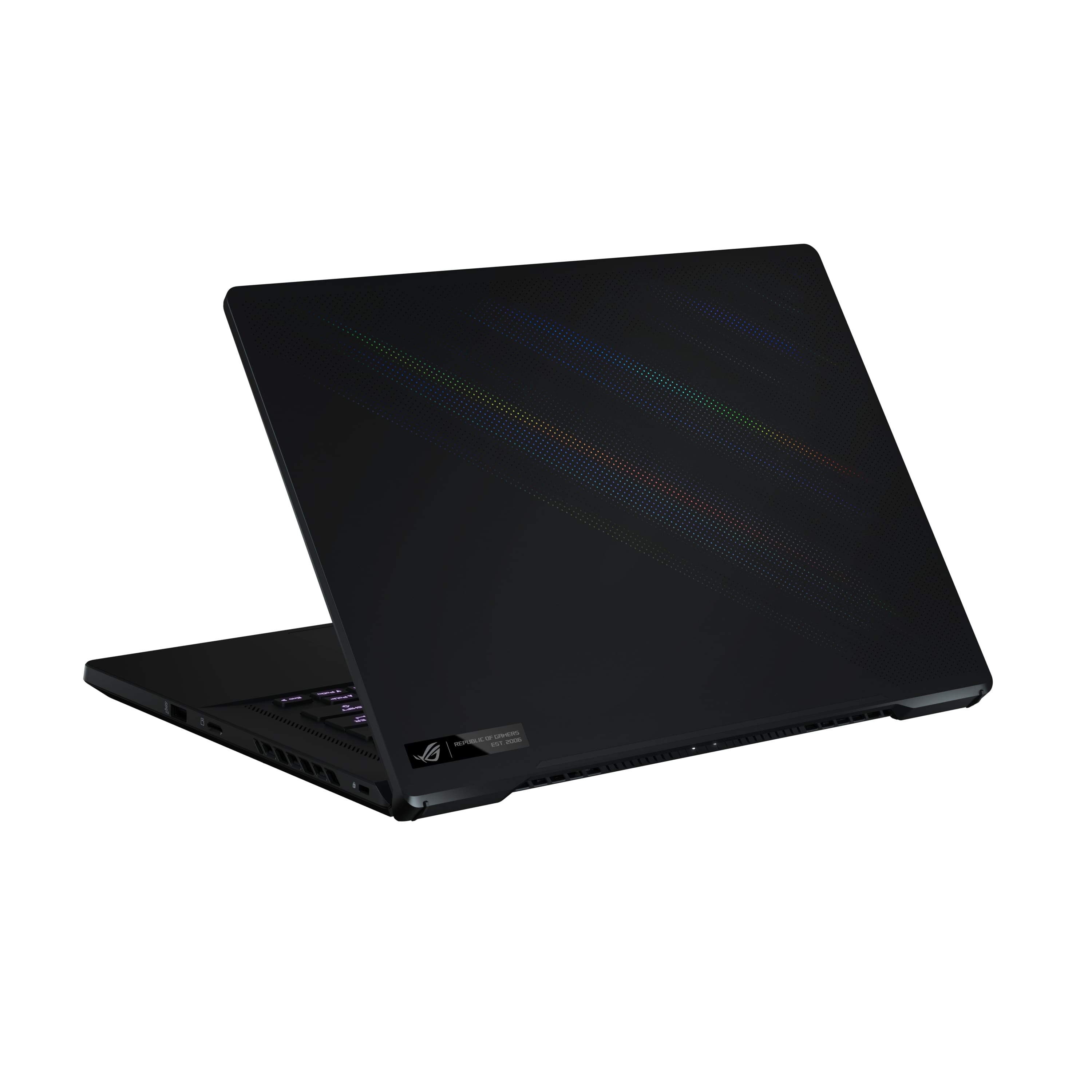
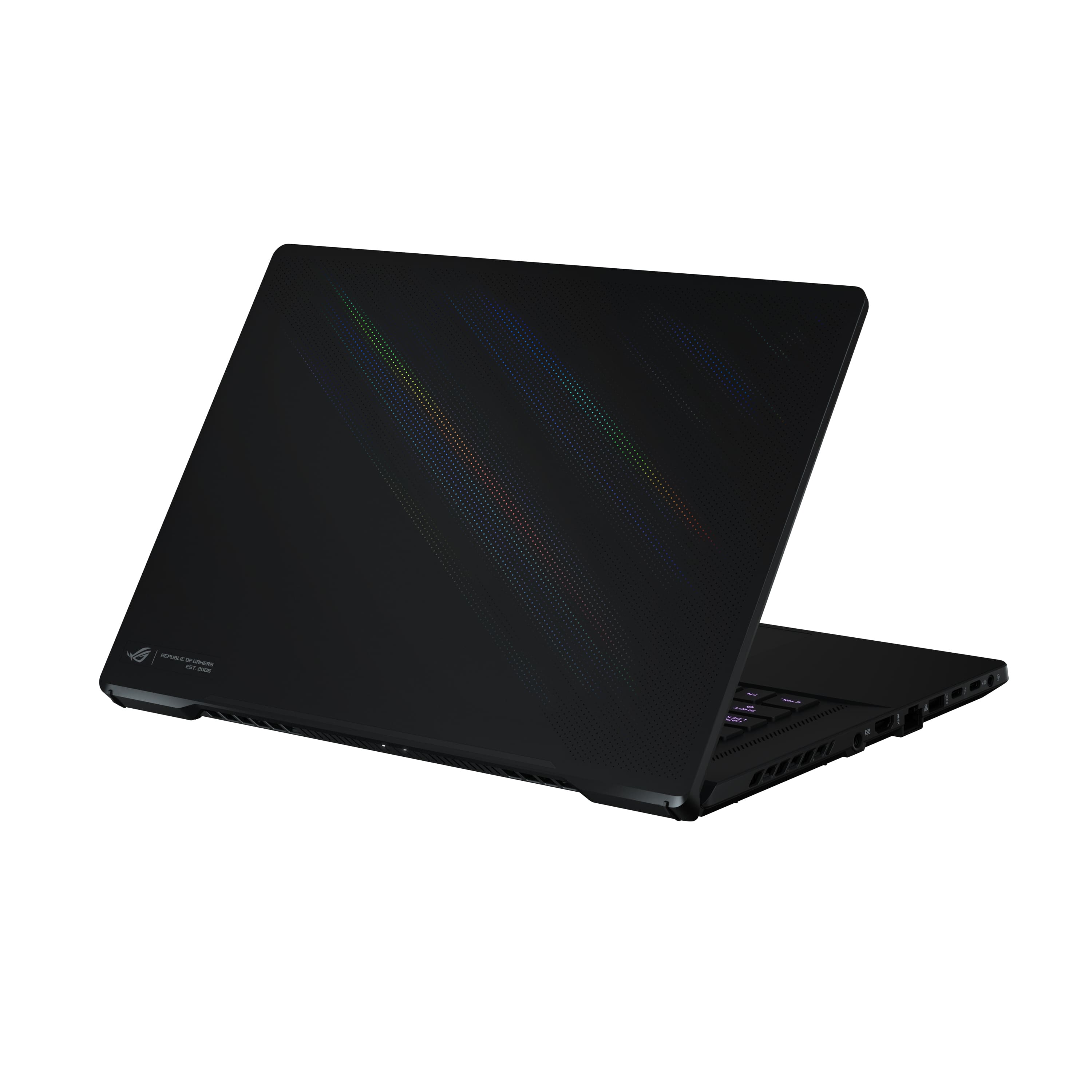
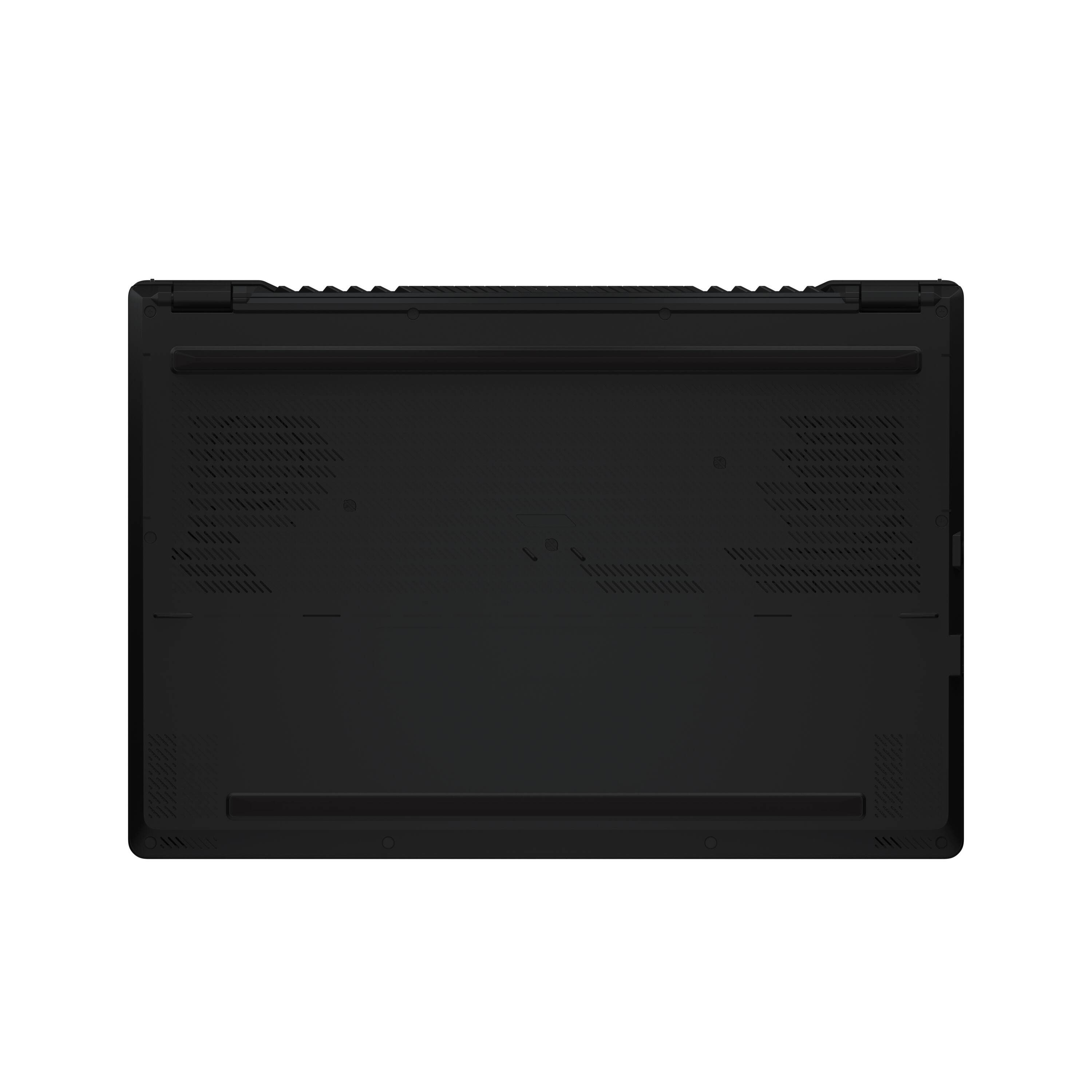
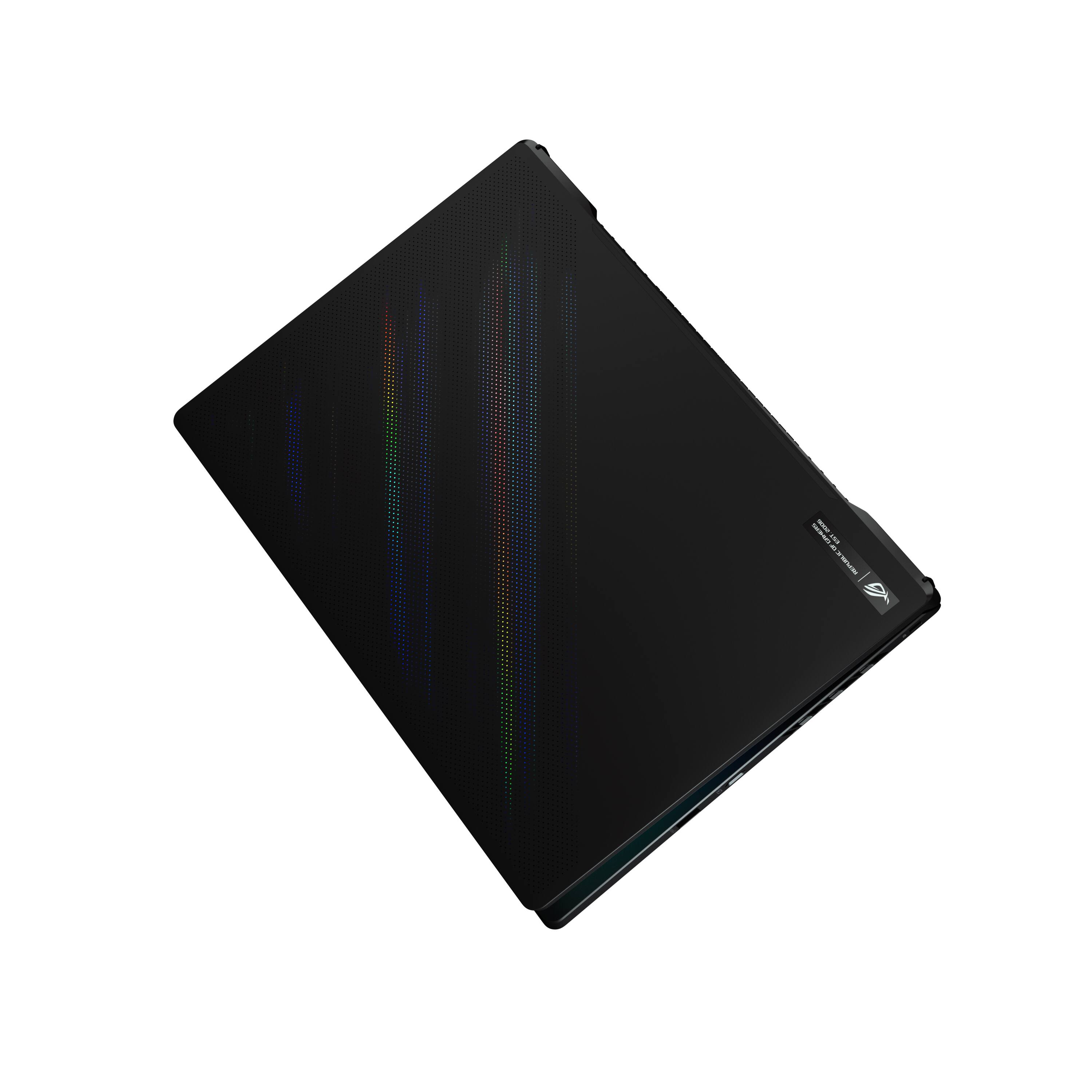
|Posted .This reviewer received promo considerations or sweepstakes entry for writing a review.The 2022 M16 is a perfect compromise for anyone who might struggle with the 15” versus 17” decision. A 16” screen but still very portable at only 4.4 pounds. Each time I handle it I feel it should be heavier, like picking up a half empty soda can when you thought it was full. But while Asus may have used lightweight material it doesn’t feel cheap in any way. In fact, the opposite, the soft-touch material on the keyboard deck feels premium. When closed, there’s nothing that provides any hints of a gaming laptop. There are no obnoxious logos or LEDs. It’s black all-around with perforations on the lid that provide a prismatic shimmering effect and a small, classy ROG badge in the corner. While the chassis itself is slim, there is a “foot” on the bottom that keeps the laptop off the tabletop for improved airflow. Opening it will reveal its gaming intentions with a single-zone RGB chiclet-style keyboard and keycaps decorated with the familiar ROG font. The keys have 1.7mm of travel, are quiet, and feature N-key rollover. The trackpad is large, glass, and most importantly is quiet. One of the better trackpads on a Windows laptop. The display is bright, Pantone certified, and fast at 165hz with a 3ms response time. However, it does not support HDR gaming. I’m happy to see the 16:10 aspect ratio finally becoming mainstream in gaming laptops. The screen takes up an incredible 94% of the lid meaning the bezels are incredibly thin and there is virtually no “chin” under the screen. There is even room for a webcam. It’s not great as it produces grainy video but at least it’s there! There is also IR for touchless Windows Hello login which has been fast and mostly flawless in my testing. Performance is simply outstanding in Turbo mode. There are also Silent, Performance, and Manual modes. Silence is best for light and efficient workloads such as web browsing and when you want to save battery. It will keep the fans very low or even off. Performance is best for general use. You will get a good balance of battery, power, and reasonable fan noise in Performance mode. Turbo is when you need to get what you paid for. The fans will be allowed to go to their absolute maximum and the power limits are set to maximum. I played several games in Turbo mode with the Mux switch enabled and got exceptional results at their highest graphical settings at native resolution: Fortnite – 165 FPS (Epic Settings, DLSS set to performance, FPS capped at 165) Halo Infinite 100-110 FPS (Ultra Settings) Guardians of the Galaxy 110 FPS (Ultra, No DLSS) A MUX switch allows you to manually disable the internal graphics card so that the 3060 can pipe its output directly to the display. All ROG laptops in 2022 now feature one. You can control it with the Armoury Crate software but it does require a restart unfortunately. You can leave it on all the time but you will sacrifice battery life when doing any non-graphical intensive tasks like web browsing or watching a video. Unlike some other laptops highest performance modes, Turbo does not keep the fans on 100% which means you can leave it on turbo mode all the time (not available while on battery). However, the system does get hot and the fans DO get very loud, near 60 dB when under load or gaming. Intel 12th Gen Alder Lake is seriously fast. According to Geekbench, this is the second fastest machine I own after my 12th Gen i9 Desktop. The 12700H is way more than capable for any game you throw at it. My biggest issue with this laptop is the 512 GB Micron 2450 SSD provided for storage. In my opinion, a gaming laptop in this price range should have at least 1 TB. Games are just too large these days for only half a terabyte. Try to install Forza Horizon 5 (105GB), Age of Empires IV (86 GB), Guardians of the Galaxy (75 GB), MS Flight Simulator (>120 GB) and oh my CoD: Warfare (175GB) and oops you’re already going to have to start making some decisions on what to keep as you’ve run out of space. The drive is also only as fast as a last-gen PCIe 3.0 drive. That’s a shame. While there is a second storage slot to easily add additional space this laptop would be a five-star for me if I didn't have to purchase a better drive at all. Pros: Impossibly Lightweight Beautiful 16” 16:10 165Hz Screen with Thin Bezels and Webcam Premium Feeling Soft-Touch Coating Responsive Trackpad– great feel Screen tilts 180 degrees back Intel 12th Gen is Ridiculously Fast Wifi 6E and 2.5GbE Networking HDMI, Thunderbolt 4, USB-C 3.2 Gen 2 and microSD slot Advanced 3D Mic array with Dedicated Microphone Mute Button Speakers sound very good USB Typ-C Charging Excellent Keyboard- 1.7 mm travel. Windows Hello Cons: A larger and faster SSD would be welcome MUX Switch Requires Restart Fans are Loud in Turbo 16GB DDR5 but 8GB is unremovable Overall this is a fantastic gaming laptop that holds its own against today’s AAA titles but if you’re a serious gamer you will likely need to replace the storage to fit everything. The performance is top-notch, I don’t think you need the higher tier i9 for gaming whatsoever and the RTX 3060 performs like a champ at this resolution.
I would recommend this to a friend Awesome laptop
||Posted . Owned for 1 month when reviewed.This reviewer received promo considerations or sweepstakes entry for writing a review.This laptop was to replace my aging 1650. Out the box it was easy setting up. Definitely a better machine than my old one. Better build quality as well.
I would recommend this to a friend- Pros mentioned:Display, Graphics, RamCons mentioned:Heat
Great specs. Needs G-Sync to succeed
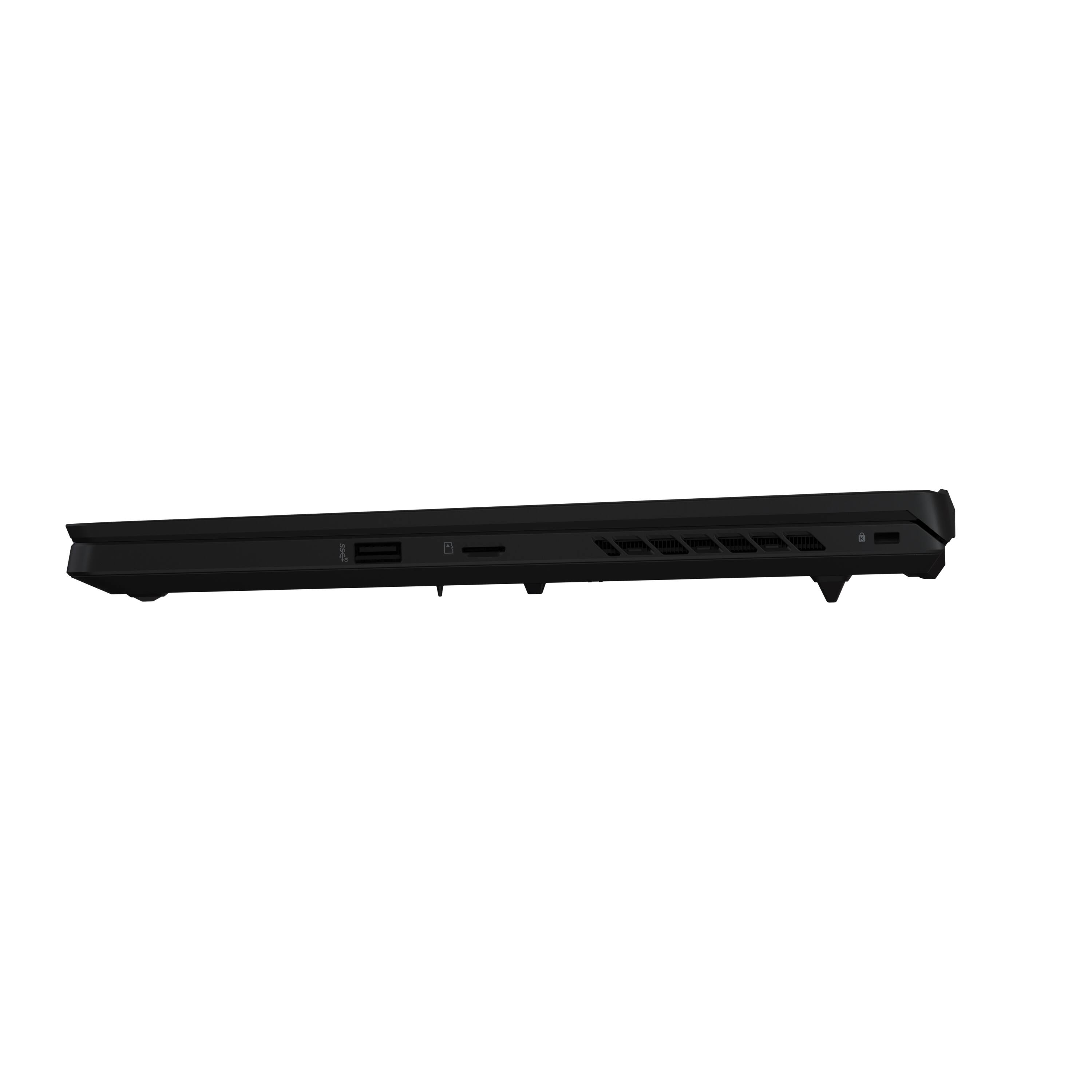
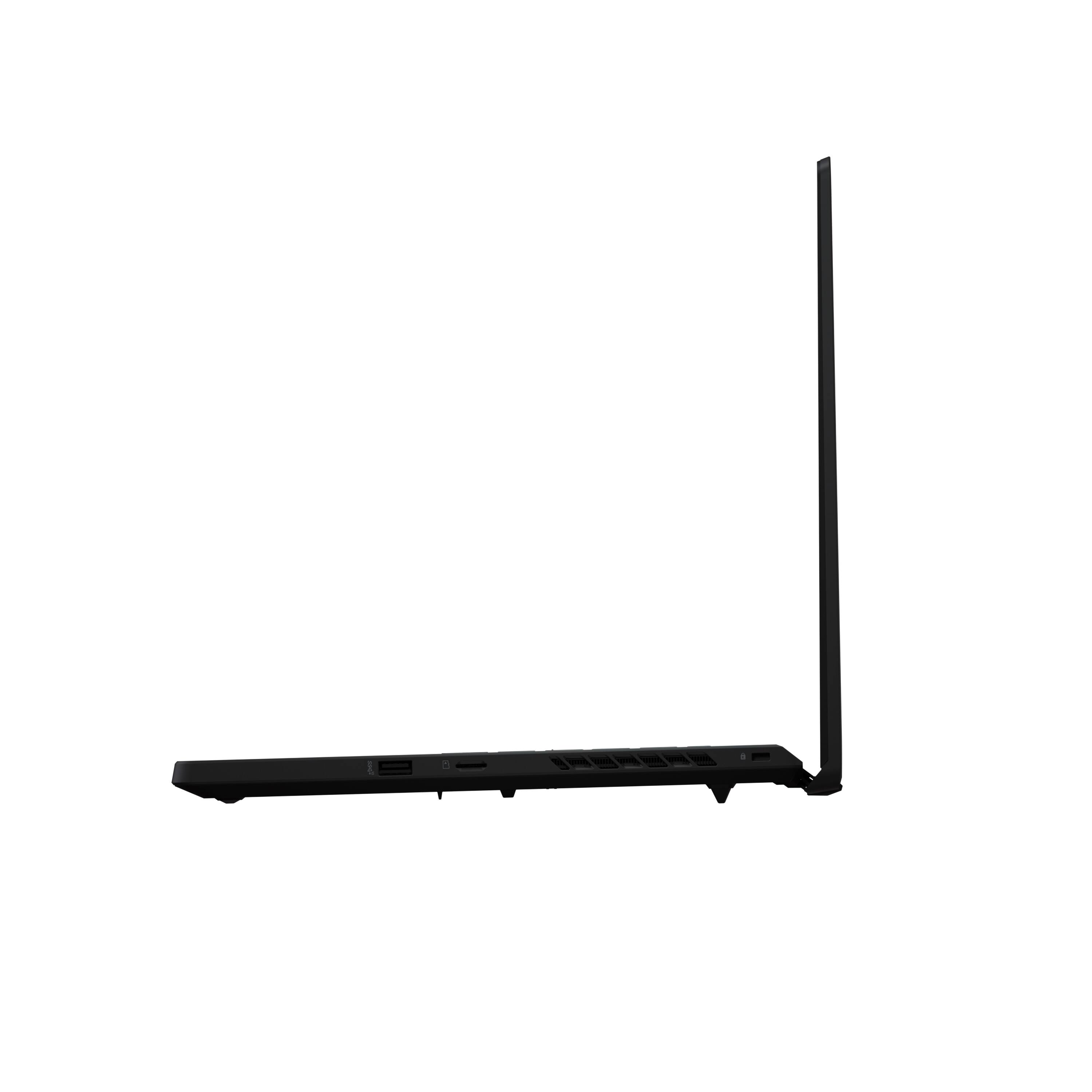
|Posted .This reviewer received promo considerations or sweepstakes entry for writing a review.Initial Impressions: My experiences with the Asus ROG Zephryus 16, model GU603ZM, is a mixed bag. Mostly, I am happy with this laptop. Asus does bring to the table some capabilities that I have not seen with other gaming laptops such as a MUX Switch and a meaningful, easy to use software suite. And I will be getting a lot of use out of this laptop for both gaming and daily use. However, I cannot give this gaming laptop a full five stars due to some annoying quirks and issues I uncovered. The GU603ZM is a mid-tier gaming laptop that ships with the new Intel i7-12700H, leverages the new PCIe 4.0 bus, RTX 3060 discrete laptop graphics, integrated Intel Iris graphics, a MUX switch to switch between discrete and integrated graphics, a PCIe 4.0 512GB PCIe SSD, and 16GB of DDR5 as both 8GB integrated and 8GB replaceable, and a 16-inch screen in a 15 inch laptop package. The screen has a respectable refresh frequency of 165hz, is very bright, has good contrast, and good color vibrancy. The default M key functions are useful, have good default assignments, and easy to access. The functions assigned to the F key row are equally well thought through and placed. The keyboard is a 10 key-less style keyboard with good key size and spacing. Asus even managed to squeeze the directional keys under the right shift key. The chicklet keys also require a respectable amount of force to depress and produce both an audible and tactile click when depressed. The GU603ZM has two non-slip rubber feet that ensure that the laptop is always raised away from the table. This helps greatly with air flow and cooling. There are also little feet on the far right and left side of the LCD screen bezel that allows the laptop to be lifted a few extra degrees to increase airflow. The cooling design is aggressive, can get loud, and blows directly on the screen. The laptop can get very hot when driving demanding content. Finally, rubberized keyboard surface is gives the typing surface a nice finished feel, gives the surface a premium feel, but it also collects oil from your hands and finger tips. Gaming and Benchmarks: All benchmarks were done after all windows and system updates were complete. The system is not overclocked. I used 3Dmark for generic benchmarks, game specific benchmarks where available, and FPS feature built into the games. MSI Afterburner was also used to capture some metrics. I am a bit inconsistent here because I do not have a hard testing methodology, yet. 3DMark: Discrete GPU: 9223; MSHybrid: 8708 3DMark Ray tracing score at 1920x1200: 4417 For reference the reported best score on 3DMark with same hardware is 5449. You can also see the MSHybrid takes a hit. This is consistent with every game I scored using both settings. Forza Horizon 5: 75 FPS during in-game benchmark/calibration. I was able to squeeze in Ray Tracing. I was able to maintain a steady 82 FPS. Driving was butter smooth on the LCD screen. However, still images up close to each vehicle showed Aliasing Artifacting along all hard, straight edges. I did not notice this behavior when driving. Burnout Paradise Remastered: Total hot mess. Without G-Sync, graphics tearing is so common and obvious that it may as well be listed as a feature. Middle Earth - Shadows of War: Discrete GPU: 112 FPS; MSHybrd: 102 FPS I saw FPS between 85 and 120 depending on what was going on screen. The image on screen was bright and vibrant. I saw some lite ghosting with some scenery but otherwise this game was quite playable. Halo Infinite (Low settings): Discrete: 70 - 88 FPS; MSHybrd: 60 to 75 FPS Still image quality at Low and Medium settings was great. Driving around in the warthog was also a solid experience. Combat and quick left to right motions caused an abundance of ghosting. I was using discrete GPU, panel overdrive, and turned off Power Panel Saver in Armory Crate. I think the campaign would go ok at Low settings. Any serious play with Halo should be done over Thunderbolt/Display Port with a quality G-Sync compatible monitor with a high refresh rate. Competitive play with the 16-inch LCD will be tough since you will be fighting ghosting as much as your opponent. There are a lot of settings to Halo Infinite so maybe this game is salvageable without an external monitor. Doom Eternal played great so this may be a game specific issue. Doom Eternal: Averaged about 120FPS with DLSS on, details set to high, and Ray Tracing turned on. Game looked good on the screen and played great. No stuttering, image tearing, or artifacts. Colors were also vibrant. I did have to adjust the screen resolution to match the screen’s native resolution. Game defaults to 1920X1080 for some reason. I played for about an hour and do not recall any ghosting, tearing, or other image issues. Mechwarrior Online (Unreal Engine 3): Depending on the map, I could clock anywhere between 70 and 110 FPS. Also, depending on the map, I would get different image clarity, some screen tearing, and some aliasing artifacts around hard edges. I also saw some really strange image behavior with special with distant special affects where black smoke would acquire a white after image moving my point of view a pixel to the left or right of the smoke. This is not an issue with an external monitor. SDD Benchmarks: This one was strange. I used Samsung Magician for testing. Micron 2450: Sequential Reads: 4140 MB/S, Sequential Write: 891 MB/S, Random Reads: 147216 IOPS, Random Write: 112304 IOPS. Samsung 980: Sequential Reads: 3319 MB/S, Sequential Write: 2750 MB/S, Random Reads: 128417 IOPS, Random Write: 108886 IOPS. MUX Switch or NVidia Optimus? You can see the difference between MSHybrid (Optimus) and Discreate GPU. The Discreate GPU wins every time. But I like to have the choice. I am not always gaming. Most of my time is actually spent doing normal everyday computing. MSHybrid gives me the opportunity to turn on energy saving features that save on battery life, increase my battery sessions, and lower my overall electric bill. With MXHybrid mode on I can maintain a balance between the RTX 3060 and the Intel Iris graphics or I can completely disable the RTX 3060. I can take this further by disabling the screen’s overdrive state, active screen power saving mode, and I can even reduce screen refresh from 165hz to 60hz. I was able to squeeze 4 to 6 hours while surfing the web, watching YouTube videos, and writing this review in MS Word. I do not have another gaming laptop that offers this level of flexibility. The compromise is that you will need to learn to become more engaged with actively configuring your laptop on a regular basis. Port Layout: Most of the ports are on the left side of the laptop and directly in line with where you would put an external mouse. There is a single USB A port on to the right and in line with the bottom of the keyboard. See included image. For multi-monitor general computing, there is a full-sized HDMI port. If you want to this for gaming on an external gaming monitor, then you will either need to get a system with a Thunderbolt port or invest in a Thunderbolt to Display Port cable. My gaming monitor does have a Thunderbolt port. I can confirm that the RTX 3060 recognizes the monitor and its G-Sync compatibility. Cooling: The fans can get loud. Fans on Turbo, I measured 68db at the screen and 56db at my listening position with my Apple Watch’s decibel meter. I used MSI Afterburner to measure real-time temps. CPU and GPU maxed at 71 C. The space between the top of the keyboard and the fans got very hot to the touch. The keyboard keys got warm but not uncomfortable. However, come summer, the additional heat may not as welcome. The exhaust blows directly on the screen. The screen got warm but not hot. At least nothing I would worry about. Of course, the different power modes will contribute to heat and cooling efficiency. The one problem I have with the GU603ZM is sleep mode. Sleep mode, with the lid open, does not sleep. Instead, the screen goes black, the keyboard blinks white twice every five seconds, and the laptop continues to generate heat. Asus Software Suite: Asus Armoury Crate gives you access to the MUX Switch toggle, additional energy states, temps, component utilization, and access to other features unique to the GU603ZM. Armoury Crate has a unified look, but the different tools, settings, and utilities are not. For example, I can setup a game profile, but I do not have access to specific Armoury Crate settings that would allow for a tuned performance profile. Regardless, do not delete this application. It is an essential part of the system. Final Thoughts: For the most part, I like this laptop. I think gaming with the 16-inch LCD screen really depends on the game, how many frames the RTX 3060 can throw at the screen, and how dependent a game’s experience relies on a variable refresh rate. Which is a shame because I really do like the vibrancy of this screen. Is this a good gaming laptop. Yes, but if you use an external monitor, leveraging discrete GPU (RTX 3060), and disabling the LCD so the GPU only has one screen to drive. This laptop would also make a good desktop replacement if not for the sleep mode issues. Will I keep using the GU603ZM? Yes, I will. And I will be gaming mostly on an external high refresh gaming monitor and a dedicated gaming mouse. If this is your use case, then I can recommend this system. I think the system specs warrant the conclusion. If you are looking specifically for an all-in-one solution then you may want to look for a more powerful system with a G-Sync compatible screen.
I would recommend this to a friendBrand response from ASUS Answers
Posted .Dear ITJim,
Thank you for taking some time to write a comprehensive comment and for sharing your thought with the laptop.
The laptop work perfectly fine using Adaptive Synch Optimus technology.
Should you need further assistance with the product, please email me at [email protected] and I would be more than happy to help. Or, you are most welcome to call Product Support Hotline at: 1(888) 678-3688. Also, you can chat with an ASUS live support agent at: http://bit.ly/AsusLiveChat.
Thank you for choosing an ASUS product.
Regards,
Rodel
ASUS Customer Loyalty
- Pros mentioned:Graphics, RamCons mentioned:Fan noise
A Strong Choice For On-The-Go Gaming
|Posted .This reviewer received promo considerations or sweepstakes entry for writing a review.TL;DR Top highlights include 4800MHz DDR5 RAM, PCIe 4.0 SSD speeds (well, sort of). A WUXGA display that matches perfectly with the capabilities of the 3060, allowing frame rates above 60fps for High/Ultra graphics settings. Power management is nicely managed when in battery vs plugged in, but you must plug this in if you’re playing AAA games as the GPU resources are reduced if using battery. A quick shortcut button on the keyboard brings up Armoury Crate to manage hardware settings. Chassis is magnesium alloy, but is of a smooth rubbery kind of texture that is fingerprint resistant, but not greasy hands resistant. Chassis itself is nicely lifted off its surface to allow cool air to flow underneath and out the side vents. 512GB allows for about 4-5 60+GB games, so you might have to upgrade the SSD down the line. The fans can get on the loud side, but it’s no different than any other laptop I’ve owned when it's being taxed. Runs very cool for a gaming laptop. The price sits close to or around other chassis that may offer a better package (better CPU/GPU/display resolution/etc). I think buyers should consider the build package (materials, cooling, ergonomics). The M16 chassis does a fantastic job in this department. This M16 (GU603ZM-M16.I73060) comes with a 12th Gen i7-12700H mobile processor with 14 cores, 6 of which are high performance boosting as high as 4.7GHz. The rest are efficient cores at 3.5GHz. All cores have access to Intel’s 24MB Smart Cache. The processor comes with Intel Iris Xe integrated graphics, and this plays a huge part in keeping battery run times longer when on the go yet provide outstanding performance for everyday viewing. The chip is able to support NVMe PCIe 4.0 SSDs to provide much faster read/write performance and it is equipped with 512GB of that. TDP is 115W. The laptop utilizes Nvidia’s 3060 Series mobile GPU. It is not too far in terms of specs with respect to its desktop big brother, with the biggest differences in the amount of GDDR6 (6 vs 12) and TGP (115w [120w boosted] vs 170w). Actually, the mobile version beats the desktop in CUDA, RT and Tensor Cores, but not by a whole lot. Lastly, 16GB of 4800MHz DDR5 RAM is installed. This is my first time owning any PC with this type of RAM. The display resolution is 1920x1200, also known as WUXGA or "Widescreen Ultra Extended Graphics Array", in a 16” panel. It has a screen ratio of 16:10 and sits in between 1080p and 1440p, but closer to 1080p. With the 3060 I think it gives the best combination of resolution and frame rates, and the display itself is capable of 165Hz. The hinge system for the display is very unique and can be laid down completely all the while keeping the fans from being unobstructed. The chassis itself is made of aluminum, magnesium alloy and plastic. From the standpoint of being a laptop, it’s pretty heavy, yet sturdy and I think the chassis and the hinge system will be able to stand the test of time. As for the display, there is slight backlight bleeding around the lower edges. When viewed either for gaming or not, it’s beautiful with very thin bezels all around. I/O is ample [1x HDMI] [1x Ethernet] [2x USB-A 3.0] [1x USB-C] [1x Thunderbolt 4] [1x MicroUSB] [1x Headphone Jack] and can be found on either the right or left side of the laptop. There are no I/O ports to the rear. The GU603ZM-M16.I73060 does a wonderful job managing its power settings once you transition from battery to wall power, and vice versa. When transitioning from wall to battery, the ASUS immediately switches its display output from discrete to integrated graphics and the refresh rate will drop down to 60Hz to help conserve battery. All 14 cores of the i7 will drop from around 4GHz to 1GHz to further reduce power use, yet will increase back when the power is needed. The drop in speeds and voltages results in cooler chips and the fan RPMs can slow down (or even stop altogether), which also reduces power usage even further. Mind you, all this is happening under non-gaming situations. If gaming using the battery, the laptop will switch from integrated to the 3060 to allow for best graphical performance with the expense of shorter battery life. From a full charge, I was able to achieve 4 ½ hours of runtime at 50% brightness and 50% volume watching YouTube TV. Charging back to 99% took about 2 hours. When plugged in, the laptop is essentially unleashed, providing full power to the CPU, GPU and other components. Pushing the M16 in Turbo Mode (there are various modes in Armoury Crate, its hardware management software), I was able to attain 80fps from Horizon Zero Dawn using Ultra settings. Taking advantage of DLSS pushed the fps to 90+fps. Similarly, running Halo Infinite under campaign mode using High settings also kept frame rates over 60fps, but pushing it to Ultra dropped frames to 50+fps. I didn’t see a DLSS option for Halo. Obviously, dropping both games’ graphics settings will push frames much higher (Horizon/116fps, Halo Infinite/120fps). Because of the resolution of the display, switching from high to low graphics settings doesn’t seem like a huge change from my viewpoint. From the SSD speeds standpoint, the read/write performance is close to a top end PCIe 3.0. I don’t know if this is a hardware limitation for laptops, but as it stands, it’s great, but not 4.0 great. I took a star off for that. Health and status during taxing runs are better than nominal for a laptop. CPU remains relatively cool under 90 degrees F under load; GPU stays under 80 degrees as well. When performing non-demanding tasks, temps for both fall to the low 40 degrees F. I believe that the M16 is using liquid metal for thermal compound (based on their GU603 product page), and that does help a lot with thermals.
I would recommend this to a friend - Pros mentioned:Graphics, Performance, Ram
Nice Gaming Laptop
|Posted .This reviewer received promo considerations or sweepstakes entry for writing a review.About The ROG Zephyrus M16 is a higher end gaming laptop brought to you by Asus. It boasts a 14-core i7 processor, NVIDIA GeForce RTX 3060 graphics card, 165Hz refresh rate, solid state hard drive, and 16GB of DDR5 RAM. Generous connectivity options are provided while keeping the laptop to a thin and lightweight design. Packaging and Contents The packaging has a nice appearance. Looked much nicer than my Zenbook. It had several places to store accessories, but the only other content besides the laptop was the power supply. General Specifications Screen Size: 16” Screen Resolution: 1920 x 1200 (WUXGA) Processor: Intel i7 12th Gen Memory: 16GB DDR5 (2 8GB Sticks and expandable to 40GB) Graphics Card: NVIDIA GeForce RTX 3060 Storage: 512GB SSD Operating System is Windows 11 Home 64-bit. This is my first experience with Windows 11. The appearance looks a little more like a Mac, but still feels very much like a Windows device. As usual, there were several updates to download prior to use. Audio is set up for Dolby Atmos. The speakers can get pretty loud, and I had to turn them down further than I expected. Also has a backlit keyboard with customizable keyboard lighting. The touchpad mouse is the biggest laptop touchpad I have ever seen. It takes up half of the keyboard. Ports and Connections WiFi: Wireless AX (WiFi 6E) Ethernet: 10/100/1000/2500 Bluetooth Headphone Jack HDMI Out: 1 (2.0) USB Type A: 2 (3.2) USB Type C: 1 (3.2) USB Type C: 1 Charging Thunderbolt 4: 1 Media Card Reader: Micro SD Power: 240 Watts Camera: 720p Gaming Experience The screen had a very sharp picture. It was really pretty stunning. The video while gaming had an enjoyable smooth movement. It didn’t have any lag. I did have one issue that I was not able to replicate, but it corrected itself and I moved on. After about an hour and a half of gaming the video started clipping and paused for a few seconds. I contributed this to be likely an issue with Steam. I have seen this before with that gaming platform. Other Things I Noticed First and thankfully most, Asus didn’t focus only on how thin of a laptop they could create. They actually made it big enough to put numerous ports with a full ethernet port and headphone jack. It’s a pet peeve of mine that most laptop producers have moved away from usability to create the thinnest laptop they can. And while doing that Asus was successful in keeping it small and lightweight enough that it doesn’t feel like a brick. It’s a perfect median for me. Second, while using the laptop didn’t get too hot. Excessive heat is an indication of poor energy efficiency, lack of breathability in the casing, and can be uncomfortable for someone to rest on their lap. While it was warm, the laptop didn’t get extremely hot. Third, there is a power light on the backside that reflected at the bottom of my screen. It wasn’t awful, and it could just be the angle I had the screen tilted back, but I did notice the glare. Seems like this design could have been a little better. Last, the black matte finish did show fingerprints. Not a huge deal for me, but it can be a little annoying. Overall, I think that this is a good gaming laptop. The video motion is smooth and the picture is stunning. The hardware that comes in this machine is on the higher end, so you should be able to use it for most anything out today. While there were a few minor things that I mentioned I still believe that this product deserves 5 stars. I believe most people will find it to be a very capable gaming machine and should be happy with their selection. Asus has created another solid product here.
I would recommend this to a friend - Pros mentioned:Graphics, PerformanceCons mentioned:Fan noise
Excellent portable gaming machine
|Posted .This reviewer received promo considerations or sweepstakes entry for writing a review.I love Asus products. They have never let me down. I have quite a few and am glad I was able to add this to my collection. This laptop is the absolute perfect size for me. I have owned some that were too big or too small but this I feel is perfect. I was quite impressed with the packaging. This is the first time I’ve ever opened a box and the laptop was pushed up for easy removal. Very neat. Asus did a great job presenting the laptop with the packaging. They also kept it simple. Laptop and charger and not a lot of junk. Great job Asus. The laptop is absolutely beautiful and feels very high quality. I love the look of the outside and when you open it up you are presented with an equally aesthetically pleasing and quality design. The keyboard is perfect and the keys are very comfortable to type on. This makes for a very nice experience when typing is your main focus. I also find it easy to use the keyboard to game on. The trackpad is nice and responsive but I don’t use it much as I purchased a wireless gaming mouse to use with it. The setup was simple. Windows 11 makes it a very easy step by step process that anyone can follow. I also used armory crate, the built in Asus system management software, to update drivers and setup profiles for the machine on the initial setup. I was able to go to the Asus website and pull down the latest BIOS update and updated without issue. The windows updates took a little while but they pretty much run un noticed in the background. Overall, the setup was quick and easy and I was ready to install my favorite FPS games in no time. I installed Fortnite and Call of Duty Warzone to test out the system performance. They both did excellent and this is partly because the Nvidia 3060 GPU supports DLSS. DLSS greatly increased my framerates at higher quality settings on both games. Both games ran like a champ and looked great on the beautiful screen. The one thing that I didn’t like and the reason for the 1 docked star, is the fans are very loud and it is next to impossible to play any game without them spinning up full blast. Its definitely not something you can do in a quiet environment as it sounds like a jet engine spinning up for takeoff. I get it, it’s a small portable, and very powerful machine which needs adequate cooling, its just loud. I am glad it comes with another M.2 slot for hard drive expansion. This is definitely something I will be looking in to because the primary hard drive is not that big and these modern games are getting larger and larger in size. I will also explore memory upgrade options as well. Overall, this is a great system at a fair price for the hardware inside. It can handle the most modern games without issue and is a great portable gaming machine. I would highly recommend it.
I would recommend this to a friend