Customer Ratings & Reviews
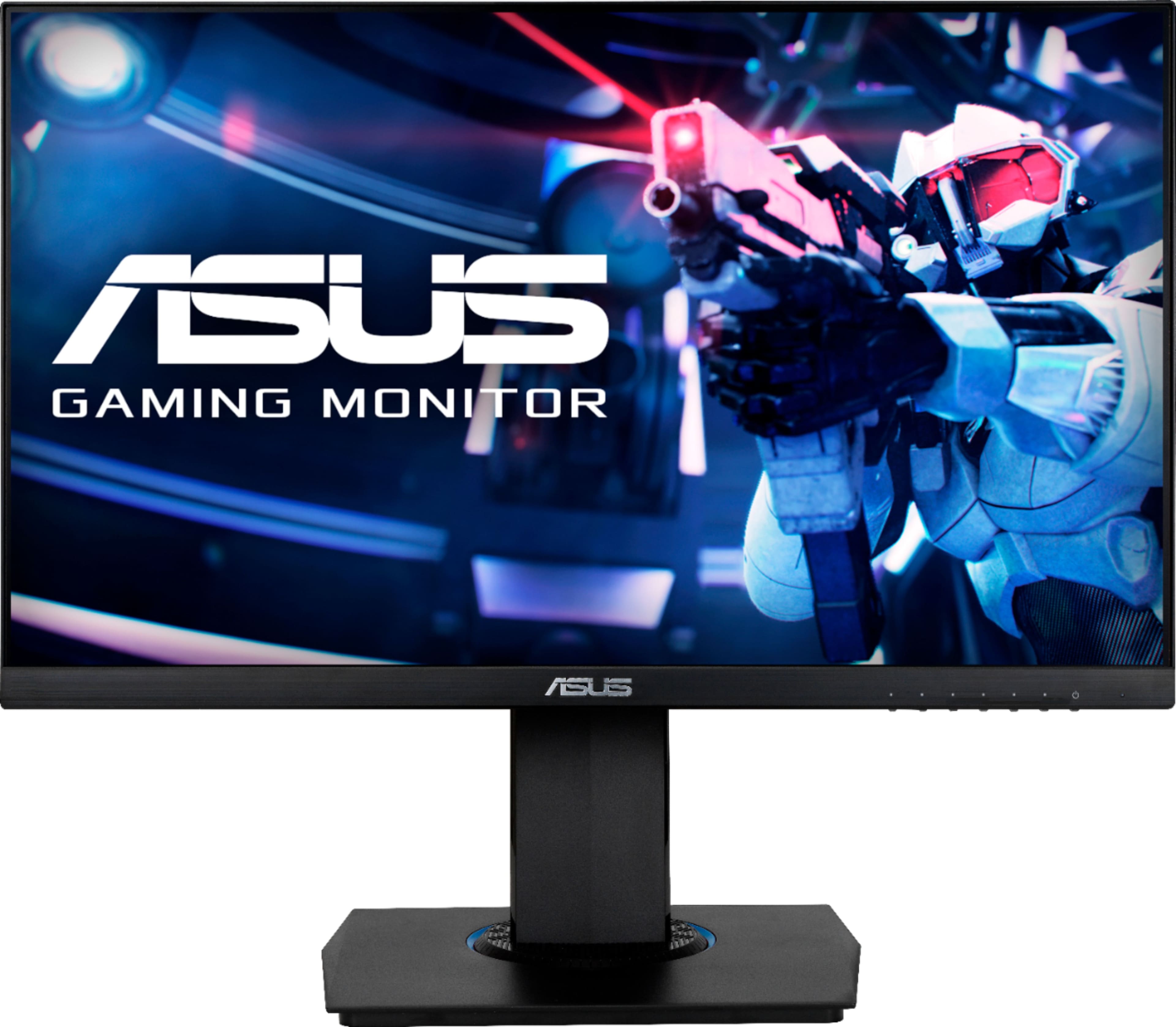
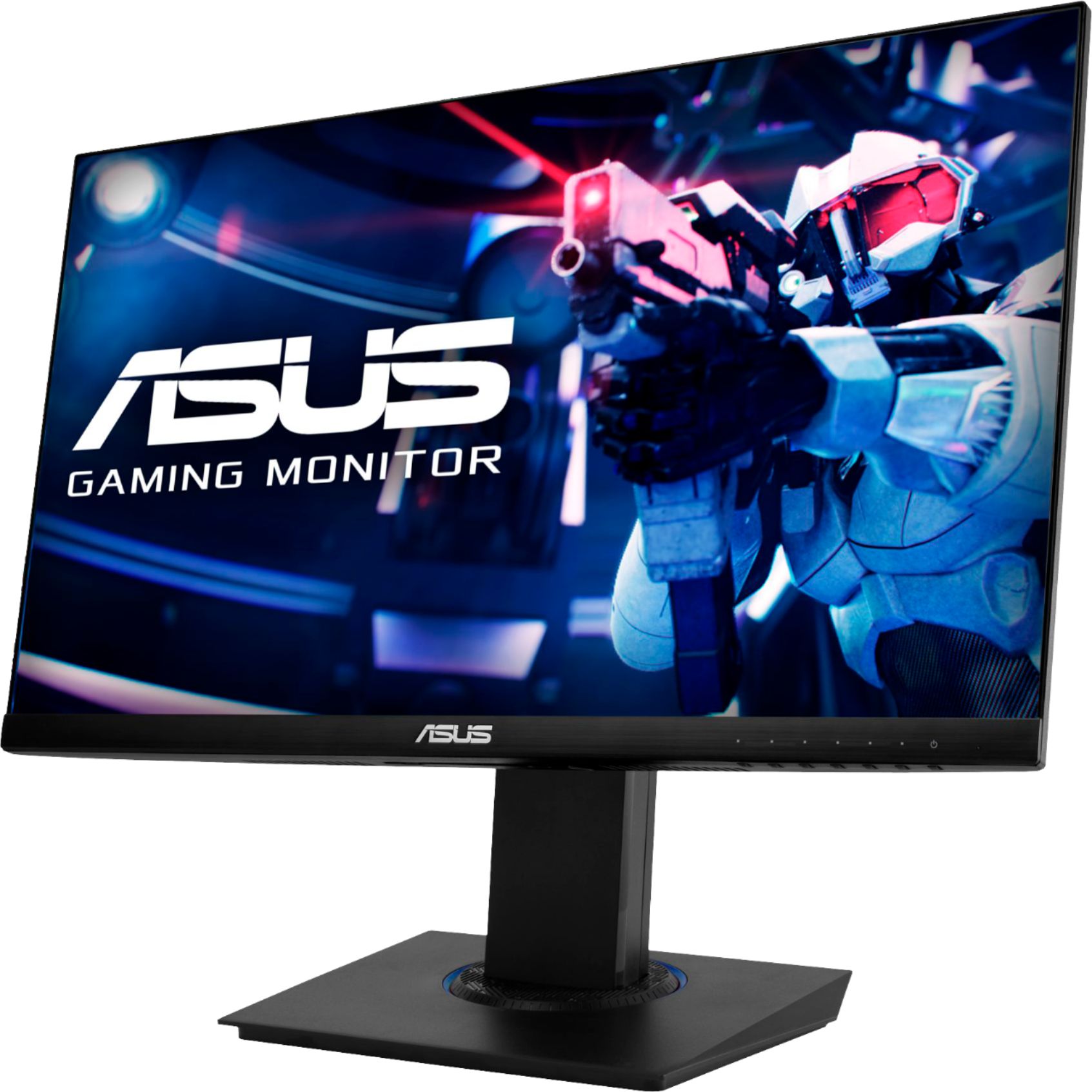
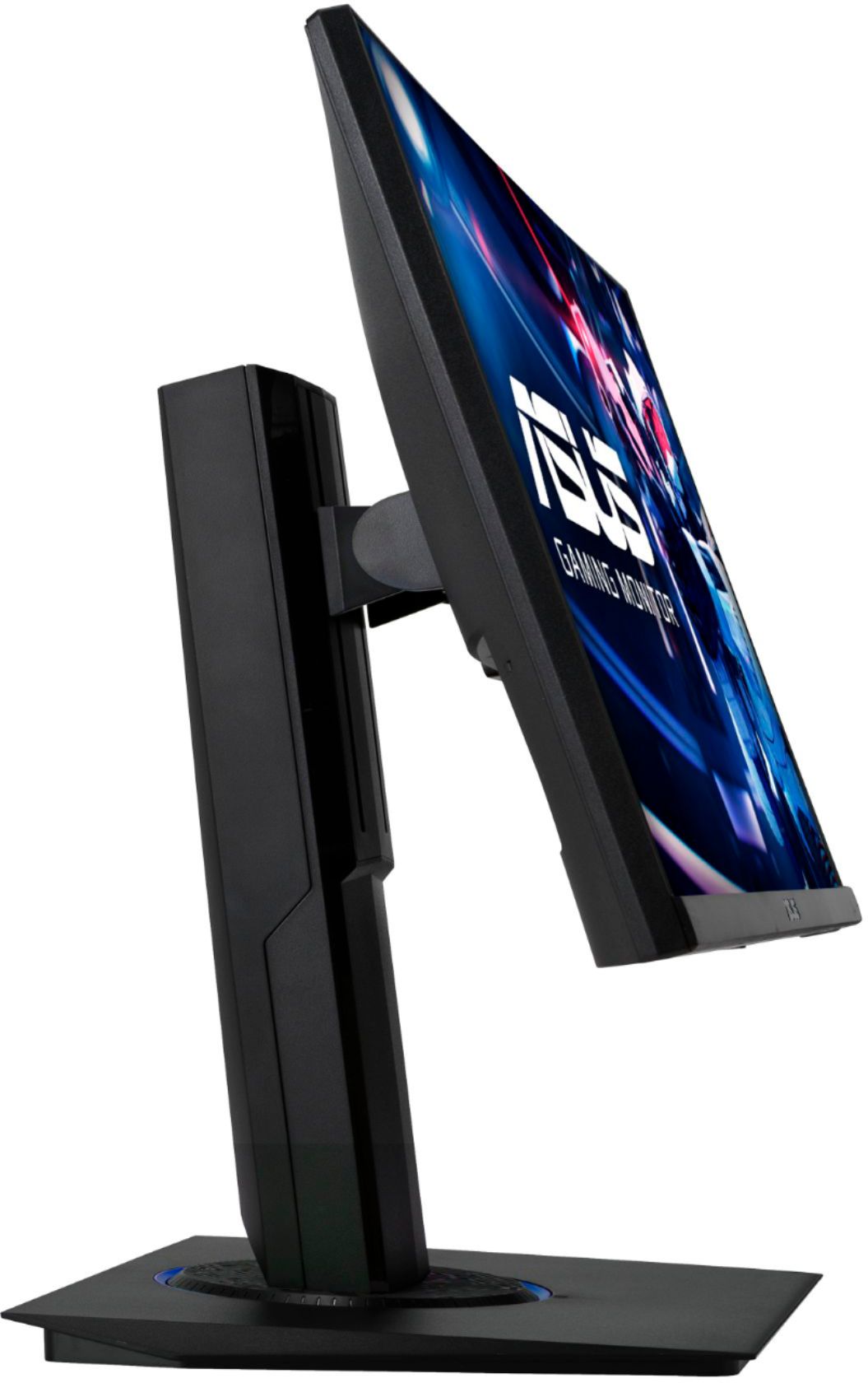
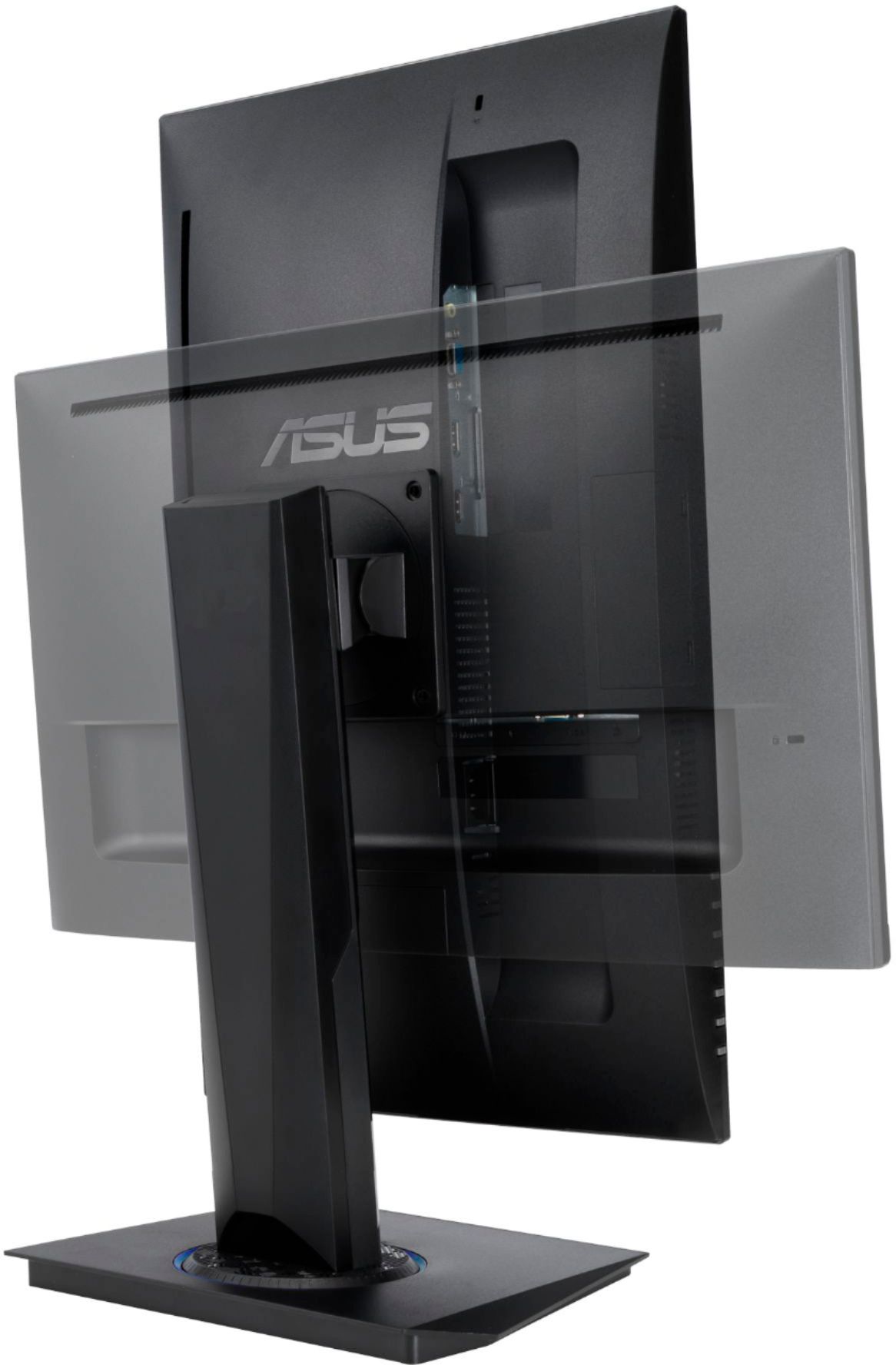
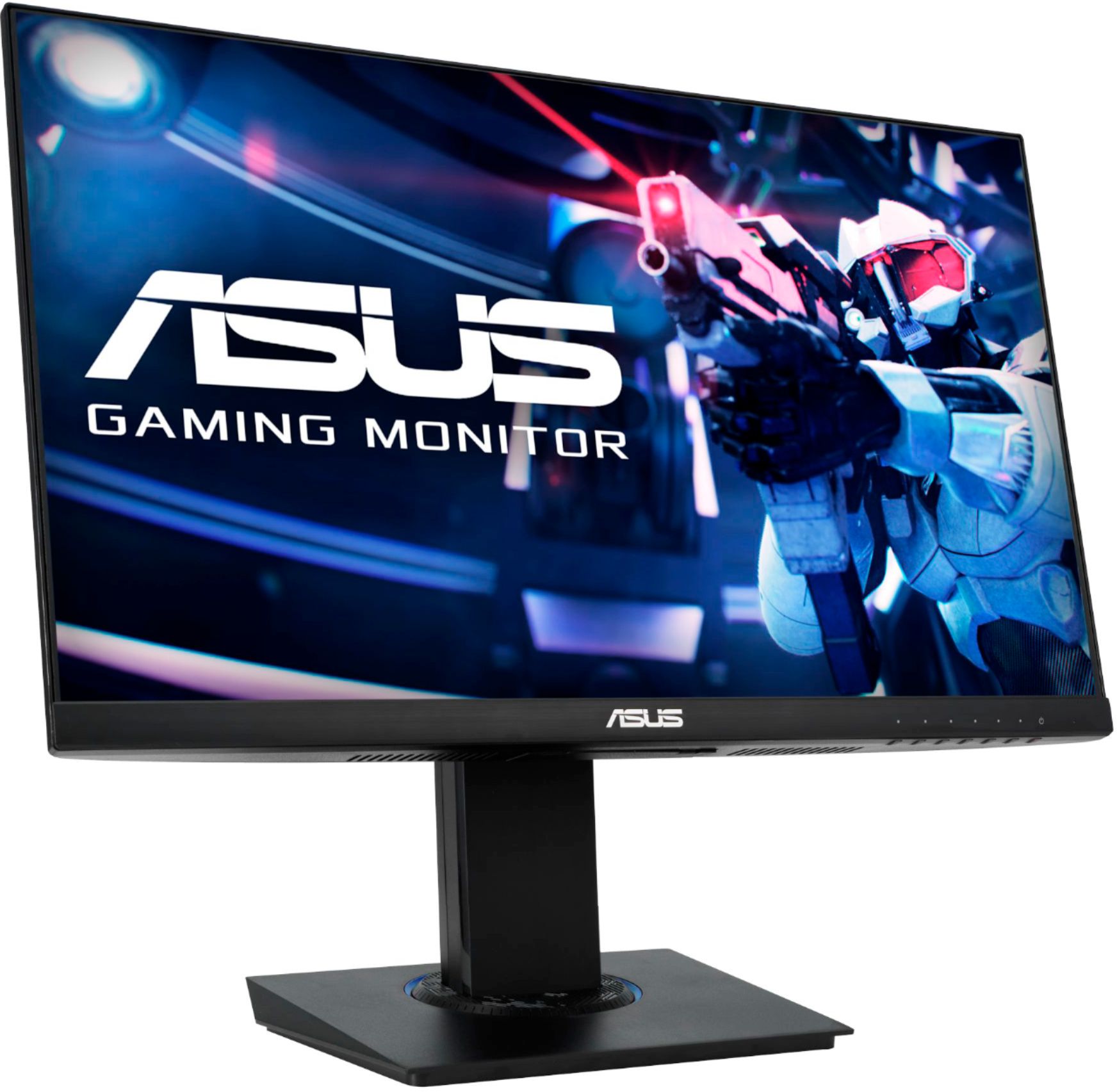
- Model:
- VG246H
- SKU:
- 6450752
Rating by feature
- Display Quality
Rating 4.7 out of 5 stars
- Ease of Use
Rating 4.8 out of 5 stars
- Features
Rating 4.5 out of 5 stars
Customers are saying
Customers enjoy the excellent picture quality and the reasonable price of the TUF 23.8” FHD 1ms FreeSync Gaming Monitor. Many appreciate the height adjustment, sturdy stand, and smooth refresh rate, finding it easy to use and great for gaming. However, some customers point out the limited connectivity options and lack of built-in speakers as drawbacks. The on-screen menu system also received some negative feedback.
This summary was generated by AI based on customer reviews.

Asus Monitor Delivers Amazing Visual Performance
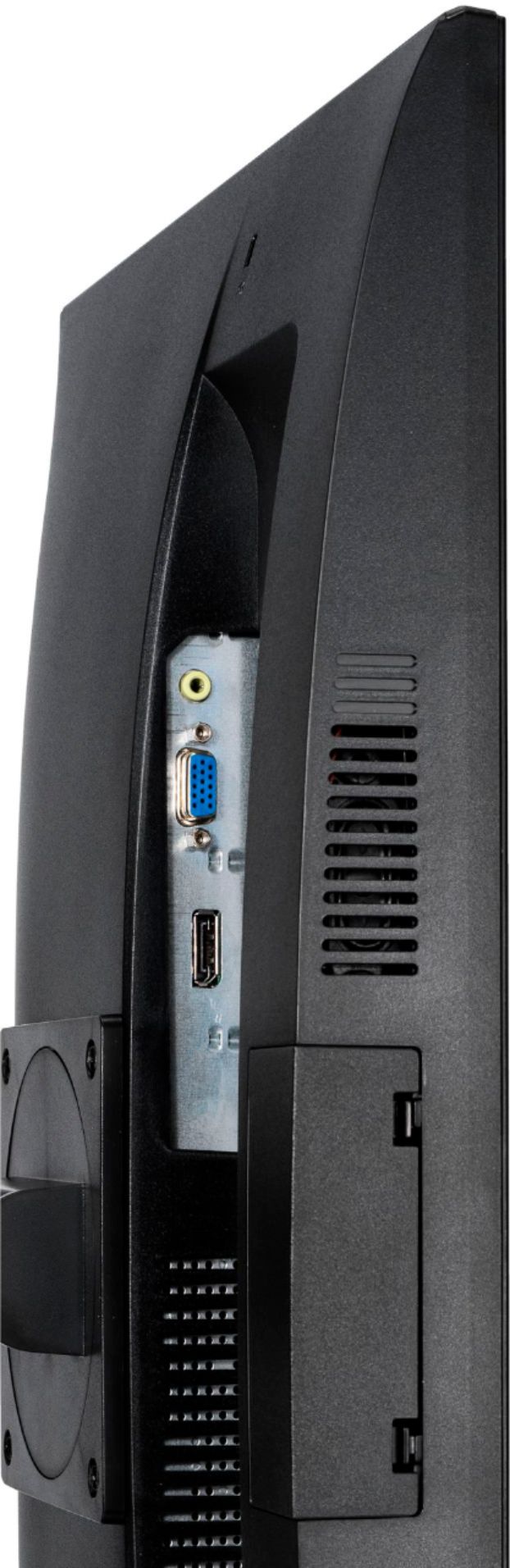
|Posted .This reviewer received promo considerations or sweepstakes entry for writing a review.The ASUS - VG246H 23.8” FHD 1ms FreeSync Gaming Monitor draws you into your games like never before with vibrant color and motion so smooth and fluid you feel like you are right there in the game. Action games and racing games really look amazing. While the ASUS - VG246H 23.8” FHD monitor is identified as a gaming monitor, it works great for other uses like movies. Some additional highlights... The screen can be rotated to view content horizontally (long way) or vertically (tall way) which really nice for certain video applications. The refresh rate has a max of 75Hz, which will accommodate most gaming applications as they generally have a maximum refresh rate of 60Hz. You have the option to use HDMI or VGA with an additional audio port. The bezel is solid and has a nice finish on it. Looks great on the desk! I also love the included stand that allows you to adjust the height of the screen to fit your viewing needs. . Keep in mind that this monitor does not support 4K video, however 1080p video looks amazing. I recommend the ASUS - VG246H 23.8” FHD 1ms FreeSync Gaming Monitor. Your gaming experience will be enhanced significantly!
I would recommend this to a friendGreat picture quality
|Posted .This reviewer received promo considerations or sweepstakes entry for writing a review.I am really loving this monitor. The screen is nice and big with a great bright image. It has and hdmi and vga port so you can likely hook this up to both newer and older computers and setups. The pictures from this monitor just pop and you can really see the contract and different colors. This has been great for seeing all the details in my games. Both to help play better and also just enjoy some of the beautiful work modern designers put into their games. This also has a great stand that can tilt or swivel in nearly every direction which makes placement and adjustment so simple to get the perfect angle. One thing that threw me off is that the monitor does have an audio driver and my system kept trying to default to it. At first I thought that maybe the monitor had built in speakers and I didn’t realize that, but mine were broken. That is not the case. Instead, you can use the monitor’s passthrough sound drivers to send your sound to the monitor and use the monitor’s line out / headphone jack for your sound. I don’t make much use of it since I’d rather use a higher quality sound setup, but if your setup puts your computer ports farther away it could be helpful. For me it is actually a bit annoying though since for some reason my system keeps trying to default to the monitor’s driver whenever I attach my laptop instead of my other sound system. Overall a great monitor that I would happily recommend to anyone.
I would recommend this to a friendOK
||Posted . Owned for 3 weeks when reviewed.This reviewer received promo considerations or sweepstakes entry for writing a review.It's an ok monitor. I wish it was touch screen. Had to add longer cables.
No, I would not recommend this to a friendBrand response from ASUS Answers
Posted .Dear gogoismcmom,
We appreciate you sharing your feedback on this model. It's unfortunate that this model does not meet your expectations, this is absolutely not the experience we want you to have and that you have to return it. We definitely understand and we value your feedback and concerns as this will aid in any improvements that need to be made. If you should have any other concerns or feedback feel free to reach out to us at [email protected]. We'll be happy to provide a quick resolution to your case. Please refer to this case number (N2110018329-0007) for us to better assist you.
Thank you for choosing ASUS!
Best Regards,
Ramon,
ASUS Customer Loyalty US Support
Decent all around
||Posted . Owned for 1 month when reviewed.This reviewer received promo considerations or sweepstakes entry for writing a review.Decent monitor would be better for consoles or fine for a 2nd monitor on a dual setup
No, I would not recommend this to a friendBrand response from ASUS Answers
Posted .Dear valued customer,
We appreciate you sharing your feedback on this model as this will aid in any improvements that need to be made. However, if you should have any other concerns or feedback feel free to reach out to us at [email protected]. I'll be happy to provide a quick resolution to your case. Thank you for choosing ASUS!
Best Regards,
Jonelle,
ASUS Customer Loyalty US Support
good monitor
||Posted . Owned for 8 months when reviewed.This reviewer received promo considerations or sweepstakes entry for writing a review.good quality monitor, thought it was a bit bigger but was otherwise good
I would recommend this to a friendGood value
||Posted . Owned for 1 month when reviewed.This reviewer received promo considerations or sweepstakes entry for writing a review.So far so good. I'm not a gamer so... displays normal stuff fine.
I would recommend this to a friendyou will go blind!
||Posted . Owned for 8 months when reviewed.This reviewer received promo considerations or sweepstakes entry for writing a review.this is the worst monitor. i bought it to have a second screen - i work from home. the color temperature is constantly changing on it's own & giving me headaches since i bought it. i thought there was a way to just set it once, but no... even though i bought this at a good deal, open box special. not even worth that! now i have to buy another monitor that doesn't flucuate in brightness.
No, I would not recommend this to a friendBrand response from ASUS Answers
Posted .Dear Enc67,
It's unfortunate to hear that the color temperature constantly changes. This is not the kind of experience we want our customers to have. Have you tried to reset the monitor? Please attempt the steps from the FAQ below. For further troubleshooting, feel free to reach out to me at [email protected] and provide this link for reference. I'll do my best to provide a quick resolution to your case. Your feedback is important as it helps with improvements to ASUS Support channels.
Thank you for choosing ASUS!
Best Regards,
Jamalie,
ASUS Customer Loyalty US Support
Troubleshooting - https://www.asus.com/support/FAQ/1013113/
- Pros mentioned:Price
Good value with some tradeoffs.
|Posted .This reviewer received promo considerations or sweepstakes entry for writing a review.The ASUS VG246H is a feature rich, budget gaming monitor that offers a lot of well thought out features. However, budget is the thing to remember because it does fall short in performance. Ergonomics and build quality - Asus did a great job – you can adjust the monitor just about any way you want. It swivels, tilts, rotates and height adjusts with ease. You can even put it portrait mode (which I intend to for spreadsheets on a second screen. The base is solid and the monitor has good heft to prevent it from tipping and moving. The monitor itself is relative thick and bit reminiscent of something from 15 years ago. Connectivity – Single HDMI and VGA – no display port. I would have expected at least a dual HDMI like it’s VG245 brother. It is a budget monitor, so you get what you pay for. Picture and viewing angle: 1080P, not 4K. I would not expect it to be 4K nor is it necessary at 24 inches. Refresh rate is a gimmicky 75hz; for all practical purposes it behaves like a 60hz monitor. Blacks and greys are not uniform and there is noticeable blooming at the edges. Contrast between white and black is average at best. The viewing angle is poor, the VG246H picture gets washed up with at angles. Text clarity is average and could be sharper. For comparison, if I rate my LG Gram at 100% for text clarity; the Asus VG246H would come in about 75%. I think the brightness may be a component of that. However, while it is noticeable on text documents ; it was not during gaming. Colors- Color reproduction was good with no bleed and minimal banding. Better than I expected after looking at the blacks and greys. Brightness – Passable at best. Needed to increase out of the box and change the settings to scenery mode to get an acceptable level. Bright rooms will wash out the screen. Performance – The Asus VG246H refresh rate is excellent. At 1ms, you will not notice any performance issues whatsoever. Far better smoother motions than expected and no flickering than I could notice. Exactly what you want in a gaming monitor. Controls and settings – Great for a budget monitor. Many options for screen setting but not to the level of a pro monitor ( nor do you need it.) The controls are an odd multi-button format, I prefer a joystick arrangement better. There is a gimmicky Gameplus mode where you can set crosshairs, a timer and a FPS counter – all meaningless for most gamers. It does have a useful feature called display alignment for lining up multiple monitors. As you can see, this is a mixed review. The important thing to remember is to set the proper expectations – this is a budget monitor. Would I buy it? No. Would I recommend it? Yes. Everyone has a budget and if you are looking for a monitor under $200, the ASUS VG246H does offer a lot for the money .
I would recommend this to a friend AWESOME
|Posted .This reviewer received promo considerations or sweepstakes entry for writing a review.The Asus VG246H is listed as a "gaming monitor" but it is so much more. First, it's packed securely in the box, sandwiched between styrofoam so there shouldn't be any concerns if you're having this shipped. Second, assembly is simple - the "arm" is already attached to the monitor so simply attach the base, twist a screw and it's done. The monitor boasts features not seen in a monitor in this price range. It swivels left to right, tilts, raises up and down, and even has the ability to switch from landscape mode to portrait mode. It has a crisp, clear picture and a great ability to replicate graphics. The quick refresh rate eliminates any blurring and makes moving objects sharp and crisp. It boasts a 1000:1 contrast ratio for incredible images with lots of color. Also offers a "shadow boost" technology which clarifies dark areas of games. I have it connected to an Asus gaming laptop via HDMI for the ultimate combination. It also has VGA for desktop applications and a headphone jack for speakers/headphones. There are small buttons on the underside of the monitor that are used to toggle through various menus. One changed the view from movie, to game, etc and the differences were noticable. One thing I noticed as I turned the monitor from landscape to portrail is that it has a tendency to disconnect the power supply from the back of the monitor. Maybe it wasn't plugged in far enough but it was certainly enough to cause temporary panic when the screen went black! I love that you can put your laptop in front of it, raise the monitor up while using, and then push it back down when not in use. This is an awesome product and I definitely recommend it!
I would recommend this to a friendMr.
||Posted . Owned for 1 month when reviewed.This reviewer received promo considerations or sweepstakes entry for writing a review.Overall, I am disappointed. HDMI disconnects. Buttons do not work. Need Geek Squad to correct.
No, I would not recommend this to a friendBrand response from ASUS Answers
Posted .Dear Jack, We appreciate you sharing your feedback on this model as this will aid in any improvements that need to be made. You can most definitely have the device taken in to Geek Squad for inspection and repairs as this seems to be hardware related. if you should have any other concerns or feedback feel free to reach out to us at [email protected]. I'll be happy to provide a quick resolution to your case. Thank you for choosing ASUS! Best Regards, Jonelle, ASUS Customer Loyalty US Support
A solid gamming monitor.
|Posted .This reviewer received promo considerations or sweepstakes entry for writing a review.The Asus VG246H gaming monitor is a solid monitor with a very sharp display. In the box comes a monitor, stand, HDMI cable and a power cable. Setting up the monitor for the first time is very simple, it’s a matter of just plugging it into your computer. The stand is one of the best features of this monitor in my opinion. It offers a considerable amount of height for raising, and it lowers to about 1 and ½ inches from the desk. The monitor has a good range of tilting as well, -5-23deg. My favorite part is how you can rotate the display a full 90deg to make it stand vertical or horizontal. The monitor can also be turned a full 62 deg in either direction, giving it plenty of viewing options. The monitor only has 2 inputs (and a headphone jack), 1 HDMI and 1 VGA. It would’ve been nice if Asus added a display input, but its not a deal breaker. Once connected to my gaming rig, I fired up a couple of Steam games to test out the display. I was very pleased with the color and sharpness of the display. The monitor has a refresh rate of 75hz, which isn’t anything groundbreaking, but combined with AMD FreeSync - it actually performs very well. I didn’t have any issues with lag or screen tearing, in fact every game I played was super smooth. The monitor has a bunch of built-in features and presets that enhance your gameplay and viewing experience. You access those right from the monitor’s built-in menu system. One interesting feature I liked was the auto blue light dimmer, which when turned on – lowers the blue light emissions. This is key to saving your eyesight. Overall, I think this is a solid monitor. It comes with one of the best stands I’ve ever had the pleasure of using. The performance of the screen is fantastic, I didn’t experience any lag or screen tearing. The colors and brightness are very good, the detail and sharpness are very clear. I would definitely recommend this to anyone looking for a new gaming monitor.
I would recommend this to a friendSharp, responsive monitor with a very good display
|Posted .This reviewer received promo considerations or sweepstakes entry for writing a review.No too much to say. It's not the largest size monitor anymore at 24", but perfect for the space I set it up in with a gaming laptop. Very responsive and smooth and colors are excellent to my eyes. Ports were a little tricky for some reason, maybe just my reach. And the 90 degree rotation is nice sometimes for "work" documents. Definitely recommend this display!
I would recommend this to a friend- Pros mentioned:Price
Can’t go wrong with this monitor!
Posted .This reviewer received promo considerations or sweepstakes entry for writing a review.Great monitor for the price point! Colors look great, adjustments available out of the box is insane (can piviot screen and use in portrait or landscape). No tools needed for assembly. Just a great experience for the price. Would absolutely recommend
I would recommend this to a friend Great monitor, bad GeekSquad
||Posted . Owned for 3 weeks when reviewed.This reviewer received promo considerations or sweepstakes entry for writing a review.My older son has had the older model of this for 3 years and loves it. So I went to purchase one for my younger son, took a chance on a GeekSquad Excellent rated used one on website to save money. The sound does not work on the monitor, only if he wears his headset with controller. Would not rate that an excellent. :(
I would recommend this to a friendBrand response from ASUS Answers
Posted .Dear Techbuyer, We appreciate you sharing your feedback on this model and I do apologize for the inconveniences caused. Based on further checks, unfortunately this model does not have speakers but it comes with 3.5mm audio jack to connect external speakers or a headset. If you have any further technical concerns, feel free to reach out to me at [email protected] and provide this link for reference. I'll do my best to provide a quick resolution to your case. Thank you for choosing ASUS! Best Regards, Jonelle, ASUS Customer Loyalty US Support
Solid gaming monitor for budget conscience!
|Posted .This reviewer received promo considerations or sweepstakes entry for writing a review.The Asus VG246 is a 23.8” Freesync monitor that is nicely designed with a thin bezel on 3 sides, the bottom part is a bit wider as that’s where the controls are. This monitor is full HD (1920x1080), 1 ms response time and 75Hz refresh rate. Out of the box, the setup is very simple, includes a stand and a plate to mount to. The base stand can swivel 360 degrees, can be raised up or down, and is also capable of tilting. It can also be VESA-mounted. I chose to mount it on my desk mount that I already had with my previous monitor (non-gaming). The monitor’s setup is simple, coming with a power cable and an HDMI cable. There is a headphone/audio driver, which I found strange, and my system kept asking to switch to it. There are two inputs, an HDMI and VGA. This monitor has a 75hz refresh rate, and very low motion blur. The display is sharp and the video is smooth, I tested it for several days with Valorant and Star Wars Battlefront. This is much better than the monitor I was using before. However, the colors are a little too muted for me, but I was able to fix that by changing the color settings on the graphics card Control Panel. Some of the features that I liked about this monitor is the video quality, the dark colors and the size is perfect for me. Some things I don’t like are the audio jack input, the fact that there is only one HDMI input, and the default color settings. Overall, this is a great choice if you’re on a budget and looking for a monitor in this size range.
I would recommend this to a friend- Pros mentioned:Price
Good Entry Level Gaming Monitor
|Posted .This reviewer received promo considerations or sweepstakes entry for writing a review.I found this monitor to be decent for a lower-end gaming rig, but can't recommend it unless you're on a budget (you spent your budget on the graphics card, right?) or have a need for a smaller monitor for your setup. I'm not usually impressed with packaging, but the way it came packed was kind of remarkable. It fits in a thick styrofoam clamshell with a clear plastic band around it. You pull the whole thing out with the band like a handle and separate the two halves to get to the monitor. If you're ordering this via shipping rest assured it will get there in one piece. Inside is the monitor, pre-mounted on a stand and a heavy base embedded in one half of the foam. Assembly is super easy. One screw on the base goes into the monitor mount and even has a tab on it so no tools are required. The base is a great design. The whole monitor swivels, tilts and rotates very easily. You can also slide it up and down to different heights or rotate it 90 degrees to portrait mode. The mount is very sturdy and the monitor does not move when the desk is bumped. If you prefer to wall-mount or use another mounting method, it appears you can use a standard VESA type mount. Video quality is good, but not great. I would prefer it was a lot brighter. Out of the box it was set to 90% brightness and there wasn't a lot of difference when it was turned up to 100%. Black levels were OK, but a little muddy. Colors seemed a little muted, but it may be because I prefer a glossy monitor. This one is matte, which is good if you're in a place where glare can be an issue. I'm becoming spoiled by higher resolution monitors and couldn't help but fixate on the screen-door effect on brighter backgrounds. What makes this monitor special are some of the more unique built-in gaming options, available via the built-in menus. For instance, there are settings for built in frame-rate display and several reticles that you can superimpose over the top of your game. I found this to be a little odd. I can't think of a shooter that doesn't have built-in crosshairs, so I'm not sure why you would need them superimposed. Also, FRAPS reported the game I was playing as getting 120+ FPS, but the built in monitor frame counter reported 60. Speaking of high FPS, this monitor supports Freesync. If you've ever played a game that is graphics intensive and high FPS you've probably noticed that when you turn quickly the top and bottom of the screen aren't always in sync, so you get a vertical tear across the middle. Freesync eliminates that for smoother motion, provided you have a graphics card that supports it. Also, the response time on this monitor is impressive. There is absolutely no "smearing" or ghosting and no lag whatsoever! It also supports refresh rates up to 75MHz. Again, more expensive monitors usually handle higher refresh rates, but 75 is a huge improvement over a normal monitor intended for general use. There are only two inputs, one HDMI and strangely, one VGA. I haven't seen a gaming PC with a VGA port in forever, so I'm not sure why it's here. Otherwise, no display port and no second HDMI jack. There's also a headphone jack on back, in an awkward place. There are no built in speakers, but you can control the volume on the headphone jack through the menus. Which brings me to the controls. The controls and the menu system are really frustrating. There is a series of hardware buttons on the bottom that are only marked with dots. The menus dynamically change and the dots correspond to menu items. There are seven buttons, but I found myself having to drill down into menus using 3 or four of them. Why not spread out the options to use all of them? Side and top bezels are nearly non-existent, and the bottom bezel is only about a half-inch tall. Build quality seems very good. The monitor is light-weight and would be easy to tote around to gaming sessions at a friend's house. If you're on a tight budget, you can't go wrong with this as a gaming monitor. If possible, however, I would save up a little longer to get something a little brighter. I kept wishing I could turn up the brightness just a little more in darker scenes.
No, I would not recommend this to a friend There's Much to Like
|Posted .This reviewer received promo considerations or sweepstakes entry for writing a review.I enjoyed the numerous settings and customizations offered by this monitor. Normally, I only find 1 set of configurations that work for me, but I've been able to find a few image configurations that fit my preferences. With the very low input lag, I did notice an improvement in my gaming experience online and against the CPU. This monitor does have good image quality out of the box. With a few tweaks and selections, the colors and image really stand out well. Despite only being a 1080 display, I was able to add a pop of color to my Xbox One X to give to the feint illusion of HDR. The antiglare material works as expected and the audio sounded nice in with my headphones. Finally, the GamePlus feature was awesome to use. As a person who has aiming issues, I didn't mind the assistance for FPS. Pros: - Decent Refresh Rate - Great image quality - GamePlus - Versatile Stand - Headphone Port Cons: - No DisplayPort or 2nd HDMI - Lack of Speakers The ASUS VG246H is a quality monitor. The specs looks entry-level, but the experience was mid-tier status for me.
I would recommend this to a friendNot sure what's better for the price
|Posted .This reviewer received promo considerations or sweepstakes entry for writing a review.I can remember when just gaming on a good monitor was enough to make you feel better about the experience, but now there are gaming monitors at every price point that give you features to enhance your gaming experience. The ASUS VG246H does a decent job of that. Unpacking the monitor, my first thoughts were that it was packaged better than some of the more expensive monitors I’ve owned. When you remove it from the box, the first thing that grabs your attention is the stand – it is large and already attached to the panel. It is also pretty heavy, which I think is a good thing – you shouldn’t experience the standard wobble or tilt effect. It’s very easy to assemble. You attach the base with a simple hand screw, and you’re done. The physical set up on this monitor is really outstanding. The base is so versatile. You can spin the panel from landscape to portrait. The stem rotates allowing you to set the stand and rotate the monitor into position for the proper viewing angle. It also allows vertical height adjustment. Where most have made changes reducing the ability to make such adjustments, ASUS has done just the opposite. How does it perform? Well, pretty darn good. This is one of the few times I have turned on a monitor, looked at the screen, and didn’t feel compelled to adjust the settings. The default setting was just that good. Of course you have all the standard controls in place allowing you to adjust the screen to your desired look. There is a 6-button menu system allowing the user to maneuver through the menu system. Some of the highlights are the blue screen filter, FreeSync, and my favorite, GamePlus. GamePlus is so cool! You can add a crosshair to the screen for first-person shooters, measure frames per second, set a timer during gameplay moments, or adjust the display alignment. Fantastic stuff for gamers! This feature alone will have me considering ASUS monitors going forward. The response time is great. I can say the claim of 1ms is tough to measure, but feels pretty darn accurate. Motion seemed to be fine, as most monitors are moving to the 120Hz lane. I don’t really play a lot of racing or flight games, so that could be part of why I can’t see the refresh difference. Will this monitor work for you? If you like a good picture, great gaming options, blue light filtering, physical and visual flexibility, and solid/sturdy construction… then yeah! The only way I wouldn’t recommend this is if someone wanted something larger or with higher resolution. Great monitor!
I would recommend this to a friend- Pros mentioned:Price
Excellent
Posted .This reviewer received promo considerations or sweepstakes entry for writing a review.Excellent quality for the price. Clear images and great color
I would recommend this to a friend Nice and bright!
Posted .This reviewer received promo considerations or sweepstakes entry for writing a review.I needed a monitor for work, gaming, and school. I connect my laptop to it so i can open multiple tabs. The size is perfect for everything I need. I needed a monitor that was bright enough since my place has a lot of natural light. This fits the bill perfectly.
I would recommend this to a friend