Customer Ratings & Reviews


- Model:
- FX516PM-211.TF15
- SKU:
- 6448933
Rating by feature
- Battery Life
Rating 4.1 out of 5 stars
- Speed
Rating 4.5 out of 5 stars
- Display
Rating 4.5 out of 5 stars
Customers are saying
Customers regard the TUF DASH 15.6" Gaming Laptop favorably for its performance, SSD speed, and battery life, frequently praising its build quality and value for the price. However, some users noted that the fan can be loud and the device may overheat during intensive use, while the lack of a webcam was also a common complaint. The relatively small storage capacity was another point of concern for some customers.
This summary was generated by AI based on customer reviews.
- Pros mentioned:SsdCons mentioned:Heat

Well Balanced Gamer
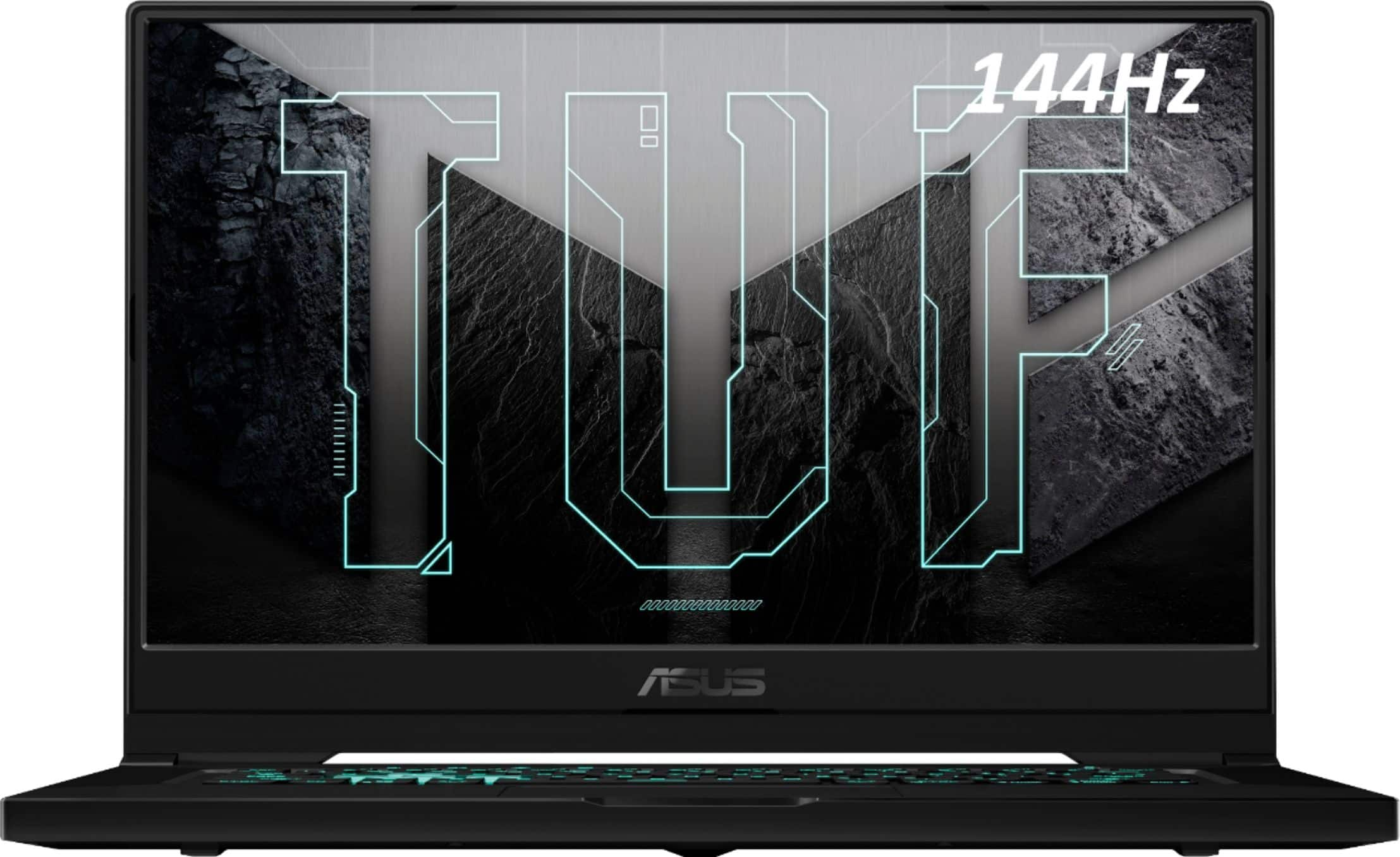
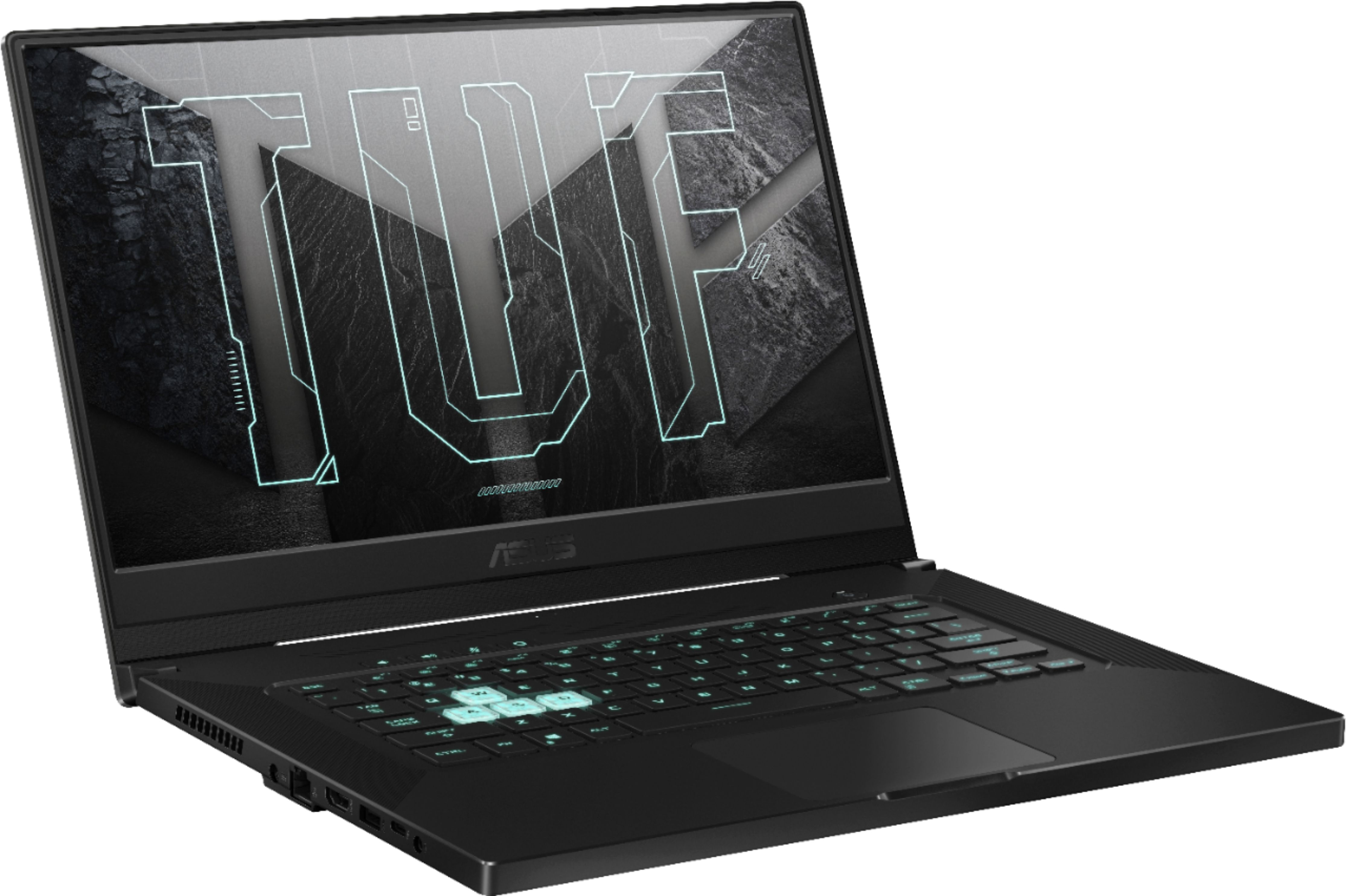
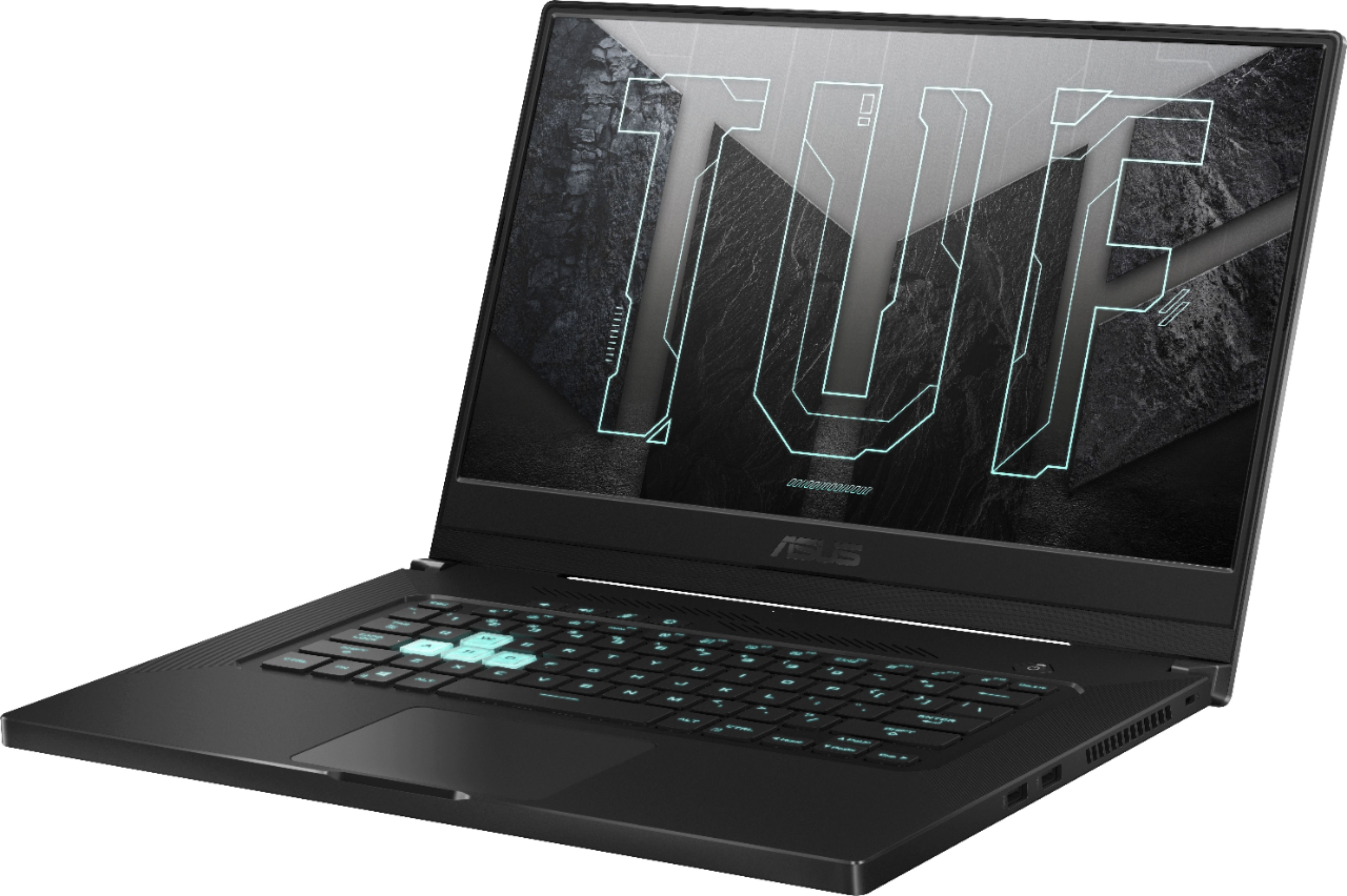
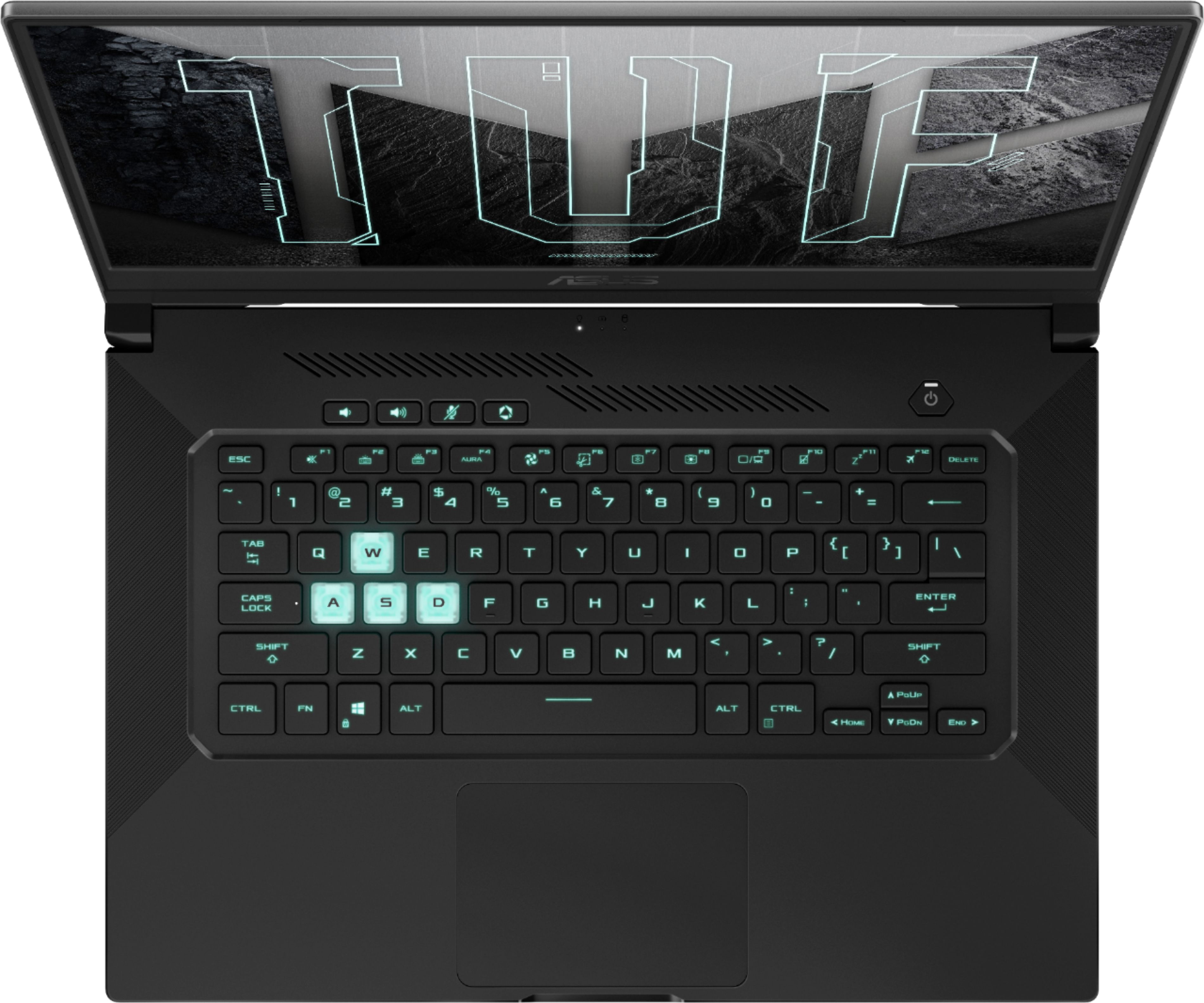
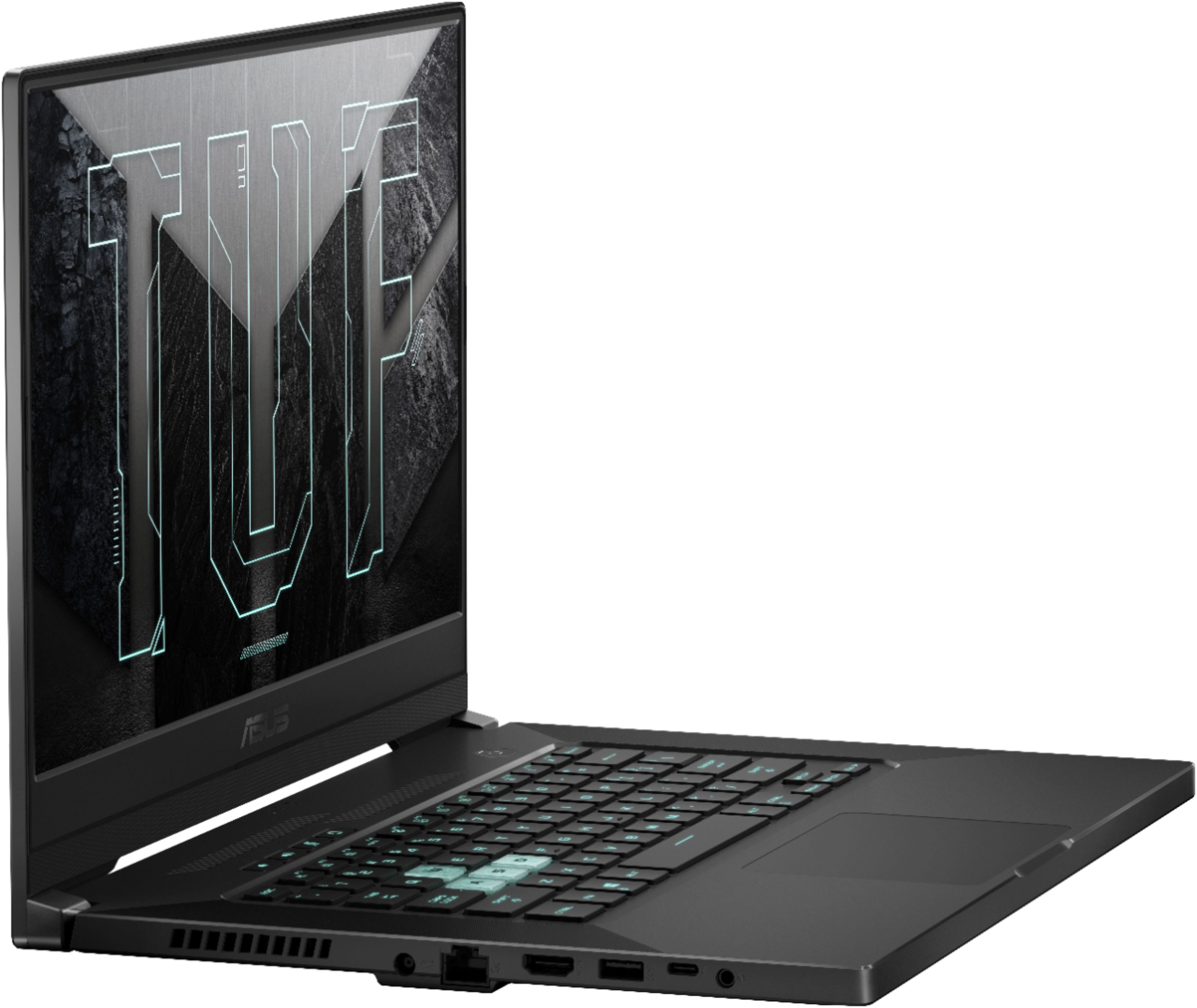
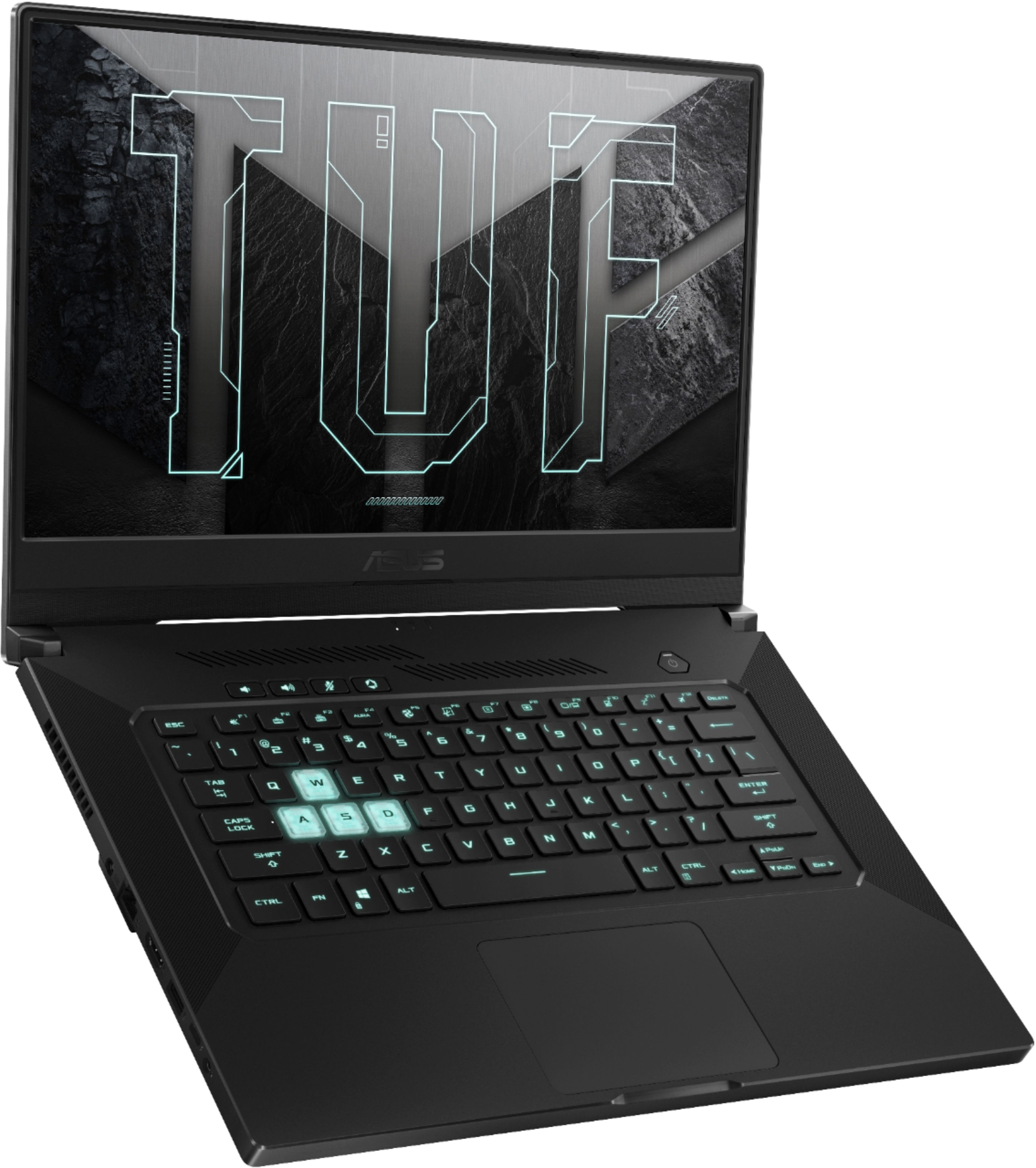
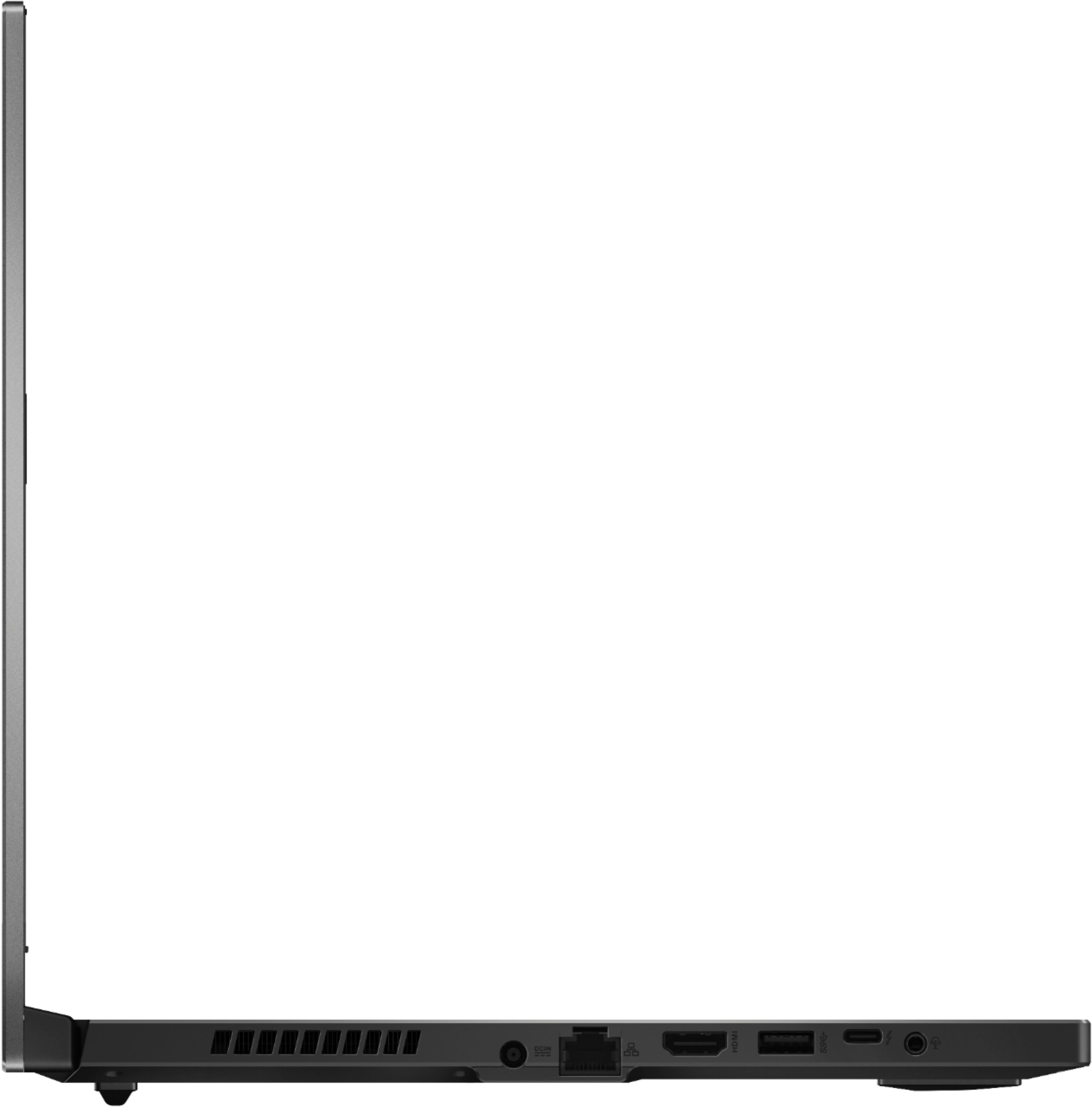
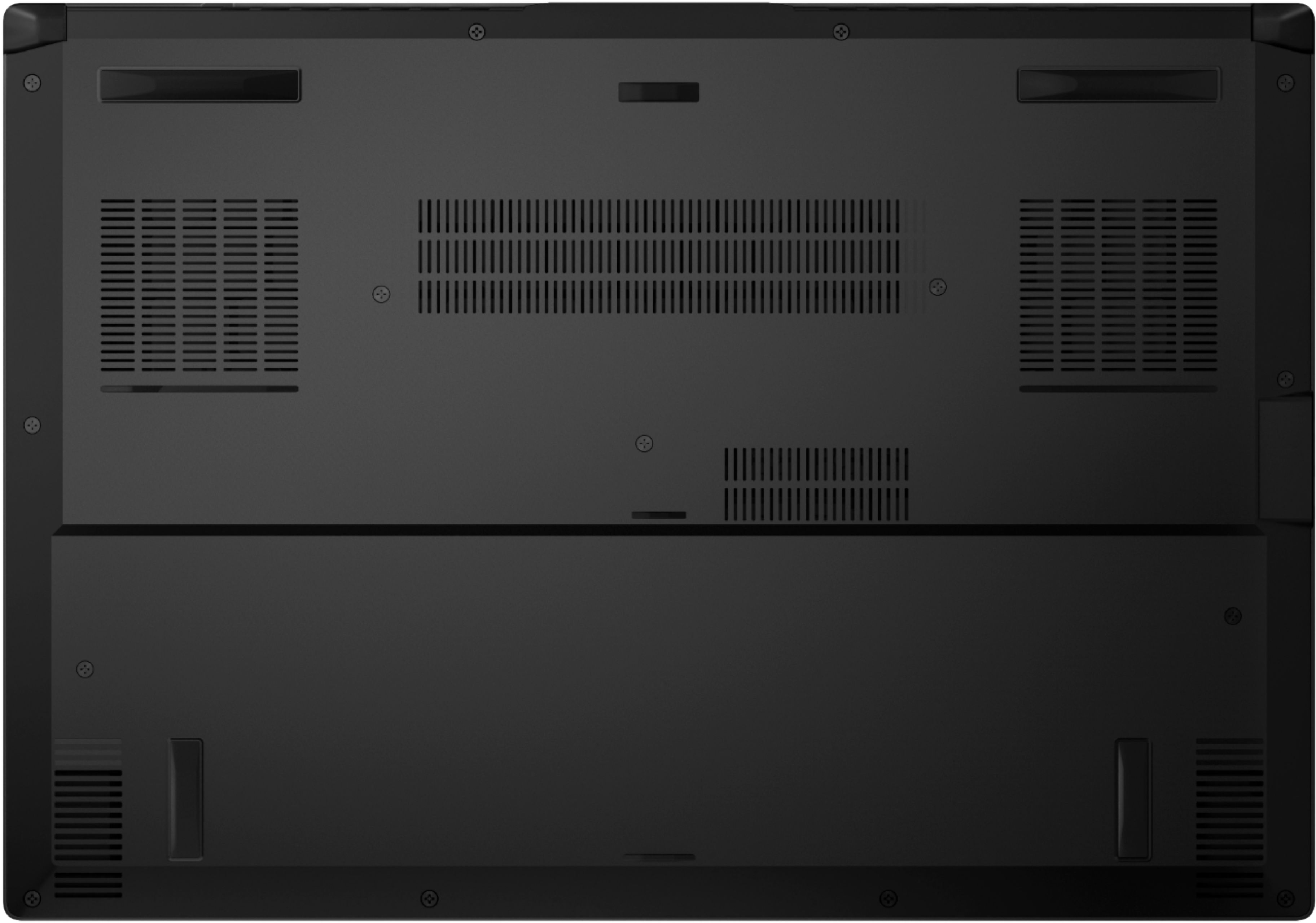
|Posted .This reviewer received promo considerations or sweepstakes entry for writing a review.Upon opening and unpacking this laptop my first thoughts were how thin and solid it felt. This has to be nearly half the thickness of my older gaming laptop and at least a pound lighter. I’ve been very happy so far with the performance and overall quality. Its quite the balancing act of trying to get a good gaming laptop that is portable and affordable and I think Asus has done a nice job with the TUF Dash. Specs: This laptop is well equipped for the price. The display is 1920x1080 HD at 144hz which isn’t the fastest or highest resolution these days but its adequate for the games I play. The CPU is the new Intel i7 11370H, the memory is 16gb of DDR4 3200 and the SSD is a M.2 NVMe PCIe 512gb SSD. Due to its thin design only a second M.2 NVMe PCIe SSD is supported. Its easy to install a second SSD but be sure to watch the screw lengths because there are two different ones when removing the bottom cover. The video card is the new NVidia RTX 3060 and its built for gaming. The laptop supports wi-fi 6, has an ethernet port, three USB 3.2 ports, a Thunderbolt 4 (USB-C type) port and an audio jack. The keyboard is a back lit chiclet style keyboard with three settings for brightness and three modes; Breathing, Strobe and Static. There is only one color choice which is light green. The WASD keys are clear which looks more funky than making it look like a gaming keyboard. On the plus side there are dedicated keys for Volume level, Mute and the Armoury Crate launch. The directional keys are slightly larger which is nice. The speakers are located in the front of the base and are typical laptop speakers. There are four vents for cooling, one on each side and two in the back. What its doesn’t have is a much shorter list. There is no numeric keyboard, no DVD drive and no web cam which is a downside if you plan on using this for more than gaming. Performance: I really like the Asus Armoury Crate which gives you four preset configurations Silent, Windows, Performance and Turbo. These settings are quite useful when you are using the laptop and trying to limit the heat and noise. Using Geekbench 5 I was able to get Single Core = 1541, Multi Core = 4833 and CL score of 100089. This is much faster than my older gaming laptop so I am happy with the results. Because the laptop is so thin the amount of venting that can be done is limited. When playing Forza Horizon 4 I could barely hear the speakers over the fans. Not all the games were that bad, it just depends on the game and setting. I found playing most of my games on Performance vs Turbo kept the fan at a more tolerable level. The laptop after a half an hour of gaming gets pretty warm and after an hour or more you are going to want to stay clear of the vents. The Keyboard gets warm but nothing more than I would have expected on such a thin laptop. I would highly recommend using gaming headphones for anyone who plans on gaming using the Turbo mode. Both my gaming headphones and wireless controller connected via Bluetooth without issue and I never felt like there was any delay in response even when running the laptop all out. The display was a pleasant surprise, it provided good contrast and brightness and the colors were rich. Since the display has a 144hz refresh and the highest resolution supported is 1980x 1080 HD I didn’t expect the NVIDIA RTX-3060 to have any problem keeping up and I wasn’t disappointed. Lastly, I would have no problem recommending this laptop as a multipurpose laptop. It would be a perfect laptop for anyone who games, dabbles in photo and video editing and also uses the typical Windows Office apps.
I would recommend this to a friend Vr Flight Sim Photos (Oculas Quest 2)
||Posted . Owned for less than 1 week when reviewed.This reviewer received promo considerations or sweepstakes entry for writing a review.Wow! Love this laptop, I just play Flight Sims (MSFS 2020, DCS, X-plane 11..etc..) and was blown away at this lill devil..played DCS VR on Oculas Quest 2 and Daaayum! Felt like I was there! I Have NO Complaints AT All !! Fan gets loud sorta, but sounds like a F-22 just adding to my flight sim experience!! Thanks Best Buy for helping me order and Quick checkout AND Thank You Asus!
I would recommend this to a friend- Pros mentioned:Battery life, Build quality, Speed
Balancing Premium & Performance has Caveats
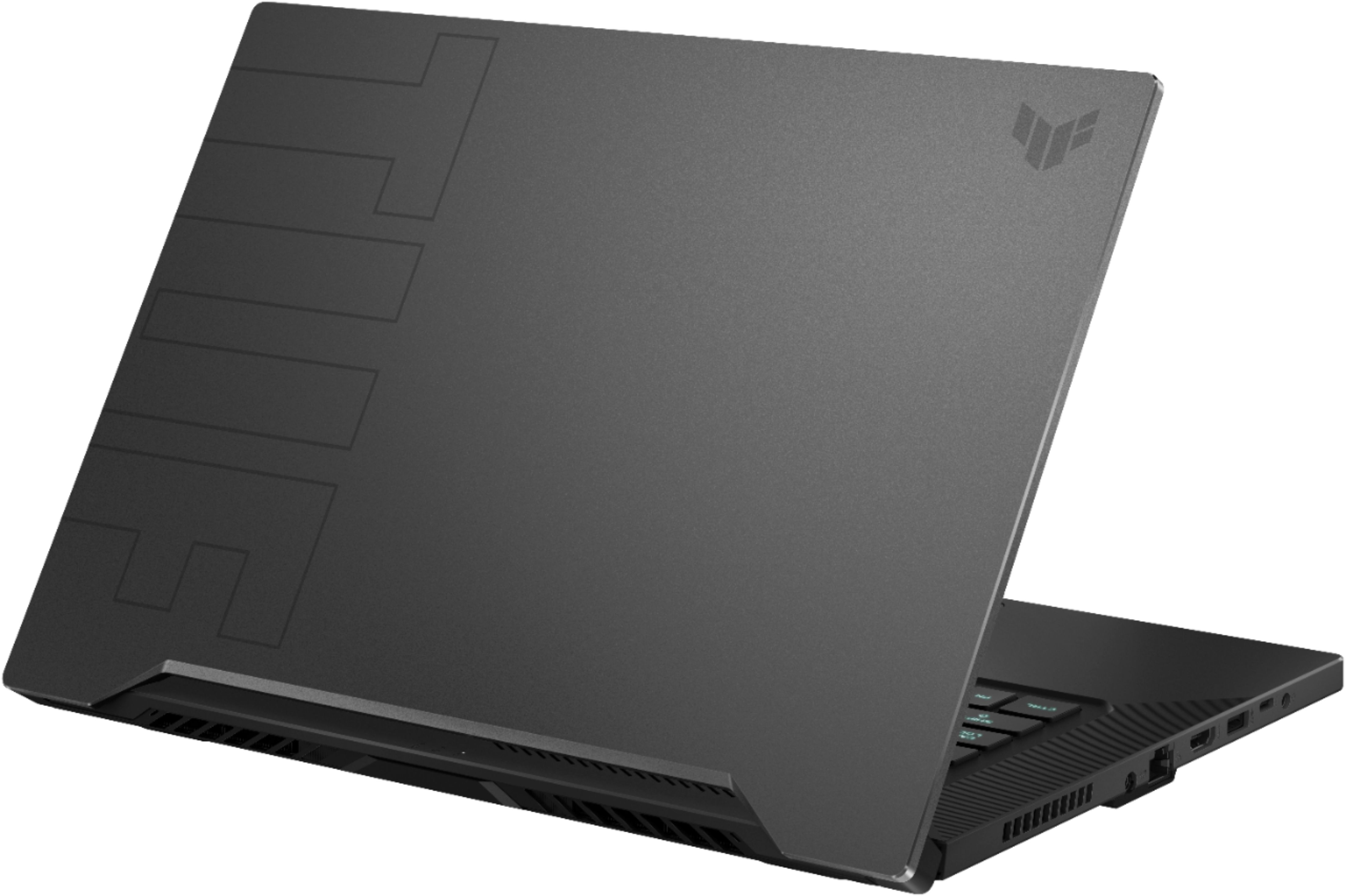
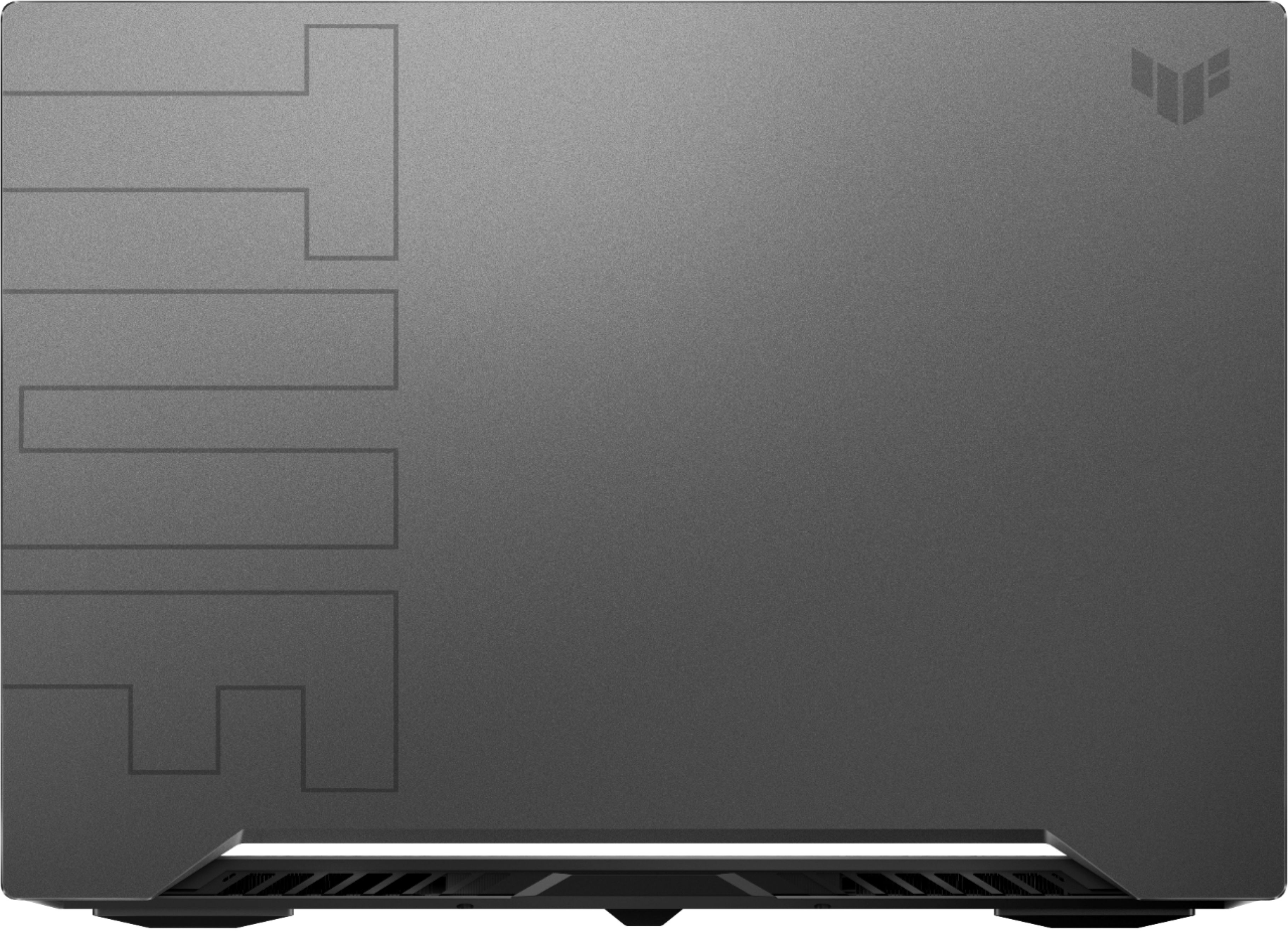
|Posted .This reviewer received promo considerations or sweepstakes entry for writing a review.INTRO: The ASUS TUF Dash F15 with the Core i7-11370H and RTX 3060 graphics stands to deliver a portable gaming experience in a chassis that is less than 0.78" thick. It delivers features gamers want, but being in the more budget-friendly TUF lineup rather than the ROG Strix lineup, what compromises did ASUS have to make in order to make this product feasible? UNBOXING: The unboxing experience is actually quite pleasant. ASUS opted to go with a pretty cool cardboard briefcase design. Once you open the lid, you’re presented with the TUF Dash F15 and some documentation. And inside one of the cardboard compartments is the DC charger. Overall, a very easy unboxing process. BUILD QUALITY: The Dash F15 has a quality build, and it should at the price you’re paying. It’s sleek, slim and feels confident and sturdy. It almost tricks you into believing that the chassis is made of metal, but it is just a very good plastic build. The display lid has a sort of brushed/matte texture, while the keyboard deck is very smooth, but not glossy. One small pitfall is that this build tends to attract fingerprints. Whether it’s on the lid or the palmrest area, the oils from your hands will likely make their way onto this, so you’ll find yourself needing to reach for a microfiber cloth from time to time. But if you plan to use this in a docked configuration, you can avoid that issue, altogether. EXPANSION/UPGRADES: Performing upgrades is easy with the Dash F15. There are 15 screws on the bottom, but it’s important that you don’t mix them up, as there are different heights. You could end up trying to puncture a hole in your unit if you don’t do this cautiously. I advise anyone curious to look at the guide on ASUS’ support website for the Dash F15. In terms of memory expansion, the TUF Dash F15 comes with 16GB of RAM @ 3200MHz. 8GB of that is soldered, while the other 8GB is removable. As for storage, the Dash F15 has two m.2 (2880 form factor) slots for SSDs. One is pre-populated with a 512GB SK Hynix NVMe SSD while the other remains unoccupied for your expansion needs. ASUS’ support documentation claims that this slot does not support a SATA-based m.2 SSD, only PCIe 3.0 NVMe SSDs. Finally, you do have quick access to the Wi-Fi card should you need to upgrade it later, but it does come with the latest Intel AX201 Wi-Fi 6 & Bluetooth 5 chipset, so that is not an issue for today. I/O: Standard DC power connector 3x USB 3.2 Gen 1 Type-A ports Headphone/Microphone Combo jack Gigabit Ethernet Thunderbolt 4 Type-C port (100W PD 3.0, USB4, DP 1.4a) HDMI 2.0 (up to 4k@60Hz) Kensington Lock DISPLAY: The display in my Dash F15 is the Chi Mei CMN1521, but the OEM part is really the Innolux N156HRA-EA1. It is a non-touch 15.6” 1920x1080p matte display with a 144Hz refresh rate. I am not a display expert, but from what I have observed, this is a TFT display, not an IPS. This is likely to cut costs as well as save on battery life, but for my gaming needs, I did not mind. The display gets decently bright for indoor usage and the occasional outdoor usage. Viewing angles are okay, but this shouldn’t be of large concern for a laptop, since you’ll typically have it in front of you during use. If you plan to use it as a secondary display, I’d advise not going too aggressive on the angle, as the display will appear darker at different angles. In terms of responsiveness, ghosting was quite low compared to other displays I’ve used, and I didn’t personally feel as though there was an issue with input latency. Overall, the display is a decent choice for those wanting to play eSports titles at 1080p@144Hz as well as more demanding games at lower framerates, but I wouldn’t rely on the display for color-sensitive work. WEBCAM MISSING: You should also notice that since there are slim bezels on the Dash F15, there is no webcam, whatsoever. This could be an issue if you plan to use it for remote work, but you can always use other software like Xsplit Vcam to use your smartphone as a webcam for those times you might need it. KEYBOARD: From the various keyboards I use, my average wpm on the default monkeytype.com test is around 96wpm with x accuracy. On the Dash F15, I was able to hit 102wpm with 99% accuracy within only a few tests and without much time of using the keyboard. I was actually expecting to struggle on this keyboard, but was pleasantly surprised to find that it was very easy for me to adjust to. The keys are also backlit with 3 levels of brightness in addition to turning lighting off. While I’m not personally into the gamer font on the keys, it’s somewhat subdued, so I don’t mind too much. But the keyboard does look “busy” compared to others I’ve used. ASUS could have used better contrasting colors for the key letters so that they were more visible when not backlit. In my testing, I found that the keyboard deck was rigid without any flex or uneven leveling, so overall, good marks with minor nits. TOUCHPAD: ASUS has opted to use Microsoft’s Precision Touchpad drivers for the Dash F15. While the trackpad is relatively small, I never found it to be an issue for my needs. The trackpad is large enough for my liking, and I didn’t find any issues with sensitivity or invoking gestures in Windows 10. SOUND: Many reports are going around about the speakers being defective in recent ASUS laptops. I noticed similar distortion in my Dash F15 after running a 20Hz to 20kHz frequency sweep, so I reached out to ASUS about this. Unfortunately, the Mylar speaker drivers they use in these laptops are poorly designed. Because the DTS:X software pushes quite a bit of power to these tiny speakers, there is extra energy that causes the Mylar to buzz. On top of that, these vibrations are not being tamed because the speakers are not firmly mounted in the chassis, so they kind of rattling, which ends up creating an even louder buzzing noise that could otherwise be dampened. I was able to largely remedy this by using strips of a thicker rubber band to insulate the spaces around the speakers to prevent the speakers from rattling. It took some trial and error, and the end result is not perfect, but it’s substantially better, and really only noticeable if I run a frequency sweep. I also tested the headphone/microphone combo jack and had no issues with it. You won’t be driving high-end headphones with it, but it’ll work great with your typical wired headset. GAMING PERFORMANCE: In terms of performance, the RTX 3060 mobile is great for 1080p gaming, and even some 1440p gaming if you dial some settings back. All my results below are at 1080p resolution on the laptop display, and with the Turbo profile enabled under the ASUS Armory Crate for maximum gaming performance. Time Spy Comparisons: https://www.3dmark.com/compare/spy/18706034/spy/9422066/spy/6763505 Call of Duty Warzone: Full Screen mode Render Resolution: 1080p Details & Textures: Maxed Shadow & Lighting: Maxed Post Processing Effects: Dynamic Resolution: Enabled Target Frame Rate 60fps With the above settings maxed out aside from dynamic resolution, I was able to yield 80+fps average, often reaching 90fps, as well. A very playable frame rate with great visual quality. Control: Render Resolution: 1280x720 NVIDIA DLSS: Enabled Quality Preset: High Ray Tracing Preset: High Warning: Double-check that Render Resolution is 1280x720 after selecting presets. With the above settings effectively maxing out the game, I was able to get 60fps in a lot of scenarios, with more demanding regions occasionally dropping to 45fps, while the Astral Plane region often yields significantly higher 80+fps. By setting Ray Tracing to Medium, you can yield an additional ~10fps. Dirt 5: Preset: Ultra High Render Resolution: 100% (1080p) Vsync: Off Dynamic Resolution: On With the settings maxed out other than dynamic resolution, I saw an average fps of 46fps with 1% lows of 40fps. While performance was typically quite good, I’d recommend taking it a notch down to yield a solid 60fps. Cinebench R23 (10 minute): Multi Core: 6864 Single Core: 1502 Running both 10 minute tests, I was surprised to find that the quad-core 11370H was blazing fast in single-core performance, but got very close to Intel’s own 2-year old i7-9750H in terms of multi-core performance while far surpassing it in single-core performance. That being said, in 2021, we should expect more and I think the upcoming 6-core Ryzen 5 5600H would have been the perfect candidate for this laptop with great efficiency and performance. In terms of thermals, the Core i7-11370H can definitely hit a brick wall when in Turbo mode. This mode pushes more power to the CPU, yielding up to 94C to 98C on all cores, which will cause thermal throttling. Whereas the GPU reached 83C in some of my heavy workload tests. In my findings, dropping down to Performance mode instead of Turbo mode still yielded thermal throttling across all cores. BATTERY: When not gaming and unplugged from the wall, the integrated Iris Xe graphics take the place of the RTX 3060, and the display will switch to 60Hz unless you configure it otherwise. This allows the battery to last much longer for office-related tasks so that you can use the Dash F15 not just for play, but also for work. From my testing, it appears as though mixed usage can yield somewhere around 5-7 hours, but your mileage may certainly vary. CONCLUSION: The ASUS TUF Dash F15 gets a lot of things right, but also cuts on some things that are likely important for a lot of people in 2021. The speaker design needs better quality control, the quad-core CPU isn't a good value for the price when compared to the upcoming Ryzen 5 5600H, and the CPU thermal throttles. But if you're okay with these tradeoffs, I think ASUS is really onto something great here. It just doesn't quite knock it out of the park.
No, I would not recommend this to a friend - Pros mentioned:Performance
Great gaming laptop
||Posted . Owned for 1 week when reviewed.This reviewer received promo considerations or sweepstakes entry for writing a review.Excelent laptop. You can run all the games on the market
I would recommend this to a friend Great for a budget.
||Posted . Owned for 1 month when reviewed.This reviewer received promo considerations or sweepstakes entry for writing a review.Laptop does as advertised. I really like the vents this time. Asus stepped up their game with the cooling. The RTX card does really well. DOOM eternal runs really fast on max graphics. Fans can get loud but overall is great for the price.
I would recommend this to a friendBest Affordable Laptop So Far.
||Posted . Owned for 1 week when reviewed.This reviewer received promo considerations or sweepstakes entry for writing a review.I love it. The price is cheap but the quality is excellent. I recommend this power laptop to everyone.
I would recommend this to a friendSolid Buy
||Posted .This reviewer received promo considerations or sweepstakes entry for writing a review.I've had this for 2 months and it's been pretty solid so far. I haven't had any issues with it.
I would recommend this to a friendGreat price for a powerfull laptop!.
||Posted . Owned for 1 week when reviewed.This reviewer received promo considerations or sweepstakes entry for writing a review.Best ever laptop for the price, cheap and powerful! I'am happy with this buy.
I would recommend this to a friend- Pros mentioned:Battery life, Build quality, Performance
good choice
||Posted . Owned for 6 months when reviewed.This reviewer received promo considerations or sweepstakes entry for writing a review.I am impressed with the laptop's overall performance and specifications. The 15.6-inch display size is perfect for my needs, striking a balance between portability and screen real estate. The Full HD resolution provides crisp and clear visuals, making it a pleasure to watch movies, work on projects, and browse the internet. The processing power of the laptop has been exceptional. It handles multitasking with ease, allowing me to run several applications simultaneously without any noticeable slowdowns. The Intel processor combined with sufficient RAM delivers a smooth and responsive user experience. The build quality of the laptop is sturdy, and it feels well-built and durable. The keyboard offers a comfortable typing experience, and the touchpad is responsive and accurate. The inclusion of USB ports, HDMI, and other essential connectors makes it convenient to connect peripherals and external devices. The laptop's battery life has met my expectations. I can confidently use it for several hours without having to worry about frequent recharging, which is essential for my mobile work routine. I appreciate the inclusion of useful features such as a webcam, which has proven handy for video conferencing and virtual meetings. The audio quality from the built-in speakers is decent, although using external speakers or headphones enhances the audio experience. The laptop's storage capacity is more than sufficient for my needs, and the inclusion of a fast SSD (Solid State Drive) significantly improves boot times and application loading.
I would recommend this to a friend - Pros mentioned:Build qualityCons mentioned:Webcam
Gaming Laptop performance without $$$
|Posted .This reviewer received promo considerations or sweepstakes entry for writing a review.The Asus Tuf Dash F15 is a great gaming laptop with it's i7 Intel's new 11th Gen H-Series Tiger Lake CPUs. processor, 144hz display and NVidia 3070 it has the chops to give you a great gaming experience. With these tweaks I was still able to play all of the latest games at 60fps or above on max settings at 1920x1080. I could get into the 80fps range by decreasing the graphics settings to high. You will have to adjust some settings to get the best frame rates with ray tracing turned on. The four core Tiger lake i7 preforms well in single core tests which most games use. The multicore performance is lower due to it only having 4 cores. As more games use multicore this could impact gameplay. The laptop will probably need a firmware update and a little tweaking to get the best performance. As with many gaming laptops the manufactures and video chip manufactures actively update drivers and firmware to give users the best performance. Just go through the Windows install, register the laptop with Asus and run windows update. If you install MyAsus you will get live updates. You can also update the bios from the Asus support site. The next thing you should do is install the latest NVidia game ready drivers directly from NVidia or by using Nvidia experience app. With those done the gaming performance is good. If you really want to get the best performance you will need to install MSI afterburner to overclock the Video memory and Video chip. With only a mild overclock the performance can be increased dramatically due to the great cooling on this laptop the temps stay stable and in a safe range. The fans are quiet even at higher speeds. Surprisingly the laptop case does not get as hot even with the 80 W Nvidia 3060 overclocked due to the heat management and the choice of plastic for the bottom case and deck. The top is metal with a TUF logo which I think looks great. I also wanted to note that the 3060 mobile in my unit does not appear to be a MaxQ model the available 3070 has been reported to be MaxQ although I can not confirm that. That will allow the brave to push it a little more! The laptop has a backlit keyboard with the ASDW keys inverted light key with a dark letter compared to the rest of the keyboard with dark keys and light letters. I really like this lighting, it is bright enough for lit rooms but not too bright in dark rooms. the game navigation keys are easy to locate due to the lighting. The key travel is good and and has a firm feel with good actuation pressure, and good spacing; they feel really good for gaming. The touchpad is responsive and large enough for gameplay but I prefer a mouse for the best gaming experience. The 144 Hz panel was a good choice to keep the cost down, there are other configurations of this model with a 240hz display at a higher cost. Monitor testing revealed no significant ghosting and had good color to my eye. I have listed the actual panel used on my laptop it is IPS full HD. Connectivity is good with HDMI 2.0b output for an external display, a full-sized Ethernet port, one USB-C, three USB-3.2 Type-A ports and a combined headphone and microphone jack. The USB c is thunderbolt4 and PD charging enabled. One glaring device is missing! No webcam. I am not sure why Asus choose not to include a Webcam, Maybe they though that gamers don't need one? Maybe privacy? You can easily add one if needed. I really think Asus has hit a sweet spot here with this Gaming laptop, made good choices to keep the cost down while delivering a great gaming experience. Can you buy better? Sure but get your pocketbook out! I think most of us will be very happy with this unit. Specs of this model Computer: ASUS ASUS TUF Dash F15 FX516PM_FX516PM CPU: Intel Core i7-11370H (Tiger Lake-H35, B1) 3300 MHz (33.00x100.0) @ 1716 MHz (17.00x101.0) Motherboard: ASUS FX516PM BIOS: FX516PM.307, 03/09/2021 Chipset: Intel Tiger Lake-UP3 PCH-LP Memory: 16384 MBytes @ 1615 MHz, 22-22-22-52 8192 MB PC25600 DDR4 SDRAM - Samsung M471A1G44AB0-CWE Graphics: Intel Tiger Lake-UP3 - GT2 Integrated Graphics [ASUS] Intel Iris Xe Graphics, 1024 MB Graphics: NVIDIA GeForce RTX 3060 Mobile (GA106M) [ASUS] NVIDIA GeForce RTX 3060 Mobile, 6144 MB GDDR6 SDRAM Monitor: Chi Mei N156HRA-EA1 : CMN1521 144mhz Drive: HFM512GD3JX013N, 500.1 GB, NVMe Sound: Intel Tiger Lake-U/Y PCH-LP - cAVS (Audio, Voice, Speech) Sound: NVIDIA, Device ID: 228E Network: Intel Wi-Fi 6 AX201 160MHz Network: RealTek Semiconductor RTL8168/8111 PCI-E Gigabit Ethernet NIC OS: Microsoft Windows 10 Home (x64) Build 19042.867 (20H2)
I would recommend this to a friend - Pros mentioned:Battery life, Build quality, PerformanceCons mentioned:Storage, Webcam
A Gamer/Hobby/Tech Fan kind of review!
||Posted . Owned for 2 weeks when reviewed.This reviewer received promo considerations or sweepstakes entry for writing a review.This laptop is great. It runs any old game smoothly (Game has to be optimized to perform great). If you run something like 7 days to die or guild wars 2, and warzone, you will experience hiccups here and there because games like those are poorly designed or very old and very outdated engines. TEMPERATURE- fairly warm, FAN- quiet or loud depending on what you set, SCREEN- great/Brightness-great, Build- slightly heavy/sturdy/very finger print heavy, battery- long lasting/depends on use or settings, Do Not Leave On in standby mode with screen off !!! The laptop will shut fans off and it will become over hot. Wake immediately so it cools off instantly. Always use mat, If not in use shutdown laptop or put sleep mode, never standby afk. - 500gb does not do justice, you will run out of space fast. - 16ram does not do justice, if you stream intense games like warzone. you will hit cap fast. close background stuff or use cortex if you have to or upgrade to 32 - speakers sound fine to me, though I mostly use headphones - fans- cooldown fairly fast. - touch pad - seems responsive, sometimes requires a few taps on stuff, I mostly use mouse though. - no webcam, don't matter I use webcam GAMES INFO AND PERFORMANCE *** WARZONE *** you can run 1080x1920 with maxed resolution 200% or at 100%. It'll run smooth at medium to high settings with shadows off. If you tried to max settings you will stutter and become unplayable. I repeat you will experience failure. Anything below 100% and low settings will get you a blurry game which will affect your aiming, performance and gameplay. (low settings doesn't mean best performance). 1) COOLING MAT - make sure you use a cooling mat because laptop will get warm especially if running optimal settings. 2) Frames (FPS) - No matter the settings you choose LOW or HIGH - Warzone will drop your frame performance from 80 to 50 frames. In less cluttered areas you will gain frames ranging from 110-120. 3) RAM - Get a 32 or higher! Whatever is in your budget. You WILL need one. Warzone will have you at 100% cpu usage and 13/16ram really quick and if you stream you will be at 16/16 causing your game to stutter and stream to fail. *** FORTNITE *** Runs great, really smooth, and epic offers lots of settings for performance or quality, dx 11, 12, nvidea performance etc. 1) Frames - plenty of frames generally hitting around 80 to 120 or more depending on settings and network speed for best results. Sometimes I feel my 2080 240hz ran the game better than this 3060. Don't quote me though. *** GUILD WARS 2 *** The game uses an old engine so performance will be poop in world vs world and high populated areas. 1) Frames- 80 to 100 depends on settings. MY desktop used to hit over 200 but this laptop don't expect over 200. 2) no stutter or hiccups in PvE content, in less cluttered area you will notice a huge performance gain. The game looks beautiful in many optimized areas. *** warframe *** The game runs smooth but at times I notice a slight performance loss. There are lots of settings you can mess with to gain or lose frames though. DON'T expect to run at max settings. 1) frames - really drops when running max settings. You'd have to run medium or set to 1600x900 or 1280x720 to gain frames and even then it's not the best. I'd have to check back on total frames. Visually the game looks nice in less cluttered areas of course. 2) performance- I feel there's room for improvement or system settings to optimize to get some better gains. *** 7 days to die *** the game performs fine near max(ish) the fan will blow forever since the system gets really hot. frames- 80-100 based on settings. Game does have clutter and is poorly optimized expect 50 to 70. *** minecraft dungeon *** Runs smooth on max settings. Beautiful game and with shadows on. The game will run warm frames- depends on settings 80 to 120 or more(ish) *** Grand theft auto *** Runs smooth, no issues medium to high settings. Obviously single player performs godly compared to multiplater. 1) Frames- 70 to 120 vary on clutter, pedestrians, and players. *** Emulators like yuzu *** will run smooth with games like pokemon. Little to no issues but frames are locked at 60 by program default. *** Screen Share/cast to this device *** for some reason doesn't work and will crash. Games Pending download: World of Warcraft, modern warfare multiplayer, rift, swtor, black desert, borderlands 1-2-3-presequal, skryim hd, dead space series, dead island series, cold war, ETC.
No, I would not recommend this to a friend - Pros mentioned:Battery life, Performance
I'm truly Amazed
|Posted .This reviewer received promo considerations or sweepstakes entry for writing a review.I can't believe how powerful this thing is. It plays games so well, with no effort at all. I installed Xbox game pass and have downloaded a bunch of games and it has had not one issue with any of them so far. I am able to max out the graphic settings with no issues. I am getting well over 60 fps with everything I have played so far. The 144hz screen is awesome. It has pretty much no input lag. The 1080p looks sharp and has been easy to see every detail. I love the HDMI out feature. I am able to hook it up to my 4k TV and play games and watch movies in 4k HDR flawlessly, The sound on the laptop is not bad. It's pretty impressive for such a thin laptop. I absolutely love the style of this rig. Slim, sleek and the color is just the perfect combination. It's a "Sexy" looking thing lol. The battery charges well and stays charged for a good bit of time. I was able to download a few games, while still using the laptop for other things, and stil had some power left. This gaming laptop is definitely a must have for the gamer on the go, or the gamer in general. Great job ASUS!
I would recommend this to a friend - Pros mentioned:Battery life, Build quality, PerformanceCons mentioned:Webcam
Got this for a teen
||Posted . Owned for 1 week when reviewed.This reviewer received promo considerations or sweepstakes entry for writing a review.I got this laptop for my teen daughter who was demanding more than a typical laptop with integrated GPU. She loves this thing! After messing around with it for a few days while she was off the laptop, I really liked it too. I'm a gamer dad and was exclusively PC gamer for many years until kids took over my life. Mostly console gaming now days. I promised her build her a gaming PC since early last year but I pushed it for after the release of PS5 and Xbox Series X due to the fact that console generation change will yield a jump in performance for PC hardware as well. I originally planned to get RTX 3060 or 3070 for the build but with chip supply shortage, it is pretty much impossible to get these cards within reasonable price range. Get 3070 for $1200 or you can get a laptop! Even the pre-built desktops were slightly increased in price and/or completely sold out. I haven't run any real benchmarks but I did run some games and other things to see how it performs. Destiny 2 mostly ran 70~100 FPS (mostly 90+ indoors) at 1080p max settings. Genshin Impact looked like it was locked 1080p 60 FPS. Valorant was 90~120 FPS at max settings 1080p if I remember correctly. Dolphin or PCSX2 emulators didn't care what resolution it was rendering and stayed smooth. After researching and experiencing it, I think GPU in this laptop is between 1660Ti and 2060 desktop cards. CPU is maybe around i7 8700k desktop. In terms of consoles, it is way better than PS4 or PS4 Pro but less than PS5 or Series X. You can probably expect Xbox Series S or better performance. NVMe is PCIe 3.0 and it's around 3.5GB/s from people who ran SSD benchmarks around the internet. In comparison, Xbox Series are 2.4GB/s and PS5 is 5.5GB/s Major con for getting this laptop for a teen is that it lacks built-in webcam, which kids need for school these days. We did purchase a separate webcam for it. Also, 500GB SSD isn't enough for games these days when games are 100~200GB each. We added additional 1TB so it might be something you want to consider as overall cost. Build quality is solid. Metal top and plastic bottom. Easy to open up for cleaning or upgrade. It's thin (still thicker than true slim and light laptops) and little on the heavy side than what I'm used to for a laptop. Battery life is really good for non-gaming, 5-7 hours easily doing other tasks. I wouldn't recommend this laptop to people who upgrade and replace PC every year. If you bought a gaming laptop last year, you should do some research if you want this. It has lowest TDP 3060 Max-Q in it so performance gain/loss might not be worth it. If you haven't purchased a new PC in a few years and it wasn't top of the line back then, this laptop will probably beat it and laugh at it.
I would recommend this to a friend - Pros mentioned:SpeedCons mentioned:Webcam
Fun and Work Laptop!
|Posted .This reviewer received promo considerations or sweepstakes entry for writing a review.My husband needs a laptop powerful enough to run Solidworks that he can also use to game. But we don't need to go all out since he has a workhorse PC. This laptop fits the budget with all the muscles. Everything is smooth with NVIDIA GeForce RTX 3060 and 16GB RAM can handle all the work and fun we need. The only surprise that I didn't realize was the lack of webcam which we assumed is pretty standard these days. We were caught off guard when we started a zoom meeting with our family members! Not a deal breaker, but just unexpected. I am pleasantly surprised with the quality of the 1080p screen. Having mostly QHD on my laptops and monitors, I didn't miss it that much with this laptop. Overall, we're very happy with the value of the laptop!
I would recommend this to a friend - Cons mentioned:Storage
Great gaming laptop at an entry level price
|Posted .This reviewer received promo considerations or sweepstakes entry for writing a review.Asus took some great components and made a fine gaming laptop for it's price range. It has some serious graphics power behind it. The NVIDIA RTX 3060 has made my gaming experience much more phenomenal, graphics wise. Cyberpunk 2020 renders beautifully, and games like Overwatch and Elderscrolls Online display just beautifully on the highest settings, the display has a 144hz refresh rate which makes gaming smooth. Intel is doing it's part here with it's management and i7 processor and Iris graphics will do just fine if you need to use a dock and Asus has a program that will delegate programs from the discreet GPU to the processor's built in GPU. Luckily we have Wi-fi 6 routers, and the speeds are comparable to 5G on a cellphone (to me it's fast), but able to handle serious gaming. Power wise, the battery lasts maybe 2 hours for me, but I usually keep it attached to the 200 w power cord. Portability? It's a bit hefty, but fits in my backpacks laptop slot just fine. Now I had some time to run this with a Asus Mixed Reality headset to play Elite Dangerous and I am not sure, how I felt about it, compared to my GTX1080, I felt my 1080 did better, but I didn't tweak any sort of graphics so I will play around with it again. HDMI is supplied by the GTX card, while USB-C video is ran through the processor, the video experience will be different and I don't have a USB dock to try it out, but it does support docking. The capacity of 512 gb is small, but for the price, can't complain, because guess what: You can upgrade the storage quickly and easily. The 512 GB on a PCIE 4, and there is a PCIE 3 slot for M2 NVME which I popped in a West-Dig Black 1 TB drive and store all my games on that. If I end up running out, can always upgrade that later. This thing gets HOT. In the back. I would not use this on my lap, without a keyboard tray, but most people are probably at a desk with this thing anyways. Keep the back elevated and free for the best airflow possible. Do I like this laptop? Yes, it allows me to game when I'm away from home on business trips. Would I recommend it? Oh yes.
I would recommend this to a friend - Cons mentioned:Heat
Great gaming laptop, despite its limitations
|Posted .This reviewer received promo considerations or sweepstakes entry for writing a review.Every gaming laptop has to make a compromise somewhere. Asus obviously was going for portability and affordability with this model, with an extra sprinkling of durability tossed in (according to its specs anyway). To that end, the laptop doesn't feel cheap, and is actually rather nice to hold, and feels solid and well built. Beyond that, there is no obvious extra design considerations that seem to support it's extra durability against extreme heat, cold, moisture, vibrations and shock. Maybe it comes from some of the finer fit and finish details, and some of the specific components, or maybe some invisible coating on the motherboard. But I couldn't see anything obvious to support it's toughness claims, so not sure what they're doing different that other laptops aren't. Other than that it performs well as expected, outperforming the average, and able to play all older games on max, or near max settings, while still being able to reach and exceed 60fps. Newer or more demanding games you may have to turn down the settings to medium or medium-high to hit that 60fps mark. Certainly nothing to be ashamed of, in this compact package. 3dmark results: https://www.3dmark.com/3dm/59157932? Hitting 144 to match the refresh rate of the screen is still a lofty goal, but having that high refresh rate is still very pleasing to the eye. besides the 144hz refresh rate, I wouldn't call the screen anything special, but not totally lacking either, though maybe brightness and contrast seems to be lacking a bit. My biggest gripes are around the keyboard and cooling. The keyboard lacks any numpad keys, dedicated or otherwise. There is no way to access num0 or numlock, or anything like that; including insert, delete, pause. I didn't realize how much I really needed them until I started playing some games like flightsim, that are basically unplayable unless you either remap all the keys, or use a controller (or external keyboard). Cooling does work well, and it's easy to control with the amoury crate app (no complaints about the app, besides the nondescript icons), which lets you control cooling and a couple other things. But at max cooling (which translates to max performance), the laptop does get loud, distractingly so. Also, since it's thin, it has to vent out the sides in addition to the back. Which means you'll have hot air blowing on your hand if you're using an external mouse (depending a bit on your hand position, admittedly). One last thing of note; it does have a free m.2 slot, and a single RAM slot. You can replace the OOB m.2 drive, in addition to adding a 2nd drive, that's no problem. But the single RAM slot is a bit frustrating. Even more so, that it is only an 8gb stick, and the other 8gb is apparently soldered onto the board somewhere (perhaps on the keyboard side). So RAM is upgradable, but you'll never have matching chips for each channel. I did upgrade the RAM to a Corsair DDR4-3200 32gb, and CPU-Z still showed it as dual channel, but not sure if I impacted performance or not yet. Overall though, still happy with this laptop, and the 3060 won't let you down.
I would recommend this to a friend - Pros mentioned:Build quality, Speed, SsdCons mentioned:Storage
All around fantastic model. Incredible cooling.
||Posted . Owned for 1 week when reviewed.This reviewer received promo considerations or sweepstakes entry for writing a review.I found this laptop after looking for one in my price range for a few weeks. After feeling as though I had decided on an option, I was browsing Best Buy when I found this model in stock for the first time since I had begun looking. I decided to jump on it while it was available and am glad that I did. The specs for this laptop speak for themselves. It is not the highest end laptop on the market, but it is still rather powerful. The i7 isn't on the same level as the Ryzen9 models I was considering, but it is no slouch for processing. The 16GB RAM that it comes with is a nice bonus since a lot of laptops, even in this range, come standard with only 8GB. The RTX 3060 was what really pulled me to this model. Most of the competitors to this laptop don't have anything from the 30xx range of cards. It obviously isn't the highest tier available, but it is equal to or better than any of the 20xx options from what I could find. Definitely a big plus for the price. It would have been nice if it included more storage out of the box, but that isn't anything that's difficult to upgrade. It only has two m.2 slots, no 2.5in bay. However, the lack of a 2.5 inch bay allows it to stay smaller in size. The extra m.2 slot still allows for easily adding more storage space. The thing which stands out to me the most about this model is the cooling. It is amazing at keeping the laptop cooled off. I have tried to push this thing to its upper limits to monitor the CPU temps and cannot get them to pass 83 degrees C. The GPU barely breaks 60C no matter what I try. The cooling on this is astounding and I am thankful that I don't see a need to undervolt the CPU so far. The screen looks beautiful. It may only be 144Hz, but there is rarely a need for a higher refresh rate unless you are competitively gaming and you need to be on a desktop if you're going to be doing that. The keyboard feels very responsive and is easy to adapt to. I do wish that it had RGB lighting for the keyboard, but it is a small price to pay to get such a good laptop for this price. While this is a lot of money to spend on a laptop, it is worth the investment if you need a reasonably powerful computer. I have a custom built PC and needed something that could handle a range of programs with occasional gaming on the go. This can handle anything I can throw at it so far with zero issues. Well worth the money.
I would recommend this to a friend - Pros mentioned:Battery life, Build quality, SsdCons mentioned:Fan noise, Storage
3060 Variant = Great Value Device
||Posted . Owned for 2 months when reviewed.This reviewer received promo considerations or sweepstakes entry for writing a review.Pros: powerful and portable machine, long battery life, sleek look, good build quality, 144hz IPS screen, includes NVME drive and upgradable NVME slot, TB4 port is welcome, good port selection Neutrals: 250 nit might not be bright enough. I find it's good for indoor usage, struggles a bit outdoors (but I dont use it outdoors often), no numberpad (this is a feature i somewhat miss on standard 15" devices), Intel i7 (performs very well and helps with the battery life significantly, but Ryzen would've been nice here) Cons: no webcam, ~3ms response time (it feels like it at least), loud when fans are maxed, 512GB of storage almost requires an upgrade
I would recommend this to a friend Disappointment
||Posted . Owned for 1 month when reviewed.This reviewer received promo considerations or sweepstakes entry for writing a review.1 month after purchasing this item, a message came on the screen about the battery. Long story short, I was sold a laptop with a defected battery!!! What a nightmare!!!
No, I would not recommend this to a friendBrand response from ASUS Answers
Posted .Dear DisappointedCustomer,
We certainly understand your concern regarding the battery error you are experiencing.
To clear the battery eror, please try to update Windows in order to improve the advance configuration interface in the OS. Also, please try to do a battery calibration manually. To start with, please drain it completely then charge it fully without using the system. Once fully-charged, please use the system, without the AC adapter connected, and drain it completely again. Please repeat the charging process thereafter.
If you need further assistance, please let me know and I will be more than happy to help. Or, you are always welcome to call Product Support Hotline at: 1(888) 678-3688. Also, you can chat with an ASUS live support agent at: http://bit.ly/AsusLiveChat.
Thank you for choosing an ASUS product.
Regards,
Rodel
ASUS Customer Loyalty
- Pros mentioned:Build quality, Performance, SpeedCons mentioned:Fan noise
Good Performance but annoying cons
||Posted . Owned for 1 week when reviewed.This reviewer received promo considerations or sweepstakes entry for writing a review.My Pros: - Good build quality, this laptop was thinner than I expected when I first unboxed it. - The RTX 3060, while still not using the max available watts Nvidia allows, 85W is better than most of the other laptops I've seen in this price range. It plays all my games at high or ultra settings, you can even game at 1440p high/ultra settings or 4k on less demanding games when you plug this into an external monitor. - The 11th gen i7 chip, This chip runs much cooler than the 10th gen i7 without any undervolting necessary (BTW you can't undervolt 11th gen). The highest reported temp I had was 93C under heavy load. Zero issues with thermal throttling. I know people are complaining about losing 2 cores but in my games and programs, I didn't notice any difference from last gens 6 core i7 and this 4 core 11th gen. - Has an extra slot for an additional SSD - USB C charging! - Thunderbolt 4 - The battery protection feature is great, it keeps your battery from constantly being charged if you keep it plugged in all the time. My Cons: - Fingerprint Magnet! I Really dislike how greasy this thing gets from fingerprints. (This brought my rating down from 4 stars to 3 stars) - No MUX switch for picking the GPU you want to use ( video out through the thunderbolt port only goes through the Intel Iris Graphics) - Fans are on the higher pitched side - The screen could be brighter and more colorful - No SD Card reader
I would recommend this to a friend