Customer Ratings & Reviews
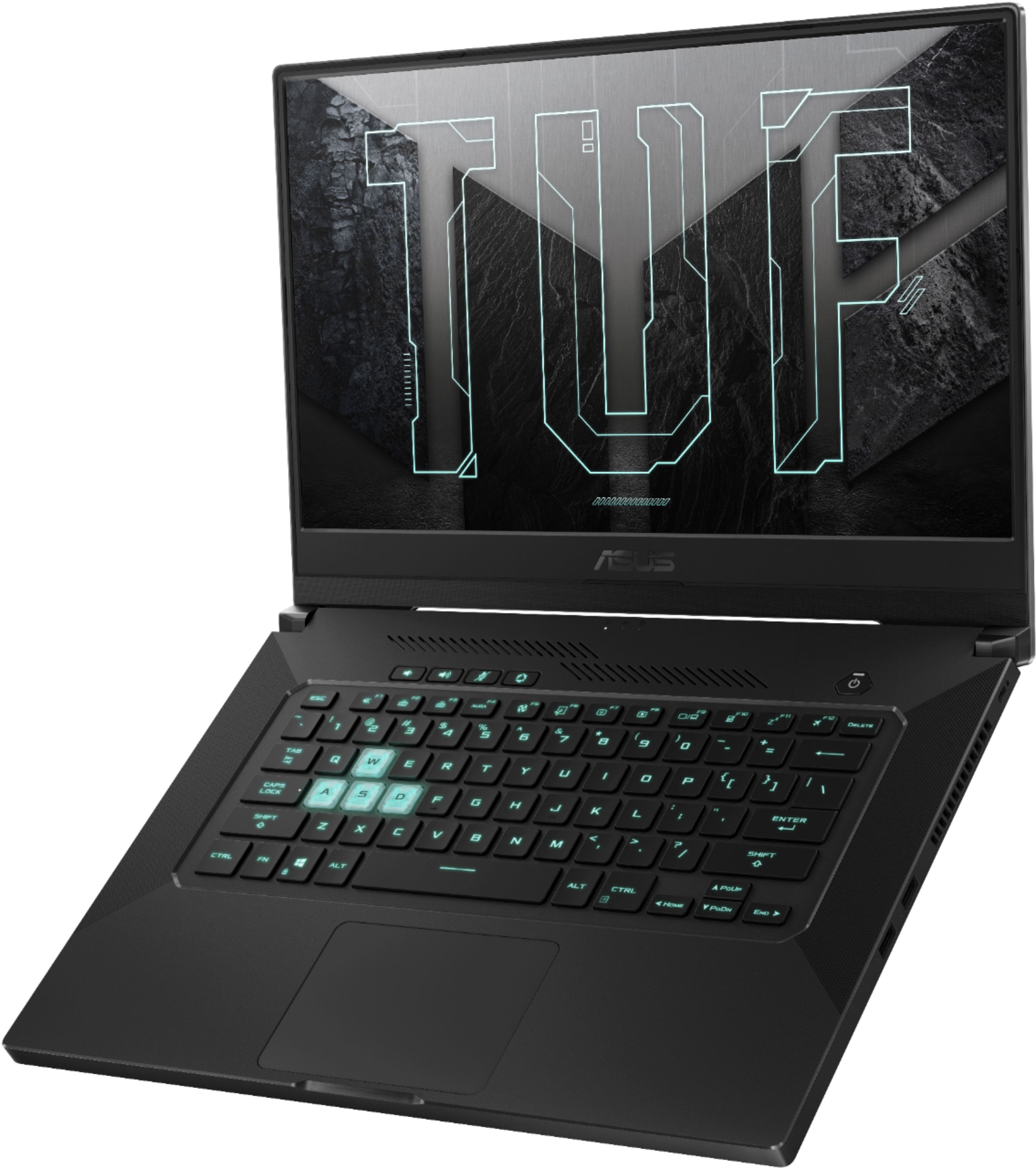
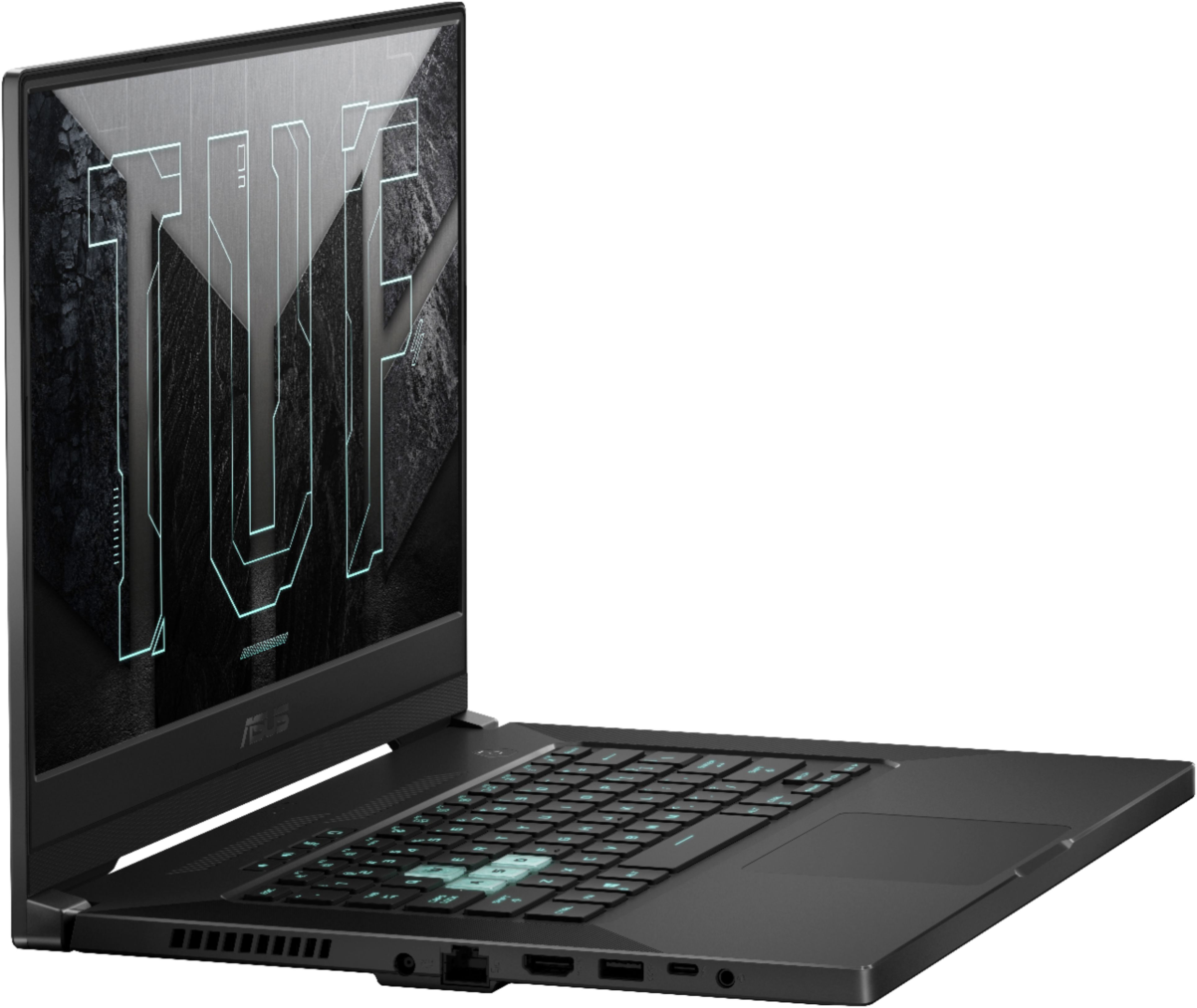
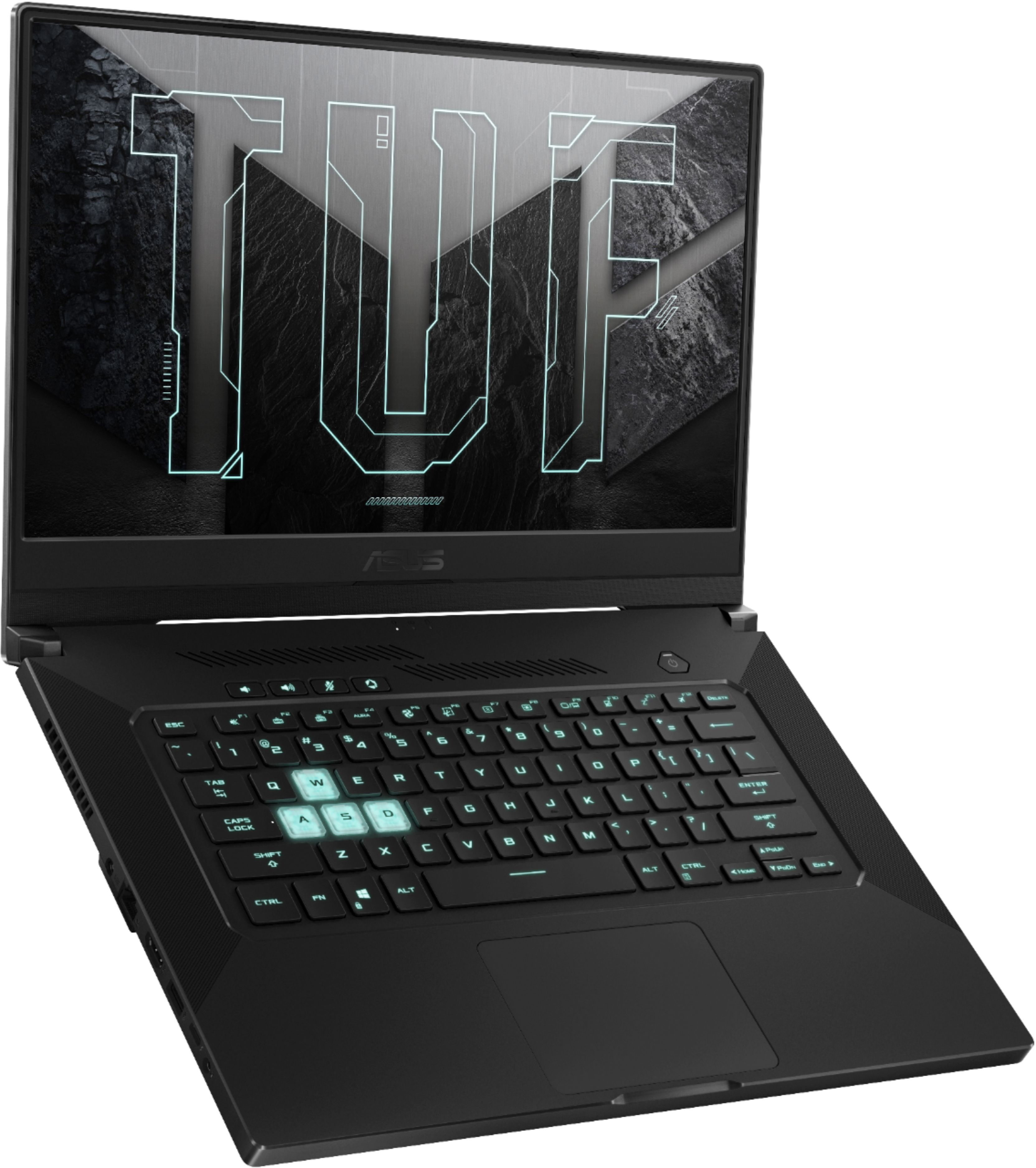
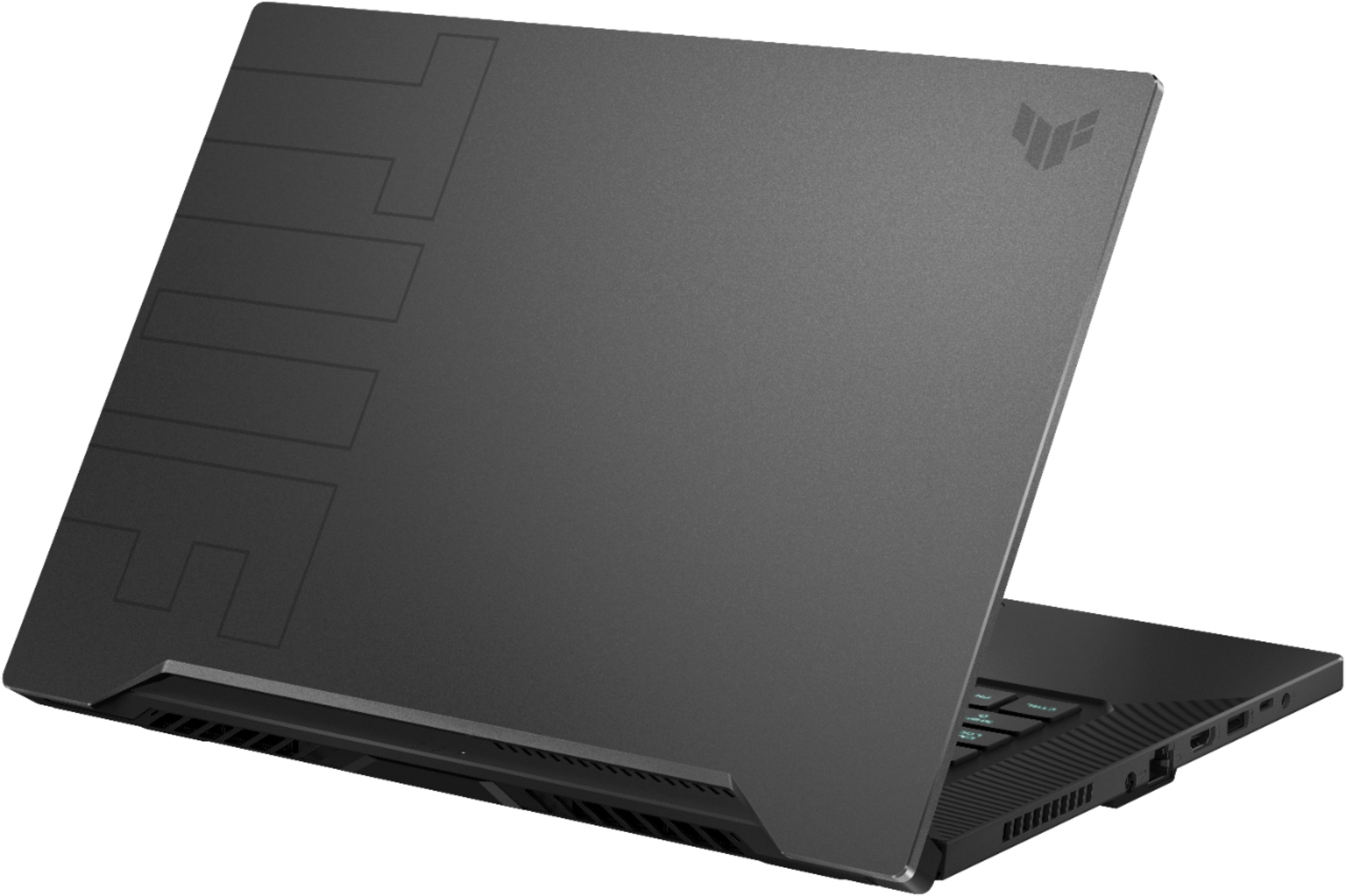

- Model:
- FX516PR-211.TM15
- SKU:
- 6448936
Rating by feature
- Battery Life
Rating 4.2 out of 5 stars
- Speed
Rating 4.3 out of 5 stars
- Display
Rating 4.4 out of 5 stars
Customers are saying
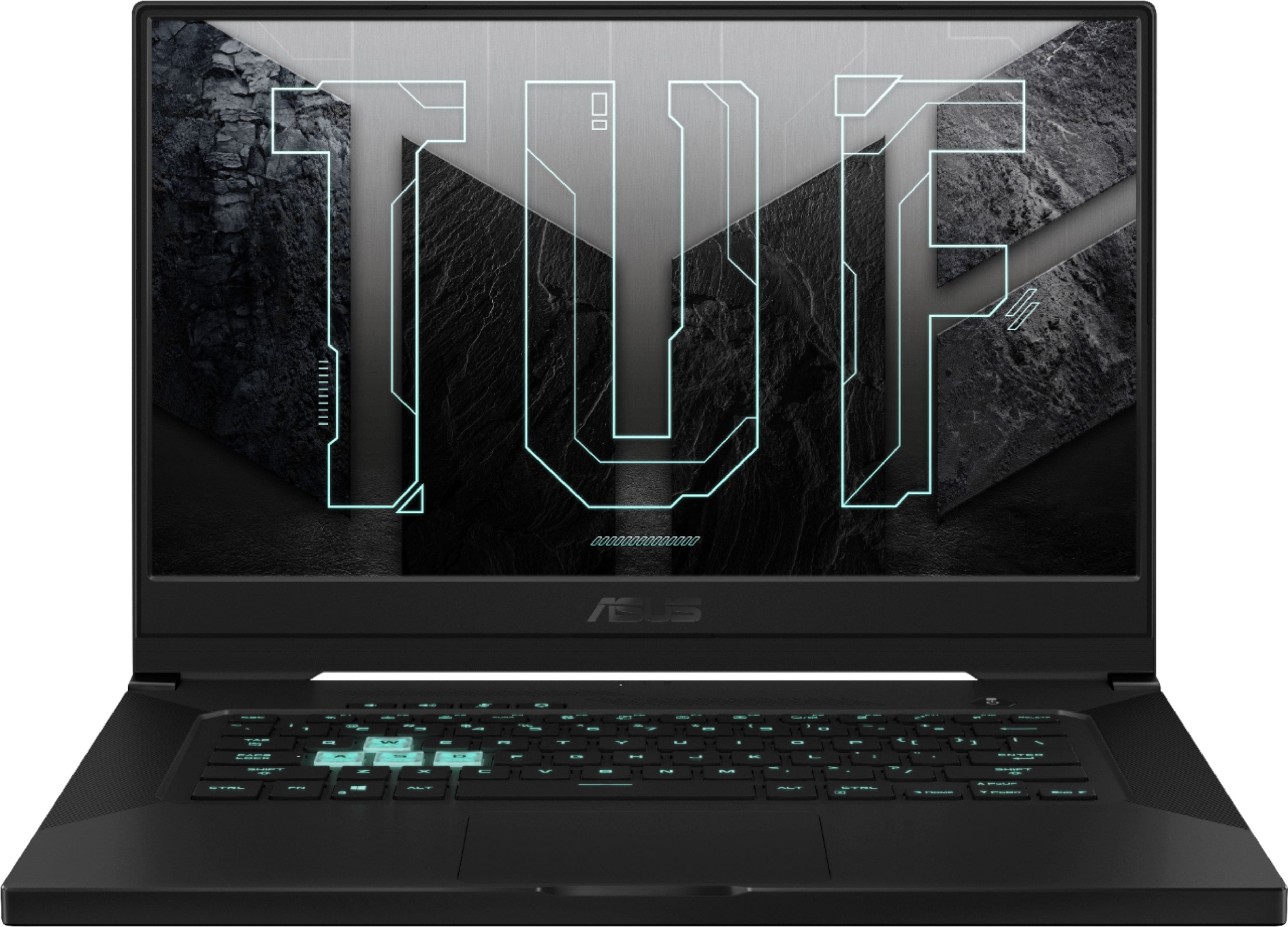
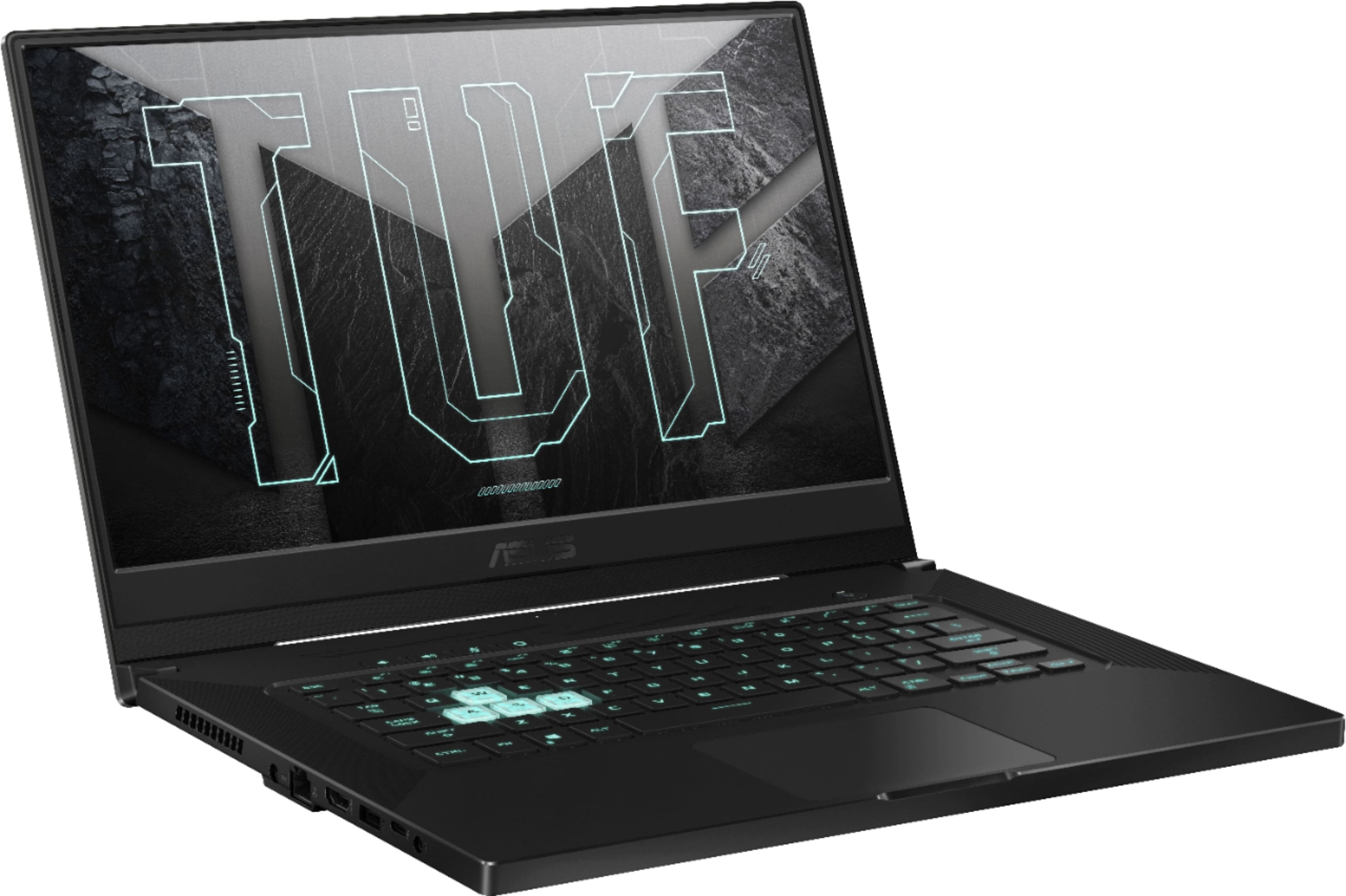
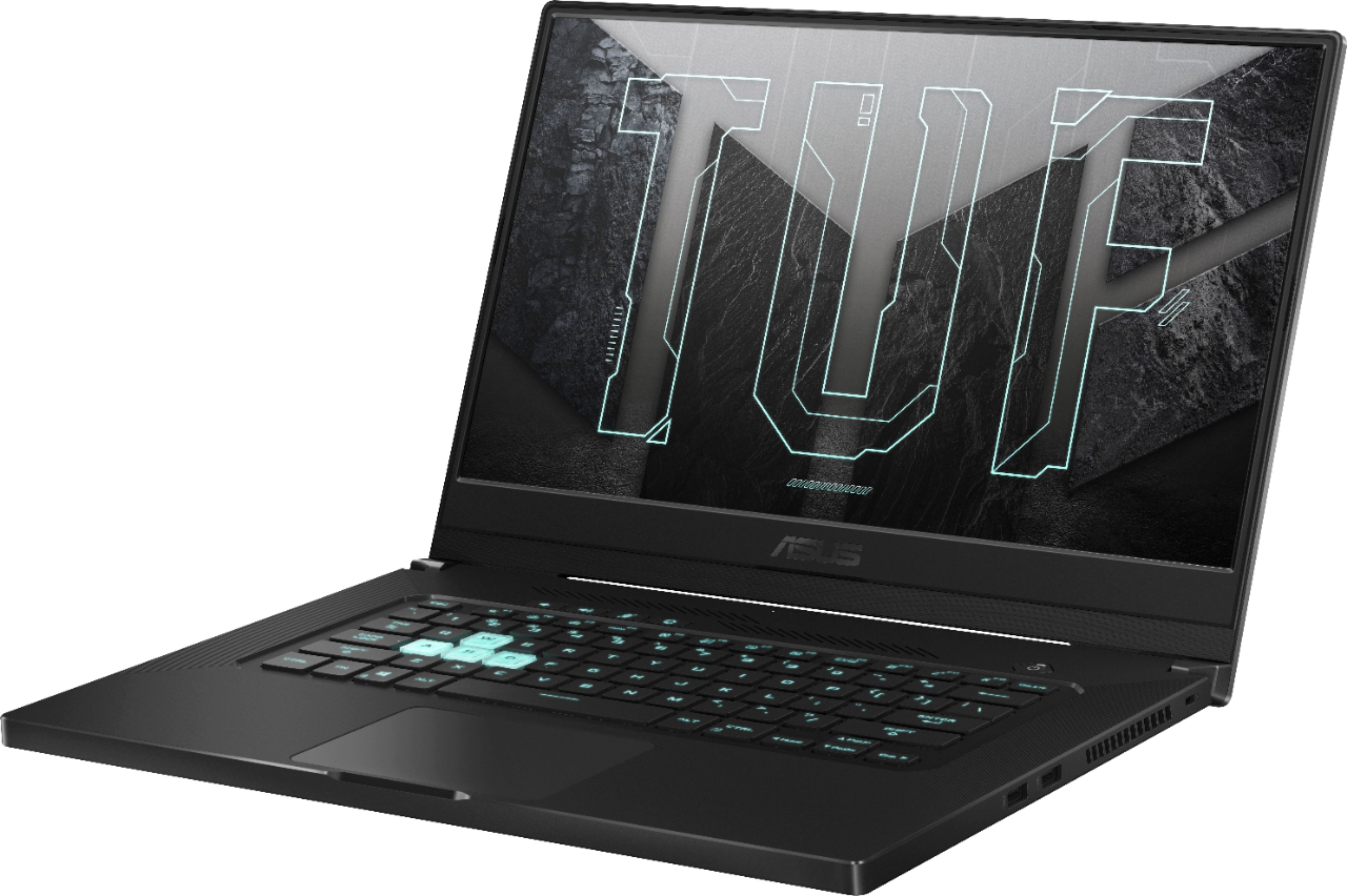
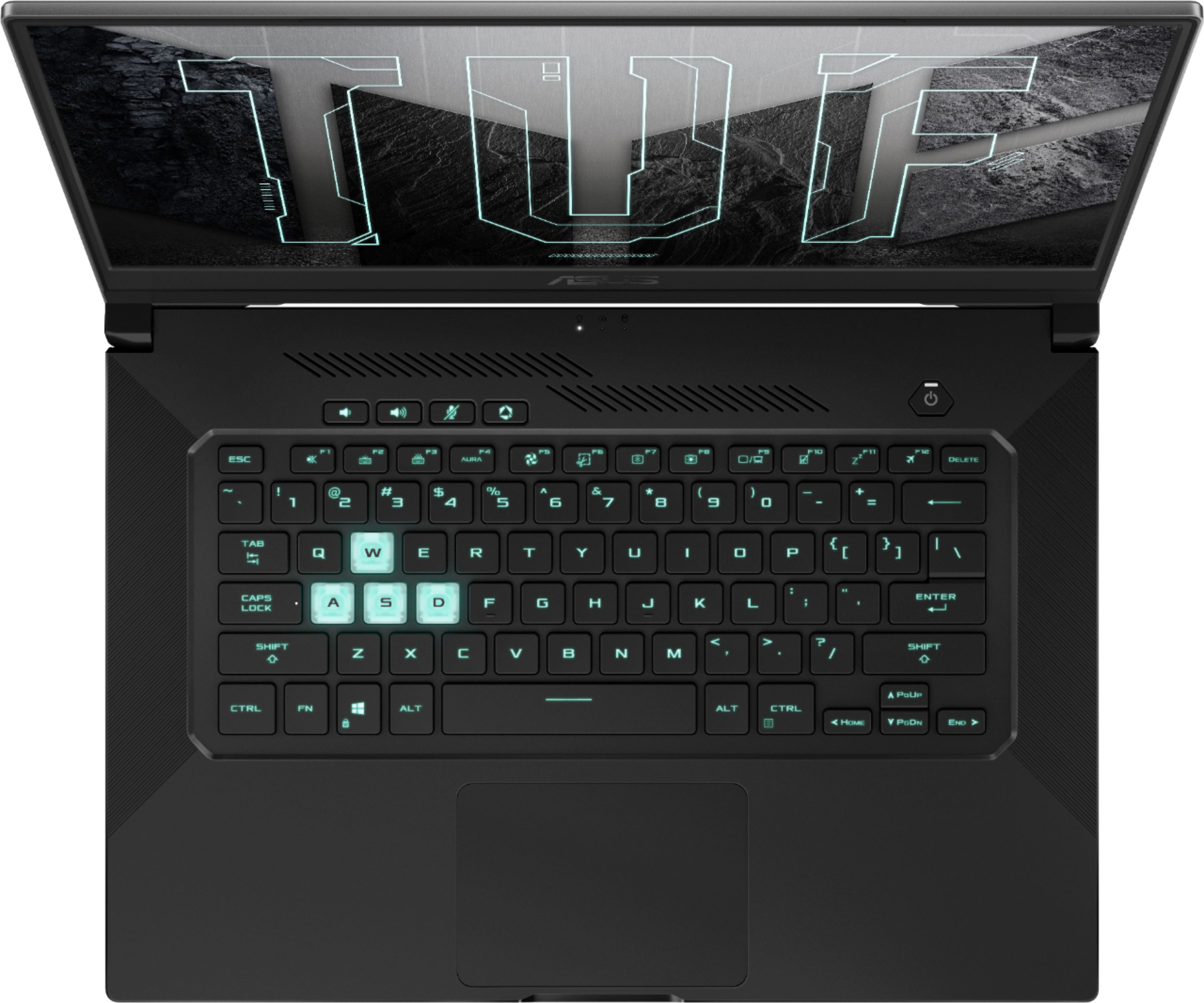
Customers highly value the performance and GPU of the TUF Dash 15.6" Gaming Laptop, frequently praising its impressive speed and capabilities. Positive feedback also highlights the battery life, build quality, and portability of this model. While some users noted issues with fan noise, heat, keyboard, and the lack of a webcam, many found the display and price to be significant strengths. The compact size and sleek design were also frequently mentioned as positive aspects.
This summary was generated by AI based on customer reviews.
Good performance but also some small problems
||Posted . Owned for 1 month when reviewed.This reviewer received promo considerations or sweepstakes entry for writing a review.Good performance for the value. Screen is perfect with 240 hertz. What ı dont like is speakers. Without headphone ı cant understand when ı watch some movie ı think its too less volume for the speakers. And once laptop is crashed ı dont know why but just once it happened no more. And also there is strange sound coming from the upper part of the keyboard its like sonic.
I would recommend this to a friend- Pros mentioned:Build quality, Gpu, RamCons mentioned:Keyboard

A desktop in a laptop!
|Posted .This reviewer received promo considerations or sweepstakes entry for writing a review.This is a highly capable laptop. It's essentially a desktop in a laptop package. Games like Monster Hunter, Crew 2, and NFS Heat are able to be set to Ultra and play smoothly. This laptop can easily be upgraded to 32GB of RAM and has an extra SSD slot available. The keyboard is very responsive and is backlit, which is a must on a laptop IMO. Sadly you can not change the color, and you are stuck with the mint green/ Tron-ish backlight. Still, it works well and is very responsive. The onboard speakers sound very good, but playing with headphones is basically a must because this laptop does get noisy. Not as noisy as others I have played in the past, but if you're serious about your gaming, you'll be using headphones. If you're just browsing the internet or watching a video, it doesn't get noisy. The screen is fantastic as well. Likes: 1.) High performance in a small package 2.) Great screen 3.) Easy upgrade ability Dislikes: 1.) No RGB options to change keyboard color
I would recommend this to a friend laptop for gaming
||Posted . Owned for 2 weeks when reviewed.This reviewer received promo considerations or sweepstakes entry for writing a review.It is a great laptop for gaming. the graphic 3070 is good as 4k for connecting with the monitor HDMI cable. charging the laptop, along with an Ethernet jack, HDMI 2.0, USB 3.2 Gen 1. NVIDIA GeForce RTX 3070 graphics card and a 240Hz refresh rate.
I would recommend this to a friend- Cons mentioned:Keyboard
Bios Issues
||Posted . Owned for less than 1 week when reviewed.This reviewer received promo considerations or sweepstakes entry for writing a review.Had it less than 24hrs and it stoped working the screen whent completely black after Bios update this computer came with an outdated Bios it should of have been done before release. I took it to Geek squad and was I told it was brick and it was probably 4-7 weeks before manufacturer could replace/fix after I wait 1 month and half. Read a could reviews on other Asus Rtx 3000 series model and some cosumers are experiencing same issues. If you buy this and you received and outdated Bios take it to geek squad and have them do it. Do not do it your self.
No, I would not recommend this to a friend More pluses than minuses
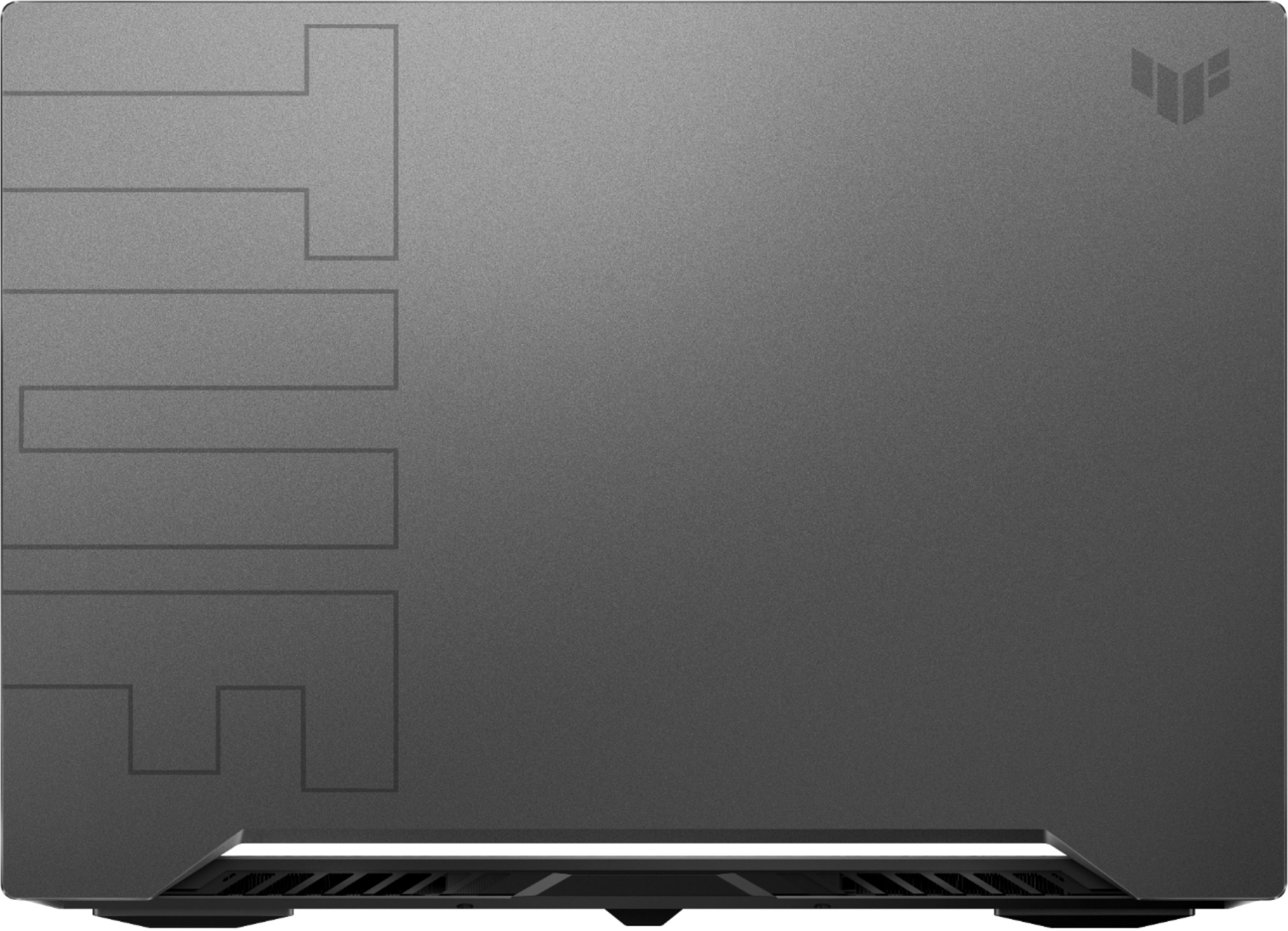
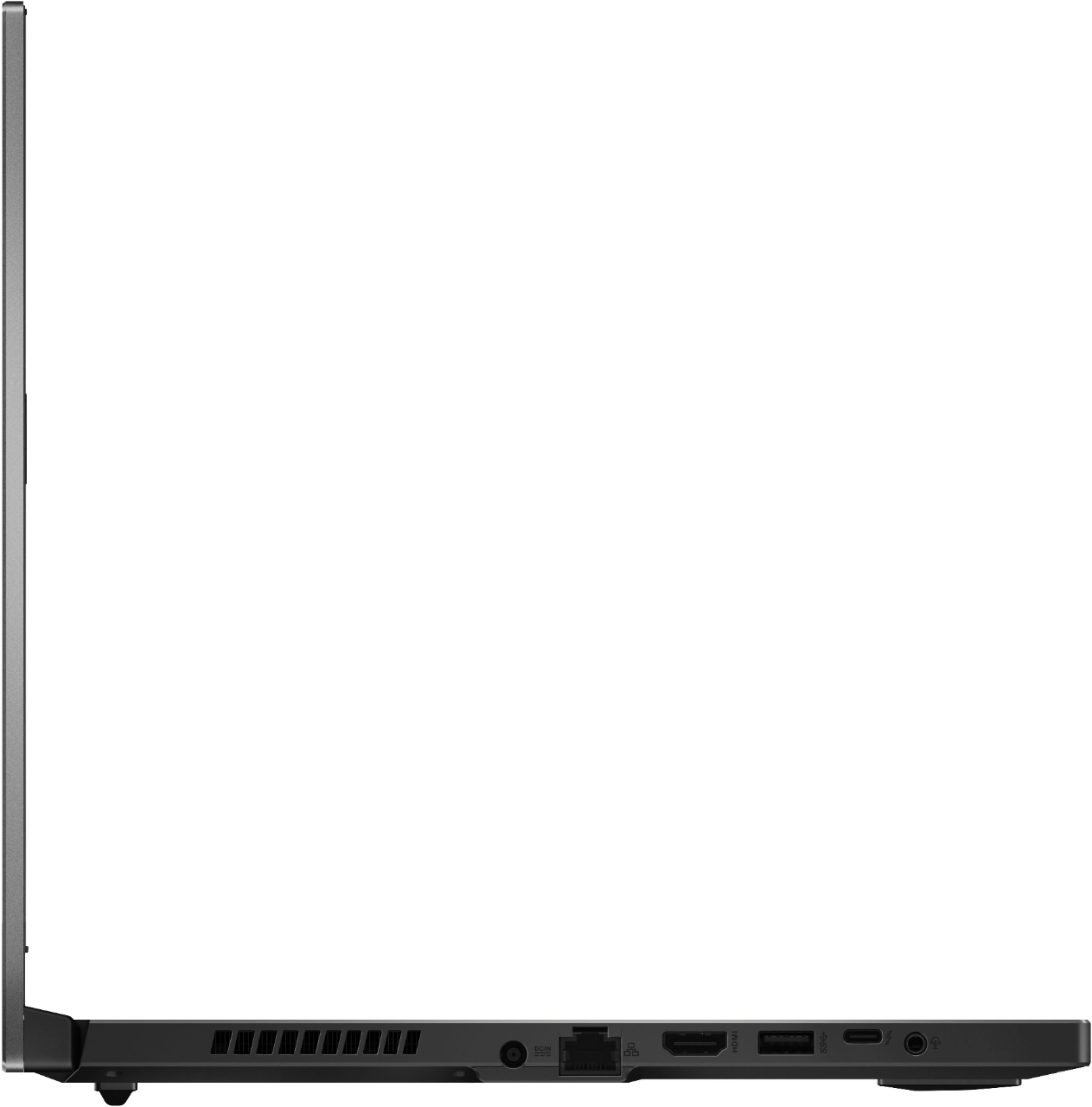
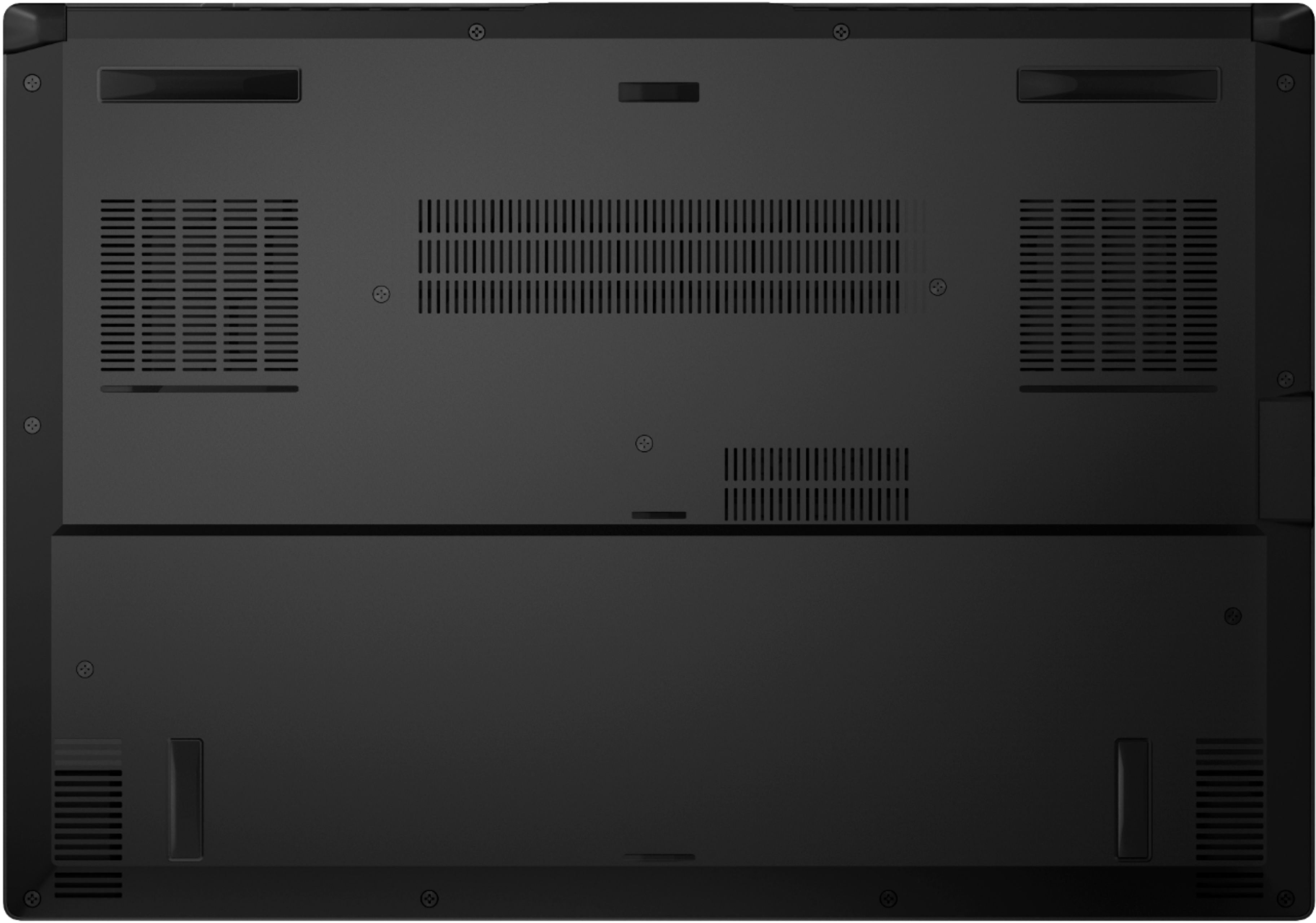
|Posted .This reviewer received promo considerations or sweepstakes entry for writing a review.Asus has a new laptop out, the TUF DASH F15, and I wanted to see how it stacks up against my desktop system. Unboxing and first impressions: The TUF DASH F15 “referred to as F15 from now on”, came in a basic brown box with a logo printed on it, nothing really fancy and no foam cradling it, just cardboard. It’s more than enough protection though and this laptop is advertised as being military tough anyway. Inside the box are the laptop, power adapter, power cord, and a quick start guide, that’s it. The laptop itself looks really nice and feels very sturdy there isn’t any type of flex to it like I’ve felt with other laptops in this range and the aluminum lid looks a lot better than most plastic ones I’ve seen, and with it having a metal lid the screen seems to have little flex to it. It’s hard to believe they can put this much power into a laptop that when closed is just over ¾ of an inch thick and weighs only 4.4lbs. The keyboard is centered as there isn’t a keypad “something I’m not used to seeing or using” and the keys all are full sized except for the direction/arrow keys, they are so tiny. There are also 4 dedicated control buttons above and to the left of the keyboard for mute, volume up/down and one to launch the Armory Crate software. The palm rest area is all plastic and there’s a nice sized touchpad also centered in the middle. Around the left side is a heat vent, power port, “about in the middle”, an Ethernet port, HDMI, USB, USB C/Thunderbolt port and a single audio jack that combines audio and microphone. On the right side there are two USB ports and a security lock port along with a heat vent. There’s nothing on the front and two heat vents on the back. Use: After going through the windows setup and Asus registration process the built in Asus maintenance software advised me that there were updates to the system. I let it go ahead and update what was on its list and ended up with two BIOS updates and one for VBIOS. There were also a bunch of Windows updates, so I let everything finish before doing much else. This also took a few reboots to get done so you can’t just walk away and think it will do it all on its own, you have to confirm the reboot a few times. After all that was finished it was time to install Steam and download a few games to give this new laptop a good workout. I also installed Geekbench 5 and Crystal Diskmark to give the system a good workout before gaming. The keyboard is nice to type on but it’s taking me a bit to get used to the centered keyboard. Since there isn’t a dedicated keypad “which I do prefer having” the whole keyboard and touch pad are centered in the middle of the palm rest. This reminds me of some of my older IBM Thinkpad laptops and I actually had a hard time getting used to my first laptop that had a keypad since the keyboard was off centered; now I’m having to relearn the other direction. I really don’t have any complaints with typing on the keyboard, the keys for me feel fine, and I’ve used so many different keyboards over the years I can pretty much type on anything without any difficulty. The keyboard is also backlit, and only has one single color a lite blue teal shade to it. The color is pleasant and very easy on the eyes. Luckily you can adjust brightness by three levels or just turn it off. The WASD keys are clear and stand out against the black keys for the rest of the keyboard. My only real complaints with this unit is the location of the power port, in the middle on the left side is a little inconvenient but I’ve seen this type of location on a few other competing brands. At least the power jack is at a 90 degree angle so the cord can be kept out of the way. My other complaint is the location of the right hand heat vent. If you are using a mouse to game with “which I do as well as everyone else I know that games with a laptop” the heat blows right on your hand if you don’t keep the laptop far enough away so you can place the mouse away from it, you end up with a very warm mouse and right hand, “not very comfortable gaming with a hot sweaty hand :| “. Performance: Gaming performance is surprisingly good even though the processor is only a quad core it’s plenty fast and my Geekbench 5 results were amazingly good. My desktop system is a I7 9700 with 32gb of DDR4 memory, and a Nvidia RTX 2070 OC, it’s Geekbench 5 results were 1239 single core, 7138 multicore, and 90934 compute score. The F15 scored a 1575 single core, 5167 multi core, and an 112527 compute score, “very impressive results”. This thin light laptop is actually quite fast comparing it to my desktop that’s not that old. I ran Crystal Diskmark on the F15 and compared it to my Samsung EVO 970 in my desktop and surprisingly the F15 came out on top most of the time, “you can see those results in my attached images”. Now for gaming, I’ve been running Borderlands 3, and The Witcher 3, the frame rates are right up there with my RTX2070 OC that’s in my desktop. And at times it’s actually faster depending on the settings. In BL3 at set at 1080 and high graphic settings I was getting 110fps, with my desktop at the same settings it gets 115fps average. Changing both to Ultra high settings the F15 was getting 96fps and the desktop was 106, both are pretty close, and on a 15” screen there’s really no need to have the graphic settings set on ultra anyway, it is noticeable on my desktop system as I have a 32” gaming monitor for it. I also wanted to try the laptop on an external monitor so I hooked it up to the one connected to my desktop. It’s a 32” curved 165hz screen and it worked perfectly with the F15 hooked up to it and set at the full 1440P resolution of the external monitor. Comparing the two with a high graphic setting at 1440p the F15 was getting 91fps with the desktop hitting 65fps and then setting the graphics to ultra the F15 was hitting 77fps and the desktop averaged 60fps. That’s pretty amazing that the F15 was pretty much beating my desktop system with the 2070 with the external monitor hooked up and higher / ultra graphics settings, it looks like it’s faster running 1440p resolution on an external monitor “I’ll have to do a lot of gaming to test this out :) . I didn’t do any comparison benchmarking with Witcher 3 but I was getting around 120fps with graphics set on high “1080 internal monitor” and about 80fps on ultra. That’s excellent for a thin light gaming laptop. I also found that if you tweak the settings just a little in BL3 under ultra and turned down Atrophic filtering from 16 to 4 and turned down a couple of the ultra detail settings “like shadow” to high I could get 82fps on the 1440 monitor set at 1440p. I also used the Armory Crate software, “access this by pressing the last button of the dedicated keys above the keyboard. The software is pretty nice as you can easily tweak your performance settings from heavy gaming to basic web browsing and watching movies. For gaming I always had it set on “Turbo” mode, otherwise I would set it to silent. Heat/Noise: As far as heat goes this laptop does get warm, very warm, but fortunately the way the fans are located “you can actually feel air moving around the WASD keys” the WASD keys stay quite cool. You can see in my thermal images where the heat is located. And I sure wouldn’t be gaming with this on my laps without a solid tray underneath it. A cooling pad would help out the heat quite a bit; I just don’t have one to try that out. The fans themselves do crank up a good bit while gaming but they aren’t that bad, and it’s not a high pitched annoying whine. I have a professional sound meter and with the sensor placed within an inch of the loudest exhaust port, during a good gaming session, it was reading about 60db, but once you moved away the sound dropped considerably off. Screen: The 240hz screen is really nice, for me it’s plenty bright as I rarely use any of my systems in a bright environment. And during gaming even though I never maxed out “or came close” to 240fps the screen was always smooth and clear. Color “for me” is great, and seems very accurate, with colors not being dull like I’ve seen on so many other laptops I’ve owned. Viewing angles are also excellent with very little fading from side to side or up and down. Conclusion: This Asus TUF Dash F15 laptop is great for gaming, it’s thin, light and easily portable. I only put the battery to short tests but it held up much better than my other gaming laptops, and if you use the Armory Crate settings to tweak the system for what you are using it for then you can get quite a few hours out of it just watching movies or web surfing. All the components can be accessed by removing the bottom panel, and one nice touch is a single captive screw “lower right corner” that when you loosen it “removing all other screws first” helps pop the corner of the cover up so you can get underneath it to remove. The only thing you have to be careful of is Asus used two different screw lengths on the bottom, just be careful where those go. Once the cover is removed you can add another M.2 drive, there’s one open slot, or upgrade the memory. There’s only one 8gb stick that’s removable so you’ll only be able to add more by replacing that one module. My only negatives are minimal, they are the location of the power port, and the right hand vent, “and maybe missing the keypad” but that’s about it. It’s also odd that Asus eliminated the web camera, but maybe they couldn’t fit it in the lid being it’s as thin as it is. I can live without it as I have dedicated webcams but it’s something you’ll have to keep in mind when buying this one. If you are looking for a pretty powerful, fast and light laptop for gaming on the go this would be a great one to get.
I would recommend this to a friend- Pros mentioned:Gpu, RamCons mentioned:Keyboard
Latest silicon that doesn't break the bank
||Posted . Owned for 2 months when reviewed.This reviewer received promo considerations or sweepstakes entry for writing a review.I’ve had the TUF Dash 15 for two months, using it for both work and gaming, and feel I can give a decent review for those considering a purchase. I’m very technically savvy so you can feel confident I’ve really put it through the paces. -Design- I am amazed at the compact/lightness of the notebook. Often worrying I forgot to pack it when grabbing my backpack. The thickness doesn’t appear to hamper functionality as thermals remain in check and usage is comfortable. The look is sleek however as usual a fingerprint magnet on the black version. -Internals- Equipped with the latest 11 generation Intel Tiger Lake processor you end up with a bit of a unique situation. Typically i7 processors have been 6-8 core however this one is only 4 core 8 thread. You’re getting one of the first 10nm intel chips resulting in cooler temps, higher IPC however fewer cores. With some of the fastest single core speeds it beats everything outside the Ryzen 5000 series. What this means is for gaming and most workloads this CPU is no slouch. If you depend on multi-core jobs like rendering you might be better off with something else. Geekbench scores on my unit was 1514 single core and 4998 multi core. Looking for raytracing in your games or AI processing? The RTX 3070 has you handled. Not all mobile GPUs are equal and so is the case here. Due to its thinness thermals are a challenge and TDP is only 80-85 watts. In comparison these chips support up to 115w meaning you’re looking at less performance. Here are the benchmarks of this laptop: 8259 - 3DMark Timespy (Graphics) 21902 - 3DMark Firestrike (Graphics) Benchmarks of a 3070 mobile @ 115w: 10655 – 3DMark Timespy (Graphics) 27501 – 3DMark Firestrike (Graphics) A pretty considerable drop right? While you do sacrifice some performance for size I feel Asus might have been a bit too conservative on the limitations. I managed to find and flash the MSI G66 bios and ended up with considerable gains: 9993 - 3DMark Timespy (Graphics) 22138 - 3DMark Firestrike (Graphics) It’s not advisable you do this however with considerable stress testing I haven’t had any issues. I did lower the voltage via MSI afterburner just to be safe. Loaded with 16gb of dual channel 3200mhz DDR4 ram gives you the latest speeds. While it states it can be upgraded to 32gb it can be a bit of a challenge depending on your needs. You see, 8gb is soldered in while the other 8gb is in a single ram slot. This can be easily replaced however you are looking at 24gb with a 16gb stick. I assume if you want to put a 32gb stick in as you would be at 40gb but do your research to make sure it’s supported. You’ll only end up with 16gb dual channel speeds regardless of DIMM size. -Conclusion- Overall, I am satisfied with this product for the price. It’s handled every game and workload I could throw at it without feeling like I am missing out on anything. I do miss an integrated 10-key and webcam however those were manageable sacrifices for the price. One final warning. While it is trivial to open the case for upgrades, the screws are not all the same length. Unknowingly I swapped a few resulting in two small indentions appearing on the other side. Make sure you replace the screws exactly where they were to avoid accidental damage.
I would recommend this to a friend laptop screen issue
||Posted . Owned for 1 month when reviewed.This reviewer received promo considerations or sweepstakes entry for writing a review.Loved the laptop when I first got it but this thing probably has about 20 hours of run time before the issue began. Less than 2 months old and the screen has a huge streak on the right side that almost runs to the middle. Laptop is completely babied and just sits on a desk all day.
No, I would not recommend this to a friendBrand response from ASUS Answers
Posted .Dear Valued Customer,
We certainly understand your disappointment and the inconvenience this may have caused.
ASUS provides one year warranty coverage, if product was purchased brand-new, in order to fix or repair any hardware or part that stop working prematurely under normal usage.
If you need more information or further assistance with the warranty for the product, please email me at [email protected] and I would be more than happy to help. Or, you are most welcome to call Product Support Hotline at: 1(888) 678-3688. Also, you can chat with an ASUS live support agent at: http://bit.ly/AsusLiveChat.
Thank you for choosing an ASUS product.
Regards,
Rodel
ASUS Customer Loyalty
- Pros mentioned:Gpu, RamCons mentioned:Keyboard, Webcam
Do Your Research
||Posted . Owned for 2 weeks when reviewed.This reviewer received promo considerations or sweepstakes entry for writing a review.This laptop is a good value, but if you know anything about the RTX 3000 laptop GPUs, then you know that there are multiple versions of the 3070 at different wattages. This model has the 80 watt GPU. The CPU is the 11370H, which is just 4 cores. Sufficient for most games, but it's a consideration if you do any heavy editing or anything requiring a heavy multicore load. I've also owned the last-gen ASUS TUF laptop, and this one is slimmer and weighs less, although I kind of miss the ability to change the color of the keyboard backlight like the older model.. If you know what you're getting into with this model and it meets your use case/workload requirements, then you should be happy with it. It's a good deal considering it includes a 1TB m.2 SSD and 16GB of RAM. Granted, it lacks a webcam (they had to cut corners somewhere at this price), but I'd prefer to use an external one anyway. All in all, I recommend it as you won't get a 3070 laptop cheaper, but with the caveat that if you have a larger budget, it might be worth spending a couple of hundred dollars more and getting a laptop with the new Ryzen CPU, which is 8 cores.
I would recommend this to a friend - Pros mentioned:Battery life, PerformanceCons mentioned:Speakers, Webcam
A new class of gaming laptop
||Posted . Owned for 6 months when reviewed.This reviewer received promo considerations or sweepstakes entry for writing a review.Ignore the mainstream reviews. The ASUS Tuf Dash F15 is a new class of notebook, and they've entirely missed the point. Despite what others may think, the ASUS TUF DASH F15 is very well thought out, even with its 4 core i7 processor. I wanted a thin and light notebook to game with. Something that wouldn't get too loud and wouldn't burn my lap. Putting this thing into silent mode via the Armory Crate app will give you an idea of what it's all about. 60 FPS gaming in all but the most demanding AAA titles, and for those wanting more performance, you can take it out of silent mode and enjoy max settings beyond 60 FPS. Red Dead Redemption 2, GTA V, etc. The four core i7 was never a letdown, and it allows the laptop to achieve a nearly consistent 8 to 10 hour battery life. I use mine for everything from gaming, to music production, to video editing. I do real work with it. Loads of storage, a great display, a great keyboard, and Optimus round out this stellar package. The lack of webcam is odd, but you get a thinner bezel. The speaks are...awful. 60 FPS is enough for most of us. If you require 120+, you should game on a desktop. The heat and noise tradeoffs aren't worth it on a laptop. I hated my Razer Blade 15. It was too hot, too loud, and frequently throttled itself due to the extreme heat it produced. It's thin for a gaming laptop, light, and has excellent battery life. If these are your priorities, I unabashedly recommend the TUF Dash F15.
I would recommend this to a friend - Pros mentioned:Battery life, PerformanceCons mentioned:Keyboard
Desktop performance for laptop price
||Posted . Owned for 3 weeks when reviewed.This reviewer received promo considerations or sweepstakes entry for writing a review.The initial reaction when I first turned it on that it was fast like 3 seconds after pushing the power on its already booted up and just basic updates and registration for warranty the keyboard feels great and responsive the power you get it's like it's a desktop computer you can play games at max settings and still get over 100 fps I average around 190+ fps on fortnite at max settings the 1tb has plenty of room for games that you will want to switch between from and if that's not enough for you its easy to upgrade and add more ram or another ssd battery life on performance mode is pretty good about 3 hours of gaming and web browsing and when you plug the charger you get the CPU boost and go into turbo mode and really get a good deal on a gaming laptop for performance and price point only complaint is how loud turbo mode is but it's a gaming laptop so 4200 rpm is somewhat noticeable but you would never notice if you have headset on I would game around 3 hours at a time and never seen it go past 72 C I would and have recommend people to buy this laptop it's so powerful for the price especially with a 244mhz display and it's a laptop so its portable theres so many plus with like 2 minus which are only because it's a laptop which is noise and lack of rgb customization on the keyboard the color its personality my favorite color for the backlight but again for the price it's such a steal I was considering buying a ROG before this and I'm happy with my purchase and hope this helps someone buy this laptop too
I would recommend this to a friend - Pros mentioned:Battery life, Build quality, Gpu
Great Laptop, Great Value
||Posted . Owned for 8 months when reviewed.This reviewer received promo considerations or sweepstakes entry for writing a review.This has turned out to be an excellent value. It feels solid built. It performs great, every thing I throw at it, runs awesome. VR works awesome. I get at least 60fps in games like New World. I play a lot of high end games; most are high or ultra settings . Yes it's just 4 cores, but it's not been an issue for me and I use this laptop for gaming, video encoding, photo editing, etc. With the 3070, 16GB of Ram and superfast 1TB m2. storage, this is a great laptop with high end features at a medium performer price. Again, yes the CPU is only 4 core, but it benchmarks very well and chances are you are not going to notice. Battery life is awesome, running on the internal GPU and other power management settings, I get a long battery life. Finally, unless there are streamers who have verified the performance while streaming, this would be my only reservation, if I did that type of thing.
I would recommend this to a friend Broke after a week
||Posted . Owned for 3 weeks when reviewed.This reviewer received promo considerations or sweepstakes entry for writing a review.Battery broke after a week, fans wouldn't go off when i put on sleep or closed lid atleast i got my refund
No, I would not recommend this to a friendBrand response from ASUS Answers
Posted .Dear RobloxFortnite
We certainly understand your disappointment and the inconvenience this may have caused you.
All ASUS products undergo intensive quality control testing and inspections, this is a random problem. It is normal for the fan to still run momentarily when the laptop goes into sleep mode or the lid was closed if services and processes are still running in the background. Eventually, the fan speed will decreases or normalizes once utilization goes down, when these processes and services completed.
If you need further assistance with the laptop or other ASUS products, please let me know and I will be more than happy to help. Or, you are always welcome to call Product Support Hotline at: 1(888) 678-3688. Also, you can chat with an ASUS live support agent at: http://bit.ly/AsusLiveChat.
Thank you for choosing an ASUS product.
Regards,
Rodel
ASUS Customer Loyalty
Solid performance - 4.3/5
|Posted .This reviewer received promo considerations or sweepstakes entry for writing a review.Overall, my impression of the ASUS - TUF DASH 15.6" gaming laptop has been very positive. The RTX3070 graphics card is a beast of a GPU and has been worth the wait. The overall aesthetic of the laptop is classy with a touch of gamer flare inside. If I could give it a fractional score, it would be somewhere around 4.3 stars. Here's what I really like: I've been looking forward to the RTX 30 graphics cards since NVIDIA announced them last year. Coming from a GTX 1070 (~3 year old "same" graphics card), there is a noticeable improvement in what the computer can handle without dropping frames. ASUS has pre-loaded software referred to as Armoury Crate, which is accessible via a physical button above the keyboard. This brings up current computer specs, including how much of the CPU, GPU, and memory is in use, as well as fan speed and other configurable options. I'm not normally a fan of pre-loaded software, but Armoury Crate provides a nice overview of the machine's performance at a given time in an informational and "fun" way. Fans: There are 3 preset configurations for fan speed, Silent, Performance, and Turbo. Silent is great for every day non-gaming use, but once I load up a game, I switch the settings to Performance generally. Armoury Crate also gives you the options to configure different profiles for different apps and games that you launch, so if you want to play Candy Crush on Silent, load up League of Legends and have it switch to Performance, and then swap over to ARK on max graphics, that can all be setup to happen automatically as you change your activity. I've only configured a single profile to test out the feature, but if I find myself swapping between settings, I may explore this more. These performance settings can also be easily toggled using the function+F5 key on the keyboard, so I generally just use that when I'm switching between games that are more graphics intensive. One thing I did run into that's worth noting is when charging the computer via USB-C instead of the supplied ASUS power cable, I was not able to select "Turbo", only Performance and Silent. This is the same behavior I run into when running on battery power, and isn't surprising or concerning given the added power draw expected when using the "Turbo" setting. Performance: There were three games I was particularly excited about taking for a spin with the new RTX3070 graphics card, ARK, League of Legends, and Minecraft with ray tracing. I'll start with Minecraft because it's traditionally a "low budget friendly" game, and not typically something hugely reliant on graphics cards, but I previously wasn't able to experience the previously experimental ray tracing features as they just weren't supported on older graphics cards, and for good reason. NVIDIA actually has Minecraft worlds that can be downloaded to test out the new ray-tracing features, so I took one of those worlds for a spin. I'm attaching an in-game image, because it's hard to describe just how artistic ray tracing causes the game to feel. When loading one of these worlds, the fans kicked on loudly in order to compensate for the increased graphics activity, but flying around the very detailed world, I never experienced any sort of lag or frame drops. As of now, I've only had the opportunity to play around in one of NVIDIA's ray-tracing worlds, but I'm excited to see how else the Minecraft community has made use of this feature. ARK: Ark is such a beast of a game, and I'm so glad that it is. On my previous gaming laptop, with a GTX1070 card, I had occasionally turned up the graphics to "Epic" settings, just to get a taste of what the developers intended the game to feel like. The problem is that as soon as I started moving, I'd experience horrible frame drops to the point where the game was effectively unplayable. Not so with the RTX3070 graphics card in this ASUS TUF gaming laptop. I turned on FPS monitoring and experienced between 60-80fps when running through various parts of the world. I imagine loading up a crowded world rendering dozens of dinosaurs at the same time that could potentially dip lower, but in my gameplay experience, everything ran smoothly. I ran the fans on Turbo to keep up with epic graphics settings, which ran quite loud, but all I really care about is performance. The GPU in Armoury Crate showed it was using 99% GPU (screenshot attached) during this time, at around 71C after ~15 minutes of play, so I may end up dialing the graphics down a step for prolonged play depending how that temperature looks over time. On to League of Legends: While not the most graphically intensive game, cranking the settings up to medium-high on my GTX1070 laptop caused intermittent lag spikes during team fights that forced me to play with medium or worse graphics settings. With the RTX3070 card in this ASUS laptop, I haven't experienced any lag at full settings, maintaining ~110 FPS, and I'm looking forward to climbing the ranked ladder with that added advantage. This ASUS gaming laptop boasts a 240Hz display with a 3ms latency for optimal gaming. It might be coincidental, but I've been winning more ranked games since getting the new laptop, and I can't help but wonder if that slight reduction in latency is a factor. Ports: I just want to give a nod to the USB-C and Thunderbolt 4 support. The port is usable as a secondary charging option, which I found to be awesome when switching rooms as I have a plethora of USB-C charging cables and otherwise only 1 ASUS power adapter. The other ports are fairly standard, two USB-A ports, an ethernet port, and an HDMI port, and provide sufficient port coverage for any typical laptop use. Minor gripes: - No camera: For a gaming laptop, it's not a big deal. I don't really use video while gaming, but what I miss is Windows Hello, which my old laptop camera provided. It's a minor inconvenience, but definitely not a deal breaker. - Keyboard light changing software isn't great. There are only 3 built in profiles for changing the keyboard backlight, Static, Strobe, and Breathing, of which only the Static isn't terrible. I found adding new profiles unintuitive and clumsy compared to other backlight keyboards I've used, both for standalone keyboards and gaming laptop keyboards. Overall, the ASUS TUF gaming laptop with the RTX 3070 graphics card is a solid gaming laptop. I don't expect to see any significant performance differences in other laptop GPUs, and the form factor of this laptop is overall solid and seems to be providing sufficient cooling to support the outstanding graphics card.
I would recommend this to a friend- Pros mentioned:PerformanceCons mentioned:Fan noise, Heat
Enjoying my new gift to me <3
||Posted . Owned for less than 1 week when reviewed.This reviewer received promo considerations or sweepstakes entry for writing a review.My Acer Predator gaming laptop gave up on me last year back around november or december so my friends and I looked for a laptop since I can't a Desktop due to reasons. It's been a huge upgrade, I'm not a huge gamer, but I can play the games I play without no lag and no change in Graphics and it runs smoothly. The keyboard is a nice Cyan color, comes with 3 options, Static, which keeps the light on, Breath which makes the light come on and off and you can determine the speed from slow to fast, and the Strobe, I wouldn't really call it a strobe as its more like a blinking effect and you cannot change the speed. I only have an issue with where ports are at, especially the charging port, it messes with the mobility of your hand, especially if you have headphones connected. It also does get very very warm, I would suggest a cooling pad, you can also change the setting of your fans, they can get loud, I personally don't hear it as I'm gaming, but if your mic is really sensitive it might pick up on it Receiving this laptop left me stunned because compared to my other laptop this one was slick and thin, I was afraid it wouldn't be handle my games and vr headset, but it did and I'm very pleased with my purchase. I don't care much for specs, just as long as I can play with my friends
I would recommend this to a friend So you want a RTX-3070?
|Posted .This reviewer received promo considerations or sweepstakes entry for writing a review.The latest series of gaming laptops packed with the new nVidia GeForce RTX-3000 series graphics cards have probably been the most anticipated in quite some time. It's incredible that there are models that fit most budgets. The ASUS TUF series is considered the budget friendly series of the ASUS component and laptop offerings. With the RTX-3000 series graphics cards being impossible to find it seems the best chance of getting to that level of performance is to grab a laptop sporting one of those cards. The ASUS TUF Dash F15 is a great budget friendly laptop with great specs at a decent $1449 pricetag. Sporting the latest Intel i7-11370H CPU, 16GB of DDR4-3200 memory, a 1TB M.2 SSD and a GeForce RTX-3070 it's got enough horsepower to tackle just about anything you throw at it. The 15.6" display is 1920 x 1080 running at 240hz with a 3ms refresh rate which should help with any eSports and FPS games. Specs also include Wifi 6 connectivity and Thunderbolt 4 port. It's lightweight and thin. The IO is pretty decent as well with a full size HDMI port, an Ethernet jack, a headphone jack, 3 type A USB ports and 1 type C USB port. However there are a couple of things missing... no SD card slot, not even a micro-SD slot. Also missing is a webcam. The subtle styling of the TUF would make it a great all purpose laptop but with more and more remote learning, work, etc a built in webcam is a necessity. Unfortunately ASUS is pushing the gaming laptop lines without what I would call a required feature. I'm not thrilled about having to pack a separate webcam in my backpack. The whole point of a thin and light is to make it more portable. The keyboard has a great feel to it. There is no clicking, travel of the keys is smooth and pleasing. I can type all day on this keyboard. There is no fancy RGB lighting but the backlighting is great. Not bright white but rather a moonlight white, maybe a slight green tint. Of course brightness is controllable and the uniqueness is the WASD keys are translucent making them stand out even in a bright room. The track pad has a good feel to it and the buttons provide enough tactile feedback you know you are pressing a button. ASUS' Armory Crate software is activated by a dedicated button above the regular keys. Armory Crate allows you to tweak performance, fan profiles, and install ASUS updates. Enough about under the hood, how does it run? I played AC Valhala and Division 2 on high quality graphics and it never skipped a beat. No stutter, no lag, impressively smooth play. I would expect nothing less from a RTX-3070. By no means is it the fastest thing out there, with AMD tearing Intel to pieces of late I'm somewhat surprised that ASUS didn't stuff a Ryzen 9 into it. I've got a ROG G14 with Ryzen and it screams but it has only a RTX-2070 and runs really hot not to mention the fan noise. At least the TUF runs considerably quieter than my G14 and doesn't get near as hot. FYI - I've included some screenshots of Cinebench results on CPU on multi-core and single core performance. So, at the end of the day it's hard to argue with grabbing one of these laptops. Performance on a budget. Great build quality, upgradable, price under $1500. What's not to love. Time to retire my AW M17. This is my new daily all purpose laptop and oh... it screams playing games.
I would recommend this to a friend- Pros mentioned:Battery life, Gpu, PerformanceCons mentioned:Fan noise, Webcam
Budged friendly
||Posted . Owned for 1 week when reviewed.This reviewer received promo considerations or sweepstakes entry for writing a review.Pros -It has different modes which is very useful for me. Silent mode is very quite and battery life is long if you are not playing a video game. And i am using turbo mode when i am playing a video game that requires high performance. -Copying files opening programs are very fast because of ssd. -Also it is easy to carry it -high fps on video games - affordable price Cons -Not enough storage -It doesn have webcam -Turbo mode is working too loud. -dont have numpad
I would recommend this to a friend - Pros mentioned:Battery life, PerformanceCons mentioned:Keyboard
Pretty Tuf
||Posted . Owned for 2 weeks when reviewed.This reviewer received promo considerations or sweepstakes entry for writing a review.I bought this laptop to supplement my primary gaming rig (which is running an RTX 3070) for when I play in the living room or when I travel. While the 3070 in this laptop is scaled down (for obvious reasons), it performs close to or similarly to my prior gaming PC that was equipped with a GTX 2060 Super. I am able to play games while connected to an ultra-wide monitor (2560 x 1080), with most games set at medium or high settings, and if the game supports DLSS, I can easily play at high and go beyond the 60 fps sweet spot. I also bought this laptop to use for travel and got my first chance over the weekend to game directly on the built-in screen. It performed admirably and I was able to increase some of the settings (higher lighting effects, textures, etc) at the native resolution. This is also an excellent all-around laptop. For general desktop tasks, I'm getting 4-5 hours battery usage, which I was not expecting at all for a gaming laptop and has been a nice surprise. From a gaming perspective, At the sale price that I paid (was discounted $200), this laptop is well worth it. It is compact and sleek, and although it doesn't have a 10-key, I knew that ahead of time and is something I can deal with being that my primary usage will be with a gaming keyboard connected. I knew what I was getting when I bought it, and I'm not disappointed in the slightest. Don't expect true 3070 performance and also don't expect to get full performance gaming on the battery only, and you won't be disappointed.
I would recommend this to a friend - Pros mentioned:Battery life, Gpu, PerformanceCons mentioned:Webcam
Very good but misleading in some ways
||Posted . Owned for less than 1 week when reviewed.This reviewer received promo considerations or sweepstakes entry for writing a review.Overall great performance for the size. newest technology (i7 gen11 and rtx 3070 graphics) built good And a awesome 300hz display Pros Overall good gaming performance Latest from intel and nvidia hardware 1tb m.2 ssd (very fast) The 1080p display screen at 300hz Is beautiful Cons. Lowest preference of a rtx 3070 (80w) limited Intel i7 gen11 is very limited series with only 4 cores Fingerprint show easily on this laptop I really like this low profile gaming laptop and it will get almost any job you need done quick and play any game at at least good frame rate while not literally being a desktop sized clunky laptop However don't be fooled into thinking this laptop has nvidia rtx 3070 graphic capabilities just because it has the GPU inside basically it's like a half powered version of a actually rtx 3070 due to being at a max of 85w and also the intel i7 version this laptop uses at the also limited wattage also dops frame rate. It's not a bad laptop it's just throttled way down to keep heat under control in a small package and keep good battery life a trade off if you will but for some potential buyers the performance will be much lower then the actual hardware capabilities Due to the specific configuration of the system. Still benchmark farcry5 at ultra setting at over 90fps in turbo mode so its still a great little laptop Small side note there is also no web camera built in
I would recommend this to a friend - Cons mentioned:Fan noise, Heat, Keyboard
Gaming laptop
||Posted . Owned for more than 2 years when reviewed.This reviewer received promo considerations or sweepstakes entry for writing a review.It was a great laptop with some drawbacks. 1) no full keyboard. For gaming I had to use a separate keyboard. 2) Heat/fans. The fans are very loud with different settings. It gets fairly warm so make sure there is plenty of air flow. 3) very bulky 4) Battery life isn't great needs to be charged a lot or pluged it at all times.
No, I would not recommend this to a friend - Pros mentioned:Gpu, RamCons mentioned:Heat
Hot buy, because the heat that generates under loa
||Posted . Owned for 3 weeks when reviewed.This reviewer received promo considerations or sweepstakes entry for writing a review.Excellent Laptop, very powerful and smooth screen images Pros. 1TB PCIe hard drive, very fast 16GB Ram, 3200mhz decent to very good since this is a gaming computer not a VM workstation 15.6 Screen nice color gamut and fast refresh rate, never passed 140fps since MW consumes a lot of resources tough construction, feel sturdy Cons. Processor is the i7 with lower specs The most important is the Heat that this laptop generates under load, I became worried about future performance and also performed sub par on the RTX 3070 comparison I would recommend it if you have a really cold room, office or so and an external cooling pad for it And yes I know they all generate heat, but this I think was too much
I would recommend this to a friend