Customer Ratings & Reviews



- Model:
- FA507RE-A15.R73050T
- SKU:
- 6501561
Rating by feature
- Battery Life
Rating 4.1 out of 5 stars
- Speed
Rating 4.6 out of 5 stars
- Display
Rating 4.6 out of 5 stars
Customers are saying
Customers often highlight the strong performance, ample RAM, and good graphics capabilities of the TUF Gaming A15 laptop. Many also appreciate its lightweight design and solid build quality, finding it a good value for the price. However, some users report issues with battery life, heat generation, and fan noise. A few also mention concerns about the speakers and power button.
This summary was generated by AI based on customer reviews.
- Pros mentioned:Ram
Best performance per dollar
||Posted . Owned for less than 1 week when reviewed.This reviewer received promo considerations or sweepstakes entry for writing a review.Excellent piece of machine. It is so good that this is the 3rd one I bought since it came out. Upgrade the RAM to 16G is all I needed
I would recommend this to a friend Best laptop gaming ever
||Posted . Owned for more than 2 years when reviewed.This reviewer received promo considerations or sweepstakes entry for writing a review.It’s one of the best laptop for gaming, music productions or video editions, the brand republic of gaming is definitely the best one of the world
I would recommend this to a friend- Pros mentioned:Performance
A beast of a laptop.
||Posted . Owned for 3 weeks when reviewed.This reviewer received promo considerations or sweepstakes entry for writing a review.This laptop has exceeded my expectations. I went in just wanting a solid built portable work computer that I could game on occasion with and it has performed everything I've asked flawlessly.
I would recommend this to a friend - Pros mentioned:Graphics, Keyboard, PerformanceCons mentioned:Fan noise

Great Casual Gamer / Excellent work laptop
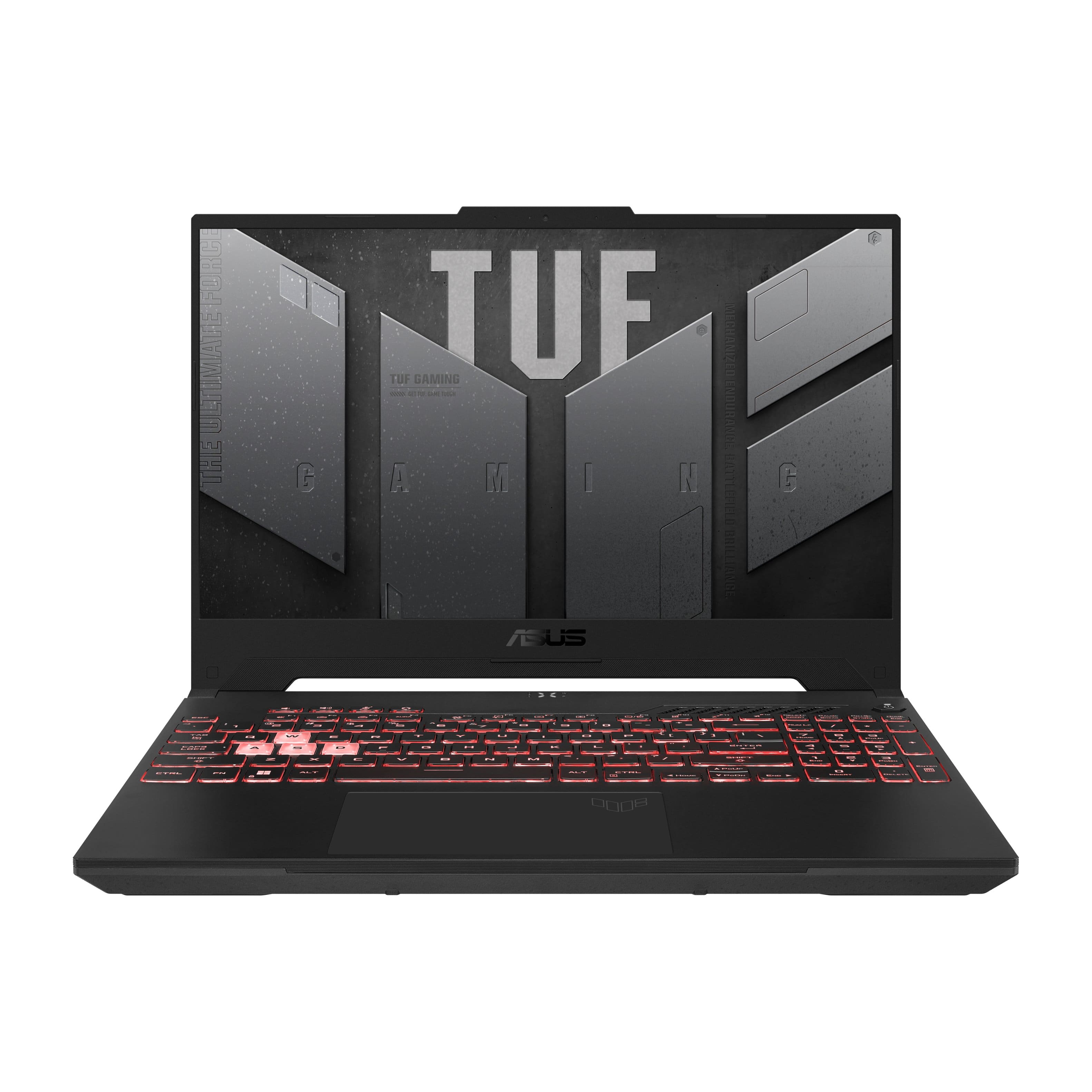
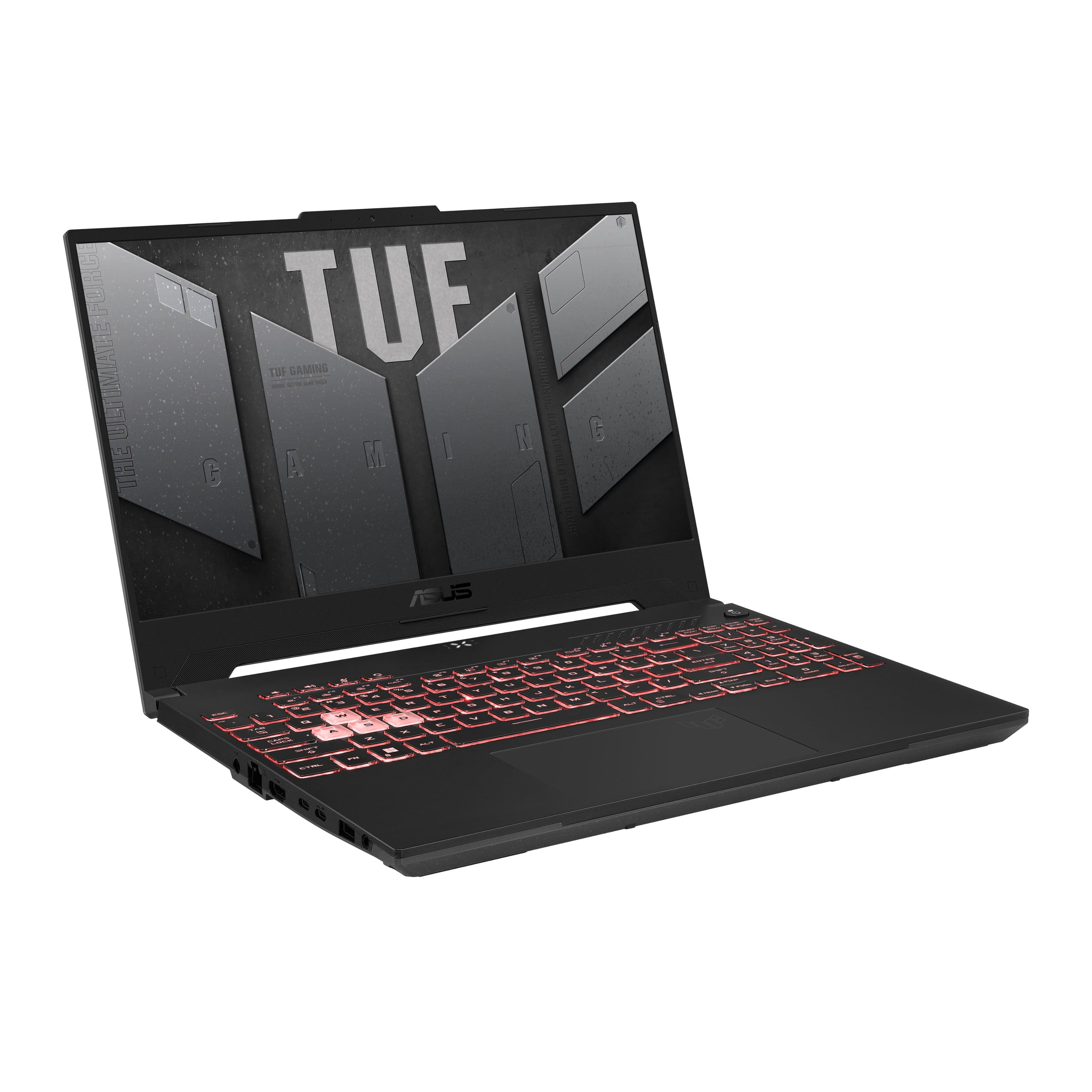
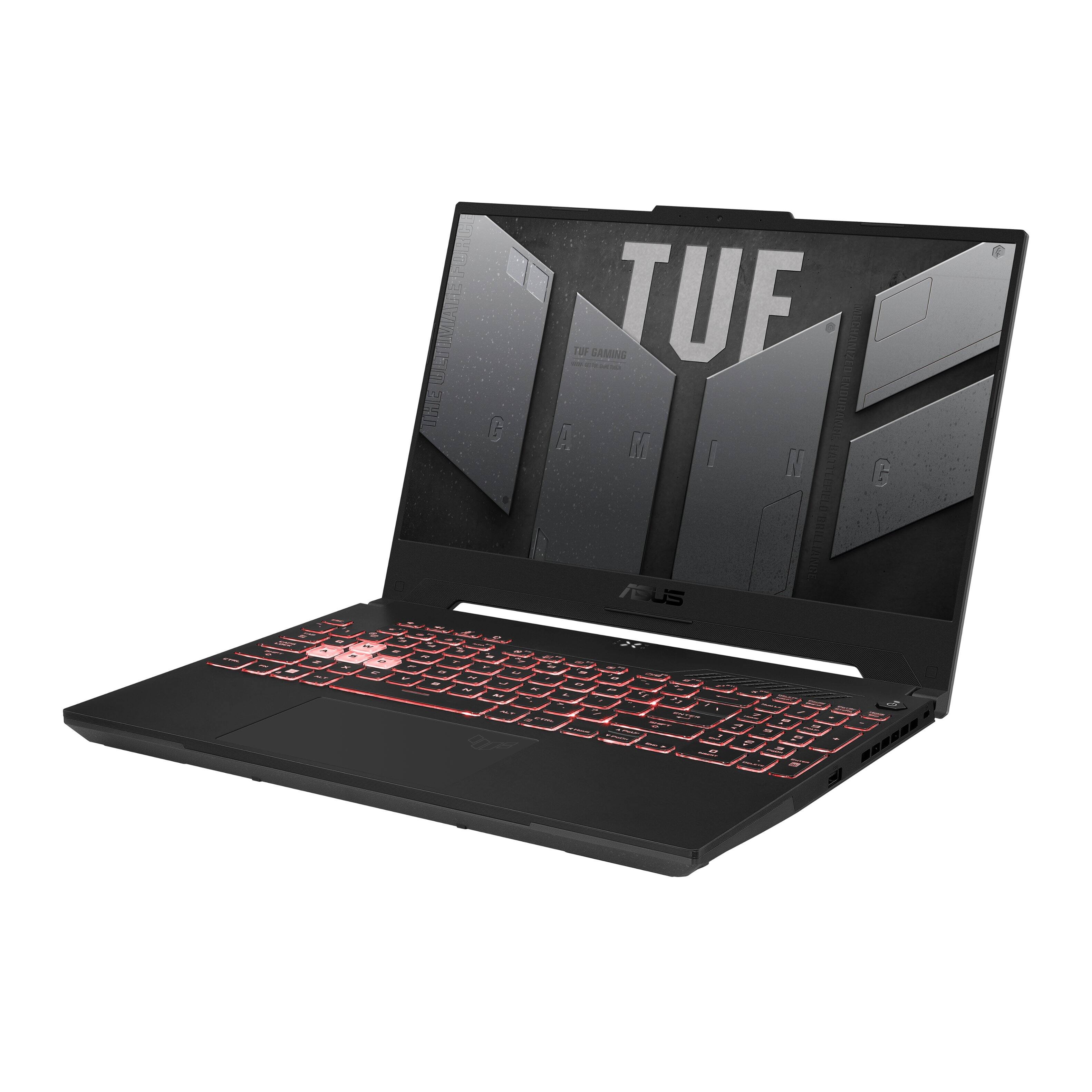
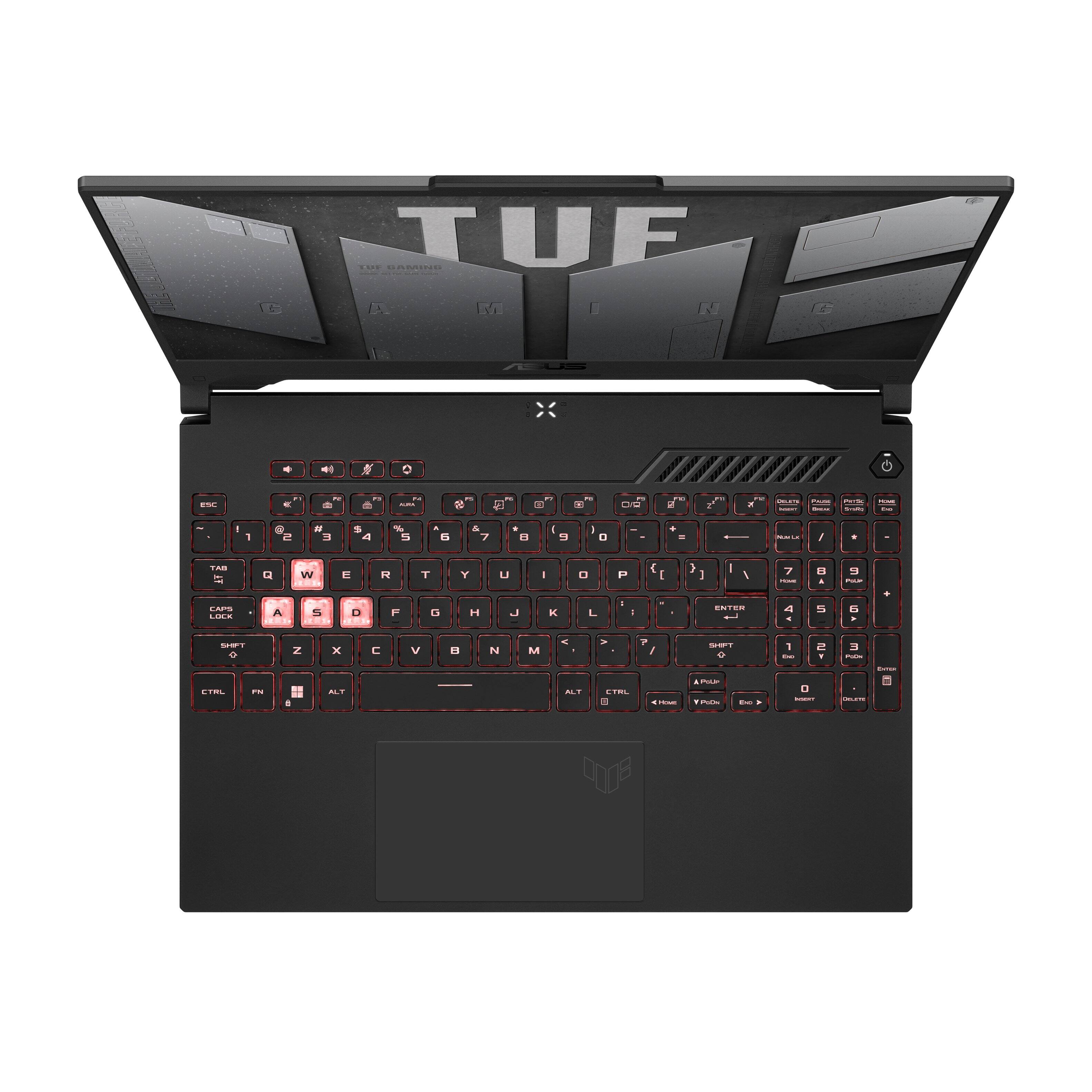
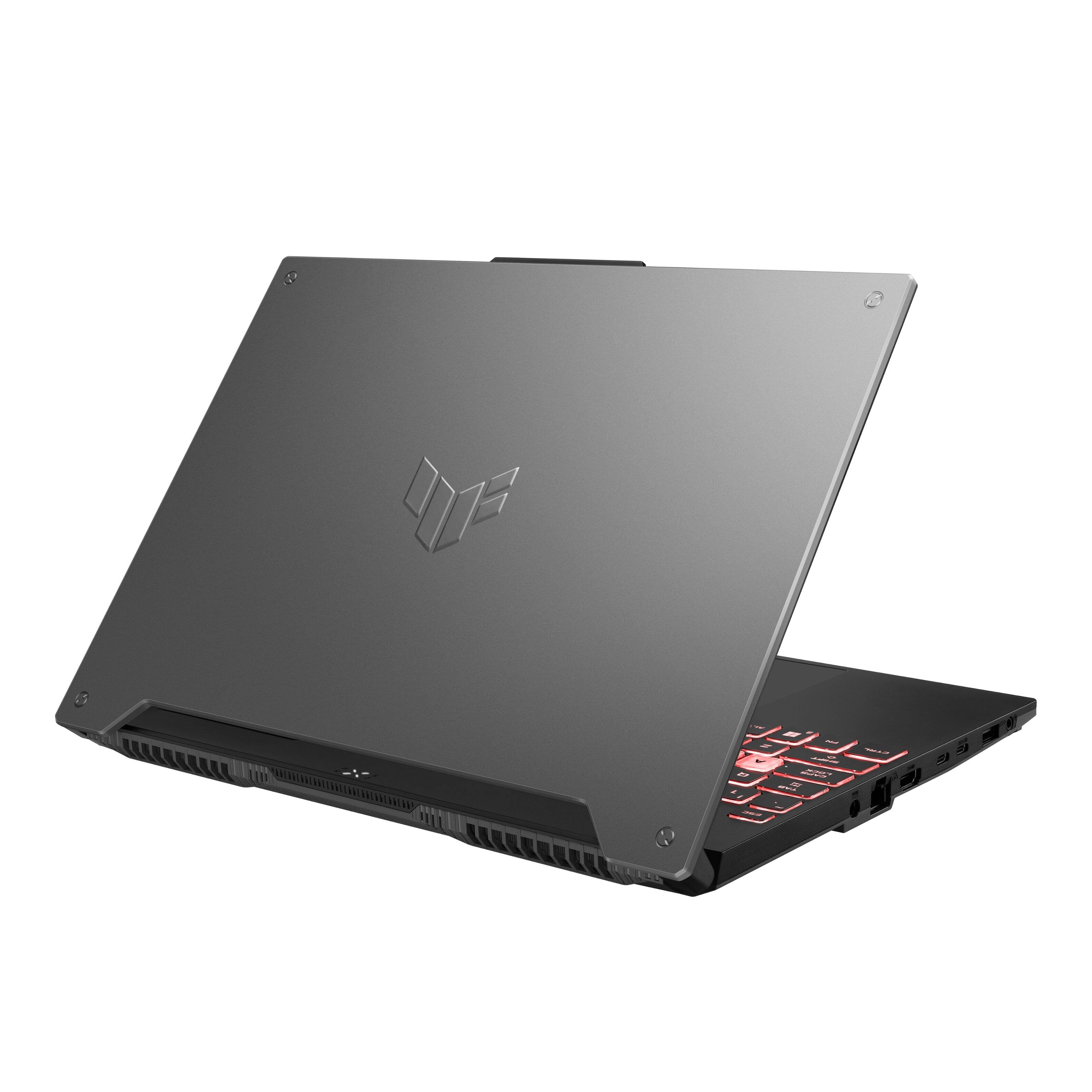
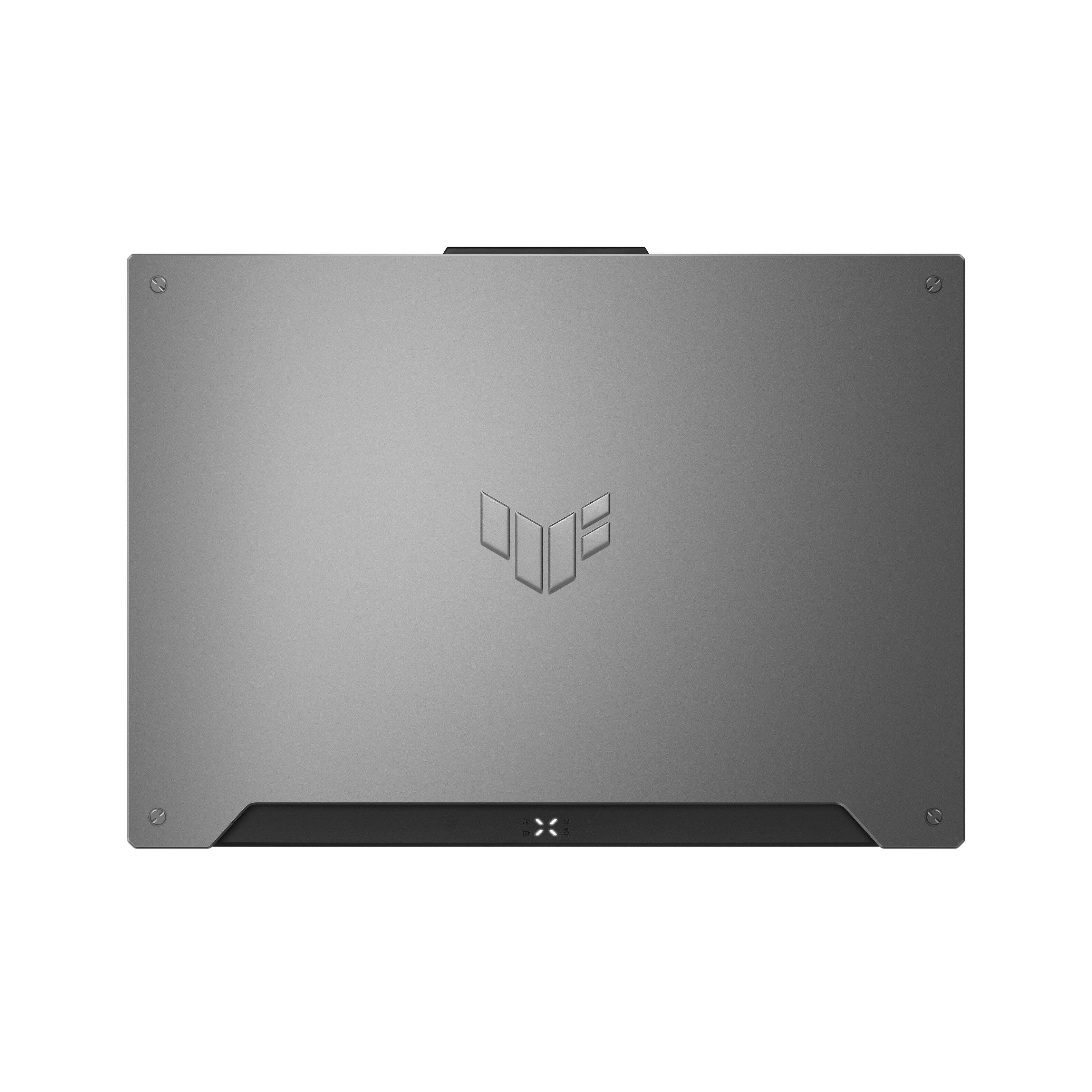
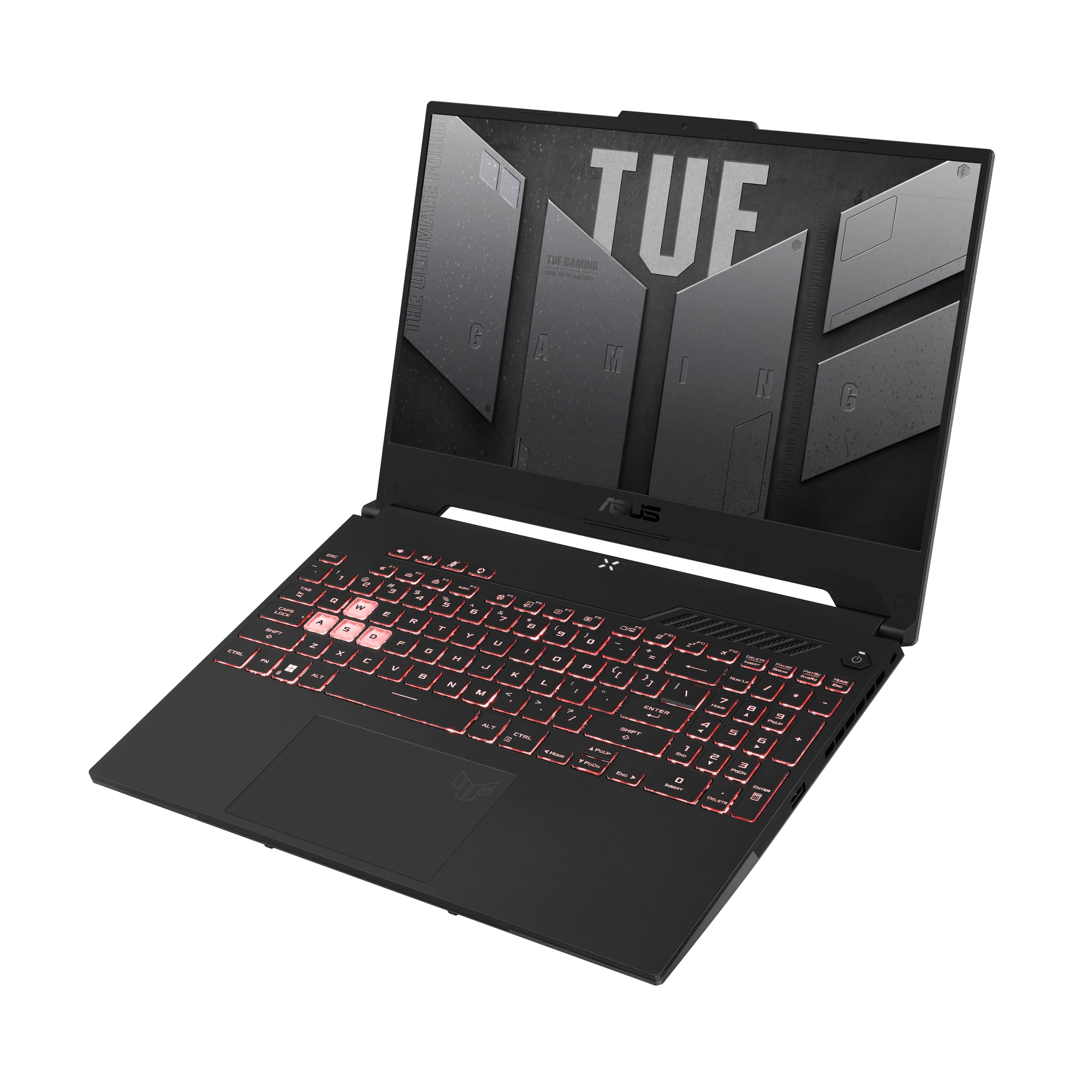
|Posted .This reviewer received promo considerations or sweepstakes entry for writing a review.Decided to grab the new Asus TUF A15 laptop and give it a try to see how this entry level gamer performs. Unboxing and first thoughts: The laptop came well nestled in a nice Asus TUF logoed box and it’s all recyclable and inside with the laptop were the power adapter, power cord and manual. The laptop itself is very light which surprised both of us, it’s way lighter than either of the 17” laptops we have comparable to some other 15” gamers just a little bight lighter. The outside of the lid is a matte grey plastic with the TUF logo deeply embossed in the center with faux screws at each corner, giving it an industrial look. While the bottom side is a heavy black textured plastic “almost looks like spray in bed liner”, with large rubber strips acting as feet. There are plenty of ventilation slits on the bottom side. On the left side there’s the power port, Ethernet port, HDMI, 2 USB C “one supports and external display”, 1 USP “type A” and a headphone jack. On the right side there a single USB A port, and Kensington lock port, that it. There are ventilation slots on the back “nothing else” and on the right side which should provide plenty of ventilation for this model. The keyboard is a standard Ausu TUF layout, but this time ASUS decided to give the user the choice of what color to pick for the illumination. The WASD keys are clear still and really stick out with the illumination turned on. Travel is pretty short but there a slight click to it and “for us” is more than plenty, otherwise the keyboard feels really good to type on. The track pad is really large and if you like using a track pad you’ll find this one has plenty of room “I personally hate them and turn them off using a mouse instead” Performance: I wanted to see how the AMD Ryzen 7 and the RTX 3050TI performed together and we were pretty impressed. Running Borderlands 3 with the resolution set at 1080 and the overall graphics set for “Low” in Pandora on the Splinterlands we could see 96-105fps “plenty for gaming” and 62-73fps while in a vehicle driving and fighting, still decent. Switching the graphics to “High”, still in Pandora “Splinterlands”, while on foot fighting the fps was averaging 78-84 “still good” and 61-68fps while driving/fighting. Then pushing the graphics to “Ultra” is where performance took a good hit, we could manage 61-75fps running “which is playable” and 58-68 driving while fighting. Not great, playable but I’d keep things on low, maybe medium and do some tweaking in the advanced menu. Playing Witcher 3 gave some very good results, and with the graphics set on “Low” outdoor “running/fighting” we could see 144fps “max of the monitor and outdoor “running/fighting” 126-118fps. Setting the graphics to “High” the outdoor scenes were 74-789fps and indoor 94-106fps which are very good and easily playable at these frame rates. Even setting the graphics on “Ultra” the indoor scenes were running around 65-71fps and outdoor were 61-65fps. I wouldn’t be playing at this setting and just use “High” with some tweaks in the advanced settings. As for noise the fans while playing were around 62dbm at 2” from the vents and 48dbm around 16” away, so it’s a little noisy while heavy gaming but while browsing the internet or doing office work the fan sound is negligible. Heat was really good while gaming, and after a 30 minute session in BL3 the temp of the WASD area was only around 82-89f, “you can see the temp range in my thermal pic attached”, the rest of the laptop got pretty warm but never where you had your hands during gaming and the temps went way back down within a minute of finishing. Sound from the speakers is pretty good, we had a movie from Netflix running and at 75% volume it would average 63dbm at 18”, plenty for listening and the sound quality was quite good. Conclusion: I really like this new A15 TUF laptop, we haven’t had a AMD based product in years and the performance is really good for the price. It’s not going to compete with our high end gaming systems but those cost 2 – 3 times as much. Performance wise I’d say it’s on par with its pricing and a nice plus is if you want to upgrade there’s an extra M2 slot and one open memory slot. This one came with one single 8gb stick so the first thing I’d do is add a second so you can have dual channel memory running, I have a feeling this would make a decent improvement in overall system performance. The screen is nice and bright and being able to run at 144hz is a bonus, although there’s just a little bit of backlight bleed on the edges in very dark scenes it’s not bad at all, but we aren’t that picky about that unless it’s really bad and would mentioned that here. There are a surprising amount of ports on this one and it would be pretty easy to add a monitor, keyboard, mouse so you could have a complete compact portable desktop. If I were wanting a really good office/work laptop that could double as a light gaming laptop I would definitely be picking up the new A15.
I would recommend this to a friend Great gaming/school laptop.
||Posted . Owned for 8 months when reviewed.This reviewer received promo considerations or sweepstakes entry for writing a review.Great for gaming and for school work. Light weight and easily stored in a backpack. Also isn’t flashy and can turn off rgb on keyboard when not needed.
I would recommend this to a friendAwesome machine, excellent price
||Posted . Owned for 7 months when reviewed.This reviewer received promo considerations or sweepstakes entry for writing a review.Amazing laptop for price. I've been using linux (ubuntu) exclusively for the last 10 years, and I "test-drive" the laptops at best buy with a live linux USB stick before I purchase a new one. Installed flawlessly. EXTREMELY fast machine, I love everything from the size, weight, to the backlit keyboard. Battery life is great (2-3 hours). Graphics card (RTX 3050) is worth about the price of the laptop so this is an excellent deal. I did add 32 GB of RAM since the 8 GB is so 1990...
I would recommend this to a friend- Pros mentioned:Performance
Best Laptop
||Posted . Owned for 1 month when reviewed.This reviewer received promo considerations or sweepstakes entry for writing a review.Best laptop I have ever owned. If you can get in on sale, even better but worth the money in my honest opinion.
I would recommend this to a friend - Pros mentioned:Performance
Love it
||Posted . Owned for 3 weeks when reviewed.This reviewer received promo considerations or sweepstakes entry for writing a review.Have been reading a lot about this product before purchasing, and its way more than what I expected
I would recommend this to a friend - Pros mentioned:Keyboard, Performance, Ram
Great starter laptop, but upgrade to 16GB RAM
|Posted .This reviewer received promo considerations or sweepstakes entry for writing a review.I was really excited to get this laptop and did not hesitate to get it when it became available. It is a very solid starter gaming laptop with a lot to like. The build quality is nice, a lot of plastic, but tough plastic with very little deck flex and a nice metal lid. The laptop opens effortlessly with one finger and opens to show a full keyboard, including a 10-key, with the WASD keys left clear for the RGB backlight to brightly shine through and draw you attention to its gaming design intentions. The keyboard has a very nice feel to it, not mushy and solid travel and the ability to choose any color on the RGB spectrum as the backlight color is a very nice feature to have at this price point, although it displays as only one color zone at a time, not per-key or multi-zone RGB but still very nice to be able to select the color of the backlight. The cooling solution is nicely integrated and remains pretty quiet throughout regular use and even some older light games, it definitely ramps up as your workload intensifies but nothing that will cause you to need a headset, but you'll appreciate having one. The keyboard deck didn't get too hot to make it uncomfortable while gaming, even after an extended COD session! The sound is good and the microphones are really good. The webcam on top of the display is very nice to have, providing an almost essential feature on any laptop and its protrusion allows a nice spot to open the lid by, but don't expect 1080P or better video quality, it is a 720P webcam and nothing more. The laptop is able to provide great battery life for a gaming laptop while doing web browsing or school work, making this an excellent multipurpose laptop that will easily handle your everyday work or school and be able to handle most FPS and online multiplayer games with ease to unwind. The 512GB SSD is fast enough to not notice any significant loading and can easily be replaced or have a second NVMe SSD (sadly, PCIe Gen 3 drives only) added for addition storage space! The single stick of RAM is very fast and 8GB is enough to run most modern FPS and online games, older AAA titles (like GTA V), and most of the games made available with XBOX GamePass. There is an open RAM slot available for upgrade and the other 8GB stick is fully replaceable, too! The DDR5 4800MHz RAM is a very nice feature to have for the future and the upgradability is extremely nice, only 12 screws stand between you and the ability to add more storage and RAM, even allowing you easy access for cleaning, a huge thanks to ASUS for keeping future upgrades and maintenance in mind when designing this system! The inclusion of a MUX switch and the ability to manually select your graphics in Amoury Crate (along with the lighting and a variety of other options) is incredibly nice to have. This is something that many gaming laptops exclude to save on costs, even some of the more expensive ones. Overall, I would definitely recommend this laptop for a student or professional who is looking for a flexible laptop for productivity and schoolwork, but also wants a very capable gaming laptop that is relatively lightweight and slim. The battery life is good, gaming and cooling performance is really good, and the productivity experience is excellent! If you're looking for a laptop to get a high school or college student that can adapt and upgrade as they need, this should definitely be a consideration! Gaming Performance: GTA V 1080P High: 48.5 FPS avg, rarely dropped below 45 Battlefield V 1080P High: 55 FPS avg COD:BOCW 1080P High (DLSS: Performance, RTX: Medium): 75 FPS avg CS:GO 1080P Max settings: 144 FPS (with frame limiting), 220 FPS avg (w/o frame limiting)
I would recommend this to a friend - Pros mentioned:Performance
Best Gaming laptop
||Posted . Owned for 1 month when reviewed.This reviewer received promo considerations or sweepstakes entry for writing a review.Right now, this gaming laptop is amazing, it literally can play any games very smooth
I would recommend this to a friend Fantastic Gaming laptop experience
||Posted . Owned for 3 weeks when reviewed.This reviewer received promo considerations or sweepstakes entry for writing a review.First time purchasing an gaming laptop. Great help from Mike very helpful guy. I can run any game I please on max settings no lag just smooth 144hz and beautiful aura light up keyboard with different color options to choose from thanks for the Best Buy experience will shop again for other products.
I would recommend this to a friend- Pros mentioned:Performance
Great price and performance
||Posted . Owned for 2 months when reviewed.This reviewer received promo considerations or sweepstakes entry for writing a review.Price and performance! Perfect to get immersived in performance.
I would recommend this to a friend - Pros mentioned:Graphics, Keyboard, RamCons mentioned:Speakers
Good gaming experience, decent screen and battery
|Posted .This reviewer received promo considerations or sweepstakes entry for writing a review.This TUF Gaming A15 laptop is my second budget mid-tier gaming laptop from ASUS. The A15 has the potential to be an excellent gaming laptop, with a few small upgrades, but the out-of-the-box specs are just okay. This build includes an AMD Ryzen 7 6000 Series processor, 8 GB DDR5 4800 MHz RAM, NVIDIA GeForce RTX 3050 Ti GPU, and a 512GB PCIe Gen 3x4 NVMe SSD. The aesthetics of this laptop is mecha-inspired with its hard lines, embossed TUF logo on the lid, and gunmetal gray matte finish. It even comes with a set of decal stickers in a black and orange mecha-theme with which you can adorn and customize the exterior. While the chassis is mostly plastic, this makes it fairly lightweight and it manages to feel quite sturdy. There’s only a tiny bit of flex in the thin screen and virtually none on the keyboard side. In fact, ASUS advertises that this laptop meets MIL-STD-810H standards for durability in drop, shake, temperature, and humidity tests. Physically, the laptop measures 14” wide, 10-⅛” long, and 1” tall (when closed) and weighs about 4.5 lbs. The power brick adds another pound if you take it with you on-the-go. Port-wise it’s got an Ethernet jack, full-size HDMI 2.0b out (up to 1440p @ 144Hz or 4K @ 60Hz), two USB-C and USB-A ports (all are 3.2 Gen 1), and a combo input/output audio jack. The USB-C ports, however, do not support Thunderbolt 4 or PD charging, though one of them does allow DisplayPort 1.2 output with G-Sync. I did find the inclusion of the front-facing 720p webcam a welcome feature, even if it does require the lid to have a small extended tab in the center; I think it actually makes opening the laptop up easier. Plus, lots of gamers like to livestream their gaming sessions on cam, and in today’s content creating, video chatting, and work-from-home world, being mobile with a functional integrated webcam is simply convenient. Just don’t expect hi-res images or amazing low-light performance from it. The first time you power on the machine, it’ll take a bit of time to load and set up. While the process is straightforward, it took about 30 minutes, including downloading and upgrading to Windows 11. The 15.6” IPS panel offers 144Hz refresh rates at 1080p, is decently bright at around 250 nits (max), and the colors and contrast is decent when the laptop is plugged in, however, note that on battery power, the brightness can drop quite a bit if you have certain battery saving options enabled, even at max settings. I did find the screen a tad bit small for video editing though, as tool menus, multiple windows, and tabs can feel cramped. The 56Wh battery lasts about 3 hours with mixed/casual gaming use at 100% brightness. For strictly non-gaming use at lower brightness levels and with some battery saving features enabled, I was able to get 5-6 hours on it before needing to plug in. It charges quickly though, and you can get 50% battery life in just 30 minutes. The pre-installed 512GB SSD has about 400GB free upon first boot up. Mine shipped with an Intel 670p m.2 SSD which is PCIe Gen 3x4 QLC and during benchmarking achieved average read and write speeds around 3000 MB/s and 1600 MB/s respectively. I did go ahead and install a second m.2 that was a Gen 4x4, however, the slots on the motherboard are the older PCIe Gen 3 interface, so the max speeds achievable were around 3500 MB/s read and 3300 MB/s write (rather than its theoretical max 7000MB/s read and 5300MB/s write speeds). That’s something to consider if you plan on upgrading or adding an SSD – you’ll be capped at Gen 3 speeds on the motherboard side, even when using a Gen 4 drive. The other upgradeable component is the RAM. There are two slots for DDR5 4800 MHz RAM chips, and there is an 8GB stick pre-installed. I would like eventually to add another 8GB stick to run in dual-channel, as 16GB would be plenty for gaming and help reduce in-game load times; plus, it would give me a nice boost to processing speeds for creative work. This laptop maxes out at 2x16GB RAM sticks for a total of 32GB. If you do choose to upgrade on your own, note that you’ll need to remove the entire bottom panel and 11 screws; the last screw in the front right corner is a pop-up screw that doesn’t fully detach from the bottom panel. For gaming, this build will get you up and running with medium to high graphics in most contemporary games but note that you should set the system to ‘Turbo’ mode in the ASUS Amoury Carte software. For the most responsive screen performance, you’ll want to set the MUX in Armoury Crate to Discrete GPU mode to directly push frames from the NVIDIA card to the screen. This is also the only way to access the NVIDIA Control Panel and GeForce Experience application to update the drivers. With this setting activated I was able to achieve an average of 120 fps and higher frame rates in CS:GO and an average of 70-90 fps in RPG titles like Path of Exile, both set at the max graphics settings resulting in smooth, stutter-free gameplay and visuals. Changing the MUX setting, however, does require a restart of the computer. When using the MUX in MSHybrid mode, battery life was extended, but graphical performance was negatively impacted; even so, I could still run many games in low/medium graphic settings with only the occasional occurrence of screen tearing, stutter, and/or low frame-rate. While many gamers probably prefer using a separate mouse and/or keyboard, the on-board trackpad is generously large in size. It supports multi-finger gestures and swipes, and the left and right-click operations were responsive, though the buttons have a pretty large travel distance to actuation. The RGB backlit keyboard allows you to see the keys in the dark and are adjustable in color, brightness, and animation, although the keys are not individually addressable. You can, however, sync them to other RGB devices, like mice and headphones, using Aura Creator. The edge-lit chiclet style keys have a soft tactile feedback, highlighted WASD keys, and there’s even a numpad on the right, though the keys are slightly narrower than the others. Typing on it is fairly quiet and the keys don’t really get hot, even during gameplay, as most of the hot spots are above the keyboard. Four media keys appear at the top left for volume control, mute, and Armoury Crate quick-launch. For use outside of gaming, it performs like a workhorse. The cooling system on this machine is very good and during low-intensity use like web browsing, word processing, or even streaming movies, setting the mode to 'Silent' keeps internal temps around 50-60°C even with the fan off. This is great if you plan to consume media like streaming video because the built-in speakers don’t have to compete with any fan noise. When you do use more CPU and/or GPU resources, for example when gaming or rendering graphics for creative work, the fan kicks in and cools quickly. Under heavy loads, temperatures were kept in check in the high 70s °C, and the fan noise registered around 46 dBA, which was a bit noisy. One thing I found surprising was just how nicely the Dolby Atmos speakers performed. They are fairly open and full sounding, with a bright balance, though don’t expect there to be any appreciable bass output. They’re still very good for watching movies, even if they’re not the best for listening to music with full clarity and accuracy. However, you can always plug in or pair a set of BT headphones for better audio performance. Overall, I feel this laptop is a good overall value for an entry to mid-level gaming laptop. It can handle most AAA title games at decent graphic levels well, has a gamer-friendly aesthetic, and performs well both for gaming and non-gaming use. A few upgrade options are available to push the system a bit further though the screen and GPU combo already make gaming on it a visually satisfying experience. It’s lighter weight than most top tier gaming rigs and has good enough battery life that will make it a great choice for casual gamers or those who need a decent mobile option for gaming and creative work.
I would recommend this to a friend - Pros mentioned:Performance
Asus tuff book
||Posted . Owned for 3 weeks when reviewed.This reviewer received promo considerations or sweepstakes entry for writing a review.Great product great service computer runs simulator great.
I would recommend this to a friend - Pros mentioned:Performance
Good Choice
||Posted .This reviewer received promo considerations or sweepstakes entry for writing a review.Nice Product, good performance, recommended for gaming.
I would recommend this to a friend - Pros mentioned:Graphics, Keyboard, PerformanceCons mentioned:Battery life
Very good performance, awesome RGB keyboard lights
|Posted .This reviewer received promo considerations or sweepstakes entry for writing a review.## Design As expected with a portable gaming laptop, the ASUS TUF A15 Gaming Laptop is definitely not a thin ultrabook: it's almost an inch thick but surprisingly is not that heavy, weighing under 5 pounds. Interestingly, the ASUS TUF A15 laptop is actually somewhat rugged. It has several protections against shocks, drops, temperature and humidity. I wouldn’t carelessly toss this laptop around, but it is nice to know that the occasional jolt in your backpack while carrying it to your friend’s house for a gaming session should be fine. ASUS also includes some coordinated laptop stickers with the system. The A15 has an HDMI port, 2 USB 3.2 ports, 2 USB-C ports, and a headphone jack. One of the USB-C ports supports video out for those who want to “dock” the machine and use it with a separate keyboard and monitor. Presumably due to the high power demands, my particular USB-C hub (with a 30 watt output) was not able to charge the ASUS, so I still needed to plug it into the included power brick. It’s also quite possible that the USB-C ports do not allow charging. I really enjoy the RGB keyboard that loops through a rainbow of colors continuously by default. The RGB effects can be customized in ASUS’ pre-installed “Armoury Crate” app, which allows you to choose between a static color, a “breathing” animation, a “strobing” effect, and the default “color cycle.” The keys are comfortable and quiet for both gaming and typing, but can feel a little “smooshy” to those who use mechanical keyboards on a regular basis. The Armoury Crate app also allows you to further customize system settings, disable applications while a game is running, view the temperature and CPU and GPU usage, and download animated wallpapers. At first, the Armoury Crate app was a little annoying as it was constantly bugging me about installing updates (that were separate from those found in Windows Update), then installing even more updates after those updates were installed. However, after several rounds of updates and reboots, Armoury Crate finally seemed content and became less intrusive. ## Performance The ASUS TUF A15 is a decent gaming machine, providing very good graphics performance, but not quite at the level as you might expect from a desktop gaming rig. The ASUS TUF A15 fits comfortably at the mid-range of gaming laptops: not as low as a budget machine, but not as high as a pricier top-of-the-line model. The 15.6-inch display looks great, although colors did appear to be a little “washed out” at times while playing. The built-in display features a 144Hz refresh rate and a matte finish to help reduce glare. Please note that this is a 1080p display and not 4K. I fired up Fortnite and left the system auto-detect the optimal settings. Fortnite selected the “high” settings (just one notch below “epic”). Playing on the “high” settings allowed a frame rate around 100fps. A few rounds of Fortnite brough the internal temperature to around 87 degrees Celsius. The fans are somewhat noisy while gaming, but this isn’t a big deal if you are using a headset. The GeekBench benchmarking tool gave this laptop a CPU Multi-Core Score of 7360 and an OpenCL Score of 69760. Overall, the ASUS TUF A15 has very nice performance as it boots up Windows 11 very fast and zips around the web and various applications without an issue. This would make a great machine for a work or school as well as the 8GB of RAM, AMD Ryzen 7 processor, NVIDIA GPU and 512GB of storage can handle both work and gaming applications. ## Battery Life Obviously, game playing will reduce battery life significantly to only a few hours, but for general web browsing and document editing, the ASUS A15 should last you around 4-7 hours. ASUS’s included “MyASUS” application gives you the option to limit battery charging to either 80% or 60%, which allows you to maximize the battery’s lifespan if you primarily plan to use this laptop while it is plugged in. ## Summary The ASUS TUF A15 gaming laptop is a good mid-range system for casual and semi-serious gamers that doesn’t break the bank. The display, design, and RGB color changing keyboard give this machine an awesome look on the outside, while the AMD Ryzen 7 processor, NVIDIA GeForce RTX 3050 Ti GPU, 8GB of RAM and 512GB of storage give it very good performance on the inside.
I would recommend this to a friend Awesome First gaming laptop.
||Posted . Owned for 1 month when reviewed.This reviewer received promo considerations or sweepstakes entry for writing a review.Needed a gaming laptop for my kid. This is his first computer and he loves it. Plays forza and roblox for him could not be happier with the purchase.
I would recommend this to a friend
One of Best laptops at th especially while in sale
|Posted . Owned for 8 months when reviewed.This reviewer received promo considerations or sweepstakes entry for writing a review.Awesome laptop just needs more than the 8 gb ram it comes with
I would recommend this to a friend- Pros mentioned:Ram
Big score
||Posted . Owned for 2 weeks when reviewed.This reviewer received promo considerations or sweepstakes entry for writing a review.Exelent laptop with possibilities of upgrading, support RAM ddr5 up to 32Gb and has an extra SSD port for expand capacity, five stars
I would recommend this to a friend - Pros mentioned:Graphics, Keyboard, PerformanceCons mentioned:Speakers
Capable, Feature Rich Budget Gamer
|Posted .This reviewer received promo considerations or sweepstakes entry for writing a review.The Acer TUF A15 is a capable gaming laptop that performs well for a budget model. Pros include a lightweight slim design, a full-sized RGB backlit keyboard with adjustable lighting and a number pad, four usb ports (2 USB A/2 USB C), an onboard ethernet port (crucial for lower latency and massive game downloads), HDMI port, webcam, a slim attractive chassis, reasonably sized power brick and decent performance. The heart of the TUF A15 consists of a Ryzen 7 6800H CPU, 8GB RAM and a GeForce RTX 3050 Ti. Of these three vital components, the RAM and GPU are the weakest links. 8GB RAM is pretty self-explanatory and the 3050 Ti is at the lower performance end of the RTX scale. The low RAM and so-so GPU do show signs of weakness in some more demanding games. I get a low memory error whenever I play Forza Horizon 5 on the A15. However, the A15 surprised me with other games, including Forza Horizon 4 and Halo Infinite. Both of the latter games actually play quite well on the A15 with decent frame rates, no memory errors, and no gameplay issues. Even Forza Horizon 5 plays nicely with no noticeable issues despite the memory warning after each launch. Also, Forza Horizon 5 isn’t the most system friendly game regardless of specs. I’ve read complaints about draw-in and other performance issues even from users on high-end systems with 32GB RAM, i9 CPU and RTX 3080 GPU. The fact that the A15 plays it so smoothly on medium quality is actually pretty good. Display quality is okay but that’s about it. The 15.6” FHD display skews a bit on the dim side and there is a noticeable small patch of light bleed in the upper left region. There is no HDR but the 144 MHz refresh rate helps keep gameplay buttery smooth during fast motion scenes. Other than the light bleed, there are no other screen quality issues and the screen has vibrant uniform colors during actual gameplay. The matte finish also helps when gaming in brightly lit environments. I typically game with my back and the laptop both facing towards a large window. During the day, the light is really bright and intense on reflective surfaces. This screen handles the bright lighting fine with minimal reflection and no impact on gameplay. The attached photos show how the the matte finish helps prevent excessive glare and reflections. Sound is okay, which like most laptops translates to fair but not great. I only game with headsets anyhow, so built-in laptop speakers are usually a non-issue for me. If in a pinch however and forced to rely on the built in speakers, they’re adequate enough for the task. The Hi-Res audio translates much better through a headset but the speakers but don’t sound too bad. That being said, I’d definitely suggest a headset or good set of external speakers, especially if planning to listen to music regularly. Speaking of which, another plus is that the A15 has a 3.5mm audio jack. Fan noise isn’t bad at all, even at full load. It’s moderately loud at highest RPMs but nowhere remotely close to the hurricane force wind roar of my RTX 3070 gaming laptop fans. The internal drive is fast and responsive. Load times for my games vary but are adequately fast most of the time. The 512GB drive size is on the smallish side for a gaming laptop. 512GB can be sufficient for productivity or light gaming but a few premium games, whether a typical 60+ GB AAA title or a 120+ GB space devouring beast like Flight Simulator 2020, will quickly gobble up all of that space up in a hurry. The built-in trackpad reinforces my disdain for trackpads in general. Like most trackpads, it’s ok for emergency use but multi-touch gestures usually cause unintended consequences. For example, when I try to use multiple fingers to scroll, I frequently end up minimizing or maximizing windows. My first purchase with any laptop, gaming or otherwise, is an external mouse. The A15 did not buck that trend. Other than Windows 11 Home, the only other real noteworthy software is the Radeon software (for the onboard video) and the MyAsus app. The MyAsus app is still as buggy as I remember from my last ASUS laptop. Updates frequently spin for extended periods before finally installing. Sometimes I can’t tell whether an update actually installed due to the weird way the app works. I had a pending BIOS update install and the system rebooted with no visible pre-boot BIOS update. After reboot, the update is now archived and labeled as “checked” rather than installed. I had to manually verify whether the BIOS was updated. Another BIOS update did the same and a third (firmware) update repeatedly failed to install several times. Oddly, the update finally resumed when I rebooted on battery power only to tell me I had to be connected to AC power to complete the update. Aside from the oddball update process, the MyAsus app is good for tweaking performance profiles and monitoring systems vitals. The system does not ship with any sort of malware protection software other than Windows Defender and firewall. The A15 actually exceeded my expectations. It has a few shortcomings, like the RAM amount and limited storage size, but it also has nice little subtle and unique extras like the clear-capped WASD keys. It also has an upgrade friendly design that welcomes additional RAM and/or a larger capacity drive. It’s a decent budget laptop with a mid-tier feel and is priced competitively for the features it offers.
I would recommend this to a friend