Customer Ratings & Reviews



- Model:
- FA507RE-A15.R73050T
- SKU:
- 6501561
Rating by feature
- Battery Life
Rating 4.1 out of 5 stars
- Speed
Rating 4.6 out of 5 stars
- Display
Rating 4.6 out of 5 stars
Customers are saying
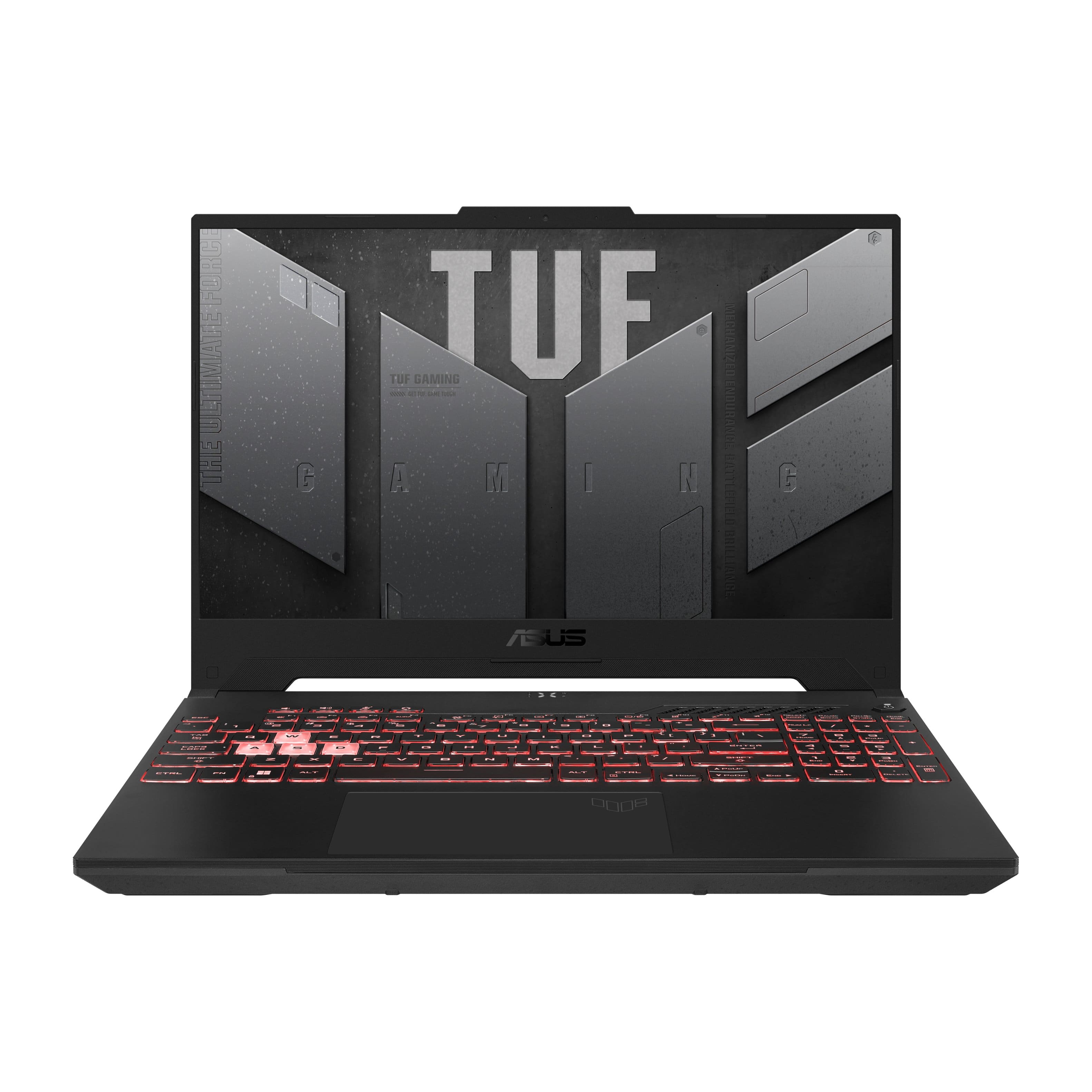
Customers often highlight the strong performance, ample RAM, and good graphics capabilities of the TUF Gaming A15 laptop. Many also appreciate its lightweight design and solid build quality, finding it a good value for the price. However, some users report issues with battery life, heat generation, and fan noise. A few also mention concerns about the speakers and power button.
This summary was generated by AI based on customer reviews.
- Pros mentioned:Ram
Great at the price
||Posted . Owned for 2 weeks when reviewed.This reviewer received promo considerations or sweepstakes entry for writing a review.This laptop comes compatible with Pcie gen 4 SSD. I also added 32gb of ram. The back cover comes off very easy. Nice layout. It was on sale for $699. I'm just using it for regular web surfing ect.
I would recommend this to a friend - Pros mentioned:Keyboard, Performance, RamCons mentioned:Fan noise

Grab n' go gaming without the bells & whistles
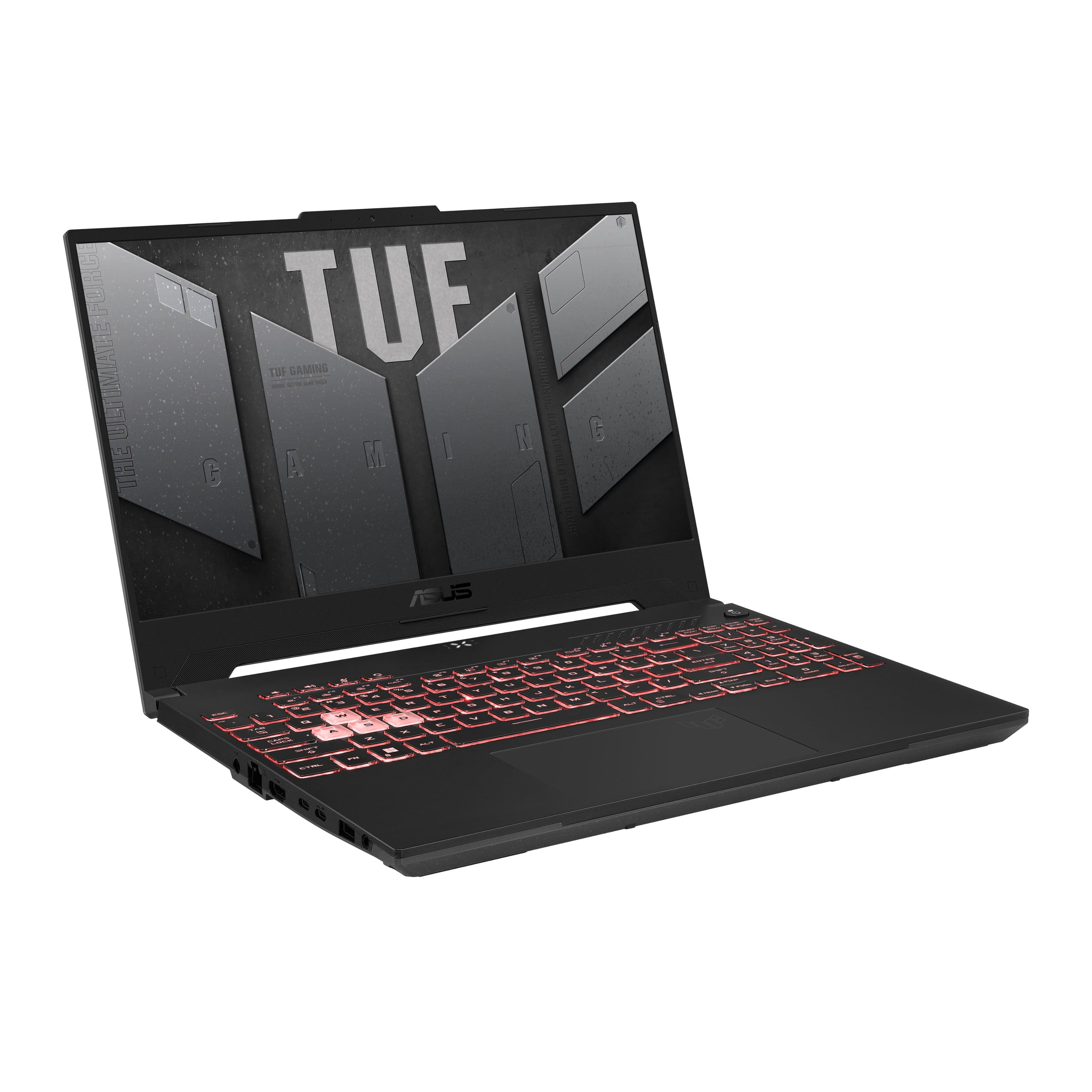
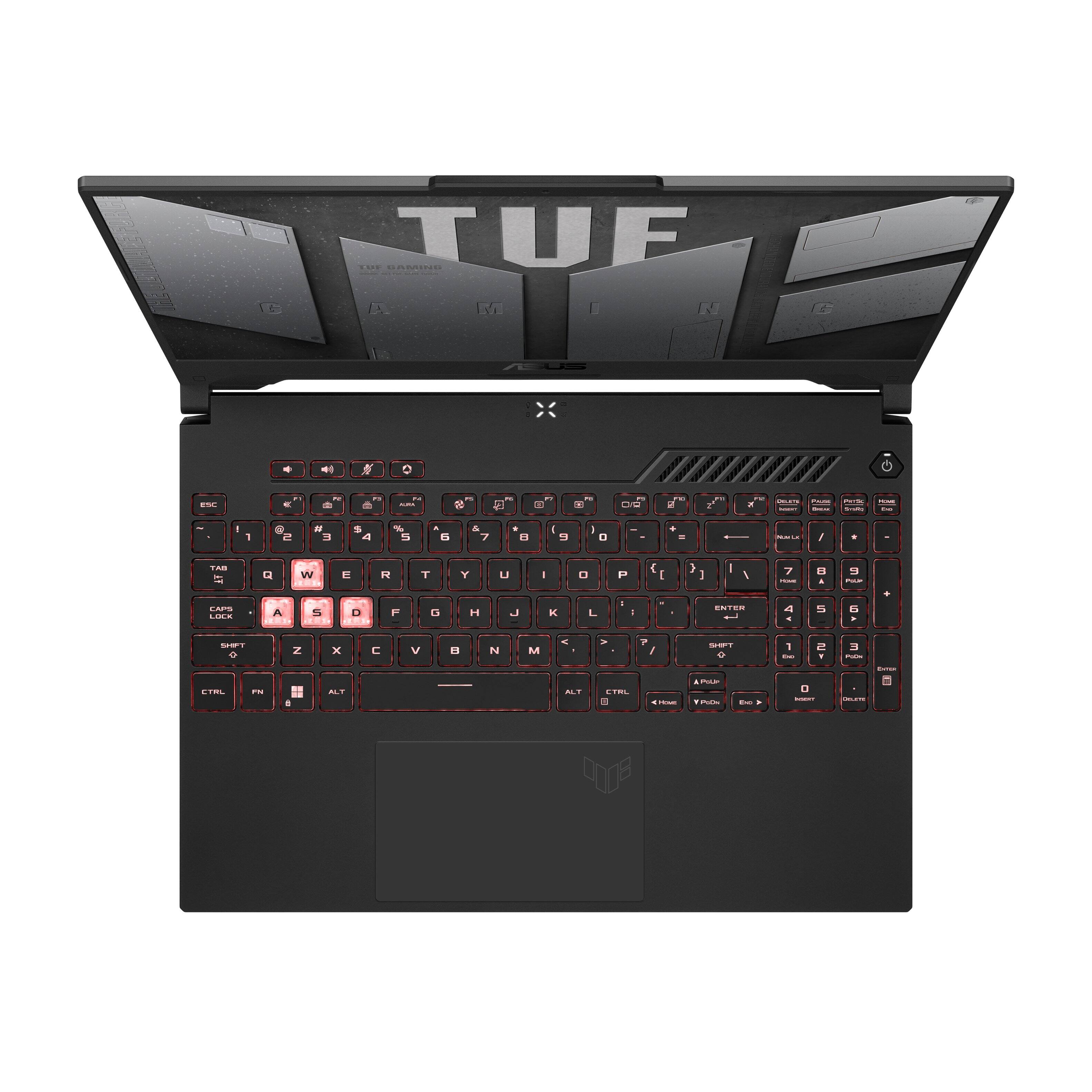
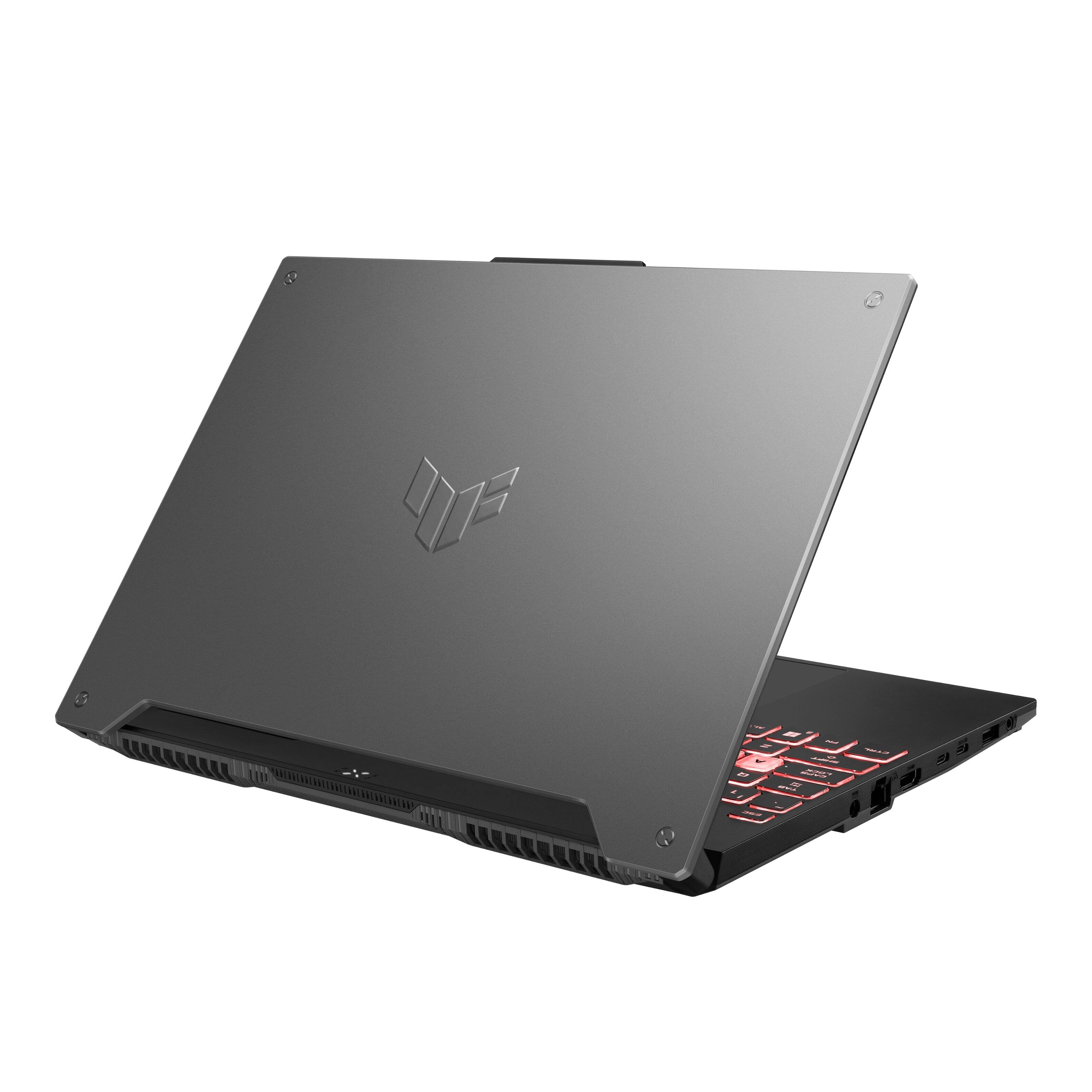
|Posted .This reviewer received promo considerations or sweepstakes entry for writing a review.This gaming laptop is a bit of an enigma. It's a lightweight laptop with a great keyboard, a super-fast CPU and expandable DDR5 RAM, but it comes with a workmanlike 3050 Ti, relatively poor screen, and last decade's connectivity. If you're looking to game on the go, it gets the job done, but it's definitely more for casual gamers than hardcore players with places to go. In my opinion, it's a good laptop to keep on a desk connected via USB-C dock to a larger monitor and speakers, with the ability to pick it up and take it anywhere you need to go. In addition, it can function as a mobile gameplay streaming/recording machine, provided you have a way to handle audio away from the fans. ~~The GOOD~~ · CPU and DDR5 RAM are blazing fast · Expandable RAM if you want to do more (video editing, Adobe CS, etc.) · Keyboard feels good under the hand and looks nice · My ASUS and ArmouryCrate software packages provide customization and smart usage options · Plays well with 4K monitors via USB-C/DisplayPort cable · Gaming feels smooth and fluid, despite low benchmarks from the 3050 Ti video card In my testing, I found the ASUS TUF Gaming A15 to be a capable game machine with some versatility. It's easy to carry around, plays well with most peripherals, and delivers on the promise of gaming on the go. The Ryzen 6800H and DDR5 RAM are super fast and produce impressive benchmarks (see Cinebench screeshot). There is one 8GB stick of RAM installed with another slot available. The RAM is upgradeable to 32GB. The Keyboard on the A15 feels very comfortable, with wide keycaps that have a slightly soft-touch feel and are spaced just right for my (large) hands. The keyboard deck is very sturdy and feels good while typing or resting your hands in gaming position. The backlighting and effects are nicely done. Although I generally prefer a single color, the RGB customizations and presets are nice and tastefully done. In addition to the standard keys, ASUS includes a top row with volume up/down controls, a mic cut button, and a button to open its Armoury Crate software. Speaking of Armoury Crate, I consider it a nice piece of software, generally. I like the ability to use presets and set up custom profiles to allow the PC to balance power and fan noise. I also love ASUS's display modes. Being a fan of FPS and also someone who plays Minecraft with my kids, I appreciate the ability to turn on FPS mode to crank up the brightness and gamma and see in the dark corners where that's usually not possible. I also like ASUS's "My ASUS" software package, which allows users to set custom battery charging modes to preserve battery longevity, as well as providing other useful tweaks and software updates. For those new to gaming, ASUS PCs also come with free trial access to Adobe CS and Xbox Game Pass Ultimate. I found myself appreciating this laptop best as a monitor-driving desktop buddy. I plugged a USB-C-to-DisplayPort cable between the A15's sole capable port and my ASUS TUF VG289 4k/60Hz monitor, and was very pleased with the results. The A15 handled Halo Infinite at 4K/60 without dropping a frame, providing a very smooth gaming experience. The laptop also handled running Minecraft in RTX mode while recording the screen using OBS, but I found the fan noise to be far too loud with the open-air mic. Next time I do that, I'll use a headset to make my voice clearer. All-in-all I have been enjoying the A15, and I haven't yet had a chance to take it on the road. When I do, I'll appreciate how light it is at just 4.85 pounds. Unfortunately, there are also some things I have found less than ideal. ~~The NOT-SO-GOOD~~ · Screen has light bleed issues in dark rooms and doesn't get super bright · Fit and finish are not all they could be. Feels a little plasticky. · NVIDIA 3050 Ti doesn't benchmark well · No hotkey for switching Armoury Crate display modes · Fans get awfully loud, even with most of the exhaust ports rear-facing · Connectivity isn't all it could be One of my first impressions of the A15 was during the setup process for Windows 11, which I was doing in a darkened room. At one point, the screen went blank and I noticed a lot of light bleed from the corners and edges of the screen. Not great. I should mention I haven't found it difficult to use or even very noticeable since, and the screen is perfectly fine indoors. I have, unfortunately, found myself trying in vain to turn the brightness up past 100% when not in a dark room. Another thing I noticed right out of the box is the fit, finish and feel of the laptop. The top of the A15's body is covered in a formed metal plate, and the faux-machine screws at the corners are a little hokey, in my opinion. I think it would have been fine to keep the surface totally flat. The bottom of the A15 is textured plastic with long rubber chevrons to prevent slipping on a tabletop, and while it doesn't feel cheap, it also doesn't feel premium. I'm an ASUS fan, and this laptop doesn't even seem in the same class as others I own, such as last year's excellent metal-bodied Q538EI. The hinge in particular on the A15 feels fairly weak. Still, as I mentioned above, the keyboard is a joy to use and the base of the laptop feels very solid under your hand. There's no cheap "flexible" feeling to it. Speaking of the bottom of the A15, it's fairly easy to remove, with 12 screws (not all the same length, so be careful) and clips all around the base to hold it on. Removal is fairly easy with a small Philips-head driver and a guitar pick to slide around the edge. Under the hood you'll find the battery near the front, two fairly standard laptop speakers, a plastic shield covering the M.2 SSD and RAM slots, and a fairly robust heating system. It's all fairly standard stuff, but other than the empty RAM slot, there's not room for expanding without replacing what's already there. Next on my list of little disappointments is the NVIDIA 3050 Ti. Despite my earlier praise for its performance at 4k/60 and overall feel, it does not benchmark well (see screenshot). I'm worried that it won't be up to the task of very demanding games, especially with just 4 GB of VRAM, although for now it's performing fine under my normal usage. On the software side, I'm sad there isn't a hotkey for switching between Armoury Crate display modes. Like I said above, I like FPS mode for overexposing some of the dark corners of certain games, but I want to be able to switch away from it quickly. I would have liked either a physical button for that or a Fn+key combo for it. Next, the fans on this thing are awfully loud. I'm pleased that the laptop mostly exhausts out the bottom/back (with a little bit on the right rear), but even without them facing the user, they kick up a heck of a racket under load. You can mitigate this using Armoury Crate to set the performance mode a little lower, but that's a big tradeoff. This is a laptop that you'll want to wear headphones with, and it might be so loud that you'd draw some upset stares from fellow patrons of a coffee shop if you use it in Performance or Turbo modes. Finally, the connectivity is a bit lacking here. Only one of the USB-C ports can do DisplayPort, while the other is a standard 3.2 port. There is no power delivery or Thunderbolt happening here. There are also two USB-A 3.2 ports, a full-sized ethernet port, HDMI and a headphone jack. It is nice to see most of these ports on the left side of the laptop body, so us right-handers can keep our mouse hands close to the PC. ~~Final Word~~ I'll end as I began. This laptop is a bit of an enigma. In order of importance, I would have preferred a better GPU, a better screen, and some better connectivity. It seems like those were sacrificed a bit to get the A15 to its MSRP in the lightweight form factor with the super-fast Ryzen 6800H and DDR5 RAM. Again, the A15 is a capable lightweight PC laptop for casual gamers who often find themselves away from home, with ASUS's nice software touches to round out the package, but it's not a hardcore, upgradable gaming machine.
I would recommend this to a friendBrand response from ASUS Answers
Posted .Dear Benzy,
Thank you for taking some time to write a comprehensive review on the laptop. We appreciate it.
We do understand your disappointment and the inconvenience this may have caused if some features didn't meet your expectations.
Should you need further assistance with the product, please email me at [email protected] and I would be more than happy to help. Or, you are most welcome to call Product Support Hotline at: 1(888) 678-3688. Also, you can chat with an ASUS live support agent at: http://bit.ly/AsusLiveChat.
Thank you for choosing an ASUS product.
Regards,
Rodel
ASUS Customer Loyalty
- Pros mentioned:Keyboard, Ram
PROMISING GAMING LAPTOP – NEEDS UPDATING
|Posted .This reviewer received promo considerations or sweepstakes entry for writing a review.ASUS TUF GAMING A15 15.6" FHD 144HZ GAMING LAPTOP - AMD RYZEN 7 - 8GB DDR5 MEMORY - NVIDIA RTX 3050 TI - 512GB PCIE SSD MODEL:FA507RE-A15.R73050T Best Buy Tech Insider Network PROMISING GAMING LAPTOP – NEEDS UPDATING OVERALL: The ASUS TUF Gaming A15 is extremely well made, with lots of positive features. It is held back by some options, many of which you can overcome by upgrading but some you can’t upgrade. I hesitate to call it an “entry level” gaming laptop. It is more like a defeatured “mid-level” gaming laptop. THE GOOD: - Fast modern CPU - Nice Fast Screen (at 144 hz) - Good feel to main keyboard, with compact number pad - Backlit keyboard with colors you can change - Sturdy construction - Plenty of ports for connectivity. (Lan, 4X USB, Full size HDMI) - Good cooling forced out the back (not onto your lap) - Modest sized power brick - Fast NVME Drive - Fast RAM - NVIDIA GPU (for ray tracing and DLSS) - Not that heavy THE “LESS GOOD”: - 4 USB Ports, but they are all 5Mbps (no Gen 2, only Gen 1) - Internal Drive is only 500 GB, but there is a second slot for expansion - Only 8GB main RAM, but there is a second slot for expansion - Only 4GB of VRAM, CAN’T BE UPGRADED GAMING: If you must game at “Ultra” settings on a laptop, then you will have to spend a great deal more than the ASUS TUF Gaming A15 costs. At “Medium” settings, and 1080p you can achieve a very respectable 100fps with DLSS active in most games with the ASUS TUF Gaming A15. I posit that if you are gaming directly from the laptop screen (not trying to drive a giant external monitor), then you won’t see much of a difference between Medium and Ultra settings anyway and responsiveness is more important. I found gaming at Medium worked just fine in terms of quality and responsiveness. SETUP: Owing mostly to Windows 11, it took several hours (like 4), from the time the ASUS TUF Gaming A15 was first turned on, to the time I could start loading games. OTHER TOPICS: The keyboard is attractive, comfortable, and easy to use. The trackpad (like 99% of the trackpads) was cumbersome, and often misfiring right clicks instead of left clicks. (get a good mouse instead) The screen is bright, and worked well in full daylight. Colors were good. Heat was nicely displaced out the back vents so as not to overheat the bottom of the laptop. The fans were relatively quiet is most operating modes. The ASUS tools to control lights, performance, and other aspect of the experience were easy to use and helped get that extra boost of speed when needed. CONCLUSION / RECOMMENDATION The fast CPU does a lot to overcome the 4GB limits of the video card. Still, most games won’t run well beyond “Medium” settings. It is likely that you will want to upgrade both the main RAM from 8GB to 16GB, and storage from 500GB to at least 1TB or more. So, you should take those items into account when you consider the ASUS TUF Gaming A15. The ASUS TUF Gaming A15 makes a good affordable and well-built “REAL” gaming laptop. It strikes a good balance between value and performance. Do I wish it had more RAM, or bigger GPU? Of course. For me, the ASUS TUF Gaming A15 works well for road trips, and quick pick up games, when I’m not at my full gaming (desktop) rig at home.
I would recommend this to a friend - Cons mentioned:Heat
Computer overheating. Do not buy.
||Posted . Owned for 4 months when reviewed.This reviewer received promo considerations or sweepstakes entry for writing a review.Do not buy. Even when you are not gaming it's overheated. I can't work something as basic a Word o Excel because I'm burning my wrist hand. I bought my first laptop in 2006 and it had AMD video card. That computer was a mix of iron and air dryer. I was hopeful that more than 15 years later AMD would have improved but it didn't. It's a shame.
No, I would not recommend this to a friendBrand response from ASUS Answers
Posted .Dear AlexCha,
We regret to learn that you having overheating issues, We do stand behind our product and we continuously strive to improve our approach and processes in order to achieve customer service excellence. Please follow the troubleshooting steps in our FAQ: below, If all steps have been completed, please reach out to us by email at [email protected] . and provide the link of this review for reference. We’ll do our best to provide a quick resolution to your case. Your feedback is important as it helps with improvements to ASUS Support channels. Please refer to this case number (N2206034569-0018)Thank you for choosing ASUS.
Best Regards,
Schottky
ASUS Customer Loyalty US Support
https://www.asus.com/support/FAQ/1015064/
- Pros mentioned:Keyboard, SpeedCons mentioned:Speakers
Good entry level gaming laptop
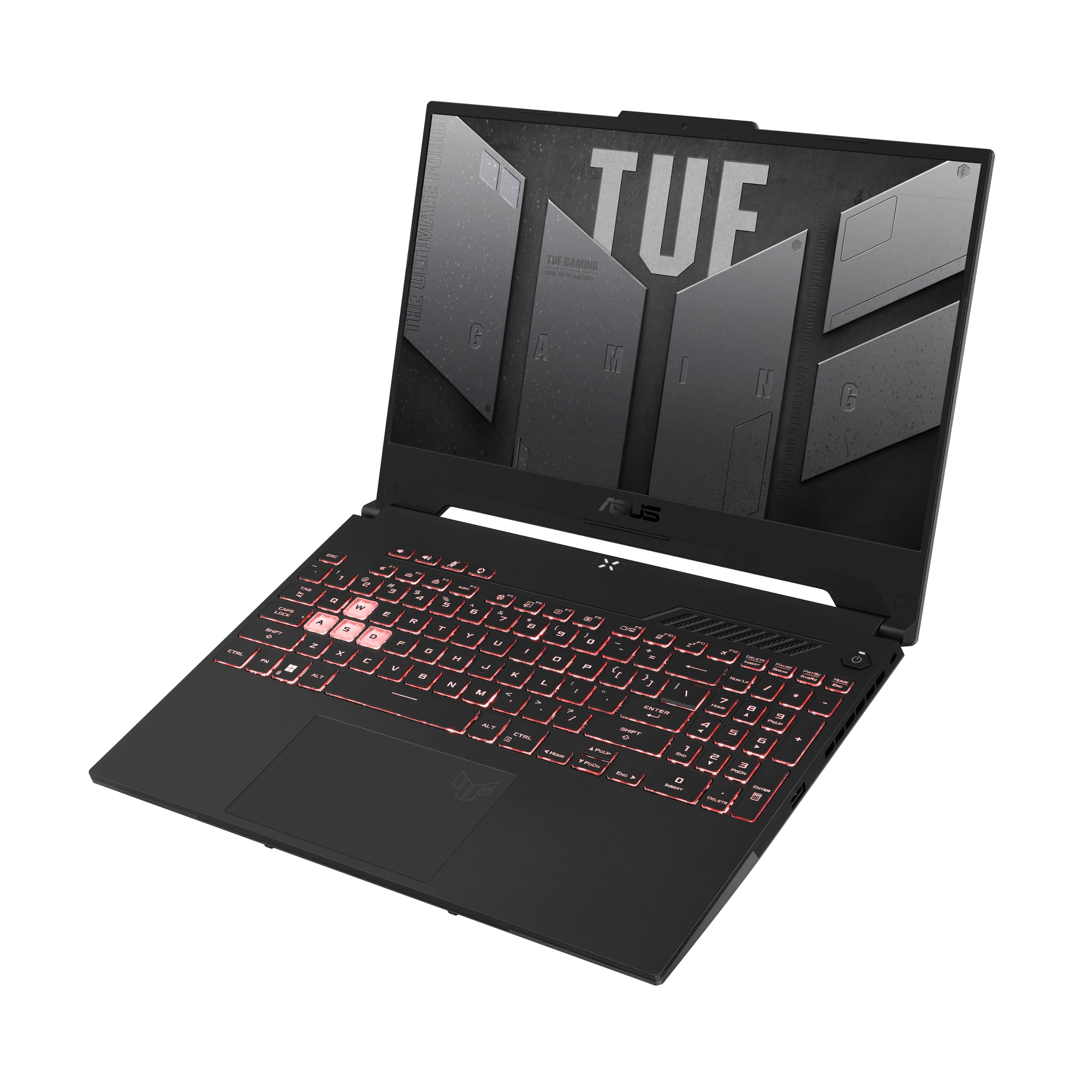
|Posted .This reviewer received promo considerations or sweepstakes entry for writing a review.The A15 has some strong points. The AMD processor is snappy, opening programs quickly and rarely bogging down. Cooling is quiet, something I appreciate over my other gaming laptop, an Alienware that sounds like a jet engine as soon as you try to run any games. The A15 ran every game I threw at it without an issue, with relatively high frame rates. My son and I play a ton of Rocksmith, and using an HDMI cable from the HDMI output of the A15 to our soundbar and Epson HD projector proved a match in heaven. We have the game mirrored on both the A15 and the projector, so we can use the keyboard and mousepad for selecting songs, but use the projector for playing the actual game. The A15 didn’t even get warm while handling these tasks. I’ve had much more expensive laptops struggle with this setup, with cooling fans running at maximum. Kudos to Asus for building a laptop with excellent cooling and processing ability. I LOVE the fact that Asus included a couple of old USB ports with this unit, as too many newer laptops have gone with USB-C and those of us with older peripherals have to get adapters which don’t work as good. The laptop itself looks very cool. The design is futuristic and I had a couple of folks comment on how TUF it looked (see what I did there?). The keyboard is outstanding. It lights in a multitude of colors, and Asus was kind enough to place clear keys in the W-A-S-D spots to help users figure where to rest their left hands. A couple of not so good points for me: I didn’t care much for the screen. Perhaps I’ve been spoiled by my Alienware laptops, but I’m used to bright, high contrast screens. The A15’s screen seemed dim by comparison, with the colors slightly washed out. The speakers are okay, but nothing to write home about. I know most gamers will use headphones, or like me, a separate speaker, but when I’m playing downstairs at the table, I would have liked a little better sound. The track pad was perhaps the most annoying aspect of the A15 for me. Double-clicking and actually having it work takes a lot more force than any track pad I’ve ever used on a laptop. I don’t know if I got a malfunctioning unit, but it does take a bit of effort to double-click that track pad and have it work. I know most gamers rely on a separate gaming mouse, but for those of us who usually don’t, the extra effort to use the track pad can be tiring. Overall, this is a solid unit. Good processing and cooling, as well as a nice form factor and lightweight make for a good gaming laptop. What keeps it from being excellent is that dim display, the average sound, and the hard-to-press track pad. However, it is priced in a good range for what it can do, and can be a good slightly-above-entry-level addition to portable gaming.
I would recommend this to a friend Asus A15 15.6
||Posted . Owned for 3 weeks when reviewed.This reviewer received promo considerations or sweepstakes entry for writing a review.It was easy to setup but it did a lot of updates took a long time over my AT&T internet
I would recommend this to a friendSave your money DON'T BUY
||Posted . Owned for 2 months when reviewed.This reviewer received promo considerations or sweepstakes entry for writing a review.Had this a total of 3 weeks before it decided to take a crap. VERY DISAPPOINTED! Not even on sale was fhis laptop worth the price. Shut down the laptop one night and fhe next day when powering on the screen appeared to have 0 power. I don't understand and beyond angry over this. There is no reason fne screen should not work otjer then this laptop is trash.
No, I would not recommend this to a friendBrand response from ASUS Answers
Posted .Dear Sparklelatherrepeat,
We're sorry to hear that you are having issues with your Display not turning on. All our products do go through an intensive quality control testing process to ensure that customers get units that are in proper working condition, what you've experienced was not intentional. Have you tried doing a Hard Reset? Please follow the steps in the FAQ below.
For more information send us an email at [email protected] and provide the link of this review for reference. We’ll do our best to provide a quick resolution to your case. Your feedback is important as it helps with improvements to ASUS Support channels. Please refer to this case number (N2206034569-0014) for us to better assist you.
Thank you for choosing ASUS.
Best Regards,
Ramon
ASUS Customer Loyalty US Support
Troubleshooting - https://www.asus.com/support/FAQ/1015072/
Too expensive and not worth the price at all!
||Posted . Owned for more than 2 years when reviewed.This reviewer received promo considerations or sweepstakes entry for writing a review.Super laggy and plastic had a screw come out by itself and it’s hard to use. Wish I could get my money back
No, I would not recommend this to a friendGaming A15 15.6
||Posted . Owned for less than 1 week when reviewed.This reviewer received promo considerations or sweepstakes entry for writing a review.Tuf laptop, so far so good. Only had it a week. Good price #699.00
I would recommend this to a friend- Pros mentioned:Keyboard, SpeedCons mentioned:Fan noise
Gamer and more usage
|Posted .This reviewer received promo considerations or sweepstakes entry for writing a review.The look reminds me of an older style brick laptop but lends to the idea it’s tougher. Once you open it, you see a beautifully laid keyboard. Power it on and charge it. Full charge lasts me almost a week. The monitor has very crisp and quick reaction. Log in and setup took less than 15 minutes. Once on and working the fan isn’t too loud. The keyboard lights are cool and change periodically. There is no cd or dvd drive but plenty of hdmi and usb outlets. Overall this computer is truly a gaming device but can also be used for regular work. Internet, quick books, word and excel, all of the above. Speeds are great and internet linked up fairly quickly. No real concerns other the size and the look of the outside not really a fan. Charging is good and the charging pod and cord are bitmap, nothing fancy. I’m able to travel with this laptop but it does take up a little more space than my smaller laptops and tablets. This is a great option for any of your laptop use and of course, gaming via online.
I would recommend this to a friend - Pros mentioned:RamCons mentioned:Battery life
great system, its alright for the price.
Posted .This reviewer received promo considerations or sweepstakes entry for writing a review.had this system for a few months, and my overall experience is great. some problems about it is that its single-channel, but anyways, its a budget system, and that the battery life is really bad (in my opinion.) what i recommend is to add another stick of RAM in the system, to take advantage of dual channel, and keep the laptop plugged in to a charger. for the price, it is alright. it tends to go on sale (lowest i had saw it go was $699.99).
I would recommend this to a friend Charge can not use in USA
||Posted .This reviewer received promo considerations or sweepstakes entry for writing a review.The charge is not suit in USA I really do not know why
I would recommend this to a friendBrand response from ASUS Answers
Posted .Dear BoxianDong,
We certainly understand your disappointment and the inconvenience this may have caused if the AC adapter or charger cannot be used.
To resolve the issue, we recommend that you take the laptop to the nearest BestBuy location to have it checked. Should you need further assistance with the product, please email me at [email protected] and I would be more than happy to help. Or, you are most welcome to call Product Support Hotline at: 1(888) 678-3688. Also, you can chat with an ASUS live support agent at: http://bit.ly/AsusLiveChat.
Thank you for choosing an ASUS product.
Regards,
Rodel
ASUS Customer Loyalty
- Pros mentioned:PerformanceCons mentioned:Battery life
Great computer, but gets too hot
Posted .This reviewer received promo considerations or sweepstakes entry for writing a review.I went to Best Buy to look at a similarly priced ASUS gaming laptop, but didn’t like the screen size, so I ended up getting this one for $690 as an open box in excellent condition. This is my first “gaming computer”, but not my first computer that I’ve used for gaming. Pros: -The price is great for something that’s easily upgradable. -I love the option of changing the colors of my keyboard. -This thing runs smoothly. I never see a loading symbol next to my mouse arrow, things instantly boot up and open. -Everything is customizable down to the desktop screen. Flashing pretty colors on my desktop background, armory crate offers different settings for fan speeds and other crazy things. -The screen has great resolution and is pretty large for a laptop. Great for people like me who want to be able to primarily use the screen as opposed to external monitors. Cons: -My biggest complaint is how hot the computer gets. I have yet to run hardcore games on it. Just The Sims 4 and Among Us; both require minimal specs, but the computer is getting well over 100 degrees Fahrenheit. -Doesn’t come with near enough ram; you need to instantly upgrade before being able to play much of anything. I bought 16gb cards and wish I had chosen 32gb. -Battery doesn’t stay charged for very long, even if you’re only browsing the internet. This doesn’t bother me much since I kinda expect a laptop to need to stay on a charger anyway.
I would recommend this to a friend - Pros mentioned:Keyboard, Performance
Solid Gaming Laptop for a Good Price.
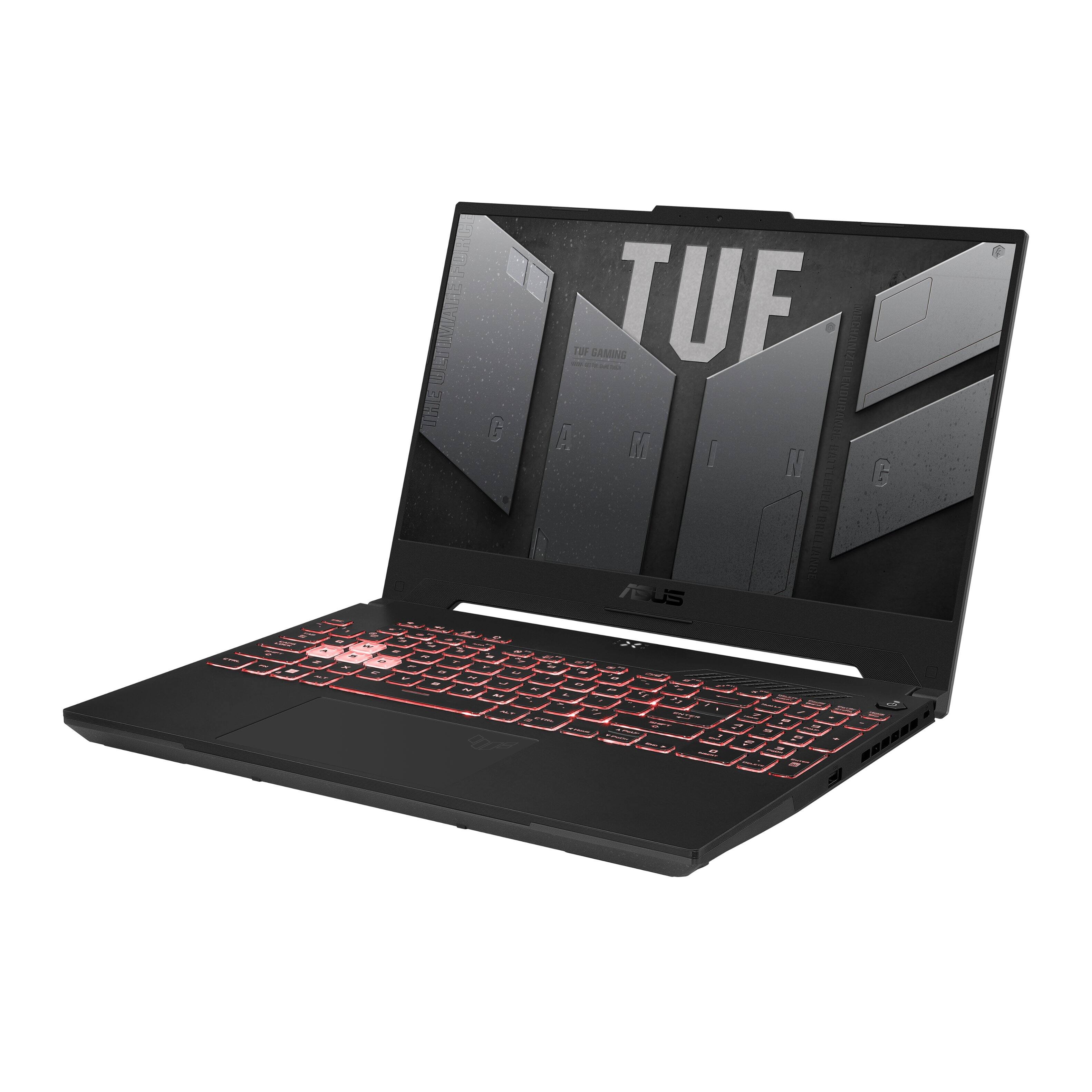
|Posted .This reviewer received promo considerations or sweepstakes entry for writing a review.Overall, this laptop is an exceptional entry level gaming laptop with good specs (current gen Ryzen and a 3000 series Nvidia GPU) and excellent cooling. On the left side you have the power plug, Ethernet port, HDMI, 2x USB-C ports, 1 Type A USB and a headphone jack. On the right side you have a Kensington Lock port, and another USB Type A port. Performance wise, I was seeing above 105fps on Witcher 3 built in benchmark. In Assassin’s Creed Valhalla’s built-in benchmark, I was seeing 110fps average at low settings. I for one appreciate this as manual tuning can take time and you run the risk of making things worse if you don’t know what you’re doing. You do get a nice keyboard with rgb backlighting and a 10 key, which it a must for me. WASD keys are clear, which helps them standout and allows more lighting to come through from the backlighting. As far as temps go, I was getting around 80-82C while gaming on low / mid settings in Witcher 3, which isn’t bad at all. The keyboard did get a bit hot, but not to the point where you had to remove your hand to keep it from burning, which I have had to do on other laptops. Good entry level machine that will run most if not all modern titles. I would suggest upgrading the RAM to at least 16gb once DDR5 ram prices go down.
I would recommend this to a friend - Pros mentioned:Performance
Geared right with room for improvements
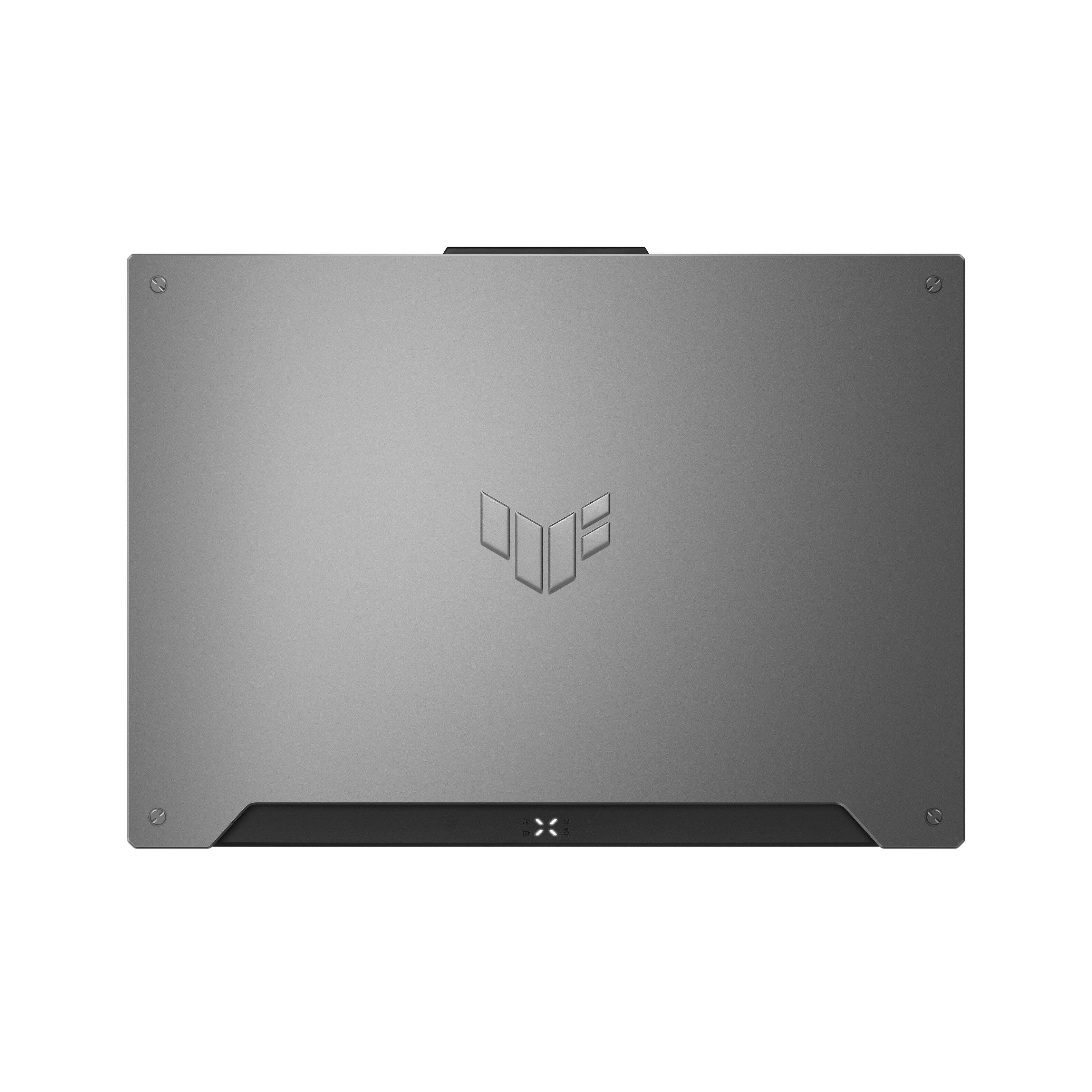
|Posted .This reviewer received promo considerations or sweepstakes entry for writing a review.Out of the box this laptop looks very sleek. Simple TUF logo with a Mecha Gray color looks really nice and minimalistic. It looks heavy but it is not that bad at all considering that this laptop has a really solid build with zero flex in the keyboard. It was made for those gamers who are on the go, no worries with throwing this laptop in a backpack. Not really cons but I will say this.. It starts at 8GB of RAM memory which is low now a days but it does include a empty slot to upgrade up to 32GB. 512 GB SSD, not the greatest especially for how large game files are now a days but there is also an expansion slot. The removal of the bottom cover is easy enough BUT be warned, the screws all look the same but a few of them are different lengths. I also noticed one screw wasn't fully threaded, it wasn't stripped but just missed some threads which was weird but I chalked it up to minor QC error. What I really do enjoy is that you can game with mid range video and it handles performance well.
I would recommend this to a friend AWFUL
||Posted . Owned for less than 1 week when reviewed.This reviewer received promo considerations or sweepstakes entry for writing a review.Do not buy this computer. We bought one for my daughter for Christmas, 1 hour into setting g it up the screen display messed up and only half of it was working. Control alt delete to turn it off and even a hard reset but the screen still does not work fully. Drove 2 hours to the nearest Best Buy and they ordered another for her. We received it today, immediately put it on a charger. First time turning it on, the screen looks like someone has punched it. Nothing on screen is recognizable. Please don’t buy
No, I would not recommend this to a friendBrand response from ASUS Answers
Posted .Dear JasonW,
We sincerely apologize for the display issue you have been experiencing with this laptop. We can assure you that this is not the norm and is not the kind of quality to expect from ASUS products. Please follow the steps in the FAQ linked below to troubleshoot the issue. We do stand behind our product and we continuously strive to improve our products and processes in order to achieve customer service excellence. For more information send us an email at [email protected] and provide the case number "N2206034569-0008" for reference. We’ll do our best to provide a quick resolution to your case. Your feedback is important as it helps with improvements to ASUS Support channels. Thank you for choosing ASUS.
Best Regards,
Leonardo
ASUS Customer Loyalty US Support
[Notebook/AIO] Troubleshooting - Main (Internal) Display problem: https://www.asus.com/support/FAQ/1015072/
- Pros mentioned:Graphics, Performance, Speed
No only for gaming but great for work
||Posted . Owned for 1 month when reviewed.This reviewer received promo considerations or sweepstakes entry for writing a review.Have to say this has turned into a great purchase. It's one of the few good laptops where you can upgrade at least the memory and storage. Currently, I'm now running 64g memory (2x32g sticks) and have added a 2tb internal drive. The performance, for me, was all about being able to run work programs instead of gaming. I bought my son one of these for Christmas and needless to say, it serves him well for gaming. We first upgraded him to 32g (1x32g) memory and then when I bought mine we added a 2tb drive and additional 32g memory stick. Catch these on sale for about $800 and you won't be disappointed. The new versions have a little faster processor and maybe some better graphics. But honestly, the average user may not be able to tell. I've been very impressed and have had no issues with running many programs at once. Even when I had upgraded to only 32g, all programs ran very well. I usually have a couple of power bi programs running, a sql server, multiple web browsers and a few other programs. Upgrading the memory and adding storage is extremely easy, just take your time unscrewing the back. It is a little hard to pop off, you feel like it's going to break - just be careful and it'll eventually pop. Good luck - happy computing
I would recommend this to a friend Solid System - Great CPU and Well Designed Chassis
|Posted .This reviewer received promo considerations or sweepstakes entry for writing a review.The Asus TUF Gaming A15 looks to refresh its lineup with a 2022 edition. I have a TUF Dash F15 from 2021, so I somewhat know what I can expect. The TUF series slots in below ASUS’s ROG lineup, but provides a great amount of value for those wanting to game while remaining portable. Like in 2021 the A15 will be joined by a larger A17 model, and the more powerful F15 (Dash and Gaming) and F17. Specs Processor – AMD Ryzen 6800H - CPU 8C/16T @ 3.2 GHz with boost to 4.7 GHz Graphics – NVidia GeForce RTX 3050Ti Laptop GPU w/ 4GB GDDR6 @ 1745 MHz Radeon 680M onboard the Processor @2200MHz Memory – 8GB DDR5 4800 Single Channel (40-39-39-77) Storage – 512GB Intel PCIe SSD SSDPEKNU512GZ (M.2 NVME) Display - 15.6” 1920 x 1080p LED IPS screen @144HZ, 3ms, 62.5% sRGB, adaptive sync Camera – 720p Webcam Network Adapter – 802.11AX (WiFi 6) adapter / 1X Gigabit LAN Port / Bluetooth 5.2 Radio Ports – 1X USB 3.2 Gen 1 Type-C / 1X USB 3.2 Gen 1 Type-C with DisplayPort and G-SYNC Support/ 2X USB 3.2 Gen 1 Type-A / 1X HDMI 2.0b / 3.5mm TRRS jacks for headsets Battery – 56Wh – Good for 3-4 hours of web browsing and some light gaming OS – Windows 11 Home – a few preinstalled ASUS utilities The TUF A15 comes with an AMD Ryzen 7 6800H, which is part of current Zen 3+ architecture and sits at the top of the R7 line. The onboard graphics come in as a 3050Ti laptop GPU, which for now is only available in laptops. The R7 processor is a multithreaded 8 core with a 3.2GHz base clock with a single core boost up to 4.7GHz. The 3050Ti supports ray tracing and DLSS 2.0 – this isn’t going to be a 4K (on an external panel) gaming powerhouse, but it could be capable in some instances. The laptop can be connected to 2 external monitors – 1 through the HDMI 2.0b port and the other through the USB-C port that supports DisplayPort (it’s the port closest to front). To use this port you would need a USB-C 4.0 to Display port 1.4a adapter. The highest rates supported by these ports are: 4K @60 for HDMI 2.0b and 8K @ 60. The A15 comes with a single 8GB stick of SODIMM DDR5-4800 RAM. There is an open SODIMM slot if you wish to upgrade. The max RAM capacity is 32GB. I am of the mind that if you want to game heavily then you should look to snag another 8GB RAM stick to bring the system up to 16GB. If you are going to use this for casual gaming, and productivity/web browsing then the 8GB should be enough. If you are wanting to game heavily and simultaneously stream then you might want to look for a total 32GB upgrade (2X 16GB sticks). Storage comes in the form of a 512GB PCIe 3.0 M.2 2280 NVME drive from Intel. This can There is an additional PCIE 3.0 M.2 slot available if you want to expand your storage. The display is a 15.6” 1920 x 1080p IPS screen. This is nice, albeit entry level panel. It has a good refresh rate at 144Hz. I say it’s an entry level panel due to the 62.5% sRGB color gamut and the reported 250 nits brightness. It’s a decent looking screen – I didn’t notice any edge bleeding from the backlight and the brightness appears to be fairly uniform. The reduced color gamut would be a dealbreaker if you intend to use this for any graphical or rendering work as the colors won’t be as accurate. The 250 nits brightness will have an impact if you plan to use it in brightly lit areas or in the sun. In a moderately lit room it works well, but I can tell its dimmer than my F15 (300 nit). Games and Benchmarking I ran the A15 through a similar series of benchmarks (3DMark Time Spy, GeekBench, CrystalDiskMark 6, Cinebench R23) that I used to test my F15. I have included a screenshot of my raw results table. The results from 3DMark (per their readout chart) pits it squarely between a gaming laptop and mid level Gaming PC from 2020. Compared to my F15 from last year the CPU scores higher, but the graphics are lagging behind. Using my Xbox Gamepass subscription I downloaded a couple of games I have been currently playing Halo Infinite and Forza Horizon 5. With Halo Infinite the game recommended I medium settings based on VRAM usage. I was however able to play on high settings without experiencing any negative effects. The game experienced a few moments of screen tearing, but otherwise looked and ran well. Unfortunately there’s no framerate counter built in for Halo, so I can only describe how it looked. The gameplay experience was similar to playing on my Xbox Series X but that is at 4K instead of 1080p. For my usage here I was happy with how it performed. To try to push the hardware a bit I tossed on Forza Horizon 5. This game has a lot of detail, huge maps, and fast changing scenery. In the past my racing games have been a bottleneck for the CPU or GPU depending on the settings and system. At 1080p the highest settings caused the GPU to bottleneck. I used the in game benchmark which told me to play at medium settings. I ended up bumping up to High and played without any issue getting around 90-100FPS (per in the in game framerate counter). I didn’t experience any juttering or screen tears. Moving to ultra settings my framerate dropped to about 55-60FPS, but I did start to notice some mild blur in areas. While playing at high/ultra I came up against on a low system memory warning (I didn’t get this on medium). I thought it was weird to get this message seeing as how the game was still running just fine. I guess in cases like this the 8GB of RAM is holding it back a bit. Design The design of the A15 is what ASUS calls Mecha Gray. It is a sleek dark gray finish with a large ‘TUF’ logo embossed on the cover. The main body is just under 1” thick (slightly thicker than my F15, but similar to last years A15), but the width has been slightly reduced over the 2021 models (13.94 vs 14.13”), and some weight has been shed (4.85 vs. 5.07lbs). I think ASUS did a really nice job with the design compared to the 2021 models – the changes are small but welcome. The A15 uses a narrow bezel around the 15.6” screen, and pushes the keyboard all the way edge which helps keep the dimensions down. Above the keyboard is a row of media controls and a dedicated button to launch the Armoury Crate App. The power button retains its cool triangular shape from last years models. The A15 does have a camera (something sorely lacking from my F15), which is housed in a little bump out at the top of the screen. I genuinely like this solution as it also provides a lip to grasp while opening the lid. The A15 has retained a similar port layout as previous years. The left side of the chassis houses the ports and AC inlet. The right side has a singular USB Type-A port. The sides (towards the rear) and rear of the chassis are well vented and out of the path of where you might rest your hands. The A15 seems to have avoided some of the thermal issues I have with my F15 (keyboard gets very warm, and the bottom gets very warm as well) – this may be do to a better fan/airflow design, or from swapping to AMD from Intel, or the change from a 3070 to a 3050Ti. Either way it’s a welcome improvement as I can comfortably game while its in my lap now. Keyboard and Trackpad The keyboard is a full RGB chiclet membrane design. The RGB is bright and has a really good color range. The WASD keys are transparent so there’s backlight is in full view. However, it doesn’t support individually assigning colors or anything like that. You can have it cycle colors, but every key is the same color (no colors wiping across the keys or a wave). You can apply different lighting profiles – breathing, strobing, static, and color change. Color can be adjusted inside the Armoury Crate app under the lighting section. The keyboard also has a numberpad (something my F15 regretfully doesn’t have), but still doesn’t feel like the keyboard is cramped. The keys themselves have a 1.7mm travel distance, which feels just like my F15 keys. Typing on it is quiet and the key action is soft. The trackpad isn’t too bad to use. Its definitely larger than the trackpad from 2021 – ASUS says its 26% larger. The extra size is nice while moving around, and the multi-gesture control works well. The only downside to the supersized trackpad the tendency for my palm to catch it while typing and messing with my cursor. I typically use a mouse, so I just toggle off the trackpad (Fn+F10). Upgradability The A15 has 2 items in which you can upgrade. The RAM and the NVME. There is one vacant RAM slot, but both slots can be upgraded (max of 16GB DDR5 per slot). There is also a vacant M.2 PCIe slot for an NVME SSD drive. The 512GB drive can be filled up with just a handful of large game installs (Forza was 100GB on its own). To change out these parts there are 12 screws to remove. The bottom right screw is captive, and it serves to pop open the cover after you loosen it. However, I found it easier to pop open from the rear corners next to the hinges. I didn’t remove the screws, but rather left them in their holes as I popped the cover off – this lets me avoid have to remember which screw sizes belong where. Final Thoughts As far as I can tell the TUF A15 is a great option for a mid-range gaming platform. The CPU is one of the best you can get in a laptop and the new 3050Ti brings a solid power to this 1080p system. The improved thermals and webcam are things I greatly appreciated over my already quite good F15. The only area that I want to nitpick is the screen – its just a little lackluster on brightness and color-pop when gaming in a well lit room. I would also recommend adding another stick of RAM if you want to play system intensive games – it’s not a dire need but would make for a solid quality of life improvement.
I would recommend this to a friend- Pros mentioned:Performance, RamCons mentioned:Battery life
A good entry level gaming laptop
||Posted . Owned for 3 weeks when reviewed.This reviewer received promo considerations or sweepstakes entry for writing a review.The laptop is very solid. It runs well and delivers a good experience when gaming. It is able to run most games at decent settings without any major issues. What is nice is that the laptop can be maxed out at 32gb of ram and a 4tb SSD if desired. The only negative is the battery life will get you 2-3 hours of general use or about 1 1/2 - 2 hours of gaming. It would be best to have it plugged in for long gaming sessions. Stand by use the battery lasts for about 5 hours but you can always set the laptop to power down to save battery life if you're going to leave it sitting. I also use mine for photo editing and it works perfectly well.
I would recommend this to a friend - Cons mentioned:Battery life, Fan noise, Heat
Not good after 2 months
Posted .This reviewer received promo considerations or sweepstakes entry for writing a review.This computer was good until about 6 weeks in, and has only gone downhill. Even for basic web surfing the battery life is less than 2 hours. (look at the picture of my battery life when all I was doing was typing this review) If I want to game or video edit, maybe 20 minutes. When I put the computer to sleep, and the fan periodically turns on. Like every 30 minutes. Why? It's sleeping. It did not do that at first. Also, there is now lag when I try to stream on both OBS and StreamLabs OBS. This has greatly hurt my Twitch quality. And there is also lag when I game even basic games that do not require intense graphics like The Sims off stream. The poor battery life and the constant heat from the computer makes it not worth it. And the lag I am not sure can be fixed with better RAM, regardless I shouldn't have to. It's past Best Buy's return time frame so I am stuck with it. Do NOT recommend.
No, I would not recommend this to a friendBrand response from ASUS Answers
Posted .Dear GabrielD,
Thank you for the comment.
In order to improve or prolong the battery charged time, if discharging faster than normal, please try to do a battery calibration manually. To start with, please drain it completely then charge it fully without using the system. Once fully-charged, please use the system, without the AC adapter connected, and drain it completely again. Please repeat the charging process thereafter. Also, please verify if the laptop is running with the most current system update and third-party battery draining applications, processes ans services are not running if not in used since this will also make the fan spin.
If you started experiencing system lag, please check if the laptop has acccess to a stable internet connection and it is getting an excellent signal. Verify BIOS and Windows are up to date. If the above-mentioned steps were already performed to no avail, please try to run a diagnostics or optimization test using the "My ASUS" utility software or application. If this is not pre-installed on the laptop, please download the application at the Microsoft Store. For details on how to use "My ASUS", please go to: https://www.asus.com/support/FAQ/1041686/.
If you need further assistance, please email me at [email protected] and I would be more than glad to help. Or, you can speak to an ASUS live support agent 24/7 at http://bit.ly/AsusLiveChat.
Thank you for choosing an ASUS product.
Regards,
Rodel
ASUS Customer Loyalty