Save up to 50% on 3-Day Sale deals.Ends 12/7.Shop now

Skip to content
Gift Ideas
Main Content

Customer Ratings & Reviews
Your price for this item is $399.99
The comparable value price is $729.99

Customer reviews

Rating 4.5 out of 5 stars with 177 reviews

Rating Filter

Rating by feature

  • Battery Life

    Rating 4.5 out of 5 stars

  • Speed

    Rating 4.7 out of 5 stars

  • Display

    Rating 4.6 out of 5 stars

Pros mentioned filter

Cons mentioned filter

89%would recommend to a friend

Customers are saying

Customers are pleased with the Vivobook 14's overall performance, fast processor speed, and impressive battery life. Many appreciate its portability and lightweight design, making it easy to carry around. However, some customers have expressed concerns about the screen quality. Additionally, a few have noted the presence of fan noise during demanding tasks.

This summary was generated by AI based on customer reviews.

The vast majority of our reviews come from verified purchases. Reviews from customers may include My Best Buy members, employees, and Tech Insider Network members (as tagged). Select reviewers may receive discounted products, promotional considerations or entries into drawings for honest, helpful reviews.
Page 9 Showing 161-177 of 177 reviews
  • Rated 4 out of 5 stars

    Reliable laptop

    |
    |
    Posted .
    This reviewer received promo considerations or sweepstakes entry for writing a review.

    This is a good laptop to own. The quality is good, and it was on sale.

    I would recommend this to a friend
  • Rated 5 out of 5 stars

    Great laptop to start with

    |
    |
    Posted .
    This reviewer received promo considerations or sweepstakes entry for writing a review.

    Love it just what i was looking for. Easy to navigate.

    No, I would not recommend this to a friend
  • Pros mentioned:
    Battery life, Weight
    Cons mentioned:
    Fan noise, Screen quality
    Tech Insider Network Member

    Rated 4 out of 5 stars

    Good Mid-Range Laptop

    |
    Tech Insider Network Member
    Posted .
    This reviewer received promo considerations or sweepstakes entry for writing a review.

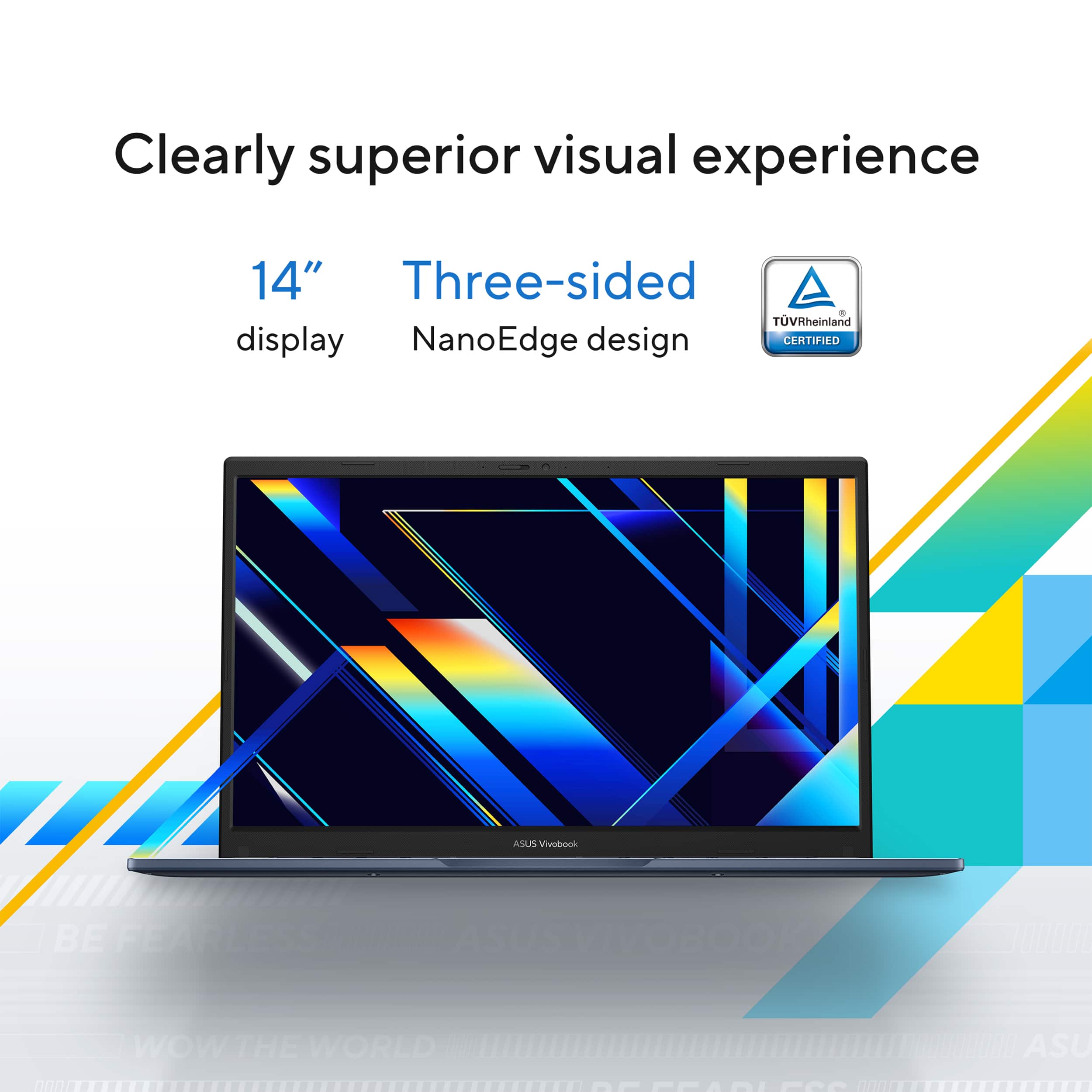
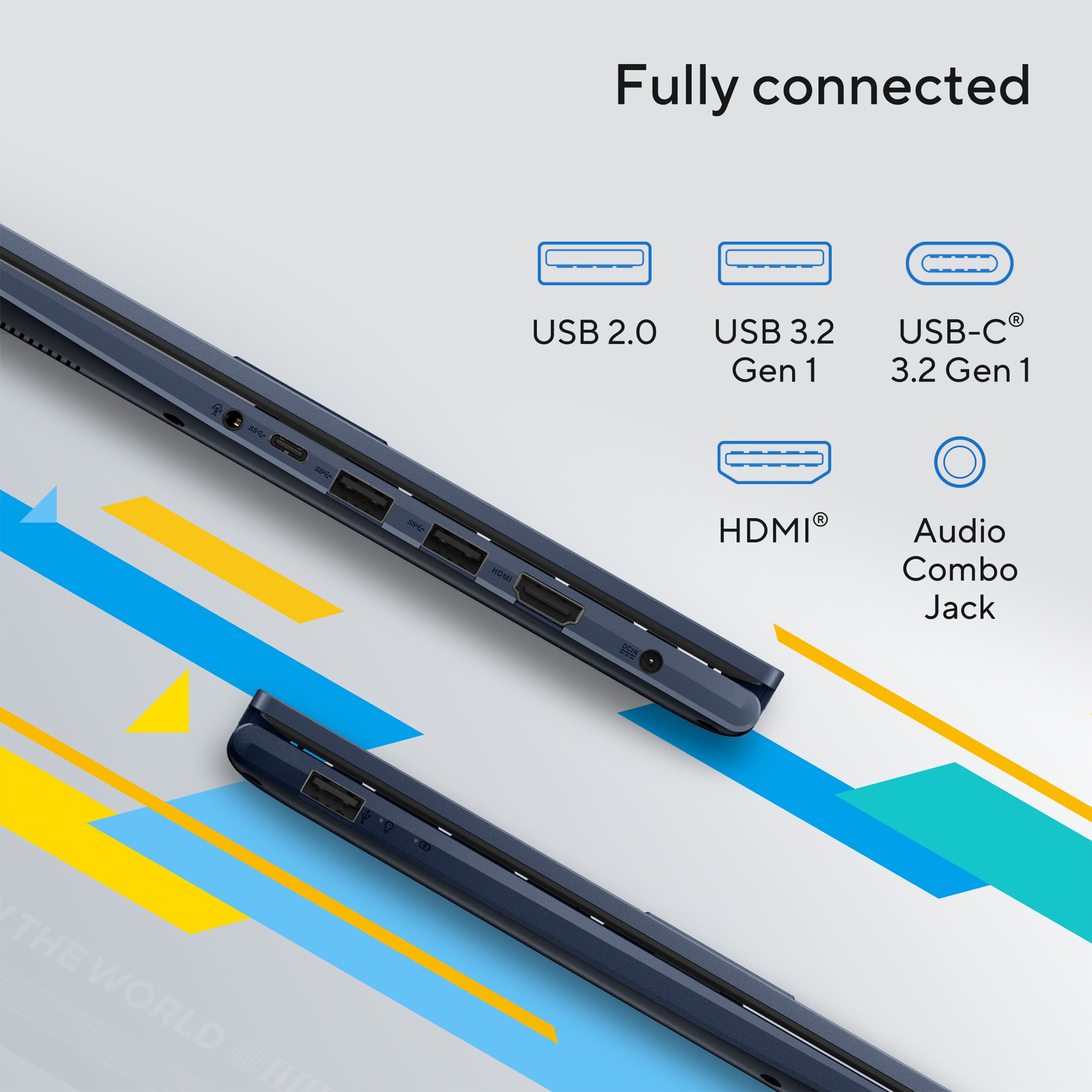
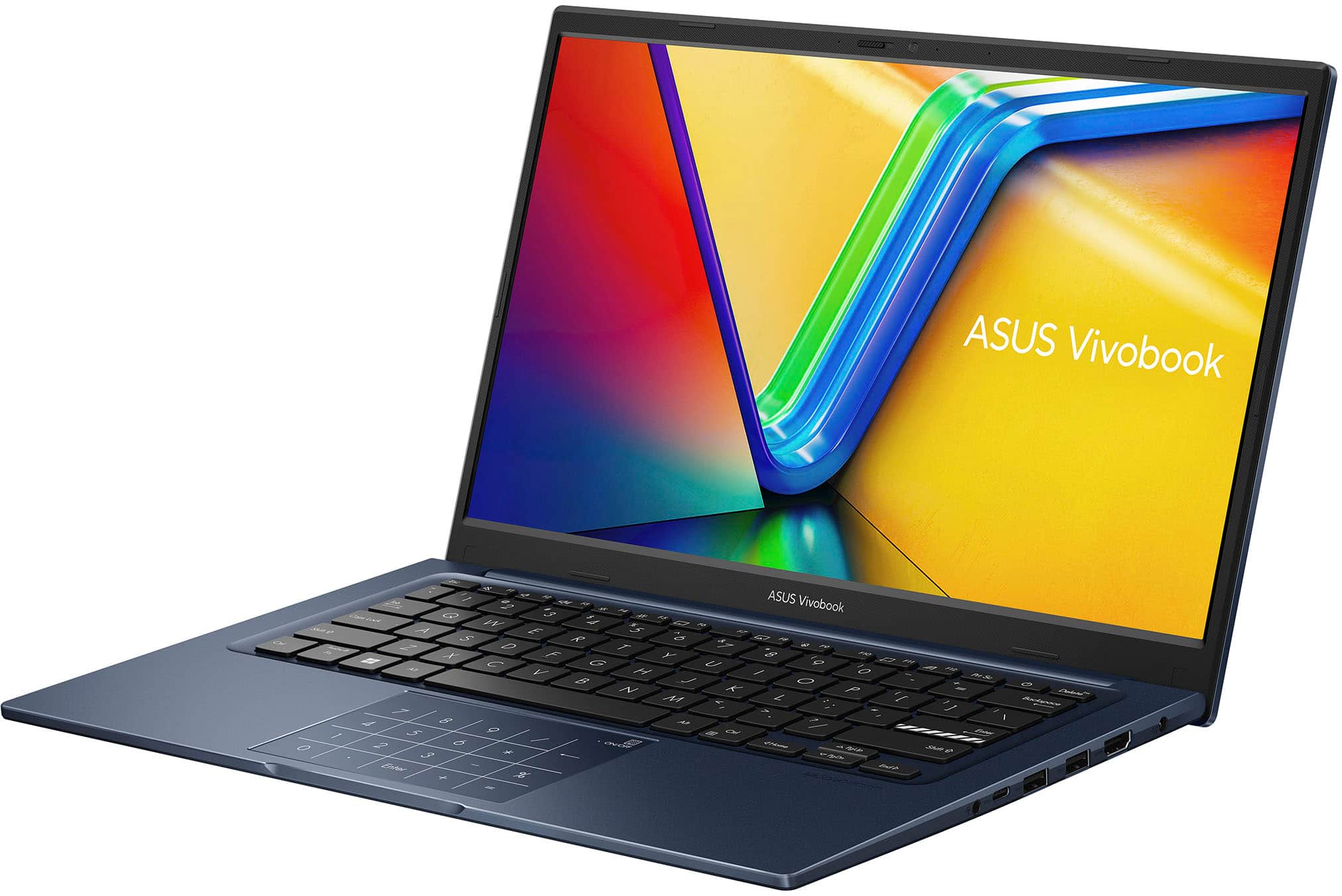
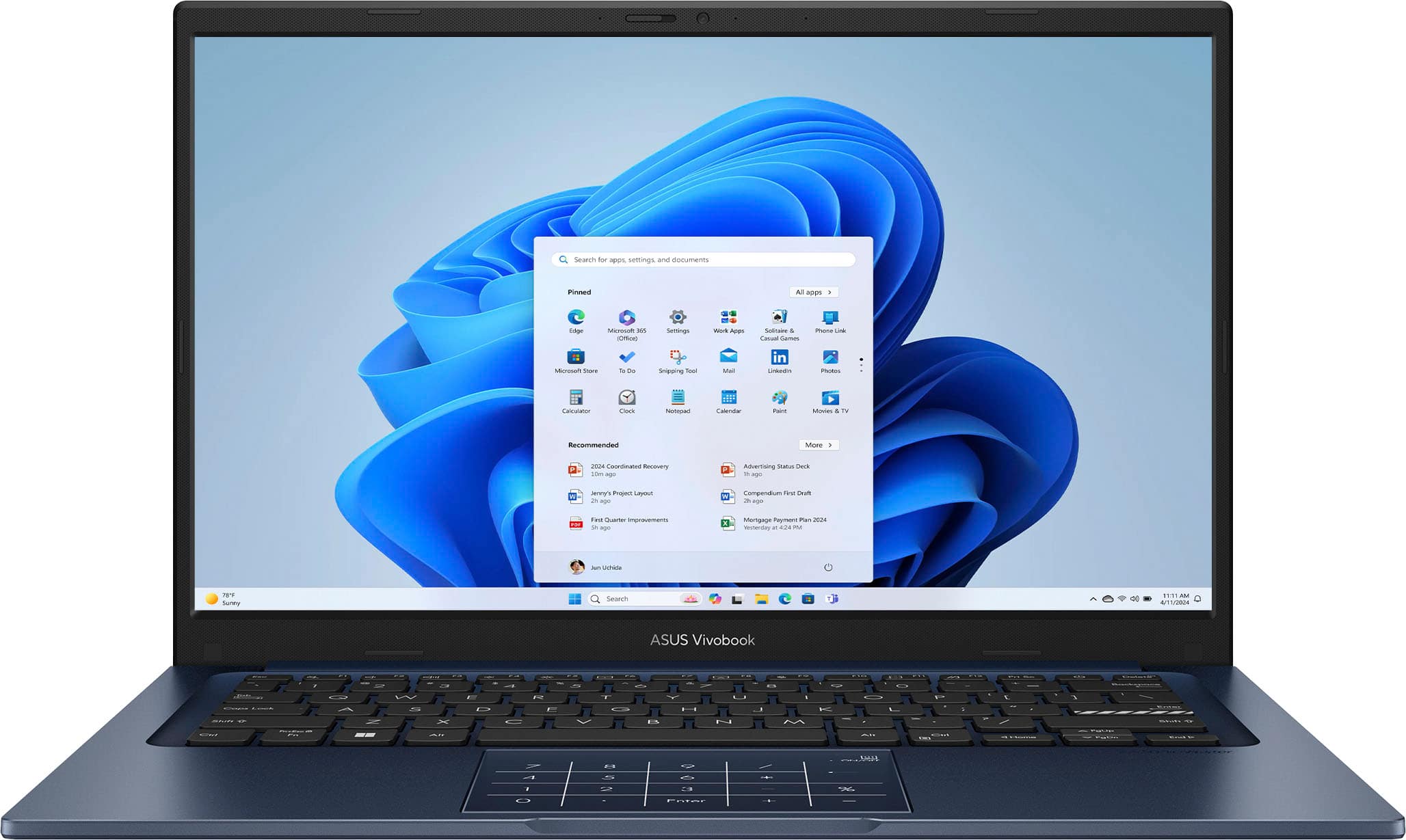
    The ASUS Vivobook 14 is a mid-range laptop focused on practicality and is capable of getting work done. Unboxing the ASUS Vivobook 14, you’ll find the laptop, a 42W DC charger, and some documentation. The laptop sports a diverse I/O, including one USB 2.0 port, two USB 3.2 ports, one USB-C 3.2 port, one HDMI 1.4 port, and a combo headphone/mic jack. The laptop is light and has a fully plastic exterior. The keyboard feels solid with little key wobble and is fairly pleasant to type on. The mousepad is fairly large, smooth, and clicky, and includes a toggleable number pad—very handy for anyone still looking for a num pad even on smaller form factor laptops such as this. The screen hinge feels solid and can open to 180 degrees, allowing the laptop to lay fully flat while open. There is also a serviceable 720p front-facing camera and a sliding shutter. The screen is a 1080p 60Hz LED panel. Unfortunately, colors are not very vivid and vertical viewing angles are not good: Angle the screen slightly down and colors become washed out: like someone drastically decreased the screen’s contrast setting. Angle the screen slightly up and you get the opposite effect: like someone drastically increased the screen’s contrast setting. Regarding some of the additional specifications: The front-facing camera doesn’t seem to support facial recognition. Combining that with the lack of a fingerprint scanner makes ‘Windows Hello’ integration fully absent. All you have to rely on for quickly logging into your machine is the num pad. And the downward-firing stereo speakers on each side of the laptop are clear but lack bass. From a performance standpoint, the laptop generally doesn’t run very hot; the fan will come on often, but it’s really not noticeable enough to be distracting. The 42Wh battery yielded 4-8 hours of general use for the very capable i7-1355U. There is no dedicated GPU, so the laptop relies on Intel’s Iris Xe chip which allows for light gaming, but nothing overly demanding. Some general performance stats for a couple titles: ROBLOX, lowest settings: ~60fps; ROBLOX, max settings: ~20-40fps; Minecraft, fancy graphics: ~80-120fps. The laptop comes stock with 12gb of RAM, which is plenty for general multitasking, but under more demanding circumstances can come up short; however, the laptop includes one upgradeable RAM slot, which is a plus. As for upgrading storage, the only way to upgrade the stock 500gb storage is to upgrade the existing M.2 boot drive, as there are no secondary M.2 slots. Slightly inconvenient, but at least the option is still there. Out of the box, there’s minimal bloatware, other than a handful of stock ASUS configuration and diagnostic apps. At no point did I have any issues while updating Windows and drivers, which is always a plus. ASUS’s main assistant software made updating drivers and BIOS quick, easy, and painless. Overall, the ASUS Vivobook 14 is a solid and perfectly capable machine, but may fall short when it comes to more demanding and performance-heavy tasks, such as gaming. However, at this price point, I can easily recommend it as a reliable choice for general work, school, and everyday use.

    I would recommend this to a friend
  • Pros mentioned:
    Battery life, Overall performance
    Cons mentioned:
    Screen quality
    Tech Insider Network Member

    Rated 4 out of 5 stars

    Feels cheap but runs great

    |
    Tech Insider Network Member
    Posted .
    This reviewer received promo considerations or sweepstakes entry for writing a review.

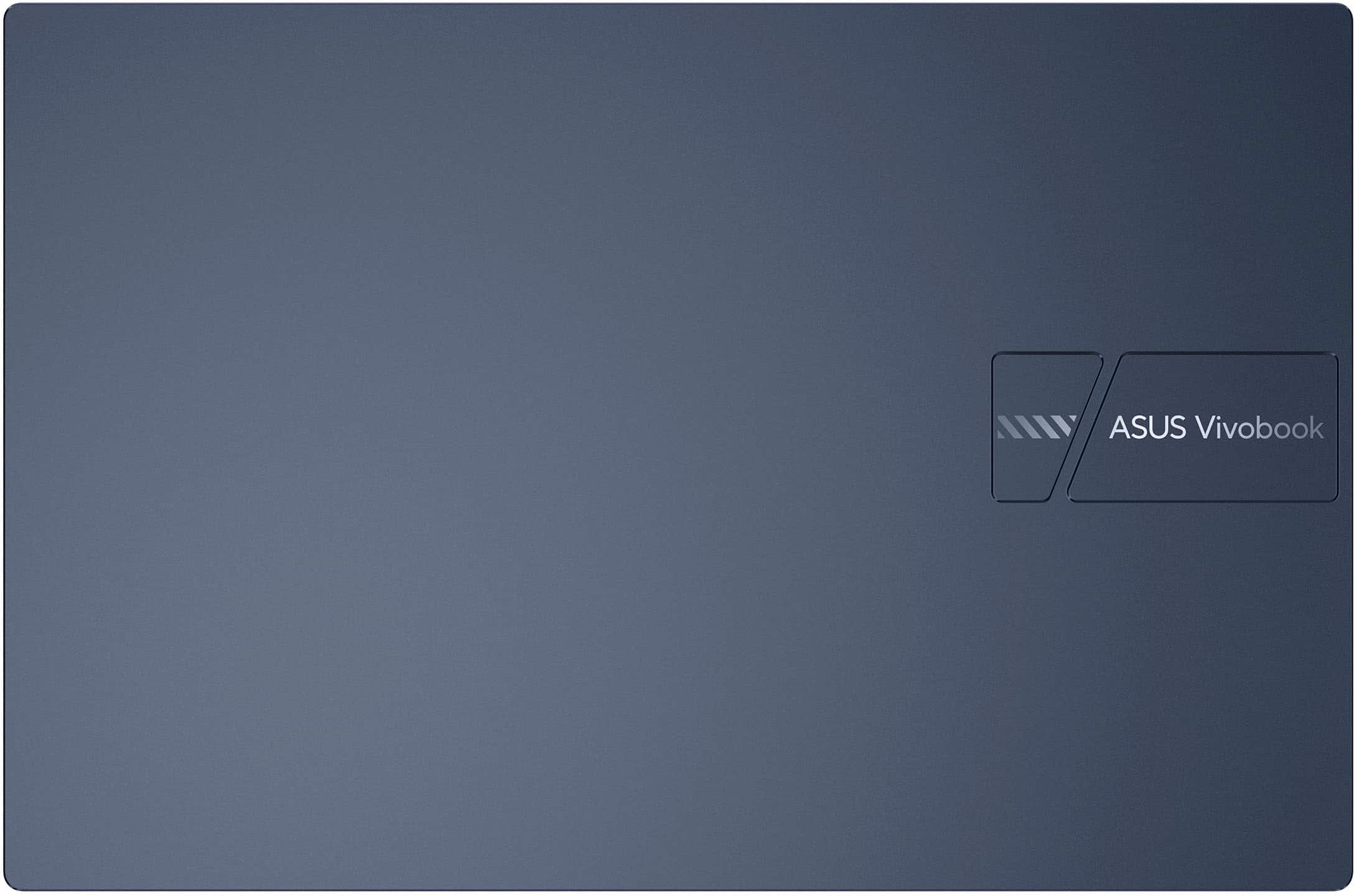
    This laptop feels rather cheap - the keyboard feels a bit mushy and lacks a backlight, the body is a fingerprint magnet, and the screen has a rather narrow viewing angle. That being said, the performance of this machine is pretty good. I haven't encountered any issues such as freezing, long load times, or poor battery life. The system boots quickly and doesn't seem to have any issues with resuming from standby, and it's been pretty good at keeping battery life while sitting closed in my bag until I need it. The speakers are pretty decent, and I haven't had any issues with video playback either. Overall, it works pretty well. The way the keypad can be used as a number pad is pretty interesting, but it's definitely a bit of a learning curve to get used to without feeling feedback from actual keys. You have to actually look at, at least at first. That being said, I think it's a neat trick to make the laptop a bit smaller and more portable without having to fully sacrifice that functionality. On the topic of design choices, I should also note that this machine has a decent number of ports - there's a USB C, three USB A, an HDMI, and a headphone jack; but it does use a barrel jack to charge and doesn't accept power from USB C. If it wasn't for that issue, I'd say this machine would work great with a docking station, but unfortunately that's not the case. Overall, I kind of view this machine as a bit of a diamond in the rough - I'm not particularly fond of the appearance or the construction of the shell, but this is balanced out by what's under the hood. Using this machine for work or light gaming really doesn't feel bad at all, if you can get the screen at the right angle. I would absolutely recommend this for business or office use in which you want a bit of extra overhead to keep things running smoothly, as long as you don't plan on using it docked.

    I would recommend this to a friend
  • Rated 1 out of 5 stars

    Do not buy from Best Buy!

    |
    |
    Posted . Owned for 1 month when reviewed.
    This reviewer received promo considerations or sweepstakes entry for writing a review.

    Had computer 1 month over heats and then doesn’t work. I’ve only used it 6 times. Best Buy did nothing to make good on my purchase!

    No, I would not recommend this to a friend
    • Brand response from ASUS Answers
      Posted .

      Dear Debbie G,

      Thank you for sharing your experience with the ASUS X1404VA laptop. We sincerely apologize for the inconvenience you've encountered with overheating and performance issues. We understand how frustrating this must be, especially given the limited use and lack of resolution.

      To ensure this matter is properly addressed, we kindly ask that you contact our support team at  https://www.asus.com/us/support/callus/ so we can further investigate and assist you.

      We stand behind our product and we continuously strive to improve our products and processes in order to achieve customer service excellence. For more information send us an email at customerloyalty@asus.com and provide the case number ""N2506015759-0012 for reference. We’ll do our best to provide a quick resolution to your case. Your feedback is important as it helps with improvements to ASUS Support channels. Thank you for choosing ASUS.

      Best Regards,
      Chantae
      ASUS Customer Loyalty US Support Asus

  • Pros mentioned:
    Battery life, Weight
    Cons mentioned:
    Screen quality
    Tech Insider Network Member

    Rated 4 out of 5 stars

    Has some last gen features where it makes $ense

    |
    Tech Insider Network Member
    Posted .
    This reviewer received promo considerations or sweepstakes entry for writing a review.

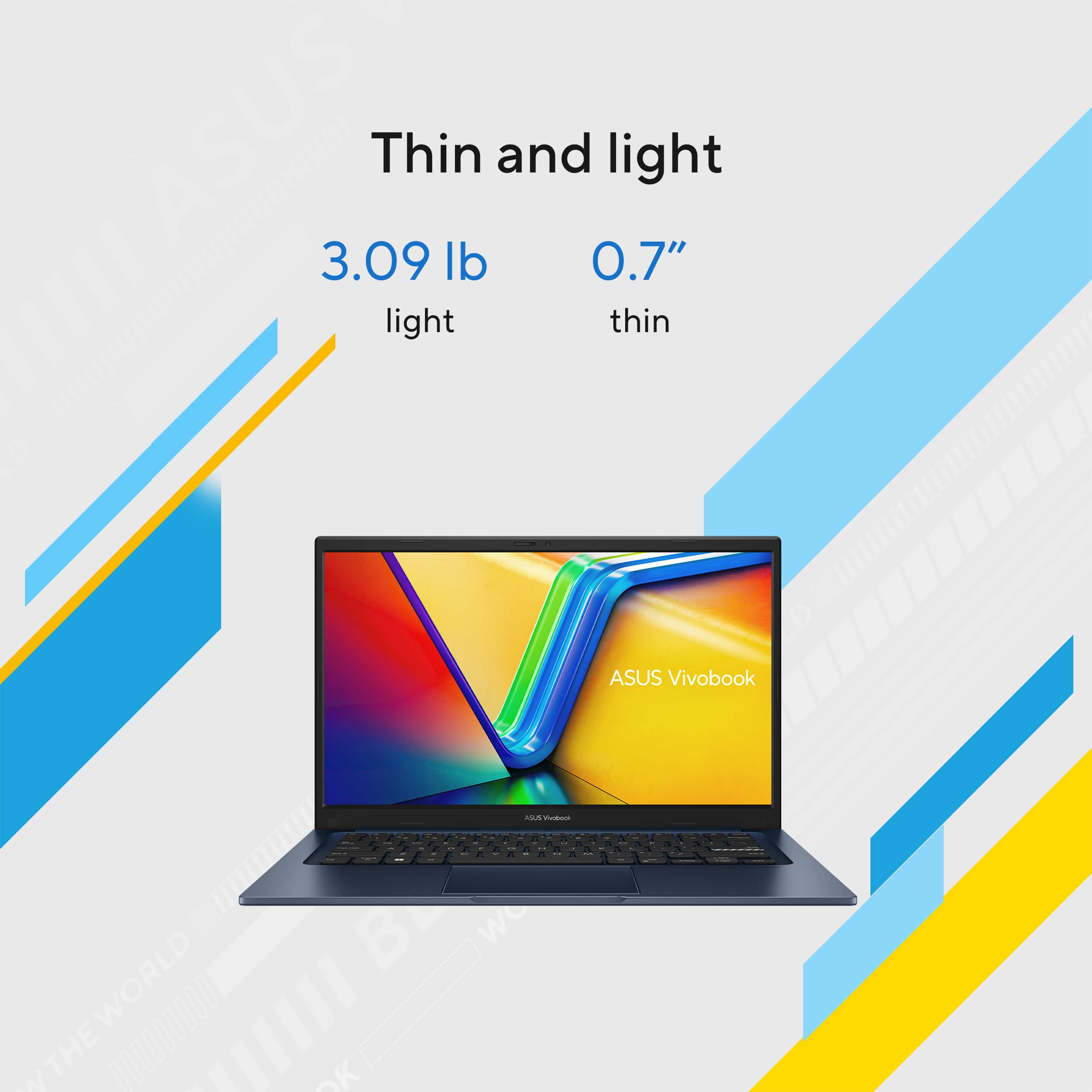
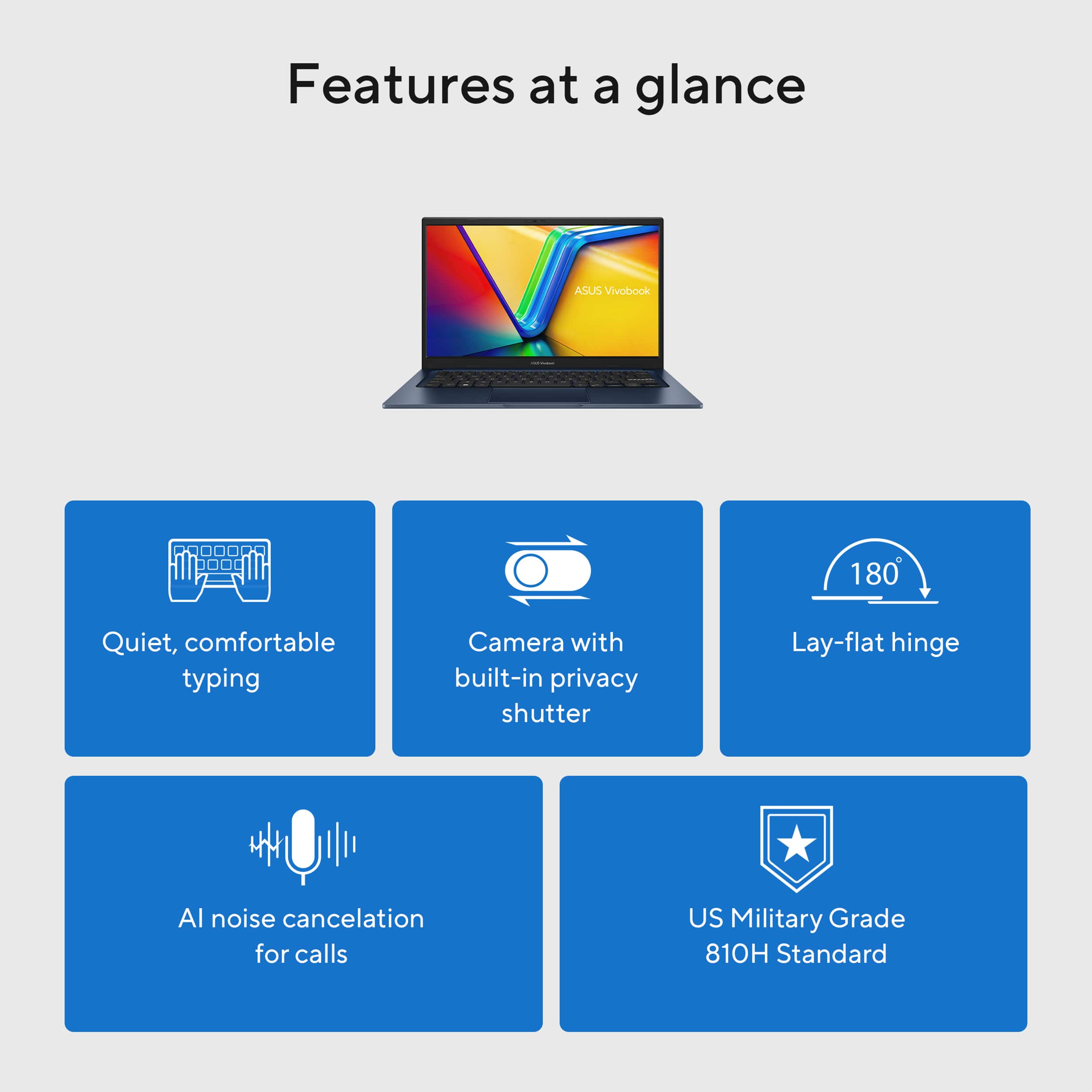
    I work with and have reviewed some very powerful laptops costing 2, 3 times plus what this one does. Without a doubt the very expensive ones are super-fast, have beautiful screens, and other nice features, like a Porsche or other exotic car. Make no mistake, this is not one of those, it’s not geared for those users, nor is it priced like one of those. If this laptop was a car, it would be a top model Toyota Corolla. It targets people who need get work done without the expense, flash, and the performance that is rarely used in a high-end model. With a battery that lasts 8 hours and fully charges in less than one and a half hours with a small, light 45-watt AC adapter, it sips power like a Corolla hybrid and is cheap to fill. The case is US MIL-STD 810H military-grade standard tough to handle the daily bumps and perhaps even a drop that can happen when on the go. Its thin and light at 3 lbs., perfect to travel and work while away from a power outlet all day. The 512GB SSD Drive will hold lots of data even after you load it with apps. Its maxed out at 12GB of RAM, enough to run Outlook, Teams, an Office app like Word or Excel and a browser with some tabs open before it starts to swap to the SSD drive. The Wi-Fi is a generation Old saving some money, but you’re not likely to find faster away from home. Its full of ports, speedy USB 3.2 ports (data speed up to 5Gbps), audio, and an HDMI 1.4 port to allow an external monitor. You work at a desk without a docking station if needed. Some money was also saved on the webcam and screen. The webcam is 720P, low HD. The 15.6-inch Full HD (1920 x 1080) LED screen has a peak brightness of just 250nits. Ok for inside use, but the screen will be hard to see when near a window on a sunny day or outside. The keyboard is quiet and comfortable to use. The mousepad/Numeric keypad works really well. There are some extra features to help differentiate this laptop from the competition. • A physical webcam shield for the best privacy • A full numeric keypad is on the touchpad and be active or disabled with a single touch • ASUS Antimicrobial Guard Plus to help keep germs at bay • AI Noise Canceling for video calls and Copilot use • Fold flat 180-degree screen I found this laptop to be totally silent. I never heard the fan come on. Speed is Corolla/Celica good, it’s not a Supra or TRD fast. Its basic mid-range portable computing and there’s nothing wrong with that. Being light and slim with decent power to comfortably have several apps open at the same time, I feel this laptop is perfect for a student that will not use it for heavy duty gaming, someone who travels, works out of the house all day, or prefers to work untethered from any cords. This laptop gets the work done without fuss. The full price of $729 is fair for a laptop with last generation features where it won't matter much. Most 14” i7 CPU laptops cost $200-300 more, but come with a better brighter screen, faster and more RAM, faster Wi-Fi, as well as other feature perks for the added cost. If you can catch this one on sale and you’ll have a bargain laptop.

    I would recommend this to a friend
  • Pros mentioned:
    Battery life, Processor speed
    Cons mentioned:
    Screen quality
    Tech Insider Network Member

    Rated 4 out of 5 stars

    Great for your parents

    |
    Tech Insider Network Member
    Posted .
    This reviewer received promo considerations or sweepstakes entry for writing a review.

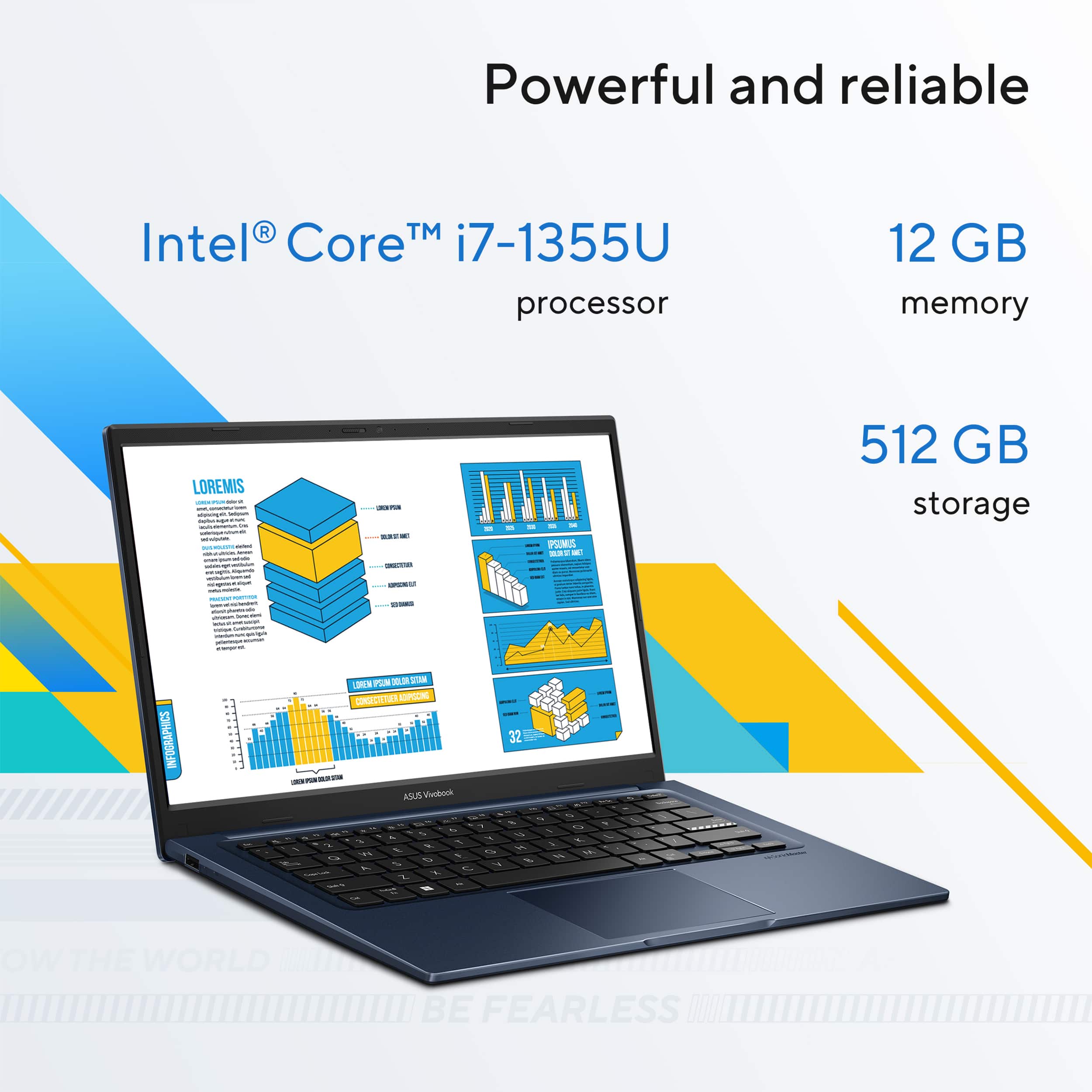
    The ASUS Vivobook 14 with its 14" full HD screen, an Intel Core i7-1355U processor (1.7 gigahertz, 12 megabytes cache, up to 5.0 gigahertz boost, 10 cores, 12 threads), 12 gigabytes of 3200 megahertz DDR4 memory, and 512 gigabytes of PCI Express 4 storage in Quiet Blue is.....a good machine. It's fine. You can check your emails. You can browse the web. You can manage your photos, work in Office apps, listen to music, etc... It gets the job done for your usual everyday tasks and I commend it for that. It's largely plastic, which isn't quite my cup of tea, but I get that this isn't intended as a flagship so really, for what it is, the plastic does feel sturdy and the hinge is nice and strong. The IO situation is mostly standard for a budget no frills machine. We've got a DC power jack, a 3.5mm combo audio jack a HDMI 1.4 port, 2 usb 3.2 gen 1 type a (5 gigabits/second) ports, a usb 3.2 gen 1 type c (5 gigabits/second) port and a usb 2.0 type a (480 megabits/second). I REALLY wish there was more than one usb c type port and I REALLY REALLY wish that the one included could be used for charging as well. Charging via usb c is nearly ubiquitous these days and it's a bit frustrating that if I want to take this laptop on the go I have to bring the power adapter that came with it along because the universal usb c one that lives in my laptop bag full time doesn't work with it. Battery life is pretty good. I got between 4 and 5 hours per charge with regular use. A bit less when using it out in the yard with the brightness all the way up and streaming for extended periods. Ultimately that is a plus. All in all, you could do worse for $730, but if you're a savvy shopper, you could possibly do a bit better too. It'll make a decent kids school companion or computer for your parents.

    No, I would not recommend this to a friend
  • Pros mentioned:
    Battery life, Weight
    Cons mentioned:
    Screen quality
    Tech Insider Network Member

    Rated 4 out of 5 stars

    Great Budget Laptop For Casual Use

    |
    Tech Insider Network Member
    Posted .
    This reviewer received promo considerations or sweepstakes entry for writing a review.

    The ASUS Vivobook 14" (Intel Core i7, 12GB RAM, 512GB SSD, Quiet Blue) is a pretty decent laptop overall, especially for casual day-to-day use. It handles everyday tasks like browsing, streaming, and working with documents well, and the battery life is actually quite solid, lasting several hours on a single charge. It’s definitely nice not having to keep it constantly plugged in. One feature I really appreciated was the webcam blocker—a small detail, but great for privacy. Another unique touch was the numeric pad built into the touchpad. I’d never seen anything like it before, and it’s surprisingly functional when you get used to it. That said, there are a few downsides. The sound quality isn’t great—very tinny and flat—so I ended up pairing it with a Bluetooth speaker most of the time. Also, I’m not a huge fan of the plastic build. It doesn’t feel super premium, but I get that it probably contributes to the lightweight design, which does make it very portable. I was a bit disappointed that it doesn't support USB-C charging and only comes with WiFi 5, which feels like a step behind current standards. Still, for basic everyday use, and maybe even work depending on your needs, it gets the job done. It’s not perfect, but it’s a reasonable option if you’re looking for something lightweight and capable. I'm giving this four stars since this is a budget laptop and I would recommend to a friend.

    I would recommend this to a friend
  • Pros mentioned:
    Portability
    Cons mentioned:
    Screen quality
    Tech Insider Network Member

    Rated 4 out of 5 stars

    Small and compact

    |
    Tech Insider Network Member
    Posted .
    This reviewer received promo considerations or sweepstakes entry for writing a review.

    The ASUS Vivobook 14 is a nice laptop. first out of the box impression was it is small yet feels very solid. Upon powering the device, the screen resolution/image could be much better. The issue with the image is the only reason i gave this a 4 star and not 5. It feels very ergonomic and small enough to carry around. yes, it does not have all the bells and whistles like touch screen, but it is a very nice computer, and it delivers. Makes for a perfect web surfing, video watching and work laptop. The mouse touchpad has an integrated 10-key number pad, yet I found myself not being such a big fan of that since you have to remember to turn it on and off. Overall, very happy with the ASUS Vivobook, it delivered with my needs of a new laptop for simpler yet important tasks i needed to complete. The build is very solid and feels very firm. The memory capacity is enough for my daily needs. So if you are looking for a small yet simple and powerful new laptop this would be a great addition and may even be a perfect gift for a student.

    I would recommend this to a friend
  • Pros mentioned:
    Processor speed
    Tech Insider Network Member

    Rated 4 out of 5 stars

    Powerful for a budget laptop

    |
    Tech Insider Network Member
    Posted .
    This reviewer received promo considerations or sweepstakes entry for writing a review.

    The Asus Vivobook 14 with i7 1355u and 12GB of RAM is specced really well for a the budget market in time for back to school season. To get an i7 CPU, (partially) dual channel memory, a 512 GB PCIe 4.0 SSD, and 1080p display at this price point you have to make some compromises, though. #Unboxing/First Impressions# Asus packages the Vivobook 14 well, in a standard laptop package with all cardboard inserts for protection. This isn't an ultra premium laptop so it doesn't have any crazy innovations in the packaging. The initial impression took a hit for me when I discovered it had an older style barrel/round tip power adapter. I haven't daily driven a laptop that required a barrel connector for power since 2019, and I haven't set one up for anyone else since 2022 - and that was an extreme low cost model at the time. I was more disturbed to find that the USB-C port doesn't support charging, so you really are stuck with the round tip charger. In 2025, that's a pretty big compromise. In a pinch I've been able to use a 20W phone charger to give my laptop a tiny bit of juice to make it through an off-site meeting before. That wouldn't be possible with the VIvobook 14 as you have to have the special charger. Big bummer there, but can be overlooked if the price is right for the laptop and you're on a serious budget. #Using the Vivobook 14# Overall, the Vivobook 14 performs very well. With an i7-1355u, you are getting 2 "P-cores" and 8 "e-cores" so you have quite a bit of performance on tap for a low power laptop. The CPU also supports Arc graphics thanks to the RAM configuration. There is 8 GB soldered on the motherboard and SO-DIMM slot which contains 4GB of DDR4 3200 RAM. You can easily upgrade the laptop to 16GB and get even more performance with the full 16 GB being dual channel instead of the asymmetric interleaving with the stock configuration. The NVMe SSD is not the fastest PCIe 4 SSD you can find on the market but it's still far quicker than eMMC or SATA SSDs would be in a lower end laptop. I've already mentioned the disappointment with charging on the Vivobook 14, but another limitation of the USB-C port is that it does not support "alt mode" so it cannot output video. Pratically, that means that if you want to use a docking station or portable USB-C hub with this laptop you're going to need at least 3 cables plugged into it - the dock/hub, a regular HDMI cable, and your round tip power adapter. I'm sure many people looking for an inexpensive but powerful laptop won't be road warriors regularly using USB-C hubs but it's something to keep in mind. The other big compromise with the Vivobook 14 is it's display. On the plus side, it is 1080p which is a decent step up from other budget laptops. It's also bright enough to use in a well lit room or office, though it struggles in sunlight. The biggest problem with the display is that it uses "TN" display technology which is notorious for having terrible viewing angles. Unless you can position the screen to be perfectly aligned with your vision angle, the screen "flips" in colors and becomes basically unusable. So this is not a great laptop to try to use when you're not able to have a steady seating arrangement. #Final thoughts# If you're seeking a laptop that is budget friendly and you're willing to compromise a lot of convenience to get an i7 CPU, the Vivobook 14 is a good laptop to consider if the price is right. If you go into the purchase knowing the limitations and it's been discounted especially during back to school season, this can be a really killer value.

    I would recommend this to a friend
  • Pros mentioned:
    Processor speed, Weight
    Tech Insider Network Member

    Rated 4 out of 5 stars

    An great option for office or student needs

    |
    Tech Insider Network Member
    Posted .
    This reviewer received promo considerations or sweepstakes entry for writing a review.

    If you are looking for a fast, lightweight, and quiet responsive laptop, the ASUS Vivobook 14 is a great option. An IntelCore i7 CPU is an option for those in the market for office or student type of users. Its light weight makes it a perfect option for those on the move. However, if you are thinking of a gaming laptop, you should consider a bigger investment with a more powerful video card and more powerful sound. It is a basic unboxing and well-protected device. When you first open the box, you get the computer itself in a protective mesh bag, a DC power connector that charges the computer, the warranty card, a card thanking you for your purchase, and the user guide, which teaches you everything you need to know. When you open up the computer, you get your average laptop-size keyboard. Please note that the power plug is the traditional Asus DC-pin and not the more modern USB-C, which is a bit disappointing. One of the more promising functions is the capacity to convert the tactile mouse pad un a numeric keyboard. That design element is insisted in the previously mentioned profile of the users. There are 3 USB ports, 1 USB-C port, an HDMI port, a headphone jack, and DC power plug. I find the screen to quite impressive, great contracts and high color. For certain types of 4k images, you could notice a sort of less full color in comparison to what I have seen in other computers. The Intel UHD graphics card is exactly as promised in the specification. ok for regular laptop work, movies on the go, and basic gaming. One aspect that I rate high is the capacity of multitasking, and is where the i7 excels. The laptop is ok in battery, I had during 1 one testing it, an average of 6 hour of power after full charge. I know that the specs are talking about 8 hrs, but could be my heavy use of sound and video. It has a 720 front camera and good video conferencing. I love the privacy shutter that is built in. Finally, the connectivity is good with the Wifi 5 and Bluetooth 5.2. I was able to connect quickly to the house network and stream video on it. The same goes for the Bluetooth headphones and mouse. With all that, I clearly recognize that in each of the categories and specs, we are not talking about the last version of the current technology that will probably double the price. So the price variable is a key factor in this purchase, because in the mid range this is a serious contender.

    I would recommend this to a friend
  • Rated 1 out of 5 stars

    Laptop

    |
    |
    Posted . Owned for 1 week when reviewed.
    This reviewer received promo considerations or sweepstakes entry for writing a review.

    Did not receive. Item was canceled due to shipping error.

    No, I would not recommend this to a friend
    • Brand response from ASUS Answers
      Posted .

      Dear PaulJ,

      Thank you for your feedback.

      We do understand your dissatisfaction with the quality of your recent customer service experience with your seller and the inconvenience this may have caused if your item was cancelled due to shipping error. If you need further assistance with the laptop or other ASUS products, please email me at cl-rodel@asus.com and I will be more than happy to help. Or you are most welcome to call Product Support Hotline at: 1(888) 678-3688. Also, you can chat with an ASUS live support agent from the link: https://www.asus.com/us/support/article/1135/.

      Thank you for choosing an ASUS product.

      Regards,

      Rodel
      ASUS Customer Loyalty Asus

  • Cons mentioned:
    Ram, Screen quality
    Tech Insider Network Member

    Rated 3 out of 5 stars

    Expensive for a cheap laptop

    |
    Tech Insider Network Member
    Posted .
    This reviewer received promo considerations or sweepstakes entry for writing a review.

    There's plenty to love about this laptop, there's also a lot that just doesn't make sense, especially at this price point. So lets get into it. Packaging: To start, it's nothing special, brown box, minimal literature, power cord, laptop itself. No complaints, no bells and whistles either, but that's ok. Build Quality and specs: This is where it starts to show. The laptop isn't *that* cheap really, unless you catch it on sale. However at this price point, the case is all plastic, it flexes a lot, the screen isn't great, the webcam is 720p, the RAM is only 12GB and it's on-board, the processor is 13th gen, the wireless is only 802.11ac. So what does this all mean. Lets break it down. In the year 2025 of which it is now, these are important things: 720p webcam is laughable, I get that this, for some reason, is still standard on laptops, but it shouldn't be, I have to wonder at this point if it costs more to have a 720p sensor made than going with one of the plethora of 1080p or higher webcam sensors that is widely and cheaply available for these manufacturers. The 802.11ac wireless (WiFi 5, Wireless AC, however you understand this feature) is old, there's no two ways about it. In this era of WiFi 7 (BE) being the new big thing, we're seriously going all the way back to WiFi 5 (Wireless AC) is not just a massive step backwards, it's almost an insulting one. Since 2013 when Wireless AC was ratified, we have had WiFi 6 and 6E (Wireless AX/AXE) and WiFi7 (BE). All of which are dramatically faster. AC isn't even the low end anymore, it's not even considered by most 'free' routers that ISPs give you with your home internet plan anymore. It's laughably bad. The RAM is DDR4. Again, why. DDR5 is the standard for all current gen processors, but the processor isn't even current gen. It's a 13th gen Intel processor, putting it 2 generations behind current. I would understand a LITTLE if it was a 14th gen processor just because a 15th gen is expensive for a laptop, but it's not even that. On top of that since it's 8GB+4GB soldered to the motherboard, it's not even running in dual-channel, which means there's performance being left on the table. Processor, I think I beat that to death, it's 13th gen, 2 generations behind current. The screen, while anti-glare, which is nice for a thin and light laptop, just isn't good. The colors are muted and it doesn't have a great viewing angle. OK enough of me dogging on the choices that Asus made with this machine, lets get into the use of it. Performance: It's actually fairly decent. If you can get over the fact you're running on multiple-generation old hardware, it's still going to be plenty fast for most users. If you need a small laptop to quickly bust out somewhere, dont mind that it's not the new hotness, metal or sleek, then it is still going to be more than snappy enough for almost anyone. The only thing it won't do great is game, and even then, the Iris XE graphics can do basic gaming with at least partially decent performance, just dont expect magic. The SSD is at least PCI-E Gen 4, which is good, even now PCI-E Gen5 SSDs are absurdly expensive and only supported on the highest end machines, so this is a good drive. Overall: Sigh, Asus, you're better than this. It's not a good machine, but it's passable if you can get it at the right price. Just dont pay retail, it's not worth it.

    No, I would not recommend this to a friend

    • Brand response from ASUS Answers
      Posted .

      Dear Beradon,

      Thank you for sharing your comments regarding the ASUS Vivobook 14 Laptop. We understand that it didn't meet your full expectations, and we sincerely apologize for that as we do understand your concerns. Our top priority is providing our customers with high-quality products, and we'll forward your feedback to our team for review.

      We stand behind our products and continuously strive to improve our products and processes to achieve customer service excellence. If you require any further assistance, please email us at customerloyalty@asus.com and include the case number "N2504005745-0007" as a reference. We will do our best to resolve your case quickly. Your feedback is very important to us and enables us to improve our support channels. Thank you for choosing ASUS.

      Best Regards,
      Chantae
      ASUS Customer Loyalty US Support Asus

  • Tech Insider Network Member

    Rated 4 out of 5 stars

    Sharp looking laptop for specific needs

    |
    Tech Insider Network Member
    Posted .
    This reviewer received promo considerations or sweepstakes entry for writing a review.

    Having and still having owned multiple ASUS 'power' type laptops. Comparing apples to oranges wouldn't be fair, though also owning other brands of laptops that are compariable to the horsepower such as whats under the hood of this laptop, is mentionable. Straight to the point, this laptop isn't going to crunch crypto or run any graphic intense gaming sessions, but what it does do; it does it well. The machine performs well as a web machine (streaming, browsing, shopping etc); and equally as well for office type applications (word, excel, light coding etc). Its compact, looks pretty slick in blue and fits into my laptop collection nicely. I thought this laptop would be nice for an addon to my exercise equipment. I attached an arm to my elliptical to hold this and use it as a nice little movie player and media streaming pc while i execise. Its big enough for viewing and small enough to not be in the way. Overall i would recommend this laptop for anyone looking for an affordable secondary laptop, for the kids to do their homework on, or just to use to browse youtube etc. If you need a computer to grab for a meeting to jot some notes this also works well, again with the size it makes it a nice little helper. But again i would stress if you are looking for a more powerful laptop to game on or render movies etc, i would suggest looking at the more powerful model of laptops that ASUS offers...

    I would recommend this to a friend
  • Pros mentioned:
    Portability
    Tech Insider Network Member

    Rated 5 out of 5 stars

    The little laptop that can

    |
    Tech Insider Network Member
    Posted .
    This reviewer received promo considerations or sweepstakes entry for writing a review.

    The ASUS Vivobook 14" FHD Laptop – Intel Core i7, 12GB Memory, 512GB SSD – is quite possibly the most unremarkable laptop I've ever used. Setup was very easy, as it is with most new Windows machines these days. I was logged in and fully set up within about 15 minutes. This product is realistically intended to function as a basic word processor—something you can bring into a meeting for presentation purposes. I haven't experienced any issues running simple tasks such as Word, Excel, or PowerPoint documents. I do wonder if this laptop is better suited for younger students in elementary school. It feels very similar to a Chromebook in both design and performance. While it does feel a bit cheap at times, the ease of use, portability, and lightweight form factor make it a convenient option. That’s what’s nice about this product: it’s easy to take on the go and works well when you just need a simple machine for everyday tasks. Overall, I think it’s a great little laptop for what it’s designed to do.

    I would recommend this to a friend
  • Cons mentioned:
    Screen quality
    Tech Insider Network Member

    Rated 3 out of 5 stars

    Plastic and dated

    |
    Tech Insider Network Member
    Posted .
    This reviewer received promo considerations or sweepstakes entry for writing a review.

    I wanted a new laptop to keep in my living for some web browsing and video streaming while I watch TV. I liked the specs of this ASUS as I don't need a powerhouse machine for those purposes. Unfortunately, the specs can not save this laptop for me. As soon as I picked it up, I was disappointed by the cheap feeling plastic casing. There are so many laptops being made now at similar price points that look and feel sleek, not this one. It has a nice amount of ports, but only one USB-C port and you cannot charge the laptop through it, only the included power adapter. Lame! I wanted to use the same, extra long cable I use to charge my iPad and phone with. Setting up Windows is easy and once I was up and running, I did some browsing. It does this very well and streamed videos fine but the screen is disappointing, it has no life to it. I can't imagine using the numbers keys on the trackpad, but maybe other's would like it.I find it obtrusive. This laptop is not touch screen, which makes it all the more disappointing at this price point. My advice would be to spend a little more on a better machine, this just does nothing to wow me.

    No, I would not recommend this to a friend
    • Brand response from ASUS Answers
      Posted .

      Dear Josh76,

      Thank you for sharing your comments regarding the ASUS Vivobook 14 Laptop. We understand that the design of the product didn't meet your full expectations, and we sincerely apologize for that as we do understand your concerns. Our top priority is providing our customers with high-quality products, and we'll forward your feedback to our team for review.

      We stand behind our products and continuously strive to improve our products and processes to achieve customer service excellence. If you require any further assistance, please email us at customerloyalty@asus.com and include the case number " N2504005745-0015" as a reference. We will do our best to resolve your case quickly. Your feedback is very important to us and enables us to improve our support channels. Thank you for choosing ASUS.

      Best Regards,
      Chantae
      ASUS Customer Loyalty US Support Asus

  • Pros mentioned:
    Overall performance

    Rated 5 out of 5 stars

    Love it!

    Posted .
    This reviewer received promo considerations or sweepstakes entry for writing a review.

    Bought this after my first choice, a Leveno lap top crashed. Love this Asus. It does all the things i need it to do.

    I would recommend this to a friend