Customer Ratings & Reviews
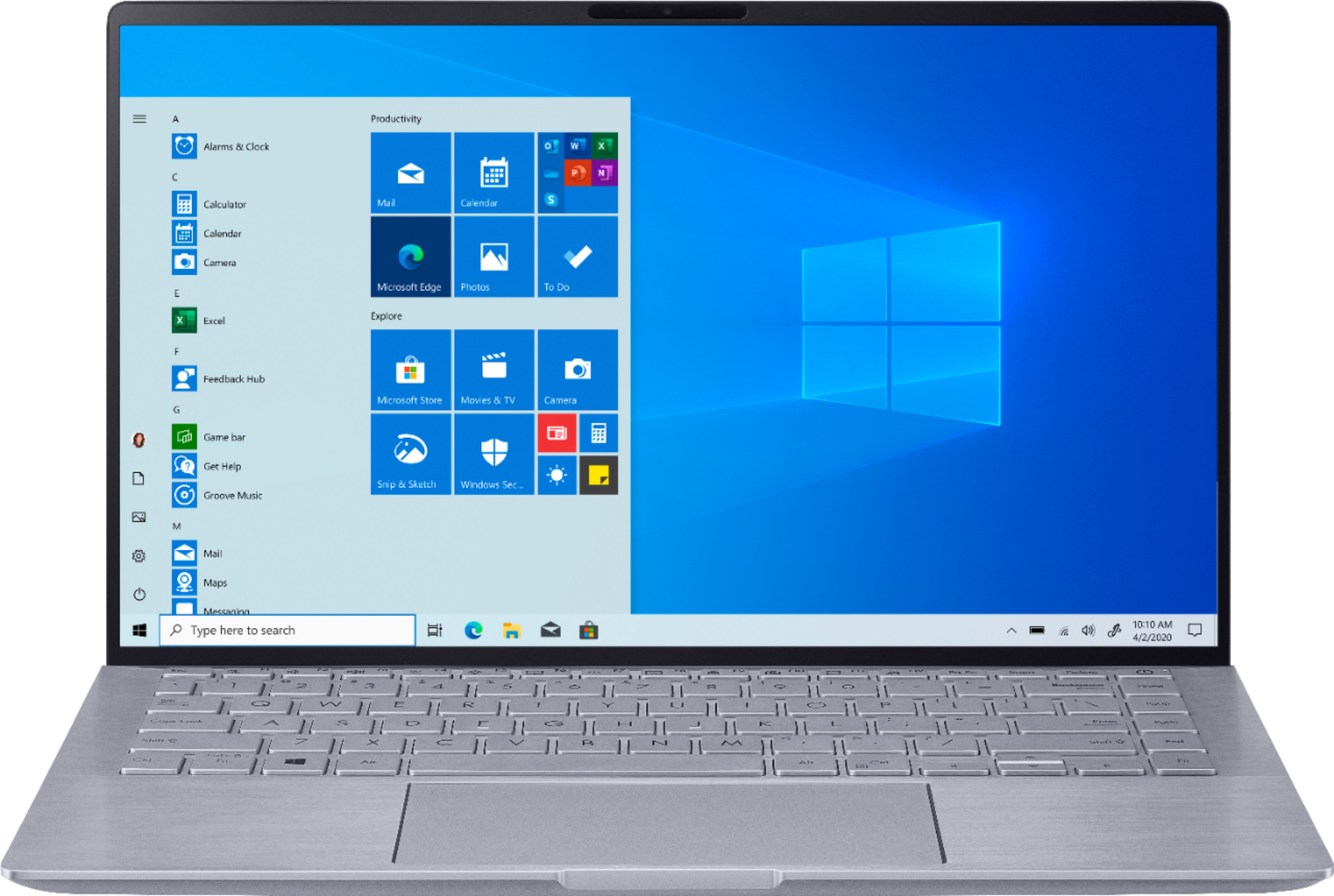
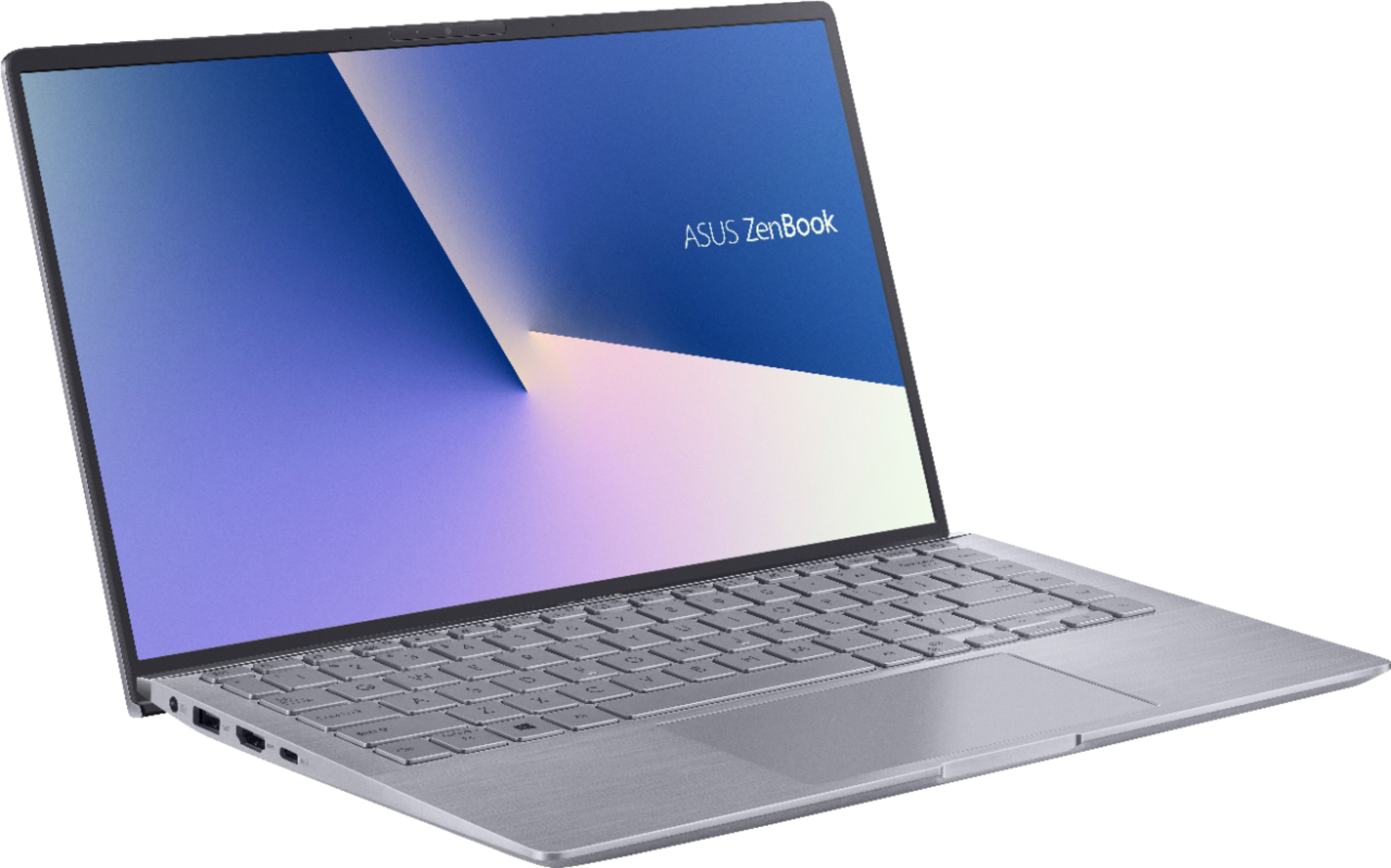
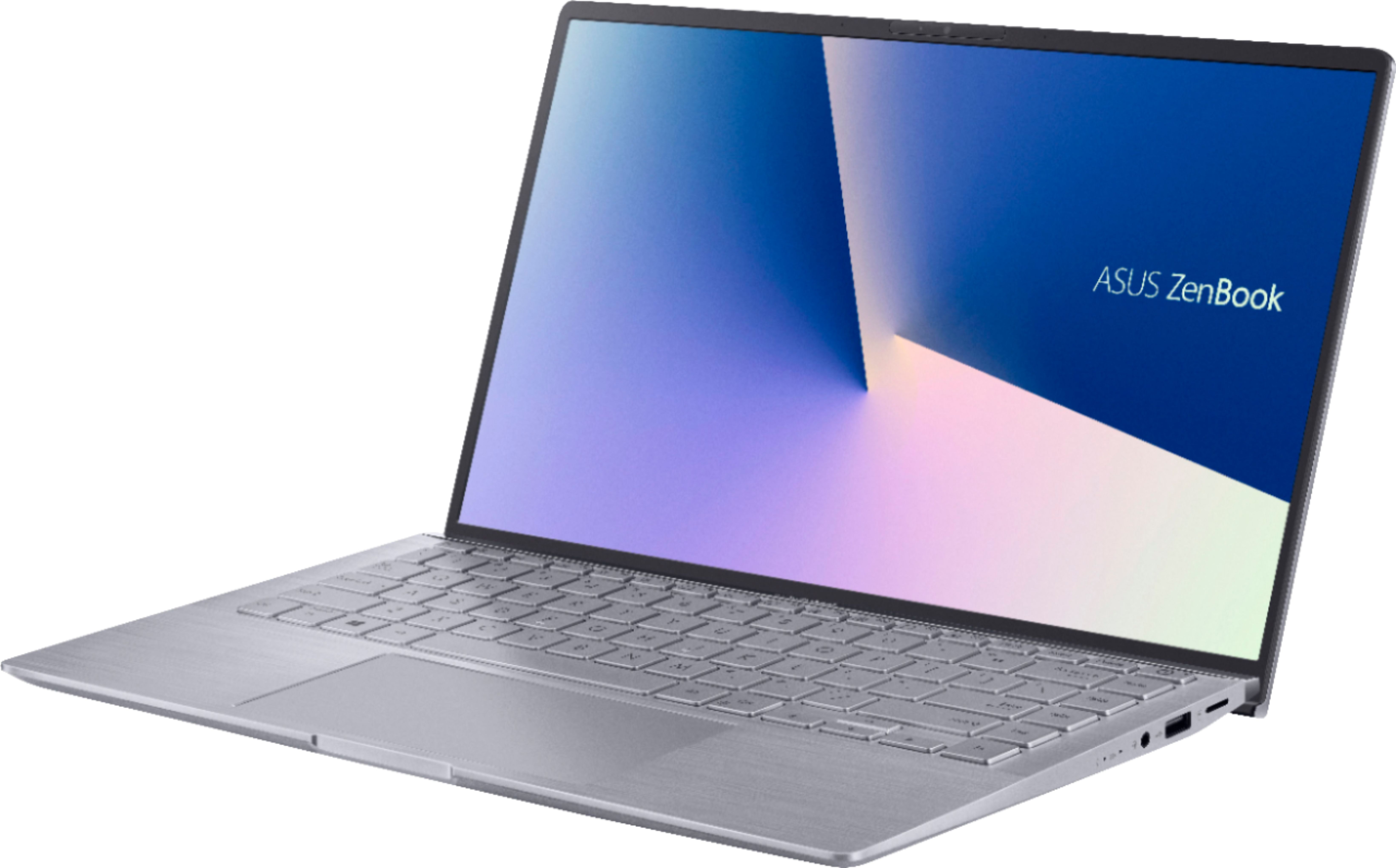
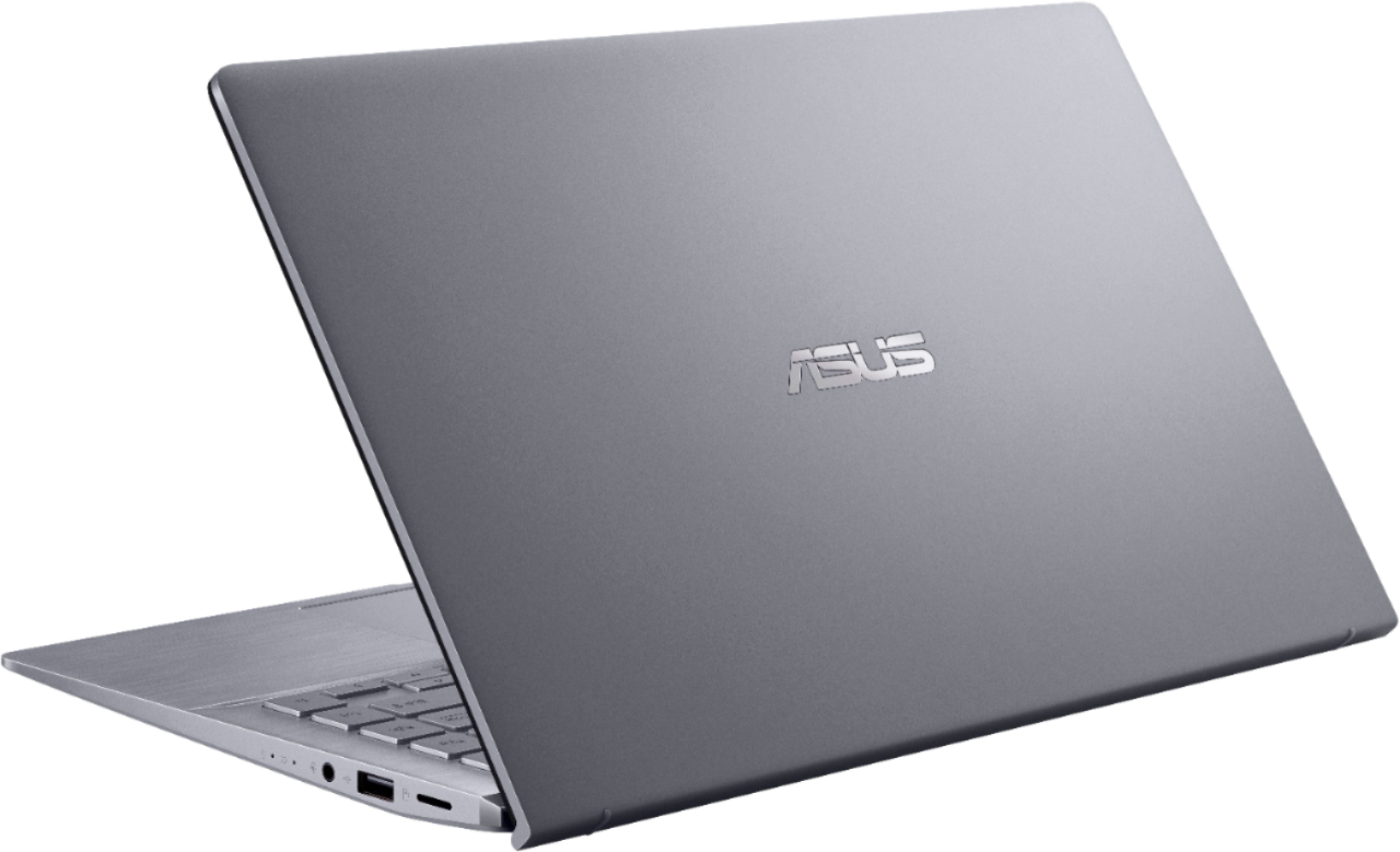
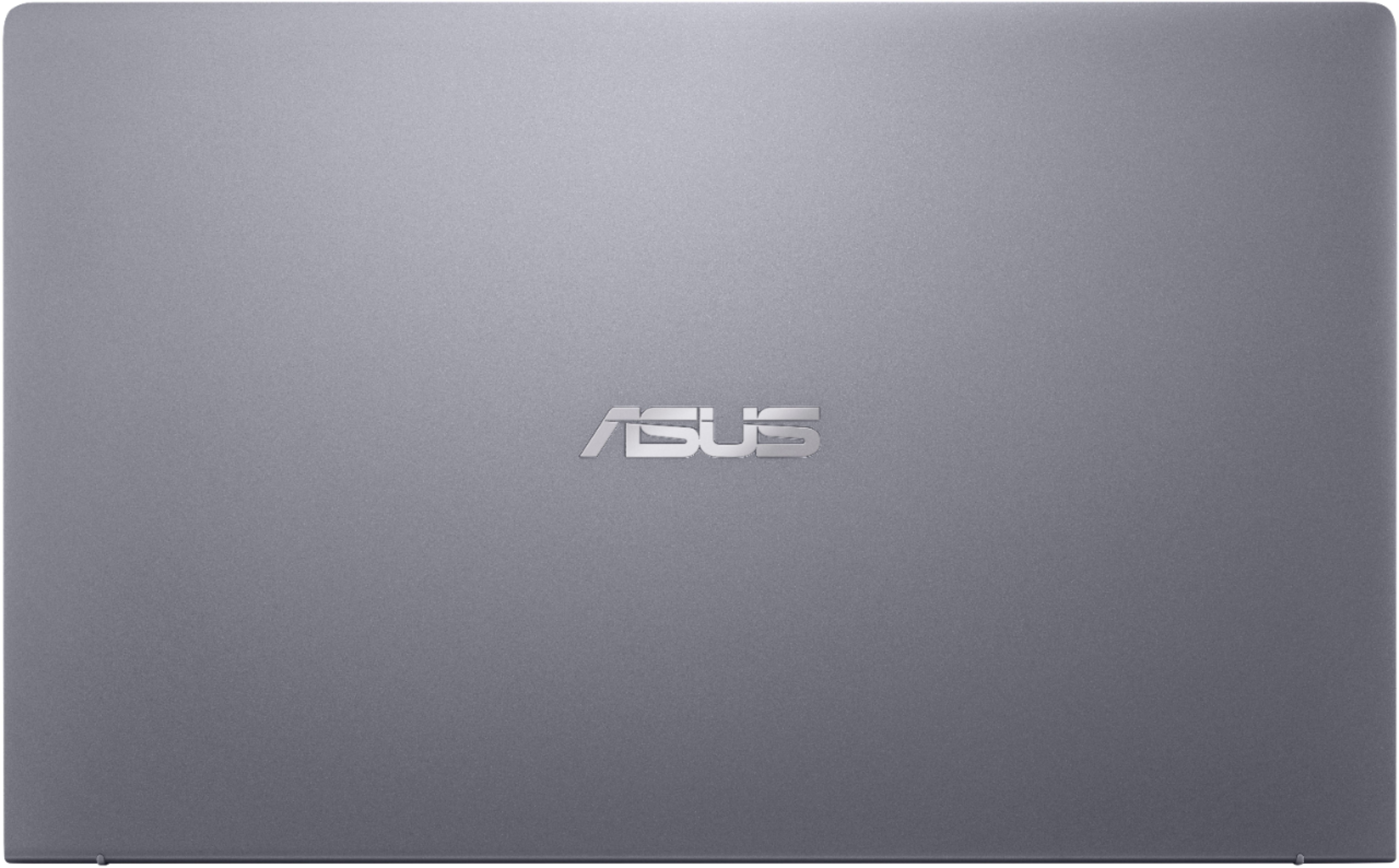


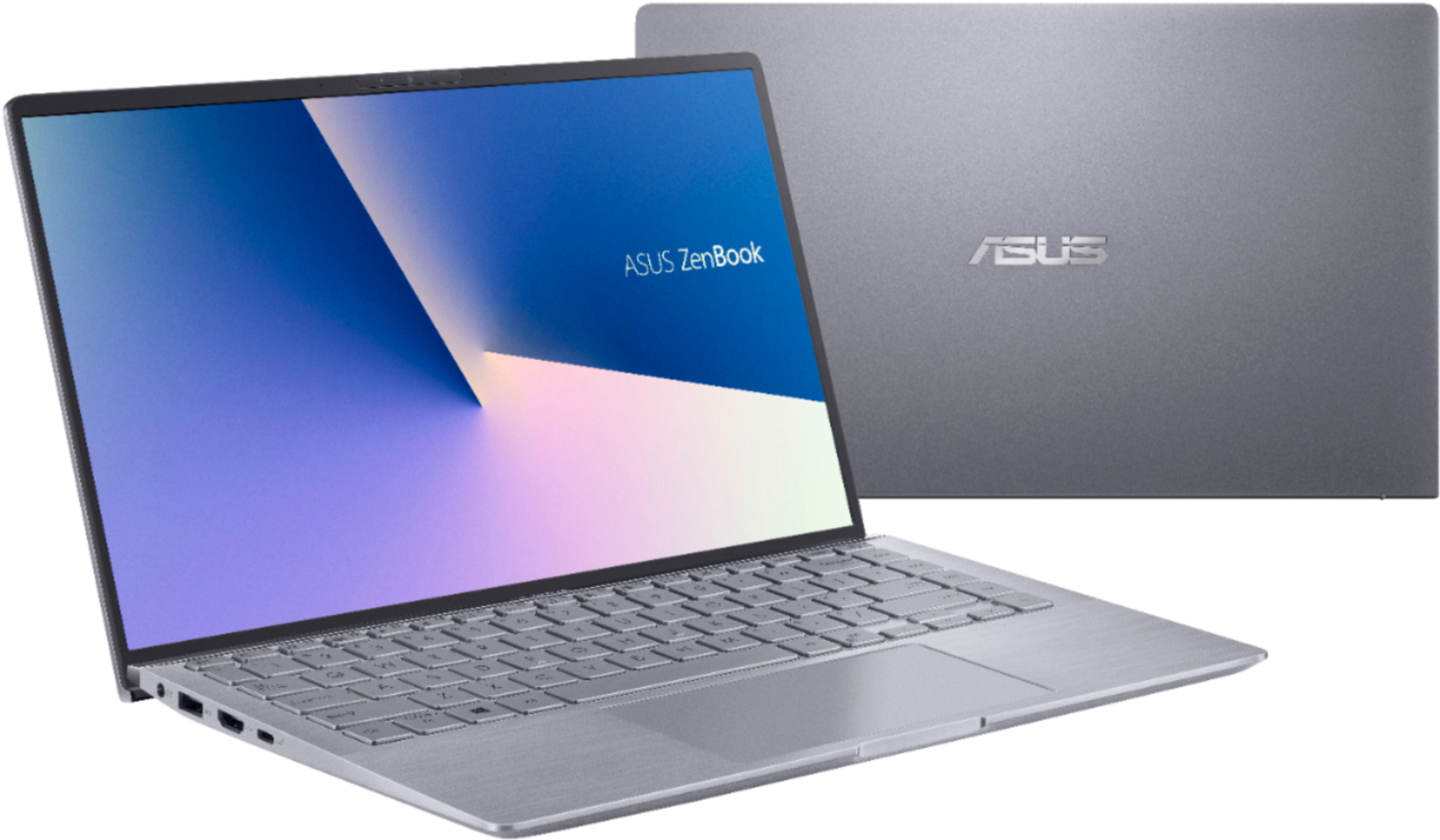
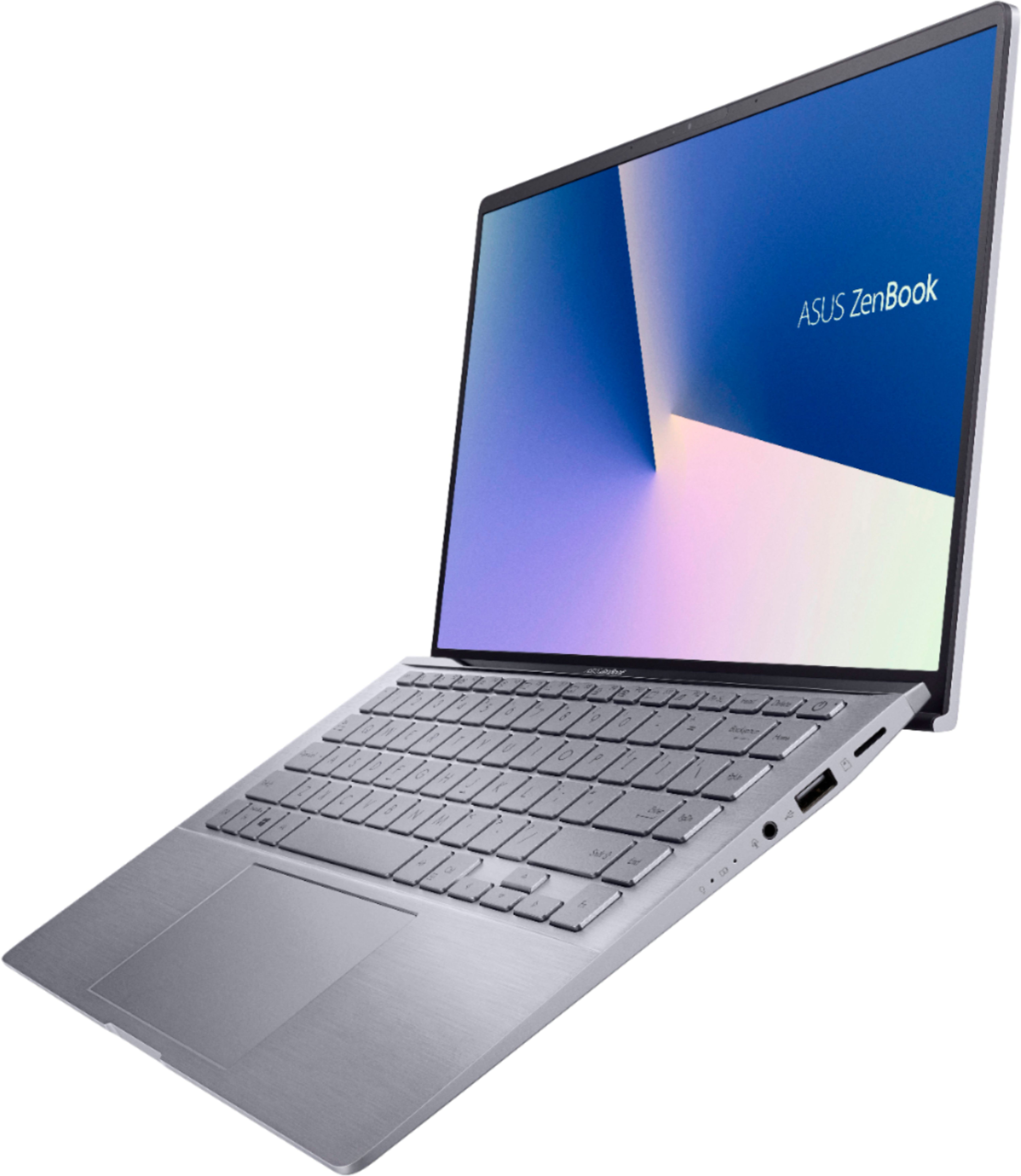
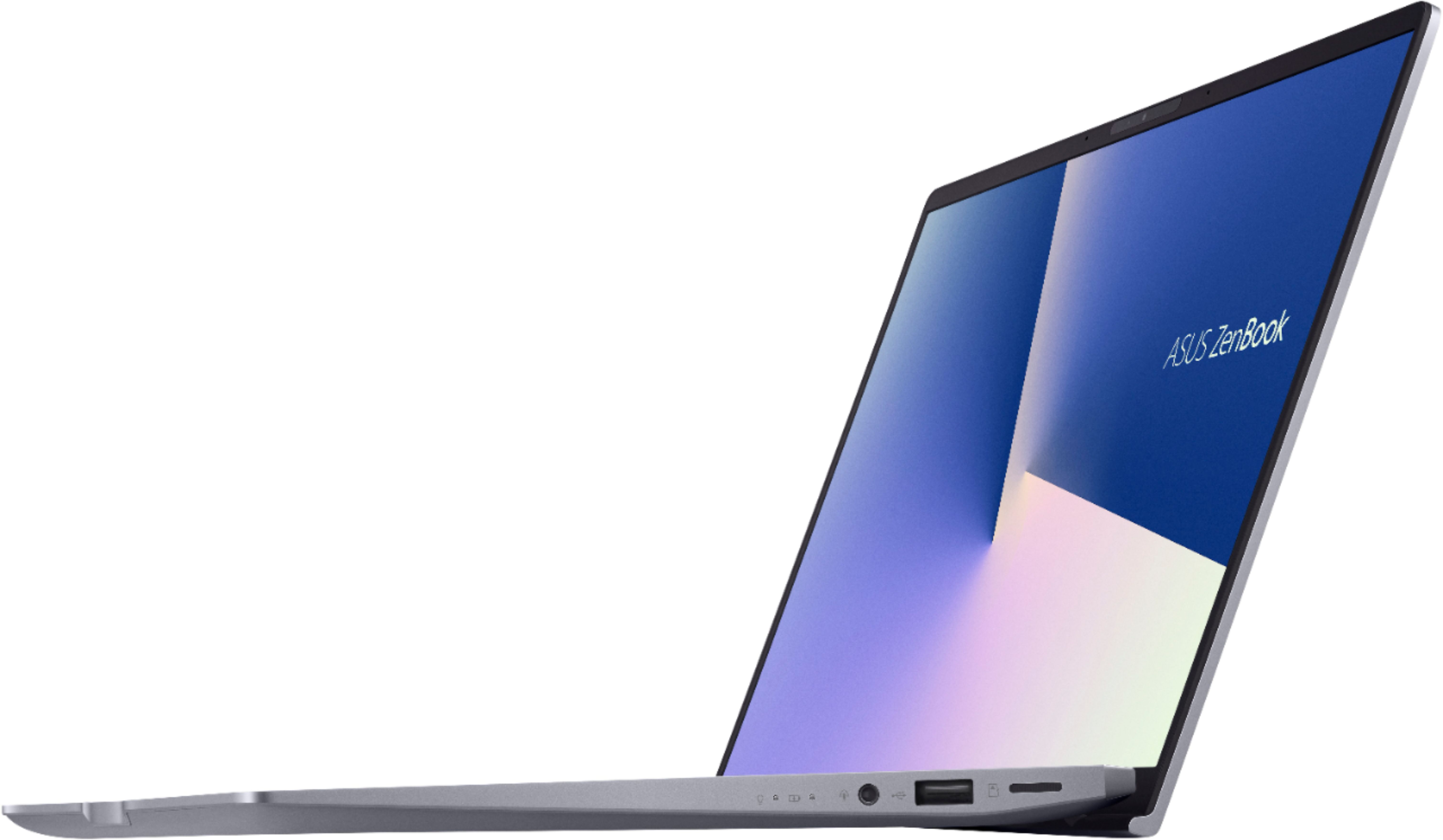





- Model:
- Q407IQ-BR5N4
- SKU:
- 6403819
Rating by feature
- Battery Life
Rating 4.4 out of 5 stars
- Speed
Rating 4.4 out of 5 stars
- Display
Rating 4.4 out of 5 stars
Customers are saying
Customers are positive about the lightweight, price, battery life, and performance of the Zenbook 14" Laptop. They appreciate its portability, affordability, long battery life, and ability to handle daily tasks and simple gaming. However, customers are negative about the keyboard, fan noise, soldered RAM, heating issues, and key visibility. They find the keyboard difficult to use due to poor backlighting and faint print, and express concerns about the laptop's cooling and RAM expandability.
This summary was generated by AI based on customer reviews.
Problem
||Posted . Owned for 3 weeks when reviewed.This reviewer received promo considerations or sweepstakes entry for writing a review.Worked well for almost a month, until it didn’t, the driver for the adapters: intel(r) wifi 6 ax200 160mhz started to state that this device cannot start(code10), the requested operation was unsuccessful, I tried to follow the steps online on my phone like uninstalling and installing again , after many diagnosis’s and restarts it still has the same problem, even reversing/uninstalling an update or a desperate use of safe mode for anything to work failed, later I did a whole system reset and the error is still there and I can’t input anything online either from there as the WiFi section didn’t exist anymore due to the driver. I’m confused, driver is still there, can’t use it, the computer functionality due to that faulty drive is stopped and there is nothing i can do anymore...
No, I would not recommend this to a friendBrand response from ASUS Answers
Posted .Dear Jason,
We are extremely sorry for the issue your experiencing and for the inconvenience, this has caused you. ASUS products undergo intensive quality control testing and final inspections for both hardware and software before we send them out to the stores worldwide. ASUS provides a warranty for the unit in order to fix or repair any isolated factory escape defect. This information will be passed on to our development team. We would be very happy to assist you.
We truly appreciate your feedback. If you wish to discuss this issue further, please don't hesitate to contact us via email: [email protected] and provide this link for reference or contact our general support at https://www.asus.com/us/support. Our customer loyalty department is dedicated to bringing a resolution to all issues related to our products.
Thank you for choosing ASUS!
Best Regards,
Lamoya
ASUS Customer Loyalty US Support
- Pros mentioned:Battery life

A really nice Daily Laptop
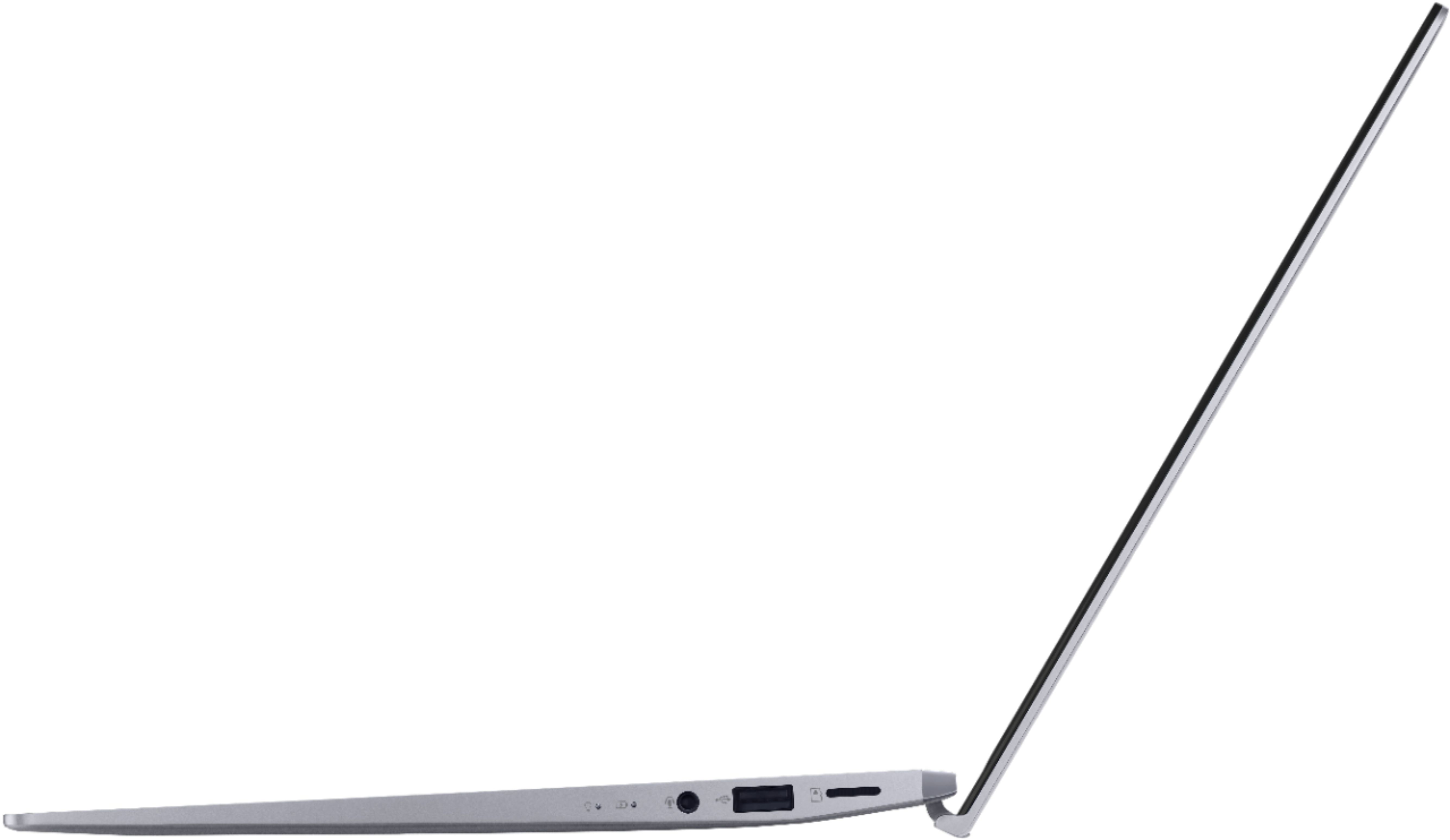
|Posted .This reviewer received promo considerations or sweepstakes entry for writing a review.This is a nice little laptop at a good price point. It is perfect for a home use laptop for browsing internet, watching shows, checking emails, etc. Construction: This is a very solidly build laptop. There is no flexing, bending or creaking with this. The full HD matte finish screen sits inside extremely thin bezels which give it a great look. The backlit keyboard feels very good to type on. It is a very short keystroke, but feels solid when typing. The mouse pad is very responsive and has a nice feel to it. I used this for several hours at a time and it never got too hot to have on my lap. Features: I really like the facial recognition camera on this. Combined with the AMD Ryzen 5 4500 Processor and SSD this thing boots up extremely fast. Wifi connection is solid, but bluetooth gave me some glitches. If you are looking to pair bluetooth headphones to this, you need to make sure that they are running the same version of bluetooth as the Zenbook, or they won't work properly. Graphics are good for media streaming, but this will not pull off any hardcore gaming at all. There is one USB 2.0, one USB 3.0, one HDMI, one USCB C, one micro SD card slot, and one headphone jack. One thing that knocks this down to a 4 star for me is that it utilizes a dedicated charging plug. I would really like to see this utilize USB C charging, but it's not a deal breaker. Since the screen size is not the largest, I can easily connect to a larger monitor with and HDMI. I do also have to say that the battery life on this is great. I can get about 8-9 hours on this before needing to plug it in. Overall Value: I think at the price point of this Zenbook, it is an incredible value that has it's place as an everyday home use laptop.
I would recommend this to a friend very nice!!!
||Posted . Owned for less than 1 week when reviewed.This reviewer received promo considerations or sweepstakes entry for writing a review.for the money, this is a very nice laptop. the screen is nice and bright, and the ryzen cpu is very powerful.
I would recommend this to a friendAverage computer
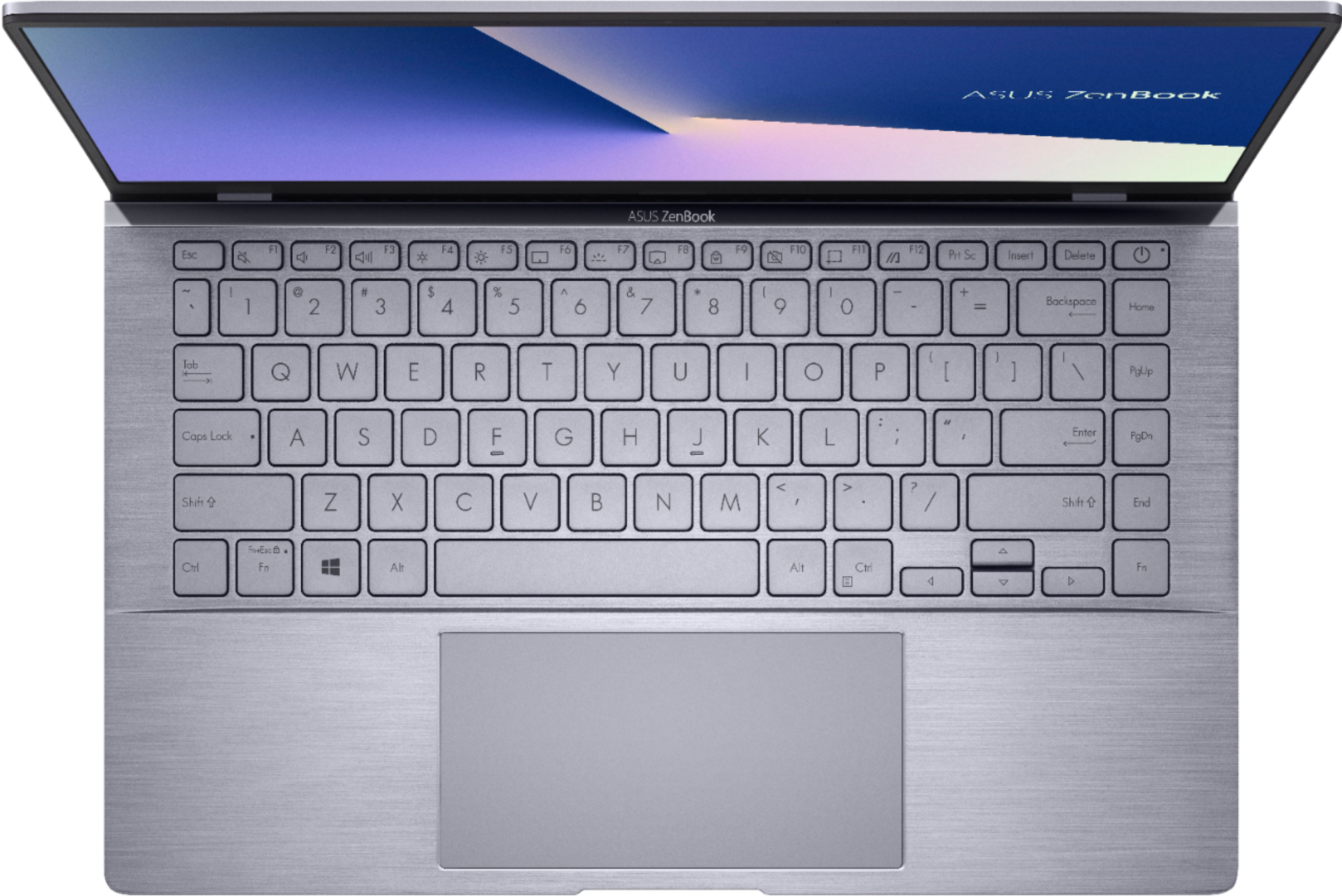
||Posted . Owned for 10 months when reviewed.This reviewer received promo considerations or sweepstakes entry for writing a review.Had some problems after 4 or 5 months of use that I solve after watching some videos on youtube, MyAsus is really annoying with the updates and windows 10 is something else, battery life is average. You would not see the keys if you are in a somewhat bright place.
No, I would not recommend this to a friendBrand response from ASUS Answers
Posted .Dear Valued Customer,
It's unfortunate to hear that the My ASUS app is very annoying, and the battery life is average. Certainly, we always want to keep your system up to date and always patch any vulnerabilities. For the battery life, please refer to the FAQ below. For further troubleshooting, feel free to reach out to me at [email protected] and provide this link for reference. I'll do my best to provide a quick resolution to your case. Your feedback is important as it helps with improvements to ASUS Support channels.
Thank you for choosing ASUS!
Best Regards,
Jamalie,
ASUS Customer Loyalty US Support
Battery life: https://www.asus.com/support/FAQ/1043914/
- Cons mentioned:Keyboard
Horrible
||Posted . Owned for 1 month when reviewed.This reviewer received promo considerations or sweepstakes entry for writing a review.Awful product, can’t see keyboard even with backlighting that doesn’t light up anything. Customer service didn’t care. Quality is garbage, had to turn screen orange to be able to barely see them
No, I would not recommend this to a friendBrand response from ASUS Answers
Posted .Dear Valued Customer,
I'm truly sorry to hear about your issue with the keyboard and our customer service team. Have you performed any recent system updates? Can you please provide me with your serial number at [email protected] and provide this link for reference? I'll do my best to provide a quick resolution to your case. Your feedback is important as it helps with improvements to ASUS Support channels.
Thank you for choosing ASUS!
Best Regards,
Jamalie,
ASUS Customer Loyalty US Support
- Cons mentioned:Keyboard
Very Impressive NoteBook
|Posted .This reviewer received promo considerations or sweepstakes entry for writing a review.ASUS ZenBook 14 came packaged in a custom-made computer box well designed to fit the ZenBook and power cord. The ASUS ZenBook is very sleek, nice looking and feather light weight. Per the instruction, “Charge your Notebook PC” (for 3 hours when using it for the first time), “Lift to open the display panel”, and “Press the power button”, those are the accompanying instructions. There is a picture/diagram with each one of these instructions. Upon start-up a voice came on with a welcome and the computer voice will walk you through the entire set-up. Quite simple and easy process and will talk you through connecting to everything you need. I found the keyboard key labels hard to see at times. Not sure if this is due to the angle of the keyboard to my view or the lighting around me that causes this. The keyboard is loaded with everything you need to complete all your tasks which makes this much better than many laptops that I am using at this time and ones I have used in the past. The screen resolution is great, this is a wide screen. Once set to “fit” or “full” my background picture was impressive. Exceptionally fast and responsive. 42 updates in approximately 2 minutes or less. The speed makes video(s) flawless. Setting up the face recognition to log-in is nothing less than incredible. It took seconds, with the 3D IR camera, to scan by face and I was ready to go. Even when sitting on an angle the face recognition can scan you quickly and you are logged in. Very impressive. If you are allowing someone else to use your ZenBook you can give them your pin code to log in. Attempting to register the ZenBook on the ASUS site was/is a problem. Would not accept the registration, stating either the email was incorrect, or the s/n was incorrect. I am sure a phone call will take care of this. After trying multiple times, I once again got on the ASUS site and attempted to register the ZenBook and I was successful. I was not overly impressed with the sound at first however with some adjusting I have become extremely impressed. Lots of control/settings to set the sound to your preference. Bluetooth connecting to any Bluetooth speakers or headphones etc. is fast and simple. When connecting the ZenBook to a Marshall II speaker the ZenBook displayed the Marshall II battery had no battery power or needed charging. The Marshall II is a hard wired 110v plug in speaker, not sure why this is happening but I will continue to work on this issue. For some reason, the ZenBook is occasionally losing internet connection. We are not having this issue with any of our tablets, laptop, or Chromebook, so I believe this is happening due to something in the ZenBook. Not a major concern, you can use the windows 10, which will pop up, and you will be up and running quickly. This ZenBook is extremely powerful. Incredible speed, I’ve load the ZenBook up, ran numerous large programs, consecutively, and nothing appears to slow it down, very impressive. This ZenBook will take over from our laptop, tablets, and Chromebook.
I would recommend this to a friend - Pros mentioned:Weight
A Good Small Lightweight 14" Laptop
|Posted .This reviewer received promo considerations or sweepstakes entry for writing a review.The ASUS Zenbook is small and surprisingly light weight. The display is 14" yet is still bright and sharp. The keyboard is back lit, but you can set two levels of brightness or turn that off. The track pad is large, but I find that my right palm keeps touching it while typing. The battery lasts a long time if you are just browsing, checking e-mail, or something that isn't too power hungry. The power adapter is small, but I do wish the end that plugs into the laptop had a smaller profile. I'm glad to see that ASUS went with an NVidia GPU as the performance GPU. The AMD GPU that is in it handles the laptop display just fine, but would likely be mediocre for anything that would normally tax a GPU, so it's good that the M350 is available when you need the extra GPU power. I tested rendering a 17 min. video. I used 3 different files of the same length. BRAW, ProRes RAW, and MP4. The source files were 4K 60p and were each rendered into a 1080 60p file. It took 1hr 15min for the BRAW source file to be rendered, 1hr 30min for the ProRes RAW file, and 1hr 35min for the mp4 file. During the rendering of each, the AMD CPU, AMD GPU, and the NVidia M350 were all being utilized by the NLE. As far as ports go, you have one USB A 3.2, one USB C 3.2, one USB A 2.0, one HDMI port, one 3.5mm headphone port, and one micro SD card slot. It would have been good for ASUS to have had an SD card slot instead of the micro SD. You can get adapters for SD card slots to use mircro SD cards, but not the other way around. The air flow vent is underneath the laptop towards the back. There are four small rubber pads on each corner underneath, so it raises the laptop when sitting on a flat surface. If you also have the screen up, it will raise the rear of the laptop a little more than the two rear rubber feet which allows for a little better airflow. If you are taxing the GPUs or the CPU, you will hear the fan, but this is the case with most laptops. The AMD Ryzen 5 CPU seems good for a small laptop like this. Standard applications were snappy when opening and while in use. I experienced no lag in any of the programs I've used so far including a graphics program and a NLE. The SSD is only 256GB on the model that I have which is a bit small. It would be good if ASUS would have a minimum of a 512GB with an option to go to 1TB, but I understand that this keeps the cost down. The amount of RAM in the one I have is 8GB. This is enough to run many programs, but if you are intending to use it for anything more that browsing the web/checking e-mail, I would recommend checking into getting a version that has 16GB of RAM if it is available. The built in camera, in my opinion, is good quality for a webcam. Audio is good for a laptop of this form factor. Overall, I'm pleased with what ASUS has in the 14" Zenbook. I would recommend the Zenbook if you are looking for something small and light weight that you intend to use for browsing, checking e-mail, word processing, etc.
I would recommend this to a friend - Cons mentioned:Keyboard
Very snappy portable laptop
|Posted .This reviewer received promo considerations or sweepstakes entry for writing a review.The Asus Zenbook 14 is a snappy laptop that works amazingly well. Asus made a winning choice going with the AMD Ryzen 4000 Series 5 processor to save cost but not performance. Surprisingly this AMD laptop comes with a NVIDIA graphics card that is also impressive for a laptop. Is this a gaming laptop? Not really but a dabble of Steam games or Epic Games should not have too much of an issue. Using the laptop to perform work on things such as AutoCAD or any other 3D modeling program will be a breeze. The screen is really nice and clear and the close to bezel-less screen makes a 14 inch screen not much bigger than a tablet. The touch and feel of this laptop is of top notch quality and inspires confidence that this laptop will last a long time. I do wish that the keyboard keys would of been black instead of silver because in a bright room, the illuminated keys are really hard to see. Turning off back light of the keys make it easier to see, but still is difficult at times. However, in dark environments with the back light on, it is very easy to type. The laptop comes with a microSD reader which at times I wish was a full sized SD reader since most digital cameras are still using full size SD cards. HDMI output is a breeze and simple. I would be curious to see if any benefits can be gained using the on-chip Radeon graphics paired with the NVIDIA graphics can boost performance or not. The laptop also comes with an IR camera that automatically unlocks the computer by looking for your facial features, which is really nice. Overall, the only minor complaint I have with the laptop is the keyboard visibility in bright environments. Also ASUS is very responsive to any problems you might have with their products. I highly recommend this laptop.
I would recommend this to a friend Light, portable, & solid: Media Lovers Take Note!
|Posted .This reviewer received promo considerations or sweepstakes entry for writing a review.Shopping for a PC is right up there with buying a car when it comes to shopping experiences that I loathe. When shopping for a Windows PC there are dozens of manufacturers, form factors, materials, designs...It's unreal. If you have some very specific computing needs this laptop may not be for you, but If you're looking for a sharp laptop with enough power to meet your general computing needs without breaking the bank then look no further. Appearance: The ZenBook 14 shape is definitely unique. The display is a true 16 x 9 wide screen display with essentially no bottom bezel so the screen starts right at the top of the keyboard. It's definitely a compact design that is almost a little disorienting at first when you start to use it. Once you eyes adjust to the unique location you start to appreciate the quality of the screen with a matte finish that is easy on the eyes even in sunlight. The material is plastic, but it's solid. No major creaks as you squeeze or press the material. It gives the appearance of brushed aluminum so it looks nice, but it's plastic nonetheless. Watching 16x9 content on this laptop was a pleasure! The video fills the entire screen in the intended aspect ratio and the sound was surprisingly strong for a mid-range laptop. Value: This is where it gets interesting. I can't say that I know who exactly this laptop is for aside to say that it's got good specs, ports, and form factor for a decent price. As an on-the-go laptop it's portable in the fact that it's light and compact, but it's still a laptop and doesn't have the same portability as say a 2-in-1 form factor. Charging was also a disappointment. While the charging brick was smaller and lighter than the obnoxious laptop cords of yesteryear it's still a dedicated pin style charger that offers no versatility with other devices and the prongs are fixed. I would have loved to see this charge with USB-C with a charger plug that's foldable. So assuming it's not the most portable, let's consider it from the stay-at-home worker. Here I can see this as an attractive choice for someone in an apartment or someplace without a dedicated workspace. It's attractive, compact, and has the ports built in to connect an external monitor for maximum productivity. The screen size is definitely on the smaller size for a 1080p resolution so an external monitor would be welcomed. In summary, if you're looking for a laptop that's portable enough to take around your house or down the block to the coffee shop and want something that has enough power to keep up with your basic needs then I'd strongly consider the ASUS ZenBook 14. It's a good combination of attractive looks, specs, and features without breaking the bank.
I would recommend this to a friend- Pros mentioned:Battery life
All Other Laptops do not even compare. Must have!!
||Posted . Owned for more than 2 years when reviewed.This reviewer received promo considerations or sweepstakes entry for writing a review.I purchased the ASUS ZenBook 14" laptop, and I must say, it has exceeded my expectations on every level. This sleek and powerful machine offers a remarkable combination of performance, portability, and stunning visuals, making it an ideal choice for both work and entertainment. First and foremost, the design of the ASUS ZenBook 14" is simply breathtaking. The ultra-slim profile and the near-borderless display create an immersive viewing experience that truly stands out. The compact and lightweight design make it easy to carry around, whether I'm heading to the office or working remotely from a coffee shop. Speaking of the display, the 14" Full HD screen with its vibrant colors and sharp details delivers an outstanding visual experience. Whether I'm watching movies, editing photos, or working on documents, the display never fails to impress. The narrow bezels contribute to a more expansive viewing area, allowing me to make the most out of the screen real estate. Under the hood, the performance of the ASUS ZenBook 14" is exceptional. The combination of a powerful processor, ample RAM, and fast storage ensures smooth multitasking and responsiveness. I can effortlessly run demanding applications, edit videos, or handle complex tasks without experiencing any slowdowns. The laptop's performance has truly surpassed my expectations, allowing me to be productive and efficient throughout the day. The keyboard on the ASUS ZenBook 14" offers a comfortable typing experience with its well-spaced keys and responsive feedback. The inclusion of an ergonomic backlit keyboard adds to its usability, especially in low-light environments. The touchpad is accurate and supports multi-touch gestures, further enhancing the overall user experience. Battery life is another area where the ASUS ZenBook 14" excels. I can confidently use the laptop for an extended period without needing to worry about finding a power outlet. This feature is particularly valuable when I'm traveling or working remotely for extended periods, as it allows me to stay productive without the constant need for recharging. In terms of connectivity, the ASUS ZenBook 14" offers a range of ports, including USB-C, USB-A, and HDMI, providing flexibility and convenience for connecting various devices and peripherals. The inclusion of Wi-Fi 6 ensures fast and reliable wireless connectivity, while the integrated webcam and microphone deliver clear video calls and online meetings. Finally, the build quality and attention to detail in the ASUS ZenBook 14" are impressive. The durable construction instills confidence in its longevity, and the precision craftsmanship gives it a premium look and feel. Additionally, ASUS's reputation for reliable customer support further adds to the overall value of this laptop. In conclusion, the ASUS ZenBook 14" is a standout laptop that combines performance, portability, and stunning visuals in a beautifully designed package. Whether you're a professional on the go or a content creator seeking a versatile and capable machine, the ASUS ZenBook 14" is a top choice. It delivers on all fronts and has quickly become an indispensable tool in my daily workflow. HIGHLY RECOMMENDED!!!!!!
I would recommend this to a friend - Pros mentioned:Battery life, PriceCons mentioned:Keyboard
Awesome laptop
||Posted . Owned for less than 1 week when reviewed.This reviewer received promo considerations or sweepstakes entry for writing a review.This Zenbook is great. The Ryzen 5 4500u runs equal to or better than Intel's i7 10th gen U series cpus, which includes the 1065g7, in almost every test. The MX350 is powerful enough to play lights games pretty well. I've tested Overwatch and Valorant at 1080p at around medium settings and it gets well above 60 fps. CPU and GPU temps stay around 71 to 75c, which surprises me for a laptop this thin. The screen is also pretty good but not the best. Its around 80% sRGB matte IPS and about 300 nits at full brightness. Battery is greaet. I can get 7 to 9 hours on most days at 50 to 60% brightness. I'm pretty sure it can last longer if I drop the brightness more. The speakers are good enough. They get louder than some other laptops in this price range and the sound quality is decent. The IR camera for Windows hello is a awesome feature to have as well. Most laptops still don't have this feature Now that was all the good things about this laptop. Here are the problems that I have with it. The keyboard is very hard to see. Asus decided to use a silver and grey layout for the keys. That makes every key pretty much impossible to see at any angle with and without the back light on. I had to return the first one I bought due to crashes and keyboard not working after waking from sleep but the second one i got has been perfect. With that said, I would recommend this laptop. The performance is excellent. The price is amazing. You would have to spend over $1000 to get something comparable to this with Intel and it would still lose to this laptop at almost every scenario. Don't waste money buying anything from Intel right now while this Zenbook is around.
I would recommend this to a friend - Cons mentioned:Keyboard, Ram
Lightweight Power House / Fan issue solution
Posted .This reviewer received promo considerations or sweepstakes entry for writing a review.I purchased this laptop in early December 2020 for online learning. The computer provided to me couldn't handle zoom and chrome running at the same time. I was looking for an affordable machine that could handle school with ease and could do some light gaming. This laptop is just that, even though it has some issues. Pros: It has the best CPU and GPU combination below $1000. The AMD Ryzen 4500U delivers exceptional performance. It never stutters even when I have multiple apps open. The MX350 offers an entry level gaming experience. It's stronger than the integrated gpu and handles light games flawlessly. Fortnite easily runs at a stable 60 fps and if you leave it on unlimited fps it fluctuates between 90 and 55 FPS. Minecraft runs smoothly at 60 fps when the render distance is set to 20. The school experience is good as well. The mic quality is clear but a little bit on the quieter side. The camera is definitely not winning any awards but it's usable. Zoom runs smoothly thanks to the CPU. Speakers are loud but tend to get a little tinny at max volume. The touchpad is buttery smooth. The 14” 1080p screen is matte so you won't have to worry about reflections, offers 104% srgb rating, and gets decently bright. The fan is quiet and only turns on when i'm pushing the cpu (such as zoom with 8+ chrome tabs open). The only time it gets to full blast is during gaming. The laptop does get toasty during gaming so I don't recommend gaming on your lap. Battery life has been good. I usually finish 5 hours of school with 20-30% of battery left. The laptop is light and feels solidly constructed. I haven't had any wifi or bluetooth issues so it seems good in that department as well. This laptop also has a great port selection. Cons: 2 things I wished that were different were the ram and ssd. The ssd can be upgraded so that's not really an issue more like a hassle. The ram on the other hand is soldered onto the motherboard so it cannot be upgraded or replaced. The first major issue is the keyboard. The keyboard itself is satisfying to type on and has backlighting. The issue is that the keyboard's color combo is grey on white when the backlighting is on and grey on clear when it's off. This combo makes it impossible to see during certain lighting conditions. The backlight is also very weak. The highest level for this backlight is the weakest on almost every laptop on the market. The next issues are ones that I think shouldn't be overlooked and that is the auto sleep/wake function and the max fan issue. When i first got this laptop it would randomly not go to sleep when I closed the lid and would also turn on even when the lid was closed. Sometimes when i would open the laptop the fan would go to max speed and wouldn't stop until i powered off the laptop completely. I don't know why it does this but I found a fix only to the fan issue. Solutions: For the fan issue you have to change what the power button does. To change what the power button does go to settings, click on system, click on power & sleep, to the right or the bottom it will say additional power settings click on that - on the top left it will say change what the power buttons do- then change sleep to hibernate on both the battery and plugged in columns, try it out, then change it back to sleep and it should fix the issue. The sleep/hibernate issue went away by itself but if i find anything i'll post it here. Conclusion: This laptop is a really good buy if you can get past the issues. Although having the MX350 card is nice, people who won't be gaming or video editing won't take full advantage of it. For those people I recommended the Lenovo Yoga 6 2 in 1. Although it does have a smaller screen and a bad touchpad, it's better in almost every other department. It has no real issues, has a stronger cpu, better speakers, its a 2 in 1, and gets exceptional battery life. Due to how odd the issues are I can't recommended this laptop to people who are not that familiar with computers. But for those of y'all that like to have some extra power in a light thin body, this laptop is for you.
No, I would not recommend this to a friend - Cons mentioned:Keyboard, Ram
AMD is on a roll
Posted .This reviewer received promo considerations or sweepstakes entry for writing a review.I was long overdue on a laptop upgrade, previously had a 4th gen intel i5 laptop that was bulky, heavy and slowing down (tried to mitigate this by upgrading to a SSD and adding another stick of ram, which helped for a while). When AMD showcased their nextgen Zen 2 Ryzen 4000 series mobile CPUs and benchmarks began to surface, I was very excited to get my hands on one. Initially other manufacturers released lack luster models with poor quality IPS and TN in this price range, I knew I had to wait for something better and I’m glad I did! This ASUS Zenbook is everything I was looking for; — Pros — - AMD Ryzen 4500U; AMD did an excellent job with their new Ryzen 4000 series mobile CPUs, faster and more efficient than Intel. - High speed dual channel DDR4LPx 4266mhz ram - 100% sRGB IPS FHD matte panel (note: reviewers have tested that the panel is 80% sRGB, still better than the competition at the price range), the panel produces sharp images, good color calibration and no color banding, and has a very slim bezel. - All metal body, sturdy build, lightweight and compact - Full size keyboard caps - Large glass-covered trackpad (no idea how to tell the material but glides very well, will have to take their word on that) - IR 3D camera with Windows Hello support — Cons — - Silver keyboard with white letters and white backlit keys makes it difficult to read, backlit could also be brighter - USB C connection does not support video or charging - Ram is soldered/ not upgradable — Neutral — - Eventhough the Nvidia MX350 is more powerful than the integrated Radeon Vega 6 graphics, I would have preferred 16GB of ram instead since it’s soldered/ not upgradable
I would recommend this to a friend - Cons mentioned:Keyboard
Great performance/display, best pick on sale.
||Posted . Owned for less than 1 week when reviewed.This reviewer received promo considerations or sweepstakes entry for writing a review.Coming up on a week with this laptop, and I really am loving it after I tweaked some original cons I'll mention below. Pros: - Display. 92% screen to body ratio puts a 14" panel in the body of a 13" laptop. VERY modern looking and sleek! The screen gets bright, where online reviews and YouTubers measured it got 300 nits of brightness, and covered well over 90% of the sRGB, and close to 85% of AdobeRGB. I only care to watch movies on this device and basic use, but one thing I never want to compromise on ANY device is the screen, and this is an exceptional display especially at the price point I got it for ($549, although it did hit an all-time low during Cyber Monday at $499... too bad I wasn't in market then for a Windows laptop) - Performance: AMD's Ryzen 5 4500U alongside the 8GB RAM and a very snappy NVMe SSD makes this thing fly for every day use. I press the power button, and within 5 seconds it asks for my login pin (I never setup WIndows Hello which this does have), and in total less than 10 seconds I'm on desktop ready to go. Adding the NVIDIA MX350 is a GREAT addition for someone like me who knows what I wanted out of a Windows laptop was one thing, but because it can do light gaming, it's nice to have that option. - Ports: As devices get thinner and lighter, they skimp on ports while adding significantly to the cost. This device has two USB-A ports which allowed me to plug in a wireless receiver for my mouse and for my gaming headset, Logitech G933. It also has a USB-C, but it definitely does NOT do power delivery, so no luck charging over that. HDMI and microSD is great too. For upgrades, the only thing you can upgrade is the SSD which is NVMe. The RAM is soldered on, but it at least is a VERY fast 4266MHz DDR4, so just know as far as capacity, this is it. - Gaming: I have no doubt it can run Roblox and Minecraft maxed out no issues, despite me not running those myself. For something a bit more demanding even if a bit old by now, I did however run Dead by Daylight on this laptop. I had to set it to Low and 65% resolution, so while not as sharp as higher presets, the performance capped out at 60FPS doing generators, and when running around the map would hover 45-52, with occasional dips to 30 FPS. Noticeable, sure, but never once did I feel like it was unplayable or altered my ability to hide or run from the killer. The only gripe was an oversight I had-- You MUST go to Nvidia Control Panel under 3D settings and choose the app and force enable it to use the Nvidia MX350. By default it is set to automatic, and even plugged in at same settings it never went above 33 FPS, so it was choosing the Vega integrated chip. Do that in ANY game you install and you WILL get best performance! - Fan: Surprisingly, even after an hour of gaming Dead By Daylight plugged in and set to Best Performance mode, the fan was not loud without headphones on. The keyboard deck was not uncomfortable and barely warm at all. The bottom vents were a little warm, but I use this on a desk surface so can't speak for on the lap. Cons: - Keyboard lighting. Backlit, sure, but there is no contrast between the light coming through and the keycaps that even as I type this right now looking down naturally, the entire middle of the keyboard is practically unable to distinguish the letters by just looking at them. It is comfortable to type on, so once you get used to it, it's not a deal breaker to me, but probably best to see it in person for yourself and see. - Aggressive battery limits. Best way to describe this is like this: Looking at a high resolution wallpaper on my desktop with brightness at maximum on battery and plugged in, there is a VERY NOTICEABLE difference in sharpness and brightness, and even colors. Plug it in? Display is beautiful! On battery unplugged? It's just okay and has a soft image. I called Asus support asking why it does this even after messing with every available battery and power saving option, and all they told me was how great their MyAsus app is at prolonging the life of the battery with aggressive profiles that limit the maximum held charge. That's cool and all... but I want the screen to look as great on battery as it does unplugged if I want it to. While they were no help on that, luckily Reddit came to the rescue with an odd fix-- Disable the battery. No, really. Open Device Manager and under "Batteries" disable the second option called "Microsoft ACPI-Compliant Control Method Battery". When you do this, the battery icon in the system tray will disappear, but if you stare at anything, the screen within 4 seconds gets noticeably brighter, colors a bit more rich and details much sharper. Seriously, a very annoying limit, but hope this helps someone else. Jury is out on battery. Had this for about 6 days and mostly plugged in because I would see it's endurance in gaming. From today I disabled the battery and ran it on battery watching two episodes of "Sweet Home" on Netflix (50 minutes each roughly), one episode of One Piece (17 minutes after skipping intros) and about 75 minutes web browsing, all at maximum brightness and backlight on. Sitting at 52% battery, so I would guess at this use it would be about a 6 hour battery life with browsing and streaming use. Overall, if this laptop goes on sale for $549.99 or less and you want a great laptop that at that is better than it's competitors, I can't think of anything that beats it in terms of value/performance. Please note that this does NOT have a touch screen and is NOT a convertible 2-in-1, but I have a high end Chromebook for that which I probably flip into a tablet or display mode maybe... 20% of the time? Nice to have, but I would much rather have this level of performance and great screen than a 2-in-1 for my use. Worth it!
I would recommend this to a friend - Pros mentioned:PriceCons mentioned:Keyboard
beware: returned twice,
||Posted . Owned for less than 1 week when reviewed.This reviewer received promo considerations or sweepstakes entry for writing a review.this is a good laptop, when I got one that finally worked. Had to return 2 in a row. Fan went splat on one and the battery wouldn't charge on the next one. the screen is nice, the design feels solid, capable of light gaming. The nvidia MX350 can pull off some newer games at playable framerates. Don't try to run your ultra modded skyrim on it though. I do hit the trackpad with my right palm easily when typing, easy to shut off trackpad with a button though. Not a lot of bloatware. Asus includes MYasus app which allows some hardware switching, it's not all that intrusive. The worst thing about this laptop, as others have said, is the keyboard lighting. The color selection combined with the key colors is unbearable at times. If you can type well you can make it through, but this is a pretty bad design choice. If you have a white-ish webpage up and the keylights on, you can't read the keys. Still recommended at the price point, but keyboard light is irritating.
I would recommend this to a friend - Pros mentioned:Price, SpeedCons mentioned:Keyboard
Good for the price
||Posted . Owned for 1 year when reviewed.This reviewer received promo considerations or sweepstakes entry for writing a review.I have been using this laptop for more than a year now, and I have to say that I was really impressed at the beginning when I got it. It has a nice design, size, it is lightweight, which is very useful for me to carry around. I want to add all good points first because I'm still using it and it's in the same working conditions as the first day of use. This laptop have a very good speed, I meant , for the price is really good, fast processor, in other words. In addition, sad that you can not add more ram but that is enough for me and for the use. I use this laptop for work , the web and some games, well I use it to play Fornite too. Now goes the bad part, and this is the same as others have stated here, this laptop have some issues with the fan, now that I have been using mine for a year and half, I'm telling you that every 3 times I use it one the fan is running with that crazy noise. Most of the time is when I had the laptop connected to the power getting charged. It has happened so many times that I got used too, but this never affected the laptop functionality. The second issue is the keyboard, light blue and grey is a bad color combination if you are constantly typing, This is something that ASUS needs to improve for next designs. Again, this laptop catches my eyes at the beginning and for the price and the budget that we might have at specific times this is a good laptop for the price. Other than these two problems, that mostly all other user have had, I have had no others issues with the laptop and it has worked very well for me.
I would recommend this to a friend - Pros mentioned:Battery lifeCons mentioned:Keyboard
WOW - Great Laptop!!
||Posted . Owned for less than 1 week when reviewed.This reviewer received promo considerations or sweepstakes entry for writing a review.This laptop is simply fantastic. Had it about a week now and here's my thoughts. Pros: Performance is great, it's fast and does what I need it to quickly with no lag or hiccups Quiet, fans never come on (I don't game) but I work all day and seriously multi-task for the majority of my time on it. Great build quality, made of aluminum, and is super lightweight. Keyboard travel is excellent, firm and not nearly as clicky-sounding as my wife's new super expensive overpriced loud Macbook Air. Glass trackpad is a nice touch at this price and it works flawlessly; It's large enough, without being too large, and it's one of the best I've used on a Windows PC. Battery life is excellent; It gets me though an 8-hour work day and that's what I need. I usually have 15-25% battery left when I shut down. Anti-glare display is also nice, I never have to worry about seeing everything in my office coming from my screen. Cons: Just one for me - Backlit keyboard - Asus got this one way wrong! Gray keyboard with black lettering and blue-ish lighting means that during the day if you have the backlit function on, it simply makes the letters impossible to see. I leave it off during the day and it's fine, I promise. At night, or in dimly lit rooms this is not an issue and functions as it should. But daytime, eeesh! Sound is meh, doesn't do anything for me but don't need it for this personally. Neither a pro or a con - it exists and is good enough. The bottom line here is that for the price of $699, I got it on sale for $550, it destroys most of the competition including the new Macbook Air in a number of ways...I think you'll be very happy with this little gem of a laptop, if you're considering it!
I would recommend this to a friend - Pros mentioned:Weight
GREAT little laptop, with a BIG screen and game!
||Posted . Owned for 1 month when reviewed.This reviewer received promo considerations or sweepstakes entry for writing a review.Great little laptop, and even though it seems small, it really isn't! It's like a 13" laptop with a 14" screen, very thin bezel, and very light too, 2lbs 10oz. according to my digital scale. Nice solid feel, keyboard doesn't have flex when you type as some cheaper laptops do. Also, has a 3D camera which you can use to log in to Windows with just your face, and it works really well. We tried to trick it with other people (my kids mainly), but it wouldn't open Windows 10 until I put my mug in front of the camera. :) Very fast with the Ryzen 5 CPU, and 8GB of ram, although I would have like 16GB (or at least an empty slot to add another 8GB), and the Nvidia GeForce MX350, you can actually do some decent gaming! I've played Fortnite on it at medium settings and was able to crank out 70-80 frames per second (better than the Xbox One S 60 fps). The hard drive is 250GB, which sounds small these days, but I have Microsoft Office 2019 loaded with Outlook, and Photoshop Elements 2019, and a few games and still have plenty of space. There is a micro SD card slot which I have a 32GB card in to store documents and photos on, and I could upgrade that to a 64GB or 128GB card in the future. So there is some room for expandability. Backlit keyboard is good if you're in a totally dark room, but with even a little light in the room it's hard to see the keys. As others have stated, white letters on silver keys was a bad call, but it's not too bad, and def. not a deal breaker. Battery life is pretty good, about 3-4 hours with the screen up pretty high, probably 5-6 hours with the screen brightness down. Sound is okay, not the loudest, but headphones fixes that if you really need to crank out the sound. Okay, that's my take, I def. recommend it, especially if you can get it on sale for around $600 or so. I would say the AMD chip is as good or better than the Intel CPU version, especially if you're doing a little gaming or video editing. Enjoy! - Steve
I would recommend this to a friend - Pros mentioned:Speed, WeightCons mentioned:Keyboard
Feels so good to upgrade
||Posted . Owned for 2 weeks when reviewed.This reviewer received promo considerations or sweepstakes entry for writing a review.I finally bought a new laptop after five or six years because my old laptop died on me. My old laptop was so sluggish, so it is constantly blowing my mind how smooth and fast this Asus operates. I remember thinking something along the lines of "omg it's like liquid lightning skating across diamonds." It might just be the baseline these days, but this laptop is incredibly responsive. I frequently have a Twitch streamer in the background, maybe music or a movie on another screen, antivirus software doing scans, programming homework in the command line, etc. This laptop has not slowed down once. It's also much lighter compared to my old one, but the screen is just about the same size. For $699 (price I paid in March 2021), it's money well spent. I will complain a bit that the keyboard doesn't have a backlight and there are only two USB ports (my old laptop had a backlight and three USB ports), but it's not a big deal to me. I can type with my eyes closed if I wanted and I can always buy a USB adapter.
I would recommend this to a friend - Pros mentioned:WeightCons mentioned:Keyboard, Ram
A little flawed powerhouse
||Posted . Owned for 8 months when reviewed.This reviewer received promo considerations or sweepstakes entry for writing a review.Excellent screen, incredibly lightweight, way more power than you expect, and can handle some gaming and photo/video editing... So what's the catch? I used this for several months before selling and getting a more true gaming laptop. This laptop only has two flaws but they're significant. First, the RAM is not upgradeable: you're stuck with single channel 8gb forever. That's a major limiting factor. Second, the keyboard backlighting is horrific against the silver keys. Without the light, the keyboard is decent but it's hard to make out the keys. With the light on, it's going to make the keys just about impossible to read unless you're in a dark room. It's a fantastic machine in most ways, and I kind of regret not keeping it, but those two flaws are permanent and cannot really be overcome.
I would recommend this to a friend