Customer Ratings & Reviews
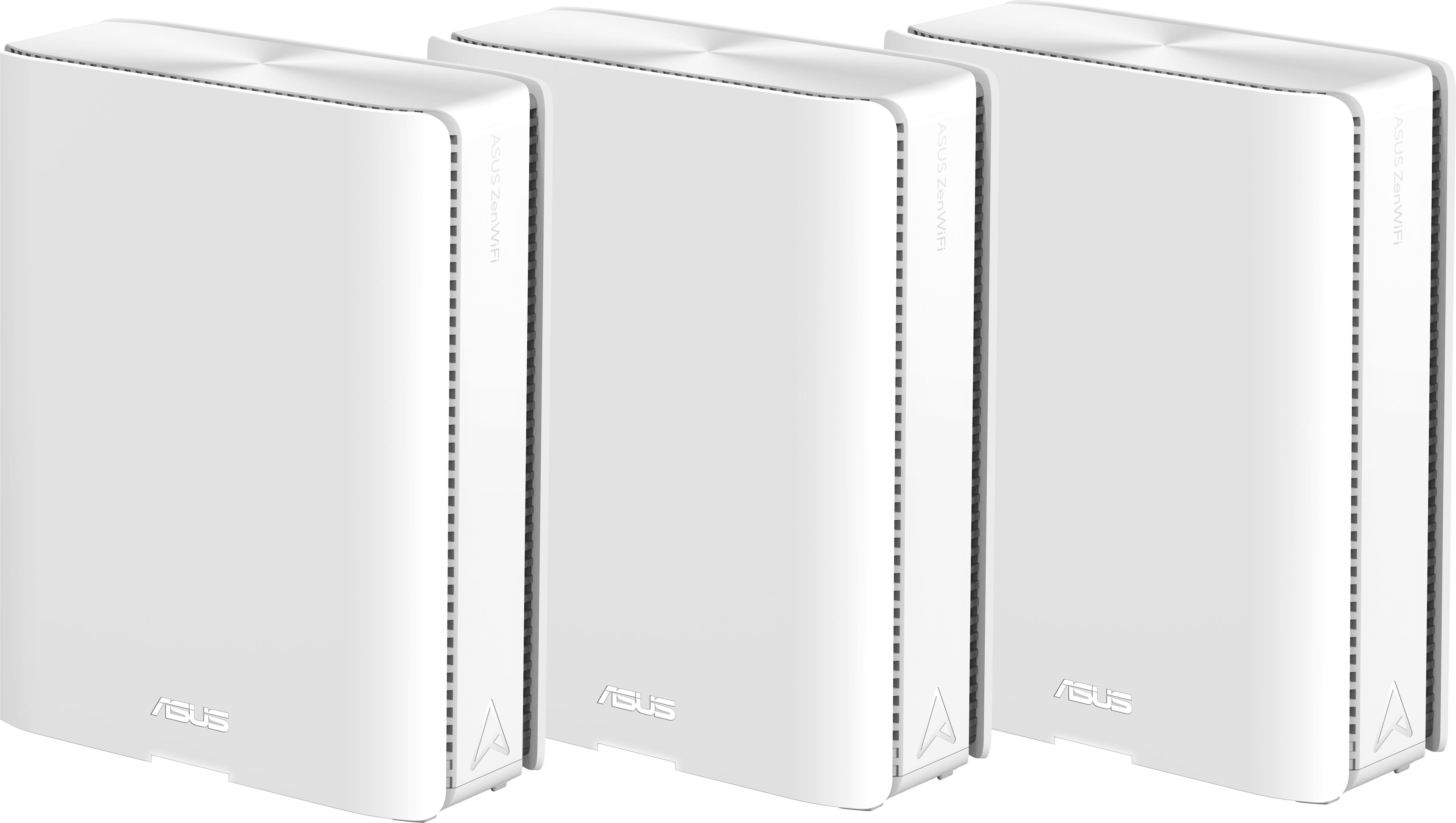



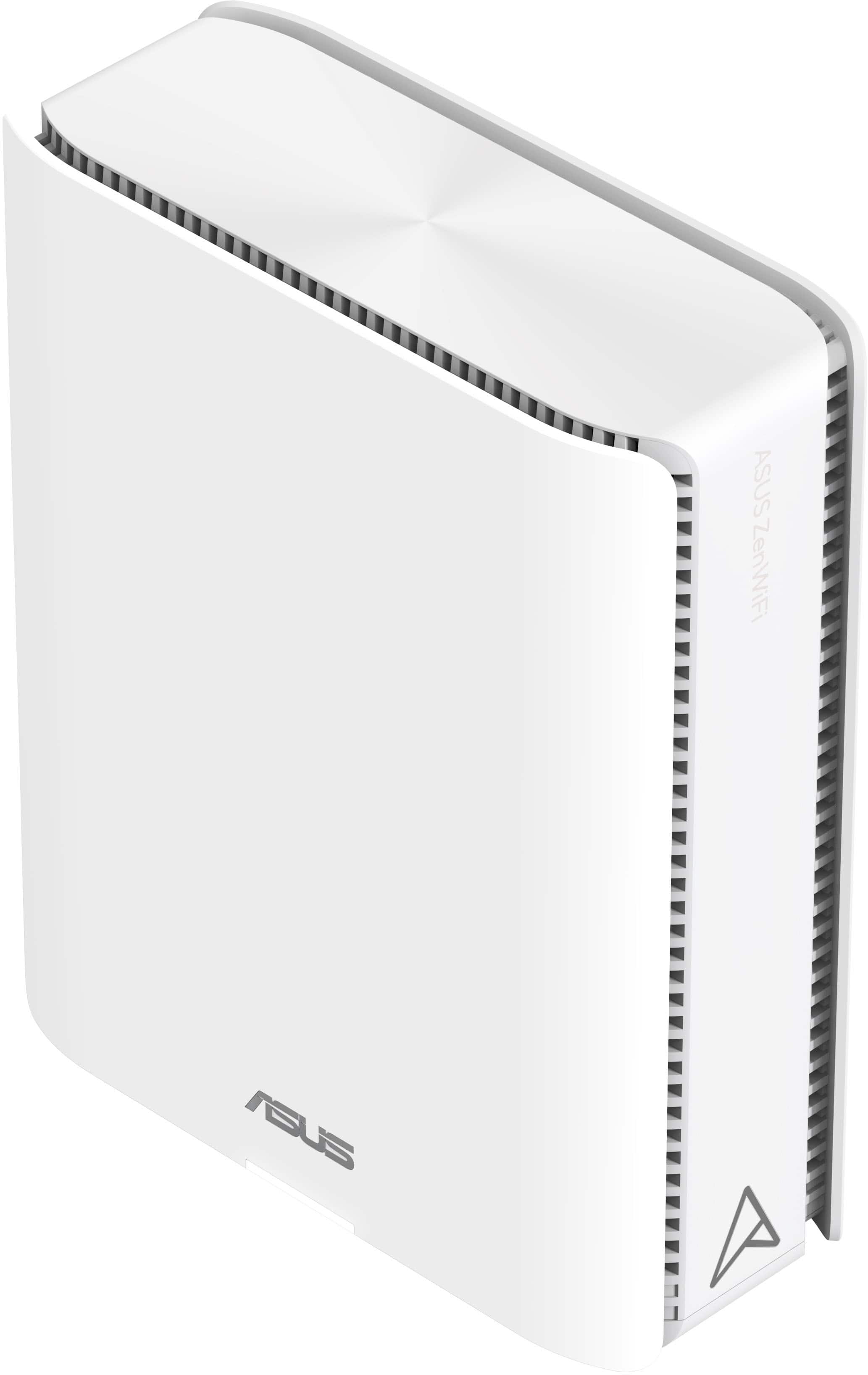
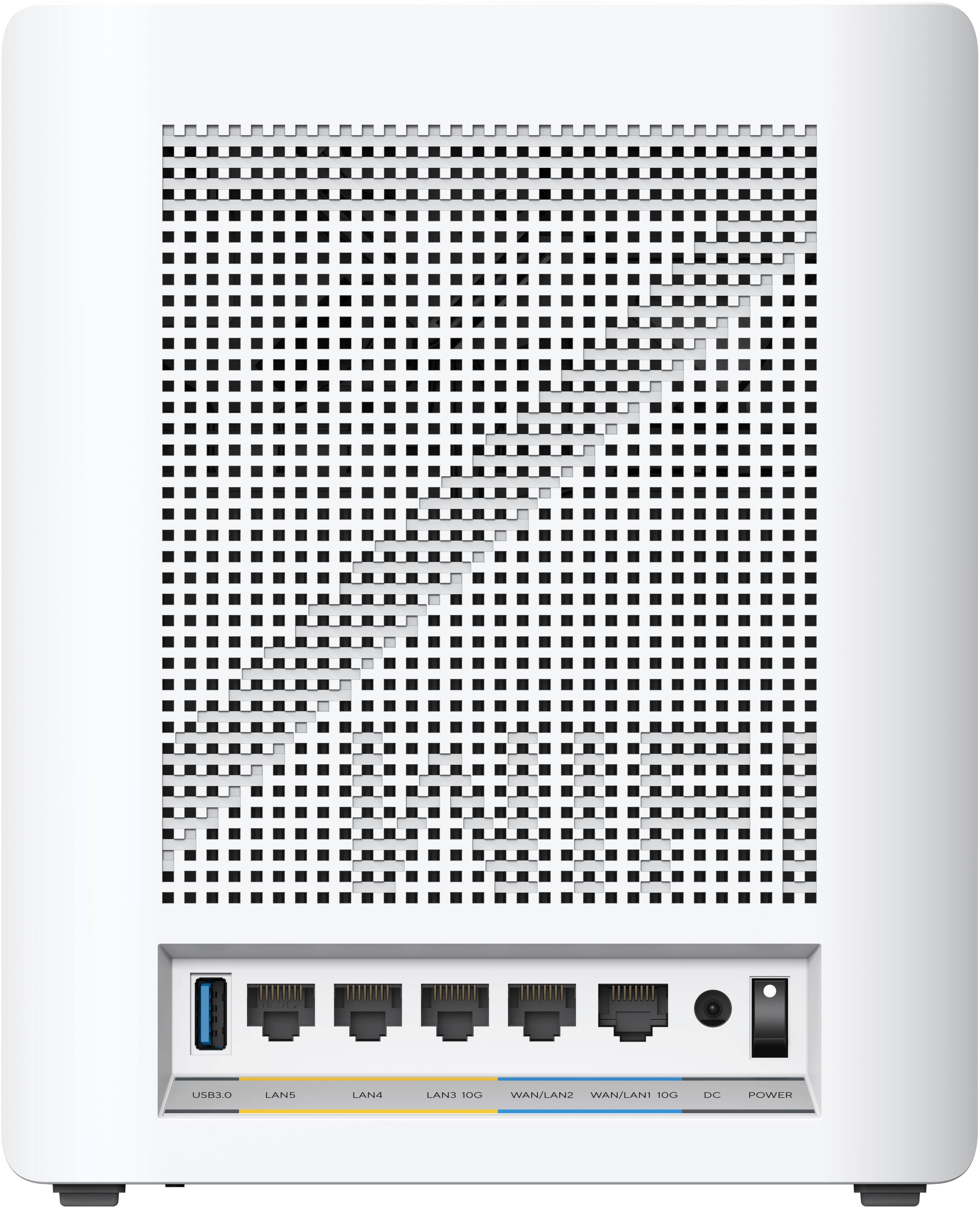
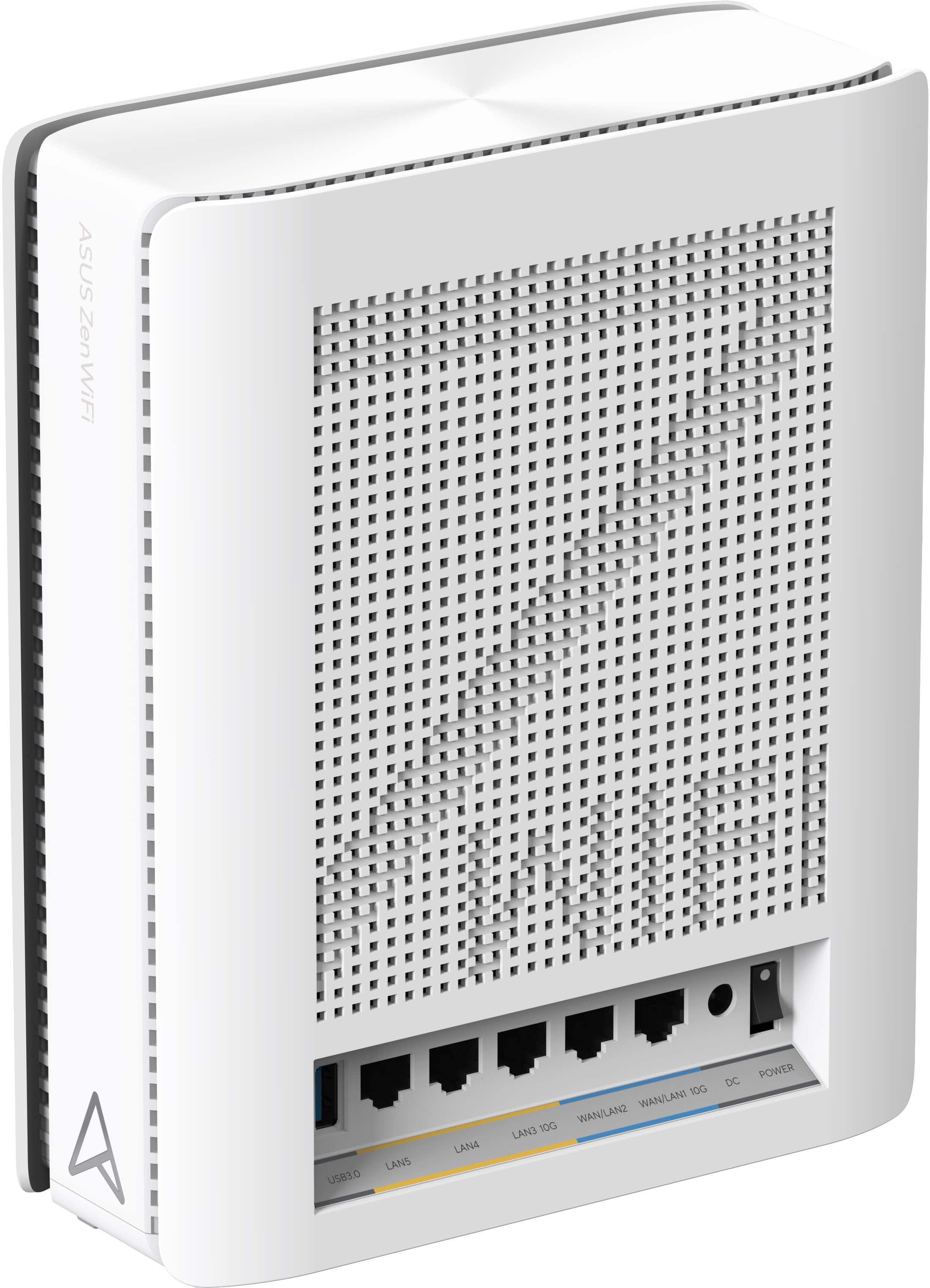
- Model:
- ZenWiFi BE30000
- SKU:
- 6578392
Rating by feature
- Setup
Rating 3.6 out of 5 stars
- Range
Rating 4.3 out of 5 stars
- Signal Strength
Rating 4.3 out of 5 stars
Customers are saying
Customers recognize the ZenWiFi BE30000 Quad-Band Mesh Wi-Fi 7 System for its fast wireless speeds, amazing coverage, and strong signal strength. Many appreciate its performance and future-proofing capabilities, along with its extensive app features and inclusion of multiple VPN clients and servers. However, some customers have experienced connectivity issues with the nodes, and have found the initial setup to be difficult. A few also noted concerns about the high price.
This summary was generated by AI based on customer reviews.

Outstanding feature rich product
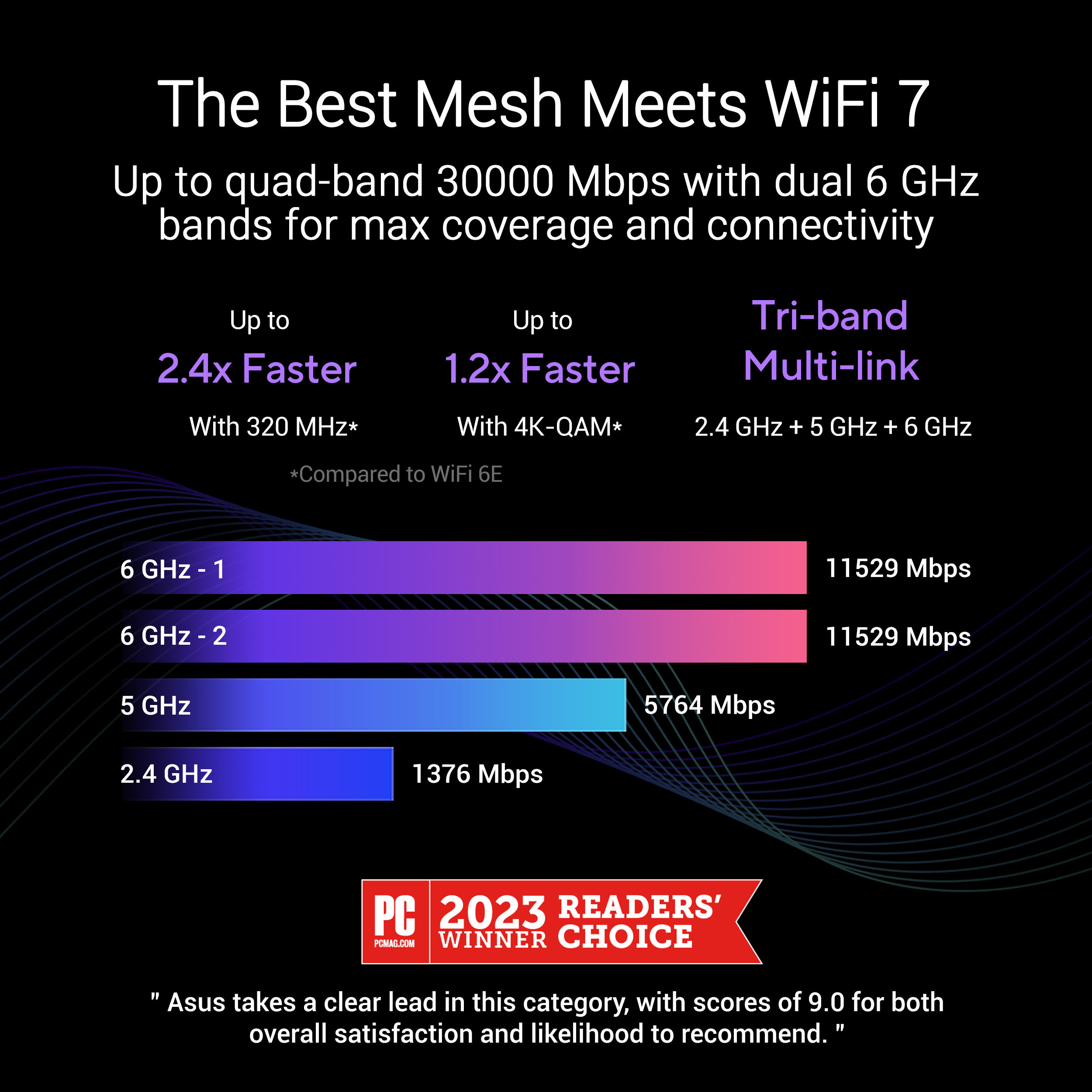
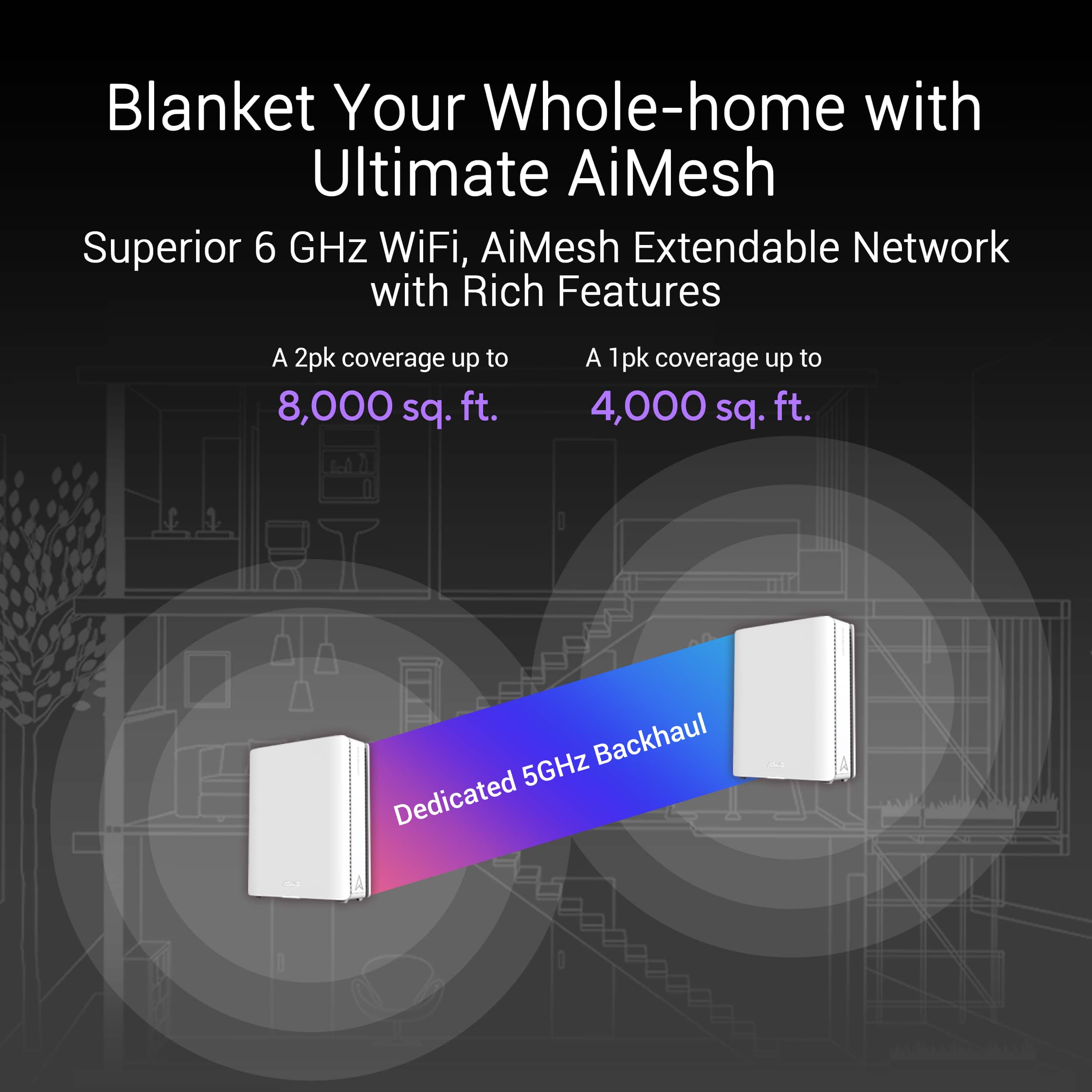
|Posted .This reviewer received promo considerations or sweepstakes entry for writing a review.Pictures and specifications at the end of the review. Unfortunately, trying to get the system up and running I forgot to take pictures of the lights! UPFRONT Be sure to reboot your modem when needed! Setup: Received the ASUS ZenWiFi BE30000 3-pack undamaged and double boxed. Made in Vietnam! This seems to be the place companies like for advanced electronics (I actually look for that and three other counties for my products). Wow! Way-back machine is working on me, but they are a manufacturer of outstanding quality electronics. The power supplies were made somewhere else. The setup instructions and the cellphone app links were on a large fold out sheet. Be sure to read it 3 times before starting and reboot your modem after connecting to the main unit and turning all units on. Be sure you install your cell phone APP before unplugging your old mesh system. In my case, Wi-Fi connection is the main mode of cell phone service as tower reception is marginal due to aluminum foil lining on the OSB roofing in our house. I recommend using a laptop connected to the main router for setup. However, there are no recommendations on what connection profile you should use in the menu on your cell phone. Dedicated manual for the BE30000 was unavailable. I unplugged all my old mesh nodes, so they reverted to a no power state. This way I could recover my old system quickly if needed. All 3 units are identical so just pick one for the main router (parent). Instructions say to turn them all on and plug in your internet cable to the main unit/node you have selected. When they are all solid blue then start using the app with a USB cable from your phone tethered to the main unit. There are multiple options in the APP for connectivity during setup (BT, USB, etc). Only after selecting a method do instructions follow for that specific mode. I since I picked the tethering method, I can verify that option works fine. Solid blue light means nodes are ready for setup (mine were doing all kinds of colors since I moved them closer to the parent node! Light description is missing on what the flashing lights mean and that the colors may change after the solid blue. So, it was a real chore to figure out what the node lights on the units meant during setup. There is a chart for after setup included which should be used during setup. This is what I suspect: Solid green/blue lights indicate active WIFI bands. Blinking on the child nodes means devices are receiving or sending data. A red WAN light signals trouble connecting to the internet. When connected to internet, the main unit (Parent) was always white once stable. It was very distracting to have all those flashing and alternating color lights during setup as I assumed something was wrong. Only when I started using my devices could I ascertain that all nodes were functioning properly as the app showed sporadic connectivity issues between nodes. 50% of my security devices will require a new paring as the WIFI name and password being the same did not help. Big issue is to reboot your modem when first turning on and connecting the system to your modem. Otherwise, you will have numerous issues with sporadic internet connectivity. Initial observations: These are quality units but a real challenge to set them up properly using the cell phone app and a USB cable. The three units were well built and felt solid. Units were heavier (good thing) than my older professional mesh system. WIFI 7 devices were not tested but 4,5,6,6E devices and BT 5.3 headsets were. This was good enough to test the wireless dedicated connections. MU-MIMO gives every compatible device its own dedicated full-speed Wi-Fi connection, so that multiple devices can connect at the same time without slowing down the network. (MU-MIMO technology). Link speed on a 6E devices were download 2162/ upload 490 MBPS and 1922/1922 on the other. Ethernet was 1000/1000 on the child nodes using the 1GB connection. The 10GB connection was not tested! Transfer rates may be greater if you have 10GB service or transferring data between nodes in a business environment. Noticed a difference in the LAN connection video quality on an internet channel APP (connected to main unit via LAN). Can’t explain that as it may be a setting in the system! Also, the WIFI picture looked different as it was brighter (still a great picture). Recovered the previous system and the video quality improved over the LAN. This was with all LAN connections to the main unit! The speed was excellent during actual device usage, but the displayed download and upload capabilities were the limit of 1G port. 10G port would be different. Final thoughts! The install took several hours to finish. Most of the time was wasted due to not rebooting the modem and moving the child nodes around thinking they were not connected correctly because of the alternating lights during setup. Also, the APP kept showing the child nodes on then off! This was the key to reboot my modem. 50 feet with direct line of sight and 35 feet with walls seems to be the limit for steady connections between child and parent nodes. WIFI device connections were outstanding. System was stable once completely set up and is a solid quality product. But the difference in internet app video quality (LAN to main unit) was strange and cannot be explained other than a possible system setting. This issue can be resolved by using WIFI if needed. The main status of system on the menu in the APP phone screen, displayed all the connections for each mode with their status and suggestive corrective actions (very nice feature). Be advised, if a LAN cable is not hooked up to an active device, it may ask you to change cables. All installs are location specific as each location has different issues and needs. This unit may be a good fit for your specific needs like multiple computers in a business environment using the MU-MIMO technology. A small to medium business that does not want to run internet cables to all devices (or wired back haul) will find this as an excellent option. Auto mobile tethering is a great feature for using a cell phone as a 5G hotspot. This will allow cable cutting in some situations. I could not find another brand WIFI mesh system that does this on a quick look online (at least in published specifications). Outstanding for ASUS! This is a very advanced system with lots of flexibility on types of use in an appropriate environment. VPN is a feature on the newest advanced electronic communication devices that will enhance security. Specifications: ASUS ZenWiFi BE30000 Model Name BE30000 (W-2-PK) Network Standard IEEE 802.11a, IEEE 802.11b, IEEE 802.11g, WiFi (802.11n), WiFi 5 (802.11ac), WiFi 6 (802.11ax), WiFi 6E (802.11ax), WiFi 7 (802.11be), IPv4, IPv6 Product Segment BE30000 ultimate BE performance: 1376+5764+11529+11529 Mbps WiFi Data Rate WiFi 7 (802.11be) (2.4GHz): up to 1376 Mbps WiFi 7 (802.11be) (5GHz): up to 5764 Mbps WiFi 7 (802.11be) (6GHz-1): up to 11529 Mbps WiFi 7 (802.11be) (6GHz-2): up to 11529 Mbps Antenna Internal antenna x 12 Transmit / Receive 2.4GHz 4x4 5GHz 4x4 6GHz-1 4x4 6GHz-2 4x4 Memory RAM 2GB , Flash 256MB Boosts Speed OFDMA (Orthogonal Frequency Division Multiple Access) Beamforming: standard-based and universal 4096-QAM high data rate 20/40/80/160/320 MHz bandwidth Operating Frequency 2.4 GHz / 5 GHz / 6 GHz 2.4 GHz 5 GHz 6 GHz-1 6 GHz-2 Operating Mode Wireless Router Mode AiMesh Node Mode Access Point Mode I/O Ports 10G WAN/LAN x 1, 10G LAN x 1, 1G WAN/LANx 1, 1G LAN x2, USB 3.0 Buttons Reset/ WPS/ Rocker Switch LED Indicator Power x 1 Power Supply AC Input : 110V~240V(50~60Hz) DC Output : 19V with max. 3.42A current/ 12V 5A Package Content ZenWiFi BE30000 RJ-45 cable Power adapter Warranty card Quick start guide Product Weight (g) 1341g Product Dimensions 214*174.2*72 mm AiMesh AiMesh • Primary AiMesh Router • AiMesh Node Parental Control "Allow you to block access to unwanted websites and apps." Web & Apps Filters Time Scheduling Reward Parental Control - Safe Browsing Customized Internet Schedule • Maximum Parental Control Profile : 64 • Maximum Parental Control Content Filter Rule : 64 Router APP APP: ASUS Router APP Guest Network "The Guest Network provides Internet connection for guests but restricts access to your local network." Support Guest Network • Maximum Guest Network Rule : 2.4G+5G/ 2.4G+5G+6G: 8 Guest Network Connection Time Limit Open system, WPA/WPA2-Personal/WPA3-Personal Security AiProtection VPN WPA3 Enterprise, WPA3 Personal, WPA2 Enterprise , WPA2 Personal, WPA Personal, WPA Enterprise , WPS support WPS Let's Encrypt DNS-over-TLS SSH Security Scan Firewall • Maximum Firewall Keyword Filter : 64 • Maximum Firewall Network Service Filter : 32 • Maximum Firewall URL Filter : 64 AiProtection AiProtection Pro • Router Security Assessment • Malicious Site Blocking • Two-Way IPS • Infected Device Prevention and Blocking VPN Instant Guard VPN Client L2TP VPN Client Open VPN VPN Client PPTP VPN Client WireGuard VPN Server IPSec VPN Server Open VPN VPN Server PPTP VPN Server WireGuard VPN Fusion Traffic Control Adaptive QoS • Bandwidth Monitor • Bandwidth Limiter -- Maximum Bandwidth Limiter Rule : 32 Traditional QoS Traffic Monitor • Real-time Traffic Monitor • Wired Traffic Monitor • Wireless Traffic Monitor Traffic Analyzer • Traffic Analysis Period : Daily, Weekly, Monthly • Website History WAN Internet Connection
I would recommend this to a friend- Pros mentioned:Signal strength
Impressive, fast and reliable
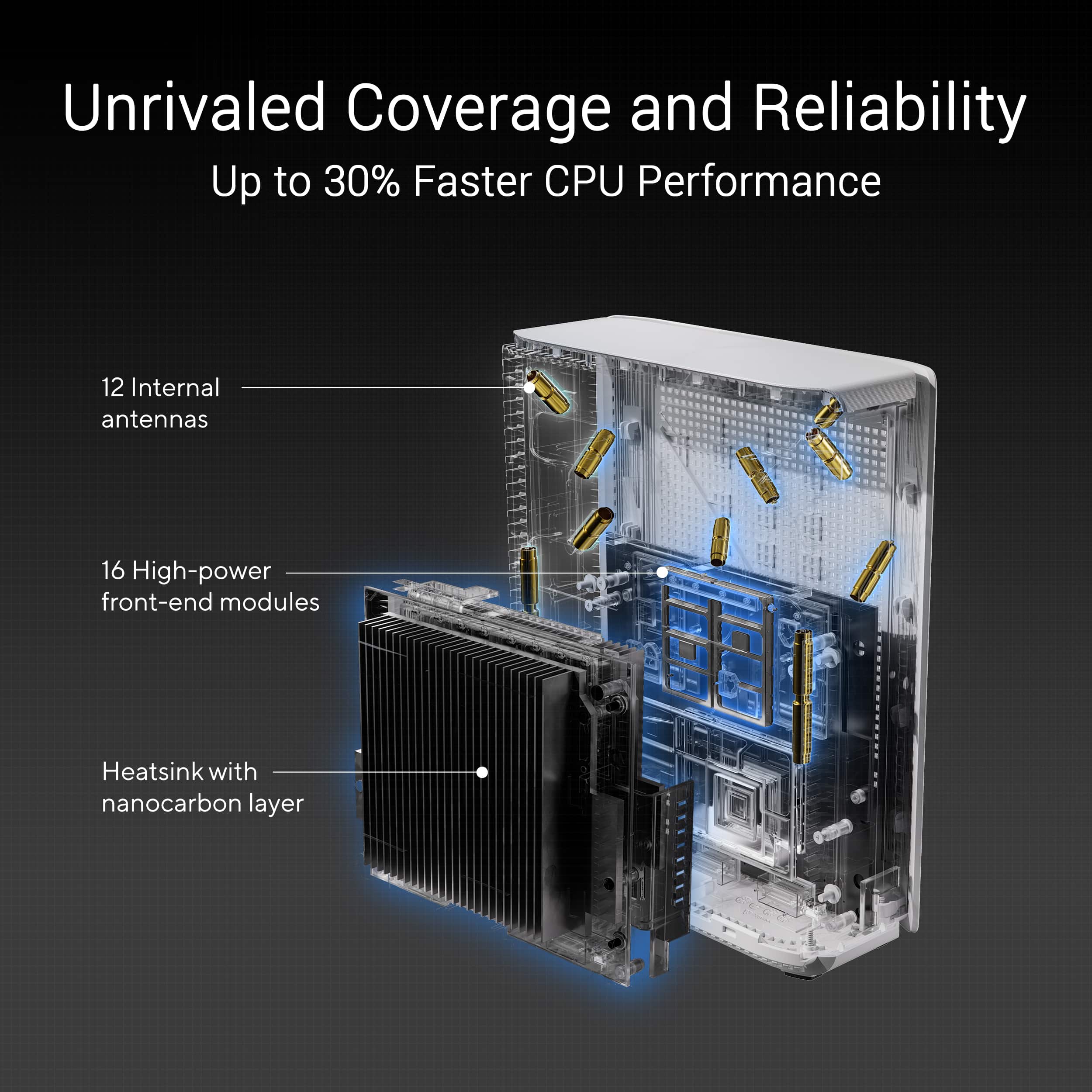
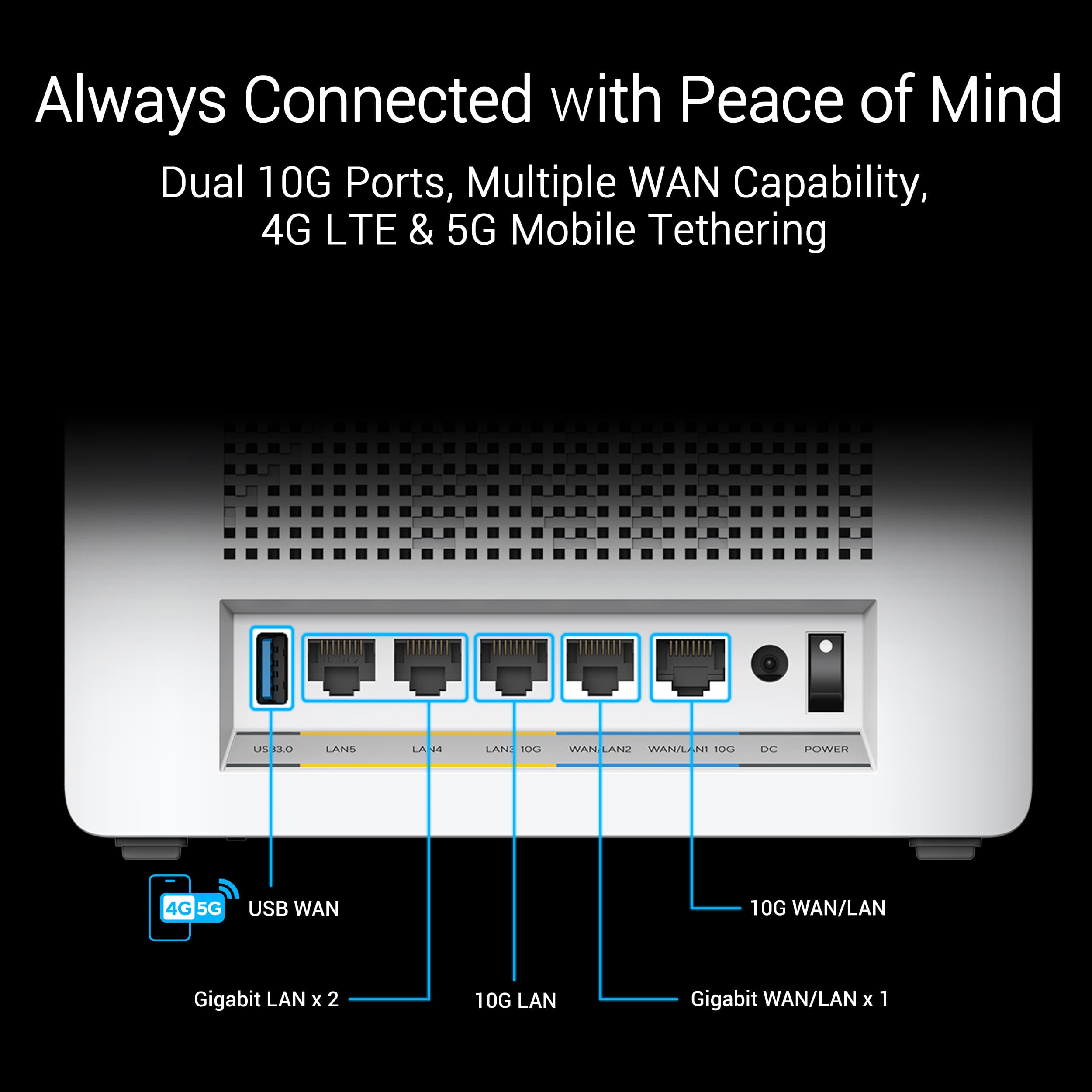
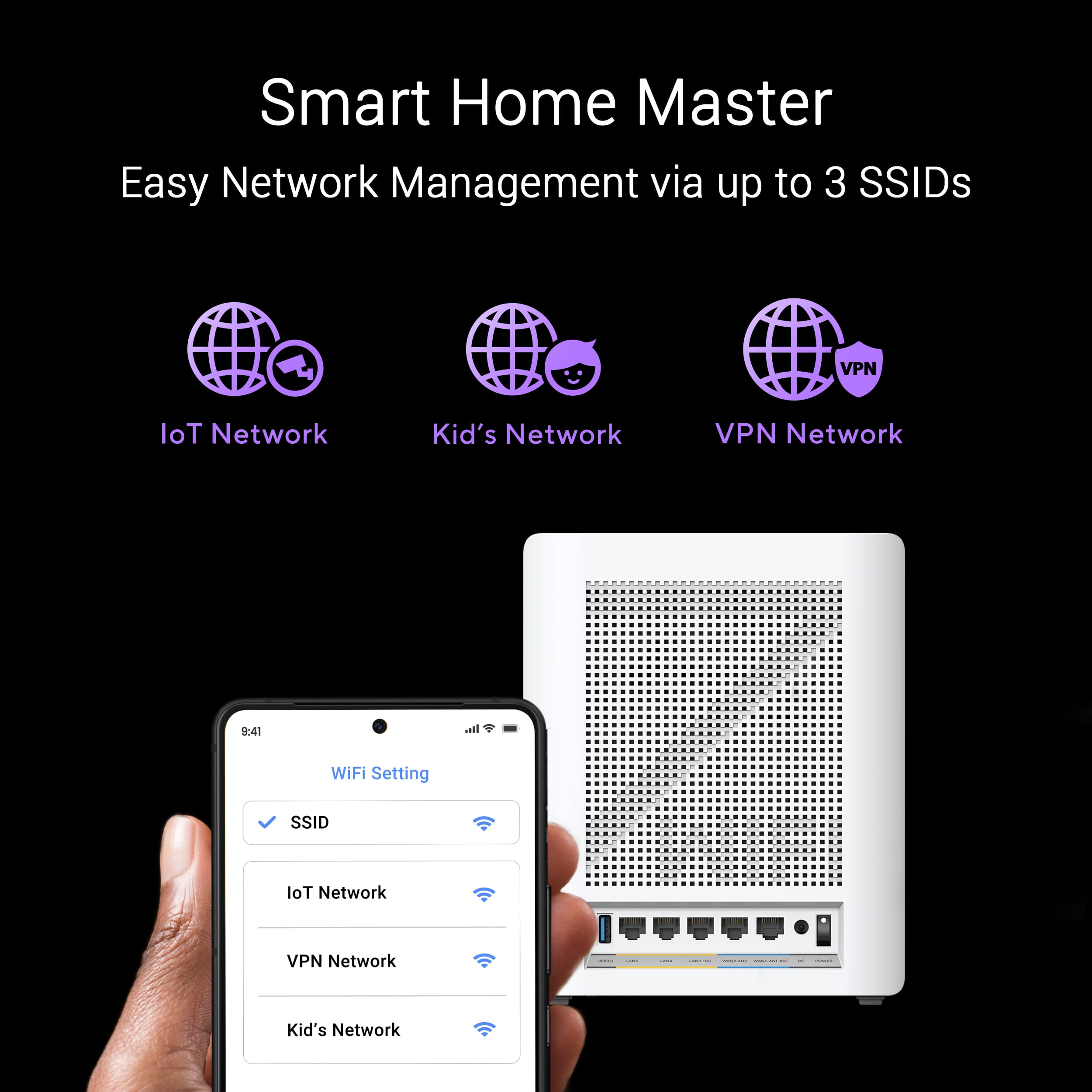
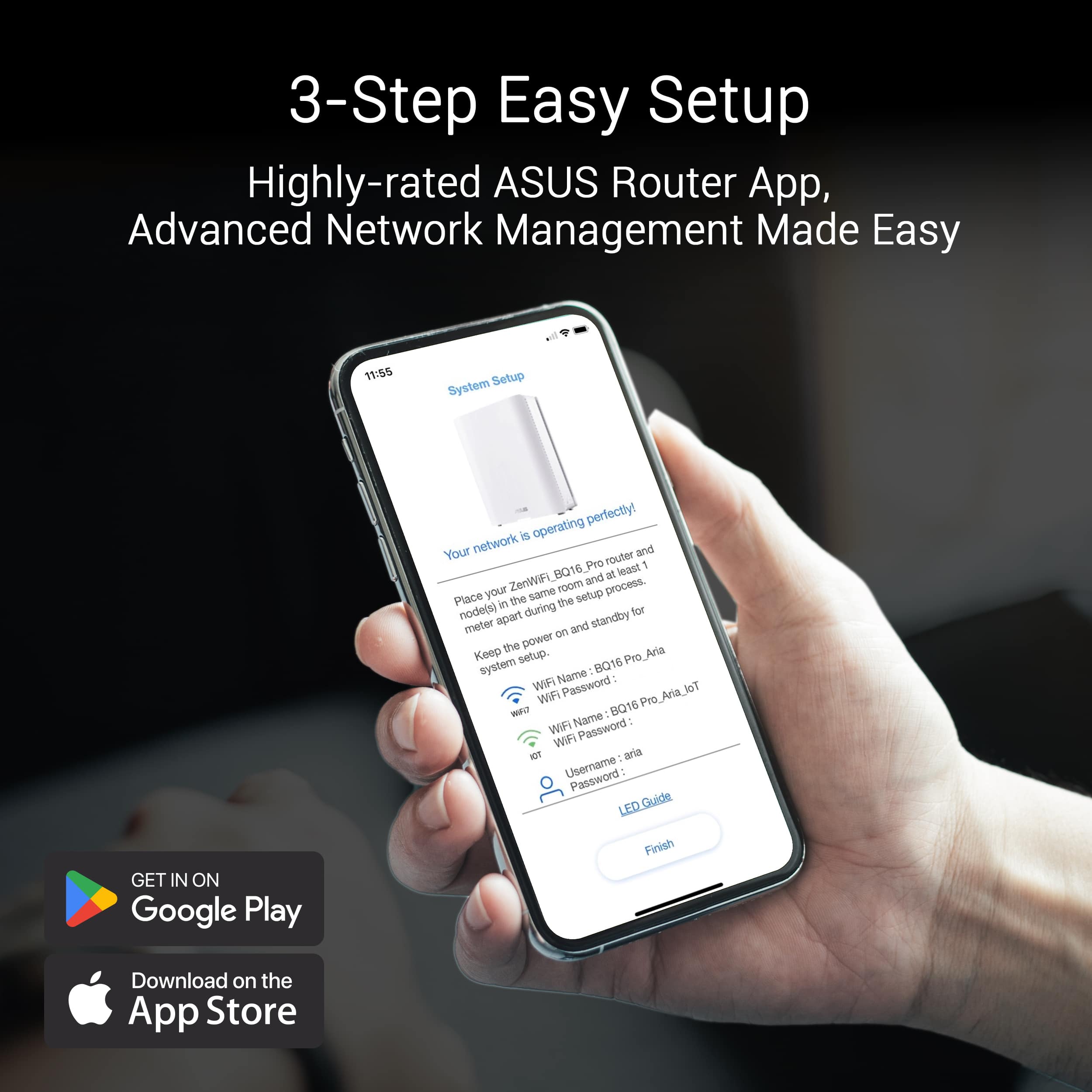
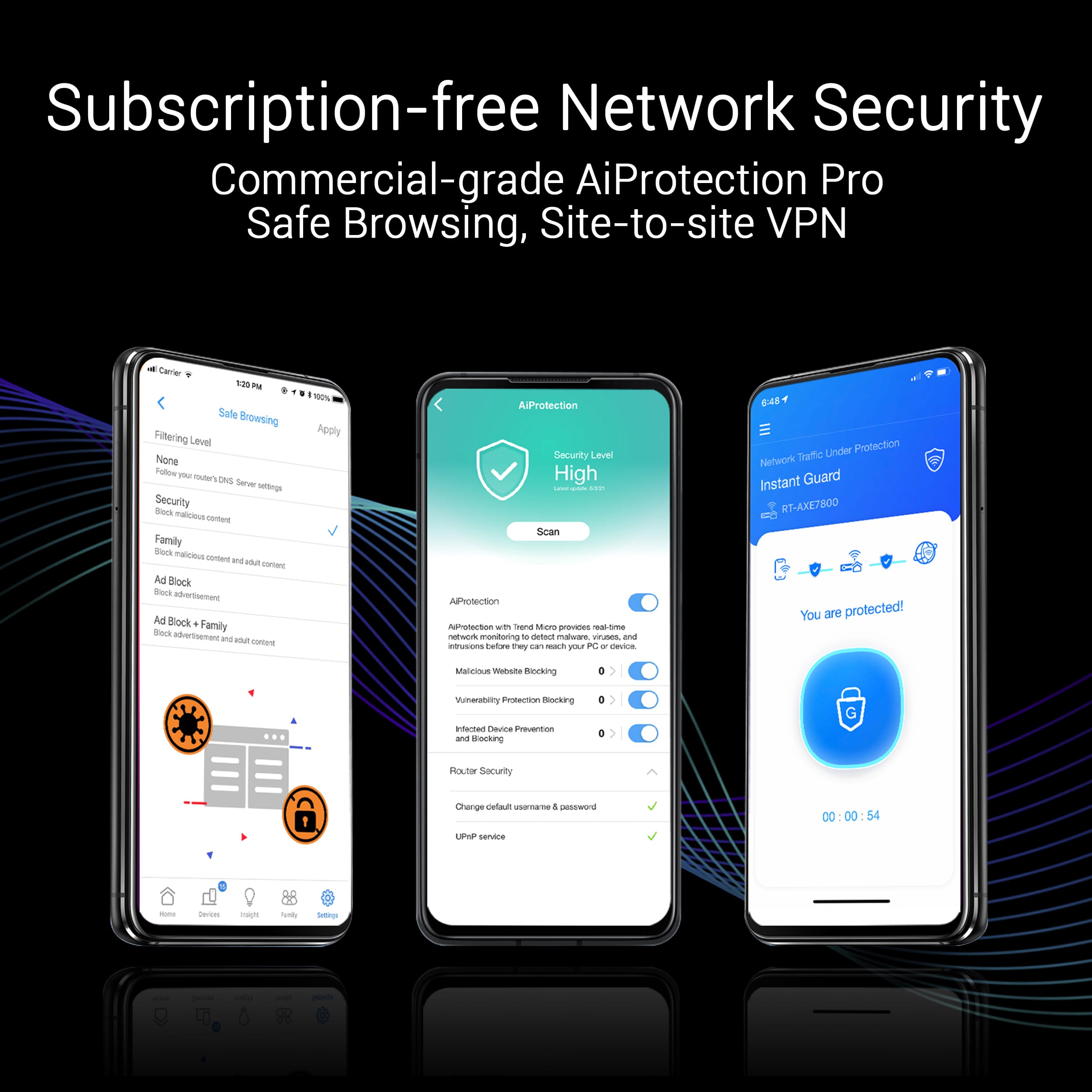
|Posted .This reviewer received promo considerations or sweepstakes entry for writing a review.At our home we started with a few devices linked and connected to our Wi-Fi system and now we have a lot and there is also a larger demand of data between gaming, uploading videos and all the smart devices that are connected to it, we just wanted to upgrade to have an organized, fast and reliable system and the Asus ZenWifi BE30000 does just that. Right out of the box the Asus ZenWifi BE30000 WiFi 7 quad band mesh router pack looks excellent, each of the routers have a premium feel to them and they blend in with most décor. One of the routers have a sticker, that is the main unit, the other or others follow depending on your set if it's a set of two or three. The BE30000 mesh router covers up to 11000 square feet. In our urban area many people have routers nearby, our home is also made of brick so maybe that is the reason why we started to have a hard time with our previous router. And the Asus mesh router works much better and faster, perhaps because each router includes 12 antennas as well as 16 powerful and strong frontend modules, and these eliminate dead zones that we used to have. The setup is semi easy, after downloaded the Asus router app it walked me from start to finish, each router has a light that turns in different colors to let me know what is doing. Also, I can keep coming back to the app to control my network such as group the devices to the loT network, and I can have the kids network also separated from the VPN network. And in the application, it has parental controls therefore I can filter the content, schedule the network and much more. We also like that our system is secured with AiProtection Pro and best of all it is subscription free. And if I want to wire connect my devices on any of the routers, I can do so because each router come with connections, 5 Ethernet as well as one USB 3.0 connection. I also like that if my internet service goes down, I can plug in my phone to the back of the router using the USB 3.0 and keep my devices going, I have not run into that problem, but it is nice to have just in case. Overall, the system has been working it has been reliable, fast and the setup was not complicated, now we have coverage all around and the devices that demand most of the data, get it and fast.
I would recommend this to a friend - Pros mentioned:SpeedCons mentioned:Connectivity
Great system. Has some quirks.
||Posted . Owned for 1 month when reviewed.This reviewer received promo considerations or sweepstakes entry for writing a review.This mesh WiFi system was very easy to set up using the Asus router app. System is insanely fast with great coverage all throughout my home and a decent distance around it. Logging into the web interface you will be presented with a plethora of options and settings. This system and current firmware is missing the vlan tab in lan settings for direct management but you can still create Vlans though through the Guest Wifi Pro feature when adding a guest or iOt SSID. Had occasional connectivity issues with dropped connections or reduced speeds after updating the firmware on all 3 nodes. This was fixed with a factory reset and setting everything up again. Also deselect the auto update feature. Would drop connections for just 1 minute at the exact time it was scheduled to look for an update. No issues since doing that. One thing i do still find annoying is when most changes made in the Web UI are applied, it requires a router reboot or a reinitialization of the wifi. Other than that I Highly recommend for anyone who’s familiar with consumer mesh wifi systems and is looking for more UI options for better network control and customization.
I would recommend this to a friend Severely underwhelming
Posted .This reviewer received promo considerations or sweepstakes entry for writing a review.Frustrating setup process and dismal connection performance. After 3+ days of fighting connection dropouts, network configurations, and router/node placement I was ready to toss the whole thing in the trash. I contacted ASUS support to find out why I had devices constantly dropping off when they were only 7 feet from the main router. I even had devices that refused to find the main network and would only see the guest network. I had to setup the network to be WPA2 Personal given a good amount of my total 60 devices were unable to use WPA3/WPA2. But even though all the configurations were setup the same some devices, even ones that had matching neighboring devices that had no issue connecting, still could not locate the main network. After a long conversation with tech support talking through many attempts to correct the issues including confirming I had the latest firmware. They ended up sending it up the pipeline, with a 48 hour set response time, which is where the support came to a screeching halt. After 3 emails, that seemed almost robotic, first always asking if I had the latest firmware, where I always responded yes and provided the firmware version. By the 4th email and again asking if I had the latest firmware I responded yes, and let them know I promptly returned the router back to Best Buy and reinstalled my 8 year old RBR20 Orbi Netgear, which booted back up like I had never turned it off. Sadly going from the 1 week old ASUS top of the line router/mesh to an 8 year old Netgear Orbi mesh was almost like a 100% upgrade in performance, reliability, and worry free connectivity. The only good thing I liked about the ASUS router was the app and web management interface for the router. I adored all the things I could change, organize, and customize which is very lacking on the Orbi. However that barely gives the ASUS router 1 star. I firmly DO NOT recommend this router. I say give it another year and maybe they’ll work out the firmware bugs.
No, I would not recommend this to a friendBrand response from ASUS Answers
Posted .Dear Corey,
Thank you for your comment and for sharing your experience with the Mesh router.
We do understand your disappointment and the inconvenience if you are experiencing connection and stability issues with the router.
When you are experiencing connection issue, please verify if devices connecting to the router are working properly and within range to the router, the router and nodes are within 30 feet to the ISP's modem, if not wired by a network cable, and ISP's internet service or connection is working properly or stable. Legacy devices may not work with WIFI 7. Please try to connect these devices manually to a 2.4GHz or 5GHz frequency. Also, when connection issues occurs, please check if the LED status light on the routers, including the modem are showing a stable connection. If the router is running with an older firmware version, please install the latest version posted at: https://www.asus.com/us/networking-iot-servers/whole-home-mesh-wifi-system/zenwifi-wifi-systems/asus-zenwifi-be30000/helpdesk_bios?model2Name=ASUS-ZenWiFi-BE30000. If you need further assistance, please email me at cl-rodel@asus.com and I would be happy to help. Or, you are most welcome to call Product Support Hotline at: 1(888) 678-3688. Also, you can chat with an ASUS live support agent from the link: https://www.asus.com/us/support/article/1135/.
Thank you for choosing an ASUS product.
Regards,
Rodel
ASUS Customer Loyalty
ASUS ZenWiFi BE30000 – Simply Zensational!
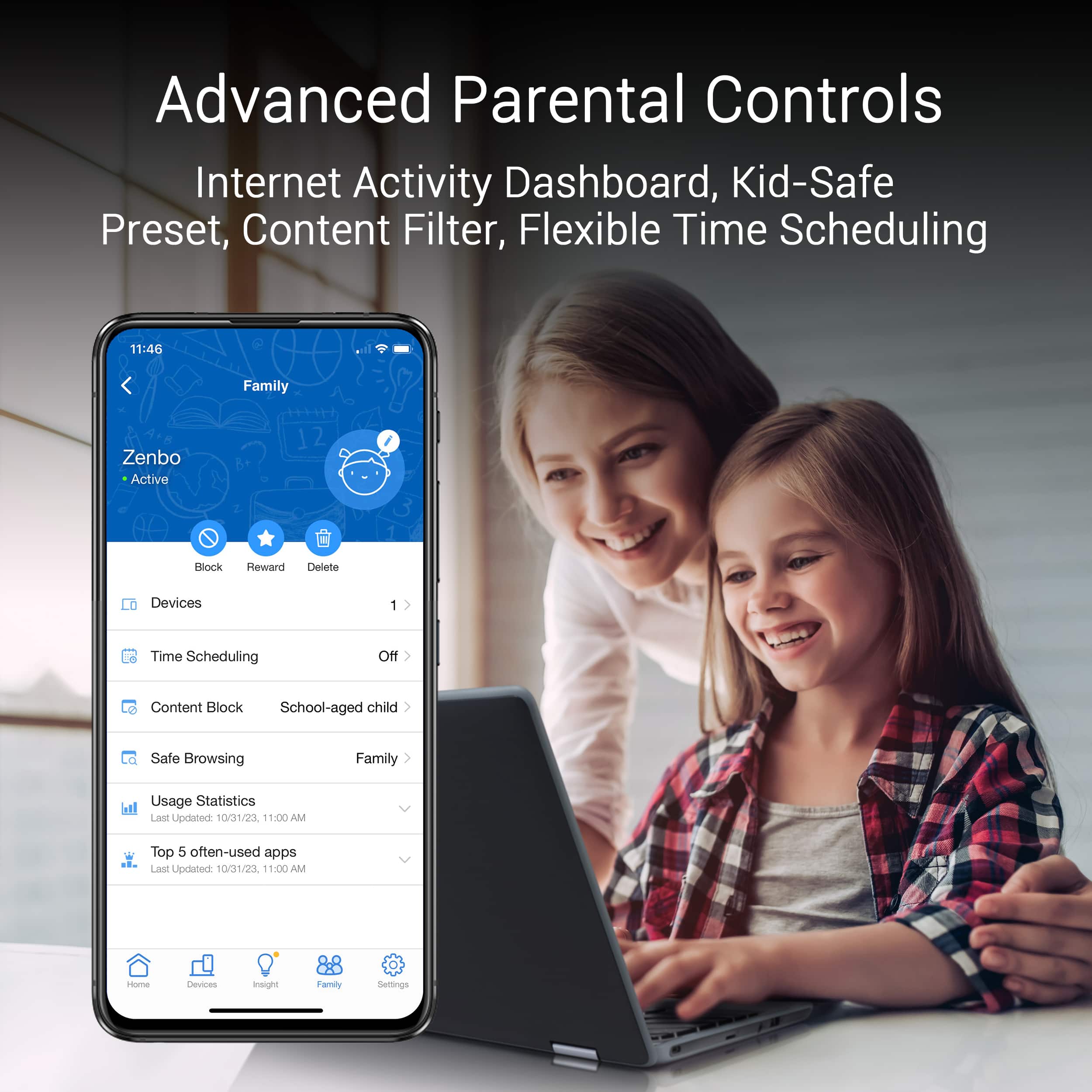
|Posted .This reviewer received promo considerations or sweepstakes entry for writing a review.The ASUS ZenWiFi BE30000 Quad-band WiFi 7 Mesh Router (3 pack) sets a very high bar for the competition and could very well be the best in its category. Ease of use, fast stable connection speeds and robust parental controls were the essentials on my checklist for a new mesh router in all of which the ZenWiFi BE30000 excels! I am not new to mesh systems but the ZenWiFi BE30000 is also my second interaction with the technology. For a quick overview, mesh systems seek to provide better coverage and throughput over wider areas than traditional wireless routers via a main unit and satellite/node setup. Unlike extenders that may not provide seamless transitions, mesh systems automatically switch devices between the main and satellite/node while providing a single point for updates to the system. The ZenWiFi BE30000 delivers unparallel performance, in my opinion, due to the match of robust hardware specifications and excellent software to harness all available potential. As previously said, my system is a three pack. They appear identical and the setup entails one being designated as the main/router and others as node/satellite. ASUS by default labels one of the units as the main unit although in my experience, roles could be swapped. Each unit contains 12 antennas, 256MB flash memory and 2GB RAM. The brain of each unit is a 2.6 GHz quad core CPU with a rather formidable heatsink that ensures cool operation. For wireless connectivity, the ZenWiFi BE30000 employs a 2.4GHz, a 5GHz and two 6GHz frequencies in line with its quad band designation. One of the 6GHz frequencies is reserved for the wireless backhaul setup. The wireless backhaul (like in my setup) describes the mode of communication between the nodes and main unit. There is an option for a wired backhaul setup where the units are all physically linked via their LAN ports, thereby making two 6GHz frequencies available for communication by connected devices. The system operates off the WiFi 7 standard (802.11be) while being backward compatible with devices on previous older standards. Multi-Link Operation (MLO) associated with the WiFi 7 standard is a feature that enables WiFi 7-capable devices simultaneously connect via multiple frequencies thereby helping reduce congestion-related issues and latency. In summary, connection speeds will be faster and more stable as communication will be occurring via multiple channels as opposed to a single one. It is worth noting MLO is also supported in the wireless backhaul communication. Wired connectivity is achieved via a 10 Gigabit WAN/LAN port, a 1 Gigabit WAN/LAN port, a 10 Gigabit LAN port and two 1 Gigabit WAN/LAN ports. Each unit also maintains a USB 3.0 Type-A port that facilitates FTP sharing, media server and network printer server functions. The ports can also be configured to support iTunes and Apple Time Machine functions. Finally, the USB Type-A is also capable of 4G LTE and 5G tethering for the network in the event of an internet outage perhaps. While I have yet to try out this feature, it is good to know the system has the capability. ASUS must be commended for the included software and flexibility they extend to the user. The ASUS Router app is available via either Google Play or Apple App Store depending on your platform. The app is easy to use and assists with the initial setup via very easy to follow steps. For the more advanced users, there is also a web GUI option. I preferred the latter as it provided more opportunities to easier fine tune the system. In comparison to my previous mesh system where there was very little opportunity to tweak the setup, the ZenWiFi BE30000 is very configurable. Tweaks worth mentioning include ability to: • set signal thresholds for frequency bands • change frequency channels • create multiple SSIDs (main SSID, IoT SSID, Guest SSID, Children SSID etc.) • toggle LED status indicator on/off • define communication route (should nodes connect directly to main unit or daisy-chain) • optimize devices at the click of a button • prioritize devices on the network based on the need (i.e. WFH priority or streaming etc.) While some of these may not seem like a big deal, my system before was really closed off. The versatility of control reminds me of the previous standalone wireless routers. The LED status indicator, while very useful, can be overwhelmingly bright in my experience and the ability to turn off is thus very much welcome. It changes color and flashes or remains static to provide an at-glance status of your system. My network typically consists of about 25 devices at any given time and the ability to assign each an icon to help facilitate quick identification is a feature I believe needs recognition. While the software on its own is able to provide some identification based on the connected device, the user can select through a rather exhaustive (might I add impressive while at it) library of icons to really personalize your network. In the event the provided icons in the library do not adequately capture/describe any device, it is possible to add a picture. The cherry on the cake might very well be the different themes available for personalization on the app. It is simply the small things that ASUS has considered that have made me a convert. I must add that this is my first dabble with ASUS. Subscription-based parental control is a trend that ASUS fortunately steers clear from. Protection is powerful with predefined profiles for preschooler, school-aged child, teen and finally adult. The allowed content list which creates these profiles can still be fine tweaked based on your preferences/needs. Should scheduling web access be your priority, there is an option for that. Through partnership with TrendMicro, there are options to also block ads and malicious content. Having used software from other manufacturers that failed terribly at the parental controls or provided them for a subscription, I cannot overstate the benefit of the route chosen by ASUS. Per ASUS, a coverage of about 11,000sqft is attainable by the 3-pack system. In my townhouse setup with three levels, I have the nodes/satellites on the first and third levels with the main unit positioned in the middle or second level. My area of coverage is under 2,000sqft, however, the presence of doors, walls and the different levels have proven challenging for previous routers including the last mesh system. My ISP service download speed is under 1Gbps with an upload speed capped at 20Mbps. My previous mesh system used to provide download speeds of about 300Mbps and the aforementioned upload speeds. My ZenWiFi BE30000 consistently delivers download speeds of about 900Mbps inside the house. My upload speeds remain at 20Mbps due to my ISP limitations which should be changing in the near future. Finally, my previous mesh system while stable in connectivity could take quite some time to reboot. In my experience, my 3-pack ZenWiFi BE30000 system performed the task in under three minutes. While I previously had a single wireless router that was on par with this time, its efforts pale in comparison to a mesh system which has more going on in the background to get the system online. ASUS provides a three-year warranty and being such a renowned company for innovation, I know there will be constant updates to make an already great system the best it can ever be. While my smartphone is currently the only device with WiFi 7 capabilities, it should be a while before my investment hints any signs of obsolesce. I wholeheartedly recommend this system.
I would recommend this to a friendOverpriced and quite frankly disappointing
|Posted .This reviewer received promo considerations or sweepstakes entry for writing a review.Introduction ASUS is known for making computer components and gaming laptops. I knew that they made wireless routers but I was completely in the dark of the fact that they made mesh routers Going in I currently have a mesh setup, so I was excited to see what this 3-pack that supposedly covers up to 11,000 sq ft, and has WiFi 7 could do. This will be my third mesh router system. I’ve had some bad luck in the past with my previous two. My current one took me about a week to move around and configure before I could get a stable 300Mbps. Hopefully I have better luck with this one. What comes in the box? You get a main home unit, 2 nodes, a power adaptor for each one, an ethernet cable, a quick start guide, and some inserts. Minor wins The quick start guide is one of the easiest to follow out of all of the mesh routers I’ve used. Major wins The ASUS router app is quite possibly the easiest app to use, as was the setup of getting all three linked and going. This was the first time I got the main unit and the nodes to all sync on the first try, so a win there. I’ll go into the setup in the next section. Usage Getting everything up and running took about 15 minutes. You plug the main router into a power outlet and plug the ethernet cable from your primary modem into the WAN/LAN 10G port. From there, plug in the 2 other nodes into outlets, but make sure to keep the nodes about a meter away from the main router. You scan the QR code and download the ASUS router app. Once you open the app you go through choosing your router, creating a network, passwords, and wait for all three to communicate and sync up. From there you move the other child nodes where you want, but for best results, try to keep at least one of the nodes on the same floor no more than 20 feet away. My set up is the main unit is in the den, one is in the kitchen, and one is in the master bedroom. The app has a lot of options. In some cases, I would say it has too many. If you click on the settings icon, then you’re welcomed with 22 options. Some of the more direct and useful ones are AiProtection; which is a security system that you don’t have to pay a subscription to, diagnostics, parental controls, QoS, and VPN. Once everything I was up, I started doing speed tests all around the house. I was able to get a stable 120-380 in most parts of the house. Certain areas of the house like my basement saw a pretty severe drop. I was averaging about 65 mpbs download speed. The worst part was that I had one of the child nodes in my master, and I had the uplink AP setup as follows: The 2nd child node; which was in my kitchen was uplinked to the main router, and the master bedroom child node was uplinked to the kitchen. This is the EXACT same setup as my current mesh system, and I’m getting worse results. Where I would normally be getting about 250 mpbs, I’m getting about 75 with the ASUS Zen. I tried optimization through the app, but nothing changes. Minor issues Both child nodes kept going from “great connection” to “weak connection” on and off for about 15 minutes after setting everything up. It stopped after a while but it was pretty annoying. You have to create an account if you want to use some of the features in the app. Major issues Stability is a huge issue. Even though I had my uplink setup to the way it was, it would change on its own, even though I took it off auto. So the master bedroom child node was uplinked to the main router, resulting in a “weak” signal. Sometimes it would just lose connection. I would lose internet connection about 1 every 2.5 hours. It got so frustrating that I unplugged it and had to use my other mesh system. Primarily for People who don’t currently have a mesh system, and have some disposable income. Probably not for People who currently have a mesh system that they’re happy with. All in all I will say that for the super high price point, I was expecting more. I have 1GB internet, so I was expecting the ASUS Zen to surpass my current setup with ease. Alas, it did not. I would say that in some cases, it’s failing to meet my expectations in the most basic of ways such as stability; in terms of constant connection and app performance. I see issues with it’s coverage as well. I’m currently seeing worse results from the ASUS Zen. Maybe a future firmware issue will fix some of these issues, but out of the box, it’s not very impressive. I would not recommend the ASUS Zen mesh router… for now at least.
No, I would not recommend this to a friendBrand response from ASUS Answers
Posted .Dear EthanH,
Thank you for your comment and for sharing your experience with the router. We do understand your disappointment if you are experiencing connection and stability issues with the router.
When you are experiencing connection, please verify if devices connecting to the router are working properly and within range to the router, the router and nodes are within 30 feet to the ISP's modem, if not wired by a network cable, and ISP's internet service or connection is working properly or stable. Also, when connection issues occurs, please check if the LED status light on the routers, including the modem are showing a stable connection. If the router is running with an older firmware version, please install the latest version posted at: https://www.asus.com/us/networking-iot-servers/whole-home-mesh-wifi-system/zenwifi-wifi-systems/asus-zenwifi-be30000/helpdesk_bios?model2Name=ASUS-ZenWiFi-BE30000.
If you need further assistance, please email me at cl-rodel@asus.com and I would be happy to help. Or, you are most welcome to call Product Support Hotline at: 1(888) 678-3688. Also, you can chat with an ASUS live support agent from the link: https://www.asus.com/us/support/article/1135/.
Thank you for choosing an ASUS product.
Regards,
Rodel
ASUS Customer Loyalty
Excellent Mesh Router Lacking In Value
||Posted . Owned for less than 1 week when reviewed.This reviewer received promo considerations or sweepstakes entry for writing a review.This is a premier mesh router from Asus and it looks well built, solid. Setup was simple using the app, just make sure to put the mesh satellite's within 1 meter or the router during setup, then move it to permanent location. @ASUS - This is THE premier mesh router from Asus, almost 2k for this deal! It should have 2.5G Lan ports in place of the 1G ports like the ROG. BUT, at the very least, give us the VLAN capability like the ROGs too. We are paying for it already. Yes, we can build guest networks with VLAN tags for wifi, but we can't assign Trunking port modes to specific Lan ports. At this price point for a premier router, we deserve to have the VLAN tab to select a port with specific profile and mode (Trunk/Access). I would recommend just buying two equivalent ROGS for the most value per dollar. I might exchange it unless VLAN configuration is on the roadmap.
No, I would not recommend this to a friendGreat when it was working..
||Posted . Owned for 1 year when reviewed.This reviewer received promo considerations or sweepstakes entry for writing a review.It’s been a little over a year since I first installed the system, and I don’t recall any difficulties during setup. The range, covering roughly 8,000 sq ft, was definitely an improvement over my previous Orbi mesh. About nine months later, one of the nodes stopped connecting wirelessly. Devices that had been connected to that node began connecting to the main router instead. Since there were no noticeable performance issues, I left the node unused. Four months later, the second node also stopped connecting wirelessly. After multiple reboots, firmware updates, and calls with Asus support, I was asked to submit the units for service. When I entered the serial number in the Asus RMA portal, I was initially told to bring the unit to Best Buy, but later found out that Best Buy cannot process warranty claims for mesh systems. I contacted Asus again, and they manually initiated the return process. After the unit had been at the RMA department for a week, I was informed that no replacement units were available and that I would receive a buyback, which could take up to 30 days. Fortunately, I still had my Orbi mesh system to fall back on, but based on this experience, I do not plan to repurchase this product.
No, I would not recommend this to a friendBrand response from ASUS Answers
Posted .Dear AmandaReviews,
We sincerely apologize for the inconvenience you've experienced with your ASUS ZenWiFi BE30000 system. While we are glad to hear that the initial setup and coverage met your expectations, we regret that the subsequent node connectivity issues and the challenges encountered during the RMA process caused frustration and ultimately led you to discontinue use of the product. This is not the level of quality or service we aim to deliver.
Please be assured that your feedback will be passed along for further review by our internal teams.
We stand behind our products and continuously strive to improve our products and processes to achieve customer service excellence. If you require any further assistance, please email us at customerloyalty@asus.com and include the case number "N2406012043-0009" as a reference. We will do our best to resolve your case quickly. Your feedback is very important to us, and it enables us to improve our support channels. Thank you for choosing ASUS.
Best Regards,
Chantae
ASUS Customer Loyalty US Support
- Pros mentioned:Coverage, Speed
Great WiFi 7 Mesh Router
||Posted . Owned for 1 week when reviewed.This reviewer received promo considerations or sweepstakes entry for writing a review.Bought the three pack to extend my in-home network and replace two of my older ASUS AX11000's (one of which cooked itself after a house painter decided it needed to be well wrapped in plastic). Setup of the units was straightforward, without problems. Coverage and speed is impressively good. And, as usual, I really like the management and security tools ASUS provides. This is the third round of ASUS routers I've installed in my home in the last 10 or 12 years - upgrading each time to improve coverage / bandwidth and stay current with the latest protocols. I've been very happy with the results each time.
I would recommend this to a friend Too Many Issues; Wait for Future Firmware Updates
|Posted .This reviewer received promo considerations or sweepstakes entry for writing a review.BOTTOM LINE: This is the first review that I have ever written for a product that earned itself a 1-Start rating. I tried on two separate occasions, spending a total of 8+ hour, trying to get the ASUS BE30000 Mesh system functional in my home environment. After numerous modem/gateway resets, node resets and reboots, node repositioning, optimizations, I had to twice reinstall my fully functional 3-node Mesh system. I have never encountered a more difficult wireless network setup, that I cannot get functional as advertised. (After two days of solid trial and error setups, I feel like I am a Beta Tester in an ASUS sandbox versus a potential customer intending to upgrade to a proven working system.) TL;DR CURRENT SETUP: I am currently using a TP-Link Deco-60 AX3000 Mesh WiFi 6 system that I purchased in January of 2022 from Best Buy. I have one node on each of my three-floor home, and the Deco-60 is being used in AP (Access Point) mode connected to my AT&T PACE 5268AC Gateway with its internal WiFi turned off. I would consider this is a working network system supporting 300mbps AT&T fiber connectivity. I intended to mirror this setup in AP mode with the ASUS system with one node on each floor. And I was anticipating a major improvement with performance, plus I was intending to upgrade from 300mbps to 1Gig internet after the ASUS was functioning and stabilized. INITIAL SETUP ISSUES: After disconnecting my current Mesh system, then rebooting my ATT Gateway, I installed the primary AiMesh Router, by way of the supplied Ethernet cable, to my Gateway. Following the supplied instructions, I downloaded the app to my Android phone, and placed the three units 3-feet apart, and turned them on. Once the primary unit displayed a solid white light indicating it was up and ready for configuration, I used the App to find it through the Bluetooth function. That did not work but I was able to use the app with “q-code” to progress to the next steps. I won’t bore you will every detail, but I will say I tried every trick I have used in the past, to get this system operational. The firmware for the ASUS BE30000 system is 3.0.0.6.102_33786_514_BA08 and it will not update if there is a more up to date one. I initially tried setting the ASUS system up through the ASUS Router Android app. Plus, I tried setup through my laptop accessing BE30000 system through IP Address 192.168.50.1 when using this system in “Router” mode, and IP 192.168.1.112 when in “Access Point” mode. (Note there is a separate Asus App for Device Discover when using AP mode to display IP addressing.) Neither setups would maintain node connectivity with the base AiMesh Router. Tried resetting the nodes and then adding individually by way of the apps, but the outcome was the same. They do not function together as a mesh system no matter what location I moved them around to. Error indications were repeated flashing lights from purplish, white, green, blue, white then yellow. Now the AiMesh Router, connected by way of the supplied CAT-6 Ethernet cable, appeared to maintain a solid white light indicating to me it was up and running. But the two nodes would only maintain a White Light status for a very short period of time, then begin the cycling of colors that appears to be a constant rebooting or trying to connect to the main Router node. Now the nodes appeared to connect to the router only when they were next to each other one meter apart during initial setup. After appearing functional in close proximity to the router, I would then move turn them off moving them to the appropriate 2nd and 3rd floors. It was here they would constantly cycle though the lights colors and normally ending up yellow, indicating a poor connection. I did move them individually, when they failed as a group. Using the Optimizing feature would eventually turn the status light to while, but within a minute, it was either back to yellow, or repeating all the colors cycling. Again, the errors I am encountering indicate to me these units do not play well together as a Mesh system. Also, none of my wireless devices would connect to the upstairs nodes, even when I would be standing next to them with a device in hand. All device would try to connect to primary unit on the first floor. Note that I was able to connect my two Blu-ray players by way of Ethernet cables, and those were the only devices the App would show connected to the other two nodes. SECOND ATTEMPT: Some days later, when I had hours to dedicate uninterrupted, after 4 more hours or reboots, resets, optimizations, etc., I was able to get the three devices to “white light” status 3-feet apart. Then place them on they designated floors of my home. Now my home is 3,000 square feet, so this system advertised at 11,000sf coverage should be beaming with wireless access, but that was not the case. The two nodes began again the dropping from white light functional to yellow light weak signals. Even so, I believe that this system’s “weak signals” should still outperform my current system. Again, all wireless devices would try to connect to the first-floor unit, the units they were next to. Once I was able to get this mesh system somewhat functional with “weak signals”, I then encounter another set of issues focused around setting up a Guest Network. I was able to establish a Guest Network, but every device connected to it did not have internet access. I tried both Access Point and Router setups, but neither would allow devices connected to the Guest Network to access the internet. And I could not locate an application switch/option to turn on/off internet access. Now my security cameras (Tapco & SimpliSafe) require a 2.4Ghz router and internet connection. And that is my primary reason for establishing a second network, along with eliminating “intranet” access to my other online devices (laptops, mobile phones, tablets, etc). I need to keep those system isolated from each other. I then tried to just configure my primary SSID for 2.5GHz, removing the 5GHz option, and the cameras would connect, but their associated applications would fail not allowing access to the cameras. I have another 4 hours (8 hours total) trying to get this system to fully function as my current system functions, and ended up for a second time returning to my working Deco-60 mesh system. Note that the majority of the time spend attempting to setup this BE-30000 system is just waiting for the Mesh units to reboot and then reconnect to each other. The boot up time is just way too long. And whenever I would make any configuration changes, this system goes through this lengthy reboot procedure. WORKING WITH SUPPORT: I wrote Asus twice, their first recommendation was to reset, reboot, reinstall, etc (something I had performed repeatedly). And I was provided a link for instructions, but that was for a different system. The seconded response was to send them the system’s logs. Since I am back to my original system, I need to carve out a few more hours to reinstall the Asus system from scratch. Since I asked for assistance, I will send them the requested logs, hopefully within the week. In closing I will repeat, I have never encountered a more difficult wireless network setup, that I still cannot get functional as advertised. My final thoughts are, I believe firmware upgrades will resolve the Guest Network issues, along with the numerous setup issues encountered. I recognize this is extremely bleeding-edge equipment that will require firmware updates for a smoother setup experience and to make full functionality. Will retry in a few months, hopefully when Asus can resolve and stabilized this system for my home environment.
No, I would not recommend this to a friendBrand response from ASUS Answers
Posted .Dear Buddy,
Thank you for your comment and for sharing your experience with the router.
We do understand your disappointment and the inconvenience this may have caused if you are experiencing connection issues with the Mesh router. Legacy devices, not supporting WIFI 7, may not work properly. If the router is running with an older firmware version, please install the latest version 3.0.0.6.102_35421 posted at: https://www.asus.com/us/networking-iot-servers/whole-home-mesh-wifi-system/zenwifi-wifi-systems/asus-zenwifi-be30000/helpdesk_bios?model2Name=ASUS-ZenWiFi-BE30000. If you need further assistance, please email me at cl-rodel@asus.com and I would be happy to help. Or, you are most welcome to call Product Support Hotline at: 1(888) 678-3688. Also, you can chat with an ASUS live support agent from the link: https://www.asus.com/us/support/article/1135/.
Thank you for choosing an ASUS product.
Regards,
Rodel
ASUS Customer Loyalty
Fast, easy to setup and stable now...
|Posted .This reviewer received promo considerations or sweepstakes entry for writing a review.This is by far the best Wi-Fi mesh system I have owned, and I have had a few in the past. The box was heavy and that gave me an indication, these are of quality build. When I opened the box I was presented with the 3 devices, each with their own power adaptor, a short ethernet cable to plug the main one to my modem and a quick start guide. Setting them up was easy. You plug the first one (it does have an sticker that says "hello, I'm your main unit-router), this one plugs to your ISP's modem. The WAN port is a nice 10G one and there is also another 10G Lan port too, the other ones are 1GB, plus USB ports. Then you turn on the other units having them close, around 1 meter from each other. They will connect to each other automatically. From here you can further setup them and manage them with the Asus router app (you can also access the main router from your PC using a browser). The app is well designed and there was right away a firmware update. Once rebooted, I decided to have one of the mesh units as an access point (meaning connecting an ethernet cable from the main unit to that one) and the other unit farther away as a mesh unit. I had the system for over a month now, and I must say, there were some pains at the beginning, specially with earlier firmware. Let me explain below: I though the unit connected via 10G ethernet will give me a nice, stable connection on my living room, and use the other one far away were no cable would reach. However I was wrong, the AP unit would keep disconnecting and would be super unstable every few days, crazy, considering it was connected via 10G Lan. I did find a "submit feedback" button in the router's interface, so I said, well, I'll report this and send them logs. To my surprise, an ASUS tech did respond within a few days, and the instability had to do with some time zone settings, which I fixed following their recommendations. Also, from time to time when I launched the ASUS router app, it would make my mesh system reboot. Again, their feedback team helped me fix that with the above recommendations. After that, there have been quiet a few automatic firmware updates, and now the system is completely stable and flawless for me. I'm enjoying super fast connections with strong signal everywhere my place. Before this system I had one of those "gaming" routers (the one that look like a spider or crab with many antennas), so I was kind of doubtful these would be better. But oh boy, I was wrong. Specially when it comes to gaming, downloading (I use my computer a lot) these have been way faster, stronger than that older one, even though they're are not advertised as "gaming" ones. The router interface is great, simple to use. There are some settings one must make sure there are on. In example MLO is a most (multilink operation), meaning the router will aggregate all bands as one big fat band of bandwidth. You can tell it to use that only for backhaul (for communication between the meshes) or for front haul for your main network. I did both. There are many other advanced options, like adaptive QoS, you can setup a VPN, also you can setup the use of DNS/privacy use like ADGUARD and it has it integrated on it, you just login into your ad guard DNS account within the router's interface, I love this. No more adds and private browsing!! There are also many other powerful tools, like you can create guest networks and also a backwards IOT network for your own use (some older devices don't like the newer bands, so this IOT network uses older bands like 2.4gz and 5ghz for compatibility). But man, WIFI 7 is amazing, specially with the new MLO, it makes everything fast. More and more new Wi-Fi 7 devices should be coming soon. I just got a new PC motherboard that has WI-FI 7 on it and its super fast. I just need to upgrade my 1GB fiber service now!! In all, if you are looking for a strong, reliable-now-after the firmware updates and fast mesh system for your home, so you never have any dead spots and have internet reach everywhere, this is the system for you, it covers a huge area!
I would recommend this to a friend- Pros mentioned:Signal strength
Covered a large yard and brought wifi to man cave
||Posted . Owned for 3 weeks when reviewed.This reviewer received promo considerations or sweepstakes entry for writing a review.My uncle got a house with huge half a acre lot, he asked me to help him install new wifi so he can go online from his mancave he just built a bit far away from the main house. He has no budget concern and asked me for advise. I had Asus router now (RTAX86) and had great experience, so I got him this top of line mesh from ASUS from a local bestbuy store. Installation was easy just like any other Asus router I installed, plug in the power, wait for light to settle and quickly detected by app, follow the steps and in about 10 min or so all three units are set and connected. It took a while because of firmware update but that’s typical for new router. I like their app a lot, very easy to follow and still have some cool features like remote VPN and you can do speed test right from the app to show off. After setup, I placed 3 routers apart, one in his den about 100 ft from the house. I was surprised the signal was strong enough to handle streaming and couple cameras in the backyard. I also noticed their new app has online reward time for kids if you identify their device in the app, very cool. Now a day kids love online time more than money. It exceeded my expectation and my uncle is happy with money I spent for him. Overall it looks nice and clean, I used the old SSID on the new router and all devices picked up just fine, no need to reset devices. I also like the fact the app does not require you to create an account, I tried other brands before and this is almost required now a day. Good investment if you need something solid and can fix your wifi problem.
I would recommend this to a friend - Pros mentioned:Speed
Excellent WiFi 7 system
||Posted . Owned for 1 month when reviewed.This reviewer received promo considerations or sweepstakes entry for writing a review.Excellent and rock solid so far. Had read a lot of reviews about this system not performing to the fullest and needed some firmware upgrades. However, took the plunge, updated to the latest firmware and it has been rock solid for a month now with no connection issues. The wifi speed and range is as advertised, maxing out like the wired connections. The app and the web interface is just amazing and it is good to know that you don't have to deal with additional subscriptions to get all those extra features. Compared this with the Unifi system, price wise was almost similar with a controller and 3 wifi access points + a switch but the quad band flexibility of the Asus and top of the line specs just take Asus to another level with Unifi. The ease of installation, within minutes and the system very easy to apply changes is great! Hopefully this will last for many more years until Wifi 8 becomes mainstream. I would also like to skip wifi 8 as this system in terms of speed should take care of most devices for some time now.
I would recommend this to a friend Not quite there, but hopefully in time.
||Posted . Owned for 2 weeks when reviewed.This reviewer received promo considerations or sweepstakes entry for writing a review.I've been a long time user of Asus network products, and have found their products to be excellent for wifi. I'd been previously using an ASUS GT-AXE16000, and had found it to work great, but with Wifi 7 around the corner, I decided I'd take the plunge and upgrade. Pricing wise, this 3 pack is great for price per unit in comparisons to the single and two packs ASUS is offering elsewhere. While, technically, the model number on the is BE30000, it's the same item as the BQ16 Pro. Asus, as usual, packages things nicely. The box looks good, and opens up kinda cool. Also, as usual, I experience some issues with closing the box. The cardboard sometimes gets stuck, and you have to push it into position to close the box properly. When opening the box, you're presented with the 3 different routers. One is marked as the main unit, while the other two are the satellites. In actuality, I suspect it really doesn't matter which one you use for the main one, but I could be wrong. I did not test this, but previous experience with ASUS products makes me think this is the case. Otherwise, the box includes the power adapters, some cat 6 cables, and that is about it. Each router is covered with plastic as well, to help protect the plastic. You first need to download the ASUS Router app, which I had already had. You plug in the main unit into power, and then into your modem, and tell the ASUS app you want to start a new network. You can either scan the QR code on the unit or you can manually connect to its wifi network. Once you've done that, it runs you through the setup process. As I've often experienced with these new units from ASUS, they are almost like beta products. I ran through the setup, but the new network name didn't stick. Despite the app supposably restarting the units, they didn't actually restart. I had to physically turn on/off before it updated. That gets to be frustrating. From experience, as ASUS updates firmware, this issue is usually solved. After getting the main unit up, I was able to just plug in the other two, and the main unit found them pretty quickly. I did experience some initial issues with the satellites not being found. You are supposed to set them up in close proximity to the main unit at first, and then move them. I did this, but, after moving them, they couldn't connect. I eventually turned on ethernet backhaul mode (which I wanted to anyway), and then they were found. ASUS did have an immediate firmware update available for these, so I quickly updated. I had a few issues getting it to work in the app, so eventually resorted to doing it via the web interface. Interestingly enough, ASUS' website didn't show the firmware update, otherwise I would've just downloaded it, and uploaded it manually. It now does, but at the time it did not. The big thing comes down to performance. How are they in comparison to my GT-AXE16000? Sadly, I can't say these are better. I placed these in the exact position I had my GT-AXE16000 and ET12's that I was using. I ran these for well over a week, and my full Xfinity gigabit plan (1.4 Gbps down, 40 Mbps up) is able to be achieved with my M3 MacBook Pro and my iPhone 15 Pro using my GT-AXE16000's and ET12's. With these, sadly, I was getting usually in the 600-700 Mbps range down, and getting the full 40 Mbps up. I verified using the app/web interface that I was connecting to the 6 Ghz band too. Even trying the 5 Ghz band didn't do much better. With the GT-AXE16000's 5 Ghz band, I can usually achieve closer to 800-900 Mbps down, and the full 40 Mbps up. I tried enabling wifi 7 mode, disabling it, tried MLO (even though none of my devices are wifi 7), just to see if I could get things to perform better. Unfortunately, no. The firmware update I'd mentioned above made a bit of an improvement. All in all, they worked. They provided sufficient speeds throughout my home, largely hitting the dead zone and even providing 20-30 Mbps downloads at the furthest corners of my yard. In comparison to what I already had, though, they don't really work better. My GT-AXE16000 and ET12's perform better hands down. Those have been through lots of firmware updates to fix issues and ensure better performance, so I'm sure that is why. I was also utilizing the Merlin firmware. That is currently not available for these, and who knows, at this point, if it even will be. Dong Knows' site had great things to say about these. They do perform, but just not as well as the others, like I said. I'm sure that will improve as time goes on, and more firmware updates are issued. Part of the issue with these is ASUS Is releasing their new ASUS WRT 5.0 at the same time, so there are a slew of bugs/issues with that in addition to making the new hardware work properly. If you're an early adopter, and open to beta testing a product, go for these. They do work, and I'm confident they will get better with time. The question is how long. If Merlin does ever release firmware for these too, I'm sure they'd be even better. For me, I'm seriously considering returning them. At the price they're going for, they aren't cheap, and I'm not really getting any real benefit out of them right now.
No, I would not recommend this to a friend- Pros mentioned:Performance, Signal strength
Total Gamer Changer!
||Posted . Owned for less than 1 week when reviewed.This reviewer received promo considerations or sweepstakes entry for writing a review.After doing thorough research of comparable Wi-Fi 7 mesh systems, I chose the ASUS product. I read the critical reviews, and I took into consideration the issues people mentioned before I purchased this system to better understand how to properly set it up. I followed the ASUS instructions to the letter. I made certain to pair the system properly, and to get the firmware updates (there were two). I live in a tri-level 2,000 square foot home. I placed the base unit in the bottom level next to my fiber optic internet modem. The second unit went into the main level on the opposite end of my home, and the third unit upstairs in the furthest corner away from the other two units. I stayed with the wireless backhaul, but I was willing to connect the system via ethernet...if necessary. Spoiler alert...it was not necessary for me to use a wired backhaul. I have a very strong signal despite there being no line of site between any of the units. In fact, all of them have walls and floors between them. I have over 60 Wi-Fi devices, including 14 which are streaming 4K video signal (security cameras and 3 TVs). We have 4 computers and 3 game consoles. The performance is better than I expected and I'm thoroughly impressed with this product. I've never had any signal interruption and I have flawless working-from-home remote desktop performance. I'm a tech junkie and a power user who wants the best technology I can get my hands on, and this is absolutely one of the most satisfying purchases I've ever made technology-wise!
I would recommend this to a friend - Pros mentioned:Range
Rock Steady as of Latest Firmware (June 2024)
||Posted . Owned for less than 1 week when reviewed.This reviewer received promo considerations or sweepstakes entry for writing a review.Asus has updated the firmware on this mesh system 4 times in the past 5 weeks. It's now the best system I've ever owned. Setup could have been easier, though. Setup: I unboxed and set up the BQ16 Pro on June 15, the day after firmware 3.0.0.6.102_35425 was released. The main unit was flawless, but the two nodes took a long time to connect. After a lengthy light show with each node flashing from yellow to blue to a stable white, I realized they were finally connected but the admin portal UI wasn't showing the proper progress. I logged out and back into the admin portal, and they each correctly showed connected in the UI. I think the delay was a firmware update from 3.0.0.6.102_35404, because when I checked for a firmware update, both nodes were on 3.0.0.6.102_35421, which was newer than the devices should have had based on when I bought them. Also, the firmware check said they were up-to-date despite being 1 version old, so I had to manually update them to 3.0.0.6.102_35425. Once they were on 3.0.0.6.102_35425, they each updated to 3.0.0.6.102_35432 automatically today (June 21). Why ZenWiFi BE30000 / BQ16 Pro: We needed to switch from a standalone router (TP-Link Archer AXE300) to a mesh system because we were at 50 connected devices with 2 people working from home, a kid & mother-in-law streaming constantly, and we needed to future-proof (as if) as much as possible. Dong Knows' review swayed me to Asus over Netgear, and the ZenWiFi 30000 / BQ16 Pro in particular. Getting away from TP-Link's $55/year Home Shield plan was a bonus, as Asus has the same features baked in. Experience after 1 week: It's been a rock-steady system so far, albeit with a couple annoyances. We've had no dropped Teams calls or buffering streams, and the 2.4ghz IoT network has ensured all of our smart devices stay connected. The first annoyance is that a lot of changes require a system restart, which can take 5+ minutes to complete; not a big deal, but annoying while we go through this initial setup period. The second annoyance is that our Halo 3 dog collar cannot find the 2.4ghz network; I'm reaching out to Halo support, and it is the only device out of the 50 we transitioned that won't find the network. Overall, this is an excellent system that more than blankets our 3,000sqft multi-story home. Despite having fiber internet, the high-end standalone gaming router TP-Link Archer AXE300 was constantly dropping Teams calls or buffering when streaming, sometimes not even connecting in certain areas of the house, and was routinely dropping connected smart devices. Now, with a mesh network, we have no issues anywhere in the house or outside, and we don't have to think about the network.
I would recommend this to a friend - Pros mentioned:SpeedCons mentioned:Connectivity
Unreliable and will make your wife mad.
||Posted . Owned for 1 week when reviewed.This reviewer received promo considerations or sweepstakes entry for writing a review.Save your money and/or go with another option. This product is not even close to ready for the average consumer. For the 22 seconds it works between reboots, disconnects, etc. it's pretty awesome and fast like you would see on the youtube reviews, but the reliability isn't worth the speed. It works fine for me in my office where the fiber is located, but for my wife's office only 40ft. away with almost perfect line of sight, the satellites would not stay connected and keeps randomly disconnecting clients. Spent another $300 to get MOCA adapters pulling rods to be able to run a new coax from the attic to a new wallplate etc. to hardwire them together. So after $2,000, work around solutions, and trying everything I can think of, following every piece of advice I could find, resetting and starting over untold number of times, the remote units still disconnect clients randomly. I've tried creating guest networks with wifi 7 and MLO turned off, changing various settings, reducing speed on everything for maximum compatibility, swapping remote nodes, etc. and absolutely nothing seems to make this set reliable. Such a waste of time, energy, and money for a product that is advertised, reviewed, and sold as an elite product. I spent almost more than my full time job for 2 weeks trying to get this working reliably and nothing I do makes it work. I'm a big fan of Asus routers and have been using them for many years but this set is absolute trash. Returning this weekend and going back to my hacked together multiple router solution. At least I have a wired backhaul now. DO NOT BUY. I'm a super advanced user with a degree in networking and work in the broadband internet industry and I would not recommend these to my worst enemy. I don't leave reviews...ever...but I'm taking the time to write this for your sake. Buy at your own risk.
No, I would not recommend this to a friendBrand response from ASUS Answers
Posted .Dear PowerUser,
We sincerely apologize for the connectivity issue you've faced with the ZenWiFi BE30000 and for the inconvenience caused. What you've experienced was not intentional or representative of our brand. Our top priority is providing our customers with high-quality products, and we'll forward your feedback to our Product Team for review.
We do stand behind our products and we continuously strive to improve our products and processes to achieve customer service excellence. If you require any further assistance, please send us an email at customerloyalty@asus.com and include the case number "N2405039106-0015" as a reference. We will do our best to resolve your case quickly. Your feedback is very important to us, and it enables us to improve our support channels. Thank you for choosing ASUS.
Best Regards,
Chantae
ASUS Customer Loyalty US Support
- Pros mentioned:Signal strengthCons mentioned:Connectivity
Doesn't perform basic functions, will return.
||Posted . Owned for 1 week when reviewed.This reviewer received promo considerations or sweepstakes entry for writing a review.I purchased this mesh system based on the perfect paper specs. The paper specs are a complete fiction, it doesn't perform basic functions in reality. This will be a return. As of this writing, I've experienced all of the same problems other reviewers have experienced. I have a 1500Sq Ft 2 story house with smart switches, cameras, and a few other devices for a total of 40 clients. My walls are old plaster covered with drywall, so twice as thick as normal. I'm not going to focus on the paper specs, which are perfect, and I'm instead going to focus on what doesn't work. First of all, during setup, the nodes will struggle with connectivity to the main router. I've noticed that it's significantly worse with 2 nodes than 1 node, so reviewers of the 2 pack will probably have a better time. The flashing blue sync light will be your worst enemy. Be prepared to factory reset the nodes. To date, the best length of time I've managed to defeat the blinking blue light of uselessness is a few days, and the download speed will only reach half of what it is supposed to, and I will explain the many pages of settings you'll need to change to reach that point. This is on the latest firmware. I've got it set to auto update every night. I have not yet set a schedule for auto reboot every night, which would be a bandaid to get it to keep working. First of all, the restart times and sync times are triple with the router function on, and it won't last more than 8 hours before nodes fail. I turned the nodes off and I have another device acting as the router. This mesh is in access point ai mesh mode. Next, do not setup next to each other. Moving them is a miserable experience and you'll end up factory resetting them once they are in position because they won't sync. If you reset them in position and setup from there, it works. I don't know why. Running ethernet to each node would probably solve this issue but it's not an option in this house. I have my first node through a wall about 15 feet away, and the second node through the floor about 5 feet away. Signal is at about 50-60 dbm between nodes. I have turned on MLO for the nodes on the 5Ghz and 6Ghz bands, but not the 2.4. My older IOT devices would not connect to the IOT network it creates. It is misconfigured for legacy devices and auto does not work. You will have to set things up, then go to the wireless section, professional tab, and select the 2.4 band. Next is to change Wireless mode from auto to N only and modulation scheme to up to MCS 7. This will allow your older IOT devices to join the network as long as they support WPA2 and N. While I was here, I disabled roaming assist and turned on wifi agile multiband. I did this for all bands. I tried changing the smart connect rules but I could not get better results on roaming devices for it. Next, you'll need to adjust the 5Ghz band. Go back to the general tab and disable the 160Mhz channel, and turn of DFS. It seems to cause stability issues. I'm running firmware 3.0.0.6.102_35425, released 6/19/24, using a Samsung S22 Ultra with WiFiman for signal strength testing, and a few different devices for speed tests. Apple devices struggle to stay connected for more than a day for reasons I have yet to determine. The samsung device, on 6E, got 300up/300down right now about 3 feet from the main device. After a fresh restart it will do 400/800. Ping on the upload is terrible at like 80 compared to the 15 on down. My current uptime with 1 node unplugged is 2 days and seems to be doing well. These devices are out performed by other mesh solutions 1/3rd the price.
No, I would not recommend this to a friendBrand response from ASUS Answers
Posted .Dear Paul,
We sincerely apologize for the connectivity issue you've faced with the router and the inconvenience caused. This is not the kind of quality to expect from ASUS products and it's not the norm. At ASUS, we take quality control, testing, and inspections seriously to ensure our products meet high standards. What you've experienced was not intentional or representative of our brand. The decision to make a purchase can be important, and we want to ensure that our customers receive the best products and services. We understand the impression this may have created and we hope this will not be a long-term lasting impression as you have chosen ASUS as a trusted brand for excellence. Our top priority is providing our customers with a high level of satisfaction, and we'll forward your feedback to our Product Team for review.
Although you have returned the router, we do stand behind our products and we continuously strive to improve our products and processes to achieve customer service excellence. If you require any further assistance, please send us an email at customerloyalty@asus.com and include the case number "N2405039106-0008" as a reference. We will do our best to resolve your case quickly. Your feedback is very important to us, and it enables us to improve our support channels. Thank you for choosing ASUS.
Best Regards,
Chantae
ASUS Customer Loyalty US Support
Asus Zen Wi-Fi 7 Next Gen Mesh Router - 3PK
|Posted .This reviewer received promo considerations or sweepstakes entry for writing a review.When it comes to Mesh Wireless Routers, the ASUS - Zen WIFI BE30000 Wi-Fi 7 Quad-band Mesh Router (3-pack system) is at the top tier for performance and wireless coverage. Providing up to 11,000 Sq Feet of multiband wireless signal throughout your house or office. Opening the box, you are greeted with the 3 Wireless nodes or router units. Lift out each unit and power adapters, then remove the plastic bag from each. You will notice that one of the units has a sticker on it stating that it is the master unit. Take this one and connect it to your cable modem via the included network cable. Connect one end of the network cable to the WAN 10GB port on back of the master router unit. Connect the other end of the network cable to the port labeled WAN on the Cable Modem. Next, you need to open the App Store or Google Play Store depending on what mobile device you have. Look for Asus Mobile Router App and download it. Once it finishes downloading and installing, tap on it to launch it. Follow the on-screen instructions to begin setting up your new Wi-Fi 7 Mesh Network. Once connected to the internet, plug in the two remaining router units with the included power adapters. Within the Asus Router App, you will find add AI Node option. Tap on this and the master router will search for the additional "routers" or Nodes to add to the system. Once each of the additional routers are discovered and added to the wireless network, you can place them anywhere within the house or office. Congratulations, you have now setup your Wi-Fi 7 Mesh Network. Adding additional router units in the future are easy with the AI-enhanced hardware built-in. Simply open the Asus Router App, tap on "AI Mesh Option," and the system will find and add new nodes. Keep in mind, to take full advantage of Wi-Fi 7 speeds, ensure your devices support Wi-Fi Gen 7 hardware.
I would recommend this to a friendOverall a good product
||Posted . Owned for 1 month when reviewed.This reviewer received promo considerations or sweepstakes entry for writing a review.After performing extensive research on wifi 7 mesh systems, I decided this was the best system for my needs. I experienced a few problems during the setup process, but nothing major. First, the Android app requires you to connect to your new ssid halfway through the setup process, this was not clear when I encountered the error. Once I determined the problem, everything went well for the remainder of the setup process. Second, almost everything connected automatically to the new mesh system, but a few devices did not connect. Not a significant problem, but an unexpected extra step in the setup process. In summary, would I purchase the Asus be30000 again? Yes, the wifi in my home was significantly better. Also, the web interface lets you configure almost everything, if this of interest to you.
I would recommend this to a friend