Customer Ratings & Reviews
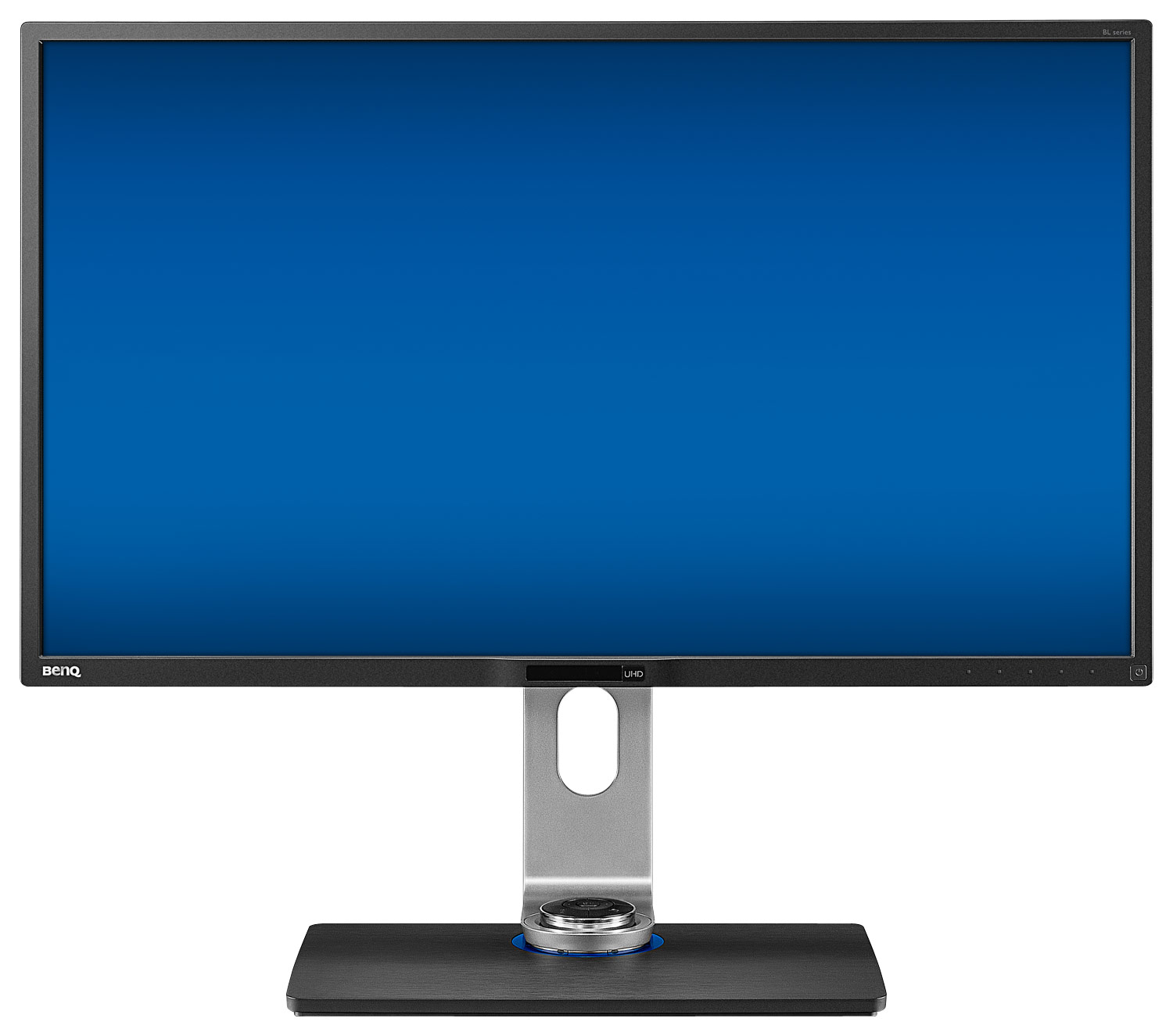
- Model:
- BL3201PH
- |
- SKU:
- 4058193
Customer reviews
Rating 4.6 out of 5 stars with 11 reviews
(11 customer reviews)to a friend
Customers are saying
Customers often highlight the 32" IPS LED 4K UHD Monitor's excellent color accuracy and clarity, making it ideal for gaming and other visually demanding tasks. They appreciate its performance at night for computer gaming.
This summary was generated by AI based on customer reviews.
- Pros mentioned:Resolution, Screen size
Rated 5 out of 5 stars
Finally a 32" 4k monitor at an affordable price
||Posted .This reviewer received promo considerations or sweepstakes entry for writing a review.The monitor meets and surpasses all the specs. To take full advantage of its awesome display make sure you use a mini data port connector cable. The sturdy base with easily adjustable upright allows positioning of the monitor over a wide range of angles, heights and even tilting with a minimum of effort. The ultra high resolution is excellent whether you are working with large spreadsheets, viewing a movie, or even gaming. After a month of using it, I can find no complaint. Setup was a piece of cake. Out of the box to full operation was less than 15 minutes.
I would recommend this to a friend - Pros mentioned:Resolution, Screen size
Rated 5 out of 5 stars
Excellent Display!
||Posted .This reviewer received promo considerations or sweepstakes entry for writing a review.I bought this monitor to replace a 12-year old Dell I had been using. I read many reviews and decided it would be a good fit for me. I couldn't be more pleased. The monitor looks great on the desktop, even when off. It has nice slim lines and the stand it comes with is heavy and nice looking. I also like the little wired remote to change settings. In addition, the integrated USB 3.0 ports and the card reader are a nice touch. Most importantly, the monitor is beautiful when turned on. Colors are rich and crisp, and my particular unit has no dead or stuck pixels. I also use this monitor to game with and it works flawlessly. In order to take advantage of the high resolution and frame rates, I used a DisplayPort cable. I would recommend this monitor to anyone.
I would recommend this to a friend Rated 5 out of 5 stars
Excellent 32" 4K monitor
||Posted .This reviewer received promo considerations or sweepstakes entry for writing a review.The 32" Benq 4K monitor BL3201PH is excellent. Its an IPS monitor, so the colors and clarity are excellent. The response times are pretty good. It's not 1ms for super fast games, like Unreal Tournament, where you are turning super fast all the time. But standard action games work great. Switching between input sources is very easy. Switching between different modes such as low blue light for business application is easy with the extra control attachment. The monitor even has a little place for the mode attachment to sit. Benq created a nice round cavity in the middle of the stand, just behind the screen, for the attachment to sit in. It makes the attachment easy to access, but out of the way. All the numerous USB and inputs all work as you would expect. The video inputs are on the side, which makes it easier to connect and disconnect, rather than on the bottom, which is sometimes a pain to get at, with these larger monitors. I found the 28" 4K monitor too small for Windows 10, while the 32" Benq is large enough for me to run native 4K. With 28" 4K monitor, I had to scale the image up, and the scaling on Windows 10 and Windows 7 kinda sucks. My video card's HDMI only supports 4K at 30 Hz, while the two display port on my video card both work at full 4K @ 60 Hz. I run both Benq off display port, so they both are at the full 4K 60 Hz. If you are going to setup multiple Benq monitors, ake sure you understand what your video card supports. The Benq is able to sit really low, or close to the table. I really like this. My Dell is about 3 inches higher at its lowest point.
I would recommend this to a friendRated 5 out of 5 stars
Excellent professional monitor!
||Posted .This reviewer received promo considerations or sweepstakes entry for writing a review.If you sit in front of your computer monitor for eight hours a day, day in and day out making your living you will really appreciate the BenQ BL3201 4K Ultra high definition monitor. It delivers 3840x2160 pixels at 60 Hz refresh for ease on your eyes. I am a engineer who uses ACAD, Photoshop and various other engineering programs as well as Microsoft Office and this monitor really makes my work life enjoyable. At night it serves as a great monitor for computer gaming.
I would recommend this to a friendRated 5 out of 5 stars
Great moniter
||Posted .This reviewer received promo considerations or sweepstakes entry for writing a review.Helps veteran's with poor eye sight a great purchase
I would recommend this to a friendRated 5 out of 5 stars
Super dope
||Posted .This reviewer received promo considerations or sweepstakes entry for writing a review.4.5 stars. A little light bleed but not so distracting. Great color accuracy. Super bright. It glitches the image every now and then but its for 0.5 seconds. Has held up well over the years. I am a BenQ believer.
I would recommend this to a friend- Pros mentioned:Resolution, Screen size
Rated 5 out of 5 stars
had this monitor for several months now..Fantastic
Posted .This reviewer received promo considerations or sweepstakes entry for writing a review.Ordered it in store and had shipped to home which was quick as it came from manufacture directly I believe, makes it easier if done in store originally as if an exchange or return of such an item needs to happen, in my experience it beats ordering online only to just use the store as a return center and I get some one on one help. No issues even to this day I run through displayport as that is the only way to get 4k at 60fps. I do a lot of media consumption from 4k youtube videos to even some minor photo editing here and there. I also game a lot on this monitor and I am pushing all these pixels so far with a single evga gtx 980 ti graphics card which I have repeatedly pushed to its limits and it is a match made in heaven with this monitor! color is accurate with its 10 bit panel and 32 size was a great upgrade from an older 27inch monitor I had before. very happy and highly recommended for any application!
I would recommend this to a friend - Pros mentioned:Resolution
Rated 1 out of 5 stars
BL3201PH Dead on Arrival, Denied Return at Store
Posted .This reviewer received promo considerations or sweepstakes entry for writing a review.I purchased a BenQ BL3201PH. The monitor arrived at the expected time and well packed, I actually was at home when it arrived. After unpacking and installed, the monitor perfectly at the 4k / 60 Hz resolution for 10 to 15 minutes, then the image start to shutdown and up intermittently, every 5 to 10 seconds, therefore, either the power supply or the LED banks may be damage, well, it was Dead on Arrival, that this happens and that why you always have to pay extended protection if you consider a $1000 electronic device. I took it to my nearest store at 9:30 a.m. the next day to process the return of the device, according to instructions both in the BestBuy.com website and the return instruction that came in the package. To my surprise, the customer service agent and then her supervisot at the Best Buy store at 5301 Beltline Road Suite 110 Dallas, TX 75254, decline to receive the product to process the return and insisted that my only option was to ship the monitor by mail. I show him that both the printed return instructions that came with my package as well as the instructions on the BestBuy.com webpage indicate that mail return was optional and that I have the right to return it to the store. The supervisor denied to process the return, claim that they didn't process such returns and that I have to send it by mail, so you can image my impressionat such answer. No talk or argumentation make he change such position. Therefore, I took it to the nearest UPS location and shipped back. I'm waiting for the return process to be completed. This whole experience has made me lost all confidence with the store.
No, I would not recommend this to a friend Rated 5 out of 5 stars
4K Works MacBook Pro (Retina, 13-inch, Mid 2014)
Posted .This reviewer received promo considerations or sweepstakes entry for writing a review.LOVE. I had issues with other 4K monitors and took the leap on this one. Apple has said that MacBook Pro (Retina, 13-inch, Mid 2014) can not push 4K over 30hz. They are now corrected. It will @51hz with the use of switchres. Every feature seems great to me. Love the CAD mode and low blue light. The proximity sensor is cool. When i walk away it shuts the screen off. When i come back it turns on. Colors and clarity is phenomenal! I'm not a gamer or CAD user. Just everything else you use a computer for. Also i will never have a monitor smaller than this again. I used to use 2 monitors, now just one plus the laptop opened for a little more aded real-estate. VERY HAPPY!
I would recommend this to a friend- Pros mentioned:Screen size
Rated 5 out of 5 stars
Excellent for Programming, Photography, Gaming
Posted .This reviewer received promo considerations or sweepstakes entry for writing a review.This is an Excellent 4K Display! I use it for Software Development, Photography, and Gaming. The display is vibrant and sharp. I was concerned that I may not be happy with the matte surface since I'm use to glossy displays such as the Apple Thunderbolt. It looks much better than the Thunderbolt display and the size it great with the higher resolution. Gaming with it at 4k is awesome and creates an immersive experience! I do some photography as a hobby and the photos look fantastic! I can now see detail that my old display was unable to show. I did use a custom RGB setting in the monitor to configure the display color. I did encounter a problem achieving 4k resolution with my work MacBook pro 2012 using a display port cable but solved that by using the Accell B086B-008B-2 UltraAV Mini DisplayPort 1.1 to HDMI 1.4 Active Adapter with the supplied HDMI cable. I also purchased a Mac app called SwitchResX so I could use a custom resolution to scale the text up a bit. For desktop Windows 7 use, I have text scaling at 125% and at 4K resolution.
I would recommend this to a friend Rated 5 out of 5 stars
Excellent purchase right out of the box.
Posted .This reviewer received promo considerations or sweepstakes entry for writing a review.Setup was relatively easy. Height adjustment for monitor is extremely easy. This monitor worked great right out of the box. Only annoyance was with the BenQ software, which I decided to uninstall because it caused the monitor to blink a few seconds after the Windows desktop would start. Instead, I use the Windows system and Nvidia GeForce (GTX 970) software for display adjustments. I also use the hardware buttons on the monitor itself. Colors appear to be accurate, and the picture detail at maximum resolution 3840 x 2160 and 60 fps appears to be state of the art (though some YouTube 4k test video not as good as others. And, may have to wait for 4k DVD players for ideal source video). I normally keep the monitor set on "low blue light" as I find this setting does in fact reduce eye strain.
I would recommend this to a friend