Customer Ratings & Reviews
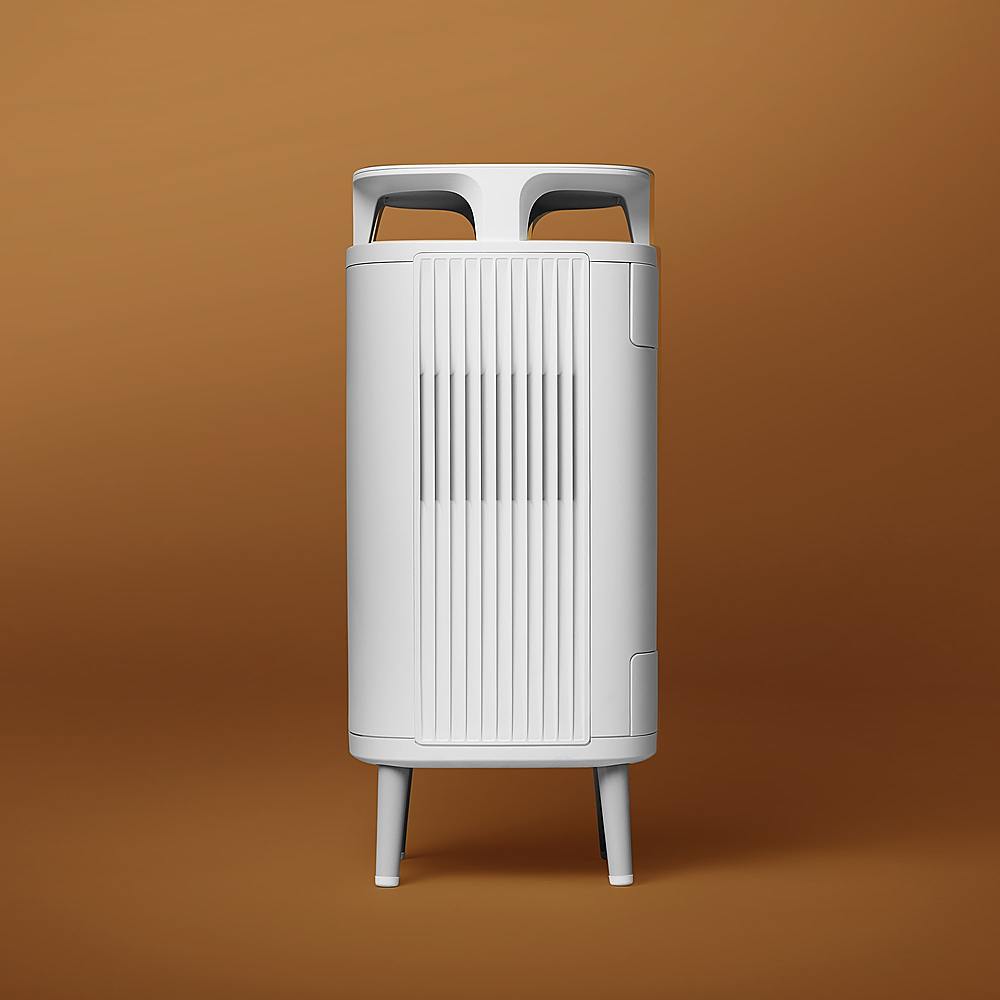
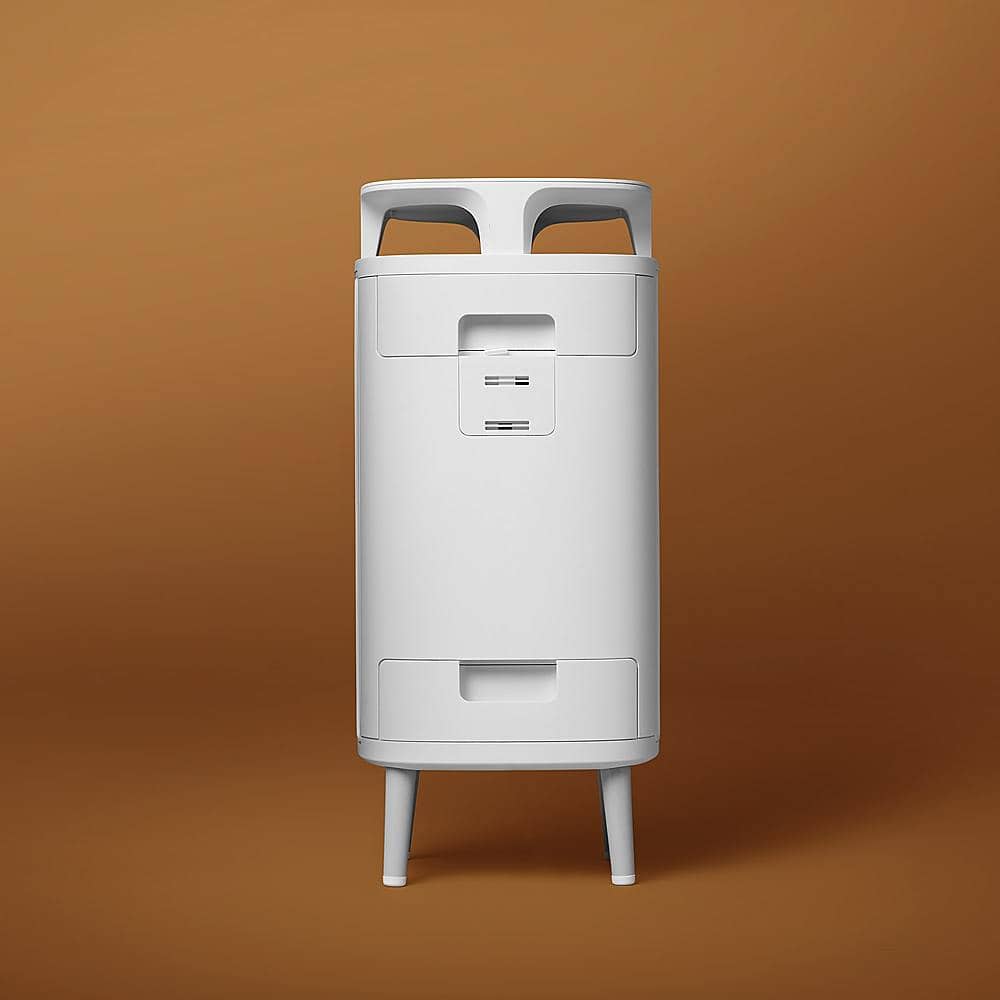

- Model:
- 5210i
- SKU:
- 6448013
to a friend
Customers are saying
Customers often highlight the DustMagnet 242 sq ft Smart Silent Air Purifier's quiet operation and excellent air quality improvement. Many appreciate the user-friendly app, convenient size, and ease of setup. Positive feedback also focuses on the aesthetically pleasing design and effective dust removal capabilities. A minor drawback mentioned by some users is the brightness of the LED indicators.
This summary was generated by AI based on customer reviews.
- Pros mentioned:Air quality, App, Noise levelCons mentioned:Led brightness

Easy to set and forget!
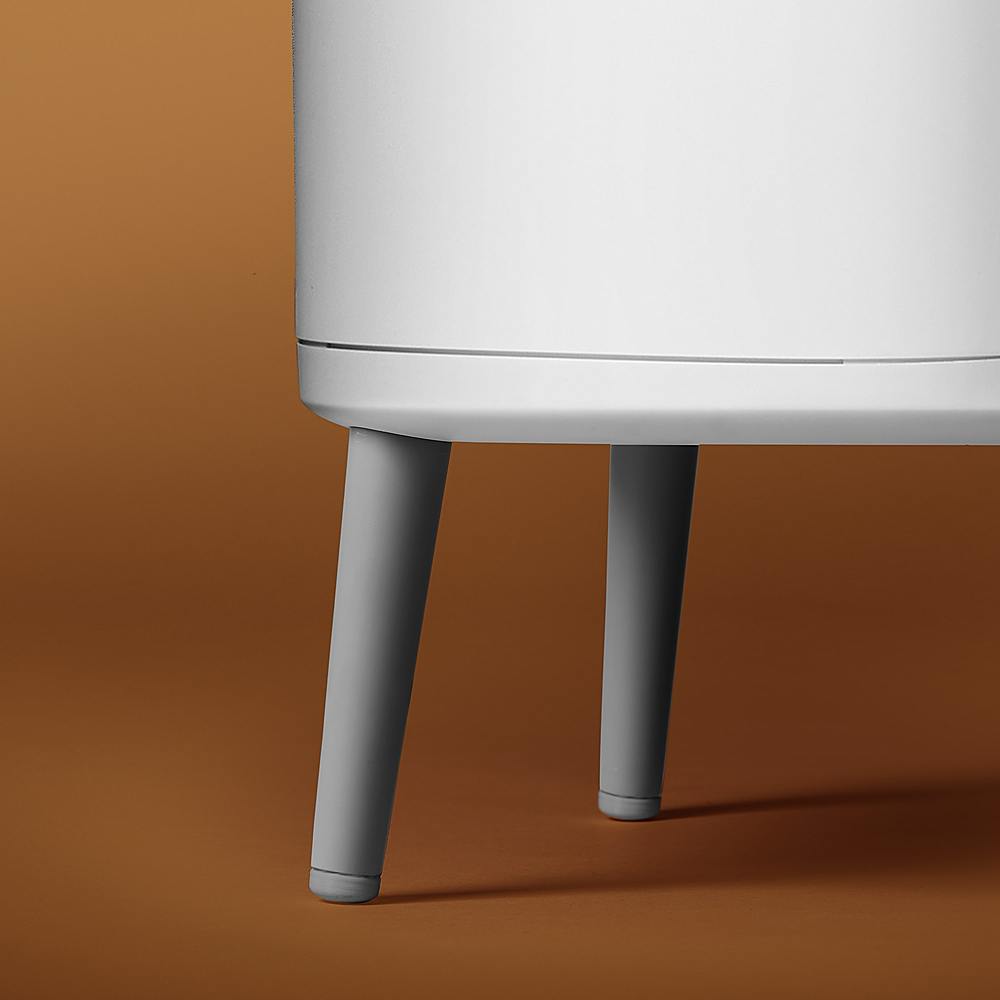
|Posted .This reviewer received promo considerations or sweepstakes entry for writing a review.The BlueAir DustMagnet 5210i is probably the smallest air filter system I’ve ever used in my home. The smaller footprint makes this easy to place in just about any room, and it effectively cuts down on pollen, dust, and helps with my allergies. In the box you’ll find the Dust Magnet, two filters in sealed bags, and warranty information/quick start guides. The only real assembly required is screwing the feet into place, and installing the filters into the machine. Once you’ve installed the BlueAir app, you’ll walk through setup and connecting to your WiFi network. The app setup process was straight-forward, and took only a handful of minutes. Honestly, I think the app is probably the best part of the entire ownership. It uses your address information to report back the outdoor air environment, with a simple to read graph, an AQI rating, and also shows you how the air is around your filter. If you tap on the filter indoor section of the app, you’re presented with an easy to understand dashboard, where you can adjust fan speed, and change modes from manual to auto, or even night setting. The app also allows for easy filter replacement ordering, and even gives you a lifetime meter to determine when it’s ready to change. I’ll admit, I had an existing air filter in place, before replacing it with the DustMagnet, so the air is fairly “clean.” My filter has only lost about 1% of life since set up around two weeks ago. It’s safe to say the filters will last a while, assuming the environment isn’t super dusty. What I really love about this filter, is how quiet the operation is. Even when the fan is running at a higher speed, it’s not noticeable, and allowed me to place this closer to my bed. There also isn’t any offending light, and while the LED indicators can be bright when staring directly at them, they don’t light up my room like the previous filter I was using. If they are too bright for you, simply go into the app, pull up your filter, and head to “Product Settings” where you can adjust the LED brightness from 100% to 0%. It’s in the same menu where you can update the name of your purifier, and just above the “child lock” setting, that prevents anyone from using the physical buttons. You can also easily view your product information, and grab your serial number and Mac Address for your router, in case you have the ability to name devices on your network. I found this convenient for adding to a network profile on my eero network app. Air quality has remained at excellent since installing the DustMagnet Purifier, and appreciate the level of user friendly layout of the app. It’s been a great addition to my bedroom, and does a great job keeping the air clean, while staying quiet doing it. Cleaning the unit is also as simple as wiping down the exterior. The air filters appear to be long lasting, and do a great job keeping odor away with my 3 dogs. I can’t recommend this unit enough! The price, internet connectivity for monitoring, and the app make this any easy recommendation; especially, when compared to others in the same price point.
I would recommend this to a friend - Pros mentioned:Air quality, Noise levelCons mentioned:Led brightness
It just works.
|Posted .This reviewer received promo considerations or sweepstakes entry for writing a review.Setup is super easy. You simply take it out of the packaging, attach the four legs, remove the plastic wrap on the filters, and plug it in. You can then download the app, create an account, and pair the device to it using Bluetooth. Then you are up and running. Whole process took about 5 minutes. Build quality is solid and it doesn’t feel cheap. So, I bought this for two reasons. The first reason is because I’m sort of a clean freak so the Dust Magnet title and it’s claims of being able to capture 99% of airborne dust before it settles was a big draw to me. I’m also lazy so being able to push back vacuuming/cleaning just a bit is always a win in my book. Unfortunately, as of writing this review I haven’t had enough time to test that claim. But I do think I have noticed less dust flying around the room than before. The second reason is to filter the air in my bedroom which is where I spend the most time in. It is right around 242 square feet which makes this perfect. They report this should filter the air every 12 minutes or about 5 times per hour per their marketing material. With it being in my bedroom I wanted certain features. The first being sound. It has four different settings. On/off, auto, low, medium, or high. Most of the time I used the Auto setting. They report on the Low Setting it is 29 dB (which is about as loud as the normal noise floor of your average quiet room) or about 45 dB on the High Setting. For comparison normal speech is about 60 – 65 dB. This does an incredible job and most of the time if it weren’t for the LED lights or the app telling me I wouldn’t think it was on. Speaking of the LED lights you can adjust the brightness in the app from anywhere between 0 – 100%. Or if you are too lazy to do that you can just turn on “Night Mode”. However, I found this to still be a bit too bright for my preferences as I like it pitch dark and found putting the LED lights to 1 – 3% was best. But having the ability to completely turn them off while sleeping also was a massive plus for me as many companies overlook this. The front LED light is also multipurposed and will tell you when the device is on, if it is in Bluetooth mode, and how good the air quality is depending on five different colors. You can also use Alexa or Google Home to control the device. When I tried to set this up I couldn’t get it to work right so I’m not sure if it is currently implemented as of this writing. For those of you who are worried about energy efficiency they claim this uses less energy than a light bulb. Which I thought was pretty neat. They were able to do that by using their “HEPASilent” tech which they claim uses a combination of electrostatic and mechanical filtration that are less dense allowing it to be more energy-efficient and quiet while still performing just as well. It holds two filters and two prefilters. That simply slide out from the top and the bottom which makes them very easy to replace. The App will tell you how much of the filter you have left and is usually replaced every 6 – 12 months. The App is relatively straight forward. On your main screen it will show you the outdoor air quality and then if you select your device it will show you the quality of the air in the room you have it in. If you have high pollution in your room it will show a countdown on when it expects your room to be fully filtered and back to clean air which is awesome. The overall design comes down to personal preference. But they placed a nice little shelf on the top so you could still use it for something. It’s got a pretty minimal design and doesn’t take up that much space. Overall, I really don’t have any cons as everything is plug and play and just works. Except the smart assistants.
I would recommend this to a friend - Pros mentioned:App, Noise level, Size
A Perfect Pint Sized Purifier
|Posted .This reviewer received promo considerations or sweepstakes entry for writing a review.We previously added a rather large air purifier to our house and have kept that one mainly in our living room. We thought that one worked rather well considering the size of our living room, but it was a bit bulky and could get loud. We were looking for something smaller and quieter to add to our bedroom. This little guy seems to be the perfect match. This unit is very, very quiet. We have kept it mainly in auto mode, but even when you go manual and crank it up, it is still relatively quiet. Again, we are keeping this in our bedroom, and my wife can not sleep with even the faintest light on. Luckily, this air purifier has a night node that turns off most of the lights. It allows you to set schedules using the companion app and we have it set to go into night mode each night at 10 pm, and back to auto mode in the morning. The unit has a minimal interface, no digital read out, just a few led lights to show that it’s working, and what mode it is currently on. The companion app that is on the App Store and Google Play store gives you any other info you might need. The app is where we setup our schedules for it, as well as where you can dig into the air quality history of your room and outside. It also gives you what the current health is of your filter to let you know when it is time to order a replacement filter. Setup was a breeze. After you unpack it, the cord is already connected but you will need to screw on the 4 legs. You also need to make sure to pull out the 2 internal filters to remove the plastic wrap. Finally, pairing it to your phone with the companion app allows you to connect it to your wifi as well. The entire setup took less than 5 minutes. Also, as a side note, I was a bit worried when I went to download the app from the App Store. It had a horrible rating, but to my surprise I have had no issues with it and always shows the information quickly and refreshes just as fast. This is a super easy recommendation for anyone looking for a compact, quiet, air purifier. Setup was a breeze, we love that the lights shut off on night mode, and it is so quiet you forget it is there, even while you’re sleeping. It’s small enough to fit just about any room without too much trouble.
I would recommend this to a friend - Pros mentioned:Noise level, Size
Quiet, Easy Setup, Good app
|Posted .This reviewer received promo considerations or sweepstakes entry for writing a review.I've had about a week with my Blueair - DustMagnet 5210i so far, and so far it just works. Setup was quick and easy. I downloaded the BlueAir app to my phone, screwed the feet into the unit (the only assembly required), unwrapped and inserted the included filters, connected to the device via Bluetooth, used that connection to connect the device to my network, and it then shows up in the BlueAir app to monitor and control. The BlueAir unit itself helped pull the smell of leftover food out of the room I placed it in, and while running is fairly quiet. I have been leaving it on auto, and I haven't really noticed it while it's on unless I sit and intentionally listen for it. All you can hear is a quiet fan whir. The unit uses 2 of the same filter (included), which I appreciate as another air purifier I have uses 2 separate filters that are different sizes and need to be replaced at different times. This means needing to have different types of filters on hand and makes ordering a little more complicated. The app itself shows you outside air quality as well as measuring the air quality in the room the air purifier is in. You also have the option to change the fan speed within the app, schedule times to run the air purifier if desired, and the app also displays the air filter quality and lifetime remaining. There is also an added bonus feature to enable child lock on the device so it can't be manipulated directly from the unit (if desired) The size of the unit is about what I would expect out of a 242 sq ft unit. I now have a total of 3 air purifiers in my house, one is ~480 sq ft and is about double the size of the BlueAir unit in width; the other is ~600 sq ft and is ~70% taller than the BlueAir unit. The lights on the unit are dimmable, and night mode disables the lights completely. Overall, I'm happy with the Blueair - DustMagnet 5210i, and I'd happily recommend it to anyone looking for an air purifier to fit a space of roughly 242 sq ft.
I would recommend this to a friend - Pros mentioned:Air quality, Noise level, Size
Great air purifier for allergy sufferers
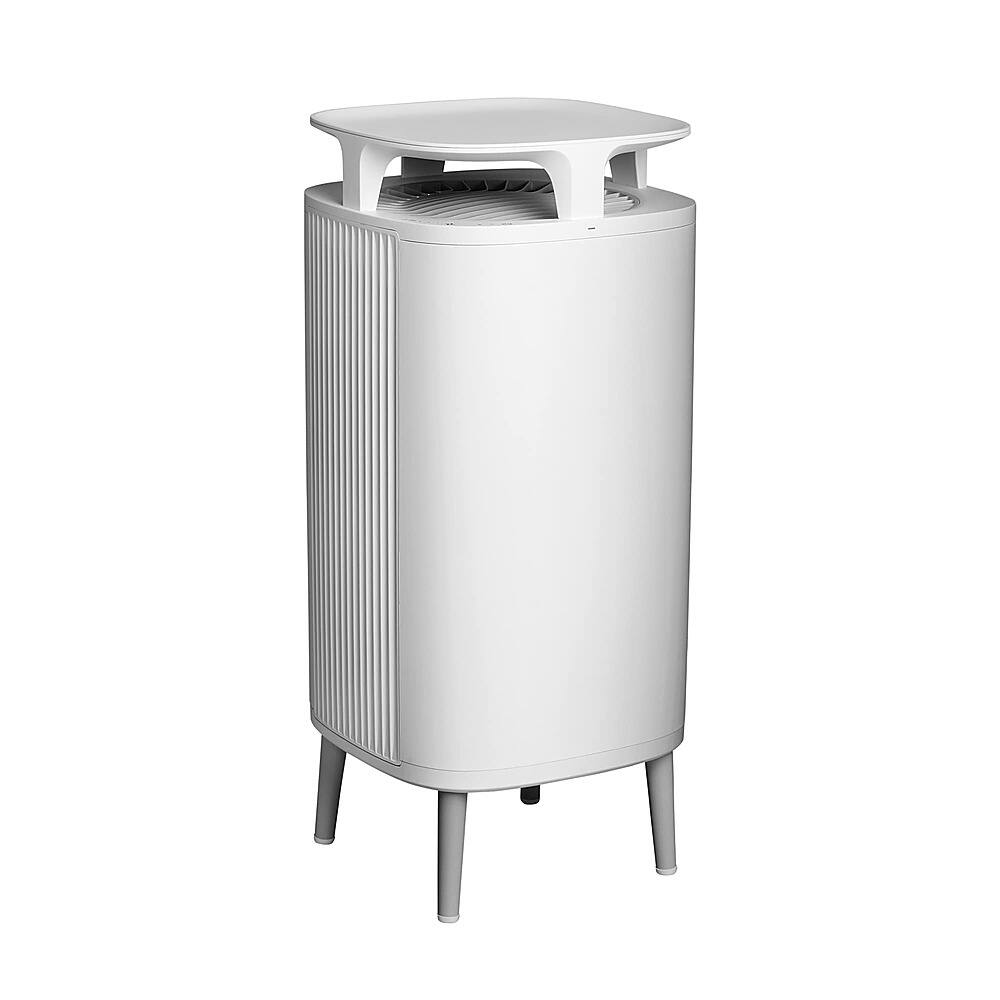
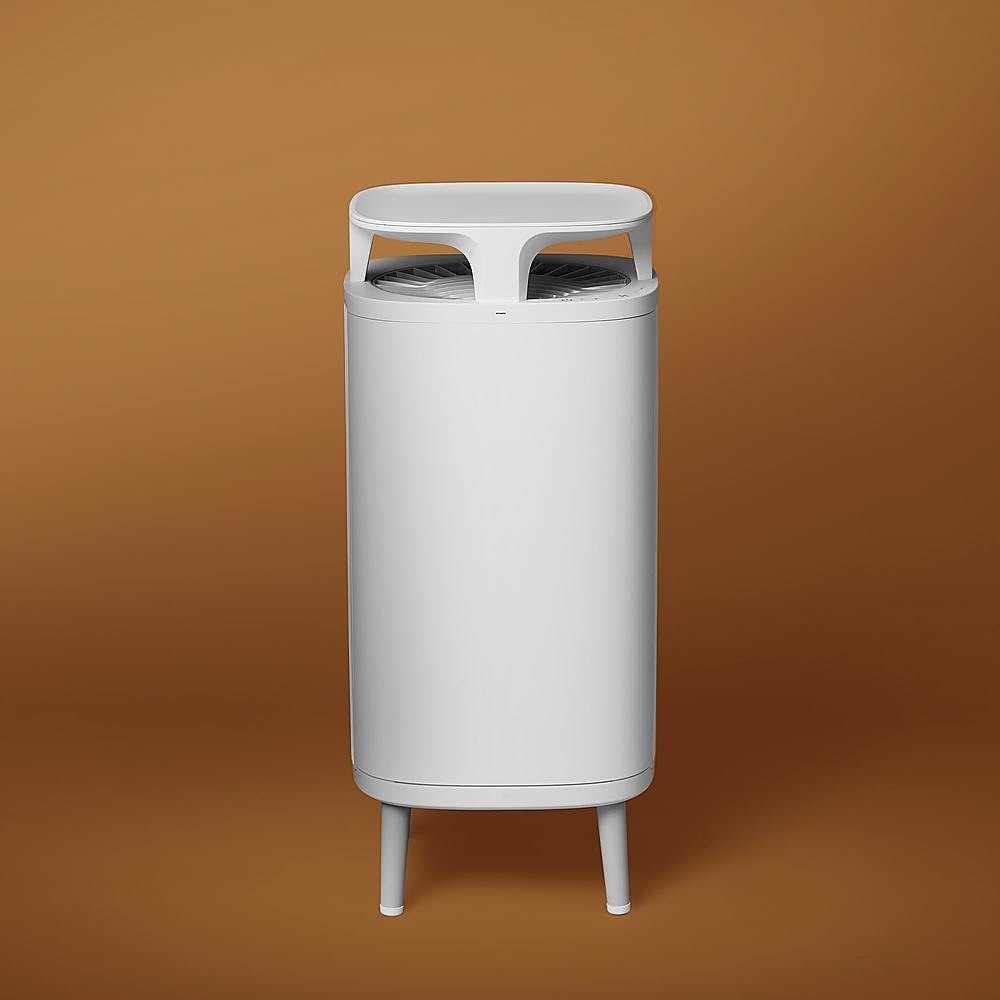
|Posted .This reviewer received promo considerations or sweepstakes entry for writing a review.Well spring is almost here and pollen season has had strong start here in AZ. We are always on the lookout for good, quiet and effective air cleaners to help deal with my allergies and my wife’s seasonal ones. We saw that Blueair had a new DustMagnet model out and wanted to give it a try as the one in our bedroom is pretty old, about ready for new filters and the fan was starting to make some noise. This one is rated being good for 242sqft, which is perfect for our 200sqft bedroom. Unpacking and first impressions: The filter arrived double boxed and very well packed, no worry about a damaged unit on arrival. It was also not that heavy and had my curiosity peaked, “it only weighs about 10lbs”. Inside the second box is the purifier, quick start guide and legs. Assembly was simply turning the unit over, screwing in the legs, then standing it up and removing filter doors “which also house the pre “screen type” filter, then remove the filter as they are wrapped in plastic, removing that and putting everything back. It only took a couple minutes to get it set up and ready to run. The device itself looks sort of like a square, modern side table with a top that has a bowl shape to it, “pretty easy to put something on top and not have it roll off”. And after looking it over I really like how they use two filters and two exhaust ports that appear to be separate from one another. The top vent pulls air down then expels out the side. The bottom vent, “kept up off the floor by about 5” pulls air from the bottom and out the opposite side. The exhaust is also angled in two different directions, “one forward, one back” which helps keep the air flowing around the unit. Using: We took the old air cleaner out of the bedroom and set this up in its place. It’s a pretty small unit and doesn’t take up near the space that our old one did, “which is a pleasant surprise”. I downloaded the Blueair app for my android phone and started the setup process. The app found the filter, had me set up our WiFi access, after connecting to our internet it immediately wanted to update the unit. I went ahead and let it do that then we were off and running. The Blueair app is pretty easy to use; it shows you the current outside air quality according to your zip code and also has a line chart showing your indoor air quality. I fiddled around with the different settings and decided to use it on automatic mode. I also tested out the fan speeds and noise and was surprised that I had to set it on high for the noise to become noticeable but still very quiet. If you take a look at the picture I added to the review it’s of the app, and that graph actually shows when my wife is in the restroom “door next to purifier”, and is using her hairspray while she’s getting ready for work. To me this is pretty amazing that it’s picking that up and I’ve checked it a few mornings and yep, exactly when she uses the hairspray the chart spikes, “and that’s even with the door closed”, so the sensor they are using is extremely sensitive. The app also allows you to program schedules so you could set it on night mode during sleep but I found that using the automatic setting worked well even while we are sleeping, “there just isn’t that much noise”. Conclusion / Thoughts: The first night we used this we could already tell the air smelled fresher than with our old unit “it was due for filters soon so that didn’t help it”, but this new Blueair DustMagnet really made the air smell fresh and clean. We have a dog that sleeps in the bedroom with us and when you can tell a difference there then it’s definitely doing its job. The device is really quiet, a lot quieter than what I expected and works as well as all our other cleaners. We have quite a few air purifiers and this one is every bit as good as the more expensive units for making the air smell/feel clean. The lights are pretty bright but the app also has a setting for turning down the intensity, “can’t turn them fully off” but on low it didn’t bother either of us sleep wise. If you are looking for an air purifier for a bedroom this new DustMagnet will definitely do the trick, we both woke up without stuffy noses, and that’s a huge plus for getting a good night sleep. Size wise this device is really small and very easy to place in a room, and you can use the top as a small table for setting things like your TV remote. In all it’s an excellent air purifier and we’ll be highly recommending this one to anyone that asks.
I would recommend this to a friend - Pros mentioned:Air quality, Design, Noise level
Great filter, average smarts
|Posted .This reviewer received promo considerations or sweepstakes entry for writing a review.Pros Quiet Blends in with furniture Doubles as a small table Air quality indicator light Easy control and scheduling via app Automatic mode can take care of itself Night mode turns off lights and minimizes noise Can be controlled by Alexa and Google Assistant Cons App is extremely basic Graphs in app can’t be expanded for more info App only shows PM 2.5 inside Scheduling doesn’t allow an off option No air quality information indoors for allergy sufferers Did not sense smoke from cooking or aerosol spray like other filters It is getting harder to stand out with so many air purifiers on the market. Many now can be controlled via an app, can be scheduled, and even monitoring air quality is becoming more common. The Blueair DustMagnet attempts to be different by designing their filter to look more like a piece of furniture and using negatively charged ions. Design Even though it is an air purifier, it’s still nice that Blueair worked to make it blend more in with the décor. The marketing suggests using it as an end table but in all honesty very few people would likely use such a small top as an end table. That said, it is nice to have the option. On the front is a small led strip that shows the air quality with blue being the cleanest and red being the worst. On the right front where the fan inlet is are the power button, fan mode button, and status lights. The filters are accessible via the back. Both the top and bottom filter have a metal screen you pull out first and then you can remove the HEPA filter. Setup and performance Out of the box, basic setup is very easy. All you have to do is screw on four legs and make sure to remove the plastic wrap from the filters and you are ready to go. However, connection to the WiFi via the app wasn’t quite as smooth. To start, after creating your BlueAir account, the app prompts you to install a new filter. The issue is when choosing the BlueAir DustMagnet from the list to pair. It searched for the filter via Bluetooth but did not find it. It took power cycling the filter several times before it showed in the app to pair. After pairing, you configure the filter to connect to the internet via your WiFi. The connection to the WiFi was pain free but during the cloud setup, the app or filter hung at 80 percent set up for 20 minutes with no feedback. The app warned this could take some time but after closing the app and reopening it was discovered the filter had finished setting up, but the app never showed it complete. At this point, you can set your location as well as the location of the filter. The app shows you the overall outdoor Air Quality and the PM2.5, PM10, CO, and SO2 for your area. The filter is shown below and shows the basic Air Quality. Tapping on it brings you to the settings and the PM2.5 levels your filter has measured. Unfortunately for allergy sufferers you can’t see your indoor PM10 levels. It also doesn’t allow you to see the historical PM2.5 levels in any other way except a small graph that cannot be expanded. Both graphs show very little information and cannot be expanded. The current design seems to be more targeted at showing people it’s doing something rather than providing relevant information to people with allergies. The filter media can filter pollen, but it is uncertain how it will know to ramp up the speed for pollen to filter if it shows no measurement of PM10. BlueAir makes more references to smoke and pollution than pollen, even though it claims to be able to filter 99% of contaminates including pollen. The documentation doesn’t state what kind of sensor it has, but it does say the app is always improving. Hopefully, the sensor is more capable than is shows and this information could be added in the future. As it stands now, if you are worried about pollen you are going to have to watch your local pollen levels and adjust the fan speed manually. The scheduling system allows you to schedule modes between manual fan speed, auto fan speed, and night mode. Night mode reduces fan speed and also turns off nearly all status lights. Auto mode only allows you to set the scheduled time. Manual speed mode allows you to change fan speed and the brightness of the light. Scheduling also would be great for when you aren’t home. It doesn’t make much sense to run an air purifier to clean the air in your house while you are away or at work, and this is a great place where scheduling could come in handy. Unfortunately, the scheduling only allows you to change power on modes. You have to manually put it in standby mode, and this also means that until you manually turn it back on the scheduled modes won’t work either. If you prefer not to waste expensive HEPA filters cleaning an empty house, you are going to have to manually turn it off. Of course, shutting it off while you are gone diminishes the ability to catch dust in the room before it has a chance to settle but unless or until filter prices drop most people would likely opt for the savings. This could be easily improved by a firmware and app update so hopefully BlueAir will add this functionality in the future for those who prefer saving money over absolute cleaning. So, the app functionality can use some further refinement, but the big question is how well does it do? That’s going to be harder to answer as even though dust and pollen is currently high, no one in the family is currently reacting even when outside. Thankfully the allergens currently in the area aren’t the kind that cause us problems unlike fall. What can be said is the app shows overall air quality outside as good even though dust and pollen are high. It is uncertain if this is because pollutants are low and offset this or if only pollutants are factored into the air quality and not allergens. What is also uncertain is what exactly causes the filter to respond in auto and speed up. In a family of allergy sufferers our house has a variety of smart filters throughout. While cooking in the kitchen, some food was accidentally burnt. You could smell it throughout the house. Every other smart filter in the house registered a spike and ramped up filtering accordingly. The BlueAir DustMagnet was in the room immediately adjacent to the kitchen and the monitor barely showed a difference and the fan never changed speed. The original smart filter that was in the room always caught this and would ramp up to clean. Within a short time, any smoke was removed, and the odors would be gone with our old filter. However, the DustMagnet just carried on as normal and didn’t seem to notice the smoke at all. Another accidental test was fragrances. While cleaning up and purging old perfumes and room deodorizers the family was spraying in the bathroom attached to the room the DustMagnet was in. The previous filter which had been in the room would always ramp to clean the moment it detected the fragrances. Thinking maybe it wasn’t strong enough near the filter, the DustMagnet was moved directly into the bathroom where some family members had been too liberal in spraying to test. The smell in the bathroom was overwhelming and you could feel an itchiness from some of the spray. The DustMagnet was left in the room for about an hour and the air monitoring graph barely registered a change and the filtering never increased fan speed. While automatic monitoring is currently uncertain, the DustMagnet does have some bright points with noise being a standout. While other smart filters in our house might seem more sensitive, they also make more noise. One is just much louder while the other makes a high-pitched sound while running. The DustMagnet is barely audible while running and even at full speed is comparatively quiet while still having similar performance ratings. Final Thoughts A good quality HEPA filter is really all you need, which the DustMagnet has. Charging the air to improve cleaning is something that was proven a long time ago to boost effectiveness. The question of if the DustMagnet is right for you really depends on what your priorities are in a filter. If you want the most sophisticated air monitoring filter that is specifically targeted at allergy sufferers, you are either going to want to look elsewhere or wait and see how the app matures. If your primary need is an attractive, quiet air filter that gets the job done and gives you simple information on the quality of your air this could be a good option.
I would recommend this to a friend - Pros mentioned:Air quality, Noise level, Size
Working Very Quietly this Air Purifier
|Posted .This reviewer received promo considerations or sweepstakes entry for writing a review.I quickly and efficiently received the Blueair - DustMagnet 5210i machine made in Sweden that should cover 242 square feet with Smart HEPASilent Air Purifier in white. Although I have a traditional colonial style home and décor, I do feel that the Scandinavian-stylized design of this air purifier can blend in with any home's design. My model, a larger one is available that will cover more square feet if needed, is about the size of a small end table and I did put a design piece on it which attests to the fact that this is a very quiet, no vibration piece of equipment. There was very little about putting the unit together. Basically, the first thing that I did was screw the (4) feet on and then had to install the (2) air filters into separate ports. All of that was easy peasy. So, there is an app for your smartphone that although not highly review-rated, was easy for me to download and get going. It is through this that you connect your unit to your home's WIFI and get diagnostic readings that are taken on the air, inside and out, surrounding your home. This is a truly quite machine. My unit is set to auto since my interior air quality is rated excellent. This machine also acts as a safety check because the app will show you carbon monoxide and sulfur dioxide levels plus PM 2.5 levels described as fine inhalable particles, with diameters that are generally 2.5 micrometers and smaller, and then PM 10 particles described inhalable particles, with diameters that are generally 10 micrometers and smaller.. In fact, I called the Blue Air customer service department and asked them, about 5-7 days after I set it up, how do I know that this is doing its job since it is so quiet and you do not really feel or sense that much air flow movement on the automatic setting. There are several air movement settings available, but like I said, I leave it on automatic to maintain the air quality in the area that I have assigned it to. The agent that I contacted advised me to do the "Swiffer test". That means that I put a Swiffer near the 2 opposite sides that air blows out of and you definitely see the Swiffer refill dusting pad attached to the handle. The other item that I wanted to bring to your attention is that you must register your machine within 60 days of purchase to extend the regular 1 year warranty up to 5 yeas of coverage. Finally, I asked my husband if he thinks that this machine is truly a good dust magnet as it proclaims and he told me that he thinks it is doing a good job thus far, but mostly I like knowing that when I check the phone app that my interior air quality is rated Excellent and that makes me feel safer in my own home that we are breathing clean air quality that will not medically hurt us. .
I would recommend this to a friend - Pros mentioned:Air quality, App, Design
Smart and sleek air purifier
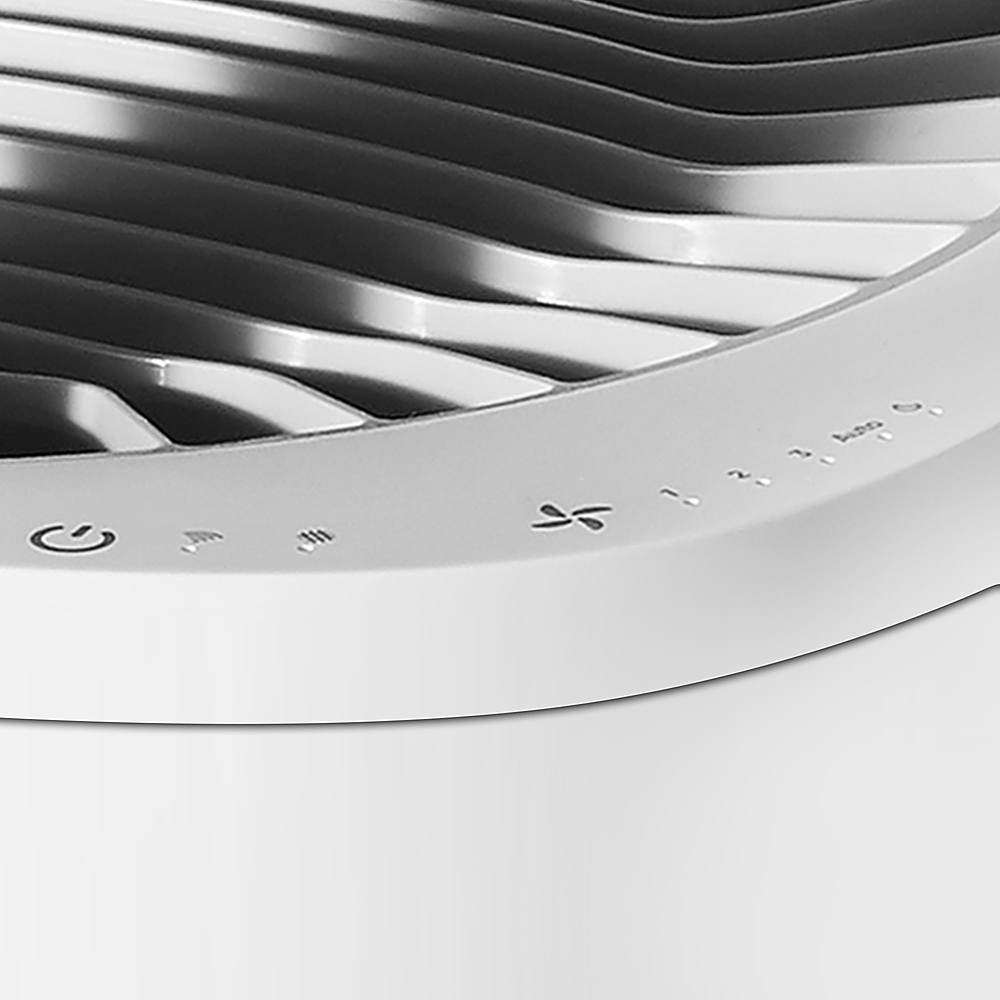
|Posted .This reviewer received promo considerations or sweepstakes entry for writing a review.I have been using the new Blue Air DustMagnet 5210i for about a week now. It was a “breeze” to setup. A few easy steps - screw in the 4 feet, remove the two filters from their plastic wrap and reinstall. Install the Blueair App and create an account, after which you can connect to your DustMagnet device. The App is very informative and allows you to control the purifier on/off, fan speed, auto speed, night mode, LED brightness, location. It also gives you an overall air quality status, 5 levels from Excellent to Very Polluted, as well as filter status, total lifetime percentage. Additionally you can also setup custom schedules for the Purifier to run on certain days/times at the fan speed of your choice. Very well thought out and intuitive App! Given the current detected Excellent air quality in my ~ 200sqft carpeted bedroom, the Blue Air DustMagnet 5210i is very quiet running on Auto at the lowest fan speed. Even at second level speed 1, it’s fairly quiet; you can sleep with it on, some may even prefer it as “white noise”. The end-table contemporary design is a bonus - you can place a few small books, your glasses or your phone on top of this air purifier. The sleek touch-buttons that control all the functions are found lower, a layer below the top end-table, so you won’t accidentally change the fan speed when you place stuff on top of it. All in all, I really like the design, the smart air quality management capabilities of this unit with its companion smart phone App and most of all it will help remove up to 99% of airborne dust particles, mites, allergy causing pollen, smoke and pet dander, before it settles on surfaces, thus improving air quality.
I would recommend this to a friend - Pros mentioned:Air quality, Noise level
Airborne dust catcher
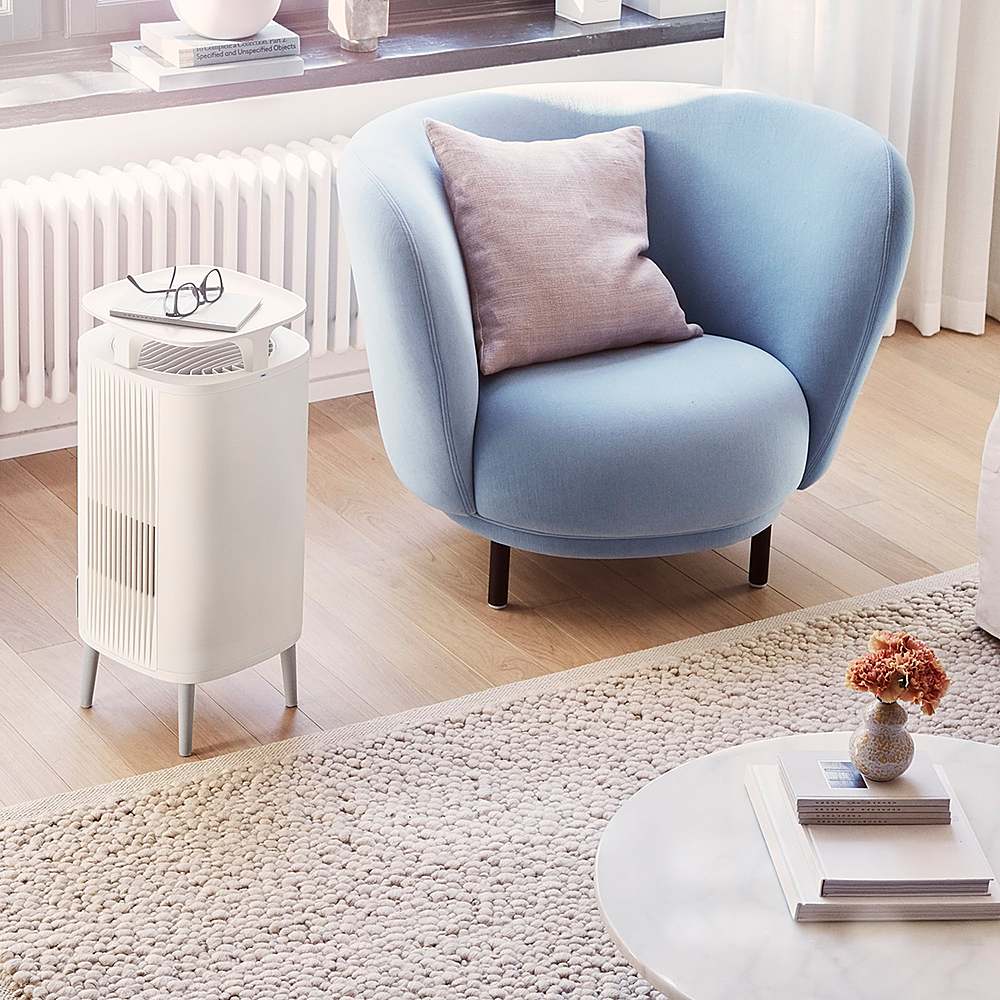
|Posted .This reviewer received promo considerations or sweepstakes entry for writing a review.This Blueair DustMagnet 5210i is an amazing machine. For a family with a long history of allergy during changing seasons, I found this machine very helpful. First of all, this air purifier is aimed and designed to catch dust in the air and purifies which means I end up having clear air free of particles. It covers 242 ft² room which in my case is suitable to be in the living room where the backyard is open during spring and summer. It does not require and special assembly where it is corded and only the top and lower filters need to get unpackaged and insert into their place. The machine can be operated and controlled using touch controls on the machine as well as via any smartphone (IOS & Android). Blueair app on a smartphone is simple and requires new account creation to control the purifier and monitor air quality. Data on the app shows particle sizes by using PM (a mixture of solid particles and liquids droplets found in the air) ranging from 2.5 to 10 depends on how big is the particles in the air. Size is not too big and can be placed in any spot and has a very responsive touch control on the top right side. Upon the initial operation, the current air reveals excellent but then after an hour when the door was open, the purifiers caught airborne particles (11 particles size of 2.5) within an hour. I feel safe and blessed to have this machine because my room air is clean and purified to the level that deems acceptable by EPA (Environmental Protection Agency) and falls in AQI index satisfactory level. Moremover, this air purifier is an end table and convenient to put glasses or any small stuff on it. The machine has an auto mode, 4 fan speeds, and night mode disables the air quality indicator LED and runs quietly. For smart assistants, Amazon and Google are supported.
I would recommend this to a friend - Pros mentioned:App, Noise level
Cozy look and feel hidden guardian for better air
|Posted .This reviewer received promo considerations or sweepstakes entry for writing a review.This is review of Dust Magnet Air purifier 5201i. At high-level description, 5201i is the all white plastic appearance and cost bit less than 5240i that has textile materials finishing as date of the review. This designed to cover 242ft2 every 12 min as per the specification from the brand, and it use two small filters. Other specifications can be found from https://www.blueair.com/us/air-purifiers/Master-2518.html?dwvar_Master-2518_blueair_configuration=40i For the context, the review note is based on using it in the area that is bigger than area of specification but narrow down to usage next to users, and the area being cleaned often and fresh air with windows opened. And location of the house is in area of windy and soil dust as nearby to farms and construction. Unpacking and setting it up is simple, anything special to mention except one minor pitfall that I think sort of due to the rush of setting up while placing the filter. This is because it uses two filters, but each has different position and I assumed both are placed in same side up. In term of start using is simple as well. Locate where to place and plug in to electric outlet, and power on then set the mode of choice. This option can be chose from 1 to 3, Auto then has night mode. I mostly have used it in Auto and Night Mode. From this use experience in five days or more, it is remarkable level of noise is low. During the day, in between all the noise in the ambient, its functioning is almost near to zero noticeable. Then during the night get to feel a bit of that very low level noise and do get to feel while watching tv for instance. In term of how clean the air can be, that I think need bit more time to see the effect. But the result in short time is although can’t tell if directly related, having it placed next to where kids are having online class, they didn’t feel breathing uncomfortability or sneezing previous to it. Now, it states that DustMagnet attract dust like a magnet, but not sure how precise or how micro level is as during usage I did see dust on the floor I would see previous to start using it. Now, as separate note on using with its application. It is not exactly needed unless if want to see data references, otherwise can just power on and use the control directly from the hardware. But using with application, need to setup with WiFI to connect the air purifier to the network, and the process is quite same as other devices and brand being used in the market. The only dislike and different is that upon setting WiFi, from the beginning need to enter user information name, address etc which other brands would ask afterward but not required in the very beginning. Once setup, from the application can power on/of and control the rest as would do from the hardware. It tells level of of air, filter status, air of the location, then functionality to schedule, product setting, among some to mention. Basically it does the function of remote control with additional features for convenience. In the application what I don’t find is privacy control for location and device and personal information as these can point to home and related information to unwanted parties. As part of most of intelligent devices in market now, it support voice assistance Google Home, Small Gennie and Alexa. But doesn’t Siri and can’t add to Home ecosystem. As I don’t have those supported brands hence not giving feedback here. In short, physically looks cozy and light to move around, simple to use are meant air purification and dust removal. The application provide good support to integrate with mobile phone or tablets and have view to data context if user is keen to technicality. Only observation I would say is the maturity of application in details of privacy and user experience. In term of effectivity as BlueAir claim can’t tell exactly it work or not except that feel like work. But if serve as reference to anyone, the filter level was 99% when started, and after five days still shows 99%. As last comment, couldn’t tell what is the price of the filter as Blueair site doesn’t include it yet. And this probably will be one of factor to want to have it for long run or not.
I would recommend this to a friend - Pros mentioned:Air quality, Design, Noise level
GREAT JOB CLEANING AIR – METER NOT SENSITIVE
|Posted .This reviewer received promo considerations or sweepstakes entry for writing a review.REVIEW: BLUE AIR DUSTMAGNET 5210I Best Buy Tech Insider Network GREAT JOB CLEANING AIR – METER NOT SENSITIVE ENOUGH With the BLUE AIR DUSTMAGNET 5210I set on maximum it was able to show an immediate and drastic reduction in Particulate Matter (PM) in the air. Within a few hours PM2.5 and PM10 measurements dropped about 50%. By the end of the day (12 hours total) PM levels were down by 75% in the room where I was running the test. I’ve used a few air cleaners over the years and my main concern was that I had no way to really measure their effectiveness other than eventually I would have to replace the filter. I now use 2 different air quality meters to make sure the air cleaners are doing their job. Both meters showed improvement in PM 2.5 PM 10 and even some TVOC (Total Volatile Organic Compounds) reduction. See PICS for the readings. My only concern (and the reason for 1 point reduction) is that the PM meter built into the BLUE AIR DUSTMAGNET 5210I always showed “0” PM 2.5 in the app. Granted my PM levels were not bad to start with but considering that 2 other meters were able to record PM levels I would have thought that something (anything) would have also shown up on the BLUE AIR DUSTMAGNET 5210I. This would mean that being set to automatic might not work as well as expected if the built in meter is not working or properly calibrated. Or, maybe it is just not as sensitive as the other meters I use. Overall, the BLUE AIR DUSTMAGNET 5210I does a fantastic job cleaning the air, which is what you want it for anyway. It is not too loud (about 50db on max fan) and I really like that it can serve the purpose of an end table. Although, the manual for the BLUE AIR DUSTMAGNET 5210I says very clearly not to put any liquids on the unit. (but you know you will anyway – just be careful). Filter prices were not available at the time of this review, so that is the big unknown for me. On some other cleaners you can easily spend the cost of the main unit each year in filters. It is voice enabled, if that is important to you. I tested it with Alexa and it worked well but it is a mouthful “ALEXA TELL AIR PURIFIER TO RUN ON MAX SPEED”. Nah, I’ll just use the phone or walk up to the unit and press a button. PRO’s - Great End Table Like Design - Does a Fantastic Job Cleaning the Air (in appropriately sized room) - Big, but not ugly - Long Power Cord - Quiet UNBOXING AND SETUP Super easy to setup. Just attach the 4 legs, remove the plastic covering the filters, and turn it on. Connecting the BLUE AIR DUSTMAGNET 5210I to an Adroid App was also very easy. It worked perfectly the first time. Buttons are clearly labeled, there is no guessing involved. Everything seems high quality. At first, I could not figure out how to connect to Alexa. I mistakenly tried to do this from Alexa and searching for a skill called “BLUE AIR”. Instead, all I needed to do was to launch the Blue Air Android App and then, in the Menu (the 3 lines upper left), select the option for “Integrations”, a few clicks and I was good to go with voice command. SUMMARY / CONCLUSION / RECOMMENDATION Once we are allowed to go back to the office I plan to take the BLUE AIR DUSTMAGNET 5210I with me. I think it will help put myself and my employee’s minds at ease as we figure out what the new normal is. After testing with my air quality meters, I have confidence that the BLUE AIR DUSTMAGNET 5210I is really doing its job and doing it very well. I just hope that replacement filters are not too expensive.
I would recommend this to a friend - Pros mentioned:App, Noise level
Small & Quiet
|Posted .This reviewer received promo considerations or sweepstakes entry for writing a review.About the Blueair DustMagnet 5210i The Blueair DustMagnet 5210i is a home air purifier designed for a room up to 242 square feet. This is a smaller air filter in the DustMagnet lineup. It utilizes two air filters to clean the air around it. There is an app for your phone to see more information about its status and to control its settings. Appearance The air filter is somewhat small in size. The footprint is less than 1 square foot (< than 12” by 12”). It’s just over 20” tall with the legs attached. Aesthetically, it’s not the sleekest filter that I’ve ever seen, but I don’t think it looks bad. Setting Up Setting the air filter up was rather easy. Install the four feet on the bottom, take the plastic off of the filters and place them back in, turn on, and connect to your phone app. The app can be found in the App Store or on Google Play. Connection to the app worked flawlessly (one of my other air filters didn’t do that). Use the app to control the air filter settings. It does come with an actual instruction manual which is less common these days. The manual was accurate and the instructions were succinct. App Controls The app gives you the option to control the filter settings through your Wi-Fi. You can control things such as: *Brightness of LED lights * Fan speed * Name the Air Filter (handy if you purchase more than one) * Set the temperature units It uses your location to provide information on the air outdoors to give you an understanding of your external environment. You can select the Indoor screen to see the PM level, and it gives a general condition description such as Polluted, Moderate, Excellent, etc. You can also create schedules if you want to use it in a routine of some kind. I usually just let it run. Filters The DustMagnet uses two pre-filters and two HepaSilent main filters to purify the air. There’s an option to set up automatic filter replacement through a subscription service. They recommend that you replace the filters every 6-12 months depending on the conditions (your app will tell you how much life is left so that you don’t have to guess). The subscription service will take off 15% of the price for the replacement filters. Other Notes The best thing about this product is how quiet it is. I have it set to 1 for the fan speed, and I really do not notice that it’s on. When I go to 2 I can hear it. The highest is 3, and it could be used as a decent background noise to help to sleep. Overall, I like this product and am giving it 4 stars. It’s maybe not the coolest looking air filter that I’ve seen and it doesn’t make elaborate claims about killing germs, but the set up was really easy and everything seems to work as far as the app and all of the controls. The DustMagnet name caught my attention, as I am hoping that this will help to keep the dust down. Let’s face it. We could all use some help with that.
I would recommend this to a friend - Pros mentioned:Air quality, Noise level
It helps with the Allergy
|Posted .This reviewer received promo considerations or sweepstakes entry for writing a review.I suffer from allergies and the mornings are the worst for my symptoms. I placed the Blueair 5210i to be used in my bedroom. It was easy to put together without any tools and the app was a quick install and easy to use. The first evening I used it on night mode it was whisper quiet and barely noticed it was turned on. On the first day I couldn't notice much difference in the air quality. Whoever I left the device on the entire time and by the second day I definitely noticed the difference. From the moment I walked out of the bedroom I could notice the difference of the air quality from the room and rest of the house. That same morning I woke up able to use my nose to breathe and my allergy symptoms had greatly diminished. This air purifier performed great out of the box and almost eliminated my allergy symptoms. This device can be controlled remotely and works with Alexa and Google assistant. In the box you get the Air purifier, 2 filters, and manual.
I would recommend this to a friend - Pros mentioned:App, Design
Smart Air Purifier done right
|Posted .This reviewer received promo considerations or sweepstakes entry for writing a review.The packaging and setup of the purifier was quick and easy. All that was needed to do was screw the legs in, remove the plastic from the filters, and away you go! The design of the unit is nice and sleek. It can fit in any room without standing out like the competition. The unit itself can be heard when you have it at it at its max setting, but other than that it's pretty quiet. The app link is an amazing feature to automate the turning on and off of the unit as well as quickly seeing the air quality.
I would recommend this to a friend - Pros mentioned:Noise level
Easy to install and use
|Posted .This reviewer received promo considerations or sweepstakes entry for writing a review.Great air filter. It was very easy to install. First one attaches the 4 legs and then pull the two dust filters to remove the protective plastics, then push them back in. After that, you have to install the Blue air app on your phone, turn on the filter and it the app will auto detect it via bluetooth, once that happens you configure your router settings and the filter connects to the internet and to the app. The app is great, it will show the air quality in your area (I guess based on local agencies), and will also report the air quality in the room where the filter is at (it does have an air quality sensor). If you set the filter to "Auto" mode it will auto adjust the fan speeds based in the quality of the air in the room. You can also adjust the speeds manually and there is a "night" setting, which is quieter so you can sleep and are sensitive to noises (its not that loud at all). I have allergies and I have noticed over a couple of days it I've been sneezing less, and since I work from home on that room, that has really helped me. I do hope the filters last a while (the app does tell you the filters life). I did see you can subscribe for a filter replacement program which does give you a discount, or you can order them manually. I highly recommend this filter to anyone looking to improve the air quality in a room, specially, if like me, you have allergies!
I would recommend this to a friend - Pros mentioned:App
Small and quiet filter.
|Posted .This reviewer received promo considerations or sweepstakes entry for writing a review.This filter is so small and looks really nice. I pulls in air from both the top and bottom and pushes it out the side. Steel prefilter is easy to clean. And the 2 square main filters are easy to change too. App was easy to use. Wifi was easy to setup. Sensors compare inside to outside air quality. Only issue is the really small LED light is bright at night. I fixed it using a little electrical black tape and it stopped bothering us. Everything else is Well done. I would recommend this product.
I would recommend this to a friend - Pros mentioned:Air quality
Excellent with a compact size
|Posted .This reviewer received promo considerations or sweepstakes entry for writing a review.We are in the middle of a basement project involving fixing walls, paint and flooring. This arrived just as we were having trouble controlling the airborne dust and sanding residue. It was so thick we were wearing masks and could see the particles. So I decided to turn this on the highest setting and let it go to work. Immediately the light was red, indicating we had poor air quality. After about an hour we could really see a difference. We left it on overnight on high and the air was very fresh by morning. Blue Air makes great products and this really saved the day. Our room was about 300 sf and it still worked great. The pre-filters didn’t catch much as our particles were extra fine but the filters did. My only complaint is that it doesn’t show you which way to install the filters; i.e. which side is up or down. The picture shows how the filters and pre-filters are put in the unit. I had the unit upside down before I attached the feet. Highly recommended. NOTE: I received this product in exchange for my fair and unbiased review.
I would recommend this to a friend Excellent For Bedroom
|Posted .This reviewer received promo considerations or sweepstakes entry for writing a review.When I saw the chance to get this unit, I was excited to try it. We had just moved in to a much larger home and while we enjoyed having our previous air filter in our bedroom, it was a bit overkill as it was designed for up to 1200 sq ft and our bedroom is just under 250 sq ft. This afforded us the chance to move the larger filter into our living room and use this on our bedroom. In box was the unit and 2 filters. Remove plastic from filters and place in the trays, power it on and you are good to go. Controls were as simple as they were intuitive. Power, fan speed (1,2,3 and Auto) , WiFi indicator, Filter Replacement indicator and a "Night" option. More on that in a bit. Once plugged in, I loaded the App and connected it in seconds. The App offers simple controls and feedback regarding current status, filter status and overall air quality status. Nice feature but not necessarily "robust". Regarding the aforementioned "Night" option, it's kind of nice. It offers a gentle LED night light. And that matches well with the night-stand option on the top of the unit. Its a shallow divot that easily holds 2 or 3 remotes and keys or whatever other small items one may have near their bed. That is a pretty nice feature that our other filter did not offer. As far as efficacy, this is a little harder to judge than say a TV or a speaker... I don't know about you, but I don't have the necessary equipment to measure air particulates. That said, I can only judge on comparing by leaving the unit off for 24 hours and then comparing after running it for 24 hours. Both my wife and I firmly believe the air is cleaner when on than when off. As far as aesthetics, it is relatively utilitarian. Not unattractive pre-se, but it's minimalistic at best. That is not a bad thing as it should blend into most environments. But comparing to our other air filter, this is not quite as attractive but it's certainly not unattractive. End of the day, I think this is a great little air filter for bedrooms or smaller living areas. I would recommend this to a friend. **PLEASE NOTE: This was provided to me at reduced or no cost in exchange for an honest and unbiased review. This review is exactly that, honest and unbiased**
I would recommend this to a friend- Pros mentioned:Air quality, App, Design
Very Nice Air Purifier!
|Posted .This reviewer received promo considerations or sweepstakes entry for writing a review.The Blue Air DustMagnet 5210i is a very nice air purifier. I really like the unit itself and the App is also very useful! It couldn't have been more easy to set up. Just take it out of the box, screw on the legs, remove the plastic wrap from the filters and plug it in. I really like the design of the unit. It sits up on 4 legs and they added a nice little tray on top. It ends up making a very useful end table or nightstand and is the right height for either. It is all white and I think it would fit in well with about any decor. One of the things I really like is how quiet it is. If you have it on low or medium you can hardly even tell it is on. Even on the high setting it is not very loud. Much quieter than some other brands I have listened to. It has an easy to use set of basic controls right on the unit, allowing you to turn it on and off and adjust the speed. This unit also has a very useful App you can download. The Blue Air App allows you to connect the air purifier to wifi and provides a number of additional features. You can monitor the air quality in your room and the LED light color corresponds to different air quality levels on the App. You can even scroll back and see how the air quality in the room has changed over time for multiple days. You can check the filter status to see the remaining life of the filters. You can dim the LED lights or you can also set it in night mode, which switches it to low fan speed and low LED lights. You can also choose Auto Mode, which automatically adjusts the airflow based on the air quality. It has a scheduler function I like, which allows you to set up multiple schedules that adjust fan speed and LED brightness based on times in the schedule. I have set up schedules to have different fan speeds while I am at work, while I am at home in the evenings and on weekends and for night time when we are sleeping. Once you set up these schedules, you can just let it run and not even have to adjust it at all. Aside from all the cool Smart features, of course, is how well it purifies the air. It comes with two main filters which they recommend changing every 6 - 12 months, and you can set up a subscription to have new filters delivered periodically which allows you to save money on each filter. I have found this unit does a very good job purifying the air. It will tell you your air quality and how long it will take to purify your air and you can actually watch the colored graph indicator on the App as the air improves to excellent quality in a short period of time. I especially like that it also attracts dust. We placed it in a room that always seems to be dustier than most of our rooms and it has definitely made a noticeable difference in the amount of dust and the quality of the air in the room. Overall I am very impressed with the design of this unit, the App and the air quality it provides.
I would recommend this to a friend - Pros mentioned:Design, Noise level, SizeCons mentioned:Led brightness
Quiet efficient and stylish
|Posted .This reviewer received promo considerations or sweepstakes entry for writing a review.The Blue Air DustMagnet 5210i is the perfect size for my 15’ x 15’ bedroom. It is whisper quiet and the design is fairly stylish so it fits in with room décor. Would have liked to have had some color options but white is ok as a basic neutral color. Setup out of the box was simple. Screw on the legs, plug in, download and open the app. The app walks you through the setup process which is pretty easy During the setup it did seem to take an unusually long time for the device to be found and connected over Bluetooth. If this is normal behavior, I could see some users thinking that it is not working properly. Once setup it has worked great controlling either from app or touch controls on the unit itself. To give some perspective on how quiet it is. Our old air purifier that this unit replaced had a night mode which is the lowest speed and is probably equivalent to somewhere between the 2 and 3 setting on the Blue Air. We actually are used to the white noise and run the unit on 2 at night. The LED status indicators are VERY bright at their default full intensity setting. They practically lit up the bedroom when the lights were off. This would have been a really big problem for us but fortunately you can control the LED intensity from the app. I ended up turning the brightness all the way down to 4% so it was not very noticeable in the dark while still being able to visually tell if the unit is turned on. The app allows you to remotely control the unit, check filter status, change settings, and even schedule operation times. It also has a neat feature where it tracks your air quality from its sensor and shows a graph of the quality over time. I thought my room was pretty dusty but according to the sensor it is not that bad at all.
I would recommend this to a friend