Customer Ratings & Reviews
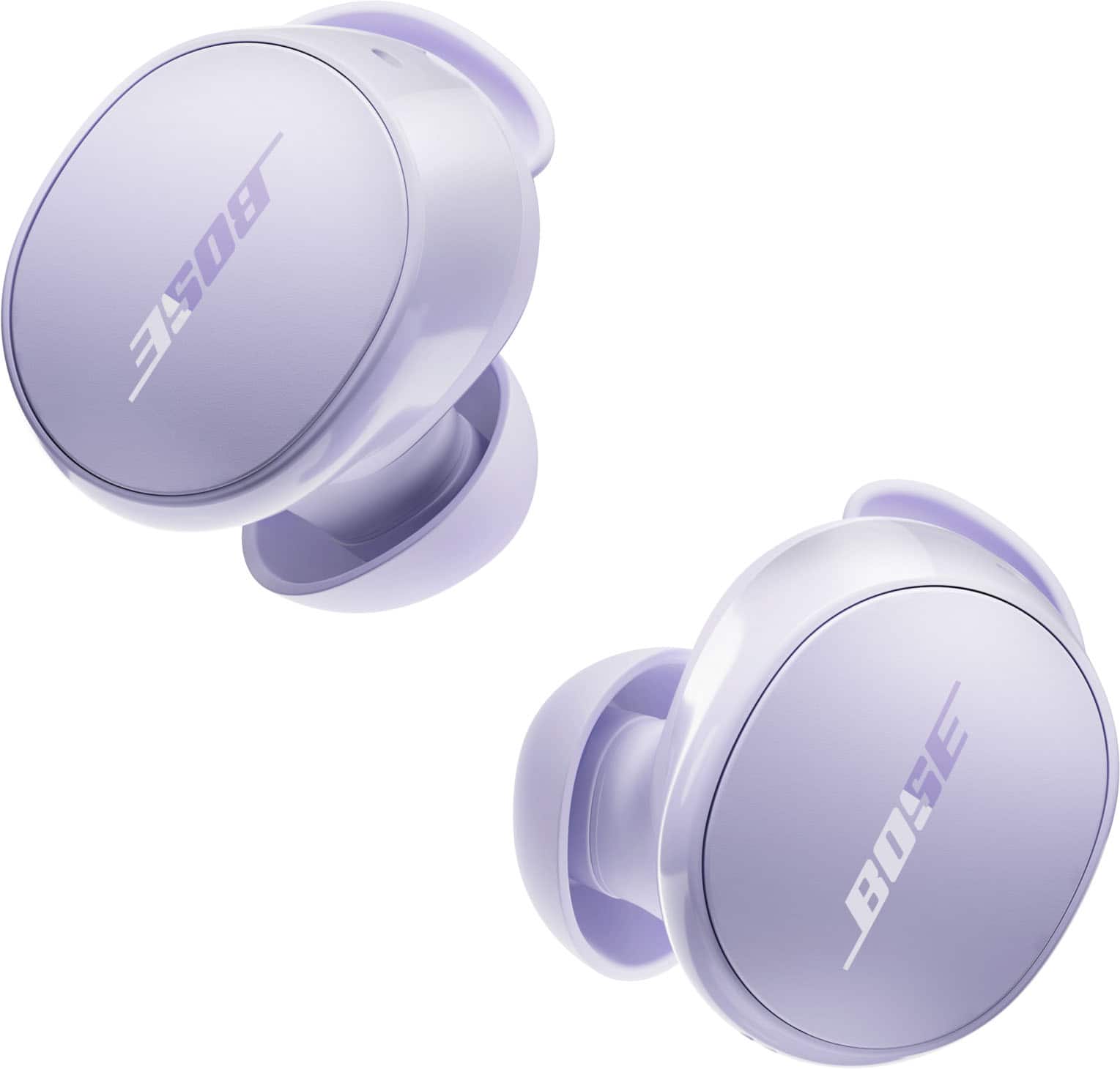






- Model:
- 888507-0300
- SKU:
- 10924242
Rating by feature
- Sound Quality
Rating 4.7 out of 5 stars
- Battery Life
Rating 4.7 out of 5 stars
- Connectivity
Rating 4.5 out of 5 stars
Simply amazing!!!
||Posted . Owned for 3 weeks when reviewed.This reviewer received promo considerations or sweepstakes entry for writing a review.Love the audio quality!!! And the noise cancel mode and awareness mode its the best feature!!
I would recommend this to a friendWould highly recommend
||Posted . Owned for 3 weeks when reviewed.This reviewer received promo considerations or sweepstakes entry for writing a review.Great quality and sound. Highly recommended will buy again
I would recommend this to a friendGood purchase
||Posted . Owned for 4 months when reviewed.This reviewer received promo considerations or sweepstakes entry for writing a review.Works great sounds great stays in while working out
I would recommend this to a friendNose ear buds
||Posted . Owned for 1 week when reviewed.This reviewer received promo considerations or sweepstakes entry for writing a review.Quilty sound is perfect and you can’t hear nothing when you’re wearing thrm
I would recommend this to a friendEarbuds update!!
||Posted . Owned for 1 month when reviewed.This reviewer received promo considerations or sweepstakes entry for writing a review.For not being soundproof, it seems like it has it!! Will be getting a few as a gift for Christmas !
I would recommend this to a friendBose Review
||Posted . Owned for 4 months when reviewed.This reviewer received promo considerations or sweepstakes entry for writing a review.These buds work well, my only two complaints is that the previous model had a charging indicator on it that let you know your battery status (this model doesn't have that feature) and second is that you can't charge them separately, when one bud dies the other one does as well.
I would recommend this to a friendBose is boss
||Posted . Owned for 1 month when reviewed.This reviewer received promo considerations or sweepstakes entry for writing a review.Great sound quality easy to use and very compact overall a great product
I would recommend this to a friendGreat product
||Posted . Owned for 1 month when reviewed.This reviewer received promo considerations or sweepstakes entry for writing a review.Perfect very nice i like it I will recommend it to my friends
I would recommend this to a friendPioneer elite
||Posted .This reviewer received promo considerations or sweepstakes entry for writing a review.This Bose quiet comfort earbuds is one of the best earbuds from Bose great quality sound great for the price
I would recommend this to a friendBest earbuds available!
||Posted . Owned for 3 weeks when reviewed.This reviewer received promo considerations or sweepstakes entry for writing a review.Best noise cancellation of any earbuds I have tried. Highly recommend.
I would recommend this to a friendLove my Bose Earbuds!
||Posted . Owned for 3 weeks when reviewed.This reviewer received promo considerations or sweepstakes entry for writing a review.Needed to replace my four-year-old Galaxy earbuds after dropping the left one too many times (it finally died). I tried the Galaxy Pro earbuds, but had to return them as they sounded like I was talking in a can. I've been using the Bose for about a month now for video calls on my laptop, and they sound great! They were super easy to pair on Bluetooth and they're easy to use.
I would recommend this to a friendNot as Good as Airpods Pro
||Posted . Owned for 4 months when reviewed.This reviewer received promo considerations or sweepstakes entry for writing a review.The sound is decent but the design does bot help with noise cancelling
No, I would not recommend this to a friendBrand response from Bose Support
Posted .Thank you for sharing your feedback. We're glad to hear you find the sound decent. Regarding noise cancellation, design can play a significant role, and if you're experiencing issues, here are some troubleshooting tips:
Ensure Proper Fit: Make sure the ear tips form a snug seal in your ears, as a good seal is essential for effective noise cancellation.
Choose the Right Ear Tips: Try different sizes or types of ear tips (silicone, foam) included with your earbuds to find the most comfortable and effective fit.
Clean the Ear Tips: Regularly clean the ear tips to maintain a good seal and optimal noise reduction.
Activate Noise Cancellation Properly: Double-check that noise cancellation mode is enabled in your device or app settings.
Update Firmware: Use the Bose app to ensure your earbuds have the latest firmware installed for optimal performance.
Reset the Earbuds: If noise cancellation still isn’t effective, try resetting your earbuds.
If these steps don’t improve noise cancellation, feel free to contact our support team for further assistance. We appreciate your feedback and are here to help!
These are just okayv
||Posted . Owned for 1 month when reviewed.This reviewer received promo considerations or sweepstakes entry for writing a review.They are okay. Theh are comfortable and sound is okay. This biggest issue is They disconnect multiple times a day and have to be reset
No, I would not recommend this to a friendBrand response from Bose Support
Posted .Thank you for sharing your feedback. We’re glad to hear that you find the earbuds comfortable and that the sound quality is satisfactory. Bluetooth disconnections can often occur due to interference from other wireless signals, distance or obstacles between devices, low battery levels, outdated software or drivers, or power‑saving settings that limit connectivity. They may also happen when devices are paired with multiple gadgets at once or if there are hardware issues such as faulty cables or worn‑out components.
To help you with the issues you’re experiencing, please use this link as your guide: https://bose.life/45wFkr3
Jelyn - Bose Customer Support
Amazing Headphones
||Posted . Owned for 2 weeks when reviewed.This reviewer received promo considerations or sweepstakes entry for writing a review.Best pair of headphones I’ve ever bought 10/10 would recommend
I would recommend this to a friendProduct for music lovers
||Posted . Owned for less than 1 week when reviewed.This reviewer received promo considerations or sweepstakes entry for writing a review.Very good sound quality at a discounted price. Every beat is crystal clear.
I would recommend this to a friendBest salesman ever.
||Posted . Owned for 1 week when reviewed.This reviewer received promo considerations or sweepstakes entry for writing a review.The sales rep went beyond the call of duty on helping me set up my earbuds. He synced them with my phone I will be ever so grateful. Thank you.
I would recommend this to a friendGood buy
||Posted . Owned for 3 weeks when reviewed.This reviewer received promo considerations or sweepstakes entry for writing a review.Good sound. Quality and comfort could be better though.
I would recommend this to a friendBose!!
||Posted . Owned for 3 weeks when reviewed.This reviewer received promo considerations or sweepstakes entry for writing a review.glad i got them,,, block out the noise and great music quality,,, go get them!
I would recommend this to a friendMy life
||Posted . Owned for 3 weeks when reviewed.This reviewer received promo considerations or sweepstakes entry for writing a review.Exelent audio,i get a best decision ,the sound its very clarity
I would recommend this to a friendBose Earbuds
||Posted . Owned for 3 weeks when reviewed.This reviewer received promo considerations or sweepstakes entry for writing a review.I was very skeptical about purchasing these Bose Earbuds. Once again, i was extremely impressed after istarted listening to them.
I would recommend this to a friend