Customer Ratings & Reviews
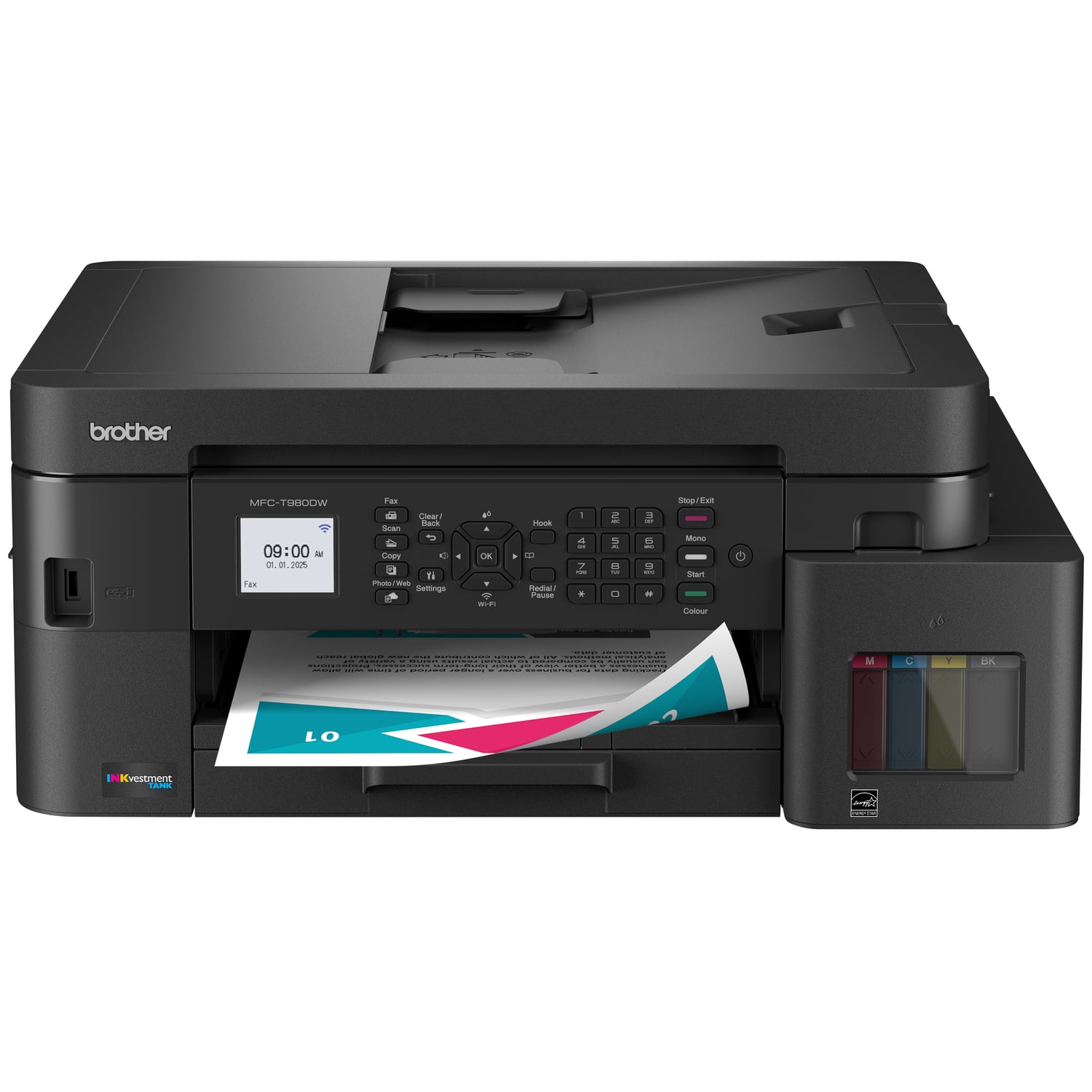
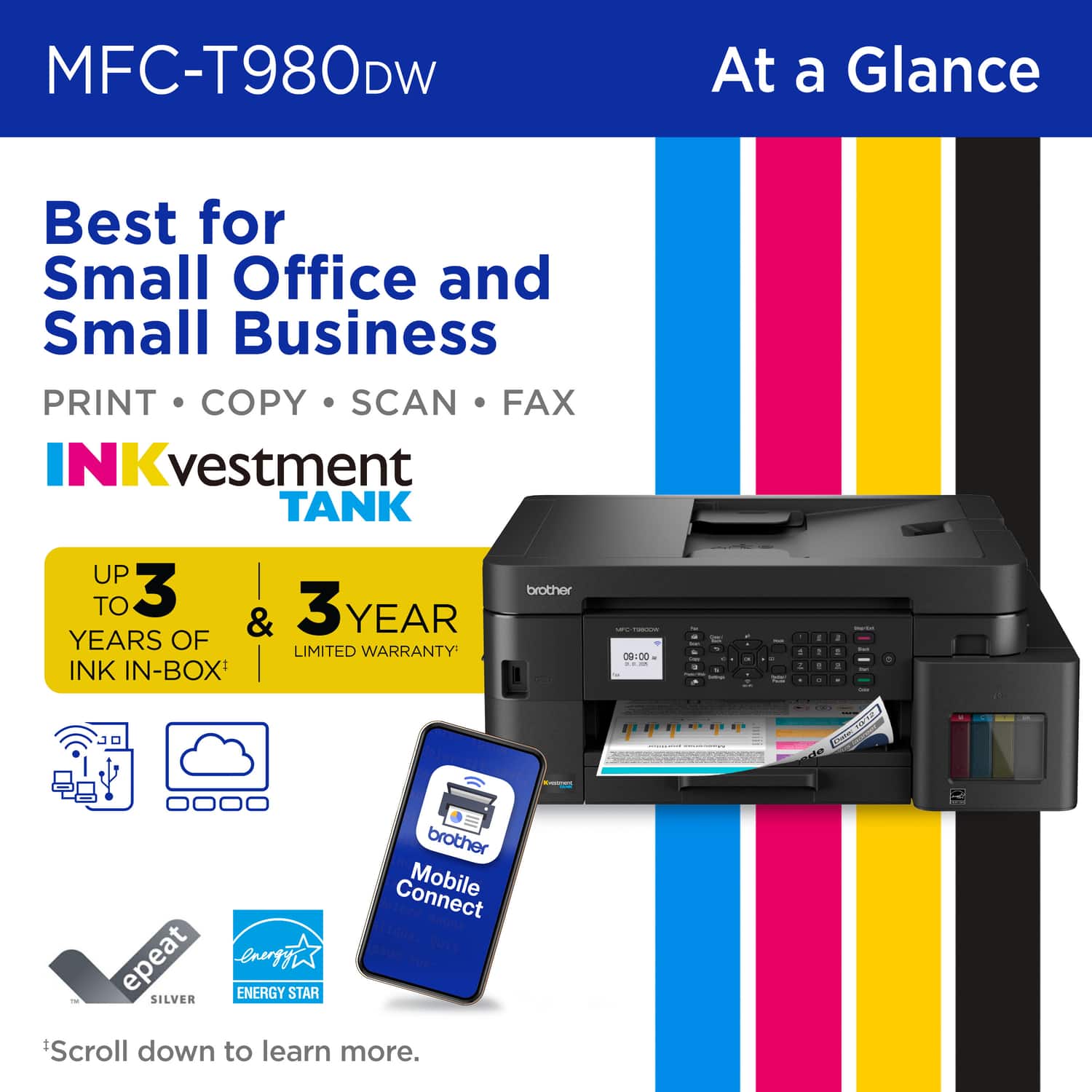
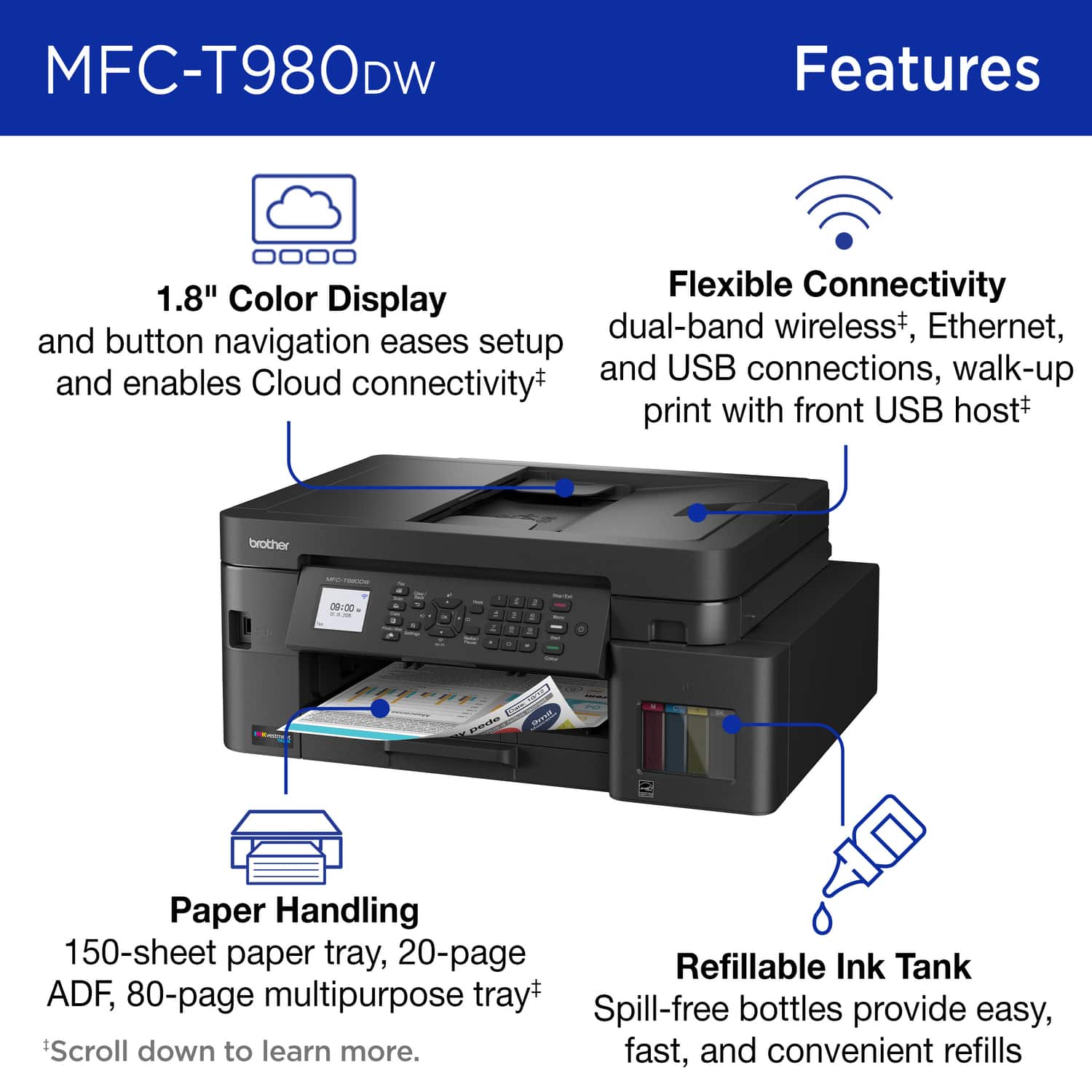
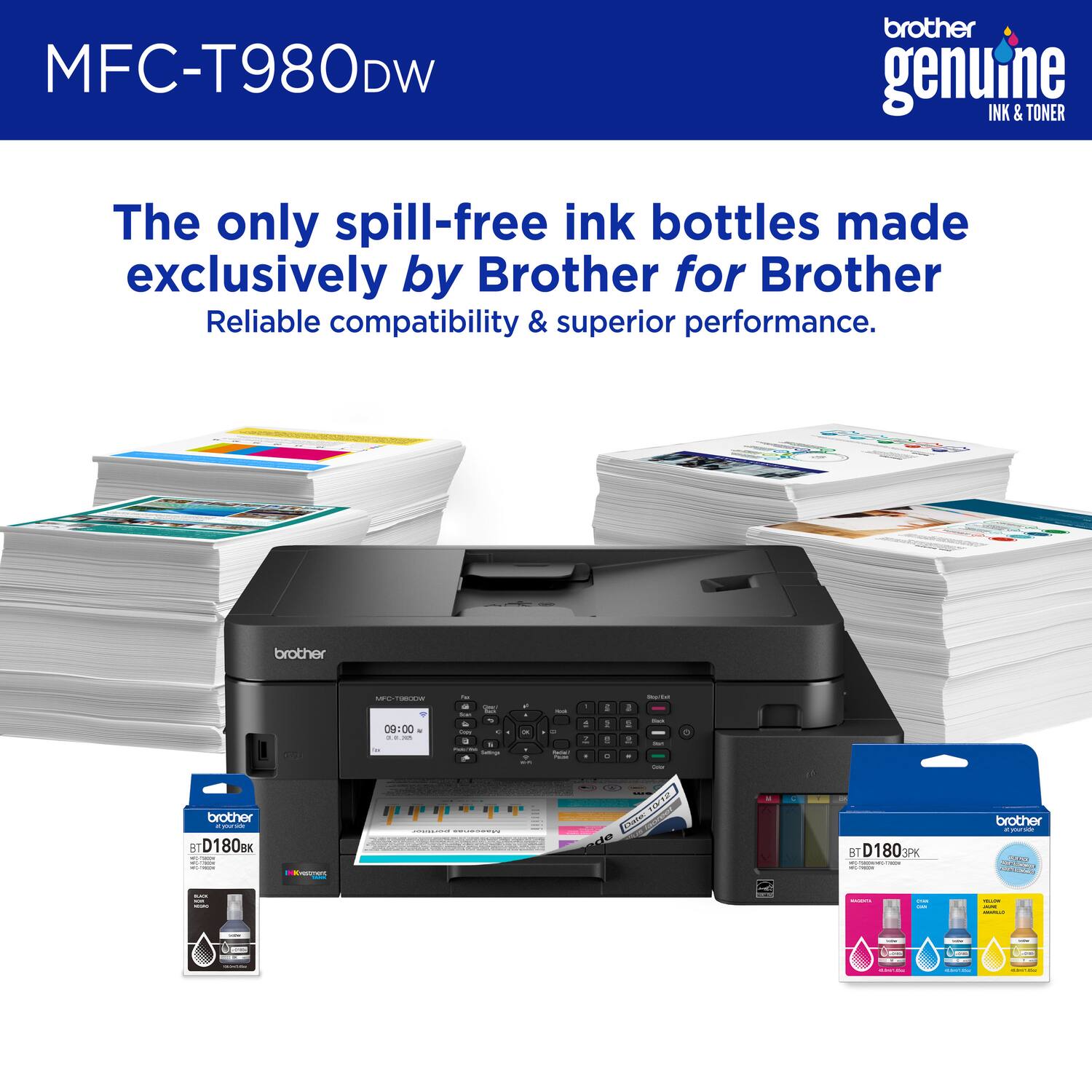
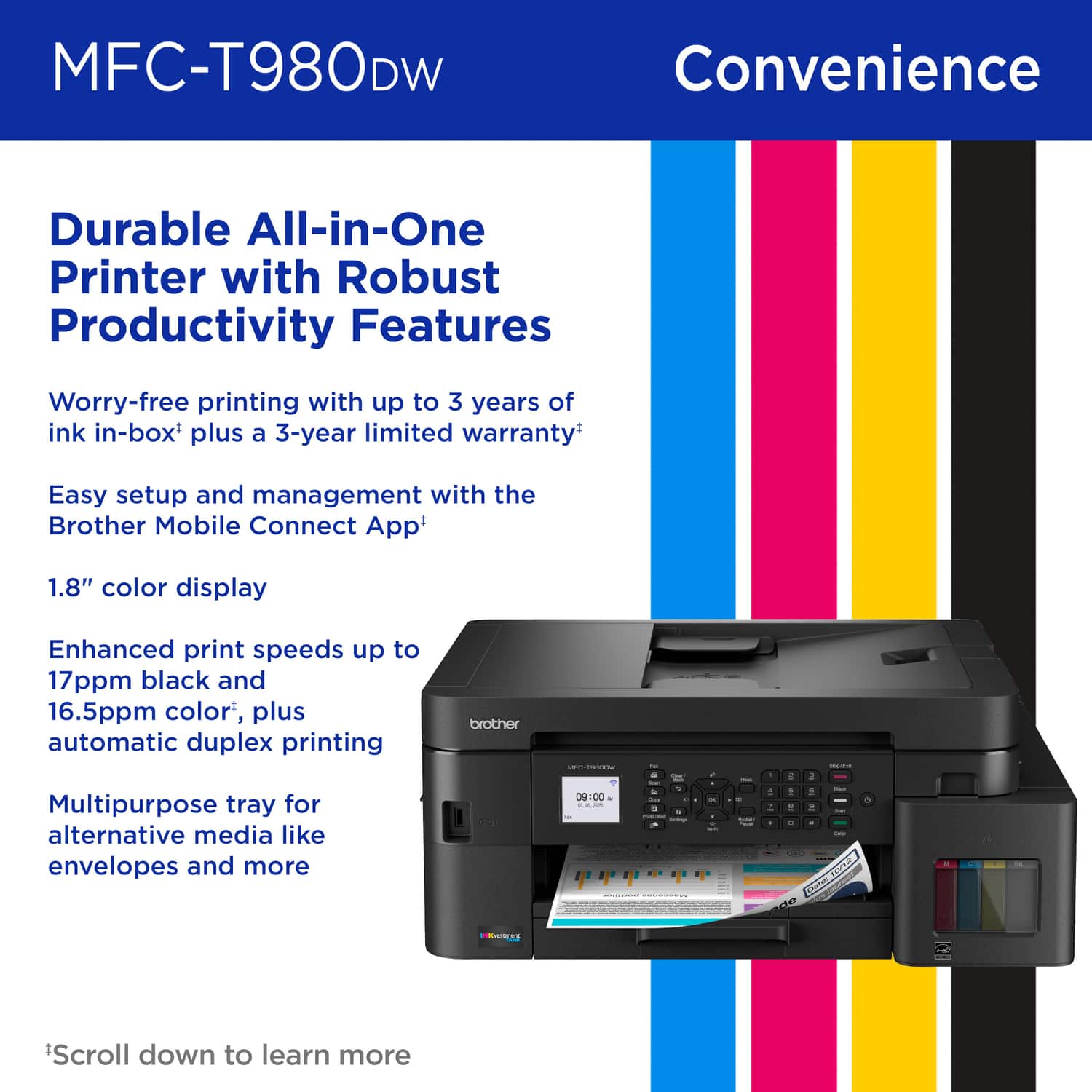
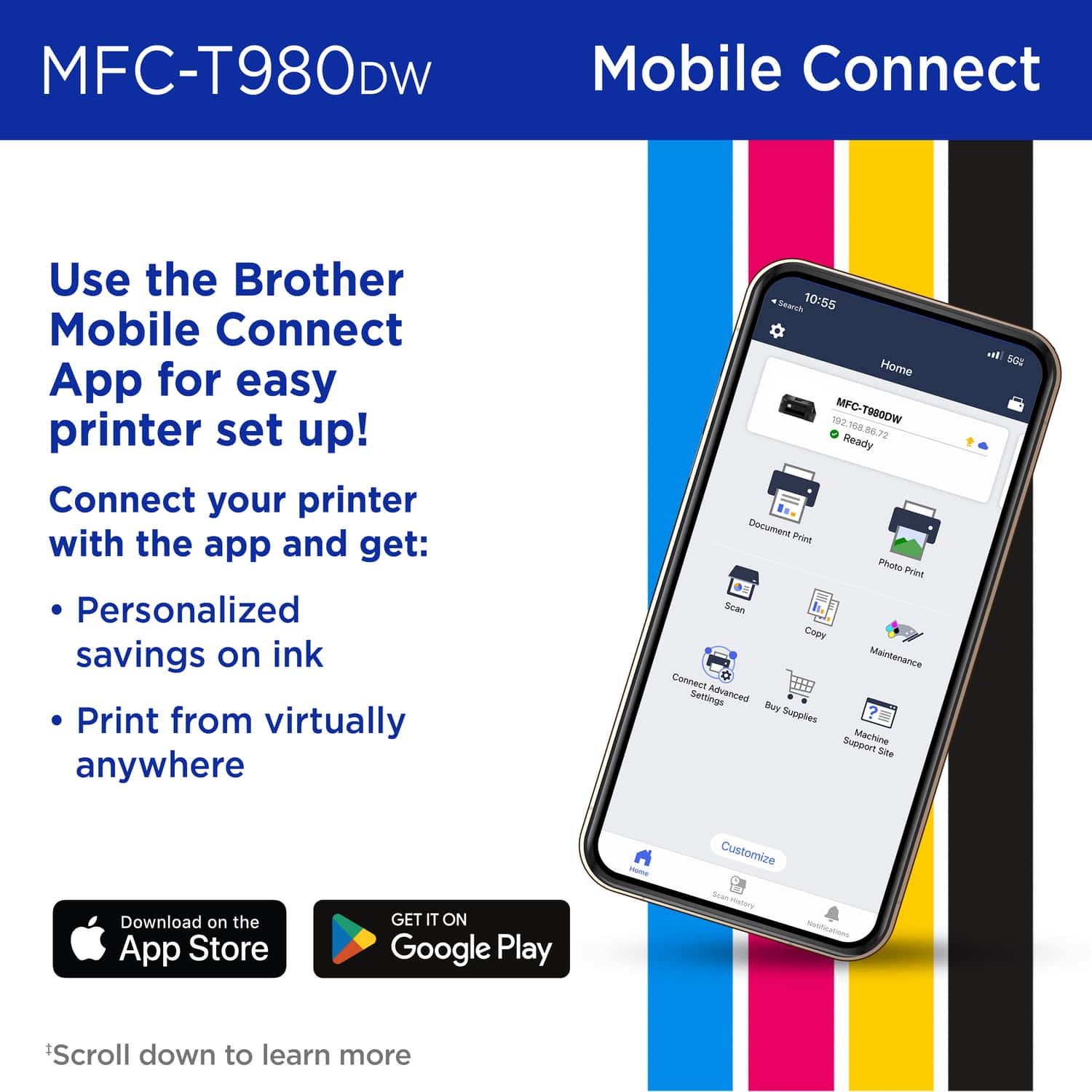
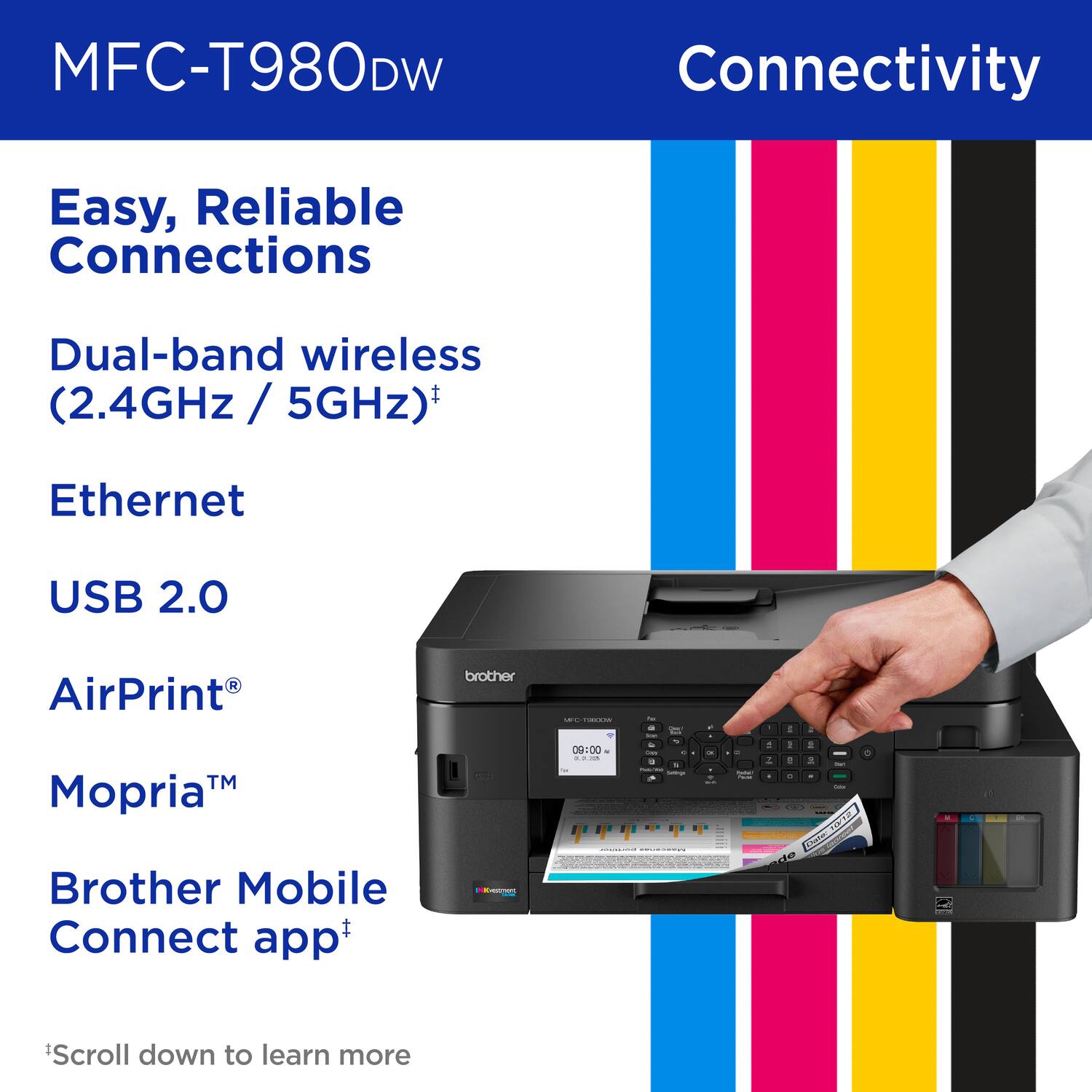
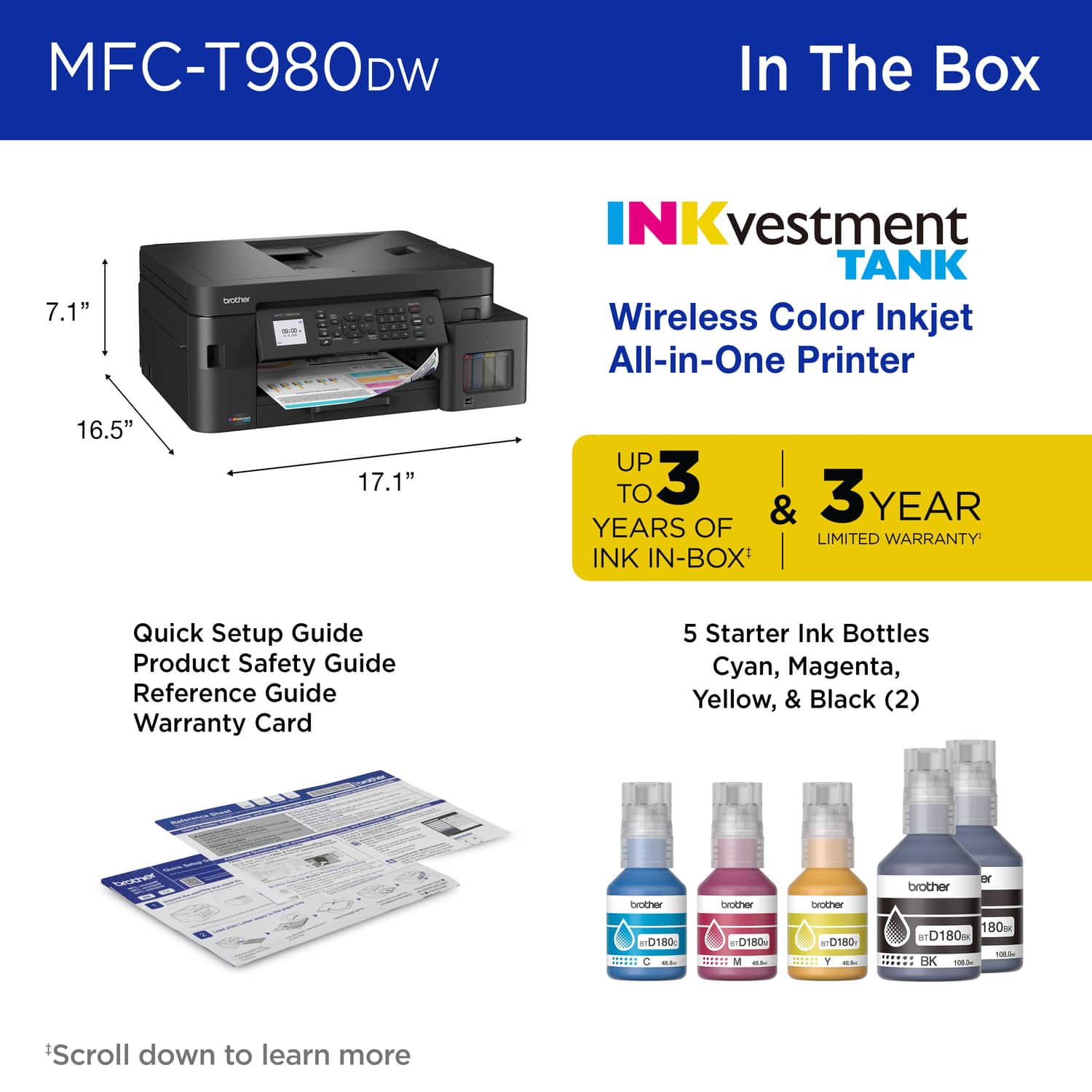
- Model:
- MFC-T980DW
- SKU:
- 6643745
to a friend
Customers are saying
Customers are delighted by the excellent print quality, versatile connectivity, and ease of use of the INKvestment Tank 980 Wireless All-in-One printer. Many users find the setup process to be fast and easy. However, some customers have noted that the printer can be a bit noisy.
This summary was generated by AI based on customer reviews.
- Pros mentioned:Print quality
The best
||Posted .This reviewer received promo considerations or sweepstakes entry for writing a review.Fast printer, easy to install, bright colors, accepts high weight, highly recommended
I would recommend this to a friend - Pros mentioned:Connectivity, Print qualityCons mentioned:Noise level

High Capacity, Dependable, Redundant
|Posted .This reviewer received promo considerations or sweepstakes entry for writing a review.TLDR: Excellent image quality for an inkjet with budget-friendly ink system KEY SPECS 1200 x 1200 Copy Resolution 1200 x 2400 Scanner Resolution 1200 x 6000 Printer Resolution Up to 17ppm Print Speed Real RJ-11 Fax Port PROS RJ-11 POTS Fax Port RJ-45 Ethernet Port Wi-Fi Compatible Refillable Ink Tanks USB-B & USB-A Connectivity CONS Paper Handling Noisy Ink Refills Can Be Messy Bother App Takes a Bit to Use INITIAL CONFIGURATION The MFC-980 was simple and quick to set-up, unlike my Brother MFC-3720. My 3720 has never played quite correctly with either my TP-Link mesh Wi-Fi or my Asus Zen Wi-Fi systems. It often goes offline and/or fails to receive print commands via the Brother app. A few firmware updates later and it finally has most of the bugs worked out and is much more reliable. The 980 on the other hand, found my Wi-Fi and was easy to configure and get working reliably the first time. After initial configuration, the machine reached out and got an updated firmware, which installed with no fanfare. Not to mention, in my short time of ownership, the 980 has already received a 2nd firmware update. Much quicker than my 3270 ever got updated. The 980 has been rock solid since initial set-up, even when printing via Wi-Fi. PORTS I wouldn't be so critical of my 3270 if it would have an ethernet port to failover to. It doesn't. That is a HUGE bonus for the 980. It not only has a 10/100 ethernet port, but it also has a real RJ-11 POTS phone port for faxes, as well. I haven't seen hardly any multi-function devices come with redundant hardwired ports. HUGE props to Brother for including them with the 980. Yes, I know faxes are all but a thing of the past, but that 1 time you need to send a fax once per year, it is a huge benefit to have a POTS connection, thereby keeping you from going through various third-party services to send that fax that often contains sensitive personal information. PAPER HANDLING Like nearly all multi-functions, the 980 accepts paper up to 8.5 x 14. The primary document tray holds up to 150 pages and the output tray holds up to 50. Included with the 980 is a 20-page auto document feeder to make quick work of multiple page scans or faxes. Note that while the 980 can print two-sided, it is unable to scan two-sided documents. Brother claims up to 17 pages per minute print speed. This is pretty accurate. Speed varies on the amount of text on the page and print quality. But 17 is about right for normal quality with draft mode being marginally quicker. One thing I don't like about the 980 is its initial pick-up of paper out of the primary paper tray. The 980 is extremely noisy when grabbing a sheet from the tray to print. I'm not sure what it is, I've looked for issues and there are none, but I just don't like how loud it bangs around fetching a fresh sheet of paper. INK If you are in the market for an inkjet printer, definitely spend a few extra bucks and get one like the 980 that has their own individual, refillable ink reservoirs. After having these separate reservoirs, I will NEVER have another printer that has all its ink combined into 1 or 2 cartridges. That ink is ALWAYS over-priced and often wasteful as one color will ultimately be depleted before the others, forcing you to replace the entire cartridge. Brother claims up to 3 years of ink is included with the 980. I will say that after printing over 100 pages of documents to date, from both my Android phone and Windows PC's, there is a noticeable drop in ink quantity. At this rate, I won't get anywhere near 3 years out of the included supply, though I have noticed that switching from Normal print quality to Draft only minimally changes print quality while saving a substantial amount of ink. One thing that Brother does need to revisit is their ink refill system. It is nowhere near as polished as the competition. When doing my initial loading of ink in the 980, many bottles refused to start flowing when inserted into the reservoir. It took a squeeze to "break an air bubble" to get it flowing and filling. Also, a buyer has to be keenly aware of removing the bottles when they are done. It is VERY easy to spill a drop or two of ink or have some left over on the tip of the bottle. My thumb and index finger have been stained black for several days now, gradually getting lighter with each wash of my hands. APP I have grown accustomed to the Brother Print Service app. I will say that there is a lot of mystery behind it. I'm still not really sure how it interfaces with my Android phone or iPad. But it does work. Even outside my local network, I am able to send documents to the printer. Anywhere I have cellular connection, I have the ability to send a print job to my printer. However, you have to exercise some patience with the Brother Print Services app. Even trying to print on my local network takes a few seconds. Even more so attempting to print from a mobile device. To be fully fair to Brother, I rarely, if ever, have any issues printing from any of my devices, though I often wonder if it is really going to actually work as there is often substantial lag time. I find letting Windows manage my printing on a PC is generally quicker and easier way of communicating with the printer. FINAL THOUGHTS Would I recommend the 980? If I were in the market for a multi-function inkjet, the 980 offers a lot of value for the money. It is easy to get up and running. The 980 has redundant hardwire options and has proven hassle-free. It works much better with my mesh Wi-Fi than my 3270 ever has. Now that manufacturers have been building machines with refillable reservoirs, I would never go back to replacing ink cartridges. The extra money you spend opting for a refillable machine is quickly recovered when it comes to replacing a cartridge or two. After that, it is just even more money in the bank. The Brother 980 has excellent scanning performance with true to life color and the print quality is crisp and clear even when using the cheapest printer paper I could find. If you need a hardworking, high-capacity inkjet, the 980 should be on your list. Print Quality: 5/5 Paper Handling: 3.5/5 Connectivity: 5/5 Ink Refill System: 3.5/5 Maintenance: 4/5 RECOMMENDED
I would recommend this to a friend - Pros mentioned:Connectivity, Ease of use, Print quality
Easy Setup and Use
|Posted .This reviewer received promo considerations or sweepstakes entry for writing a review.I have had so many different printers and all in some way or another have caused me so many issues. The prices ranged from $50.00 to close to a $1,000.00. My last printer, a color laser printer cost the most and suddenly stopped functioning properly. Sometimes I could print to it, but it required me fiddling around with settings to get it online to print. This was frustrating as I just wanted to simply be able to print without having to babysit the printer. This brother printer has been fantastic! It easily connected to my Wi-Fi network. Each of my many computers (windows and apple) all found the printer online and could print/scan/fax. I also was able to use it right away with my iPhone and android phones. I did download the app onto my iPhone to make setup easier, but with the app you get a lot of other functions such as scan, copy, run maintenance, document print, and photo print. I did a test of the scan, and the document scanned and uploaded to my phone with no issues. This already is a winner at how simple this printer is and how easy it is to use with a computer and phone. I love the fact that brother just went with fillable ink. With this setup there is no expiration dates on ink cartridges like other companies. Once the ink is out (easy to see on the front of the machine or in app) in the chamber you order another bottle of that color and refill. The filling/refilling process is also super simpler, remove the cap from the bottle and insert into the correct color tank and it will automatically fill. I was worried I would end up with ink spilled making a mess and was pleasantly surprised that nothing spilled. I printed a few documents and photos. Word documents print out pretty quickly and you can even print double sided, just have to select the option before printing. the double-sided printing took a little more time but was still pretty fast. Color photos printed at a good speed, but if you are using this printer just for photos maybe check out a true photo printer. The photos I printed on white paper looked nice and would be fine for everyday use. I did print a photo on the higher settings but using generic white paper and it did look nice and would probably look a lot better using photo paper. Overall, I really do like this printer. It has all the functions a at home printer should have with the ease of use. Setup was super simple, the app is easy to use, the buttons on the printer are all easy to read and use. The screen is a little small but the information it shows is easy to read and understand.
I would recommend this to a friend - Pros mentioned:Connectivity, Ease of use, Print quality
Cheap printing that doesn't look cheap
|Posted .This reviewer received promo considerations or sweepstakes entry for writing a review.It’s an inkjet with cheap consumables! Brother’s latest focus is their Inkvestment technology. This is similar to the ink tank printers that EPSON has been making, but with Brother’s own twist. The Black ink bottle will print up to 7500 pages per the packaging. It prints fast and the ink is clear. What’s not to love? Print quality is certainly good enough for office documents. It’s not quite as crisp as a laser printer (see pictures), but the printing cost is even more cost effective than a color laser. This can certainly handle flyers, newsletters, spreadsheets, or proof reading. There’s a few “printibles” which Brother distributes at no charge. I printed some and they looked great. I might not do a proposal on this printer, but that may depend on the client and the industry. Brother did not sacrifice any speed when adding the tank capability. This puts out black only or color single sided documents at the rated 17 pages / minute. Double sided slows down quite a bit, as the ink needs time to dry before the page is flipped. I was able to print 5 images (3 double sided pages) in a little more than 1 minute. This is not uncommon with ink printers to avoid smudging the ink within the mechanism. This also has a scanner built in. It’s single sided. It can be used to copy, scan to email, or a network folder. Since there’s no touch screen on the printer, it’s a little more challenging to set the destination, but it’s certainly a nice feature for the occasional fax or scan. Setup was easy. Adding ink was as simple as matching the nozzle from the ink bottle with the receptacle. No mess or drips, even if you don’t use the full bottle. The printer comes with large capacity containers to fill the on-board tank, which should last a lot of prints. The app walks through connecting to a network, either wired or wireless. Despite it being a workgroup printer, it can also be connected with a USB cable. Printing with the cable is slightly faster than the network connection, but not enough to outweigh the convenience of a wireless connection. It was a little annoying that the app didn’t push the network password to the printer as I’ve seen with many IoT devices. The password had to be entered a character at a time using the arrow keys. Overall, this delivers fast, clear printing at an unbelievably low cost. Nothing else matters.
I would recommend this to a friend - Pros mentioned:Connectivity, Ease of use, Print quality
Compact, well-designed, great home office printer
|Posted .This reviewer received promo considerations or sweepstakes entry for writing a review.Welcome to the new wireless color inkjet all-in-one (duplex (2-sided) print, copy, scan, and fax) printer, Brother MFC-T980DW! Its compact and modern design is suitable for home use and possibly also for small offices. It features INKvestment Tank technology to reduce waste, electronics, and the cost of ink, which is fantastic. Adding the bottled ink to the ink cartridges was easy and entirely mess-free (see picture). Apparently, the ink should last for three years! This printer can print, scan, and copy letter and legal-sized paper; however, the scan capability only supports single-sided documents, which is the only disappointment for me. If you have 2-sided documents you want to scan, you would need to manually feed the documents (front page, then back page) and then use, for example, Acrobat Classic to combine the scanned documents into a single document. Setting up the printer was very easy. It comes fully assembled (you just need to remove some tape), add the printer ink to the respective compartments, and connect to the wireless network via the display (select your wireless network, followed by providing your network's password). In my case, it found an updated firmware and prompted me to install it, which I did by selecting the OK button. Though the 1.8” color display is a bit small, the font (typeface) is clear and easy to read. (Note: In place of using the display, use the "Brother Mobile Connect" app, which is available for Android and iOS.) Like many other Brother printers, it has a front-facing USB port for direct printing and scanning. (I use a USB stick to save my scans on it, but you can use "iPrint & Scan" instead; this way, scans get saved on your computer right away.) On your laptop or desktop, go to setup.brother.com to download and install EasySetup to install the most recent printer drivers and utilities, such as "iPrint & Scan" and "Firmware Update".) Photo Print (printer setting to "Other photo paper (I used the premium HP photo paper) & print quality = Best) worked quite well, too, but the photo prints were a tad darker than the original. Nevertheless, overall beautiful results. Remember to add photo paper face down. Speaking of face down, scanning documents using the automatic feeder, the documents also need to be face down. Overall verdict: 4 out of 5 stars (due to missing duplex scan capability)
I would recommend this to a friend - Pros mentioned:Print qualityCons mentioned:Noise level
A Printer for a Small or Personal Office
|Posted .This reviewer received promo considerations or sweepstakes entry for writing a review.This is my first Brother printer. When it comes to printers, I usually go with either Canon or HP. This time around, I decided to go with this Brother Inkjet All-in-One printer. I have read before how reliable Brother printers can be, and I hope this one can last me a while. I have been using this printer for the past couple of days, and so far, it has been pretty reliable. This is my review of the Brother – INKvestment Tank 980 AIO Printer (MFCT980DW). *TLDR at the bottom ================= IN THE BOX: In the box, you get the printer with a power cord attached to it, 5 bottles of Ink (2 blacks, 1 cyan, 1 magenta, 1 yellow), and some documentation. I like the detail of attaching the power cords to the printer because typically, most power cords are detachable, and you do lose them if you aren’t careful. ================= SET-UP: The feature that caught my attention while looking at the printer’s box was the up to 3 years of ink included. I had first thought there would’ve been multiple ink cartridges included for the ink to last that long, but I was surprised to see that this particular model uses Ink Bottles (see pictures). I have never seen a printer use ink bottles, which led me to carefully read all instructions on how to properly fill the ink tanks on the printer. While the instructions do have pictures, I found the wording of the pictures to be slightly confusing. The pictures made it seem easy at first, but I quickly found that towards the end of filling up the tank, taking the bottle off can be a messy process with the last couple of drips dripping down on your work area. Also, one of my bottles stopped flowing for some reason. As a result, I had to take it off and readjust the bottle. Since the bottle still had some ink, this created a mess around my work area while doing this. I recommend laying down a paper towel before filling up any of the tanks. Once the tanks were filled, the printer could now be turned on and set up. Brother provides two ways to set up this printer: via a mobile app or a PC app. I wanted to see if you could set it up without either as a test, and fortunately, I was able to do that. I later went back and used the Mobile app – Mobile Connect and was able to set it up this way too. All of this took about 30 or so minutes, with cleanup of the ink spill, firmware updates, and alignment checks. Once the printer is connected to the network, it can easily be installed on any PC. The printer can be networked via Wi-Fi or Ethernet. There are also USB ports available inside the printer for a hard-wired connection to a PC (no USB cable included). If you are on Windows, simply add the device using the “Add Device” button, and Windows will find it and install it. On any IOS, iPadOS, or macOS device, you should be able to use AirPrint, which works flawlessly. On my Android phone, I had to search for it on the network to be able to print, and that was straightforward, too. ================= USAGE/FEATURES: The printer is slightly on the louder side, but it won’t be too bothersome if, for example, you are on a call. Printing is on the slower side, coming in at 17 pages per minute. But for a personal or small office where speed isn’t a priority, this speed should be perfect. In terms of print quality, the printer prints both monochrome and color, which come out great. I decided to print a colored Interstellar poster and a MGK lost americana tour poster to see if the small print or fine details would be blurry, and I am happy to say all came out perfect. I have used inkjet printers before, where they would struggle with small lettering and finer details, and this one excelled in it! This printer also has many scan features. One can scan to Word, Excel, PowerPoint, and PDF documents. These documents can then either be emailed to you or scanned to a cloud app like OneDrive or Dropbox. I went old school and used the printer’s built-in scan-to-email function, which works wonderfully and is easy to use once set up. ================= CONCLUSION/TLDR: Overall, this is a perfect printer for a small office or personal office. For a home general-use printer, unless you print frequently, this printer is a bit overkill. I recommend looking somewhere else. On the other hand, if you plan to print frequently without an emphasis on speed, this one is perfect. The printer doesn’t take up a lot of space, so it can fit on a desk or a counter. Additionally, print jobs come out clear and clean. (no ink smudge). I found the setup to be a bit cumbersome and messy due to the ink bottles. But if these ink bottles do indeed last for about 3 years, I can take messy ink refills. If you are looking for a solid printer for your small business or personal office, definitely give this one a shot!
I would recommend this to a friend - Pros mentioned:Connectivity, Print quality
Superb print and scan quaility but some quirks
|Posted .This reviewer received promo considerations or sweepstakes entry for writing a review.I have some mixed thoughts about this printer. The print quality is excellent. Its photo printing is better than many brands advertised as photo printers. The INKvestment system with up to a 3-year ink supply included is a big asset. It has large ink tanks and replacement bottles of ink are modestly priced. That said, the instructions and setup show its business heritage more than being aimed at the consumer market. I found the online user guide is less than the easiest to use but adequate. This is truly a full, multi-function machine. It prints, copies, scans, faxes, and can connect to online services. As far as connectivity, your choices are USB (Type 2), ethernet, and wireless. Wireless modes include mobile apps, and WIFI direct. There is one standard paper tray with 150 sheet capacity of up to letter size. The fold-out rear “multi-purpose” tray is more versatile in size holding 80 sheets up to legal size. If you have room for the paper and tray standing up on the rear, it can function as a dual tray printer. Scanning and copying can be done manually or with the 20-sheet document feeder. The printer does duplex printing, but the document feeder scans one side only. The FAX system is quite comprehensive, but it requires a physical phone line. This speaks to the business heritage of this machine. It’s marketed as a home or home office machine which is my use. However, like many others, I haven’t had a land line for years. If stand alone, auto answering, paper to paper faxing is something you need, everything you want is all here. The Brother mobile app is suggested as the best tool for setting up the printer. It probably is the best method since the printer’s control panel and screen are rather small and fussy. It worked fine, and when done, you can print, scan, copy, etc. from the app. It also works with standard Apple and Android printer apps. If you want full control and use from your computer, I recommend installing the full Brother driver and their iPrint&scan software. Their full software package includes those apps plus Brother Utilities, an option to install PaperPort, and the fax software. I didn’t install the faxing module since I wasn’t going to use it. PaperPort is an OK program dating back to the FAX era, but not one I need to organize all my documents and media. The iPrint&scan has been a little quirky, often taking a while to recognize the printer is online, but very fucntional. The Brother driver does not work with Windows ARM64 (Snapdragon). However, the printer will function with the basic Windows ARM drivers. My conclusion is that the MFC-T980DW is one fine multi-function device. The print resolution and sharpness surpass most ink jet printers. I have been astounded at quality when printing photos, both on glossy and standard paper. There is no banding. The colors are rich and saturated, and they are super sharp. The document printing is also top quality. Scanning has also been equally good. Add to this a very low throughput cost with the bulk ink, and it’s a winner in all these regards. I haven’t been able to verify this, but one analysis I saw said that Brother has doubled the printhead nozzles on this model, and that may account for its high print quality. It’s not cheap for a letter-sized machine, but there’s a lot there. I would love to have all this quality and trade the fax system for a larger and more useable touch screen and controls.
I would recommend this to a friend - Pros mentioned:Connectivity
Ok printer for multi function and office usage.
|Posted .This reviewer received promo considerations or sweepstakes entry for writing a review.Review of Brother INKvestment Tank 980 Wireless and Ethernet Color Inkjet All-in-One Printer with Multipurpose Tray and Up to 3 Years of Ink In-Box and 3-year Limited Warranty (MFC-T980DW) The printer from Brother, model MFC-980DW (INKvestment Tank 980 Wireless and Ethernet Color Inkjet All-in-One Printer with Multipurpose Tray) is self explanatory on its name as it features functions for Print, Scan, and Fax. In the box: 1. Printer 2. 5 Innk Bottles (2 of B, 1C, 1M, 1Y) 3. Warranty and quick start Setting up 1. First it requires to fill the ink tank after having plugged in. Filling the tank at first might take some scratching the head as trying to match the included respective color ink bottle into the space dedicated for each color. This aspect is important as wrongly done can produce leak. 2. Once completed with filling the ink tank, need to setup the WiFi connection. For this can proceed via the printer’s lcd screen, or via downloaded Brother App. Depending on the path chosen, it takes different steps. 3. Calibration task to check alignment. 4. Adjust Date/Time on the printer. 5. Update Firmware. Printing: 1. Printing from the mobile phone has been straight forward based on the test using iPhone. As selecting a document, then print, the printer is automatically listed and ready to be selected Unless select change of default layout options, it print directly to the printer. 2. Print as copy, similarly not much to describe as it work and similarly simple as printing from the mobile device. Scanning: It can be done via Brother App or via desktop or notebook with the feature to Scan. A. Scanning via Brother App Place the document on the flat bed of the printer, then from the Brother App select the option to Scan. The scanned document will show in the Brother App which also includes multiple options to Share, Store among others. B. The process would be similar if it is done from the desktop or notebook As side note, the printer/scanner will appear automatically among the list of names depending on the OS and Application. Ink and up to 3 Years. Based on the brand, the ink bottles included in the package would last up to 3 years. From that, it doesn’t support the ink replacement during those period if run out of all the ink. What I wish it were better: 1. Mobile App UI. It feels very old and structured. Or in another word, not to up to date applications look and feel. 2. The Color Display Control Touchscreen: It is 2.7 inch size. It would help if it is bigger. 3. Date/TimeZone Setup: it doesn’t update automatically, It has to be entered key by key for each number. Furthermore, the Time Zone option shows UTC and time format. But it doesn’t allow to change time zone value. It is single value and not optional to change. In another instance, after firmware update, the process reset the date/time and require adjustment again. 4. Fax: it doesn’t support setting virtual fax number. Can’t be setup from the printer neither from its mobile application. In general after using several days of printing and scanning tasks, it does what is designed for. Considering it is new, colors in printing is reasonably crisp and sharp, have’t experienced paper jam or not printing and scanning the intended colors. Then using it from the mobile phone has been simple process. And as main highlight, its physical look appears slimmers compared to other brands in same category, and the “up to 3 years” with the included inks feels bit stretched as it depends factors of number of printing and color usage, but as I can’t verify it just aside perception.
I would recommend this to a friend - Pros mentioned:Print quality
Fast, high quality printer for home / small office
|Posted .This reviewer received promo considerations or sweepstakes entry for writing a review.I've used ink jet tank printers in the past and I love them so much I never looked back to the expensive and cumbersome ink cartridge ones. I've had all the major brands and they work ok for awhile and then, they just don't. I'm hoping the Brother MFC-T980DW will be different. So far, I'm blown away. Background. I've never used a Brother ink jet printer before so I wasn't sure what to expect. I do however use their label printers and they are solid performers. So, as it happens, I'm in need of a printer since my last one just stopped allowing all connections to it either over Wi-Fi or directly connected with a Cat6e cable right to my router, regardless of using several different PCs. I will say that since I've been using the Brother, the connection has been very quick. The setup did take what seemed to me a long time. It may have gone faster if I had just searched for it through the Windows print manager, but I decided to use the Brother software to avoid any potential problems. When I was done, I used the same method to connect to my wife's machine. Both machines are able to print very quickly. I have it connected to both machines over Wi-Fi and I hear it printing about a second or two after I push the “print” button. The basics. For starters, I really like that the printer is black. It fits my room style better than a white one would. It's got a 17” x 16.5” footprint, so it's a bit on the larger side, but it's only about 7” tall. It looks nice and you can see the ink tanks right on the front through a window (which is helpful). You can use either a wired or wireless connection, and it has both USB-B and Ethernet ports. In case you're wondering, you won't find either port on the back or sides of the printer. Both of them are available on the inside. You pull up on the flatbed scanner to reveal a cable channel leading to both of these ports. Who would have guessed!? It is an all-in-one printer so you get a flatbed scanner on top with a feeder tray. The scanner will do up to 1200 x 2400 resolution. It will print all the standard paper and photo sizes up to 8 ½ x 11 inch size, and will go one better to do legal size. The standard paper tray will hold 150 pages and there's also a rear feeder slot for different types of paper. So, enough about specs, you can read these for yourself on the product web page. How good does it actually work? My experience with this printer has been absolutely phenomenal. As I mentioned, it takes a bit of time to set up, but I think it's worth it to go through Brother's set up steps. It guides you through the steps from the 1.8” non-touchscreen display. Yeah, it's tiny, and it's not a touchscreen, but then again, neither was my last brand. You get used that pretty quick. Filling the ink was easy and clean. The bottles fill the tanks pretty quickly. Brother says that the bottle design won't allow you to put the wrong ink in any of the tanks. Personally, I didn't try that feature out, I will just take their word on it. Just be careful when filling the tanks that you put the correct color in the correct tank and you won't have any problems. Once the tanks are filled, it primes the printer delivery system and requests for you to print an alignment test page. You can scan for firmware updates at about the same time. Print quality. Other ink tank printers I've owned have always delivered questionable results, so I didn't expect a different experience with the Brother. But I was really impressed with the print quality and clarity with the Brother T980DW. All the text was crisp and the color depth was amazing, which I especially noticed on black text. It was nice and dark, not a washed out gray color like I was expecting. Overall, the printer is very quiet (except for when it draws in the paper). But the actual printing is pretty quiet. This printer does include an automatic double sided print feature, so you can print two sided. It works really well and is lightning fast. The T980DW does also include a fax, but I was not able to try it out. It can connect to a land line directly, but it also uses what they call PC-FAX, so basically, you can send any document file to a fax number from your PC (helpful if you're like me and don't have a land line). Selecting the PC-FAX as your printer will bring up a dialog box with a virtual keypad. Pretty cool. I should also mention that there's a hard keypad on the front panel of the printer, so anything you can do from your computer settings, you can also do right from the front panel. You can tilt the panel so it's at an angle that's comfortable to read. As far as included software, there's the Brother iPrint&Scan utility and the Brother Utilities … utility. You can use these to print, scan copy and fax. There's also a mobile app which will allow you to print to the printer from your phone, even if you're not at home. The Brother T980DW is not exactly an inexpensive printer, but they do pack a huge amount of features into it. Combine those features with how amazing the prints actually look and I think it's worth every penny. Especially when you consider they give you a (subjective) three year supply of ink in the box. On top of that, there's the three year warranty. Not a bad deal at all. My last printer had a one year warranty and lasted just over that time. I have very high hopes the Brother will last three years and beyond. It's a great home or small office printer that can do it all. So far, I'm cautiously sold on this printer. Out of the box, it works at least as well as they say it does.
I would recommend this to a friend - Pros mentioned:Print quality
Brother MFC-T980DW: A smart INKvestment?
|Posted .This reviewer received promo considerations or sweepstakes entry for writing a review.I've worked in the print industry for about 20 years, and even though I have access to various printers at work, we all need a printer at home for quick jobs or high-quality photo printing (which saves a trip to a local photo service). Home office printing has changed dramatically over the last few years. Fortunately, expensive, low-yield print cartridges are becoming a thing of the past. The Brother INKvestment Tank MFC-T980DW Inkjet all-in-one printer attempts to solve the decades-old problem of buying a home office printer and then spending a considerable amount of money on ink refills. This INKvestment printer is designed with three strategies in mind: ink economy, all-in-one features (print, copy, scan, and fax), and dedicated trays for a variety of paper sizes and stocks. * Design/Build/Unboxing * The MFC-T980DW weighs around 20 pounds and has a considerable footprint. Its dimensions are 17 inches wide, 16.5 inches deep, and 7 inches high. There's nothing remarkable about the design, which isn't necessarily a bad thing. It has a classic black matte finish with an 80-sheet multi-purpose tray in the back and a 20-sheet Automatic Document Feeder (ADF) on top. There's also an internal tray that holds about 150 sheets. For paper thicker than 20 lb bond, this capacity decreases. It features a 1.8-inch non-touch LCD screen and a window on the front right to monitor the CMYK ink levels. The scanner lid lifts to access the flatbed glass. The setup is very quick, taking approximately 20 minutes. I filled the ink reservoirs, downloaded the app to my phone, set up Wi-Fi (a hardwired USB connection is also an option), and installed the PC software. I don't mind the lack of a touchscreen; the rubber buttons have a great tactile feel, and navigation is intuitive thanks to the on-screen guides. This requires more button presses than a touchscreen, but the system works quite well. * Specs/Features * The INKvestment tank system works well and is mess free. You simply place each ink bottle (C,M,Y, and K) into each reservoir (Each Color has it's own fit so you can't mix them up) and it's filled up in approximately 30 seconds for each one. It will take a total of a couple minutes but you won't have to worry about a mess either. The mobile app helps you determine how many pages can be printed based on the ink supply. Printing - The maximum resolution is 1200 x 6000 DPI. There's 2-sided duplex printing and it supports A4, A5, legal size (8.5x14" and letter size printing. You can use the multipurpose tray for light card stocks including gloss for color printing. Scanning - You can scan 1200 x 2400 from the glass or 1200 x 600 from the ADF (automatic document feeder on top.) The ADF only supports single-sided scanning. Copying - You can enlarge or reduce and print with a resolution up to 1200 x 2400 DPI Paper Handling - There is a 150 sheet standard (20 lb bond) and an 80 Sheet Multipurpose tray in the back for Envelopes, light card stock, and labels. The ADF can hold about 20 sheets too. The output capacity tray holds about 50 sheets Connectivity - There is an ethernet port for a network cable, and Wifi (Both 2.4 & 5 GHz) along with a mobile app for mobile printing, PC Drivers, and MacOS printing with the Airprint driver. Print Speed - For typical light coverage copies it's 17ppm. I printed a full page glossy photo but that one took a couple of minutes due to the quality and coverage. For office printing it's one of the fastest among its competitors. * Software * The Brother Mobile Connect app is very simple and easy to use. I used it to print photos from my phone but you can also print documents as well. For photos, I would choose glossy paper and print from the multipurpose tray in back. There's a fine and normal setting. I couldn't really tell the difference between the two so now I use the normal setting to save ink and the photos still look perfect. When printing documents you get a few more options such as paper size, copies, fit to page, 1 or 2-sided, color/mono, quality and select pages. There's an additional setting called Eco Mode that helps you save ink one step further than Fine or Normal mode. You have an impressive amount of controls over the document. On the PC there's software called Brother iPrint&Scan. The scan function is what I use on the PC app. Your scan settings have presets for document or photo. Then you can select document size, color setting, and resolution up to 1200 x 1200 DPI. There are advanced settings for document corrections, image quality and fitting more than one document on a page. I scanned a full color photo in 24-bit color at 1200 x 1200 DPI in about 2 minutes. The quality was great. It gives you the option to save to your PC, scan to a cloud service, open in application or Save to SharePoint. You can also save your scan in every major file type format. I'm impressed with the software, it's simple, intuitive, and makes the printer much easier to control. * Performance * Full page photos on glossy card stock looked absolutely incredible. Detail and colors exceeded my expectations and are more than acceptable for frames around the house or work. The office printing quality and speed were good. The blacks were a little dull and not as sharp as I would have liked but should be good enough. I would recommend using a higher quality paper like 24 or 28 lb color copy paper and you will get better results because there will be less ink absorption. Scanning is fairly straight forward through the ADF or off the glass, but when tasked with multiple 2-sided copies it becomes rather tedious. You have to scan one side and then flip to get the back sides. I would prefer the printer to automatically flip the paper to scan the second side. The mobile app worked well for me while printing photos and reports although the DPI was limited to 300 while scanning through the app. I printed 10 full color photos and they turned out beautiful but they will use a considerable amount of ink. I would approximate getting between 150 and 250 full color 8.5x11" photos printed on glossy paper. If most of your printing is office copies with 5% to 10% coverage then you could expect 1500 to 2500 sheets before adding ink. I will note that ink refills are surprisingly affordable so even if you're printing a lot of photos, it's still a good investment. You can also setup printing from almost all major online drives although I wish setup was a little quicker. This is great if you store files and photos online. Tip: Make sure your LCD screen is on/active or you can't print from your phone. * Pros * * Excellent Value * True all-in-one device: Print/Scan/Copy/Fax * Wired Ethernet & Dual-Band Wi-Fi * Automatic 2-sided printing * Variety of paper inputs including envelopes * Setup is quick * Beautiful photo print quality * Software is simple and intuitive * Suggestions/Needs Improvement * * Photo printing is slow * Print Quality needs slight improvement on office copies The Brother MFC-T980DW is a solid addition to any home office environment. While not perfect, it serves as an economical all-in-one printer. Your decision to purchase should be based on your actual workflow. Personally, I love the photo printing, the large ink reservoir, and it's more than adequate for kids, work, and school. I would not recommend it for an intense office environment, heavy scanners, or creative/marketing printing. I do feel like it's a great overall value and a good investment for several years of printing.
I would recommend this to a friend - Pros mentioned:Connectivity, Print quality
Brother All-In-One doesn't have it all
|Posted .This reviewer received promo considerations or sweepstakes entry for writing a review.The Brother INKvestment Tank 980 Wireless All-in-One SuperTank Inkjet Printer combines a printer, copier, scanner and fax machine into one. The main selling point for this would be the Super Tank feature. The tank feature is similar in nature to what some other printer makers produce. This Brother MFC-T980DW uses 4 bottles: cyan, magenta, yellow and black ink bottles. They are somewhat easily added to the ink tank - I did have issues with the filling of the tank though. I ended up getting ink on my fingers and it also dripped inside of the ink tank cover. Brother claims the ink included with this could last up to 3 years, based on 200 pages per month with 60% printer in black and 40% printer in color. If it truly does last for 3 years, or even close to that, it would be extremely economical compared to the cost of ink cartridges based on what I could find for current pricing for the ink bottles. Brother provides 1 each of the 3 colors and 2 bottles of the black ink. This machine has a fairly large footprint at approximately 17"w x 16"d and weighs about 22 pounds. It takes up space. With its rather large footprint, and the features it has, this would be best for a small office or a home office. For a large machine like this, I consider the 1.8" display to be rather small and lacking. It is not a touchscreen display, instead there are navigation buttons. I chose to connect via WiFi and have had no issues with the connectivity. There is a 150 sheet paper tray which is quite flimsy and needs to be removed to be filled with paper. It is quite inconvenient to use that way. It does have an 80 sheet "multipurpose" tray located at the back of the machine which is convenient for printing a few envelopes, legal size paper, photo sheets, etc. but keeping that open for paper use only adds to the already large footprint. I wouldn't use it for 80 sheets of anything. The paper tray itself can easily be repositioned to accommodate legal size sheets, photo sheets and envelopes etc. This machine also has an automatic document feeder (ADF) which is quite useful when you have a stack of documents (up to 20 pages) that you need copied. You are not able to print 2 sided copies to 2 sided copies via the ADF which I would love to be able to do, but you are able to print 2 one sided copies to one 2 sided copy via the ADF. If you want to do 2 sided copying to 2 sided, you are able to do that via the scanner glass by choosing that option and flipping the sheet over when it tells you to. And if you want to print double sided, you are able to do that via the Print settings. As far as the performance, printing quality seems to be quite good. I am easily able to print from my iPhone or from my PC. Print speed does not seem to be the 16.5 ppm as Brother states - it seems to me to be somewhat slow. Copy quality definitely degrades, especially when copying via the ADF which somewhat decreases the machine's usefulness. Scanning is easy and rather straightforward. I have not used the fax portion of this - yes, there is an actual fax section with a number pad. I would have loved that function about 15 years ago. This comes with a 3 year limited warranty, it is Energy Star certified and there is a port in the front for a USB flash drive, which provides added convenience, if needed. Overall, this produces very good print quality, but lacks that quality when copying. I like the idea of the ink bottles but I would prefer a better and neater delivery method. I would also prefer that it could do 2 sided to 2 sided printing via the ADF which is something businesses need. I feel that the paper tray is flimsy and the paper refill method is inconvenient and the display screen is too small. For those reasons, I would not be able to recommend this Brother INKvestment Tank 980 Wireless All-in-One SuperTank Inkjet Printer.
No, I would not recommend this to a friendBrand response from Brother
Posted .We would like to take this opportunity to thank you for your feedback. At Brother, customer satisfaction is something we take seriously. Your feedback is important to us and will be reviewed.
Thank you for being a Brother customer. Please know that we will be here, should you need to contact us in the future. Please contact us directly at:
https://www.brother-usa.com/support/MFCT980DW
- Pros mentioned:Print quality
Not really a SMB printer, but great for home!
|Posted .This reviewer received promo considerations or sweepstakes entry for writing a review.I don't print often, but when I need to it is a huge bummer because I have to go to the office, print and call it a day, or message someone over Microsoft Teams to print something for me or print to the office printer over VPN and ask someone in the office to pick it up for me which is an inconvenience for everyone. This Brother printer is really nice, I like the ink tanks instead of using ink cartridges and that I can clearly see how much ink I have left instead of relying on some software, printer menu or notification system. It's right there and easy to see what you're running low on. Setting up the printer was also super easy and NO ACCOUNT NEEDED!!!! Which I absolutely LOVE! Why do you need an account to use your printer. It can be set up the old fashioned way with or a super easy way with the mobile app. Again no need to sign up for an account to get it set up. There's a nice and user friendly "Skip" button at the sign up screen. It pairs up to your phone via WiFi, then connects to your home WiFi and runs a series of tests, setups, and firmware updates. Then you're off to the races. Printing plain black and white coloring pages for my daughters was decently fast. So text documents are also likely to be fair in terms of speed. I wasn't blown away by the speed, nor was I super disappointed. But I do wish it was faster at printing. It claims to print 17 PPM, and 16.5 per color, but I'd honestly estimate it to be closer to 13-15 PPM in both black and color. Especially if you have a very detailed photo. As for photo printing, it's really good. We bought some photo paper and printed out some photos of the girls we took from a polaroid that we scanned in and it did a great job scanning and printing that image. Lastly the paper tray, it's kind of not intuitive, and doesn't hold a lot of paper. I wish it held more paper. I guess the back tray helps, but not ideal. I also didn't like how it just throws the papers on the floor. And if you stick out the tray to catch the papers it sticks out pretty far which can lead to you hitting it depending on how it's set up in your office. In mine it's kind of a hazard. Overall, I'm really happy with this printer. It prints great, has decent connectivity on my WiFi 7 home network, and prints. Long story short, I'm not disappointed with this printer and would recommend it for anyone looking for a good printer to use at home.
I would recommend this to a friend Bottle Ink Is The Future
|Posted .This reviewer received promo considerations or sweepstakes entry for writing a review.For context, this is my first Brother product. Pros -Bottles -No more cartridges -Fast document printing -Great picture printing resolution -Option for fax -Several options for different types of printing Cons -This device is chunky boy As stated earlier this is my first bottle refill printer and my fist brother product. I had always used another recognized brand in the printer ecosystem, and was used to cartridges. Sure they had a somewhat decently priced monthly subscription for printing, I think i got like 50 pages monthly, but still i wanted to feel I had control of my own device. I also seen Brother has something similar which, to be completely honest, I am not a fan of, but at least the option for those who want it is there. What I do love about this printer is they allow freedom to choose where you get your supplies from and that is a big plus for me. Well besides all of my opinions lets get into the device it self. Inside the box you get your device, a set of bottles with an extra black refill, paperwork, and a lot of cardboard. Setting up is easy pretty much plug and play and everything can be done through the phone. The tray has several, and i mean several options to fit different types of paper and sizes. This device supports fax services, I am not really sure if I will ever take advantage of that feature, but to those who need it, it is here. That also leads to the device being pretty big in size but not as big as the smaller LaserJet printers. Refilling is so simple and can be done in minutes. There is a small window that shows the color levels and will also show through the app. Printing is fast, very dense documents come out pretty quickly compared to past printers i have owned. One thing that did wow me, and it is something I do not usually do with my printers, but I know there are many out there that do, is picture printing. Let me tell you the detail on these prints are beautiful to look at. I will show an example in the pictures. Anyways if you have not made the change to bottle refilling printers, I will highly recommend this one and the brother brand.
I would recommend this to a friend- Pros mentioned:Connectivity
A very capable printer.
||Posted . Owned for 3 weeks when reviewed.This reviewer received promo considerations or sweepstakes entry for writing a review.Very nice printer, and no problems connecting And staying connected to The internet.
I would recommend this to a friend - Pros mentioned:Connectivity, Ease of use, Print quality
A capable, compact home office jack of all trades.
|Posted .This reviewer received promo considerations or sweepstakes entry for writing a review.I was pleasantly surprised by the size of this all-in-one (printer, copier, scanner & fax). Having a laser printer as well, this one blends more easily into a home office and is less of an eye sore if left out, while still being compact enough to where it could easily fit in a cabinet for storage. From unboxing to printing is intuitive and pretty straight forward. I define intuitive as, you could likely do it without needing to consult a manual, video etc. I opted to use AirPrint -- although there's a multitude of different connectivity options to choose from (USB, Ethernet, WiFi) -- which was seamless and easy to setup in just a few taps after connecting this all-in-one to the WiFi network. I found it to be adequately fast and quiet when printing labels and a PDF form in my test prints. The paper tray is a little on the smaller side. For reference, my laser printer accommodates a full ream of paper (500 sheets) and this one accommodates about a little over a forth of that. I loved the fact that this printer includes a multipurpose tray, which is great for those times when I need to print shipping labels or the occasional envelope or speciality paper for stationary. It also supports auto-duplexing to conserve on paper. I didn't use it but saw it supports Legal-sized paper as well. Lastly, the scanner was easy to use and supports a nice variety of sharing options including scanning directly to USB-A or directly to DropBox or OneDrive (which I'd argue the latter are quickly phasing out the first). The scanner resolution was surprisingly high (a huge plus for those not familiar with what that means - incredibly sharp and detailed scans)! I personally did not use the fax and if there was one con I could come up with, besides the smaller paper tray sizes, it would be to have a larger touch screen in lieu of the number pad area dedicated to the number pad that's primarily for the fax function and would make letter inputs much easier. The ink filling process is intuitive and wayyyy different than I remember re-fillables being back in their infancy. Back then, it was done with a syringe that you would stick into the bottles of ink and then you'd stick the cartridge and if you went to fast that would quickly become a splattery mess. It's nice to see how far we've come and these bottles are safer (no needle) and because of the way they "latch" onto the ink heads (probably not the technical term) as long as you push all the way down for a secure connection there's no risk of a mess. Small side note, I want to shoutout Brother for including two bottles of black ink AND making the black ink slot larger than the colors as I primarily print in B&W to save on ink cost. Traditionally Brother comes in significantly less in cost for replacement inks than most manufacturer's (in my own experience with their laser toners) so hopefully the same will hold true with these refills bottles! Glad that they also aren't pushing a subscription model on these refill bottles as well.
I would recommend this to a friend - Pros mentioned:Ease of use, Print qualityCons mentioned:Noise level
Great Option
|Posted .This reviewer received promo considerations or sweepstakes entry for writing a review.I was a little hesitant to try the Brother INKvestment Tank 980 Wireless Color Inkjet All-in-One Printer for my home printing needs because it wasn't a brand I had any personal experience with. I had already ventured out of my normal brand of choice before and continue to be disappointed (I only continued to use it because I wanted to use up the ink before finally moving on). Setup for this one was fast and easy. The app is intuitive and works seamlessly with all of my devices. The refillable ink tank system is similar to the printer I had been using and been unhappy with (the ink system is the only highlight of that printer for me) which is great for not having to worry about needing to replace ink fast. While this printer doesn't print as fast as my usual preferred brand it does print way faster than the printer it is replacing which definitely is a plus. The print quality has been excellent with vibrant and rich colors for my documents. The printer is a little noisier than I would like but it's not a huge deal. Overall, this printer feels like a great option for my needs.
I would recommend this to a friend - Pros mentioned:Ease of use, Print quality
Powerhouse Printer from Brother
|Posted .This reviewer received promo considerations or sweepstakes entry for writing a review.This is definitely a powerhouse printer perfect for any small business, home school needs, etc. Frankly, I was surprised to learn that Brother cranks out quality printers compared to other popular brands out there. This printer has the right dimensions to sit on your desk or a side table and not overtake the needed space. I was able to get it set up in minutes. All it takes is the Brother Mobile Connect app, which will walk you through each step, get it connected to your wireless network. You can also run the network cable or use the good ole USB cable to start printing. The LCD display is a tad small however it is functional, it provides useful information, shows error messages and any updates available to your new printer. I was informed there was a new firmware update available, so make sure to update yours as well. I do a lot of printing from my phone and I have never had any issues sending my documents to this printer. The text looks crisp and color printing is excellent as well. I tried printing a few photos, and it does it well too, just make sure you use good quality photo paper for best results. I love the longevity of the ink and mess free refills, no more annoying pop ups that you are about to run out of the ink. This printer claims up to 3 years of ink available to it, which is amazing in my book. I know all of us who print often at home want to make sure our documents are printed smudge-free and no streaks, we want the ink to last forever and that our printer can also scan and make copies when needed. This All-in-One Brother is a quality printer that checks all those marks for me (OK, no forever printing but I will take the 3 year ink tank any day!)
I would recommend this to a friend - Pros mentioned:Ease of use, Print quality
Compact and powerful!
|Posted .This reviewer received promo considerations or sweepstakes entry for writing a review.Hello friends and welcome to my review of the new Brother INKvestment tank 980 all in one. First off as always great quick shipping from BB. When it arrived I thought that I had received the wrong unit. This was due to the small size of the box. However upon opening the box I found this small 980 sitting inside. After removing the packaging I began set-up on my new 980. Brother gives some rather odd instructions to connect this printer to your Wi-Fi network. Don't let that confuse you just hit find network on the info screen and scroll down to whatever channel you want to connect it to . Put in your password like usual and it will connect right away. Aside from that this little printer is packed with nice features. First of all it has a new tank system for putting in the different colors of ink. This system is easy to use and not messy at all, the little bottles that the ink comes in actually snaps into the ink tank top. This prevents the ink from shooting out the side during filling. I like that feature because it is small area to work in to fill the tanks. After filling the tanks and connecting my new printer I installed a update then needed to calibrate the machine. The printer helps walk you thru this process step by step. I managed to do a step wrong and the machine was able to tell me what to do to fix the issue and finish the calibration set-up. That's a smart device! After that I tested the scanner feature, and my results were a clean vivid scan. The 24 bit color scan is good. The colors look correct and the results were quick. Color prints are very fast and vibrant. All printing on this new 980 is fast and efficient I like it a lot! Last question is would I recommend this new Brother 980 to a friend? The answer is Yes I would.
I would recommend this to a friend - Pros mentioned:Connectivity, Print quality
Perfect for my home office
|Posted .This reviewer received promo considerations or sweepstakes entry for writing a review.The Brothers INKvestment Wireless and Ethernet Color Inkjet All-in-One Super Tank Printer with up to three years of ink is an ideal printer for a small office, college dorm, or just general everyday usage. I have a small office and constantly print shipping labels. This printer does an excellent job with this task. What I really like about this printer is that it is so easy to fill with ink, and it will last a while. You don't have to worry about ink cartridges counting how many pages you printed and stop printing once you hit the limit, even though there is still more ink in there. The color control panel is easy to read and use. The initial setup can be done from the control panel, but you can also download and use the app on your smartphone or computer. I initially had difficulty with the Android smartphone app not being able to find the printer for setting up Wi-Fi, but I was able to easily complete the setup from the control panel. The MFCT980DW is able to print up to 17 pages per minute in black and white, and up to 16.5 in color. When printing, the printer is fairly quiet which for me is a huge plus. This printer can do it all. You can easily copy documents and scan photos. It even has a fax option and does have a connection for a land line. This is a perfect addition to my home office.
I would recommend this to a friend - Pros mentioned:Ease of use, Print quality
Powerful All-in-One device from a respected brand
|Posted .This reviewer received promo considerations or sweepstakes entry for writing a review.Over the years, I’ve owned several Brother printers and all-in-one devices and I have been more than happy with all of them. This one is no exception. This was very easy to setup and get running. Between connecting to my WiFi, installing the ink and calibrating the scanner, it took me about 20 minutes or so. Loading the ink was very easy and mess free. The included ink clearly identifies which chamber it goes into and you can easily see when the ink is getting low and needs filled. It prints pretty fast for an inkjet printer and the scan quality is impressive. You can scan one page at a time using the flatbed scanner or multiple pages by flipping up the back of the printer and load your documents into the slot. The only negative, which is barely a negative is the location of the power cord. The cord is plugged into the left side of the printer as opposed to the back. Where I put the printer, the cord hangs off the side, which makes it visible when walking by. Not a big deal, but I’m pretty particular about cable management and that doesn’t look as neat as I would like. Overall though, this is an awesome printer and works perfectly. I can’t even print remotely with the app when I’m out and about or if I’m in another room and need to print something.
I would recommend this to a friend