Customer Ratings & Reviews




- Model:
- 6256C002
- |
- SKU:
- 11913332
Customer reviews
Rating 4.4 out of 5 stars with 514 reviews
(514 customer reviews)Rating by feature
- Value4.5
Rating 4.5 out of 5 stars
- Quality4.4
Rating 4.4 out of 5 stars
- Ease of Use4.4
Rating 4.4 out of 5 stars
Rated 5 out of 5 stars
Printer
||Posted . Owned for 3 weeks when reviewed.This reviewer received promo considerations or sweepstakes entry for writing a review.Perfect product, I would recommend it to my friends
This review is from Canon - PIXMA TS7720 Wireless All-In-One Inkjet Printer - White
I would recommend this to a friendRated 4 out of 5 stars
Good Printer with understandable functions
||Posted . Owned for 3 weeks when reviewed.This reviewer received promo considerations or sweepstakes entry for writing a review.I bought this for my parents to replace an OOOLLLDDD printer. it was easy to set up and prints well, wirelessly, for their purposes and network.
This review is from Canon - PIXMA TS7720 Wireless All-In-One Inkjet Printer - White
I would recommend this to a friendRated 5 out of 5 stars
Satisfied Customer
||Posted . Owned for 1 month when reviewed.This reviewer received promo considerations or sweepstakes entry for writing a review.Very quiet and looks great. I would definitely recommend this product to friends and family.
This review is from Canon - PIXMA TS7720 Wireless All-In-One Inkjet Printer - White
I would recommend this to a friendRated 5 out of 5 stars
Great, great and greater
||Posted .This reviewer received promo considerations or sweepstakes entry for writing a review.Great, great and greater. Really happy with my purchase. Does a lot of things that I need to get done and it not just any old printer. Great for creative people and professionals.
This review is from Canon - PIXMA TS7720 Wireless All-In-One Inkjet Printer - White
I would recommend this to a friendRated 5 out of 5 stars
Excellent printer
||Posted .This reviewer received promo considerations or sweepstakes entry for writing a review.Bought this printer to replace my 10+ year old printer. This printer works great, and it’s an excellent buy for the quality. Very satisfied with this purchase.
This review is from Canon - PIXMA TS7720 Wireless All-In-One Inkjet Printer - White
I would recommend this to a friendRated 4 out of 5 stars
Decent for the price.
||Posted . Owned for 1 month when reviewed.This reviewer received promo considerations or sweepstakes entry for writing a review.Prints nicely and for most part it’s quiet. The drawback is every time I try to print, if I haven’t printed in several days, I have to go power it up. I also can’t print if I’m in a room whose strength is stronger on the extender. I didn’t have these problems with my other Canon.
This review is from Canon - PIXMA TS7720 Wireless All-In-One Inkjet Printer - White
I would recommend this to a friendRated 4 out of 5 stars
Gets the job done
||Posted . Owned for 1 week when reviewed.This reviewer received promo considerations or sweepstakes entry for writing a review.Prints well. Connected easily to my Iphone and laptop. It’s new, so I can’t say much now, but it looks like a good printer.
This review is from Canon - PIXMA TS7720 Wireless All-In-One Inkjet Printer - White
I would recommend this to a friendRated 5 out of 5 stars
Canon printer
||Posted . Owned for 3 weeks when reviewed.This reviewer received promo considerations or sweepstakes entry for writing a review.Easy to set up. I saw a comment that the printer would shut off and you would have to manually turn it on to print something. There is a setting that you can change that will either turn the printer on when you send something to print or you can keep it on all of the time So far, I am very happy with this printer.
This review is from Canon - PIXMA TS7720 Wireless All-In-One Inkjet Printer - White
I would recommend this to a friendRated 5 out of 5 stars
Canon Printer
||Posted . Owned for 3 weeks when reviewed.This reviewer received promo considerations or sweepstakes entry for writing a review.It works perfect for us. Not so big it takes up a lot of space. We can print from anywhere in the home. The printing is always perfect, especially on pictures.
This review is from Canon - PIXMA TS7720 Wireless All-In-One Inkjet Printer - White
I would recommend this to a friendRated 5 out of 5 stars
Canon printer
||Posted .This reviewer received promo considerations or sweepstakes entry for writing a review.Love this printer! A little tricky to get set up but my son helped me and we got it working. Prints and copues great!
This review is from Canon - PIXMA TS7720 Wireless All-In-One Inkjet Printer - White
I would recommend this to a friendRated 5 out of 5 stars
Easy to wirelessly print at home
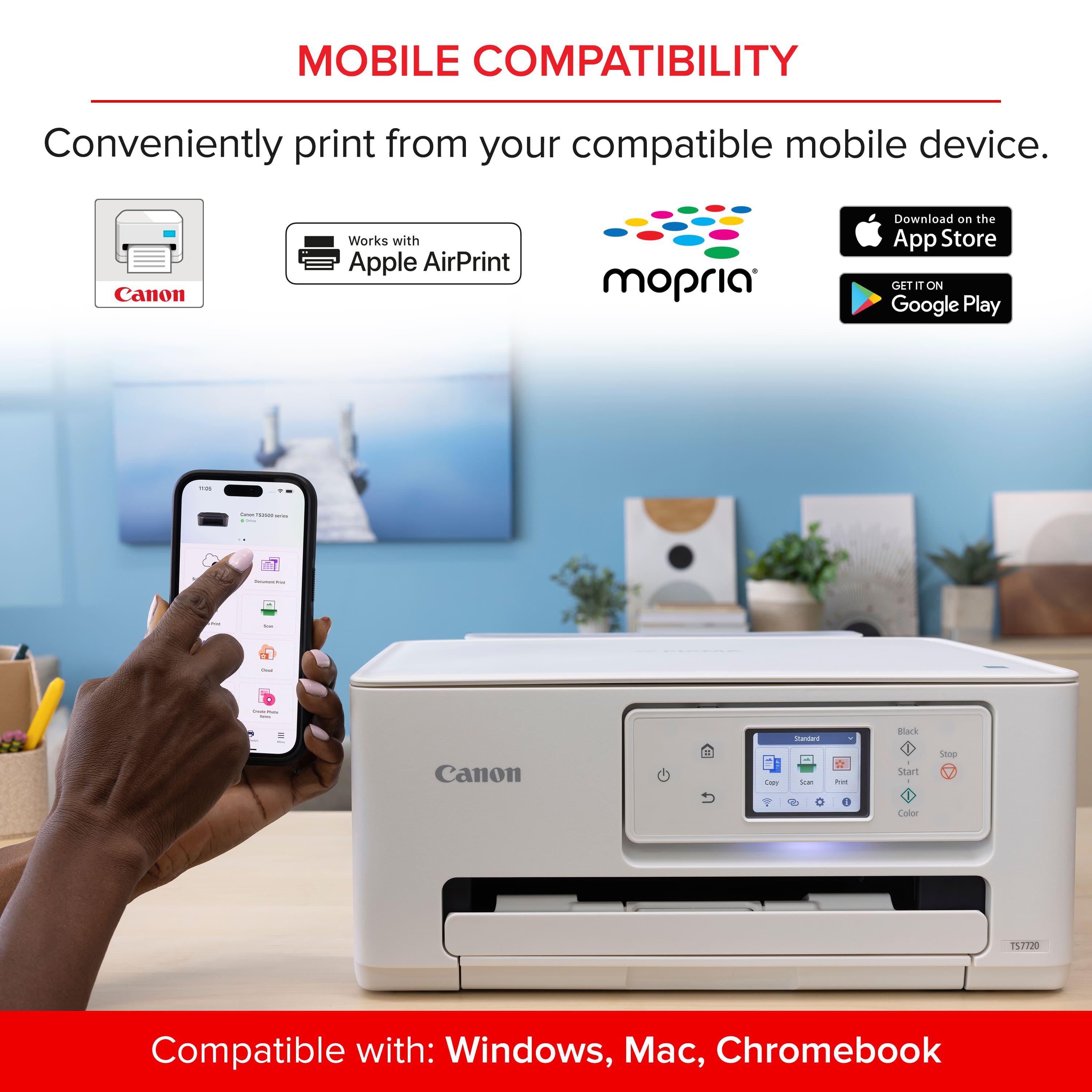
||Posted .This reviewer received promo considerations or sweepstakes entry for writing a review.So happy with the purchase. It was so easy to setup our phones, pc and MacBook to the printer using the Canon Print App
This review is from Canon - PIXMA TS7720 Wireless All-In-One Inkjet Printer - White
I would recommend this to a friendRated 5 out of 5 stars
Good purchase
||Posted . Owned for 1 month when reviewed.This reviewer received promo considerations or sweepstakes entry for writing a review.It was so easy to set up to do. I had to download the app which was super easy to connect to it I also printed out pictures they came out great.
This review is from Canon - PIXMA TS7720 Wireless All-In-One Inkjet Printer - White
I would recommend this to a friendRated 5 out of 5 stars
My canon
||Posted .This reviewer received promo considerations or sweepstakes entry for writing a review.Excellent! Had a few issues setting it up, once completed, it’s a breeze to operate.
This review is from Canon - PIXMA TS7720 Wireless All-In-One Inkjet Printer - White
I would recommend this to a friendRated 3 out of 5 stars
PIXMA TS7720 - Was expecting better performance
||Posted .This reviewer received promo considerations or sweepstakes entry for writing a review.I have only had this printer for a couple of weeks and I'm still getting used to it. The issues I am having which are a bit annoying....I do not print often but when I do print over Wifi it is a bit quirky as it seems like I have to turn off the printer and turn it back on to connect to my home network. Pages print slower than the 12 yr old Epson ink jet I recently had to replace. Print quality/appearance is excellent.
This review is from Canon - PIXMA TS7720 Wireless All-In-One Inkjet Printer - White
No, I would not recommend this to a friendRated 5 out of 5 stars
Cottage 52
||Posted . Owned for 1 month when reviewed.This reviewer received promo considerations or sweepstakes entry for writing a review.It was easy for me to setup, papers looking good! Printing from my phone is great
This review is from Canon - PIXMA TS7720 Wireless All-In-One Inkjet Printer - White
I would recommend this to a friendRated 4 out of 5 stars
Set up bad, for me, printer fine
||Posted . Owned for less than 1 week when reviewed.This reviewer received promo considerations or sweepstakes entry for writing a review.The printer itself works fine. Haven't yet printed more than one small photo, so can't say much about color reproduction. Many have said the ink either doesn't last long or dries up if don't use regularly. Ink options not readily available in stores closer to me. Paper tray okay for occasional printing needs but not for high volume. Apparently some printers will print a picture from your phone even if it's not stored on a cloud, but not this printer, if that is a consideration. Price and availability won over that wish list item for me, and I didn't have time to explore all the pros and cons of the countless other printers in my price range. The scan function worked, that is, once I was finally able to get all the drivers installed. Don't need the Canon app just to print (can use printer driver thru Windows) but do need Canon app to scan. (Windows scan has limitations.) Link provided by printer screen instructions goes thru set up, which stopped me cold at "problem with connection," prior to installation. In my marathon research, many others had the same problem. I knew it was connected properly to the computer because it could print a document from the computer. No amount of plugging and re-plugging or restarting ever helped. Finally, I bumbled into the Canon website (not thru link noted above) and downloaded the printer/scanner drivers AND installed them successfully. But this was only after 3 hours of utter frustration and on the verge of returning. So, set up was not a breeze for me. I hope this might help someone else if they encounter a similar problem.
This review is from Canon - PIXMA TS7720 Wireless All-In-One Inkjet Printer - White
I would recommend this to a friendRated 5 out of 5 stars
Excellent!
||Posted . Owned for 1 month when reviewed.This reviewer received promo considerations or sweepstakes entry for writing a review.I'm very happy with this printer. Best one I've ever had! It's efficient, even better I got it on sale!!!
This review is from Canon - PIXMA TS7720 Wireless All-In-One Inkjet Printer - White
I would recommend this to a friendRated 5 out of 5 stars
All I need in a small office printer
||Posted . Owned for 3 weeks when reviewed.This reviewer received promo considerations or sweepstakes entry for writing a review.Everything I need for a small office printer. Quieter than most brands, and small than I initially thought. Great purchase at an even better price!
This review is from Canon - PIXMA TS7720 Wireless All-In-One Inkjet Printer - White
I would recommend this to a friendRated 5 out of 5 stars
Nice printer for the cost
||Posted . Owned for 1 month when reviewed.This reviewer received promo considerations or sweepstakes entry for writing a review.Love my new printer! It’s quieter than my old one and makes quick prints.
This review is from Canon - PIXMA TS7720 Wireless All-In-One Inkjet Printer - White
I would recommend this to a friendRated 5 out of 5 stars
Canon
||Posted . Owned for 1 month when reviewed.This reviewer received promo considerations or sweepstakes entry for writing a review.Easy to setup and connects well with all my devices.
This review is from Canon - PIXMA TS7720 Wireless All-In-One Inkjet Printer - White
I would recommend this to a friend